Evaluation Question
2
Naomi Chopra
Whathaveyoulearntabouttechnologiesfromtheprocessof
constructionthisproduct?
Photoshop
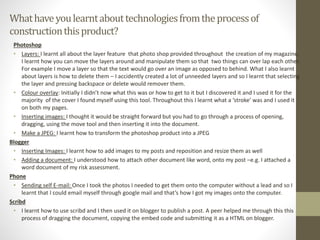
• Layers: I learnt all about the layer feature that photo shop provided throughout the creation of my magazine.
I learnt how you can move the layers around and manipulate them so that two things can over lap each other.
For example I move a layer so that the text would go over an image as opposed to behind. What I also learnt
about layers is how to delete them – I accidently created a lot of unneeded layers and so I learnt that selecting
the layer and pressing backspace or delete would remover them.
• Colour overlay: Initially I didn’t now what this was or how to get to it but I discovered it and I used it for the
majority of the cover I found myself using this tool. Throughout this I learnt what a ‘stroke’ was and I used it
on both my pages.
• Inserting images: I thought it would be straight forward but you had to go through a process of opening,
dragging, using the move tool and then inserting it into the document.
• Make a JPEG: I learnt how to transform the photoshop product into a JPEG
Blogger
• Inserting Images: I learnt how to add images to my posts and reposition and resize them as well
• Adding a document: I understood how to attach other document like word, onto my post –e.g. I attached a
word document of my risk assessment.
Phone
• Sending self E-mail: Once I took the photos I needed to get them onto the computer without a lead and so I
learnt that I could email myself through google mail and that’s how I got my images onto the computer.
Scribd
• I learnt how to use scribd and I then used it on blogger to publish a post. A peer helped me through this this
process of dragging the document, copying the embed code and submitting it as a HTML on blogger.

Evaluation question 2

  • 1.
  • 2.
    Whathaveyoulearntabouttechnologiesfromtheprocessof constructionthisproduct? Photoshop • Layers: Ilearnt all about the layer feature that photo shop provided throughout the creation of my magazine. I learnt how you can move the layers around and manipulate them so that two things can over lap each other. For example I move a layer so that the text would go over an image as opposed to behind. What I also learnt about layers is how to delete them – I accidently created a lot of unneeded layers and so I learnt that selecting the layer and pressing backspace or delete would remover them. • Colour overlay: Initially I didn’t now what this was or how to get to it but I discovered it and I used it for the majority of the cover I found myself using this tool. Throughout this I learnt what a ‘stroke’ was and I used it on both my pages. • Inserting images: I thought it would be straight forward but you had to go through a process of opening, dragging, using the move tool and then inserting it into the document. • Make a JPEG: I learnt how to transform the photoshop product into a JPEG Blogger • Inserting Images: I learnt how to add images to my posts and reposition and resize them as well • Adding a document: I understood how to attach other document like word, onto my post –e.g. I attached a word document of my risk assessment. Phone • Sending self E-mail: Once I took the photos I needed to get them onto the computer without a lead and so I learnt that I could email myself through google mail and that’s how I got my images onto the computer. Scribd • I learnt how to use scribd and I then used it on blogger to publish a post. A peer helped me through this this process of dragging the document, copying the embed code and submitting it as a HTML on blogger.