What have I used?
Throughout the construction of my magazine, I have used a variety of
technologies. There have been many challenges along the way, but they have
made the production of ‘Not Just Noise’ a lot easier.
I have used:

Microsoft Word
Blogger
InDesign
Photoshop
Prezi
Microsoft Powerpoint
Powtoon
Photobooth
DaFont
I used Microsoft Word regularly throughout the duration of creating my magazine.
It’s an extremely flexible software which allowed me to use it for a variety of
things. I learnt that it can be used for simple tasks, and can be presented in a neat
and organised way.

I was already familiar with this
technology.
Useful for a variety of things, such
as plans for what I’d upload to my
blog. Also useful for testing out fonts
and experimenting with layout of the
article.
I have this software at home which
allowed me to work from home on
some aspects of the magazine.

It had limitations with what you
could do on there. For example, you
couldn’t post links onto the
document and then upload it onto
the blog as the hyperlink would
become invalid.
I couldn’t use Microsoft Word for
the layout of my magazine as it didn’t
have the right technology to do it. It
wasn’t complex enough.
Blogger
I first became familiar with Blogger during the Preliminary task so I was still trying to
grasp it when we started producing the music magazines. However, I have learnt
that it is an extremely useful technology.

You can organise your work in an
organised fashion. Your posts are
easily found as they are ordered
chronologically.

Blogger can be temperamental. I
had one situation where I could not
write a blog post for a few days, but
then the problem resolved itself.

You can upload your work from
different software, such as
photobooth, prezi and Youtube.

Blogger relies on the internet, so
without the internet you cannot
access your blog posts.

You can make your blog page
look aesthetically attractive.
InDesign
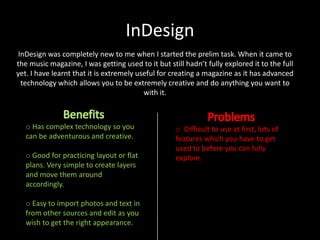
InDesign was completely new to me when I started the prelim task. When it came to
the music magazine, I was getting used to it but still hadn’t fully explored it to the full
yet. I have learnt that it is extremely useful for creating a magazine as it has advanced
technology which allows you to be extremely creative and do anything you want to
with it.

o Has complex technology so you
can be adventurous and creative.
o Good for practicing layout or flat
plans. Very simple to create layers
and move them around
accordingly.

o Easy to import photos and text in
from other sources and edit as you
wish to get the right appearance.

o Difficult to use at first, lots of
features which you have to get
used to before you can fully
explore.
Photoshop
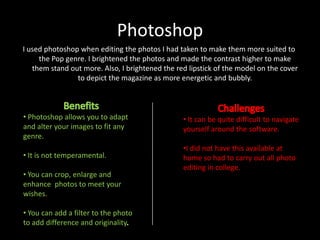
I used photoshop when editing the photos I had taken to make them more suited to
the Pop genre. I brightened the photos and made the contrast higher to make
them stand out more. Also, I brightened the red lipstick of the model on the cover
to depict the magazine as more energetic and bubbly.

• Photoshop allows you to adapt
and alter your images to fit any
genre.

• It can be quite difficult to navigate
yourself around the software.

• It is not temperamental.

•I did not have this available at
home so had to carry out all photo
editing in college.

• You can crop, enlarge and
enhance photos to meet your
wishes.

• You can add a filter to the photo
to add difference and originality
Prezi, Powerpoint and Powtoon
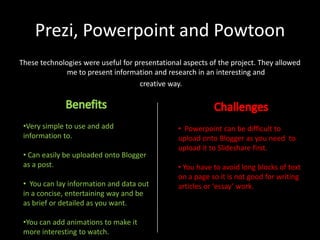
These technologies were useful for presentational aspects of the project. They allowed
me to present information and research in an interesting and
creative way.

•Very simple to use and add
information to.
• Can easily be uploaded onto Blogger
as a post.
• You can lay information and data out
in a concise, entertaining way and be
as brief or detailed as you want.
•You can add animations to make it
more interesting to watch.

• Powerpoint can be difficult to
upload onto Blogger as you need to
upload it to Slideshare first.
• You have to avoid long blocks of text
on a page so it is not good for writing
articles or ‘essay’ work.
Photobooth/ Webcam
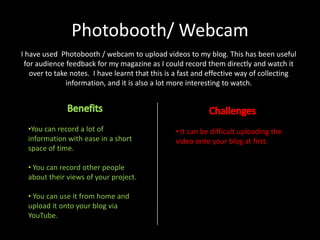
I have used Photobooth / webcam to upload videos to my blog. This has been useful
for audience feedback for my magazine as I could record them directly and watch it
over to take notes. I have learnt that this is a fast and effective way of collecting
information, and it is also a lot more interesting to watch.

•You can record a lot of
information with ease in a short
space of time.
• You can record other people
about their views of your project.
• You can use it from home and
upload it onto your blog via
YouTube.

• It can be difficult uploading the
video onto your blog at first.
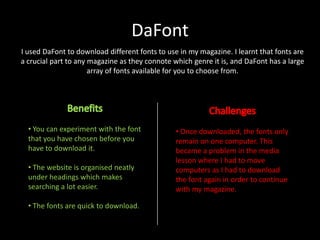
DaFont
I used DaFont to download different fonts to use in my magazine. I learnt that fonts are
a crucial part to any magazine as they connote which genre it is, and DaFont has a large
array of fonts available for you to choose from.

• You can experiment with the font
that you have chosen before you
have to download it.
• The website is organised neatly
under headings which makes
searching a lot easier.
• The fonts are quick to download.

• Once downloaded, the fonts only
remain on one computer. This
became a problem in the media
lesson where I had to move
computers as I had to download
the font again in order to continue
with my magazine.
Conclusion
During the process of constructing my magazine, I
have learnt about a lot of different technologies. I
have broadened my knowledge about them and
the benefits and challenges that come with them.
They have all made the tasks given a lot simpler
with a bit of persistence and willingness to learn
and carry on despite the challenges along the way.

Q6 eval

  • 2.
    What have Iused? Throughout the construction of my magazine, I have used a variety of technologies. There have been many challenges along the way, but they have made the production of ‘Not Just Noise’ a lot easier. I have used: Microsoft Word Blogger InDesign Photoshop Prezi Microsoft Powerpoint Powtoon Photobooth DaFont
  • 3.
    I used MicrosoftWord regularly throughout the duration of creating my magazine. It’s an extremely flexible software which allowed me to use it for a variety of things. I learnt that it can be used for simple tasks, and can be presented in a neat and organised way. I was already familiar with this technology. Useful for a variety of things, such as plans for what I’d upload to my blog. Also useful for testing out fonts and experimenting with layout of the article. I have this software at home which allowed me to work from home on some aspects of the magazine. It had limitations with what you could do on there. For example, you couldn’t post links onto the document and then upload it onto the blog as the hyperlink would become invalid. I couldn’t use Microsoft Word for the layout of my magazine as it didn’t have the right technology to do it. It wasn’t complex enough.
  • 4.
    Blogger I first becamefamiliar with Blogger during the Preliminary task so I was still trying to grasp it when we started producing the music magazines. However, I have learnt that it is an extremely useful technology. You can organise your work in an organised fashion. Your posts are easily found as they are ordered chronologically. Blogger can be temperamental. I had one situation where I could not write a blog post for a few days, but then the problem resolved itself. You can upload your work from different software, such as photobooth, prezi and Youtube. Blogger relies on the internet, so without the internet you cannot access your blog posts. You can make your blog page look aesthetically attractive.
  • 5.
    InDesign InDesign was completelynew to me when I started the prelim task. When it came to the music magazine, I was getting used to it but still hadn’t fully explored it to the full yet. I have learnt that it is extremely useful for creating a magazine as it has advanced technology which allows you to be extremely creative and do anything you want to with it. o Has complex technology so you can be adventurous and creative. o Good for practicing layout or flat plans. Very simple to create layers and move them around accordingly. o Easy to import photos and text in from other sources and edit as you wish to get the right appearance. o Difficult to use at first, lots of features which you have to get used to before you can fully explore.
  • 6.
    Photoshop I used photoshopwhen editing the photos I had taken to make them more suited to the Pop genre. I brightened the photos and made the contrast higher to make them stand out more. Also, I brightened the red lipstick of the model on the cover to depict the magazine as more energetic and bubbly. • Photoshop allows you to adapt and alter your images to fit any genre. • It can be quite difficult to navigate yourself around the software. • It is not temperamental. •I did not have this available at home so had to carry out all photo editing in college. • You can crop, enlarge and enhance photos to meet your wishes. • You can add a filter to the photo to add difference and originality
  • 7.
    Prezi, Powerpoint andPowtoon These technologies were useful for presentational aspects of the project. They allowed me to present information and research in an interesting and creative way. •Very simple to use and add information to. • Can easily be uploaded onto Blogger as a post. • You can lay information and data out in a concise, entertaining way and be as brief or detailed as you want. •You can add animations to make it more interesting to watch. • Powerpoint can be difficult to upload onto Blogger as you need to upload it to Slideshare first. • You have to avoid long blocks of text on a page so it is not good for writing articles or ‘essay’ work.
  • 8.
    Photobooth/ Webcam I haveused Photobooth / webcam to upload videos to my blog. This has been useful for audience feedback for my magazine as I could record them directly and watch it over to take notes. I have learnt that this is a fast and effective way of collecting information, and it is also a lot more interesting to watch. •You can record a lot of information with ease in a short space of time. • You can record other people about their views of your project. • You can use it from home and upload it onto your blog via YouTube. • It can be difficult uploading the video onto your blog at first.
  • 9.
    DaFont I used DaFontto download different fonts to use in my magazine. I learnt that fonts are a crucial part to any magazine as they connote which genre it is, and DaFont has a large array of fonts available for you to choose from. • You can experiment with the font that you have chosen before you have to download it. • The website is organised neatly under headings which makes searching a lot easier. • The fonts are quick to download. • Once downloaded, the fonts only remain on one computer. This became a problem in the media lesson where I had to move computers as I had to download the font again in order to continue with my magazine.
  • 10.
    Conclusion During the processof constructing my magazine, I have learnt about a lot of different technologies. I have broadened my knowledge about them and the benefits and challenges that come with them. They have all made the tasks given a lot simpler with a bit of persistence and willingness to learn and carry on despite the challenges along the way.