Enterprise ResourceEnterprise Resource Planning
(ERP) Systems
Presented By:
BHAVESH SHARMA
What is ERP?
• The practice of consolidating an
enterprise’s planning, manufacturing,
sales and marketing efforts into one
management system.
• Combines all databases across
departments into a single database that
can be accessed by all employees.
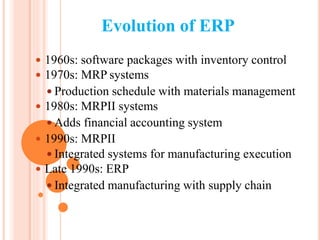
Evolution of ERP
 1960s: software packages with inventory control
 1970s: MRP systems
 Production schedule with materials management
 1980s: MRPII systems
 Adds financial accounting system
 1990s: MRPII
 Integrated systems for manufacturing execution
 Late 1990s: ERP
 Integrated manufacturing with supply chain
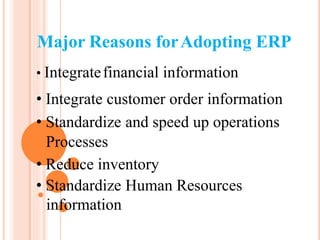
Major Reasons forAdopting ERP
• Integratefinancial information
• Integrate customer order information
• Standardize and speed up operations
Processes
• Reduce inventory
• Standardize Human Resources
information
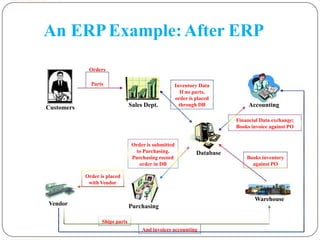
An ERPExample:After ERP
Orders
Customers
Parts Inventory Data
If no parts,
order is placed
Sales Dept. through DB
Order is submitted
to Purchasing. Database
Purchasing record
order in DB
Accounting
Financial Data exchange;
Books invoice against PO
Books inventory
against PO
Order is placed
with Vendor
Vendor Purchasing
Warehouse
Ships parts
And invoices accounting 9
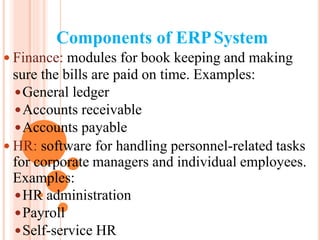
Components of ERPSystem
 Finance: modules for book keeping and making
sure the bills are paid on time. Examples:
General ledger
Accounts receivable
Accounts payable
 HR: software for handling personnel-related tasks
for corporate managers and individual employees.
Examples:
HR administration
Payroll
Self-service HR
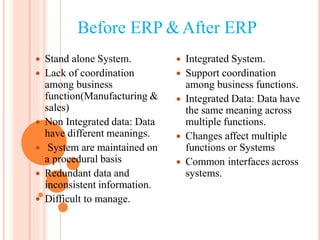
Before ERP &After ERP





Stand alone System.
Lack of coordination
among business
function(Manufacturing &
sales)
Non Integrated data: Data
have different meanings.
System are maintained on
a procedural basis
Redundant data and
inconsistent information.





Integrated System.
Support coordination
among business functions.
Integrated Data: Data have
the same meaning across
multiple functions.
Changes affect multiple
functions or Systems
Common interfaces across
systems.
 Difficult to manage.
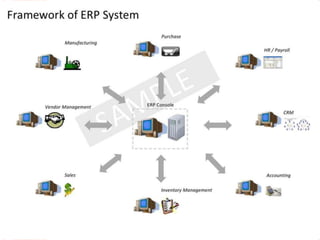
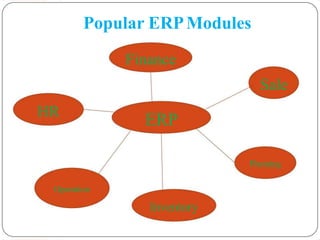
Popular ERPModules
Finance
Sale
HR
ERP
Planning
Operation
Inventory
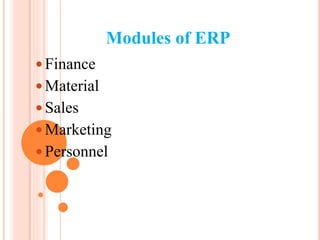
Modules of ERP
 Finance
 Material
 Sales
 Marketing
 Personnel
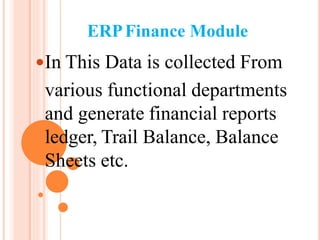
ERPFinance Module
In This Data is collected From
various functional departments
and generate financial reports
ledger, Trail Balance, Balance
Sheets etc.
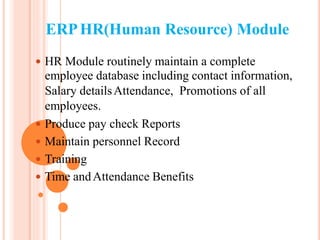
ERPHR(Human Resource) Module
 HR Module routinely maintain a complete
employee database including contact information,
Salary detailsAttendance, Promotions of all
employees.
 Produce pay check Reports
 Maintain personnel Record
 Training
 Time andAttendance Benefits
ERPPurchasing Module
Purchasing module is tightly
integrated with the inventory
control and production planning
Modules.
ERPInventory Module
 Inventory Module facilitates processes
of maintaining the appropriate level of
stock in a warehouse.
Major Phases of ERPImplementation
 Initiation – develop business case, project scope,
and implementation strategy
 Planning – establish implementation team,
determine goals and objectives, establish metrics
 Analysis and process design – analyze and
improve existing processes, map new processes to
be adopted by the system
Major Phases of ERPImplementation
 Realization – install a base system,
customization, and test the system
 Transition – replace the formal system with
the new system, data conversion
 Operation – monitor and improve system
performance, provide continued training and
technical support
Major Challenges to ERPImplementation
 Limitations of ERP technical capabilities
 Inconsistency with existing business processes
 Costs - implementation (hardware, software,
training, consulting) and maintenance
 Changes in employee responsibilities
Major Challenges to ERPImplementation
 Flexibility of software system upgrades
 Implementation timelines
 Availability of internal technical knowledge
and resources
 Education and training
 Implementation strategy and execution
 Resistance to change
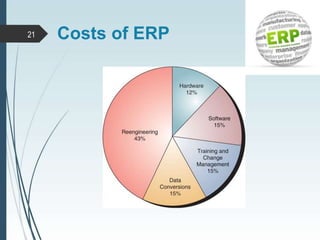
21 Costs of ERP
New Developments In ERP
 Availability of web-based and wireless ERP
systems
 Adoption of easy-to-install ERP systems
 Linkage to other software systems, e.g., supply
chain management system, e-commerce, customer
relationship management system
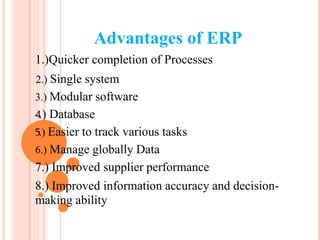
Advantages of ERP
1.)Quicker completion of Processes
2.....) Single system
3.) Modular software
4.) Database
5.) Easier to track various tasks
6.) Manage globally Data
7.) Improved supplier performance
8.) Improved information accuracy and decision-
making ability
Disadvantages of ERP
 Cost
 Time Consuming
 Training to employees
Acceptance with the company
Resistance to change
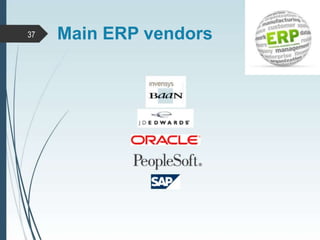
37 Main ERP vendors
1
THANK YOU

Erp

  • 1.
    Enterprise ResourceEnterprise ResourcePlanning (ERP) Systems Presented By: BHAVESH SHARMA
  • 2.
    What is ERP? •The practice of consolidating an enterprise’s planning, manufacturing, sales and marketing efforts into one management system. • Combines all databases across departments into a single database that can be accessed by all employees.
  • 3.
    Evolution of ERP 1960s: software packages with inventory control  1970s: MRP systems  Production schedule with materials management  1980s: MRPII systems  Adds financial accounting system  1990s: MRPII  Integrated systems for manufacturing execution  Late 1990s: ERP  Integrated manufacturing with supply chain
  • 4.
    Major Reasons forAdoptingERP • Integratefinancial information • Integrate customer order information • Standardize and speed up operations Processes • Reduce inventory • Standardize Human Resources information
  • 5.
    An ERPExample:After ERP Orders Customers PartsInventory Data If no parts, order is placed Sales Dept. through DB Order is submitted to Purchasing. Database Purchasing record order in DB Accounting Financial Data exchange; Books invoice against PO Books inventory against PO Order is placed with Vendor Vendor Purchasing Warehouse Ships parts And invoices accounting 9
  • 6.
    Components of ERPSystem Finance: modules for book keeping and making sure the bills are paid on time. Examples: General ledger Accounts receivable Accounts payable  HR: software for handling personnel-related tasks for corporate managers and individual employees. Examples: HR administration Payroll Self-service HR
  • 8.
    Before ERP &AfterERP      Stand alone System. Lack of coordination among business function(Manufacturing & sales) Non Integrated data: Data have different meanings. System are maintained on a procedural basis Redundant data and inconsistent information.      Integrated System. Support coordination among business functions. Integrated Data: Data have the same meaning across multiple functions. Changes affect multiple functions or Systems Common interfaces across systems.  Difficult to manage.
  • 9.
  • 10.
    Modules of ERP Finance  Material  Sales  Marketing  Personnel
  • 11.
    ERPFinance Module In ThisData is collected From various functional departments and generate financial reports ledger, Trail Balance, Balance Sheets etc.
  • 12.
    ERPHR(Human Resource) Module HR Module routinely maintain a complete employee database including contact information, Salary detailsAttendance, Promotions of all employees.  Produce pay check Reports  Maintain personnel Record  Training  Time andAttendance Benefits
  • 13.
    ERPPurchasing Module Purchasing moduleis tightly integrated with the inventory control and production planning Modules.
  • 14.
    ERPInventory Module  InventoryModule facilitates processes of maintaining the appropriate level of stock in a warehouse.
  • 15.
    Major Phases ofERPImplementation  Initiation – develop business case, project scope, and implementation strategy  Planning – establish implementation team, determine goals and objectives, establish metrics  Analysis and process design – analyze and improve existing processes, map new processes to be adopted by the system
  • 16.
    Major Phases ofERPImplementation  Realization – install a base system, customization, and test the system  Transition – replace the formal system with the new system, data conversion  Operation – monitor and improve system performance, provide continued training and technical support
  • 17.
    Major Challenges toERPImplementation  Limitations of ERP technical capabilities  Inconsistency with existing business processes  Costs - implementation (hardware, software, training, consulting) and maintenance  Changes in employee responsibilities
  • 18.
    Major Challenges toERPImplementation  Flexibility of software system upgrades  Implementation timelines  Availability of internal technical knowledge and resources  Education and training  Implementation strategy and execution  Resistance to change
  • 19.
  • 20.
    New Developments InERP  Availability of web-based and wireless ERP systems  Adoption of easy-to-install ERP systems  Linkage to other software systems, e.g., supply chain management system, e-commerce, customer relationship management system
  • 21.
    Advantages of ERP 1.)Quickercompletion of Processes 2.....) Single system 3.) Modular software 4.) Database 5.) Easier to track various tasks 6.) Manage globally Data 7.) Improved supplier performance 8.) Improved information accuracy and decision- making ability
  • 22.
    Disadvantages of ERP Cost  Time Consuming  Training to employees Acceptance with the company Resistance to change
  • 23.
    37 Main ERPvendors
  • 24.