













Enterprise Search Using SharePoint 2010 and FASTBert JohnsonSharePoint Architect and 2010 MCM, West Monroe Partners
2Bert JohnsonSharePoint Architect with West Monroe PartnersMicrosoft Certified Master – SharePoint Server 2010Twitter: @SPBert			Event Hashtag: #sps2011Email: bert@bertjohnson.net
3AgendaThe Need for Enterprise SearchMicrosoft’s Enterprise Search CapabilitiesSearch in SharePoint 2010What’s New, What’s ImprovedDemoFAST Search 2010Advanced ScenariosDemoQ&A
4The Need forEnterprise Search
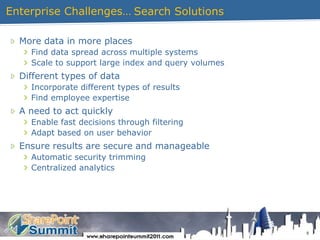
5Enterprise Challenges…More data in more placesFind data spread across multiple systemsScale to support large index and query volumesDifferent types of dataIncorporate different types of resultsFind employee expertiseA need to act quicklyEnable fast decisions through filteringAdapt based on user behaviorEnsure results are secure and manageableAutomatic security trimmingCentralized analyticsSearch Solutions
6Microsoft’s Search Capabilities
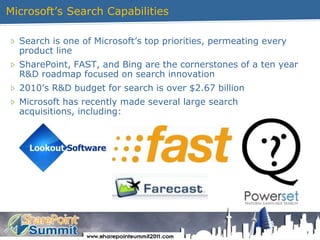
7Microsoft’sSearchCapabilitiesSearch is one of Microsoft’s top priorities, permeating every product lineSharePoint, FAST, and Bing are the cornerstones of a ten year R&D roadmap focused on search innovation2010’s R&D budget for search is over $2.67 billionMicrosoft has recently made several large search acquisitions, including:
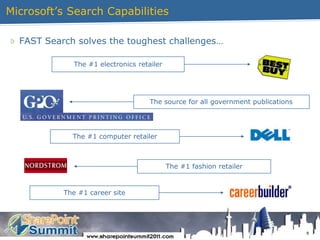
8Microsoft’sSearchCapabilitiesFAST Search solves the toughest challenges…The #1 electronics retailer The source for all government publicationsThe #1 computer retailer The #1 fashion retailerThe #1 career site
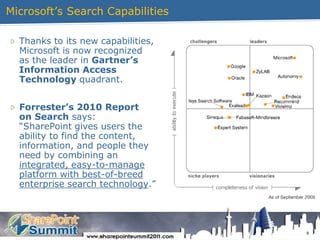
9Microsoft’sSearchCapabilitiesThanks to its new capabilities,Microsoft is now recognizedas the leader in Gartner’sInformation AccessTechnology quadrant.Forrester’s 2010 Reporton Search says:“SharePoint gives users theability to find the content,information, and people theyneed by combining anintegrated, easy-to-manageplatform with best-of-breedenterprise search technology.”
10What’s New forSearch in SharePoint 2010
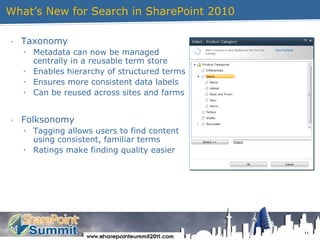
11What’s New for Search in SharePoint 2010Taxonomy
Metadata can now be managedcentrally in a reusable term store
Enables hierarchy of structured terms
Ensures more consistent data labels
Can be reused across sites and farms
Folksonomy
Tagging allows users to find contentusing consistent, familiar terms
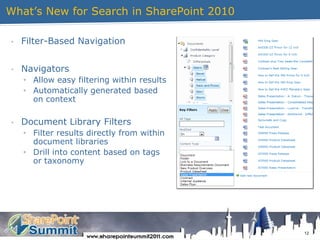
Ratings make finding quality easier12What’s New for Search in SharePoint 2010Filter-Based Navigation
Navigators
Allow easy filtering within results
Automatically generated basedon context
Document Library Filters
Filter results directly from withindocument libraries
Drill into content based on tagsor taxonomy13What’s New for Search in SharePoint 2010Social Search Enhancements
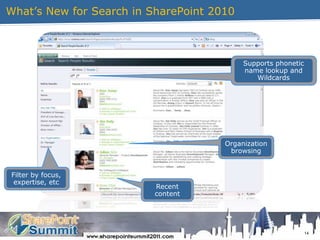
People Search
Incorporates people’s interests, expertise, and recent activity
Outlook Social Connector automatically discovers relationships
“Self Search”
Returns information about the current user
User Behavior
Click popularity influences the ranking of search results
Suggestions driven by past searches and taxonomy
Ranking driven by:
Content ratings
Social tagging
Query suggestions
Popularity of click-through14What’s New for Search in SharePoint 2010Supports phonetic name lookup and WildcardsOrganization browsingFilter by focus, expertise, etcRecentcontent

Enterprise Search Using SharePoint 2010 and FAST