SharePoint Search & IA Jumpstart Series June 11, 2009 Call 2: Making Basic SharePoint Search Work Hosted by Earley & Associates in partnership with Consejo, Inc.
About the JumpStart call series Began educational call series in 2005 Past topics have  included Taxonomy and Metadata, Content Management, Search, Semantic Technologies Have had several thousand attendees over the years.  Today’s call has over 700 registrants Calls will be recorded and available for download Be sure to fill in evaluation to let us know what additional topics you would like to learn about
Community of Practice Calls Taxonomy Group url:  http://finance.groups.yahoo.com/group/TaxoCoP Search Group url:  http://tech.groups.yahoo.com/group/SearchCoP Upcoming calls: July 15, 2009 – Metadata Maturity Model Survey Findings August 5, 2009 – Conducting a Search Audit September 2, 2009 – DITA October 7, 2009 – Taxonomy Usability Testing November 4, 2009 – Developing an Ontology December 2, 2009 – Applications for Topic Maps
Housekeeping Calls last from 60 – 90 minutes Email questions during the call to  [email_address] . Questions will be taken at the end of the session You can also skype Rebecca.M.Allen Questions will be queued through the operator.  Press *1 to ask a question. If you are on twitter, you can follow the discussion and make comments using the hash tag #spjs
Call 2: Making Basic SharePoint Search Work Shawn Shell, Consejo Inc. Improving Search through Tagging Sadie Van Buren, Knowledge Management Associates Usability Improvements Inside and Out
SharePoint Search & IA Series: Calls 3 – 4  Call 3:  Navigation, Metadata, & Faceted Search: Approaches & Tools Thursday, June 18 th Lars Farstrup, Farstrup Software Paul Wlodarczyk, Earley & Associates Call 4:  SharePoint IA vs. The Real World Thursday, June 25 th Toby Conrad & Jeremy Bentley, Smartlogic Jeff Carr & Michael Shulha, Earley & Associates As session recordings become available, you will receive notification at the email address used at the time of registration.
About Me Richard Beatch Senior Consultant at Earley & Associates, Inc. Ph.D. in Ontology Specialized in Taxonomy, Search, Metadata, and content architecture Extensive industry experience leading the implementation and design of taxonomies and search solutions for a range of companies including Apple, McAfee, Allstate, Dell, and AT&T Contact: richard@earley.com Blog:  http://sethearley.wordpress.com
Search Basics We have to change our definition of search. Search algorithms are getting better, but they cannot infer human context & intent. Taxonomy, metadata and information architecture are key aspects of search. Search is increasingly looking like navigation. Search is messy. A few things we have come to understand about search over the years:
Improving Search through Tagging Shawn Shell, Consejo
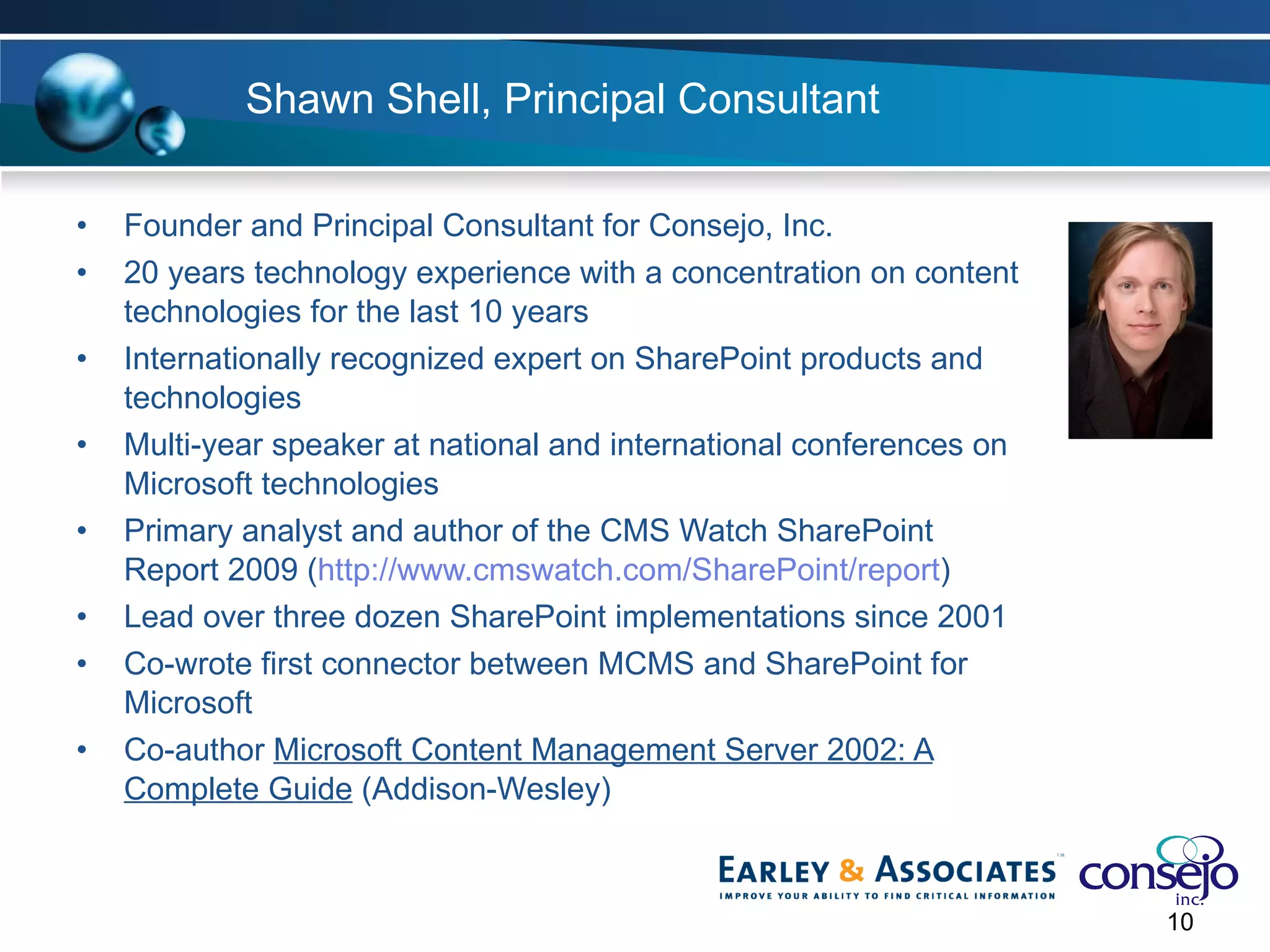
Shawn Shell, Principal Consultant Founder and Principal Consultant for Consejo, Inc. 20 years technology experience with a concentration on content technologies for the last 10 years Internationally recognized expert on SharePoint products and technologies Multi-year speaker at national and international conferences on Microsoft technologies Primary analyst and author of the CMS Watch SharePoint Report 2009 ( http://www.cmswatch.com/SharePoint/report ) Lead over three dozen SharePoint implementations since 2001  Co-wrote first connector between MCMS and SharePoint for Microsoft Co-author  Microsoft Content Management Server 2002: A Complete Guide  (Addison-Wesley)
Agenda Basic Problem Set Tagging Content OOTB Configuration Improvements Practical Success Plan Resources
Basic Problem Set
Metadata Entry Users don’t like to enter it Accuracy is generally suspect Training is usually non-existent “ Successful” patterns make everything “special”
Limitations in SharePoint No cascading Columns (no hierarchy) Columns do not propagate across Site Collections Business data inaccessible in Content Types No integrity in lookup values
Metadata Inconsistencies Each content source has potentially different metadata Vocabulary differences across sources Challenge to leverage advanced search
Tagging Content
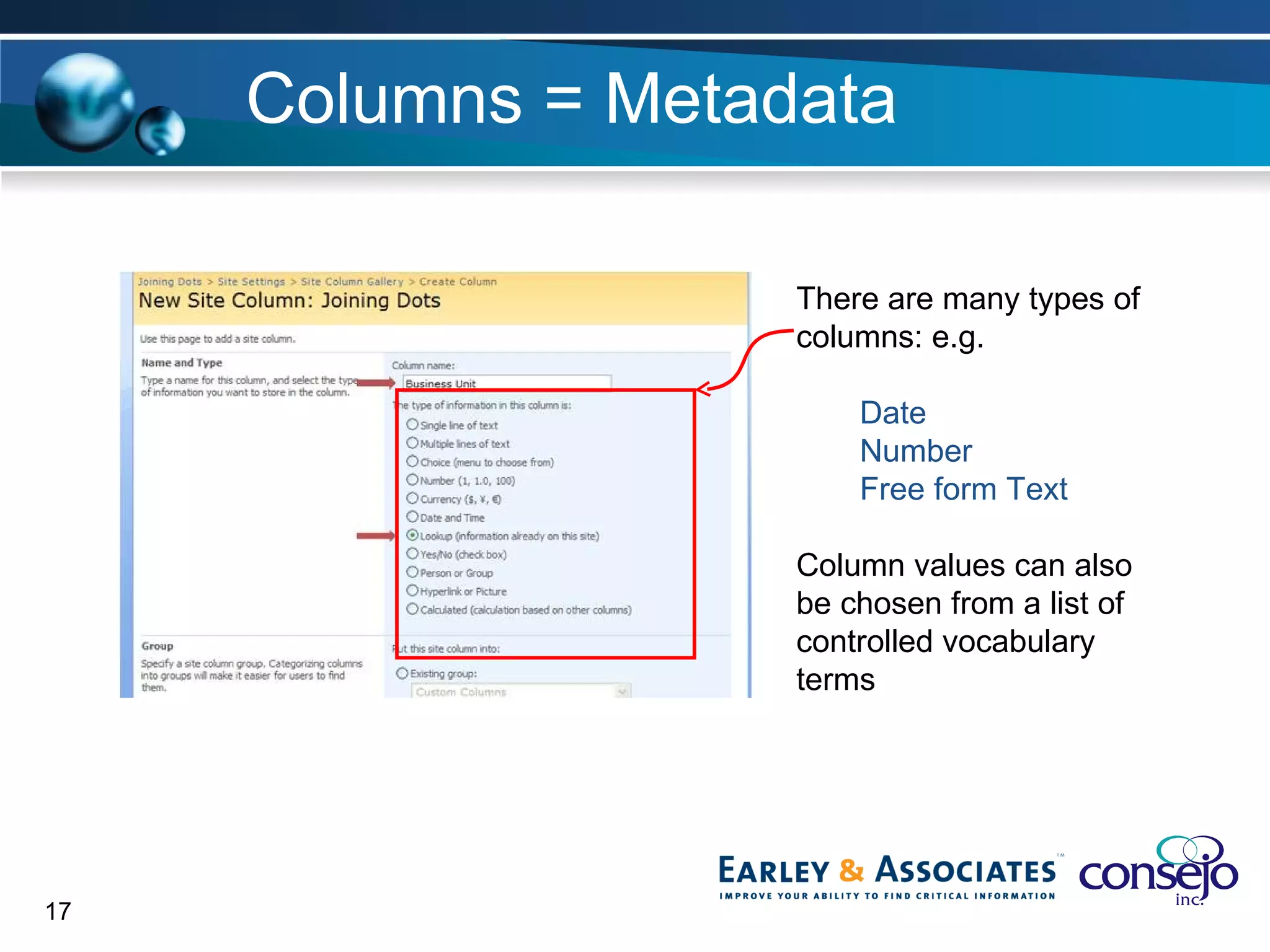
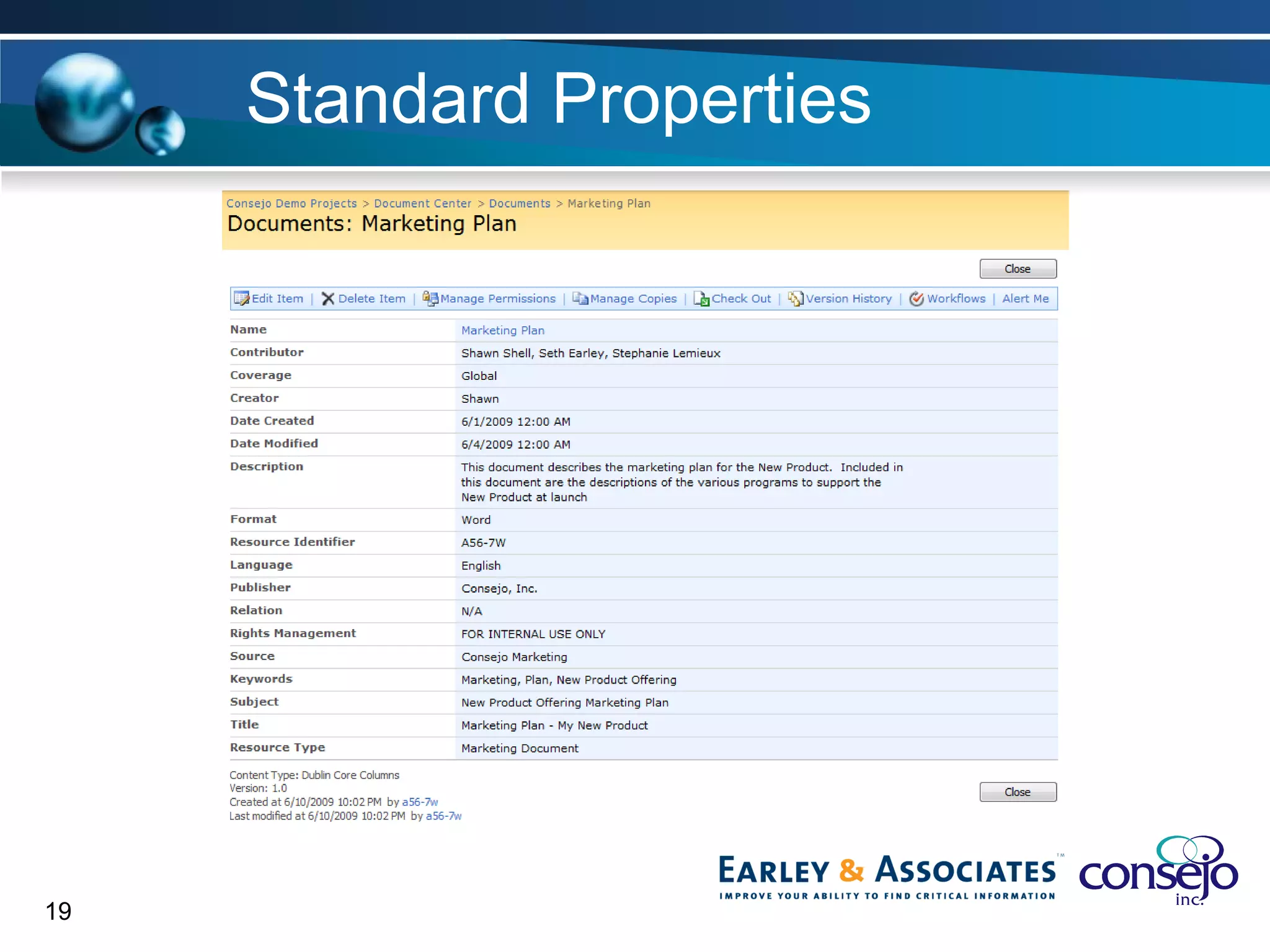
Columns = Metadata There are many types of  columns: e.g. Date Number Free form Text Column values can also be chosen from a list of controlled vocabulary terms
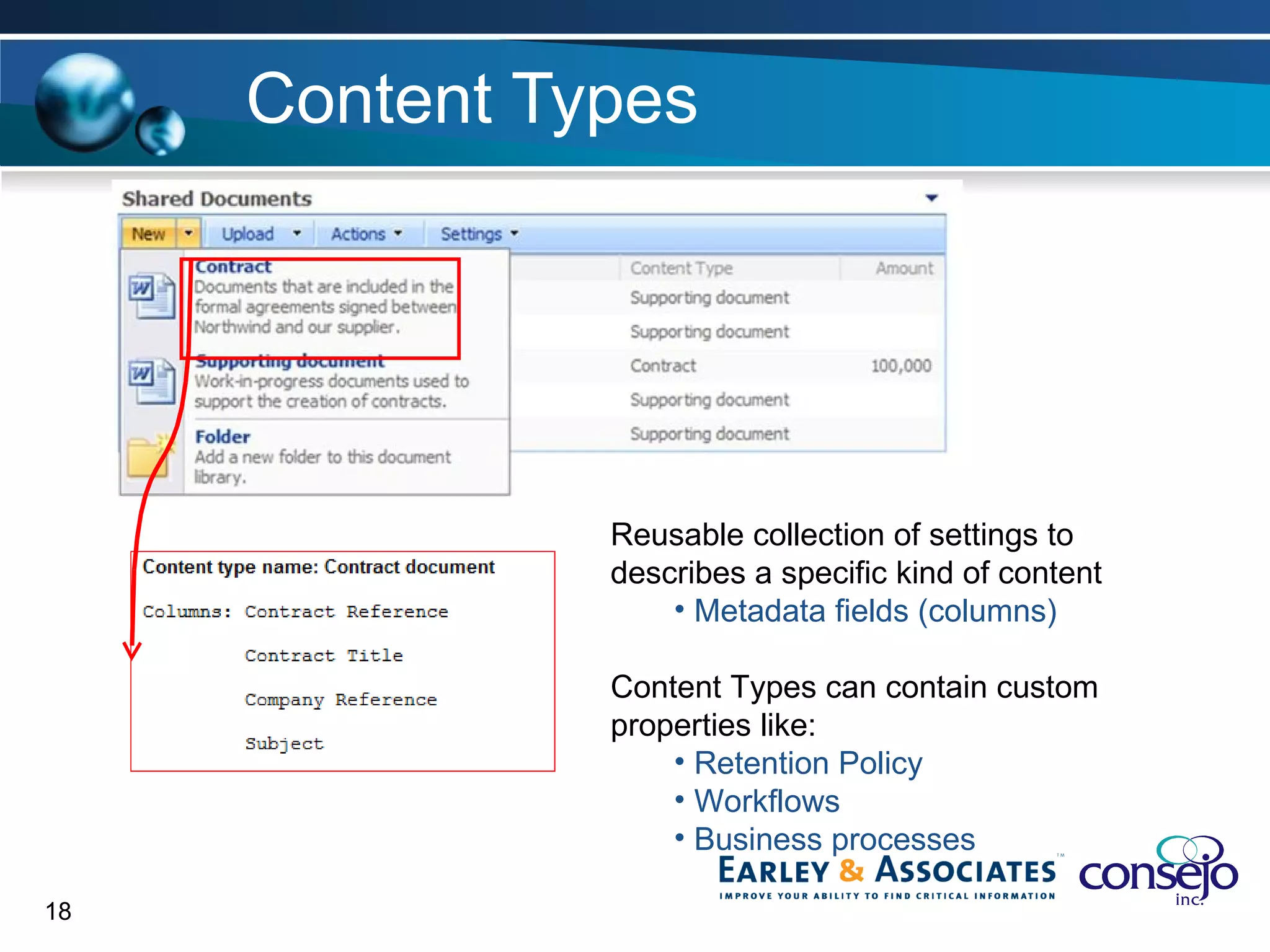
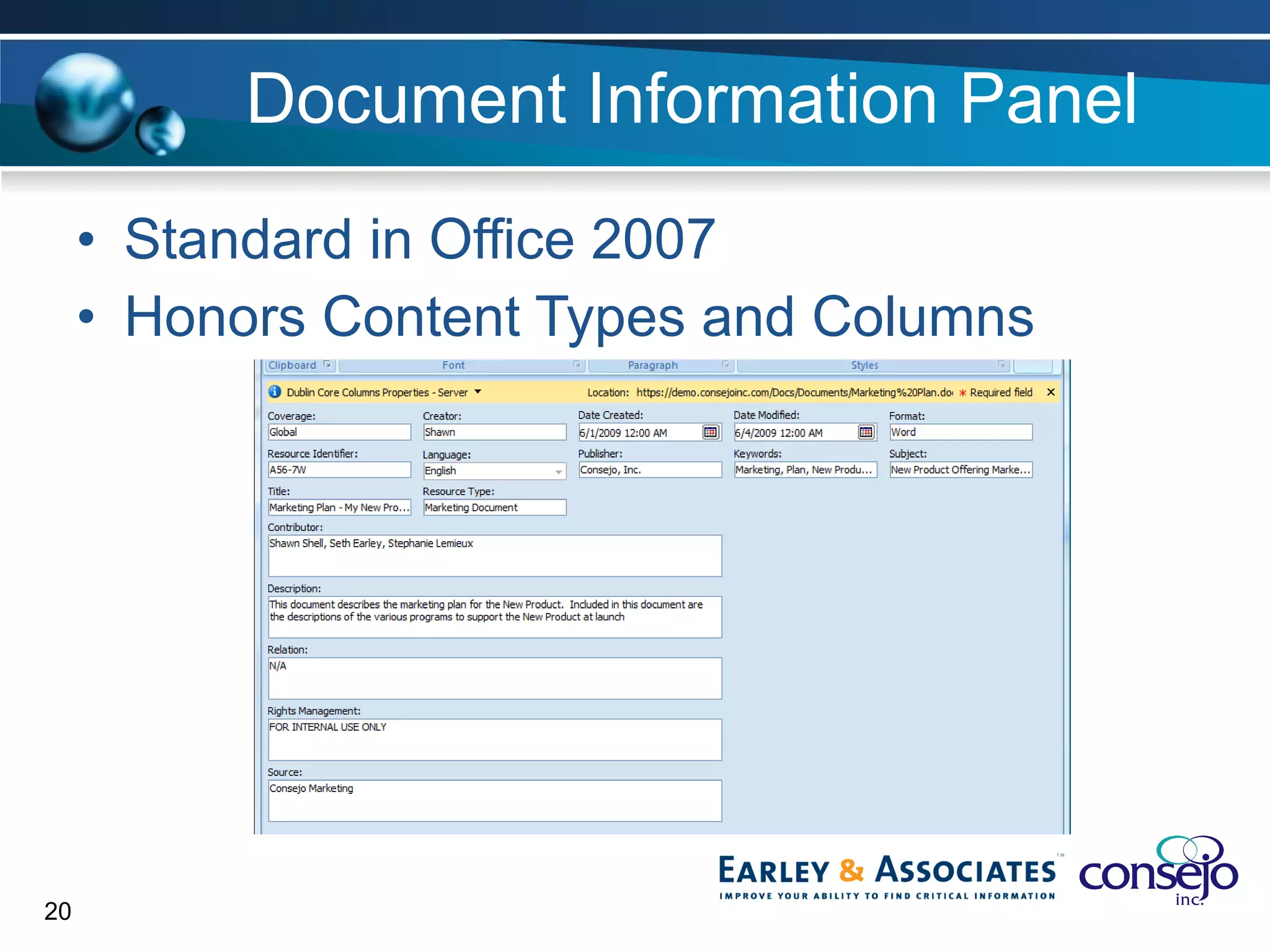
Content Types Reusable collection of settings to  describes a specific kind of content Metadata fields (columns) Content Types can contain custom properties like: Retention Policy Workflows Business processes
Standard Properties
Document Information Panel Standard in Office 2007 Honors Content Types and Columns
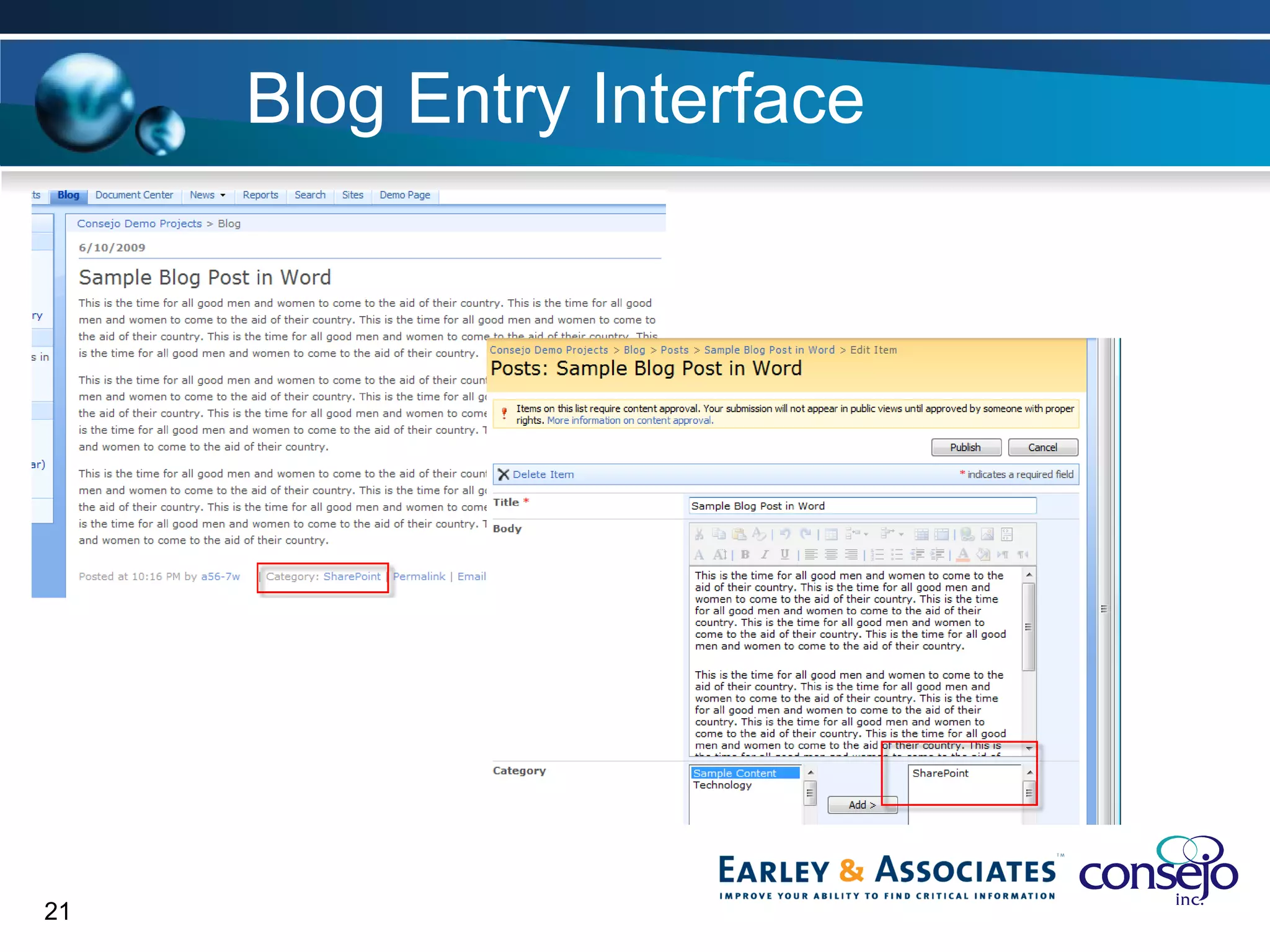
Blog Entry Interface
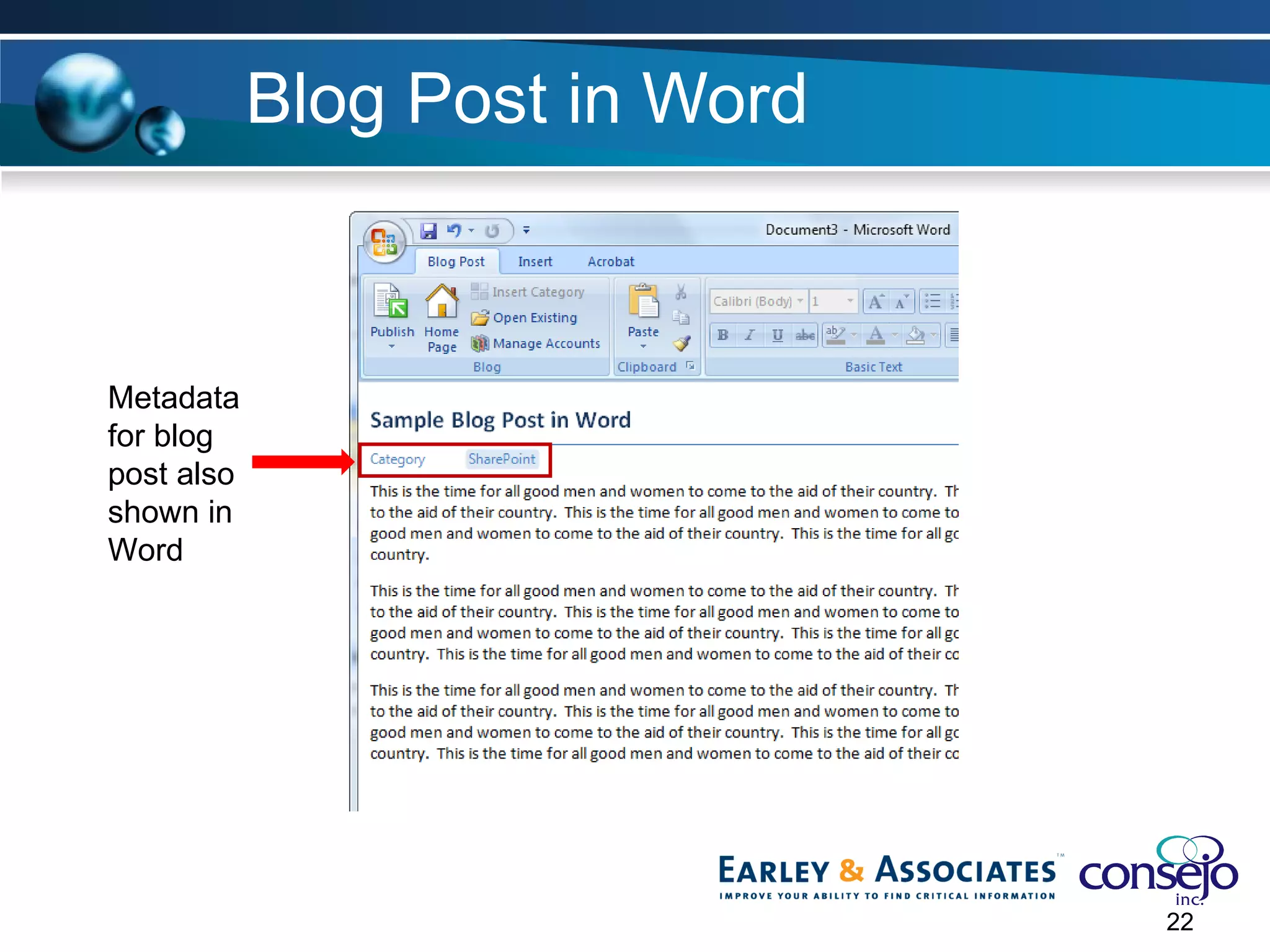
Blog Post in Word Metadata for blog post also shown in Word
OOTB Configuration
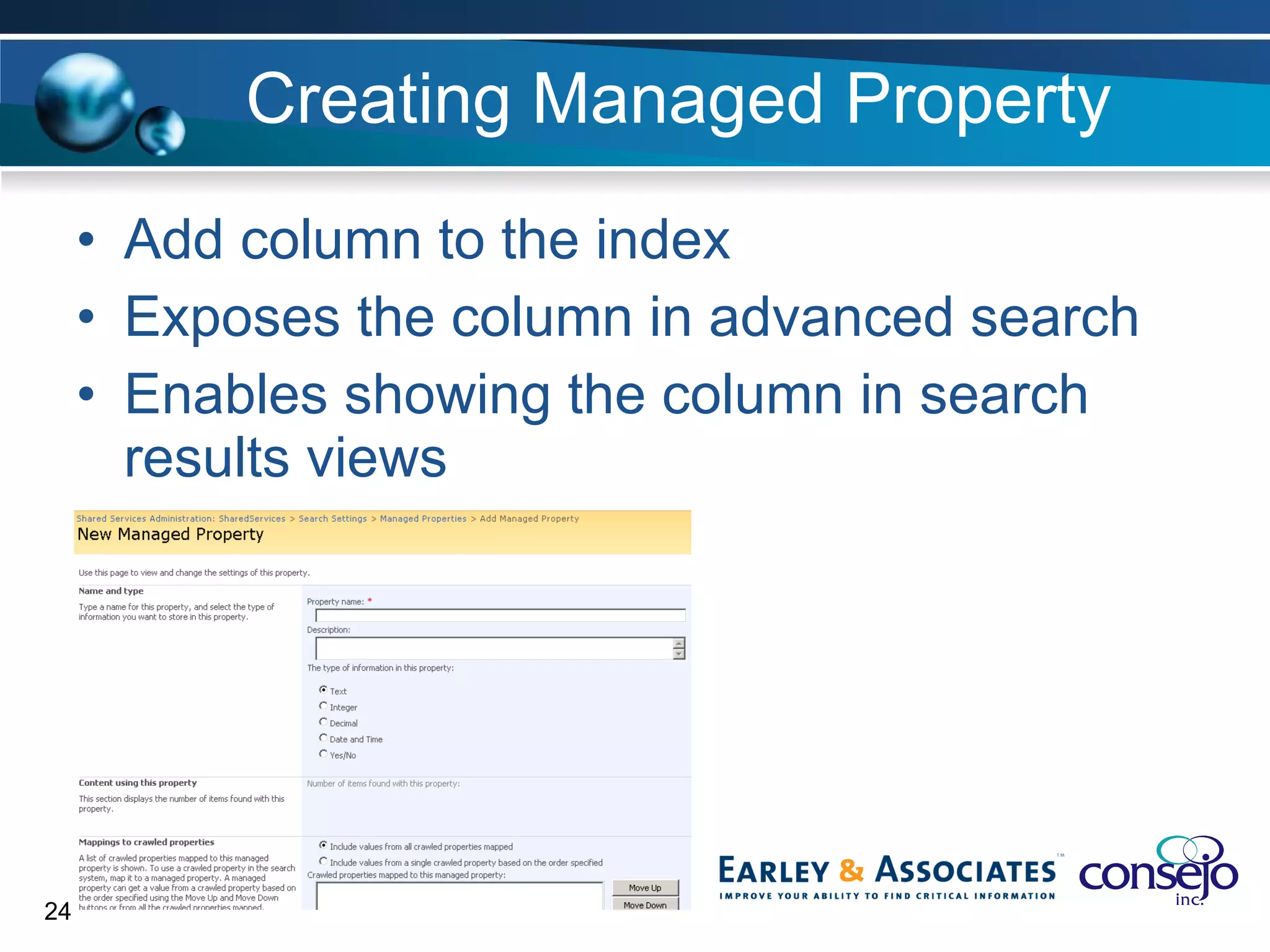
Creating Managed Property Add column to the index Exposes the column in advanced search Enables showing the column in search results views
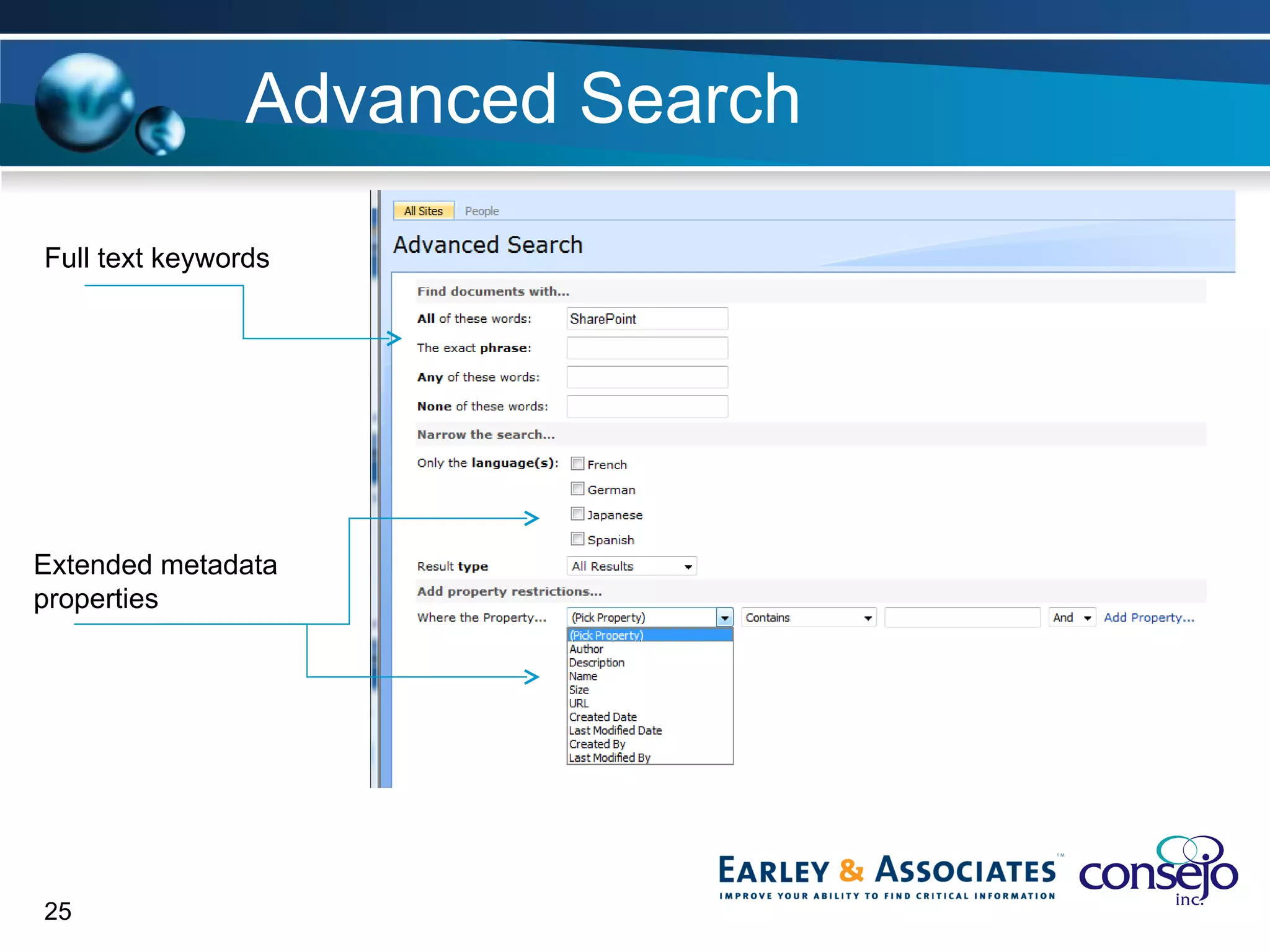
Advanced Search Full text keywords Extended metadata properties
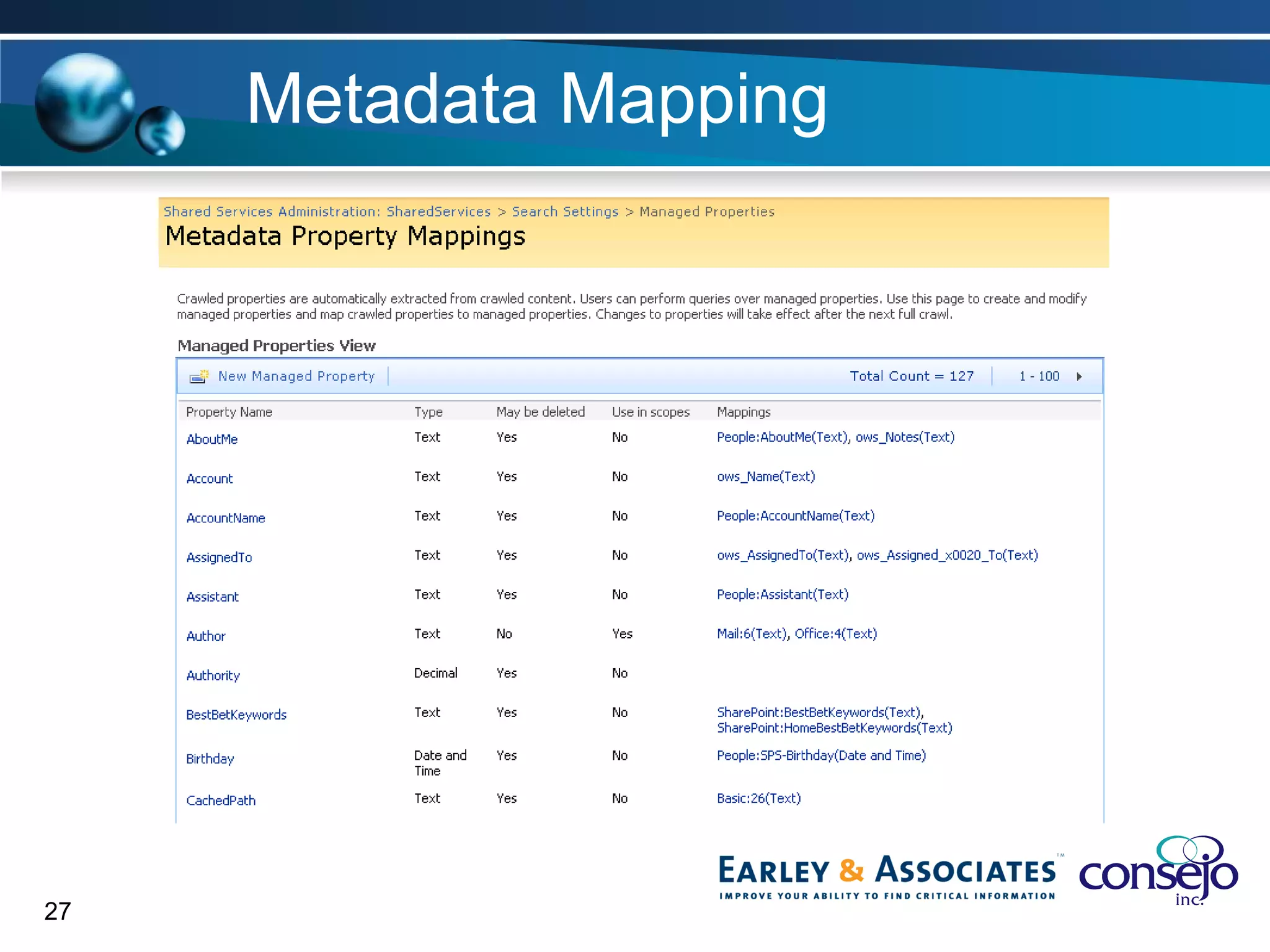
Metadata Mapping Allows metadata to correlate between sources Provides a way to surface in Advanced Search interface Ensures consistency
Metadata Mapping
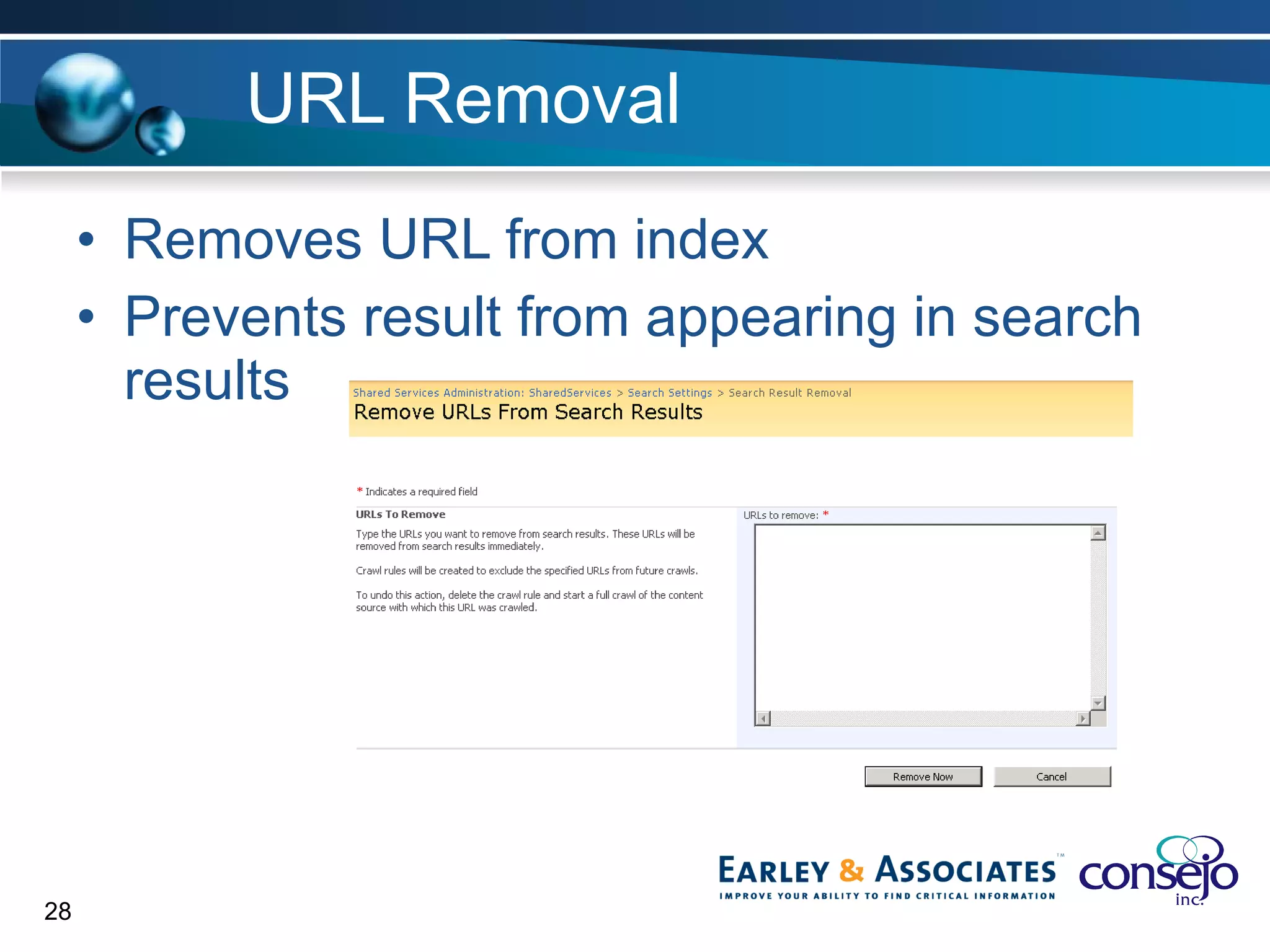
URL Removal Removes URL from index Prevents result from appearing in search results
Practical Success Plan
Improve metadata with… Workflow to automate content tagging Document Information Panel User profiles and metadata profiles
Improve Search with… Construct “canned” searches Leverage Best Bets Use RSS feeds to surface results “without search” Experts to review results periodically Create scopes for content sources
Other Resources
Notable Blogs Consejo http://blog.consejoinc.com Earley & Associates http://sethearley.wordpress.com CMS Watch http://www.cmswatch.com/SharePoint/trends SharePoint Team Blog http://blogs.msdn.com/sharepoint/
Other Resources & Downloads CodePlex http://www.codeplex.com SharePoint Search Portal http://sharepointsearch.com/default.aspx SharePoint End User Content Team (MSFT)  http://sharepoint.microsoft.com/blogs/GetThePoint/default.aspx   WSS Demo (Metadata and Content Types) http://www.wssdemo.com/Pages/metadata.aspx
Other Resources & Downloads Taxonomy Tagging Starter Kit  http://cks.codeplex.com/Release/ProjectReleases.aspx?ReleaseId=2830   Popular Page Web Part http://popularpages.codeplex.com/
Questions? Shawn Shell Principal Consejo, Inc E:  [email_address]   P: 773-271-1474 W:  www.consejoinc.com
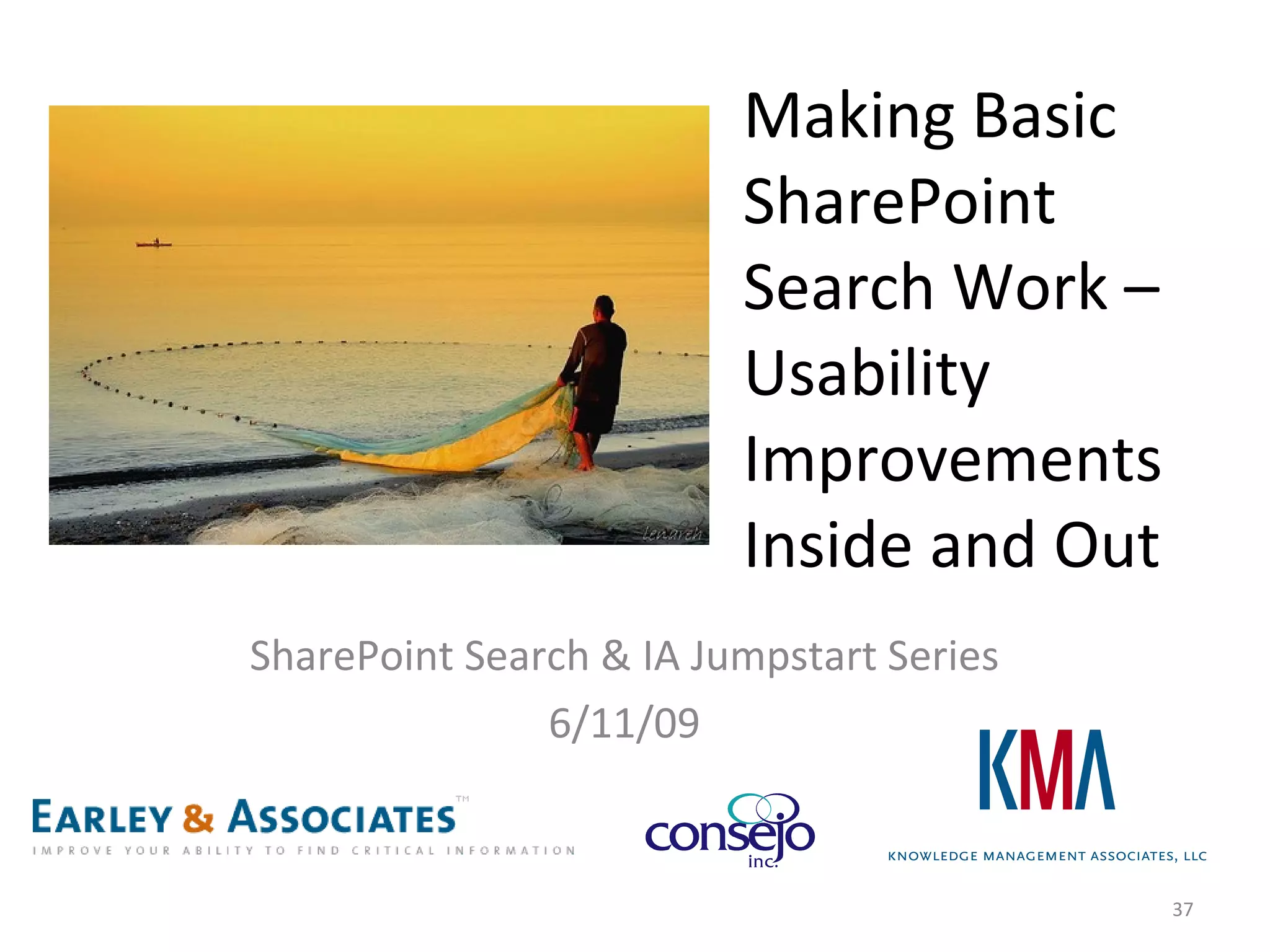
Making Basic SharePoint Search Work –  Usability Improvements Inside and Out SharePoint Search & IA Jumpstart Series 6/11/09
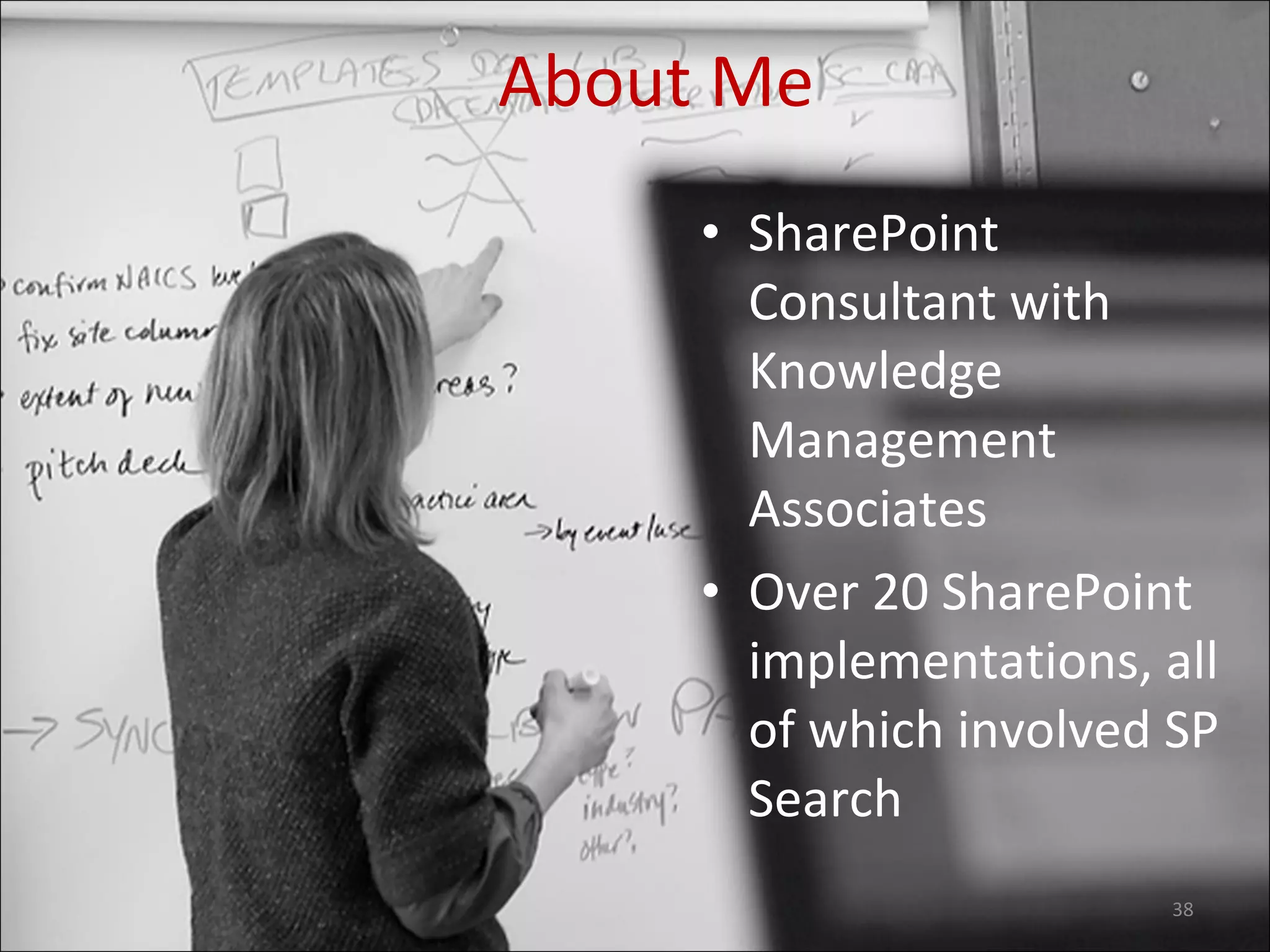
SharePoint Consultant with Knowledge Management Associates Over 20 SharePoint implementations, all of which involved SP Search About Me
Agenda Improving usability of the search interface and results Behind-the-scenes usability improvements Advanced Search Interesting things we’ve seen companies do with the SharePoint search interface Frustrations and Gotchas Conclusion / Resources
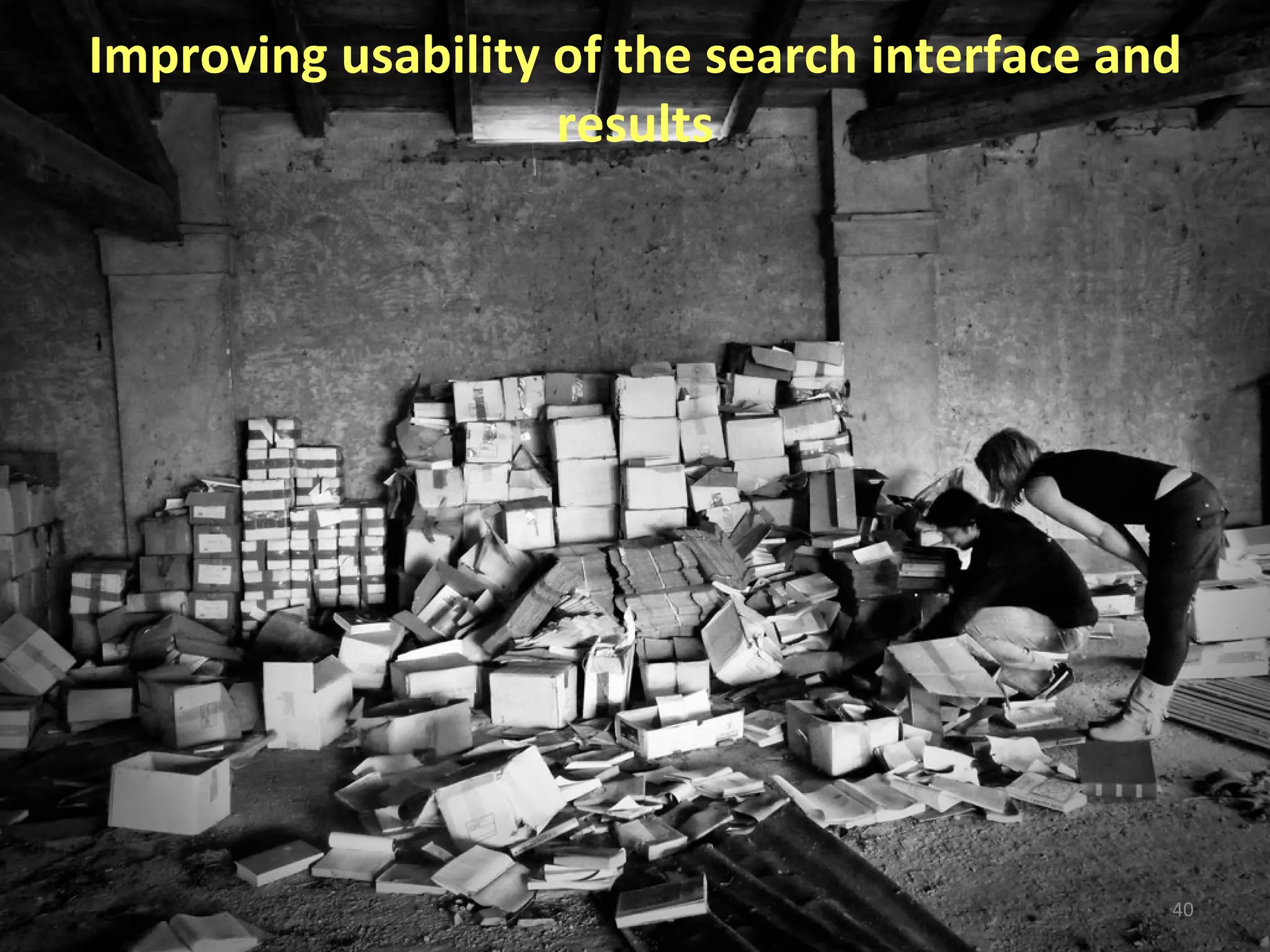
Improving usability of the search interface and results
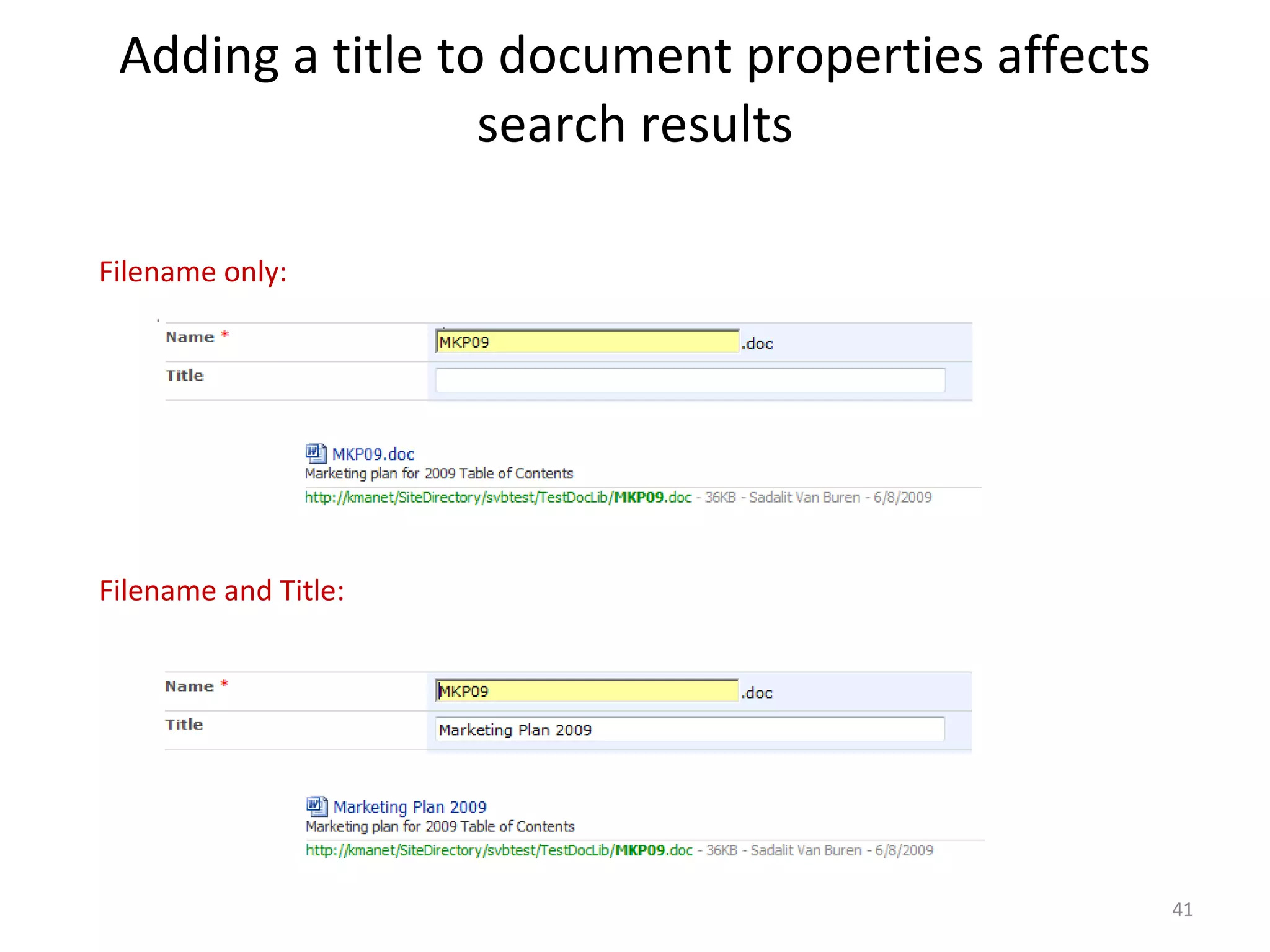
Adding a title to document properties affects search results Filename only: Filename and Title:
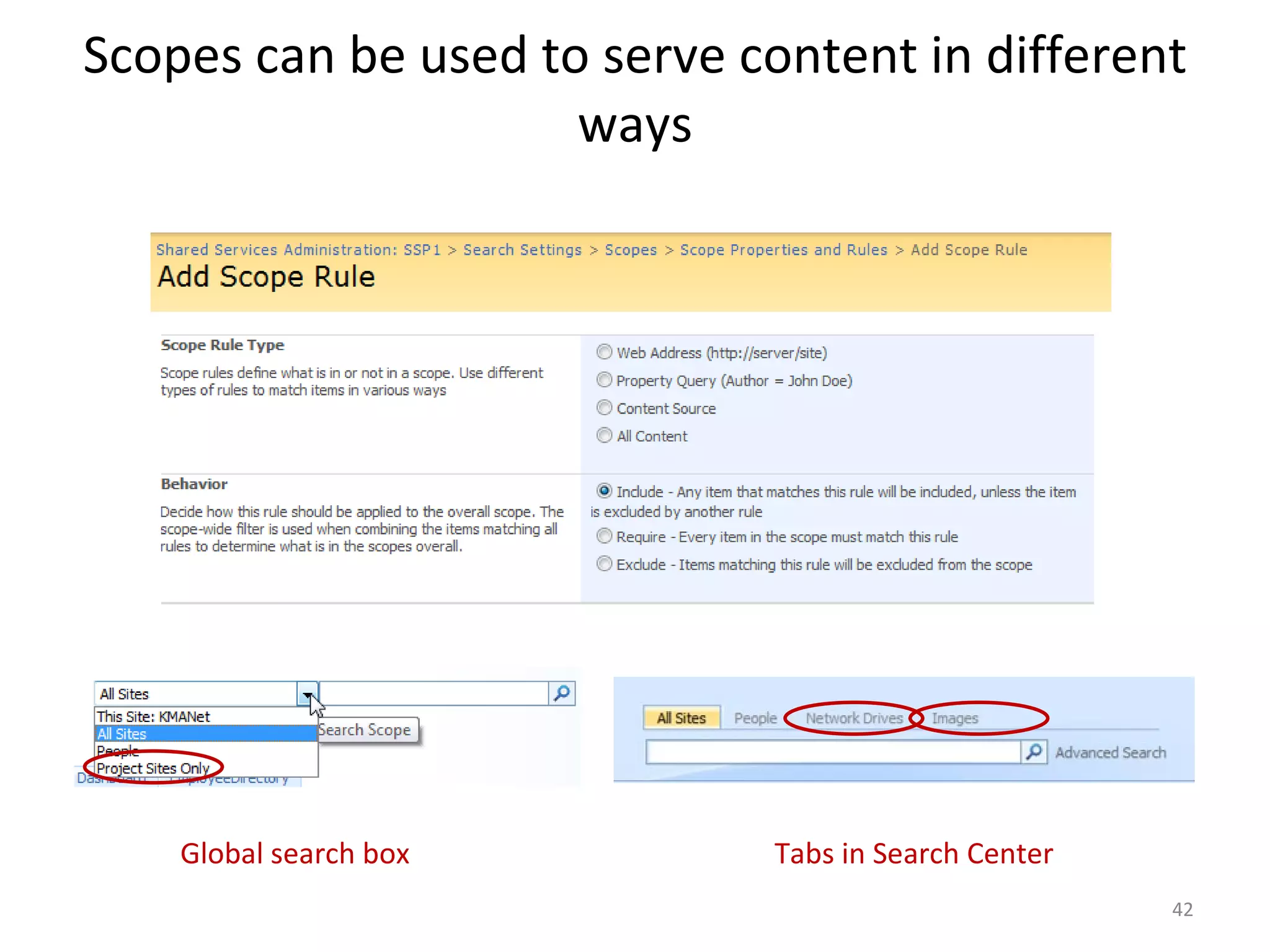
Scopes can be used to serve content in different ways Global search box Tabs in Search Center
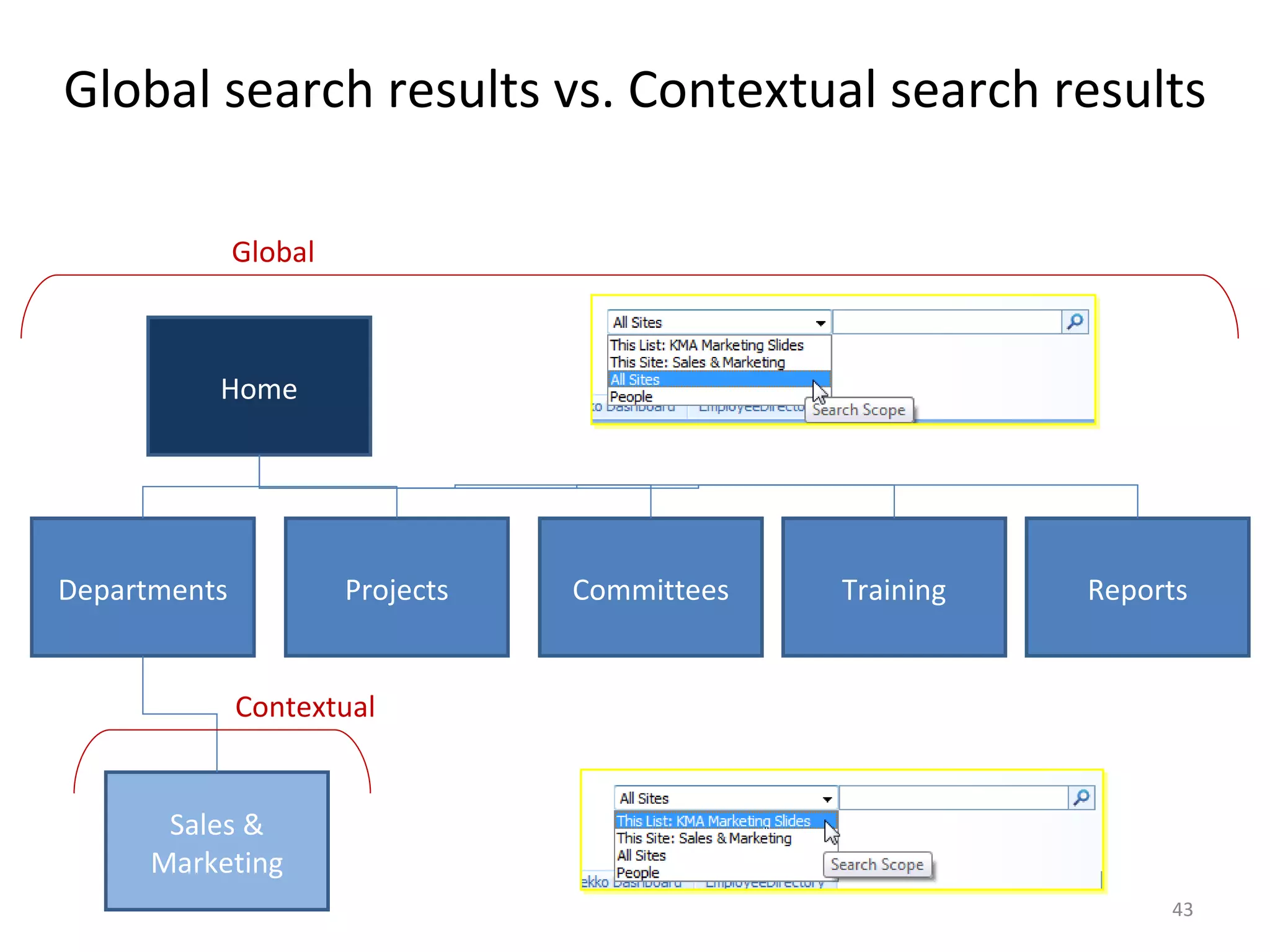
Global search results vs. Contextual search results Home Departments Projects Committees Training Reports Sales & Marketing Global Contextual
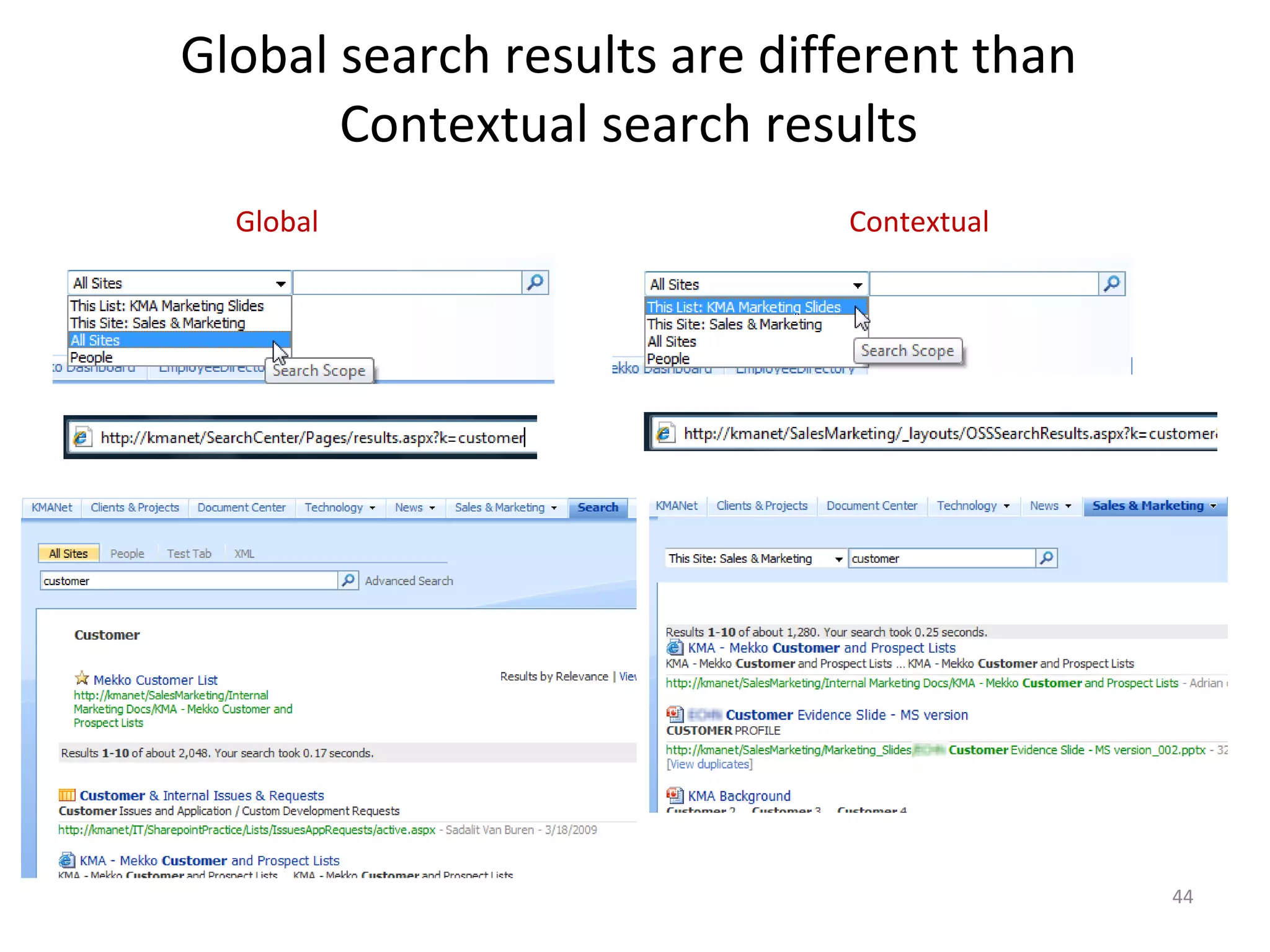
Global search results are different than  Contextual search results  Global Contextual
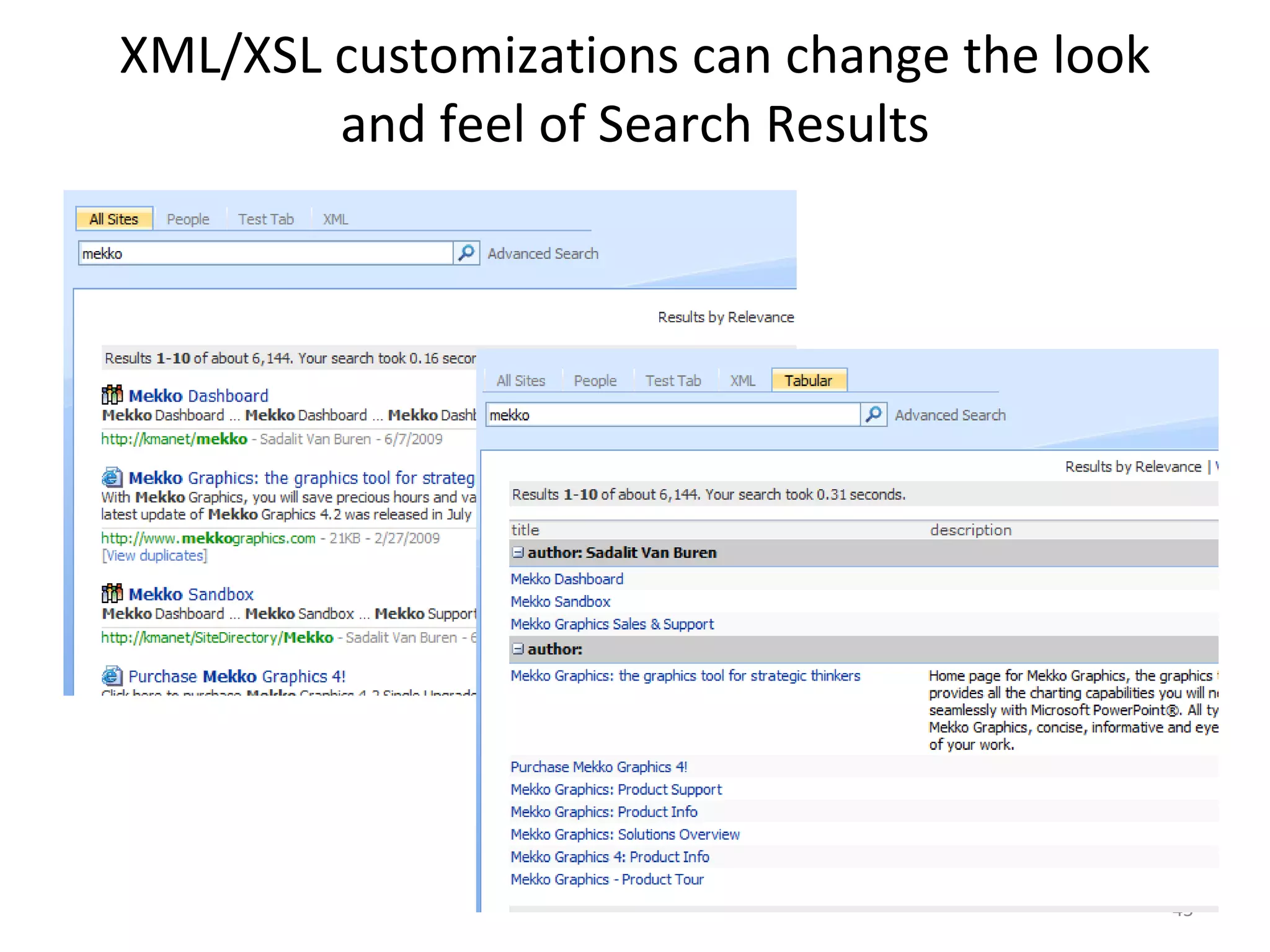
XML/XSL customizations can change the look and feel of Search Results
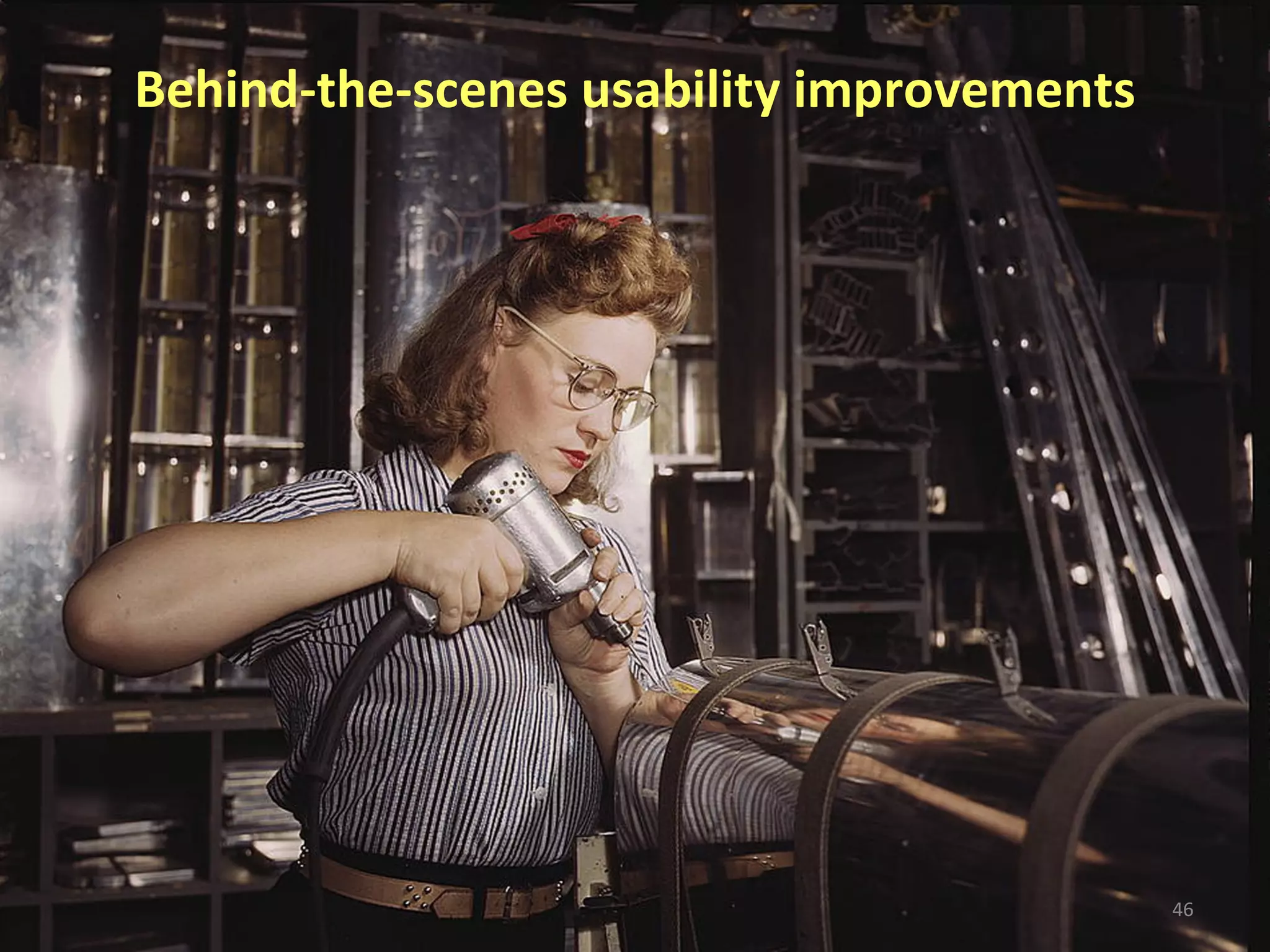
Behind-the-scenes usability improvements
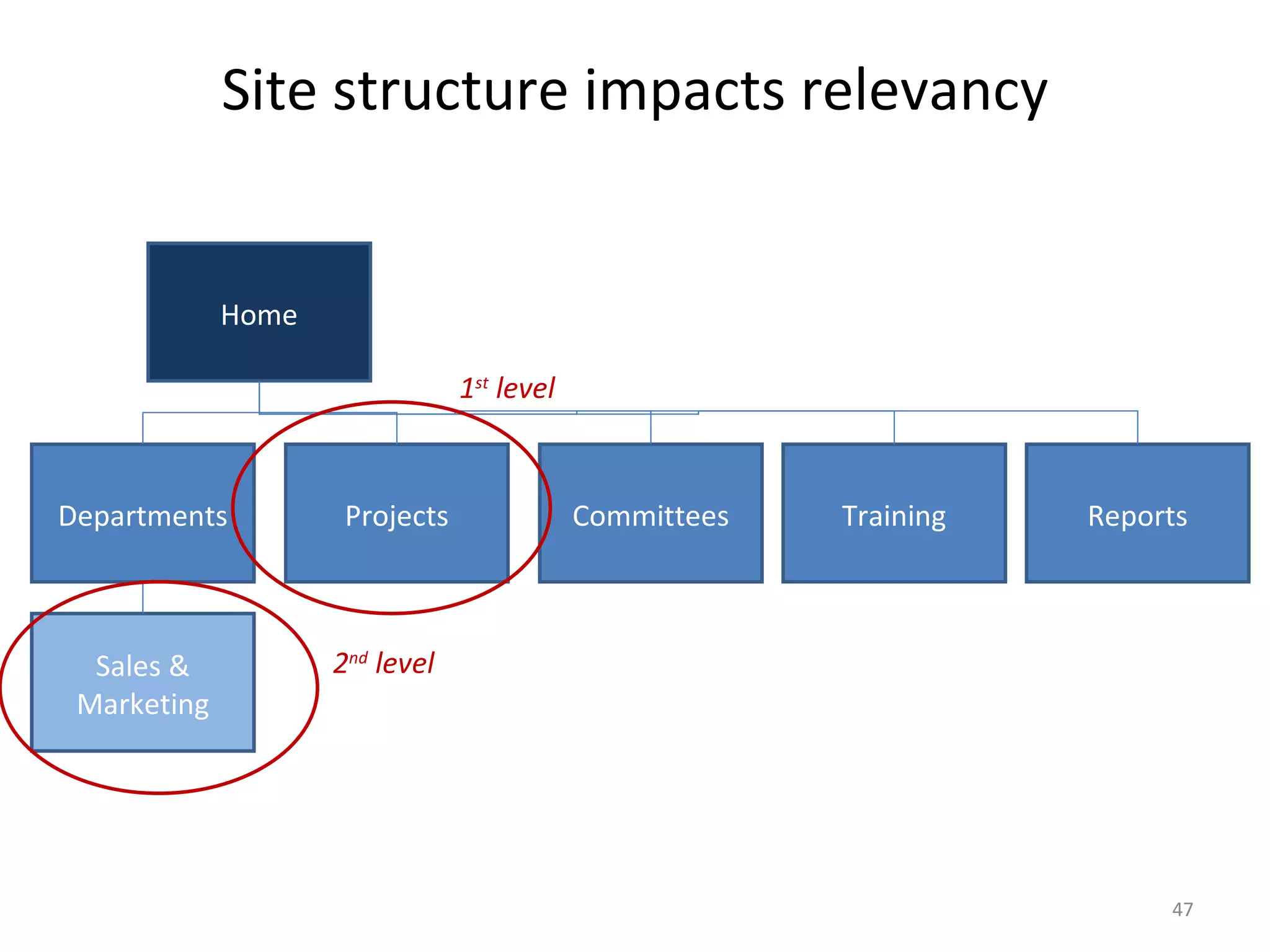
Site structure impacts relevancy Home Departments Projects Committees Training Reports Sales & Marketing 1 st  level 2 nd  level
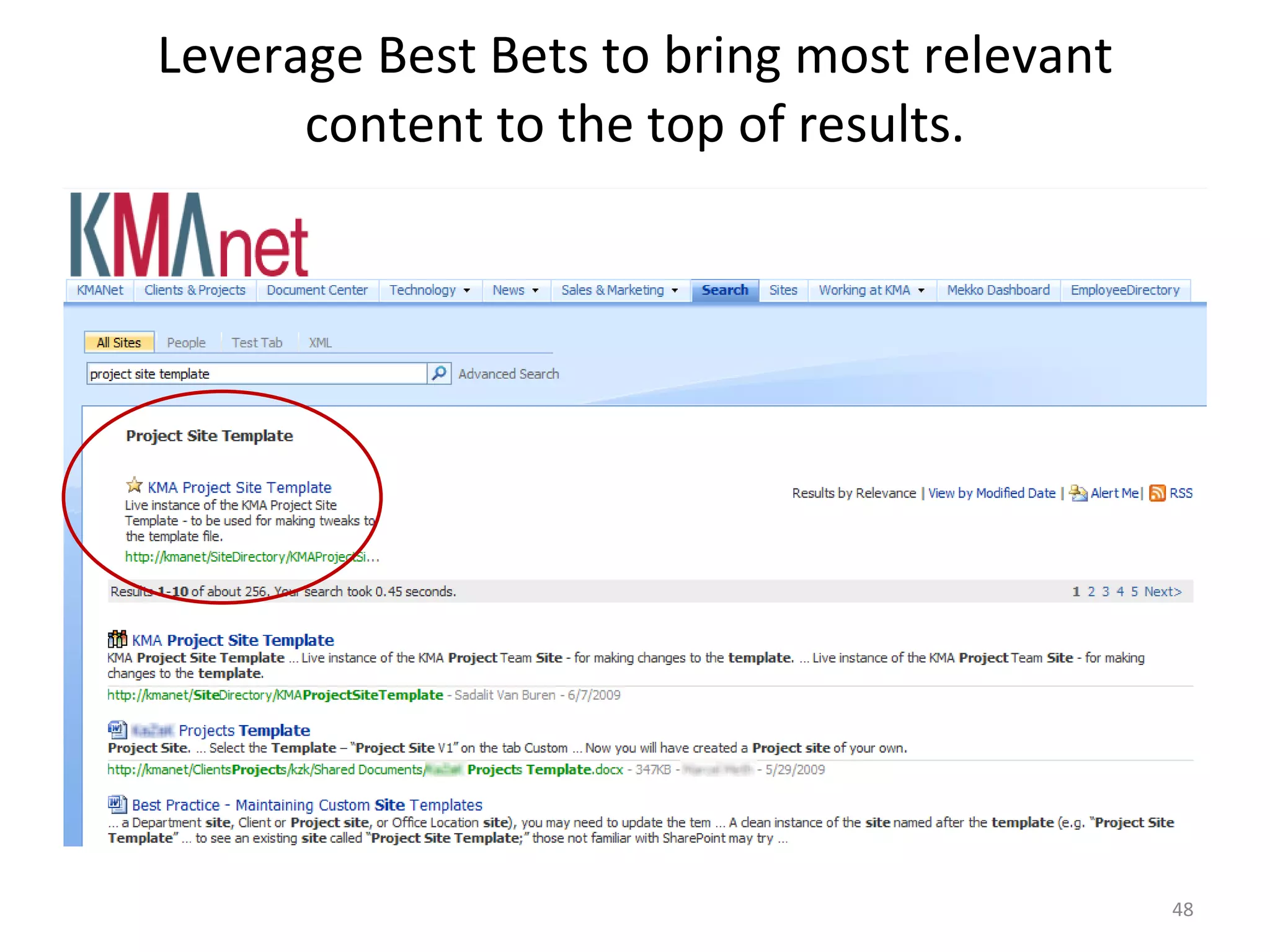
Leverage Best Bets to bring most relevant content to the top of results.
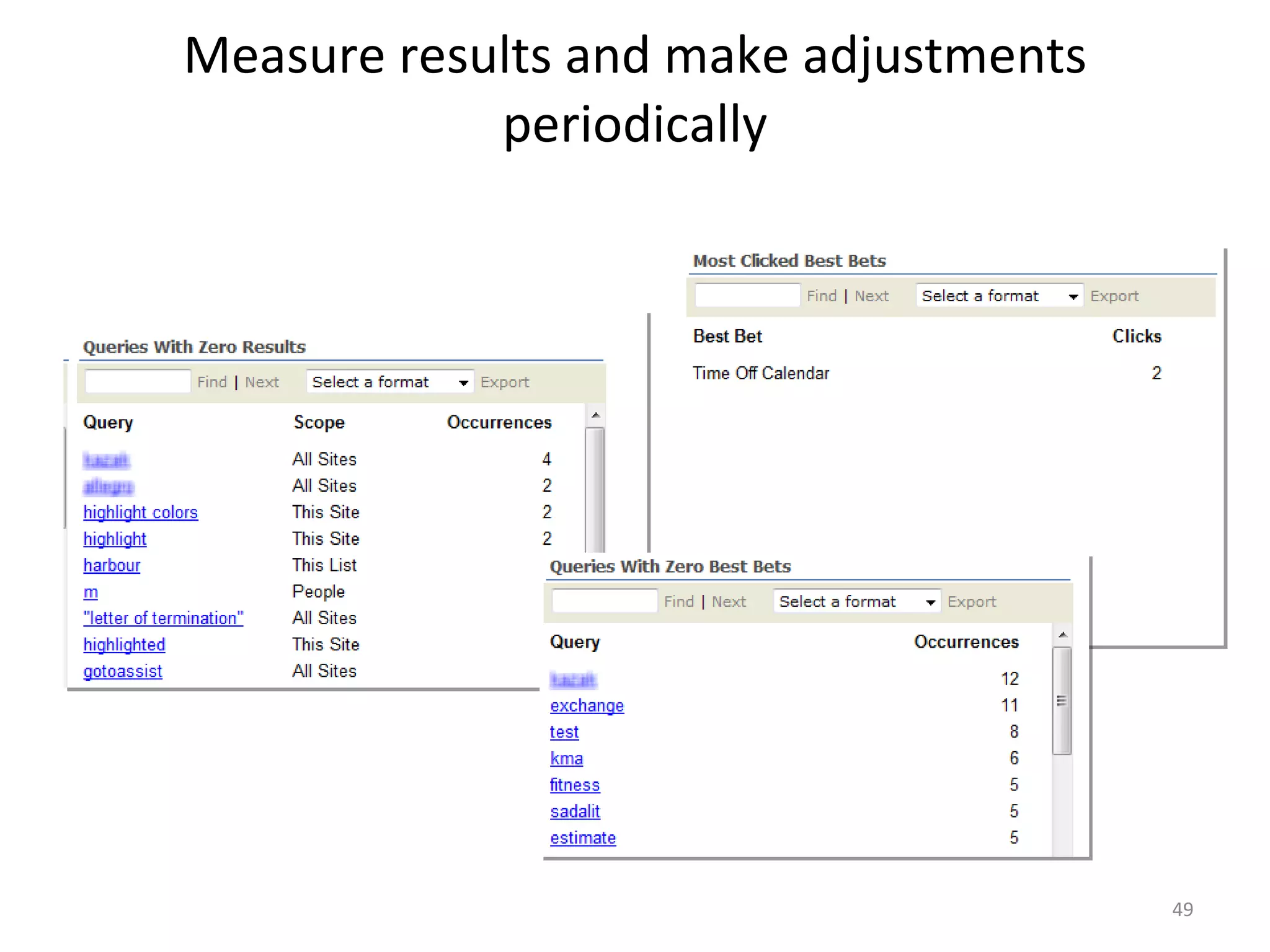
Measure results and make adjustments periodically
Advanced Search
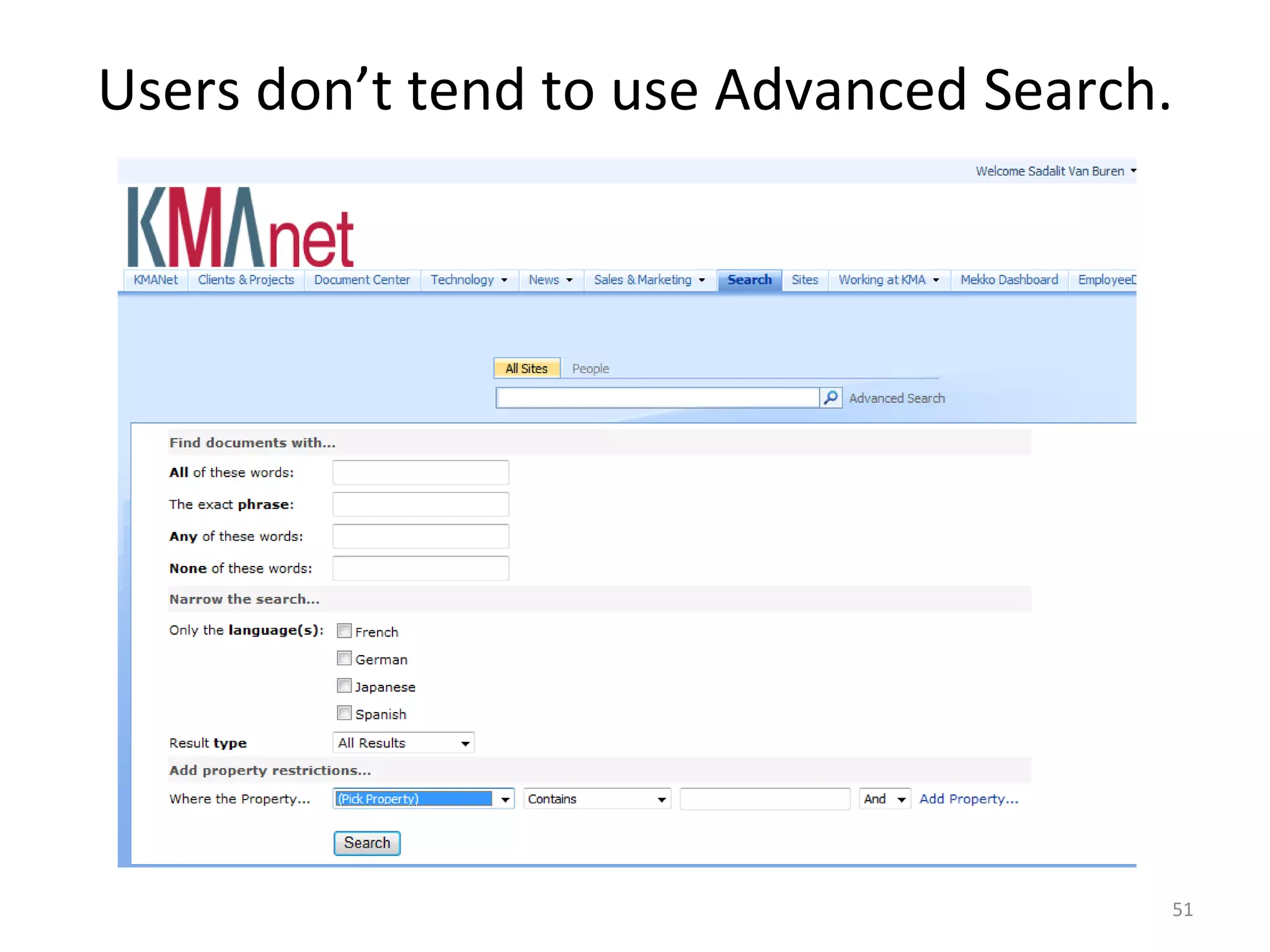
Users don’t tend to use Advanced Search.
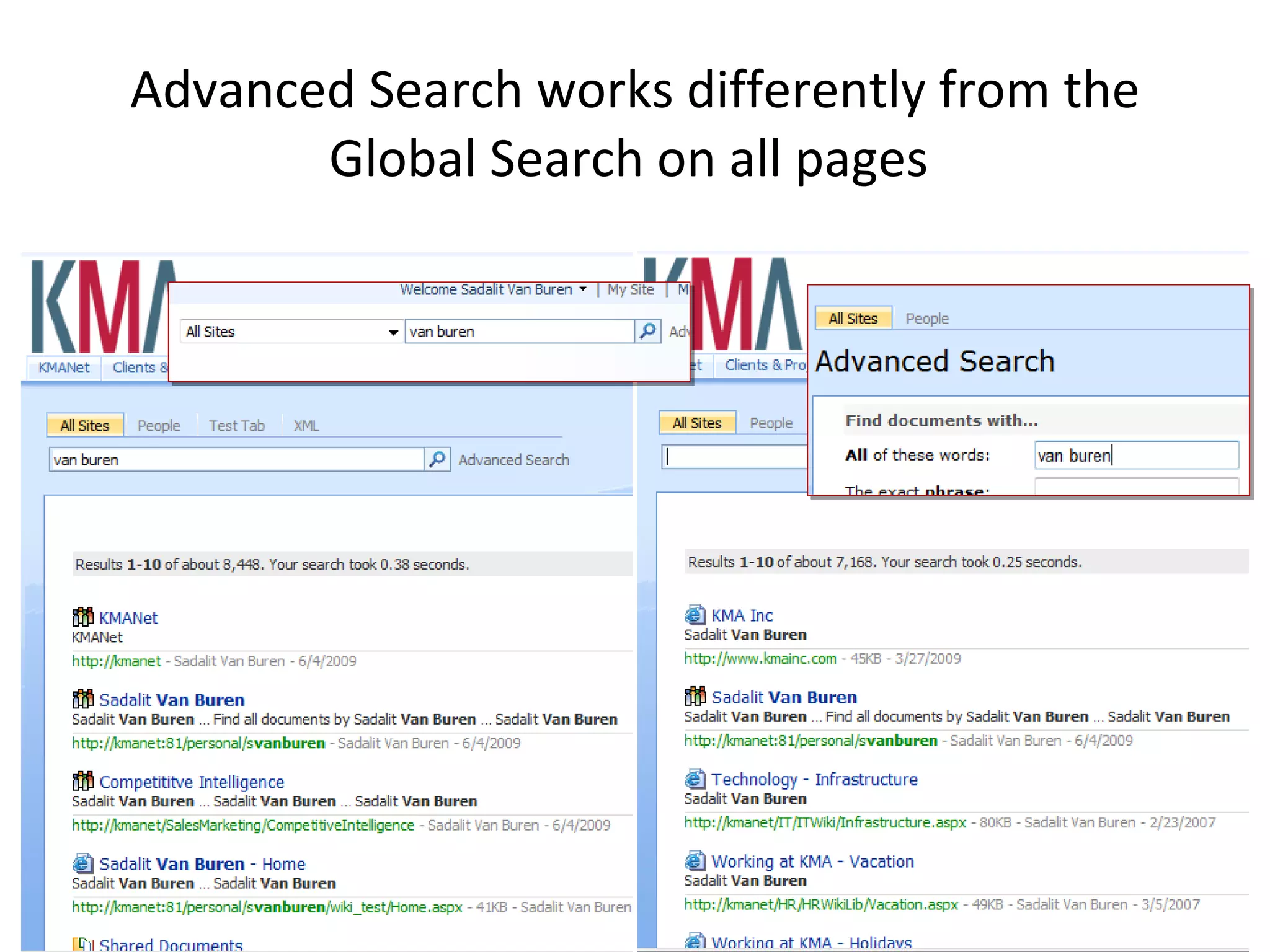
Advanced Search works differently from the Global Search on all pages
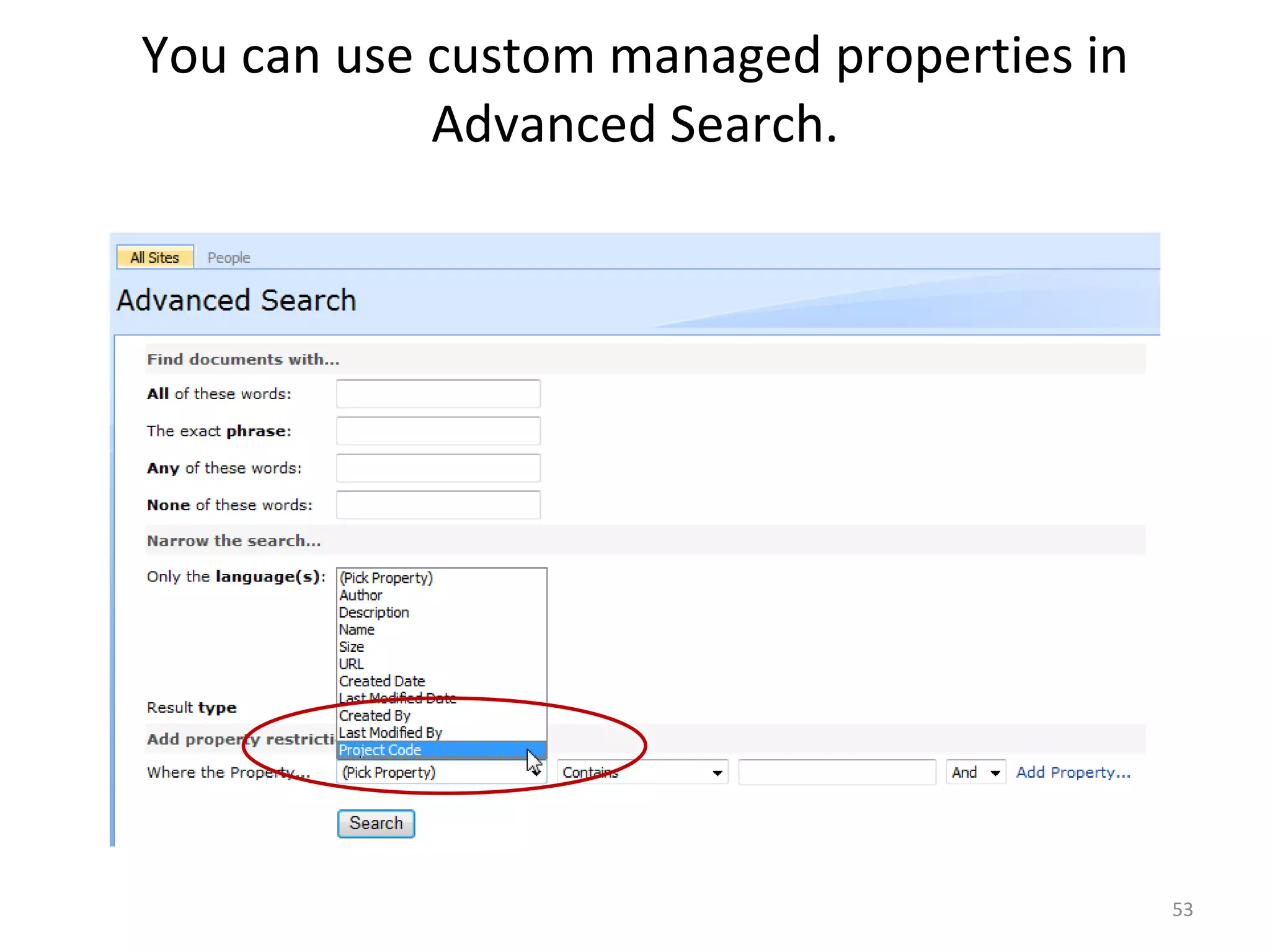
You can use custom managed properties in Advanced Search.
Interesting things we’ve seen companies do with the SharePoint search interface
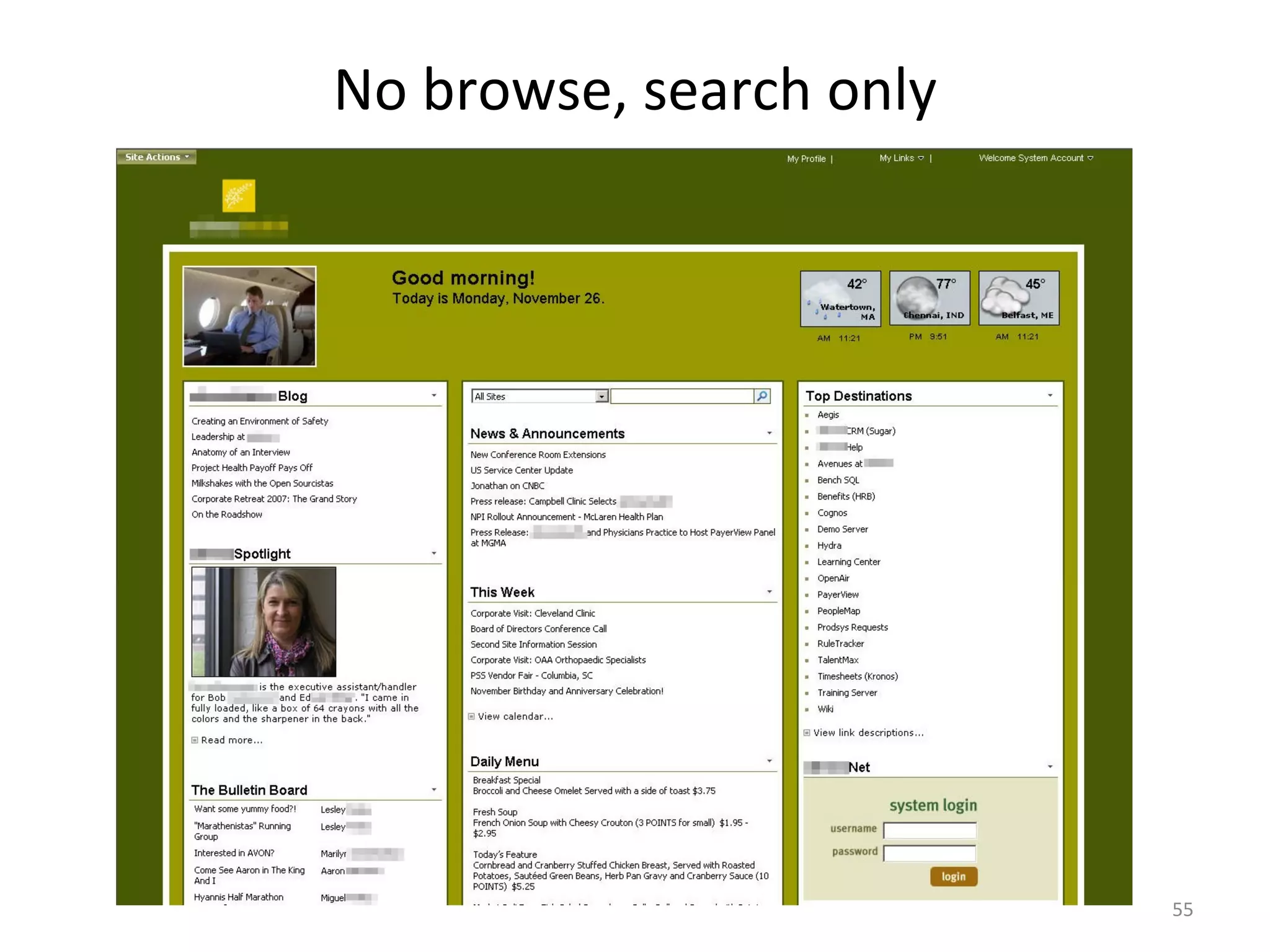
No browse, search only
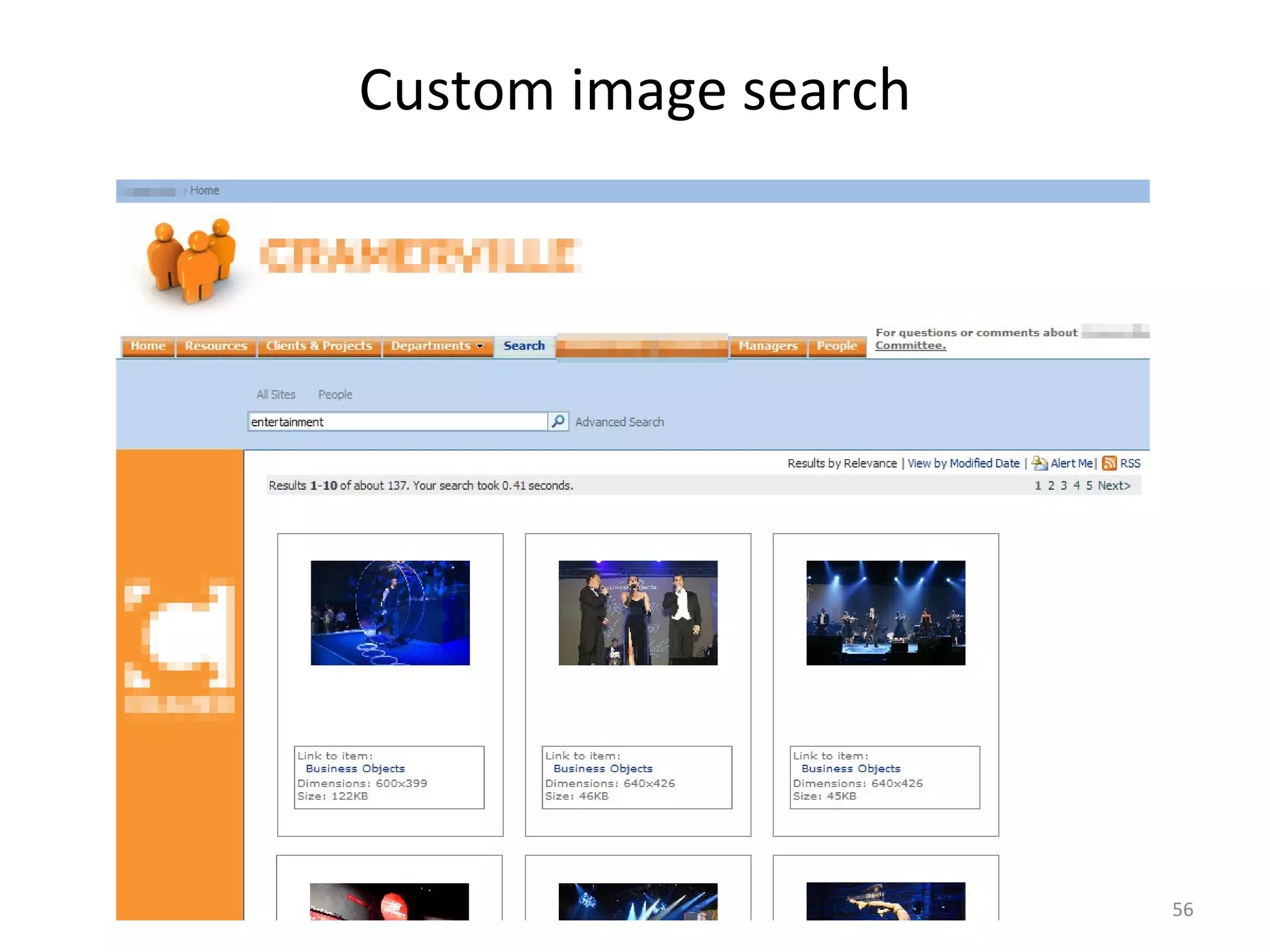
Custom image search
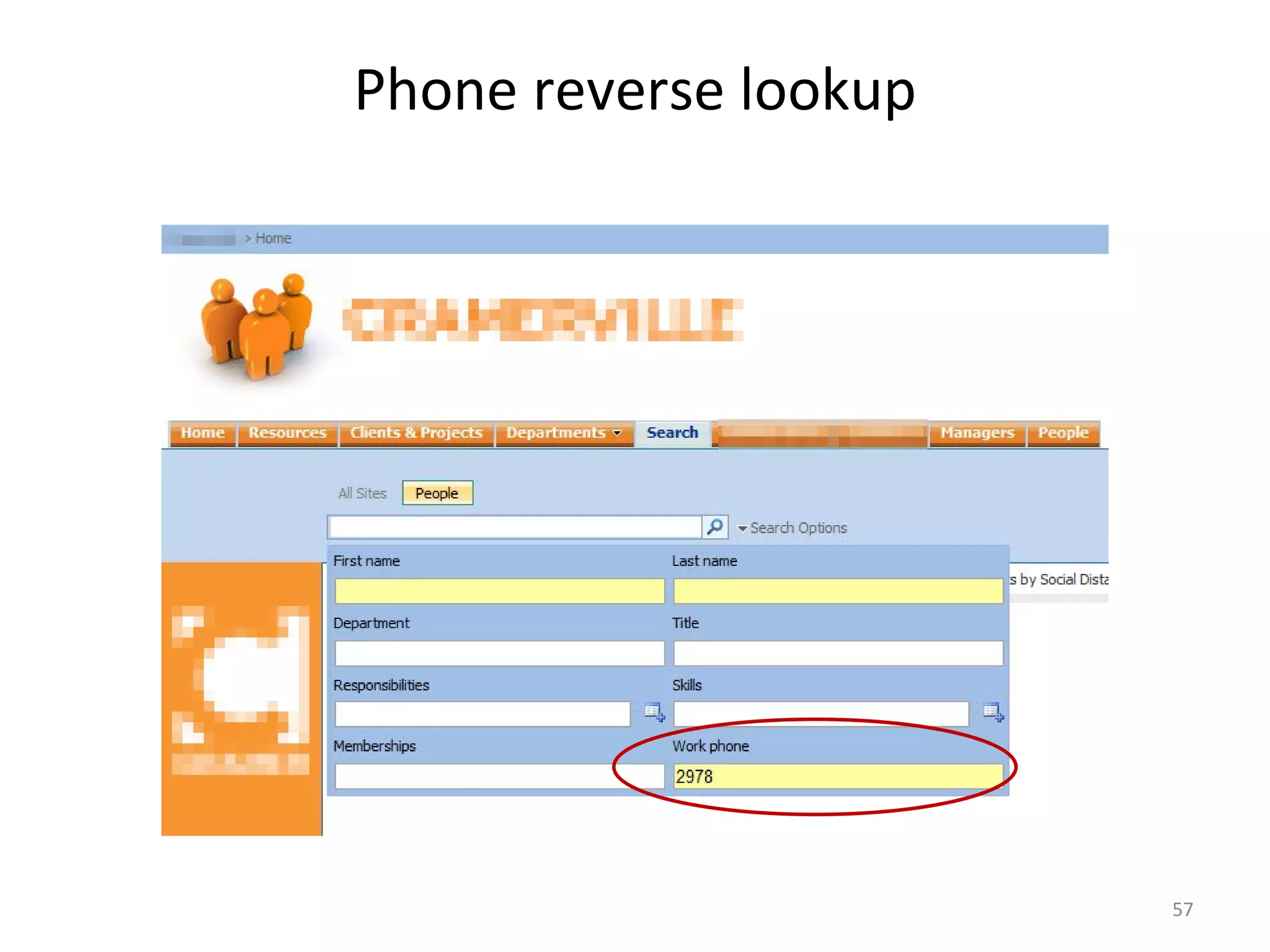
Phone reverse lookup
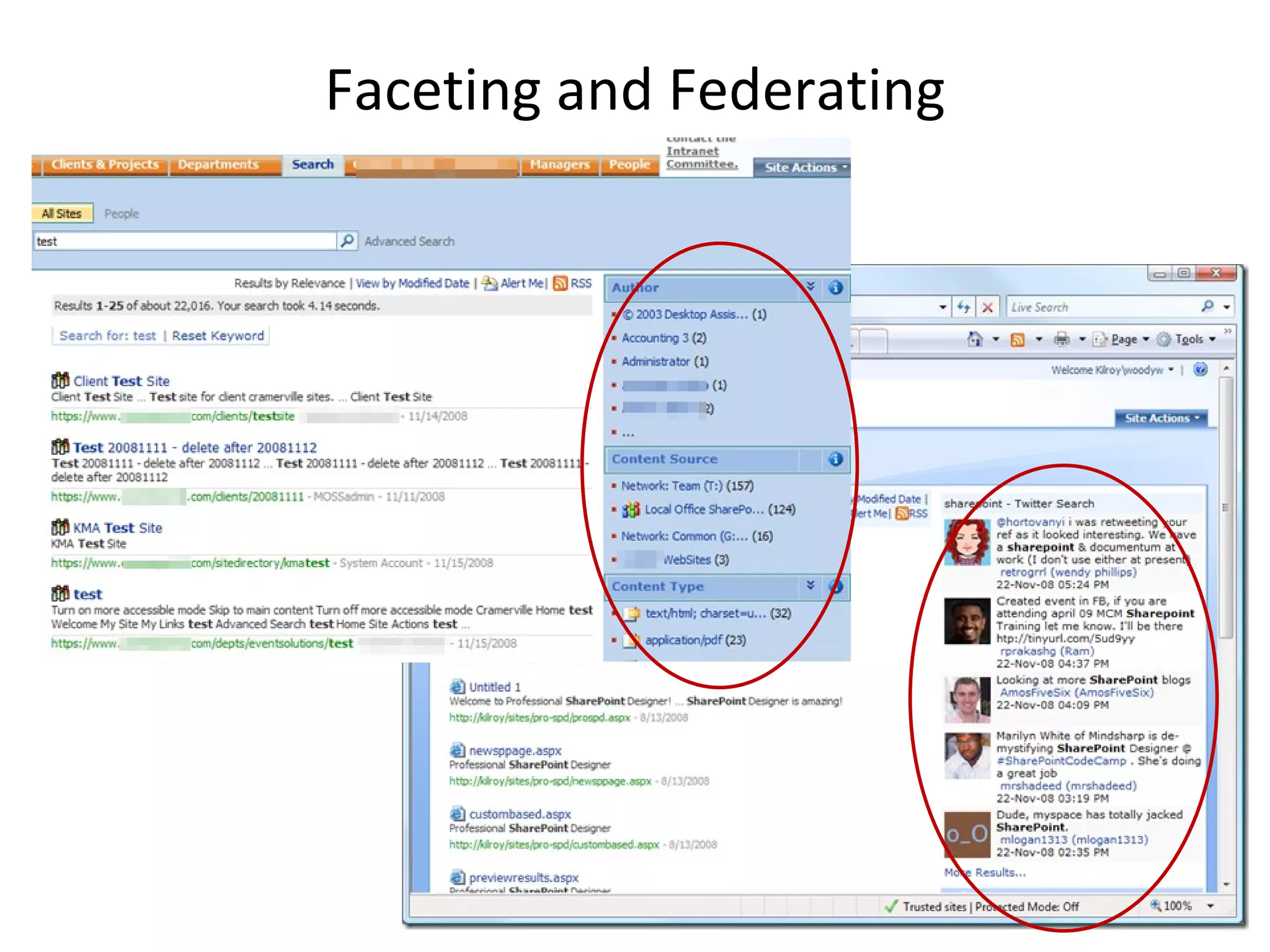
Faceting and Federating
Frustrations and Gotchas
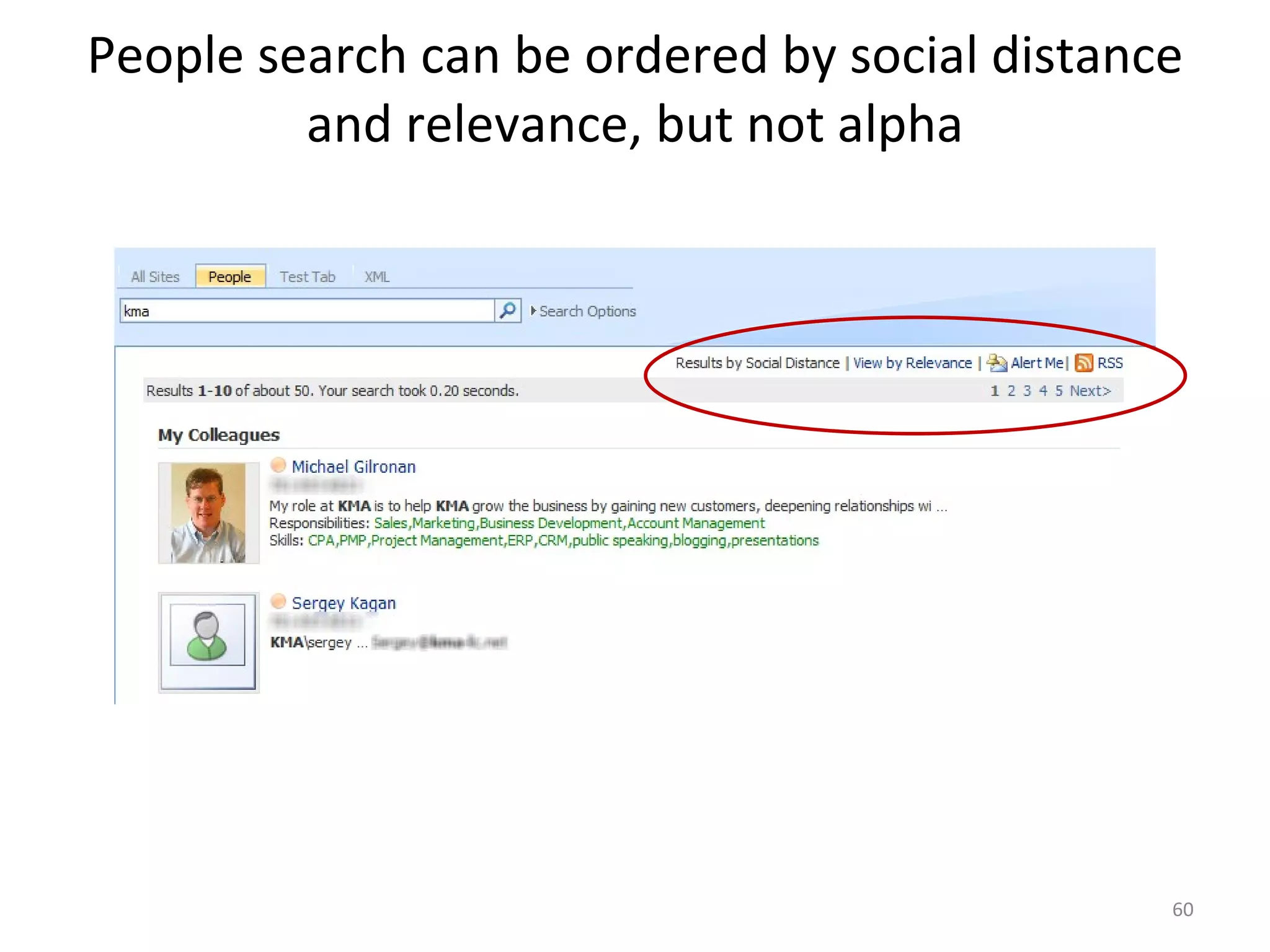
People search can be ordered by social distance and relevance, but not alpha
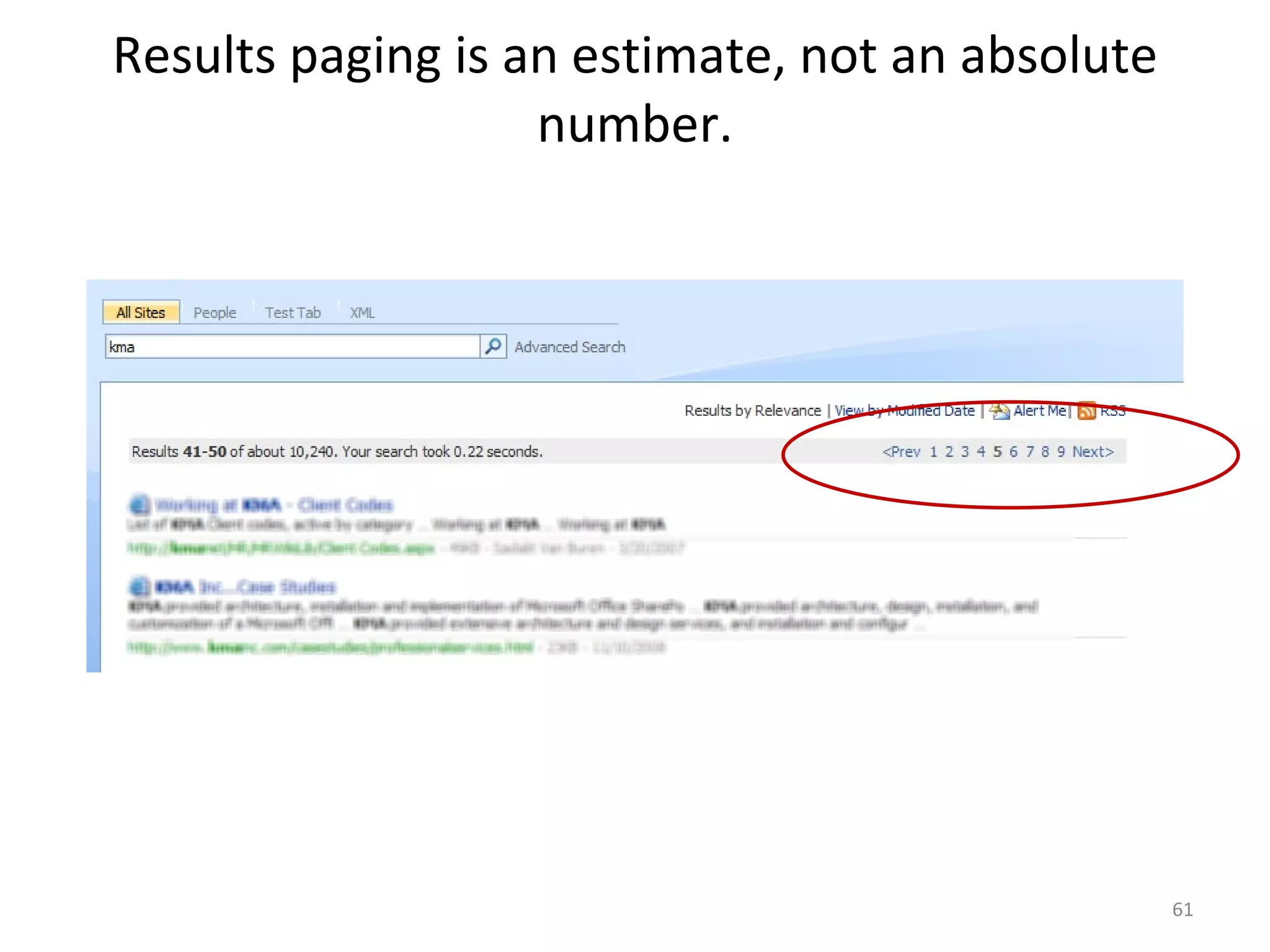
Results paging is an estimate, not an absolute number.
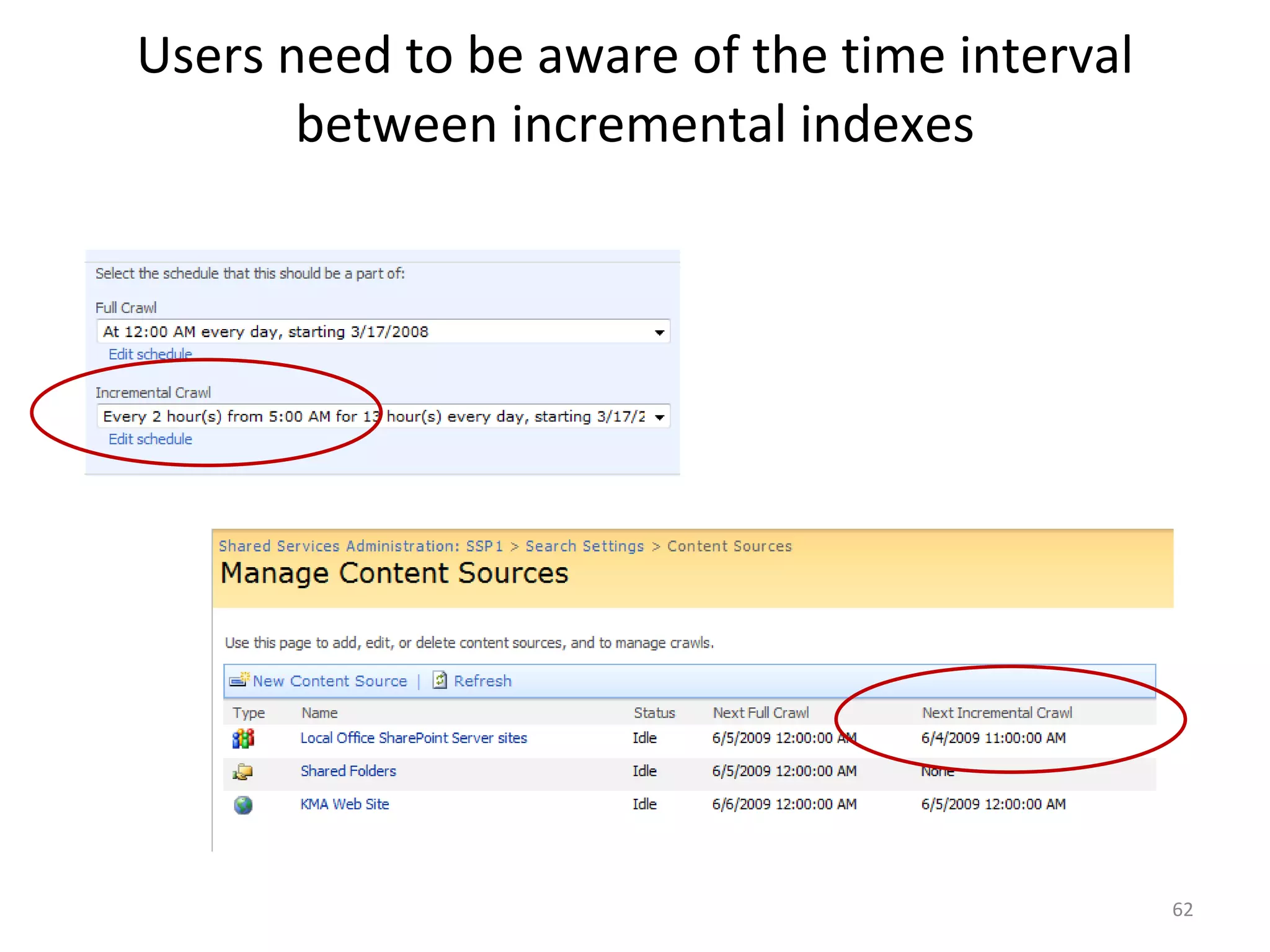
Users need to be aware of the time interval between incremental indexes
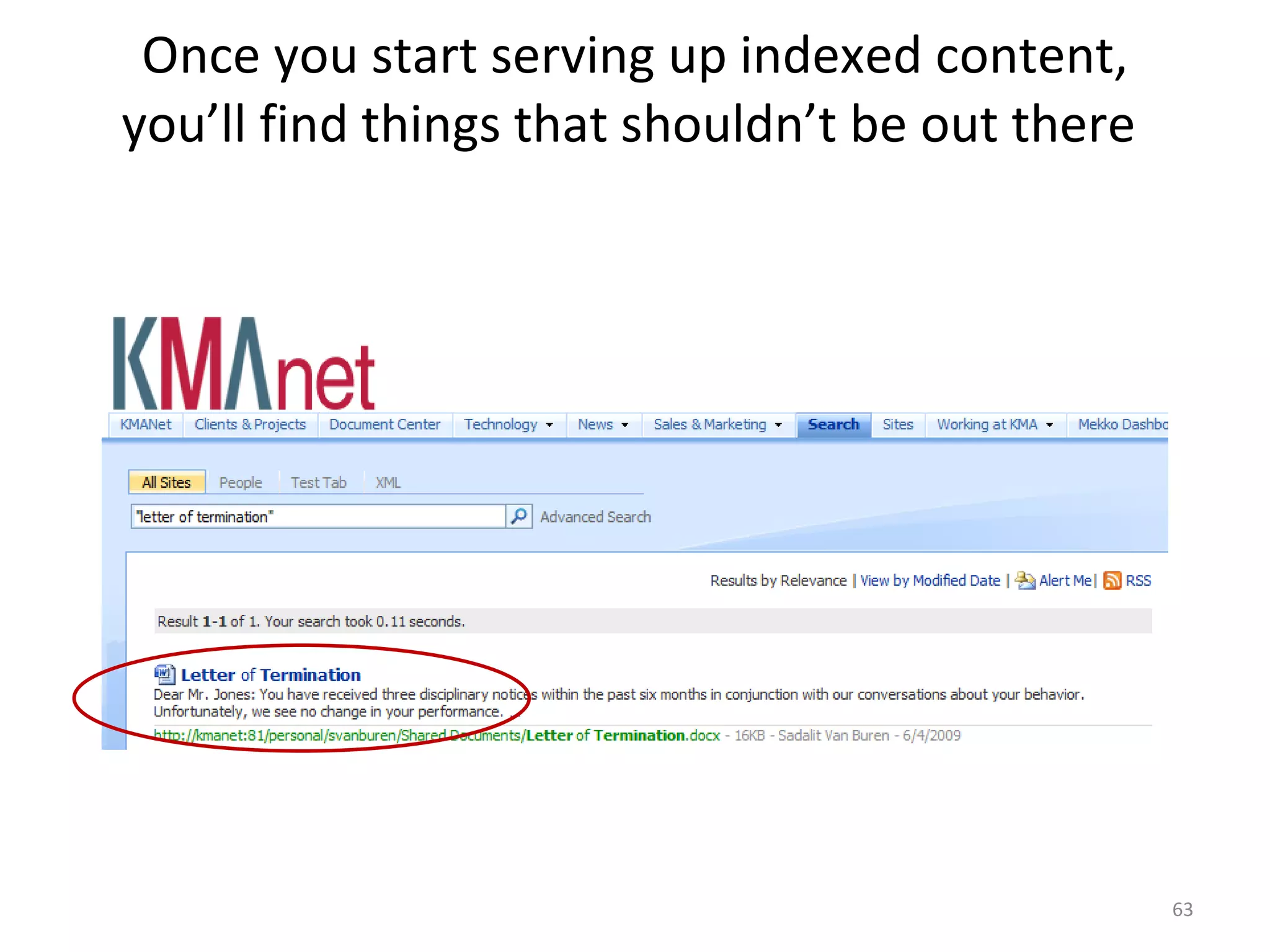
Once you start serving up indexed content, you’ll find things that shouldn’t be out there
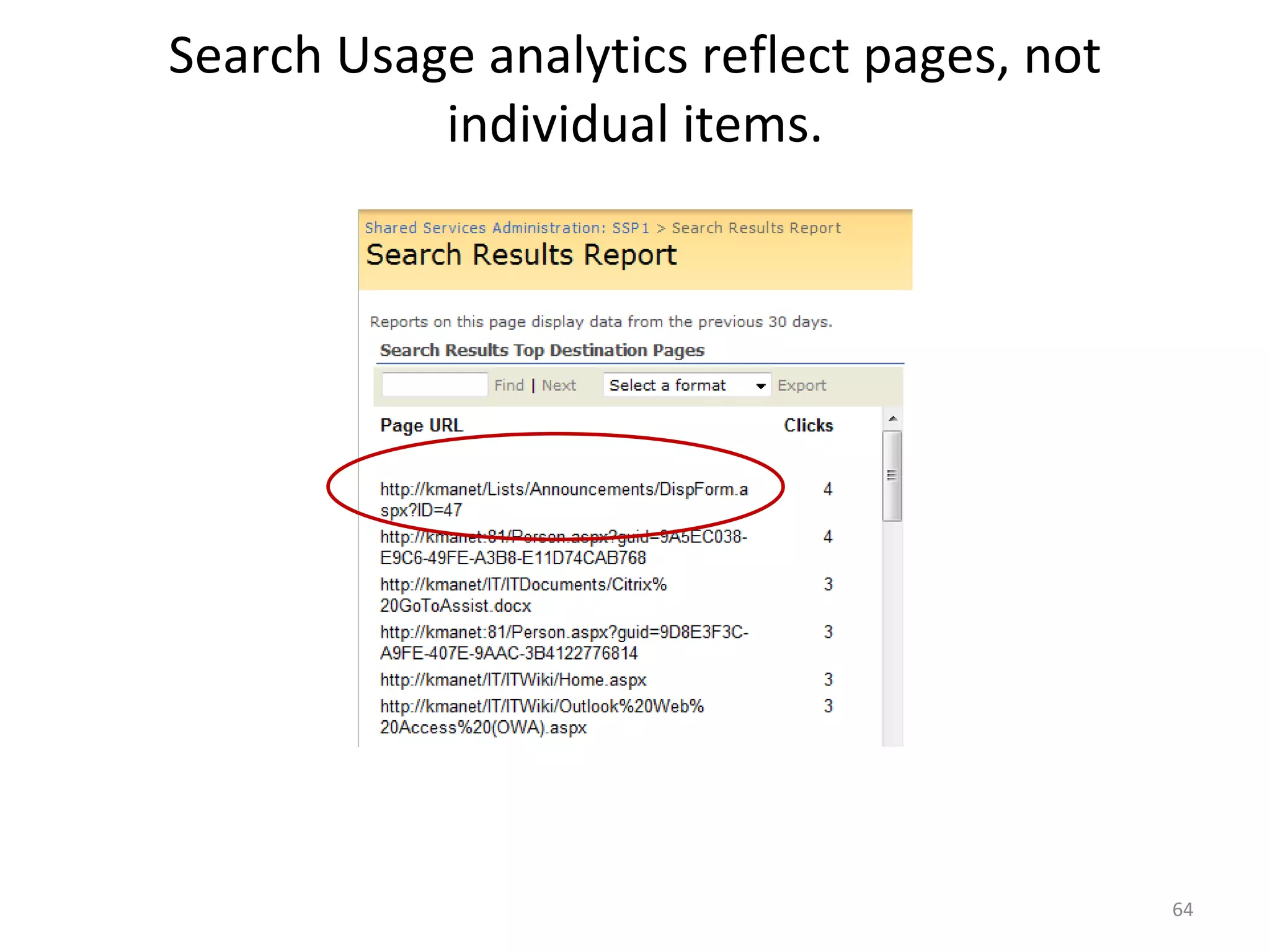
Search Usage analytics reflect pages, not individual items.
Recommendations Review search usage reports monthly to determine which items need Best Bets, & create Keywords and  Best Bets accordingly If indexing file shares, spot-check for sensitive information and forbidden file types Make users aware of indexing time Expose Advanced Search to make it more usable
Resources Tabular XML customization of search results – fixed query (seen on slide 9) –  http://www.u2u.info/Blogs/Patrick/Lists/Posts/Post.aspx?ID=1669   Tabular XML customization of search results – dynamic query (not shown) -  http://blogs.pointbridge.com/Blogs/morse_matt/Pages/Post.aspx?_ID=51 SharePoint custom image search results (seen on Slide 20)-  http://blogs.catapultsystems.com/matthew/archive/2008/08/28/sharepoint-image-search-part-1.aspx
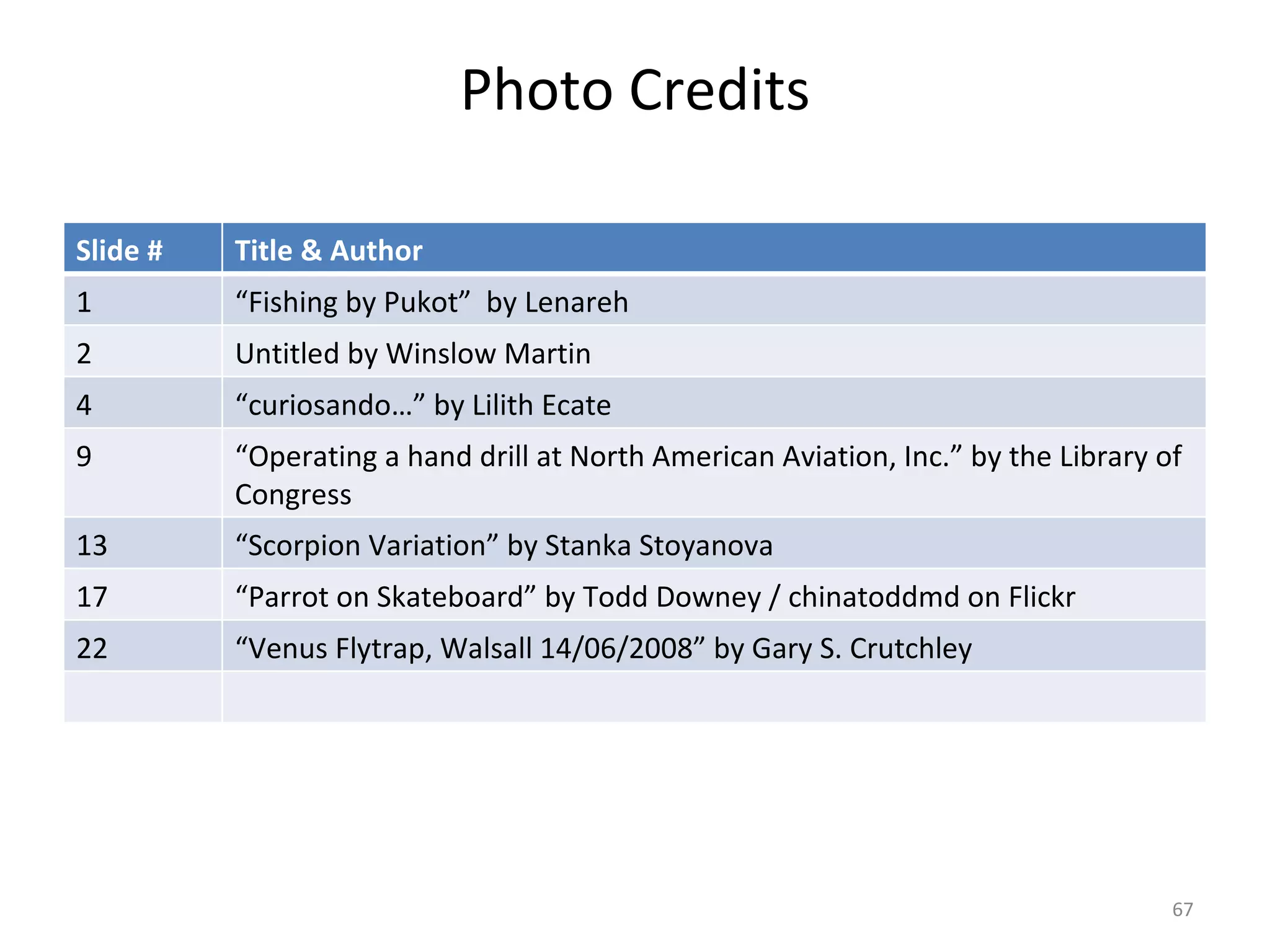
Photo Credits Slide # Title & Author 1 “ Fishing by Pukot”  by Lenareh 2 Untitled by Winslow Martin 4 “ curiosando…” by Lilith Ecate 9 “ Operating a hand drill at North American Aviation, Inc.” by the Library of Congress 13 “ Scorpion Variation” by Stanka Stoyanova 17 “ Parrot on Skateboard” by Todd Downey / chinatoddmd on Flickr 22 “ Venus Flytrap, Walsall 14/06/2008” by Gary S. Crutchley
Thank You! Sadie Van Buren svanburen[at]kmainc.com Blog http://amatterofdegree.typepad.com/a_matter_of_degree/ Del.icio.us http://del.icio.us/sadalit Twitter http://twitter.com/Sadalit LinkedIn http://www.linkedin.com/profile?goback=%2Econ&viewProfile=&key=7793076&jsstate=.conbro_0_*51_false_*2_25027   SlideShare http://www.slideshare.net/sadalit Also Flickr, Blip, Facebook, MySpace…
Earley & Associates SharePoint Services  (in Partnership with Consejo) SharePoint Assessment  SharePoint Strategy SharePoint Design (Information Architecture, Workflow, UI) SharePoint Implementation SharePoint Integration with Enterprise Search We help organizations succeed from an enterprise-wide perspective, ensuring findability of content through effective document tagging, metadata management, and search http://www.earley.com/SharePointServices.asp
SharePoint Search & IA Series: Calls 3 – 4  Call 3:  Navigation, Metadata, & Faceted Search: Approaches & Tools Thursday, June 18 th Lars Farstrup, Farstrup Software Paul Wlodarczyk, Earley & Associates Call 4:  SharePoint IA vs. The Real World Thursday, June 25 th Toby Conrad & Jeremy Bentley, Smartlogic Jeff Carr & Michael Shulha, Earley & Associates As session recordings become available, you will receive notification at the email address used at the time of registration.
Please fill out the survey that should be in your inbox.  Let us know what topics you are interested in and how we can improve the series. Seth Earley [email_address] www.earley.com 781-820-8080

SharePoint Jumpstart #2 Making Basic SharePoint Search Work

  • 1.
    SharePoint Search &IA Jumpstart Series June 11, 2009 Call 2: Making Basic SharePoint Search Work Hosted by Earley & Associates in partnership with Consejo, Inc.
  • 2.
    About the JumpStartcall series Began educational call series in 2005 Past topics have included Taxonomy and Metadata, Content Management, Search, Semantic Technologies Have had several thousand attendees over the years. Today’s call has over 700 registrants Calls will be recorded and available for download Be sure to fill in evaluation to let us know what additional topics you would like to learn about
  • 3.
    Community of PracticeCalls Taxonomy Group url: http://finance.groups.yahoo.com/group/TaxoCoP Search Group url: http://tech.groups.yahoo.com/group/SearchCoP Upcoming calls: July 15, 2009 – Metadata Maturity Model Survey Findings August 5, 2009 – Conducting a Search Audit September 2, 2009 – DITA October 7, 2009 – Taxonomy Usability Testing November 4, 2009 – Developing an Ontology December 2, 2009 – Applications for Topic Maps
  • 4.
    Housekeeping Calls lastfrom 60 – 90 minutes Email questions during the call to [email_address] . Questions will be taken at the end of the session You can also skype Rebecca.M.Allen Questions will be queued through the operator. Press *1 to ask a question. If you are on twitter, you can follow the discussion and make comments using the hash tag #spjs
  • 5.
    Call 2: MakingBasic SharePoint Search Work Shawn Shell, Consejo Inc. Improving Search through Tagging Sadie Van Buren, Knowledge Management Associates Usability Improvements Inside and Out
  • 6.
    SharePoint Search &IA Series: Calls 3 – 4 Call 3: Navigation, Metadata, & Faceted Search: Approaches & Tools Thursday, June 18 th Lars Farstrup, Farstrup Software Paul Wlodarczyk, Earley & Associates Call 4: SharePoint IA vs. The Real World Thursday, June 25 th Toby Conrad & Jeremy Bentley, Smartlogic Jeff Carr & Michael Shulha, Earley & Associates As session recordings become available, you will receive notification at the email address used at the time of registration.
  • 7.
    About Me RichardBeatch Senior Consultant at Earley & Associates, Inc. Ph.D. in Ontology Specialized in Taxonomy, Search, Metadata, and content architecture Extensive industry experience leading the implementation and design of taxonomies and search solutions for a range of companies including Apple, McAfee, Allstate, Dell, and AT&T Contact: richard@earley.com Blog: http://sethearley.wordpress.com
  • 8.
    Search Basics Wehave to change our definition of search. Search algorithms are getting better, but they cannot infer human context & intent. Taxonomy, metadata and information architecture are key aspects of search. Search is increasingly looking like navigation. Search is messy. A few things we have come to understand about search over the years:
  • 9.
    Improving Search throughTagging Shawn Shell, Consejo
  • 10.
    Shawn Shell, PrincipalConsultant Founder and Principal Consultant for Consejo, Inc. 20 years technology experience with a concentration on content technologies for the last 10 years Internationally recognized expert on SharePoint products and technologies Multi-year speaker at national and international conferences on Microsoft technologies Primary analyst and author of the CMS Watch SharePoint Report 2009 ( http://www.cmswatch.com/SharePoint/report ) Lead over three dozen SharePoint implementations since 2001 Co-wrote first connector between MCMS and SharePoint for Microsoft Co-author Microsoft Content Management Server 2002: A Complete Guide (Addison-Wesley)
  • 11.
    Agenda Basic ProblemSet Tagging Content OOTB Configuration Improvements Practical Success Plan Resources
  • 12.
  • 13.
    Metadata Entry Usersdon’t like to enter it Accuracy is generally suspect Training is usually non-existent “ Successful” patterns make everything “special”
  • 14.
    Limitations in SharePointNo cascading Columns (no hierarchy) Columns do not propagate across Site Collections Business data inaccessible in Content Types No integrity in lookup values
  • 15.
    Metadata Inconsistencies Eachcontent source has potentially different metadata Vocabulary differences across sources Challenge to leverage advanced search
  • 16.
  • 17.
    Columns = MetadataThere are many types of columns: e.g. Date Number Free form Text Column values can also be chosen from a list of controlled vocabulary terms
  • 18.
    Content Types Reusablecollection of settings to describes a specific kind of content Metadata fields (columns) Content Types can contain custom properties like: Retention Policy Workflows Business processes
  • 19.
  • 20.
    Document Information PanelStandard in Office 2007 Honors Content Types and Columns
  • 21.
  • 22.
    Blog Post inWord Metadata for blog post also shown in Word
  • 23.
  • 24.
    Creating Managed PropertyAdd column to the index Exposes the column in advanced search Enables showing the column in search results views
  • 25.
    Advanced Search Fulltext keywords Extended metadata properties
  • 26.
    Metadata Mapping Allowsmetadata to correlate between sources Provides a way to surface in Advanced Search interface Ensures consistency
  • 27.
  • 28.
    URL Removal RemovesURL from index Prevents result from appearing in search results
  • 29.
  • 30.
    Improve metadata with…Workflow to automate content tagging Document Information Panel User profiles and metadata profiles
  • 31.
    Improve Search with…Construct “canned” searches Leverage Best Bets Use RSS feeds to surface results “without search” Experts to review results periodically Create scopes for content sources
  • 32.
  • 33.
    Notable Blogs Consejohttp://blog.consejoinc.com Earley & Associates http://sethearley.wordpress.com CMS Watch http://www.cmswatch.com/SharePoint/trends SharePoint Team Blog http://blogs.msdn.com/sharepoint/
  • 34.
    Other Resources &Downloads CodePlex http://www.codeplex.com SharePoint Search Portal http://sharepointsearch.com/default.aspx SharePoint End User Content Team (MSFT) http://sharepoint.microsoft.com/blogs/GetThePoint/default.aspx WSS Demo (Metadata and Content Types) http://www.wssdemo.com/Pages/metadata.aspx
  • 35.
    Other Resources &Downloads Taxonomy Tagging Starter Kit http://cks.codeplex.com/Release/ProjectReleases.aspx?ReleaseId=2830 Popular Page Web Part http://popularpages.codeplex.com/
  • 36.
    Questions? Shawn ShellPrincipal Consejo, Inc E: [email_address] P: 773-271-1474 W: www.consejoinc.com
  • 37.
    Making Basic SharePointSearch Work – Usability Improvements Inside and Out SharePoint Search & IA Jumpstart Series 6/11/09
  • 38.
    SharePoint Consultant withKnowledge Management Associates Over 20 SharePoint implementations, all of which involved SP Search About Me
  • 39.
    Agenda Improving usabilityof the search interface and results Behind-the-scenes usability improvements Advanced Search Interesting things we’ve seen companies do with the SharePoint search interface Frustrations and Gotchas Conclusion / Resources
  • 40.
    Improving usability ofthe search interface and results
  • 41.
    Adding a titleto document properties affects search results Filename only: Filename and Title:
  • 42.
    Scopes can beused to serve content in different ways Global search box Tabs in Search Center
  • 43.
    Global search resultsvs. Contextual search results Home Departments Projects Committees Training Reports Sales & Marketing Global Contextual
  • 44.
    Global search resultsare different than Contextual search results Global Contextual
  • 45.
    XML/XSL customizations canchange the look and feel of Search Results
  • 46.
  • 47.
    Site structure impactsrelevancy Home Departments Projects Committees Training Reports Sales & Marketing 1 st level 2 nd level
  • 48.
    Leverage Best Betsto bring most relevant content to the top of results.
  • 49.
    Measure results andmake adjustments periodically
  • 50.
  • 51.
    Users don’t tendto use Advanced Search.
  • 52.
    Advanced Search worksdifferently from the Global Search on all pages
  • 53.
    You can usecustom managed properties in Advanced Search.
  • 54.
    Interesting things we’veseen companies do with the SharePoint search interface
  • 55.
  • 56.
  • 57.
  • 58.
  • 59.
  • 60.
    People search canbe ordered by social distance and relevance, but not alpha
  • 61.
    Results paging isan estimate, not an absolute number.
  • 62.
    Users need tobe aware of the time interval between incremental indexes
  • 63.
    Once you startserving up indexed content, you’ll find things that shouldn’t be out there
  • 64.
    Search Usage analyticsreflect pages, not individual items.
  • 65.
    Recommendations Review searchusage reports monthly to determine which items need Best Bets, & create Keywords and Best Bets accordingly If indexing file shares, spot-check for sensitive information and forbidden file types Make users aware of indexing time Expose Advanced Search to make it more usable
  • 66.
    Resources Tabular XMLcustomization of search results – fixed query (seen on slide 9) – http://www.u2u.info/Blogs/Patrick/Lists/Posts/Post.aspx?ID=1669 Tabular XML customization of search results – dynamic query (not shown) - http://blogs.pointbridge.com/Blogs/morse_matt/Pages/Post.aspx?_ID=51 SharePoint custom image search results (seen on Slide 20)- http://blogs.catapultsystems.com/matthew/archive/2008/08/28/sharepoint-image-search-part-1.aspx
  • 67.
    Photo Credits Slide# Title & Author 1 “ Fishing by Pukot” by Lenareh 2 Untitled by Winslow Martin 4 “ curiosando…” by Lilith Ecate 9 “ Operating a hand drill at North American Aviation, Inc.” by the Library of Congress 13 “ Scorpion Variation” by Stanka Stoyanova 17 “ Parrot on Skateboard” by Todd Downey / chinatoddmd on Flickr 22 “ Venus Flytrap, Walsall 14/06/2008” by Gary S. Crutchley
  • 68.
    Thank You! SadieVan Buren svanburen[at]kmainc.com Blog http://amatterofdegree.typepad.com/a_matter_of_degree/ Del.icio.us http://del.icio.us/sadalit Twitter http://twitter.com/Sadalit LinkedIn http://www.linkedin.com/profile?goback=%2Econ&viewProfile=&key=7793076&jsstate=.conbro_0_*51_false_*2_25027 SlideShare http://www.slideshare.net/sadalit Also Flickr, Blip, Facebook, MySpace…
  • 69.
    Earley & AssociatesSharePoint Services (in Partnership with Consejo) SharePoint Assessment SharePoint Strategy SharePoint Design (Information Architecture, Workflow, UI) SharePoint Implementation SharePoint Integration with Enterprise Search We help organizations succeed from an enterprise-wide perspective, ensuring findability of content through effective document tagging, metadata management, and search http://www.earley.com/SharePointServices.asp
  • 70.
    SharePoint Search &IA Series: Calls 3 – 4 Call 3: Navigation, Metadata, & Faceted Search: Approaches & Tools Thursday, June 18 th Lars Farstrup, Farstrup Software Paul Wlodarczyk, Earley & Associates Call 4: SharePoint IA vs. The Real World Thursday, June 25 th Toby Conrad & Jeremy Bentley, Smartlogic Jeff Carr & Michael Shulha, Earley & Associates As session recordings become available, you will receive notification at the email address used at the time of registration.
  • 71.
    Please fill outthe survey that should be in your inbox. Let us know what topics you are interested in and how we can improve the series. Seth Earley [email_address] www.earley.com 781-820-8080