1
Embase for
biomedical searching
– An introduction
Presented by Sherry Winter
July 22, 2015
2
| 2
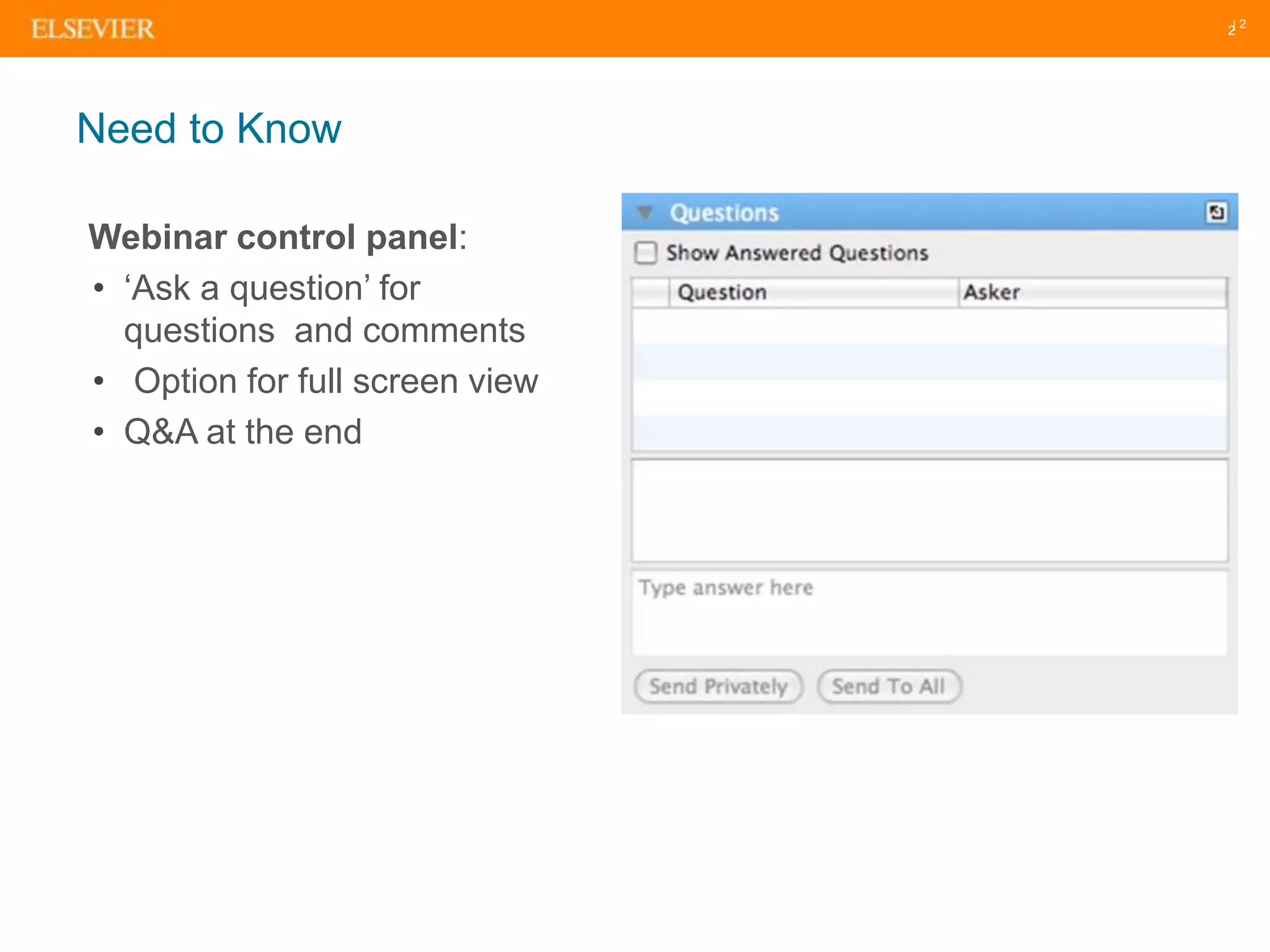
Webinar control panel:
• ‘Ask a question’ for
questions and comments
• Option for full screen view
• Q&A at the end
Need to Know
| 3
• Why do people use Embase?
• Embase content coverage
• Indexing using Emtree
• Search features that support precise result retrieval
• Demo
• Tips and tricks for searching
• Any questions??
Agenda
Why
Embase?
5
What is Embase?
A biomedical literature database with the most comprehensive
journal and conference coverage and deep indexing
Content: Be confident you aren’t missing important information
Find all relevant articles that may not otherwise be found by using alternative
databases
Deep full-text indexing: Find relevant articles, no matter where a term is
mentioned
All relevant, up-to-date, biomedical information from the research literature
Precise retrieval: Pinpoint the most relevant results
Deep and focused research using the most powerful retrieval tools
6
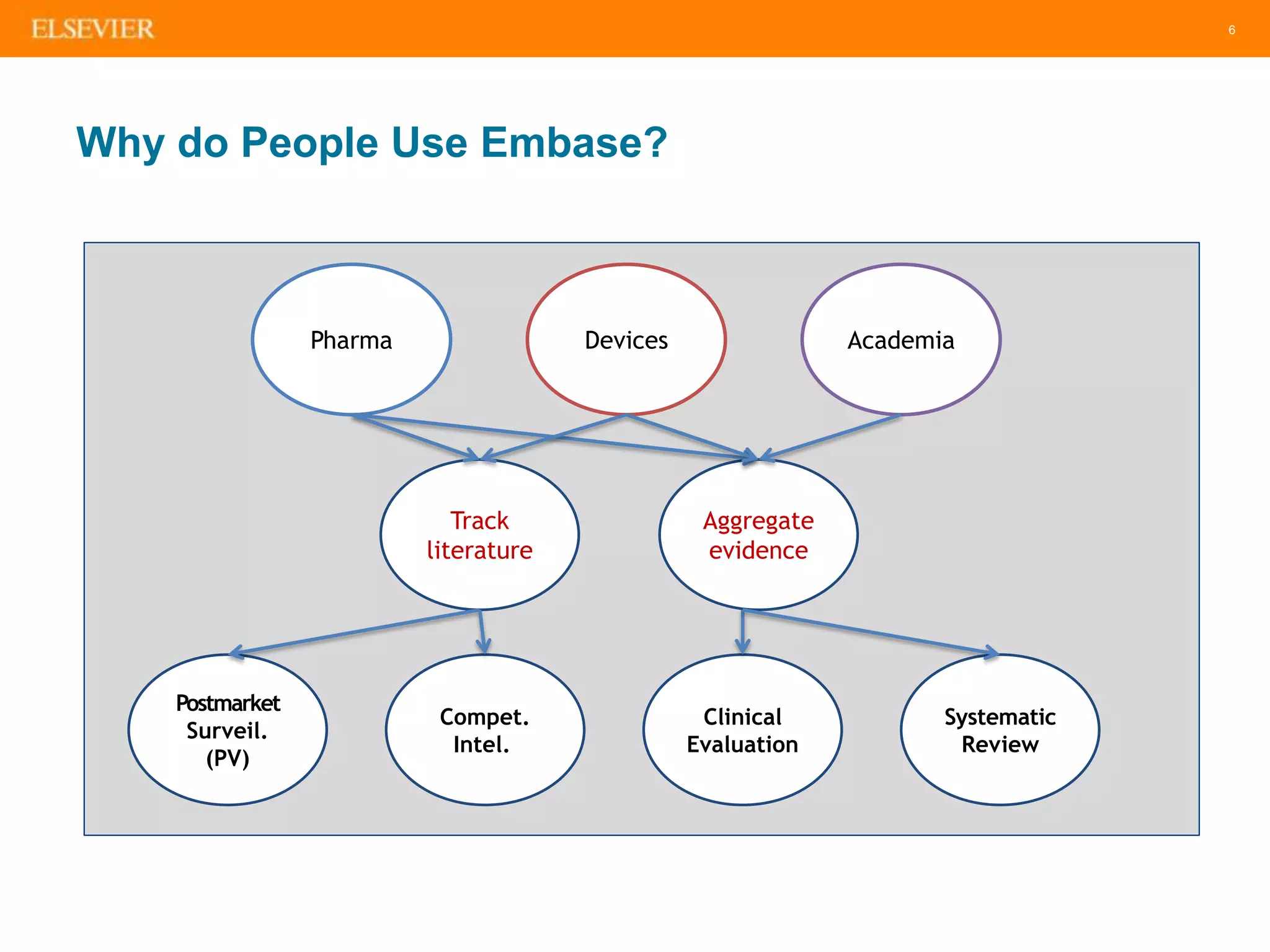
Why do People Use Embase?
Pharma Devices Academia
Track
literature
Aggregate
evidence
Postmarket
Surveil.
(PV)
Compet.
Intel.
Clinical
Evaluation
Systematic
Review
7
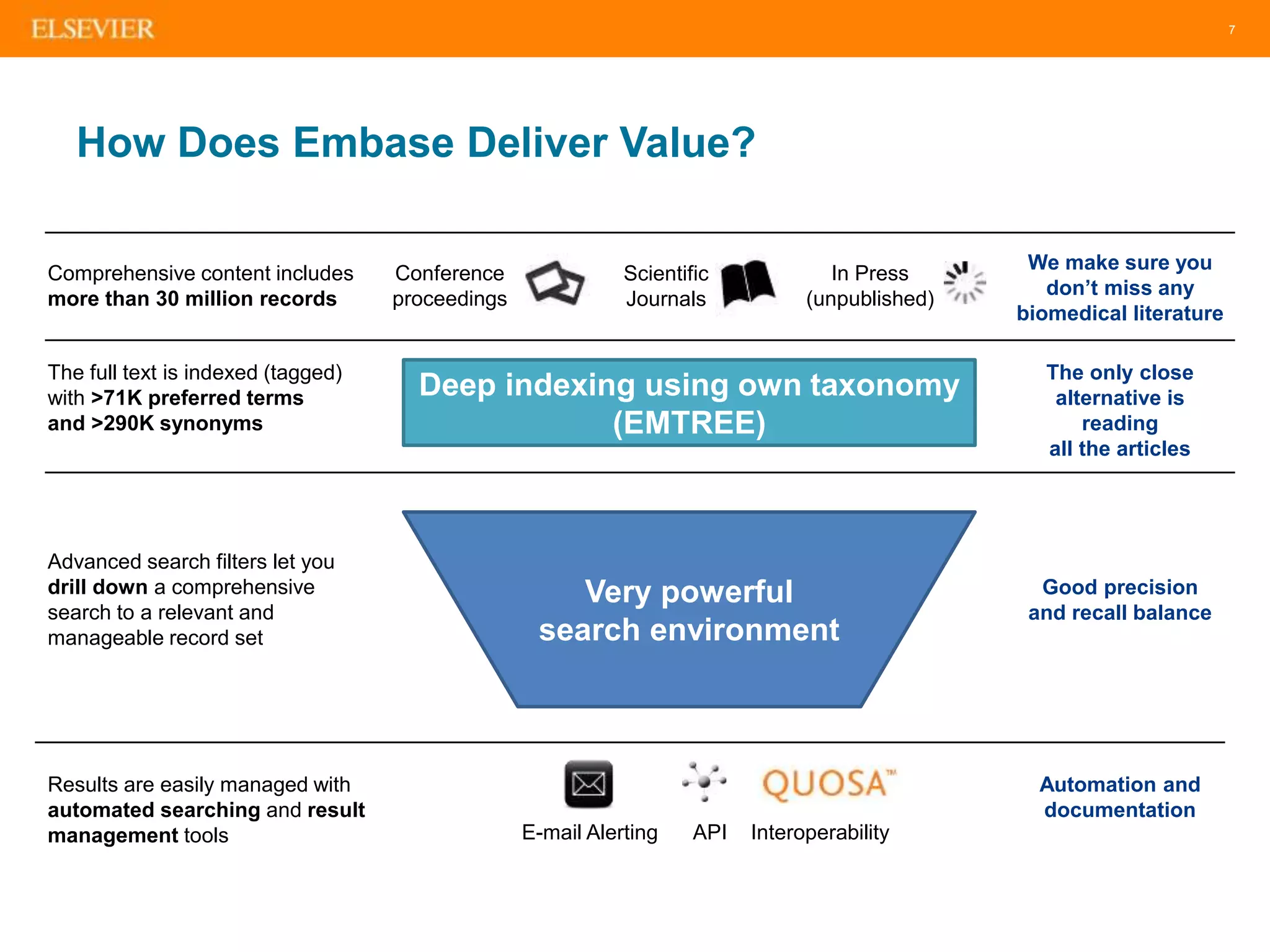
How Does Embase Deliver Value?
Conference
proceedings
Comprehensive content includes
more than 30 million records
The full text is indexed (tagged)
with >71K preferred terms
and >290K synonyms
Advanced search filters let you
drill down a comprehensive
search to a relevant and
manageable record set
Scientific
Journals
In Press
(unpublished)
Results are easily managed with
automated searching and result
management tools E-mail Alerting API Interoperability
We make sure you
don’t miss any
biomedical literature
The only close
alternative is
reading
all the articles
Good precision
and recall balance
Automation and
documentation
Deep indexing using own taxonomy
(EMTREE)
Very powerful
search environment
Comprehensive
content – we
make sure you
don’t miss
anything
9
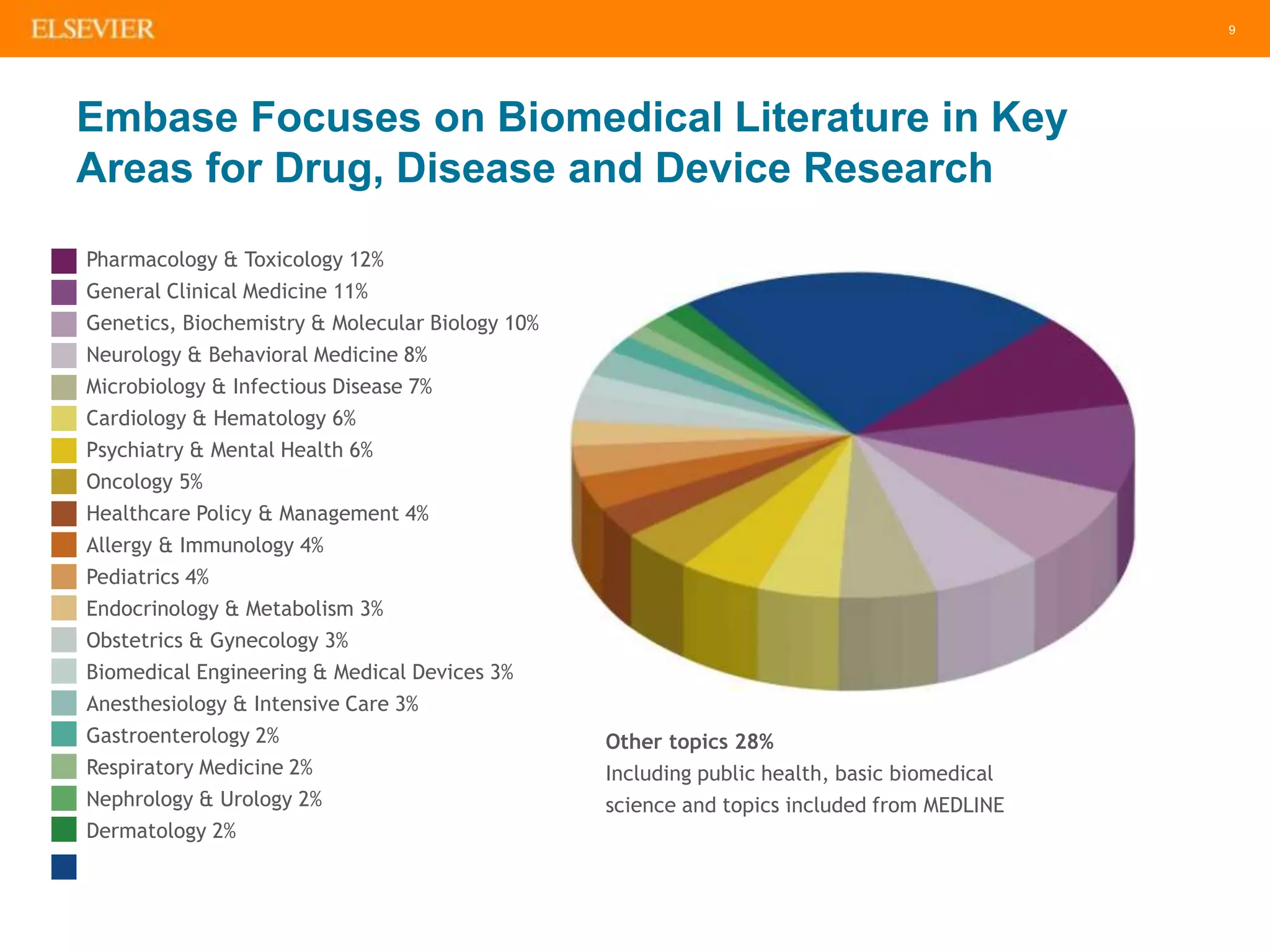
Embase Focuses on Biomedical Literature in Key
Areas for Drug, Disease and Device Research
Pharmacology & Toxicology 12%
General Clinical Medicine 11%
Genetics, Biochemistry & Molecular Biology 10%
Neurology & Behavioral Medicine 8%
Microbiology & Infectious Disease 7%
Cardiology & Hematology 6%
Psychiatry & Mental Health 6%
Oncology 5%
Healthcare Policy & Management 4%
Allergy & Immunology 4%
Pediatrics 4%
Endocrinology & Metabolism 3%
Obstetrics & Gynecology 3%
Biomedical Engineering & Medical Devices 3%
Anesthesiology & Intensive Care 3%
Gastroenterology 2%
Respiratory Medicine 2%
Nephrology & Urology 2%
Dermatology 2%
Other topics 28%
Including public health, basic biomedical
science and topics included from MEDLINE
10
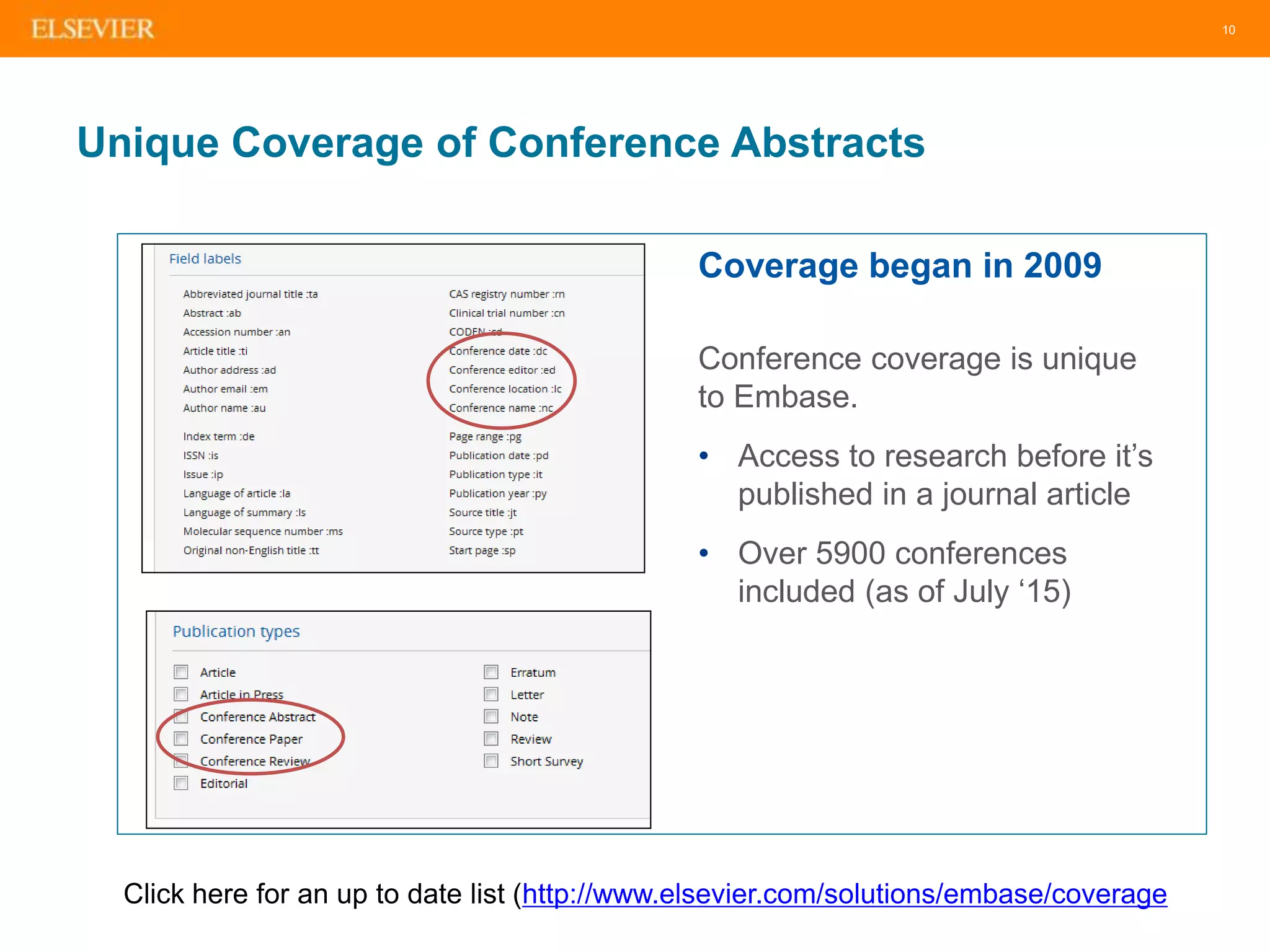
Unique Coverage of Conference Abstracts
Coverage began in 2009
Conference coverage is unique
to Embase.
• Access to research before it’s
published in a journal article
• Over 5900 conferences
included (as of July ‘15)
Click here for an up to date list (http://www.elsevier.com/solutions/embase/coverage
11
Embase Content – Includes all of MEDLINE
Plus Much More
• Over 2,800 journals not
indexed on MEDLINE,
especially from countries
outside North America
• Over 1.9m conference
abstracts from >5,5000
conferences (added since
2009)
• In-depth drug and medical
device indexing based on
the Emtree Life Science
thesaurus, which has over
twice as many terms as the
PubMed (MEDLINE) thesaurus
(MeSH)
Embase
Unique
MEDLINE
on Embase
Embase &
MEDLINE
6.7m records
2,800 journals
12m records
3,000 journals
8.5m records
2,500 journals
[embase]/lim NOT
[medline]/lim
[embase]/lim AND
[medline]/lim
[medline]/lim NOT
[embase]/lim
12
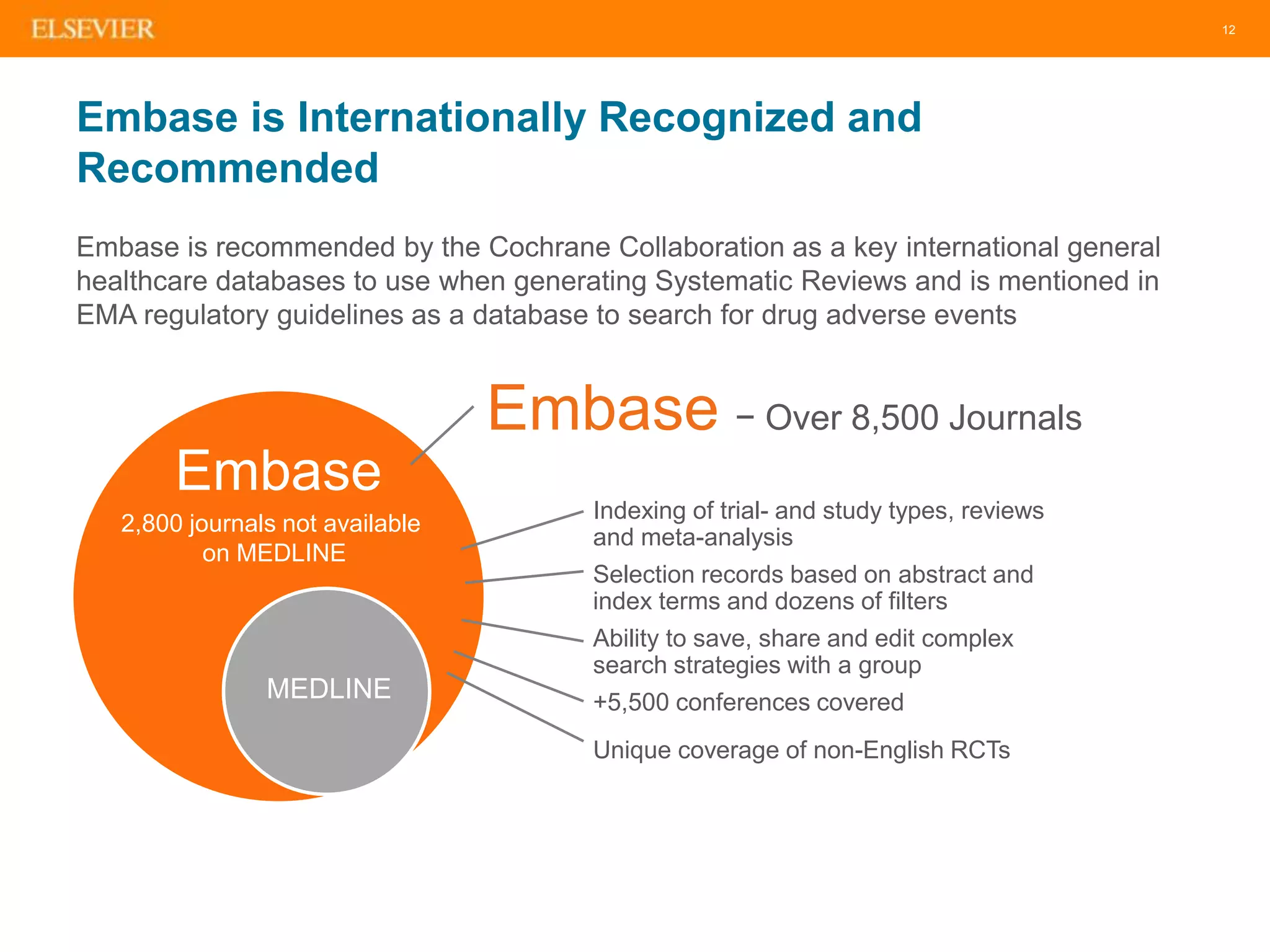
Embase is Internationally Recognized and
Recommended
Embase is recommended by the Cochrane Collaboration as a key international general
healthcare databases to use when generating Systematic Reviews and is mentioned in
EMA regulatory guidelines as a database to search for drug adverse events
Embase − Over 8,500 Journals
Embase
MEDLINE
• Indexing of trial- and study types, reviews
and meta-analysis
• Selection records based on abstract and
index terms and dozens of filters
• Ability to save, share and edit complex
search strategies with a group
• +5,500 conferences covered
• Unique coverage of non-English RCTs
2,800 journals not available
on MEDLINE
Deep indexing –
identify critical
information
14
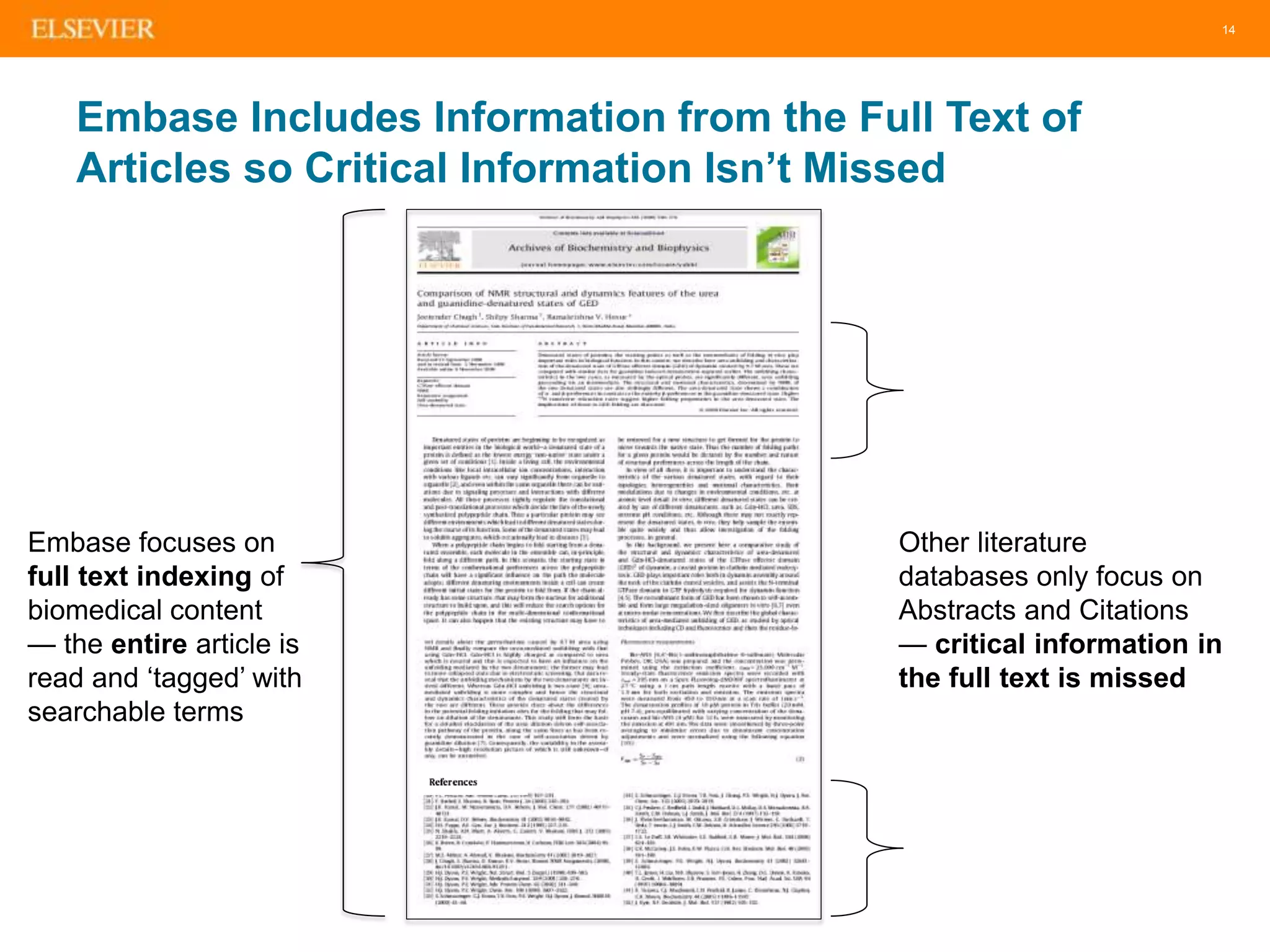
Embase Includes Information from the Full Text of
Articles so Critical Information Isn’t Missed
Embase focuses on
full text indexing of
biomedical content
— the entire article is
read and ‘tagged’ with
searchable terms
Other literature
databases only focus on
Abstracts and Citations
— critical information in
the full text is missed
15
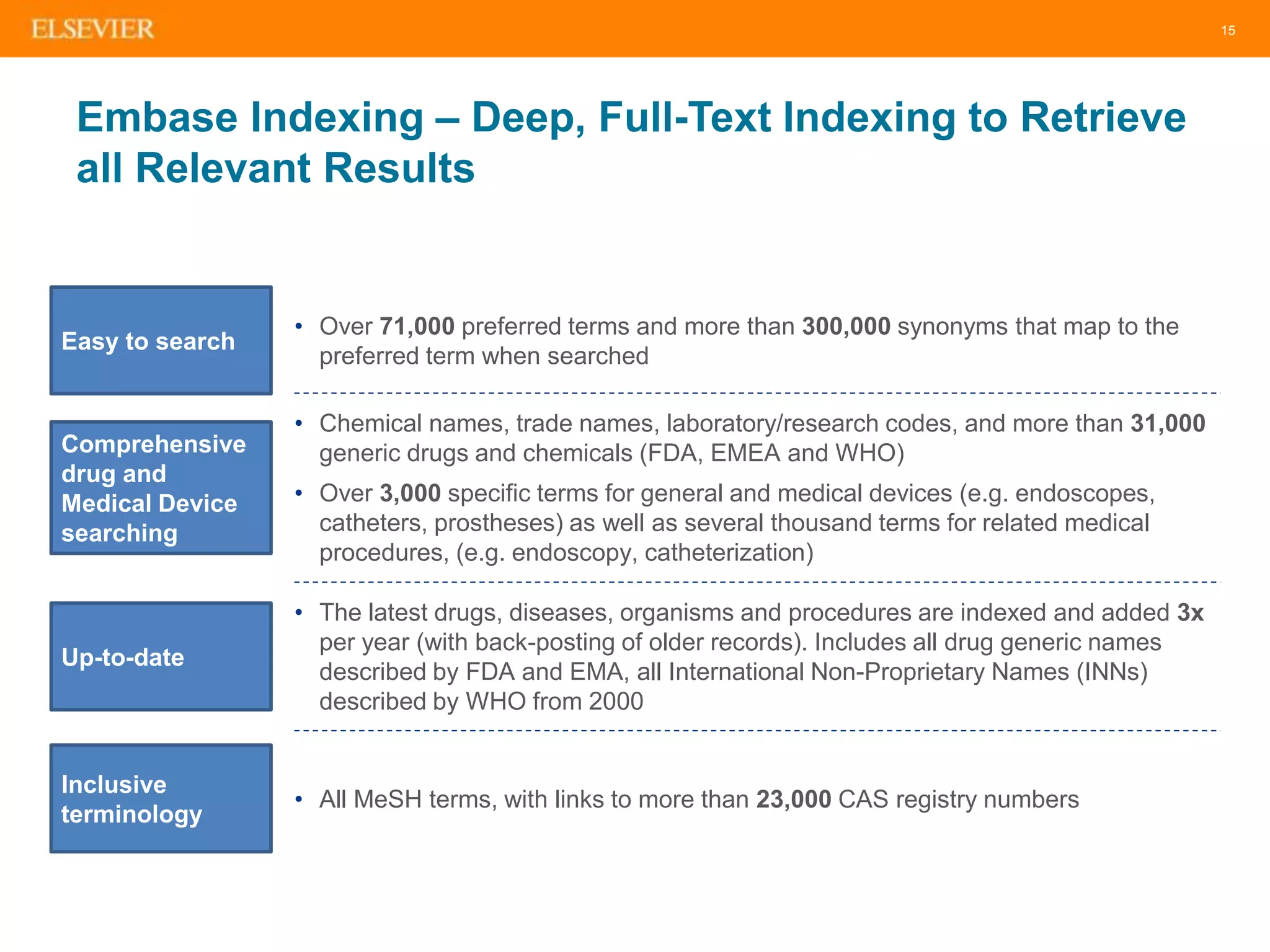
Embase Indexing – Deep, Full-Text Indexing to Retrieve
all Relevant Results
Easy to search
• Over 71,000 preferred terms and more than 300,000 synonyms that map to the
preferred term when searched
Comprehensive
drug and
Medical Device
searching
• Chemical names, trade names, laboratory/research codes, and more than 31,000
generic drugs and chemicals (FDA, EMEA and WHO)
• Over 3,000 specific terms for general and medical devices (e.g. endoscopes,
catheters, prostheses) as well as several thousand terms for related medical
procedures, (e.g. endoscopy, catheterization)
Up-to-date
• The latest drugs, diseases, organisms and procedures are indexed and added 3x
per year (with back-posting of older records). Includes all drug generic names
described by FDA and EMA, all International Non-Proprietary Names (INNs)
described by WHO from 2000
Inclusive
terminology
• All MeSH terms, with links to more than 23,000 CAS registry numbers
16
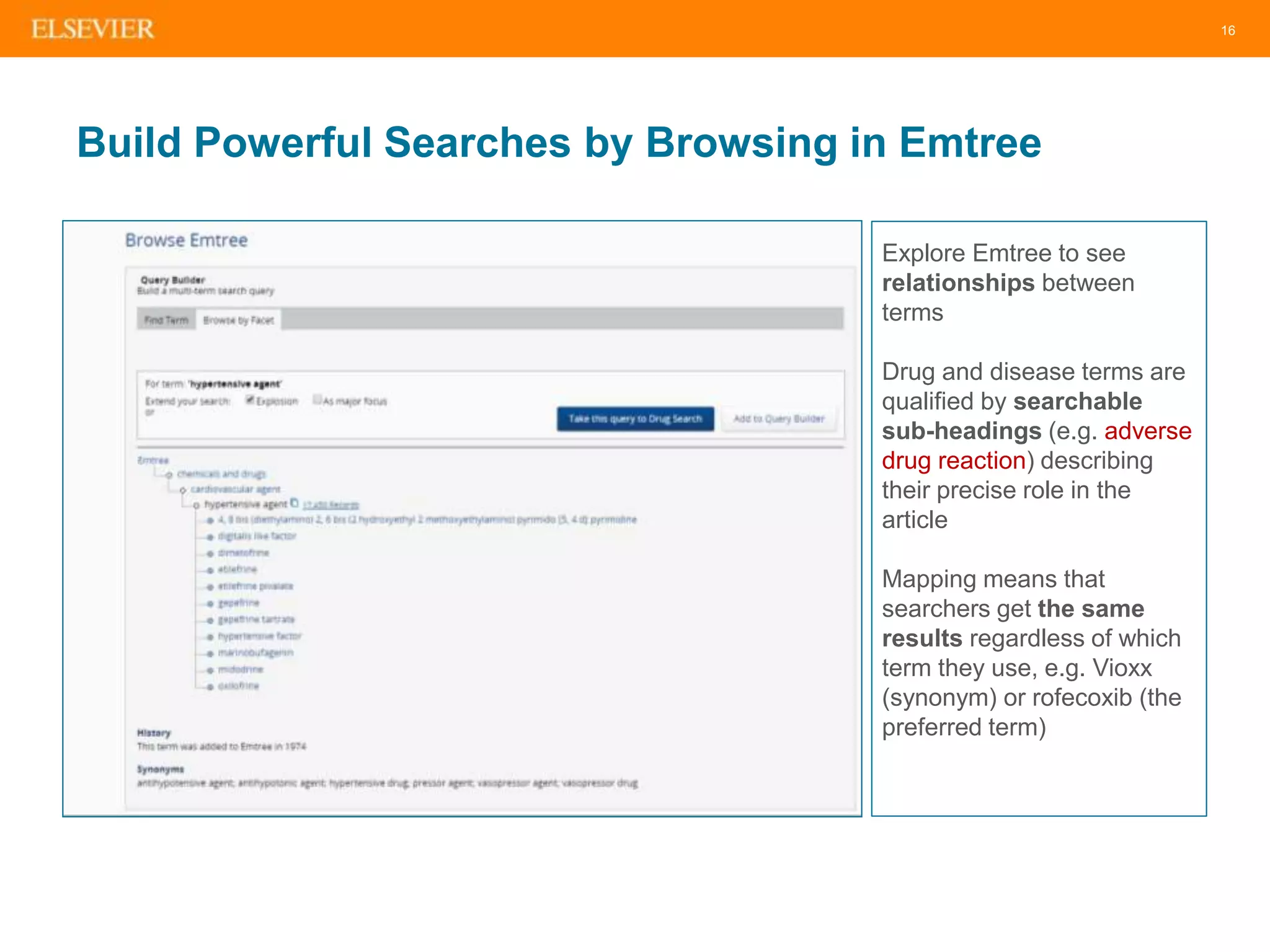
Build Powerful Searches by Browsing in Emtree
Explore Emtree to see
relationships between
terms
Drug and disease terms are
qualified by searchable
sub-headings (e.g. adverse
drug reaction) describing
their precise role in the
article
Mapping means that
searchers get the same
results regardless of which
term they use, e.g. Vioxx
(synonym) or rofecoxib (the
preferred term)
17
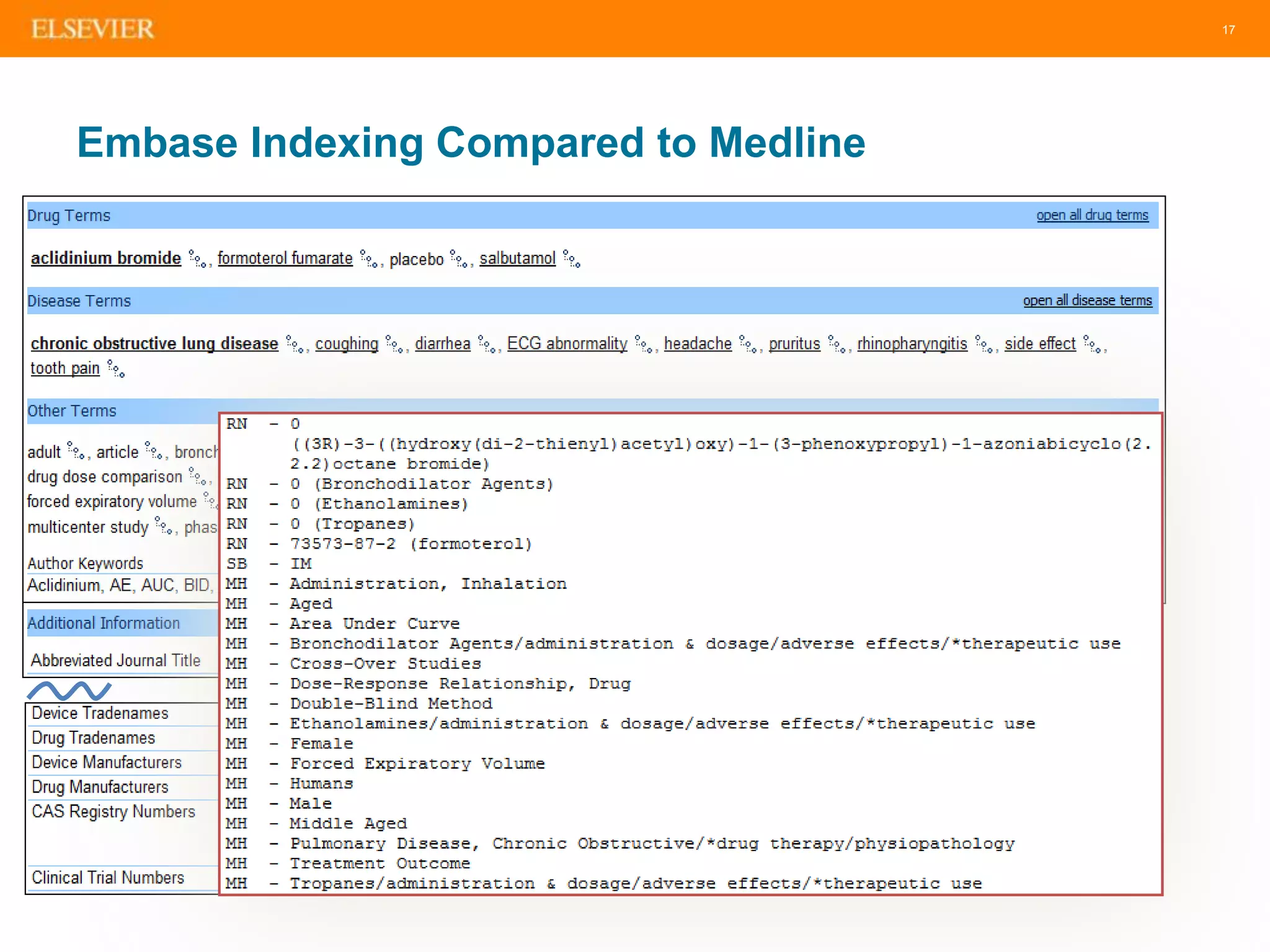
Embase Indexing Compared to Medline
Precise results
retrieval
19
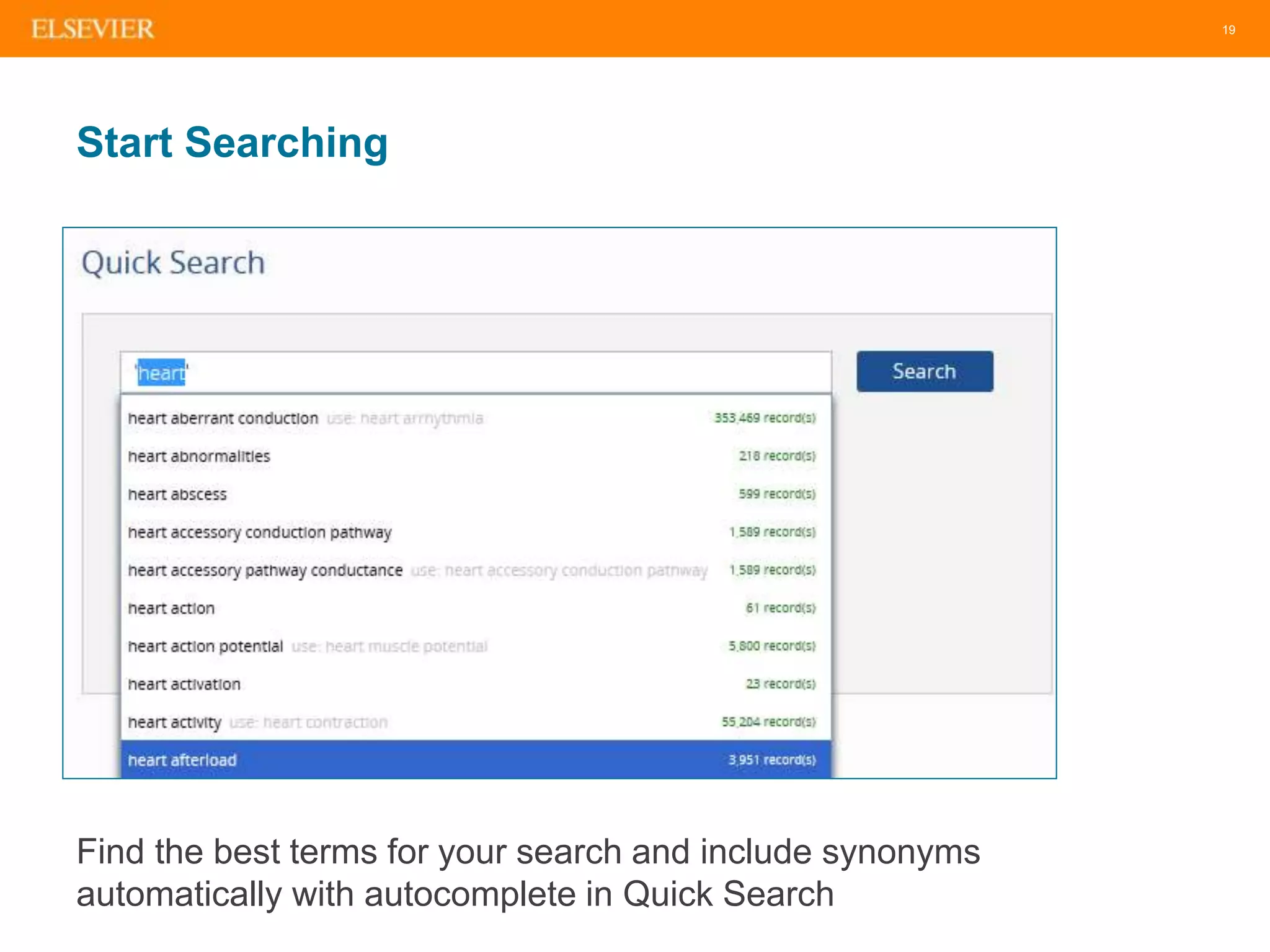
Start Searching
Find the best terms for your search and include synonyms
automatically with autocomplete in Quick Search
20
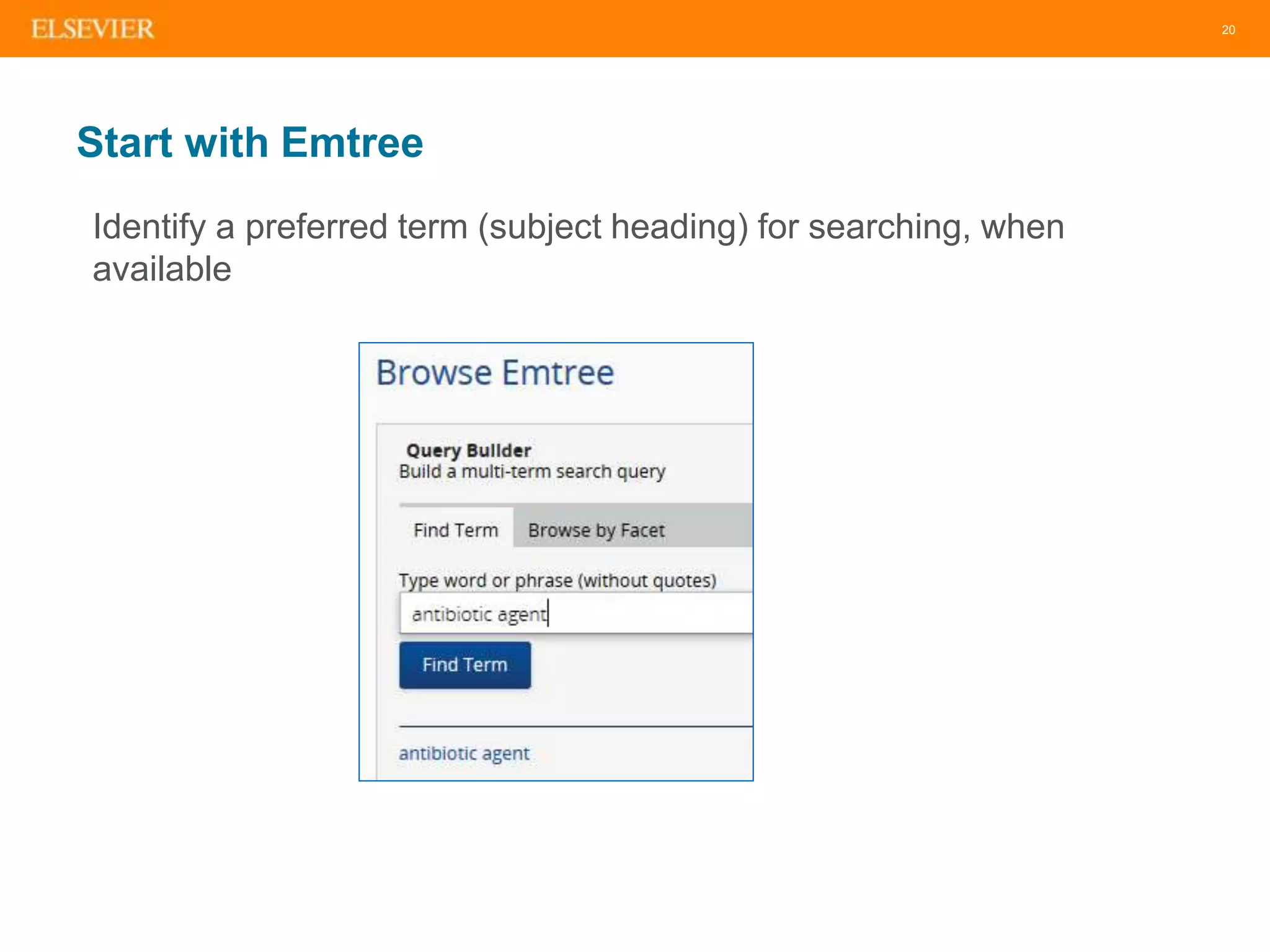
Start with Emtree
Identify a preferred term (subject heading) for searching, when
available
21
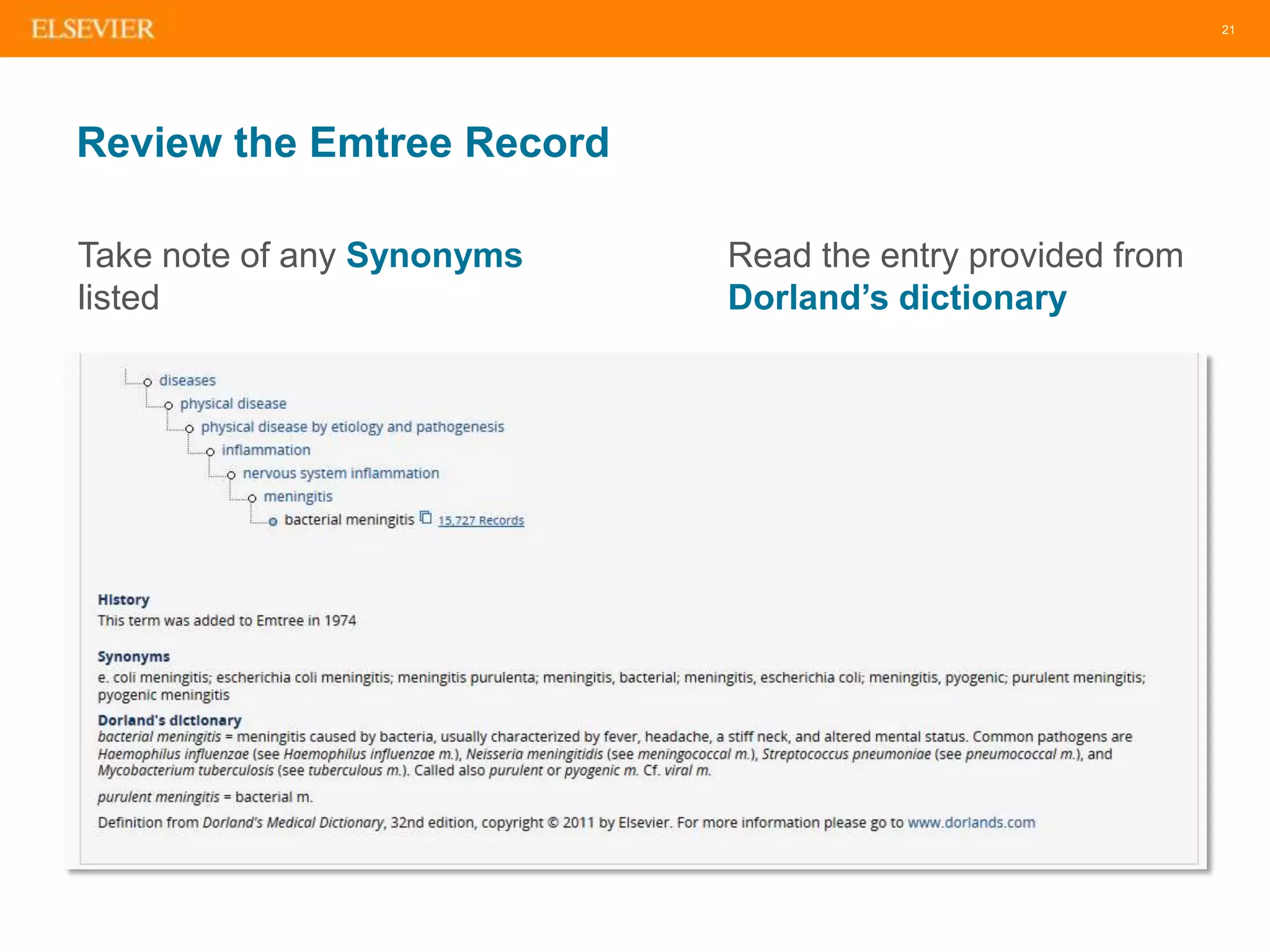
Review the Emtree Record
Take note of any Synonyms
listed
Read the entry provided from
Dorland’s dictionary
22
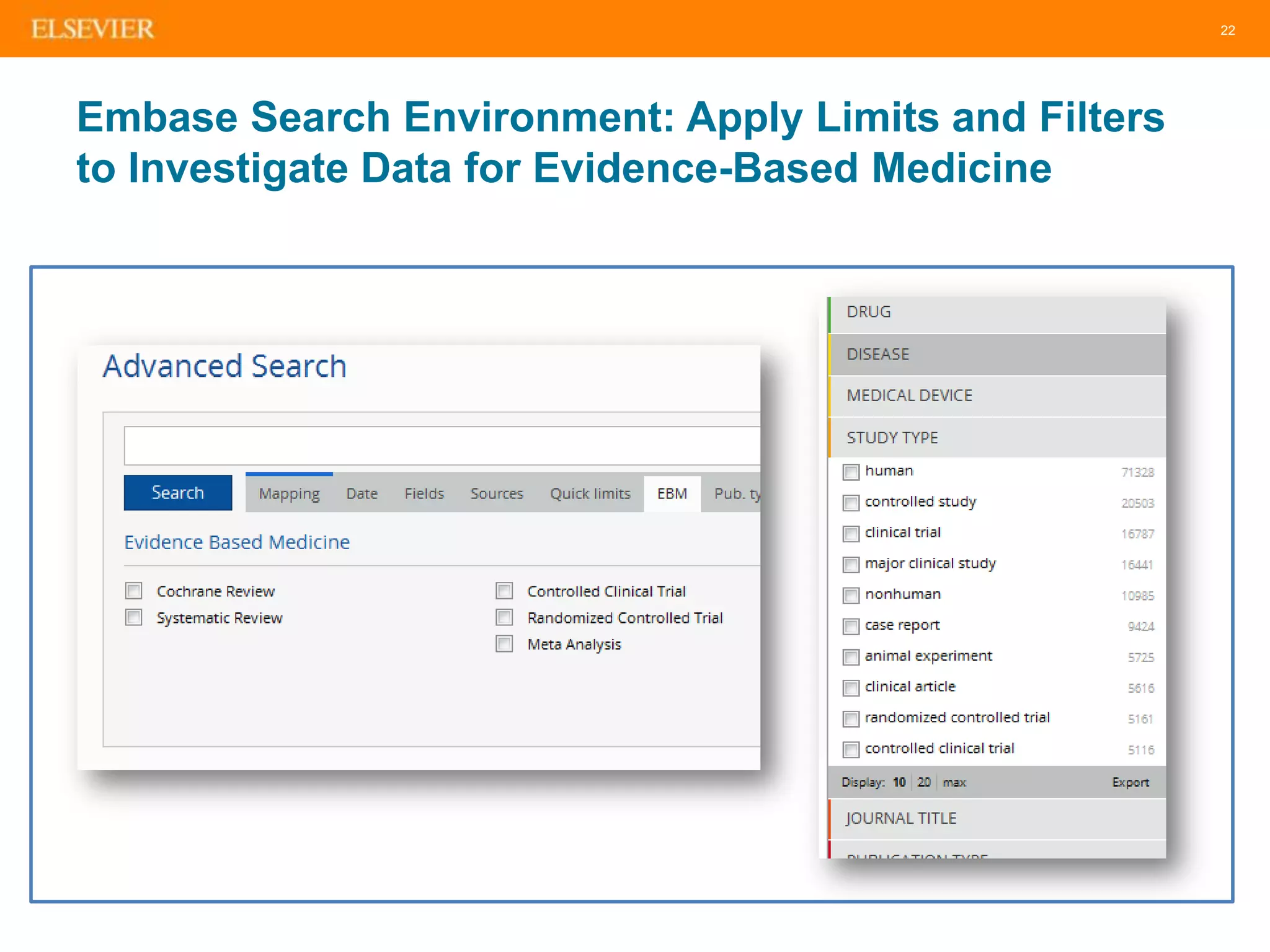
Embase Search Environment: Apply Limits and Filters
to Investigate Data for Evidence-Based Medicine
23
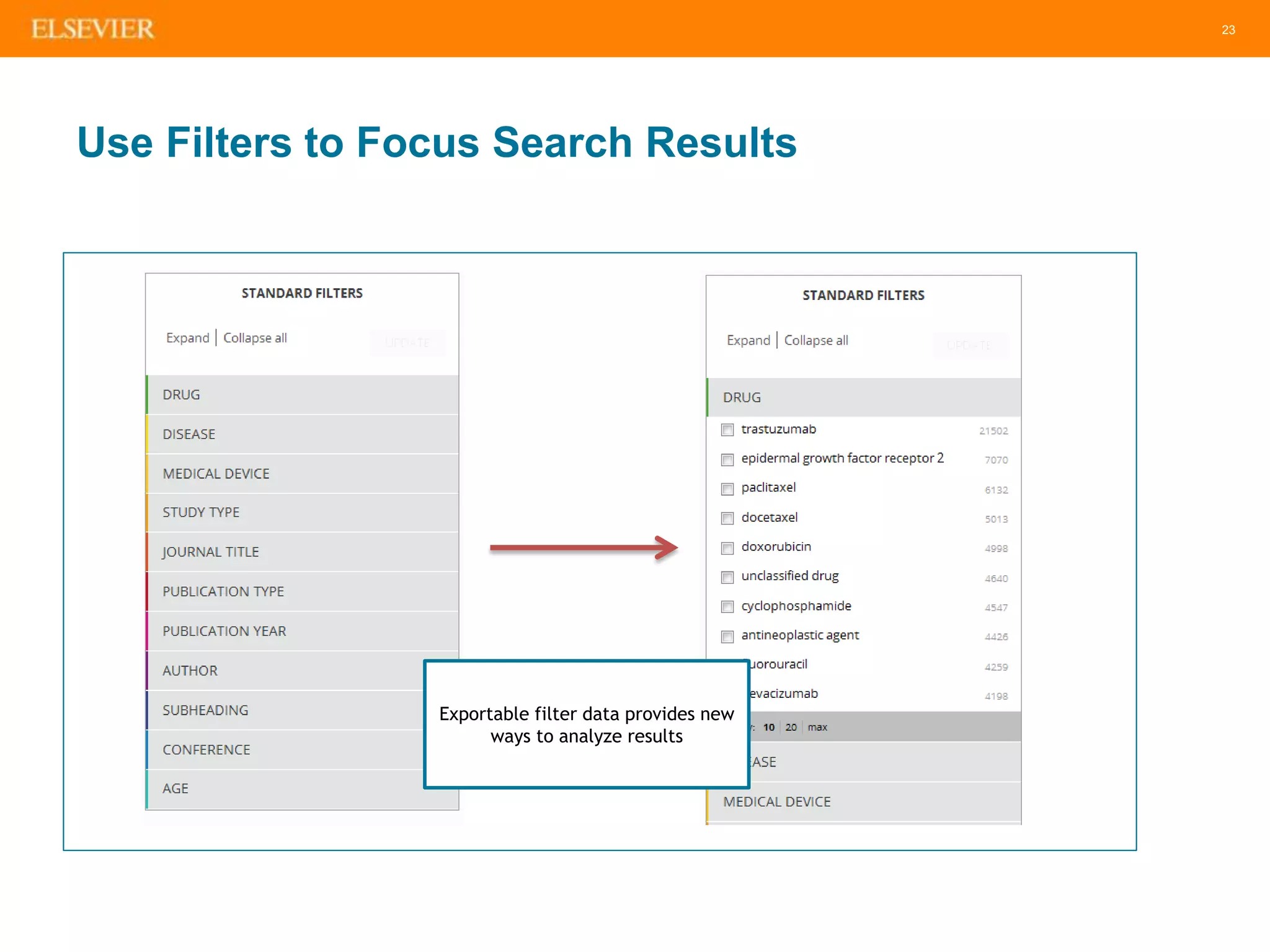
Use Filters to Focus Search Results
Exportable filter data provides new
ways to analyze results
24
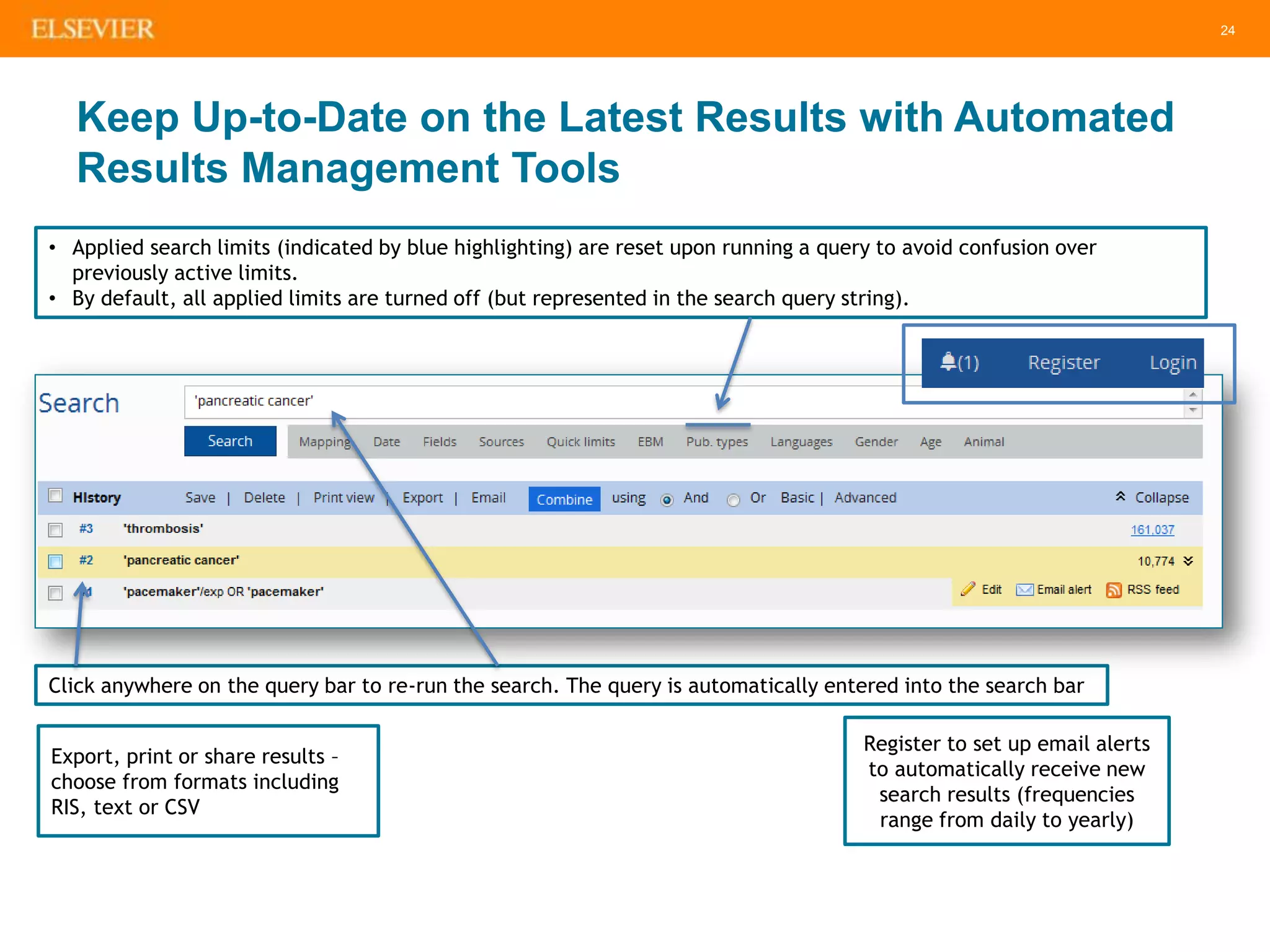
Keep Up-to-Date on the Latest Results with Automated
Results Management Tools
Click anywhere on the query bar to re-run the search. The query is automatically entered into the search bar
• Applied search limits (indicated by blue highlighting) are reset upon running a query to avoid confusion over
previously active limits.
• By default, all applied limits are turned off (but represented in the search query string).
Export, print or share results –
choose from formats including
RIS, text or CSV
Register to set up email alerts
to automatically receive new
search results (frequencies
range from daily to yearly)
25
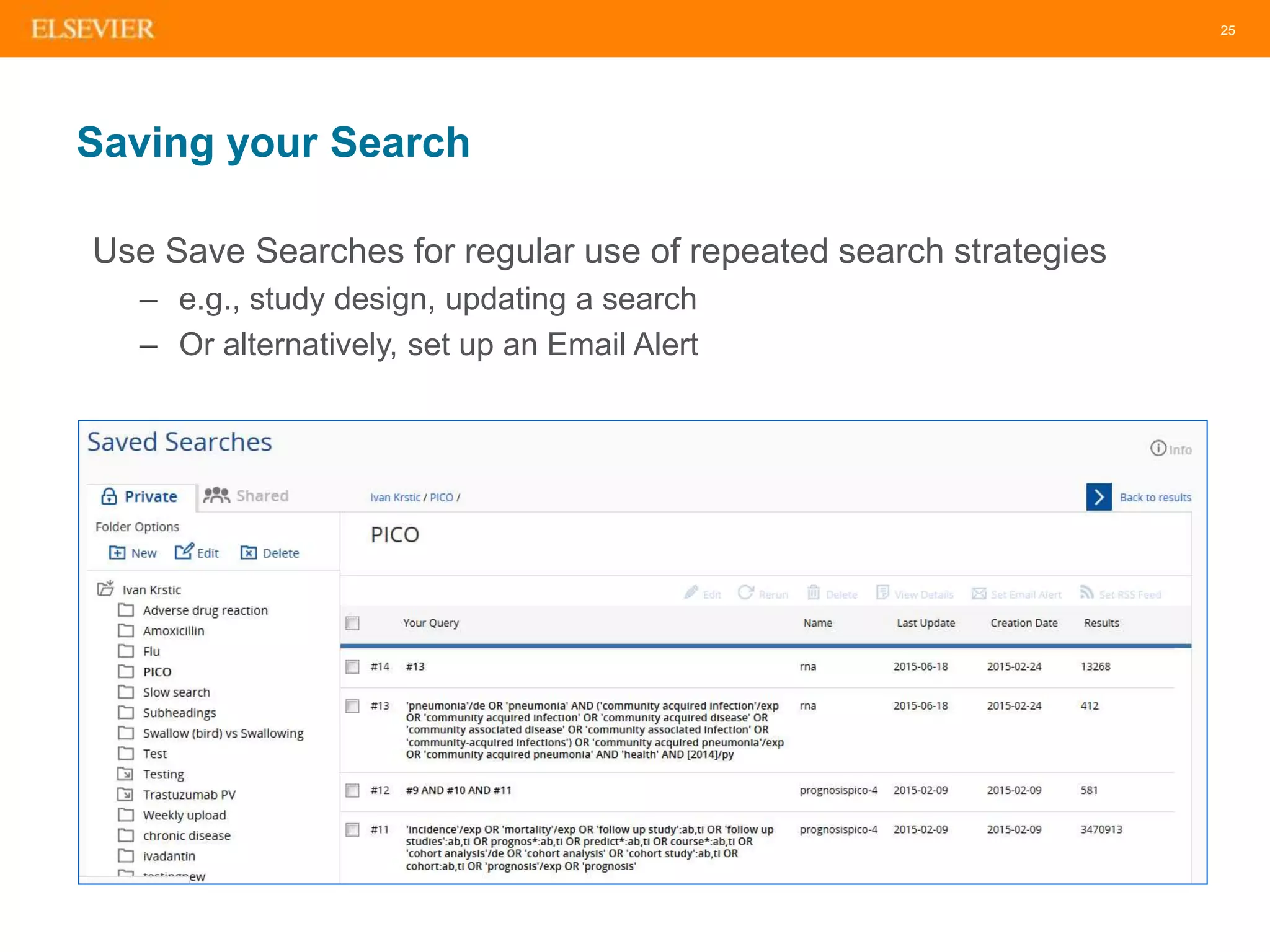
Saving your Search
Use Save Searches for regular use of repeated search strategies
– e.g., study design, updating a search
– Or alternatively, set up an Email Alert
26
Poll – What are You Most Interested In?
• Building systematic searches
• Pinpointing specific drug and disease-related information
• Saving searches and setting up alerts
27
27
Meet Carol, a clinical liaison librarian,
in the Center for Evidence-Based
Research. Carol is working on a
systematic review for publication and
she needs to adhere to specific
guidelines to ensure she has
conducted a through search of the
literature. Let’s dive into EMBASE
and show Carol how she may
efficiently search all relevant
biomedical literature, while being
confident that she is not missing
anything.
28
28
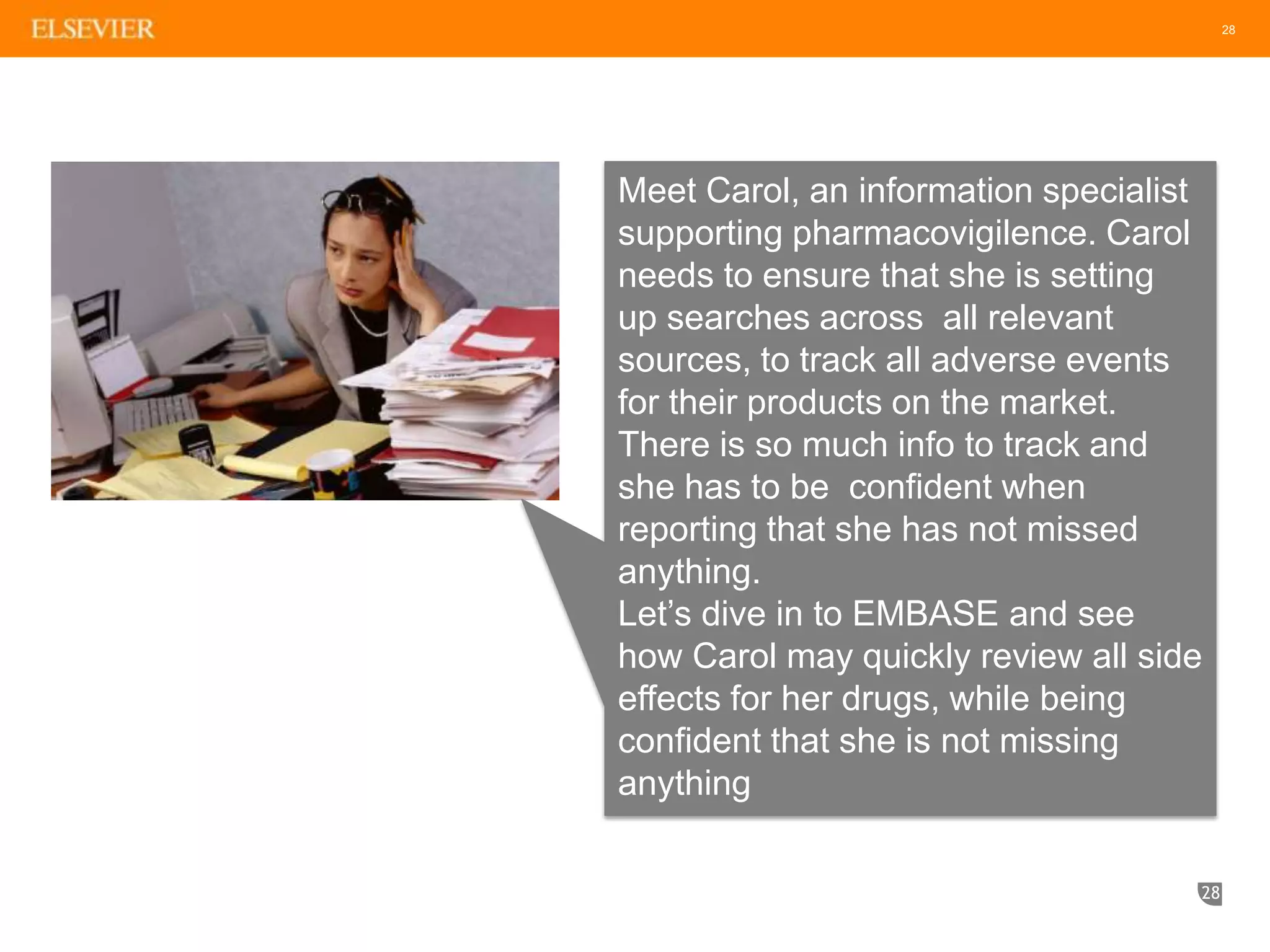
Meet Carol, an information specialist
supporting pharmacovigilence. Carol
needs to ensure that she is setting
up searches across all relevant
sources, to track all adverse events
for their products on the market.
There is so much info to track and
she has to be confident when
reporting that she has not missed
anything.
Let’s dive in to EMBASE and see
how Carol may quickly review all side
effects for her drugs, while being
confident that she is not missing
anything
29
Tips for Searching
When performing an abstract and title search for any synonyms listed
in an Emtree record, consider using truncation or wildcard characters
(*, ?) as needed
When conducting a search of Article title and Abstract for author free-
text expressions consider using proximity operators (NEXT, NEAR)
as appropriate
When performing free-text searches, remember to consider variant
spellings including British and American spellings and terminology
– e.g., tumor vs tumour; diaper vs nappy; pediatric vs paediatric;
otorhinolaryngology vs ear, nose and throat; overuse injury vs repetitive
strain injury
29
30
Build and Combine Searches
• Use single quotes to capture a phrase ‘diabetes mellitus’ for
example (not with Autocomplete in Quick Search)
• Break up your search into individual searches, such as a drug
search (in Drug Search form) and a disease search (in Disease
Search form) and combine your results in Session Results
• Truncation and operators, AND, OR, NOT, NEXT, NEAR
31
Refine your Search
• Quick and Advanced Limits on Advanced, Drug, Device and Disease
Search forms
• Major Focus on all advanced forms – major drugs and diseases
retrieved
• Field limits under Advanced Search box to search in specific fields
such as article title, abstract, conference name, drug name etc.
• Drug, Device and Disease Subheadings to limit to specific concepts
such as Adverse Drug Reaction, Drug Comparison and Side Effect.
• Filters on Session Results page for specific diseases or study types
for example
32
Where Can you Learn More?
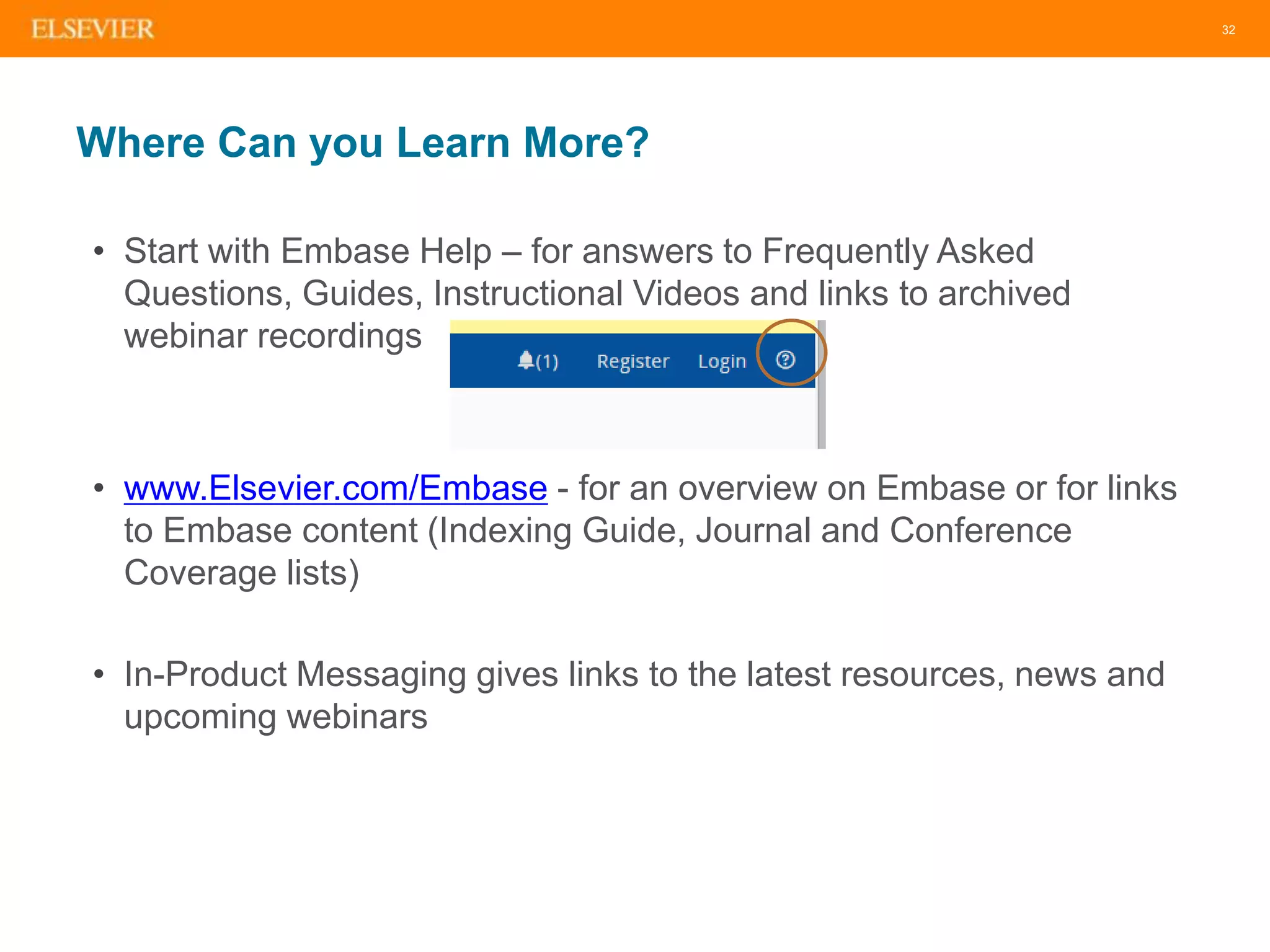
• Start with Embase Help – for answers to Frequently Asked
Questions, Guides, Instructional Videos and links to archived
webinar recordings
• www.Elsevier.com/Embase - for an overview on Embase or for links
to Embase content (Indexing Guide, Journal and Conference
Coverage lists)
• In-Product Messaging gives links to the latest resources, news and
upcoming webinars
33
Thank You!
• Q&A will be sent to you by email. For more information and
questions please contact your regional office
• Our next Embase webinar is on Sept 23 and will focus on using
Embase to find Adverse Events in the literature.
• Please fill out the survey that appears on your screen after leaving
the webinar.
Any questions?
Thank you!

Embase intro webinar july 2015

  • 1.
    1 Embase for biomedical searching –An introduction Presented by Sherry Winter July 22, 2015
  • 2.
    2 | 2 Webinar controlpanel: • ‘Ask a question’ for questions and comments • Option for full screen view • Q&A at the end Need to Know
  • 3.
    | 3 • Whydo people use Embase? • Embase content coverage • Indexing using Emtree • Search features that support precise result retrieval • Demo • Tips and tricks for searching • Any questions?? Agenda
  • 4.
  • 5.
    5 What is Embase? Abiomedical literature database with the most comprehensive journal and conference coverage and deep indexing Content: Be confident you aren’t missing important information Find all relevant articles that may not otherwise be found by using alternative databases Deep full-text indexing: Find relevant articles, no matter where a term is mentioned All relevant, up-to-date, biomedical information from the research literature Precise retrieval: Pinpoint the most relevant results Deep and focused research using the most powerful retrieval tools
  • 6.
    6 Why do PeopleUse Embase? Pharma Devices Academia Track literature Aggregate evidence Postmarket Surveil. (PV) Compet. Intel. Clinical Evaluation Systematic Review
  • 7.
    7 How Does EmbaseDeliver Value? Conference proceedings Comprehensive content includes more than 30 million records The full text is indexed (tagged) with >71K preferred terms and >290K synonyms Advanced search filters let you drill down a comprehensive search to a relevant and manageable record set Scientific Journals In Press (unpublished) Results are easily managed with automated searching and result management tools E-mail Alerting API Interoperability We make sure you don’t miss any biomedical literature The only close alternative is reading all the articles Good precision and recall balance Automation and documentation Deep indexing using own taxonomy (EMTREE) Very powerful search environment
  • 8.
    Comprehensive content – we makesure you don’t miss anything
  • 9.
    9 Embase Focuses onBiomedical Literature in Key Areas for Drug, Disease and Device Research Pharmacology & Toxicology 12% General Clinical Medicine 11% Genetics, Biochemistry & Molecular Biology 10% Neurology & Behavioral Medicine 8% Microbiology & Infectious Disease 7% Cardiology & Hematology 6% Psychiatry & Mental Health 6% Oncology 5% Healthcare Policy & Management 4% Allergy & Immunology 4% Pediatrics 4% Endocrinology & Metabolism 3% Obstetrics & Gynecology 3% Biomedical Engineering & Medical Devices 3% Anesthesiology & Intensive Care 3% Gastroenterology 2% Respiratory Medicine 2% Nephrology & Urology 2% Dermatology 2% Other topics 28% Including public health, basic biomedical science and topics included from MEDLINE
  • 10.
    10 Unique Coverage ofConference Abstracts Coverage began in 2009 Conference coverage is unique to Embase. • Access to research before it’s published in a journal article • Over 5900 conferences included (as of July ‘15) Click here for an up to date list (http://www.elsevier.com/solutions/embase/coverage
  • 11.
    11 Embase Content –Includes all of MEDLINE Plus Much More • Over 2,800 journals not indexed on MEDLINE, especially from countries outside North America • Over 1.9m conference abstracts from >5,5000 conferences (added since 2009) • In-depth drug and medical device indexing based on the Emtree Life Science thesaurus, which has over twice as many terms as the PubMed (MEDLINE) thesaurus (MeSH) Embase Unique MEDLINE on Embase Embase & MEDLINE 6.7m records 2,800 journals 12m records 3,000 journals 8.5m records 2,500 journals [embase]/lim NOT [medline]/lim [embase]/lim AND [medline]/lim [medline]/lim NOT [embase]/lim
  • 12.
    12 Embase is InternationallyRecognized and Recommended Embase is recommended by the Cochrane Collaboration as a key international general healthcare databases to use when generating Systematic Reviews and is mentioned in EMA regulatory guidelines as a database to search for drug adverse events Embase − Over 8,500 Journals Embase MEDLINE • Indexing of trial- and study types, reviews and meta-analysis • Selection records based on abstract and index terms and dozens of filters • Ability to save, share and edit complex search strategies with a group • +5,500 conferences covered • Unique coverage of non-English RCTs 2,800 journals not available on MEDLINE
  • 13.
    Deep indexing – identifycritical information
  • 14.
    14 Embase Includes Informationfrom the Full Text of Articles so Critical Information Isn’t Missed Embase focuses on full text indexing of biomedical content — the entire article is read and ‘tagged’ with searchable terms Other literature databases only focus on Abstracts and Citations — critical information in the full text is missed
  • 15.
    15 Embase Indexing –Deep, Full-Text Indexing to Retrieve all Relevant Results Easy to search • Over 71,000 preferred terms and more than 300,000 synonyms that map to the preferred term when searched Comprehensive drug and Medical Device searching • Chemical names, trade names, laboratory/research codes, and more than 31,000 generic drugs and chemicals (FDA, EMEA and WHO) • Over 3,000 specific terms for general and medical devices (e.g. endoscopes, catheters, prostheses) as well as several thousand terms for related medical procedures, (e.g. endoscopy, catheterization) Up-to-date • The latest drugs, diseases, organisms and procedures are indexed and added 3x per year (with back-posting of older records). Includes all drug generic names described by FDA and EMA, all International Non-Proprietary Names (INNs) described by WHO from 2000 Inclusive terminology • All MeSH terms, with links to more than 23,000 CAS registry numbers
  • 16.
    16 Build Powerful Searchesby Browsing in Emtree Explore Emtree to see relationships between terms Drug and disease terms are qualified by searchable sub-headings (e.g. adverse drug reaction) describing their precise role in the article Mapping means that searchers get the same results regardless of which term they use, e.g. Vioxx (synonym) or rofecoxib (the preferred term)
  • 17.
  • 18.
  • 19.
    19 Start Searching Find thebest terms for your search and include synonyms automatically with autocomplete in Quick Search
  • 20.
    20 Start with Emtree Identifya preferred term (subject heading) for searching, when available
  • 21.
    21 Review the EmtreeRecord Take note of any Synonyms listed Read the entry provided from Dorland’s dictionary
  • 22.
    22 Embase Search Environment:Apply Limits and Filters to Investigate Data for Evidence-Based Medicine
  • 23.
    23 Use Filters toFocus Search Results Exportable filter data provides new ways to analyze results
  • 24.
    24 Keep Up-to-Date onthe Latest Results with Automated Results Management Tools Click anywhere on the query bar to re-run the search. The query is automatically entered into the search bar • Applied search limits (indicated by blue highlighting) are reset upon running a query to avoid confusion over previously active limits. • By default, all applied limits are turned off (but represented in the search query string). Export, print or share results – choose from formats including RIS, text or CSV Register to set up email alerts to automatically receive new search results (frequencies range from daily to yearly)
  • 25.
    25 Saving your Search UseSave Searches for regular use of repeated search strategies – e.g., study design, updating a search – Or alternatively, set up an Email Alert
  • 26.
    26 Poll – Whatare You Most Interested In? • Building systematic searches • Pinpointing specific drug and disease-related information • Saving searches and setting up alerts
  • 27.
    27 27 Meet Carol, aclinical liaison librarian, in the Center for Evidence-Based Research. Carol is working on a systematic review for publication and she needs to adhere to specific guidelines to ensure she has conducted a through search of the literature. Let’s dive into EMBASE and show Carol how she may efficiently search all relevant biomedical literature, while being confident that she is not missing anything.
  • 28.
    28 28 Meet Carol, aninformation specialist supporting pharmacovigilence. Carol needs to ensure that she is setting up searches across all relevant sources, to track all adverse events for their products on the market. There is so much info to track and she has to be confident when reporting that she has not missed anything. Let’s dive in to EMBASE and see how Carol may quickly review all side effects for her drugs, while being confident that she is not missing anything
  • 29.
    29 Tips for Searching Whenperforming an abstract and title search for any synonyms listed in an Emtree record, consider using truncation or wildcard characters (*, ?) as needed When conducting a search of Article title and Abstract for author free- text expressions consider using proximity operators (NEXT, NEAR) as appropriate When performing free-text searches, remember to consider variant spellings including British and American spellings and terminology – e.g., tumor vs tumour; diaper vs nappy; pediatric vs paediatric; otorhinolaryngology vs ear, nose and throat; overuse injury vs repetitive strain injury 29
  • 30.
    30 Build and CombineSearches • Use single quotes to capture a phrase ‘diabetes mellitus’ for example (not with Autocomplete in Quick Search) • Break up your search into individual searches, such as a drug search (in Drug Search form) and a disease search (in Disease Search form) and combine your results in Session Results • Truncation and operators, AND, OR, NOT, NEXT, NEAR
  • 31.
    31 Refine your Search •Quick and Advanced Limits on Advanced, Drug, Device and Disease Search forms • Major Focus on all advanced forms – major drugs and diseases retrieved • Field limits under Advanced Search box to search in specific fields such as article title, abstract, conference name, drug name etc. • Drug, Device and Disease Subheadings to limit to specific concepts such as Adverse Drug Reaction, Drug Comparison and Side Effect. • Filters on Session Results page for specific diseases or study types for example
  • 32.
    32 Where Can youLearn More? • Start with Embase Help – for answers to Frequently Asked Questions, Guides, Instructional Videos and links to archived webinar recordings • www.Elsevier.com/Embase - for an overview on Embase or for links to Embase content (Indexing Guide, Journal and Conference Coverage lists) • In-Product Messaging gives links to the latest resources, news and upcoming webinars
  • 33.
    33 Thank You! • Q&Awill be sent to you by email. For more information and questions please contact your regional office • Our next Embase webinar is on Sept 23 and will focus on using Embase to find Adverse Events in the literature. • Please fill out the survey that appears on your screen after leaving the webinar. Any questions?
  • 34.