eMagic
Complete Datacenter Management Solution
Agenda
•   About ESDS
•   Services
•   Emagic-Introduction
•   Features
•   Server Management
•   Graphical Reports
•   Monitoring
About ESDS
                      •   ESDS with seven successful years of
                          operation in the web hosting industry
                          has created a stunning product and
                          service portfolio that is designed to help
                          organizations transform their online
                          presence.

                      •   The company's aim has always been to
                          provide Redundant Services and Quality
                          Support      which ensure    maximum
                          customer satisfaction along with a
                          standard set of performance and
                          reliability.

“At ESDS, you get the highest quality & value for your investment with
                      complete peace of mind.”
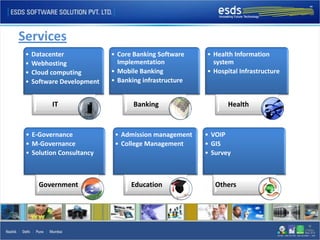
Services
 •   Datacenter             • Core Banking Software    • Health Information
 •   Webhosting               Implementation             system
 •   Cloud computing        • Mobile Banking           • Hospital Infrastructure
 •   Software Development   • Banking infrastructure


           IT                      Banking                    Health


 • E-Governance              • Admission management    • VOIP
 • M-Governance              • College Management      • GIS
 • Solution Consultancy                                • Survey


       Government                 Education               Others
eMagic
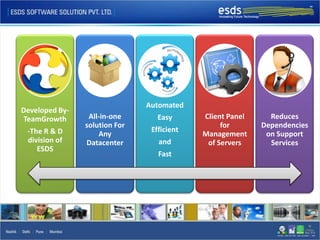
Automated
Developed By-
TeamGrowth       All-in-one       Easy      Client Panel     Reduces
                solution For                     for       Dependencies
 -The R & D                     Efficient
                    Any                     Management      on Support
 division of    Datacenter        and        of Servers      Services
    ESDS
                                  Fast
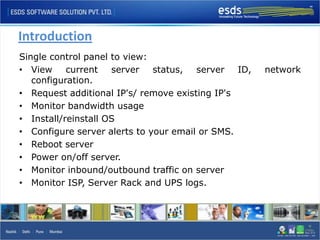
Introduction
Single control panel to view:
• View     current   server   status,  server   ID,   network
   configuration.
• Request additional IP's/ remove existing IP's
• Monitor bandwidth usage
• Install/reinstall OS
• Configure server alerts to your email or SMS.
• Reboot server
• Power on/off server.
• Monitor inbound/outbound traffic on server
• Monitor ISP, Server Rack and UPS logs.
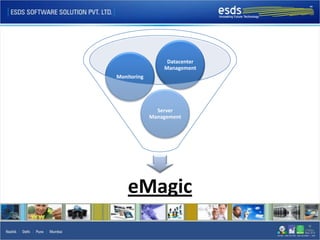
Datacenter
                 Management
Monitoring


               Server
             Management


    eMagic
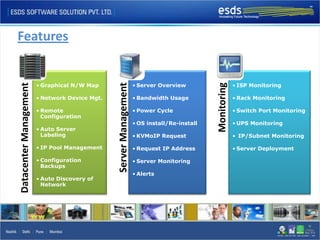
Features


                        • Graphical N/W Map                         • Server Overview                      • ISP Monitoring


                                                                                              Monitoring
Datacenter Management


                                                Server Management
                        • Network Device Mgt.                       • Bandwidth Usage                      • Rack Monitoring

                        • Remote                                    • Power Cycle                          • Switch Port Monitoring
                          Configuration
                                                                    • OS install/Re-install                • UPS Monitoring
                        • Auto Server
                          Labeling                                  • KVMoIP Request                       • IP/Subnet Monitoring

                        • IP Pool Management                        • Request IP Address                   • Server Deployment

                        • Configuration                             • Server Monitoring
                          Backups
                                                                    • Alerts
                        • Auto Discovery of
                          Network
Server Management
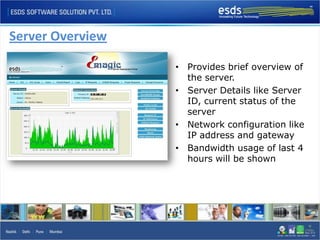
Server Overview

                  • Provides brief overview of
                    the server.
                  • Server Details like Server
                    ID, current status of the
                    server
                  • Network configuration like
                    IP address and gateway
                  • Bandwidth usage of last 4
                    hours will be shown
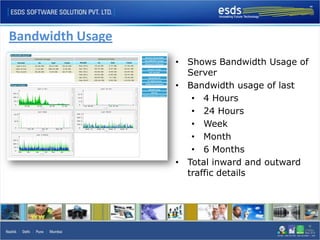
Bandwidth Usage
                  • Shows Bandwidth Usage of
                    Server
                  • Bandwidth usage of last
                     • 4 Hours
                     • 24 Hours
                     • Week
                     • Month
                     • 6 Months
                  • Total inward and outward
                    traffic details
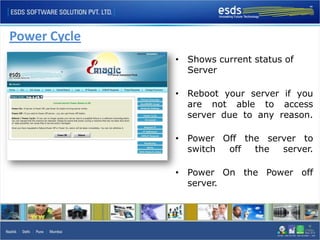
Power Cycle
              • Shows current status of
                Server

              • Reboot your server if you
                are not able to access
                server due to any reason.

              • Power Off the server to
                switch off  the  server.

              • Power On the Power off
                server.
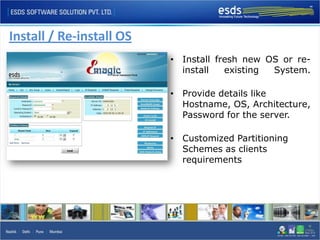
Install / Re-install OS
                          • Install fresh new OS or re-
                            install   existing System.

                          • Provide details like
                            Hostname, OS, Architecture,
                            Password for the server.

                          • Customized Partitioning
                            Schemes as clients
                            requirements
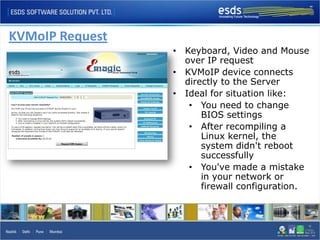
KVMoIP Request
                 • Keyboard, Video and Mouse
                   over IP request
                 • KVMoIP device connects
                   directly to the Server
                 • Ideal for situation like:
                    • You need to change
                       BIOS settings
                    • After recompiling a
                       Linux kernel, the
                       system didn't reboot
                       successfully
                    • You've made a mistake
                       in your network or
                       firewall configuration.
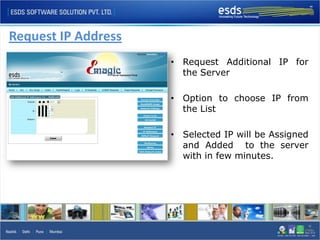
Request IP Address
                     • Request Additional IP for
                       the Server

                     • Option to choose IP from
                       the List

                     • Selected IP will be Assigned
                       and Added to the server
                       with in few minutes.
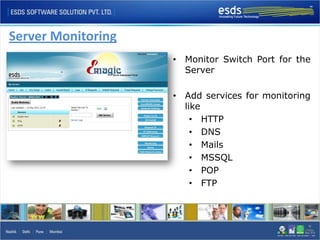
Server Monitoring
                    • Monitor Switch Port for the
                      Server

                    • Add services for monitoring
                      like
                        • HTTP
                        • DNS
                        • Mails
                        • MSSQL
                        • POP
                        • FTP
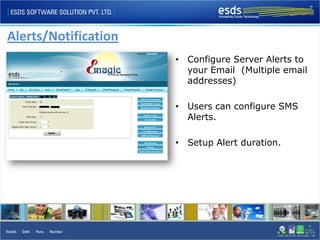
Alerts/Notification
                      • Configure Server Alerts to
                        your Email (Multiple email
                        addresses)

                      • Users can configure SMS
                        Alerts.

                      • Setup Alert duration.
Graphical Reports
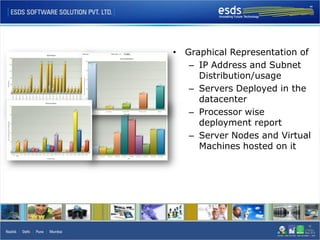
• Graphical Representation of
   – IP Address and Subnet
     Distribution/usage
   – Servers Deployed in the
     datacenter
   – Processor wise
     deployment report
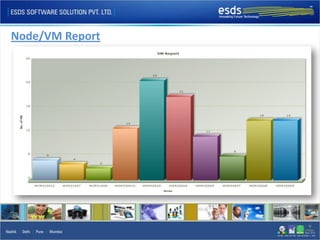
   – Server Nodes and Virtual
     Machines hosted on it
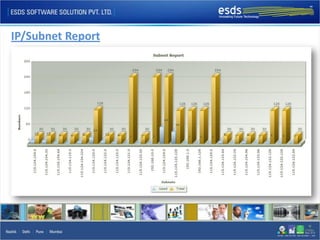
IP/Subnet Report
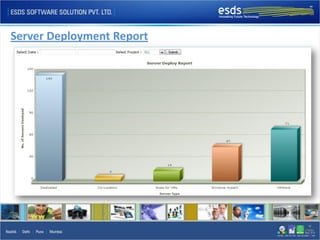
Server Deployment Report
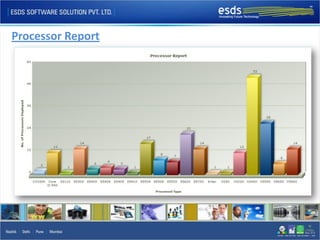
Processor Report
Node/VM Report
Monitoring
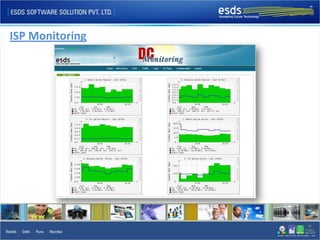
ISP Monitoring
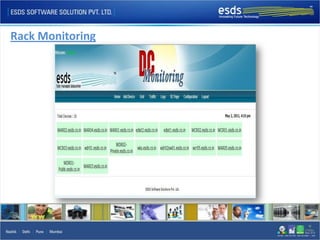
Rack Monitoring
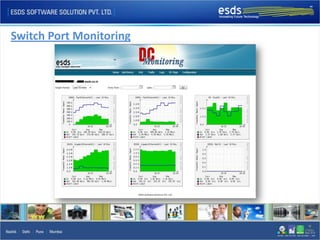
Switch Port Monitoring
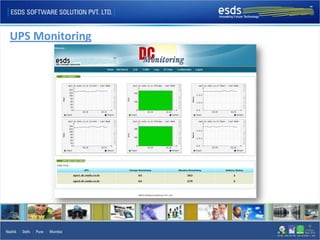
UPS Monitoring
Next Version Updates
 • Monitor and manage CPU, Memory, Temperature etc. of devices.
 • Add custom SNMP MIB.
 • Router, Switch service monitoring.
 • Syslog Monitoring
 • Configuration monitoring
    – Router Configuration
    – Switch Configuration
 • Custom Dashboard
 • Fire Alarm System
 • DG sets monitoring
Next Version Updates
 •   Remote Console for devices (Router, switch etc.)
 •   Auto discovery of Network and Path.
 •   Network Map – Graphical representation of Network.
 •   Live notifications for failures in map.
 •   Service monitoring for Switch and Router.
 •   Automatic label detection
 •   Maintenance Mode for Devices
 •   Bandwidth Alerts for over and under utilization.
 •   Remote deployment of agents
 •   Automatic Backups of Switch and Routers.
Clients


    ESDS Software Solution Pvt. Ltd.   RapidSwitch/iomart Hosting Ltd.


          Mahanagar Gas Ltd.              Blue Square Data Services Ltd.
Thank You

eMagic-Complete Data Center Management

  • 1.
  • 2.
    Agenda • About ESDS • Services • Emagic-Introduction • Features • Server Management • Graphical Reports • Monitoring
  • 3.
    About ESDS • ESDS with seven successful years of operation in the web hosting industry has created a stunning product and service portfolio that is designed to help organizations transform their online presence. • The company's aim has always been to provide Redundant Services and Quality Support which ensure maximum customer satisfaction along with a standard set of performance and reliability. “At ESDS, you get the highest quality & value for your investment with complete peace of mind.”
  • 4.
    Services • Datacenter • Core Banking Software • Health Information • Webhosting Implementation system • Cloud computing • Mobile Banking • Hospital Infrastructure • Software Development • Banking infrastructure IT Banking Health • E-Governance • Admission management • VOIP • M-Governance • College Management • GIS • Solution Consultancy • Survey Government Education Others
  • 5.
  • 6.
    Automated Developed By- TeamGrowth All-in-one Easy Client Panel Reduces solution For for Dependencies -The R & D Efficient Any Management on Support division of Datacenter and of Servers Services ESDS Fast
  • 7.
    Introduction Single control panelto view: • View current server status, server ID, network configuration. • Request additional IP's/ remove existing IP's • Monitor bandwidth usage • Install/reinstall OS • Configure server alerts to your email or SMS. • Reboot server • Power on/off server. • Monitor inbound/outbound traffic on server • Monitor ISP, Server Rack and UPS logs.
  • 8.
    Datacenter Management Monitoring Server Management eMagic
  • 9.
    Features • Graphical N/W Map • Server Overview • ISP Monitoring Monitoring Datacenter Management Server Management • Network Device Mgt. • Bandwidth Usage • Rack Monitoring • Remote • Power Cycle • Switch Port Monitoring Configuration • OS install/Re-install • UPS Monitoring • Auto Server Labeling • KVMoIP Request • IP/Subnet Monitoring • IP Pool Management • Request IP Address • Server Deployment • Configuration • Server Monitoring Backups • Alerts • Auto Discovery of Network
  • 10.
  • 11.
    Server Overview • Provides brief overview of the server. • Server Details like Server ID, current status of the server • Network configuration like IP address and gateway • Bandwidth usage of last 4 hours will be shown
  • 12.
    Bandwidth Usage • Shows Bandwidth Usage of Server • Bandwidth usage of last • 4 Hours • 24 Hours • Week • Month • 6 Months • Total inward and outward traffic details
  • 13.
    Power Cycle • Shows current status of Server • Reboot your server if you are not able to access server due to any reason. • Power Off the server to switch off the server. • Power On the Power off server.
  • 14.
    Install / Re-installOS • Install fresh new OS or re- install existing System. • Provide details like Hostname, OS, Architecture, Password for the server. • Customized Partitioning Schemes as clients requirements
  • 15.
    KVMoIP Request • Keyboard, Video and Mouse over IP request • KVMoIP device connects directly to the Server • Ideal for situation like: • You need to change BIOS settings • After recompiling a Linux kernel, the system didn't reboot successfully • You've made a mistake in your network or firewall configuration.
  • 16.
    Request IP Address • Request Additional IP for the Server • Option to choose IP from the List • Selected IP will be Assigned and Added to the server with in few minutes.
  • 17.
    Server Monitoring • Monitor Switch Port for the Server • Add services for monitoring like • HTTP • DNS • Mails • MSSQL • POP • FTP
  • 18.
    Alerts/Notification • Configure Server Alerts to your Email (Multiple email addresses) • Users can configure SMS Alerts. • Setup Alert duration.
  • 19.
  • 20.
    • Graphical Representationof – IP Address and Subnet Distribution/usage – Servers Deployed in the datacenter – Processor wise deployment report – Server Nodes and Virtual Machines hosted on it
  • 21.
  • 22.
  • 23.
  • 24.
  • 25.
  • 26.
  • 27.
  • 28.
  • 29.
  • 30.
    Next Version Updates • Monitor and manage CPU, Memory, Temperature etc. of devices. • Add custom SNMP MIB. • Router, Switch service monitoring. • Syslog Monitoring • Configuration monitoring – Router Configuration – Switch Configuration • Custom Dashboard • Fire Alarm System • DG sets monitoring
  • 31.
    Next Version Updates • Remote Console for devices (Router, switch etc.) • Auto discovery of Network and Path. • Network Map – Graphical representation of Network. • Live notifications for failures in map. • Service monitoring for Switch and Router. • Automatic label detection • Maintenance Mode for Devices • Bandwidth Alerts for over and under utilization. • Remote deployment of agents • Automatic Backups of Switch and Routers.
  • 32.
    Clients ESDS Software Solution Pvt. Ltd. RapidSwitch/iomart Hosting Ltd. Mahanagar Gas Ltd. Blue Square Data Services Ltd.
  • 33.