Datacore SANsymphony-V_R9
Marc van Schijndel
                      Country Manager ttec
Topics
 Virtualization Technology
 Storage Infrastructure as a Service (IaaS)
 Systems Management
 Pooling & Provisioning
 Continuous Availability
 Performance Acceleration
 Backup & Recovery
 Remote Replication


                                               2
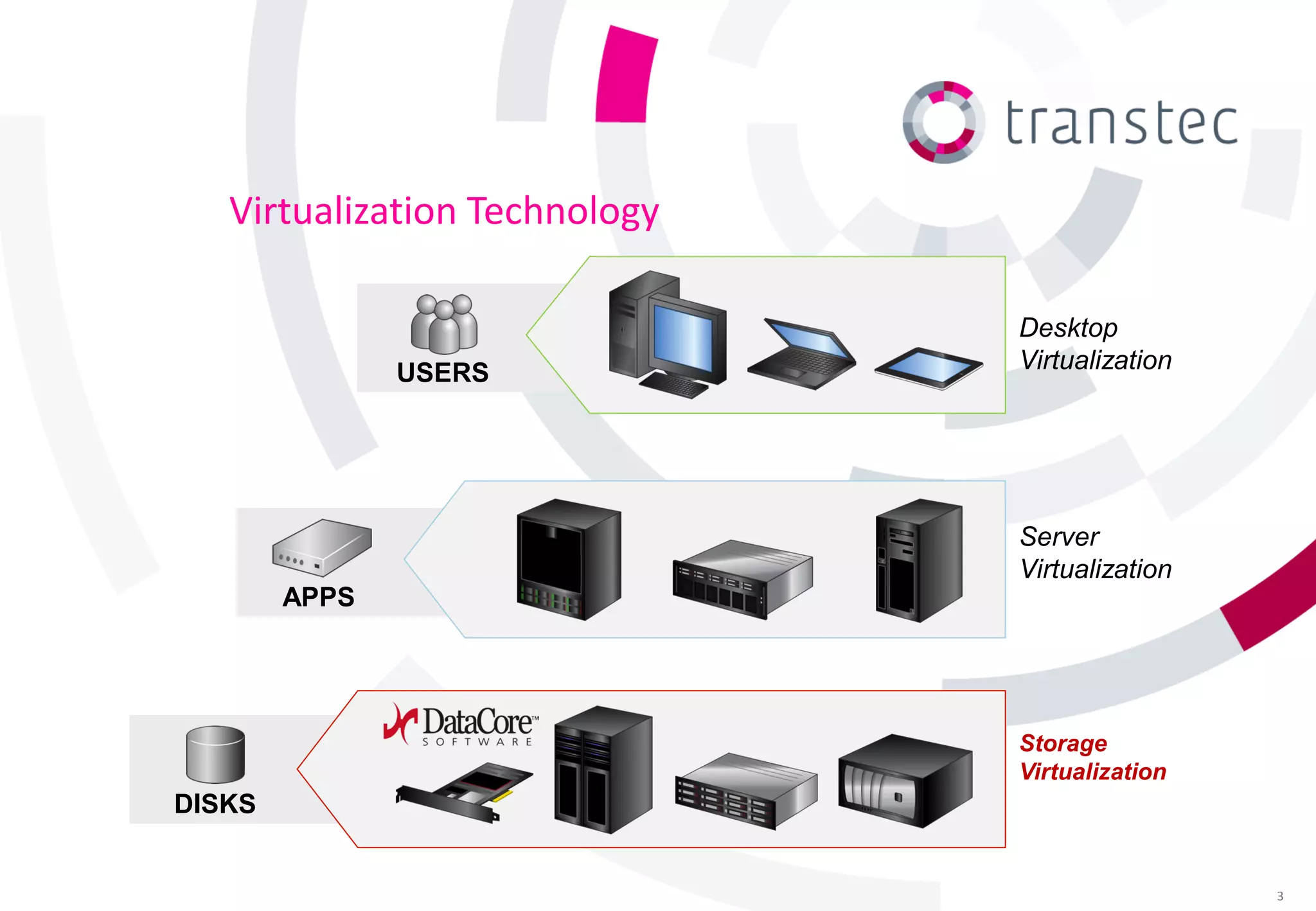
Virtualization Technology

                               Desktop
               USERS           Virtualization


                               Server
                               Virtualization
        APPS


                               Storage
                               Virtualization
DISKS


                                                3
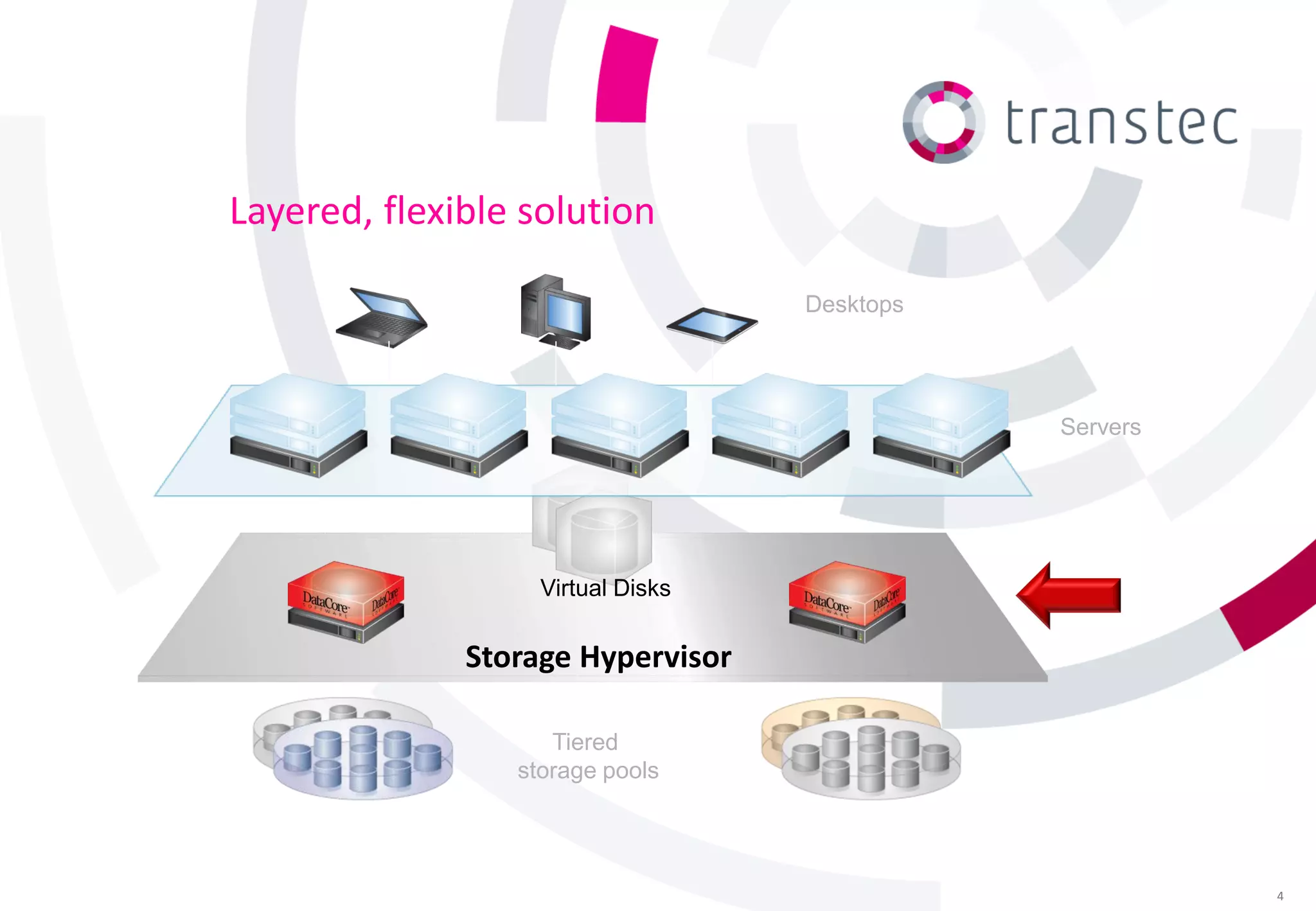
Layered, flexible solution

                                   Desktops


                                              Servers


                   Virtual Disks


              Storage Hypervisor

                    Tiered
                 storage pools


                                                        4
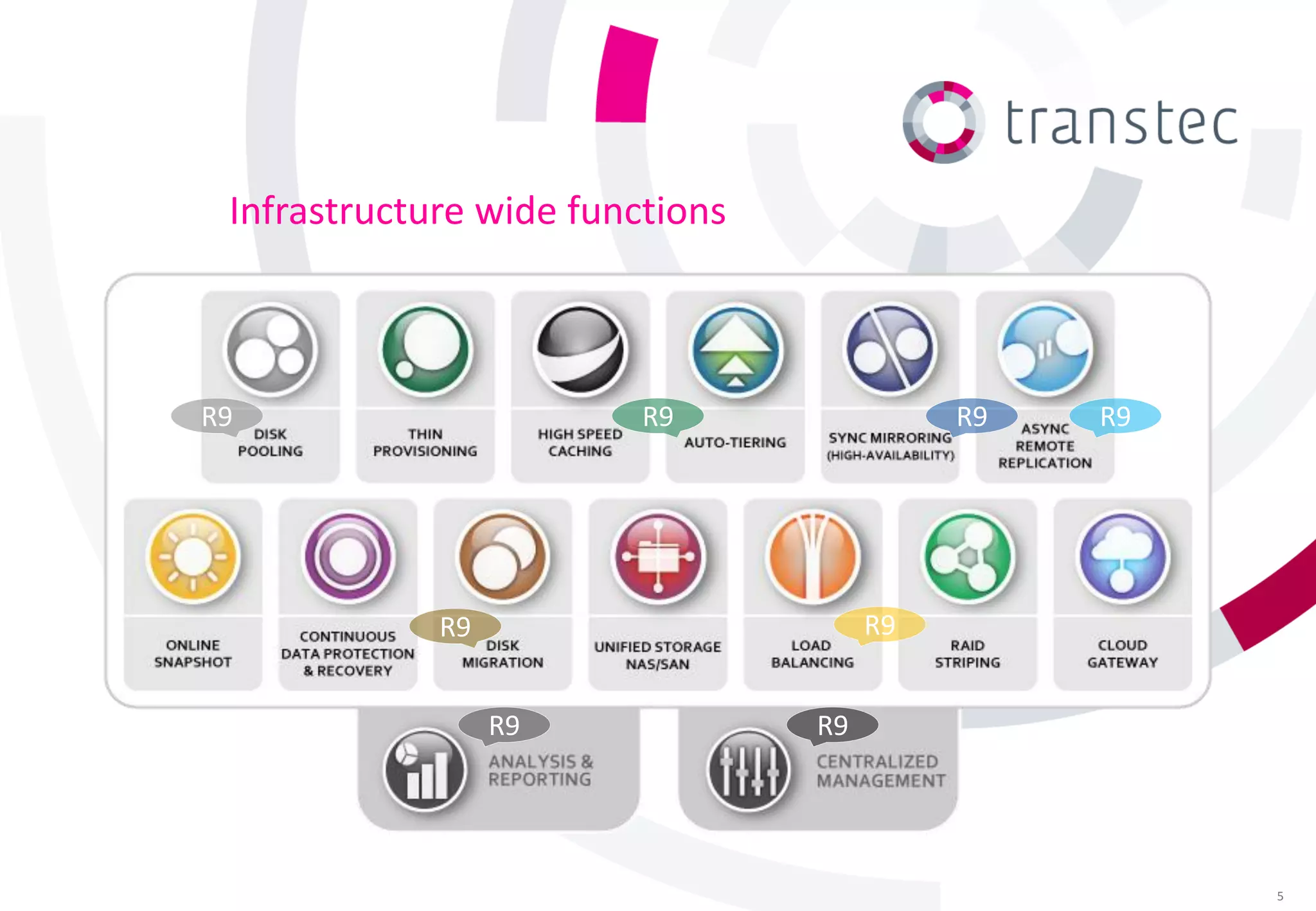
Infrastructure wide functions


R9                       R9                R9   R9


             R9                       R9


                  R9             R9


                                                     5
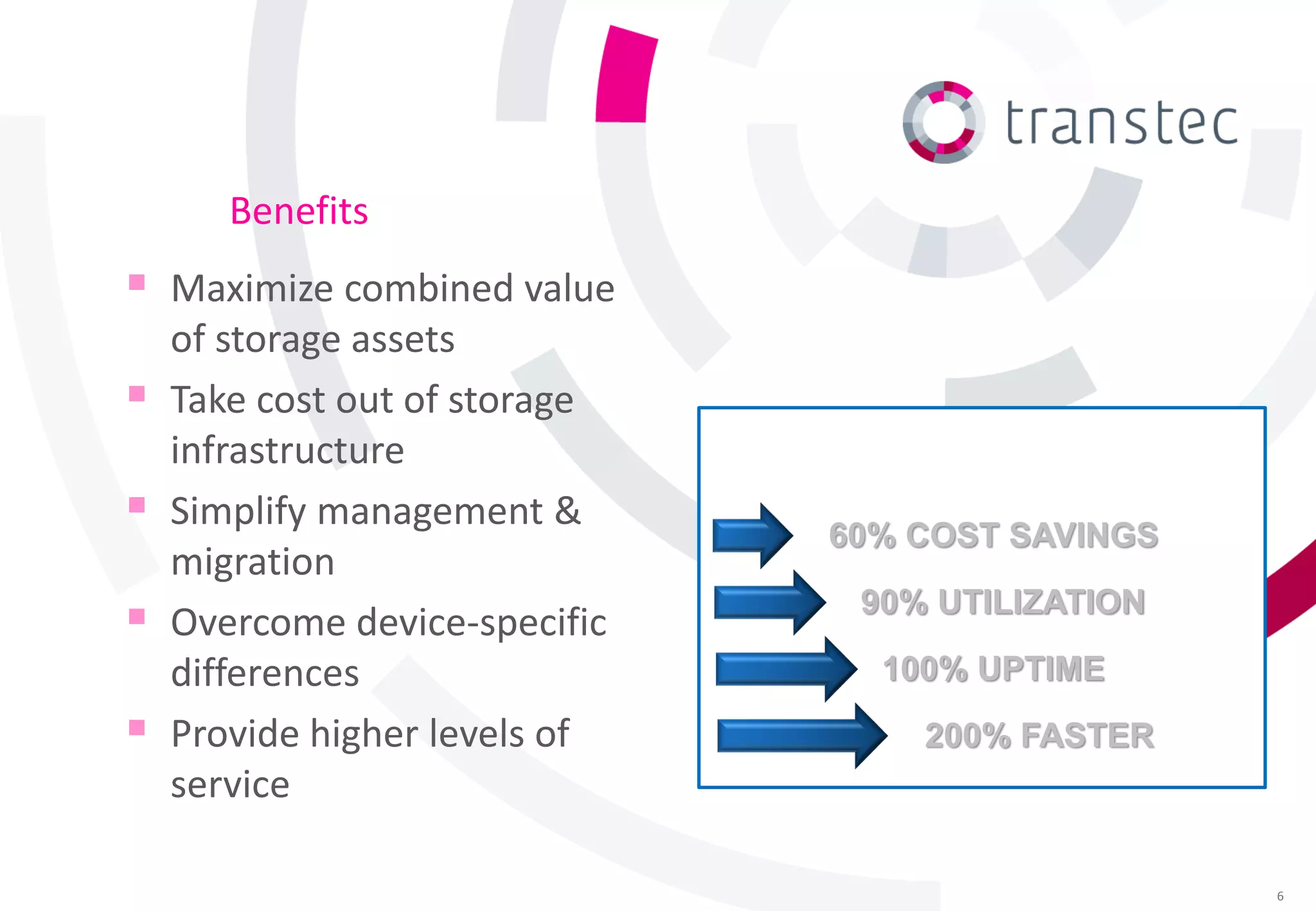
Benefits
 Maximize combined value
    of storage assets
   Take cost out of storage
    infrastructure             Customers report up to:
   Simplify management &
                                    60% COST SAVINGS
    migration
   Overcome device-specific
                                      90% UTILIZATION

    differences                        100% UPTIME
   Provide higher levels of             200% FASTER
    service

                                                         6
IAAS (Infrastructure as a Service)
   Adaptive techniques for addressing growth
     ► And subscriber variability

   Dynamic allocation of tiered resources
     ► Tuned to different classes of service

   Coordinated actions across related objects
   Resiliency in the face of:
     ► Frequent changes

     ► Equipment failures &
       obsolescence
     ► Facility outages

                                                 7
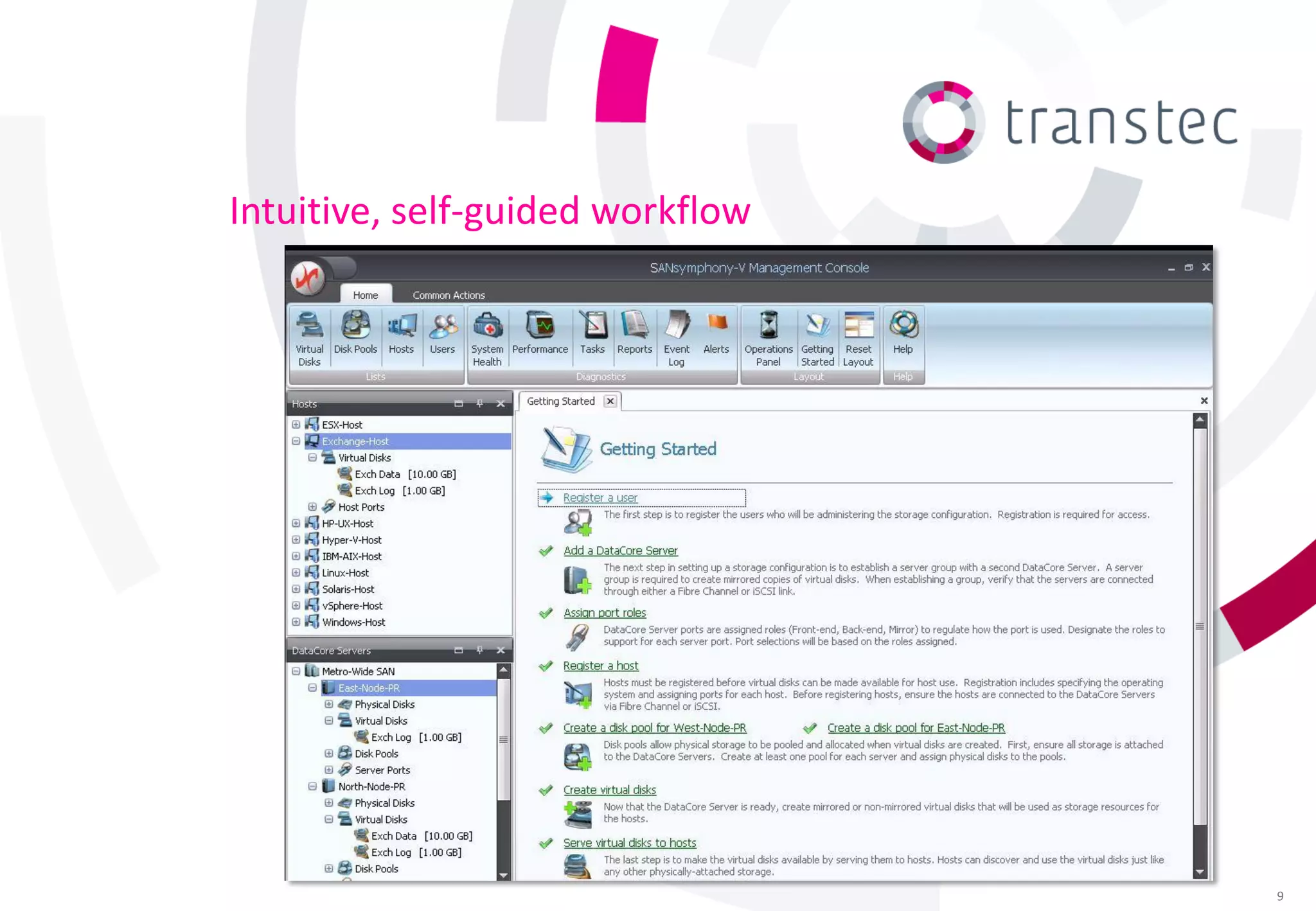
Centralized systems management

Control / monitor diverse resources from one console

► Intuitive to set up and operate
► Automates repetitive tasks

► Self-guided wizards for
  key workflows
► Comprehensive diagnostics
  & troubleshooting tips
► Role-based, administrative
  permissions & audit trail

                                                       8
Intuitive, self-guided workflow


                                  9
Visualize the “big picture”

   Leverage system monitoring              Intervene early to prevent
    tools                                    outages
    ►   Microsoft System Center
        Operations Manager
                                            Correlate behavior
    ►   VMware vCenter                       of co-dependent
    ►   Hitachi IT Operations Analyzer       components
                                                 Isolate potential
   Understand system-wide
                                             ►
                                                 trouble spots
    health at a glance                       ►   Expedite root-cause analysis
        Apps, servers, networks,
    ►
        storage, …                        Increase overall system
    ►   SNMP v1 queries & traps              performance
                                             & availability
                                                                                10
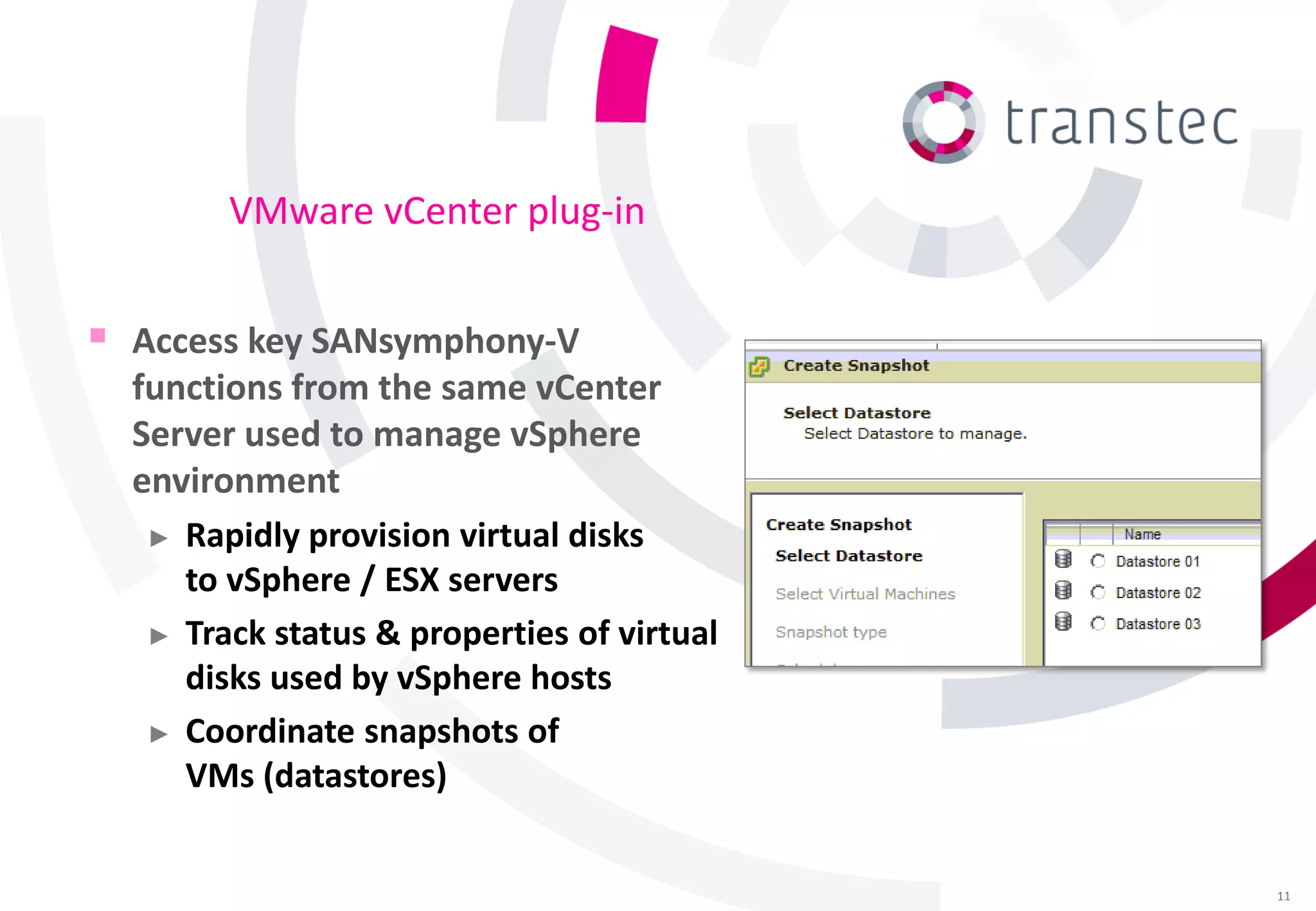
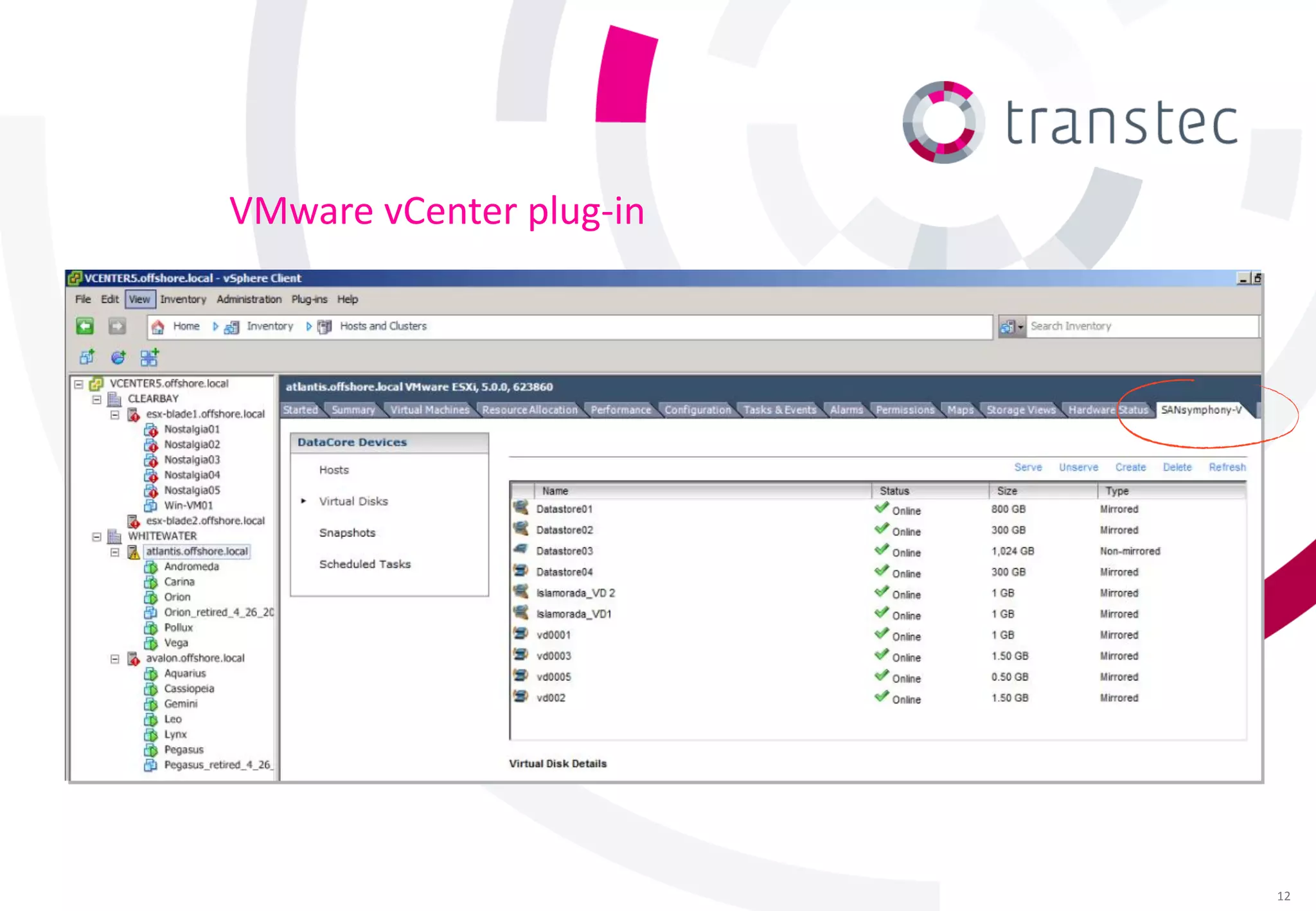
VMware vCenter plug-in


 Access key SANsymphony-V
  functions from the same vCenter
  Server used to manage vSphere
  environment
   ► Rapidly provision virtual disks
     to vSphere / ESX servers
   ► Track status & properties of virtual
     disks used by vSphere hosts
   ► Coordinate snapshots of
     VMs (datastores)


                                            11
VMware vCenter plug-in


                         12
VMware integration
 VAAI
    ►   Offload vSphere hosts & SAN from low-level storage
        operations that are performed faster & more efficiently
        by SANsymphony-V
         • Full copy
         • Block zeroing
         • Hardware-assisted locking

   SRM (Site Recovery Manager)
     ► Storage Replication Adapter (SRA) responds to SRM
       requests for replication services
     ► Used to achieve fully automated vSphere
       site recovery & migrations
                                                                  13
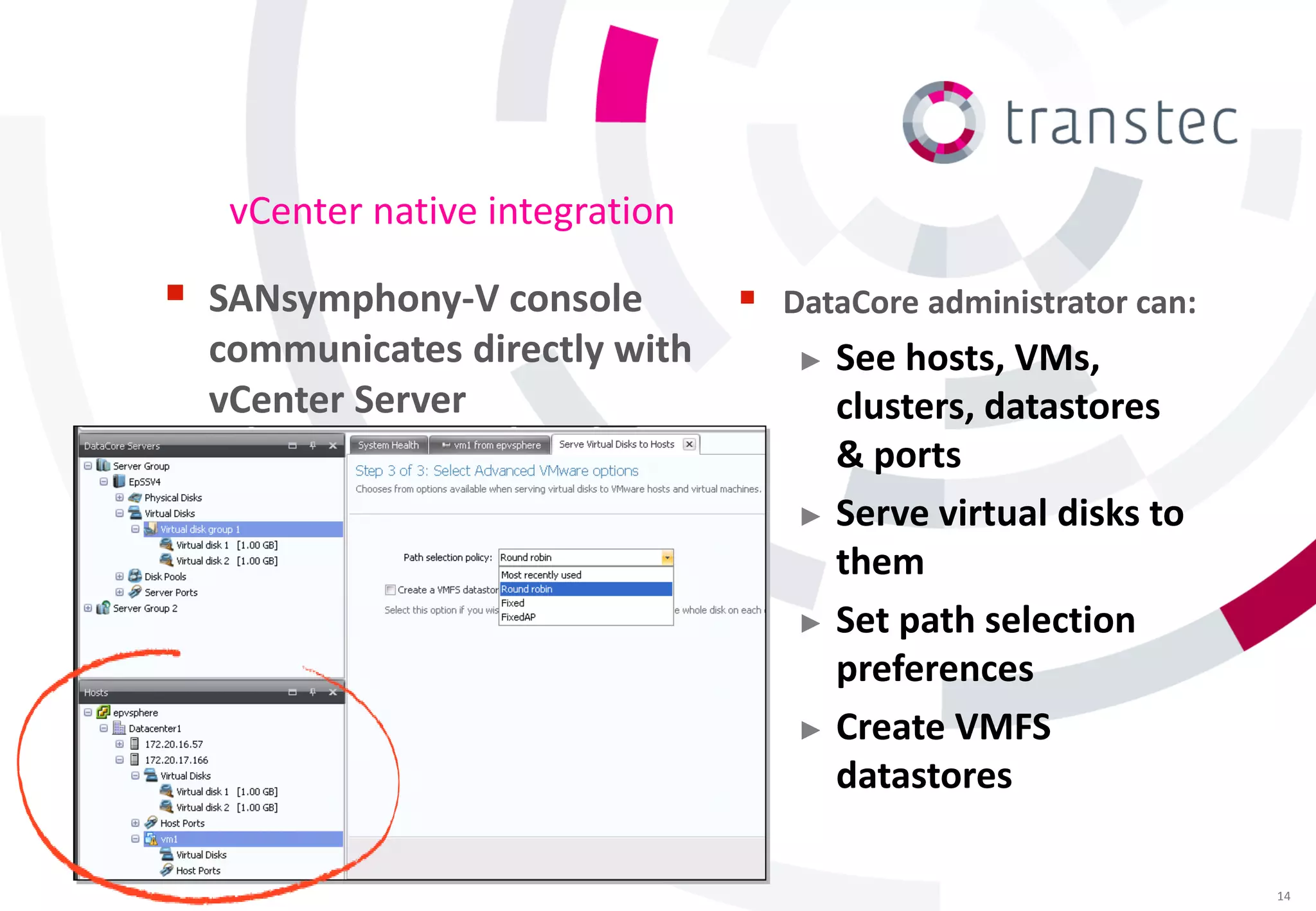
vCenter native integration

 SANsymphony-V console            DataCore administrator can:
  communicates directly with        ► See hosts, VMs,
  vCenter Server                      clusters, datastores
                                      & ports
                                    ► Serve virtual disks to
                                      them
                                    ► Set path selection
                                      preferences
                                    ► Create VMFS
                                      datastores

                                                                  14
Analyzis and Reporting

Assist with capacity planning, tuning & asset tracking

► Configurable views of system
  behavior and performance
► Drill down into I/O
  characteristics
► Save configuration snapshots
  for change management
► Export resource allocation
  to billing & chargeback tools

                                                         15
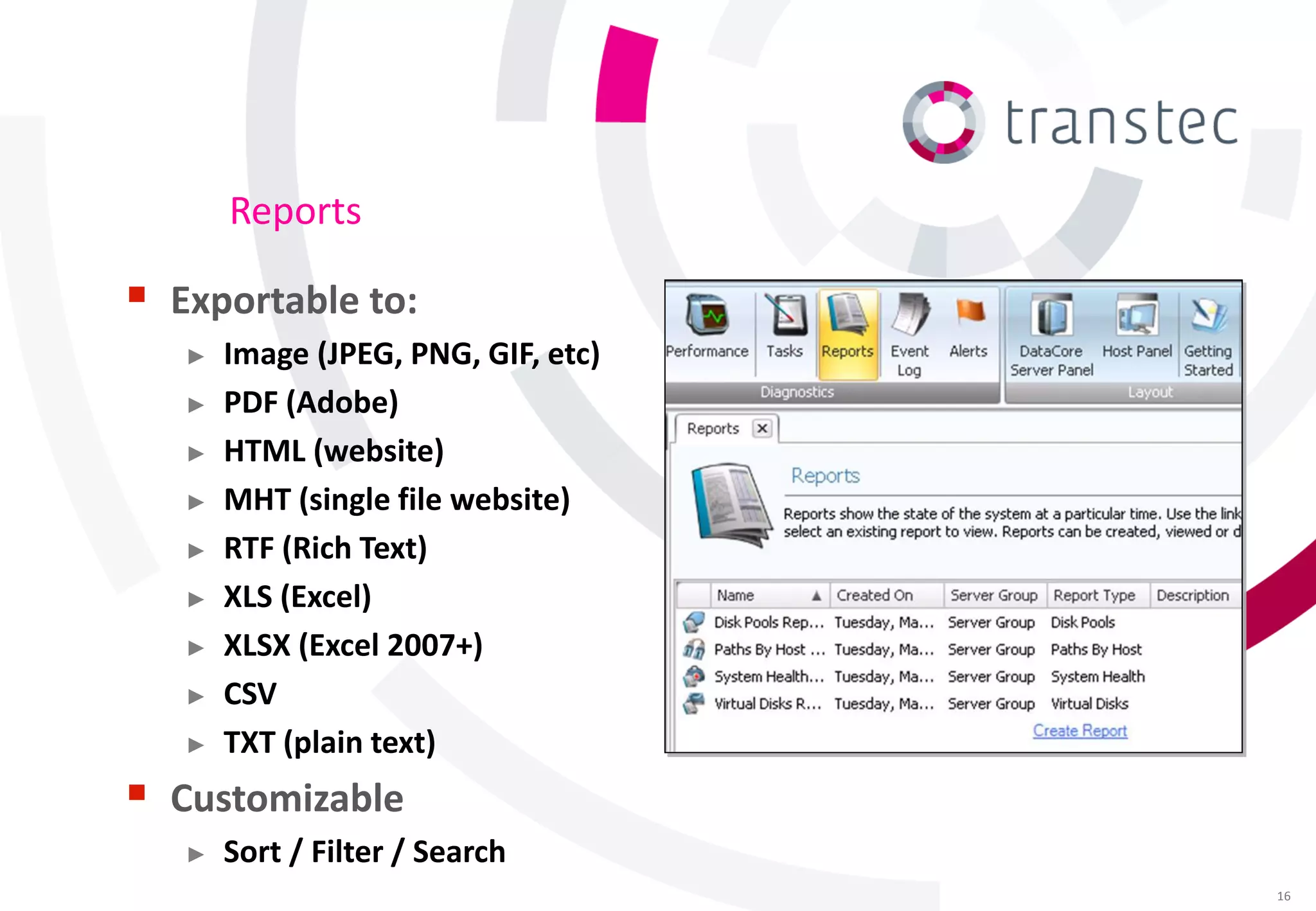
Reports

 Exportable to:
   ►   Image (JPEG, PNG, GIF, etc)
   ►   PDF (Adobe)
   ►   HTML (website)
   ►   MHT (single file website)
   ►   RTF (Rich Text)
   ►   XLS (Excel)
   ►   XLSX (Excel 2007+)
   ►   CSV
   ►   TXT (plain text)
 Customizable
   ►   Sort / Filter / Search
                                     16
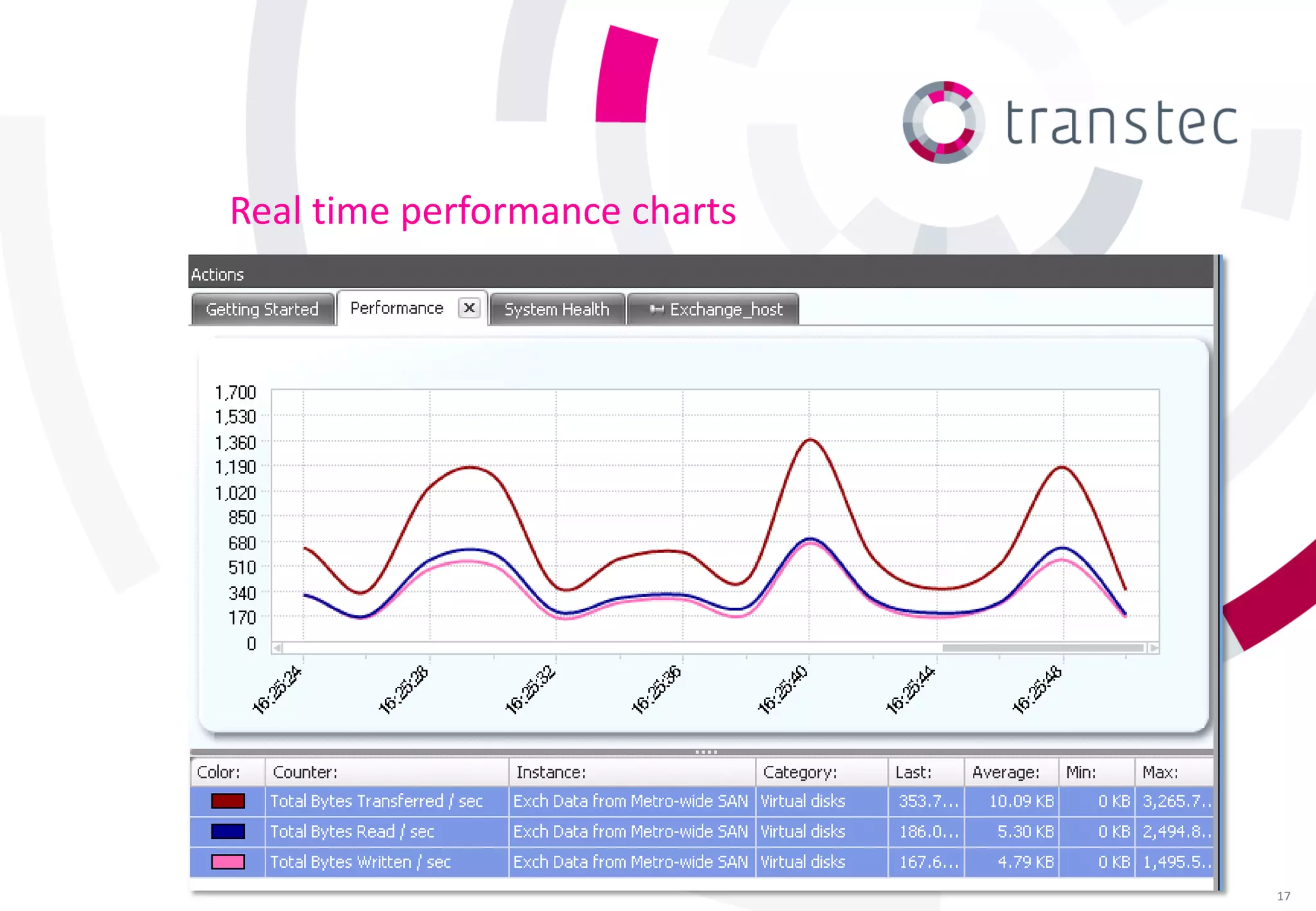
Real time performance charts


                               17
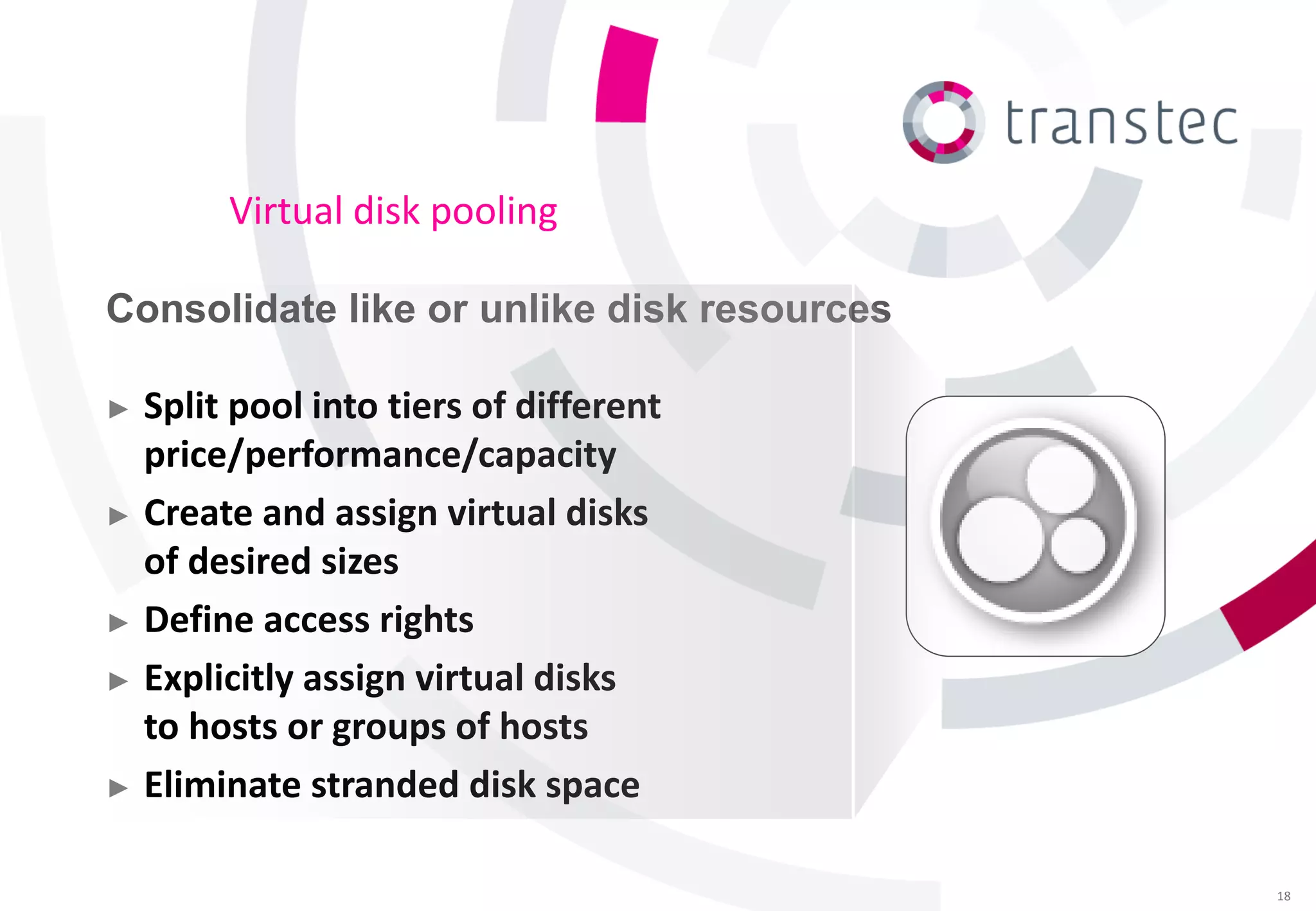
Virtual disk pooling

Consolidate like or unlike disk resources

► Split pool into tiers of different
  price/performance/capacity
► Create and assign virtual disks
  of desired sizes
► Define access rights

► Explicitly assign virtual disks
  to hosts or groups of hosts
► Eliminate stranded disk space


                                            18
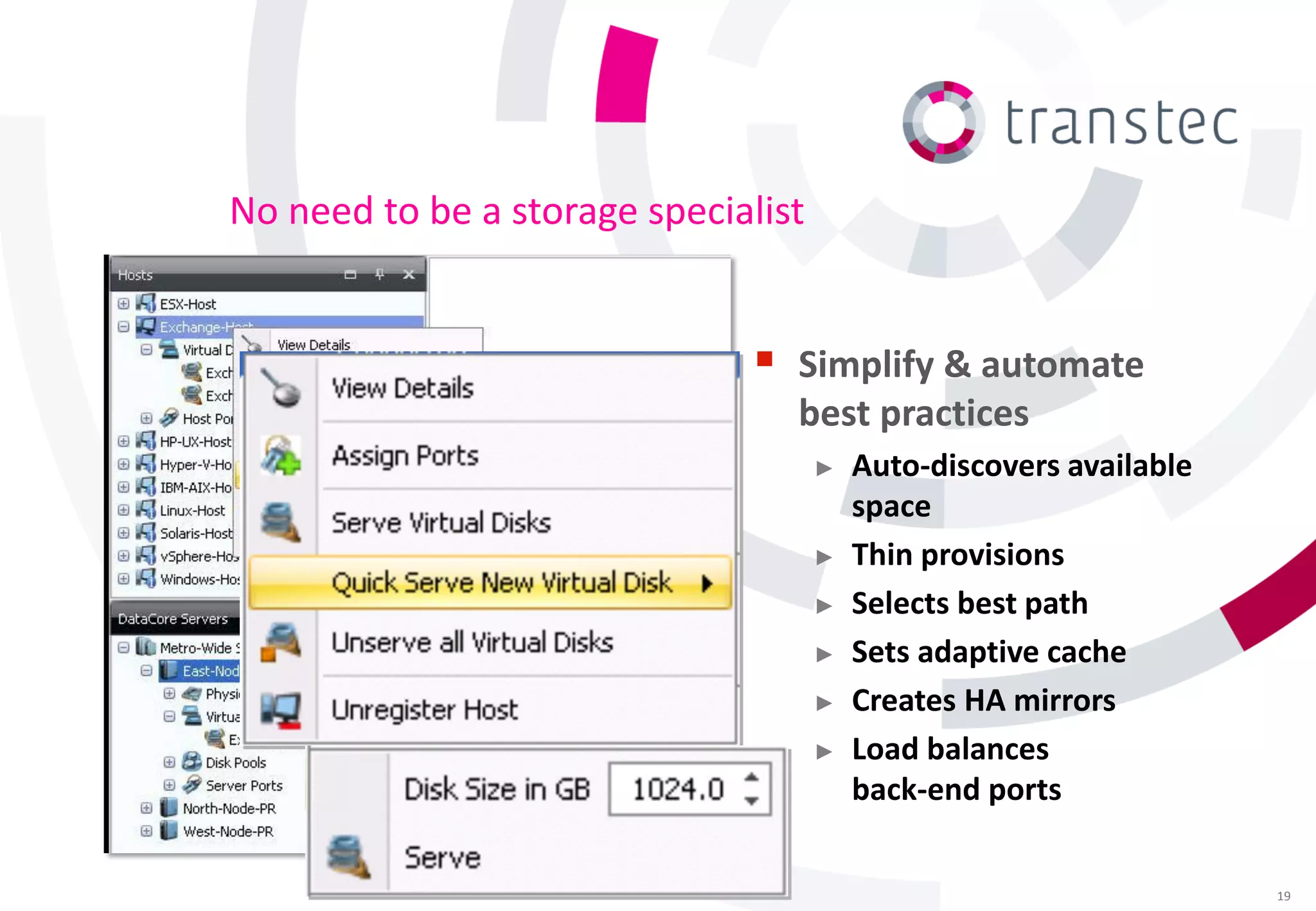
No need to be a storage specialist


                               Simplify & automate
                                 best practices
                                     ►   Auto-discovers available
                                         space
                                     ►   Thin provisions
                                     ►   Selects best path
                                     ►   Sets adaptive cache
                                     ►   Creates HA mirrors
                                     ►   Load balances
                                         back-end ports

                                                                    19
Thin provisioning
Allocate just enough space, just-in-time

►   Appears to computers as very
    large drives (e.g. 2 TB disks)
►   Takes up only space actually
    being written to
►   Dynamically allocates more
    disk space when required
►   Reduces need to resize LUNs
►   Reclaims zeroed out
    disk space
Virtual disk migrating

Move contents from one disk to another
without impacting applications

► Eliminates downtime for
  hardware disk upgrades
► Clears & reclaims space
  occupied by original
► Provides pass-through
  access to drives previously
  connected directly to hosts
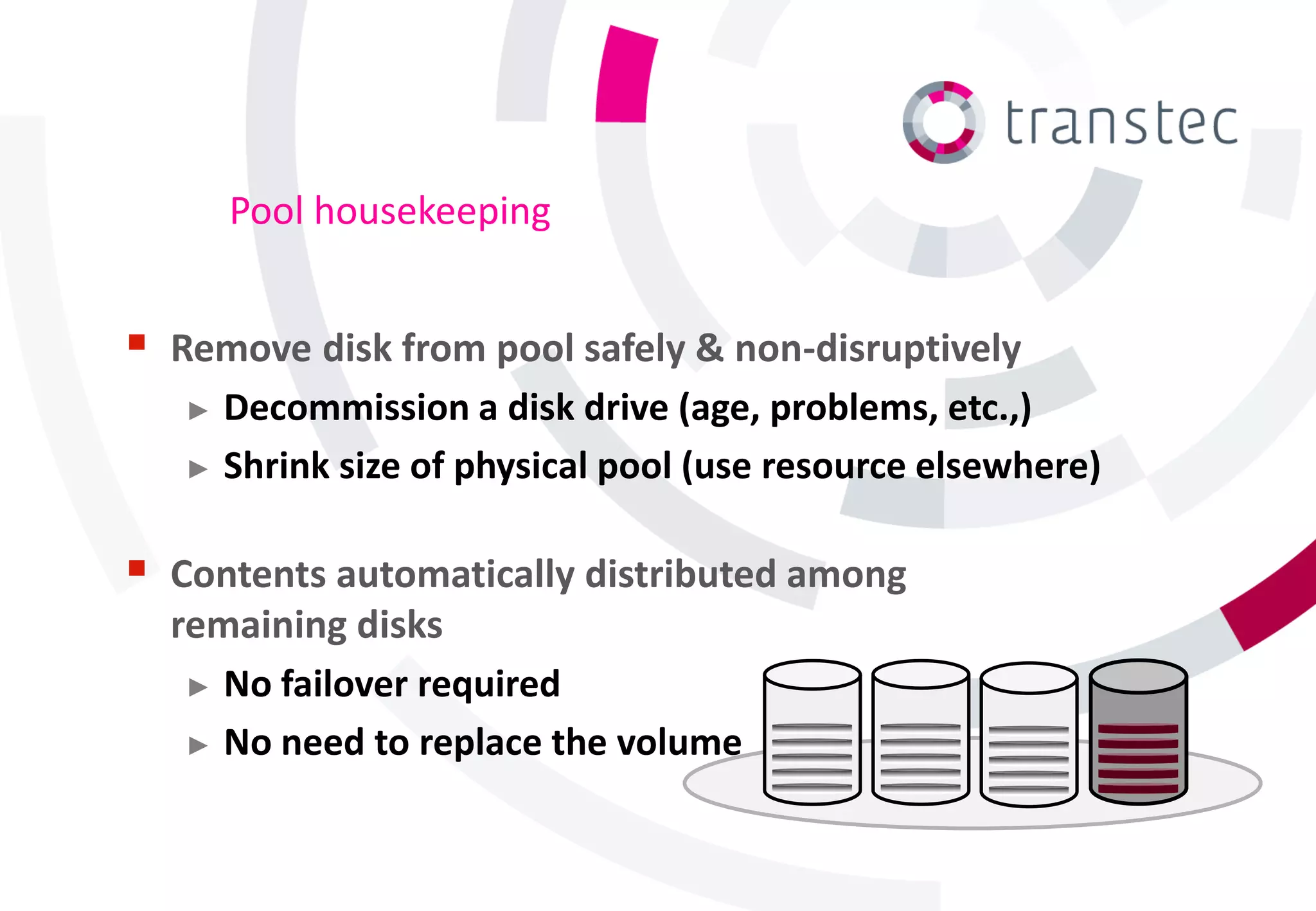
Pool housekeeping


   Remove disk from pool safely & non-disruptively
     ► Decommission a disk drive (age, problems, etc.,)

     ► Shrink size of physical pool (use resource elsewhere)


 Contents automatically distributed among
    remaining disks
     ► No failover required

     ► No need to replace the volume
Continuous Availability (Sync Mirror)

Real-time I/O replication for continuous availability

► Eliminates storage as
  a single point of failure
► Enhances survivability using
  physically separate nodes
► Updates distributed
  copy simultaneously
► Mirrored virtual disks behave
  as one, multi-ported shared drive
High speed caching

Speeds up performance

► Accelerates disk I/O response
  from existing storage
► Uses x86-64 CPUs and
  memory from DataCore
  nodes as powerful,
  inexpensive “mega caches”
► Anticipates next blocks to
  be read, and groups writes
  to avoid waiting on disks
Automated Tiered Storage

Make best tradeoff between performance & cost

►   Select tiers based on
    price/performance/capacity
     • SSD, SAS, SATA, …
► Dynamically migrates blocks
  among classes of storage
► Best location at the time
  determined by:
     • Access frequency
     • User preferences
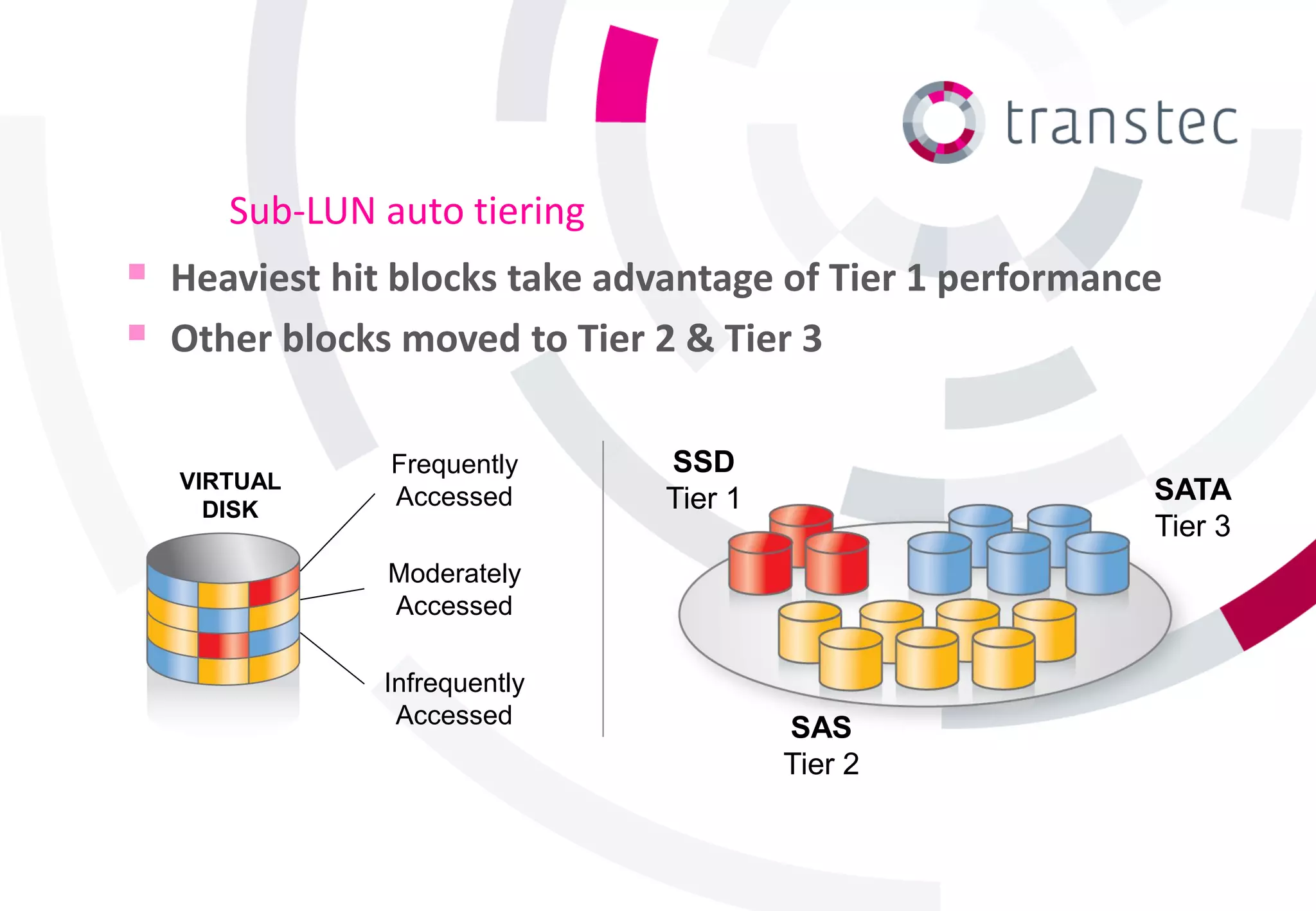
Sub-LUN auto tiering
 Heaviest hit blocks take advantage of Tier 1 performance
 Other blocks moved to Tier 2 & Tier 3

               Frequently     SSD
   VIRTUAL                                               SATA
     DISK
               Accessed       Tier 1
                                                         Tier 3
              Moderately
              Accessed

              Infrequently
               Accessed
                                       SAS
                                       Tier 2
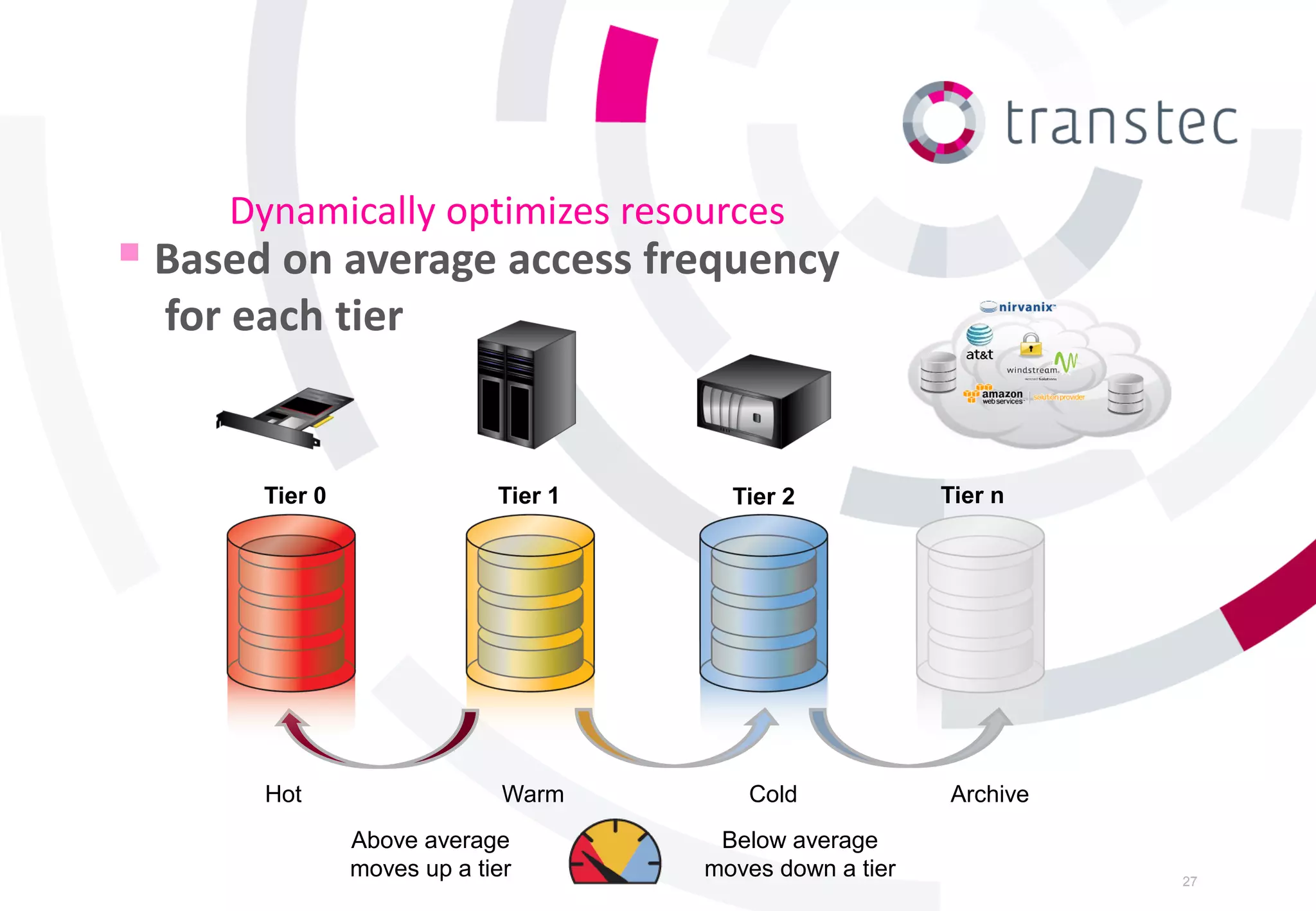
Dynamically optimizes resources
 Based on average access frequency
  for each tier


       Tier 0                Tier 1     Tier 2            Tier n


       Hot                    Warm       Cold             Archive
                Above average          Below average
                moves up a tier       moves down a tier             27
Cloud gateway

Extends disk pool to external clouds

► Supports the popular public
  cloud hosting services
► Appears as on-premises
  iSCSI-attached storage
► Caches transmissions &
  controls bandwidth
                                                                          Developed by*

    *Trial license of TwinStrata CloudArray® virtual appliance software
    is included with SANsymphony-V license
RAID striping

Better protection & performance

► Circumvents drive failures
► Spreads I/O across
  multiple spindles
► Offloads RAID 0 & 1

► Supports popular RAID
  devices in pool
Load balancing
Improve response and throughput

► Overcomes typical storage-related
  bottlenecks
► Spread load on physical devices using
  different channels for different virtual disks
► Bypasses failed &
  offline channels
► Automatically balances I/Os
  across pooled drives in a tier
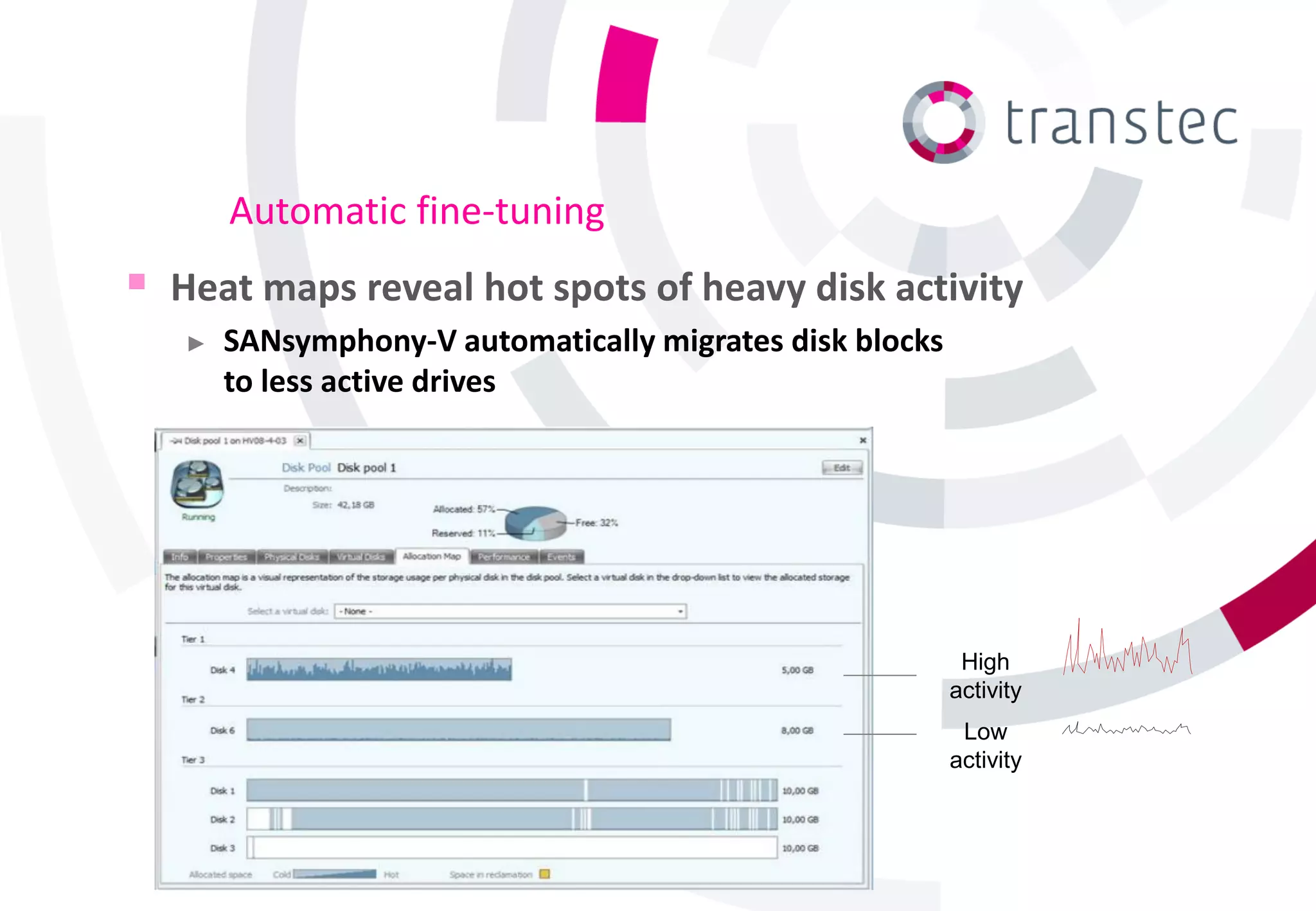
Automatic fine-tuning
   Heat maps reveal hot spots of heavy disk activity
    ►   SANsymphony-V automatically migrates disk blocks
        to less active drives


                                                            High
                                                           activity
                                                            Low
                                                           activity
Backup/recovery (online snapshots)
Capture point-in-time images

►   Recover quickly at disk
    speeds to known good state
     •   Differential and full clones
     •   Thin provisioned
     •   Read / writeable
     •   Trigger via VSS
     •   Snap from premium storage to
         lower cost equipment

►   Eliminate back-up window
►   Provide “live” copy for analysis,
    development & testing
CDP (Continuous Data protection)
Return to any point-in-time without
taking explicit backups

► Restore arbitrary point-in-time
  within a 48 hour period
► Logs and timestamps all I/Os
  to the selected virtual disks
► No need to quiesce or
  interrupt applications
► No host agents required

► Easy to enable and
  revert from
Asynchronous replication
Update distant copies without impacting local performance

► Ideal for disaster recovery &
  remote data center migration
► Standard IP-based links

► Optimizes bandwidth via
  compressed, multi-stream,
  transfers & prioritized QoS
► 1-many, many-to-1, bidirectional

► Test readiness non-disruptively

► Expedite initialization offline
  using transportable media
Questions?


             35

Sansymphony v-r9

  • 1.
    Datacore SANsymphony-V_R9 Marc vanSchijndel Country Manager ttec
  • 2.
    Topics  Virtualization Technology Storage Infrastructure as a Service (IaaS)  Systems Management  Pooling & Provisioning  Continuous Availability  Performance Acceleration  Backup & Recovery  Remote Replication 2
  • 3.
    Virtualization Technology Desktop USERS Virtualization Server Virtualization APPS Storage Virtualization DISKS 3
  • 4.
    Layered, flexible solution Desktops Servers Virtual Disks Storage Hypervisor Tiered storage pools 4
  • 5.
    Infrastructure wide functions R9 R9 R9 R9 R9 R9 R9 R9 5
  • 6.
    Benefits  Maximize combinedvalue of storage assets  Take cost out of storage infrastructure Customers report up to:  Simplify management & 60% COST SAVINGS migration  Overcome device-specific 90% UTILIZATION differences 100% UPTIME  Provide higher levels of 200% FASTER service 6
  • 7.
    IAAS (Infrastructure asa Service)  Adaptive techniques for addressing growth ► And subscriber variability  Dynamic allocation of tiered resources ► Tuned to different classes of service  Coordinated actions across related objects  Resiliency in the face of: ► Frequent changes ► Equipment failures & obsolescence ► Facility outages 7
  • 8.
    Centralized systems management Control/ monitor diverse resources from one console ► Intuitive to set up and operate ► Automates repetitive tasks ► Self-guided wizards for key workflows ► Comprehensive diagnostics & troubleshooting tips ► Role-based, administrative permissions & audit trail 8
  • 9.
  • 10.
    Visualize the “bigpicture”  Leverage system monitoring  Intervene early to prevent tools outages ► Microsoft System Center Operations Manager  Correlate behavior ► VMware vCenter of co-dependent ► Hitachi IT Operations Analyzer components Isolate potential  Understand system-wide ► trouble spots health at a glance ► Expedite root-cause analysis Apps, servers, networks, ► storage, …  Increase overall system ► SNMP v1 queries & traps performance & availability 10
  • 11.
    VMware vCenter plug-in Access key SANsymphony-V functions from the same vCenter Server used to manage vSphere environment ► Rapidly provision virtual disks to vSphere / ESX servers ► Track status & properties of virtual disks used by vSphere hosts ► Coordinate snapshots of VMs (datastores) 11
  • 12.
  • 13.
    VMware integration  VAAI ► Offload vSphere hosts & SAN from low-level storage operations that are performed faster & more efficiently by SANsymphony-V • Full copy • Block zeroing • Hardware-assisted locking  SRM (Site Recovery Manager) ► Storage Replication Adapter (SRA) responds to SRM requests for replication services ► Used to achieve fully automated vSphere site recovery & migrations 13
  • 14.
    vCenter native integration SANsymphony-V console  DataCore administrator can: communicates directly with ► See hosts, VMs, vCenter Server clusters, datastores & ports ► Serve virtual disks to them ► Set path selection preferences ► Create VMFS datastores 14
  • 15.
    Analyzis and Reporting Assistwith capacity planning, tuning & asset tracking ► Configurable views of system behavior and performance ► Drill down into I/O characteristics ► Save configuration snapshots for change management ► Export resource allocation to billing & chargeback tools 15
  • 16.
    Reports  Exportable to: ► Image (JPEG, PNG, GIF, etc) ► PDF (Adobe) ► HTML (website) ► MHT (single file website) ► RTF (Rich Text) ► XLS (Excel) ► XLSX (Excel 2007+) ► CSV ► TXT (plain text)  Customizable ► Sort / Filter / Search 16
  • 17.
  • 18.
    Virtual disk pooling Consolidatelike or unlike disk resources ► Split pool into tiers of different price/performance/capacity ► Create and assign virtual disks of desired sizes ► Define access rights ► Explicitly assign virtual disks to hosts or groups of hosts ► Eliminate stranded disk space 18
  • 19.
    No need tobe a storage specialist  Simplify & automate best practices ► Auto-discovers available space ► Thin provisions ► Selects best path ► Sets adaptive cache ► Creates HA mirrors ► Load balances back-end ports 19
  • 20.
    Thin provisioning Allocate justenough space, just-in-time ► Appears to computers as very large drives (e.g. 2 TB disks) ► Takes up only space actually being written to ► Dynamically allocates more disk space when required ► Reduces need to resize LUNs ► Reclaims zeroed out disk space
  • 21.
    Virtual disk migrating Movecontents from one disk to another without impacting applications ► Eliminates downtime for hardware disk upgrades ► Clears & reclaims space occupied by original ► Provides pass-through access to drives previously connected directly to hosts
  • 22.
    Pool housekeeping  Remove disk from pool safely & non-disruptively ► Decommission a disk drive (age, problems, etc.,) ► Shrink size of physical pool (use resource elsewhere)  Contents automatically distributed among remaining disks ► No failover required ► No need to replace the volume
  • 23.
    Continuous Availability (SyncMirror) Real-time I/O replication for continuous availability ► Eliminates storage as a single point of failure ► Enhances survivability using physically separate nodes ► Updates distributed copy simultaneously ► Mirrored virtual disks behave as one, multi-ported shared drive
  • 24.
    High speed caching Speedsup performance ► Accelerates disk I/O response from existing storage ► Uses x86-64 CPUs and memory from DataCore nodes as powerful, inexpensive “mega caches” ► Anticipates next blocks to be read, and groups writes to avoid waiting on disks
  • 25.
    Automated Tiered Storage Makebest tradeoff between performance & cost ► Select tiers based on price/performance/capacity • SSD, SAS, SATA, … ► Dynamically migrates blocks among classes of storage ► Best location at the time determined by: • Access frequency • User preferences
  • 26.
    Sub-LUN auto tiering Heaviest hit blocks take advantage of Tier 1 performance  Other blocks moved to Tier 2 & Tier 3 Frequently SSD VIRTUAL SATA DISK Accessed Tier 1 Tier 3 Moderately Accessed Infrequently Accessed SAS Tier 2
  • 27.
    Dynamically optimizes resources Based on average access frequency for each tier Tier 0 Tier 1 Tier 2 Tier n Hot Warm Cold Archive Above average Below average moves up a tier moves down a tier 27
  • 28.
    Cloud gateway Extends diskpool to external clouds ► Supports the popular public cloud hosting services ► Appears as on-premises iSCSI-attached storage ► Caches transmissions & controls bandwidth Developed by* *Trial license of TwinStrata CloudArray® virtual appliance software is included with SANsymphony-V license
  • 29.
    RAID striping Better protection& performance ► Circumvents drive failures ► Spreads I/O across multiple spindles ► Offloads RAID 0 & 1 ► Supports popular RAID devices in pool
  • 30.
    Load balancing Improve responseand throughput ► Overcomes typical storage-related bottlenecks ► Spread load on physical devices using different channels for different virtual disks ► Bypasses failed & offline channels ► Automatically balances I/Os across pooled drives in a tier
  • 31.
    Automatic fine-tuning  Heat maps reveal hot spots of heavy disk activity ► SANsymphony-V automatically migrates disk blocks to less active drives High activity Low activity
  • 32.
    Backup/recovery (online snapshots) Capturepoint-in-time images ► Recover quickly at disk speeds to known good state • Differential and full clones • Thin provisioned • Read / writeable • Trigger via VSS • Snap from premium storage to lower cost equipment ► Eliminate back-up window ► Provide “live” copy for analysis, development & testing
  • 33.
    CDP (Continuous Dataprotection) Return to any point-in-time without taking explicit backups ► Restore arbitrary point-in-time within a 48 hour period ► Logs and timestamps all I/Os to the selected virtual disks ► No need to quiesce or interrupt applications ► No host agents required ► Easy to enable and revert from
  • 34.
    Asynchronous replication Update distantcopies without impacting local performance ► Ideal for disaster recovery & remote data center migration ► Standard IP-based links ► Optimizes bandwidth via compressed, multi-stream, transfers & prioritized QoS ► 1-many, many-to-1, bidirectional ► Test readiness non-disruptively ► Expedite initialization offline using transportable media
  • 35.