EFFECTIVE PRESENTATION
- By
SUDHIR.T.C
GEOMETRY OF PRESENTATION
 Introduction
 Importance
 Types
 Key points
 Tips for presentation
 Tools of presentation
 Summary
 Conclusion
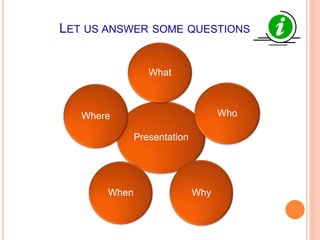
LET US ANSWER SOME QUESTIONS
Presentation
What
Who
WhyWhen
Where
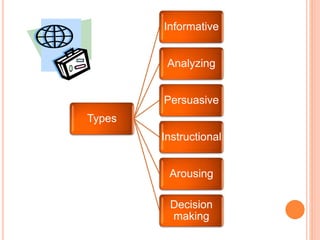
Types
Informative
Analyzing
Persuasive
Instructional
Arousing
Decision
making
TIPS FOR PRESENTATION
 Understanding your audience.
 Preparing your content.
 Delivering confidently.
 Controlling the environment.
PREPARING YOUR CONTENT
 Title, author, affiliation
 Forecast
 Outline
 Background
 Summary
 Conclusions
 Questions
Things to be covered
TOOLS OF PRESENTATION
By slides
By videos
By pictures
By graphs
By oration
Click here to go to summary
SLIDE PRESENTATION
o Using paragraph’s
o Font size, type
o Slide background
o Colors
o Usage of language
Common errors
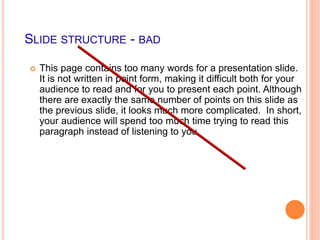
SLIDE STRUCTURE - BAD
 This page contains too many words for a presentation slide.
It is not written in point form, making it difficult both for your
audience to read and for you to present each point. Although
there are exactly the same number of points on this slide as
the previous slide, it looks much more complicated. In short,
your audience will spend too much time trying to read this
paragraph instead of listening to you.
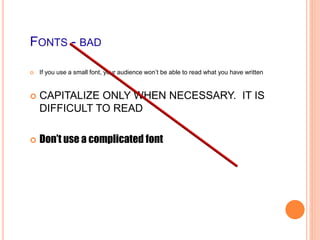
FONTS - BAD
 If you use a small font, your audience won’t be able to read what you have written
 CAPITALIZE ONLY WHEN NECESSARY. IT IS
DIFFICULT TO READ
 Don’t use a complicated font
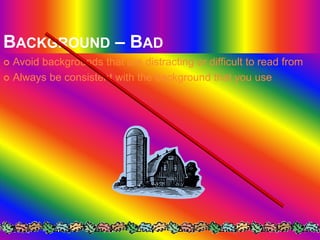
BACKGROUND – BAD
 Avoid backgrounds that are distracting or difficult to read from
 Always be consistent with the background that you use
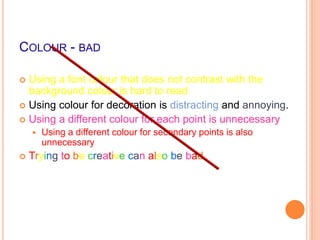
COLOUR - BAD
 Using a font colour that does not contrast with the
background colour is hard to read
 Using colour for decoration is distracting and annoying.
 Using a different colour for each point is unnecessary
 Using a different colour for secondary points is also
unnecessary
 Trying to be creative can also be bad
SPELLING AND GRAMMAR
 Proof your slides for:
 speling mistakes
 the use of of repeated words
 grammatical errors you might have make
 Have someone to check your presentation!
Click here to go to tools
VIDEO PRESENTATION
 Length must be 3-5 mins
 Must be clear
 Message should be simple
 Audio should be taken care
Click here to go to tools
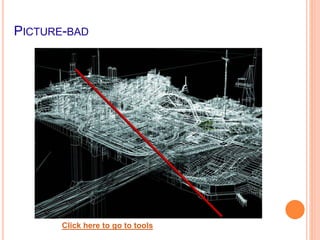
PICTURE PRESENTATION
 Should relate the message
 Should not contain distractions
 Image must be clear
 Message should be direct
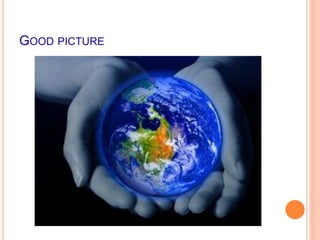
GOOD PICTURE
PICTURE-BAD
Click here to go to tools
GRAPHICAL PRESENTATION
 Data is easier to comprehend &
retain.
 Easier to visualize in graph form
 Always title your graphs
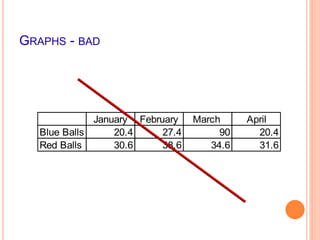
GRAPHS - BAD
January February March April
Blue Balls 20.4 27.4 90 20.4
Red Balls 30.6 38.6 34.6 31.6
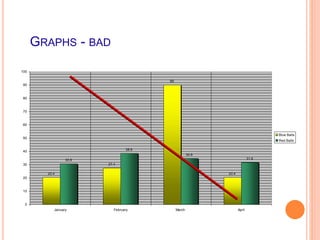
GRAPHS - BAD
20.4
27.4
90
20.4
30.6
38.6
34.6
31.6
0
10
20
30
40
50
60
70
80
90
100
January February March April
Blue Balls
Red Balls
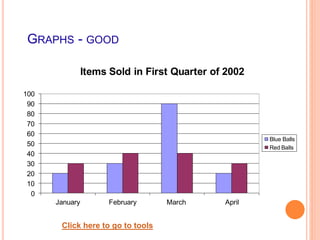
GRAPHS - GOOD
0
10
20
30
40
50
60
70
80
90
100
January February March April
Items Sold in First Quarter of 2002
Blue Balls
Red Balls
Click here to go to tools
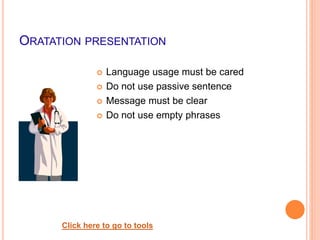
ORATATION PRESENTATION
 Language usage must be cared
 Do not use passive sentence
 Message must be clear
 Do not use empty phrases
Click here to go to tools
SUMMARY
 Introduction
 Types
 Key points
 Tips for presentation
 Tools of presentation
REFERENCES
 “How to give a good presentation” by Karen Petrie
 “Presentation skills” by Dr.Pooja Purang
 “PowerPoint Presentation Advice” by Mike Splane
 “Presentation”-Wikipedia
 “Effective business communication” by
Murpy,Hildebrandt,Thomas
 “Technical English” by A.Edwin Jeevaraj,priya Philip
THANK YOU

Effective presentation

Editor's Notes

  • #8 Click title to go to respective slides