EffectivePresentation
“Great speakers aren’t born,
they are trained.”
What’s Important !
 Use personal stories and easy examples to help
illustrate your points
 Involve your audience – interaction
 Ask questions to involve, establish rapport and
support your arguments
 Practice, Practice, Practice
Preparation
 Preparation is key!
 Key message
 Audience
 Time
 Resources
To Avoid
 Just read your slides
 Script everything
 Put too much information on a slide
 Go overboard with fancy effects, they distract
from you and your key messages
Use Your Body Language
 Standing upright with shoulders back
 Act confident, feel confident
 Make eye contact
 Use your hands, but don’t go crazy
 If possible move around, but slowly!
 DON’T speak with your back to the audience
Visual Aids
 Enhance understanding
 Add variety
 Support claims
 Lasting impact
 Used poorly, however, they can be a distraction
and lead to an ineffective presentation
What makes an Effective
Speaker
 Control of information
 The voice used
 The right words
 Use of body language
 Prompts, scripts and notes
 The right location
 Useful and meaningful visual aids
The Voice
 C: Clear – the use of simple, easily understood words
and phrases
 L: Loud (enough) – it is important that everyone can
hear you
 A: Assertive – a bright and confident air born of
knowledge of the subject and good preparation
 P: Pause – it is essential to allow the listeners time to
digest what you have said
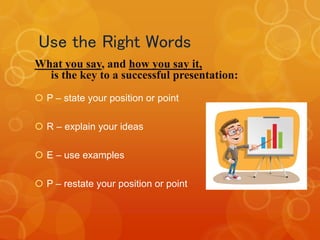
Use the Right Words
What you say, and how you say it,
is the key to a successful presentation:
 P – state your position or point
 R – explain your ideas
 E – use examples
 P – restate your position or point
Scripts and Notes
 Learn and use a script for formal presentations
to large groups
 Small note cards, or PPT notes page, can be
used, but FIRST write a script
 Underline key words that will best remind you
what you want to say
 Use one card for each slide or topic
 If possible, have someone else advance slides
for you
Psst! This slide is way too
busy!
 A speaker may put his entire presentation on his
slides. He turns his back to the audience and
reads the slides aloud. Perhaps he feels this
approach guarantees all the information will get
to the audience.
 This may be the most annoying way to give a
presentation. Audience members feel insulted:
they already know how to read! They wonder
why the lecturer doesn’t simply hand out a copy
of the slides.
 The visual presentation dominates the presenter.
The presenter is not adding
any value to what is on the slides.
Control Of Information
 Know your subject well
 Know what you are talking about
 Practice
 More rehearsals
- in front of the mirror
- in front of colleagues or friends
- in front of family members
 Believe in yourself
 Know your opening by heart
And Remember...
 Guide audience gently
 Design slides carefully
 Use pauses effectively
 Answer questions inclusively
Thank You!

Effective presentation

  • 1.
  • 2.
    What’s Important ! Use personal stories and easy examples to help illustrate your points  Involve your audience – interaction  Ask questions to involve, establish rapport and support your arguments  Practice, Practice, Practice
  • 3.
    Preparation  Preparation iskey!  Key message  Audience  Time  Resources
  • 4.
    To Avoid  Justread your slides  Script everything  Put too much information on a slide  Go overboard with fancy effects, they distract from you and your key messages
  • 5.
    Use Your BodyLanguage  Standing upright with shoulders back  Act confident, feel confident  Make eye contact  Use your hands, but don’t go crazy  If possible move around, but slowly!  DON’T speak with your back to the audience
  • 6.
    Visual Aids  Enhanceunderstanding  Add variety  Support claims  Lasting impact  Used poorly, however, they can be a distraction and lead to an ineffective presentation
  • 7.
    What makes anEffective Speaker  Control of information  The voice used  The right words  Use of body language  Prompts, scripts and notes  The right location  Useful and meaningful visual aids
  • 8.
    The Voice  C:Clear – the use of simple, easily understood words and phrases  L: Loud (enough) – it is important that everyone can hear you  A: Assertive – a bright and confident air born of knowledge of the subject and good preparation  P: Pause – it is essential to allow the listeners time to digest what you have said
  • 9.
    Use the RightWords What you say, and how you say it, is the key to a successful presentation:  P – state your position or point  R – explain your ideas  E – use examples  P – restate your position or point
  • 10.
    Scripts and Notes Learn and use a script for formal presentations to large groups  Small note cards, or PPT notes page, can be used, but FIRST write a script  Underline key words that will best remind you what you want to say  Use one card for each slide or topic  If possible, have someone else advance slides for you
  • 11.
    Psst! This slideis way too busy!  A speaker may put his entire presentation on his slides. He turns his back to the audience and reads the slides aloud. Perhaps he feels this approach guarantees all the information will get to the audience.  This may be the most annoying way to give a presentation. Audience members feel insulted: they already know how to read! They wonder why the lecturer doesn’t simply hand out a copy of the slides.  The visual presentation dominates the presenter. The presenter is not adding any value to what is on the slides.
  • 12.
    Control Of Information Know your subject well  Know what you are talking about  Practice  More rehearsals - in front of the mirror - in front of colleagues or friends - in front of family members  Believe in yourself  Know your opening by heart
  • 13.
    And Remember...  Guideaudience gently  Design slides carefully  Use pauses effectively  Answer questions inclusively
  • 14.