This document provides instructions for GW faculty to access and use the TaskStream platform to evaluate student work. It outlines the following steps:
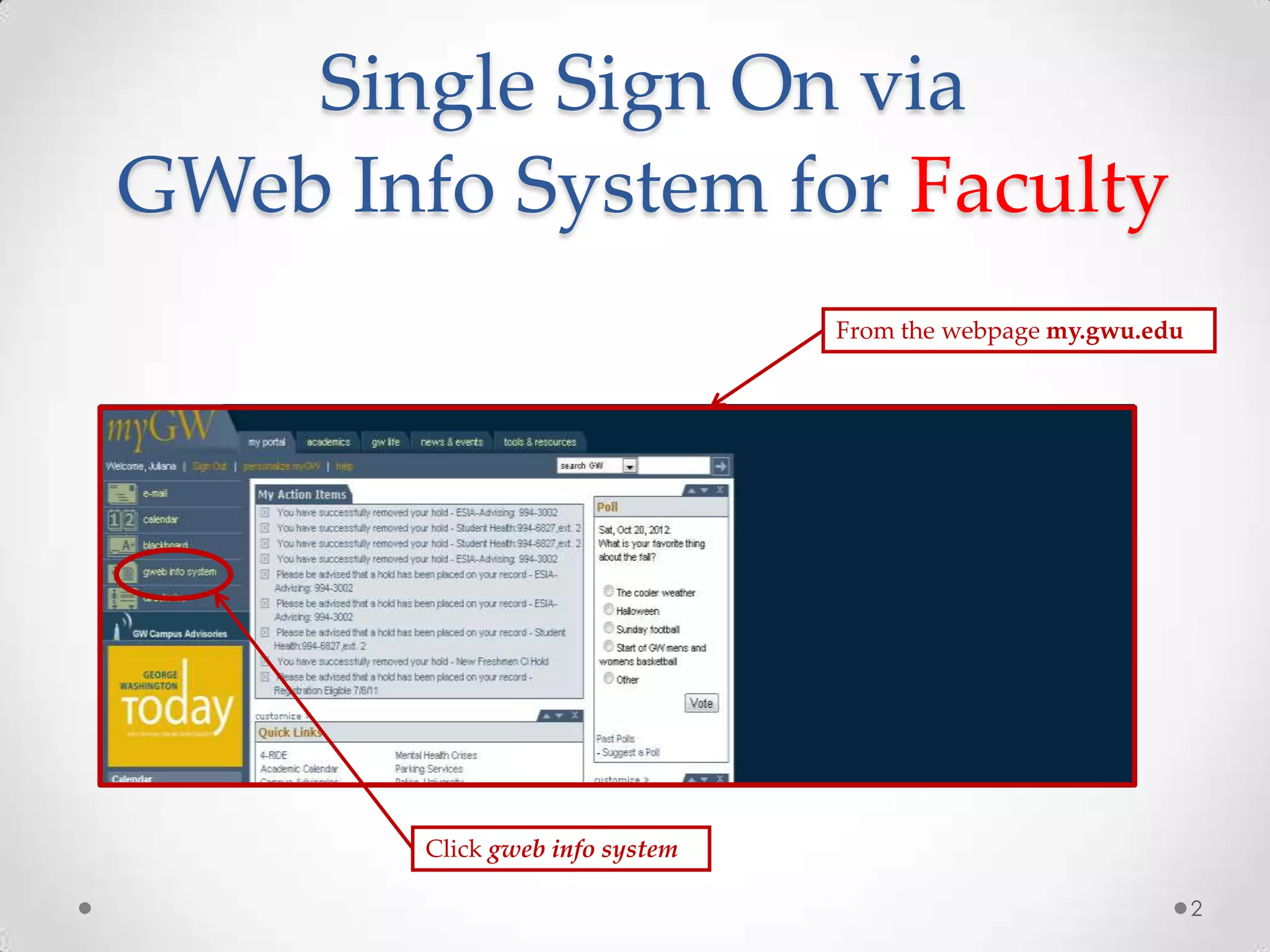
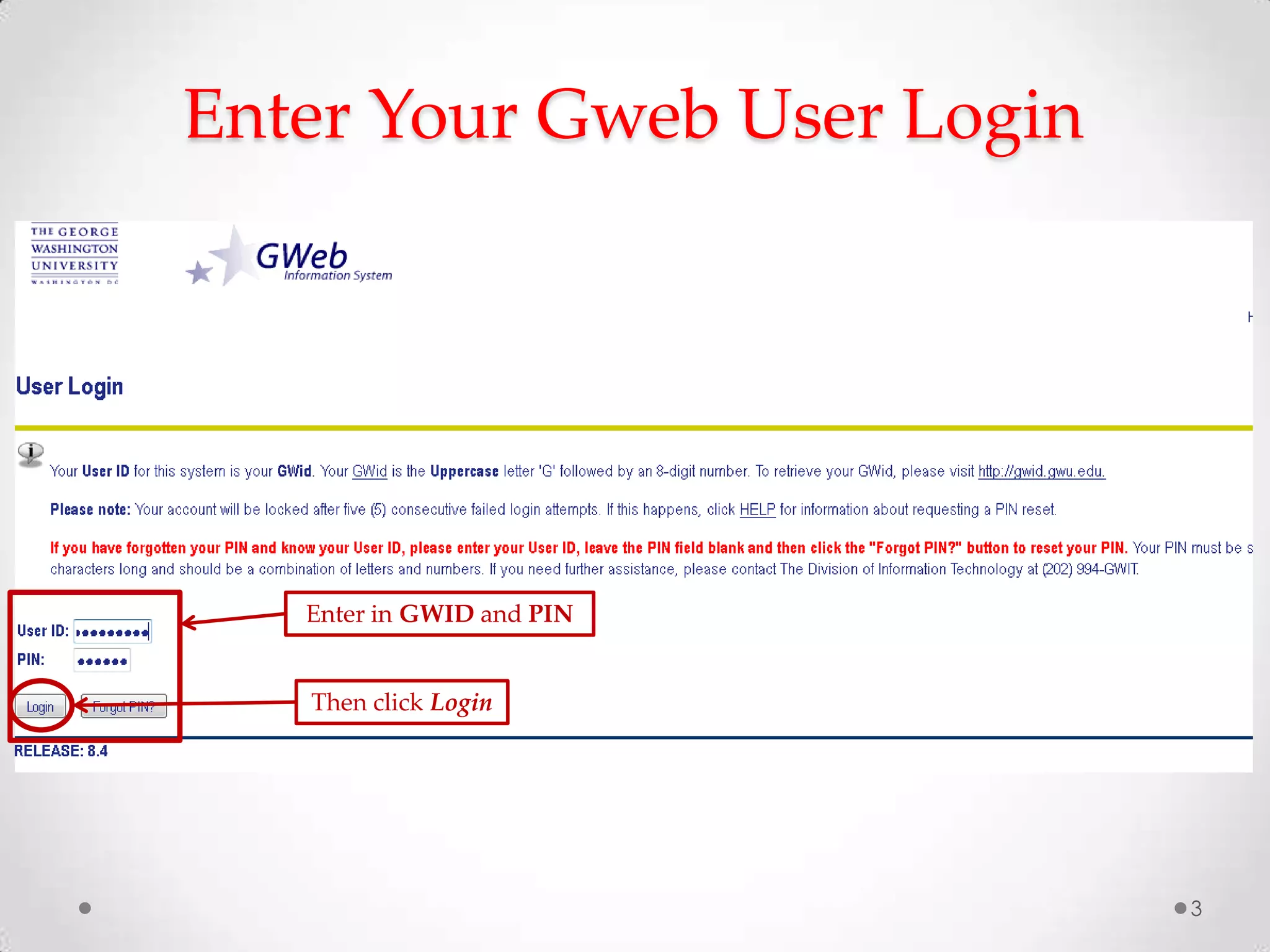
1) Logging into the GWeb info system single sign-on as faculty
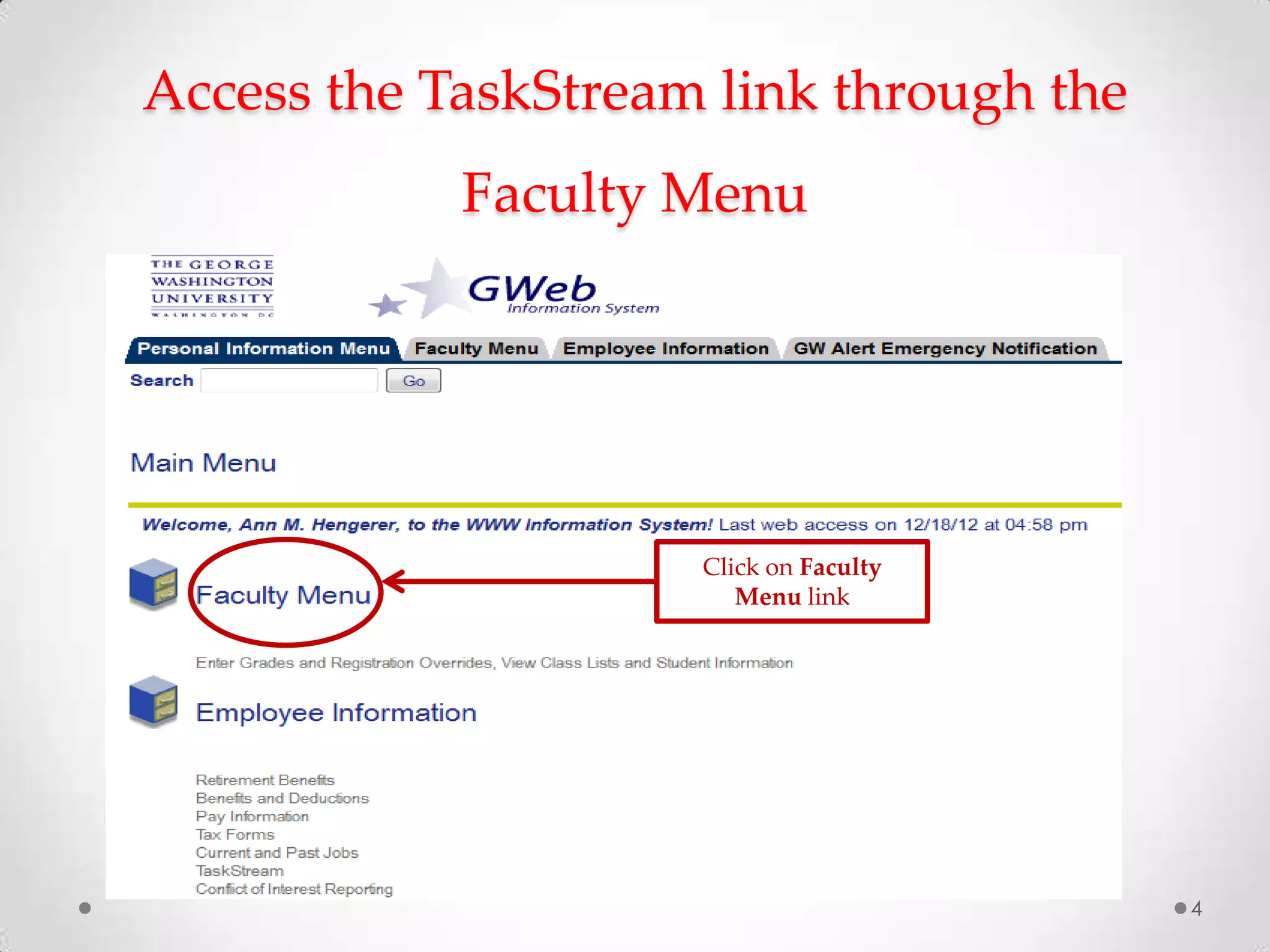
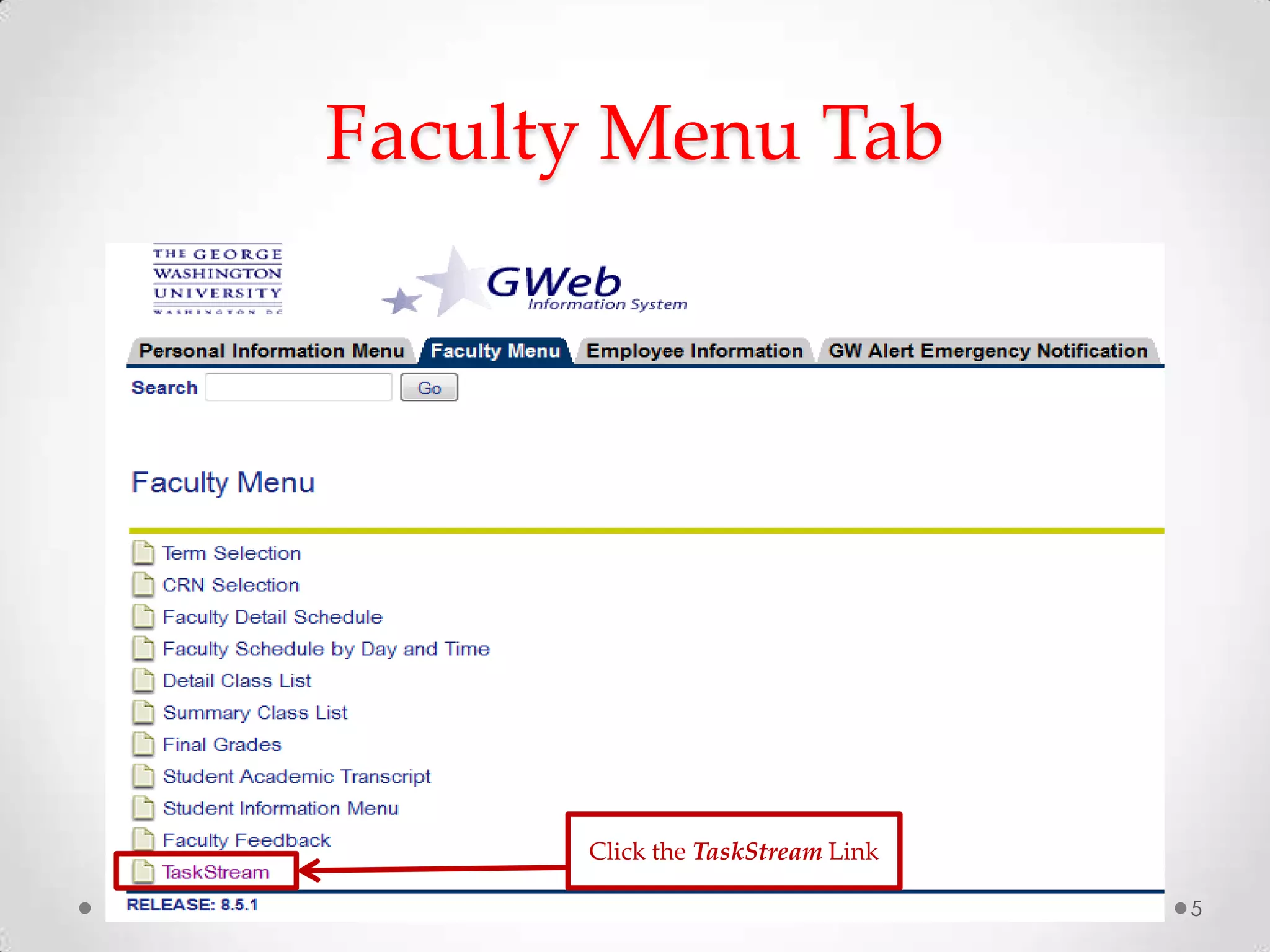
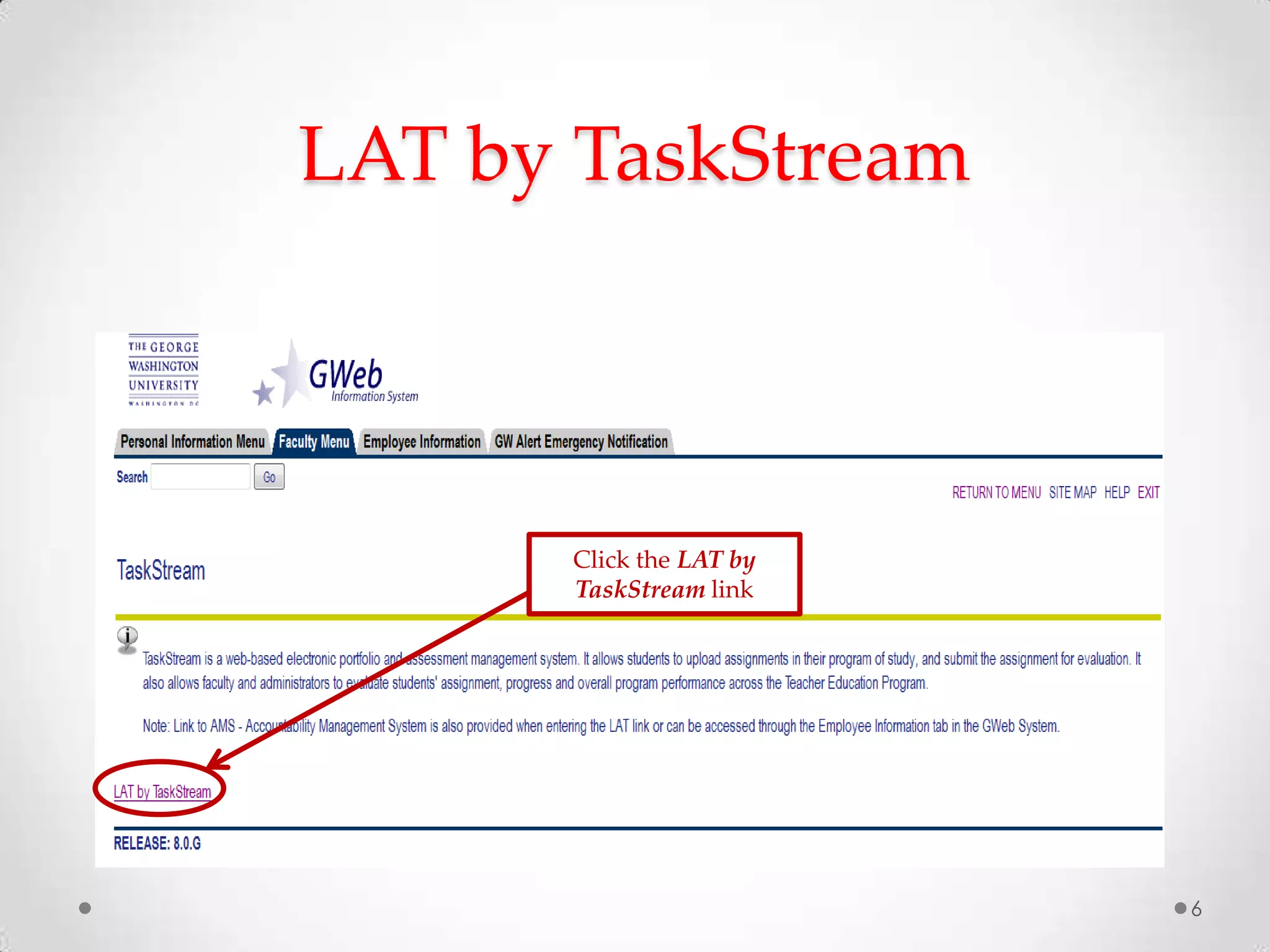
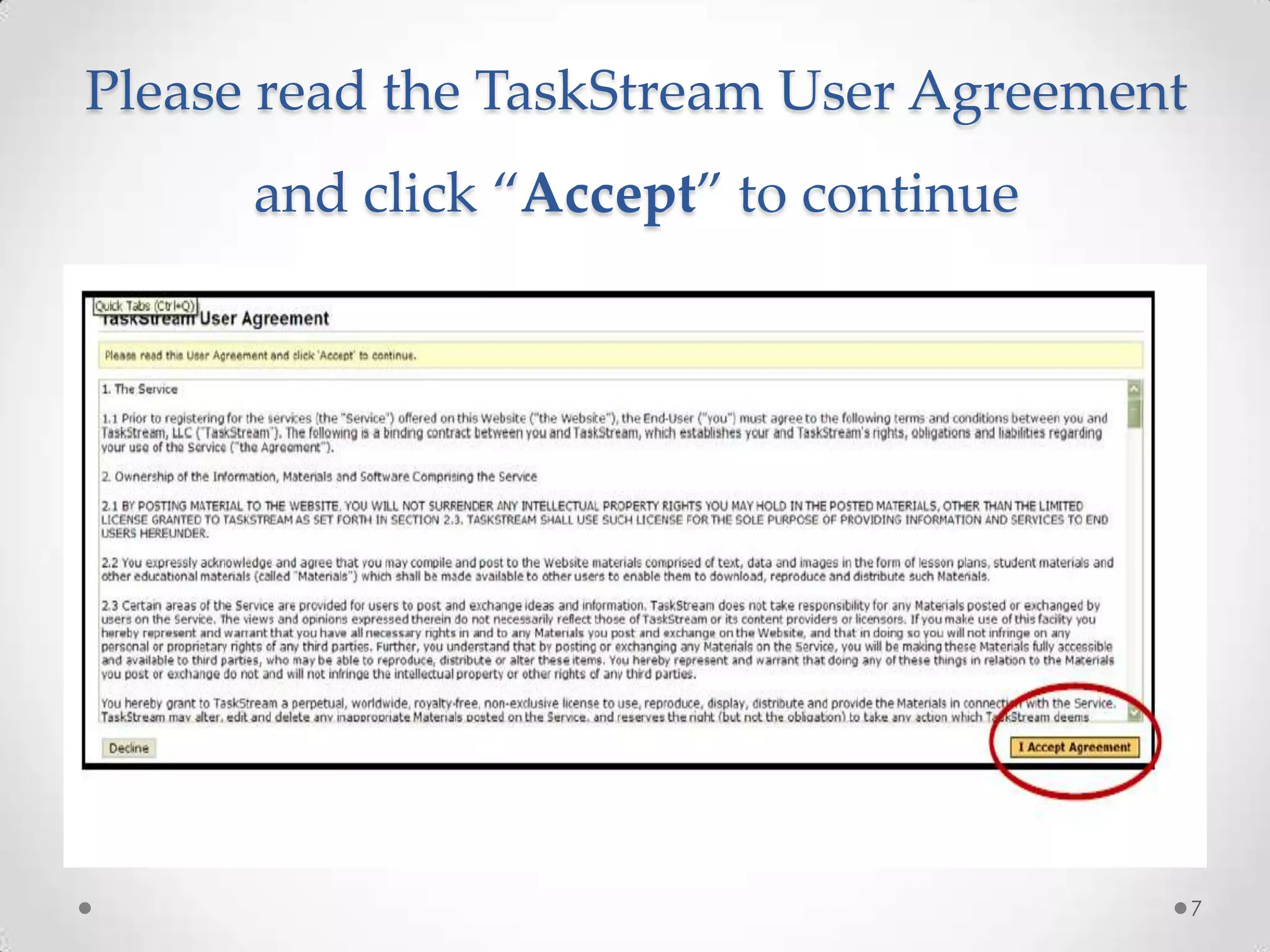
2) Accessing the TaskStream link through the faculty menu
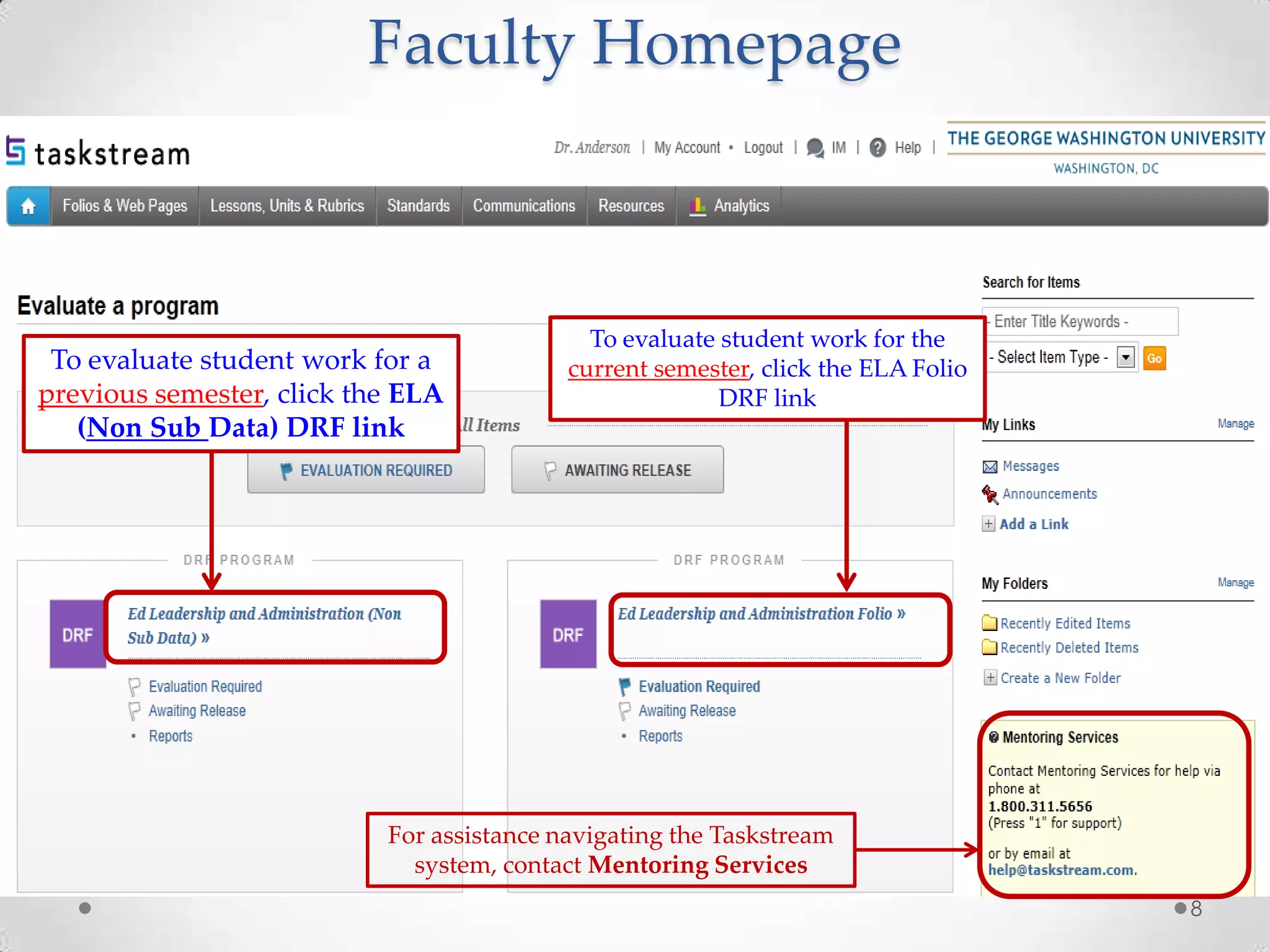
3) Navigating to different areas within TaskStream to either evaluate previous or current student work
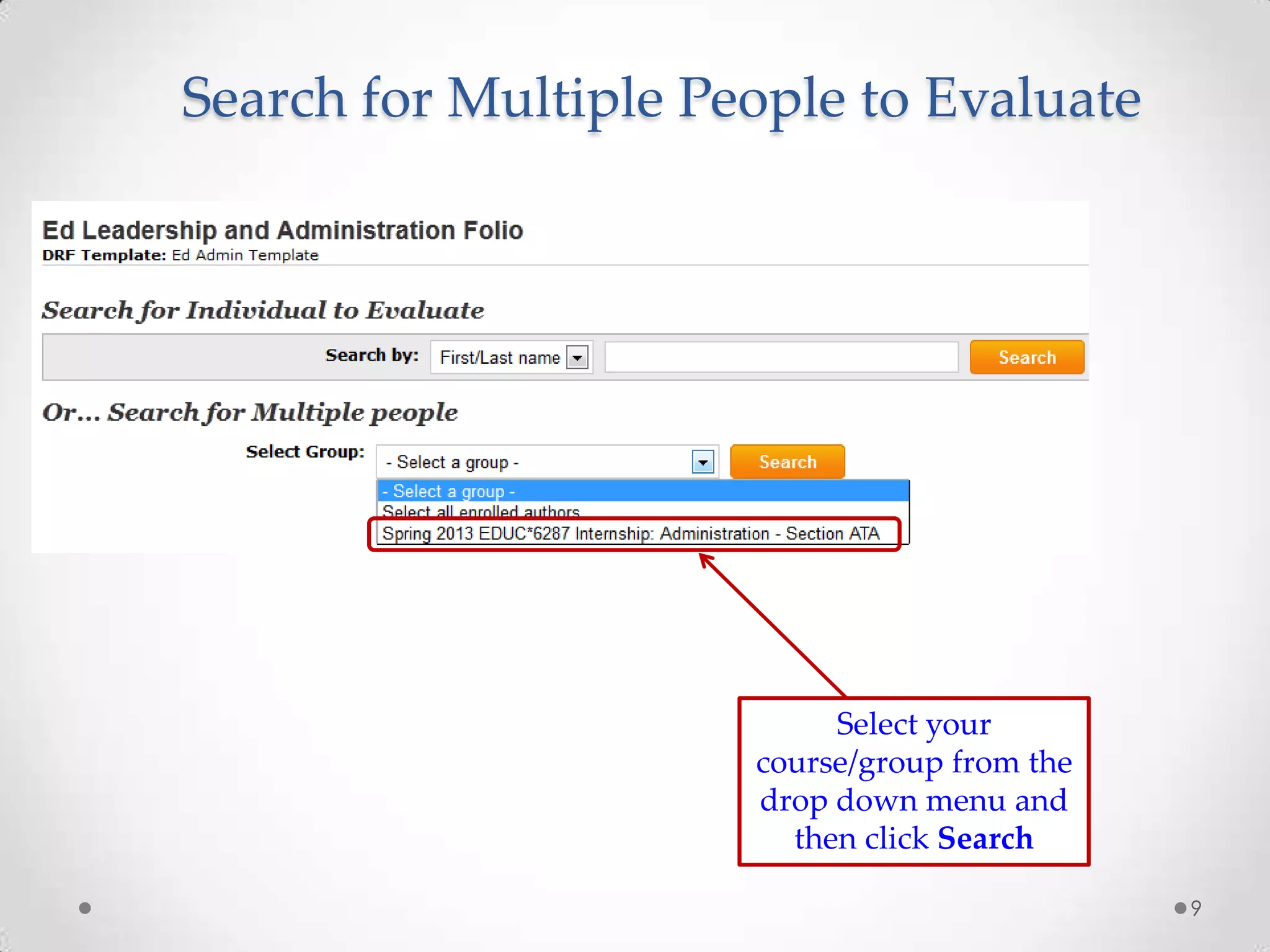
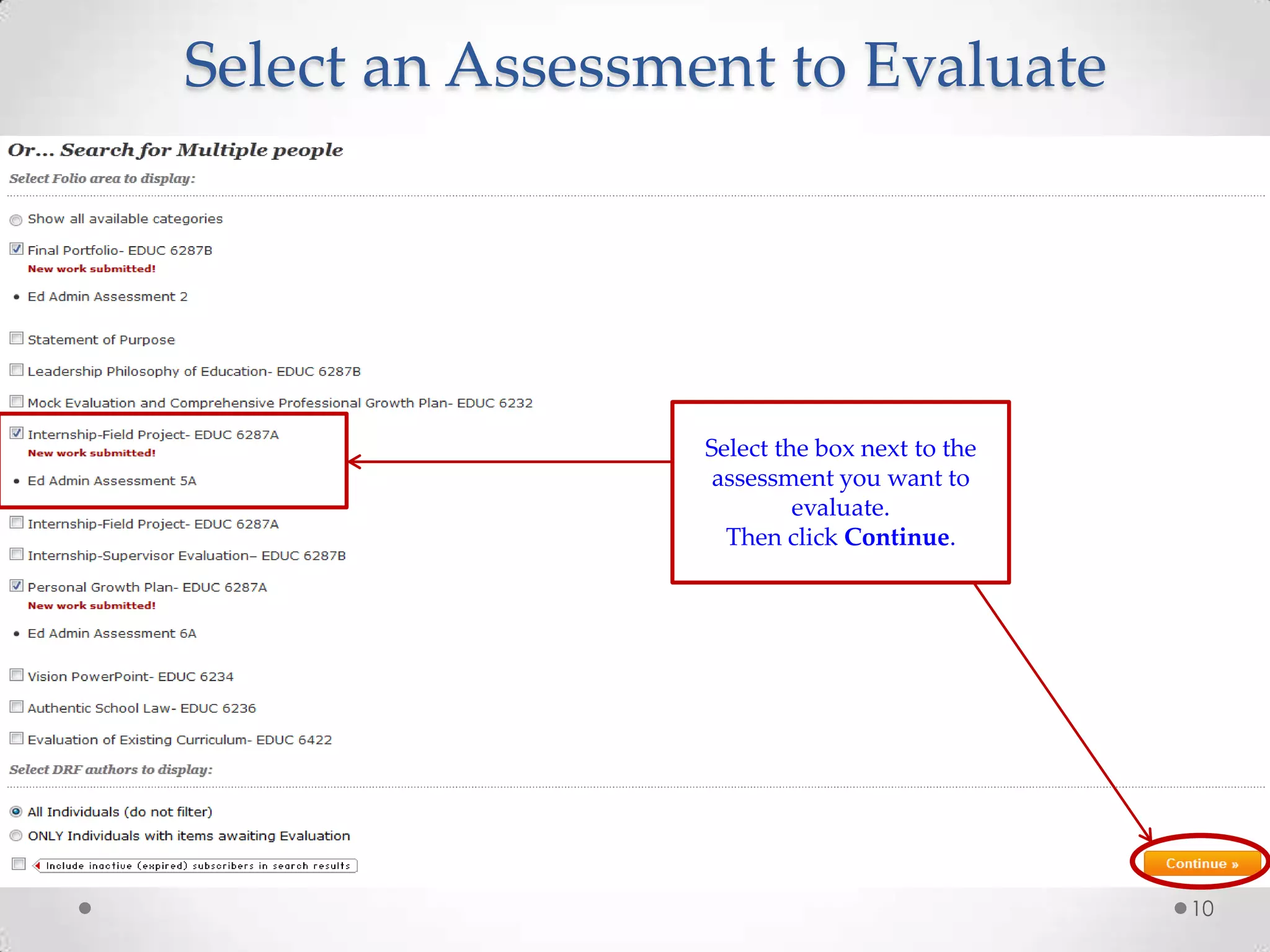
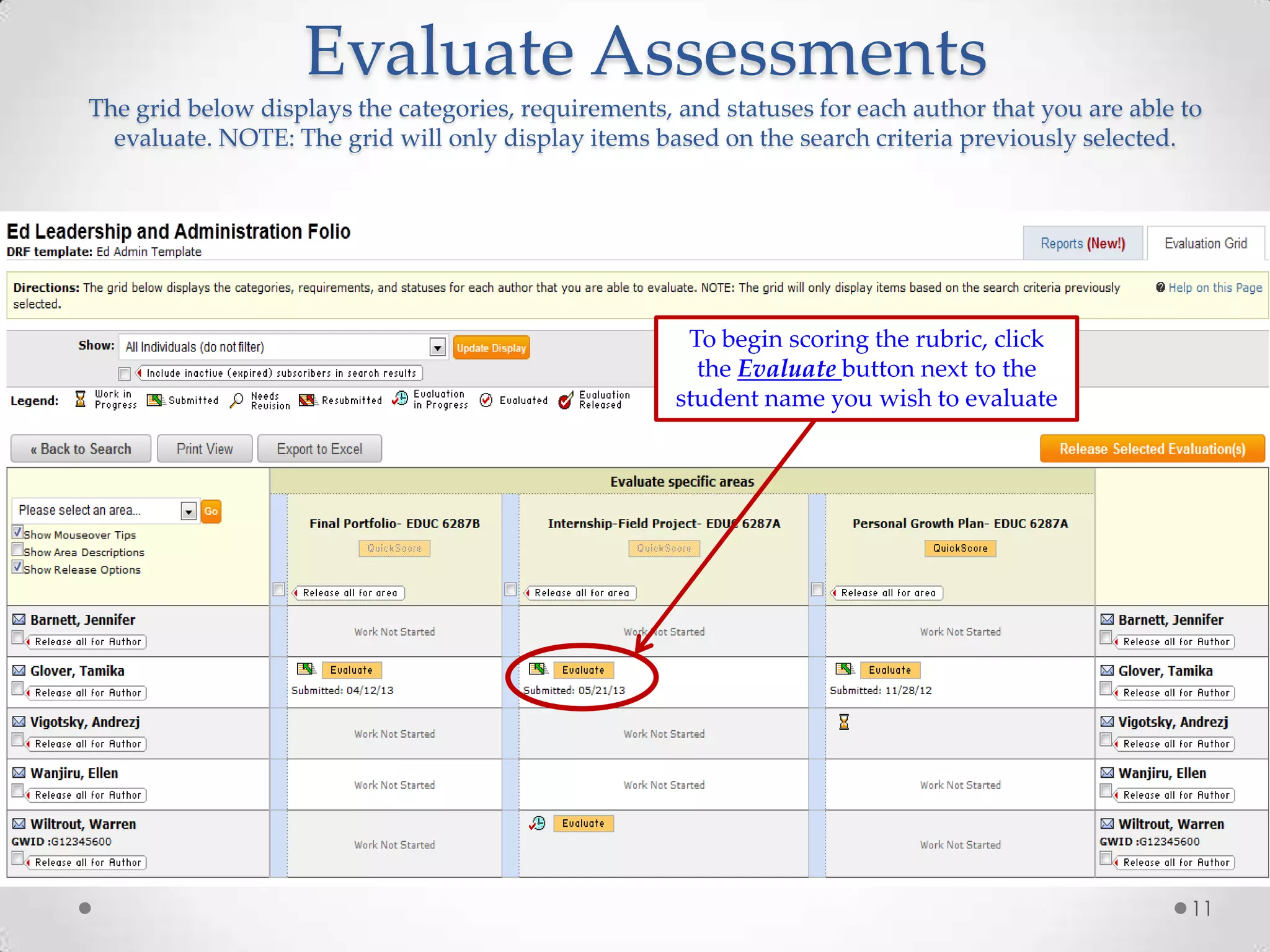
4) Searching for and selecting students' assessments to evaluate
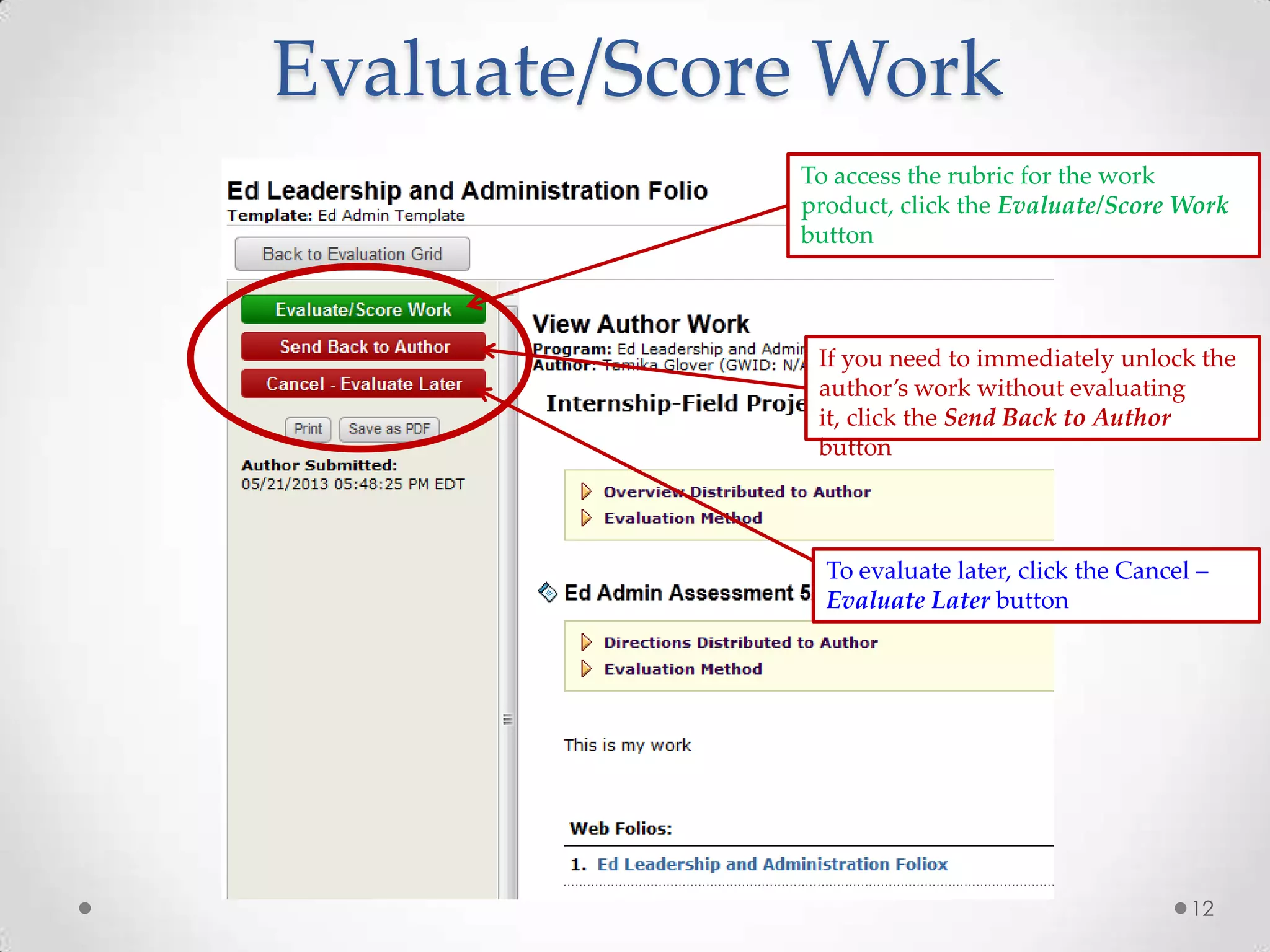
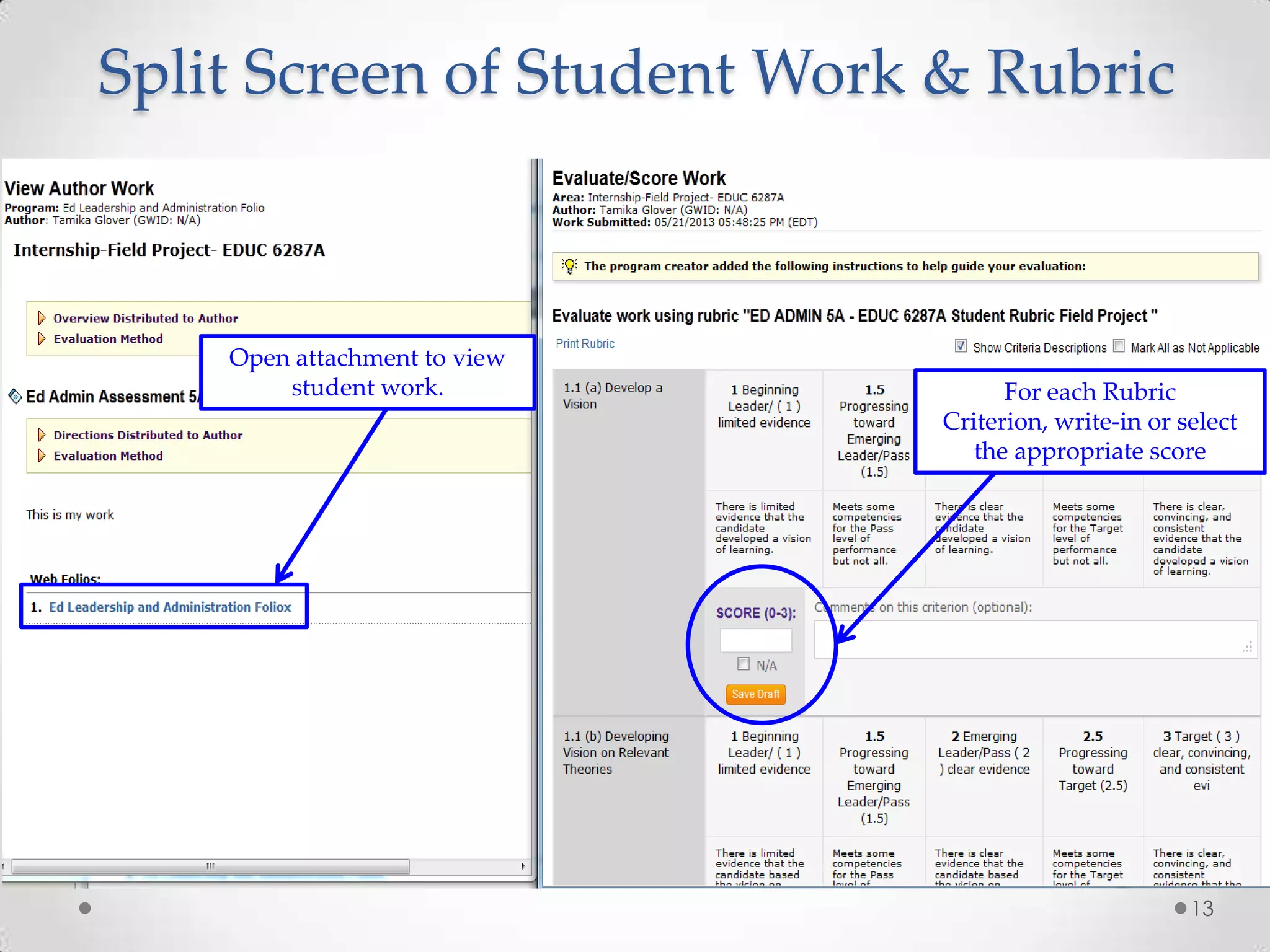
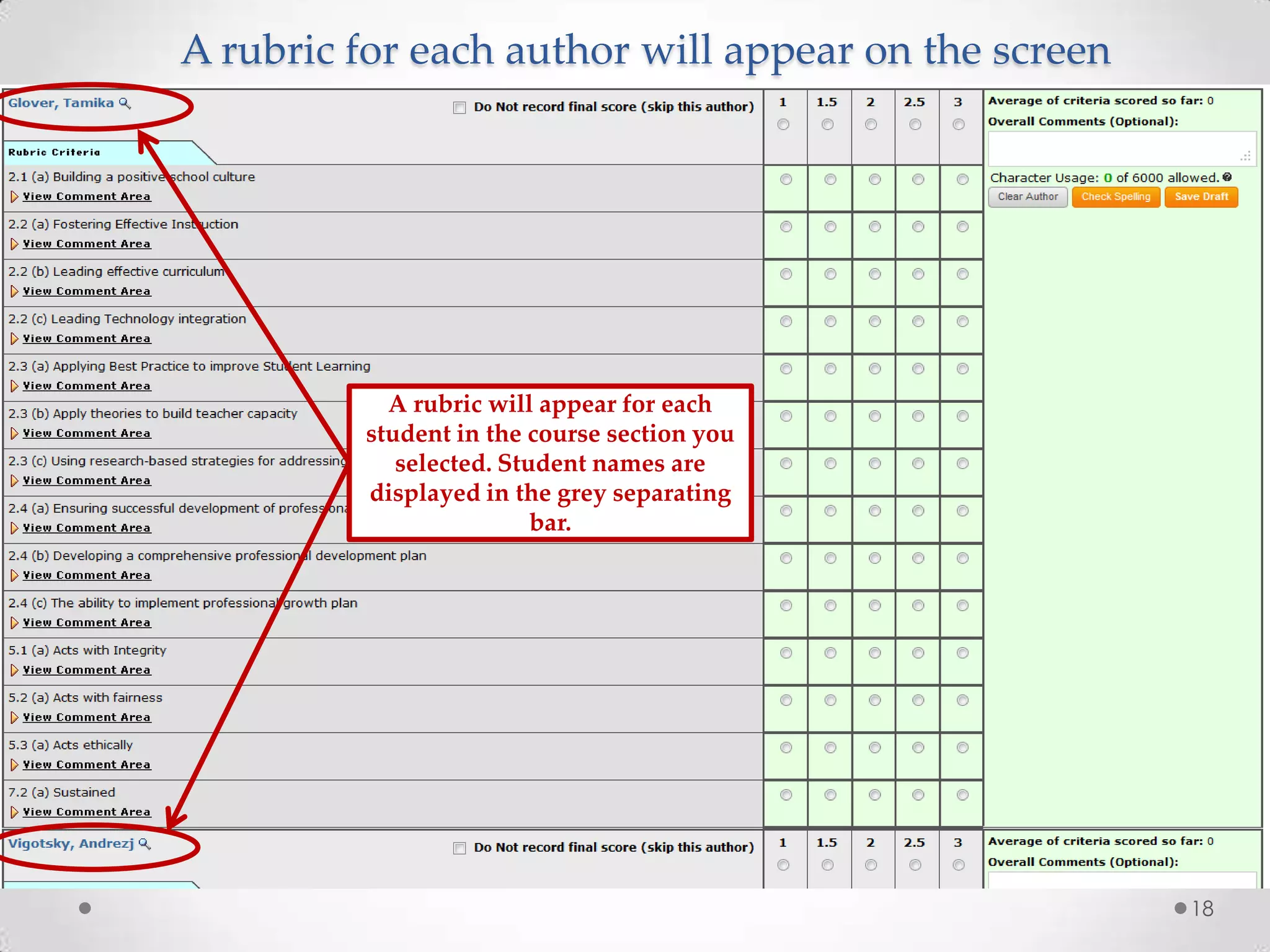
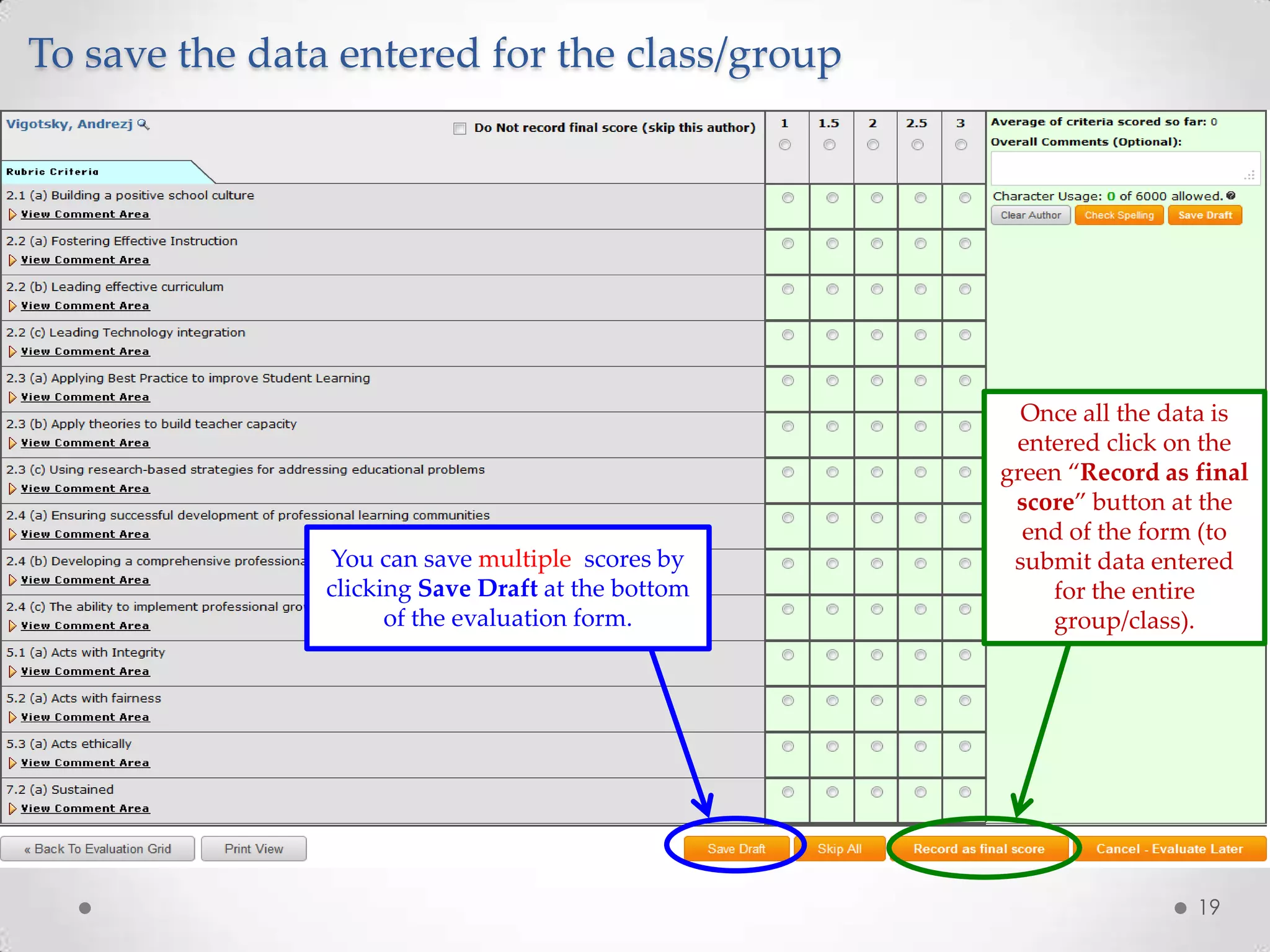
5) Using the rubric to provide scores and feedback on students' work
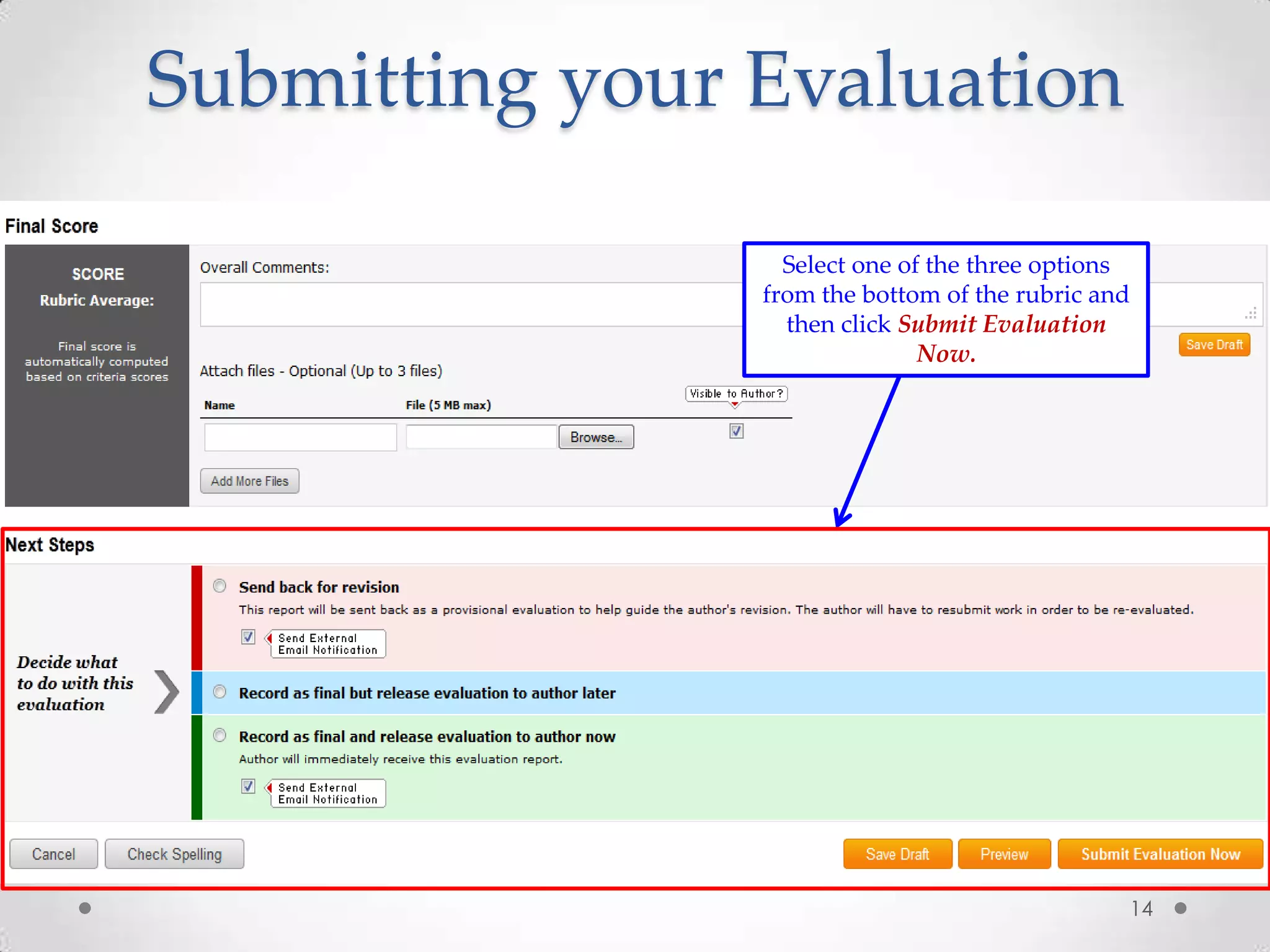
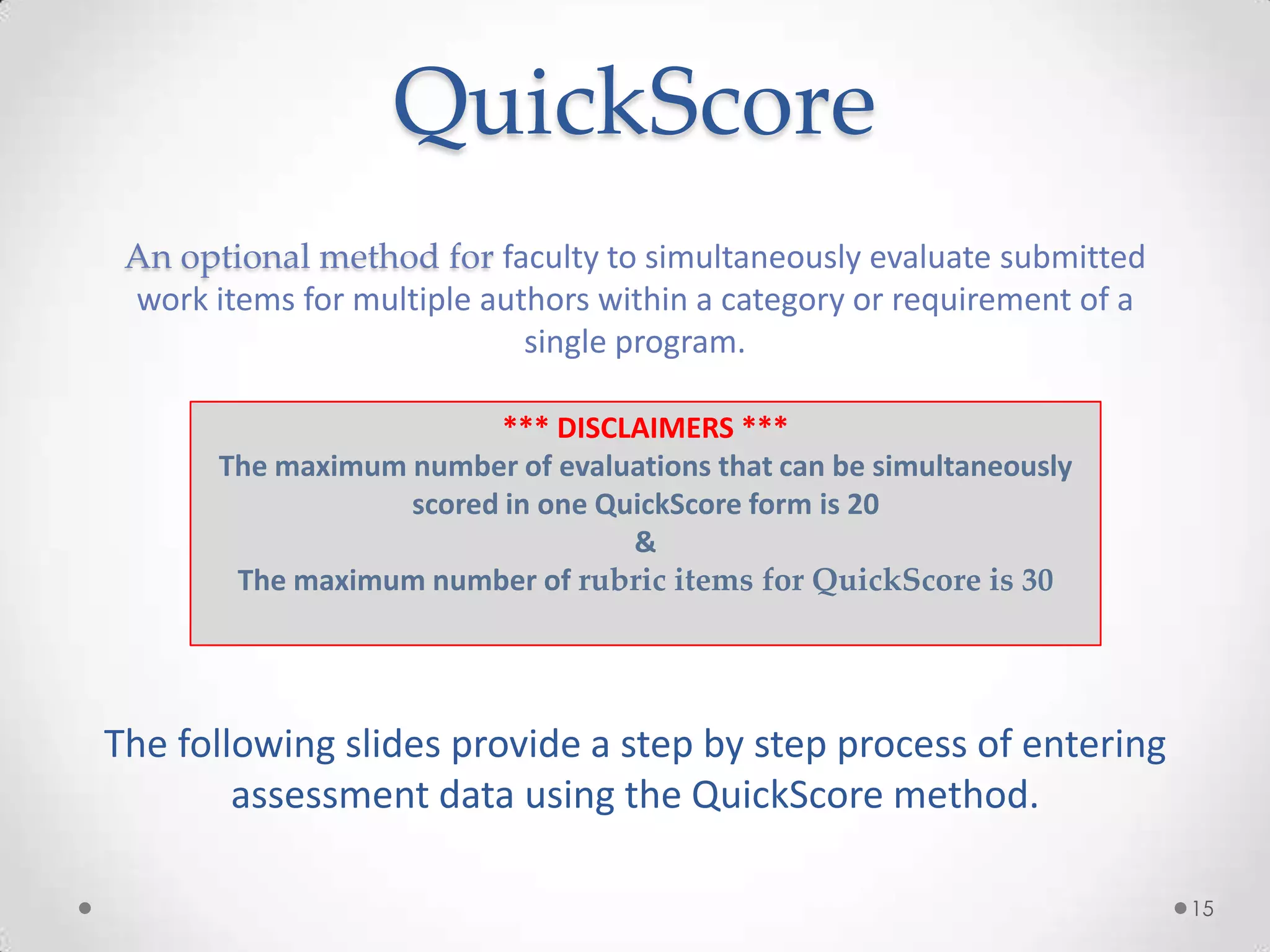
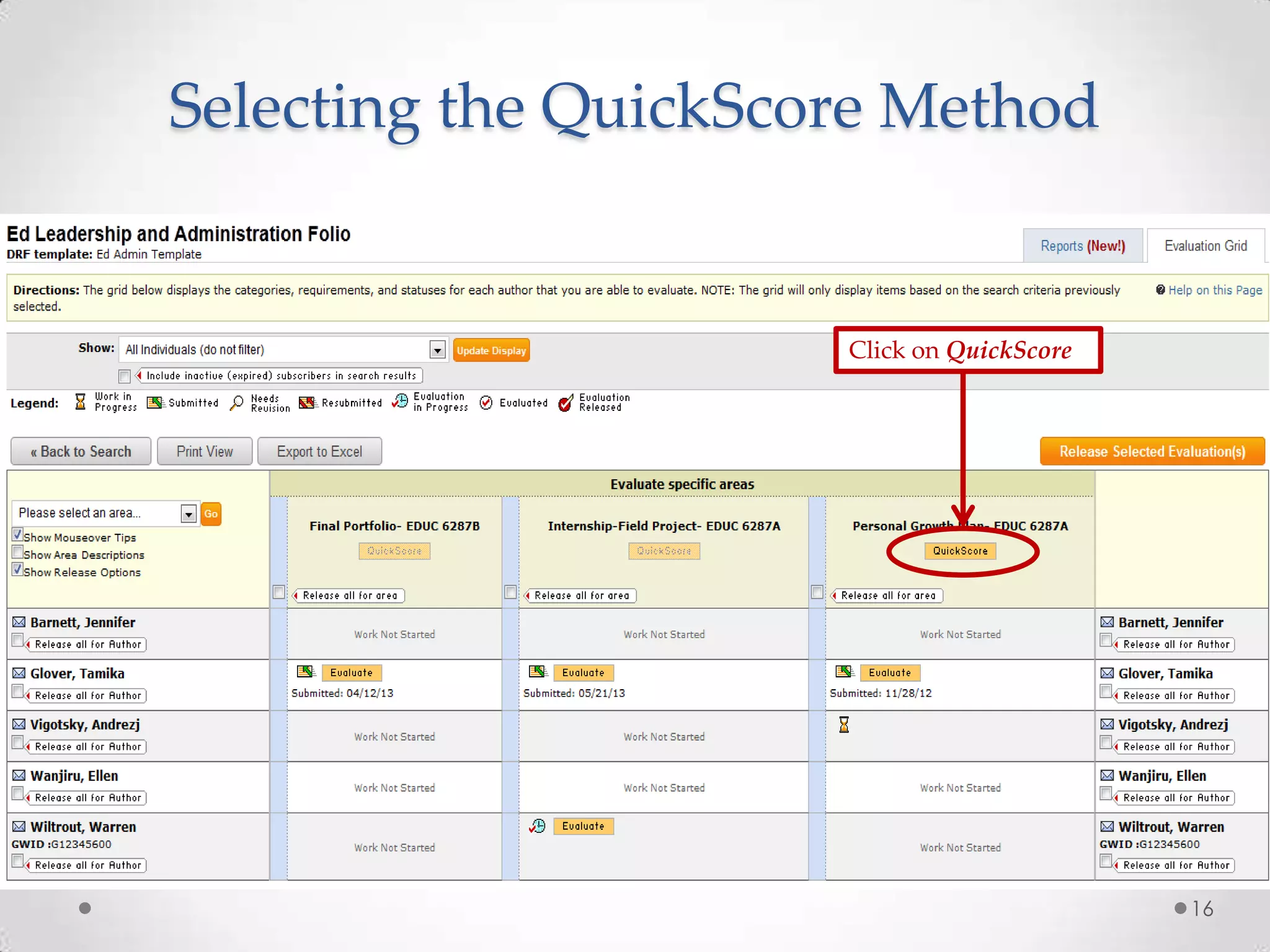
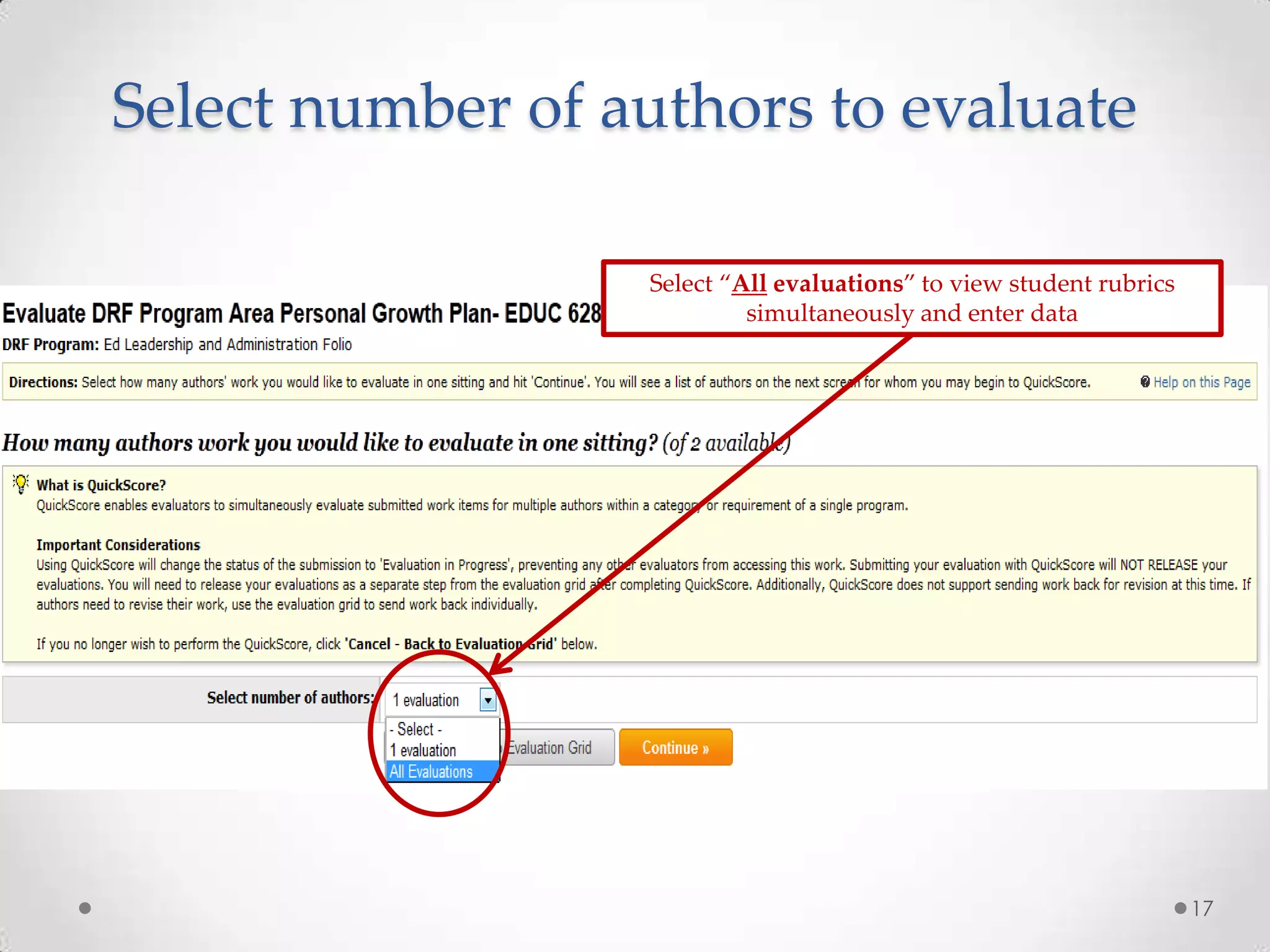
6) Submitting evaluations either one by one or simultaneously for multiple students using the QuickScore method
7) Contact information for assistance


![Coded Agents – with UiPath SDK + LangGraph [Virtual Hands-on Workshop]](https://cdn.slidesharecdn.com/ss_thumbnails/codedagentsdeck-251215155422-5497c599-thumbnail.jpg?width=640&height=640&fit=bounds)


