Open, mashed-up eGovernment  needs  an open, mashed-up ePractice David Osimo IPTS EC Joint Research Centre NOTES 1. PLACE, DATE AND EVENT NAME 1.1.  Access the slide-set place, date and event name text box beneath the JRC logo from the Slide Master. 1.2.  Do not change the size nor the position of that text box. 1.3.   Replace the mock-up texts for the place (“Place”), the date (“dd Month YYYY”) and the event name (“Event Name”) with your own texts. 1.4.  Set it in MetaPlus Book Roman, if you own the typeface. Otherwise, keep the original typeface – Arial.  1.5.  Keep the original flush-left justification.  1.6.  Keep the original font colour (white).  1.7.  Keep the original font body size (7 pt) and the text on one single line. 2. SLIDE NUMBER 2.1.  The slide number on the banner’s lower right-hand side is automatically generated. 3. SLIDES 3.1.  Duplicate the first slide as needed. 3.2.  Do not change the size nor the position of the slide’s text box. 3.3.  Try not to place more text on each slide than will fit in the given text box. 3.4.  Replace the mock-up heading text (“Joint Research Centre (JRC)”) with your own text heading. 3.5.  Set it in Eurostile Bold Extended Two or in Helvetica Rounded Bold Condensed, if you own one of these typefaces. Otherwise, keep the original typeface – Arial.  3.6.  Keep the original flush-left justification.  3.7.  Keep the original font colour (100c 80m 0y 0k).  3.8.  Keep the original font body size (28 pt) and the heading on one single line whenever possible. Reduce the font body size if needed. 3.9.  Replace the mock-up text (“The European Commission’s Research-Based Policy Support Organisation)”) with your own text. 3.10.  Set it in MetaPlus Book Roman, if you own the typeface. Otherwise, keep the original typeface – Arial.  3.11.  Keep the original flush-left justification.  3.12.  Keep the original font colour (100c 80m 0y 0k). Use black if you need a second colour.  3.13.  Keep the original font body size (22 pt) or reduce it if unavoidable. 3.14.  Replace the EU-27 map mock-up illustration with your own illustration(s). 3.13.  Try to keep your illustration(s) right- and top- or bottom-aligned with the main text box whenever possible.
Content Trends towards open, mashed-up government Examples and implications for eGovernment Implications for ePractice
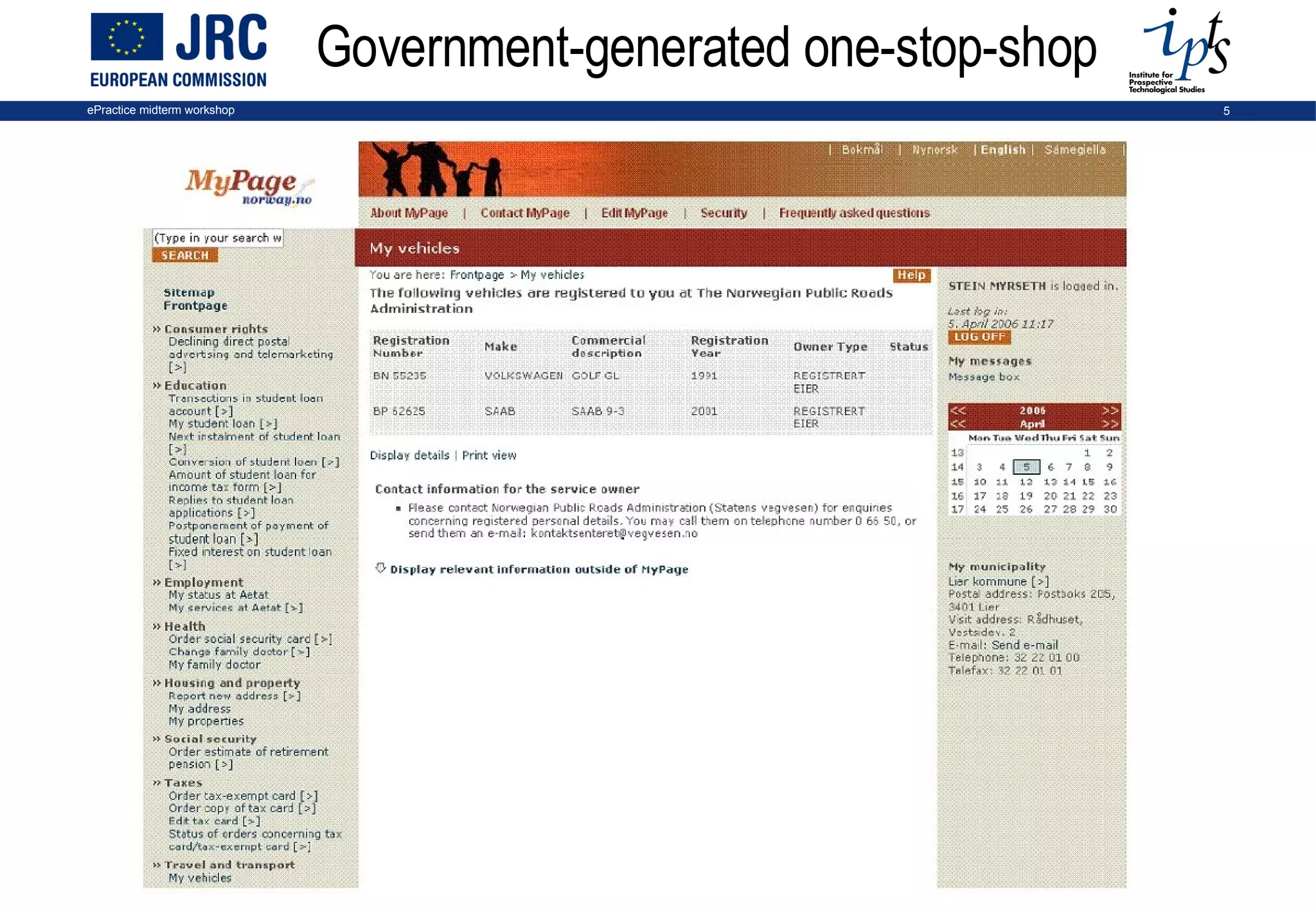
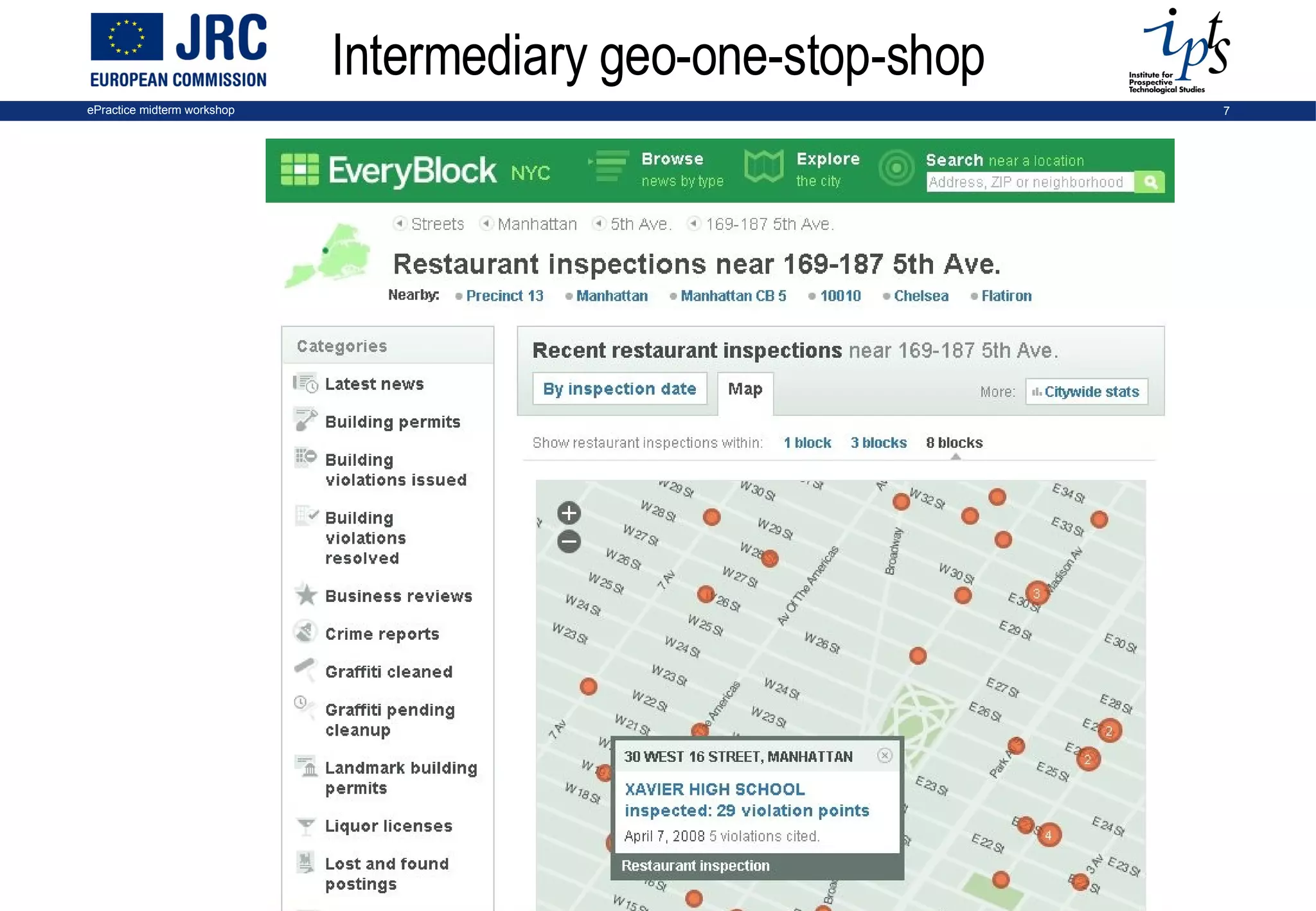
Government on a learning curve Government face new needs, new challenges, new fields of regulation Public services provided by a plurality of actors and providers Public data can be re-used to deliver added-value services (e.g. gTransit, planningalerts.com) IT trends: data and services re-usable and available across websites (from portal to web services - Gartner) -> move from portal-centred towards a user-centred, open, mashed-up government
Examples of user centred, mashed-up government
Government-generated one-stop-shop
User-generated one stop shop
Intermediary geo-one-stop-shop
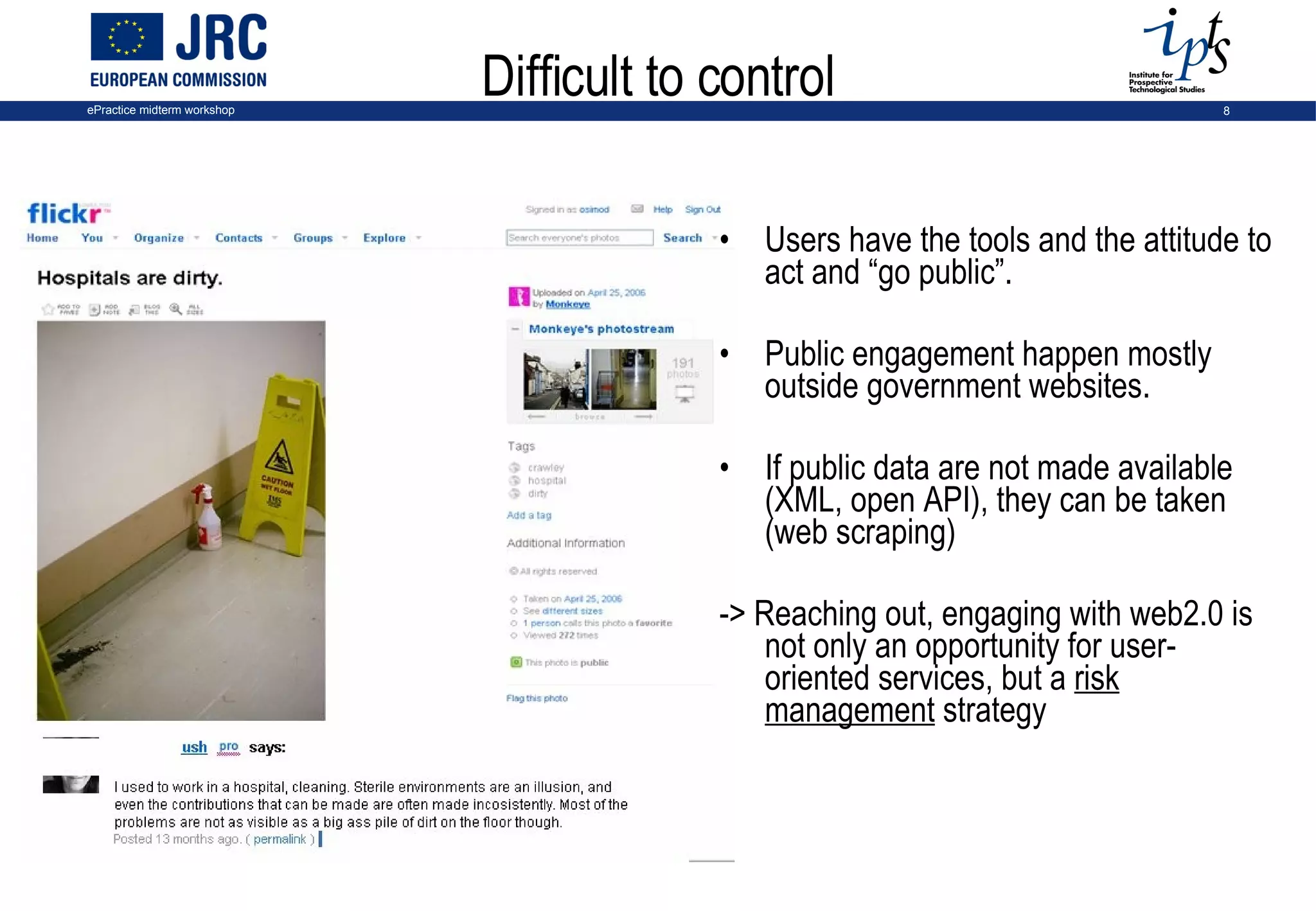
Difficult to control Users have the tools and the attitude to act and “go public”. Public engagement happen mostly outside government websites.  If public data are not made available (XML, open API), they can be taken (web scraping) -> Reaching out, engaging with web2.0 is not only an opportunity for user-oriented services, but a  risk management  strategy
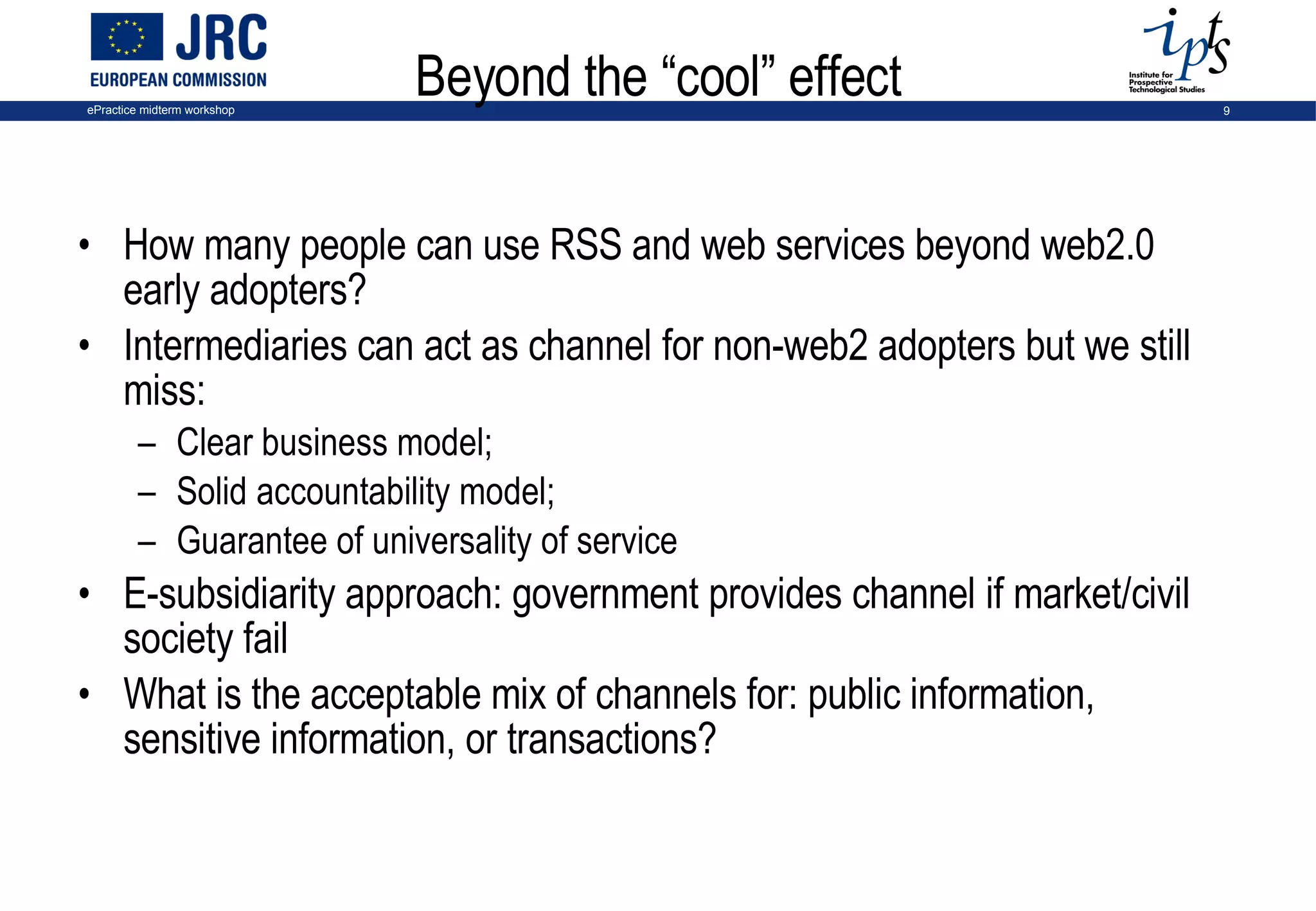
Beyond the “cool” effect How many people can use RSS and web services beyond web2.0 early adopters? Intermediaries can act as channel for non-web2 adopters but we still miss:  Clear business model;  Solid accountability model;  Guarantee of universality of service  E-subsidiarity approach: government provides channel if market/civil society fail What is the acceptable mix of channels for: public information, sensitive information, or transactions?
Lessons learnt from eGov 2.0 projects Public data/services available for re-use opens unexpected possibilities Public services are provided by a plurality of actors: proprietary platforms are not always necessary and may be damaging; collaboration happens across platform  Users co-build services around their needs Usability is key: short feedback loop, listen to users and react No ready recipes: necessary to experiment, learn-by-doing, exchange experience… Source: IPTS report “web2.0 for government: why and how?”
Implications for ePractice
Tag-based knowledge exchange
Lessons for ePractice 2.0 Yet another platform? Hard to compete with high-quality free services (Ning, LinkedIn, Wordpress, del.icio.us…) and existing discussions in the blogosphere But with key asset: content large audience, mostly not web2.0-savvy data (is the Intel inside) Participation is hard to get Connect to discussion/collaboration outside ePractice (blog RSS feeds out and in; data portability, micro-formats…) Exploit attention data to enable weak engagement Extreme usability requires fast response, shorter feedback loops > work-intensive ePractice can become the bridge for web2.0 non users, but is it feasible and sustainable? Openness is useful in all scenarios
Conclusions for eGov and ePractice User, not government, is the centre Attention is scarce Services and knowledge exchange are not platform-centric Difficult competition with commercial free services … standards are high Open, reusable data and services are key enablers But don’t assume services will be created (subsidiarity) Learning-by-doing is necessary
Thank you [email_address]
Back-up
Different kinds of users’ involvement in web 2.0 Source: IPTS estimation based on Eurostat, IPSOS-MORI, Forrester  3% of Internet users (50% of EU population) 10% 4.Providing attention, taste data 3.Using user-generated content 2.Providing ratings, reviews 1.Producing content 40% 100%
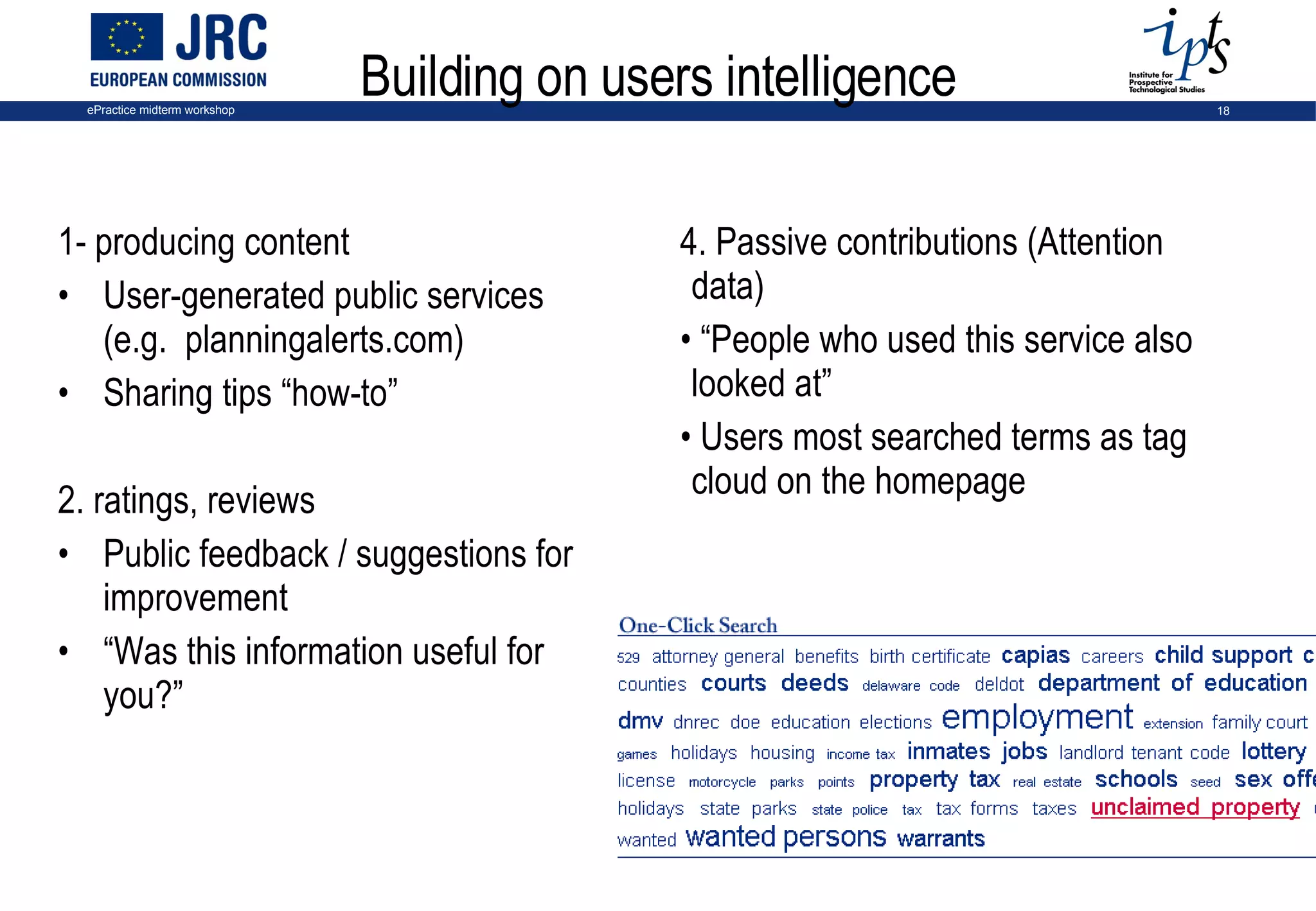
Building on users intelligence 1- producing content User-generated public services (e.g.  planningalerts.com) Sharing tips “how-to”  2. ratings, reviews Public feedback / suggestions for improvement “ Was this information useful for you?” 4. Passive contributions (Attention data) “ People who used this service also looked at” Users most searched terms as tag cloud on the homepage

E Practicemidterm Osimo

  • 1.
    Open, mashed-up eGovernment needs an open, mashed-up ePractice David Osimo IPTS EC Joint Research Centre NOTES 1. PLACE, DATE AND EVENT NAME 1.1. Access the slide-set place, date and event name text box beneath the JRC logo from the Slide Master. 1.2. Do not change the size nor the position of that text box. 1.3. Replace the mock-up texts for the place (“Place”), the date (“dd Month YYYY”) and the event name (“Event Name”) with your own texts. 1.4. Set it in MetaPlus Book Roman, if you own the typeface. Otherwise, keep the original typeface – Arial. 1.5. Keep the original flush-left justification. 1.6. Keep the original font colour (white). 1.7. Keep the original font body size (7 pt) and the text on one single line. 2. SLIDE NUMBER 2.1. The slide number on the banner’s lower right-hand side is automatically generated. 3. SLIDES 3.1. Duplicate the first slide as needed. 3.2. Do not change the size nor the position of the slide’s text box. 3.3. Try not to place more text on each slide than will fit in the given text box. 3.4. Replace the mock-up heading text (“Joint Research Centre (JRC)”) with your own text heading. 3.5. Set it in Eurostile Bold Extended Two or in Helvetica Rounded Bold Condensed, if you own one of these typefaces. Otherwise, keep the original typeface – Arial. 3.6. Keep the original flush-left justification. 3.7. Keep the original font colour (100c 80m 0y 0k). 3.8. Keep the original font body size (28 pt) and the heading on one single line whenever possible. Reduce the font body size if needed. 3.9. Replace the mock-up text (“The European Commission’s Research-Based Policy Support Organisation)”) with your own text. 3.10. Set it in MetaPlus Book Roman, if you own the typeface. Otherwise, keep the original typeface – Arial. 3.11. Keep the original flush-left justification. 3.12. Keep the original font colour (100c 80m 0y 0k). Use black if you need a second colour. 3.13. Keep the original font body size (22 pt) or reduce it if unavoidable. 3.14. Replace the EU-27 map mock-up illustration with your own illustration(s). 3.13. Try to keep your illustration(s) right- and top- or bottom-aligned with the main text box whenever possible.
  • 2.
    Content Trends towardsopen, mashed-up government Examples and implications for eGovernment Implications for ePractice
  • 3.
    Government on alearning curve Government face new needs, new challenges, new fields of regulation Public services provided by a plurality of actors and providers Public data can be re-used to deliver added-value services (e.g. gTransit, planningalerts.com) IT trends: data and services re-usable and available across websites (from portal to web services - Gartner) -> move from portal-centred towards a user-centred, open, mashed-up government
  • 4.
    Examples of usercentred, mashed-up government
  • 5.
  • 6.
  • 7.
  • 8.
    Difficult to controlUsers have the tools and the attitude to act and “go public”. Public engagement happen mostly outside government websites. If public data are not made available (XML, open API), they can be taken (web scraping) -> Reaching out, engaging with web2.0 is not only an opportunity for user-oriented services, but a risk management strategy
  • 9.
    Beyond the “cool”effect How many people can use RSS and web services beyond web2.0 early adopters? Intermediaries can act as channel for non-web2 adopters but we still miss: Clear business model; Solid accountability model; Guarantee of universality of service E-subsidiarity approach: government provides channel if market/civil society fail What is the acceptable mix of channels for: public information, sensitive information, or transactions?
  • 10.
    Lessons learnt fromeGov 2.0 projects Public data/services available for re-use opens unexpected possibilities Public services are provided by a plurality of actors: proprietary platforms are not always necessary and may be damaging; collaboration happens across platform Users co-build services around their needs Usability is key: short feedback loop, listen to users and react No ready recipes: necessary to experiment, learn-by-doing, exchange experience… Source: IPTS report “web2.0 for government: why and how?”
  • 11.
  • 12.
  • 13.
    Lessons for ePractice2.0 Yet another platform? Hard to compete with high-quality free services (Ning, LinkedIn, Wordpress, del.icio.us…) and existing discussions in the blogosphere But with key asset: content large audience, mostly not web2.0-savvy data (is the Intel inside) Participation is hard to get Connect to discussion/collaboration outside ePractice (blog RSS feeds out and in; data portability, micro-formats…) Exploit attention data to enable weak engagement Extreme usability requires fast response, shorter feedback loops > work-intensive ePractice can become the bridge for web2.0 non users, but is it feasible and sustainable? Openness is useful in all scenarios
  • 14.
    Conclusions for eGovand ePractice User, not government, is the centre Attention is scarce Services and knowledge exchange are not platform-centric Difficult competition with commercial free services … standards are high Open, reusable data and services are key enablers But don’t assume services will be created (subsidiarity) Learning-by-doing is necessary
  • 15.
  • 16.
  • 17.
    Different kinds ofusers’ involvement in web 2.0 Source: IPTS estimation based on Eurostat, IPSOS-MORI, Forrester 3% of Internet users (50% of EU population) 10% 4.Providing attention, taste data 3.Using user-generated content 2.Providing ratings, reviews 1.Producing content 40% 100%
  • 18.
    Building on usersintelligence 1- producing content User-generated public services (e.g. planningalerts.com) Sharing tips “how-to” 2. ratings, reviews Public feedback / suggestions for improvement “ Was this information useful for you?” 4. Passive contributions (Attention data) “ People who used this service also looked at” Users most searched terms as tag cloud on the homepage

Editor's Notes

  • #2 NOTES 1. PLACE, DATE AND EVENT NAME 1.1. Access the slide-set place, date and event name text box beneath the JRC logo from the Slide Master. 1.2. Do not change the size nor the position of that text box. 1.3. Replace the mock-up texts for the place (“Place”), the date (“dd Month YYYY”) and the event name (“Event Name”) with your own texts. 1.4. Set it in MetaPlus Book Roman, if you own the typeface. Otherwise, keep the original typeface – Arial. 1.5. Keep the original flush-left justification. 1.6. Keep the original font colour (white). 1.7. Keep the original font body size (7 pt) and the text on one single line. 2. SLIDE NUMBER 2.1. The slide number on the banner’s lower right-hand side is automatically generated. 3. SLIDES 3.1. Duplicate the first slide as needed. 3.2. Do not change the size nor the position of the slide’s text box. 3.3. Try not to place more text on each slide than will fit in the given text box. 3.4. Replace the mock-up heading text (“Joint Research Centre (JRC)”) with your own text heading. 3.5. Set it in Eurostile Bold Extended Two or in Helvetica Rounded Bold Condensed, if you own one of these typefaces. Otherwise, keep the original typeface – Arial. 3.6. Keep the original flush-left justification. 3.7. Keep the original font colour (100c 80m 0y 0k). 3.8. Keep the original font body size (28 pt) and the heading on one single line whenever possible. Reduce the font body size if needed. 3.9. Replace the mock-up text (“The European Commission’s Research-Based Policy Support Organisation)”) with your own text. 3.10. Set it in MetaPlus Book Roman, if you own the typeface. Otherwise, keep the original typeface – Arial. 3.11. Keep the original flush-left justification. 3.12. Keep the original font colour (100c 80m 0y 0k). Use black if you need a second colour. 3.13. Keep the original font body size (22 pt) or reduce it if unavoidable. 3.14. Replace the EU-27 map mock-up illustration with your own illustration(s). 3.13. Try to keep your illustration(s) right- and top- or bottom-aligned with the main text box whenever possible.