E-content Development &
Pedagogical approached
Dr. Suresh G. Isave
7-Jan-25 1
Concept of e-content development
• E-content is any digital content that can be
accessed or interacted with through a
computer network or electronic device.
• It can include a variety of materials, such
as: Text, Images, Graphics, Animation,
Audio, Video, AR/VR, and Gamification
elements.
7-Jan-25 2
Need of e-content
• Flexibility and Accessibility
• Enhanced Engagement and Motivation
• Practical Demonstration of Concepts
• Supports Offline Learning with Supplementary Resources
• Collaborative Learning Opportunities
• Development of Digital Skills
• Overcoming Offline Limitations
• Tracking and Monitoring Learning
• Cost-effective and Eco-friendly
• Bridging the Gap During Interruptions
7-Jan-25 3
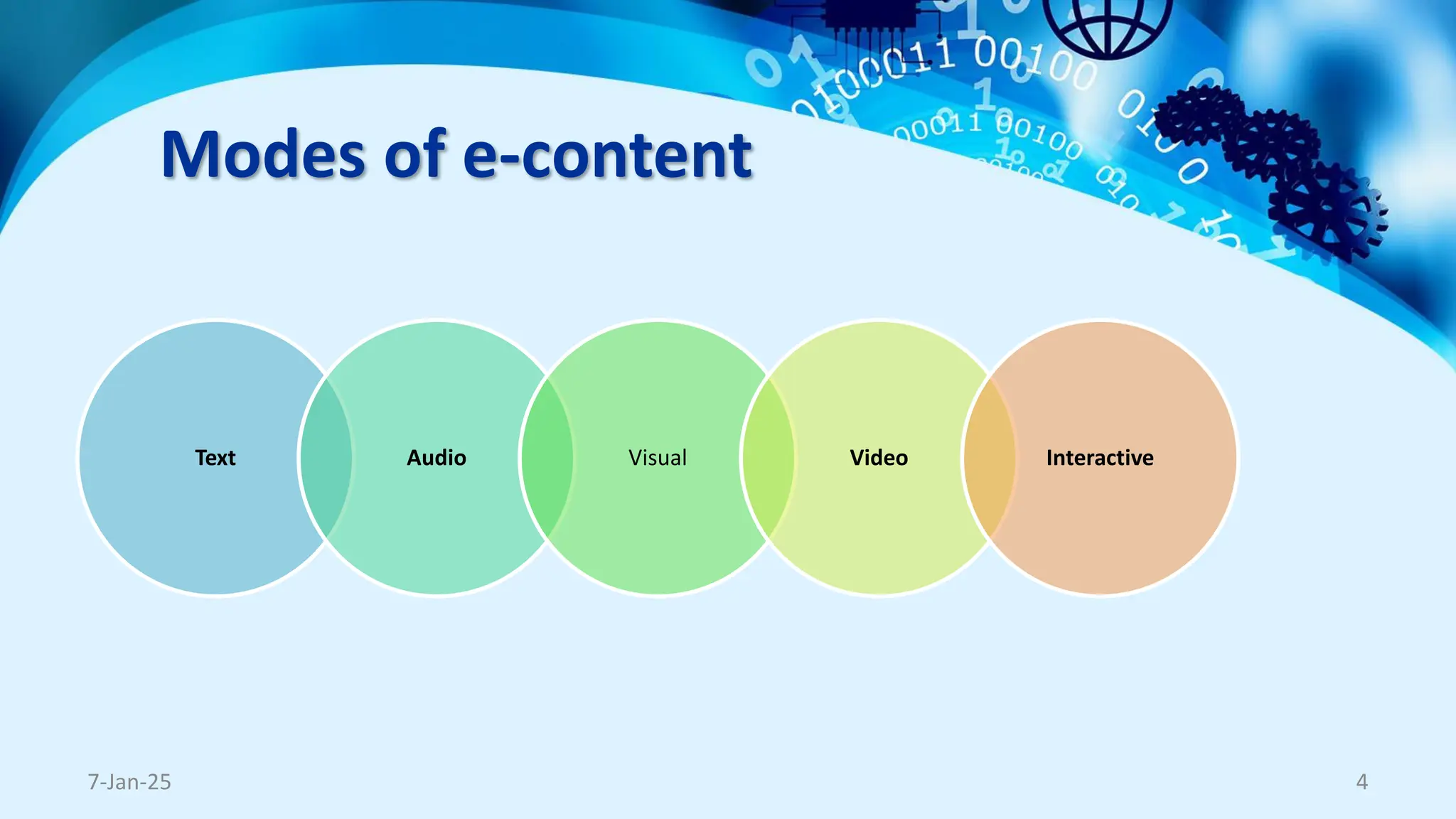
Modes of e-content
Text Audio Visual Video Interactive
7-Jan-25 4
Text-based Content
• E-books and PDFs: Digital books, articles, or
course materials shared in PDF or e-Pub format.
• Online Articles and Blogs: Web-based written
content for knowledge sharing or quick learning.
• Modules and Handouts: Structured text-based
materials designed for step-by-step learning.
• Interactive Documents: Text content combined
with hyperlinks, embedded videos, or
annotations.
7-Jan-25 5
Audio-based Content
• Podcasts: Audio recordings that cover
specific educational topics, lectures, or
discussions.
• Audiobooks: Books in audio form, ideal
for learners who prefer auditory learning.
• Recorded Lectures: Voice recordings of
teachers explaining concepts.
• Sound Bites: Short, focused audio pieces
to emphasize key concepts.
7-Jan-25 6
Visual Content
• Infographics: Visual representations of
information using graphics, charts, and
minimal text.
• Diagrams and Charts: Visual aids to explain
systems, processes, or data (e.g., flowcharts,
graphs).
• Images and Slides: Educational presentations
(e.g., PowerPoint slides) or curated images.
7-Jan-25 7
Video Content
• Recorded Video Lectures: Pre-recorded classes with
teachers explaining concepts.
• Demonstration Videos: Visual explanations of
processes, experiments, or skills.
• Animated Videos: Visual storytelling using 2D/3D
animations to simplify complex topics.
• Interactive Videos: Videos that allow learners to click,
choose, or answer questions within the video.
• Screen-casting Videos: Videos showing step-by-step
tutorials with a screen capture (e.g., software demos).
7-Jan-25 8
Interactive Content
• Quizzes and Assessments: Interactive tools
to test learners' knowledge with immediate
feedback.
• Simulations: Virtual environments that allow
learners to practice real-life scenarios safely.
• Gamified Content: Educational games or
activities that make learning fun and
engaging.
• Virtual Labs: Online labs for subjects like
science, programming, or engineering.
7-Jan-25 9
Platforms for e-content
7-Jan-25 10
Platforms for e-content
•Learning Management Systems (LMS)
Platforms like Moodle, Google Classroom, Canvas,
Blackboard allow teachers to upload, organize, and manage
e-content.
•Massive Open Online Course (MOOC) Platforms
Platforms like Coursera, edX, Udemy, SWAYAM, Future
Learn offer structured courses with videos, quizzes, and
assignments.
•Video-sharing Platforms
Platforms like YouTube, Vimeo, or TeacherTube allow
educators to upload recorded lectures, tutorials, and
demonstrations.
7-Jan-25 11
Platforms for e-content
•Virtual Classroom Platforms
Tools like Zoom, Microsoft Teams, Google Meet, Webex
support live teaching sessions and e-content sharing.
•Content Repository Platforms
Platforms like Open Educational Resources (OER),
National Digital Library of India (NDLI), UNESCO OER
Commons provide free-access e-content.
•Interactive E-learning Platforms
Platforms like Kahoot!, Quizlet, Nearpod, Edpuzzle, H5P
allow teachers to create interactive videos, quizzes, and
games.
7-Jan-25 12
Platforms for e-content
•Cloud-based Document Sharing Platforms
Tools like Google Drive, OneDrive, Dropbox enable
sharing of e-books, PDFs, presentations, and
multimedia content.
•Mobile Learning Applications
Apps provide subject-specific e-content accessible on
mobile devices.
•Collaborative Learning Platforms
Platforms like Padlet, Trello, Miro, Slack allow
interactive group work, sharing of e-content, and peer
collaboration.
7-Jan-25 13
Platforms for e-content
•Social Media Platforms
Platforms like Facebook Groups, WhatsApp, Telegram,
and Instagram are used to share e-content, videos, and
updates with students.
•Augmented and Virtual Reality Platforms
Tools like Google Expeditions, CoSpaces Edu, ClassVR
provide immersive e-content for interactive learning.
•E-book and Publishing Platforms
Platforms like Amazon Kindle, Book Creator, Scribd allow
sharing of e-books, notes, and other digital resources.
7-Jan-25 14
e-content Development
and
Cyber Security
7-Jan-25 15
Threats in E-Content Development
7-Jan-25 16
•Unauthorized Access - Hackers gaining access to e-
content or learning platforms without permission.
•Data Theft and Privacy Breaches - Personal data
(students' or teachers' information) being stolen or
misused.
•Malware and Viruses - Malicious software corrupting
devices or e-content files.
•Phishing Attacks -Fake emails or links tricking users into
sharing sensitive login credentials.
Threats in E-Content Development
7-Jan-25 17
•Content Piracy - Unauthorized duplication, sharing, or
selling of copyrighted e-content.
•Platform Downtime or Attacks - Distributed Denial of
Service (DDoS) attacks causing platforms to crash, affecting
accessibility.
•Insecure File Sharing - Sharing e-content through unsafe
or unencrypted platforms leading to data leaks.
•Lack of Version Control - Unintentional overwriting of
content, losing track of the latest versions.
e-content Development
and
Copyright
7-Jan-25 18
Copyright Precautions
•Create Original Content
•Use Copyright-Free and Licensed Resources
•Utilize resources under Creative Commons (CC) licenses
or public domain content.
•Platforms for copyright-free resources:
•Images: Unsplash, Pixabay, Pexels
•Videos: Vimeo, Pixabay Videos, Pexels Videos
•Music: Free Music Archive, Incompetech
•Text: Open Educational Resources (OER), Project
Gutenberg
7-Jan-25 19
Copyright Precautions
•Seek Permission for Third-Party Content
•Provide Proper Attribution
•Follow attribution guidelines when using
Creative Commons licensed content (e.g., cite the
author, title, and source).
•Use Licensed Software and Tools
•Watermark and Protect Original Content -
•Add digital watermarks, metadata, and copyright
notices to prevent unauthorized use.
7-Jan-25 20
Copyright Precautions
•Register Your Copyright
Protect your original e-content by registering it under
copyright laws.
•Include Copyright Disclaimers
Add disclaimers to your e-content stating it is for
educational use only and cannot be copied or distributed
without permission.
•Educate Stakeholders
Train teachers and students about copyright laws, fair
use, and the ethical use of e-content.
7-Jan-25 21
Fair Use Policies for Different Content Types
1.Images
•Limit to 1-2 images per source.
•Always provide proper attribution (source, creator).
2.Text
•Use only 10% or up to 1,000 words of a copyrighted text.
•Avoid copying substantial sections or the "heart" of the work.
•Properly cite the author, title, and publication details.
3.Drama or Performances
•Use only short excerpts (e.g., a scene, not the full play).
•Ensure it’s used for critique, commentary, or teaching purposes.
•Credit the original playwright or creator.
4.Videos
•Use up to 10% or 3 minutes, whichever is shorter, of a copyrighted video.
•Avoid altering the original content significantly.
•Always provide source attribution (title, creator, and platform).
7-Jan-25 22
E-content Development
and
Presentation
7-Jan-25 23
Presentation
•Use a Simple and Professional Design
•Avoid cluttered slides; use clean templates and
limited text.
•Font Style and Size
•Use clear, readable fonts (e.g., Arial, Calibri)
with a minimum size of 24 points.
•Consistent Color Scheme
7-Jan-25 24
Presentation
•Limit Text on Slides
•Use bullet points or keywords; avoid lengthy
paragraphs.
•High-Quality Images and Graphics
•Balanced Use of Animations and Transitions
•Avoid excessive effects; keep animations
smooth and minimal.
•Keep the blank place for the presenter
7-Jan-25 25
Presentation
•Align Content with Speaker Timing
•Add Visual Cues for Engagement
•Test Before Recording
•Practice with the PPT and speaker to ensure
smooth transitions and pacing.
•Audio and Video Quality
•Ensure clear microphone recording and
proper screen resolution (e.g., 1080p).
7-Jan-25 26
Presentation
•Add Branding and Titles
•Include your name, logo, slide titles,
and clear section breaks for clarity.
•End with a Call to Action
•Add closing slides with takeaways,
contact details, or further instructions.
7-Jan-25 27
E-content Development
and
Presenter
7-Jan-25 28
Tips for the Presenter
• Dress Professionally by considering background
• Maintain Good Posture and Body Language
• Speak Clearly and Confidently
• Make Eye Contact with the Camera
• Prepare and Rehearse
• Control Your Pace and Tone
• Keep a Smiling and Friendly Expression
7-Jan-25 29
Tips for the Presenter
• Ensure Proper Lighting
• Use a Good Quality Microphone
• Be Concise and Focused
• Use Visual Aids Effectively
• Engage the Audience
• Test Your Setup Before Recording
• Maintain a Professional Background
• End with a Strong Conclusion
7-Jan-25 30
E-content Development
and
Pedagogy
7-Jan-25 31
Pedagogical Principles
• Learner-Centered Approach - Focus on the needs,
interests, and learning styles of the audience.
• Interactivity - Include interactive elements like quizzes,
discussions, and simulations to engage learners.
• Multimedia Use - Combine text, visuals, audio, and
video to cater to different learning styles and enhance
understanding.
• Clear Objectives and Structure - Define clear learning
outcomes and organize content logically for easy
navigation.
• Accessibility and Usability - Ensure content is accessible
to all learners, including those with disabilities, by using
accessible designs and formats.
7-Jan-25 32
Andragogical Principles
•Self-Directed Learning - Adults prefer to
take responsibility for their own learning and
make decisions about their educational
paths.
•Prior Experience - Adult learners bring
valuable life and work experiences to the
learning process, which should be
acknowledged and built upon.
7-Jan-25 33
Andragogical Principles
•Readiness to Learn - Adults are motivated to learn when
the content is applicable to their personal or professional
life.
•Problem-Centered Learning - Adults prefer learning that
is practical and problem-focused, relating to real-life
challenges.
•Intrinsic Motivation - Adult learners are motivated by
internal factors such as personal growth, self-
improvement, and career development.
7-Jan-25 34
7-Jan-25 35
Thank You !!
Dr. Suresh G. Isave

e-Content Development and Educational Perspective.pdf

  • 1.
    E-content Development & Pedagogicalapproached Dr. Suresh G. Isave 7-Jan-25 1
  • 2.
    Concept of e-contentdevelopment • E-content is any digital content that can be accessed or interacted with through a computer network or electronic device. • It can include a variety of materials, such as: Text, Images, Graphics, Animation, Audio, Video, AR/VR, and Gamification elements. 7-Jan-25 2
  • 3.
    Need of e-content •Flexibility and Accessibility • Enhanced Engagement and Motivation • Practical Demonstration of Concepts • Supports Offline Learning with Supplementary Resources • Collaborative Learning Opportunities • Development of Digital Skills • Overcoming Offline Limitations • Tracking and Monitoring Learning • Cost-effective and Eco-friendly • Bridging the Gap During Interruptions 7-Jan-25 3
  • 4.
    Modes of e-content TextAudio Visual Video Interactive 7-Jan-25 4
  • 5.
    Text-based Content • E-booksand PDFs: Digital books, articles, or course materials shared in PDF or e-Pub format. • Online Articles and Blogs: Web-based written content for knowledge sharing or quick learning. • Modules and Handouts: Structured text-based materials designed for step-by-step learning. • Interactive Documents: Text content combined with hyperlinks, embedded videos, or annotations. 7-Jan-25 5
  • 6.
    Audio-based Content • Podcasts:Audio recordings that cover specific educational topics, lectures, or discussions. • Audiobooks: Books in audio form, ideal for learners who prefer auditory learning. • Recorded Lectures: Voice recordings of teachers explaining concepts. • Sound Bites: Short, focused audio pieces to emphasize key concepts. 7-Jan-25 6
  • 7.
    Visual Content • Infographics:Visual representations of information using graphics, charts, and minimal text. • Diagrams and Charts: Visual aids to explain systems, processes, or data (e.g., flowcharts, graphs). • Images and Slides: Educational presentations (e.g., PowerPoint slides) or curated images. 7-Jan-25 7
  • 8.
    Video Content • RecordedVideo Lectures: Pre-recorded classes with teachers explaining concepts. • Demonstration Videos: Visual explanations of processes, experiments, or skills. • Animated Videos: Visual storytelling using 2D/3D animations to simplify complex topics. • Interactive Videos: Videos that allow learners to click, choose, or answer questions within the video. • Screen-casting Videos: Videos showing step-by-step tutorials with a screen capture (e.g., software demos). 7-Jan-25 8
  • 9.
    Interactive Content • Quizzesand Assessments: Interactive tools to test learners' knowledge with immediate feedback. • Simulations: Virtual environments that allow learners to practice real-life scenarios safely. • Gamified Content: Educational games or activities that make learning fun and engaging. • Virtual Labs: Online labs for subjects like science, programming, or engineering. 7-Jan-25 9
  • 10.
  • 11.
    Platforms for e-content •LearningManagement Systems (LMS) Platforms like Moodle, Google Classroom, Canvas, Blackboard allow teachers to upload, organize, and manage e-content. •Massive Open Online Course (MOOC) Platforms Platforms like Coursera, edX, Udemy, SWAYAM, Future Learn offer structured courses with videos, quizzes, and assignments. •Video-sharing Platforms Platforms like YouTube, Vimeo, or TeacherTube allow educators to upload recorded lectures, tutorials, and demonstrations. 7-Jan-25 11
  • 12.
    Platforms for e-content •VirtualClassroom Platforms Tools like Zoom, Microsoft Teams, Google Meet, Webex support live teaching sessions and e-content sharing. •Content Repository Platforms Platforms like Open Educational Resources (OER), National Digital Library of India (NDLI), UNESCO OER Commons provide free-access e-content. •Interactive E-learning Platforms Platforms like Kahoot!, Quizlet, Nearpod, Edpuzzle, H5P allow teachers to create interactive videos, quizzes, and games. 7-Jan-25 12
  • 13.
    Platforms for e-content •Cloud-basedDocument Sharing Platforms Tools like Google Drive, OneDrive, Dropbox enable sharing of e-books, PDFs, presentations, and multimedia content. •Mobile Learning Applications Apps provide subject-specific e-content accessible on mobile devices. •Collaborative Learning Platforms Platforms like Padlet, Trello, Miro, Slack allow interactive group work, sharing of e-content, and peer collaboration. 7-Jan-25 13
  • 14.
    Platforms for e-content •SocialMedia Platforms Platforms like Facebook Groups, WhatsApp, Telegram, and Instagram are used to share e-content, videos, and updates with students. •Augmented and Virtual Reality Platforms Tools like Google Expeditions, CoSpaces Edu, ClassVR provide immersive e-content for interactive learning. •E-book and Publishing Platforms Platforms like Amazon Kindle, Book Creator, Scribd allow sharing of e-books, notes, and other digital resources. 7-Jan-25 14
  • 15.
  • 16.
    Threats in E-ContentDevelopment 7-Jan-25 16 •Unauthorized Access - Hackers gaining access to e- content or learning platforms without permission. •Data Theft and Privacy Breaches - Personal data (students' or teachers' information) being stolen or misused. •Malware and Viruses - Malicious software corrupting devices or e-content files. •Phishing Attacks -Fake emails or links tricking users into sharing sensitive login credentials.
  • 17.
    Threats in E-ContentDevelopment 7-Jan-25 17 •Content Piracy - Unauthorized duplication, sharing, or selling of copyrighted e-content. •Platform Downtime or Attacks - Distributed Denial of Service (DDoS) attacks causing platforms to crash, affecting accessibility. •Insecure File Sharing - Sharing e-content through unsafe or unencrypted platforms leading to data leaks. •Lack of Version Control - Unintentional overwriting of content, losing track of the latest versions.
  • 18.
  • 19.
    Copyright Precautions •Create OriginalContent •Use Copyright-Free and Licensed Resources •Utilize resources under Creative Commons (CC) licenses or public domain content. •Platforms for copyright-free resources: •Images: Unsplash, Pixabay, Pexels •Videos: Vimeo, Pixabay Videos, Pexels Videos •Music: Free Music Archive, Incompetech •Text: Open Educational Resources (OER), Project Gutenberg 7-Jan-25 19
  • 20.
    Copyright Precautions •Seek Permissionfor Third-Party Content •Provide Proper Attribution •Follow attribution guidelines when using Creative Commons licensed content (e.g., cite the author, title, and source). •Use Licensed Software and Tools •Watermark and Protect Original Content - •Add digital watermarks, metadata, and copyright notices to prevent unauthorized use. 7-Jan-25 20
  • 21.
    Copyright Precautions •Register YourCopyright Protect your original e-content by registering it under copyright laws. •Include Copyright Disclaimers Add disclaimers to your e-content stating it is for educational use only and cannot be copied or distributed without permission. •Educate Stakeholders Train teachers and students about copyright laws, fair use, and the ethical use of e-content. 7-Jan-25 21
  • 22.
    Fair Use Policiesfor Different Content Types 1.Images •Limit to 1-2 images per source. •Always provide proper attribution (source, creator). 2.Text •Use only 10% or up to 1,000 words of a copyrighted text. •Avoid copying substantial sections or the "heart" of the work. •Properly cite the author, title, and publication details. 3.Drama or Performances •Use only short excerpts (e.g., a scene, not the full play). •Ensure it’s used for critique, commentary, or teaching purposes. •Credit the original playwright or creator. 4.Videos •Use up to 10% or 3 minutes, whichever is shorter, of a copyrighted video. •Avoid altering the original content significantly. •Always provide source attribution (title, creator, and platform). 7-Jan-25 22
  • 23.
  • 24.
    Presentation •Use a Simpleand Professional Design •Avoid cluttered slides; use clean templates and limited text. •Font Style and Size •Use clear, readable fonts (e.g., Arial, Calibri) with a minimum size of 24 points. •Consistent Color Scheme 7-Jan-25 24
  • 25.
    Presentation •Limit Text onSlides •Use bullet points or keywords; avoid lengthy paragraphs. •High-Quality Images and Graphics •Balanced Use of Animations and Transitions •Avoid excessive effects; keep animations smooth and minimal. •Keep the blank place for the presenter 7-Jan-25 25
  • 26.
    Presentation •Align Content withSpeaker Timing •Add Visual Cues for Engagement •Test Before Recording •Practice with the PPT and speaker to ensure smooth transitions and pacing. •Audio and Video Quality •Ensure clear microphone recording and proper screen resolution (e.g., 1080p). 7-Jan-25 26
  • 27.
    Presentation •Add Branding andTitles •Include your name, logo, slide titles, and clear section breaks for clarity. •End with a Call to Action •Add closing slides with takeaways, contact details, or further instructions. 7-Jan-25 27
  • 28.
  • 29.
    Tips for thePresenter • Dress Professionally by considering background • Maintain Good Posture and Body Language • Speak Clearly and Confidently • Make Eye Contact with the Camera • Prepare and Rehearse • Control Your Pace and Tone • Keep a Smiling and Friendly Expression 7-Jan-25 29
  • 30.
    Tips for thePresenter • Ensure Proper Lighting • Use a Good Quality Microphone • Be Concise and Focused • Use Visual Aids Effectively • Engage the Audience • Test Your Setup Before Recording • Maintain a Professional Background • End with a Strong Conclusion 7-Jan-25 30
  • 31.
  • 32.
    Pedagogical Principles • Learner-CenteredApproach - Focus on the needs, interests, and learning styles of the audience. • Interactivity - Include interactive elements like quizzes, discussions, and simulations to engage learners. • Multimedia Use - Combine text, visuals, audio, and video to cater to different learning styles and enhance understanding. • Clear Objectives and Structure - Define clear learning outcomes and organize content logically for easy navigation. • Accessibility and Usability - Ensure content is accessible to all learners, including those with disabilities, by using accessible designs and formats. 7-Jan-25 32
  • 33.
    Andragogical Principles •Self-Directed Learning- Adults prefer to take responsibility for their own learning and make decisions about their educational paths. •Prior Experience - Adult learners bring valuable life and work experiences to the learning process, which should be acknowledged and built upon. 7-Jan-25 33
  • 34.
    Andragogical Principles •Readiness toLearn - Adults are motivated to learn when the content is applicable to their personal or professional life. •Problem-Centered Learning - Adults prefer learning that is practical and problem-focused, relating to real-life challenges. •Intrinsic Motivation - Adult learners are motivated by internal factors such as personal growth, self- improvement, and career development. 7-Jan-25 34
  • 35.
    7-Jan-25 35 Thank You!! Dr. Suresh G. Isave