Digital Writing
Workshop
Making It Work for Students and for You
Join the conversation at:
http://todaysmeet.com/DWPGoesDigital
Our Objectives
• Define what constitutes digital writing.
• Look at what it means to be a digital
writer.
• Explore tools and resources for digital
writing.
• Share information and ideas.
What is Digital Writing?
Define digital writing in your own words.
Share your thoughts at:
http://todaysmeet.com/DWPGoesDigital
What Does the Common
Core Say?
• CCSS.ELA-Literacy.W.8.2a Introduce a topic clearly, previewing what is to follow; organize
ideas, concepts, and information into broader categories; include formatting (e.g., headings),
graphics (e.g., charts, tables), and multimedia when useful to aiding comprehension.
• CCSS.ELA-Literacy.W.8.6 Use technology, including the Internet, to produce and publish
writing and present the relationships between information and ideas efficiently as well as to
interact and collaborate with others.
• CCSS.ELA-Literacy.W.8.8 Gather relevant information from multiple print and digital
sources, using search terms effectively; assess the credibility and accuracy of each source;
and quote or paraphrase the data and conclusions of others while avoiding plagiarism and
following a standard format for citation.
• CCSS.ELA-Literacy.SL.8.2 Analyze the purpose of information presented in diverse media
and formats (e.g., visually, quantitatively, orally) and evaluate the motives (e.g., social,
commercial, political) behind its presentation.
• CCSS.ELA-Literacy.SL.8.5 Integrate multimedia and visual displays into presentations
to clarify information, strengthen claims and evidence, and add interest.
• CCSS.ELA-Literacy.RH.6-8.7 Integrate visual information (e.g., in charts, graphs,
photographs, videos, or maps) with other information in print and digital texts.
• CCSS.ELA-Literacy.RST.6-8.9 Compare and contrast the information gained from
experiments, simulations, video, or multimedia sources with that gained from reading a
text on the same topic
What role does
technology play in
your writing process?
In your writing
classroom?
Turn and talk
Turn and talk
http://www.mindomo.com/edit/cd090a179f994371b33e023
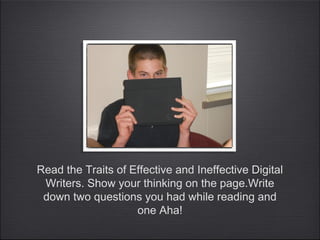
Read the Traits of Effective and Ineffective Digital
Writers. Show your thinking on the page.Write
down two questions you had while reading and
one Aha!
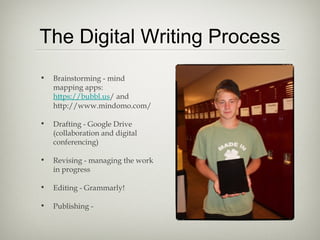
The Digital Writing Process
• Brainstorming - mind
mapping apps:
https://bubbl.us/ and
http://www.mindomo.com/
• Drafting - Google Drive
(collaboration and digital
conferencing)
• Revising - managing the work
in progress
• Editing - Grammarly!
• Publishing -
Beyond the Essay
Beyond the Essay
• Screenplays (The Beating and
Slenderman)
• Podcasts (Caden and ??)
• Public Service Announcements
• Blogs and Wikis
Managing the Digital Paper
Trail
• Email folders
• Google groups
• Spreadsheets
• Evernote
Tools for Teachers
• Socrative.com (requires at least two devices)- ticket out, quick response, tests (will
grade multiple choice)
• NearPod - interactive slide shows controlled by teacher
• Google apps
• Slideshare.net
• Spreaker DJ or Spreaker.com - record podcasts, create playlists etc.
• iMovie
• Wikispaces
• Media Education Lab (great resource for Fair Use information!)
mediaeducationlab.com
• Grammarly
• bubbl.us
Respond
• Write your thoughts about the
digitization of classrooms on Padlet.
Include how your thinking has changed
or solidified based on the presentation.
• Follow this link to the response wall:
• http://padlet.com/wall/by7fyhlddq
More Information
• You can access my presentation at
http://www.slideshare.net/katevenson/dwp-demo
• I highly recommend Troy Hick’s book The Digital Writing Workshop
(published by Heinemann 2009) and his website www.hickstro.org
and http://digitalwritingworkshop.wikispaces.com/home
• Information on Fair Use: http://mediaeducationlab.com/code-best-
practices-fair-use-media-literacy-education

Digital Writing Workshop

  • 1.
    Digital Writing Workshop Making ItWork for Students and for You Join the conversation at: http://todaysmeet.com/DWPGoesDigital
  • 2.
    Our Objectives • Definewhat constitutes digital writing. • Look at what it means to be a digital writer. • Explore tools and resources for digital writing. • Share information and ideas.
  • 3.
    What is DigitalWriting? Define digital writing in your own words. Share your thoughts at: http://todaysmeet.com/DWPGoesDigital
  • 4.
    What Does theCommon Core Say? • CCSS.ELA-Literacy.W.8.2a Introduce a topic clearly, previewing what is to follow; organize ideas, concepts, and information into broader categories; include formatting (e.g., headings), graphics (e.g., charts, tables), and multimedia when useful to aiding comprehension. • CCSS.ELA-Literacy.W.8.6 Use technology, including the Internet, to produce and publish writing and present the relationships between information and ideas efficiently as well as to interact and collaborate with others. • CCSS.ELA-Literacy.W.8.8 Gather relevant information from multiple print and digital sources, using search terms effectively; assess the credibility and accuracy of each source; and quote or paraphrase the data and conclusions of others while avoiding plagiarism and following a standard format for citation. • CCSS.ELA-Literacy.SL.8.2 Analyze the purpose of information presented in diverse media and formats (e.g., visually, quantitatively, orally) and evaluate the motives (e.g., social, commercial, political) behind its presentation. • CCSS.ELA-Literacy.SL.8.5 Integrate multimedia and visual displays into presentations to clarify information, strengthen claims and evidence, and add interest. • CCSS.ELA-Literacy.RH.6-8.7 Integrate visual information (e.g., in charts, graphs, photographs, videos, or maps) with other information in print and digital texts. • CCSS.ELA-Literacy.RST.6-8.9 Compare and contrast the information gained from experiments, simulations, video, or multimedia sources with that gained from reading a text on the same topic
  • 5.
    What role does technologyplay in your writing process? In your writing classroom? Turn and talk Turn and talk
  • 6.
  • 7.
    Read the Traitsof Effective and Ineffective Digital Writers. Show your thinking on the page.Write down two questions you had while reading and one Aha!
  • 8.
    The Digital WritingProcess • Brainstorming - mind mapping apps: https://bubbl.us/ and http://www.mindomo.com/ • Drafting - Google Drive (collaboration and digital conferencing) • Revising - managing the work in progress • Editing - Grammarly! • Publishing -
  • 9.
    Beyond the Essay Beyondthe Essay • Screenplays (The Beating and Slenderman) • Podcasts (Caden and ??) • Public Service Announcements • Blogs and Wikis
  • 10.
    Managing the DigitalPaper Trail • Email folders • Google groups • Spreadsheets • Evernote
  • 11.
    Tools for Teachers •Socrative.com (requires at least two devices)- ticket out, quick response, tests (will grade multiple choice) • NearPod - interactive slide shows controlled by teacher • Google apps • Slideshare.net • Spreaker DJ or Spreaker.com - record podcasts, create playlists etc. • iMovie • Wikispaces • Media Education Lab (great resource for Fair Use information!) mediaeducationlab.com • Grammarly • bubbl.us
  • 12.
    Respond • Write yourthoughts about the digitization of classrooms on Padlet. Include how your thinking has changed or solidified based on the presentation. • Follow this link to the response wall: • http://padlet.com/wall/by7fyhlddq
  • 13.
    More Information • Youcan access my presentation at http://www.slideshare.net/katevenson/dwp-demo • I highly recommend Troy Hick’s book The Digital Writing Workshop (published by Heinemann 2009) and his website www.hickstro.org and http://digitalwritingworkshop.wikispaces.com/home • Information on Fair Use: http://mediaeducationlab.com/code-best- practices-fair-use-media-literacy-education