Microsoft include a feature called Virtual Dos
Machine (VDM) to handle the DOS based
application in Windows environment. This helped
the users to work with their legacy applications
while taking the advantages of new GUI based
operating system. In this section we’ve discussed
about the basic DOS commands which can be
executed from Windows Command prompt.
C:, D:, E:, A:
Used to change the drive of the system.
Dir
Used to display a list of files in a particular
directory.
MD
Used to create the folder or directory file.
CD
Used to open the folder or directory file.
DOS Commands
Rename
Used to rename the file or Directory file.
RD
Used to delete the Directory files or Folders.
 Copy con
Used to create the file.
 Ctrl+z or F6
Used to save the file.
 CD..
Used to step by step exit from the directory file.
Type
Used to open the file.
Del
Used to delete the file.
 CD
Used to direct exit from the directory file.
Copy
Used to copy the file.
Move
Used to Move the file.
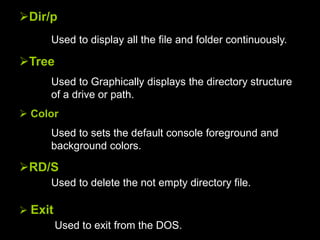
Dir/p
Used to display all the file and folder continuously.
Tree
Used to Graphically displays the directory structure
of a drive or path.
 Color
Used to sets the default console foreground and
background colors.
RD/S
Used to delete the not empty directory file.
 Exit
Used to exit from the DOS.
cls
Used to clear the screen.
Date
Used to display the Date.
 Time
Used to display the Time.
Dir/o:n
Used to display the files and folders by ascending
order.
 Dir/o:-n
Used to display the files and folders by descending
order.

Dos

  • 2.
    Microsoft include afeature called Virtual Dos Machine (VDM) to handle the DOS based application in Windows environment. This helped the users to work with their legacy applications while taking the advantages of new GUI based operating system. In this section we’ve discussed about the basic DOS commands which can be executed from Windows Command prompt.
  • 3.
    C:, D:, E:,A: Used to change the drive of the system. Dir Used to display a list of files in a particular directory. MD Used to create the folder or directory file. CD Used to open the folder or directory file. DOS Commands
  • 4.
    Rename Used to renamethe file or Directory file. RD Used to delete the Directory files or Folders.  Copy con Used to create the file.  Ctrl+z or F6 Used to save the file.  CD.. Used to step by step exit from the directory file.
  • 5.
    Type Used to openthe file. Del Used to delete the file.  CD Used to direct exit from the directory file. Copy Used to copy the file. Move Used to Move the file.
  • 6.
    Dir/p Used to displayall the file and folder continuously. Tree Used to Graphically displays the directory structure of a drive or path.  Color Used to sets the default console foreground and background colors. RD/S Used to delete the not empty directory file.  Exit Used to exit from the DOS.
  • 7.
    cls Used to clearthe screen. Date Used to display the Date.  Time Used to display the Time. Dir/o:n Used to display the files and folders by ascending order.  Dir/o:-n Used to display the files and folders by descending order.