
Docker 101 and Why Docker Powers Eclipse Che
Patrick Chanezon, Docker
French
Polyglot
Platforms
Software Plumber
San Francisco
Developer Relations
@chanezon
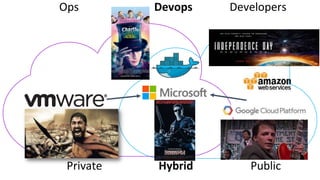
PublicHybridPrivate
Ops Devops Developers
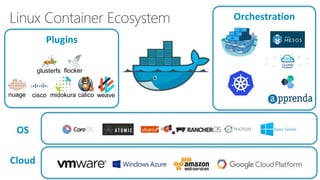
Linux Container Ecosystem
flockerglusterfs
weavecalicomidokuracisconuage
Cloud
OS
Plugins
Orchestration
The world needs
tools of mass innovation
A programmable Internet would be the ultimate
tool of mass innovation
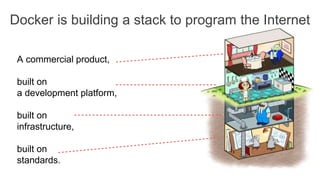
A commercial product,
built on
a development platform,
built on
infrastructure,
built on
standards.
Docker is building a stack to program the Internet
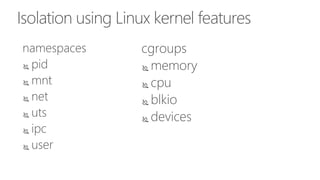
Isolation using Linux kernel features
namespaces
 pid
 mnt
 net
 uts
 ipc
 user
cgroups
 memory
 cpu
 blkio
 devices
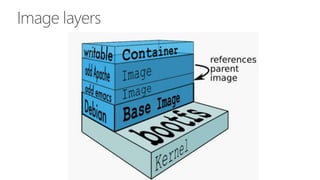
Image layers
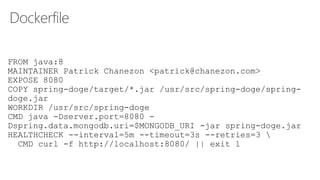
Dockerfile
FROM java:8
MAINTAINER Patrick Chanezon <patrick@chanezon.com>
EXPOSE 8080
COPY spring-doge/target/*.jar /usr/src/spring-doge/spring-
doge.jar
WORKDIR /usr/src/spring-doge
CMD java -Dserver.port=8080 -
Dspring.data.mongodb.uri=$MONGODB_URI -jar spring-doge.jar
HEALTHCHECK --interval=5m --timeout=3s --retries=3 
CMD curl -f http://localhost:8080/ || exit 1
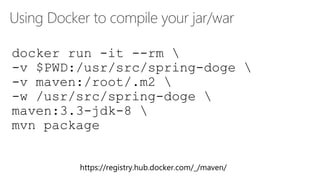
Using Docker to compile your jar/war
https://registry.hub.docker.com/_/maven/
docker run -it --rm 
-v $PWD:/usr/src/spring-doge 
-v maven:/root/.m2 
-w /usr/src/spring-doge 
maven:3.3-jdk-8 
mvn package
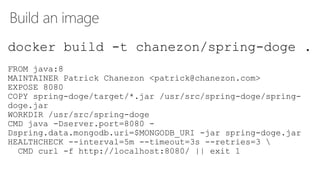
Build an image
docker build -t chanezon/spring-doge .
FROM java:8
MAINTAINER Patrick Chanezon <patrick@chanezon.com>
EXPOSE 8080
COPY spring-doge/target/*.jar /usr/src/spring-doge/spring-
doge.jar
WORKDIR /usr/src/spring-doge
CMD java -Dserver.port=8080 -
Dspring.data.mongodb.uri=$MONGODB_URI -jar spring-doge.jar
HEALTHCHECK --interval=5m --timeout=3s --retries=3 
CMD curl -f http://localhost:8080/ || exit 1
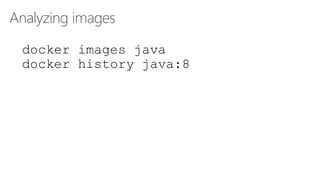
Analyzing images
docker images java
docker history java:8
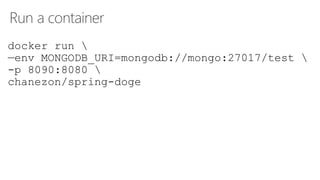
Run a container
docker run 
—env MONGODB_URI=mongodb://mongo:27017/test 
-p 8090:8080 
chanezon/spring-doge
docker-compose: running multiple containers
 Run your stack with one command: docker-compose up
 Describe your stack with one file: docker-compose.yml
version: '2'
services:
web:
image: chanezon/spring-doge
ports:
- "8080:8080"
links: ["mongo"]
environment:
- MONGODB_URI=mongodb://mongo:27017/test
mongo:
image: mongo
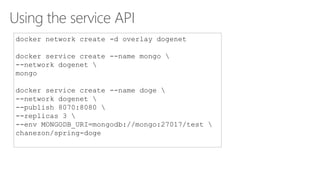
Using the service API
docker network create -d overlay dogenet
docker service create --name mongo 
--network dogenet 
mongo
docker service create --name doge 
--network dogenet 
--publish 8070:8080 
--replicas 3 
--env MONGODB_URI=mongodb://mongo:27017/test 
chanezon/spring-doge
Demo
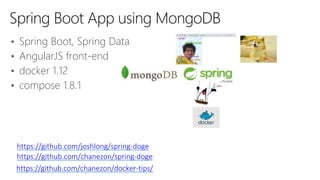
• Spring Boot, Spring Data
• AngularJS front-end
• docker 1.12
• compose 1.8.1
Spring Boot App using MongoDB
https://github.com/joshlong/spring-doge
https://github.com/chanezon/docker-tips/
https://github.com/chanezon/spring-doge
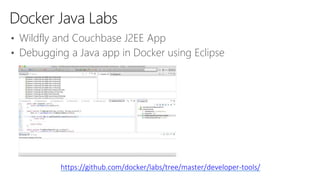
Docker Java Labs
https://github.com/docker/labs/tree/master/developer-tools/
• Wildfly and Couchbase J2EE App
• Debugging a Java app in Docker using Eclipse
What’s New?
1.
Developer experience
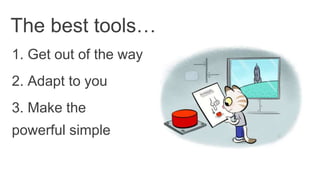
1. Get out of the way
The best tools…
2. Adapt to you
3. Make the
powerful simple
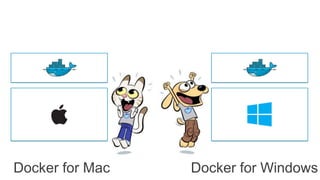
Docker for Mac Docker for Windows
2.
Orchestration
ng the best way to orchestrate Docke
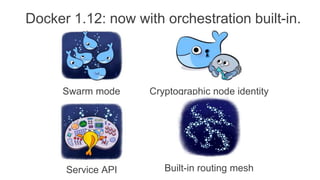
Docker 1.12: now with orchestration built-in.
Swarm mode
Service API
Cryptographic node identity
Built-in routing mesh
Docker 1.12: now with orchestration built-in.
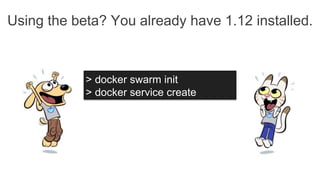
Using the beta? You already have 1.12 installed.
> docker swarm init
> docker service create
3.
Ops experience
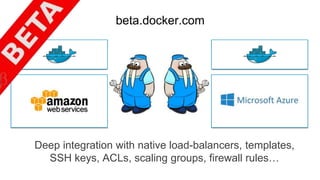
Deep integration with native load-balancers, templates,
SSH keys, ACLs, scaling groups, firewall rules…
beta.docker.com
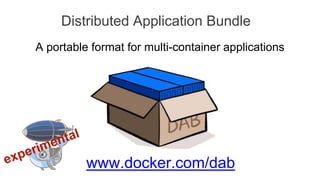
Distributed Application Bundle
www.docker.com/dab
A portable format for multi-container applications
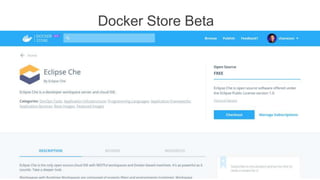
Docker Store Beta
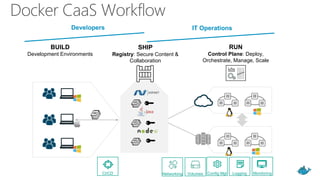
Docker CaaS
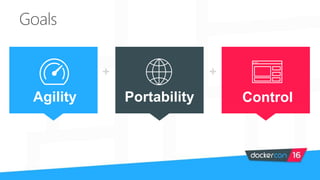
Goals
+ +
Agility Portability Control
BUILD
Development Environments
SHIP
Registry: Secure Content &
Collaboration
RUN
Control Plane: Deploy,
Orchestrate, Manage, Scale
Networking Volumes MonitoringLoggingConfig MgtCI/CD
IT Operations
Developers IT Operations
Docker CaaS Workflow
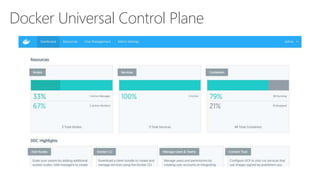
Docker Universal Control Plane
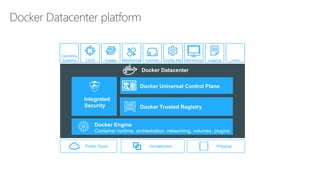
Integrated
Security
Docker Engine
Container runtime, orchestration, networking, volumes, plugins
Docker Trusted Registry
Operating
Systems Config Mgt Monitoring LoggingCI/CD ..more..Images Networking Volumes
VirtualizationPublic Cloud Physical
Docker Datacenter
Docker Datacenter platform
Docker Universal Control Plane
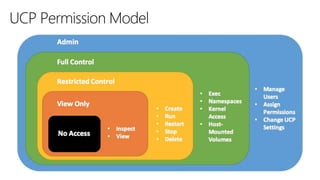
UCP Permission Model
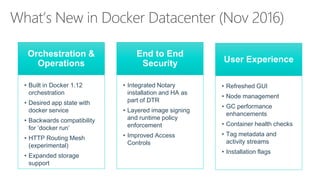
What’s New in Docker Datacenter (Nov 2016)
Orchestration &
Operations
• Built in Docker 1.12
orchestration
• Desired app state with
docker service
• Backwards compatibility
for ‘docker run’
• HTTP Routing Mesh
(experimental)
• Expanded storage
support
End to End
Security
• Integrated Notary
installation and HA as
part of DTR
• Layered image signing
and runtime policy
enforcement
• Improved Access
Controls
User Experience
• Refreshed GUI
• Node management
• GC performance
enhancements
• Container health checks
• Tag metadata and
activity streams
• Installation flags
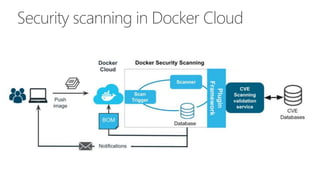
Security scanning in Docker Cloud
Thank You
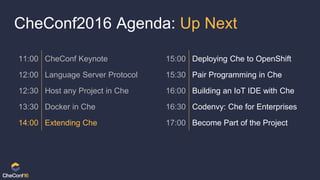
CheConf2016 Agenda: Up Next
11:00 CheConf Keynote 15:00 Deploying Che to OpenShift
12:00 Language Server Protocol 15:30 Pair Programming in Che
12:30 Host any Project in Che 16:00 Building an IoT IDE with Che
13:30 Docker in Che 16:30 Codenvy: Che for Enterprises
14:00 Extending Che 17:00 Become Part of the Project

Docker 101 Checonf 2016

Editor's Notes

  • #36 Local development environments Self service app images Build, Test, Deploy applications Define app behavior and infra needs Registry services for image storage, management and distribution IT Ops maintains library of secure base content Manage role based access to repos/images Management consoles Provision, manage infrastructure resources Monitor, manage, scale infrastructure and applications