Iter
13 Julio, 2016
Salvador Rodríguez Dávila
@srdzdv
Contenido
1. ¿Por qué iter?
2. Arquitectura
3. frameworks
4. google maps sdk
5. websockets
6. parse
7. openpay
¿Por qué iter?
Precio
ecología
equidad
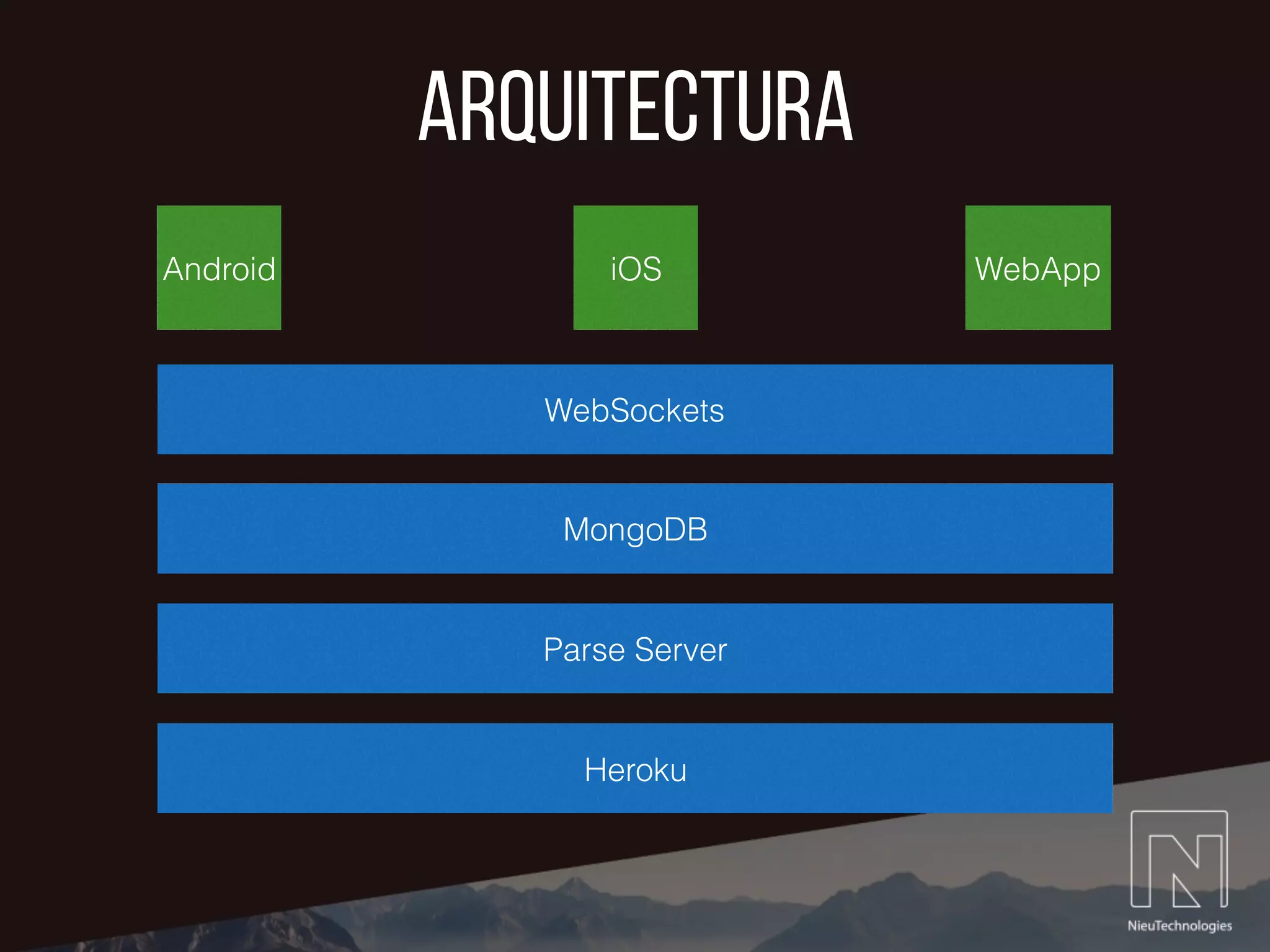
Arquitectura
iOSAndroid WebApp
WebSockets
Parse Server
MongoDB
Heroku
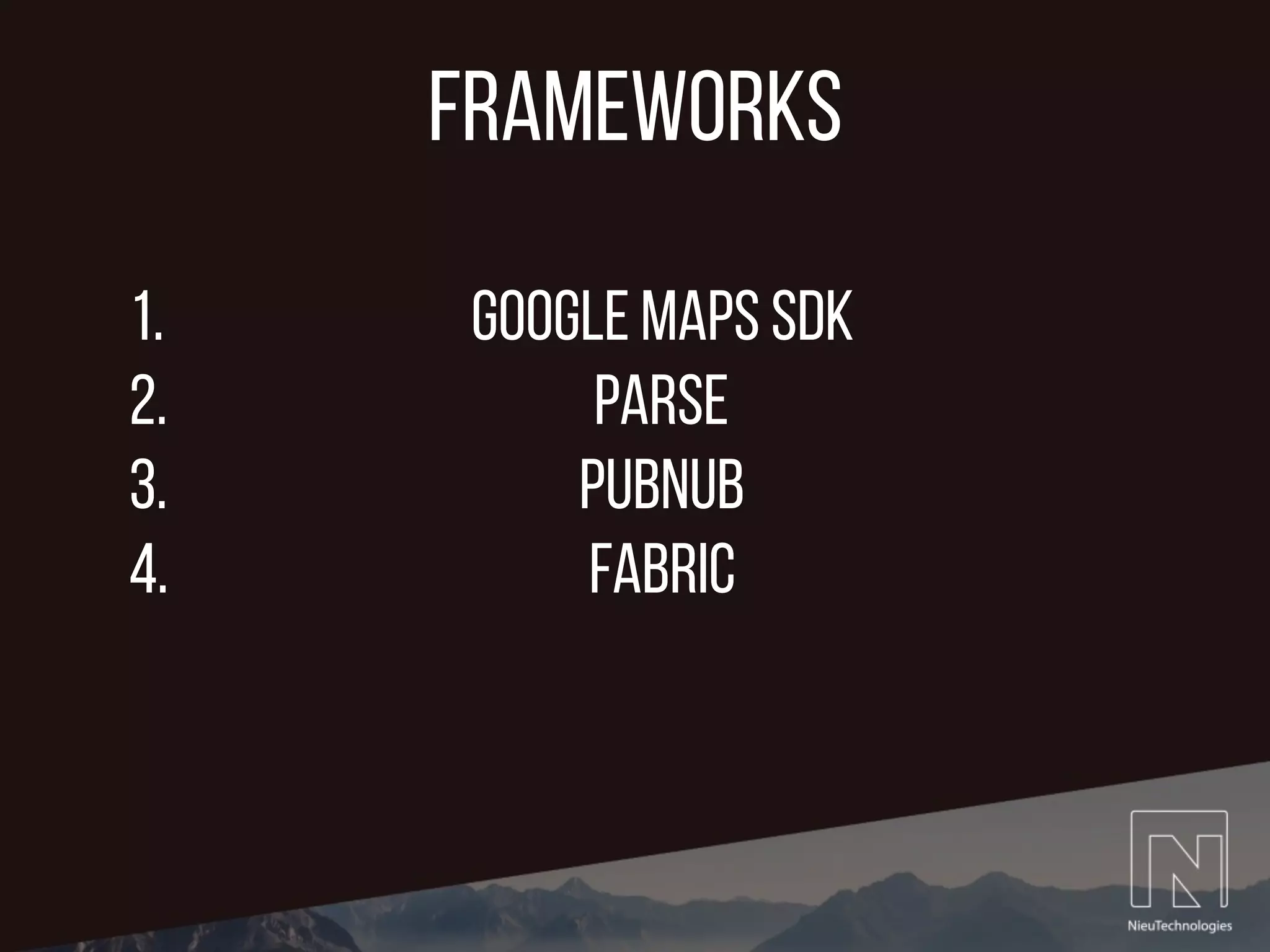
frameworks
1. Google Maps SDK
2. Parse
3. PubNub
4. Fabric
CLLocationmanager
@autoreleasepool {
@try {
// Init locationManager to start getting Current position
locationManager = [[CLLocationManager alloc] init];
// Set the delegate
locationManager.delegate = self;
// Request location authorization
[locationManager requestAlwaysAuthorization];
[locationManager requestWhenInUseAuthorization];
// Set an accuracy level.
locationManager.desiredAccuracy = kCLLocationAccuracyBest;
// Specify the type of activity your app is currently performing
locationManager.activityType = CLActivityTypeAutomotiveNavigation;
// Enable background location updates
locationManager.allowsBackgroundLocationUpdates = YES;
// Start location updates
[locationManager startUpdatingLocation];
}
@catch (NSException *exception){
UIAlertController *simpleAlert = [UIAlertController alertControllerWithTitle:@"Iter necesita permisos de
ubicación" message:@"Por favor habilita los servicios de ubicación de tu dispositivo para continuar."
preferredStyle:UIAlertControllerStyleAlert];
[simpleAlert addAction:[UIAlertAction actionWithTitle:@"Ok" style:UIAlertActionStyleDefault handler:nil]];
[self presentViewController:simpleAlert animated:YES completion:nil];
}
} // autoreleasepool
Inicializar location manager
CLLocationmanager
// This method gets called everytime the device changes geographical position. It updates various global location
variables
- (void)locationManager:(CLLocationManager *)manager didUpdateLocations:(NSArray<CLLocation *> *)locations {
CLLocation *newLocation = [locations lastObject];
currentLongitud = newLocation.coordinate.longitude;
currentLatitude = newLocation.coordinate.latitude;
//NSLog(@"Current Position: LONG: %f, LAT: %f", newLocation.coordinate.longitude, newLocation.coordinate.latitude);
camera = [GMSCameraPosition cameraWithLatitude:currentLatitude
longitude:currentLongitud
zoom:15];
greenMarker.position = CLLocationCoordinate2DMake(currentLatitude, currentLongitud);
confirmedChoferMarker.position = CLLocationCoordinate2DMake(currentLatitude, currentLongitud);
if (currentTrip) {
NSDate* eventDate = newLocation.timestamp;
NSTimeInterval howRecent = [eventDate timeIntervalSinceNow];
if (fabs(howRecent) < 15.0) { // increase time to more than one second
GMSCameraUpdate *locationUpdate = [GMSCameraUpdate setTarget:newLocation.coordinate zoom:15];
[self.mapView animateWithCameraUpdate:locationUpdate];
}
}
}
did update locations
google maps sdk
• Maps SDK for iOS
• Maps Geocoding API
• Maps Directions API
google maps sdk
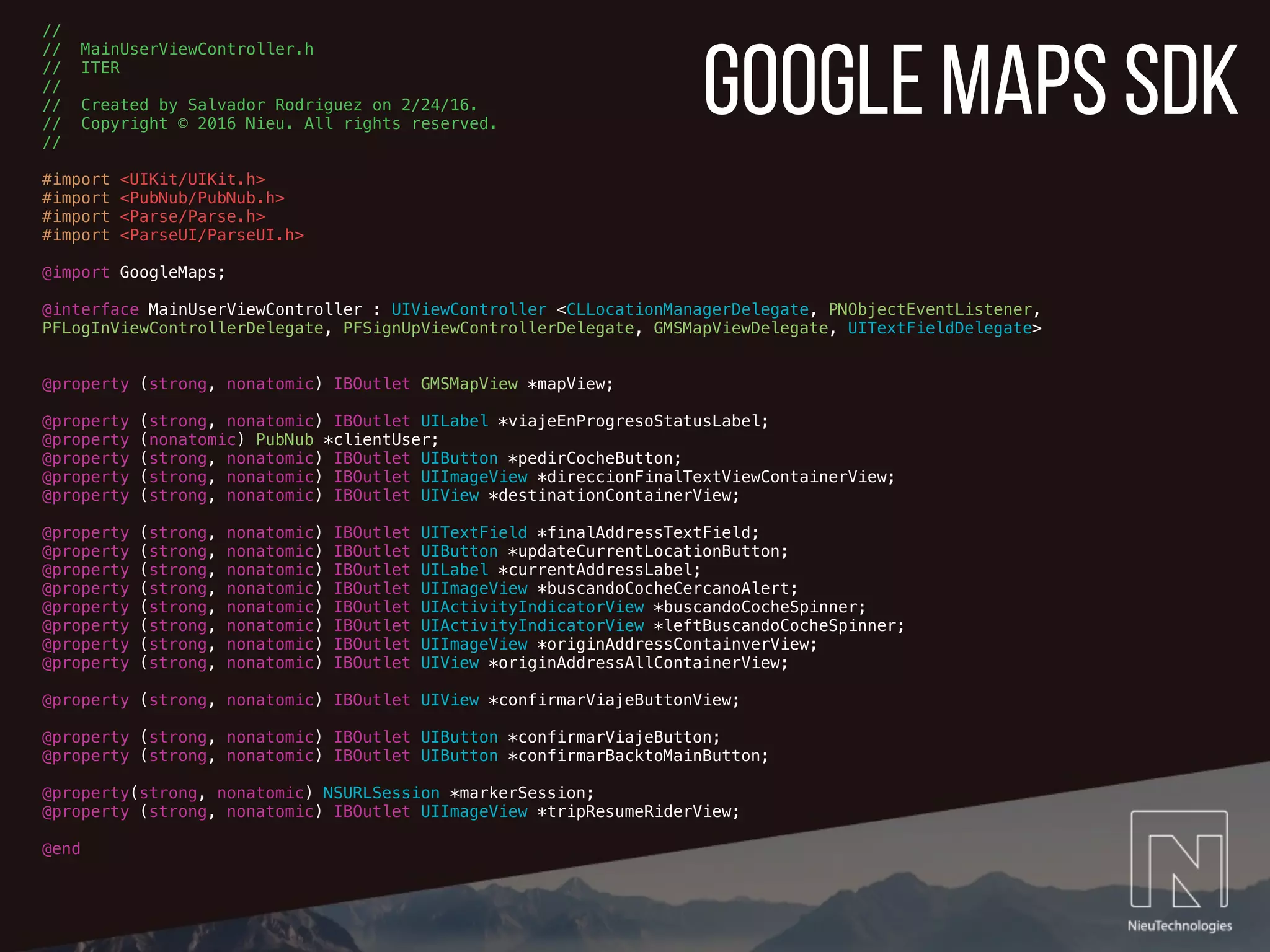
//
// MainUserViewController.h
// ITER
//
// Created by Salvador Rodriguez on 2/24/16.
// Copyright © 2016 Nieu. All rights reserved.
//
#import <UIKit/UIKit.h>
#import <PubNub/PubNub.h>
#import <Parse/Parse.h>
#import <ParseUI/ParseUI.h>
@import GoogleMaps;
@interface MainUserViewController : UIViewController <CLLocationManagerDelegate, PNObjectEventListener,
PFLogInViewControllerDelegate, PFSignUpViewControllerDelegate, GMSMapViewDelegate, UITextFieldDelegate>
@property (strong, nonatomic) IBOutlet GMSMapView *mapView;
@property (strong, nonatomic) IBOutlet UILabel *viajeEnProgresoStatusLabel;
@property (nonatomic) PubNub *clientUser;
@property (strong, nonatomic) IBOutlet UIButton *pedirCocheButton;
@property (strong, nonatomic) IBOutlet UIImageView *direccionFinalTextViewContainerView;
@property (strong, nonatomic) IBOutlet UIView *destinationContainerView;
@property (strong, nonatomic) IBOutlet UITextField *finalAddressTextField;
@property (strong, nonatomic) IBOutlet UIButton *updateCurrentLocationButton;
@property (strong, nonatomic) IBOutlet UILabel *currentAddressLabel;
@property (strong, nonatomic) IBOutlet UIImageView *buscandoCocheCercanoAlert;
@property (strong, nonatomic) IBOutlet UIActivityIndicatorView *buscandoCocheSpinner;
@property (strong, nonatomic) IBOutlet UIActivityIndicatorView *leftBuscandoCocheSpinner;
@property (strong, nonatomic) IBOutlet UIImageView *originAddressContainverView;
@property (strong, nonatomic) IBOutlet UIView *originAddressAllContainerView;
@property (strong, nonatomic) IBOutlet UIView *confirmarViajeButtonView;
@property (strong, nonatomic) IBOutlet UIButton *confirmarViajeButton;
@property (strong, nonatomic) IBOutlet UIButton *confirmarBacktoMainButton;
@property(strong, nonatomic) NSURLSession *markerSession;
@property (strong, nonatomic) IBOutlet UIImageView *tripResumeRiderView;
@end
google maps sdk
- (void)viewDidLoad {
// Init Google Maps View
self.mapView.delegate = self;
// Init Google Maps Camera Object with device's currrent location
camera = [GMSCameraPosition cameraWithLatitude:currentLatitude
longitude:currentLongitud
zoom:14]; // default = 15
[self.mapView setCamera:camera];
// Creates a marker in the center of the map.
greenMarker = [[GMSMarker alloc] init];
greenMarker.icon = [UIImage imageNamed:@"centerPositionMapDot"];
greenMarker.map = self.mapView;
destinationMarker = [[GMSMarker alloc] init];
// Driver marker init
chofer1Marker = [[GMSMarker alloc] init];
chofer1Marker.icon = [UIImage imageNamed:@"basicCarIconBlack"];
chofer1Marker.map = self.mapView;
}
Inicializar Mapa y custom markers
google maps sdk
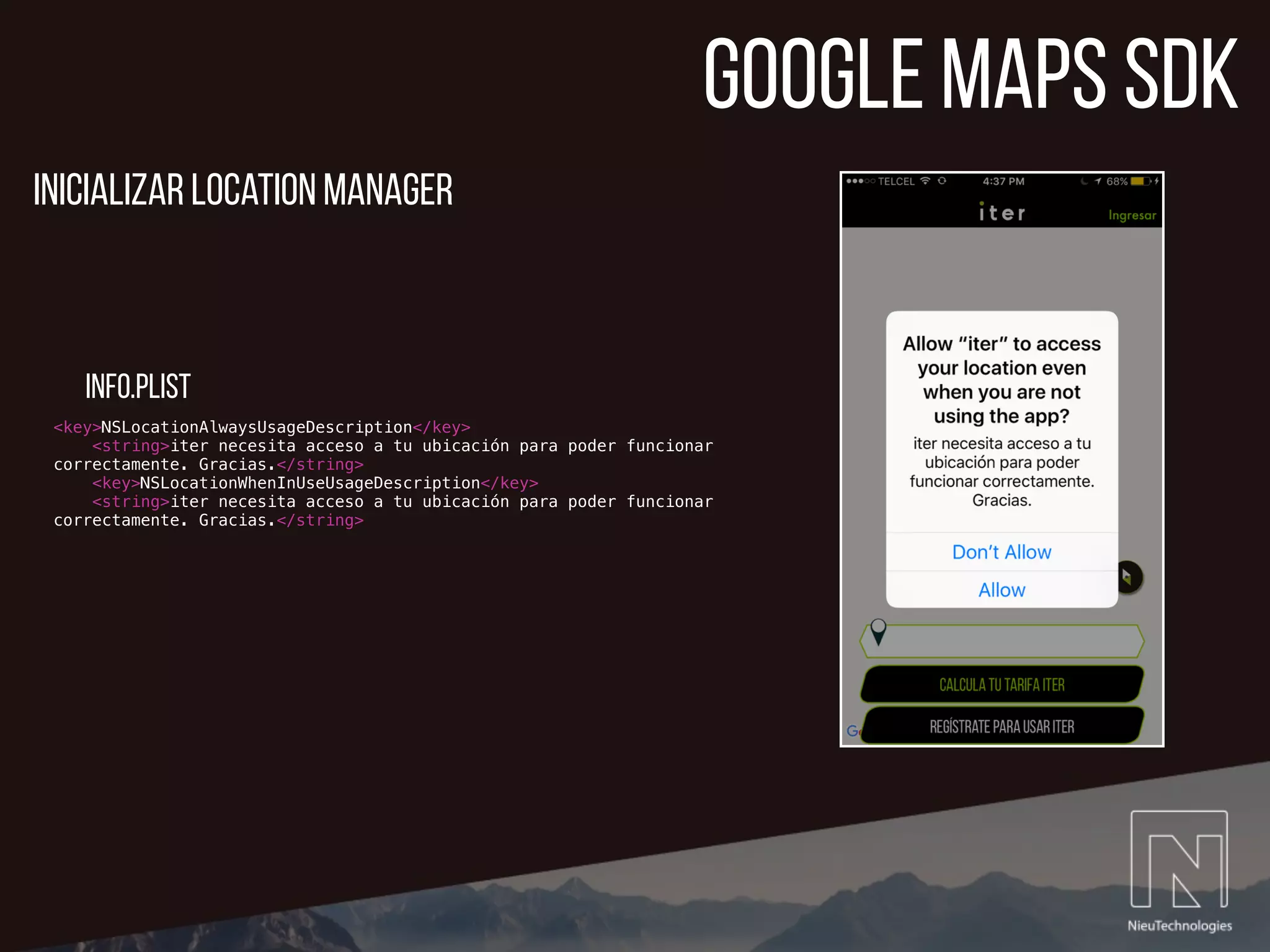
<key>NSLocationAlwaysUsageDescription</key>
<string>iter necesita acceso a tu ubicación para poder funcionar
correctamente. Gracias.</string>
<key>NSLocationWhenInUseUsageDescription</key>
<string>iter necesita acceso a tu ubicación para poder funcionar
correctamente. Gracias.</string>
Inicializar location manager
info.plist
google maps sdk
// This method receives a 2D coordinte and uses the reverseGeocodeCoordinate to get the street address from the
coordinate.
// It also updates the userpickup lat & lng global variables
- (void)getCurrentUserAddressForCoordinate:(CLLocationCoordinate2D)geoCodeCoordinate {
if (debug==1) {
NSLog(@"Running %@ '%@'", self.class, NSStringFromSelector(_cmd));
}
// Set User long & lat for pickup
userPickupLatitude = geoCodeCoordinate.latitude;
userPickupLongitud = geoCodeCoordinate.longitude;
GMSGeocoder *geocoder = [[GMSGeocoder alloc] init];
[geocoder reverseGeocodeCoordinate:geoCodeCoordinate completionHandler:^(GMSReverseGeocodeResponse *geocodeResponse,
NSError *error){
if (!error) {
GMSAddress *addressResponse = [geocodeResponse firstResult];
NSArray *addressLineArray = addressResponse.lines;
self.riderOriginAddressTextField.text = addressLineArray[0];
[self validateCurrentLocationIsActiveForCity:addressResponse.locality];
}
}];
}
google Maps Geocoding API
google maps sdk
// NSURL Session
config = [NSURLSessionConfiguration defaultSessionConfiguration];
config.URLCache = [[NSURLCache alloc] initWithMemoryCapacity:2 * 1024 * 1024 diskCapacity:10 * 1024 * 1024
diskPath:@"DirectionData"];
self.markerSession = [NSURLSession sessionWithConfiguration:config];
NSString *urlString = [NSString stringWithFormat:
@"%@?origin=%f,%f&destination=%f,%f&sensor=true&key=%@",
@"https://maps.googleapis.com/maps/api/directions/json",
self.originCoordinate.latitude,
self.originCoordinate.longitude,
self.destinationCoordinate.latitude,
self.destinationCoordinate.longitude,
[[NSBundle mainBundle] objectForInfoDictionaryKey:@"GMSServerAPIKey"]];
NSURL *directionsURL = [NSURL URLWithString:urlString];
NSURLSessionDataTask *directionsTask = [self.markerSession dataTaskWithURL:directionsURL
completionHandler:^(NSData *data, NSURLResponse *response, NSError *e) {
NSError *error = nil;
jsonDirections = [NSJSONSerialization JSONObjectWithData:data
options:NSJSONReadingMutableContainers error:&error];
double distance = [jsonDirections[@"routes"][0][@"legs"][0][@"distance"]
[@"value"] doubleValue];
double duration = [jsonDirections[@"routes"][0][@"legs"][0][@"duration"]
[@"value"] doubleValue];
distance = distance*0.001; NSLog(@"DISTANCE IN KILOMETERS: %f", distance);
duration = duration*0.0166667; NSLog(@"DURATION IN MINUTES: %f", duration);
}];
google Maps directions API
websockets
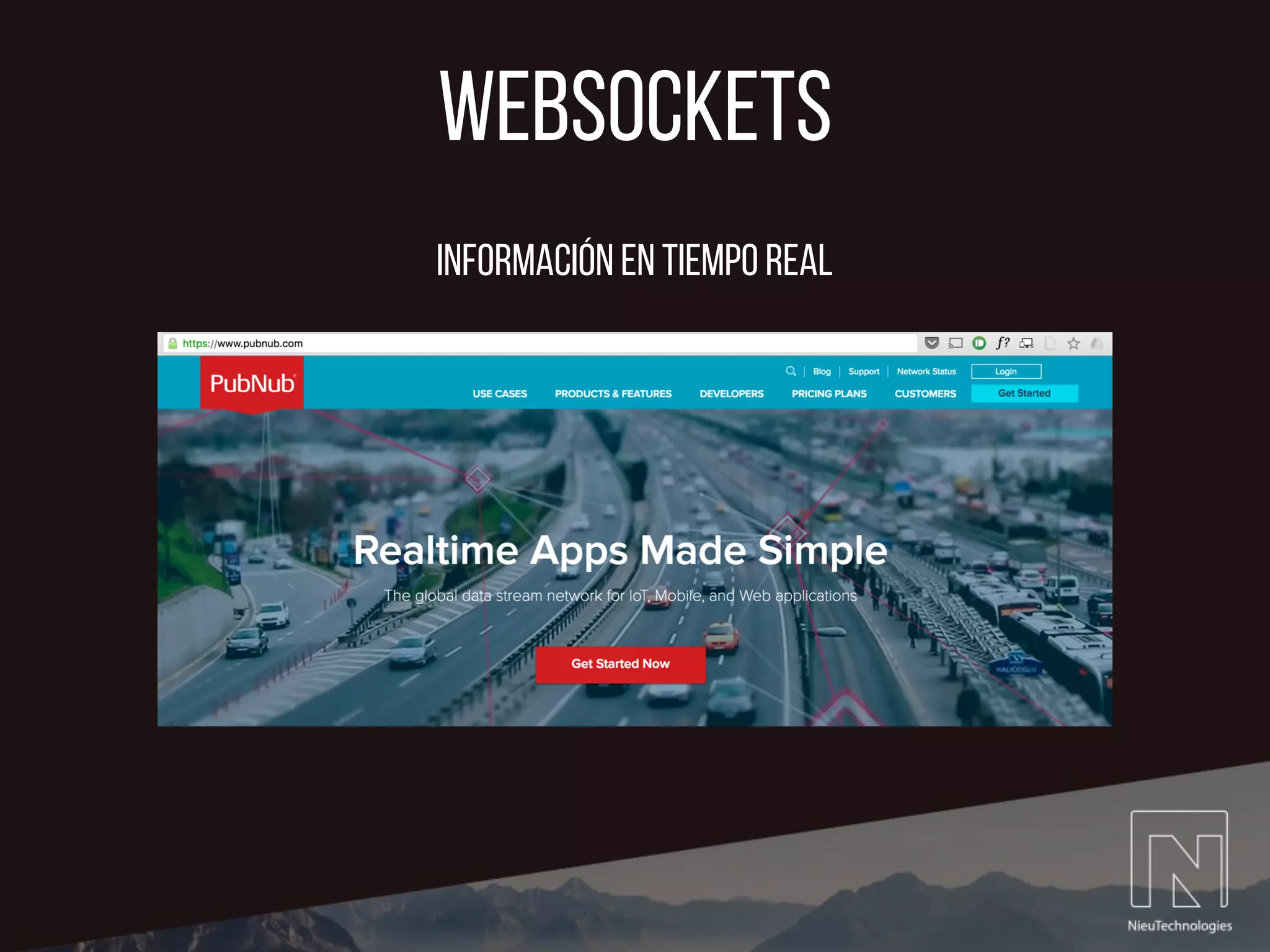
Información en tiempo real
websockets
// Initialize PubNub
NSString *pubnubPublishKey = @“pub-key-here";
NSString *pubnubSubscribeKey = @“sub-key-here";
/* Instantiate PubNub */
PNConfiguration *configuration = [PNConfiguration configurationWithPublishKey:pubnubPublishKey
subscribeKey:pubnubSubscribeKey];
configuration.keepTimeTokenOnListChange = NO;
configuration.catchUpOnSubscriptionRestore = NO;
configuration.restoreSubscription = NO;
self.client = [PubNub clientWithConfiguration:configuration];
inicializar
websockets
#pragma MARK - PUBNUB PUBNUB PUBNUB
// PubNub Receive Messages
- (void)client:(PubNub *)client didReceiveMessage:(PNMessageResult *)message {
// Validate that message comes from driver channel and its recipient is current user. Channel trip confirm
if ([message.data.subscribedChannel isEqual:pubnubDriverChannel] && [message.data.message[@"user"]
isEqualToString:[PFUser currentUser].objectId]) {
NSDictionary *messageTypeReceived = message.data.message;
if ([messageTypeReceived[@"message"] isEqualToString:@"onTrip"]) {
// Send Local Notification
UILocalNotification *localNotification = [[UILocalNotification alloc] init];
localNotification.fireDate = [NSDate dateWithTimeIntervalSinceNow:01];
localNotification.alertBody = @"Tu Viaje Iter ha Comenzado. ¡Buen viaje!";
localNotification.timeZone = [NSTimeZone defaultTimeZone];
localNotification.soundName = UILocalNotificationDefaultSoundName;;
[[UIApplication sharedApplication] scheduleLocalNotification:localNotification];
[self riderOnTrip];
}
else if ([message.data.subscribedChannel isEqual:pubnubCityChannel]) {
NSString *receivedLatitudeString = message.data.message[@"lat"];
NSString *receivedLongitudString = message.data.message[@"lng"];
double receivedLatitude = [receivedLatitudeString doubleValue];
double receivedLongitud = [receivedLongitudString doubleValue];
chofer1Marker.position = CLLocationCoordinate2DMake(receivedLatitude, receivedLongitud);
}
}
}
recibir mensajes
websockets
// Send new destination to Driver
[self.clientUser publish:@{@"message": @"rdrNewDestination",
@"destinationLat":destinationLatString,
@"userDestinationPlace":destinationFormattedAddress,
@"destinationLng":destinationLngString}
toChannel:pubnubDriverChannel compressed:YES withCompletion:nil];
publicar mensajes
parse
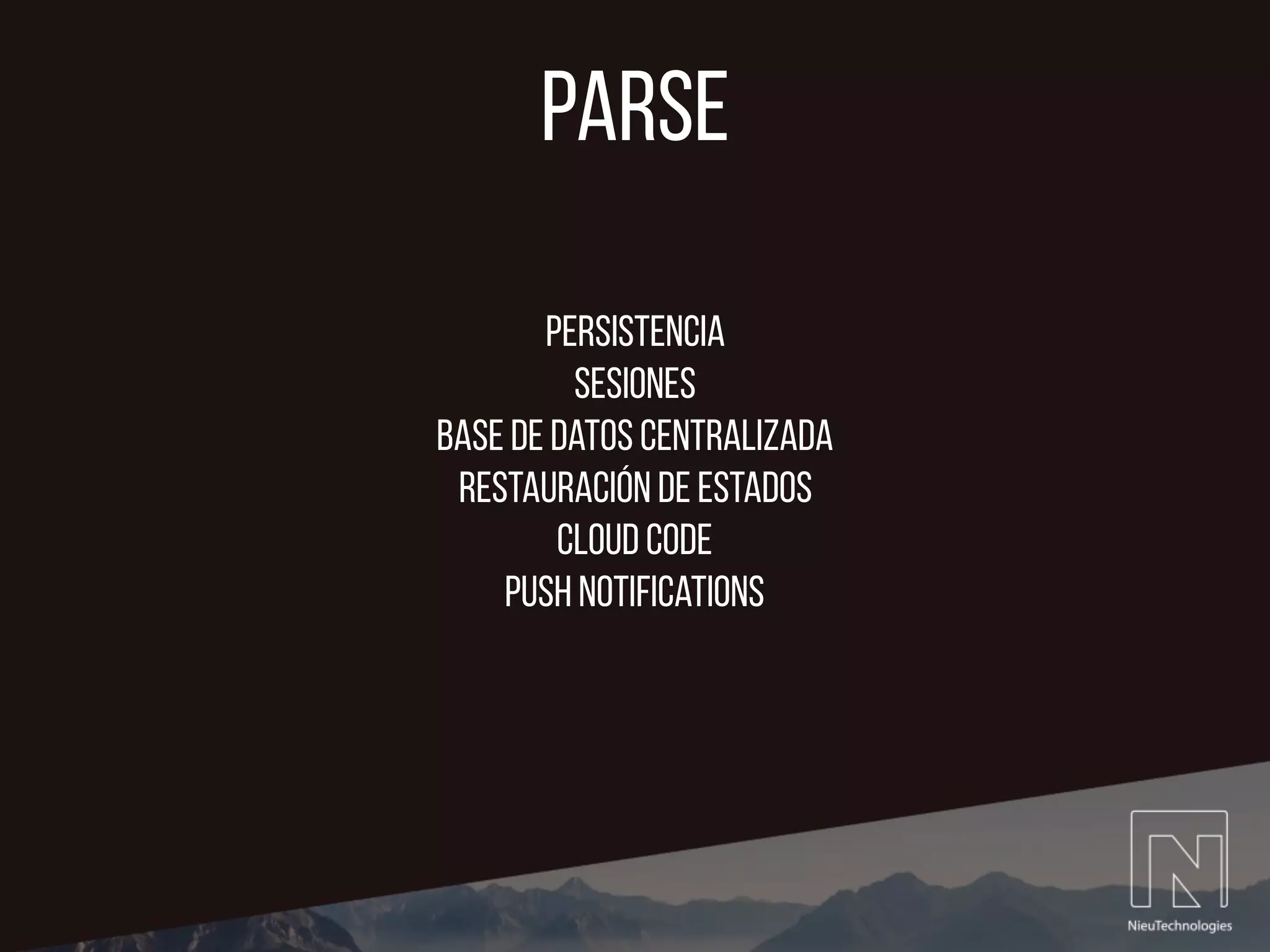
Persistencia
Sesiones
base de datos centralizada
Restauración de estados
cloud code
push notifications
parse
[PFUser logInWithUsernameInBackground:self.usernameTextField.text
password:self.passwordTextField.text block:^(PFUser *loggedUser, NSError
*error){
if (!error) {
NSLog(@"***USER LOGIN SUCCEEDED***");
IterRiderInitialViewController *iterRiderInitialViewController
= [self.storyboard
instantiateViewControllerWithIdentifier:@"IterRiderInitialViewController"];
[self presentViewController:iterRiderInitialViewController
animated:YES completion:nil];
}
else {
NSLog(@"LOG IN ERROR: %@", error);
}
}];
openpay
openpay
OPCard *card = [[OPCard alloc]init];
card.holderName = @"Juan Escamilla";
card.number = @"4111111111111111";
card.expirationMonth = @"08";
card.expirationYear = @"19";
card.cvv2 = @"132";
Openpay *openpay = [[Openpay alloc]
initWithMerchantId:MERCHANT_ID
apyKey:API_KEY
isProductionMode:NO];
[openpay createTokenWithCard:card
success:^(OPToken *token) {
} failure:^(NSError *error) {
}];
DIY Uber

DIY Uber

  • 1.
    Iter 13 Julio, 2016 SalvadorRodríguez Dávila @srdzdv
  • 2.
    Contenido 1. ¿Por quéiter? 2. Arquitectura 3. frameworks 4. google maps sdk 5. websockets 6. parse 7. openpay
  • 3.
  • 4.
  • 5.
    frameworks 1. Google MapsSDK 2. Parse 3. PubNub 4. Fabric
  • 6.
    CLLocationmanager @autoreleasepool { @try { //Init locationManager to start getting Current position locationManager = [[CLLocationManager alloc] init]; // Set the delegate locationManager.delegate = self; // Request location authorization [locationManager requestAlwaysAuthorization]; [locationManager requestWhenInUseAuthorization]; // Set an accuracy level. locationManager.desiredAccuracy = kCLLocationAccuracyBest; // Specify the type of activity your app is currently performing locationManager.activityType = CLActivityTypeAutomotiveNavigation; // Enable background location updates locationManager.allowsBackgroundLocationUpdates = YES; // Start location updates [locationManager startUpdatingLocation]; } @catch (NSException *exception){ UIAlertController *simpleAlert = [UIAlertController alertControllerWithTitle:@"Iter necesita permisos de ubicación" message:@"Por favor habilita los servicios de ubicación de tu dispositivo para continuar." preferredStyle:UIAlertControllerStyleAlert]; [simpleAlert addAction:[UIAlertAction actionWithTitle:@"Ok" style:UIAlertActionStyleDefault handler:nil]]; [self presentViewController:simpleAlert animated:YES completion:nil]; } } // autoreleasepool Inicializar location manager
  • 7.
    CLLocationmanager // This methodgets called everytime the device changes geographical position. It updates various global location variables - (void)locationManager:(CLLocationManager *)manager didUpdateLocations:(NSArray<CLLocation *> *)locations { CLLocation *newLocation = [locations lastObject]; currentLongitud = newLocation.coordinate.longitude; currentLatitude = newLocation.coordinate.latitude; //NSLog(@"Current Position: LONG: %f, LAT: %f", newLocation.coordinate.longitude, newLocation.coordinate.latitude); camera = [GMSCameraPosition cameraWithLatitude:currentLatitude longitude:currentLongitud zoom:15]; greenMarker.position = CLLocationCoordinate2DMake(currentLatitude, currentLongitud); confirmedChoferMarker.position = CLLocationCoordinate2DMake(currentLatitude, currentLongitud); if (currentTrip) { NSDate* eventDate = newLocation.timestamp; NSTimeInterval howRecent = [eventDate timeIntervalSinceNow]; if (fabs(howRecent) < 15.0) { // increase time to more than one second GMSCameraUpdate *locationUpdate = [GMSCameraUpdate setTarget:newLocation.coordinate zoom:15]; [self.mapView animateWithCameraUpdate:locationUpdate]; } } } did update locations
  • 8.
    google maps sdk •Maps SDK for iOS • Maps Geocoding API • Maps Directions API
  • 9.
    google maps sdk // //MainUserViewController.h // ITER // // Created by Salvador Rodriguez on 2/24/16. // Copyright © 2016 Nieu. All rights reserved. // #import <UIKit/UIKit.h> #import <PubNub/PubNub.h> #import <Parse/Parse.h> #import <ParseUI/ParseUI.h> @import GoogleMaps; @interface MainUserViewController : UIViewController <CLLocationManagerDelegate, PNObjectEventListener, PFLogInViewControllerDelegate, PFSignUpViewControllerDelegate, GMSMapViewDelegate, UITextFieldDelegate> @property (strong, nonatomic) IBOutlet GMSMapView *mapView; @property (strong, nonatomic) IBOutlet UILabel *viajeEnProgresoStatusLabel; @property (nonatomic) PubNub *clientUser; @property (strong, nonatomic) IBOutlet UIButton *pedirCocheButton; @property (strong, nonatomic) IBOutlet UIImageView *direccionFinalTextViewContainerView; @property (strong, nonatomic) IBOutlet UIView *destinationContainerView; @property (strong, nonatomic) IBOutlet UITextField *finalAddressTextField; @property (strong, nonatomic) IBOutlet UIButton *updateCurrentLocationButton; @property (strong, nonatomic) IBOutlet UILabel *currentAddressLabel; @property (strong, nonatomic) IBOutlet UIImageView *buscandoCocheCercanoAlert; @property (strong, nonatomic) IBOutlet UIActivityIndicatorView *buscandoCocheSpinner; @property (strong, nonatomic) IBOutlet UIActivityIndicatorView *leftBuscandoCocheSpinner; @property (strong, nonatomic) IBOutlet UIImageView *originAddressContainverView; @property (strong, nonatomic) IBOutlet UIView *originAddressAllContainerView; @property (strong, nonatomic) IBOutlet UIView *confirmarViajeButtonView; @property (strong, nonatomic) IBOutlet UIButton *confirmarViajeButton; @property (strong, nonatomic) IBOutlet UIButton *confirmarBacktoMainButton; @property(strong, nonatomic) NSURLSession *markerSession; @property (strong, nonatomic) IBOutlet UIImageView *tripResumeRiderView; @end
  • 10.
    google maps sdk -(void)viewDidLoad { // Init Google Maps View self.mapView.delegate = self; // Init Google Maps Camera Object with device's currrent location camera = [GMSCameraPosition cameraWithLatitude:currentLatitude longitude:currentLongitud zoom:14]; // default = 15 [self.mapView setCamera:camera]; // Creates a marker in the center of the map. greenMarker = [[GMSMarker alloc] init]; greenMarker.icon = [UIImage imageNamed:@"centerPositionMapDot"]; greenMarker.map = self.mapView; destinationMarker = [[GMSMarker alloc] init]; // Driver marker init chofer1Marker = [[GMSMarker alloc] init]; chofer1Marker.icon = [UIImage imageNamed:@"basicCarIconBlack"]; chofer1Marker.map = self.mapView; } Inicializar Mapa y custom markers
  • 11.
    google maps sdk <key>NSLocationAlwaysUsageDescription</key> <string>iternecesita acceso a tu ubicación para poder funcionar correctamente. Gracias.</string> <key>NSLocationWhenInUseUsageDescription</key> <string>iter necesita acceso a tu ubicación para poder funcionar correctamente. Gracias.</string> Inicializar location manager info.plist
  • 12.
    google maps sdk //This method receives a 2D coordinte and uses the reverseGeocodeCoordinate to get the street address from the coordinate. // It also updates the userpickup lat & lng global variables - (void)getCurrentUserAddressForCoordinate:(CLLocationCoordinate2D)geoCodeCoordinate { if (debug==1) { NSLog(@"Running %@ '%@'", self.class, NSStringFromSelector(_cmd)); } // Set User long & lat for pickup userPickupLatitude = geoCodeCoordinate.latitude; userPickupLongitud = geoCodeCoordinate.longitude; GMSGeocoder *geocoder = [[GMSGeocoder alloc] init]; [geocoder reverseGeocodeCoordinate:geoCodeCoordinate completionHandler:^(GMSReverseGeocodeResponse *geocodeResponse, NSError *error){ if (!error) { GMSAddress *addressResponse = [geocodeResponse firstResult]; NSArray *addressLineArray = addressResponse.lines; self.riderOriginAddressTextField.text = addressLineArray[0]; [self validateCurrentLocationIsActiveForCity:addressResponse.locality]; } }]; } google Maps Geocoding API
  • 13.
    google maps sdk //NSURL Session config = [NSURLSessionConfiguration defaultSessionConfiguration]; config.URLCache = [[NSURLCache alloc] initWithMemoryCapacity:2 * 1024 * 1024 diskCapacity:10 * 1024 * 1024 diskPath:@"DirectionData"]; self.markerSession = [NSURLSession sessionWithConfiguration:config]; NSString *urlString = [NSString stringWithFormat: @"%@?origin=%f,%f&destination=%f,%f&sensor=true&key=%@", @"https://maps.googleapis.com/maps/api/directions/json", self.originCoordinate.latitude, self.originCoordinate.longitude, self.destinationCoordinate.latitude, self.destinationCoordinate.longitude, [[NSBundle mainBundle] objectForInfoDictionaryKey:@"GMSServerAPIKey"]]; NSURL *directionsURL = [NSURL URLWithString:urlString]; NSURLSessionDataTask *directionsTask = [self.markerSession dataTaskWithURL:directionsURL completionHandler:^(NSData *data, NSURLResponse *response, NSError *e) { NSError *error = nil; jsonDirections = [NSJSONSerialization JSONObjectWithData:data options:NSJSONReadingMutableContainers error:&error]; double distance = [jsonDirections[@"routes"][0][@"legs"][0][@"distance"] [@"value"] doubleValue]; double duration = [jsonDirections[@"routes"][0][@"legs"][0][@"duration"] [@"value"] doubleValue]; distance = distance*0.001; NSLog(@"DISTANCE IN KILOMETERS: %f", distance); duration = duration*0.0166667; NSLog(@"DURATION IN MINUTES: %f", duration); }]; google Maps directions API
  • 14.
  • 15.
    websockets // Initialize PubNub NSString*pubnubPublishKey = @“pub-key-here"; NSString *pubnubSubscribeKey = @“sub-key-here"; /* Instantiate PubNub */ PNConfiguration *configuration = [PNConfiguration configurationWithPublishKey:pubnubPublishKey subscribeKey:pubnubSubscribeKey]; configuration.keepTimeTokenOnListChange = NO; configuration.catchUpOnSubscriptionRestore = NO; configuration.restoreSubscription = NO; self.client = [PubNub clientWithConfiguration:configuration]; inicializar
  • 16.
    websockets #pragma MARK -PUBNUB PUBNUB PUBNUB // PubNub Receive Messages - (void)client:(PubNub *)client didReceiveMessage:(PNMessageResult *)message { // Validate that message comes from driver channel and its recipient is current user. Channel trip confirm if ([message.data.subscribedChannel isEqual:pubnubDriverChannel] && [message.data.message[@"user"] isEqualToString:[PFUser currentUser].objectId]) { NSDictionary *messageTypeReceived = message.data.message; if ([messageTypeReceived[@"message"] isEqualToString:@"onTrip"]) { // Send Local Notification UILocalNotification *localNotification = [[UILocalNotification alloc] init]; localNotification.fireDate = [NSDate dateWithTimeIntervalSinceNow:01]; localNotification.alertBody = @"Tu Viaje Iter ha Comenzado. ¡Buen viaje!"; localNotification.timeZone = [NSTimeZone defaultTimeZone]; localNotification.soundName = UILocalNotificationDefaultSoundName;; [[UIApplication sharedApplication] scheduleLocalNotification:localNotification]; [self riderOnTrip]; } else if ([message.data.subscribedChannel isEqual:pubnubCityChannel]) { NSString *receivedLatitudeString = message.data.message[@"lat"]; NSString *receivedLongitudString = message.data.message[@"lng"]; double receivedLatitude = [receivedLatitudeString doubleValue]; double receivedLongitud = [receivedLongitudString doubleValue]; chofer1Marker.position = CLLocationCoordinate2DMake(receivedLatitude, receivedLongitud); } } } recibir mensajes
  • 17.
    websockets // Send newdestination to Driver [self.clientUser publish:@{@"message": @"rdrNewDestination", @"destinationLat":destinationLatString, @"userDestinationPlace":destinationFormattedAddress, @"destinationLng":destinationLngString} toChannel:pubnubDriverChannel compressed:YES withCompletion:nil]; publicar mensajes
  • 18.
    parse Persistencia Sesiones base de datoscentralizada Restauración de estados cloud code push notifications
  • 19.
    parse [PFUser logInWithUsernameInBackground:self.usernameTextField.text password:self.passwordTextField.text block:^(PFUser*loggedUser, NSError *error){ if (!error) { NSLog(@"***USER LOGIN SUCCEEDED***"); IterRiderInitialViewController *iterRiderInitialViewController = [self.storyboard instantiateViewControllerWithIdentifier:@"IterRiderInitialViewController"]; [self presentViewController:iterRiderInitialViewController animated:YES completion:nil]; } else { NSLog(@"LOG IN ERROR: %@", error); } }];
  • 20.
  • 21.
    openpay OPCard *card =[[OPCard alloc]init]; card.holderName = @"Juan Escamilla"; card.number = @"4111111111111111"; card.expirationMonth = @"08"; card.expirationYear = @"19"; card.cvv2 = @"132"; Openpay *openpay = [[Openpay alloc] initWithMerchantId:MERCHANT_ID apyKey:API_KEY isProductionMode:NO]; [openpay createTokenWithCard:card success:^(OPToken *token) { } failure:^(NSError *error) { }];