Digital Learning: an overview
Leeds Discovery Centre
15 July 2019
Martin Bazley
Digital Heritage Consultant
Ways digital can support learning
• Online learning resources –
websites with images, videos etc
• Use digital face-to-face, with small
groups – examples later today
• Digital communications (inc.
Facebook, Skype, WhatsApp etc):
people learn through discussion
• many others
Learner-as-creator projects
Participants are asked to create something:
• a poster/images
• videos
• a website
• a Powerpoint
• a story/description/argument
• a drawing
• some music
• creative writing
• games/quizzes
• etc
Learner-as-creator projects
• Participants are actively involved:
more likely to take ownership of their own
learning, and sometimes of others
• If too open-ended: harder to support, and
to predict/control outcomes.
May not ‘work’ for some participants
• If too controlled: sense of ownership may
be weak; results may be more uniform
• a website
• a Powerpoint
• a story/description/argument
• a drawing
• some music
• creative writing
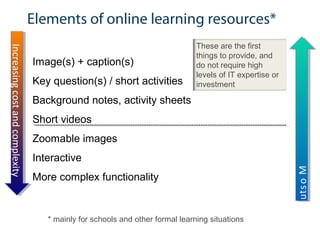
Elements of online learning resources*
Image(s) + caption(s)
Key question(s) / short activities
Background notes, activity sheets
Short videos
Zoomable images
Interactive
More complex functionality
IncreasingcostandcomplexityIncreasingcostandcomplexity
MostusefulforMostusefulfor
These are the first
things to provide, and
do not require high
levels of IT expertise or
investment
* mainly for schools and other formal learning situations
For most people the web is a predominantly
visualmedium
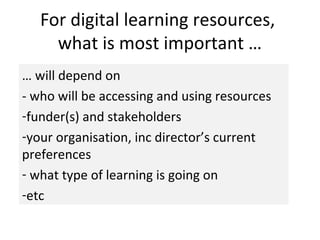
For digital learning resources,
what is most important …
… will depend on
- who will be accessing and using resources
-funder(s) and stakeholders
-your organisation, inc director’s current
preferences
- what type of learning is going on
-etc
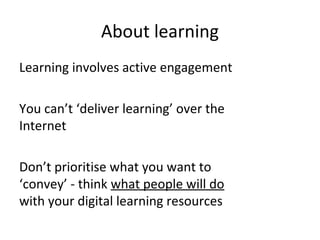
About learning
Learning involves active engagement
You can’t ‘deliver learning’ over the
Internet
Don’t prioritise what you want to
‘convey’ - think what people will do
with your digital learning resources
Creating digital learning
resources…
… is not rocket science
But you do need to
think a while, then…
ask people, then…
think a bit more , then…
make something, then…
ask people, then…. REPEAT
There are some
straightforward things
you can do to help get
it right for your
audience.
For example…
… who is your audience?
Who are you developing it for?
W6 framework
Who, What, How, When, Where, Why
Useful for
•planning learning resources
•planning and implementing user testing
and evaluation
– which are essential tasks when
developing learning resources
W6 framework
• Who is the resource for?
• What will it offer them?
• How will they use it?
• When, where and why are they
likely to use it?
Who is it for?
If for ‘Schools’, is it for
(a)teachers/educators/mediators
(b)learners?
For example:
•KS3 History pupils, or
•Teachers of KS3 History?
Perhaps some parts will be
used by Ts, other parts by
pupils.
Be very clear, to yourself and
to your audience – this will
really help.
What will it offer them?
• starter activity: teacher set the
scene
• background info
• images/videos to choose from
• game/immersive experience to
engage pupils/students; etc
• Also: what are the intended
learning outcomes?
How will they use it?
• in groups or individually?
• with or without teacher support?
• any equipment or materials
needed?
When will they use it?
• during lessons
• for homework
• in short bursts, or is longer-term
concentration required?
Where will they use it?
• Classroom/computer suite/library
• At home (different conditions)
• (outside school) while travelling
• On laptop or mobile device
• etc
Why would they use it?
• what will attract them to use it?
• A common reason is ‘because I
have to’.
• Does the resource have anything
likely to motivate them?
• Also remember that a common
answer to the above question is...
They won’t. There are plenty of
other resources out there.
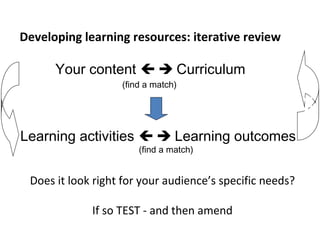
Developing learning resources: iterative review
Your content   Curriculum
(find a match)
Check
Does it look right for your audience’s specific needs?
If so TEST - and then amend
Learning activities   Learning outcomes
(find a match)
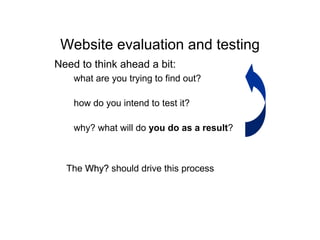
Website evaluation and testing
Need to think ahead a bit:
– what are you trying to find out?
– how do you intend to test it?
– why? what will do you do as a result?
The Why?Why? should drive this process
What do teachers want?
https://vimeo.com/18888798
key ideas not lesson plans
https://vimeo.com/18867252
Oli Knight timesaver
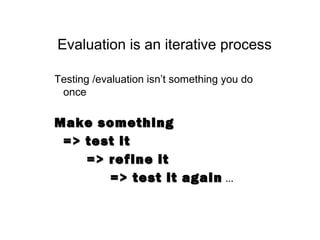
Evaluation is an iterative process
Testing /evaluation isn’t something you do
once
Make somethingMake something
=> test it=> test it
=> refine it=> refine it
=> test it again=> test it again …
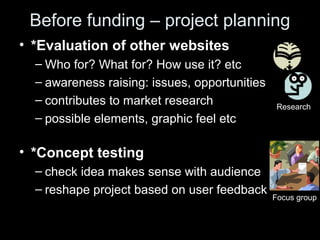
Before funding – project planning
• *Evaluation of other websites
– Who for? What for? How use it? etc
– awareness raising: issues, opportunities
– contributes to market research
– possible elements, graphic feel etc
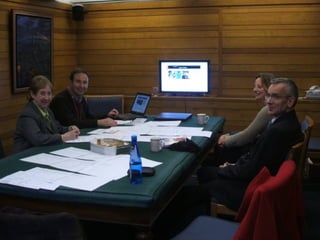
• *Concept testing
– check idea makes sense with audience
– reshape project based on user feedback
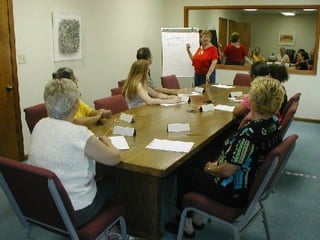
Focus group
Research
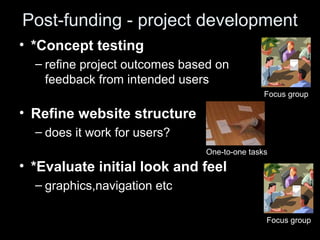
Post-funding - project development
• *Concept testing
– refine project outcomes based on
feedback from intended users
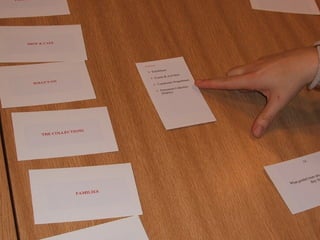
• Refine website structure
– does it work for users?
• *Evaluate initial look and feel
– graphics,navigation etc
Focus group
Focus group
One-to-one tasks
Post-funding - project development 2
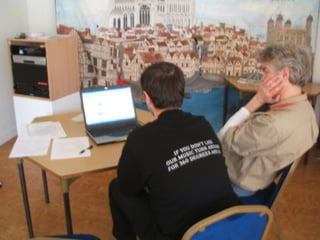
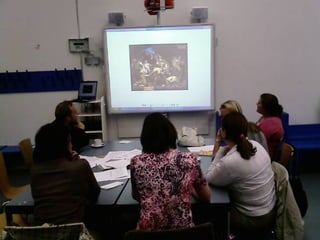
• *Full evaluation of a draft working
version
– usability AND content: do activities work, how
engaging is it, what else could be offered, etc
Observation of actual use of website
by intended users,
using it for intended purpose,
in intended context – workplace, classroom, library, home, etc
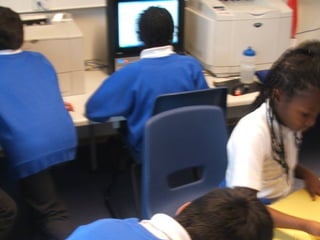
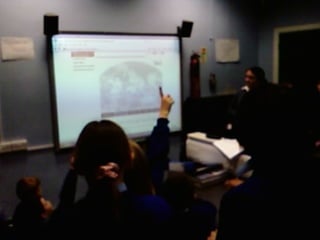
Key point:
for a site designed for schools,
the most effective user testing observations
will be made in a real classroom situation
Website evaluation and testing
Need to think ahead a bit:
– what are you trying to find out?
– how do you intend to test it?
– why? what will do you do as a result?
The Why?Why? should drive this process
User test early
Testing with one user early on in
the project…
…is better than testing with 50
near the end
Two usability testing techniques
“Get it” testing
- do they understand what it is offering, how
it works, etc?
Key task testing
- ask the user to do something, watch how
well they do
Ideally, do a bit of each, in that order.
Don’t tell them about the website before you
ask for their feedback.
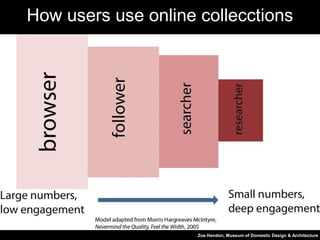
Zoe Hendon, Museum of Domestic Design & Architecture
How users use online collecctions
Martin Bazley
Feel free to phone or email for help
0780 3580 727
info@martinbazley.com

Digital learning: an overview

  • 1.
    Digital Learning: anoverview Leeds Discovery Centre 15 July 2019 Martin Bazley Digital Heritage Consultant
  • 2.
    Ways digital cansupport learning • Online learning resources – websites with images, videos etc • Use digital face-to-face, with small groups – examples later today • Digital communications (inc. Facebook, Skype, WhatsApp etc): people learn through discussion • many others
  • 3.
    Learner-as-creator projects Participants areasked to create something: • a poster/images • videos • a website • a Powerpoint • a story/description/argument • a drawing • some music • creative writing • games/quizzes • etc
  • 4.
    Learner-as-creator projects • Participantsare actively involved: more likely to take ownership of their own learning, and sometimes of others • If too open-ended: harder to support, and to predict/control outcomes. May not ‘work’ for some participants • If too controlled: sense of ownership may be weak; results may be more uniform • a website • a Powerpoint • a story/description/argument • a drawing • some music • creative writing
  • 5.
    Elements of onlinelearning resources* Image(s) + caption(s) Key question(s) / short activities Background notes, activity sheets Short videos Zoomable images Interactive More complex functionality IncreasingcostandcomplexityIncreasingcostandcomplexity MostusefulforMostusefulfor These are the first things to provide, and do not require high levels of IT expertise or investment * mainly for schools and other formal learning situations
  • 6.
    For most peoplethe web is a predominantly visualmedium
  • 7.
    For digital learningresources, what is most important … … will depend on - who will be accessing and using resources -funder(s) and stakeholders -your organisation, inc director’s current preferences - what type of learning is going on -etc
  • 8.
    About learning Learning involvesactive engagement You can’t ‘deliver learning’ over the Internet Don’t prioritise what you want to ‘convey’ - think what people will do with your digital learning resources
  • 9.
    Creating digital learning resources… …is not rocket science But you do need to think a while, then… ask people, then… think a bit more , then… make something, then… ask people, then…. REPEAT There are some straightforward things you can do to help get it right for your audience.
  • 10.
    For example… … whois your audience? Who are you developing it for?
  • 11.
    W6 framework Who, What,How, When, Where, Why Useful for •planning learning resources •planning and implementing user testing and evaluation – which are essential tasks when developing learning resources
  • 12.
    W6 framework • Whois the resource for? • What will it offer them? • How will they use it? • When, where and why are they likely to use it?
  • 13.
    Who is itfor? If for ‘Schools’, is it for (a)teachers/educators/mediators (b)learners? For example: •KS3 History pupils, or •Teachers of KS3 History? Perhaps some parts will be used by Ts, other parts by pupils. Be very clear, to yourself and to your audience – this will really help.
  • 14.
    What will itoffer them? • starter activity: teacher set the scene • background info • images/videos to choose from • game/immersive experience to engage pupils/students; etc • Also: what are the intended learning outcomes?
  • 15.
    How will theyuse it? • in groups or individually? • with or without teacher support? • any equipment or materials needed?
  • 16.
    When will theyuse it? • during lessons • for homework • in short bursts, or is longer-term concentration required?
  • 17.
    Where will theyuse it? • Classroom/computer suite/library • At home (different conditions) • (outside school) while travelling • On laptop or mobile device • etc
  • 18.
    Why would theyuse it? • what will attract them to use it? • A common reason is ‘because I have to’. • Does the resource have anything likely to motivate them? • Also remember that a common answer to the above question is... They won’t. There are plenty of other resources out there.
  • 19.
    Developing learning resources:iterative review Your content   Curriculum (find a match) Check Does it look right for your audience’s specific needs? If so TEST - and then amend Learning activities   Learning outcomes (find a match)
  • 20.
    Website evaluation andtesting Need to think ahead a bit: – what are you trying to find out? – how do you intend to test it? – why? what will do you do as a result? The Why?Why? should drive this process
  • 21.
    What do teacherswant? https://vimeo.com/18888798 key ideas not lesson plans https://vimeo.com/18867252 Oli Knight timesaver
  • 22.
    Evaluation is aniterative process Testing /evaluation isn’t something you do once Make somethingMake something => test it=> test it => refine it=> refine it => test it again=> test it again …
  • 23.
    Before funding –project planning • *Evaluation of other websites – Who for? What for? How use it? etc – awareness raising: issues, opportunities – contributes to market research – possible elements, graphic feel etc • *Concept testing – check idea makes sense with audience – reshape project based on user feedback Focus group Research
  • 25.
    Post-funding - projectdevelopment • *Concept testing – refine project outcomes based on feedback from intended users • Refine website structure – does it work for users? • *Evaluate initial look and feel – graphics,navigation etc Focus group Focus group One-to-one tasks
  • 30.
    Post-funding - projectdevelopment 2 • *Full evaluation of a draft working version – usability AND content: do activities work, how engaging is it, what else could be offered, etc Observation of actual use of website by intended users, using it for intended purpose, in intended context – workplace, classroom, library, home, etc
  • 31.
    Key point: for asite designed for schools, the most effective user testing observations will be made in a real classroom situation
  • 37.
    Website evaluation andtesting Need to think ahead a bit: – what are you trying to find out? – how do you intend to test it? – why? what will do you do as a result? The Why?Why? should drive this process
  • 39.
    User test early Testingwith one user early on in the project… …is better than testing with 50 near the end
  • 40.
    Two usability testingtechniques “Get it” testing - do they understand what it is offering, how it works, etc? Key task testing - ask the user to do something, watch how well they do Ideally, do a bit of each, in that order. Don’t tell them about the website before you ask for their feedback.
  • 41.
    Zoe Hendon, Museumof Domestic Design & Architecture How users use online collecctions
  • 42.
    Martin Bazley Feel freeto phone or email for help 0780 3580 727 info@martinbazley.com