Animal Classification
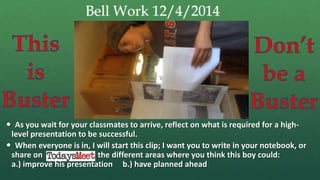
Bell Work 12/4/2014
 As you wait for your classmates to arrive, reflect on what is required for a high-
level presentation to be successful.
 When everyone is in, I will start this clip; I want you to write in your notebook, or
share on the different areas where you think this boy could:
a.) improve his presentation b.) have planned ahead
Welcome!Itinerary
 Bell Work
 DXtinction Project Research
Analysis
 Announcements:
 Test 3 people – window closes this
week!
 Notebook Quiz week of 12/15
 We will be in class on Friday
 Research Questions not answered by
Friday are HOMEWORK. We build
powerpoints on Monday.
 By the end of today you
should :
 Identify the key
components of
proficient research.
Betty
 Explain the key
differences
between Buster
and Betty.
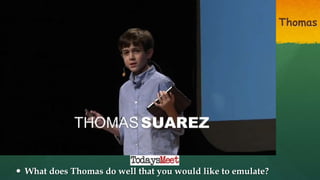
Thomas
 What does Thomas do well that you would like to emulate?
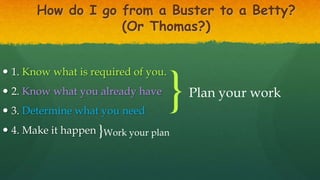
How do I go from a Buster to a Betty?
(Or Thomas?)
 1. Know what is required of you.
 2. Know what you already have
 3. Determine what you need
 4. Make it happen
}Plan your work
}Work your plan
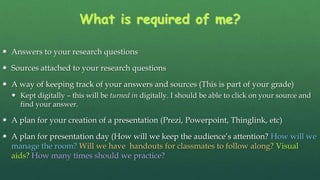
What is required of me?
 Answers to your research questions
 Sources attached to your research questions
 A way of keeping track of your answers and sources (This is part of your grade)
 Kept digitally – this will be turned in digitally. I should be able to click on your source and
find your answer.
 A plan for your creation of a presentation (Prezi, Powerpoint, Thinglink, etc)
 A plan for presentation day (How will we keep the audience’s attention? How will we
manage the room? Will we have handouts for classmates to follow along? Visual
aids? How many times should we practice?
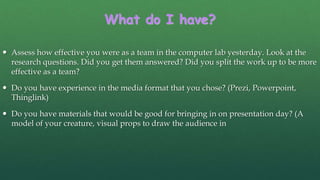
What do I have?
 Assess how effective you were as a team in the computer lab yesterday. Look at the
research questions. Did you get them answered? Did you split the work up to be more
effective as a team?
 Do you have experience in the media format that you chose? (Prezi, Powerpoint,
Thinglink)
 Do you have materials that would be good for bringing in on presentation day? (A
model of your creature, visual props to draw the audience in
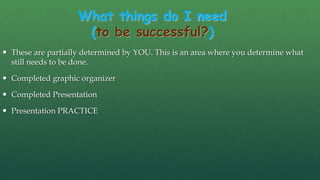
What things do I need
(to be successful?)
 These are partially determined by YOU. This is an area where you determine what
still needs to be done.
 Completed graphic organizer
 Completed Presentation
 Presentation PRACTICE
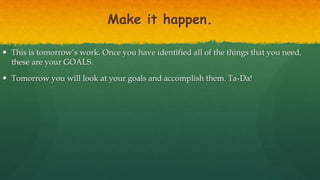
Make it happen.
 This is tomorrow’s work. Once you have identified all of the things that you need,
these are your GOALS.
 Tomorrow you will look at your goals and accomplish them. Ta-Da!
Common Errors:
 Things I noticed yesterday:
 People are good at googling information, but our academic searches are rough
 Some students will need to move FAST in order to be ready to present to a panel. You
need a PLAN, and you need to stick to it – the reason why I had you plan prior to
coming into the lab was to give you the time you needed to research. Many of you
wasted precious time getting work done that should have been done before ever
walking into the Library.
 If that is the case for you, your presentation is likely going to be fingernails-on-
chalkboard bad unless you come in before/after school/lunch to catch up.
 If you think I’m nagging you just remember: I’ve seen more awkward and
uncomfortable presentations than I care to recount. I’m trying to help you.
Why Reflect?
 T
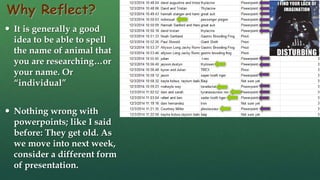
Why Reflect?
 It is generally a good
idea to be able to spell
the name of animal that
you are researching…or
your name. Or
“individual”
 Nothing wrong with
powerpoints; like I said
before: They get old. As
we move into next week,
consider a different form
of presentation.
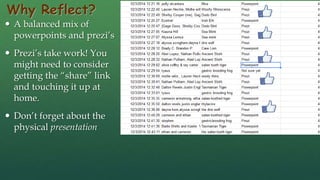
Why Reflect?
 A balanced mix of
powerpoints and prezi’s
 Prezi’s take work! You
might need to consider
getting the “share” link
and touching it up at
home.
 Don’t forget about the
physical presentation
Why Reflect?
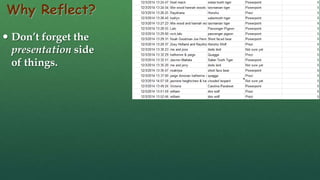
 Don’t forget the
presentation side
of things.
Why Reflect?
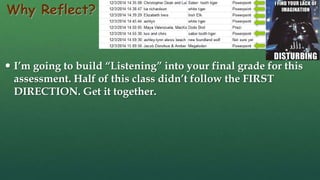
 I’m going to build “Listening” into your final grade for this
assessment. Half of this class didn’t follow the FIRST
DIRECTION. Get it together.
Forms of Media to Use
 Remember: Presentation is via electronic format. If you want to
use an electronic media other than what has already been
approved, I’ll probably love it! Just check with me first.
Preparation for Tomorrow
 Using the provided sheet, discuss with your partner what you will
need to do to prepare for tomorrow’s research.
Preparation for Tomorrow
 1. Selection of animal for de-
extinction:
 2. What do we need to know
about this animal? (Look at your
research questions if you need
help remembering!)
5 minutes
End
Powerpoint Pros and Cons
PROS
 Powerpoint is the most well known presentation mode.
 It is the easiest to manipulate and emulate.
CONS
 It is not as eye-catching
 It is not always as visually stimulating
Prezi Pros and Cons
PROS
 Very visually engaging
 Once you figure out the interface, very easy to add content
 Ipad App
 Collaborative
CONS
 Somewhat difficult learning curve
 To make them visually pleasing takes more time.
ThingLink
PROS
 Very visually engaging
 Very easy to add content, easy to share and figure out
 Very nice app – Android/i-device
CONS
 Not as easy to present – easy to share, but clunky presentations
Educreations
PROS
 Easy to do on a ipad, maybe easier to do on a computer…
 Very easy to show both partners doing work
CONS
 Not as easy to present physically. Groups that do this might not
present for as long, but the digital presentation would need to
be very high level.
2 minute sand timer
2 minutes
End
3 minute sand timer
3 minutes
End
4 minute sand timer
4 minutes
End
5 minute sand timer
5 minutes
End
10 minute sand timer
10 minutes
End

15 research debrief

  • 1.
  • 2.
    Bell Work 12/4/2014 As you wait for your classmates to arrive, reflect on what is required for a high- level presentation to be successful.  When everyone is in, I will start this clip; I want you to write in your notebook, or share on the different areas where you think this boy could: a.) improve his presentation b.) have planned ahead
  • 3.
    Welcome!Itinerary  Bell Work DXtinction Project Research Analysis  Announcements:  Test 3 people – window closes this week!  Notebook Quiz week of 12/15  We will be in class on Friday  Research Questions not answered by Friday are HOMEWORK. We build powerpoints on Monday.  By the end of today you should :  Identify the key components of proficient research.
  • 4.
    Betty  Explain thekey differences between Buster and Betty.
  • 5.
    Thomas  What doesThomas do well that you would like to emulate?
  • 6.
    How do Igo from a Buster to a Betty? (Or Thomas?)  1. Know what is required of you.  2. Know what you already have  3. Determine what you need  4. Make it happen }Plan your work }Work your plan
  • 7.
    What is requiredof me?  Answers to your research questions  Sources attached to your research questions  A way of keeping track of your answers and sources (This is part of your grade)  Kept digitally – this will be turned in digitally. I should be able to click on your source and find your answer.  A plan for your creation of a presentation (Prezi, Powerpoint, Thinglink, etc)  A plan for presentation day (How will we keep the audience’s attention? How will we manage the room? Will we have handouts for classmates to follow along? Visual aids? How many times should we practice?
  • 8.
    What do Ihave?  Assess how effective you were as a team in the computer lab yesterday. Look at the research questions. Did you get them answered? Did you split the work up to be more effective as a team?  Do you have experience in the media format that you chose? (Prezi, Powerpoint, Thinglink)  Do you have materials that would be good for bringing in on presentation day? (A model of your creature, visual props to draw the audience in
  • 9.
    What things doI need (to be successful?)  These are partially determined by YOU. This is an area where you determine what still needs to be done.  Completed graphic organizer  Completed Presentation  Presentation PRACTICE
  • 10.
    Make it happen. This is tomorrow’s work. Once you have identified all of the things that you need, these are your GOALS.  Tomorrow you will look at your goals and accomplish them. Ta-Da!
  • 11.
    Common Errors:  ThingsI noticed yesterday:  People are good at googling information, but our academic searches are rough  Some students will need to move FAST in order to be ready to present to a panel. You need a PLAN, and you need to stick to it – the reason why I had you plan prior to coming into the lab was to give you the time you needed to research. Many of you wasted precious time getting work done that should have been done before ever walking into the Library.  If that is the case for you, your presentation is likely going to be fingernails-on- chalkboard bad unless you come in before/after school/lunch to catch up.  If you think I’m nagging you just remember: I’ve seen more awkward and uncomfortable presentations than I care to recount. I’m trying to help you.
  • 12.
  • 13.
    Why Reflect?  Itis generally a good idea to be able to spell the name of animal that you are researching…or your name. Or “individual”  Nothing wrong with powerpoints; like I said before: They get old. As we move into next week, consider a different form of presentation.
  • 14.
    Why Reflect?  Abalanced mix of powerpoints and prezi’s  Prezi’s take work! You might need to consider getting the “share” link and touching it up at home.  Don’t forget about the physical presentation
  • 15.
    Why Reflect?  Don’tforget the presentation side of things.
  • 16.
    Why Reflect?  I’mgoing to build “Listening” into your final grade for this assessment. Half of this class didn’t follow the FIRST DIRECTION. Get it together.
  • 17.
    Forms of Mediato Use  Remember: Presentation is via electronic format. If you want to use an electronic media other than what has already been approved, I’ll probably love it! Just check with me first.
  • 18.
    Preparation for Tomorrow Using the provided sheet, discuss with your partner what you will need to do to prepare for tomorrow’s research.
  • 19.
    Preparation for Tomorrow 1. Selection of animal for de- extinction:  2. What do we need to know about this animal? (Look at your research questions if you need help remembering!) 5 minutes End
  • 20.
    Powerpoint Pros andCons PROS  Powerpoint is the most well known presentation mode.  It is the easiest to manipulate and emulate. CONS  It is not as eye-catching  It is not always as visually stimulating
  • 21.
    Prezi Pros andCons PROS  Very visually engaging  Once you figure out the interface, very easy to add content  Ipad App  Collaborative CONS  Somewhat difficult learning curve  To make them visually pleasing takes more time.
  • 22.
    ThingLink PROS  Very visuallyengaging  Very easy to add content, easy to share and figure out  Very nice app – Android/i-device CONS  Not as easy to present – easy to share, but clunky presentations
  • 23.
    Educreations PROS  Easy todo on a ipad, maybe easier to do on a computer…  Very easy to show both partners doing work CONS  Not as easy to present physically. Groups that do this might not present for as long, but the digital presentation would need to be very high level.
  • 24.
    2 minute sandtimer 2 minutes End
  • 25.
    3 minute sandtimer 3 minutes End
  • 26.
    4 minute sandtimer 4 minutes End
  • 27.
    5 minute sandtimer 5 minutes End
  • 28.
    10 minute sandtimer 10 minutes End