Career Building Basics: Successful Interviews
                   April 17, 2012

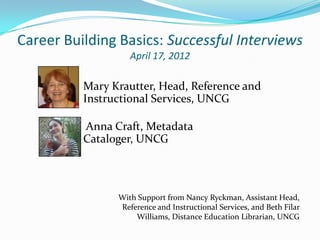
          Mary Krautter, Head, Reference and
          Instructional Services, UNCG

          Anna Craft, Metadata
          Cataloger, UNCG


                With Support from Nancy Ryckman, Assistant Head,
                Reference and Instructional Services, and Beth Filar
                    Williams, Distance Education Librarian, UNCG
Webinar Outline
 Telephone interviewing
 Skype interviewing
 In person interviewing
 The interview presentation
The Telephone Interview
 Prepare for usually 30-45 minutes
 Usually a couple of people from search
  committee
 Usually 6-8 general questions:
   “how do you fit this position?”
   “give an example of how you handle X”
 Have notes, possible answers, &
 documents ready for reference
Skype Interview
 Demonstrates your comfort with tech
 They see you - not just hear you – so:
    Dress appropriately
    Be in location w/o distractions
    What do they see behind you
 Practice w/ friend if you haven’t used Skype
The In-person Interview
 PREPARE! Do your research.
 Know the school, library, people on the search
    committee (their research or publications).
   Review mission statements, visions, goals.
   Know job description well – & how you match it.
   Have questions to ask! Interview them.
   Dress appropriately – but be prepared for a long day on
    your feet too!
   Have energy and enthusiasm – get sleep!
The In-person Interview                              (continued)


For academic jobs generally all day +
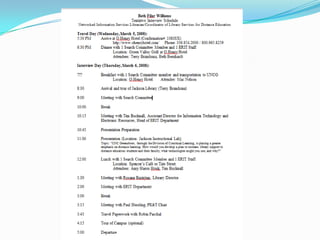
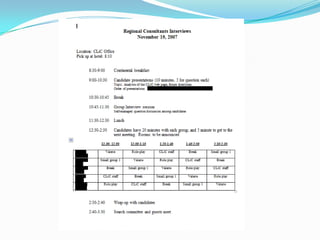
    An all day interview from breakfast until evening
    Dinner night before or after the all day interview
    Meet/Interview with various stakeholders all day:
      With search committee
      With department or team
      With boss
      With Dean of Library
      With HR (benefits)
      With tenure committee
      Do a presentation to all staff & more
      Tour of library/campus
The Interview Presentation
WHY AM I DOING THIS???
 For the interviewee :
   The presentation is stressful.
   The purpose is unclear.
   The tone is difficult.


                                 stage
                                 fright!!!!
A potential employer is evaluating:
 Your ideas
 Your confidence
 Your teaching ability
 Your interpersonal skills


    Your presentation should reveal
    these qualities!
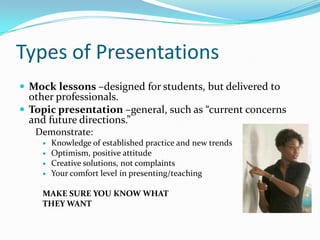
Types of Presentations
 Mock lessons –designed for students, but delivered to
  other professionals.
 Topic presentation –general, such as “current concerns
  and future directions.”
   Demonstrate:
       Knowledge of established practice and new trends
       Optimism, positive attitude
       Creative solutions, not complaints
       Your comfort level in presenting/teaching

    MAKE SURE YOU KNOW WHAT
    THEY WANT
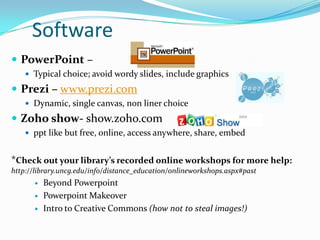
Software
 PowerPoint –
     Typical choice; avoid wordy slides, include graphics

 Prezi – www.prezi.com
     Dynamic, single canvas, non liner choice

 Zoho show- show.zoho.com
     ppt like but free, online, access anywhere, share, embed


*Check out your library’s recorded online workshops for more help:
http://library.uncg.edu/info/distance_education/onlineworkshops.aspx#past
         Beyond Powerpoint
         Powerpoint Makeover
         Intro to Creative Commons (how not to steal images!)
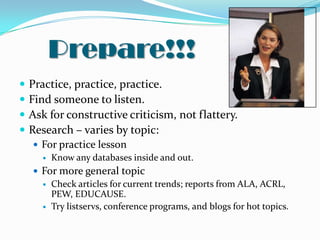
Prepare!!!
   Practice, practice, practice.
   Find someone to listen.
   Ask for constructive criticism, not flattery.
   Research – varies by topic:
     For practice lesson
       Know any databases inside and out.

     For more general topic
       Check articles for current trends; reports from ALA, ACRL,
        PEW, EDUCAUSE.
       Try listservs, conference programs, and blogs for hot topics.
Technology can fail!
 Ask about their set up BEFORE you arrive:
    versions of software , hardware, internet readily available, etc.
    room set up for presentation
 Ask for practice/test the set up in advance of presentation
 Have multiple versions of a presentation:
        Web (Dropbox)
        Thumb drive
        Screenshots – don’t rely on internet working

     Consider alternatives in case they have technical
     problems.
Logistics
 Volume –SPEAK UP!
 Questions from audience
 Water
 Personal necessities
 NEVER go over the allotted time
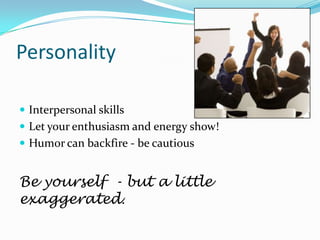
Personality

 Interpersonal skills
 Let your enthusiasm and energy show!
 Humor can backfire - be cautious


Be yourself - but a little
exaggerated.
Your audience
Tailor your remarks using clues:
       Their demeanor
       The job ad
       Contacts with the search committee
Do your Research :
   Know your committees’ research areas; read/skim articles they wrote
   Review the library website & mission/plan
   Find commonalities
    …. Bring the ideas you discover into your presentation-
    acknowledge positive, cool things they are doing already and
    highlight what you can do!
Wrapping it Up
  Summarize your major points
  Have a cadence, "a melodic or harmonic configuration
   that creates a sense of repose or resolution”
  Ask for questions
  Don’t let a curve ball throw you


 AND REMEMBER:
    Your audience WANTS you to succeed, so give
    them what they want!
Sources
Any relatively recent book on presentations and public speaking is worth skimming
for hints.

"Effective Presentation Skills." Incite 27.8 (2006): 20. Library, Information Science &
Technology Abstracts with Full Text. Web. 21 Mar. 2012.
Murray, Jennifer S. "10 Steps To Releasing Your Inner Public Speaker: How To Conquer Your
Fear And Add To Your Job Skills." One-Person Library 23.1 (2006): 7-8. Library, Information
Science & Technology Abstracts with Full Text. Web. 21 Mar. 2012.
Rogoschewsky, Tanya Lisa1 "Developing A Conference Presentation: A Primer For New
Library Professionals." Partnership: The Canadian Journal Of Library & Information Practice
& Research 6.2 (2011): 1-7. Library Literature & Information Science Full Text (H.W. Wilson).
Web. 15 Mar. 2012.
Spohr, Cindy. "Powerful Presentations." AALL Spectrum 14.2 (2009): 8-9. Library Literature
& Information Science Full Text (H.W. Wilson). Web. 21 Mar. 2012.

LIS Career Building Basics: Successful Interviews

  • 1.
    Career Building Basics:Successful Interviews April 17, 2012 Mary Krautter, Head, Reference and Instructional Services, UNCG Anna Craft, Metadata Cataloger, UNCG With Support from Nancy Ryckman, Assistant Head, Reference and Instructional Services, and Beth Filar Williams, Distance Education Librarian, UNCG
  • 2.
    Webinar Outline  Telephoneinterviewing  Skype interviewing  In person interviewing  The interview presentation
  • 3.
    The Telephone Interview Prepare for usually 30-45 minutes  Usually a couple of people from search committee  Usually 6-8 general questions:  “how do you fit this position?”  “give an example of how you handle X”  Have notes, possible answers, & documents ready for reference
  • 4.
    Skype Interview  Demonstratesyour comfort with tech  They see you - not just hear you – so:  Dress appropriately  Be in location w/o distractions  What do they see behind you  Practice w/ friend if you haven’t used Skype
  • 5.
    The In-person Interview PREPARE! Do your research.  Know the school, library, people on the search committee (their research or publications).  Review mission statements, visions, goals.  Know job description well – & how you match it.  Have questions to ask! Interview them.  Dress appropriately – but be prepared for a long day on your feet too!  Have energy and enthusiasm – get sleep!
  • 6.
    The In-person Interview (continued) For academic jobs generally all day +  An all day interview from breakfast until evening  Dinner night before or after the all day interview  Meet/Interview with various stakeholders all day:  With search committee  With department or team  With boss  With Dean of Library  With HR (benefits)  With tenure committee  Do a presentation to all staff & more  Tour of library/campus
  • 9.
    The Interview Presentation WHYAM I DOING THIS???  For the interviewee :  The presentation is stressful.  The purpose is unclear.  The tone is difficult. stage fright!!!!
  • 10.
    A potential employeris evaluating:  Your ideas  Your confidence  Your teaching ability  Your interpersonal skills Your presentation should reveal these qualities!
  • 11.
    Types of Presentations Mock lessons –designed for students, but delivered to other professionals.  Topic presentation –general, such as “current concerns and future directions.” Demonstrate:  Knowledge of established practice and new trends  Optimism, positive attitude  Creative solutions, not complaints  Your comfort level in presenting/teaching MAKE SURE YOU KNOW WHAT THEY WANT
  • 12.
    Software  PowerPoint –  Typical choice; avoid wordy slides, include graphics  Prezi – www.prezi.com  Dynamic, single canvas, non liner choice  Zoho show- show.zoho.com  ppt like but free, online, access anywhere, share, embed *Check out your library’s recorded online workshops for more help: http://library.uncg.edu/info/distance_education/onlineworkshops.aspx#past  Beyond Powerpoint  Powerpoint Makeover  Intro to Creative Commons (how not to steal images!)
  • 13.
    Prepare!!!  Practice, practice, practice.  Find someone to listen.  Ask for constructive criticism, not flattery.  Research – varies by topic:  For practice lesson  Know any databases inside and out.  For more general topic  Check articles for current trends; reports from ALA, ACRL, PEW, EDUCAUSE.  Try listservs, conference programs, and blogs for hot topics.
  • 14.
    Technology can fail! Ask about their set up BEFORE you arrive:  versions of software , hardware, internet readily available, etc.  room set up for presentation  Ask for practice/test the set up in advance of presentation  Have multiple versions of a presentation:  Web (Dropbox)  Thumb drive  Screenshots – don’t rely on internet working Consider alternatives in case they have technical problems.
  • 15.
    Logistics  Volume –SPEAKUP!  Questions from audience  Water  Personal necessities  NEVER go over the allotted time
  • 16.
    Personality  Interpersonal skills Let your enthusiasm and energy show!  Humor can backfire - be cautious Be yourself - but a little exaggerated.
  • 17.
    Your audience Tailor yourremarks using clues:  Their demeanor  The job ad  Contacts with the search committee Do your Research :  Know your committees’ research areas; read/skim articles they wrote  Review the library website & mission/plan  Find commonalities …. Bring the ideas you discover into your presentation- acknowledge positive, cool things they are doing already and highlight what you can do!
  • 18.
    Wrapping it Up  Summarize your major points  Have a cadence, "a melodic or harmonic configuration that creates a sense of repose or resolution”  Ask for questions  Don’t let a curve ball throw you AND REMEMBER: Your audience WANTS you to succeed, so give them what they want!
  • 19.
    Sources Any relatively recentbook on presentations and public speaking is worth skimming for hints. "Effective Presentation Skills." Incite 27.8 (2006): 20. Library, Information Science & Technology Abstracts with Full Text. Web. 21 Mar. 2012. Murray, Jennifer S. "10 Steps To Releasing Your Inner Public Speaker: How To Conquer Your Fear And Add To Your Job Skills." One-Person Library 23.1 (2006): 7-8. Library, Information Science & Technology Abstracts with Full Text. Web. 21 Mar. 2012. Rogoschewsky, Tanya Lisa1 "Developing A Conference Presentation: A Primer For New Library Professionals." Partnership: The Canadian Journal Of Library & Information Practice & Research 6.2 (2011): 1-7. Library Literature & Information Science Full Text (H.W. Wilson). Web. 15 Mar. 2012. Spohr, Cindy. "Powerful Presentations." AALL Spectrum 14.2 (2009): 8-9. Library Literature & Information Science Full Text (H.W. Wilson). Web. 21 Mar. 2012.