



Developing Immersive
Experiences with ARCore
October ‘18
Dr. Matthew Small
Engineering Lead @ Google
ARCore SDK for Unity
Why AR?
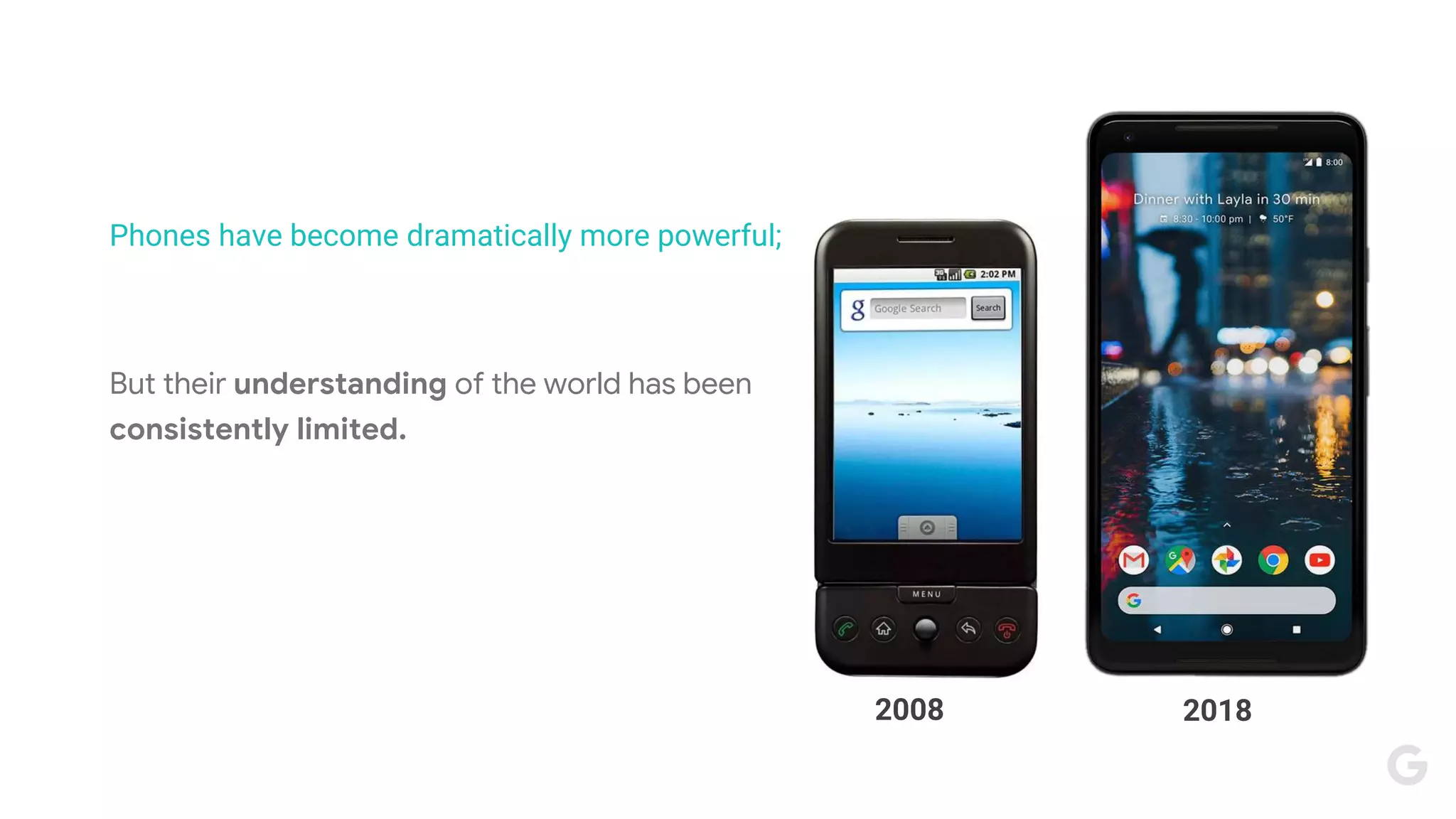
2008
20182008
Phones have become dramatically more powerful;
But their understanding of the world has been
consistently limited.
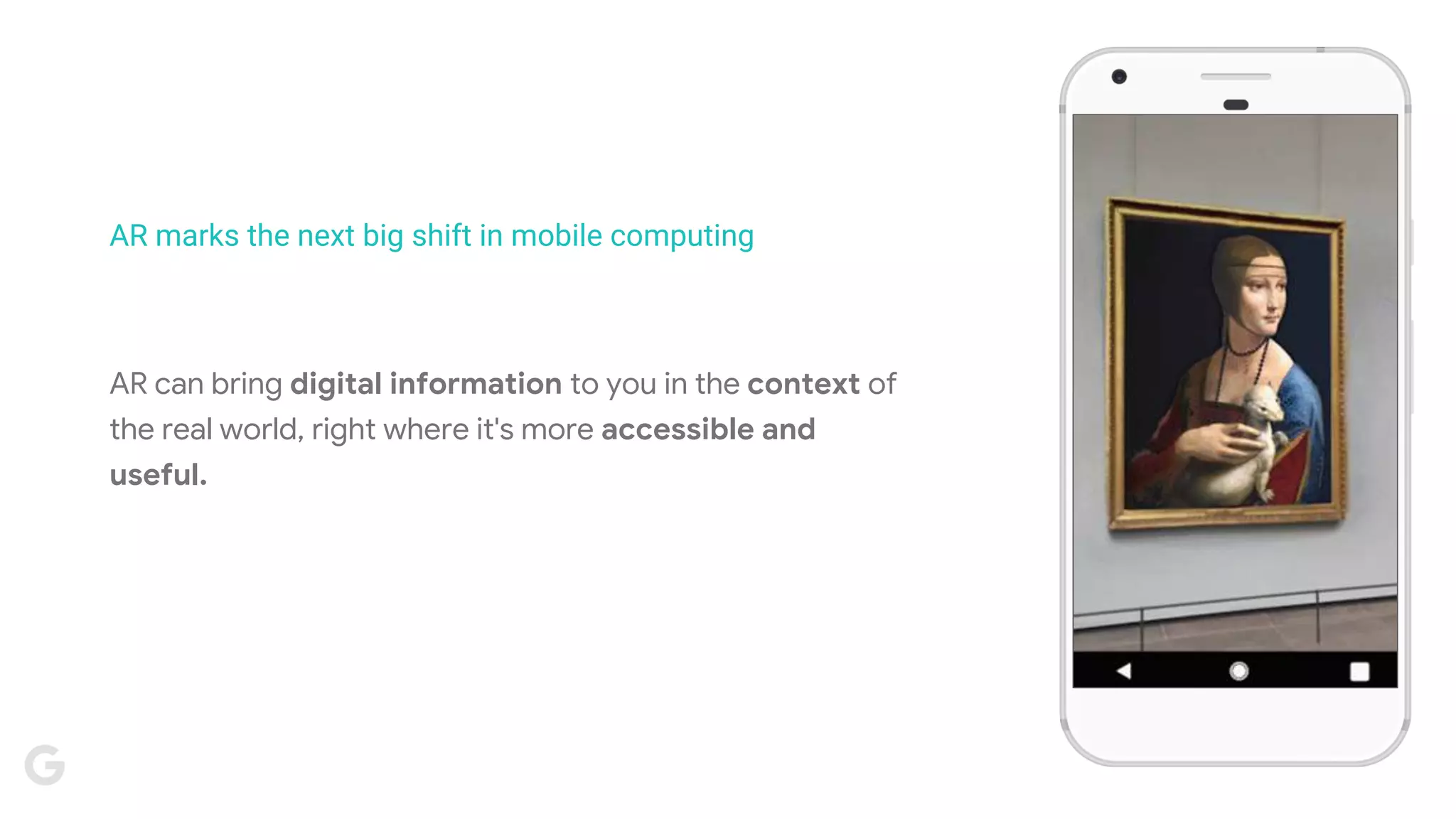
AR marks the next big shift in mobile computing
AR can bring digital information to you in the context of
the real world, right where it's more accessible and
useful.
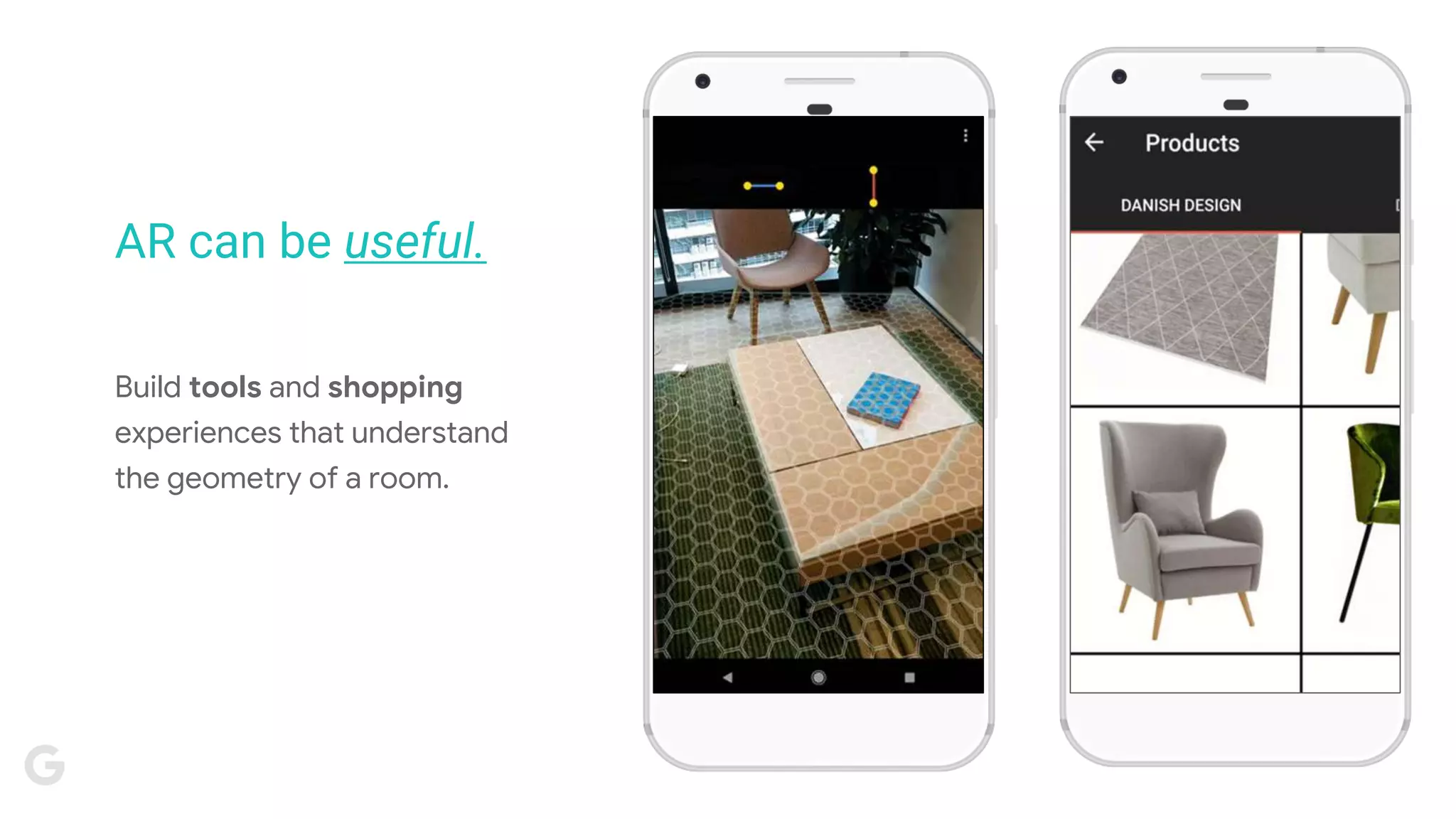
Build tools and shopping
experiences that understand
the geometry of a room.
AR can be useful.
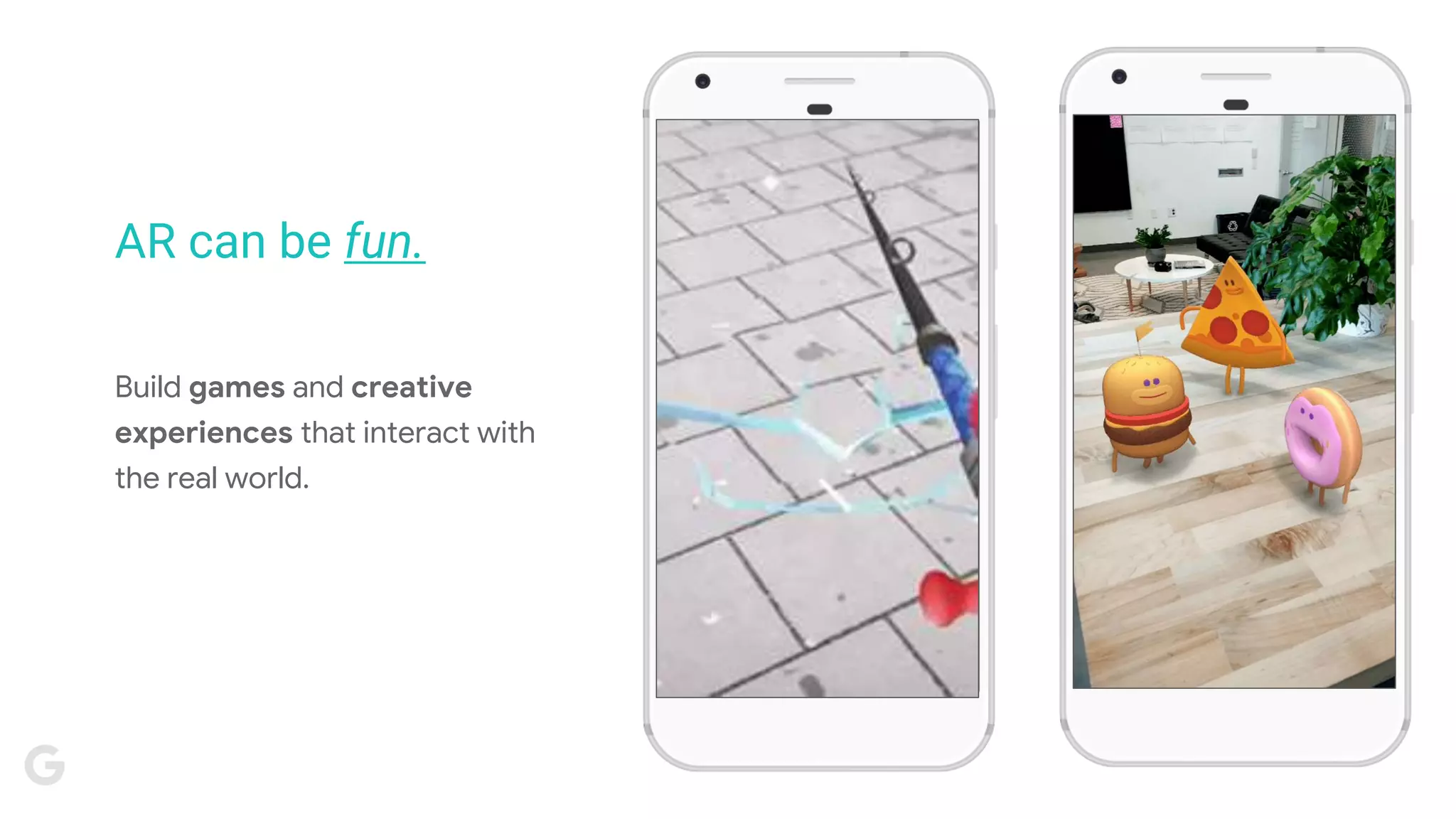
Build games and creative
experiences that interact with
the real world.
AR can be fun.
ARCore Unity SDK Development Checklist
Device that supports ARCore. Unity version 2017.4 LTS or later. The ARCore Unity SDK package.
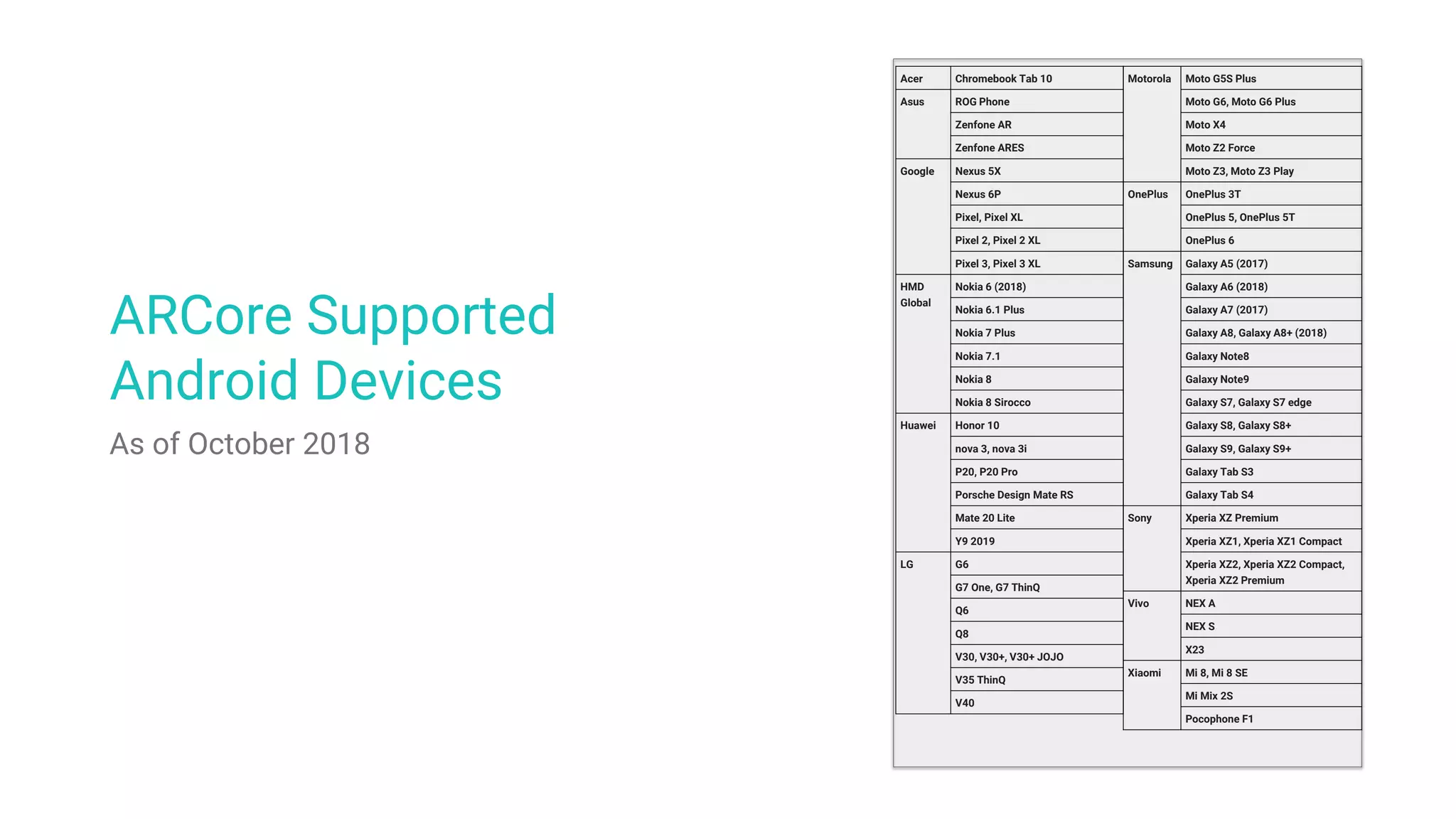
ARCore Supported
Android Devices
As of October 2018
Acer Chromebook Tab 10
Asus ROG Phone
Zenfone AR
Zenfone ARES
Google Nexus 5X
Nexus 6P
Pixel, Pixel XL
Pixel 2, Pixel 2 XL
Pixel 3, Pixel 3 XL
HMD
Global
Nokia 6 (2018)
Nokia 6.1 Plus
Nokia 7 Plus
Nokia 7.1
Nokia 8
Nokia 8 Sirocco
Huawei Honor 10
nova 3, nova 3i
P20, P20 Pro
Porsche Design Mate RS
Mate 20 Lite
Y9 2019
LG G6
G7 One, G7 ThinQ
Q6
Q8
V30, V30+, V30+ JOJO
V35 ThinQ
V40
Motorola Moto G5S Plus
Moto G6, Moto G6 Plus
Moto X4
Moto Z2 Force
Moto Z3, Moto Z3 Play
OnePlus OnePlus 3T
OnePlus 5, OnePlus 5T
OnePlus 6
Samsung Galaxy A5 (2017)
Galaxy A6 (2018)
Galaxy A7 (2017)
Galaxy A8, Galaxy A8+ (2018)
Galaxy Note8
Galaxy Note9
Galaxy S7, Galaxy S7 edge
Galaxy S8, Galaxy S8+
Galaxy S9, Galaxy S9+
Galaxy Tab S3
Galaxy Tab S4
Sony Xperia XZ Premium
Xperia XZ1, Xperia XZ1 Compact
Xperia XZ2, Xperia XZ2 Compact,
Xperia XZ2 Premium
Vivo NEX A
NEX S
X23
Xiaomi Mi 8, Mi 8 SE
Mi Mix 2S
Pocophone F1
developers.google.com/ar
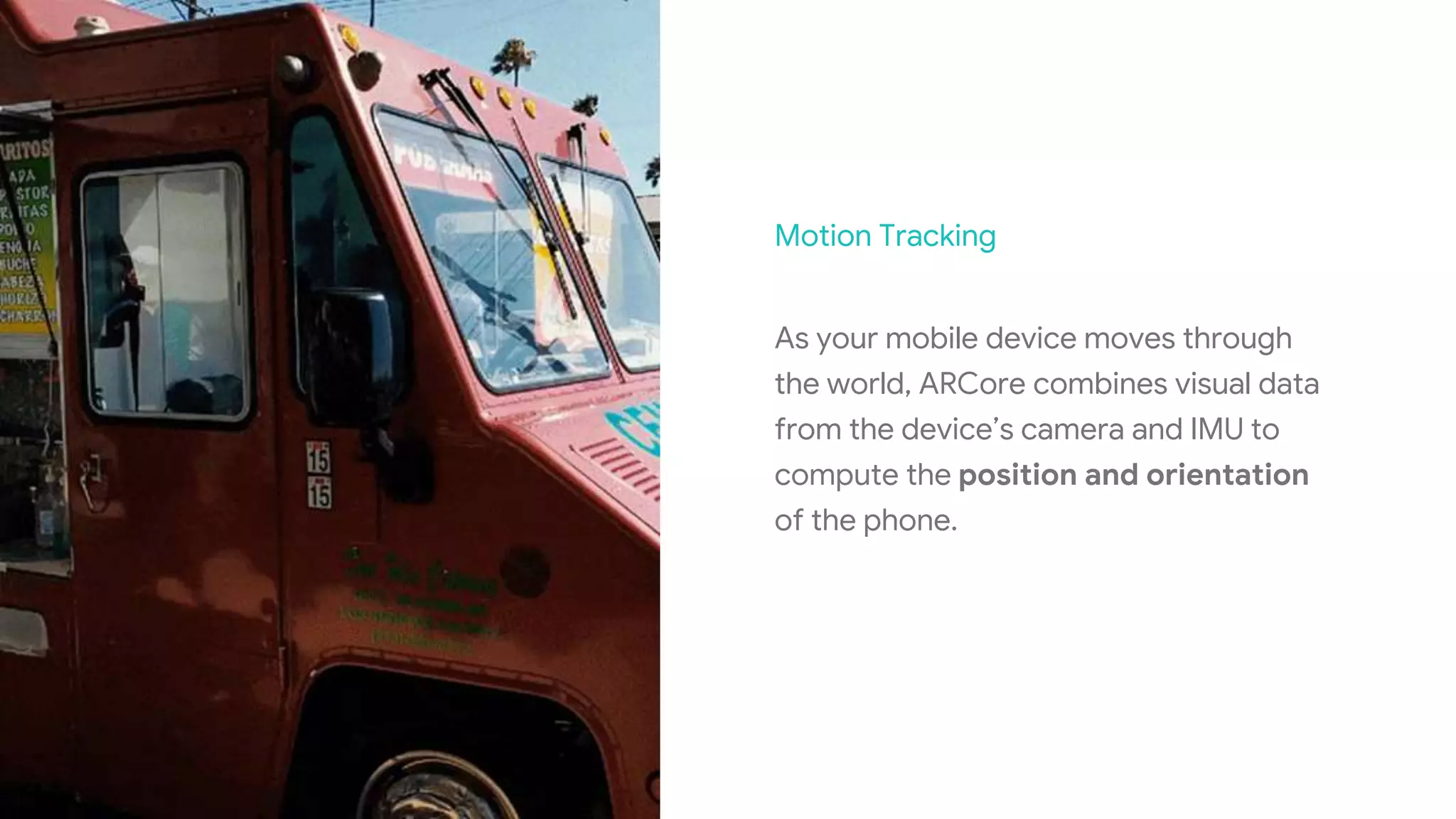
Motion Tracking
As your mobile device moves through
the world, ARCore combines visual data
from the device’s camera and IMU to
compute the position and orientation
of the phone.
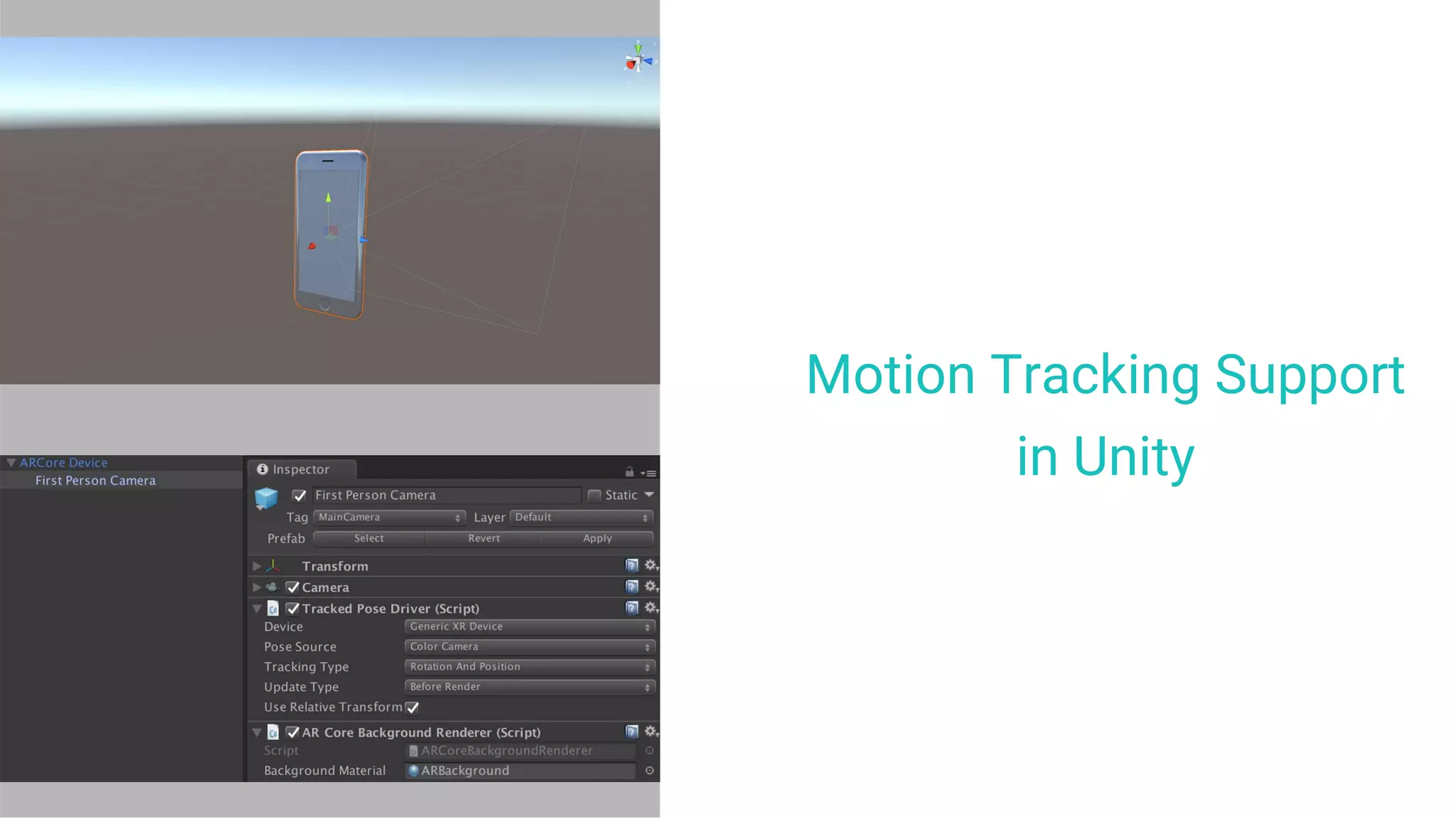
Motion Tracking Support
in Unity
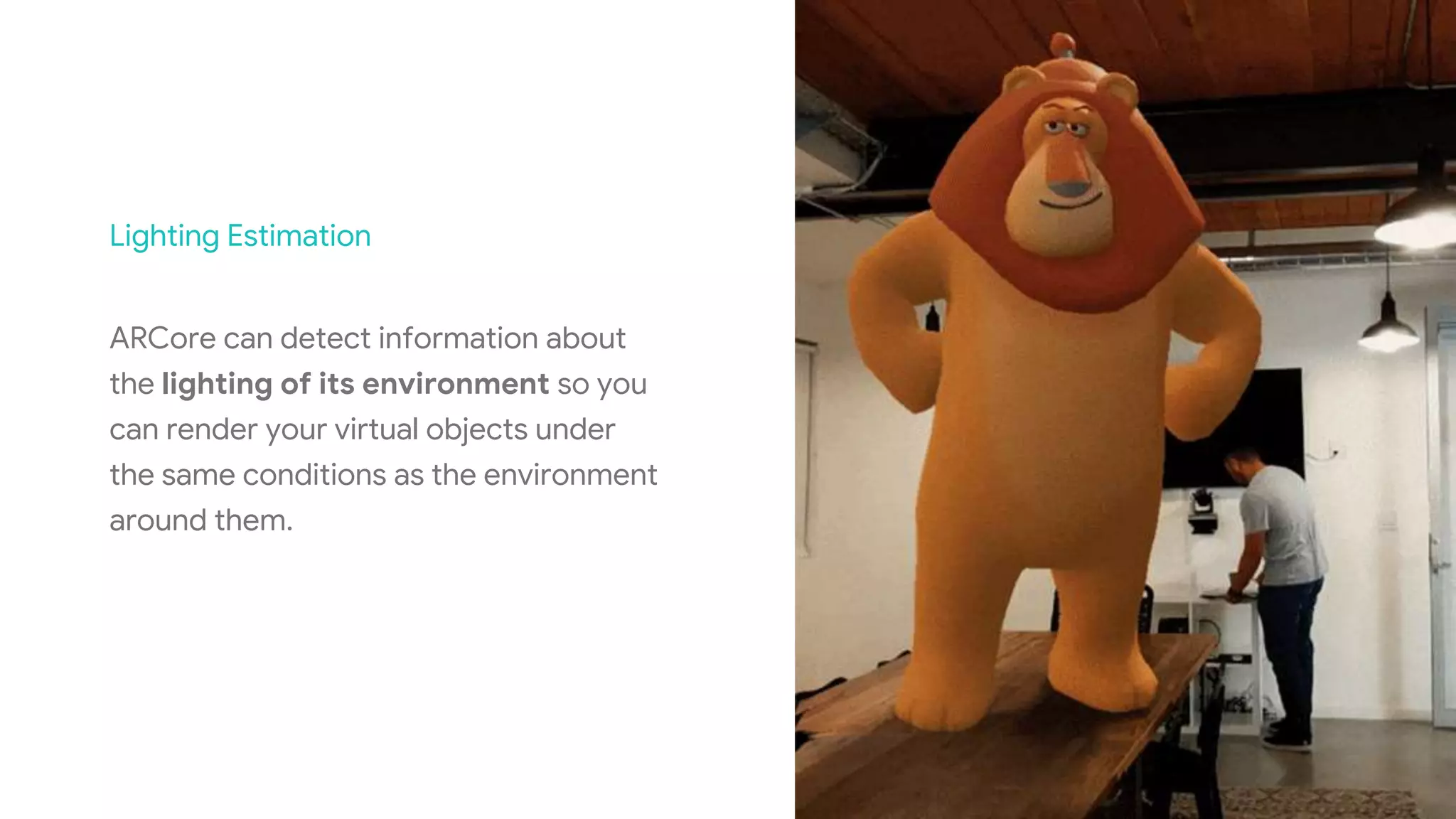
Lighting Estimation
ARCore can detect information about
the lighting of its environment so you
can render your virtual objects under
the same conditions as the environment
around them.
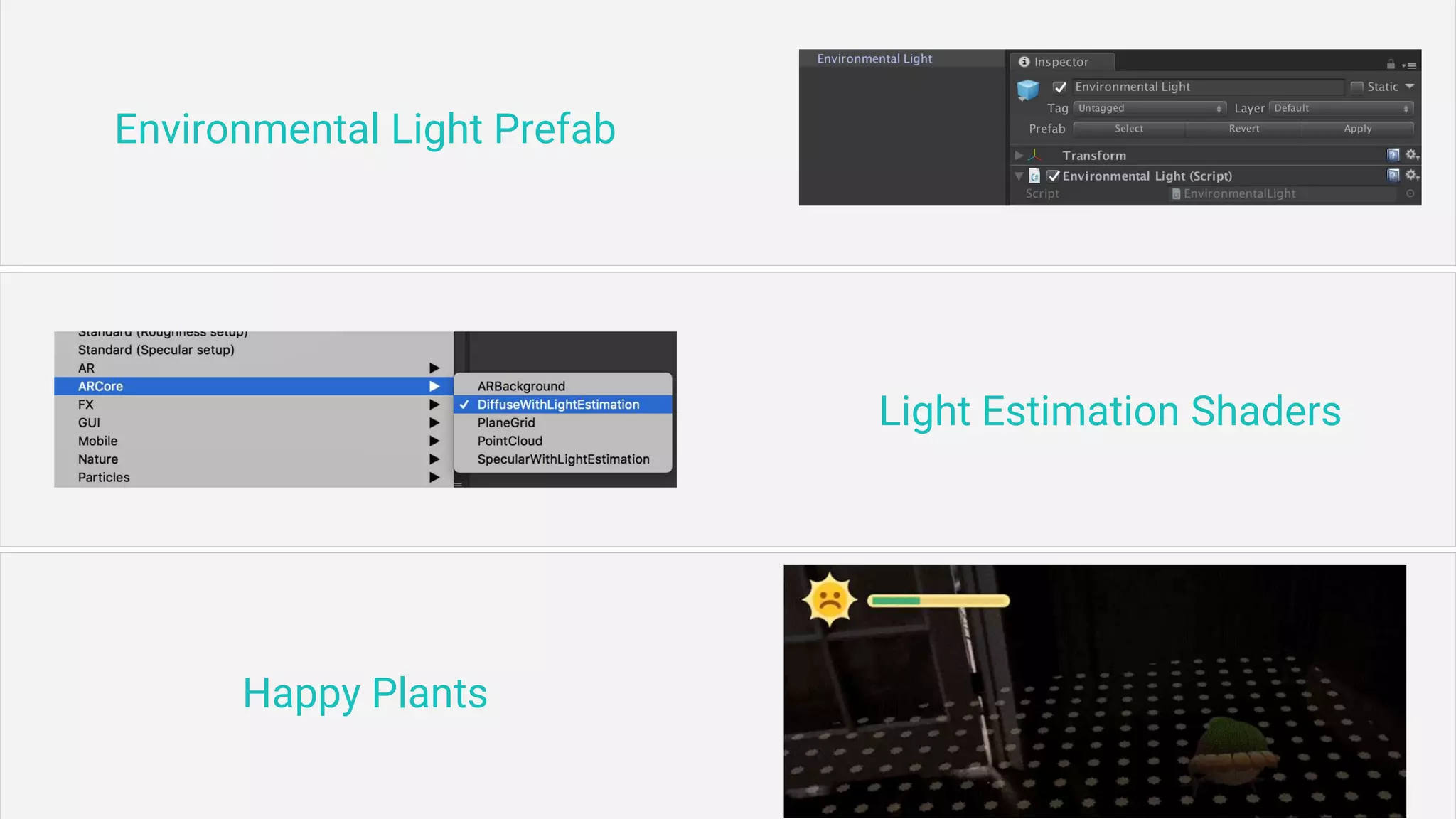
Environmental Light Prefab
Light Estimation Shaders
Happy Plants
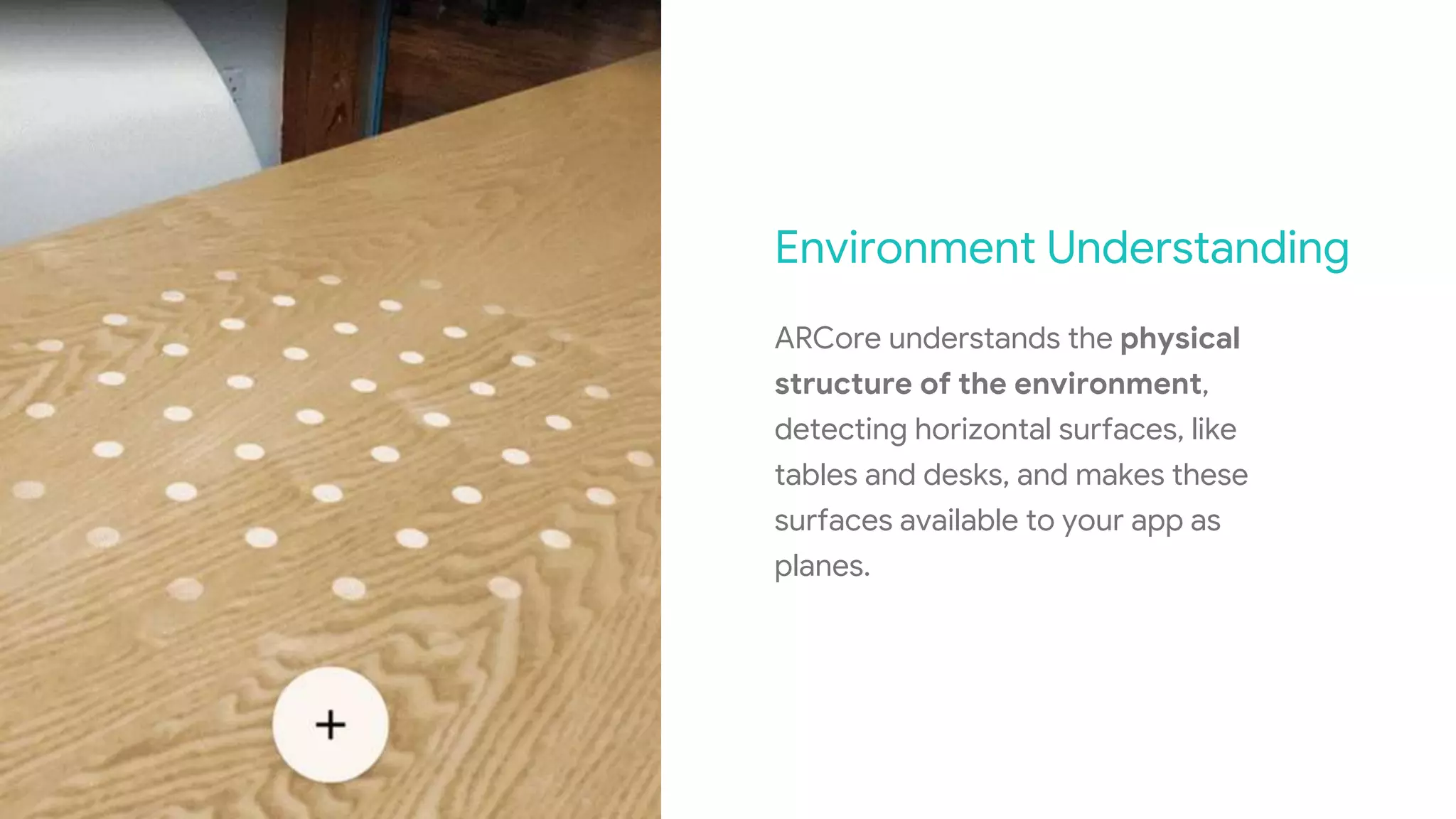
Environment Understanding
ARCore understands the physical
structure of the environment,
detecting horizontal surfaces, like
tables and desks, and makes these
surfaces available to your app as
planes.
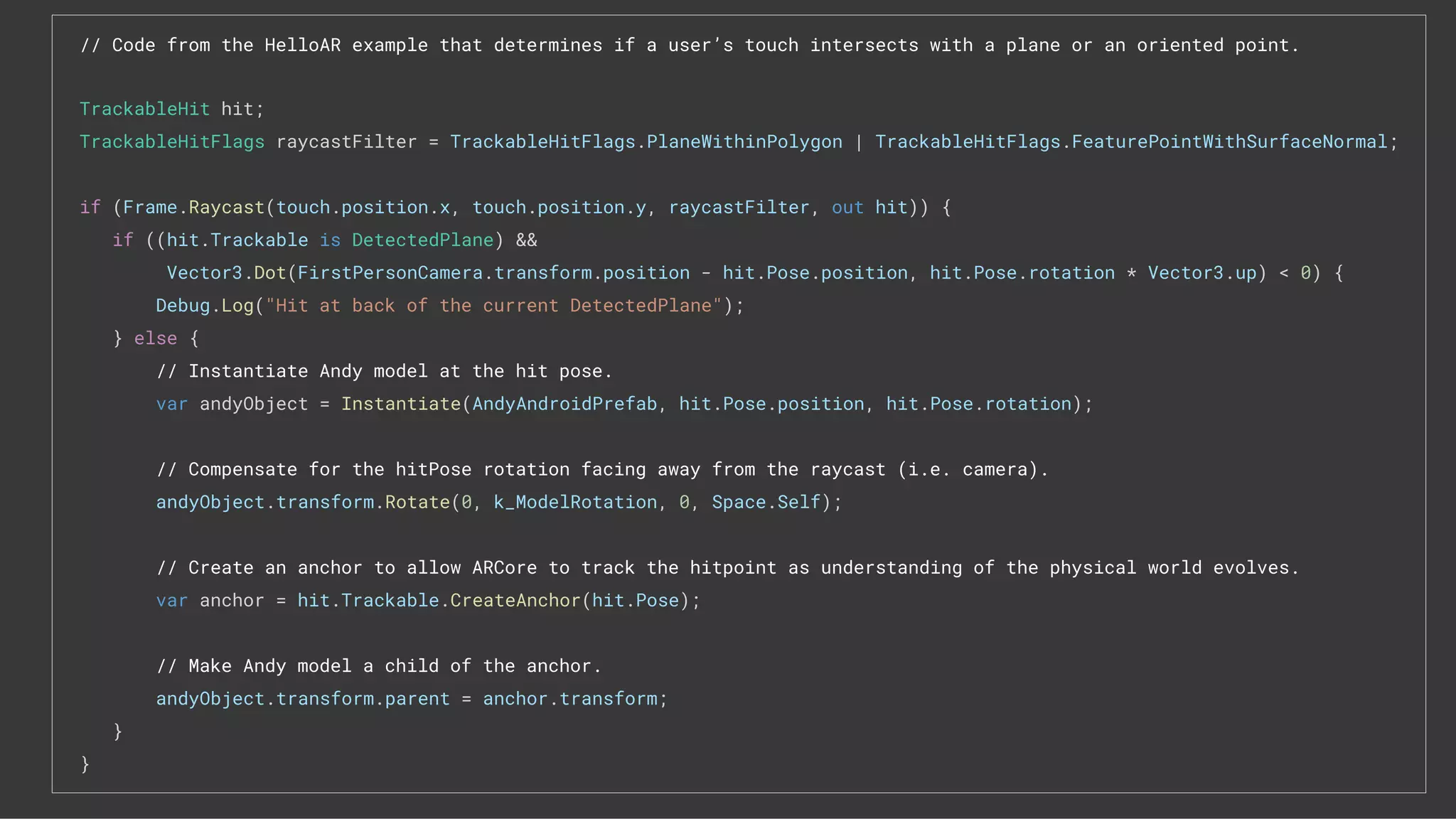
// Code from the HelloAR example that determines if a user’s touch intersects with a plane or an oriented point.
TrackableHit hit;
TrackableHitFlags raycastFilter = TrackableHitFlags.PlaneWithinPolygon | TrackableHitFlags.FeaturePointWithSurfaceNormal;
if (Frame.Raycast(touch.position.x, touch.position.y, raycastFilter, out hit)) {
if ((hit.Trackable is DetectedPlane) &&
Vector3.Dot(FirstPersonCamera.transform.position - hit.Pose.position, hit.Pose.rotation * Vector3.up) < 0) {
Debug.Log("Hit at back of the current DetectedPlane");
} else {
// Instantiate Andy model at the hit pose.
var andyObject = Instantiate(AndyAndroidPrefab, hit.Pose.position, hit.Pose.rotation);
// Compensate for the hitPose rotation facing away from the raycast (i.e. camera).
andyObject.transform.Rotate(0, k_ModelRotation, 0, Space.Self);
// Create an anchor to allow ARCore to track the hitpoint as understanding of the physical world evolves.
var anchor = hit.Trackable.CreateAnchor(hit.Pose);
// Make Andy model a child of the anchor.
andyObject.transform.parent = anchor.transform;
}
}
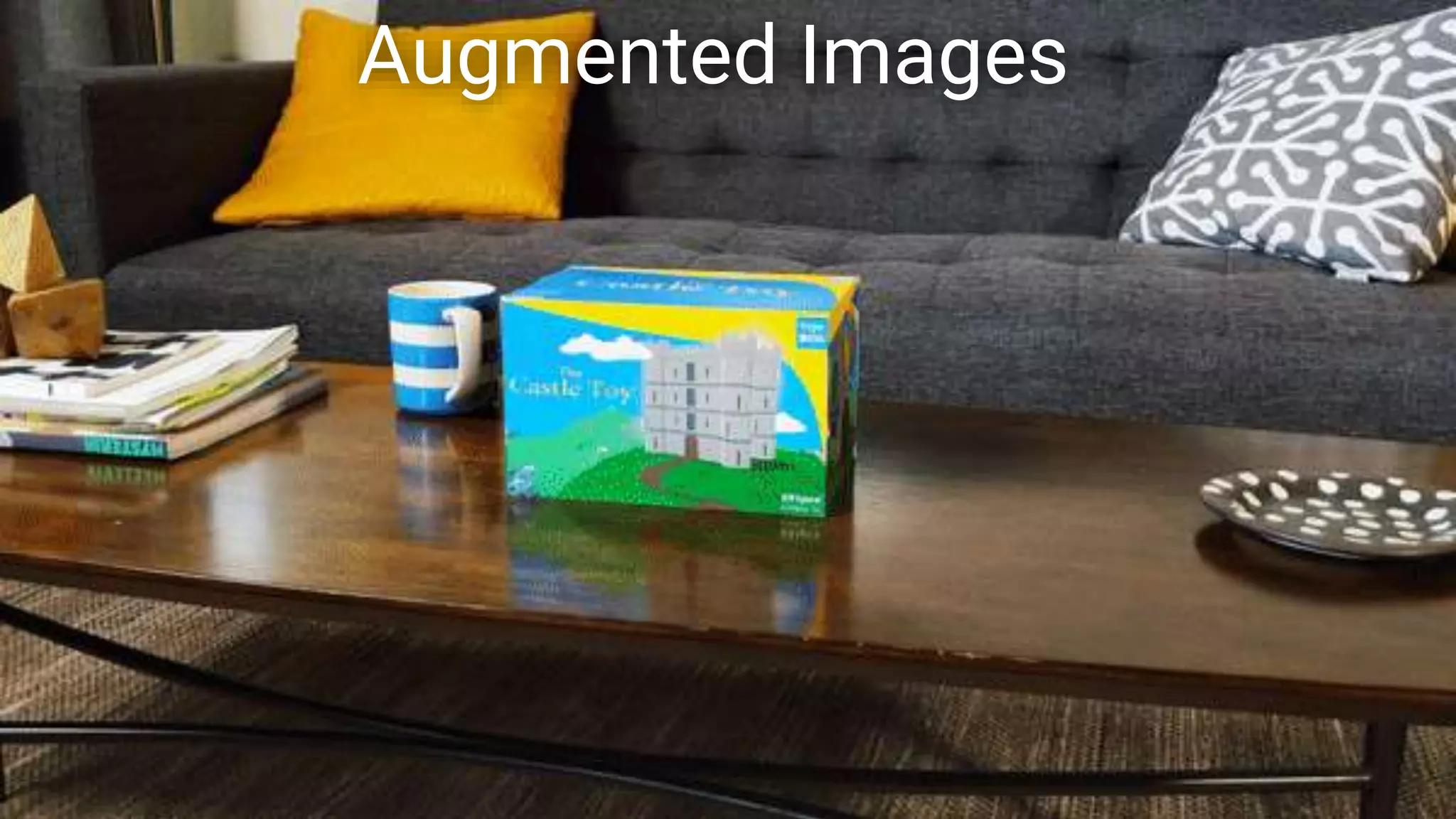
Augmented Images
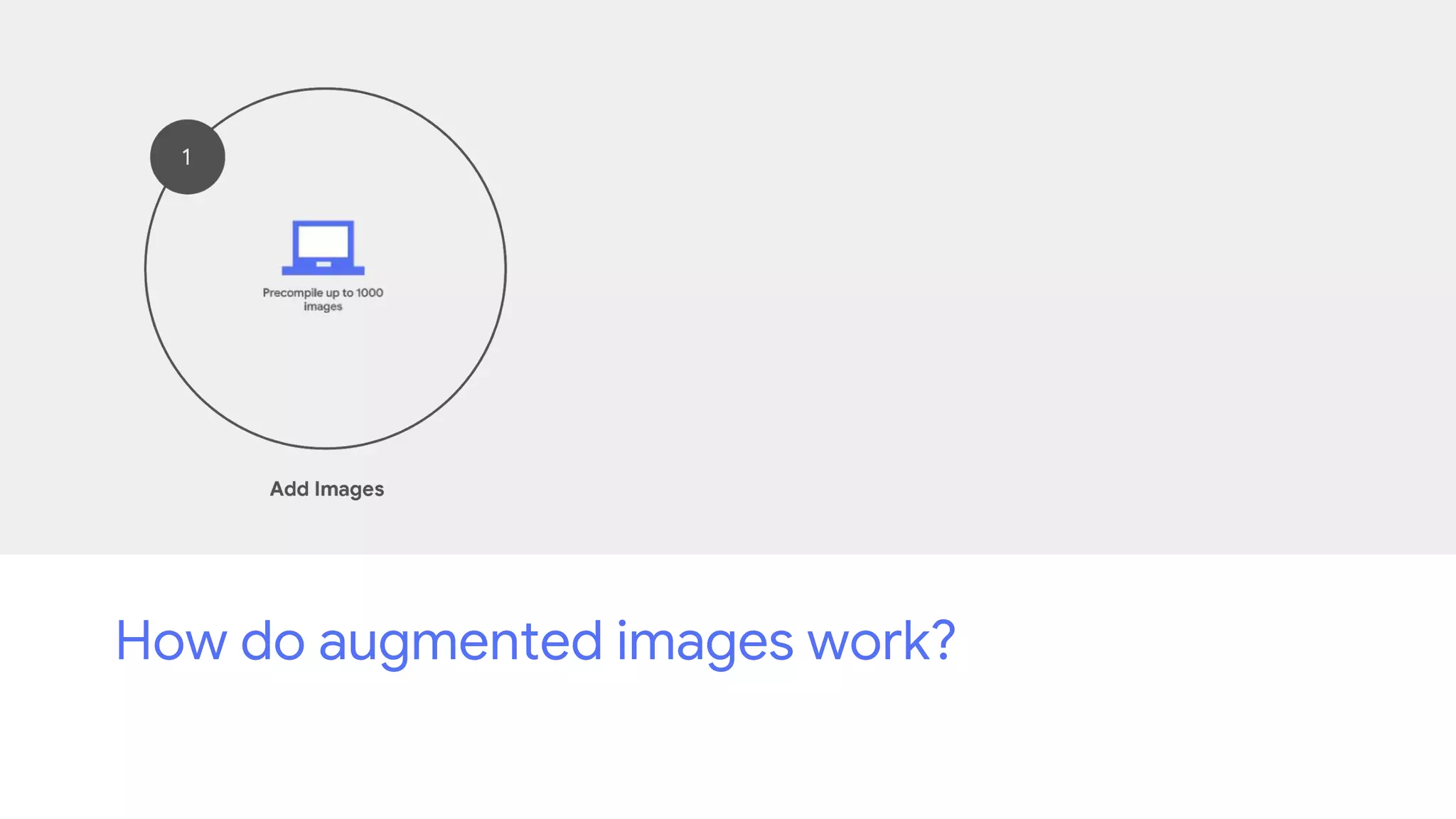
How do augmented images work?
How do cloud anchors work?
Thank you!
Developing Immersive Experiences with ARCore

Developing Immersive Experiences with ARCore

  • 1.
    Developing Immersive Experiences withARCore October ‘18 Dr. Matthew Small Engineering Lead @ Google ARCore SDK for Unity
  • 2.
  • 3.
    2008 20182008 Phones have becomedramatically more powerful; But their understanding of the world has been consistently limited.
  • 4.
    AR marks thenext big shift in mobile computing AR can bring digital information to you in the context of the real world, right where it's more accessible and useful.
  • 5.
    Build tools andshopping experiences that understand the geometry of a room. AR can be useful.
  • 6.
    Build games andcreative experiences that interact with the real world. AR can be fun.
  • 8.
    ARCore Unity SDKDevelopment Checklist Device that supports ARCore. Unity version 2017.4 LTS or later. The ARCore Unity SDK package.
  • 9.
    ARCore Supported Android Devices Asof October 2018 Acer Chromebook Tab 10 Asus ROG Phone Zenfone AR Zenfone ARES Google Nexus 5X Nexus 6P Pixel, Pixel XL Pixel 2, Pixel 2 XL Pixel 3, Pixel 3 XL HMD Global Nokia 6 (2018) Nokia 6.1 Plus Nokia 7 Plus Nokia 7.1 Nokia 8 Nokia 8 Sirocco Huawei Honor 10 nova 3, nova 3i P20, P20 Pro Porsche Design Mate RS Mate 20 Lite Y9 2019 LG G6 G7 One, G7 ThinQ Q6 Q8 V30, V30+, V30+ JOJO V35 ThinQ V40 Motorola Moto G5S Plus Moto G6, Moto G6 Plus Moto X4 Moto Z2 Force Moto Z3, Moto Z3 Play OnePlus OnePlus 3T OnePlus 5, OnePlus 5T OnePlus 6 Samsung Galaxy A5 (2017) Galaxy A6 (2018) Galaxy A7 (2017) Galaxy A8, Galaxy A8+ (2018) Galaxy Note8 Galaxy Note9 Galaxy S7, Galaxy S7 edge Galaxy S8, Galaxy S8+ Galaxy S9, Galaxy S9+ Galaxy Tab S3 Galaxy Tab S4 Sony Xperia XZ Premium Xperia XZ1, Xperia XZ1 Compact Xperia XZ2, Xperia XZ2 Compact, Xperia XZ2 Premium Vivo NEX A NEX S X23 Xiaomi Mi 8, Mi 8 SE Mi Mix 2S Pocophone F1
  • 10.
  • 11.
    Motion Tracking As yourmobile device moves through the world, ARCore combines visual data from the device’s camera and IMU to compute the position and orientation of the phone.
  • 12.
  • 13.
    Lighting Estimation ARCore candetect information about the lighting of its environment so you can render your virtual objects under the same conditions as the environment around them.
  • 14.
    Environmental Light Prefab LightEstimation Shaders Happy Plants
  • 15.
    Environment Understanding ARCore understandsthe physical structure of the environment, detecting horizontal surfaces, like tables and desks, and makes these surfaces available to your app as planes.
  • 16.
    // Code fromthe HelloAR example that determines if a user’s touch intersects with a plane or an oriented point. TrackableHit hit; TrackableHitFlags raycastFilter = TrackableHitFlags.PlaneWithinPolygon | TrackableHitFlags.FeaturePointWithSurfaceNormal; if (Frame.Raycast(touch.position.x, touch.position.y, raycastFilter, out hit)) { if ((hit.Trackable is DetectedPlane) && Vector3.Dot(FirstPersonCamera.transform.position - hit.Pose.position, hit.Pose.rotation * Vector3.up) < 0) { Debug.Log("Hit at back of the current DetectedPlane"); } else { // Instantiate Andy model at the hit pose. var andyObject = Instantiate(AndyAndroidPrefab, hit.Pose.position, hit.Pose.rotation); // Compensate for the hitPose rotation facing away from the raycast (i.e. camera). andyObject.transform.Rotate(0, k_ModelRotation, 0, Space.Self); // Create an anchor to allow ARCore to track the hitpoint as understanding of the physical world evolves. var anchor = hit.Trackable.CreateAnchor(hit.Pose); // Make Andy model a child of the anchor. andyObject.transform.parent = anchor.transform; } }
  • 17.
  • 18.
    How do augmentedimages work?
  • 19.
    How do augmentedimages work?
  • 20.
    How do augmentedimages work?
  • 23.
    How do cloudanchors work?
  • 24.