© 2007 Wellesley Information Services. All rights reserved.
Leveraging
LotusScript for
Database
Connectivity
Bill Buchan
HADSL
2
Why Are We Here?
• What is the target audience?
 Lotus Notes developers who use server-based agents
• What is this talk about?
 Lotus Notes is often perceived as a data “silo” …
 Difficult to get data into
 And difficult to get data out of
 … this is not the case
 This presentation explores a multitude of ways of interfacing
Notes databases with enterprise relational databases
3
Who Am I?
• Bill Buchan
• Dual Principal Certified Lotus Professional (PCLP) in v3,
v4, v5, v6, v7
• 10+ years senior development for Enterprise customers
 Learn from my pain!
• 5+ years code auditing
• CEO of HADSL
 Developing best-practice tools
4
What We’ll Cover …
• Overview
• LSX
• LS:DO
• DCR
• Wrap-up
5
Overview
• This session:
 Is mostly about code
 Lots of take-home code examples
 Is a deep-dive in terms of theory
6
Connections: Overview
• “Lotus Notes cannot share its data with other
databases”
 Absolutely not
 Support for this dates back over 10 years!
• Multiple methods
 This presentation leads you through some of the more
popular ones
 Highlights the pros and cons of each
7
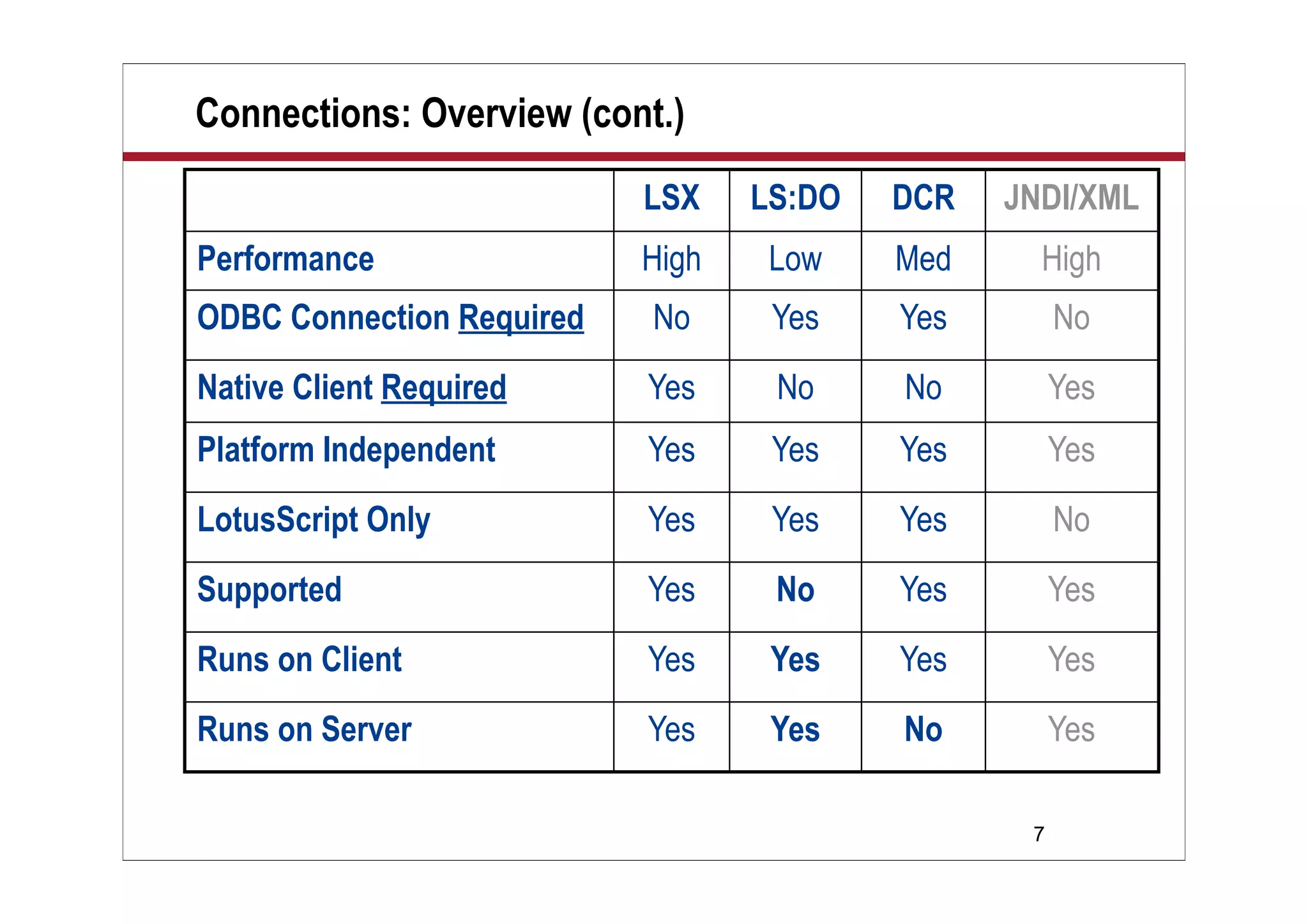
Connections: Overview (cont.)
LSX LS:DO DCR JNDI/XML
Performance High Low Med High
ODBC Connection Required No Yes Yes No
Native Client Required Yes No No Yes
Platform Independent Yes Yes Yes Yes
LotusScript Only Yes Yes Yes No
Supported Yes No Yes Yes
Runs on Client Yes Yes Yes Yes
Runs on Server Yes Yes No Yes
8
Tips: General
• In all of these examples, I shall hard-code user names
and passwords for simplicity
 This is NOT a good production best practice!
 Use encryption keys, profile documents, etc., to soft-code
these in production
• Any attempt by LotusScript to access data outside the
current database may result in error
 Error handling is therefore mandatory
 Logging of scheduled agents is mandatory
9
What We’ll Cover …
• Overview
• LSX
• LS:DO
• DCR
• Wrap-up
10
Overview: LSX
• LotusScript-based
 Such a small learning curve
• Relies on native client support
 So you have to install your database client and/or drivers
• Is fast
 This doesn’t have to use ODBC
 But ODBC is used for MS SQL and Access
 Remember, ODBC v2 doesn’t like Unicode
 This technology is used in the Lotus Enterprise Integrator
 Formerly “Notespump”
 Good for bulk transfer-style applications
11
Methodology
• We shall attempt to:
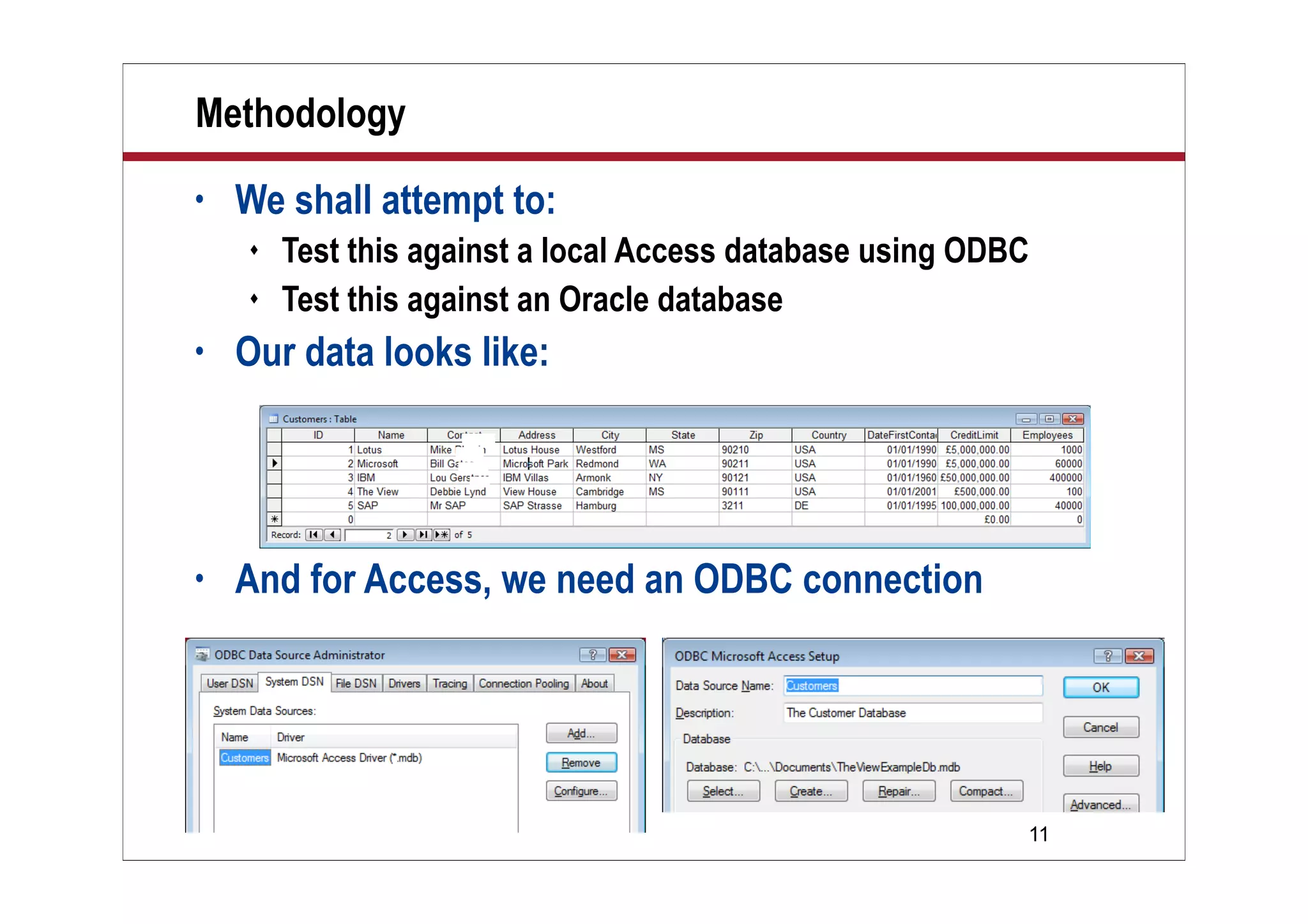
 Test this against a local Access database using ODBC
 Test this against an Oracle database
• Our data looks like:
• And for Access, we need an ODBC connection
12
Demo: Read Table to Log
• Let’s get a feel for what we are doing
• In this demonstration, we will:
 Connect, using ODBC, to an Access database
 Collect all records in a CUSTOMERS table
 Pull ALL fields from all records
 Write all this information to a Notes log
13
Demo
Demo
Read Table to Log
14
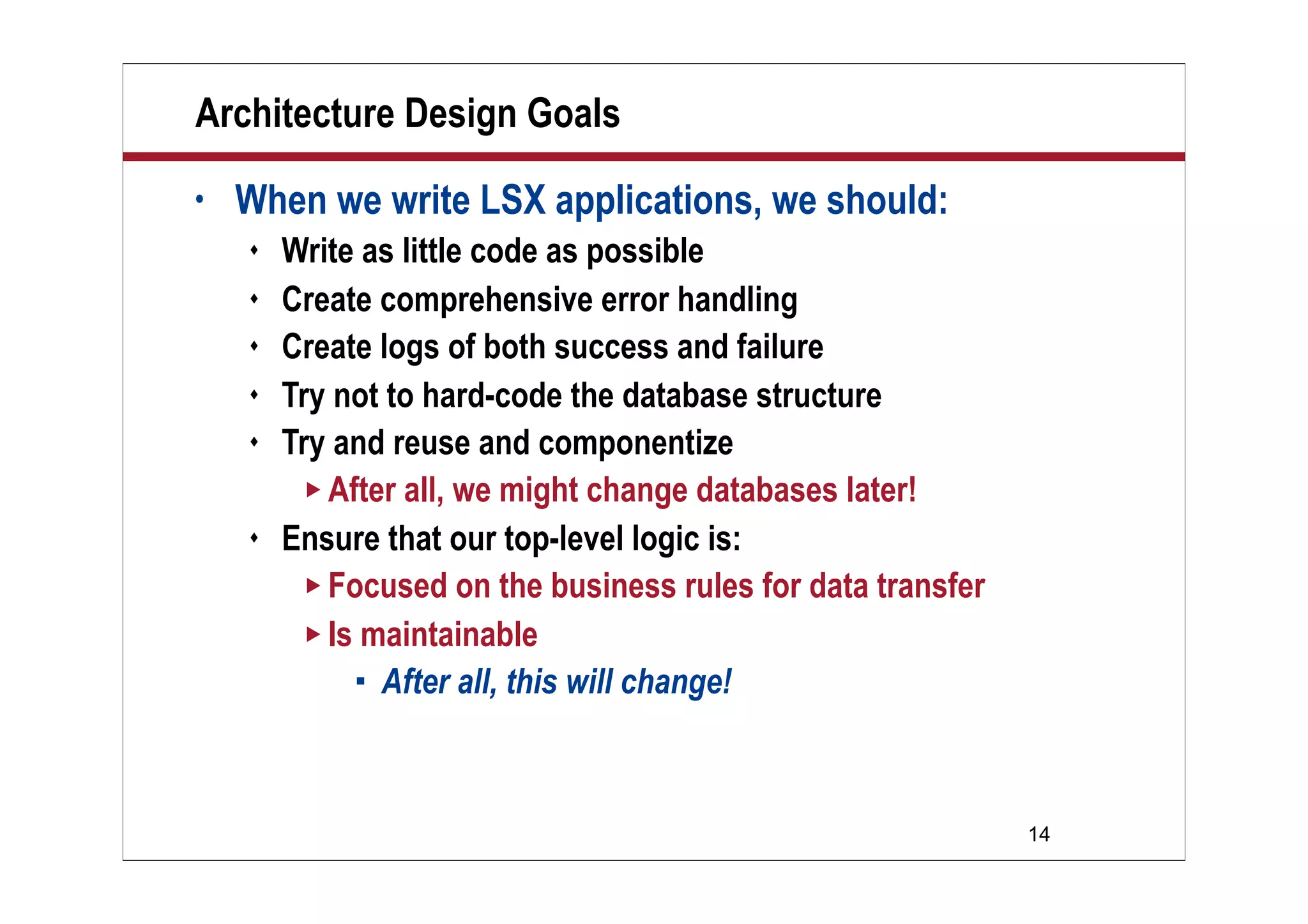
Architecture Design Goals
• When we write LSX applications, we should:
 Write as little code as possible
 Create comprehensive error handling
 Create logs of both success and failure
 Try not to hard-code the database structure
 Try and reuse and componentize
 After all, we might change databases later!
 Ensure that our top-level logic is:
 Focused on the business rules for data transfer
 Is maintainable
 After all, this will change!
15
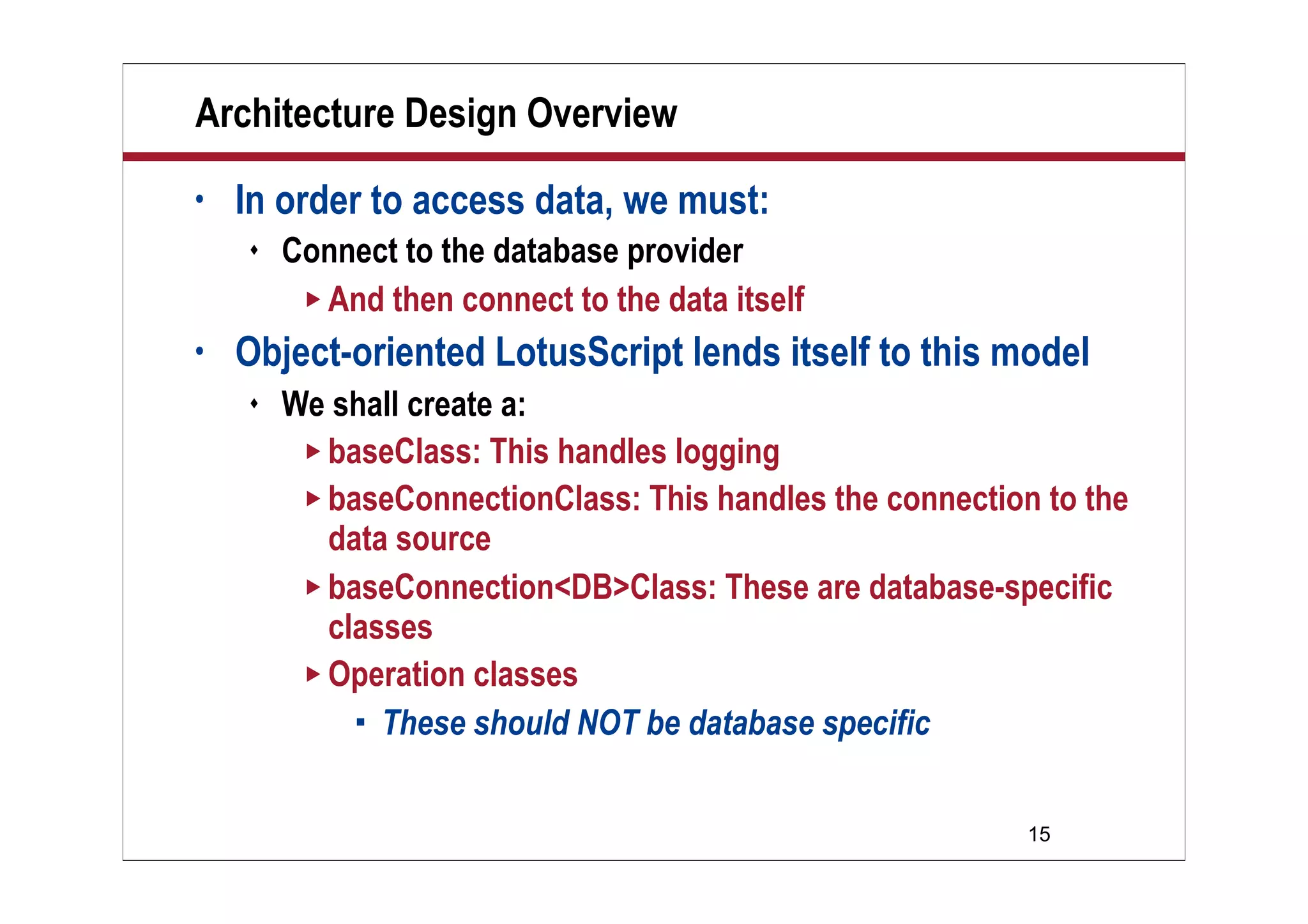
Architecture Design Overview
• In order to access data, we must:
 Connect to the database provider
 And then connect to the data itself
• Object-oriented LotusScript lends itself to this model
 We shall create a:
 baseClass: This handles logging
 baseConnectionClass: This handles the connection to the
data source
 baseConnection<DB>Class: These are database-specific
classes
 Operation classes
 These should NOT be database specific
16
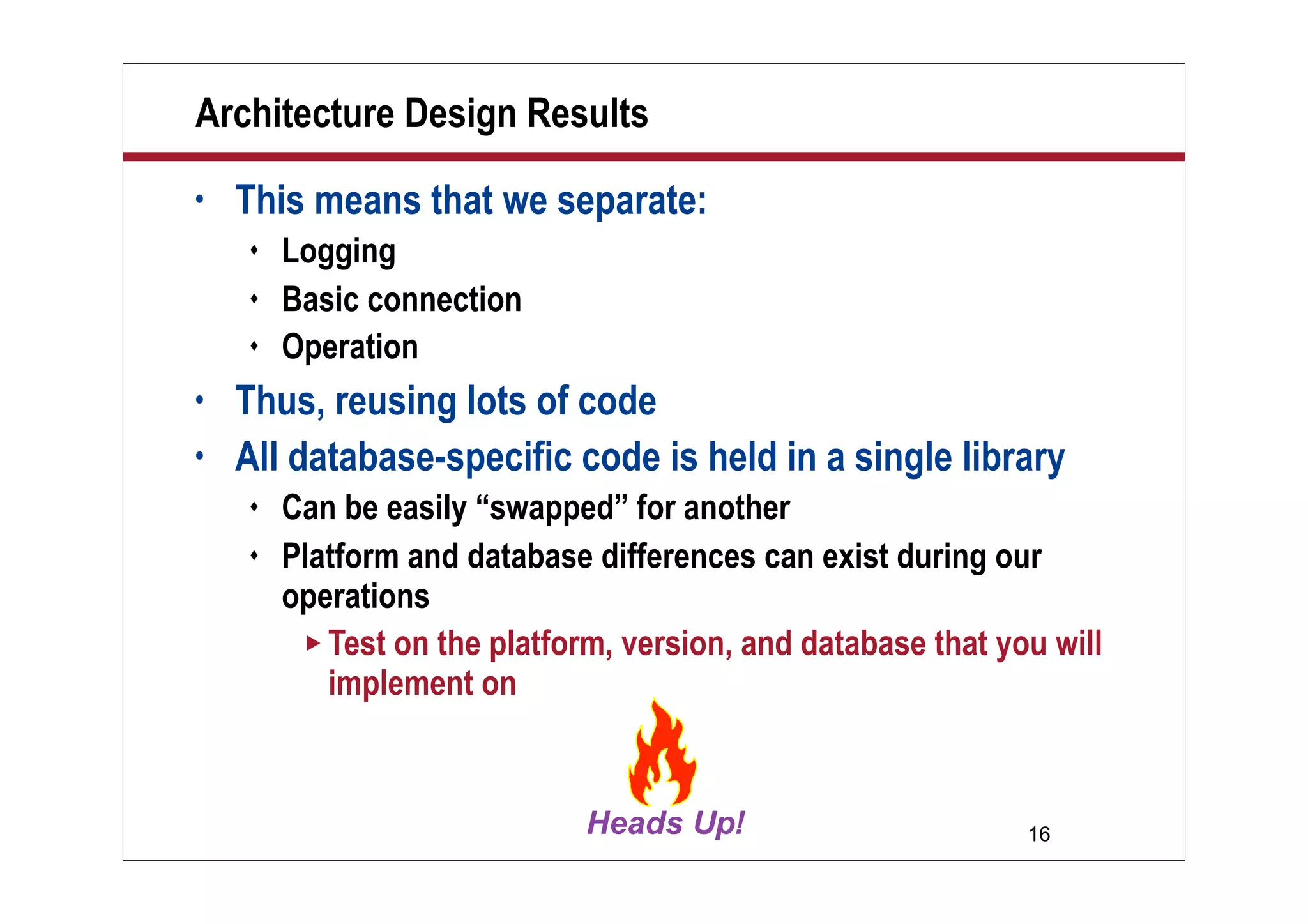
Architecture Design Results
• This means that we separate:
 Logging
 Basic connection
 Operation
• Thus, reusing lots of code
• All database-specific code is held in a single library
 Can be easily “swapped” for another
 Platform and database differences can exist during our
operations
 Test on the platform, version, and database that you will
implement on
17
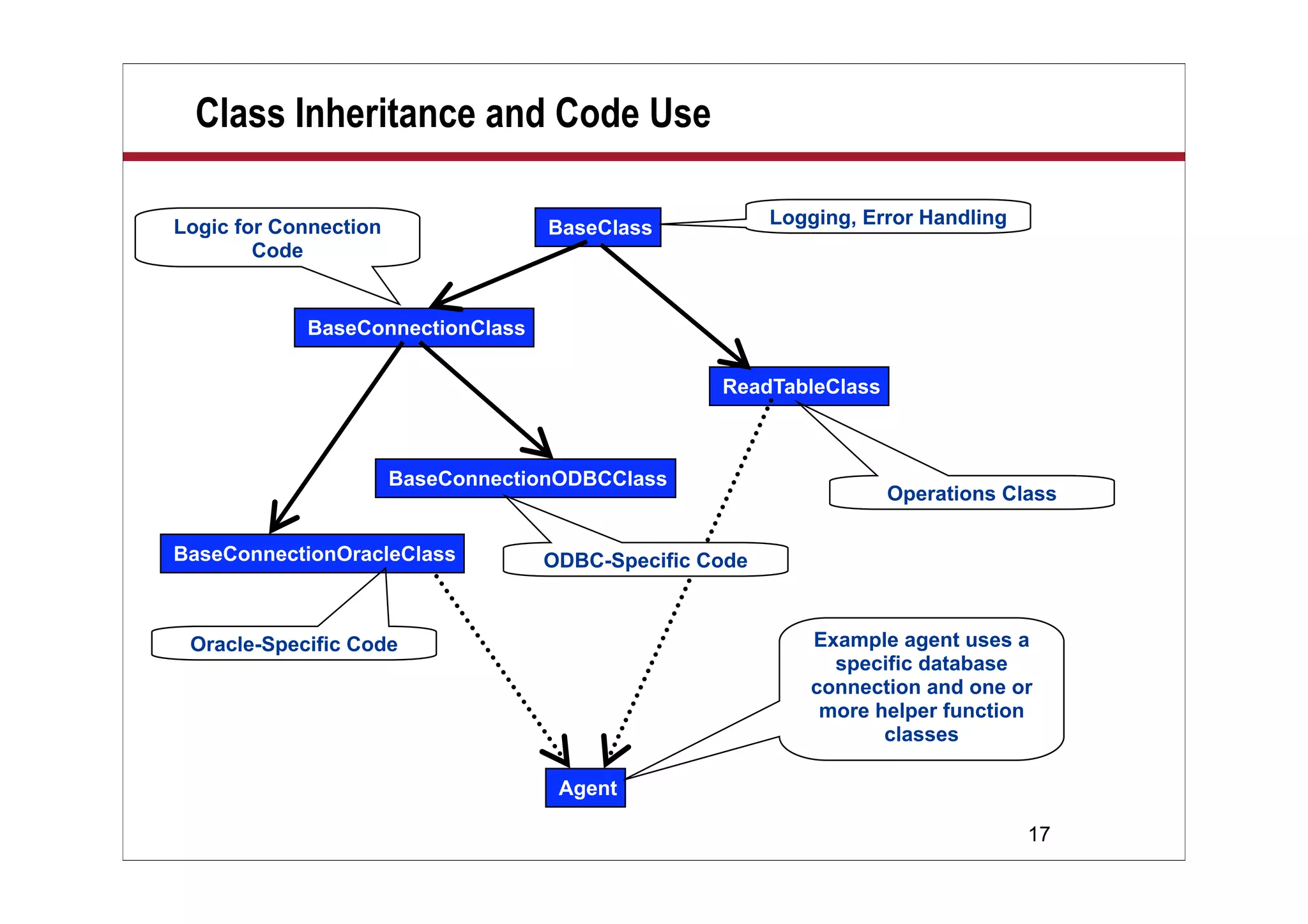
Class Inheritance and Code Use
BaseClass
BaseConnectionClass
BaseConnectionOracleClass
BaseConnectionODBCClass
ReadTableClass
Logging, Error Handling
Operations Class
Oracle-Specific Code
Logic for Connection
Code
Agent
ODBC-Specific Code
Example agent uses a
specific database
connection and one or
more helper function
classes
18
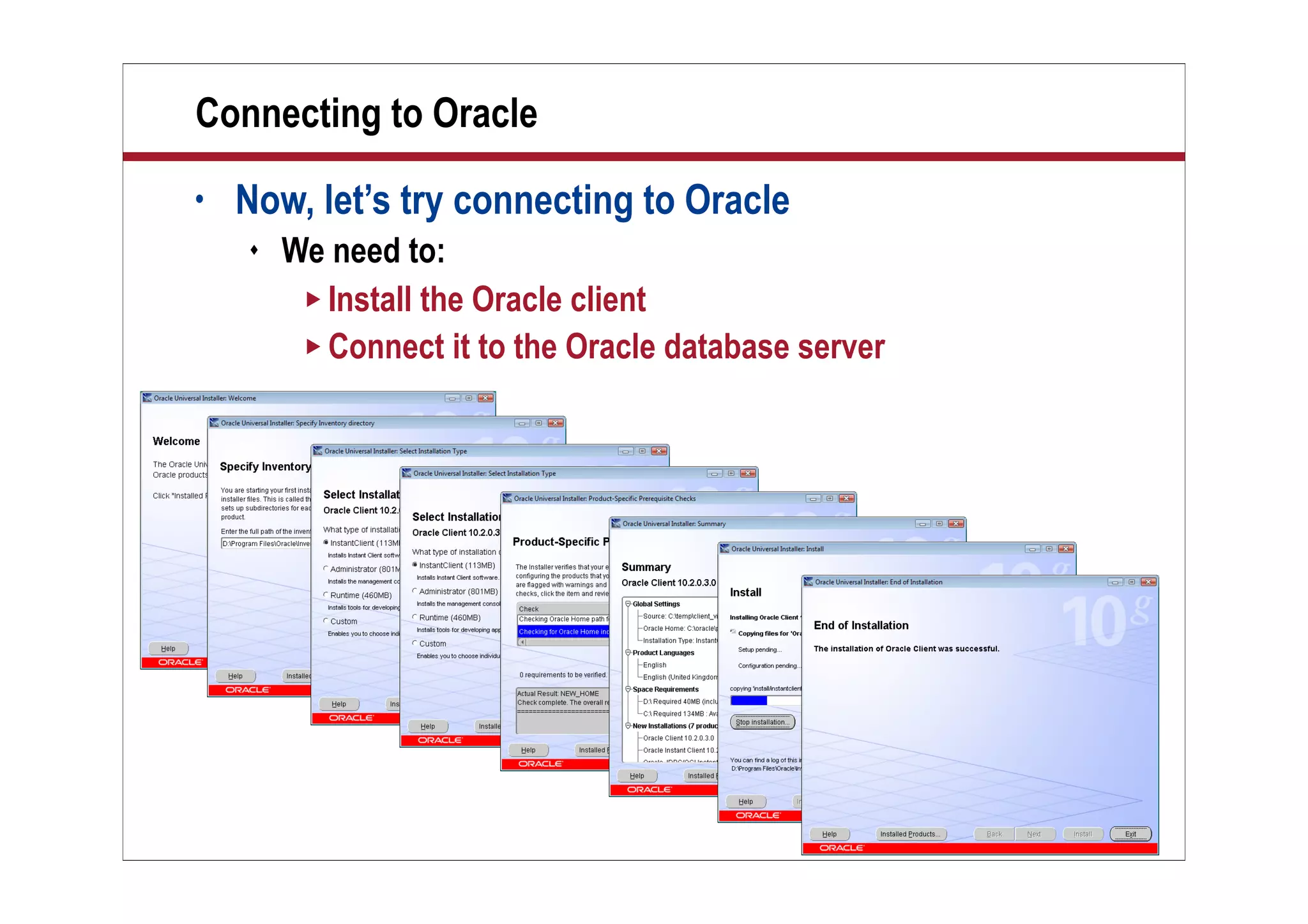
Connecting to Oracle
• Now, let’s try connecting to Oracle
 We need to:
 Install the Oracle client
 Connect it to the Oracle database server
19
Some Oracle Tips
• Setting up an Oracle server is not trivial
 Oracle is an enterprise-strength database system
 As big, complex, and difficult as a dozen mother-in-laws
 So give yourself time!
• Some tips:
 The Connection string in Oracle looks like:
 CUSTOMERS_oracle02.marykirk.local
 This is:
 The name of the application — in our case “Customers”
 And then the network host address
 Either as a Domain Name System (DNS) host address
or as an Internet Protocol (IP) address
20
More Oracle Tips
• Try to use some Oracle tools to validate that you have:
 A proper connection
 Sufficient access to the application
 Sufficient access to the tables
• Remember, you can use DCR to validate connections
21
Network Architecture
• If you run Lotus Connector (LC) LSX code on the server:
 The server must have:
 A connection to Oracle
 The Oracle Client software drivers
• If you run LC LSX code on the Notes client:
 The client must have:
 A connection to Oracle
 The Oracle Client software
• Installing Oracle Client on all workstations is not trivial!
 Consider using LC LSX on the servers only
22
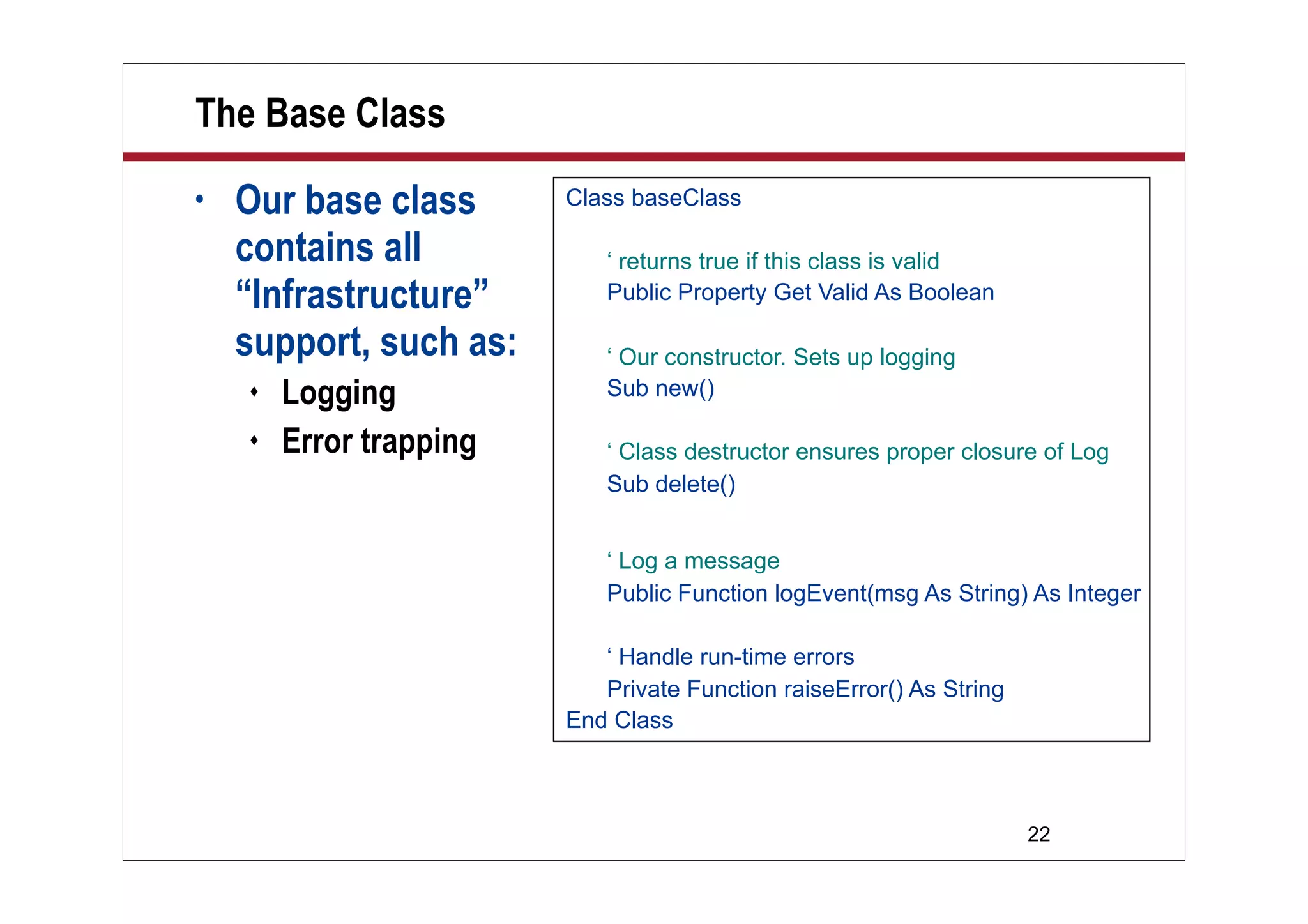
The Base Class
• Our base class
contains all
“Infrastructure”
support, such as:
 Logging
 Error trapping
Class baseClass
‘ returns true if this class is valid
Public Property Get Valid As Boolean
‘ Our constructor. Sets up logging
Sub new()
‘ Class destructor ensures proper closure of Log
Sub delete()
‘ Log a message
Public Function logEvent(msg As String) As Integer
‘ Handle run-time errors
Private Function raiseError() As String
End Class
23
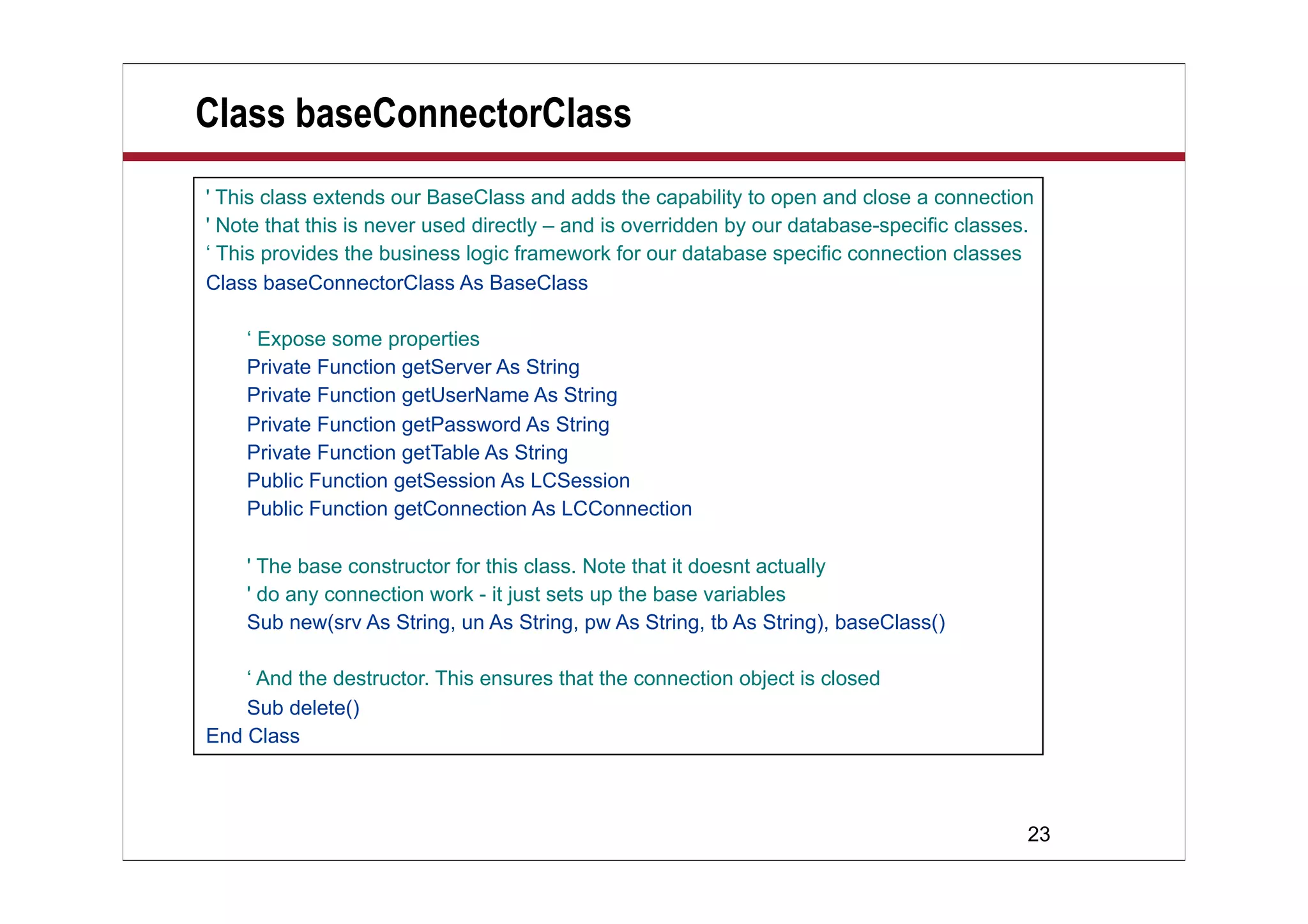
Class baseConnectorClass
' This class extends our BaseClass and adds the capability to open and close a connection
' Note that this is never used directly – and is overridden by our database-specific classes.
‘ This provides the business logic framework for our database specific connection classes
Class baseConnectorClass As BaseClass
‘ Expose some properties
Private Function getServer As String
Private Function getUserName As String
Private Function getPassword As String
Private Function getTable As String
Public Function getSession As LCSession
Public Function getConnection As LCConnection
' The base constructor for this class. Note that it doesnt actually
' do any connection work - it just sets up the base variables
Sub new(srv As String, un As String, pw As String, tb As String), baseClass()
‘ And the destructor. This ensures that the connection object is closed
Sub delete()
End Class
24
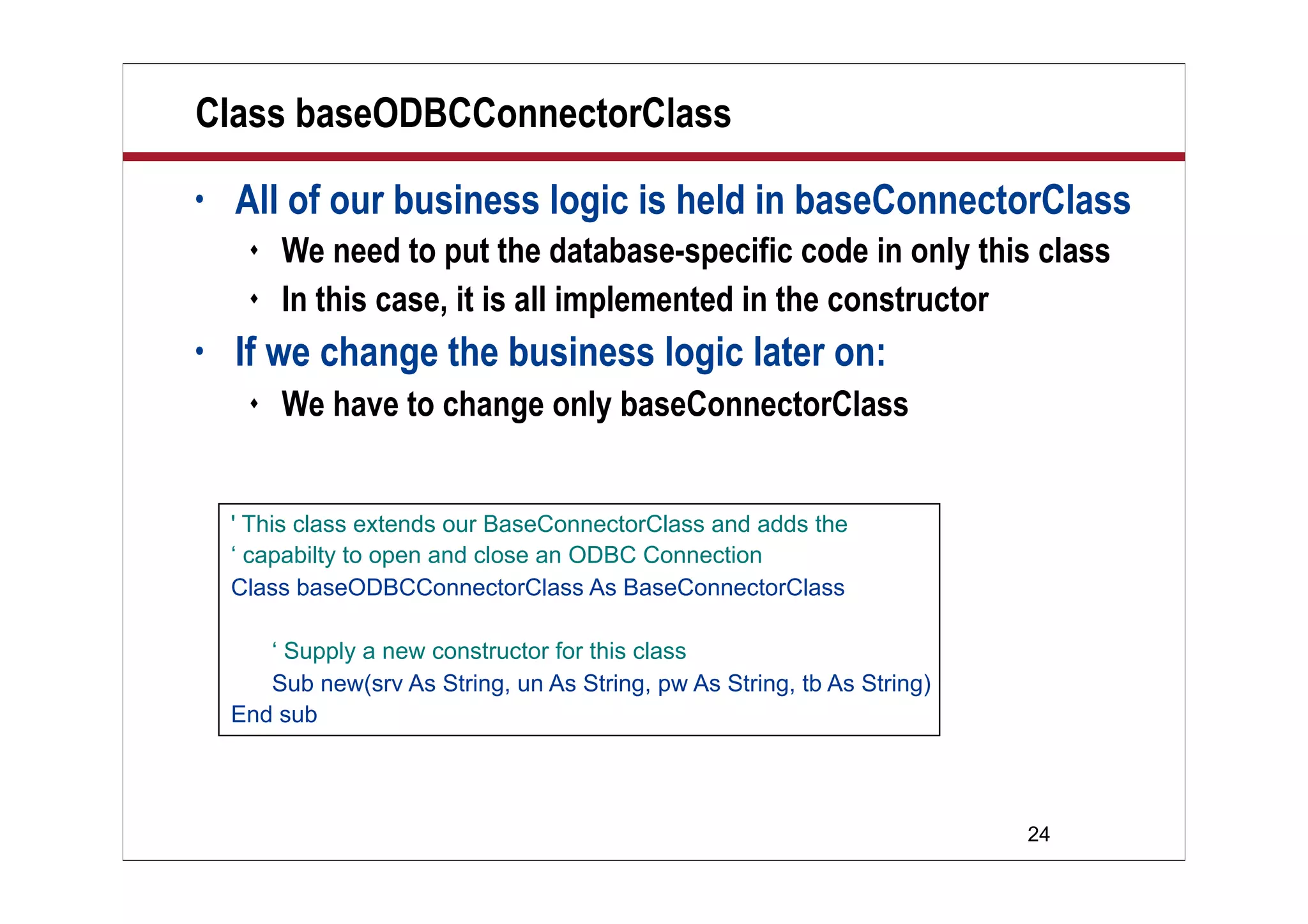
Class baseODBCConnectorClass
• All of our business logic is held in baseConnectorClass
 We need to put the database-specific code in only this class
 In this case, it is all implemented in the constructor
• If we change the business logic later on:
 We have to change only baseConnectorClass
' This class extends our BaseConnectorClass and adds the
‘ capabilty to open and close an ODBC Connection
Class baseODBCConnectorClass As BaseConnectorClass
‘ Supply a new constructor for this class
Sub new(srv As String, un As String, pw As String, tb As String)
End sub
25
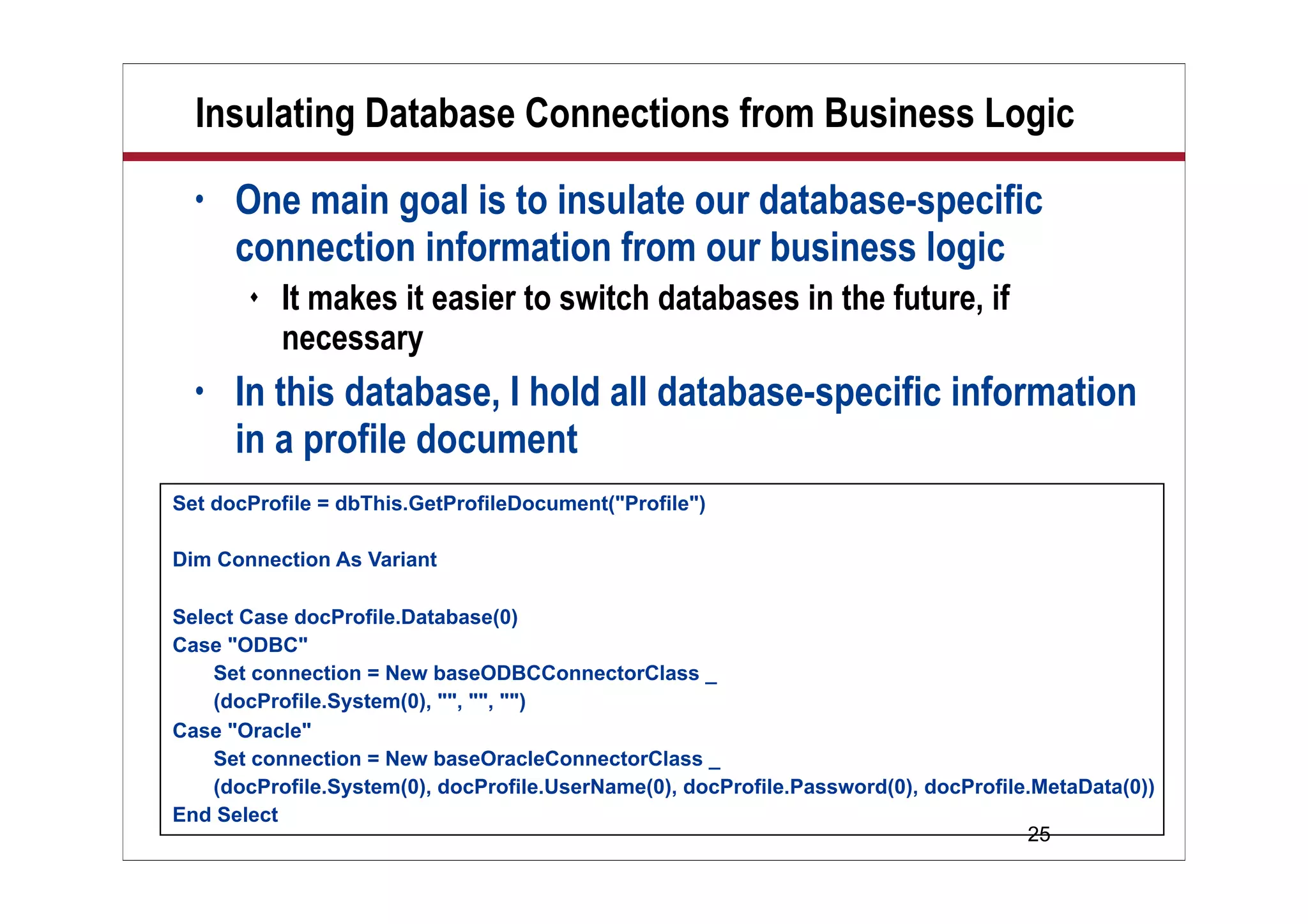
Insulating Database Connections from Business Logic
• One main goal is to insulate our database-specific
connection information from our business logic
 It makes it easier to switch databases in the future, if
necessary
• In this database, I hold all database-specific information
in a profile document
Set docProfile = dbThis.GetProfileDocument("Profile")
Dim Connection As Variant
Select Case docProfile.Database(0)
Case "ODBC"
Set connection = New baseODBCConnectorClass _
(docProfile.System(0), "", "", "")
Case "Oracle"
Set connection = New baseOracleConnectorClass _
(docProfile.System(0), docProfile.UserName(0), docProfile.Password(0), docProfile.MetaData(0))
End Select
26
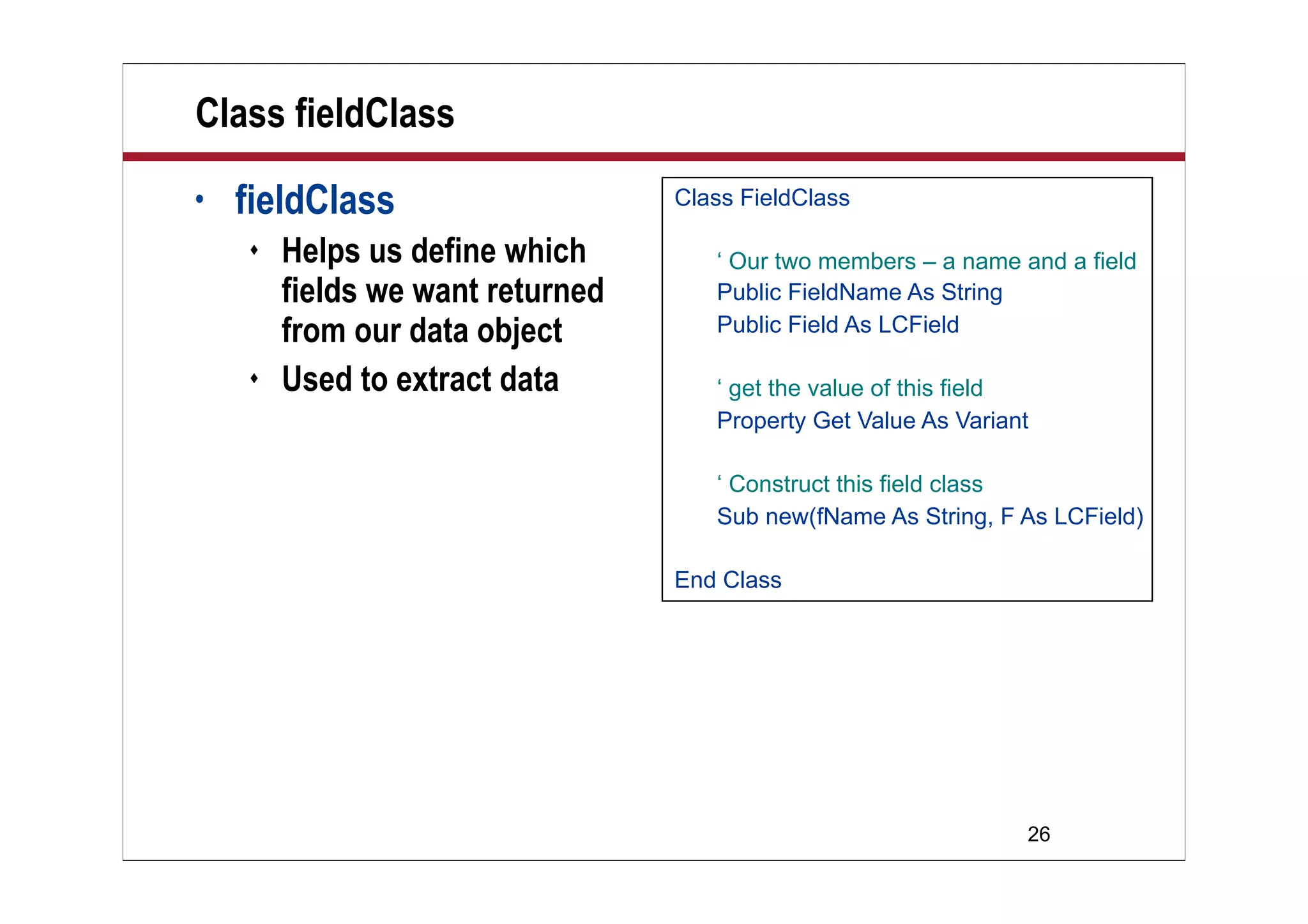
Class fieldClass
• fieldClass
 Helps us define which
fields we want returned
from our data object
 Used to extract data
Class FieldClass
‘ Our two members – a name and a field
Public FieldName As String
Public Field As LCField
‘ get the value of this field
Property Get Value As Variant
‘ Construct this field class
Sub new(fName As String, F As LCField)
End Class
27
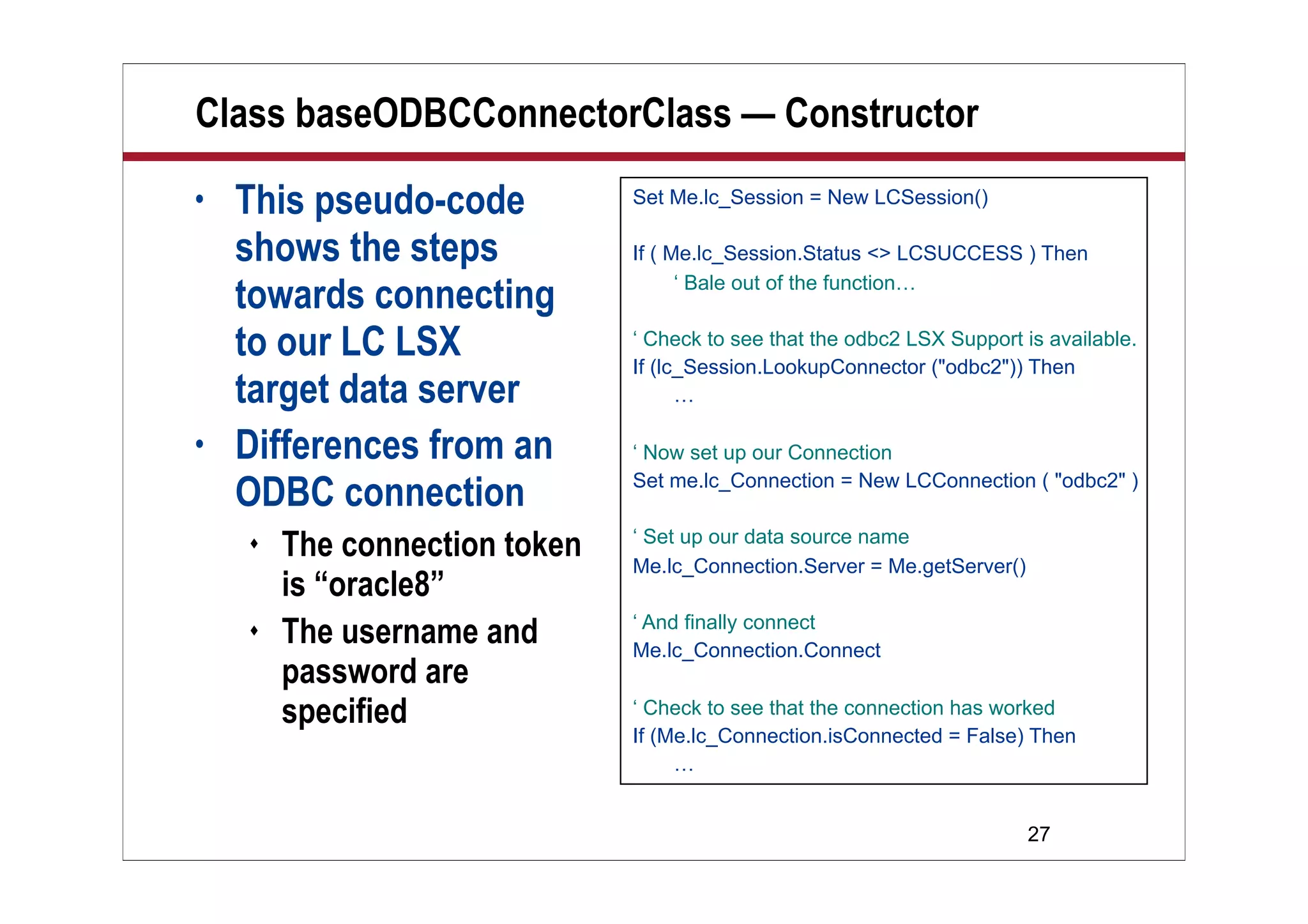
Class baseODBCConnectorClass — Constructor
• This pseudo-code
shows the steps
towards connecting
to our LC LSX
target data server
• Differences from an
ODBC connection
 The connection token
is “oracle8”
 The username and
password are
specified
Set Me.lc_Session = New LCSession()
If ( Me.lc_Session.Status <> LCSUCCESS ) Then
‘ Bale out of the function…
‘ Check to see that the odbc2 LSX Support is available.
If (lc_Session.LookupConnector ("odbc2")) Then
…
‘ Now set up our Connection
Set me.lc_Connection = New LCConnection ( "odbc2" )
‘ Set up our data source name
Me.lc_Connection.Server = Me.getServer()
‘ And finally connect
Me.lc_Connection.Connect
‘ Check to see that the connection has worked
If (Me.lc_Connection.isConnected = False) Then
…
28
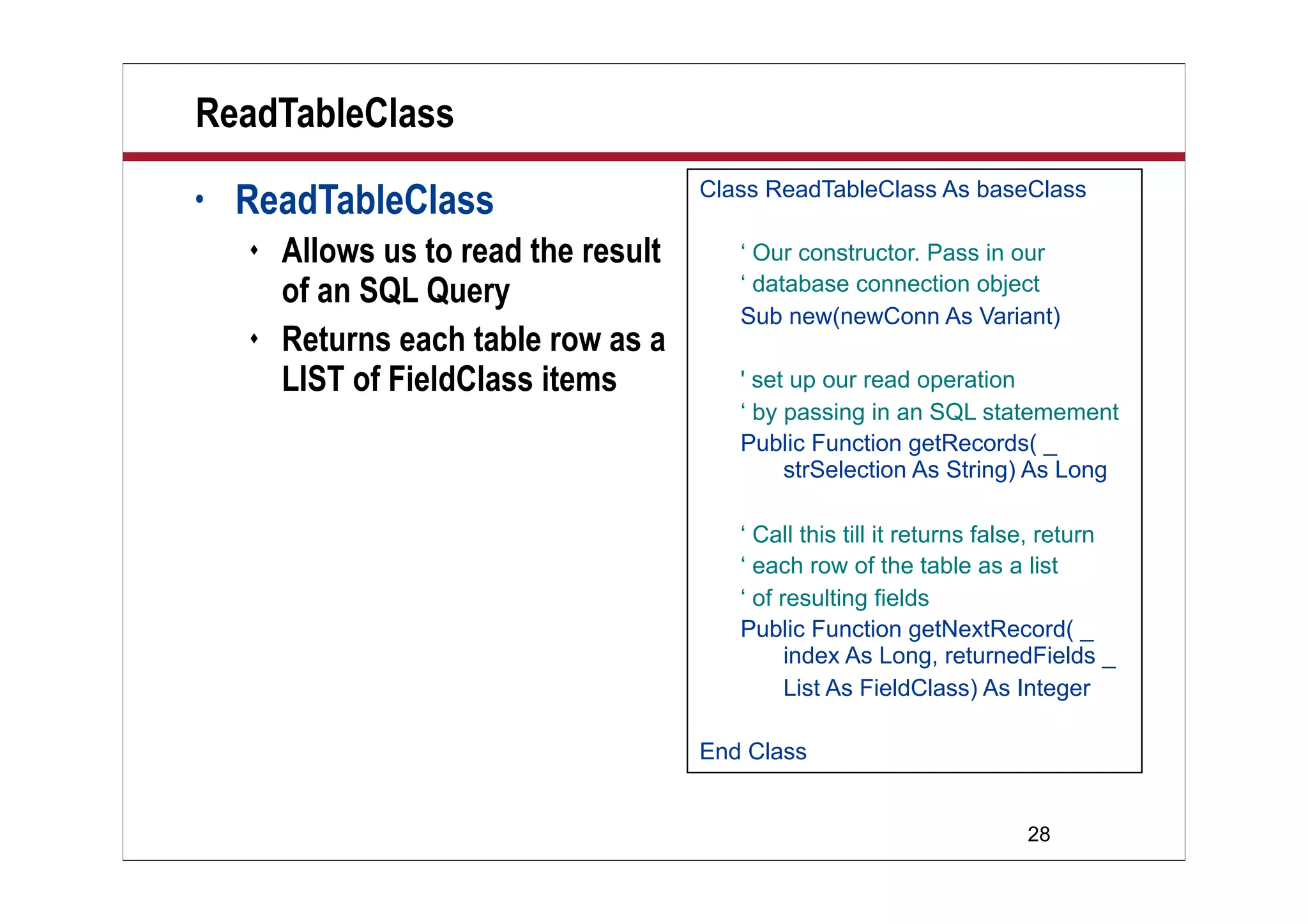
ReadTableClass
• ReadTableClass
 Allows us to read the result
of an SQL Query
 Returns each table row as a
LIST of FieldClass items
Class ReadTableClass As baseClass
‘ Our constructor. Pass in our
‘ database connection object
Sub new(newConn As Variant)
' set up our read operation
‘ by passing in an SQL statemement
Public Function getRecords( _
strSelection As String) As Long
‘ Call this till it returns false, return
‘ each row of the table as a list
‘ of resulting fields
Public Function getNextRecord( _
index As Long, returnedFields _
List As FieldClass) As Integer
End Class
29
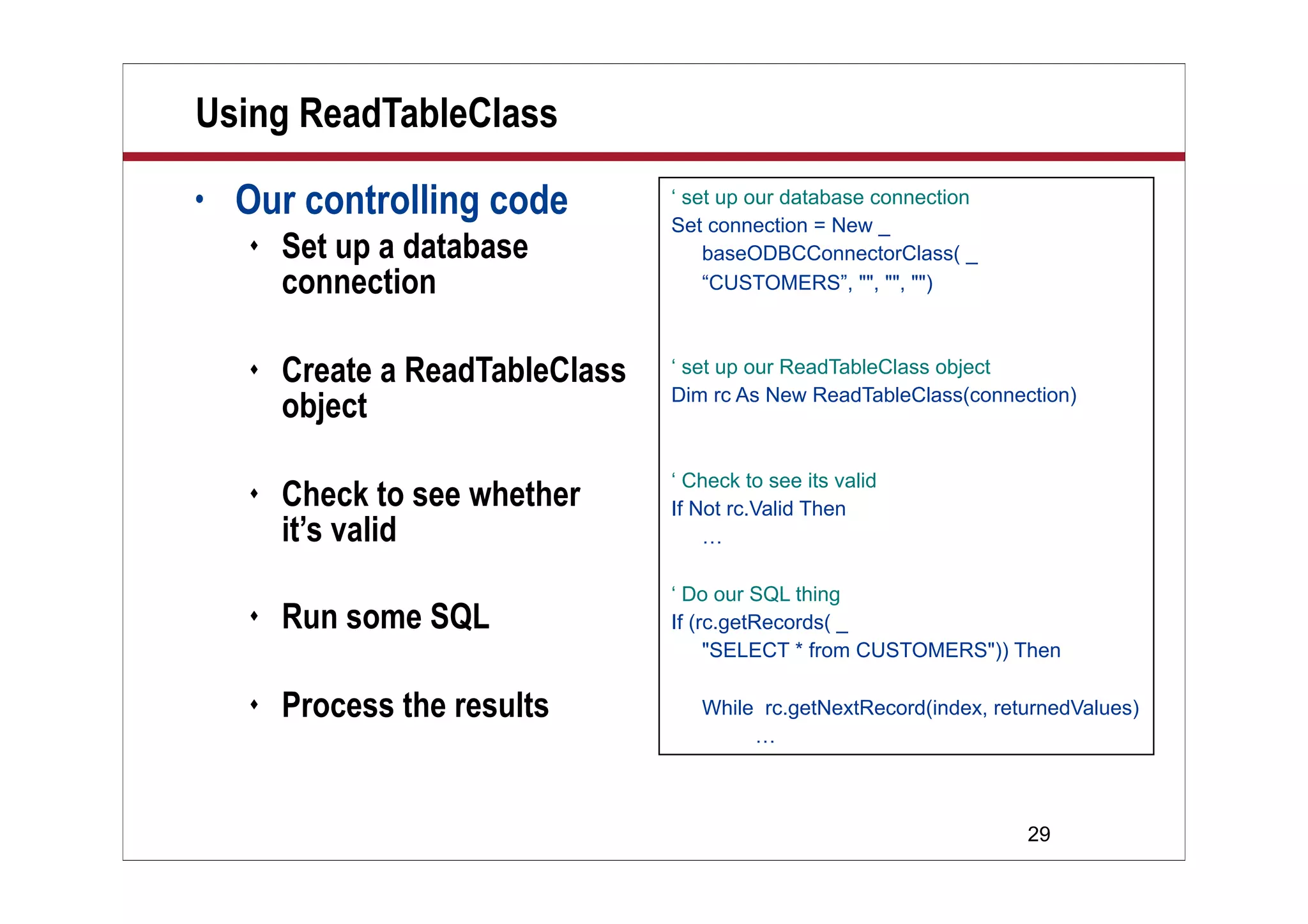
Using ReadTableClass
• Our controlling code
 Set up a database
connection
 Create a ReadTableClass
object
 Check to see whether
it’s valid
 Run some SQL
 Process the results
‘ set up our database connection
Set connection = New _
baseODBCConnectorClass( _
“CUSTOMERS”, "", "", "")
‘ set up our ReadTableClass object
Dim rc As New ReadTableClass(connection)
‘ Check to see its valid
If Not rc.Valid Then
…
‘ Do our SQL thing
If (rc.getRecords( _
"SELECT * from CUSTOMERS")) Then
While rc.getNextRecord(index, returnedValues)
…
30
Processing the Results from ReadTableClass
• It’s a case of:
 Retrieving each ROW of data
 Iterating through the LIST of
fieldClass items and
processing them
• Agent “Read Tables to Log”
just prints them
Forall thisF In returnedValues
Call rc.logEvent(" " + thisF.fieldName + Space(30-Len(thisF.fieldName)) + _
Chr(9) +" [" + Cstr(thisF.Field.DataType) + "]" + Chr(9) + _
Implode(thisF.Field.Text, ", "))
End Forall
------------------ New Record retrieved ----------
ID 1
Name Lotus
Contact Mike R.hodin
Address Lotus House
City Westford
State MA
ZIP 90210
Country USA
dateFirstContact 01/01/1990 00:00:00
CreditLimit 5000000.0000
Employees 1000
…
31
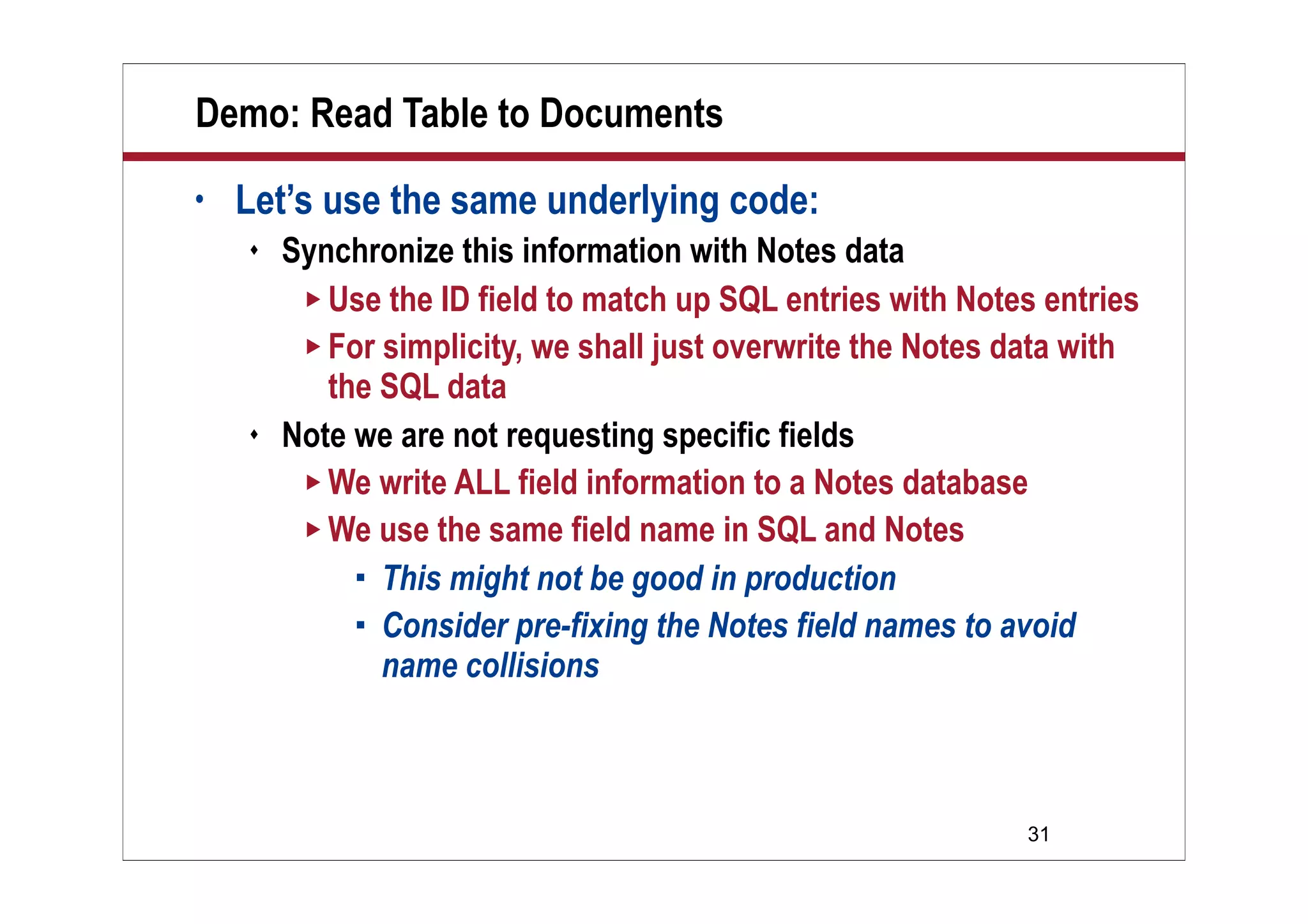
Demo: Read Table to Documents
• Let’s use the same underlying code:
 Synchronize this information with Notes data
 Use the ID field to match up SQL entries with Notes entries
 For simplicity, we shall just overwrite the Notes data with
the SQL data
 Note we are not requesting specific fields
 We write ALL field information to a Notes database
 We use the same field name in SQL and Notes
 This might not be good in production
 Consider pre-fixing the Notes field names to avoid
name collisions
32
Demo
Demo
Read Table
to Documents
33
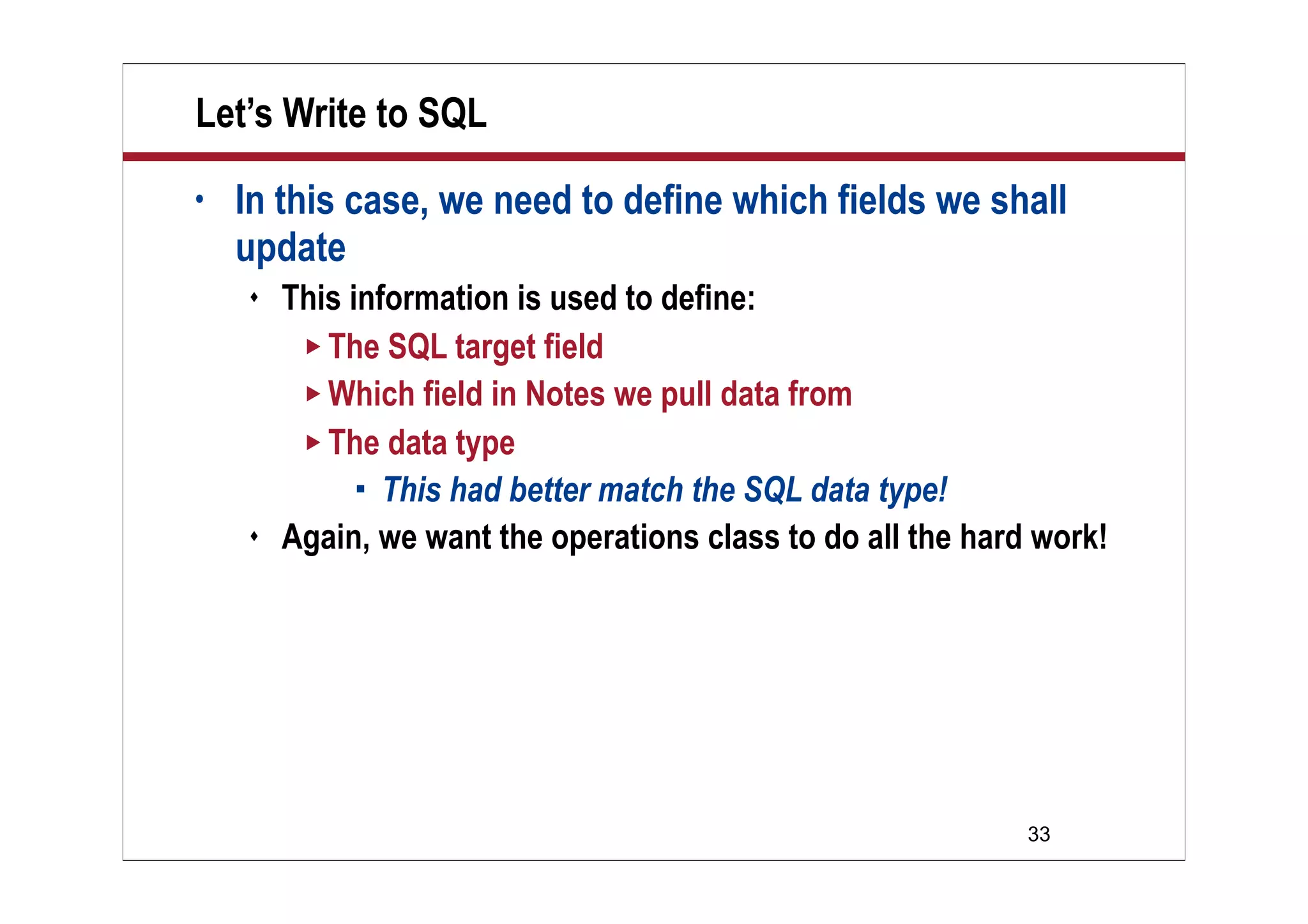
Let’s Write to SQL
• In this case, we need to define which fields we shall
update
 This information is used to define:
 The SQL target field
 Which field in Notes we pull data from
 The data type
 This had better match the SQL data type!
 Again, we want the operations class to do all the hard work!
34
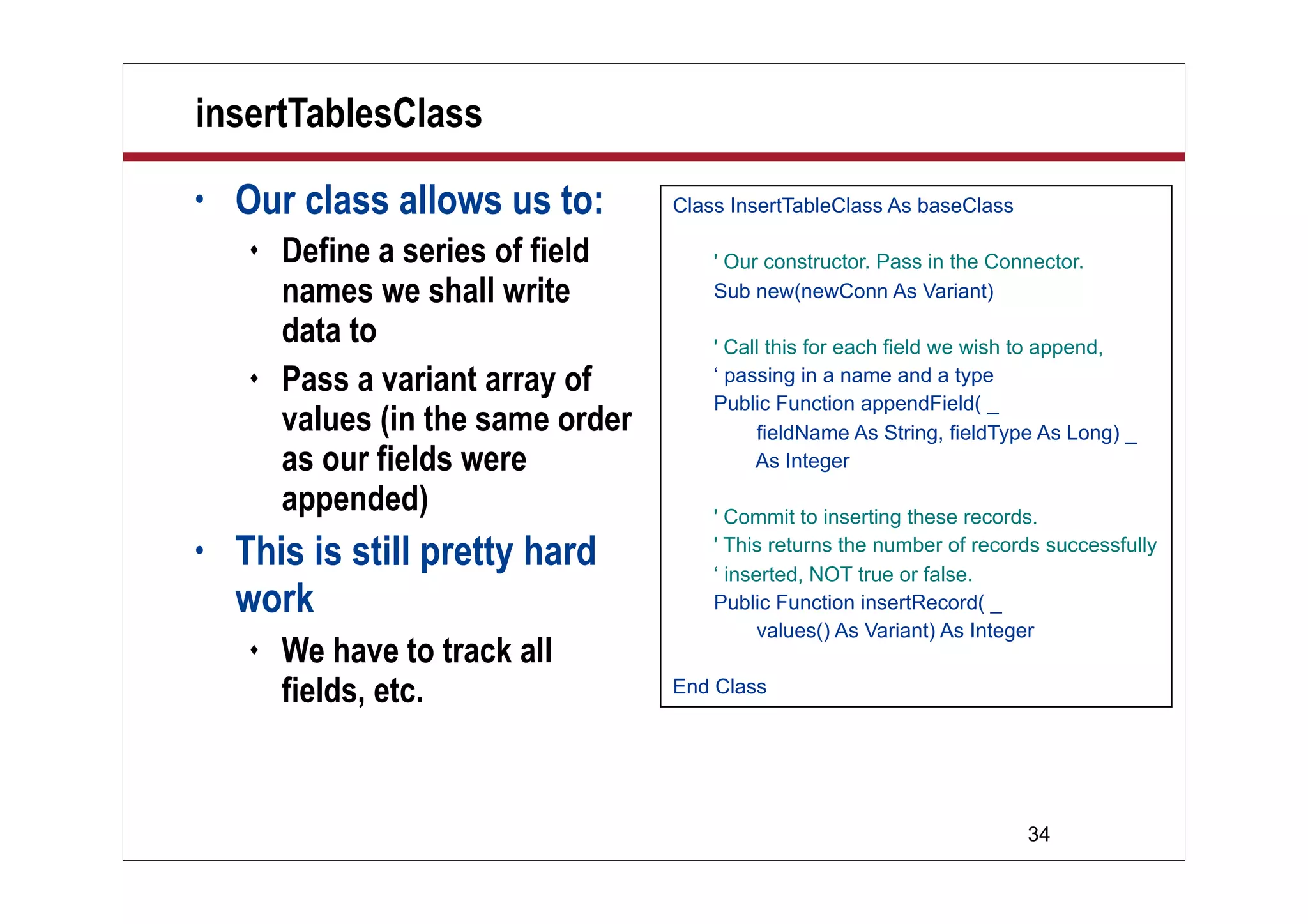
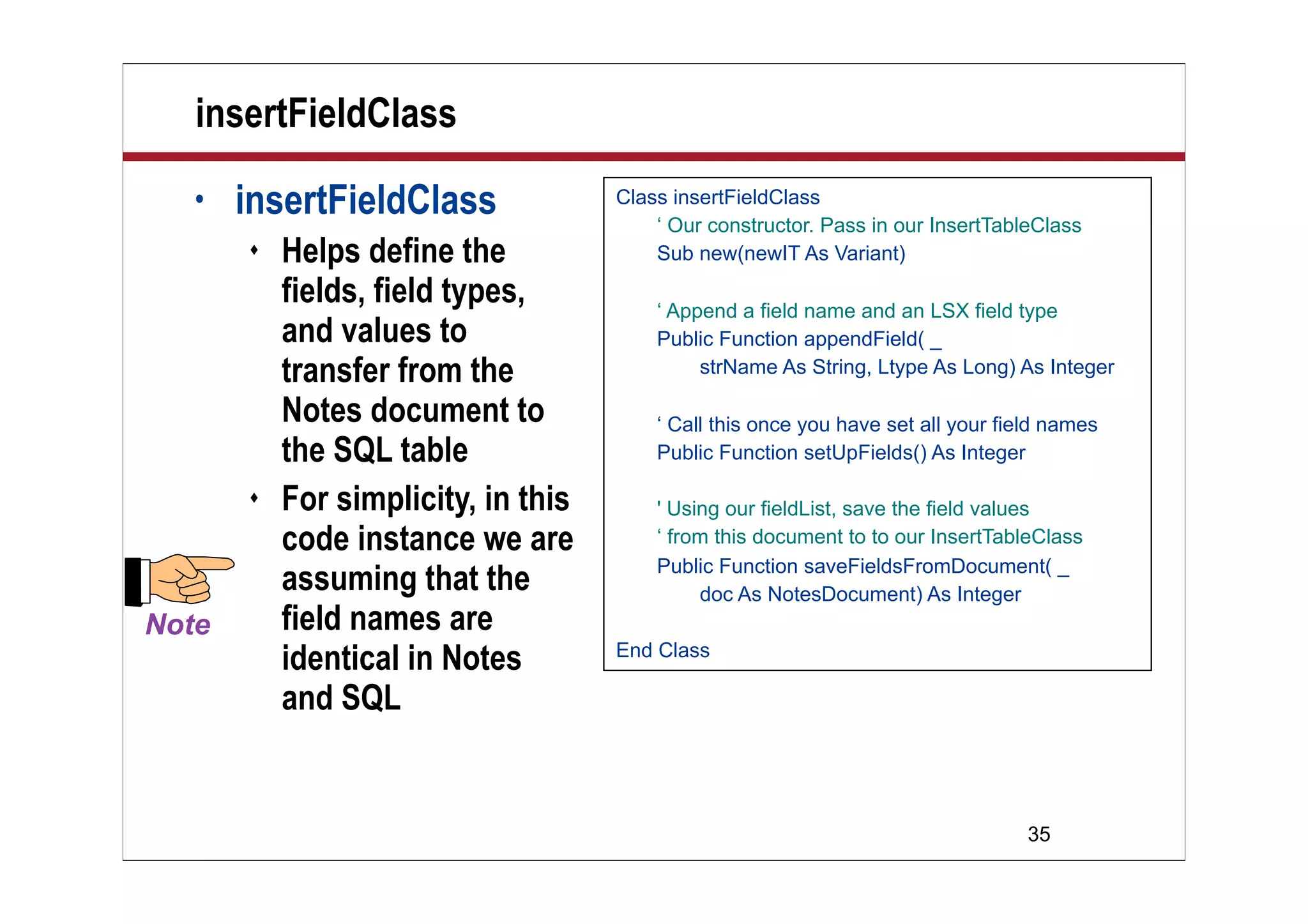
insertTablesClass
• Our class allows us to:
 Define a series of field
names we shall write
data to
 Pass a variant array of
values (in the same order
as our fields were
appended)
• This is still pretty hard
work
 We have to track all
fields, etc.
Class InsertTableClass As baseClass
' Our constructor. Pass in the Connector.
Sub new(newConn As Variant)
' Call this for each field we wish to append,
‘ passing in a name and a type
Public Function appendField( _
fieldName As String, fieldType As Long) _
As Integer
' Commit to inserting these records.
' This returns the number of records successfully
‘ inserted, NOT true or false.
Public Function insertRecord( _
values() As Variant) As Integer
End Class
35
insertFieldClass
• insertFieldClass
 Helps define the
fields, field types,
and values to
transfer from the
Notes document to
the SQL table
 For simplicity, in this
code instance we are
assuming that the
field names are
identical in Notes
and SQL
Class insertFieldClass
‘ Our constructor. Pass in our InsertTableClass
Sub new(newIT As Variant)
‘ Append a field name and an LSX field type
Public Function appendField( _
strName As String, Ltype As Long) As Integer
‘ Call this once you have set all your field names
Public Function setUpFields() As Integer
' Using our fieldList, save the field values
‘ from this document to to our InsertTableClass
Public Function saveFieldsFromDocument( _
doc As NotesDocument) As Integer
End Class
36
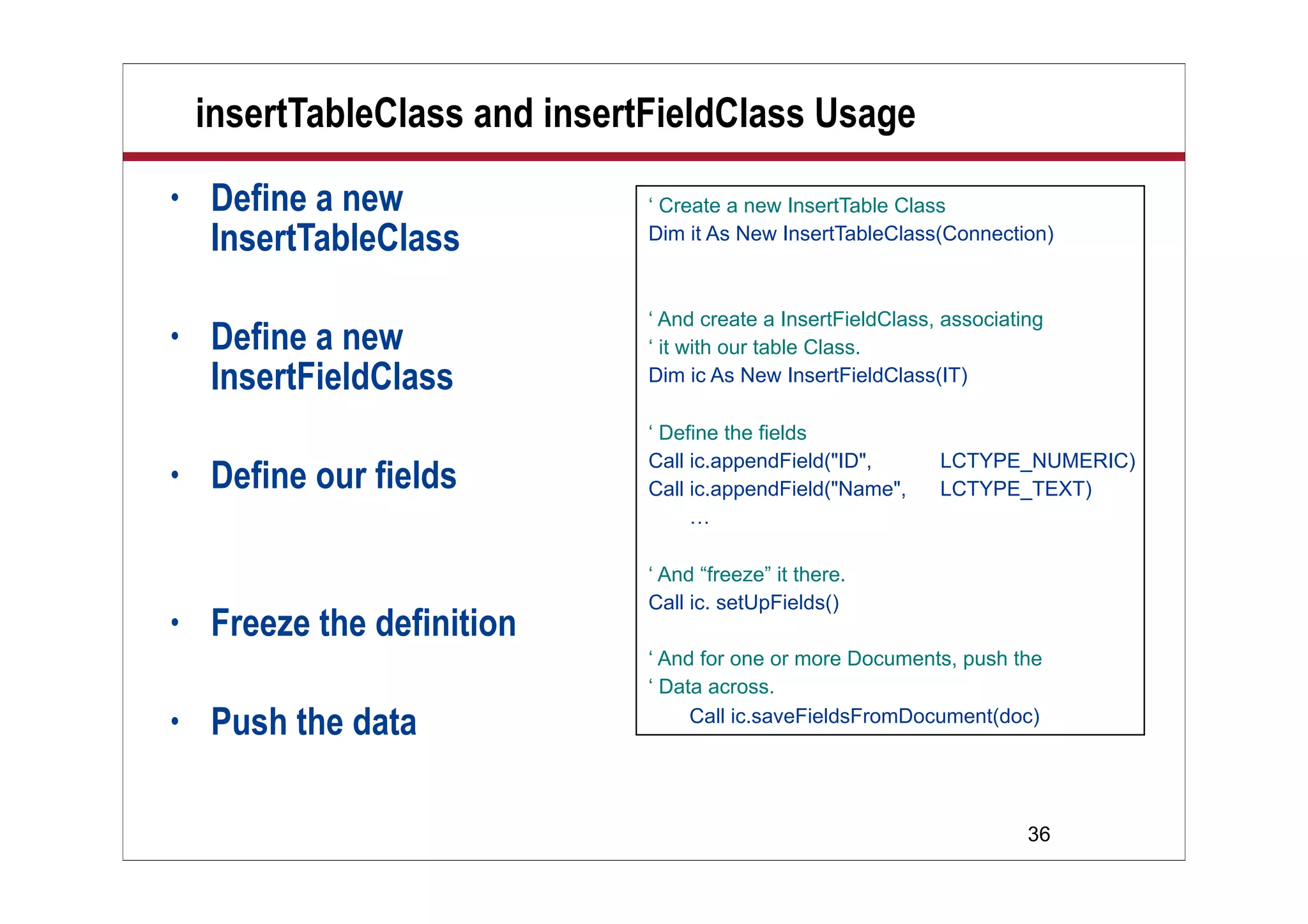
insertTableClass and insertFieldClass Usage
• Define a new
InsertTableClass
• Define a new
InsertFieldClass
• Define our fields
• Freeze the definition
• Push the data
‘ Create a new InsertTable Class
Dim it As New InsertTableClass(Connection)
‘ And create a InsertFieldClass, associating
‘ it with our table Class.
Dim ic As New InsertFieldClass(IT)
‘ Define the fields
Call ic.appendField("ID", LCTYPE_NUMERIC)
Call ic.appendField("Name", LCTYPE_TEXT)
…
‘ And “freeze” it there.
Call ic. setUpFields()
‘ And for one or more Documents, push the
‘ Data across.
Call ic.saveFieldsFromDocument(doc)
37
Demo
Demo
Insert Rows
into SQL
38
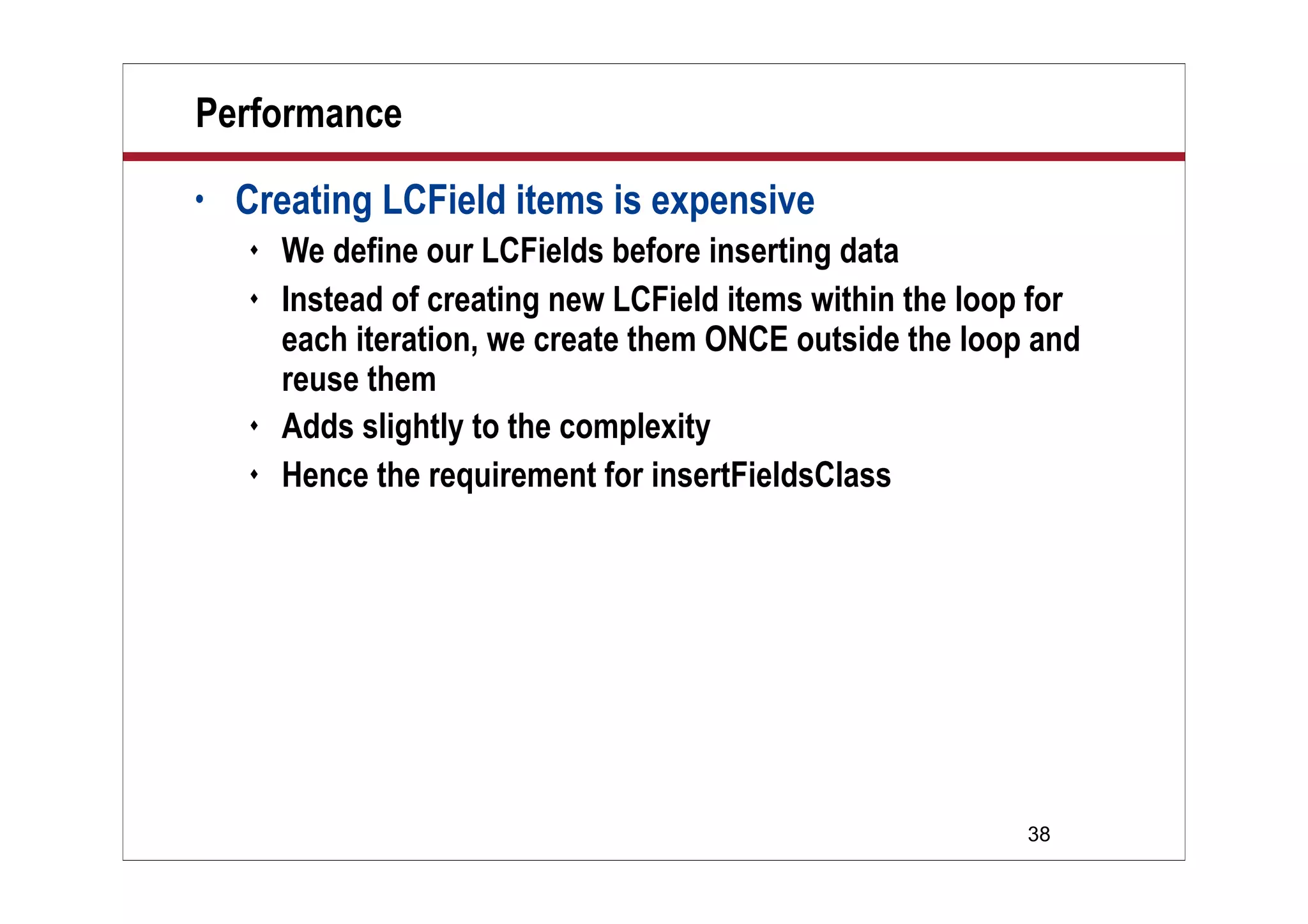
Performance
• Creating LCField items is expensive
 We define our LCFields before inserting data
 Instead of creating new LCField items within the loop for
each iteration, we create them ONCE outside the loop and
reuse them
 Adds slightly to the complexity
 Hence the requirement for insertFieldsClass
39
What We’ll Cover …
• Overview
• LSX
• LS:DO
• DCR
• Wrap-up
40
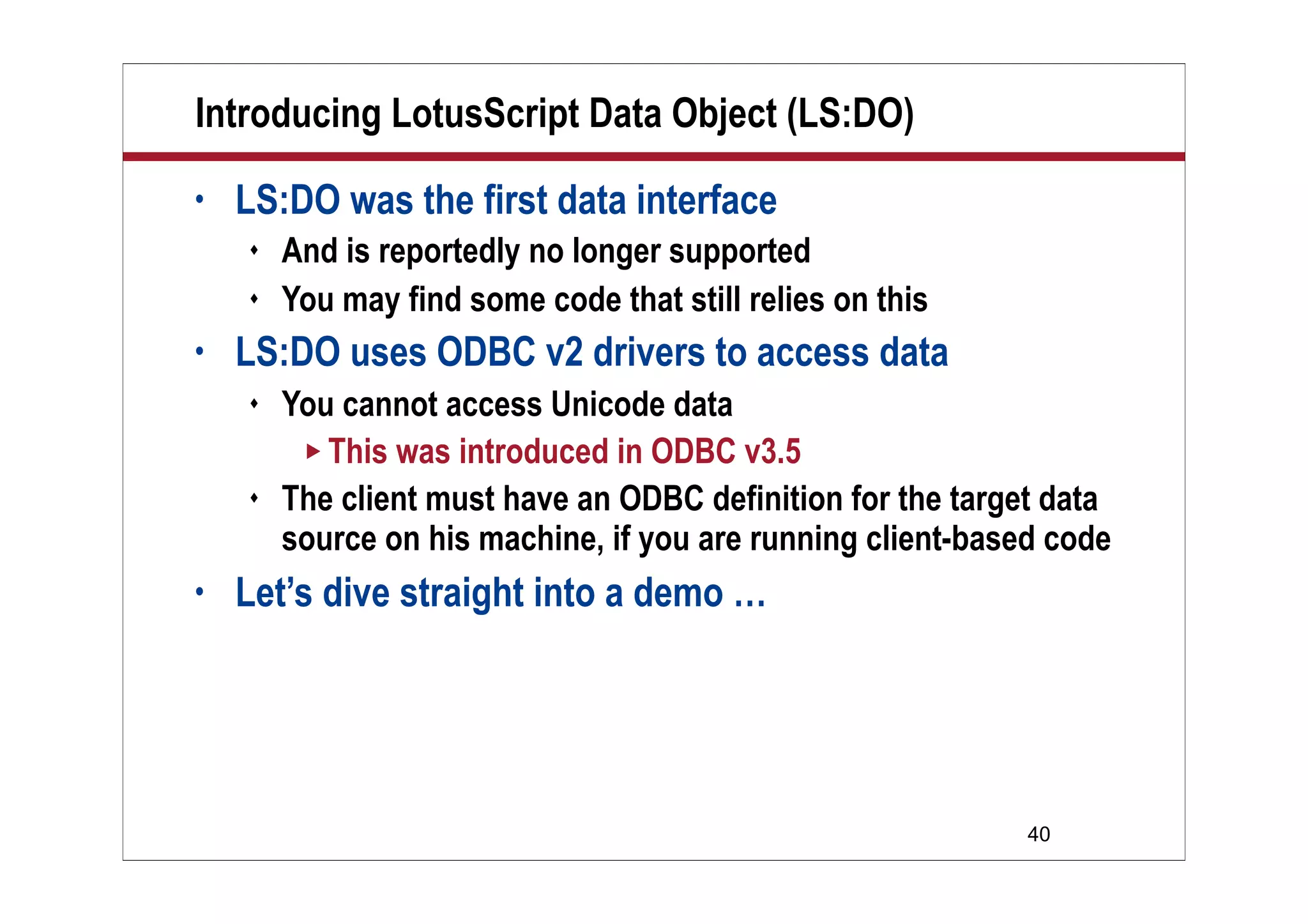
Introducing LotusScript Data Object (LS:DO)
• LS:DO was the first data interface
 And is reportedly no longer supported
 You may find some code that still relies on this
• LS:DO uses ODBC v2 drivers to access data
 You cannot access Unicode data
 This was introduced in ODBC v3.5
 The client must have an ODBC definition for the target data
source on his machine, if you are running client-based code
• Let’s dive straight into a demo …
41
Demo
Demo
Read Table
Definition
42
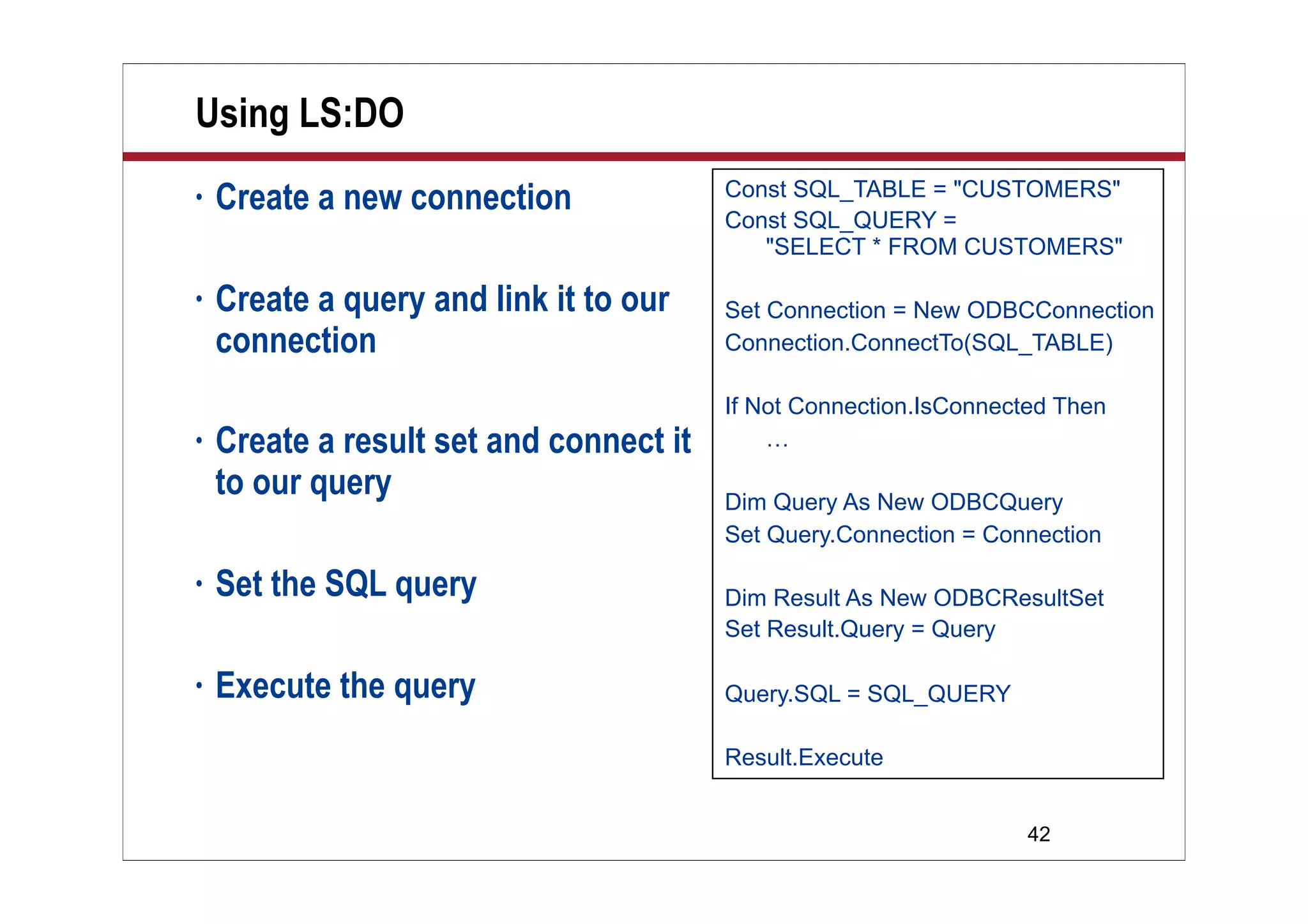
Using LS:DO
• Create a new connection
• Create a query and link it to our
connection
• Create a result set and connect it
to our query
• Set the SQL query
• Execute the query
Const SQL_TABLE = "CUSTOMERS"
Const SQL_QUERY =
"SELECT * FROM CUSTOMERS"
Set Connection = New ODBCConnection
Connection.ConnectTo(SQL_TABLE)
If Not Connection.IsConnected Then
…
Dim Query As New ODBCQuery
Set Query.Connection = Connection
Dim Result As New ODBCResultSet
Set Result.Query = Query
Query.SQL = SQL_QUERY
Result.Execute
43
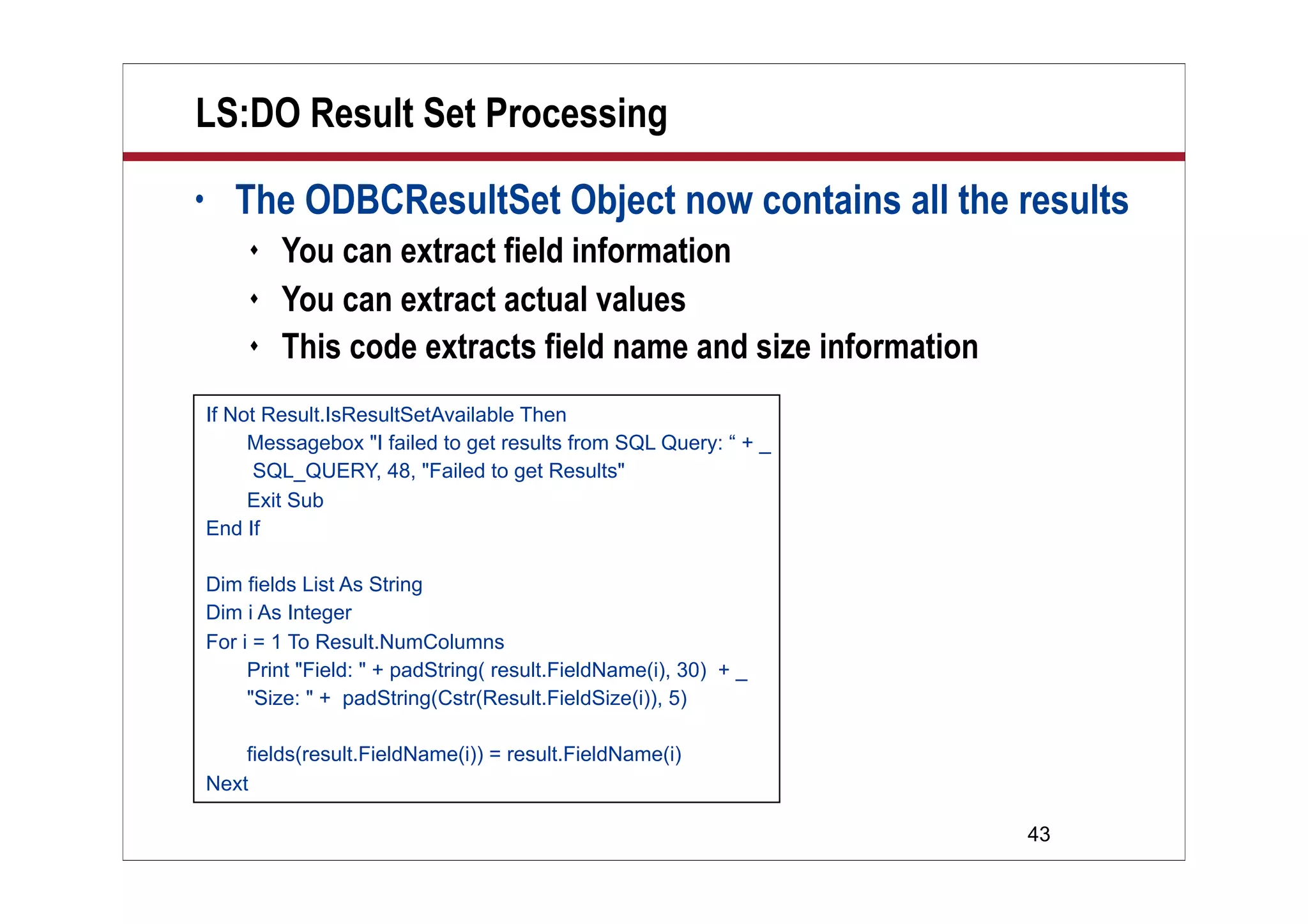
LS:DO Result Set Processing
• The ODBCResultSet Object now contains all the results
 You can extract field information
 You can extract actual values
 This code extracts field name and size information
If Not Result.IsResultSetAvailable Then
Messagebox "I failed to get results from SQL Query: “ + _
SQL_QUERY, 48, "Failed to get Results"
Exit Sub
End If
Dim fields List As String
Dim i As Integer
For i = 1 To Result.NumColumns
Print "Field: " + padString( result.FieldName(i), 30) + _
"Size: " + padString(Cstr(Result.FieldSize(i)), 5)
fields(result.FieldName(i)) = result.FieldName(i)
Next
44
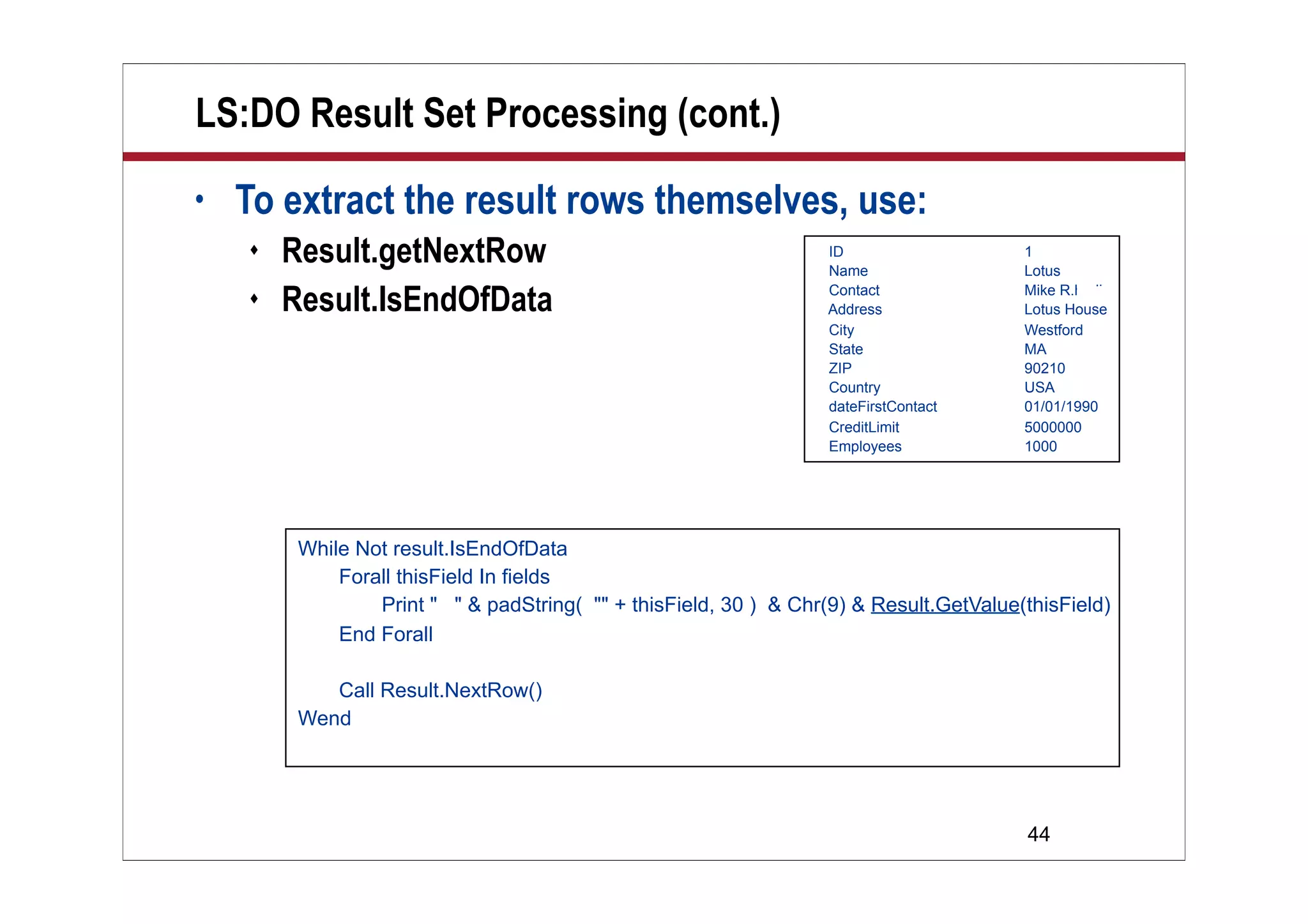
LS:DO Result Set Processing (cont.)
• To extract the result rows themselves, use:
 Result.getNextRow
 Result.IsEndOfData
ID 1
Name Lotus
Contact Mike R.hodin
Address Lotus House
City Westford
State MA
ZIP 90210
Country USA
dateFirstContact 01/01/1990
CreditLimit 5000000
Employees 1000
While Not result.IsEndOfData
Forall thisField In fields
Print " " & padString( "" + thisField, 30 ) & Chr(9) & Result.GetValue(thisField)
End Forall
Call Result.NextRow()
Wend
45
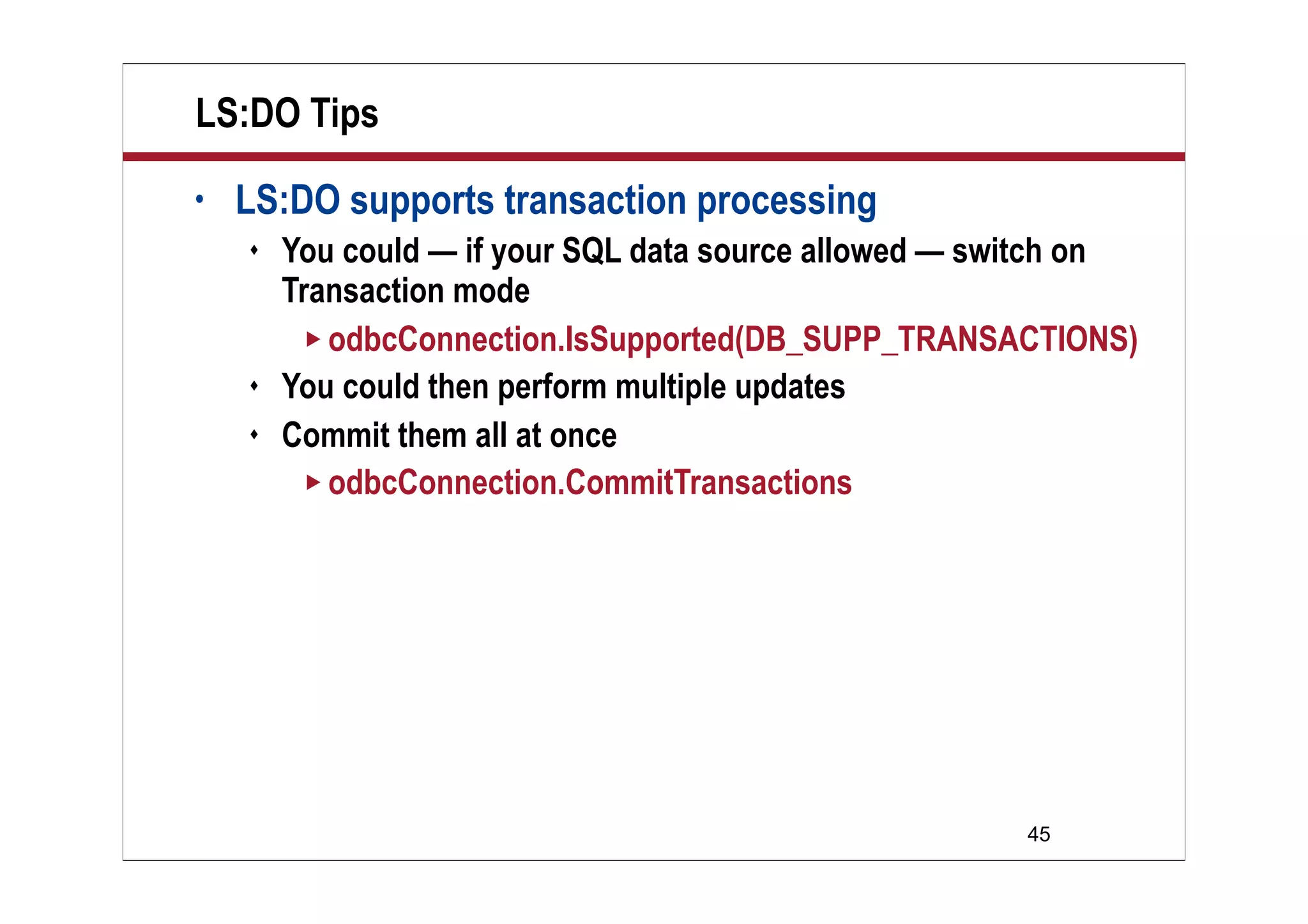
LS:DO Tips
• LS:DO supports transaction processing
 You could — if your SQL data source allowed — switch on
Transaction mode
 odbcConnection.IsSupported(DB_SUPP_TRANSACTIONS)
 You could then perform multiple updates
 Commit them all at once
 odbcConnection.CommitTransactions
46
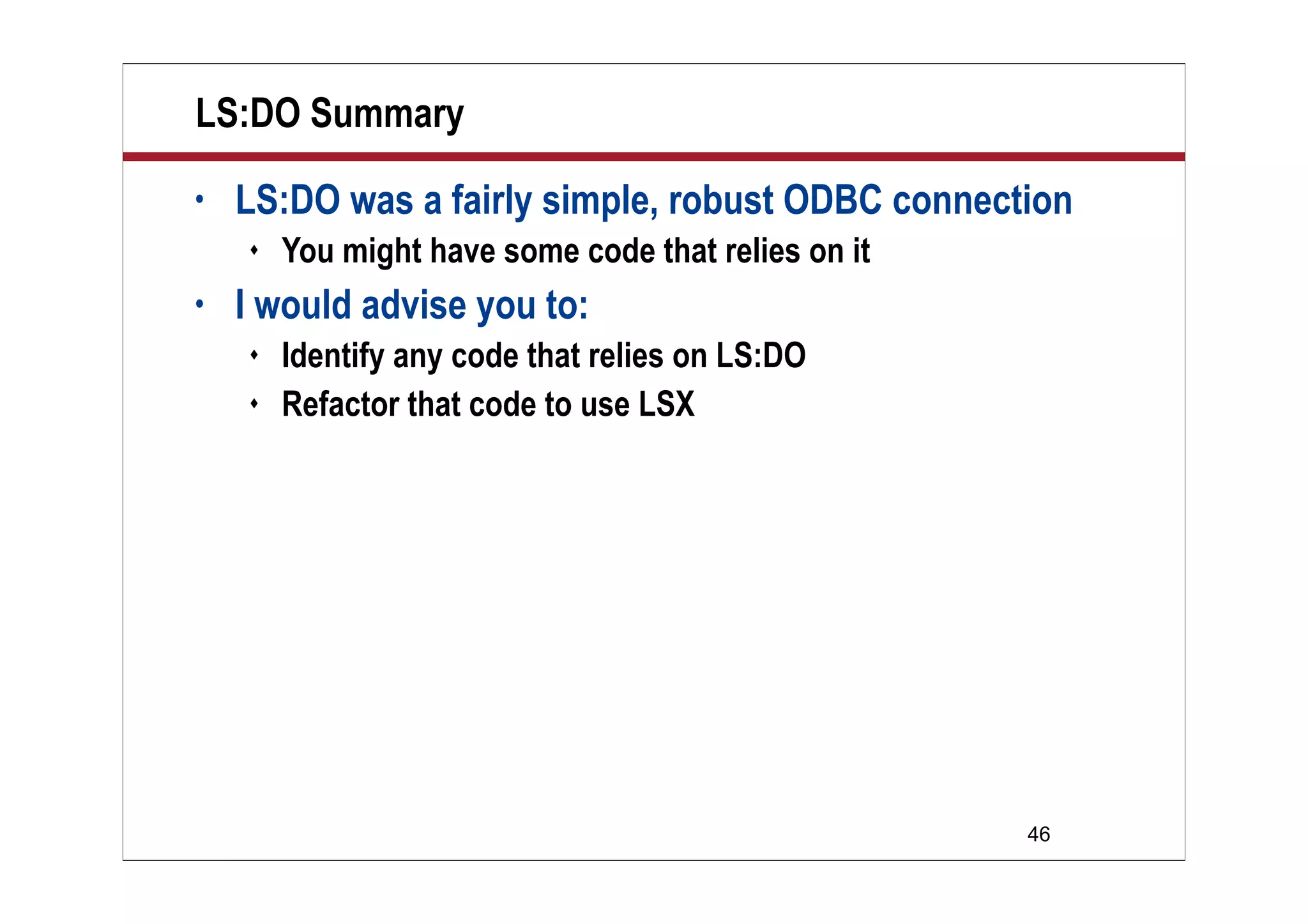
LS:DO Summary
• LS:DO was a fairly simple, robust ODBC connection
 You might have some code that relies on it
• I would advise you to:
 Identify any code that relies on LS:DO
 Refactor that code to use LSX
47
What We’ll Cover …
• Overview
• LSX
• LS:DO
• DCR
• Wrap-up
48
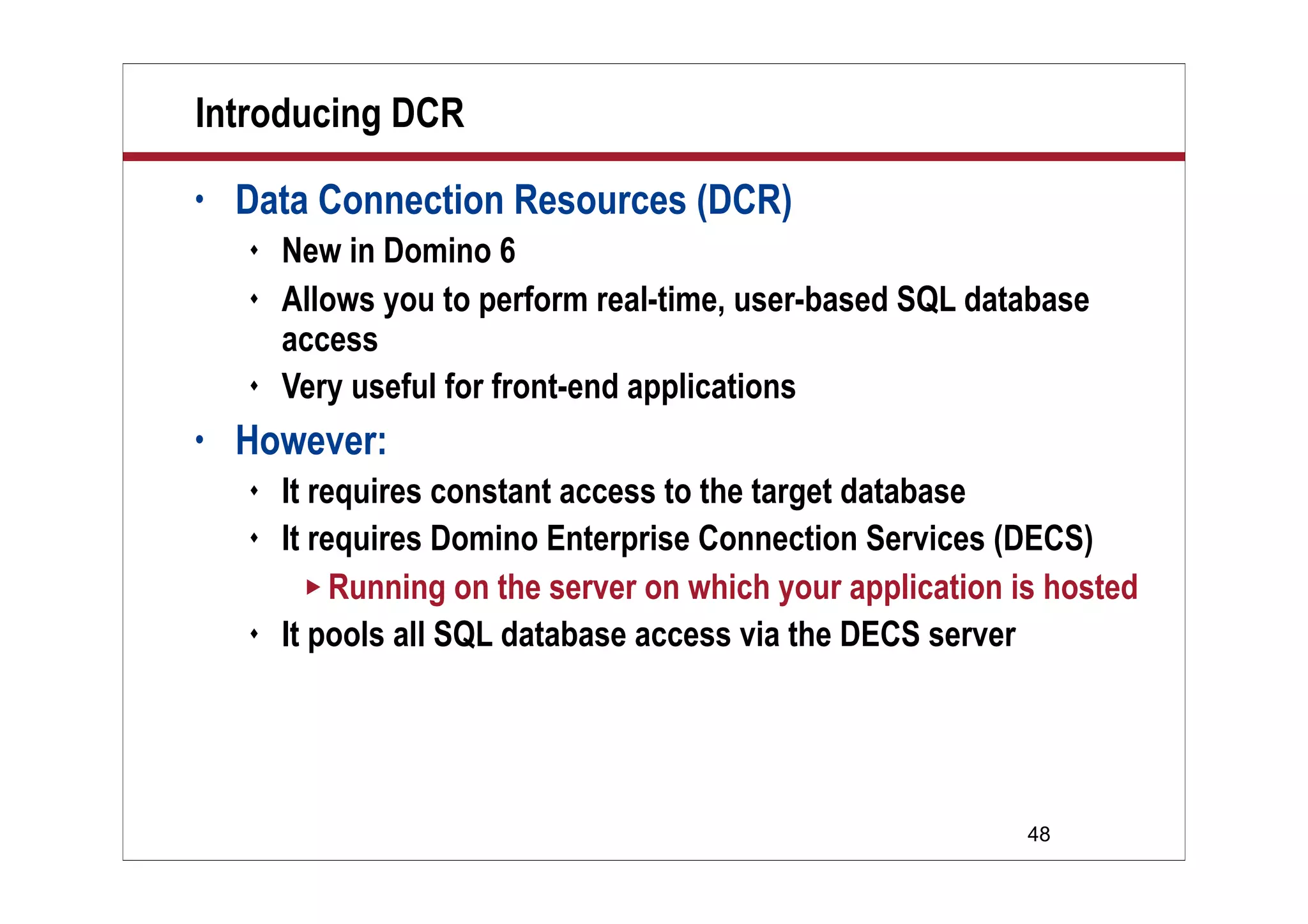
Introducing DCR
• Data Connection Resources (DCR)
 New in Domino 6
 Allows you to perform real-time, user-based SQL database
access
 Very useful for front-end applications
• However:
 It requires constant access to the target database
 It requires Domino Enterprise Connection Services (DECS)
 Running on the server on which your application is hosted
 It pools all SQL database access via the DECS server
49
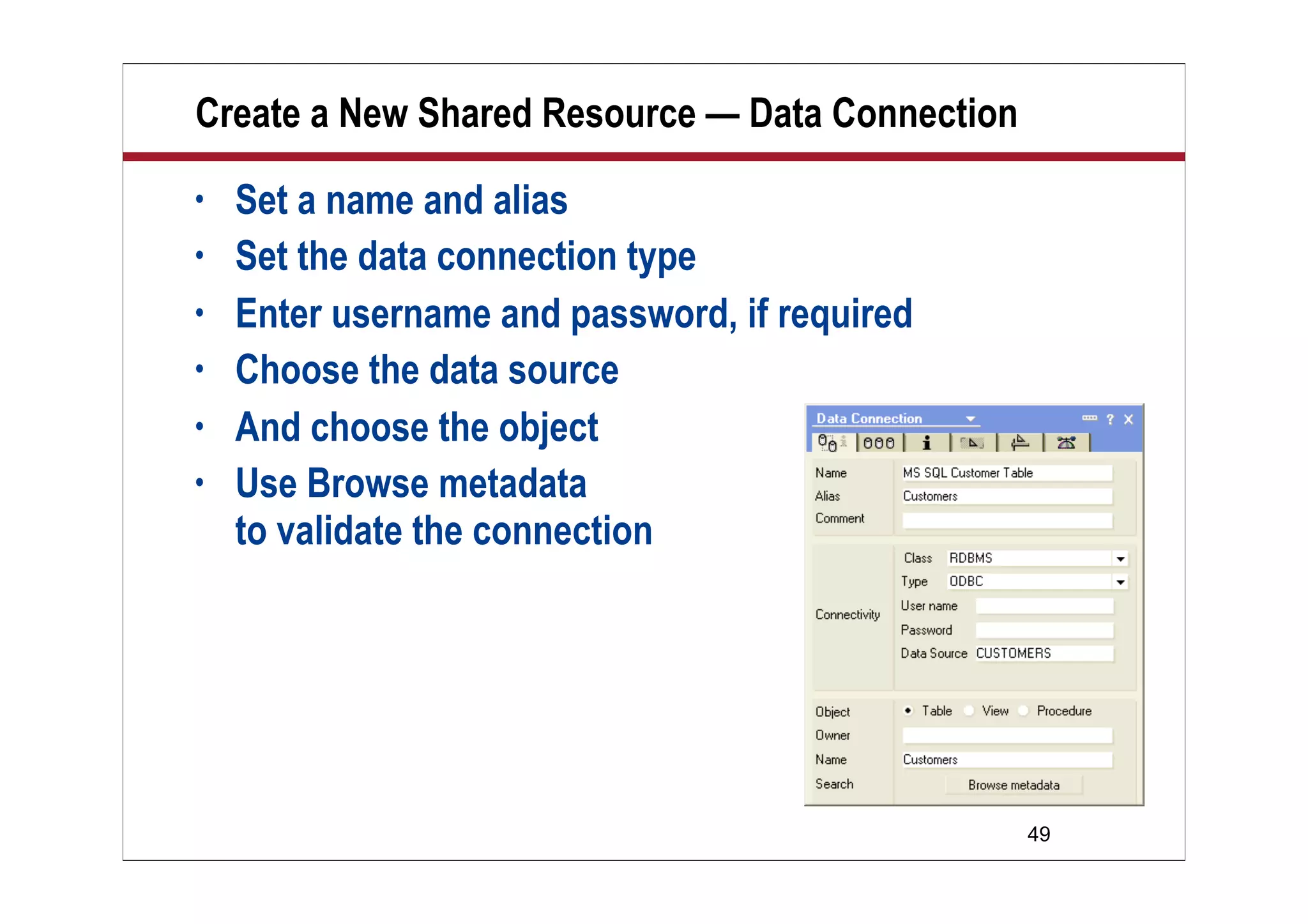
Create a New Shared Resource — Data Connection
• Set a name and alias
• Set the data connection type
• Enter username and password, if required
• Choose the data source
• And choose the object
• Use Browse metadata
to validate the connection
50
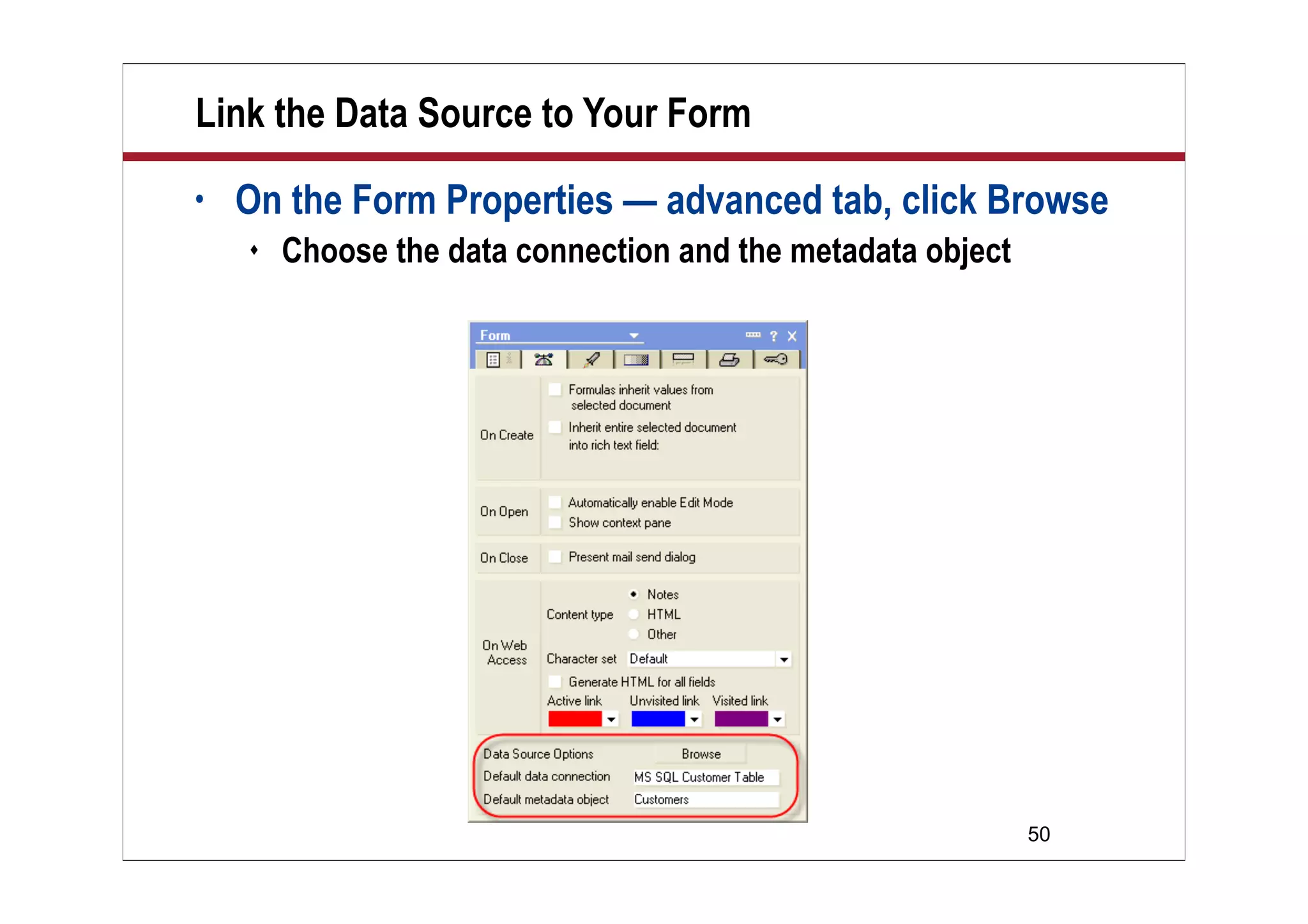
Link the Data Source to Your Form
• On the Form Properties — advanced tab, click Browse
 Choose the data connection and the metadata object
51
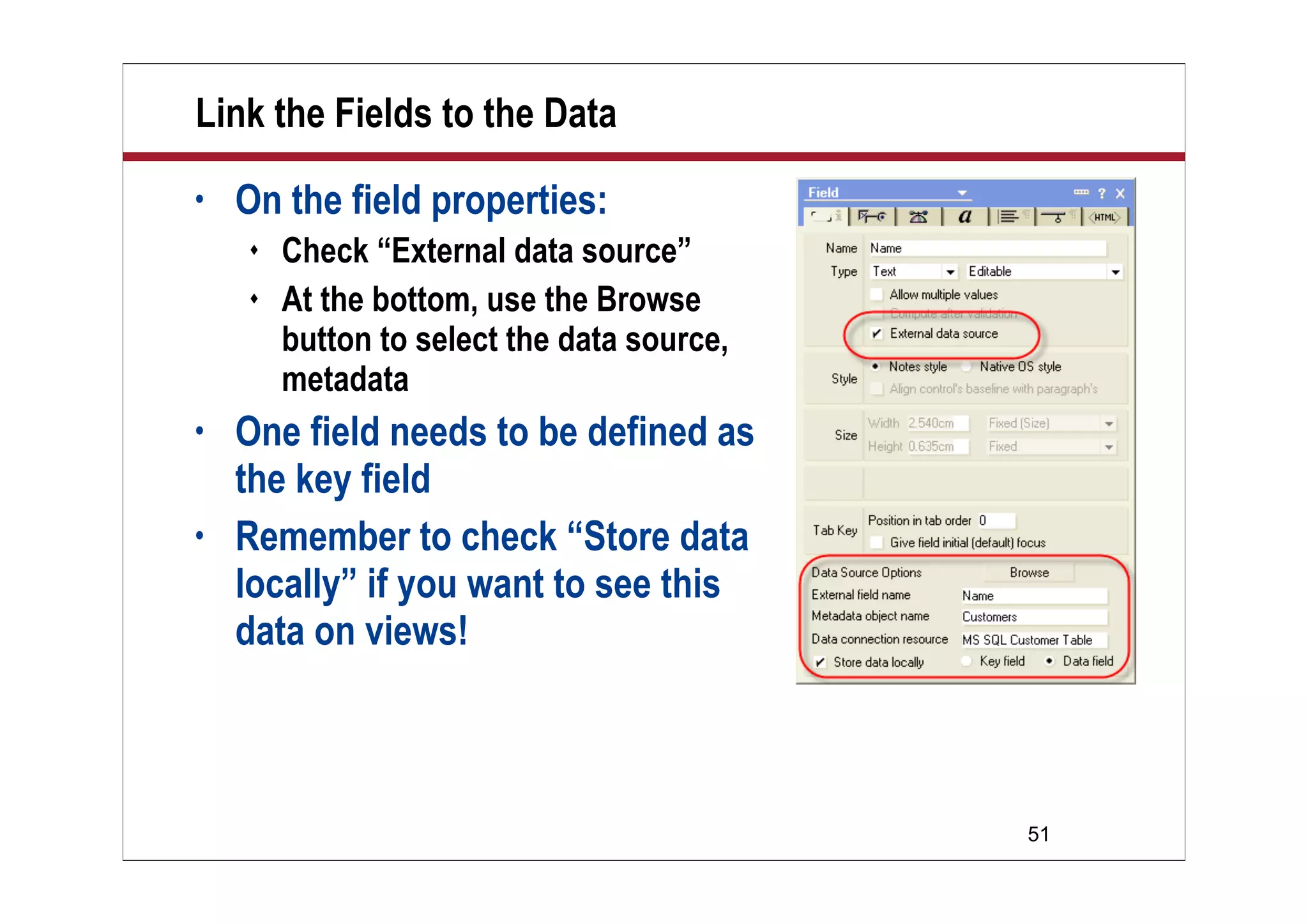
Link the Fields to the Data
• On the field properties:
 Check “External data source”
 At the bottom, use the Browse
button to select the data source,
metadata
• One field needs to be defined as
the key field
• Remember to check “Store data
locally” if you want to see this
data on views!
52
DCR: What Would I Use It For?
• Very useful for:
 Applications that are permanently connected
 Applications that require instant lookup of external data
• You could use Notes information and …
 Perform lookups to populate the document
 Update status information on user request
53
Form Manipulation
• Bear in mind that all this logic is held on the Form
design element
 You could use one Form to populate/refresh data
 And allow users to work another Form
 Which just displays the data on the document
54
Demo: DCR
• In this demo, I will:
 Demonstrate data being updated in Notes and pushed to SQL
 Demonstrate data being updated in SQL and pushed to Notes
 Show you the DCR common element, as well as the Field
definition
55
Demo
Demo
DCR demo
56
What We’ll Cover …
• Overview
• LSX
• LS:DO
• DCR
• Wrap-up
57
Resources
• Constantin Florea, Notes and Domino Connectivity: A
Collection of Examples (IBM Redpaper, March 2001).
 www.redbooks.ibm.com/redpapers/pdfs/redp0115.pdf
 Check out the abstract here:
 www.redbooks.ibm.com/abstracts/redp0115.html?Open
• Brian Benz and Rocky Oliver, Lotus Notes and Domino 6
Programming Bible (Wiley, 2003).
 www.amazon.com/gp/product/0764526111
58
Resources (cont.)
• Object-Oriented LotusScript:
 www.hadsl.com/hadsl.nsf/Documents/Object+Orientated
+Programming+in+LotusScript+(The+View)!OpenDocument
• The Notes FAQ!
 www.keysolutions.com/NotesFAQ/
• Notes.Net (of course)
 www.notes.net
59
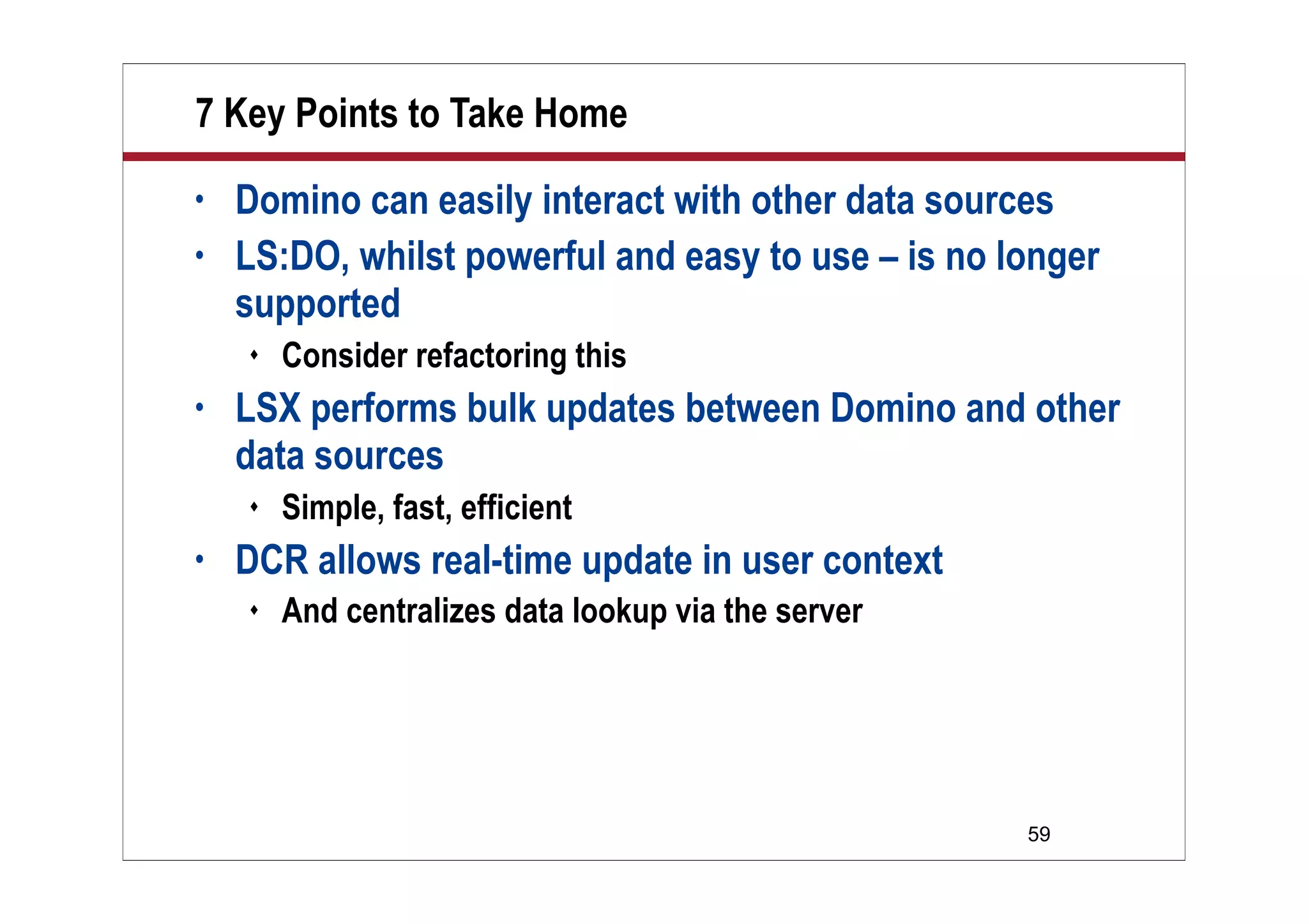
7 Key Points to Take Home
• Domino can easily interact with other data sources
• LS:DO, whilst powerful and easy to use – is no longer
supported
 Consider refactoring this
• LSX performs bulk updates between Domino and other
data sources
 Simple, fast, efficient
• DCR allows real-time update in user context
 And centralizes data lookup via the server
60
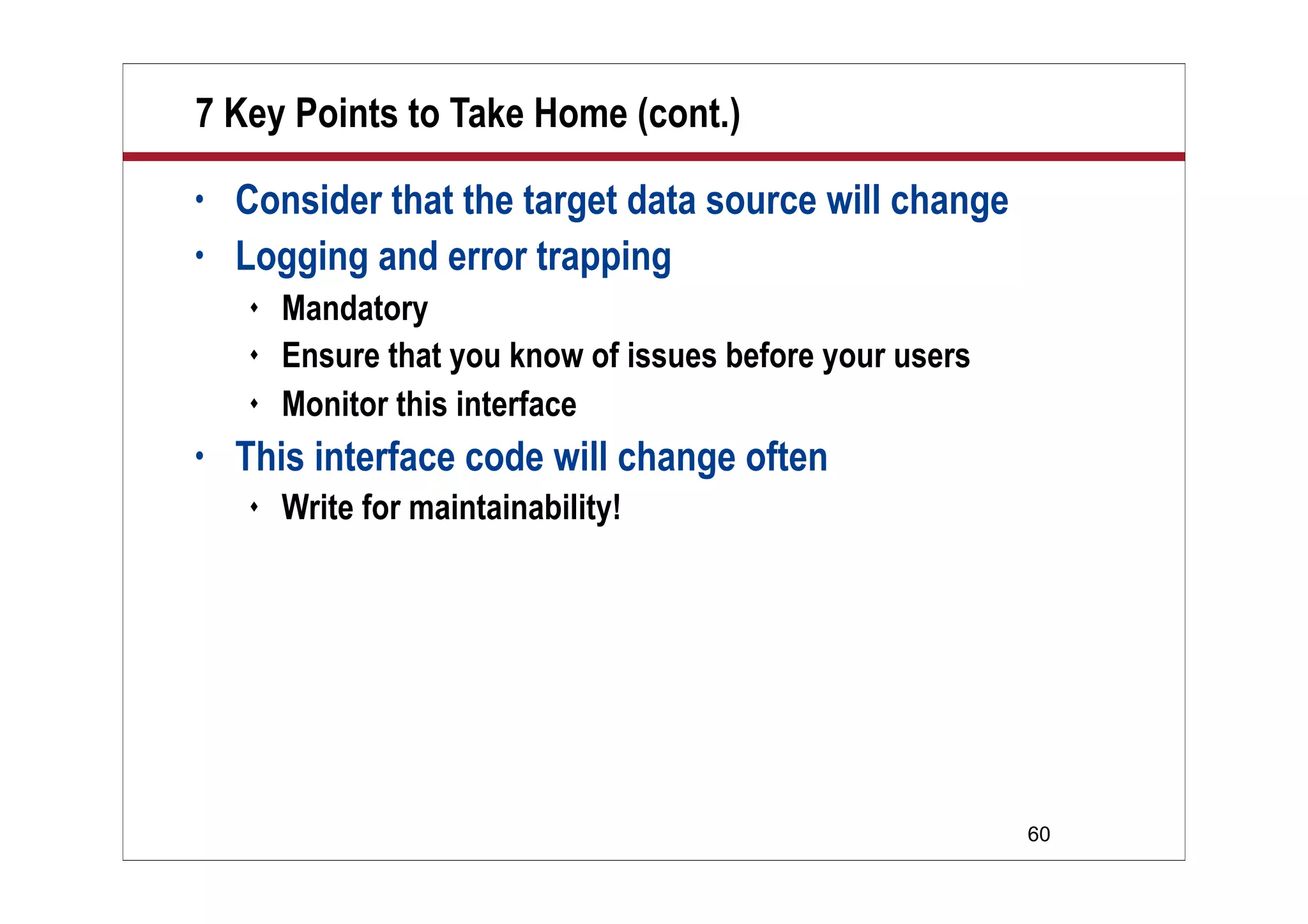
7 Key Points to Take Home (cont.)
• Consider that the target data source will change
• Logging and error trapping
 Mandatory
 Ensure that you know of issues before your users
 Monitor this interface
• This interface code will change often
 Write for maintainability!
61
Your Turn!
How to contact me:
Bill Buchan
Bill@hadsl.com

Dev buchan leveraging

  • 1.
    © 2007 WellesleyInformation Services. All rights reserved. Leveraging LotusScript for Database Connectivity Bill Buchan HADSL
  • 2.
    2 Why Are WeHere? • What is the target audience?  Lotus Notes developers who use server-based agents • What is this talk about?  Lotus Notes is often perceived as a data “silo” …  Difficult to get data into  And difficult to get data out of  … this is not the case  This presentation explores a multitude of ways of interfacing Notes databases with enterprise relational databases
  • 3.
    3 Who Am I? •Bill Buchan • Dual Principal Certified Lotus Professional (PCLP) in v3, v4, v5, v6, v7 • 10+ years senior development for Enterprise customers  Learn from my pain! • 5+ years code auditing • CEO of HADSL  Developing best-practice tools
  • 4.
    4 What We’ll Cover… • Overview • LSX • LS:DO • DCR • Wrap-up
  • 5.
    5 Overview • This session: Is mostly about code  Lots of take-home code examples  Is a deep-dive in terms of theory
  • 6.
    6 Connections: Overview • “LotusNotes cannot share its data with other databases”  Absolutely not  Support for this dates back over 10 years! • Multiple methods  This presentation leads you through some of the more popular ones  Highlights the pros and cons of each
  • 7.
    7 Connections: Overview (cont.) LSXLS:DO DCR JNDI/XML Performance High Low Med High ODBC Connection Required No Yes Yes No Native Client Required Yes No No Yes Platform Independent Yes Yes Yes Yes LotusScript Only Yes Yes Yes No Supported Yes No Yes Yes Runs on Client Yes Yes Yes Yes Runs on Server Yes Yes No Yes
  • 8.
    8 Tips: General • Inall of these examples, I shall hard-code user names and passwords for simplicity  This is NOT a good production best practice!  Use encryption keys, profile documents, etc., to soft-code these in production • Any attempt by LotusScript to access data outside the current database may result in error  Error handling is therefore mandatory  Logging of scheduled agents is mandatory
  • 9.
    9 What We’ll Cover… • Overview • LSX • LS:DO • DCR • Wrap-up
  • 10.
    10 Overview: LSX • LotusScript-based Such a small learning curve • Relies on native client support  So you have to install your database client and/or drivers • Is fast  This doesn’t have to use ODBC  But ODBC is used for MS SQL and Access  Remember, ODBC v2 doesn’t like Unicode  This technology is used in the Lotus Enterprise Integrator  Formerly “Notespump”  Good for bulk transfer-style applications
  • 11.
    11 Methodology • We shallattempt to:  Test this against a local Access database using ODBC  Test this against an Oracle database • Our data looks like: • And for Access, we need an ODBC connection
  • 12.
    12 Demo: Read Tableto Log • Let’s get a feel for what we are doing • In this demonstration, we will:  Connect, using ODBC, to an Access database  Collect all records in a CUSTOMERS table  Pull ALL fields from all records  Write all this information to a Notes log
  • 13.
  • 14.
    14 Architecture Design Goals •When we write LSX applications, we should:  Write as little code as possible  Create comprehensive error handling  Create logs of both success and failure  Try not to hard-code the database structure  Try and reuse and componentize  After all, we might change databases later!  Ensure that our top-level logic is:  Focused on the business rules for data transfer  Is maintainable  After all, this will change!
  • 15.
    15 Architecture Design Overview •In order to access data, we must:  Connect to the database provider  And then connect to the data itself • Object-oriented LotusScript lends itself to this model  We shall create a:  baseClass: This handles logging  baseConnectionClass: This handles the connection to the data source  baseConnection<DB>Class: These are database-specific classes  Operation classes  These should NOT be database specific
  • 16.
    16 Architecture Design Results •This means that we separate:  Logging  Basic connection  Operation • Thus, reusing lots of code • All database-specific code is held in a single library  Can be easily “swapped” for another  Platform and database differences can exist during our operations  Test on the platform, version, and database that you will implement on
  • 17.
    17 Class Inheritance andCode Use BaseClass BaseConnectionClass BaseConnectionOracleClass BaseConnectionODBCClass ReadTableClass Logging, Error Handling Operations Class Oracle-Specific Code Logic for Connection Code Agent ODBC-Specific Code Example agent uses a specific database connection and one or more helper function classes
  • 18.
    18 Connecting to Oracle •Now, let’s try connecting to Oracle  We need to:  Install the Oracle client  Connect it to the Oracle database server
  • 19.
    19 Some Oracle Tips •Setting up an Oracle server is not trivial  Oracle is an enterprise-strength database system  As big, complex, and difficult as a dozen mother-in-laws  So give yourself time! • Some tips:  The Connection string in Oracle looks like:  CUSTOMERS_oracle02.marykirk.local  This is:  The name of the application — in our case “Customers”  And then the network host address  Either as a Domain Name System (DNS) host address or as an Internet Protocol (IP) address
  • 20.
    20 More Oracle Tips •Try to use some Oracle tools to validate that you have:  A proper connection  Sufficient access to the application  Sufficient access to the tables • Remember, you can use DCR to validate connections
  • 21.
    21 Network Architecture • Ifyou run Lotus Connector (LC) LSX code on the server:  The server must have:  A connection to Oracle  The Oracle Client software drivers • If you run LC LSX code on the Notes client:  The client must have:  A connection to Oracle  The Oracle Client software • Installing Oracle Client on all workstations is not trivial!  Consider using LC LSX on the servers only
  • 22.
    22 The Base Class •Our base class contains all “Infrastructure” support, such as:  Logging  Error trapping Class baseClass ‘ returns true if this class is valid Public Property Get Valid As Boolean ‘ Our constructor. Sets up logging Sub new() ‘ Class destructor ensures proper closure of Log Sub delete() ‘ Log a message Public Function logEvent(msg As String) As Integer ‘ Handle run-time errors Private Function raiseError() As String End Class
  • 23.
    23 Class baseConnectorClass ' Thisclass extends our BaseClass and adds the capability to open and close a connection ' Note that this is never used directly – and is overridden by our database-specific classes. ‘ This provides the business logic framework for our database specific connection classes Class baseConnectorClass As BaseClass ‘ Expose some properties Private Function getServer As String Private Function getUserName As String Private Function getPassword As String Private Function getTable As String Public Function getSession As LCSession Public Function getConnection As LCConnection ' The base constructor for this class. Note that it doesnt actually ' do any connection work - it just sets up the base variables Sub new(srv As String, un As String, pw As String, tb As String), baseClass() ‘ And the destructor. This ensures that the connection object is closed Sub delete() End Class
  • 24.
    24 Class baseODBCConnectorClass • Allof our business logic is held in baseConnectorClass  We need to put the database-specific code in only this class  In this case, it is all implemented in the constructor • If we change the business logic later on:  We have to change only baseConnectorClass ' This class extends our BaseConnectorClass and adds the ‘ capabilty to open and close an ODBC Connection Class baseODBCConnectorClass As BaseConnectorClass ‘ Supply a new constructor for this class Sub new(srv As String, un As String, pw As String, tb As String) End sub
  • 25.
    25 Insulating Database Connectionsfrom Business Logic • One main goal is to insulate our database-specific connection information from our business logic  It makes it easier to switch databases in the future, if necessary • In this database, I hold all database-specific information in a profile document Set docProfile = dbThis.GetProfileDocument("Profile") Dim Connection As Variant Select Case docProfile.Database(0) Case "ODBC" Set connection = New baseODBCConnectorClass _ (docProfile.System(0), "", "", "") Case "Oracle" Set connection = New baseOracleConnectorClass _ (docProfile.System(0), docProfile.UserName(0), docProfile.Password(0), docProfile.MetaData(0)) End Select
  • 26.
    26 Class fieldClass • fieldClass Helps us define which fields we want returned from our data object  Used to extract data Class FieldClass ‘ Our two members – a name and a field Public FieldName As String Public Field As LCField ‘ get the value of this field Property Get Value As Variant ‘ Construct this field class Sub new(fName As String, F As LCField) End Class
  • 27.
    27 Class baseODBCConnectorClass —Constructor • This pseudo-code shows the steps towards connecting to our LC LSX target data server • Differences from an ODBC connection  The connection token is “oracle8”  The username and password are specified Set Me.lc_Session = New LCSession() If ( Me.lc_Session.Status <> LCSUCCESS ) Then ‘ Bale out of the function… ‘ Check to see that the odbc2 LSX Support is available. If (lc_Session.LookupConnector ("odbc2")) Then … ‘ Now set up our Connection Set me.lc_Connection = New LCConnection ( "odbc2" ) ‘ Set up our data source name Me.lc_Connection.Server = Me.getServer() ‘ And finally connect Me.lc_Connection.Connect ‘ Check to see that the connection has worked If (Me.lc_Connection.isConnected = False) Then …
  • 28.
    28 ReadTableClass • ReadTableClass  Allowsus to read the result of an SQL Query  Returns each table row as a LIST of FieldClass items Class ReadTableClass As baseClass ‘ Our constructor. Pass in our ‘ database connection object Sub new(newConn As Variant) ' set up our read operation ‘ by passing in an SQL statemement Public Function getRecords( _ strSelection As String) As Long ‘ Call this till it returns false, return ‘ each row of the table as a list ‘ of resulting fields Public Function getNextRecord( _ index As Long, returnedFields _ List As FieldClass) As Integer End Class
  • 29.
    29 Using ReadTableClass • Ourcontrolling code  Set up a database connection  Create a ReadTableClass object  Check to see whether it’s valid  Run some SQL  Process the results ‘ set up our database connection Set connection = New _ baseODBCConnectorClass( _ “CUSTOMERS”, "", "", "") ‘ set up our ReadTableClass object Dim rc As New ReadTableClass(connection) ‘ Check to see its valid If Not rc.Valid Then … ‘ Do our SQL thing If (rc.getRecords( _ "SELECT * from CUSTOMERS")) Then While rc.getNextRecord(index, returnedValues) …
  • 30.
    30 Processing the Resultsfrom ReadTableClass • It’s a case of:  Retrieving each ROW of data  Iterating through the LIST of fieldClass items and processing them • Agent “Read Tables to Log” just prints them Forall thisF In returnedValues Call rc.logEvent(" " + thisF.fieldName + Space(30-Len(thisF.fieldName)) + _ Chr(9) +" [" + Cstr(thisF.Field.DataType) + "]" + Chr(9) + _ Implode(thisF.Field.Text, ", ")) End Forall ------------------ New Record retrieved ---------- ID 1 Name Lotus Contact Mike R.hodin Address Lotus House City Westford State MA ZIP 90210 Country USA dateFirstContact 01/01/1990 00:00:00 CreditLimit 5000000.0000 Employees 1000 …
  • 31.
    31 Demo: Read Tableto Documents • Let’s use the same underlying code:  Synchronize this information with Notes data  Use the ID field to match up SQL entries with Notes entries  For simplicity, we shall just overwrite the Notes data with the SQL data  Note we are not requesting specific fields  We write ALL field information to a Notes database  We use the same field name in SQL and Notes  This might not be good in production  Consider pre-fixing the Notes field names to avoid name collisions
  • 32.
  • 33.
    33 Let’s Write toSQL • In this case, we need to define which fields we shall update  This information is used to define:  The SQL target field  Which field in Notes we pull data from  The data type  This had better match the SQL data type!  Again, we want the operations class to do all the hard work!
  • 34.
    34 insertTablesClass • Our classallows us to:  Define a series of field names we shall write data to  Pass a variant array of values (in the same order as our fields were appended) • This is still pretty hard work  We have to track all fields, etc. Class InsertTableClass As baseClass ' Our constructor. Pass in the Connector. Sub new(newConn As Variant) ' Call this for each field we wish to append, ‘ passing in a name and a type Public Function appendField( _ fieldName As String, fieldType As Long) _ As Integer ' Commit to inserting these records. ' This returns the number of records successfully ‘ inserted, NOT true or false. Public Function insertRecord( _ values() As Variant) As Integer End Class
  • 35.
    35 insertFieldClass • insertFieldClass  Helpsdefine the fields, field types, and values to transfer from the Notes document to the SQL table  For simplicity, in this code instance we are assuming that the field names are identical in Notes and SQL Class insertFieldClass ‘ Our constructor. Pass in our InsertTableClass Sub new(newIT As Variant) ‘ Append a field name and an LSX field type Public Function appendField( _ strName As String, Ltype As Long) As Integer ‘ Call this once you have set all your field names Public Function setUpFields() As Integer ' Using our fieldList, save the field values ‘ from this document to to our InsertTableClass Public Function saveFieldsFromDocument( _ doc As NotesDocument) As Integer End Class
  • 36.
    36 insertTableClass and insertFieldClassUsage • Define a new InsertTableClass • Define a new InsertFieldClass • Define our fields • Freeze the definition • Push the data ‘ Create a new InsertTable Class Dim it As New InsertTableClass(Connection) ‘ And create a InsertFieldClass, associating ‘ it with our table Class. Dim ic As New InsertFieldClass(IT) ‘ Define the fields Call ic.appendField("ID", LCTYPE_NUMERIC) Call ic.appendField("Name", LCTYPE_TEXT) … ‘ And “freeze” it there. Call ic. setUpFields() ‘ And for one or more Documents, push the ‘ Data across. Call ic.saveFieldsFromDocument(doc)
  • 37.
  • 38.
    38 Performance • Creating LCFielditems is expensive  We define our LCFields before inserting data  Instead of creating new LCField items within the loop for each iteration, we create them ONCE outside the loop and reuse them  Adds slightly to the complexity  Hence the requirement for insertFieldsClass
  • 39.
    39 What We’ll Cover… • Overview • LSX • LS:DO • DCR • Wrap-up
  • 40.
    40 Introducing LotusScript DataObject (LS:DO) • LS:DO was the first data interface  And is reportedly no longer supported  You may find some code that still relies on this • LS:DO uses ODBC v2 drivers to access data  You cannot access Unicode data  This was introduced in ODBC v3.5  The client must have an ODBC definition for the target data source on his machine, if you are running client-based code • Let’s dive straight into a demo …
  • 41.
  • 42.
    42 Using LS:DO • Createa new connection • Create a query and link it to our connection • Create a result set and connect it to our query • Set the SQL query • Execute the query Const SQL_TABLE = "CUSTOMERS" Const SQL_QUERY = "SELECT * FROM CUSTOMERS" Set Connection = New ODBCConnection Connection.ConnectTo(SQL_TABLE) If Not Connection.IsConnected Then … Dim Query As New ODBCQuery Set Query.Connection = Connection Dim Result As New ODBCResultSet Set Result.Query = Query Query.SQL = SQL_QUERY Result.Execute
  • 43.
    43 LS:DO Result SetProcessing • The ODBCResultSet Object now contains all the results  You can extract field information  You can extract actual values  This code extracts field name and size information If Not Result.IsResultSetAvailable Then Messagebox "I failed to get results from SQL Query: “ + _ SQL_QUERY, 48, "Failed to get Results" Exit Sub End If Dim fields List As String Dim i As Integer For i = 1 To Result.NumColumns Print "Field: " + padString( result.FieldName(i), 30) + _ "Size: " + padString(Cstr(Result.FieldSize(i)), 5) fields(result.FieldName(i)) = result.FieldName(i) Next
  • 44.
    44 LS:DO Result SetProcessing (cont.) • To extract the result rows themselves, use:  Result.getNextRow  Result.IsEndOfData ID 1 Name Lotus Contact Mike R.hodin Address Lotus House City Westford State MA ZIP 90210 Country USA dateFirstContact 01/01/1990 CreditLimit 5000000 Employees 1000 While Not result.IsEndOfData Forall thisField In fields Print " " & padString( "" + thisField, 30 ) & Chr(9) & Result.GetValue(thisField) End Forall Call Result.NextRow() Wend
  • 45.
    45 LS:DO Tips • LS:DOsupports transaction processing  You could — if your SQL data source allowed — switch on Transaction mode  odbcConnection.IsSupported(DB_SUPP_TRANSACTIONS)  You could then perform multiple updates  Commit them all at once  odbcConnection.CommitTransactions
  • 46.
    46 LS:DO Summary • LS:DOwas a fairly simple, robust ODBC connection  You might have some code that relies on it • I would advise you to:  Identify any code that relies on LS:DO  Refactor that code to use LSX
  • 47.
    47 What We’ll Cover… • Overview • LSX • LS:DO • DCR • Wrap-up
  • 48.
    48 Introducing DCR • DataConnection Resources (DCR)  New in Domino 6  Allows you to perform real-time, user-based SQL database access  Very useful for front-end applications • However:  It requires constant access to the target database  It requires Domino Enterprise Connection Services (DECS)  Running on the server on which your application is hosted  It pools all SQL database access via the DECS server
  • 49.
    49 Create a NewShared Resource — Data Connection • Set a name and alias • Set the data connection type • Enter username and password, if required • Choose the data source • And choose the object • Use Browse metadata to validate the connection
  • 50.
    50 Link the DataSource to Your Form • On the Form Properties — advanced tab, click Browse  Choose the data connection and the metadata object
  • 51.
    51 Link the Fieldsto the Data • On the field properties:  Check “External data source”  At the bottom, use the Browse button to select the data source, metadata • One field needs to be defined as the key field • Remember to check “Store data locally” if you want to see this data on views!
  • 52.
    52 DCR: What WouldI Use It For? • Very useful for:  Applications that are permanently connected  Applications that require instant lookup of external data • You could use Notes information and …  Perform lookups to populate the document  Update status information on user request
  • 53.
    53 Form Manipulation • Bearin mind that all this logic is held on the Form design element  You could use one Form to populate/refresh data  And allow users to work another Form  Which just displays the data on the document
  • 54.
    54 Demo: DCR • Inthis demo, I will:  Demonstrate data being updated in Notes and pushed to SQL  Demonstrate data being updated in SQL and pushed to Notes  Show you the DCR common element, as well as the Field definition
  • 55.
  • 56.
    56 What We’ll Cover… • Overview • LSX • LS:DO • DCR • Wrap-up
  • 57.
    57 Resources • Constantin Florea,Notes and Domino Connectivity: A Collection of Examples (IBM Redpaper, March 2001).  www.redbooks.ibm.com/redpapers/pdfs/redp0115.pdf  Check out the abstract here:  www.redbooks.ibm.com/abstracts/redp0115.html?Open • Brian Benz and Rocky Oliver, Lotus Notes and Domino 6 Programming Bible (Wiley, 2003).  www.amazon.com/gp/product/0764526111
  • 58.
    58 Resources (cont.) • Object-OrientedLotusScript:  www.hadsl.com/hadsl.nsf/Documents/Object+Orientated +Programming+in+LotusScript+(The+View)!OpenDocument • The Notes FAQ!  www.keysolutions.com/NotesFAQ/ • Notes.Net (of course)  www.notes.net
  • 59.
    59 7 Key Pointsto Take Home • Domino can easily interact with other data sources • LS:DO, whilst powerful and easy to use – is no longer supported  Consider refactoring this • LSX performs bulk updates between Domino and other data sources  Simple, fast, efficient • DCR allows real-time update in user context  And centralizes data lookup via the server
  • 60.
    60 7 Key Pointsto Take Home (cont.) • Consider that the target data source will change • Logging and error trapping  Mandatory  Ensure that you know of issues before your users  Monitor this interface • This interface code will change often  Write for maintainability!
  • 61.
    61 Your Turn! How tocontact me: Bill Buchan Bill@hadsl.com