Access Data from XPages with the Relational Controls 
Tweet about this event 
And mention us: @Teamstudio @TLCCLTD 
@PaulDN 
Nov. 4, 2014
@Teamstudio 
teamstudio.com 
@TLCCLTD 
tlcc.com 
Courtney Carter 
Inbound Marketing Specialist 
Teamstudio
Who We Are 
• Teamstudio’s background is in creating tools for 
collaborative computing in mid-size and large 
enterprises, primarily for IBM Notes 
• Easy-to-use tools for developers and administrators 
• 2300+ active customers, 47 countries 
• Offices in US, UK, and Japan 
• Entered mobile space in 2010 with Unplugged: easy 
mobilization of Notes apps to Blackberry, Android 
and iOS
Teamstudio Unplugged 
• Your mobile Domino server: take your IBM Notes 
apps with you! 
• End-users access Notes applications from mobile 
devices whether online or offline 
• Leverages existing skills and technology – XPages – 
a replication model you already know 
• Unplugged 3.1
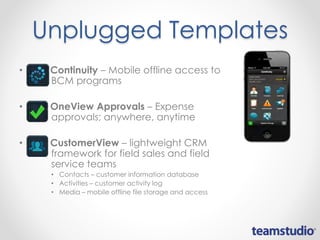
Unplugged Templates 
• Continuity – Mobile offline access to 
BCM programs 
• OneView Approvals – Expense 
approvals; anywhere, anytime 
• CustomerView – lightweight CRM 
framework for field sales and field 
service teams 
• Contacts – customer information database 
• Activities – customer activity log 
• Media – mobile offline file storage and access
• Modernization Services promotion: 
o Now through December 15, sign up to learn about our Modernization Services, and 
be automatically entered to win an iPhone 6.
1 
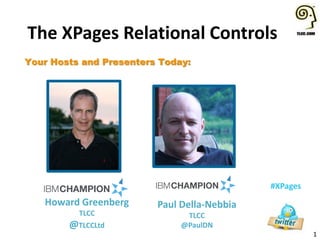
The XPages Relational Controls 
#XPages 
Your Hosts and Presenters Today: 
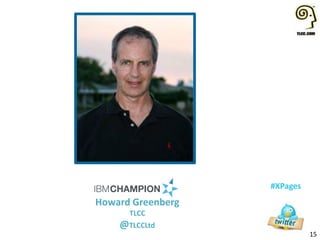
Howard Greenberg 
TLCC 
@TLCCLtd 
Paul Della-Nebbia 
TLCC 
@PaulDN
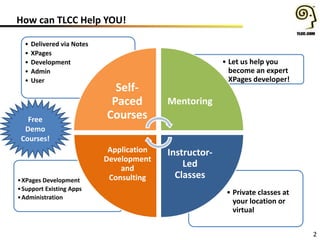
How can TLCC Help YOU! 
2 
• Private classes at 
your location or 
virtual 
•XPages Development 
•Support Existing Apps 
•Administration 
• Let us help you 
become an expert 
XPages developer! 
• Delivered via Notes 
• XPages 
• Development 
• Admin 
• User 
Self- 
Paced 
Courses 
Mentoring 
Instructor- 
Led 
Classes 
Application 
Development 
and 
Consulting 
Free 
Demo 
Courses!
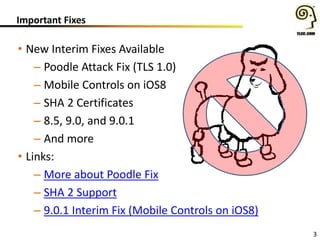
Important Fixes 
• New Interim Fixes Available 
– Poodle Attack Fix (TLS 1.0) 
– Mobile Controls on iOS8 
– SHA 2 Certificates 
– 8.5, 9.0, and 9.0.1 
– And more 
• Links: 
– More about Poodle Fix 
– SHA 2 Support 
– 9.0.1 Interim Fix (Mobile Controls on iOS8) 
3
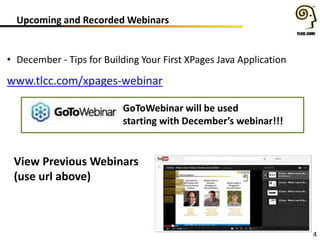
Upcoming and Recorded Webinars 
4 
• December - Tips for Building Your First XPages Java Application 
www.tlcc.com/xpages-webinar 
GoToWebinar will be used 
starting with December’s webinar!!! 
View Previous Webinars 
(use url above)
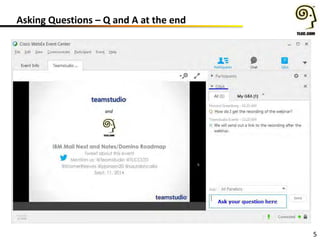
Asking Questions – Q and A at the end 
5
Agenda 
Introduction and Setup 
• What are the Relational Controls 
• System Requirements 
• Enabling a database to use the relational controls 
Using the Controls 
• The jdbcQuery data source 
• Using Relational Data in a View Panel 
• Using Relational Data in a Repeat 
• Different ways to access data using SQL and joining tables 
• JDBC @Functions 
• Using the JDBC Connection Manager control 
• The jdbcRowSet data source 
• Working with Relational data in a Dojo DataGrid 
Questions and Answers 
6 
#XPages
7 
#XPages 
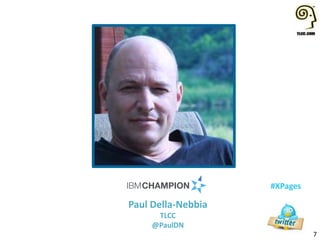
Paul Della-Nebbia 
TLCC 
@PaulDN
Relational Controls and Tools 
• A new set of controls and tools to access relational data 
• Two New Data Sources – jdbcQuery, jdbcRowSet 
• New @Functions 
– @JdbcDbColumn, @JdbcExecuteQuery 
– @JdbcInsert , @JdbcUpdate , @JdbcDelete 
• New REST Service - jdbcQueryJsonService 
• Two Java Classes - jdbcUtil and DatabaseHelper 
• jdbcConnectionManager control 
8
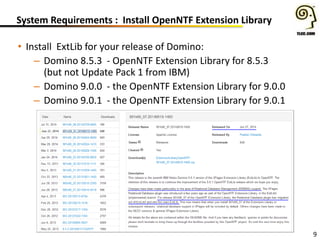
System Requirements : Install OpenNTF Extension Library 
• Install ExtLib for your release of Domino: 
– Domino 8.5.3 - OpenNTF Extension Library for 8.5.3 
(but not Update Pack 1 from IBM) 
– Domino 9.0.0 - the OpenNTF Extension Library for 9.0.0 
– Domino 9.0.1 - the OpenNTF Extension Library for 9.0.1 
9
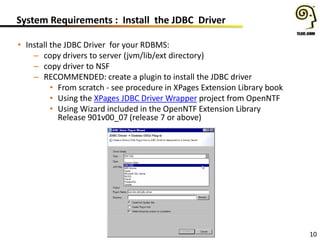
System Requirements : Install the JDBC Driver 
• Install the JDBC Driver for your RDBMS: 
– copy drivers to server (jvm/lib/ext directory) 
– copy driver to NSF 
– RECOMMENDED: create a plugin to install the JDBC driver 
• From scratch - see procedure in XPages Extension Library book 
• Using the XPages JDBC Driver Wrapper project from OpenNTF 
• Using Wizard included in the OpenNTF Extension Library 
Release 901v00_07 (release 7 or above) 
10
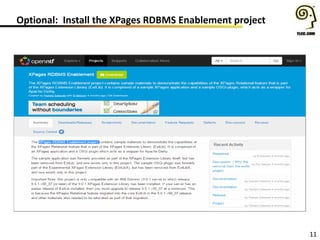
Optional: Install the XPages RDBMS Enablement project 
11
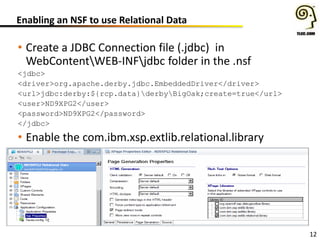
Enabling an NSF to use Relational Data 
• Create a JDBC Connection file (.jdbc) in 
WebContentWEB-INFjdbc folder in the .nsf 
<jdbc> 
<driver>org.apache.derby.jdbc.EmbeddedDriver</driver> 
<url>jdbc:derby:${rcp.data}derbyBigOak;create=true</url> 
<user>ND9XPG2</user> 
<password>ND9XPG2</password> 
</jdbc> 
• Enable the com.ibm.xsp.extlib.relational.library 
12
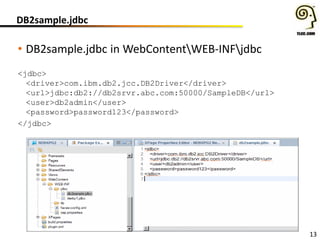
DB2sample.jdbc 
• DB2sample.jdbc in WebContentWEB-INFjdbc 
<jdbc> 
<driver>com.ibm.db2.jcc.DB2Driver</driver> 
<url>jdbc:db2://db2srvr.abc.com:50000/SampleDB</url> 
<user>db2admin</user> 
<password>password123</password> 
</jdbc> 
13
Demo – Examine the derby1.jdbc file 
14
15 
#XPages 
Howard Greenberg 
TLCC 
@TLCCLtd
How do we Access the Relational Data? 
• Two new types of data sources 
• jdbcQuery – used for large data sets, read-only 
• jdbcRowSet – used for read-write, cached data set 
– use these with controls like a viewPanel, data view and repeat 
• new @functions 
• New REST Service 
• Standard Java code that references connection 
– two helper classes, JdbcUtil and DatabaseHelper 
– see DBUtil in demo database for examples or page 425-428 of 
the Extension Library book for details (or the source code!) 
16
17 
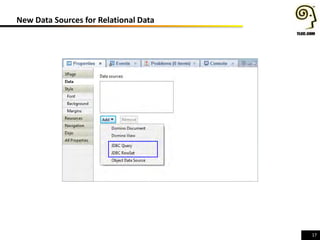
New Data Sources for Relational Data
18 
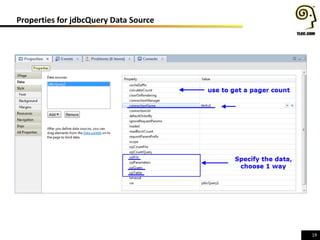
New Data Sources - JDBCQuery 
JDBCQuery 
• Use for read only access 
• connectionName - use the name of the .jdbc file 
• Properties to specify the data to retrieve: 
– sqlTable – specify a table 
– sqlQuery – write a SQL query 
– sqlFile – access SQL in a file (stored in WEB-INF) 
• sqlTable overrides other two, sqlQuery overrides sqlFile 
• calculateCount – allows pager to display correct number 
of pages (set to true if using a pager)
19 
Properties for jdbcQuery Data Source
20 
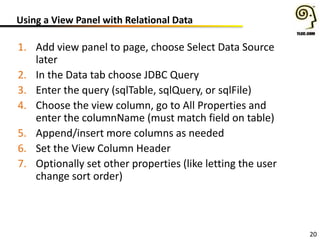
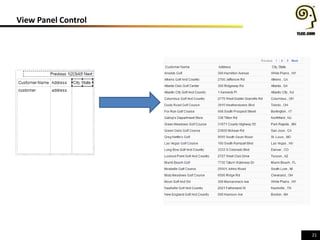
Using a View Panel with Relational Data 
1. Add view panel to page, choose Select Data Source 
later 
2. In the Data tab choose JDBC Query 
3. Enter the query (sqlTable, sqlQuery, or sqlFile) 
4. Choose the view column, go to All Properties and 
enter the columnName (must match field on table) 
5. Append/insert more columns as needed 
6. Set the View Column Header 
7. Optionally set other properties (like letting the user 
change sort order)
21 
View Panel Control
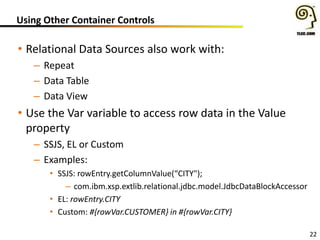
Using Other Container Controls 
• Relational Data Sources also work with: 
– Repeat 
– Data Table 
– Data View 
• Use the Var variable to access row data in the Value 
property 
– SSJS, EL or Custom 
– Examples: 
• SSJS: rowEntry.getColumnValue(“CITY"); 
– com.ibm.xsp.extlib.relational.jdbc.model.JdbcDataBlockAccessor 
• EL: rowEntry.CITY 
• Custom: #{rowVar.CUSTOMER} in #{rowVar.CITY} 
22
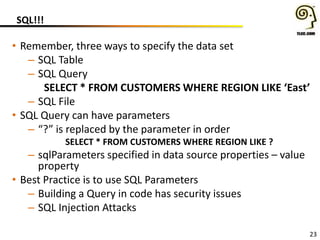
SQL!!! 
• Remember, three ways to specify the data set 
– SQL Table 
– SQL Query 
SELECT * FROM CUSTOMERS WHERE REGION LIKE ‘East’ 
– SQL File 
• SQL Query can have parameters 
– “?” is replaced by the parameter in order 
SELECT * FROM CUSTOMERS WHERE REGION LIKE ? 
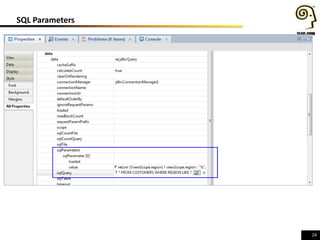
– sqlParameters specified in data source properties – value 
property 
• Best Practice is to use SQL Parameters 
– Building a Query in code has security issues 
– SQL Injection Attacks 
23
24 
SQL Parameters
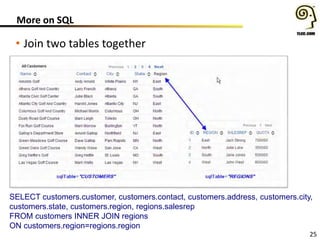
More on SQL 
• Join two tables together 
SELECT customers.customer, customers.contact, customers.address, customers.city, 
customers.state, customers.region, regions.salesrep 
FROM customers INNER JOIN regions 
ON customers.region=regions.region 
25
26 
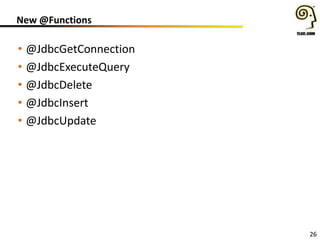
New @Functions 
• @JdbcGetConnection 
• @JdbcExecuteQuery 
• @JdbcDelete 
• @JdbcInsert 
• @JdbcUpdate
27 
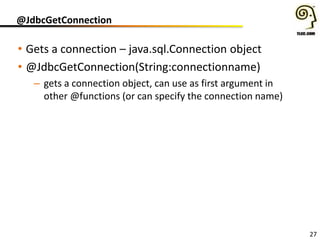
@JdbcGetConnection 
• Gets a connection – java.sql.Connection object 
• @JdbcGetConnection(String:connectionname) 
– gets a connection object, can use as first argument in 
other @functions (or can specify the connection name)
28 
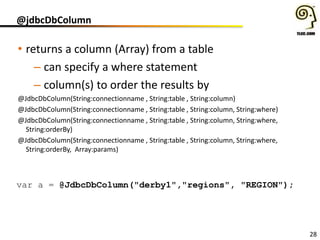
@jdbcDbColumn 
• returns a column (Array) from a table 
– can specify a where statement 
– column(s) to order the results by 
@JdbcDbColumn(String:connectionname , String:table , String:column) 
@JdbcDbColumn(String:connectionname , String:table , String:column, String:where) 
@JdbcDbColumn(String:connectionname , String:table , String:column, String:where, 
String:orderBy) 
@JdbcDbColumn(String:connectionname , String:table , String:column, String:where, 
String:orderBy, Array:params) 
var a = @JdbcDbColumn("derby1","regions", "REGION");
29 
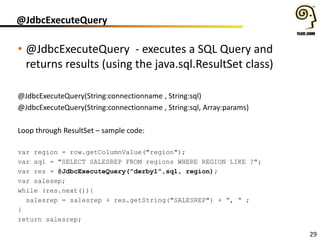
@JdbcExecuteQuery 
• @JdbcExecuteQuery - executes a SQL Query and 
returns results (using the java.sql.ResultSet class) 
@JdbcExecuteQuery(String:connectionname , String:sql) 
@JdbcExecuteQuery(String:connectionname , String:sql, Array:params) 
Loop through ResultSet – sample code: 
var region = row.getColumnValue("region"); 
var sql = "SELECT SALESREP FROM regions WHERE REGION LIKE ?"; 
var res = @JdbcExecuteQuery("derby1",sql, region); 
var salesep; 
while (res.next()){ 
salesrep = salesrep + res.getString("SALESREP") + “, “ ; 
} 
return salesrep;
30 
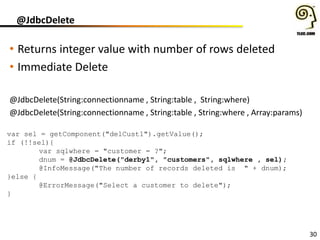
@JdbcDelete 
• Returns integer value with number of rows deleted 
• Immediate Delete 
@JdbcDelete(String:connectionname , String:table , String:where) 
@JdbcDelete(String:connectionname , String:table , String:where , Array:params) 
var sel = getComponent("delCust1").getValue(); 
if (!!sel){ 
var sqlwhere = "customer = ?"; 
dnum = @JdbcDelete("derby1", "customers", sqlwhere , sel); 
@InfoMessage("The number of records deleted is " + dnum); 
}else { 
@ErrorMessage("Select a customer to delete"); 
}
31 
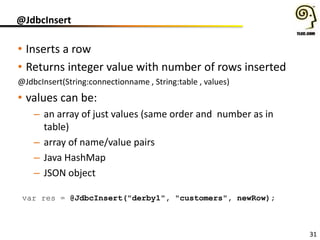
@JdbcInsert 
• Inserts a row 
• Returns integer value with number of rows inserted 
@JdbcInsert(String:connectionname , String:table , values) 
• values can be: 
– an array of just values (same order and number as in 
table) 
– array of name/value pairs 
– Java HashMap 
– JSON object 
var res = @JdbcInsert("derby1", "customers", newRow);
32 
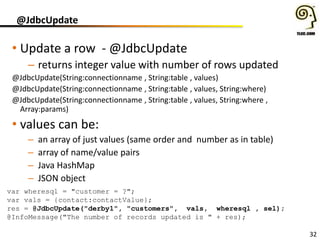
@JdbcUpdate 
• Update a row - @JdbcUpdate 
– returns integer value with number of rows updated 
@JdbcUpdate(String:connectionname , String:table , values) 
@JdbcUpdate(String:connectionname , String:table , values, String:where) 
@JdbcUpdate(String:connectionname , String:table , values, String:where , 
Array:params) 
• values can be: 
– an array of just values (same order and number as in table) 
– array of name/value pairs 
– Java HashMap 
– JSON object 
var wheresql = "customer = ?"; 
var vals = {contact:contactValue}; 
res = @JdbcUpdate("derby1", "customers", vals, wheresql , sel); 
@InfoMessage("The number of records updated is " + res);
33 
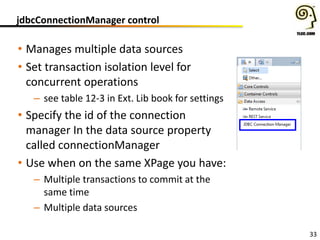
jdbcConnectionManager control 
• Manages multiple data sources 
• Set transaction isolation level for 
concurrent operations 
– see table 12-3 in Ext. Lib book for settings 
• Specify the id of the connection 
manager In the data source property 
called connectionManager 
• Use when on the same XPage you have: 
– Multiple transactions to commit at the 
same time 
– Multiple data sources
34 
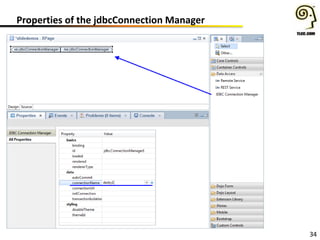
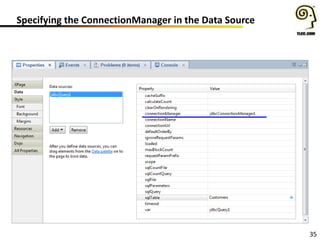
Properties of the jdbcConnection Manager
Specifying the ConnectionManager in the Data Source 
35
36 
#XPages 
Paul Della-Nebbia 
TLCC 
@PaulDN
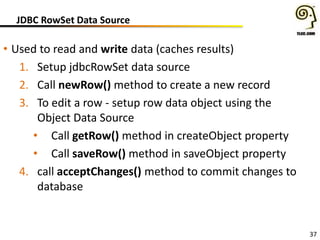
JDBC RowSet Data Source 
• Used to read and write data (caches results) 
1. Setup jdbcRowSet data source 
2. Call newRow() method to create a new record 
3. To edit a row - setup row data object using the 
Object Data Source 
• Call getRow() method in createObject property 
• Call saveRow() method in saveObject property 
4. call acceptChanges() method to commit changes to 
database 
37
DemoXPage771 
38
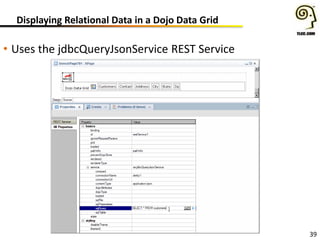
Displaying Relational Data in a Dojo Data Grid 
• Uses the jdbcQueryJsonService REST Service 
39
DemoXPage781 
40
TLCC XPages 2 Course 
41 
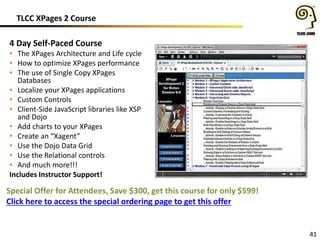
4 Day Self-Paced Course 
• The XPages Architecture and Life cycle 
• How to optimize XPages performance 
• The use of Single Copy XPages 
Databases 
• Localize your XPages applications 
• Custom Controls 
• Client-Side JavaScript libraries like XSP 
and Dojo 
• Add charts to your XPages 
• Create an “Xagent” 
• Use the Dojo Data Grid 
• Use the Relational controls 
• And much more!!! 
Includes Instructor Support! 
Special Offer for Attendees, Save $300, get this course for only $599! 
Click here to access the special ordering page to get this offer
Questions???? 
42
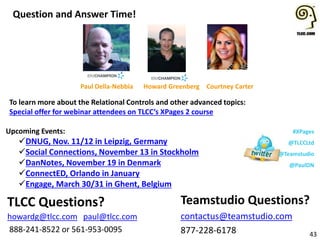
Question and Answer Time! 
Upcoming Events: 
DNUG, Nov. 11/12 in Leipzig, Germany 
Social Connections, November 13 in Stockholm 
DanNotes, November 19 in Denmark 
ConnectED, Orlando in January 
Engage, March 30/31 in Ghent, Belgium 
Teamstudio Questions? 
contactus@teamstudio.com 
877-228-6178 
43 
TLCC Questions? 
howardg@tlcc.com paul@tlcc.com 
888-241-8522 or 561-953-0095 
Howard Greenberg 
#XPages 
@TLCCLtd 
@Teamstudio 
@PaulDN 
Paul Della-Nebbia Courtney Carter 
To learn more about the Relational Controls and other advanced topics: 
Special offer for webinar attendees on TLCC’s XPages 2 course

Access Data from XPages with the Relational Controls

  • 1.
    Access Data fromXPages with the Relational Controls Tweet about this event And mention us: @Teamstudio @TLCCLTD @PaulDN Nov. 4, 2014
  • 2.
    @Teamstudio teamstudio.com @TLCCLTD tlcc.com Courtney Carter Inbound Marketing Specialist Teamstudio
  • 3.
    Who We Are • Teamstudio’s background is in creating tools for collaborative computing in mid-size and large enterprises, primarily for IBM Notes • Easy-to-use tools for developers and administrators • 2300+ active customers, 47 countries • Offices in US, UK, and Japan • Entered mobile space in 2010 with Unplugged: easy mobilization of Notes apps to Blackberry, Android and iOS
  • 4.
    Teamstudio Unplugged •Your mobile Domino server: take your IBM Notes apps with you! • End-users access Notes applications from mobile devices whether online or offline • Leverages existing skills and technology – XPages – a replication model you already know • Unplugged 3.1
  • 5.
    Unplugged Templates •Continuity – Mobile offline access to BCM programs • OneView Approvals – Expense approvals; anywhere, anytime • CustomerView – lightweight CRM framework for field sales and field service teams • Contacts – customer information database • Activities – customer activity log • Media – mobile offline file storage and access
  • 6.
    • Modernization Servicespromotion: o Now through December 15, sign up to learn about our Modernization Services, and be automatically entered to win an iPhone 6.
  • 7.
    1 The XPagesRelational Controls #XPages Your Hosts and Presenters Today: Howard Greenberg TLCC @TLCCLtd Paul Della-Nebbia TLCC @PaulDN
  • 8.
    How can TLCCHelp YOU! 2 • Private classes at your location or virtual •XPages Development •Support Existing Apps •Administration • Let us help you become an expert XPages developer! • Delivered via Notes • XPages • Development • Admin • User Self- Paced Courses Mentoring Instructor- Led Classes Application Development and Consulting Free Demo Courses!
  • 9.
    Important Fixes •New Interim Fixes Available – Poodle Attack Fix (TLS 1.0) – Mobile Controls on iOS8 – SHA 2 Certificates – 8.5, 9.0, and 9.0.1 – And more • Links: – More about Poodle Fix – SHA 2 Support – 9.0.1 Interim Fix (Mobile Controls on iOS8) 3
  • 10.
    Upcoming and RecordedWebinars 4 • December - Tips for Building Your First XPages Java Application www.tlcc.com/xpages-webinar GoToWebinar will be used starting with December’s webinar!!! View Previous Webinars (use url above)
  • 11.
    Asking Questions –Q and A at the end 5
  • 12.
    Agenda Introduction andSetup • What are the Relational Controls • System Requirements • Enabling a database to use the relational controls Using the Controls • The jdbcQuery data source • Using Relational Data in a View Panel • Using Relational Data in a Repeat • Different ways to access data using SQL and joining tables • JDBC @Functions • Using the JDBC Connection Manager control • The jdbcRowSet data source • Working with Relational data in a Dojo DataGrid Questions and Answers 6 #XPages
  • 13.
    7 #XPages PaulDella-Nebbia TLCC @PaulDN
  • 14.
    Relational Controls andTools • A new set of controls and tools to access relational data • Two New Data Sources – jdbcQuery, jdbcRowSet • New @Functions – @JdbcDbColumn, @JdbcExecuteQuery – @JdbcInsert , @JdbcUpdate , @JdbcDelete • New REST Service - jdbcQueryJsonService • Two Java Classes - jdbcUtil and DatabaseHelper • jdbcConnectionManager control 8
  • 15.
    System Requirements :Install OpenNTF Extension Library • Install ExtLib for your release of Domino: – Domino 8.5.3 - OpenNTF Extension Library for 8.5.3 (but not Update Pack 1 from IBM) – Domino 9.0.0 - the OpenNTF Extension Library for 9.0.0 – Domino 9.0.1 - the OpenNTF Extension Library for 9.0.1 9
  • 16.
    System Requirements :Install the JDBC Driver • Install the JDBC Driver for your RDBMS: – copy drivers to server (jvm/lib/ext directory) – copy driver to NSF – RECOMMENDED: create a plugin to install the JDBC driver • From scratch - see procedure in XPages Extension Library book • Using the XPages JDBC Driver Wrapper project from OpenNTF • Using Wizard included in the OpenNTF Extension Library Release 901v00_07 (release 7 or above) 10
  • 17.
    Optional: Install theXPages RDBMS Enablement project 11
  • 18.
    Enabling an NSFto use Relational Data • Create a JDBC Connection file (.jdbc) in WebContentWEB-INFjdbc folder in the .nsf <jdbc> <driver>org.apache.derby.jdbc.EmbeddedDriver</driver> <url>jdbc:derby:${rcp.data}derbyBigOak;create=true</url> <user>ND9XPG2</user> <password>ND9XPG2</password> </jdbc> • Enable the com.ibm.xsp.extlib.relational.library 12
  • 19.
    DB2sample.jdbc • DB2sample.jdbcin WebContentWEB-INFjdbc <jdbc> <driver>com.ibm.db2.jcc.DB2Driver</driver> <url>jdbc:db2://db2srvr.abc.com:50000/SampleDB</url> <user>db2admin</user> <password>password123</password> </jdbc> 13
  • 20.
    Demo – Examinethe derby1.jdbc file 14
  • 21.
    15 #XPages HowardGreenberg TLCC @TLCCLtd
  • 22.
    How do weAccess the Relational Data? • Two new types of data sources • jdbcQuery – used for large data sets, read-only • jdbcRowSet – used for read-write, cached data set – use these with controls like a viewPanel, data view and repeat • new @functions • New REST Service • Standard Java code that references connection – two helper classes, JdbcUtil and DatabaseHelper – see DBUtil in demo database for examples or page 425-428 of the Extension Library book for details (or the source code!) 16
  • 23.
    17 New DataSources for Relational Data
  • 24.
    18 New DataSources - JDBCQuery JDBCQuery • Use for read only access • connectionName - use the name of the .jdbc file • Properties to specify the data to retrieve: – sqlTable – specify a table – sqlQuery – write a SQL query – sqlFile – access SQL in a file (stored in WEB-INF) • sqlTable overrides other two, sqlQuery overrides sqlFile • calculateCount – allows pager to display correct number of pages (set to true if using a pager)
  • 25.
    19 Properties forjdbcQuery Data Source
  • 26.
    20 Using aView Panel with Relational Data 1. Add view panel to page, choose Select Data Source later 2. In the Data tab choose JDBC Query 3. Enter the query (sqlTable, sqlQuery, or sqlFile) 4. Choose the view column, go to All Properties and enter the columnName (must match field on table) 5. Append/insert more columns as needed 6. Set the View Column Header 7. Optionally set other properties (like letting the user change sort order)
  • 27.
  • 28.
    Using Other ContainerControls • Relational Data Sources also work with: – Repeat – Data Table – Data View • Use the Var variable to access row data in the Value property – SSJS, EL or Custom – Examples: • SSJS: rowEntry.getColumnValue(“CITY"); – com.ibm.xsp.extlib.relational.jdbc.model.JdbcDataBlockAccessor • EL: rowEntry.CITY • Custom: #{rowVar.CUSTOMER} in #{rowVar.CITY} 22
  • 29.
    SQL!!! • Remember,three ways to specify the data set – SQL Table – SQL Query SELECT * FROM CUSTOMERS WHERE REGION LIKE ‘East’ – SQL File • SQL Query can have parameters – “?” is replaced by the parameter in order SELECT * FROM CUSTOMERS WHERE REGION LIKE ? – sqlParameters specified in data source properties – value property • Best Practice is to use SQL Parameters – Building a Query in code has security issues – SQL Injection Attacks 23
  • 30.
  • 31.
    More on SQL • Join two tables together SELECT customers.customer, customers.contact, customers.address, customers.city, customers.state, customers.region, regions.salesrep FROM customers INNER JOIN regions ON customers.region=regions.region 25
  • 32.
    26 New @Functions • @JdbcGetConnection • @JdbcExecuteQuery • @JdbcDelete • @JdbcInsert • @JdbcUpdate
  • 33.
    27 @JdbcGetConnection •Gets a connection – java.sql.Connection object • @JdbcGetConnection(String:connectionname) – gets a connection object, can use as first argument in other @functions (or can specify the connection name)
  • 34.
    28 @jdbcDbColumn •returns a column (Array) from a table – can specify a where statement – column(s) to order the results by @JdbcDbColumn(String:connectionname , String:table , String:column) @JdbcDbColumn(String:connectionname , String:table , String:column, String:where) @JdbcDbColumn(String:connectionname , String:table , String:column, String:where, String:orderBy) @JdbcDbColumn(String:connectionname , String:table , String:column, String:where, String:orderBy, Array:params) var a = @JdbcDbColumn("derby1","regions", "REGION");
  • 35.
    29 @JdbcExecuteQuery •@JdbcExecuteQuery - executes a SQL Query and returns results (using the java.sql.ResultSet class) @JdbcExecuteQuery(String:connectionname , String:sql) @JdbcExecuteQuery(String:connectionname , String:sql, Array:params) Loop through ResultSet – sample code: var region = row.getColumnValue("region"); var sql = "SELECT SALESREP FROM regions WHERE REGION LIKE ?"; var res = @JdbcExecuteQuery("derby1",sql, region); var salesep; while (res.next()){ salesrep = salesrep + res.getString("SALESREP") + “, “ ; } return salesrep;
  • 36.
    30 @JdbcDelete •Returns integer value with number of rows deleted • Immediate Delete @JdbcDelete(String:connectionname , String:table , String:where) @JdbcDelete(String:connectionname , String:table , String:where , Array:params) var sel = getComponent("delCust1").getValue(); if (!!sel){ var sqlwhere = "customer = ?"; dnum = @JdbcDelete("derby1", "customers", sqlwhere , sel); @InfoMessage("The number of records deleted is " + dnum); }else { @ErrorMessage("Select a customer to delete"); }
  • 37.
    31 @JdbcInsert •Inserts a row • Returns integer value with number of rows inserted @JdbcInsert(String:connectionname , String:table , values) • values can be: – an array of just values (same order and number as in table) – array of name/value pairs – Java HashMap – JSON object var res = @JdbcInsert("derby1", "customers", newRow);
  • 38.
    32 @JdbcUpdate •Update a row - @JdbcUpdate – returns integer value with number of rows updated @JdbcUpdate(String:connectionname , String:table , values) @JdbcUpdate(String:connectionname , String:table , values, String:where) @JdbcUpdate(String:connectionname , String:table , values, String:where , Array:params) • values can be: – an array of just values (same order and number as in table) – array of name/value pairs – Java HashMap – JSON object var wheresql = "customer = ?"; var vals = {contact:contactValue}; res = @JdbcUpdate("derby1", "customers", vals, wheresql , sel); @InfoMessage("The number of records updated is " + res);
  • 39.
    33 jdbcConnectionManager control • Manages multiple data sources • Set transaction isolation level for concurrent operations – see table 12-3 in Ext. Lib book for settings • Specify the id of the connection manager In the data source property called connectionManager • Use when on the same XPage you have: – Multiple transactions to commit at the same time – Multiple data sources
  • 40.
    34 Properties ofthe jdbcConnection Manager
  • 41.
    Specifying the ConnectionManagerin the Data Source 35
  • 42.
    36 #XPages PaulDella-Nebbia TLCC @PaulDN
  • 43.
    JDBC RowSet DataSource • Used to read and write data (caches results) 1. Setup jdbcRowSet data source 2. Call newRow() method to create a new record 3. To edit a row - setup row data object using the Object Data Source • Call getRow() method in createObject property • Call saveRow() method in saveObject property 4. call acceptChanges() method to commit changes to database 37
  • 44.
  • 45.
    Displaying Relational Datain a Dojo Data Grid • Uses the jdbcQueryJsonService REST Service 39
  • 46.
  • 47.
    TLCC XPages 2Course 41 4 Day Self-Paced Course • The XPages Architecture and Life cycle • How to optimize XPages performance • The use of Single Copy XPages Databases • Localize your XPages applications • Custom Controls • Client-Side JavaScript libraries like XSP and Dojo • Add charts to your XPages • Create an “Xagent” • Use the Dojo Data Grid • Use the Relational controls • And much more!!! Includes Instructor Support! Special Offer for Attendees, Save $300, get this course for only $599! Click here to access the special ordering page to get this offer
  • 48.
  • 49.
    Question and AnswerTime! Upcoming Events: DNUG, Nov. 11/12 in Leipzig, Germany Social Connections, November 13 in Stockholm DanNotes, November 19 in Denmark ConnectED, Orlando in January Engage, March 30/31 in Ghent, Belgium Teamstudio Questions? contactus@teamstudio.com 877-228-6178 43 TLCC Questions? howardg@tlcc.com paul@tlcc.com 888-241-8522 or 561-953-0095 Howard Greenberg #XPages @TLCCLtd @Teamstudio @PaulDN Paul Della-Nebbia Courtney Carter To learn more about the Relational Controls and other advanced topics: Special offer for webinar attendees on TLCC’s XPages 2 course