Communications Buffet
Barry Dahl
Sr. Community Manager, Desire2Learn
Communications Buffet
• Three Quick Ways to Increase
Engagement
1. Personalizing the Learning Space
2. Utilizing Intelligent Agents
Effectively
3. Novel uses of Release Conditions
Personalizing the
Learning Space
Not Personalized Learning
• That’s a big topic – a whole day by itself.
• Let’s look at how you can make the
learning space feel a bit more personal to
the students.
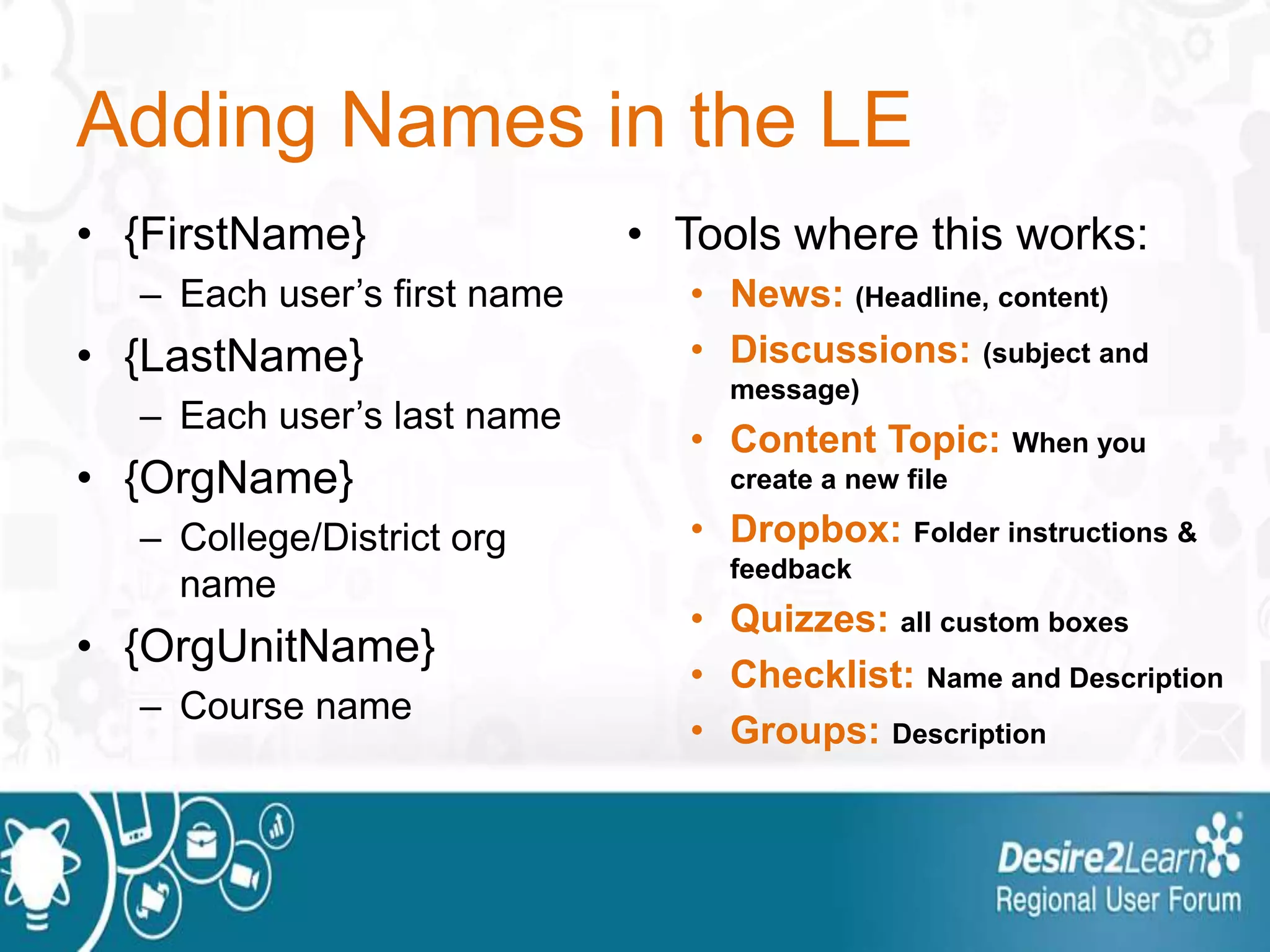
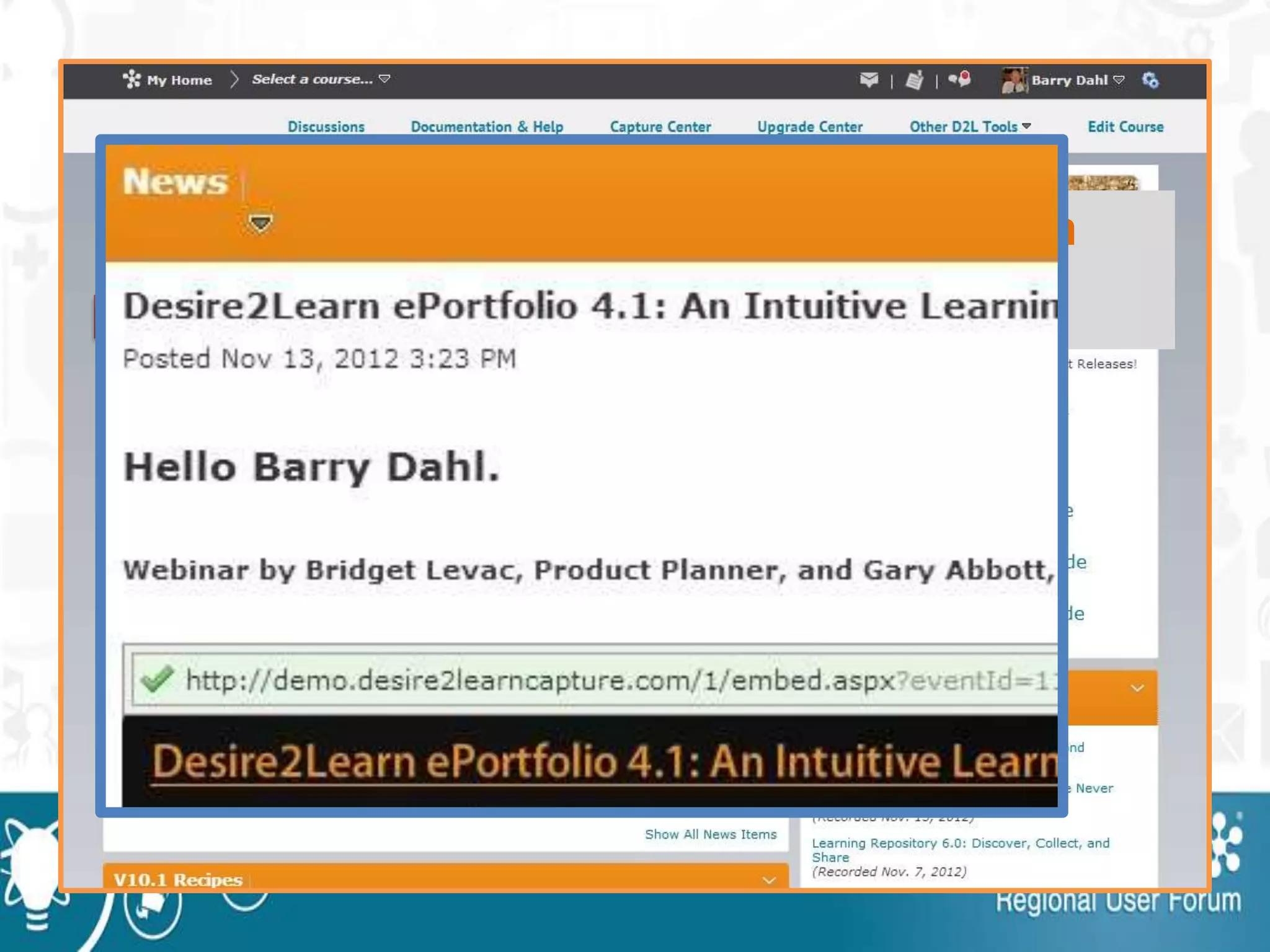
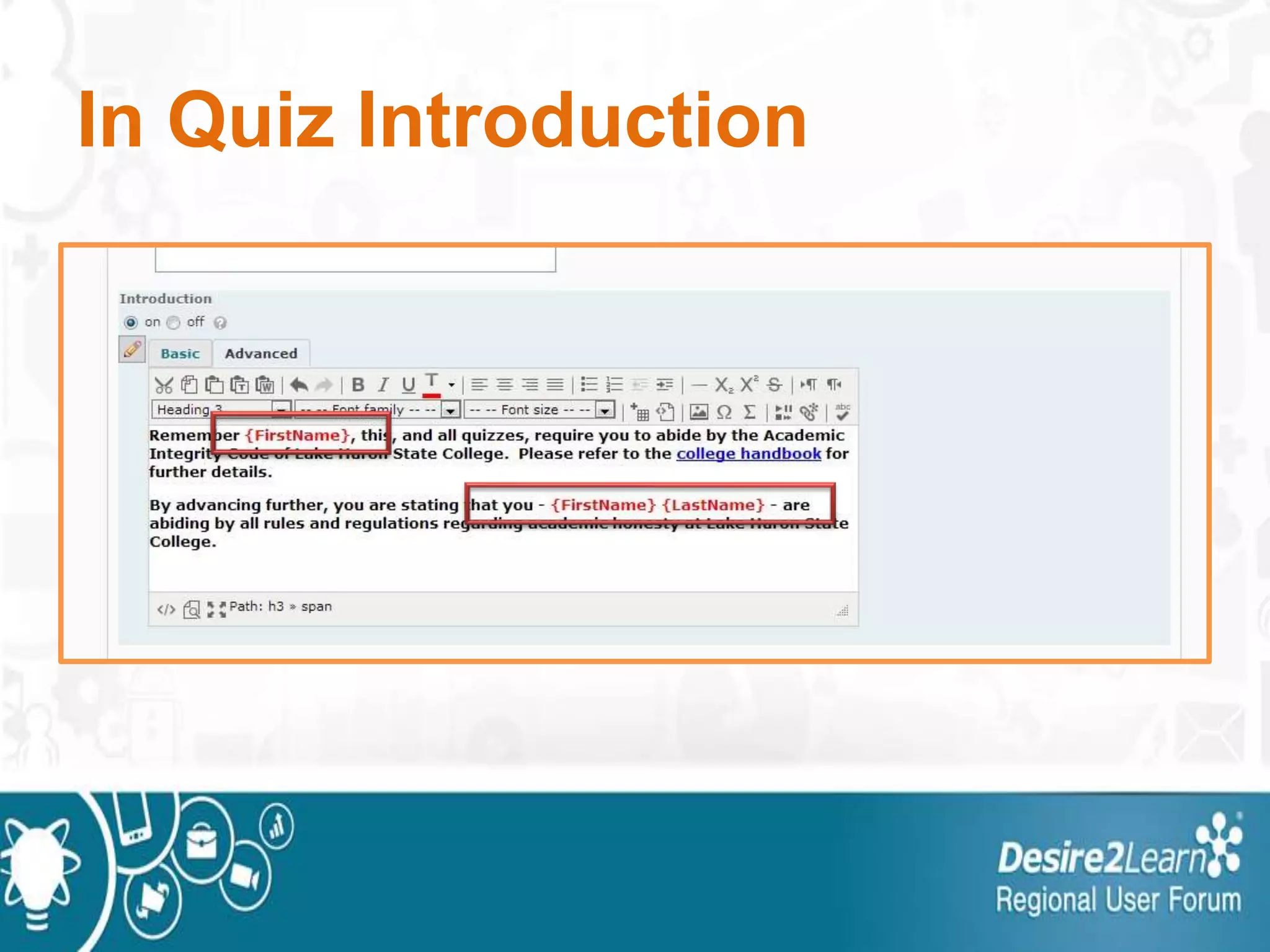
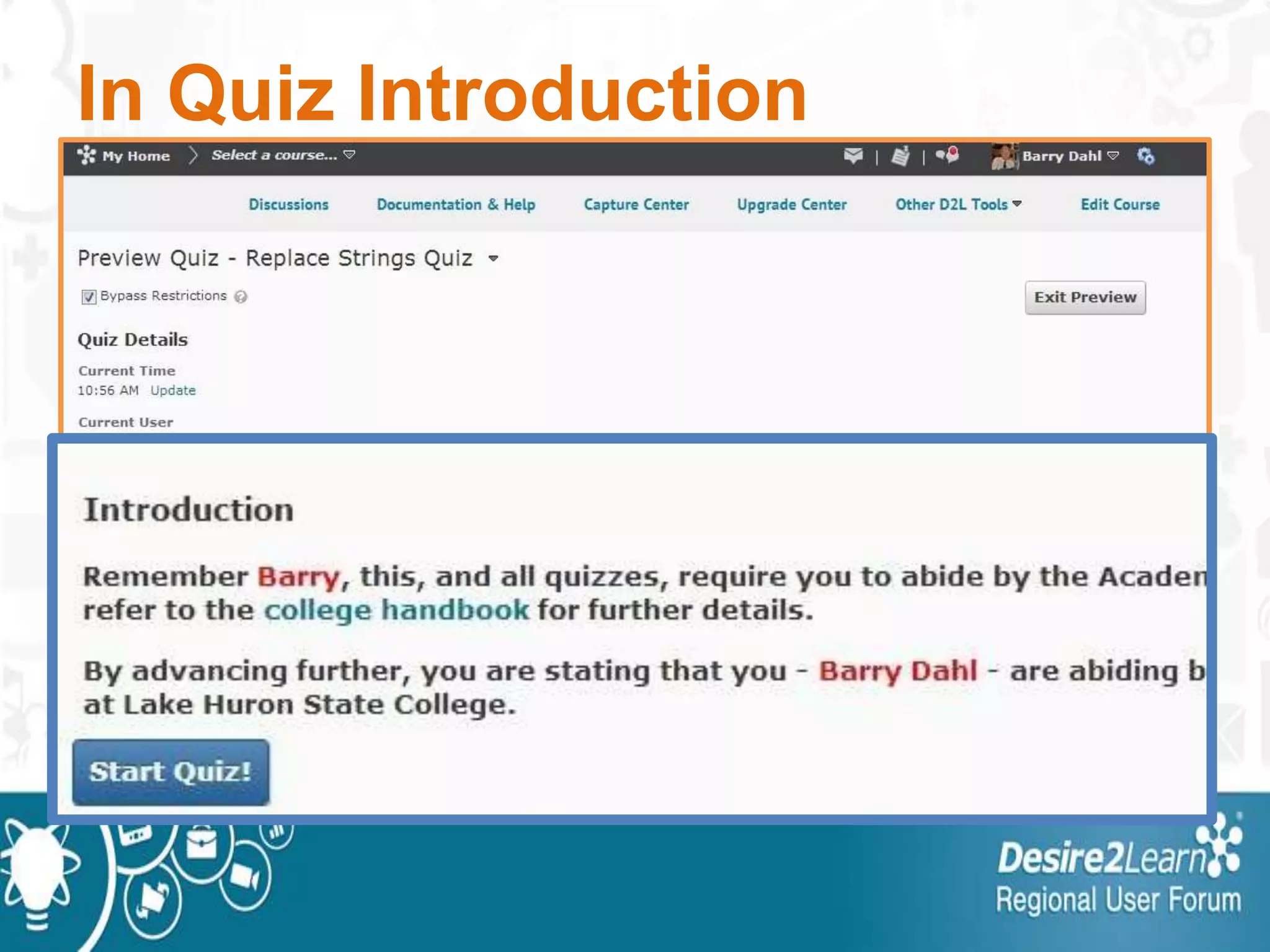
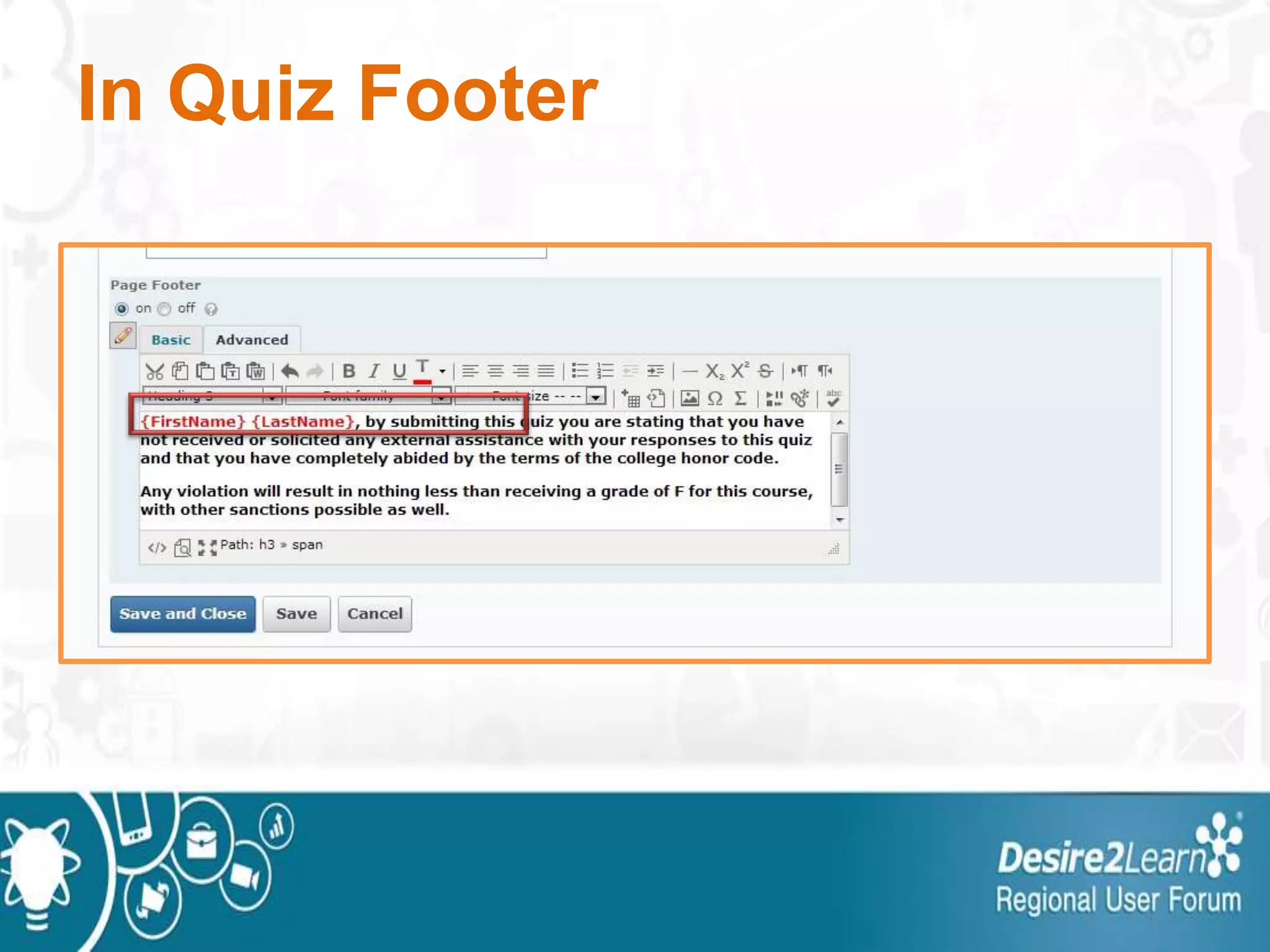
Adding Names in the LE
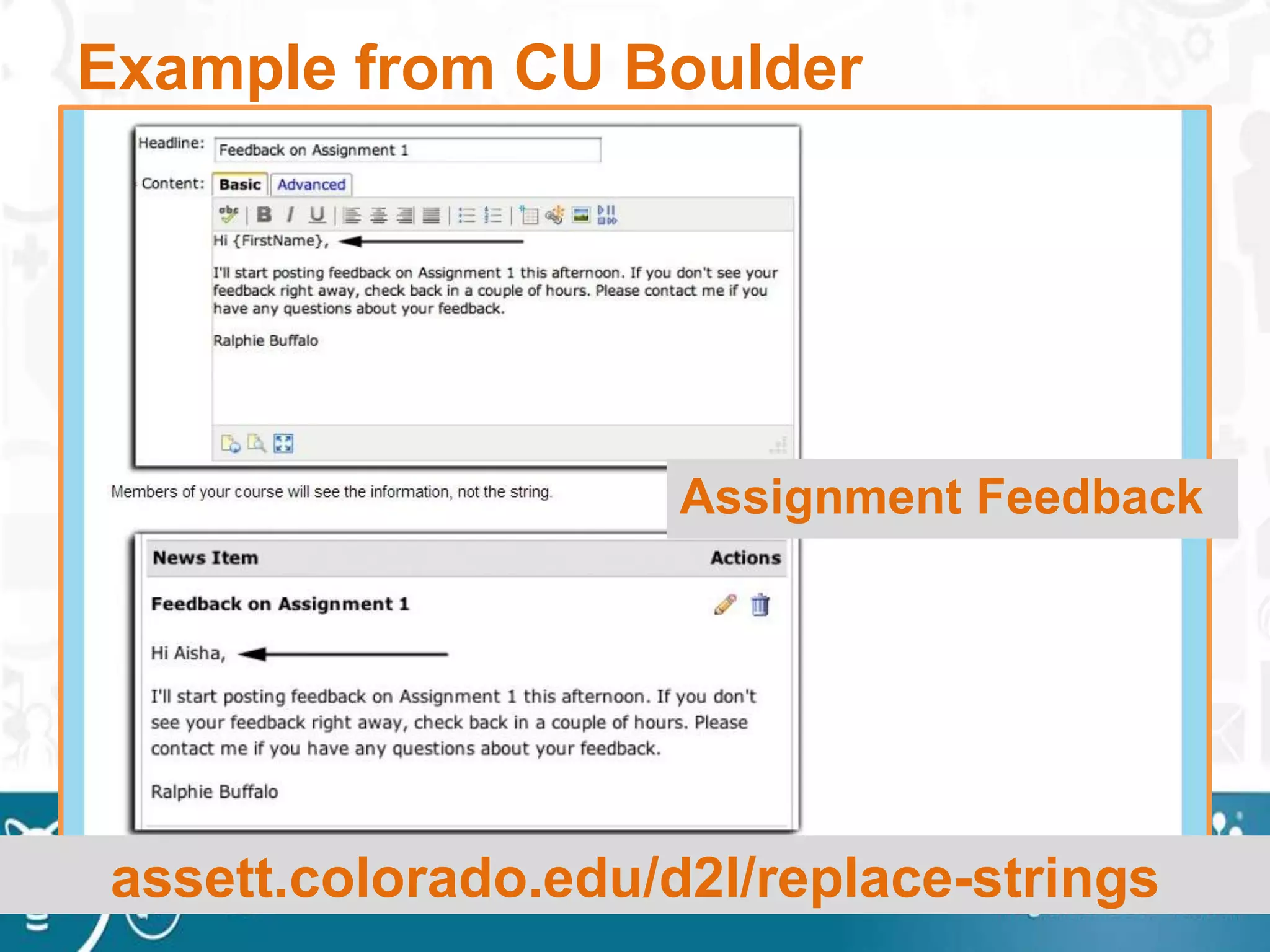
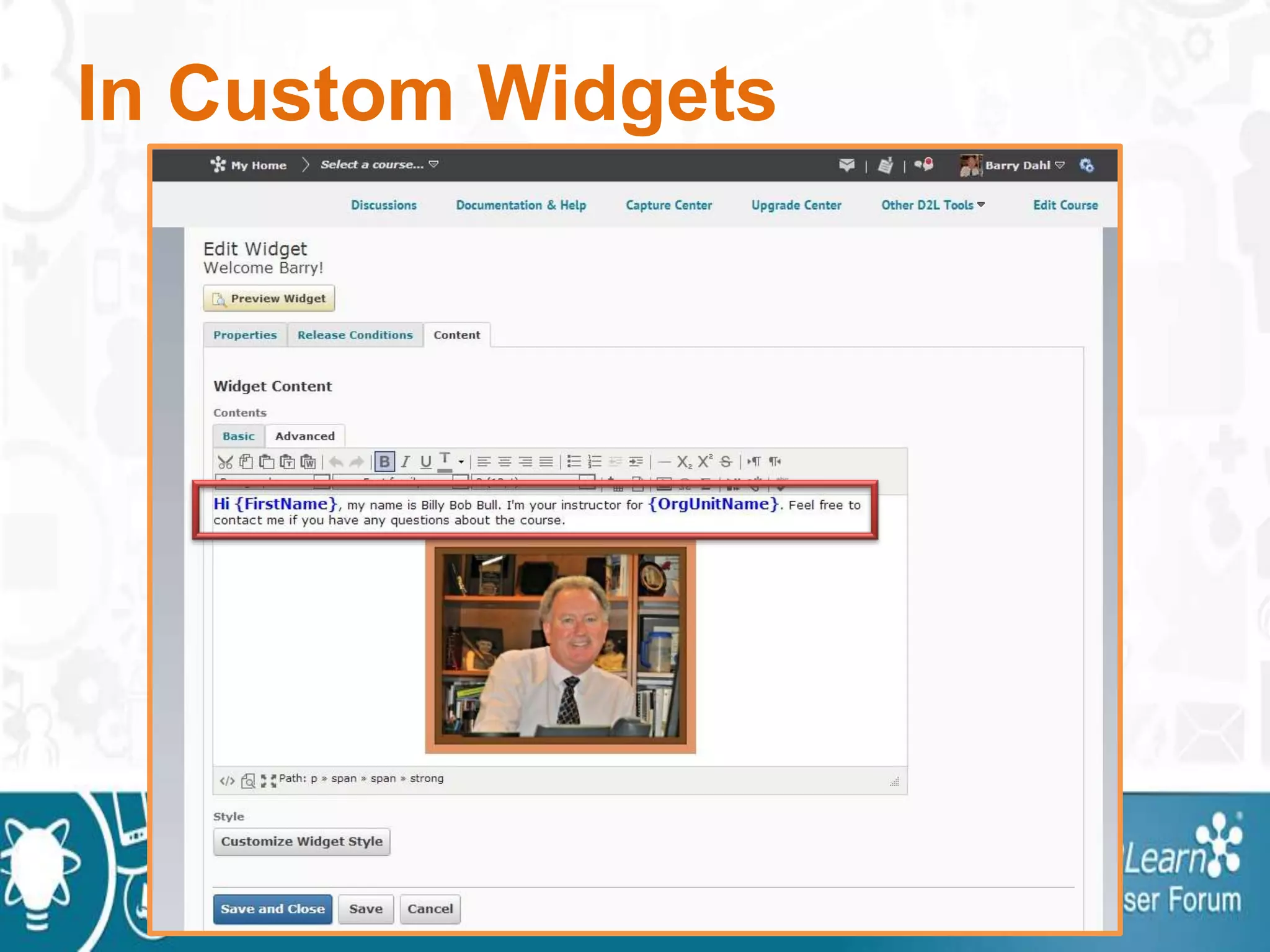
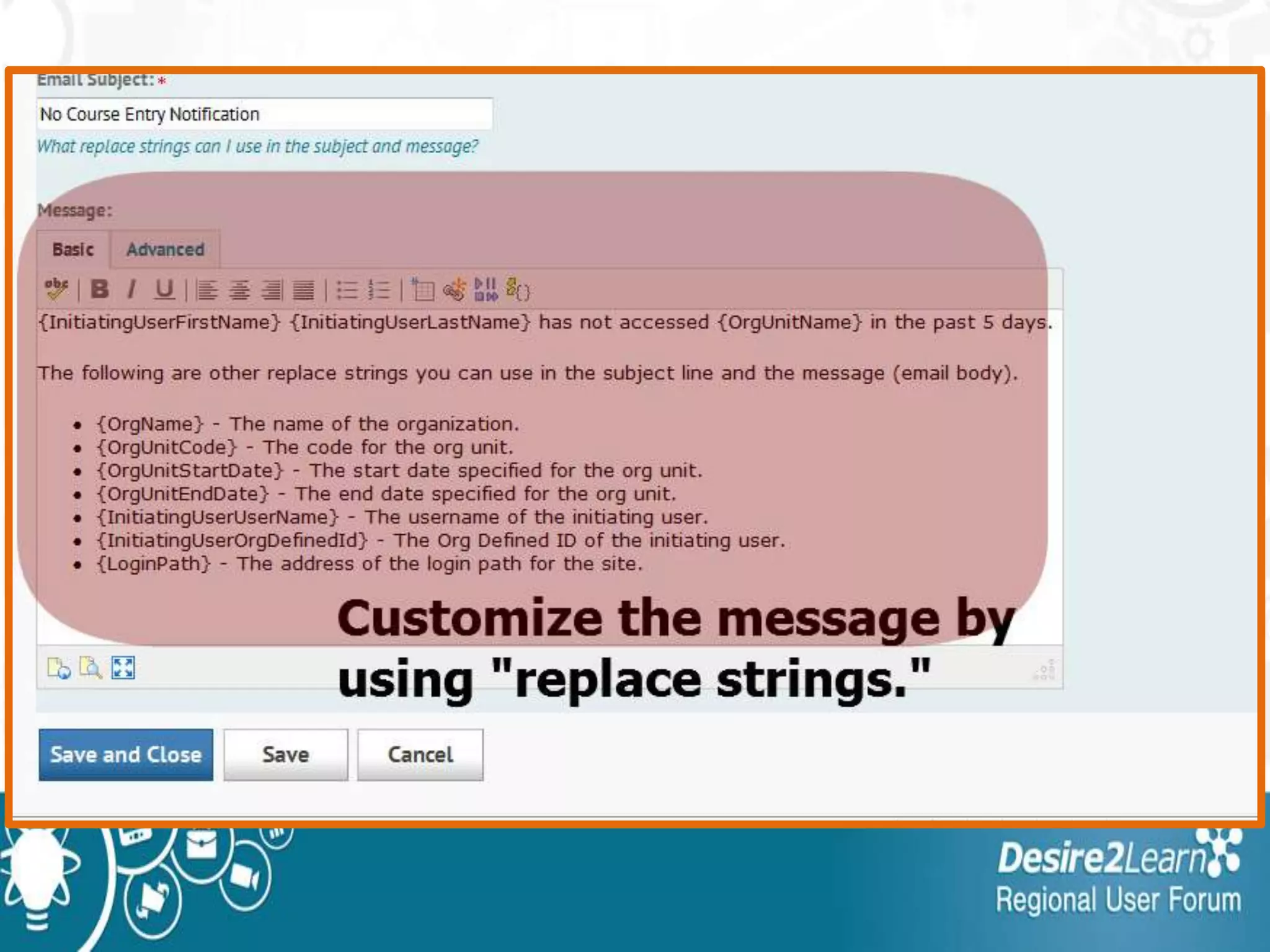
• {FirstName}
– Each user’s first name
• {LastName}
– Each user’s last name
• {OrgName}
– College/District org
name
• {OrgUnitName}
– Course name
• Tools where this works:
• News: (Headline, content)
• Discussions: (subject and
message)
• Content Topic: When you
create a new file
• Dropbox: Folder instructions &
feedback
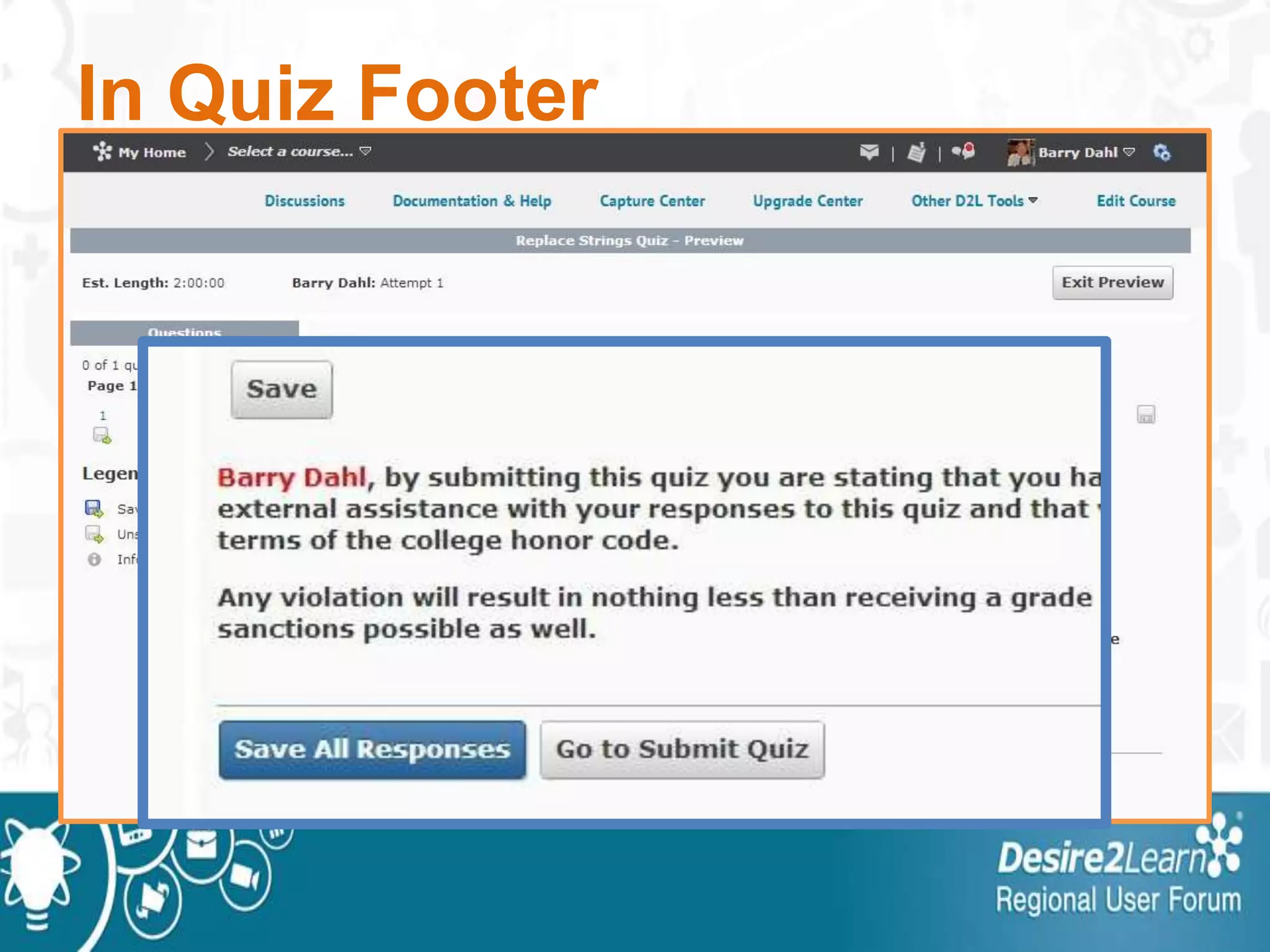
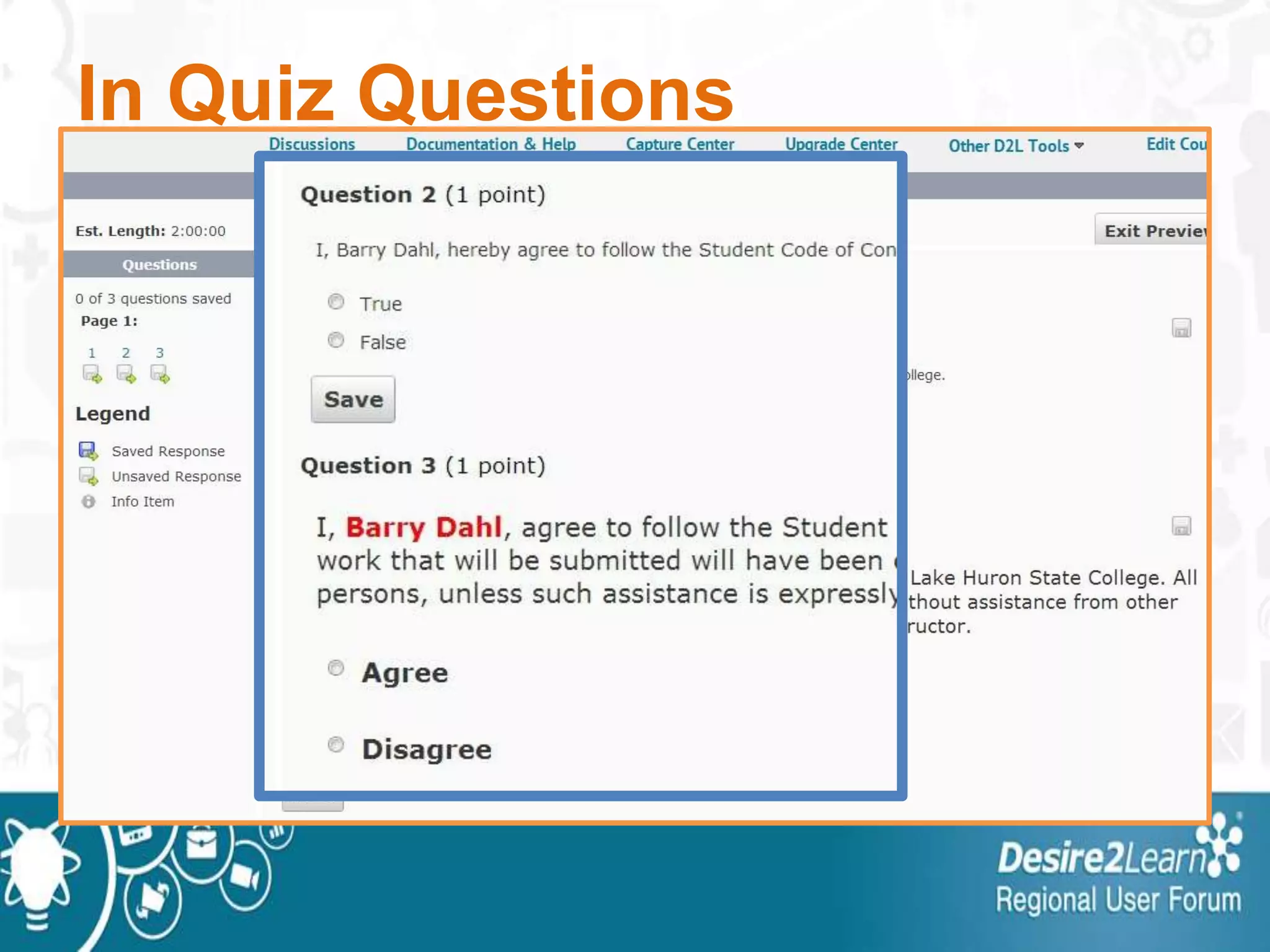
• Quizzes: all custom boxes
• Checklist: Name and Description
• Groups: Description
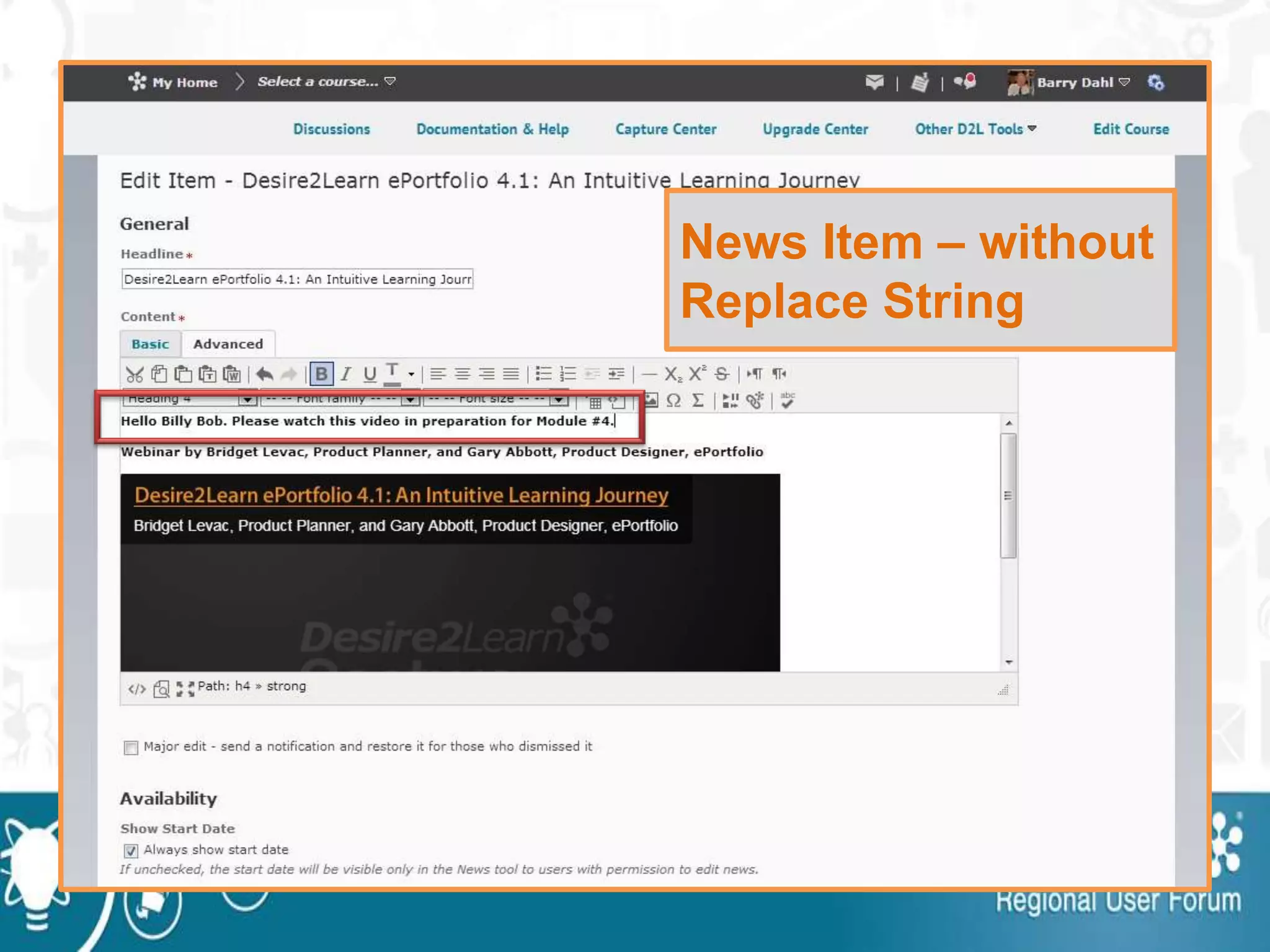
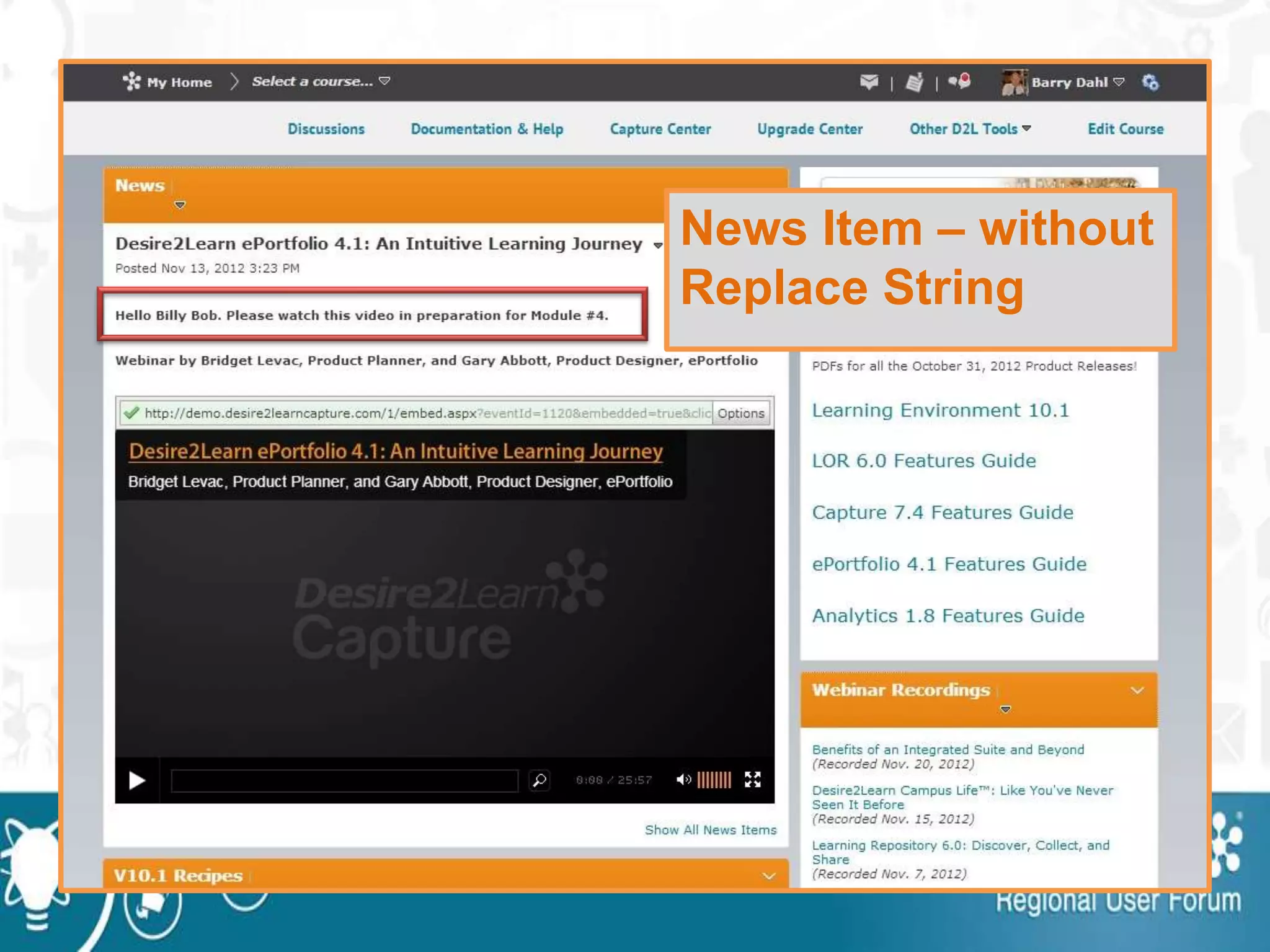
News Item – without
Replace String
News Item – without
Replace String
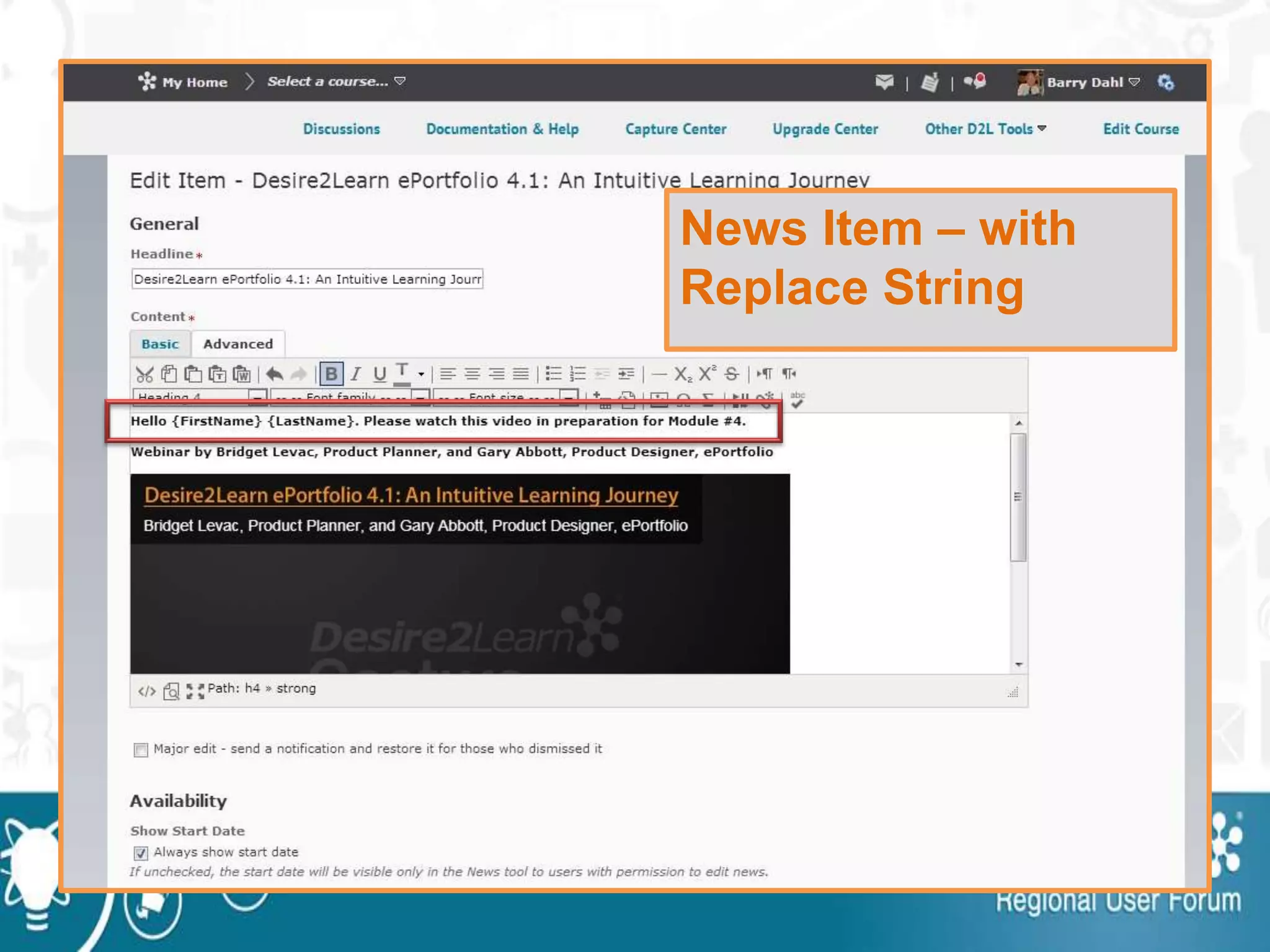
News Item – with
Replace String
News Item – with
Replace String
In Quiz Introduction
In Quiz Footer
In Quiz Footer
In Quiz Questions
Example from CU Boulder
Assignment Feedback
assett.colorado.edu/d2l/replace-strings
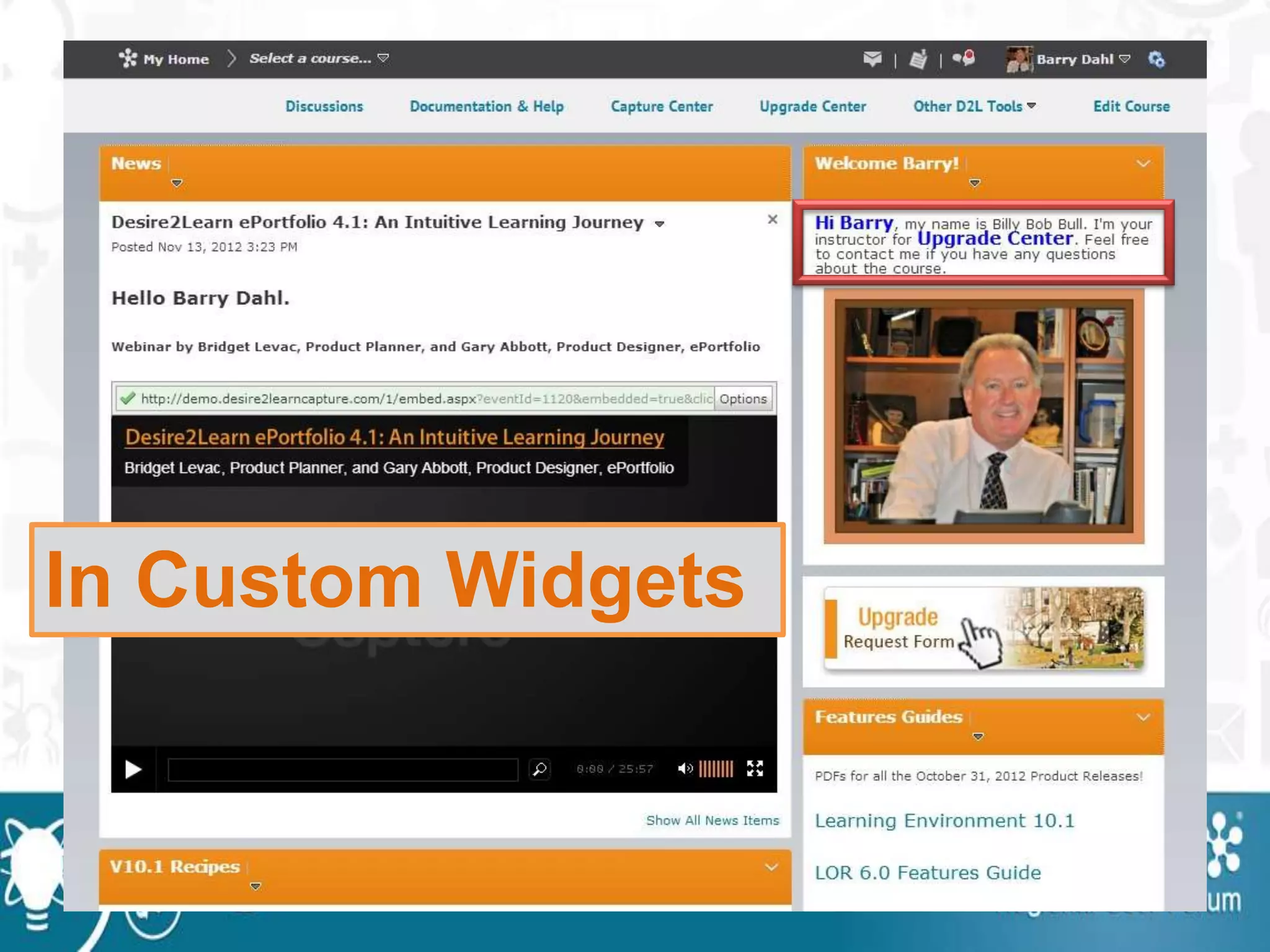
In Custom Widgets
In Custom Widgets
Intelligent
Agents
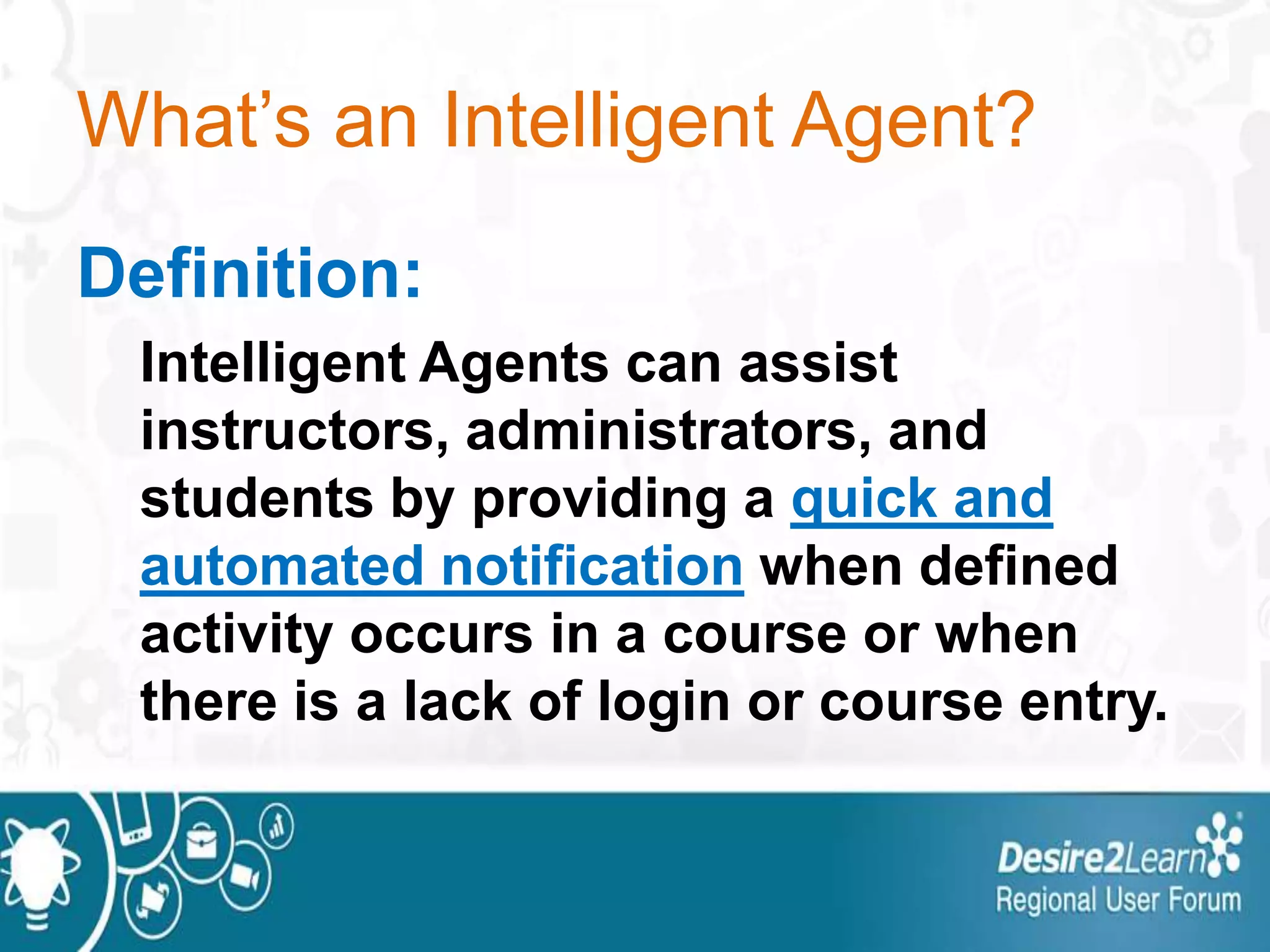
What’s an Intelligent Agent?
Definition:
Intelligent Agents can assist
instructors, administrators, and
students by providing a quick and
automated notification when defined
activity occurs in a course or when
there is a lack of login or course entry.
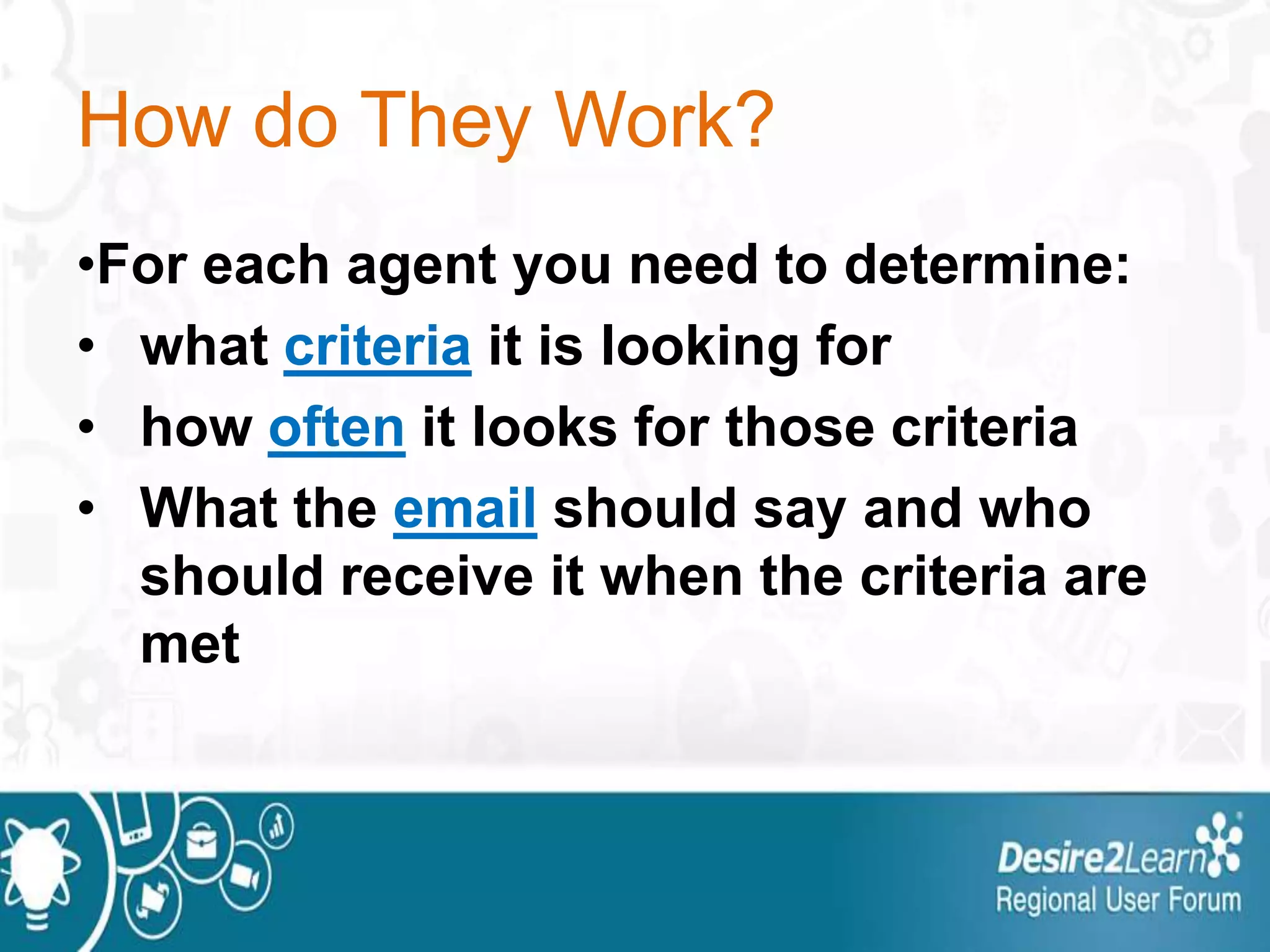
How do They Work?
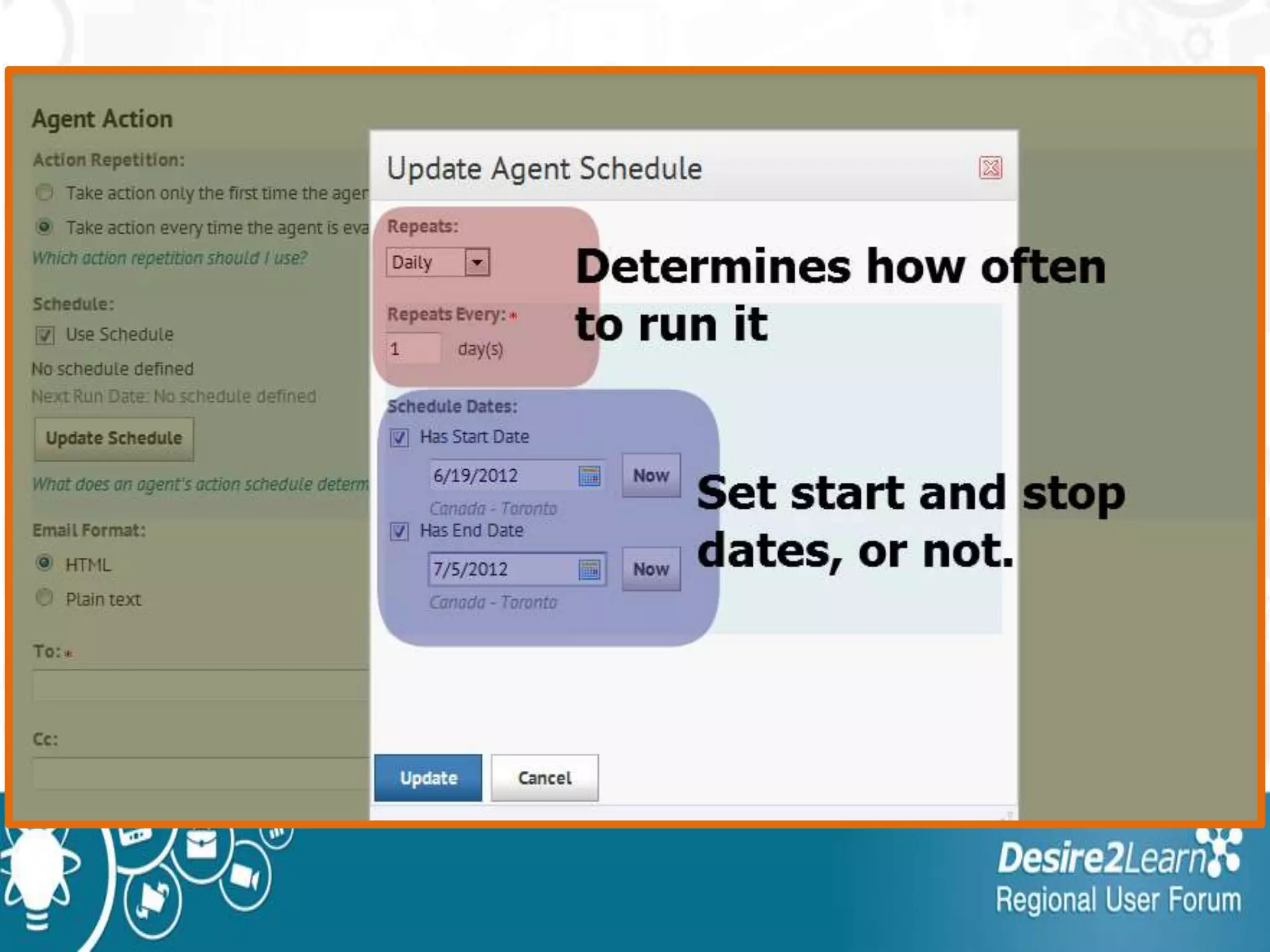
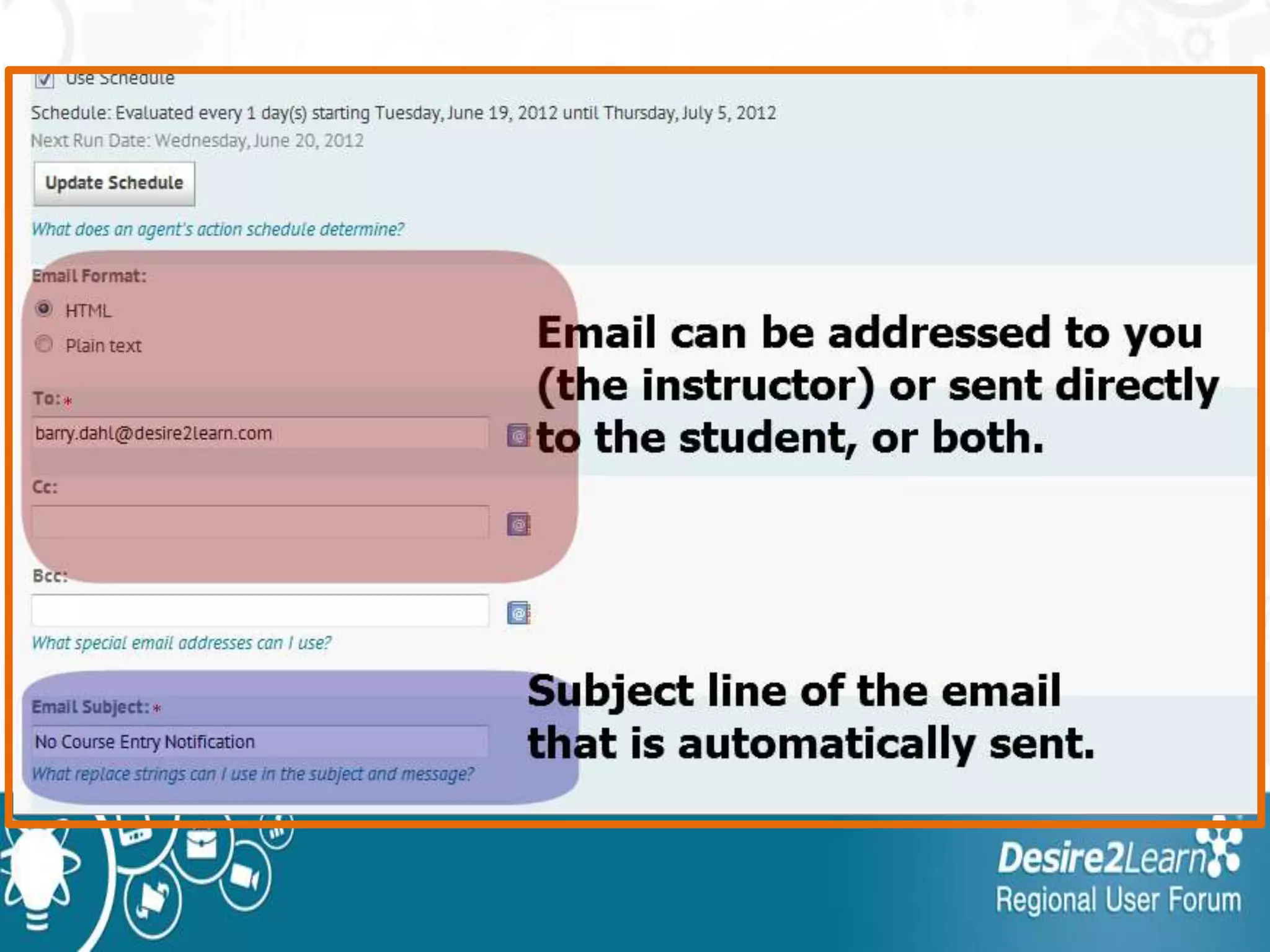
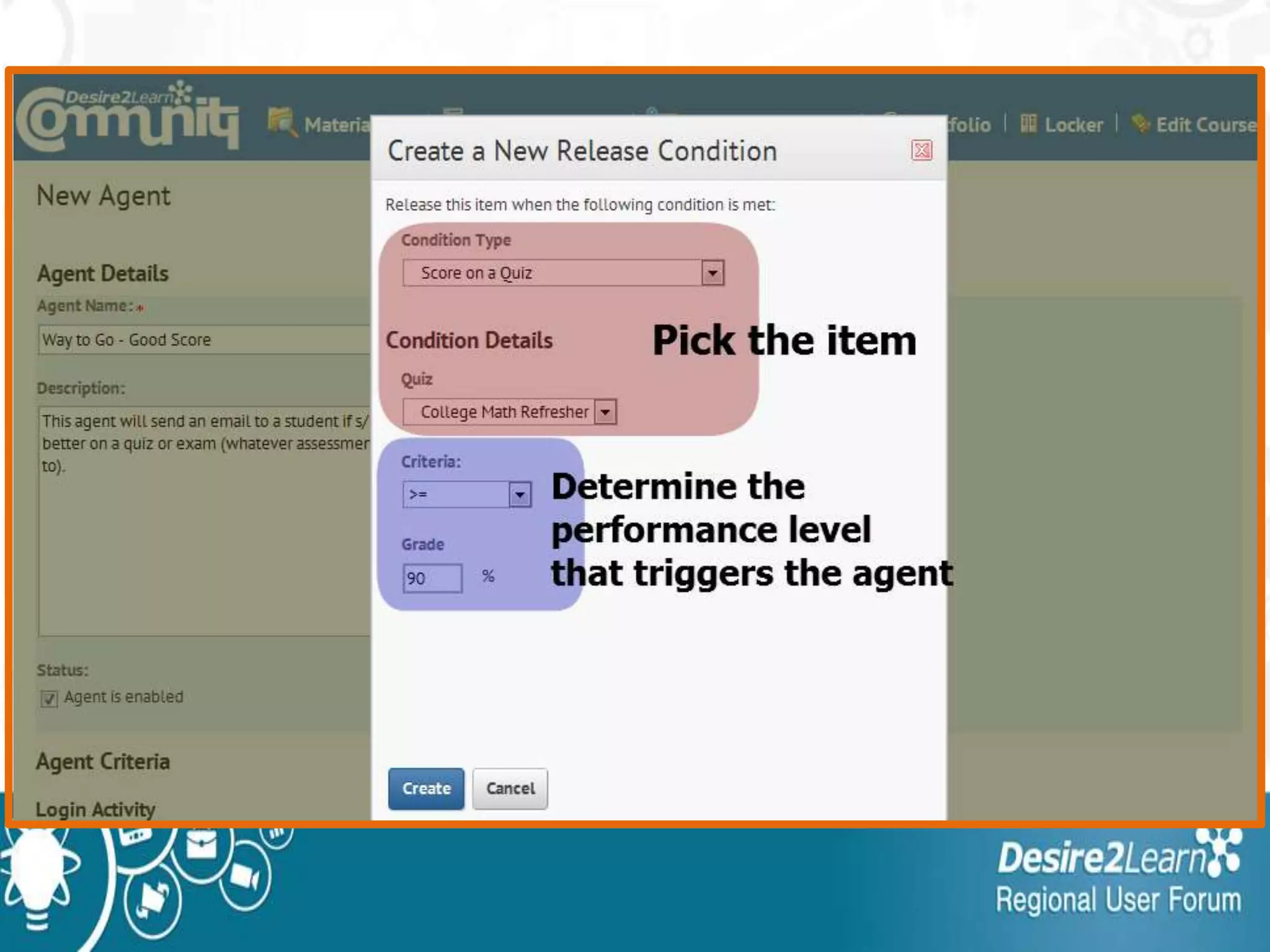
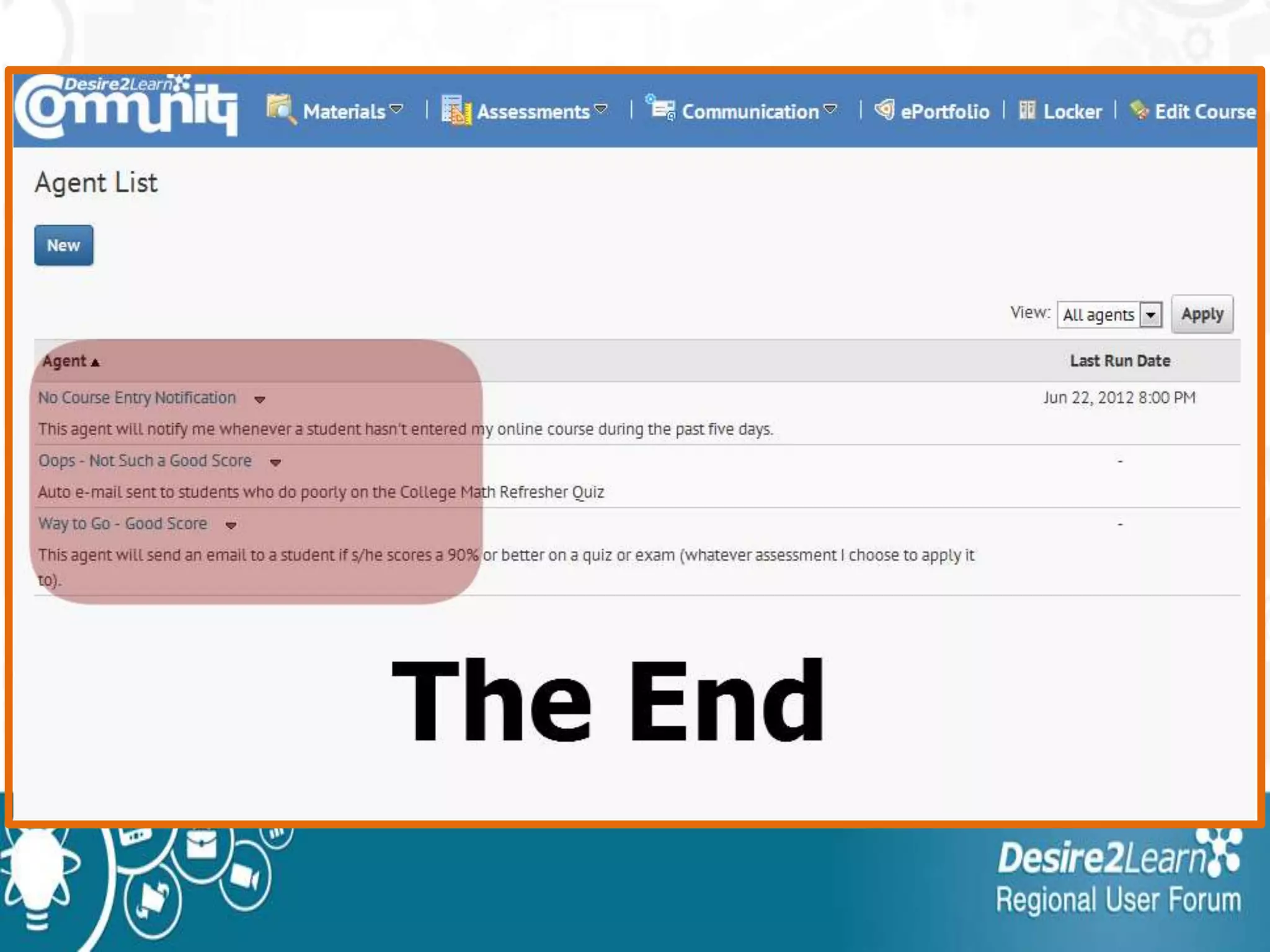
•For each agent you need to determine:
• what criteria it is looking for
• how often it looks for those criteria
• What the email should say and who
should receive it when the criteria are
met
Client Use Cases in T & L
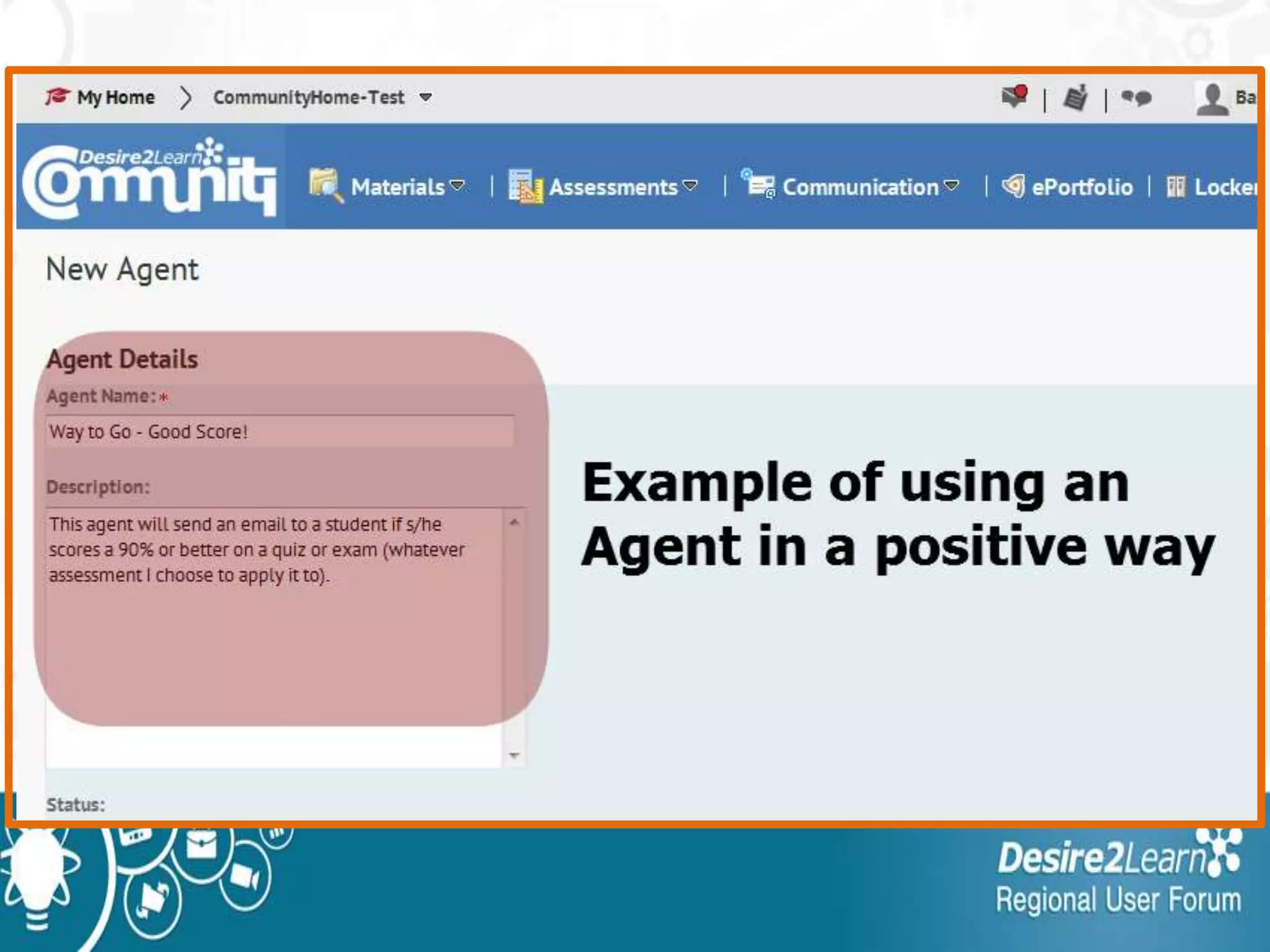
• Automatic reminders to students:
–Not logging in to D2L
–Not entering a specific course
• Message after poor performance:
–Get their attention and encourage
them to seek extra help
• Message after good performance
Advantages of Using Agents
1. Increases communication between
instructor and student
2. Personalized message, doesn’t look
like a canned response.
3. Send links to other resources,
tutorials, tutoring center, etc.
Possible Disadvantages
1. Need to manage the agents effectively
to ensure effective communications.
2. If students receive too many of these
messages they’ll know they are
automatically sent (not personal).
3. Something could break.
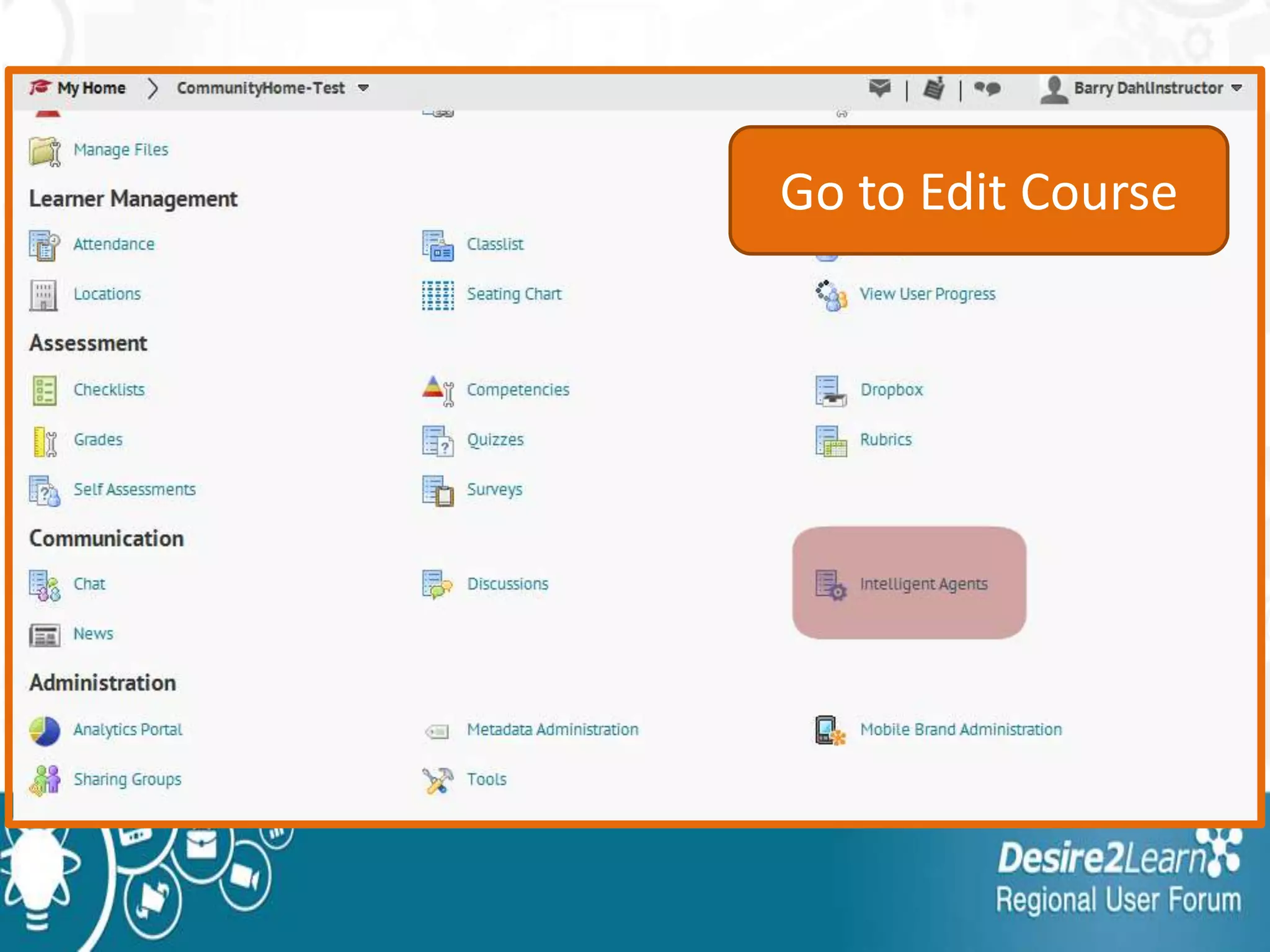
Go to Edit Course
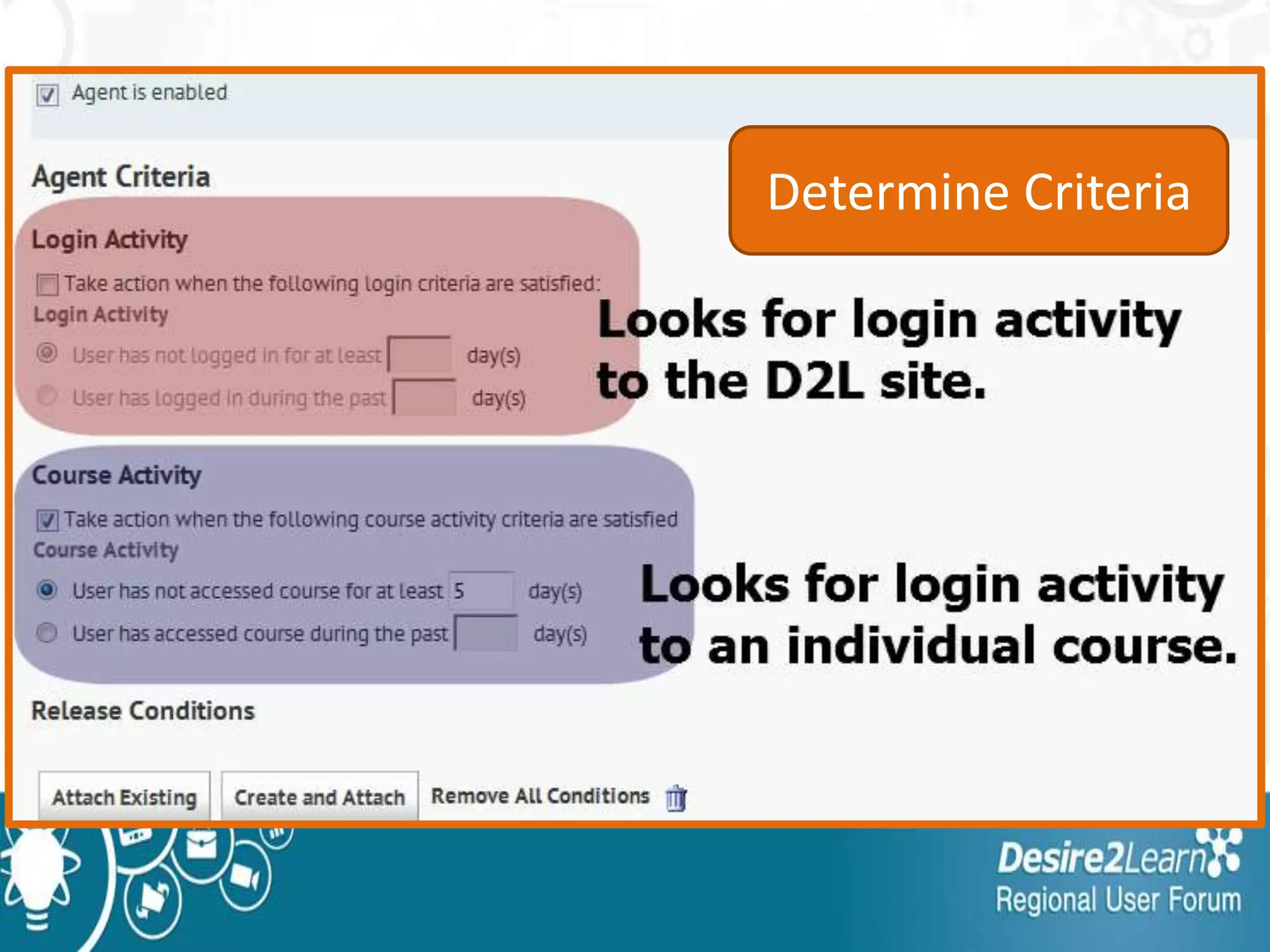
Determine Criteria
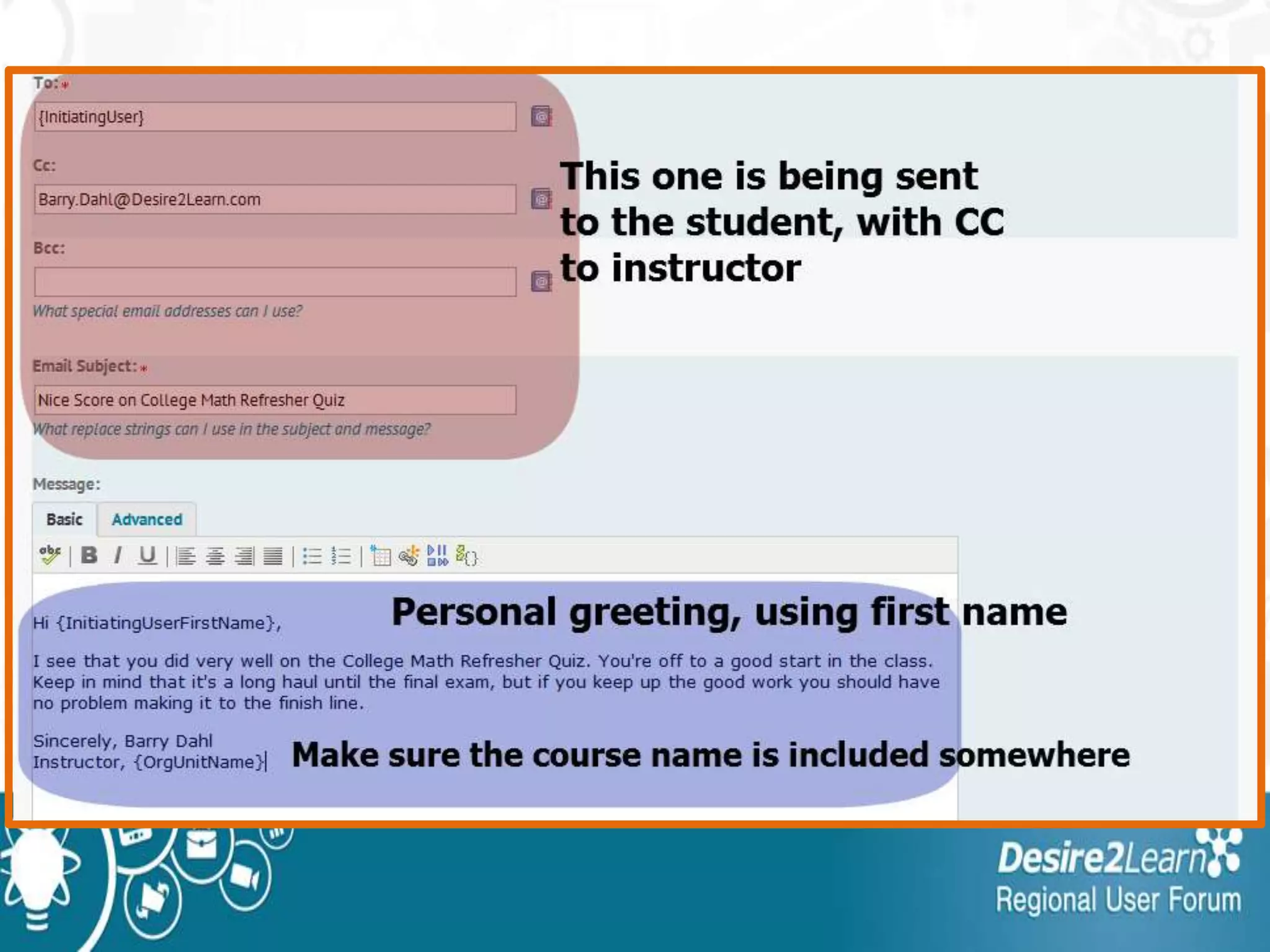
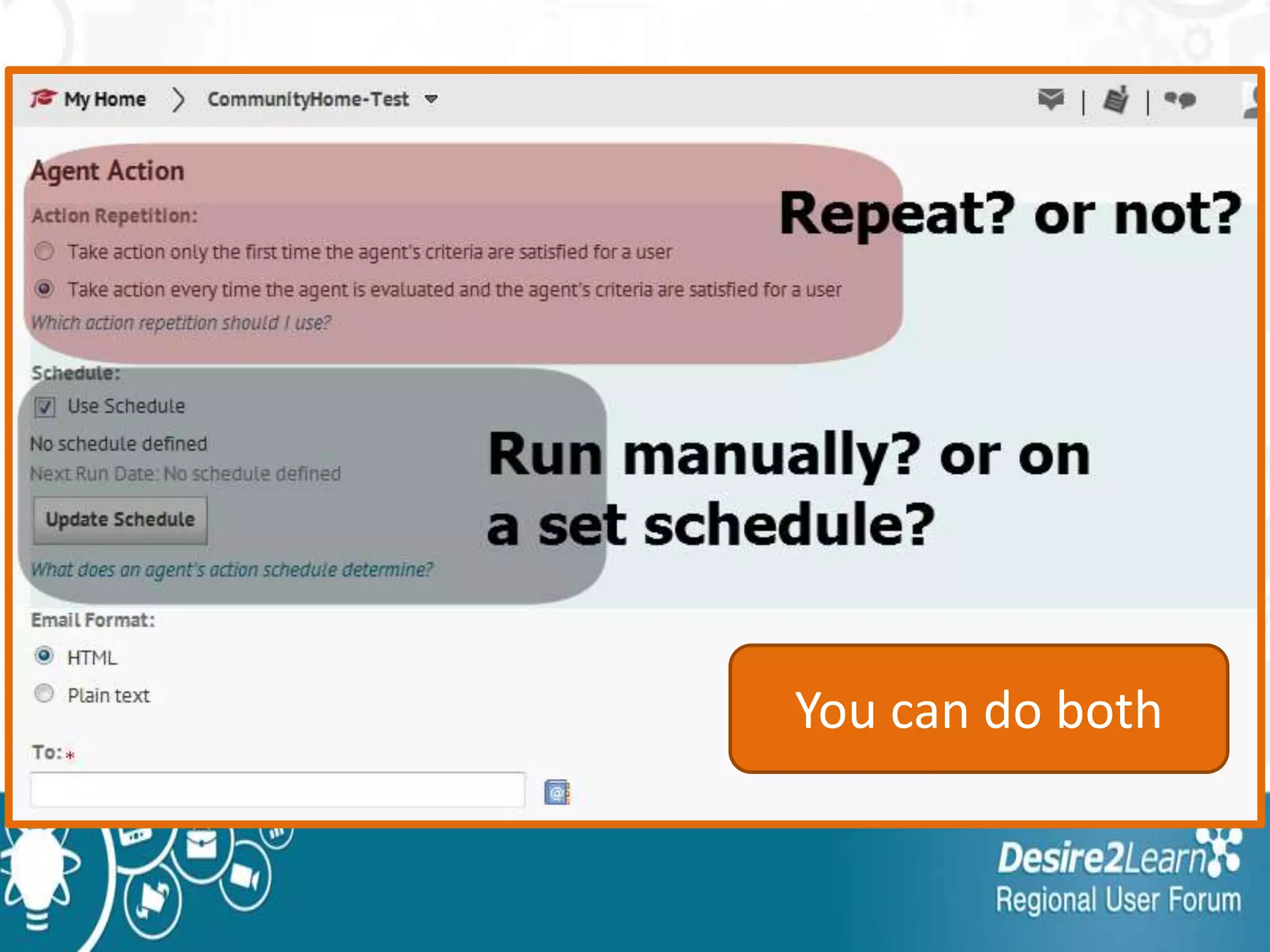
You can do both
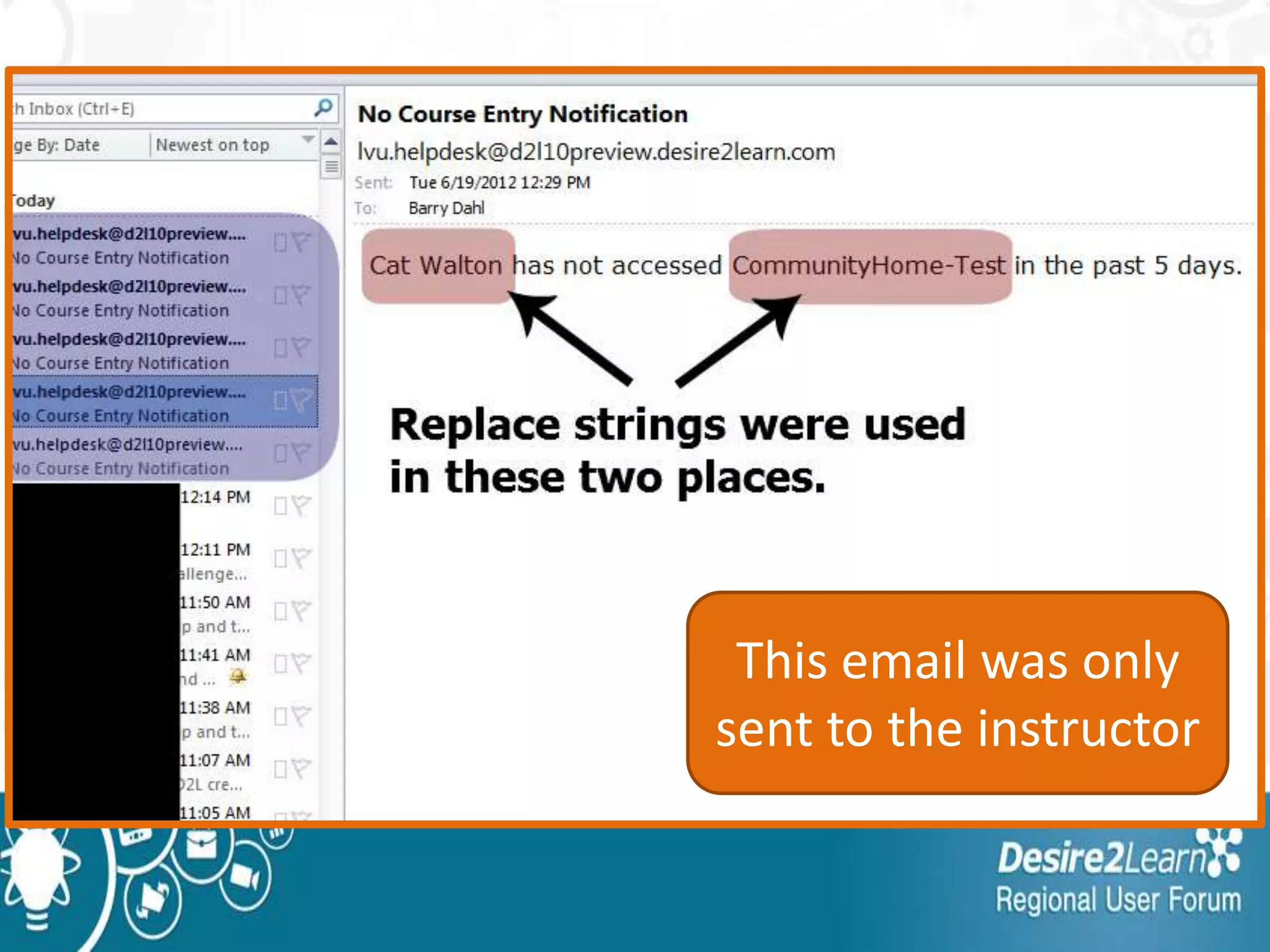
This email was only
sent to the instructor
Release
Conditions
What is Conditional Release?
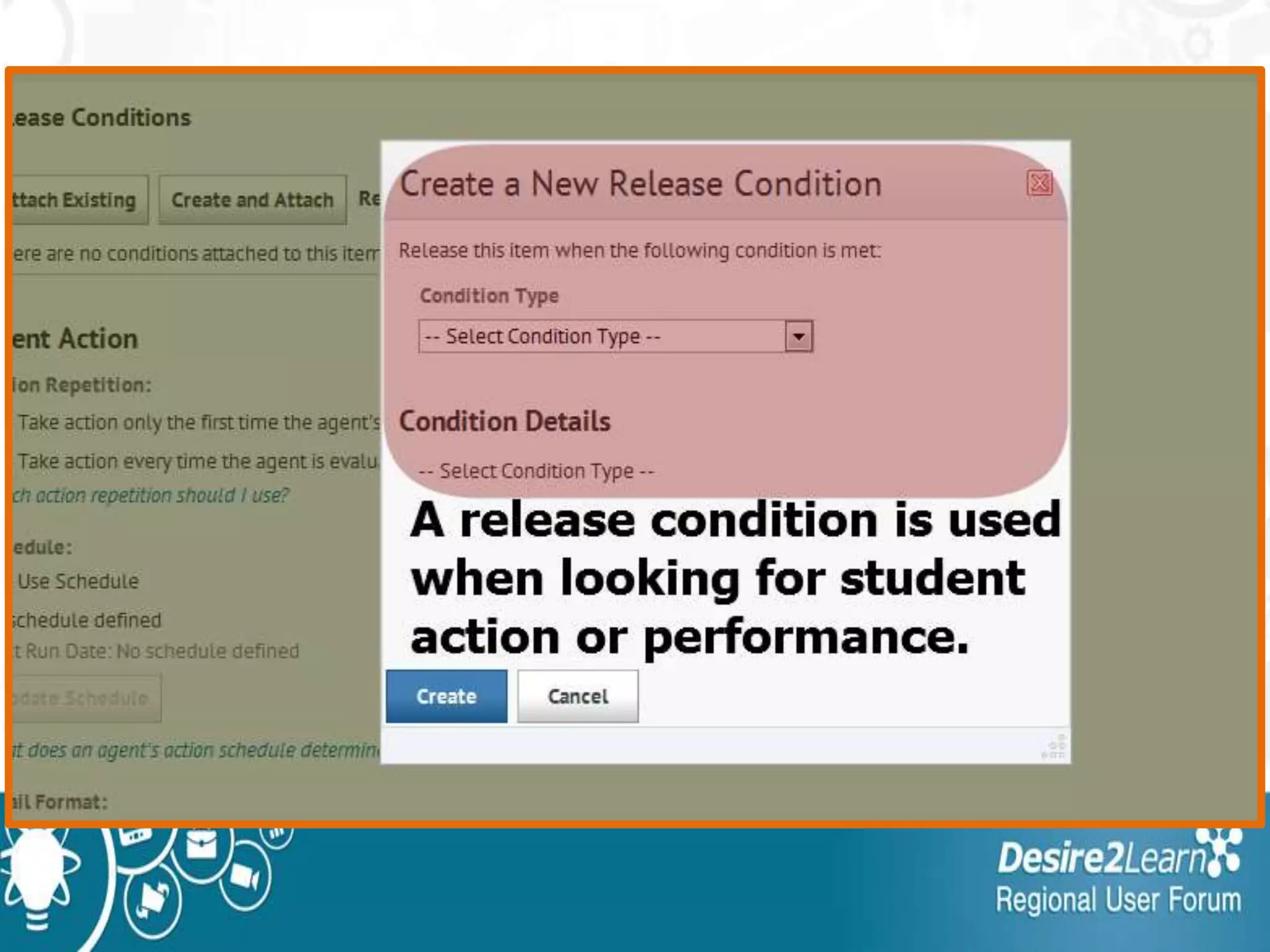
• Conditional Release is used to define
the order in which a student accesses
course materials.
• "Release" means visible or accessible
to students.
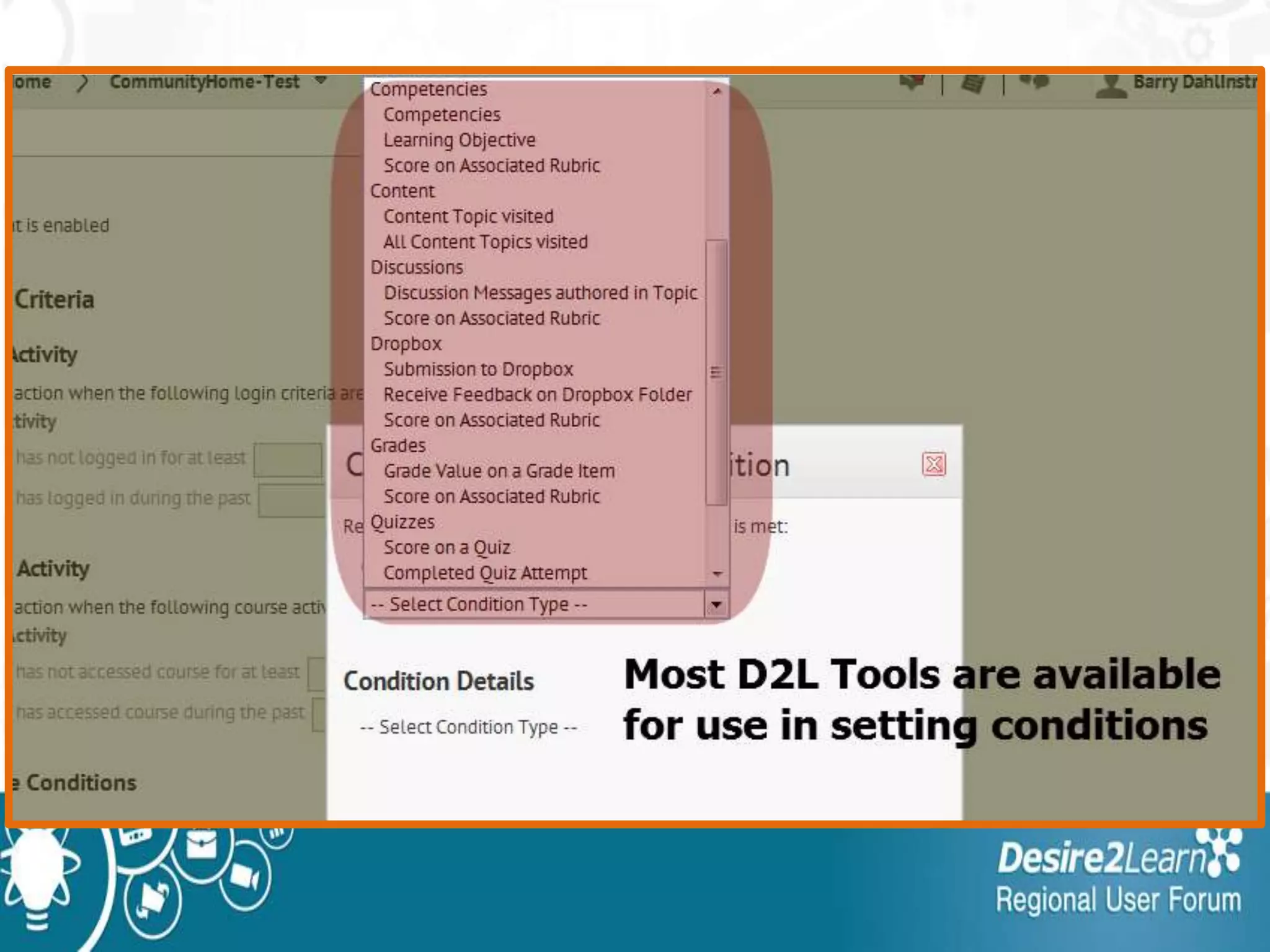
• Most commonly used release conditions
are date and time, but other types of
conditions are available.
Examples of Conditional Release
• An instructor can use Conditional Release to
specify that:
– a Dropbox folder is available to a student only if
he or she is registered for section number 002.
– only students who have visited a link to the
syllabus can take Quiz #1.
– students who score less than 60% on a quiz will
see a link to a Content topic called "Post-Quiz
Review: What Was Unit 3 All About?"
Release Conditions work with:
• Checklists
• Content modules
and topics
• Custom widgets
• Discussion
forums and
topics
• Dropbox folders
• Grade items and
categories
• News items
• Quizzes
• Surveys
Release can be based on:
• Group or section enrollment
• Roles (ex: student, TA, instructor)
• Viewing content
• Authoring a Discussion message
• Submitting to a Dropbox
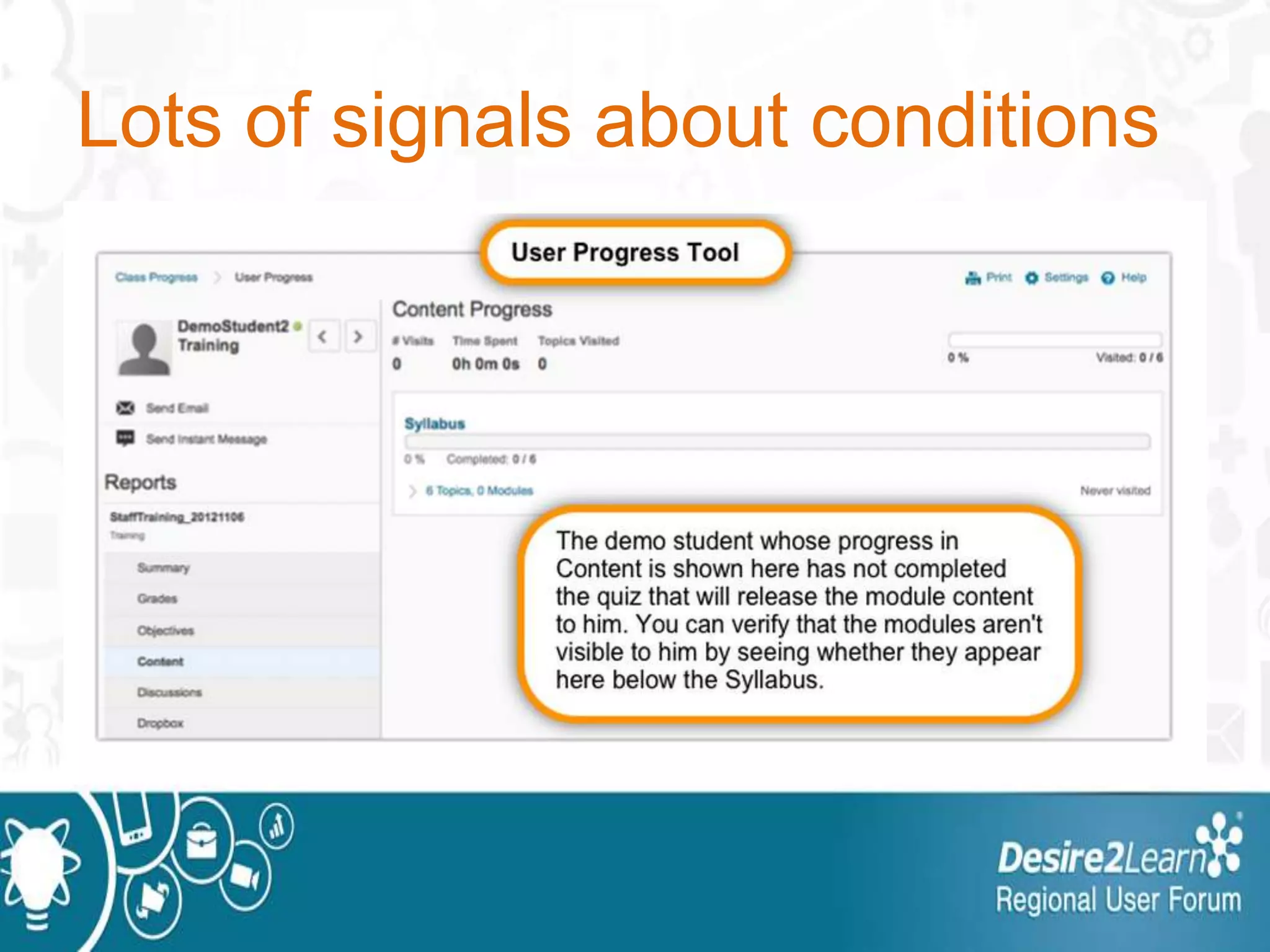
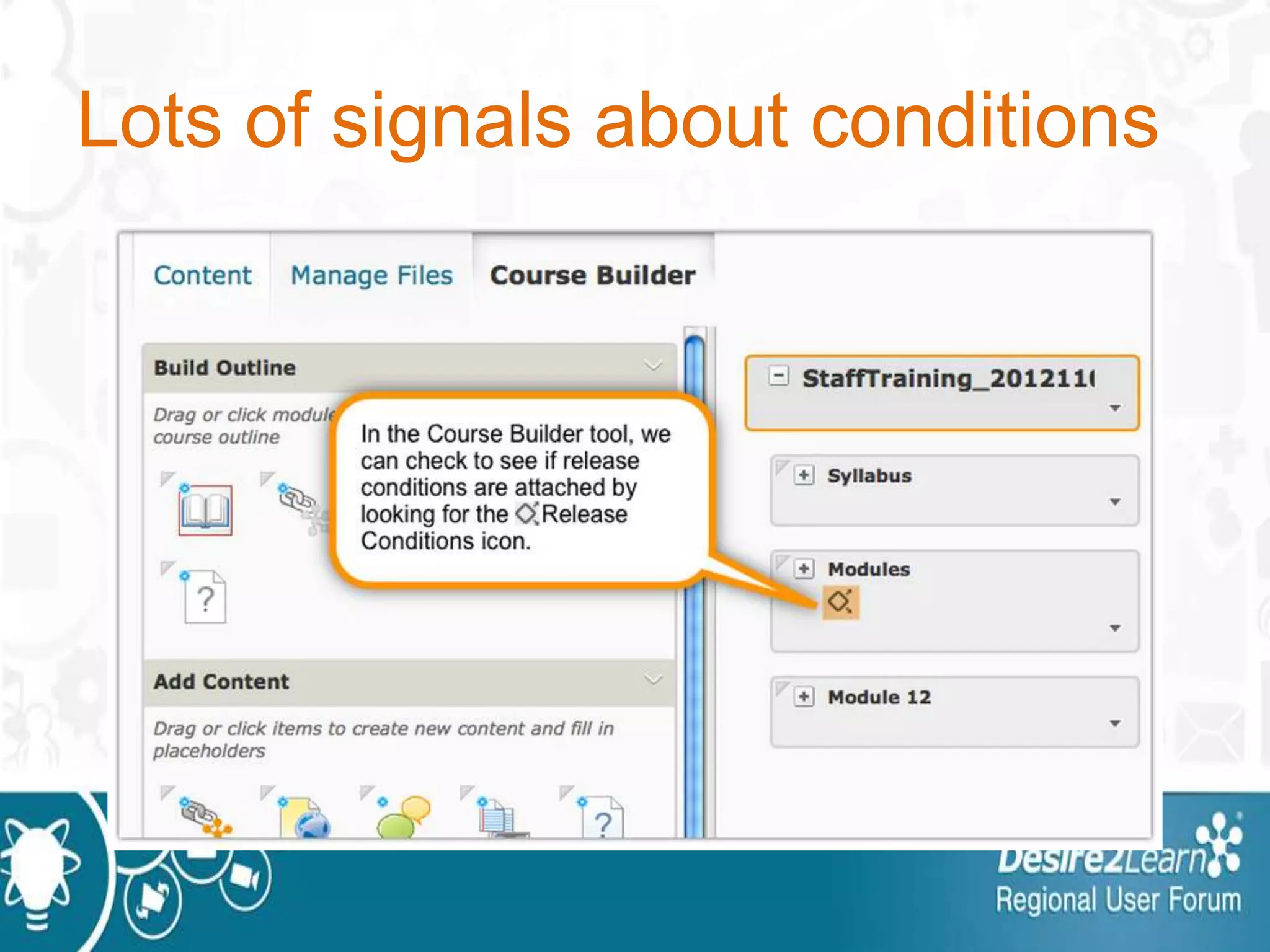
Lots of signals about conditions
Sample Welcome Post in News
• In order to get started successfully, you should
carefully review the contents of the Syllabus module.
Before you can progress to the rest of the
course Content and Discussions, you will have to
score 100% on the Course Requirements Quiz,
which will serve as our Course Contract. You may
need to refresh/reload your Internet browser after you
receive the appropriate grade on each quiz to gain
access to the Course Content and Module
Discussions.
Example String of Conditions
• Checklist completion
– Quiz is released after checklist is completed
• Quiz grade entered in gradebook
–Widget is released based on quiz score
• Got to the LE for example
Communications Buffet
Barry Dahl
Sr. Community Manager, Desire2Learn

Desire2Learn Ignite - Communications Buffet

  • 1.
    Communications Buffet Barry Dahl Sr.Community Manager, Desire2Learn
  • 2.
    Communications Buffet • ThreeQuick Ways to Increase Engagement 1. Personalizing the Learning Space 2. Utilizing Intelligent Agents Effectively 3. Novel uses of Release Conditions
  • 3.
  • 4.
    Not Personalized Learning •That’s a big topic – a whole day by itself. • Let’s look at how you can make the learning space feel a bit more personal to the students.
  • 5.
    Adding Names inthe LE • {FirstName} – Each user’s first name • {LastName} – Each user’s last name • {OrgName} – College/District org name • {OrgUnitName} – Course name • Tools where this works: • News: (Headline, content) • Discussions: (subject and message) • Content Topic: When you create a new file • Dropbox: Folder instructions & feedback • Quizzes: all custom boxes • Checklist: Name and Description • Groups: Description
  • 6.
    News Item –without Replace String
  • 7.
    News Item –without Replace String
  • 8.
    News Item –with Replace String
  • 9.
    News Item –with Replace String
  • 10.
  • 11.
  • 12.
  • 13.
  • 14.
  • 15.
    Example from CUBoulder Assignment Feedback assett.colorado.edu/d2l/replace-strings
  • 16.
  • 17.
  • 18.
  • 19.
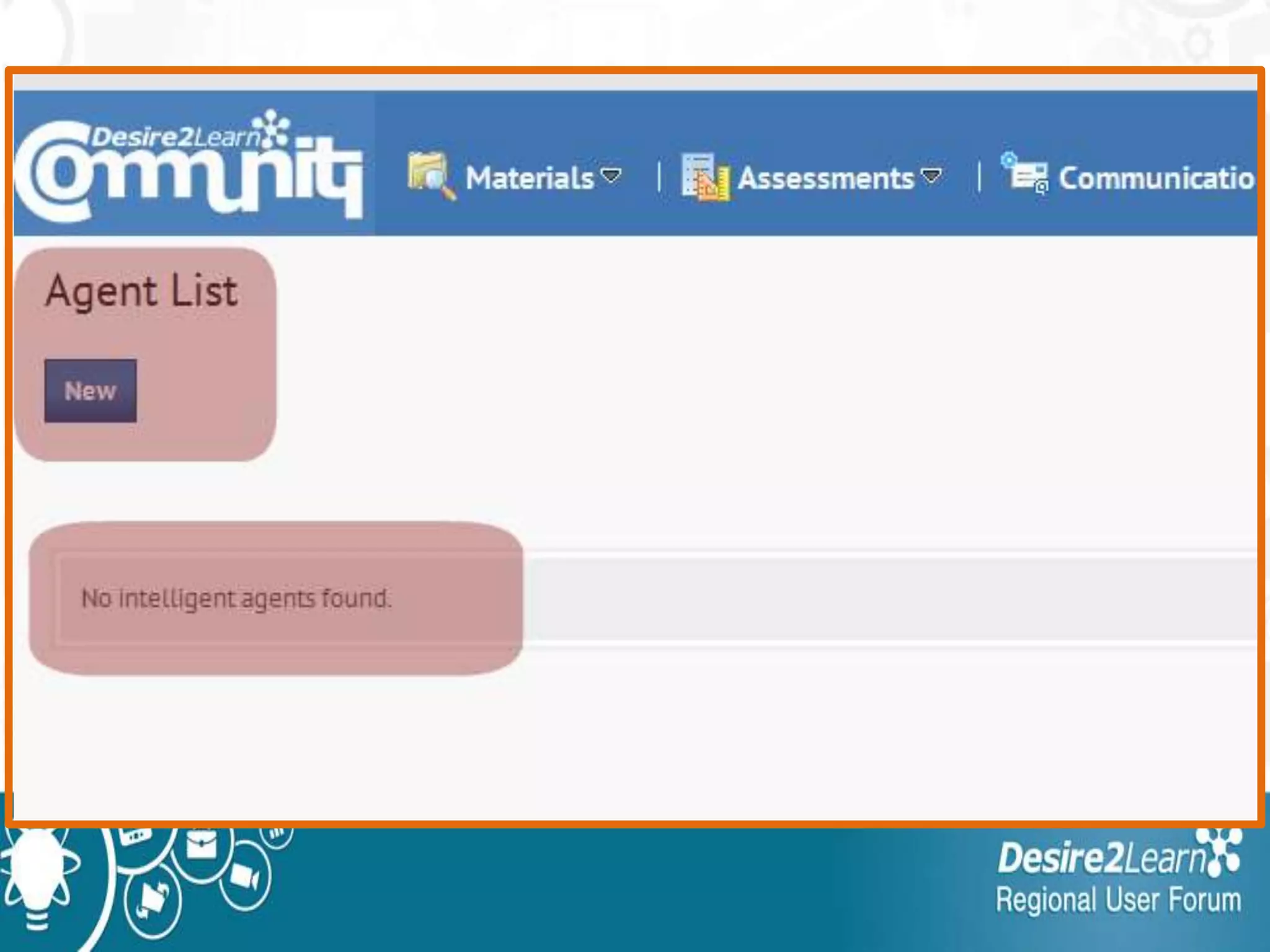
    What’s an IntelligentAgent? Definition: Intelligent Agents can assist instructors, administrators, and students by providing a quick and automated notification when defined activity occurs in a course or when there is a lack of login or course entry.
  • 20.
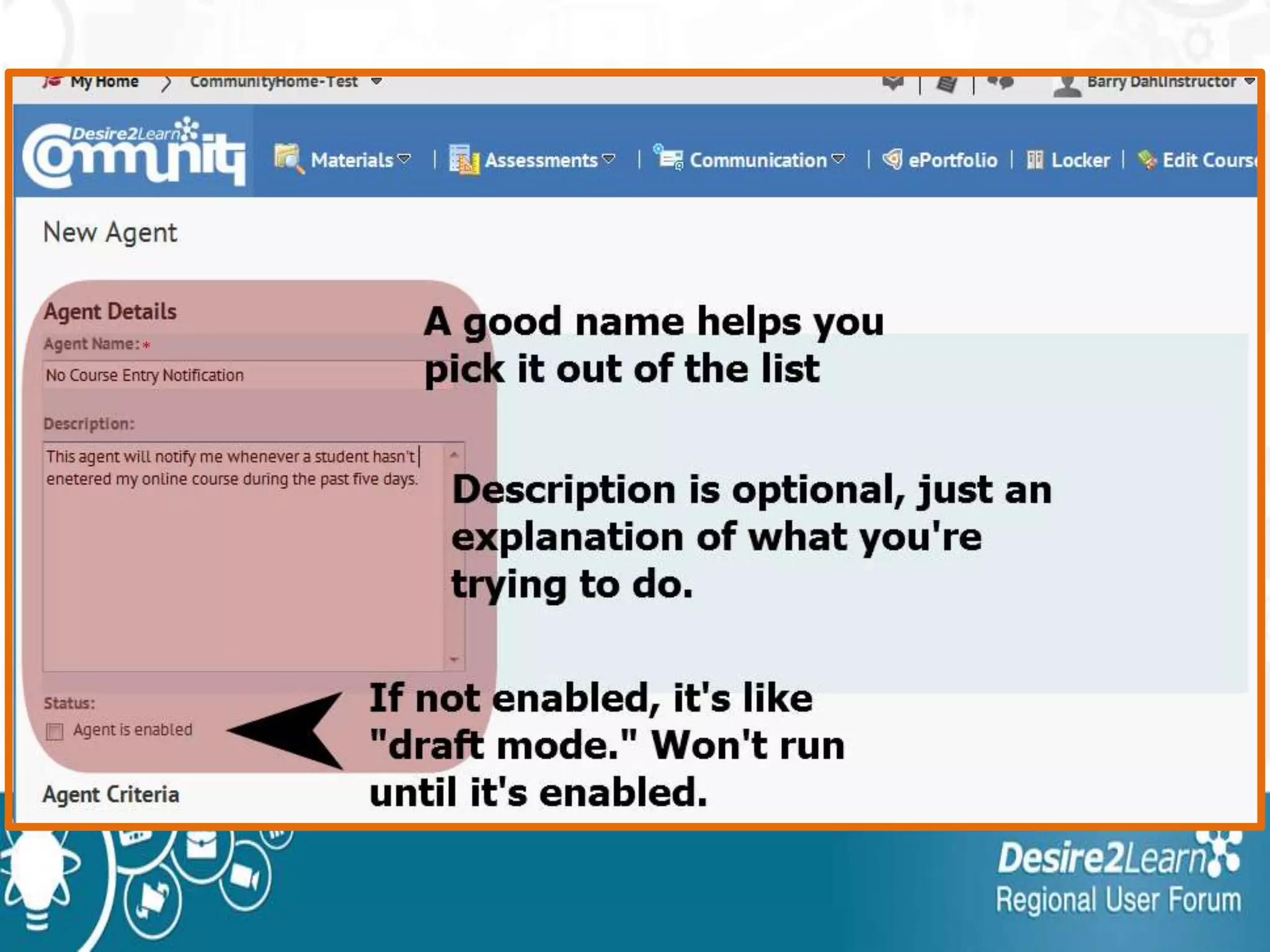
    How do TheyWork? •For each agent you need to determine: • what criteria it is looking for • how often it looks for those criteria • What the email should say and who should receive it when the criteria are met
  • 21.
    Client Use Casesin T & L • Automatic reminders to students: –Not logging in to D2L –Not entering a specific course • Message after poor performance: –Get their attention and encourage them to seek extra help • Message after good performance
  • 22.
    Advantages of UsingAgents 1. Increases communication between instructor and student 2. Personalized message, doesn’t look like a canned response. 3. Send links to other resources, tutorials, tutoring center, etc.
  • 23.
    Possible Disadvantages 1. Needto manage the agents effectively to ensure effective communications. 2. If students receive too many of these messages they’ll know they are automatically sent (not personal). 3. Something could break.
  • 24.
    Go to EditCourse
  • 27.
  • 28.
  • 32.
    This email wasonly sent to the instructor
  • 39.
  • 40.
    What is ConditionalRelease? • Conditional Release is used to define the order in which a student accesses course materials. • "Release" means visible or accessible to students. • Most commonly used release conditions are date and time, but other types of conditions are available.
  • 41.
    Examples of ConditionalRelease • An instructor can use Conditional Release to specify that: – a Dropbox folder is available to a student only if he or she is registered for section number 002. – only students who have visited a link to the syllabus can take Quiz #1. – students who score less than 60% on a quiz will see a link to a Content topic called "Post-Quiz Review: What Was Unit 3 All About?"
  • 42.
    Release Conditions workwith: • Checklists • Content modules and topics • Custom widgets • Discussion forums and topics • Dropbox folders • Grade items and categories • News items • Quizzes • Surveys
  • 43.
    Release can bebased on: • Group or section enrollment • Roles (ex: student, TA, instructor) • Viewing content • Authoring a Discussion message • Submitting to a Dropbox
  • 44.
    Lots of signalsabout conditions
  • 45.
    Lots of signalsabout conditions
  • 46.
    Sample Welcome Postin News • In order to get started successfully, you should carefully review the contents of the Syllabus module. Before you can progress to the rest of the course Content and Discussions, you will have to score 100% on the Course Requirements Quiz, which will serve as our Course Contract. You may need to refresh/reload your Internet browser after you receive the appropriate grade on each quiz to gain access to the Course Content and Module Discussions.
  • 47.
    Example String ofConditions • Checklist completion – Quiz is released after checklist is completed • Quiz grade entered in gradebook –Widget is released based on quiz score • Got to the LE for example
  • 48.
    Communications Buffet Barry Dahl Sr.Community Manager, Desire2Learn