Design Process
Overview
(Material developed by Project Lead the Way)
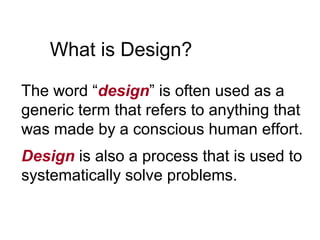
What is Design?
The word ā€œdesignā€ is often used as a
generic term that refers to anything that
was made by a conscious human effort.
Design is also a process that is used to
systematically solve problems.
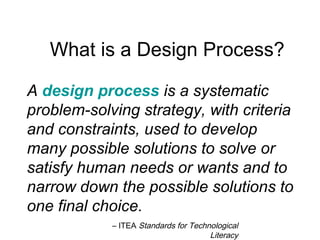
A design process is a systematic
problem-solving strategy, with criteria
and constraints, used to develop
many possible solutions to solve or
satisfy human needs or wants and to
narrow down the possible solutions to
one final choice.
– ITEA Standards for Technological
Literacy
What is a Design Process?
There are several design processes
used in the different technical fields.
The following are examples.
Design Process
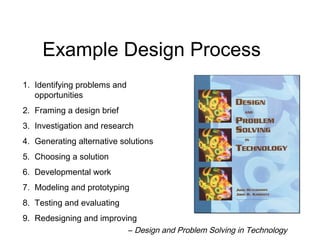
1. Identifying problems and
opportunities
2. Framing a design brief
3. Investigation and research
4. Generating alternative solutions
5. Choosing a solution
6. Developmental work
7. Modeling and prototyping
8. Testing and evaluating
9. Redesigning and improving
– Design and Problem Solving in Technology
Example Design Process
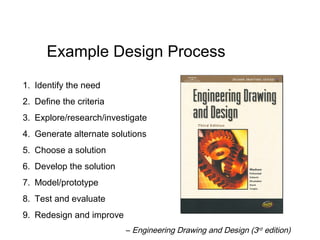
1. Identify the need
2. Define the criteria
3. Explore/research/investigate
4. Generate alternate solutions
5. Choose a solution
6. Develop the solution
7. Model/prototype
8. Test and evaluate
9. Redesign and improve
– Engineering Drawing and Design (3rd
edition)
Example Design Process
The following is the design process
used for this course.
The Adopted Design
Process for PLTW courses
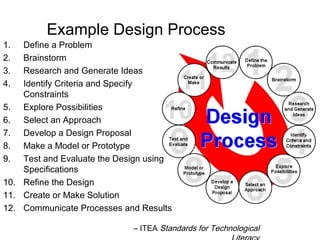
1. Define a Problem
2. Brainstorm
3. Research and Generate Ideas
4. Identify Criteria and Specify
Constraints
5. Explore Possibilities
6. Select an Approach
7. Develop a Design Proposal
8. Make a Model or Prototype
9. Test and Evaluate the Design using
Specifications
10. Refine the Design
11. Create or Make Solution
12. Communicate Processes and Results
Example Design Process
– ITEA Standards for Technological
1. Define a Problem
• Receive a problem to solve from the
client.
• Gather information.
• Be inspired through media exposure of a
current problem and take action.
2. Brainstorm
• A group problem-solving process in which each
person in the group presents ideas in an open
forum.
• Generate and record ideas.
• Keep the mind alert through rapidly paced
sessions.
• Develop preliminary ideas.
3. Research and Generate Ideas
• Conduct interviews with those affected by the
problem.
• Research solutions that may already exist;
identify shortcomings and reasons why they
aren’t appropriate to a given situation.
• Compile ideas and report findings to the team.
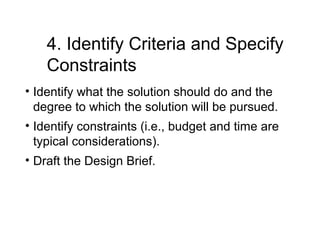
4. Identify Criteria and Specify
Constraints
• Identify what the solution should do and the
degree to which the solution will be pursued.
• Identify constraints (i.e., budget and time are
typical considerations).
• Draft the Design Brief.
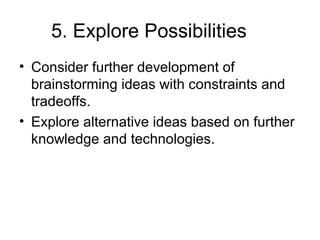
5. Explore Possibilities
• Consider further development of
brainstorming ideas with constraints and
tradeoffs.
• Explore alternative ideas based on further
knowledge and technologies.
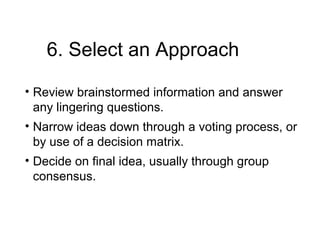
6. Select an Approach
• Review brainstormed information and answer
any lingering questions.
• Narrow ideas down through a voting process, or
by use of a decision matrix.
• Decide on final idea, usually through group
consensus.
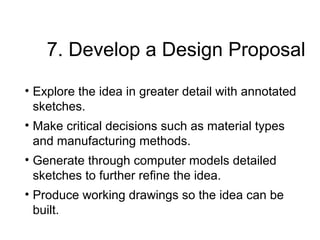
7. Develop a Design Proposal
• Explore the idea in greater detail with annotated
sketches.
• Make critical decisions such as material types
and manufacturing methods.
• Generate through computer models detailed
sketches to further refine the idea.
• Produce working drawings so the idea can be
built.
8. Make a Model or Prototype
• Make models to help communicate the idea, and
study aspects such as shape, form, fit, or
texture.
• Construct a prototype from the working
drawings, so the solution can be tested.
Design using
Specifications
• Design experiments and test the prototype in
controlled and working environments.
• Gather performance data; analyze and check
results against established criteria.
• Conduct a formal critique to flesh out areas of
concerns, identify shortcomings, and establish
any need for redesign work.
10. Refine the Design
• Make design changes; modify or rebuild the
prototype.
• Make refinements until accuracy and
repeatability of the prototype’s performance
results are consistent.
• Update documentation to reflect changes.
• Receive user’s critique to provide outside
perspective to help determine if established
criteria have been met.
11. Create or Make Solution
• Determine custom/mass production.
• Consider packaging.
12. Communicate Processes
and Results
• Communicate the designer’s final solution
through media such as PowerPoint, poster
session, technical report.
• Market the Product.
• Distribute.

Design process

  • 1.
  • 2.
    What is Design? Theword ā€œdesignā€ is often used as a generic term that refers to anything that was made by a conscious human effort. Design is also a process that is used to systematically solve problems.
  • 3.
    A design processis a systematic problem-solving strategy, with criteria and constraints, used to develop many possible solutions to solve or satisfy human needs or wants and to narrow down the possible solutions to one final choice. – ITEA Standards for Technological Literacy What is a Design Process?
  • 4.
    There are severaldesign processes used in the different technical fields. The following are examples. Design Process
  • 5.
    1. Identifying problemsand opportunities 2. Framing a design brief 3. Investigation and research 4. Generating alternative solutions 5. Choosing a solution 6. Developmental work 7. Modeling and prototyping 8. Testing and evaluating 9. Redesigning and improving – Design and Problem Solving in Technology Example Design Process
  • 6.
    1. Identify theneed 2. Define the criteria 3. Explore/research/investigate 4. Generate alternate solutions 5. Choose a solution 6. Develop the solution 7. Model/prototype 8. Test and evaluate 9. Redesign and improve – Engineering Drawing and Design (3rd edition) Example Design Process
  • 7.
    The following isthe design process used for this course. The Adopted Design Process for PLTW courses
  • 8.
    1. Define aProblem 2. Brainstorm 3. Research and Generate Ideas 4. Identify Criteria and Specify Constraints 5. Explore Possibilities 6. Select an Approach 7. Develop a Design Proposal 8. Make a Model or Prototype 9. Test and Evaluate the Design using Specifications 10. Refine the Design 11. Create or Make Solution 12. Communicate Processes and Results Example Design Process – ITEA Standards for Technological
  • 9.
    1. Define aProblem • Receive a problem to solve from the client. • Gather information. • Be inspired through media exposure of a current problem and take action.
  • 10.
    2. Brainstorm • Agroup problem-solving process in which each person in the group presents ideas in an open forum. • Generate and record ideas. • Keep the mind alert through rapidly paced sessions. • Develop preliminary ideas.
  • 11.
    3. Research andGenerate Ideas • Conduct interviews with those affected by the problem. • Research solutions that may already exist; identify shortcomings and reasons why they aren’t appropriate to a given situation. • Compile ideas and report findings to the team.
  • 12.
    4. Identify Criteriaand Specify Constraints • Identify what the solution should do and the degree to which the solution will be pursued. • Identify constraints (i.e., budget and time are typical considerations). • Draft the Design Brief.
  • 13.
    5. Explore Possibilities •Consider further development of brainstorming ideas with constraints and tradeoffs. • Explore alternative ideas based on further knowledge and technologies.
  • 14.
    6. Select anApproach • Review brainstormed information and answer any lingering questions. • Narrow ideas down through a voting process, or by use of a decision matrix. • Decide on final idea, usually through group consensus.
  • 15.
    7. Develop aDesign Proposal • Explore the idea in greater detail with annotated sketches. • Make critical decisions such as material types and manufacturing methods. • Generate through computer models detailed sketches to further refine the idea. • Produce working drawings so the idea can be built.
  • 16.
    8. Make aModel or Prototype • Make models to help communicate the idea, and study aspects such as shape, form, fit, or texture. • Construct a prototype from the working drawings, so the solution can be tested.
  • 17.
    Design using Specifications • Designexperiments and test the prototype in controlled and working environments. • Gather performance data; analyze and check results against established criteria. • Conduct a formal critique to flesh out areas of concerns, identify shortcomings, and establish any need for redesign work.
  • 18.
    10. Refine theDesign • Make design changes; modify or rebuild the prototype. • Make refinements until accuracy and repeatability of the prototype’s performance results are consistent. • Update documentation to reflect changes. • Receive user’s critique to provide outside perspective to help determine if established criteria have been met.
  • 19.
    11. Create orMake Solution • Determine custom/mass production. • Consider packaging.
  • 20.
    12. Communicate Processes andResults • Communicate the designer’s final solution through media such as PowerPoint, poster session, technical report. • Market the Product. • Distribute.

Editor's Notes

  • #3Ā Talk to students about how they use a sense of design every day. The process for getting ready for school is a good example.
  • #4Ā Tell students: ā€œThis a primary focus of this course. You will learn what a design process is and apply it to several activities projects and problemsā€.
  • #5Ā Tell students: ā€œThere are several examples used throughout the technical field.
  • #8Ā Tell students: ā€œThere are sevral examples used throughout the technical field.
  • #9Ā There are many design processes that guide professionals in developing solutions to problems. The example that you see here is the design process that we will use for this course and the rest of the Project Lead The Way, Inc. courses you will take.
  • #10Ā Site examples from the Coffee Cup, Product Evolution, and Gossamer Condor Activities.
  • #11Ā Site examples from the Coffee Cup, Product Evolution, and Gossamer Condor Activities.
  • #12Ā Site examples from the Coffee Cup, Product Evolution, and Gossamer Condor Activities.
  • #13Ā Site examples from the Coffee Cup, Product Evolution, and Gossamer Condor Activities.
  • #14Ā Site examples from the Coffee Cup, Product Evolution, and Gossamer Condor Activities.
  • #15Ā Site examples from the Coffee Cup, Product Evolution, and Gossamer Condor Activities.
  • #16Ā Site examples from the Coffee Cup, Product Evolution, and Gossamer Condor Activities.
  • #17Ā Site examples from the Coffee Cup, Product Evolution, and Gossamer Condor Activities.
  • #18Ā Site examples from the Coffee Cup, Product Evolution, and Gossamer Condor Activities.
  • #19Ā Site examples from the Coffee Cup, Product Evolution, and Gossamer Condor Activities.
  • #20Ā Mention the difference between Custom and MassProduction Site examples from the Coffee Cup, Product Evolution, and Gossamer Condor Activities.
  • #21Ā Site examples from the Coffee Cup, Product Evolution, and Gossamer Condor Activities.