Design for developers


          1
I would like to give some context to this
presentation. These slides are from a 2 hour
presentation called Design for Developers.


                       2
The goal of Design for Developers is to teach
interface design as a set of rules: there are
some good default values for a lot of design
decisions that you should remember, there is a
โ€œscienti๏ฌcโ€ way of approaching things like
alignment, even though many designers will tell
you itโ€™s something you should โ€œfeelโ€.


                       3
Some slides only contain a few words or
images so the slides donโ€™t distract from what
is being said. Since you are probably viewing
this online, I reworked the entire presentation
and added these sticky notes to add what I
talked about when displaying the slide. They
look like this.


                     4
1   Introduction & design theory       -
2   Practical tips and tricks          -
3   Practical tips and tricks, cont.   -
4   Q&A: throughout                    -


                         5
Introduction


     6
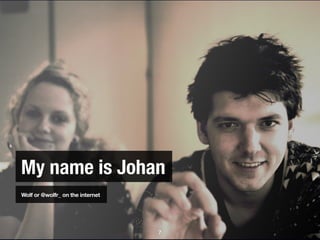
My name is Johan
Wolf or @wolfr_ on the internet


                                  7
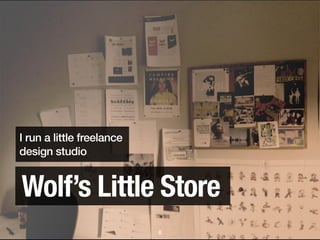
I run a little freelance
design studio


Wolfโ€™s Little Store
                           8
I read stuff all day

                       9
I like to play video games

                             10
I love to write

                  11
12
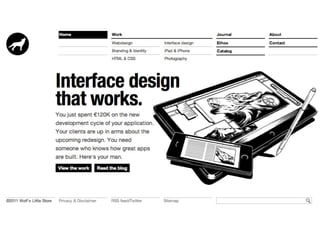
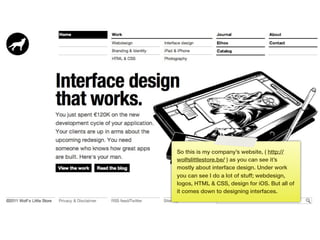
So this is my companyโ€™s website, ( http://
     wolfslittlestore.be/ ) as you can see itโ€™s
     mostly about interface design. Under work
     you can see I do a lot of stuff; webdesign,
     logos, HTML & CSS, design for iOS. But all of
     it comes down to designing interfaces.


13
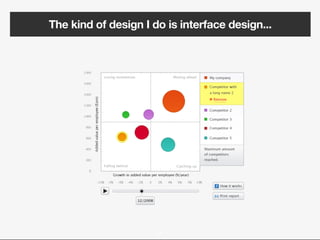
The kind of design I do is interface design...


                      14
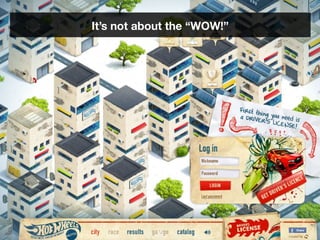
Itโ€™s not about the โ€œWOW!โ€


           15
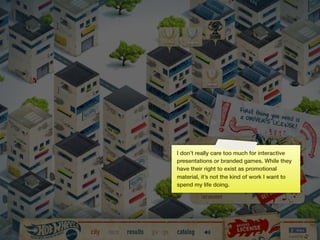
I donโ€™t really care too much for interactive
     presentations or branded games. While they
     have their right to exist as promotional
     material, itโ€™s not the kind of work I want to
     spend my life doing.


16
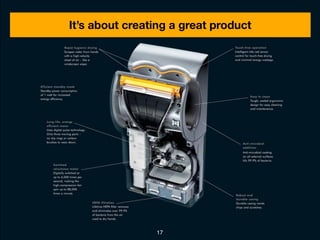
Itโ€™s about creating a great product


                17
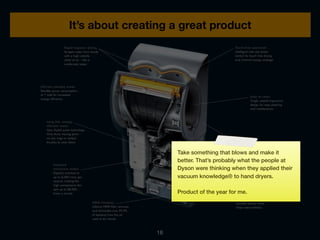
Itโ€™s about creating a great product


                     Take something that blows and make it
                     better. Thatโ€™s probably what the people at
                     Dyson were thinking when they applied their
                     vacuum knowledgeยฎ to hand dryers.

                     Product of the year for me.


                18
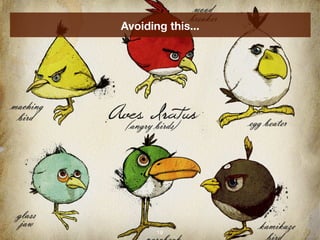
Avoiding this...


       19
Youโ€™ve got the power


         20
Youโ€™ve got the power


              I think everyone has the power to make a
              good product because itโ€™s more about
              knowledge and applying that knowledge
              instead of having strong visual skills. I
              believe we can extract a lot of rules from
              common design knowledge. Thatโ€™s what Iโ€™m
              gong to do in this talk.


         21
Theory
       Letโ€™s start with some theory on what makes a
       good interface.


  22
What is a good
 interface?

      23
It depends.


     24
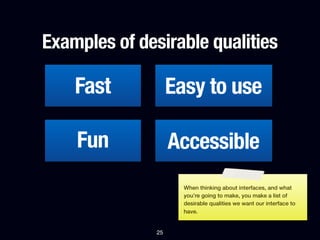
Examples of desirable qualities

    Fast            Easy to use

    Fun             Accessible
                      When thinking about interfaces, and what
                      youโ€™re going to make, you make a list of
                      desirable qualities we want our interface to
                      have.


               25
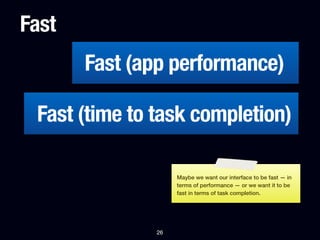
Fast
       Fast (app performance)

 Fast (time to task completion)

                    Maybe we want our interface to be fast โ€” in
                    terms of performance โ€” or we want it to be
                    fast in terms of task completion.


               26
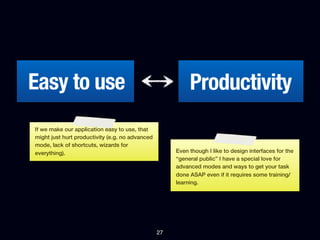
Easy to use                                                Productivity
If we make our application easy to use, that
might just hurt productivity (e.g. no advanced
mode, lack of shortcuts, wizards for
everything).                                          Even though I like to design interfaces for the
                                                      โ€œgeneral publicโ€ I have a special love for
                                                      advanced modes and ways to get your task
                                                      done ASAP even if it requires some training/
                                                      learning.


                                                 27
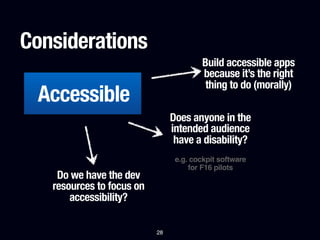
Considerations
                                         Build accessible apps
                                         because itโ€™s the right
                                          thing to do (morally)
 Accessible
                                Does anyone in the
                                intended audience
                                 have a disability?
                                 e.g. cockpit software
                                     for F16 pilots
    Do we have the dev
   resources to focus on
       accessibility?

                           28
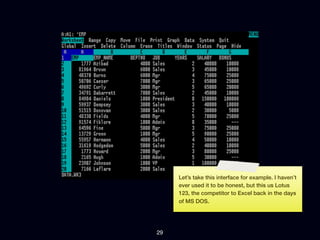
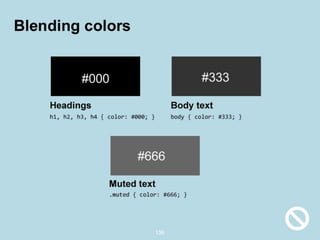
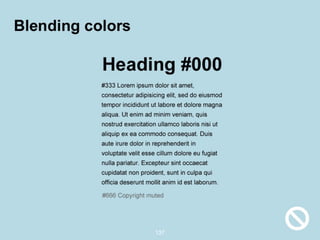
Letโ€™s take this interface for example. I havenโ€™t
     ever used it to be honest, but this us Lotus
     123, the competitor to Excel back in the days
     of MS DOS.


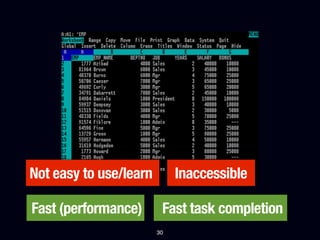
29
Not easy to use/learn        Inaccessible

Fast (performance)       Fast task completion
                        30
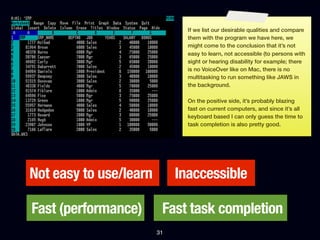
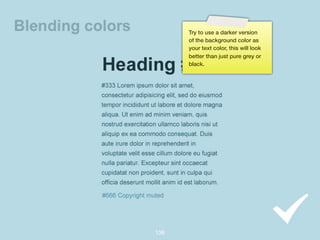
If we list our desirable qualities and compare
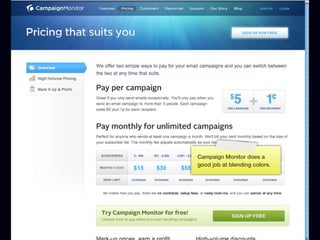
                               them with the program we have here, we
                               might come to the conclusion that itโ€™s not
                               easy to learn, not accessible (to persons with
                               sight or hearing disability for example; there
                               is no VoiceOver like on Mac, there is no
                               multitasking to run something like JAWS in
                               the background.

                               On the positive side, itโ€™s probably blazing
                               fast on current computers, and since itโ€™s all
                               keyboard based I can only guess the time to
                               task completion is also pretty good.


Not easy to use/learn        Inaccessible

Fast (performance)       Fast task completion
                        31
Letโ€™s expand on this example with another
              example, a Point of Sale system. A POS
              system is used at a register, when you go to
              a shop and buy something basically.


Example: POS system


         32
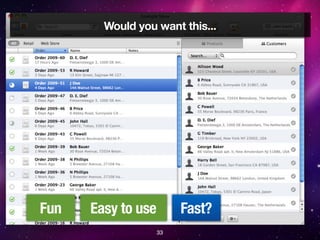
Would you want this...


Fun   Easy to use        Fast?
                    33
...this...


    34
Or this?


   35
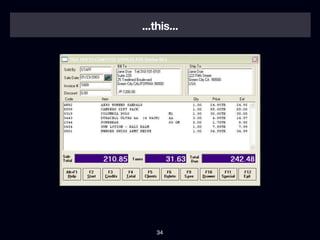
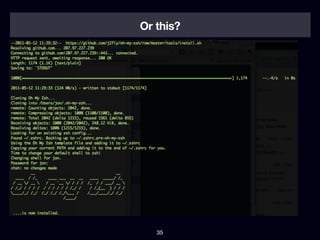
The opposition between making an
application easy to use vs. making it so you
can complete your task quickly becomes
clear here... since the employees in our
imaginary shop all get trained do we really
want to use the slick โ€œEasy to useโ€ system
when maybe we want the system that
enables us to do our task as fast as
possible?


                 36
Thereโ€™s a Belgian supermarket, Colruyt, that
tests everything, optimizes everything, and I
think they thought long and hard about their
register/cashier system too. Itโ€™s not very
modern, but employees know how to work
the system in an ef๏ฌcient manner because
they are trained to do so and the software
enables them to be fast.


                                                37
Would you rather bit F5 + F8 to serve a
customer or go through a wizard with next/
previous options?


                 38
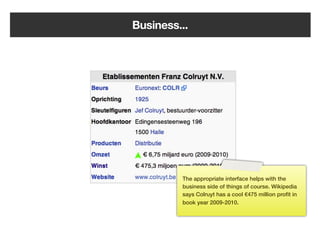
Business...


         The appropriate interface helps with the
         business side of things of course. Wikipedia
         says Colruyt has a cool โ‚ฌ475 million pro๏ฌt in
         book year 2009-2010.


    39
(I hate shopping there)

                Unfortunately the experience of shopping
                there is not really what I want, Iโ€™d rather pay
                a bit more and donโ€™t feel like Iโ€™m shopping
                around in a prison. But that might just be me.


           40
Why did I put this theory part in the presentation? I want everyone to think
about what theyโ€™re building and for who theyโ€™re building it.

Even though kids are growing up with computers these days, the current
generation of software is becoming ๏ฌ‚at and less usable to expert users.
While I <3 Apple software a lot of what they do feels dumbed down. Iโ€™m very
frustrated making this 150+ slides presentation in Keynote because there is
no automation whatsoever. I canโ€™t align things automatically, I have to copy
paste this note thing from slide to slide manually.


                                   41
Some assumptions


       42
Goals
 โ€ข You want your designs to look passable
   without the intervention of a dedicated
   (expensive) designer
 โ€ข You want to be able to create web
   applications on your own, or with a team of
   developers only
 โ€ข With a little time and some tricks this is not
   hard to do, especially for web applications


                         43
Youโ€™re a developer so:
โ€ข You use your IDE and never ever open
  Photoshop or Illustrator unless you have to
โ€ข You write scripts to solve problems
โ€ข You love your terminal and database schemes,
  not so much your ruler and color palettes (if you
  have them)


                         44
Web developer,
Windows software developer,
Java, Ruby or iOS fanatic:


            Good interface =
           same principles
                      45
Web developers have a bit of an edge:


      CSS
                 46
Web developers have a bit of an edge:


      CSS     Shareable design

                 47
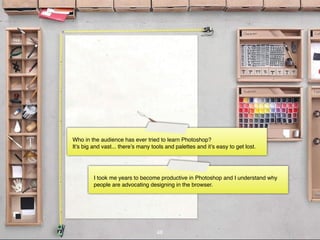
Who in the audience has ever tried to learn Photoshop?
Itโ€™s big and vast... thereโ€™s many tools and palettes and itโ€™s easy to get lost.


         I took me years to become productive in Photoshop and I understand why
         people are advocating designing in the browser.


                                    48
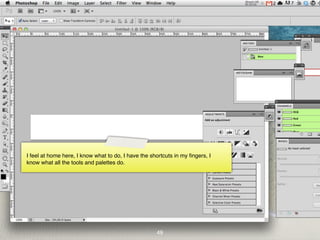
Text

I feel at home here, I know what to do, I have the shortcuts in my ๏ฌngers, I
know what all the tools and palettes do.


                                                     49
You donโ€™t have to learn Photoshop (or any graphics program for that matter)
to deliver a proper software design. As I said before itโ€™s a matter of
knowledge and applying this knowledge. As a web developer you have an
extra edge in a sense that you can apply design frameworks easily thanks to
the power of HTML (structure) and CSS (presentation) whereas sharing the
design of one Java app with another is not convenient, if even possible.


                              50
Practical tips & tricks
                Now... on to the real meat of the
                presentation. The practical tips and
                tricks. What youโ€™ve been waiting for I
                guess!


           51
Practical tips & tricks (1)
A   Typography                                                                               -
B   Alignment                                                                                -
C   Light & shadow                                                                           -


            I divided this up in sections, ๏ฌrst up are typography, alignment and light and
            shadow. These are the most important parts.


                                    52
Typography


    53
Readability

โ€ข Generally you want a readable typeface, in
  interface design you want a very readable
  typeface that works in small sizes
โ€ข This leaves you with very little choice on the
  web:
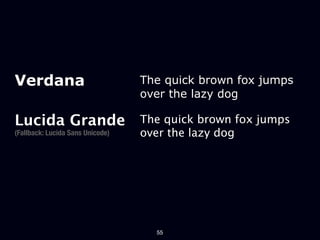
Verdana                           The quick brown fox jumps
                                  over the lazy dog

Lucida Grande                     The quick brown fox jumps
(Fallback: Lucida Sans Unicode)   over the lazy dog


                                    55
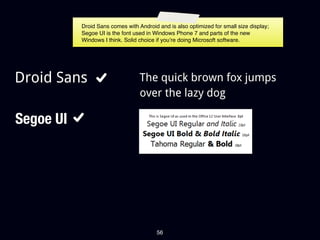
Droid Sans comes with Android and is also optimized for small size display;
           Segoe UI is the font used in Windows Phone 7 and parts of the new
           Windows I think. Solid choice if youโ€™re doing Microsoft software.


Droid Sans                        The quick brown fox jumps
                                  over the lazy dog

Segoe UI


                                         56
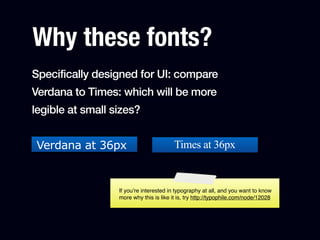
Why these fonts?
Specifically designed for UI: compare
Verdana to Times: which will be more
legible at small sizes?


Verdana at 36px                          Times at 36px


                  If youโ€™re interested in typography at all, and you want to know
                  more why this is like it is, try http://typophile.com/node/12028
Why these fonts?
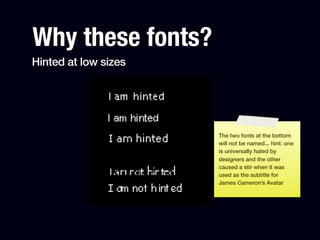
Hinted at low sizes


                      The two fonts at the bottom
                      will not be named... hint: one
                      is universally hated by
                      designers and the other
                      caused a stir when it was
                      used as the subtitle for
                      James Cameronโ€™s Avatar
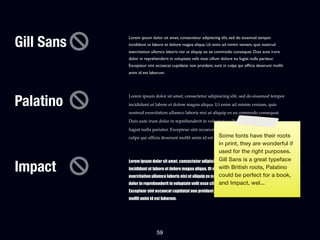
Gill Sans
            Lorem ipsum dolor sit amet, consectetur adipisicing elit, sed do eiusmod tempor
            incididunt ut labore et dolore magna aliqua. Ut enim ad minim veniam, quis nostrud
            exercitation ullamco laboris nisi ut aliquip ex ea commodo consequat. Duis aute irure
            dolor in reprehenderit in voluptate velit esse cillum dolore eu fugiat nulla pariatur.
            Excepteur sint occaecat cupidatat non proident, sunt in culpa qui of๏ฌcia deserunt mollit
            anim id est laborum.


Palatino
            Lorem ipsum dolor sit amet, consectetur adipisicing elit, sed do eiusmod tempor
            incididunt ut labore et dolore magna aliqua. Ut enim ad minim veniam, quis
            nostrud exercitation ullamco laboris nisi ut aliquip ex ea commodo consequat.
            Duis aute irure dolor in reprehenderit in voluptate velit esse cillum dolore eu
            fugiat nulla pariatur. Excepteur sint occaecat cupidatat non proident, sunt in
                                                           Some
            culpa qui of๏ฌcia deserunt mollit anim id est laborum.         fonts have their roots
                                                                in print, they are wonderful if
                                                                used for the right purposes.
                                                                Gill Sans is a great typeface
Impact
            Lorem ipsum dolor sit amet, consectetur adipisicing elit, sed do eiusmod tempor
                                                                with British roots, Palatino
            incididunt ut labore et dolore magna aliqua. Ut enim ad minim veniam, quis nostrud
            exercitation ullamco laboris nisi ut aliquip ex ea commodo consequat. Duisfor a book,
                                                                could be perfect aute irure
                                                                and Impact, wel...
            dolor in reprehenderit in voluptate velit esse cillum dolore eu fugiat nulla pariatur.
            Excepteur sint occaecat cupidatat non proident, sunt in culpa qui officia deserunt
            mollit anim id est laborum.


                            59
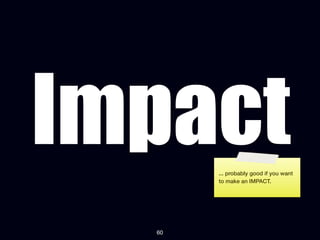
Impact ... probably good if you want
       to make an IMPACT.


  60
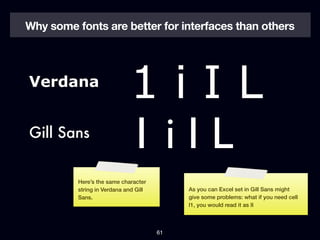
Why some fonts are better for interfaces than others


Verdana
                             1iIL
Gill Sans
                             1iIL
          Hereโ€™s the same character
          string in Verdana and Gill        As you can Excel set in Gill Sans might
          Sans.                             give some problems: what if you need cell
                                            I1, you would read it as II


                                       61
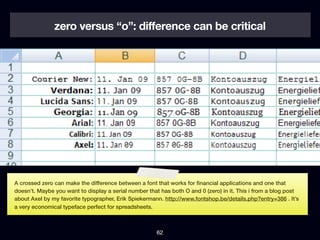
zero versus โ€œoโ€: difference can be critical


A crossed zero can make the difference between a font that works for ๏ฌnancial applications and one that
doesnโ€™t. Maybe you want to display a serial number that has both O and 0 (zero) in it. This i from a blog post
about Axel by my favorite typographer, Erik Spiekermann. http://www.fontshop.be/details.php?entry=386 . Itโ€™s
a very economical typeface perfect for spreadsheets.


                                                       62
Font sizes


    63
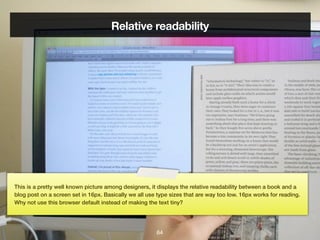
Relative readability


This is a pretty well known picture among designers, it displays the relative readability between a book and a
blog post on a screen set in 16px. Basically we all use type sizes that are way too low. 16px works for reading.
Why not use this browser default instead of making the text tiny?


                                                       64
Font sizes

โ€ข When in doubt, make it larger, especially if itโ€™s
  for reading (any long form content in
  paragraph form)
  โ€ข All texts on the web that are meant to be
    read should be at least 14px big!


                         65
Font sizes

 โ€ข You can go smaller in interface depending
   on your font, e.g. if you use Lucida Grande
   or Verdana you could go for 11, 12 or 13px.


                      66
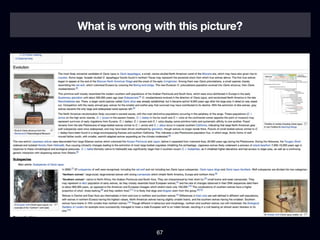
What is wrong with this picture?


               67
Reading length
โ€ข There's a reason newspapers are set in
  columns, that books are not wider than they
  are... practical printing reasons, but also a
  scienti๏ฌc reason: it's harder to read a text when
  lines are too long
โ€ข Rule of thumb: paragraphs should never be
  longer than 60 characters, so limit them in
  width


                        68
Why is my type
 so boring?


      69
Font services
โ€ข Use Typekit ($50/yr for low traf๏ฌc sites)
โ€ข Use Webtype if you have money ($40/yr/
  typeface)
โ€ข There are very little fonts in Google web fonts
  currently that are worth using
โ€ข Use with caution (performance, quality of
  fonts)
โ€ข Good design is not free in general


                        70
All efforts to optimize for performance on my own Wolfโ€™s Little
Store website were kind of cancelled out by using 2 fonts from an
external web provider. If you care about performance at all, donโ€™t
use @font-face.


                              71
Line height makes all the difference:


1.5 line height     72          1.0 line height
Line height

โ€ข I keep returning to these same values:
  โ€ข Use a line-height of 1.1 for headings
  โ€ข Use a line-height of 1.5 for paragraphs


                       73
Alignment


    74
How to align things?!


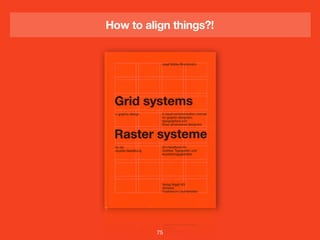
         75
How to align things?!


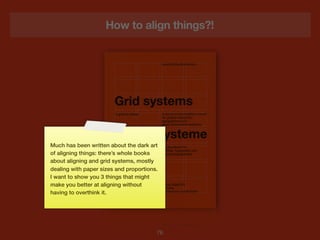
Much has been written about the dark art
of aligning things: thereโ€™s whole books
about aligning and grid systems, mostly
dealing with paper sizes and proportions.
I want to show you 3 things that might
make you better at aligning without
having to overthink it.


                                        76
Alignment

โ€ข Law of proximity (gestalt)
โ€ข Screen interface design: work with the number 6. 6,
  12, 18, 36... (example)
  โ€ข Grid design example
โ€ข Use space appropriately


                          77
Law of proximity


       78
The law of proximity


The law of proximity โ€“ Spatial or
temporal proximity of elements may
induce the mind to perceive a
collective or totality.

Wikipedia


                 79
The law of proximity


         80
The law of proximity


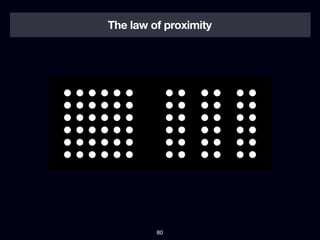
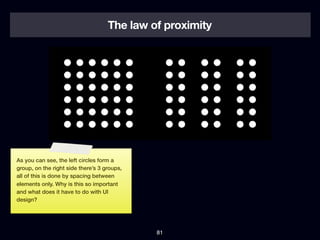
As you can see, the left circles form a
group, on the right side thereโ€™s 3 groups,
all of this is done by spacing between
elements only. Why is this so important
and what does it have to do with UI
design?


                                             81
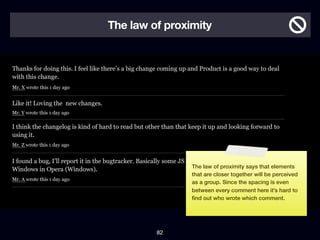
The law of proximity


                The law of proximity says that elements
                that are closer together will be perceived
                as a group. Since the spacing is even
                between every comment here itโ€™s hard to
                ๏ฌnd out who wrote which comment.


         82
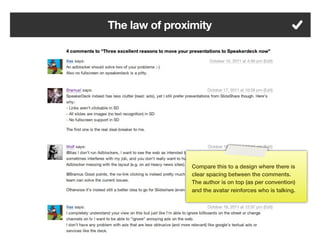
The law of proximity


                Compare this to a design where there is
                clear spacing between the comments.
                The author is on top (as per convention)
                and the avatar reinforces who is talking.


         83
I keep returning
 to the number


     6
       84
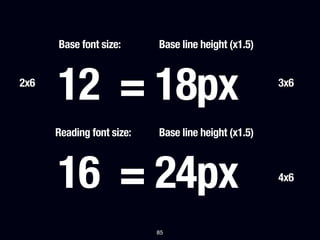
Base font size:      Base line height (x1.5)


2x6
      12 = 18px                                      3x6


      Reading font size:   Base line height (x1.5)


      16 = 24px                                      4x6


                           85
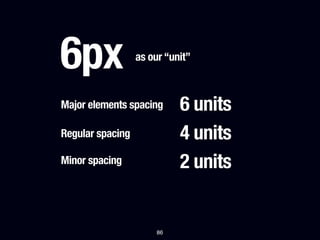
6px               as our โ€œunitโ€


Major elements spacing      6 units
Regular spacing             4 units
Minor spacing               2 units


                       86
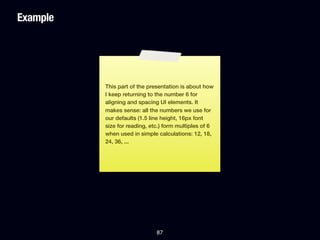
Example


          This part of the presentation is about how
          I keep returning to the number 6 for
          aligning and spacing UI elements. It
          makes sense: all the numbers we use for
          our defaults (1.5 line height, 16px font
          size for reading, etc.) form multiples of 6
          when used in simple calculations: 12, 18,
          24, 36, ...


                              87
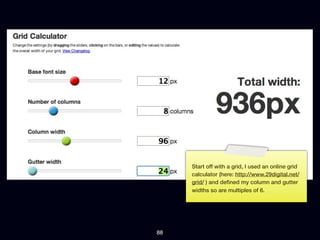
Start off with a grid, I used an online grid
     calculator (here: http://www.29digital.net/
     grid/ ) and de๏ฌned my column and gutter
     widths so are multiples of 6.


88
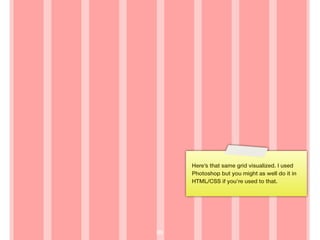
Hereโ€™s that same grid visualized. I used
     Photoshop but you might as well do it in
     HTML/CSS if youโ€™re used to that.


89
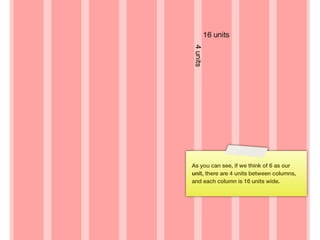
As you can see, if we think of 6 as our
     unit, there are 4 units between columns,
     and each column is 16 units wide.


90
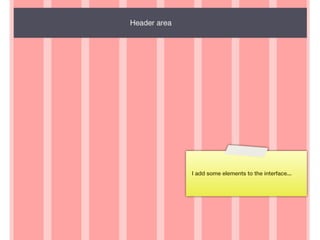
I add some elements to the interface...


91
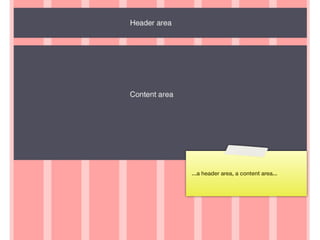
...a header area, a content area...


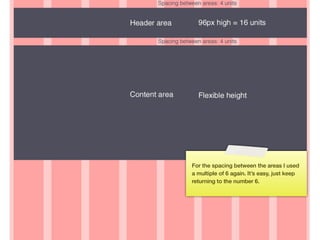
92
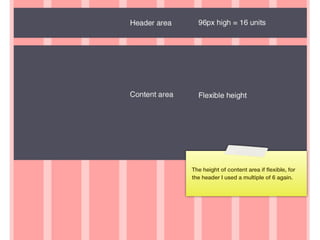
The height of content area if ๏ฌ‚exible, for
     the header I used a multiple of 6 again.


93
For the spacing between the areas I used
     a multiple of 6 again. Itโ€™s easy, just keep
     returning to the number 6.


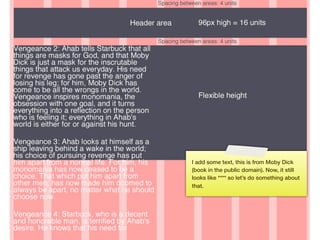
94
I add some text, this is from Moby Dick
     (book in the public domain). Now, it still
     looks like **** so letโ€™s do something about
     that.


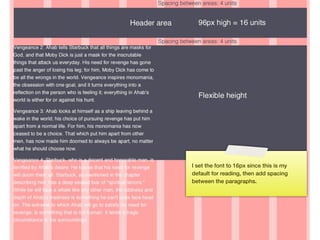
95
I set the font to 16px since this is my
     default for reading, then add spacing
     between the paragraphs.


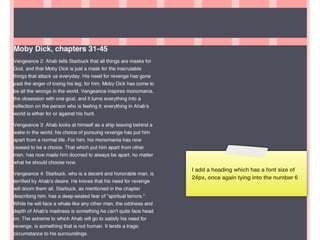
96
I add a heading which has a font size of
     24px, once again tying into the number 6


97
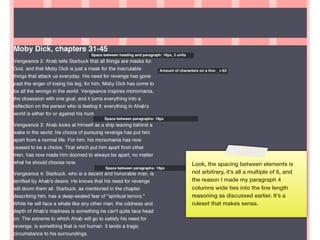
Look, the spacing between elements is
     not arbitrary, itโ€™s all a multiple of 6, and
     the reason I made my paragraph 4
     columns wide ties into the line length
     reasoning as discussed earlier. Itโ€™s a
     ruleset that makes sense.


98
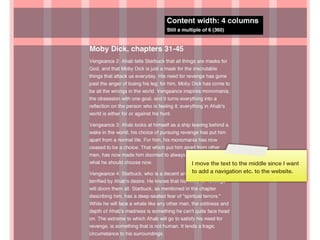
I move the text to the middle since I want
     to add a navigation etc. to the website.


99
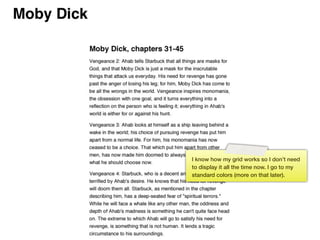
I know how my grid works so I donโ€™t need
      to display it all the time now. I go to my
      standard colors (more on that later).


100
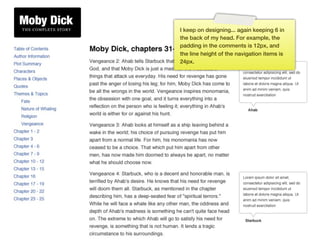
I keep on designing... again keeping 6 in
      the back of my head. For example, the
      padding in the comments is 12px, and
      the line height of the navigation items is
      24px.


101
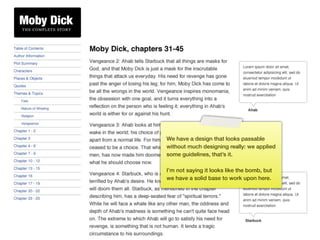
We have a design that looks passable
      without much designing really: we applied
      some guidelines, thatโ€™s it.

      Iโ€™m not saying it looks like the bomb, but
      we have a solid base to work upon here.


102
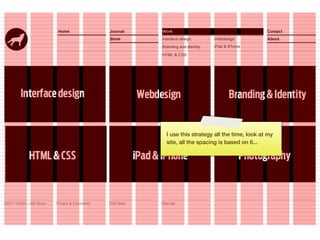
I use this strategy all the time, look at my
      site, all the spacing is based on 6...


103
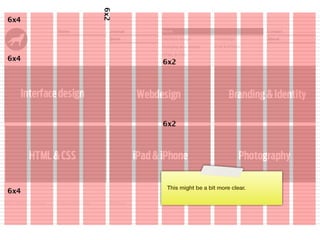
This might be a bit more clear.


104
Keep returning to
  the number


     6
       105
Use space appropriately


           106
Use space appropriately


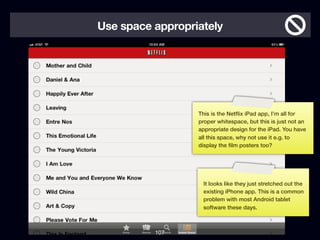
                  This is the Net๏ฌ‚ix iPad app, Iโ€™m all for
                  proper whitespace, but this is just not an
                  appropriate design for the iPad. You have
                  all this space, why not use it e.g. to
                  display the ๏ฌlm posters too?


                   It looks like they just stretched out the
                   existing iPhone app. This is a common
                   problem with most Android tablet
                   software these days.


          107
Use space appropriately


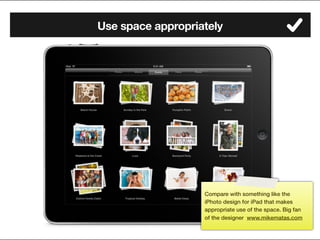
                   Compare with something like the
                   iPhoto design for iPad that makes
                   appropriate use of the space. Big fan
                   of the designer www.mikematas.com

          108
Light & shadow


      109
Shadows and gradients rule #1:


  Use shadows and
gradients as a tool, not
    as decoration

                   110
Think of real life


       111
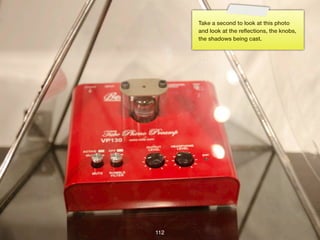
Take a second to look at this photo
      and look at the re๏ฌ‚ections, the knobs,
      the shadows being cast.


112
In real life...
โ€ข Shadows are never pure black (radiosity)
โ€ข Objects higher than other objects cast a
  shadow on the lower object
โ€ข Some surfaces are re๏ฌ‚ective and some are
  not
โ€ข When we press a button it lowers
โ€ข Light is cast from a direction


                       113
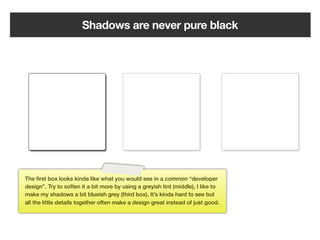
Shadows are never pure black


The ๏ฌrst box looks kinda like what you would see in a common โ€œdeveloper
designโ€. Try to soften it a bit more by using a greyish tint (middle), I like to
make my shadows a bit blueish grey (third box). Itโ€™s kinda hard to see but
all the little details together often make a design great instead of just good.


                                                     114
Drop Shadows will ruin your design if you
don't do it right. Things should be right up
against their surface which means using a
1-3px Drop Shadow size. And 0-3px
distance. This isn't WordArt.

Mike Rundle, ๏ฌ‚yosity.com


                    115
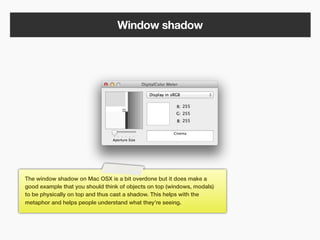
Window shadow


The window shadow on Mac OSX is a bit overdone but it does make a
good example that you should think of objects on top (windows, modals)
to be physically on top and thus cast a shadow. This helps with the
metaphor and helps people understand what theyโ€™re seeing.


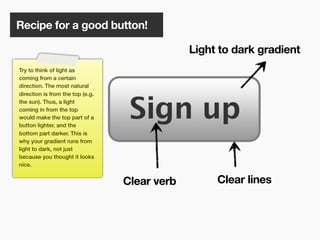
                                                116
Recipe for a good button!

                                               Light to dark gradient
Try to think of light as
coming from a certain
direction. The most natural
direction is from the top (e.g.
the sun). Thus, a light
coming in from the top
would make the top part of a
button lighter, and the
bottom part darker. This is
why your gradient runs from
light to dark, not just
because you thought it looks
nice.


                                  Clear verb        Clear lines


                                        117
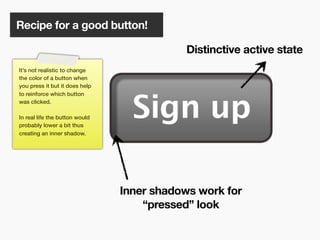
Recipe for a good button!

                                            Distinctive active state
Itโ€™s not realistic to change
the color of a button when
you press it but it does help
to reinforce which button
was clicked.

In real life the button would
probably lower a bit thus
creating an inner shadow.


                                Inner shadows work for
                                    โ€œpressedโ€ look

                                      118
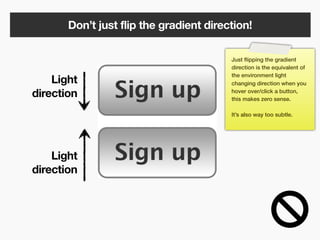
Donโ€™t just flip the gradient direction!

                                         Just ๏ฌ‚ipping the gradient
                                         direction is the equivalent of
                                         the environment light
    Light                                changing direction when you

direction                                hover over/click a button,
                                         this makes zero sense.

                                         Itโ€™s also way too subtle.


    Light
direction


                         119
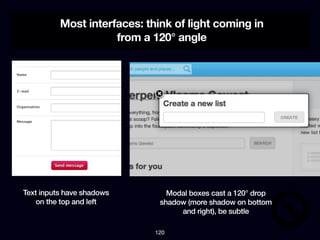
Most interfaces: think of light coming in
                     from a 120ยฐ angle


Text inputs have shadows        Modal boxes cast a 120ยฐ drop
    on the top and left       shadow (more shadow on bottom
                                   and right), be subtle

                             120
Practical tips & tricks (2)


             121
Practical tips & tricks (2)
A   Color                                                                                -
B   Icons                                                                                -
C   Reusable design                                                                      -


            Next up are three parts, the ๏ฌrst about color, then icons, and to end reusable
            design.


                                   122
Color


  123
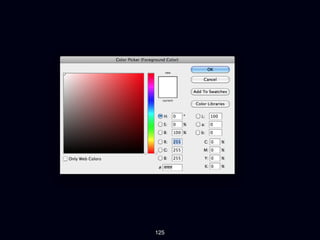
Ways to pick colors


         124
125
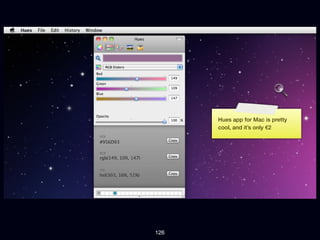
Hues app for Mac is pretty
      cool, and itโ€™s only โ‚ฌ2


126
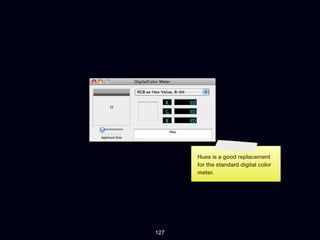
Hues is a good replacement
      for the standard digital color
      meter.


127
Easy coloring: 3 values


           128
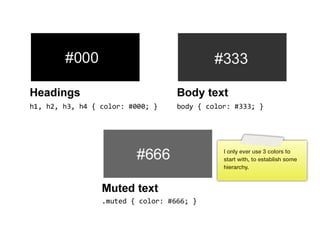
I only ever use 3 colors to
      start with, to establish some
      hierarchy.


129
Blending
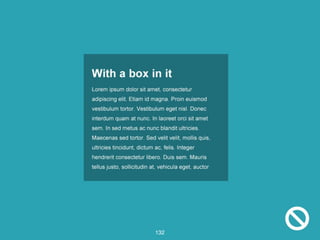
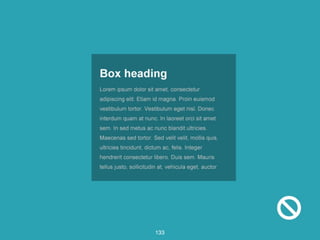
   If you do work with more color itโ€™s a good idea
   to think about blending them a bit for a more
   natural and considered design.


      130
131
132
133
134
135
136
137
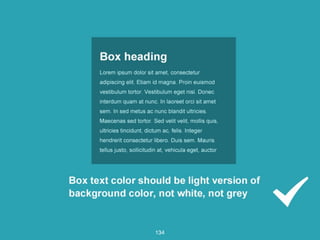
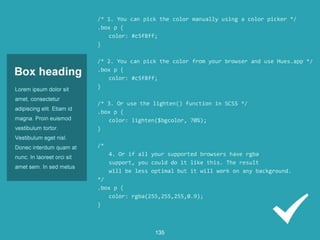
Try to use a darker version
      of the background color as
      your text color, this will look
      better than just pure grey or
      black.


138
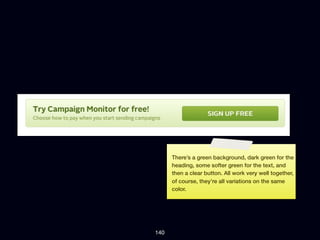
Campaign Monitor does a
      good job at blending colors.


139
Thereโ€™s a green background, dark green for the
      heading, some softer green for the text, and
      then a clear button. All work very well together,
      of course, theyโ€™re all variations on the same
      color.


140
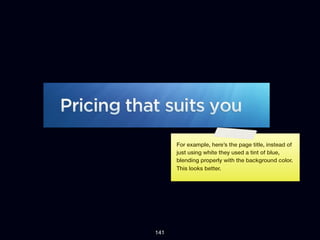
For example, hereโ€™s the page title, instead of
      just using white they used a tint of blue,
      blending properly with the background color.
      This looks better.


141
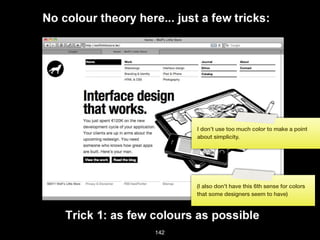
I donโ€™t use too much color to make a point
      about simplicity.


      (I also donโ€™t have this 6th sense for colors
      that some designers seem to have)


142
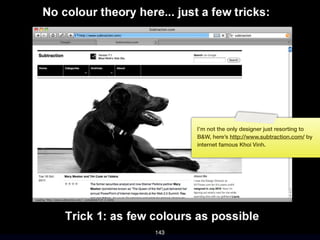
Iโ€™m not the only designer just resorting to
      B&W, hereโ€™s http://www.subtraction.com/ by
      internet famous Khoi Vinh.


143
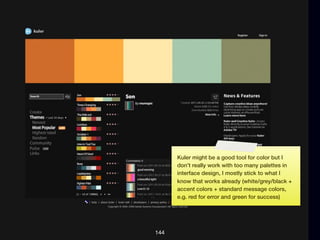
Kuler might be a good tool for color but I
      donโ€™t really work with too many palettes in
      interface design, I mostly stick to what I
      know that works already (white/grey/black +
      accent colors + standard message colors,
      e.g. red for error and green for success)


144
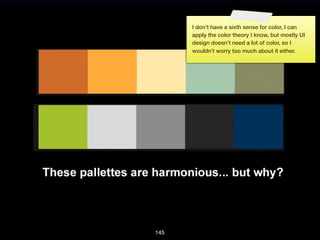
I donโ€™t have a sixth sense for color, I can
      apply the color theory I know, but mostly UI
      design doesnโ€™t need a lot of color, so I
      wouldnโ€™t worry too much about it either.


145
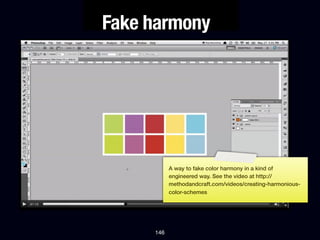
Fake harmony


           A way to fake color harmony in a kind of
           engineered way. See the video at http://
           methodandcraft.com/videos/creating-harmonious-
           color-schemes


     146
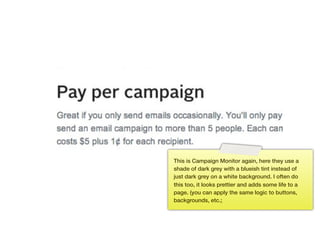
This is Campaign Monitor again, here they use a
      shade of dark grey with a blueish tint instead of
      just dark grey on a white background. I often do
      this too, it looks prettier and adds some life to a
      page. (you can apply the same logic to buttons,
      backgrounds, etc.;


147
148
149
150
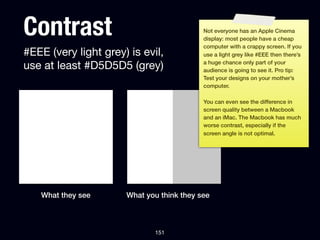
Contrast                                   Not everyone has an Apple Cinema
                                           display: most people have a cheap
                                           computer with a crappy screen. If you
#EEE (very light grey) is evil,            use a light grey like #EEE then thereโ€™s

use at least #D5D5D5 (grey)                a huge chance only part of your
                                           audience is going to see it. Pro tip:
                                           Test your designs on your motherโ€™s
                                           computer.

                                           You can even see the difference in
                                           screen quality between a Macbook
                                           and an iMac. The Macbook has much
                                           worse contrast, especially if the
                                           screen angle is not optimal.


   What they see      What you think they see


                             151
Icons


  152
Icons                          Not so much to say about icons,
                               theyโ€™re an essential part in the
                               interface to easily recognize actions
                               and parts without having to think too
                               much.


โ€ข Invest in a good icon set
โ€ข Pixel icons are ideal for web applications
โ€ข FamFamFam will only get you so far


                       153
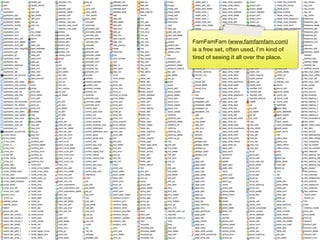
FamFamFam (www.famfamfam.com)
      is a free set, often used, Iโ€™m kind of
      tired of seeing it all over the place.


154
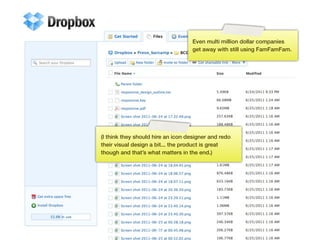
Even multi million dollar companies
                                    get away with still using FamFamFam.


(I think they should hire an icon designer and redo
their visual design a bit... the product is great
though and thatโ€™s what matters in the end.)


                     155
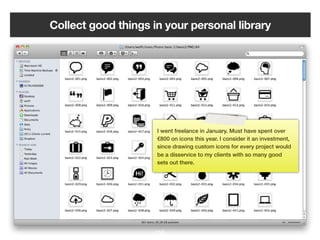
Collect good things in your personal library


                     I went freelance in January. Must have spent over
                     โ‚ฌ800 on icons this year. I consider it an investment,
                     since drawing custom icons for every project would
                     be a disservice to my clients with so many good
                     sets out there.


                    156
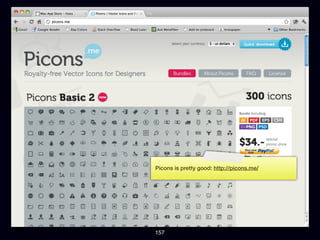
Picons is pretty good: http://picons.me/


157
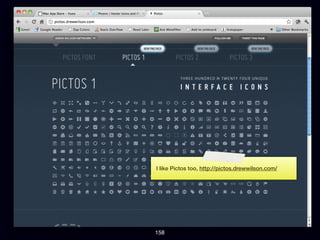
I like Pictos too, http://pictos.drewwilson.com/


158
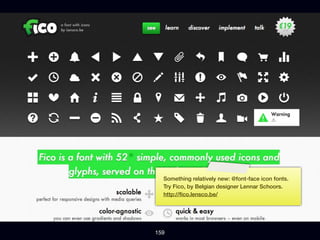
Something relatively new: @font-face icon fonts.
  Try Fico, by Belgian designer Lennar Schoors.
  http://๏ฌco.lensco.be/


159
Icon rule #1:


  Only use an icon
when it's well known,
otherwise use text, or
     text + icon


             160
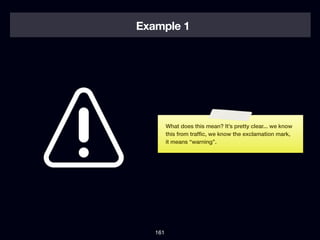
Example 1


         What does this mean? Itโ€™s pretty clear... we know
         this from traf๏ฌc, we know the exclamation mark,
         it means โ€œwarningโ€.


   161
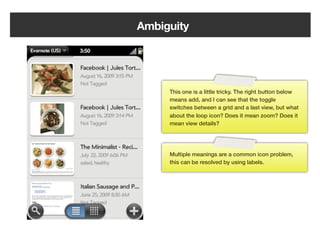
Ambiguity


         This one is a little tricky. The right button below
         means add, and I can see that the toggle
         switches between a grid and a last view, but what
         about the loop icon? Does it mean zoom? Does it
         mean view details?


         Multiple meanings are a common icon problem,
         this can be resolved by using labels.


   162
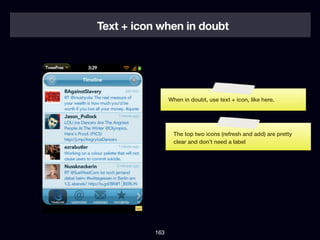
Text + icon when in doubt


                 When in doubt, use text + icon, like here.


                  The top two icons (refresh and add) are pretty
                  clear and donโ€™t need a label


           163
Reusable design


       164
Just like you create functions to reuse
  in code, you should have a design
 library with elements you can reuse
       (Web devs have it easy thanks to CSS)


                        165
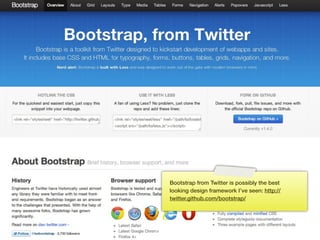
Bootstrap from Twitter is possibly the best
      looking design framework Iโ€™ve seen: http://
      twitter.github.com/bootstrap/


166
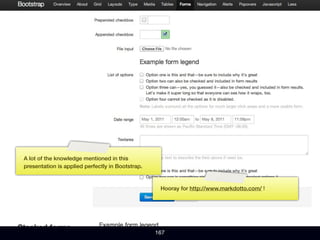
A lot of the knowledge mentioned in this
presentation is applied perfectly in Bootstrap.


                                                   Hooray for http://www.markdotto.com/ !


                                                  167
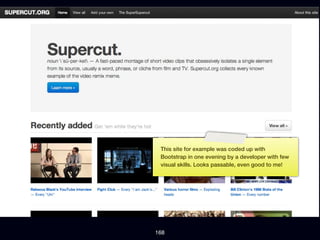
This site for example was coded up with
 Bootstrap in one evening by a developer with few
 visual skills. Looks passable, even good to me!


168
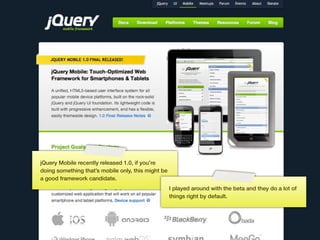
jQuery Mobile recently released 1.0, if youโ€™re
doing something thatโ€™s mobile only, this might be
a good framework candidate.
                                                    I played around with the beta and they do a lot of
                                                    things right by default.


                                            169
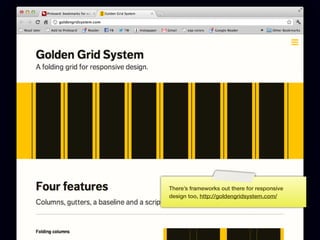
Thereโ€™s frameworks out there for responsive
      design too, http://goldengridsystem.com/


170
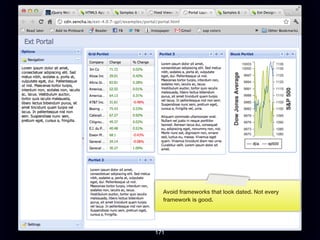
Avoid frameworks that look dated. Not every
  framework is good.


171
Extras


  172
Donโ€™t remove outlines!


         http://webexpedition18.com/articles/useful-css-snippets/

             173
Be consistent


      174
Donโ€™t put everything on the same screen


                  175
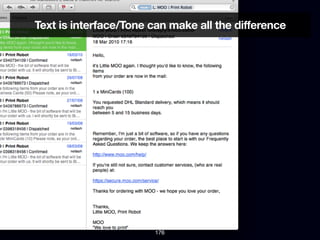
Text is interface/Tone can make all the difference


                       176
So, this presentation is coming to an end.

As we walked through typography, alignment, light & shadow,
color, icon usage and reusable design I hope you learned
something new that you can apply to your work to make it better.

Thereโ€™s certain parts of designing that we can make into
guidelines and rules of thumb. Applying these rules will make
your design better and in many cases good enough.

Nothing beats a dedicated designer though!


                             177
If you want to become a smarter person read every single book
and article mentioned on the following slide.


                            178
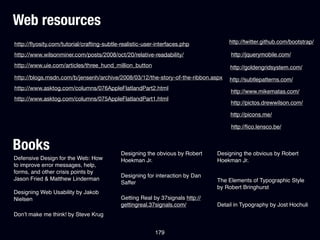
Web resources
http://๏ฌ‚yosity.com/tutorial/crafting-subtle-realistic-user-interfaces.php           http://twitter.github.com/bootstrap/

http://www.wilsonminer.com/posts/2008/oct/20/relative-readability/                   http://jquerymobile.com/
http://www.uie.com/articles/three_hund_million_button                                http://goldengridsystem.com/
http://blogs.msdn.com/b/jensenh/archive/2008/03/12/the-story-of-the-ribbon.aspx     http://subtlepatterns.com/
http://www.asktog.com/columns/076AppleFlatlandPart2.html
                                                                                     http://www.mikematas.com/
http://www.asktog.com/columns/075AppleFlatlandPart1.html
                                                                                     http://pictos.drewwilson.com/

                                                                                     http://picons.me/

                                                                                     http://๏ฌco.lensco.be/


Books                                       Designing the obvious by Robert     Designing the obvious by Robert
Defensive Design for the Web: How           Hoekman Jr.                         Hoekman Jr.
to improve error messages, help,
forms, and other crisis points by
                                            Designing for interaction by Dan
Jason Fried & Matthew Linderman                                                 The Elements of Typographic Style
                                            Saffer
                                                                                by Robert Bringhurst
Designing Web Usability by Jakob
Nielsen                                     Getting Real by 37signals http://
                                            gettingreal.37signals.com/          Detail in Typography by Jost Hochuli
Donโ€™t make me think! by Steve Krug


                                                          179
Hire me.
If you like what youโ€™re seeing, I can apply my
knowledge to your application too, or give this
presentation for your company. Get in touch:
mail@wolfslittlestore.be


                       180
Follow me on Twitter
          Hereโ€™s the link:
     http://twitter.com/wolfr_


                181
Subscribe to the blog:
               Hereโ€™s the link:
      http://wolfslittlestore.be/journal/

                    RSS:
 http://feeds.feedburner.com/Wolfslittlestore


                      182
Thank you for your attention!


              183

Design for developers

  • 1.
  • 2.
    I would liketo give some context to this presentation. These slides are from a 2 hour presentation called Design for Developers. 2
  • 3.
    The goal ofDesign for Developers is to teach interface design as a set of rules: there are some good default values for a lot of design decisions that you should remember, there is a โ€œscienti๏ฌcโ€ way of approaching things like alignment, even though many designers will tell you itโ€™s something you should โ€œfeelโ€. 3
  • 4.
    Some slides onlycontain a few words or images so the slides donโ€™t distract from what is being said. Since you are probably viewing this online, I reworked the entire presentation and added these sticky notes to add what I talked about when displaying the slide. They look like this. 4
  • 5.
    1 Introduction & design theory - 2 Practical tips and tricks - 3 Practical tips and tricks, cont. - 4 Q&A: throughout - 5
  • 6.
  • 7.
    My name isJohan Wolf or @wolfr_ on the internet 7
  • 8.
    I run alittle freelance design studio Wolfโ€™s Little Store 8
  • 9.
    I read stuffall day 9
  • 10.
    I like toplay video games 10
  • 11.
    I love towrite 11
  • 12.
  • 13.
    So this ismy companyโ€™s website, ( http:// wolfslittlestore.be/ ) as you can see itโ€™s mostly about interface design. Under work you can see I do a lot of stuff; webdesign, logos, HTML & CSS, design for iOS. But all of it comes down to designing interfaces. 13
  • 14.
    The kind ofdesign I do is interface design... 14
  • 15.
    Itโ€™s not aboutthe โ€œWOW!โ€ 15
  • 16.
    I donโ€™t reallycare too much for interactive presentations or branded games. While they have their right to exist as promotional material, itโ€™s not the kind of work I want to spend my life doing. 16
  • 17.
    Itโ€™s about creatinga great product 17
  • 18.
    Itโ€™s about creatinga great product Take something that blows and make it better. Thatโ€™s probably what the people at Dyson were thinking when they applied their vacuum knowledgeยฎ to hand dryers. Product of the year for me. 18
  • 19.
  • 20.
  • 21.
    Youโ€™ve got thepower I think everyone has the power to make a good product because itโ€™s more about knowledge and applying that knowledge instead of having strong visual skills. I believe we can extract a lot of rules from common design knowledge. Thatโ€™s what Iโ€™m gong to do in this talk. 21
  • 22.
    Theory Letโ€™s start with some theory on what makes a good interface. 22
  • 23.
    What is agood interface? 23
  • 24.
  • 25.
    Examples of desirablequalities Fast Easy to use Fun Accessible When thinking about interfaces, and what youโ€™re going to make, you make a list of desirable qualities we want our interface to have. 25
  • 26.
    Fast Fast (app performance) Fast (time to task completion) Maybe we want our interface to be fast โ€” in terms of performance โ€” or we want it to be fast in terms of task completion. 26
  • 27.
    Easy to use Productivity If we make our application easy to use, that might just hurt productivity (e.g. no advanced mode, lack of shortcuts, wizards for everything). Even though I like to design interfaces for the โ€œgeneral publicโ€ I have a special love for advanced modes and ways to get your task done ASAP even if it requires some training/ learning. 27
  • 28.
    Considerations Build accessible apps because itโ€™s the right thing to do (morally) Accessible Does anyone in the intended audience have a disability? e.g. cockpit software for F16 pilots Do we have the dev resources to focus on accessibility? 28
  • 29.
    Letโ€™s take thisinterface for example. I havenโ€™t ever used it to be honest, but this us Lotus 123, the competitor to Excel back in the days of MS DOS. 29
  • 30.
    Not easy touse/learn Inaccessible Fast (performance) Fast task completion 30
  • 31.
    If we listour desirable qualities and compare them with the program we have here, we might come to the conclusion that itโ€™s not easy to learn, not accessible (to persons with sight or hearing disability for example; there is no VoiceOver like on Mac, there is no multitasking to run something like JAWS in the background. On the positive side, itโ€™s probably blazing fast on current computers, and since itโ€™s all keyboard based I can only guess the time to task completion is also pretty good. Not easy to use/learn Inaccessible Fast (performance) Fast task completion 31
  • 32.
    Letโ€™s expand onthis example with another example, a Point of Sale system. A POS system is used at a register, when you go to a shop and buy something basically. Example: POS system 32
  • 33.
    Would you wantthis... Fun Easy to use Fast? 33
  • 34.
  • 35.
  • 36.
    The opposition betweenmaking an application easy to use vs. making it so you can complete your task quickly becomes clear here... since the employees in our imaginary shop all get trained do we really want to use the slick โ€œEasy to useโ€ system when maybe we want the system that enables us to do our task as fast as possible? 36
  • 37.
    Thereโ€™s a Belgiansupermarket, Colruyt, that tests everything, optimizes everything, and I think they thought long and hard about their register/cashier system too. Itโ€™s not very modern, but employees know how to work the system in an ef๏ฌcient manner because they are trained to do so and the software enables them to be fast. 37
  • 38.
    Would you ratherbit F5 + F8 to serve a customer or go through a wizard with next/ previous options? 38
  • 39.
    Business... The appropriate interface helps with the business side of things of course. Wikipedia says Colruyt has a cool โ‚ฌ475 million pro๏ฌt in book year 2009-2010. 39
  • 40.
    (I hate shoppingthere) Unfortunately the experience of shopping there is not really what I want, Iโ€™d rather pay a bit more and donโ€™t feel like Iโ€™m shopping around in a prison. But that might just be me. 40
  • 41.
    Why did Iput this theory part in the presentation? I want everyone to think about what theyโ€™re building and for who theyโ€™re building it. Even though kids are growing up with computers these days, the current generation of software is becoming ๏ฌ‚at and less usable to expert users. While I <3 Apple software a lot of what they do feels dumbed down. Iโ€™m very frustrated making this 150+ slides presentation in Keynote because there is no automation whatsoever. I canโ€™t align things automatically, I have to copy paste this note thing from slide to slide manually. 41
  • 42.
  • 43.
    Goals โ€ข Youwant your designs to look passable without the intervention of a dedicated (expensive) designer โ€ข You want to be able to create web applications on your own, or with a team of developers only โ€ข With a little time and some tricks this is not hard to do, especially for web applications 43
  • 44.
    Youโ€™re a developerso: โ€ข You use your IDE and never ever open Photoshop or Illustrator unless you have to โ€ข You write scripts to solve problems โ€ข You love your terminal and database schemes, not so much your ruler and color palettes (if you have them) 44
  • 45.
    Web developer, Windows softwaredeveloper, Java, Ruby or iOS fanatic: Good interface = same principles 45
  • 46.
    Web developers havea bit of an edge: CSS 46
  • 47.
    Web developers havea bit of an edge: CSS Shareable design 47
  • 48.
    Who in theaudience has ever tried to learn Photoshop? Itโ€™s big and vast... thereโ€™s many tools and palettes and itโ€™s easy to get lost. I took me years to become productive in Photoshop and I understand why people are advocating designing in the browser. 48
  • 49.
    Text I feel athome here, I know what to do, I have the shortcuts in my ๏ฌngers, I know what all the tools and palettes do. 49
  • 50.
    You donโ€™t haveto learn Photoshop (or any graphics program for that matter) to deliver a proper software design. As I said before itโ€™s a matter of knowledge and applying this knowledge. As a web developer you have an extra edge in a sense that you can apply design frameworks easily thanks to the power of HTML (structure) and CSS (presentation) whereas sharing the design of one Java app with another is not convenient, if even possible. 50
  • 51.
    Practical tips &tricks Now... on to the real meat of the presentation. The practical tips and tricks. What youโ€™ve been waiting for I guess! 51
  • 52.
    Practical tips &tricks (1) A Typography - B Alignment - C Light & shadow - I divided this up in sections, ๏ฌrst up are typography, alignment and light and shadow. These are the most important parts. 52
  • 53.
  • 54.
    Readability โ€ข Generally youwant a readable typeface, in interface design you want a very readable typeface that works in small sizes โ€ข This leaves you with very little choice on the web:
  • 55.
    Verdana The quick brown fox jumps over the lazy dog Lucida Grande The quick brown fox jumps (Fallback: Lucida Sans Unicode) over the lazy dog 55
  • 56.
    Droid Sans comeswith Android and is also optimized for small size display; Segoe UI is the font used in Windows Phone 7 and parts of the new Windows I think. Solid choice if youโ€™re doing Microsoft software. Droid Sans The quick brown fox jumps over the lazy dog Segoe UI 56
  • 57.
    Why these fonts? Specificallydesigned for UI: compare Verdana to Times: which will be more legible at small sizes? Verdana at 36px Times at 36px If youโ€™re interested in typography at all, and you want to know more why this is like it is, try http://typophile.com/node/12028
  • 58.
    Why these fonts? Hintedat low sizes The two fonts at the bottom will not be named... hint: one is universally hated by designers and the other caused a stir when it was used as the subtitle for James Cameronโ€™s Avatar
  • 59.
    Gill Sans Lorem ipsum dolor sit amet, consectetur adipisicing elit, sed do eiusmod tempor incididunt ut labore et dolore magna aliqua. Ut enim ad minim veniam, quis nostrud exercitation ullamco laboris nisi ut aliquip ex ea commodo consequat. Duis aute irure dolor in reprehenderit in voluptate velit esse cillum dolore eu fugiat nulla pariatur. Excepteur sint occaecat cupidatat non proident, sunt in culpa qui of๏ฌcia deserunt mollit anim id est laborum. Palatino Lorem ipsum dolor sit amet, consectetur adipisicing elit, sed do eiusmod tempor incididunt ut labore et dolore magna aliqua. Ut enim ad minim veniam, quis nostrud exercitation ullamco laboris nisi ut aliquip ex ea commodo consequat. Duis aute irure dolor in reprehenderit in voluptate velit esse cillum dolore eu fugiat nulla pariatur. Excepteur sint occaecat cupidatat non proident, sunt in Some culpa qui of๏ฌcia deserunt mollit anim id est laborum. fonts have their roots in print, they are wonderful if used for the right purposes. Gill Sans is a great typeface Impact Lorem ipsum dolor sit amet, consectetur adipisicing elit, sed do eiusmod tempor with British roots, Palatino incididunt ut labore et dolore magna aliqua. Ut enim ad minim veniam, quis nostrud exercitation ullamco laboris nisi ut aliquip ex ea commodo consequat. Duisfor a book, could be perfect aute irure and Impact, wel... dolor in reprehenderit in voluptate velit esse cillum dolore eu fugiat nulla pariatur. Excepteur sint occaecat cupidatat non proident, sunt in culpa qui officia deserunt mollit anim id est laborum. 59
  • 60.
    Impact ... probablygood if you want to make an IMPACT. 60
  • 61.
    Why some fontsare better for interfaces than others Verdana 1iIL Gill Sans 1iIL Hereโ€™s the same character string in Verdana and Gill As you can Excel set in Gill Sans might Sans. give some problems: what if you need cell I1, you would read it as II 61
  • 62.
    zero versus โ€œoโ€:difference can be critical A crossed zero can make the difference between a font that works for ๏ฌnancial applications and one that doesnโ€™t. Maybe you want to display a serial number that has both O and 0 (zero) in it. This i from a blog post about Axel by my favorite typographer, Erik Spiekermann. http://www.fontshop.be/details.php?entry=386 . Itโ€™s a very economical typeface perfect for spreadsheets. 62
  • 63.
  • 64.
    Relative readability This isa pretty well known picture among designers, it displays the relative readability between a book and a blog post on a screen set in 16px. Basically we all use type sizes that are way too low. 16px works for reading. Why not use this browser default instead of making the text tiny? 64
  • 65.
    Font sizes โ€ข Whenin doubt, make it larger, especially if itโ€™s for reading (any long form content in paragraph form) โ€ข All texts on the web that are meant to be read should be at least 14px big! 65
  • 66.
    Font sizes โ€ขYou can go smaller in interface depending on your font, e.g. if you use Lucida Grande or Verdana you could go for 11, 12 or 13px. 66
  • 67.
    What is wrongwith this picture? 67
  • 68.
    Reading length โ€ข There'sa reason newspapers are set in columns, that books are not wider than they are... practical printing reasons, but also a scienti๏ฌc reason: it's harder to read a text when lines are too long โ€ข Rule of thumb: paragraphs should never be longer than 60 characters, so limit them in width 68
  • 69.
    Why is mytype so boring? 69
  • 70.
    Font services โ€ข UseTypekit ($50/yr for low traf๏ฌc sites) โ€ข Use Webtype if you have money ($40/yr/ typeface) โ€ข There are very little fonts in Google web fonts currently that are worth using โ€ข Use with caution (performance, quality of fonts) โ€ข Good design is not free in general 70
  • 71.
    All efforts tooptimize for performance on my own Wolfโ€™s Little Store website were kind of cancelled out by using 2 fonts from an external web provider. If you care about performance at all, donโ€™t use @font-face. 71
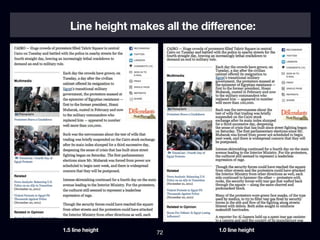
  • 72.
    Line height makesall the difference: 1.5 line height 72 1.0 line height
  • 73.
    Line height โ€ข Ikeep returning to these same values: โ€ข Use a line-height of 1.1 for headings โ€ข Use a line-height of 1.5 for paragraphs 73
  • 74.
  • 75.
    How to alignthings?! 75
  • 76.
    How to alignthings?! Much has been written about the dark art of aligning things: thereโ€™s whole books about aligning and grid systems, mostly dealing with paper sizes and proportions. I want to show you 3 things that might make you better at aligning without having to overthink it. 76
  • 77.
    Alignment โ€ข Law ofproximity (gestalt) โ€ข Screen interface design: work with the number 6. 6, 12, 18, 36... (example) โ€ข Grid design example โ€ข Use space appropriately 77
  • 78.
  • 79.
    The law ofproximity The law of proximity โ€“ Spatial or temporal proximity of elements may induce the mind to perceive a collective or totality. Wikipedia 79
  • 80.
    The law ofproximity 80
  • 81.
    The law ofproximity As you can see, the left circles form a group, on the right side thereโ€™s 3 groups, all of this is done by spacing between elements only. Why is this so important and what does it have to do with UI design? 81
  • 82.
    The law ofproximity The law of proximity says that elements that are closer together will be perceived as a group. Since the spacing is even between every comment here itโ€™s hard to ๏ฌnd out who wrote which comment. 82
  • 83.
    The law ofproximity Compare this to a design where there is clear spacing between the comments. The author is on top (as per convention) and the avatar reinforces who is talking. 83
  • 84.
    I keep returning to the number 6 84
  • 85.
    Base font size: Base line height (x1.5) 2x6 12 = 18px 3x6 Reading font size: Base line height (x1.5) 16 = 24px 4x6 85
  • 86.
    6px as our โ€œunitโ€ Major elements spacing 6 units Regular spacing 4 units Minor spacing 2 units 86
  • 87.
    Example This part of the presentation is about how I keep returning to the number 6 for aligning and spacing UI elements. It makes sense: all the numbers we use for our defaults (1.5 line height, 16px font size for reading, etc.) form multiples of 6 when used in simple calculations: 12, 18, 24, 36, ... 87
  • 88.
    Start off witha grid, I used an online grid calculator (here: http://www.29digital.net/ grid/ ) and de๏ฌned my column and gutter widths so are multiples of 6. 88
  • 89.
    Hereโ€™s that samegrid visualized. I used Photoshop but you might as well do it in HTML/CSS if youโ€™re used to that. 89
  • 90.
    As you cansee, if we think of 6 as our unit, there are 4 units between columns, and each column is 16 units wide. 90
  • 91.
    I add someelements to the interface... 91
  • 92.
    ...a header area,a content area... 92
  • 93.
    The height ofcontent area if ๏ฌ‚exible, for the header I used a multiple of 6 again. 93
  • 94.
    For the spacingbetween the areas I used a multiple of 6 again. Itโ€™s easy, just keep returning to the number 6. 94
  • 95.
    I add sometext, this is from Moby Dick (book in the public domain). Now, it still looks like **** so letโ€™s do something about that. 95
  • 96.
    I set thefont to 16px since this is my default for reading, then add spacing between the paragraphs. 96
  • 97.
    I add aheading which has a font size of 24px, once again tying into the number 6 97
  • 98.
    Look, the spacingbetween elements is not arbitrary, itโ€™s all a multiple of 6, and the reason I made my paragraph 4 columns wide ties into the line length reasoning as discussed earlier. Itโ€™s a ruleset that makes sense. 98
  • 99.
    I move thetext to the middle since I want to add a navigation etc. to the website. 99
  • 100.
    I know howmy grid works so I donโ€™t need to display it all the time now. I go to my standard colors (more on that later). 100
  • 101.
    I keep ondesigning... again keeping 6 in the back of my head. For example, the padding in the comments is 12px, and the line height of the navigation items is 24px. 101
  • 102.
    We have adesign that looks passable without much designing really: we applied some guidelines, thatโ€™s it. Iโ€™m not saying it looks like the bomb, but we have a solid base to work upon here. 102
  • 103.
    I use thisstrategy all the time, look at my site, all the spacing is based on 6... 103
  • 104.
    This might bea bit more clear. 104
  • 105.
    Keep returning to the number 6 105
  • 106.
  • 107.
    Use space appropriately This is the Net๏ฌ‚ix iPad app, Iโ€™m all for proper whitespace, but this is just not an appropriate design for the iPad. You have all this space, why not use it e.g. to display the ๏ฌlm posters too? It looks like they just stretched out the existing iPhone app. This is a common problem with most Android tablet software these days. 107
  • 108.
    Use space appropriately Compare with something like the iPhoto design for iPad that makes appropriate use of the space. Big fan of the designer www.mikematas.com 108
  • 109.
  • 110.
    Shadows and gradientsrule #1: Use shadows and gradients as a tool, not as decoration 110
  • 111.
    Think of reallife 111
  • 112.
    Take a secondto look at this photo and look at the re๏ฌ‚ections, the knobs, the shadows being cast. 112
  • 113.
    In real life... โ€ขShadows are never pure black (radiosity) โ€ข Objects higher than other objects cast a shadow on the lower object โ€ข Some surfaces are re๏ฌ‚ective and some are not โ€ข When we press a button it lowers โ€ข Light is cast from a direction 113
  • 114.
    Shadows are neverpure black The ๏ฌrst box looks kinda like what you would see in a common โ€œdeveloper designโ€. Try to soften it a bit more by using a greyish tint (middle), I like to make my shadows a bit blueish grey (third box). Itโ€™s kinda hard to see but all the little details together often make a design great instead of just good. 114
  • 115.
    Drop Shadows willruin your design if you don't do it right. Things should be right up against their surface which means using a 1-3px Drop Shadow size. And 0-3px distance. This isn't WordArt. Mike Rundle, ๏ฌ‚yosity.com 115
  • 116.
    Window shadow The windowshadow on Mac OSX is a bit overdone but it does make a good example that you should think of objects on top (windows, modals) to be physically on top and thus cast a shadow. This helps with the metaphor and helps people understand what theyโ€™re seeing. 116
  • 117.
    Recipe for agood button! Light to dark gradient Try to think of light as coming from a certain direction. The most natural direction is from the top (e.g. the sun). Thus, a light coming in from the top would make the top part of a button lighter, and the bottom part darker. This is why your gradient runs from light to dark, not just because you thought it looks nice. Clear verb Clear lines 117
  • 118.
    Recipe for agood button! Distinctive active state Itโ€™s not realistic to change the color of a button when you press it but it does help to reinforce which button was clicked. In real life the button would probably lower a bit thus creating an inner shadow. Inner shadows work for โ€œpressedโ€ look 118
  • 119.
    Donโ€™t just flipthe gradient direction! Just ๏ฌ‚ipping the gradient direction is the equivalent of the environment light Light changing direction when you direction hover over/click a button, this makes zero sense. Itโ€™s also way too subtle. Light direction 119
  • 120.
    Most interfaces: thinkof light coming in from a 120ยฐ angle Text inputs have shadows Modal boxes cast a 120ยฐ drop on the top and left shadow (more shadow on bottom and right), be subtle 120
  • 121.
    Practical tips &tricks (2) 121
  • 122.
    Practical tips &tricks (2) A Color - B Icons - C Reusable design - Next up are three parts, the ๏ฌrst about color, then icons, and to end reusable design. 122
  • 123.
  • 124.
    Ways to pickcolors 124
  • 125.
  • 126.
    Hues app forMac is pretty cool, and itโ€™s only โ‚ฌ2 126
  • 127.
    Hues is agood replacement for the standard digital color meter. 127
  • 128.
    Easy coloring: 3values 128
  • 129.
    I only everuse 3 colors to start with, to establish some hierarchy. 129
  • 130.
    Blending If you do work with more color itโ€™s a good idea to think about blending them a bit for a more natural and considered design. 130
  • 131.
  • 132.
  • 133.
  • 134.
  • 135.
  • 136.
  • 137.
  • 138.
    Try to usea darker version of the background color as your text color, this will look better than just pure grey or black. 138
  • 139.
    Campaign Monitor doesa good job at blending colors. 139
  • 140.
    Thereโ€™s a greenbackground, dark green for the heading, some softer green for the text, and then a clear button. All work very well together, of course, theyโ€™re all variations on the same color. 140
  • 141.
    For example, hereโ€™sthe page title, instead of just using white they used a tint of blue, blending properly with the background color. This looks better. 141
  • 142.
    I donโ€™t usetoo much color to make a point about simplicity. (I also donโ€™t have this 6th sense for colors that some designers seem to have) 142
  • 143.
    Iโ€™m not theonly designer just resorting to B&W, hereโ€™s http://www.subtraction.com/ by internet famous Khoi Vinh. 143
  • 144.
    Kuler might bea good tool for color but I donโ€™t really work with too many palettes in interface design, I mostly stick to what I know that works already (white/grey/black + accent colors + standard message colors, e.g. red for error and green for success) 144
  • 145.
    I donโ€™t havea sixth sense for color, I can apply the color theory I know, but mostly UI design doesnโ€™t need a lot of color, so I wouldnโ€™t worry too much about it either. 145
  • 146.
    Fake harmony A way to fake color harmony in a kind of engineered way. See the video at http:// methodandcraft.com/videos/creating-harmonious- color-schemes 146
  • 147.
    This is CampaignMonitor again, here they use a shade of dark grey with a blueish tint instead of just dark grey on a white background. I often do this too, it looks prettier and adds some life to a page. (you can apply the same logic to buttons, backgrounds, etc.; 147
  • 148.
  • 149.
  • 150.
  • 151.
    Contrast Not everyone has an Apple Cinema display: most people have a cheap computer with a crappy screen. If you #EEE (very light grey) is evil, use a light grey like #EEE then thereโ€™s use at least #D5D5D5 (grey) a huge chance only part of your audience is going to see it. Pro tip: Test your designs on your motherโ€™s computer. You can even see the difference in screen quality between a Macbook and an iMac. The Macbook has much worse contrast, especially if the screen angle is not optimal. What they see What you think they see 151
  • 152.
  • 153.
    Icons Not so much to say about icons, theyโ€™re an essential part in the interface to easily recognize actions and parts without having to think too much. โ€ข Invest in a good icon set โ€ข Pixel icons are ideal for web applications โ€ข FamFamFam will only get you so far 153
  • 154.
    FamFamFam (www.famfamfam.com) is a free set, often used, Iโ€™m kind of tired of seeing it all over the place. 154
  • 155.
    Even multi milliondollar companies get away with still using FamFamFam. (I think they should hire an icon designer and redo their visual design a bit... the product is great though and thatโ€™s what matters in the end.) 155
  • 156.
    Collect good thingsin your personal library I went freelance in January. Must have spent over โ‚ฌ800 on icons this year. I consider it an investment, since drawing custom icons for every project would be a disservice to my clients with so many good sets out there. 156
  • 157.
    Picons is prettygood: http://picons.me/ 157
  • 158.
    I like Pictostoo, http://pictos.drewwilson.com/ 158
  • 159.
    Something relatively new:@font-face icon fonts. Try Fico, by Belgian designer Lennar Schoors. http://๏ฌco.lensco.be/ 159
  • 160.
    Icon rule #1: Only use an icon when it's well known, otherwise use text, or text + icon 160
  • 161.
    Example 1 What does this mean? Itโ€™s pretty clear... we know this from traf๏ฌc, we know the exclamation mark, it means โ€œwarningโ€. 161
  • 162.
    Ambiguity This one is a little tricky. The right button below means add, and I can see that the toggle switches between a grid and a last view, but what about the loop icon? Does it mean zoom? Does it mean view details? Multiple meanings are a common icon problem, this can be resolved by using labels. 162
  • 163.
    Text + iconwhen in doubt When in doubt, use text + icon, like here. The top two icons (refresh and add) are pretty clear and donโ€™t need a label 163
  • 164.
  • 165.
    Just like youcreate functions to reuse in code, you should have a design library with elements you can reuse (Web devs have it easy thanks to CSS) 165
  • 166.
    Bootstrap from Twitteris possibly the best looking design framework Iโ€™ve seen: http:// twitter.github.com/bootstrap/ 166
  • 167.
    A lot ofthe knowledge mentioned in this presentation is applied perfectly in Bootstrap. Hooray for http://www.markdotto.com/ ! 167
  • 168.
    This site forexample was coded up with Bootstrap in one evening by a developer with few visual skills. Looks passable, even good to me! 168
  • 169.
    jQuery Mobile recentlyreleased 1.0, if youโ€™re doing something thatโ€™s mobile only, this might be a good framework candidate. I played around with the beta and they do a lot of things right by default. 169
  • 170.
    Thereโ€™s frameworks outthere for responsive design too, http://goldengridsystem.com/ 170
  • 171.
    Avoid frameworks thatlook dated. Not every framework is good. 171
  • 172.
  • 173.
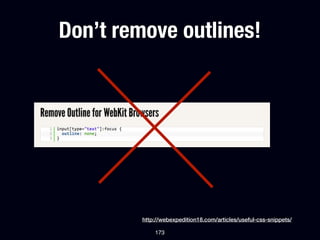
    Donโ€™t remove outlines! http://webexpedition18.com/articles/useful-css-snippets/ 173
  • 174.
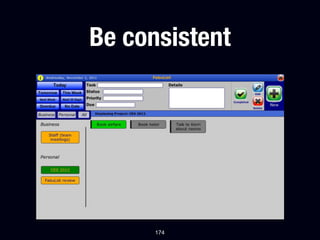
  • 175.
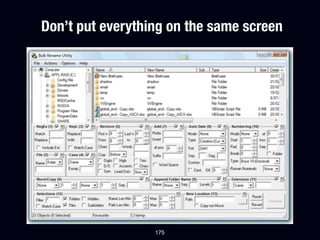
    Donโ€™t put everythingon the same screen 175
  • 176.
    Text is interface/Tonecan make all the difference 176
  • 177.
    So, this presentationis coming to an end. As we walked through typography, alignment, light & shadow, color, icon usage and reusable design I hope you learned something new that you can apply to your work to make it better. Thereโ€™s certain parts of designing that we can make into guidelines and rules of thumb. Applying these rules will make your design better and in many cases good enough. Nothing beats a dedicated designer though! 177
  • 178.
    If you wantto become a smarter person read every single book and article mentioned on the following slide. 178
  • 179.
    Web resources http://๏ฌ‚yosity.com/tutorial/crafting-subtle-realistic-user-interfaces.php http://twitter.github.com/bootstrap/ http://www.wilsonminer.com/posts/2008/oct/20/relative-readability/ http://jquerymobile.com/ http://www.uie.com/articles/three_hund_million_button http://goldengridsystem.com/ http://blogs.msdn.com/b/jensenh/archive/2008/03/12/the-story-of-the-ribbon.aspx http://subtlepatterns.com/ http://www.asktog.com/columns/076AppleFlatlandPart2.html http://www.mikematas.com/ http://www.asktog.com/columns/075AppleFlatlandPart1.html http://pictos.drewwilson.com/ http://picons.me/ http://๏ฌco.lensco.be/ Books Designing the obvious by Robert Designing the obvious by Robert Defensive Design for the Web: How Hoekman Jr. Hoekman Jr. to improve error messages, help, forms, and other crisis points by Designing for interaction by Dan Jason Fried & Matthew Linderman The Elements of Typographic Style Saffer by Robert Bringhurst Designing Web Usability by Jakob Nielsen Getting Real by 37signals http:// gettingreal.37signals.com/ Detail in Typography by Jost Hochuli Donโ€™t make me think! by Steve Krug 179
  • 180.
    Hire me. If youlike what youโ€™re seeing, I can apply my knowledge to your application too, or give this presentation for your company. Get in touch: mail@wolfslittlestore.be 180
  • 181.
    Follow me onTwitter Hereโ€™s the link: http://twitter.com/wolfr_ 181
  • 182.
    Subscribe to theblog: Hereโ€™s the link: http://wolfslittlestore.be/journal/ RSS: http://feeds.feedburner.com/Wolfslittlestore 182
  • 183.
    Thank you foryour attention! 183