


Deploying Apps In An
OpenStack Cloud
Chris Ricker (chricker@cisco.com)
• Introduction
• Overview
• Heat and Murano
• Magnum
• Mantl and Shipped
• Conclusion
Agenda
4
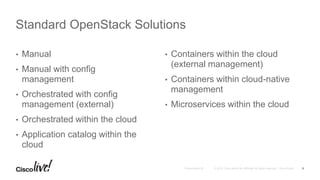
• Manual
• Manual with config
management
• Orchestrated with config
management (external)
• Orchestrated within the cloud
• Application catalog within the
cloud
• Containers within the cloud
(external management)
• Containers within cloud-native
management
• Microservices within the cloud
Standard OpenStack Solutions
5
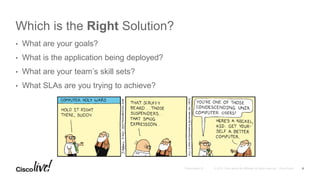
Which is the Right Solution?
• What are your goals?
• What is the application being deployed?
• What are your team’s skill sets?
• What SLAs are you trying to achieve?
6
• Pros
• Flexibility
• Speed of deployment (perhaps)
• Cons
• Limited SLAs
• Potentially lengthy recovery
• HA and load scaling done by
sysadmin
• Doesn’t scale in terms of
delivery cycle time
• Suitability
• PoC / Demo
• Shop without config management /
automation skill sets
Manual Solutions
7
• Pros
• Speed of recovery
• Cons
• HA and load scaling done by
sysadmin
• Suitability
• Reusing existing config
management
• Hybrid workloads
• Production-level SLAs
Orchestration With Config Management
8
• Pros
• Leverage cloud-native scaling
and HA
• Speed of recovery
• Cons
• Uses its own templating /
configuration management
• Not as flexible as a dedicated
config management program
• Suitability
• No need to integrate with existing
CM / orchestration layer
• Usable with apps in the traditional
multi-tier enterprise to cloud-aware
horizontally scaled parts of the app
spectrum
• Production-level SLAs
Native OpenStack Orchestration (Heat)
9
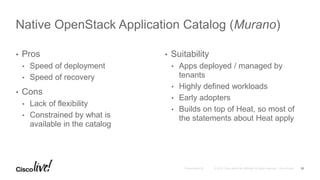
• Pros
• Speed of deployment
• Speed of recovery
• Cons
• Lack of flexibility
• Constrained by what is
available in the catalog
• Suitability
• Apps deployed / managed by
tenants
• Highly defined workloads
• Early adopters
• Builds on top of Heat, so most of
the statements about Heat apply
Native OpenStack Application Catalog (Murano)
10
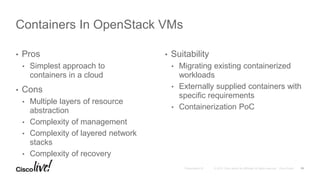
• Pros
• Simplest approach to
containers in a cloud
• Cons
• Multiple layers of resource
abstraction
• Complexity of management
• Complexity of layered network
stacks
• Complexity of recovery
• Suitability
• Migrating existing containerized
workloads
• Externally supplied containers with
specific requirements
• Containerization PoC
Containers In OpenStack VMs
11
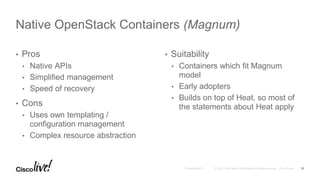
• Pros
• Native APIs
• Simplified management
• Speed of recovery
• Cons
• Uses own templating /
configuration management
• Complex resource abstraction
• Suitability
• Containers which fit Magnum
model
• Early adopters
• Builds on top of Heat, so most of
the statements about Heat apply
Native OpenStack Containers (Magnum)
12
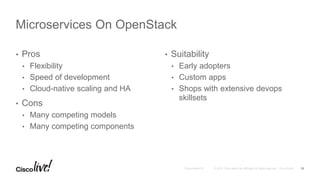
• Pros
• Flexibility
• Speed of development
• Cloud-native scaling and HA
• Cons
• Many competing models
• Many competing components
• Suitability
• Early adopters
• Custom apps
• Shops with extensive devops
skillsets
Microservices On OpenStack
13
Glenn Frey, wildly out of context
14
• OpenStack native service to orchestrate deployments
• Templating language defines what to create
• Stack is the resources defined in the template:
• VMs, networks, subnets, routers, security groups, and other objects, defined
and managed as a group
• CLI and Horizon tools to “launch” templates to create stacks
• Stack managed as a single object once created
Heat Overview
15
• Choice of languages:
• HOT – OpenStack native. Usually YAML
• CFN – Compatible with AWS CloudFormation. Usually JSON
• Structure:
• Parameters: input accepted from the user (either CLI or Web UI)
• Resources: definitions of all the objects created by that Heat template
• Output: definition of what information about the stack should be reported to
the user
Heat Templating
16
• Auto-scaling
• Configure consumption meters in Ceilometer
• Respond to alarms from Ceilometer meters
• Create / remove resources based on demand
• Auto-recovery / HA / self-healing
• Configure availability meters in Ceilometer
• Respond to alarms from Ceilometer meters
• Remove / create resources based on availability
Complex Capabilities
17
• Heat resources can be any OpenStack object
• Is the installed application on disk an OpenStack object?
• Canned install baked in an image
• Cloud-init script in the Heat template as a property of the launched VM
instance
• Heat template calling config management via cloud-init when launched
Apps and Heat
18
Murano
19
• Application Catalog for OpenStack
• Implemented using Heat
• Extends Heat with packaging capabilities for the managed application
• Agent-based
• Murano-specific templating language defining the application install
Murano Overview
20
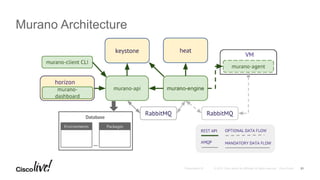
Murano Architecture
21
Magnum
22
• OpenStack API and services for creating containers in OpenStack
tenants
• Implemented using Heat
• Leverages Docker for container technology
• Uses Kubernetes for orchestration
Magnum Overview
23
• Magnum orchestrates (via Heat) deployment of initial images
• Initial image launched is a VM running Docker Swarm / Kubernetes
• Magnum orchestrates (via Heat) collections of VM instances: bays
• Docker Swarm / Kubernetes orchestrate Docker containers inside bays
• Magnum commands and API calls can be used to view and manage
the containers
Magnum Workflow
24
Magnum versus Kolla
• Magnum: OpenStack API to instantiate container environments within
OpenStack
• Kolla: OpenStack project to deploy OpenStack itself, using Docker containers
and Ansible orchestration
• Kolla-Mesos: Deploying Kolla containers on a Mesos cluster
25
Mantl and Shipped
26
• Not OpenStack specific
• Example framework for microservices on OpenStack
• Terraform launches OpenStack VMs
• Mesos functions as a cluster scheduler over the OpenStack VMs
• Functions / services ride on the cluster: logging, Marathon, Consul,
etcd
• App(s) sit on the cluster as peers with the functions
Mantl Overview
27
• Development and CI/CD framework on top of Mantl
• Provides vagrant local development coupled with Drone for CD, a
services catalog for selecting components, and Docker container for
runtime execution, along with management interfaces
• https://developer.cisco.com/site/shipped/
Project Shipped
28
Conclusions
29
Conclusions
• Lots of native OpenStack approaches (and even more commercial options)
• Pick the one(s) that fit your needs, applications, and skill sets
• Use more than one and transition between them as circumstances change
30
Testing Options
• VirtualBox Liberty Kolla VM at https://cisco.box.com/KollaCLBerlin2016
• Discussion communities on DevNet
31
Thank you
Deploying your apps in the cloud - the options: an overview

Deploying your apps in the cloud - the options: an overview

  • 2.
    Deploying Apps InAn OpenStack Cloud Chris Ricker (chricker@cisco.com)
  • 3.
    • Introduction • Overview •Heat and Murano • Magnum • Mantl and Shipped • Conclusion Agenda
  • 4.
  • 5.
    • Manual • Manualwith config management • Orchestrated with config management (external) • Orchestrated within the cloud • Application catalog within the cloud • Containers within the cloud (external management) • Containers within cloud-native management • Microservices within the cloud Standard OpenStack Solutions 5
  • 6.
    Which is theRight Solution? • What are your goals? • What is the application being deployed? • What are your team’s skill sets? • What SLAs are you trying to achieve? 6
  • 7.
    • Pros • Flexibility •Speed of deployment (perhaps) • Cons • Limited SLAs • Potentially lengthy recovery • HA and load scaling done by sysadmin • Doesn’t scale in terms of delivery cycle time • Suitability • PoC / Demo • Shop without config management / automation skill sets Manual Solutions 7
  • 8.
    • Pros • Speedof recovery • Cons • HA and load scaling done by sysadmin • Suitability • Reusing existing config management • Hybrid workloads • Production-level SLAs Orchestration With Config Management 8
  • 9.
    • Pros • Leveragecloud-native scaling and HA • Speed of recovery • Cons • Uses its own templating / configuration management • Not as flexible as a dedicated config management program • Suitability • No need to integrate with existing CM / orchestration layer • Usable with apps in the traditional multi-tier enterprise to cloud-aware horizontally scaled parts of the app spectrum • Production-level SLAs Native OpenStack Orchestration (Heat) 9
  • 10.
    • Pros • Speedof deployment • Speed of recovery • Cons • Lack of flexibility • Constrained by what is available in the catalog • Suitability • Apps deployed / managed by tenants • Highly defined workloads • Early adopters • Builds on top of Heat, so most of the statements about Heat apply Native OpenStack Application Catalog (Murano) 10
  • 11.
    • Pros • Simplestapproach to containers in a cloud • Cons • Multiple layers of resource abstraction • Complexity of management • Complexity of layered network stacks • Complexity of recovery • Suitability • Migrating existing containerized workloads • Externally supplied containers with specific requirements • Containerization PoC Containers In OpenStack VMs 11
  • 12.
    • Pros • NativeAPIs • Simplified management • Speed of recovery • Cons • Uses own templating / configuration management • Complex resource abstraction • Suitability • Containers which fit Magnum model • Early adopters • Builds on top of Heat, so most of the statements about Heat apply Native OpenStack Containers (Magnum) 12
  • 13.
    • Pros • Flexibility •Speed of development • Cloud-native scaling and HA • Cons • Many competing models • Many competing components • Suitability • Early adopters • Custom apps • Shops with extensive devops skillsets Microservices On OpenStack 13
  • 14.
    Glenn Frey, wildlyout of context 14
  • 15.
    • OpenStack nativeservice to orchestrate deployments • Templating language defines what to create • Stack is the resources defined in the template: • VMs, networks, subnets, routers, security groups, and other objects, defined and managed as a group • CLI and Horizon tools to “launch” templates to create stacks • Stack managed as a single object once created Heat Overview 15
  • 16.
    • Choice oflanguages: • HOT – OpenStack native. Usually YAML • CFN – Compatible with AWS CloudFormation. Usually JSON • Structure: • Parameters: input accepted from the user (either CLI or Web UI) • Resources: definitions of all the objects created by that Heat template • Output: definition of what information about the stack should be reported to the user Heat Templating 16
  • 17.
    • Auto-scaling • Configureconsumption meters in Ceilometer • Respond to alarms from Ceilometer meters • Create / remove resources based on demand • Auto-recovery / HA / self-healing • Configure availability meters in Ceilometer • Respond to alarms from Ceilometer meters • Remove / create resources based on availability Complex Capabilities 17
  • 18.
    • Heat resourcescan be any OpenStack object • Is the installed application on disk an OpenStack object? • Canned install baked in an image • Cloud-init script in the Heat template as a property of the launched VM instance • Heat template calling config management via cloud-init when launched Apps and Heat 18
  • 19.
  • 20.
    • Application Catalogfor OpenStack • Implemented using Heat • Extends Heat with packaging capabilities for the managed application • Agent-based • Murano-specific templating language defining the application install Murano Overview 20
  • 21.
  • 22.
  • 23.
    • OpenStack APIand services for creating containers in OpenStack tenants • Implemented using Heat • Leverages Docker for container technology • Uses Kubernetes for orchestration Magnum Overview 23
  • 24.
    • Magnum orchestrates(via Heat) deployment of initial images • Initial image launched is a VM running Docker Swarm / Kubernetes • Magnum orchestrates (via Heat) collections of VM instances: bays • Docker Swarm / Kubernetes orchestrate Docker containers inside bays • Magnum commands and API calls can be used to view and manage the containers Magnum Workflow 24
  • 25.
    Magnum versus Kolla •Magnum: OpenStack API to instantiate container environments within OpenStack • Kolla: OpenStack project to deploy OpenStack itself, using Docker containers and Ansible orchestration • Kolla-Mesos: Deploying Kolla containers on a Mesos cluster 25
  • 26.
  • 27.
    • Not OpenStackspecific • Example framework for microservices on OpenStack • Terraform launches OpenStack VMs • Mesos functions as a cluster scheduler over the OpenStack VMs • Functions / services ride on the cluster: logging, Marathon, Consul, etcd • App(s) sit on the cluster as peers with the functions Mantl Overview 27
  • 28.
    • Development andCI/CD framework on top of Mantl • Provides vagrant local development coupled with Drone for CD, a services catalog for selecting components, and Docker container for runtime execution, along with management interfaces • https://developer.cisco.com/site/shipped/ Project Shipped 28
  • 29.
  • 30.
    Conclusions • Lots ofnative OpenStack approaches (and even more commercial options) • Pick the one(s) that fit your needs, applications, and skill sets • Use more than one and transition between them as circumstances change 30
  • 31.
    Testing Options • VirtualBoxLiberty Kolla VM at https://cisco.box.com/KollaCLBerlin2016 • Discussion communities on DevNet 31
  • 32.