


Build advanced
Voice Assistants and ChatBots
Stève SFARTZ
API Evangelist -Cisco DevNet
stsfartz@cisco.com, @SteveSfartz, github://ObjectIsadvantag
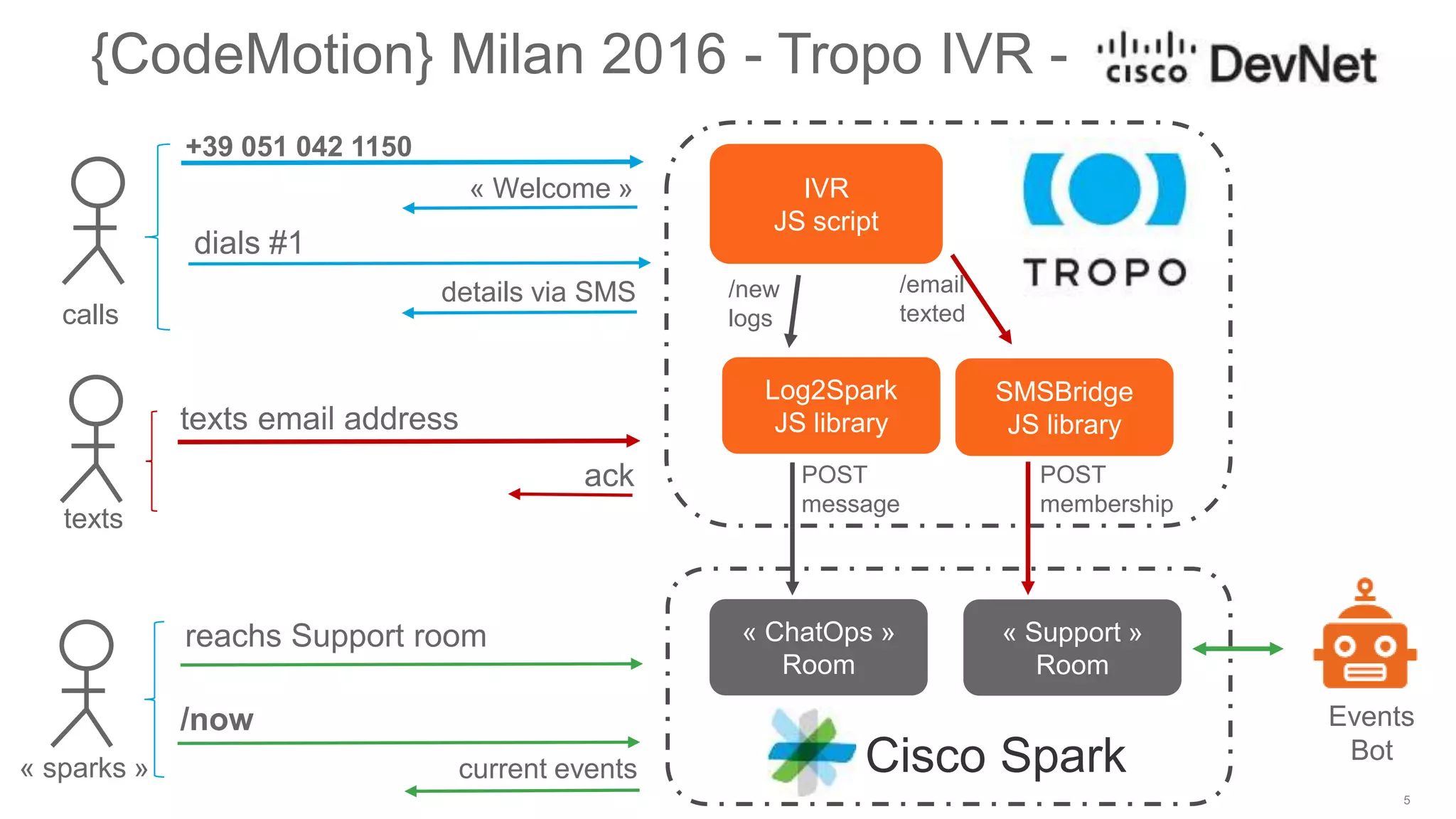
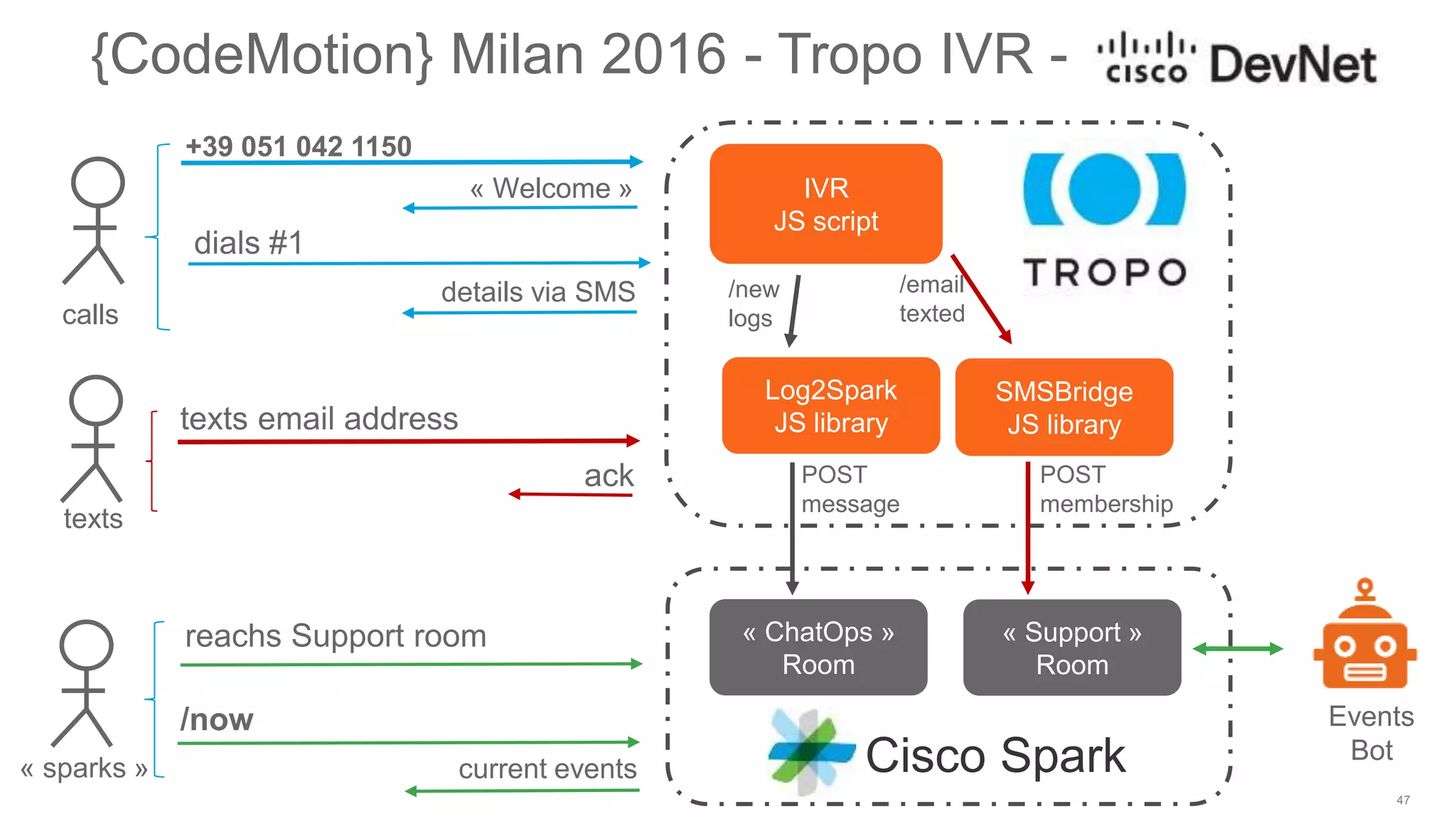
2
• Experience the CodeMotion Voice Machine & Cisco DevNet ChatBot
• Architecture
• Introduction to Tropo & Cisco Spark API
• Typical Bot Journey
• from Express to a bot framework
• what to consider
• T
• Ressources to go further
Agenda
+39 051 042 1150
!create an account on
http://tropo.com to go
hands-on live!
© 2016 Cisco and/or its affiliates. All rights reserved. Cisco Public
CodeMotion Milan 2016 IVR
Interactive Voice Responder
• Call +39 051 042 1150 and listen…
• Dial 1 to receive more details by SMS, 2 for next, 3 for previous
• Check you session details on your mobile phone
• Text your email to the caller (+1 414 999 0205) /! you’re texting US !!!
• Launch CiscoSpark, and meet the bot…
© 2016 Cisco and/or its affiliates. All rights reserved. Cisco Public
dials #1
{CodeMotion} Milan 2016 - Tropo IVR -
+39 051 042 1150
« Welcome »
details via SMS
ack
texts email address
/now
current events
calls
texts
« sparks »
IVR
JS script
Events
BotCisco Spark
POST
membership
reachs Support room
SMSBridge
JS library
/email
texted
Log2Spark
JS library
/new
logs
POST
message
« ChatOps »
Room
« Support »
Room
Voice Machine Responder
with Tropo
© 2016 Cisco and/or its affiliates. All rights reserved. Cisco Public
What is Tropo ?
Cloud APIs enabling developers to quickly
and easily embed communication capabilities
into their applications and business processes.
© 2016 Cisco and/or its affiliates. All rights reserved. Cisco Public
+
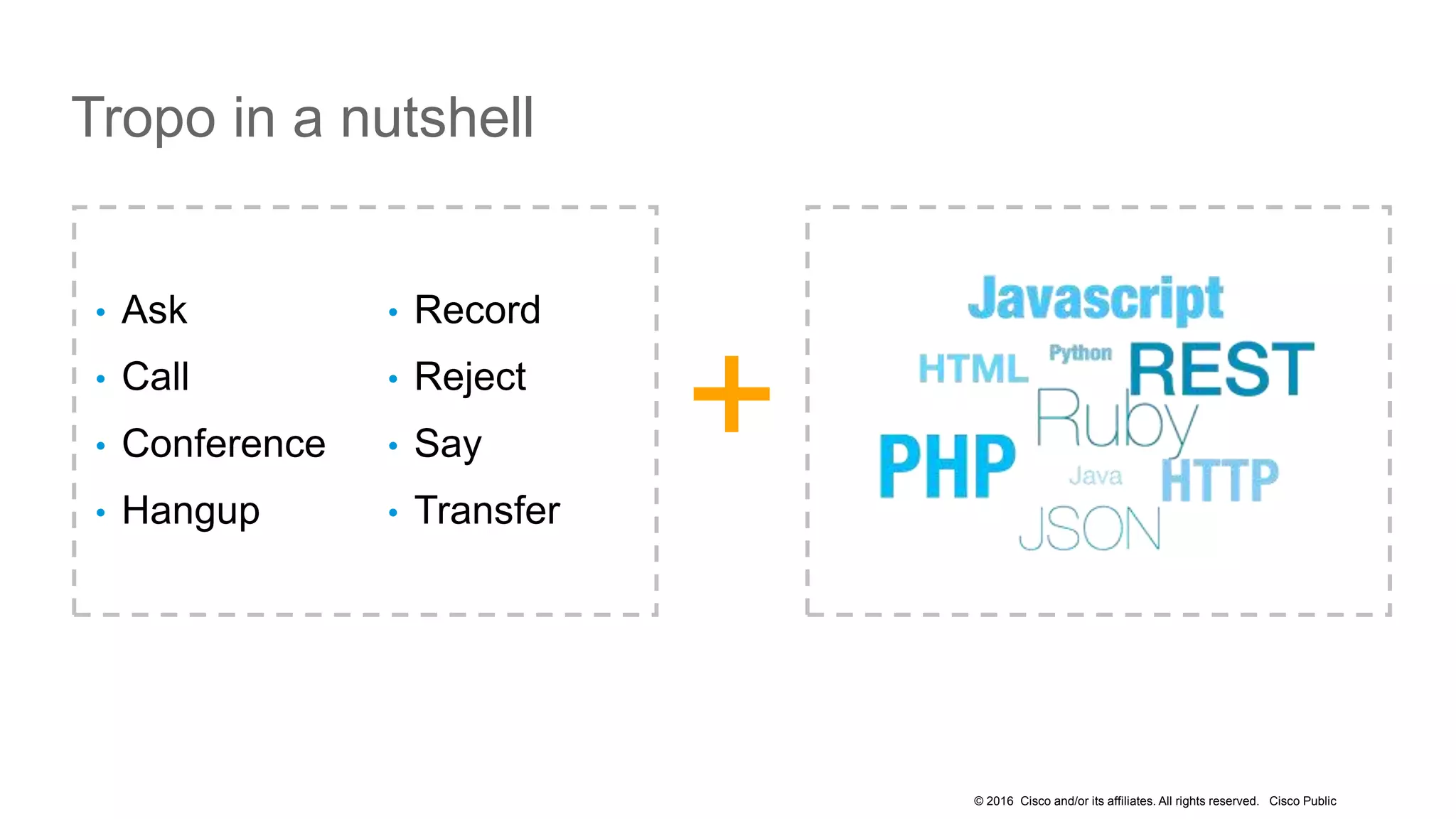
• Ask
• Call
• Conference
• Hangup
• Record
• Reject
• Say
• Transfer
Tropo in a nutshell
© 2016 Cisco and/or its affiliates. All rights reserved. Cisco Public
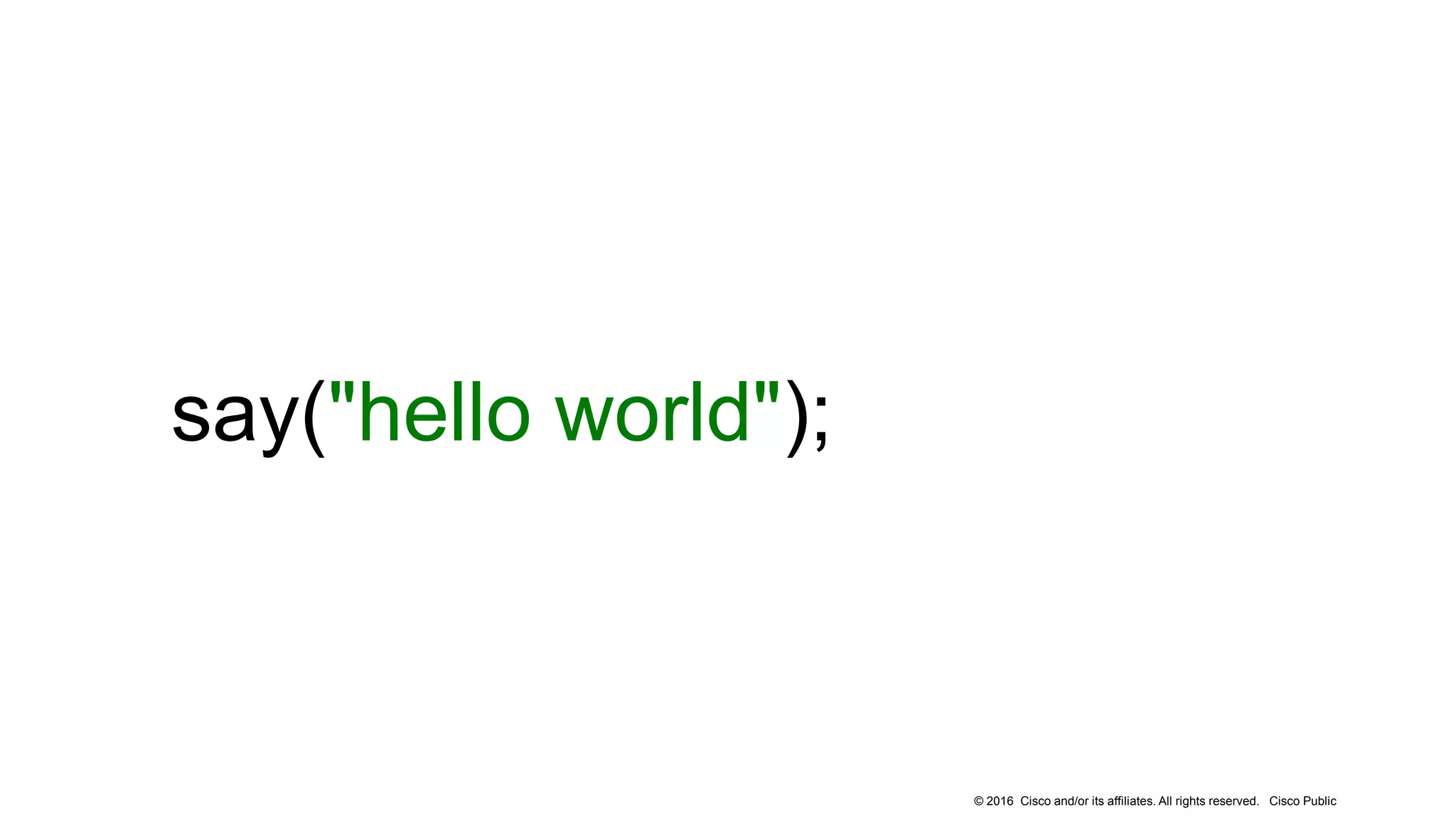
say("hello world");
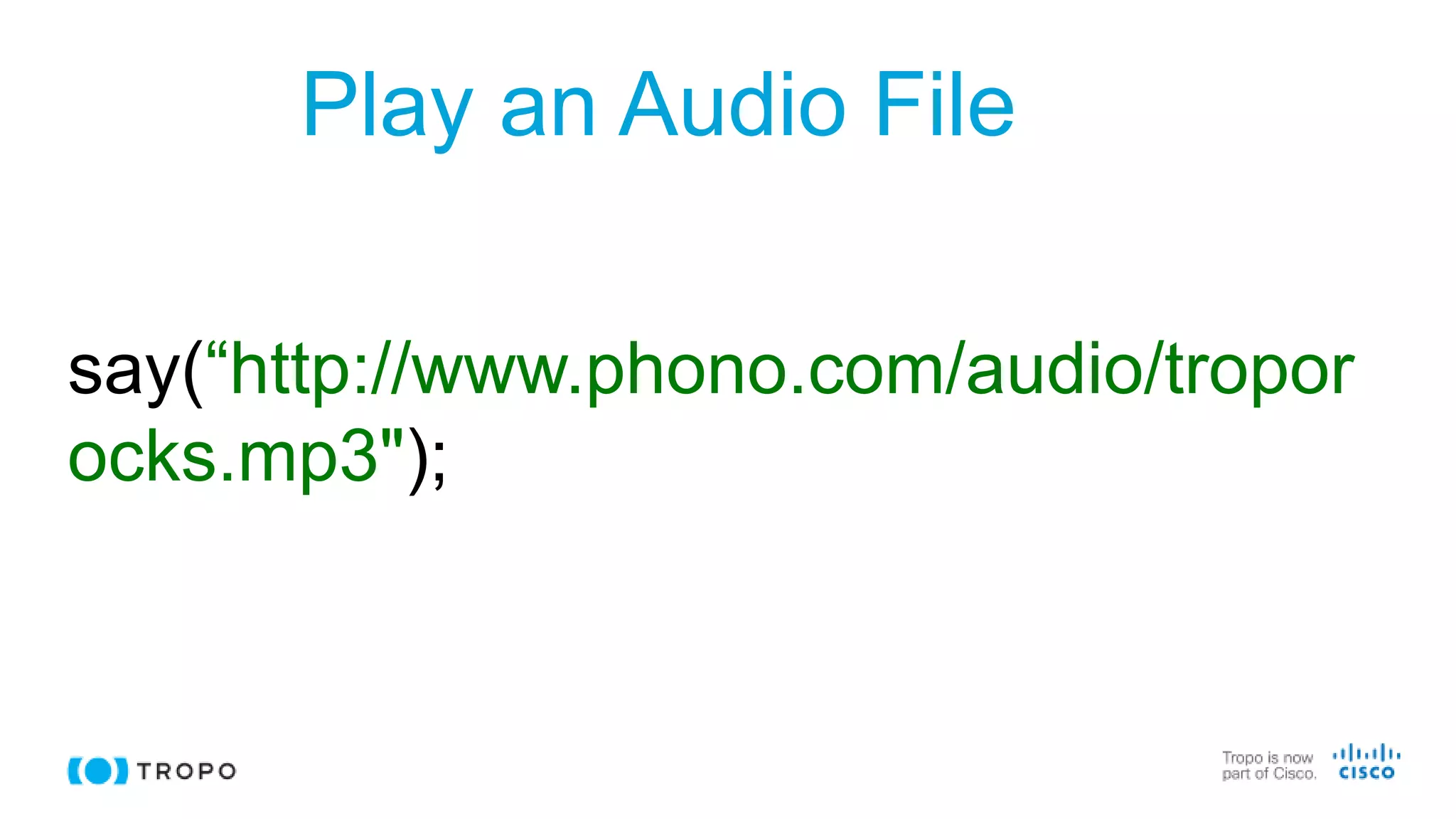
Play an Audio File
say(“http://www.phono.com/audio/tropor
ocks.mp3");
© 2016 Cisco and/or its affiliates. All rights reserved. Cisco Public
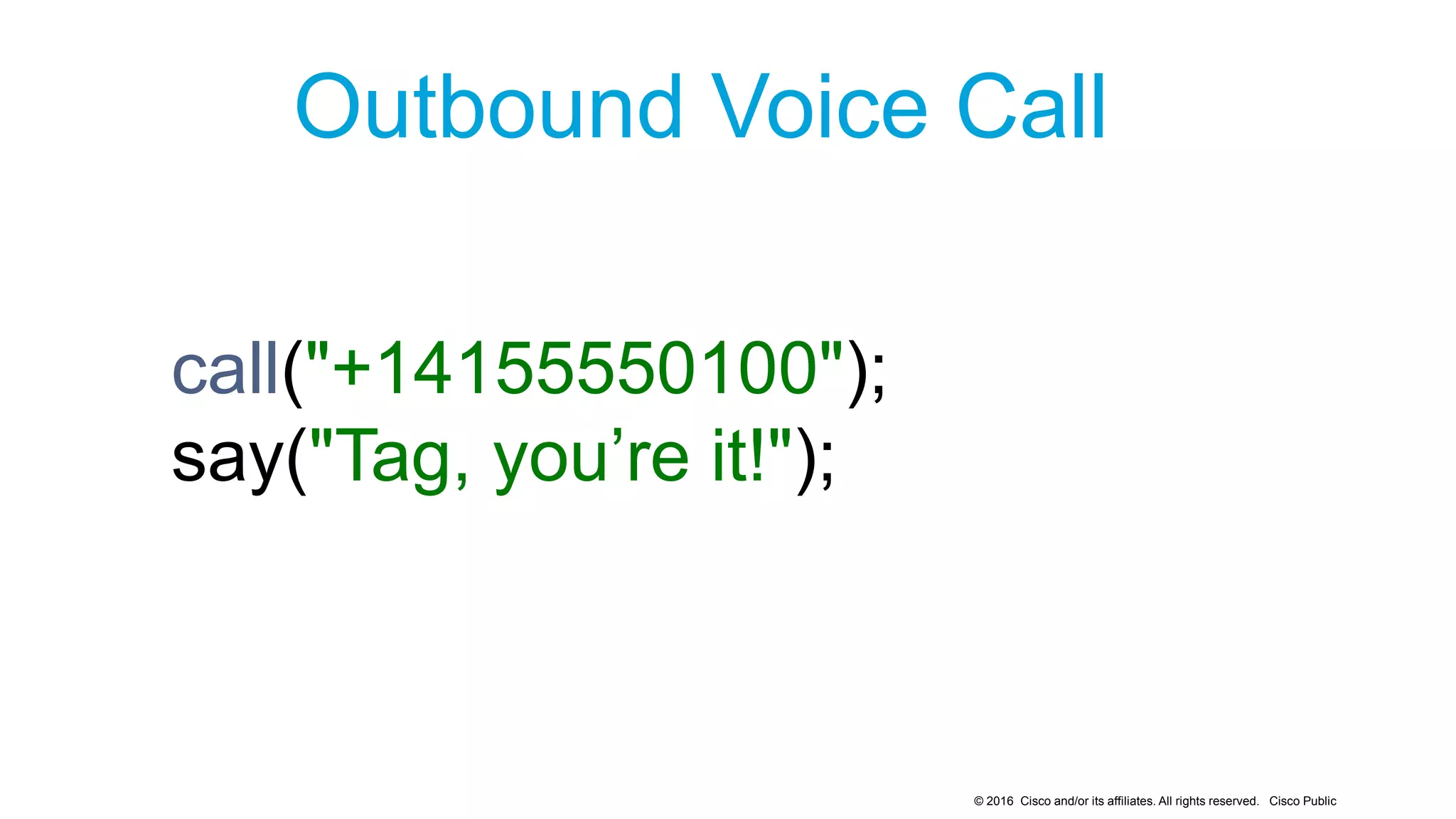
Outbound Voice Call
call("+14155550100");
say("Tag, you’re it!");
© 2016 Cisco and/or its affiliates. All rights reserved. Cisco Public
Asking
a
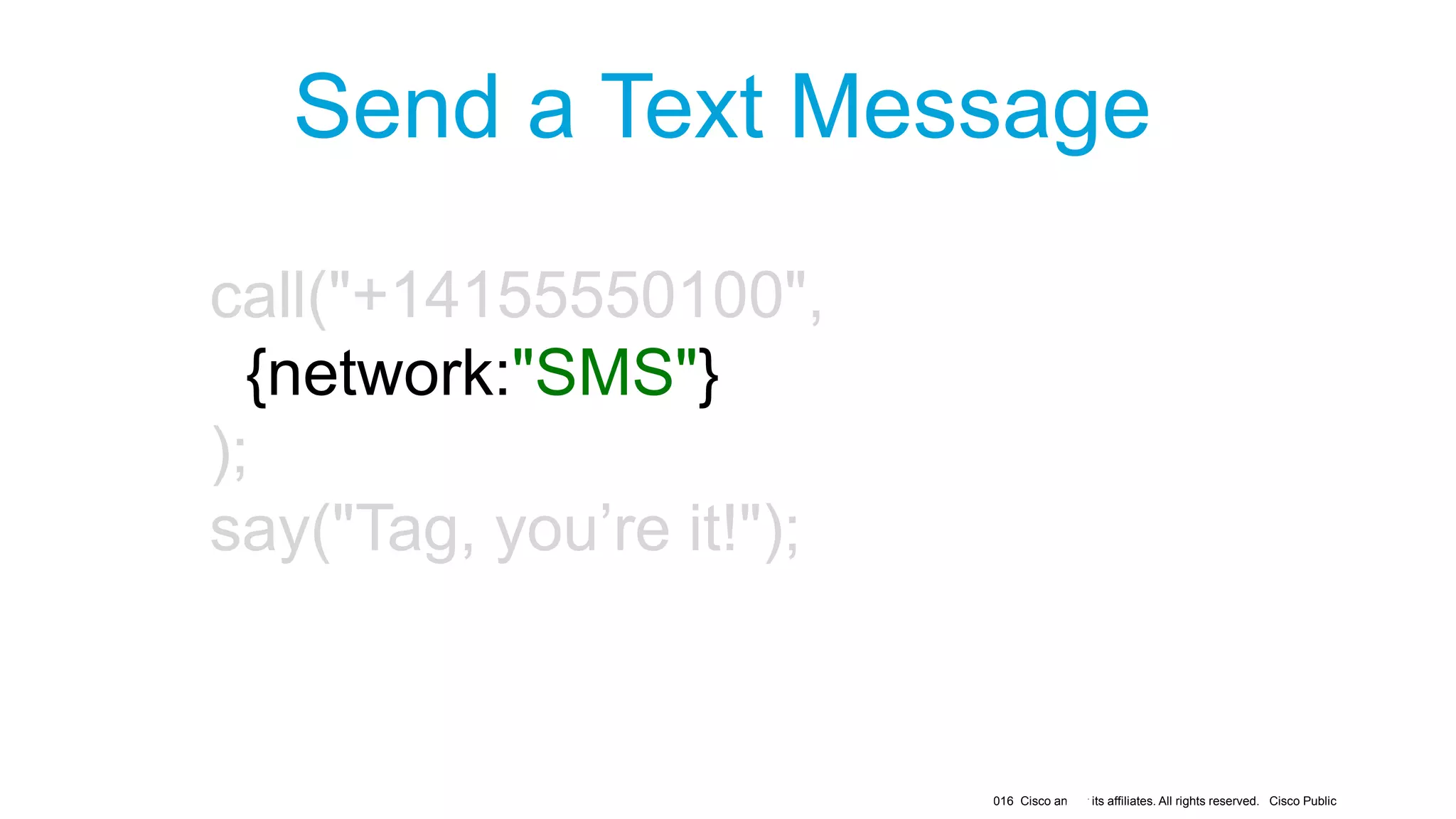
Send a Text Message
call("+14155550100",
{network:"SMS"}
);
say("Tag, you’re it!");
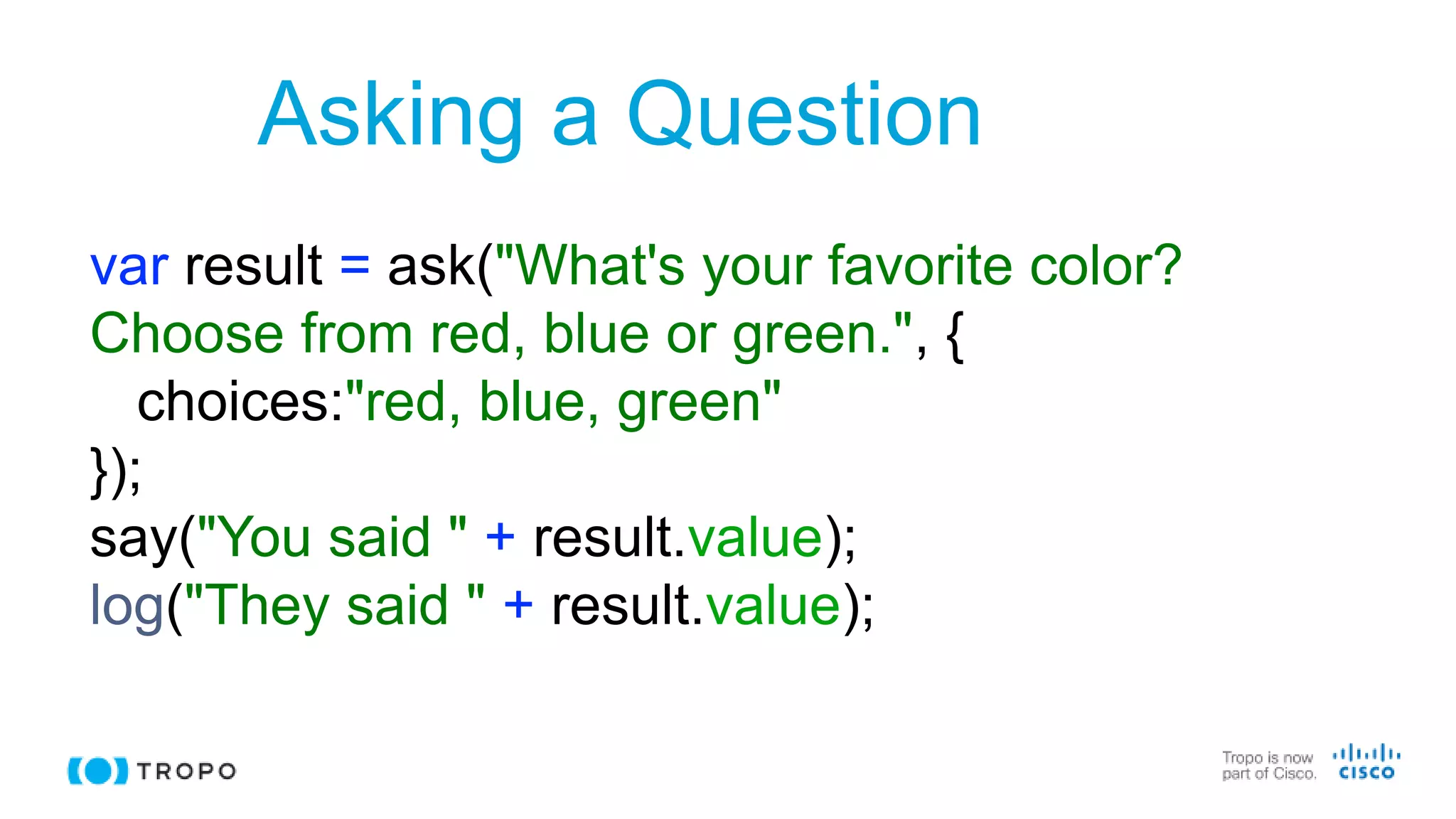
Asking a Question
var result = ask("What's your favorite color?
Choose from red, blue or green.", {
choices:"red, blue, green"
});
say("You said " + result.value);
log("They said " + result.value);
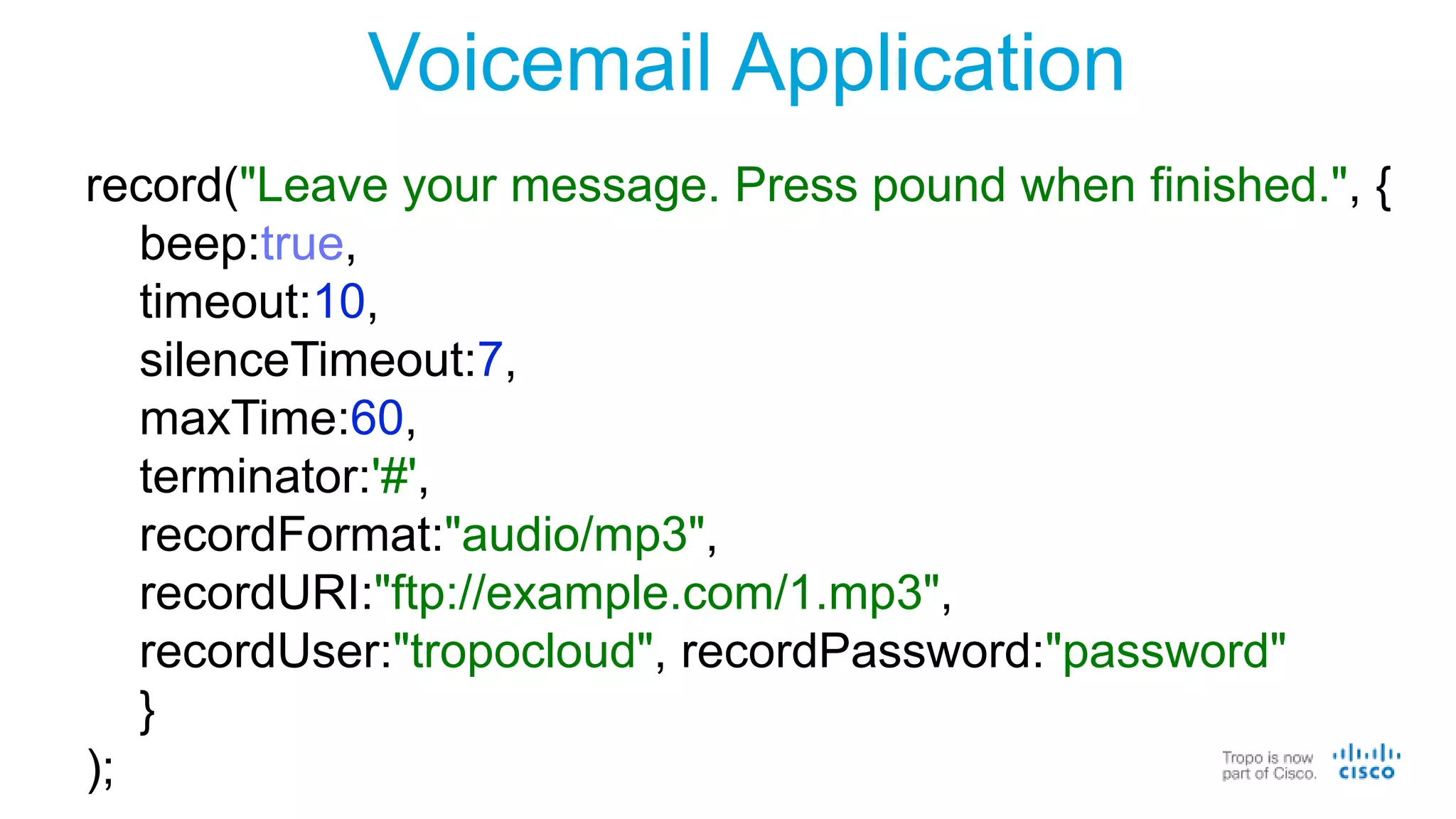
Voicemail Application
record("Leave your message. Press pound when finished.", {
beep:true,
timeout:10,
silenceTimeout:7,
maxTime:60,
terminator:'#',
recordFormat:"audio/mp3",
recordURI:"ftp://example.com/1.mp3",
recordUser:"tropocloud", recordPassword:"password"
}
);
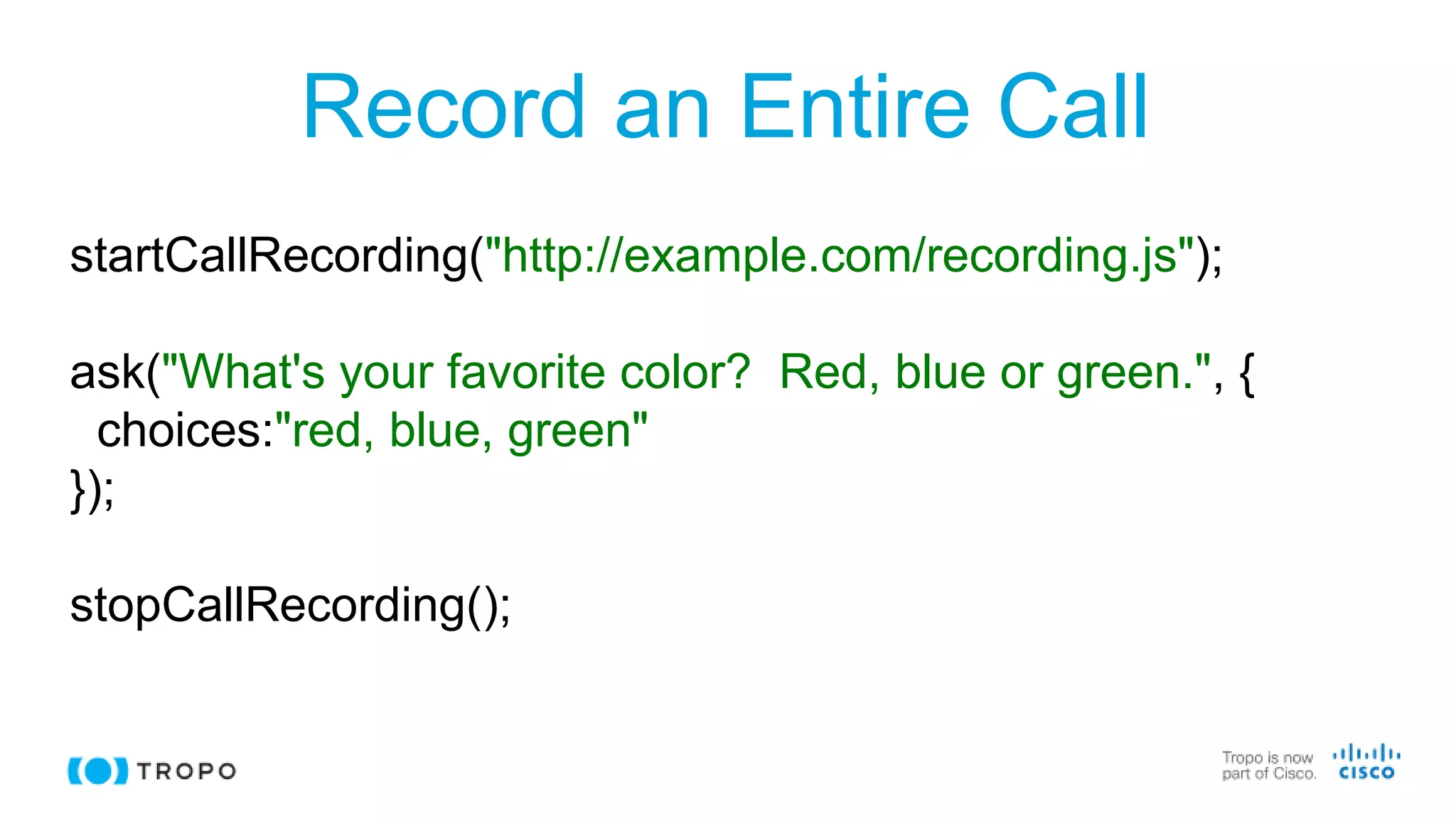
Record an Entire Call
startCallRecording("http://example.com/recording.js");
ask("What's your favorite color? Red, blue or green.", {
choices:"red, blue, green"
});
stopCallRecording();
© 2016 Cisco and/or its affiliates. All rights reserved. Cisco Public
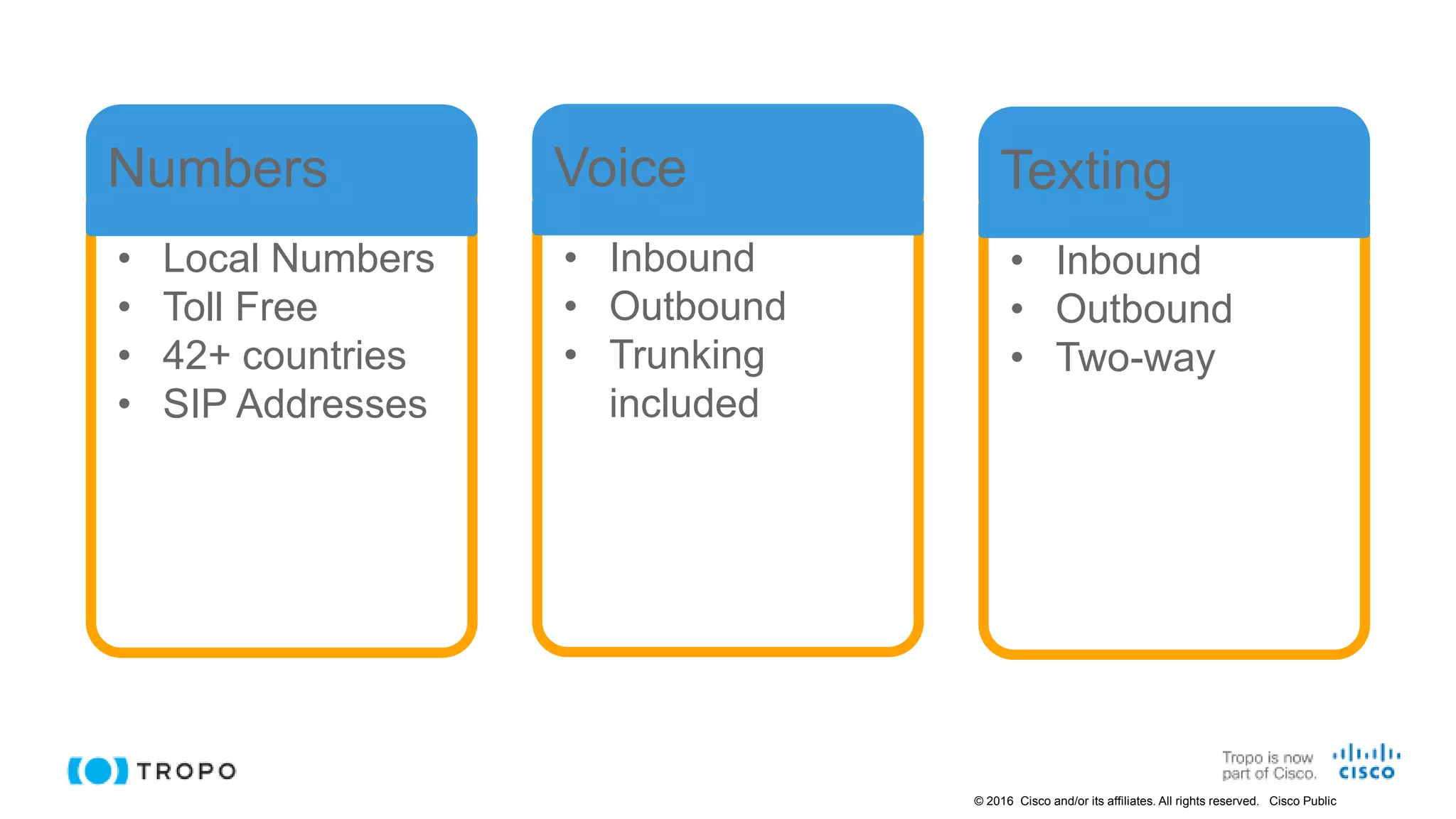
• Local Numbers
• Toll Free
• 42+ countries
• SIP Addresses
Numbers
• Inbound
• Outbound
• Trunking
included
Voice
• Inbound
• Outbound
• Two-way
Texting
© 2016 Cisco and/or its affiliates. All rights reserved. Cisco Public
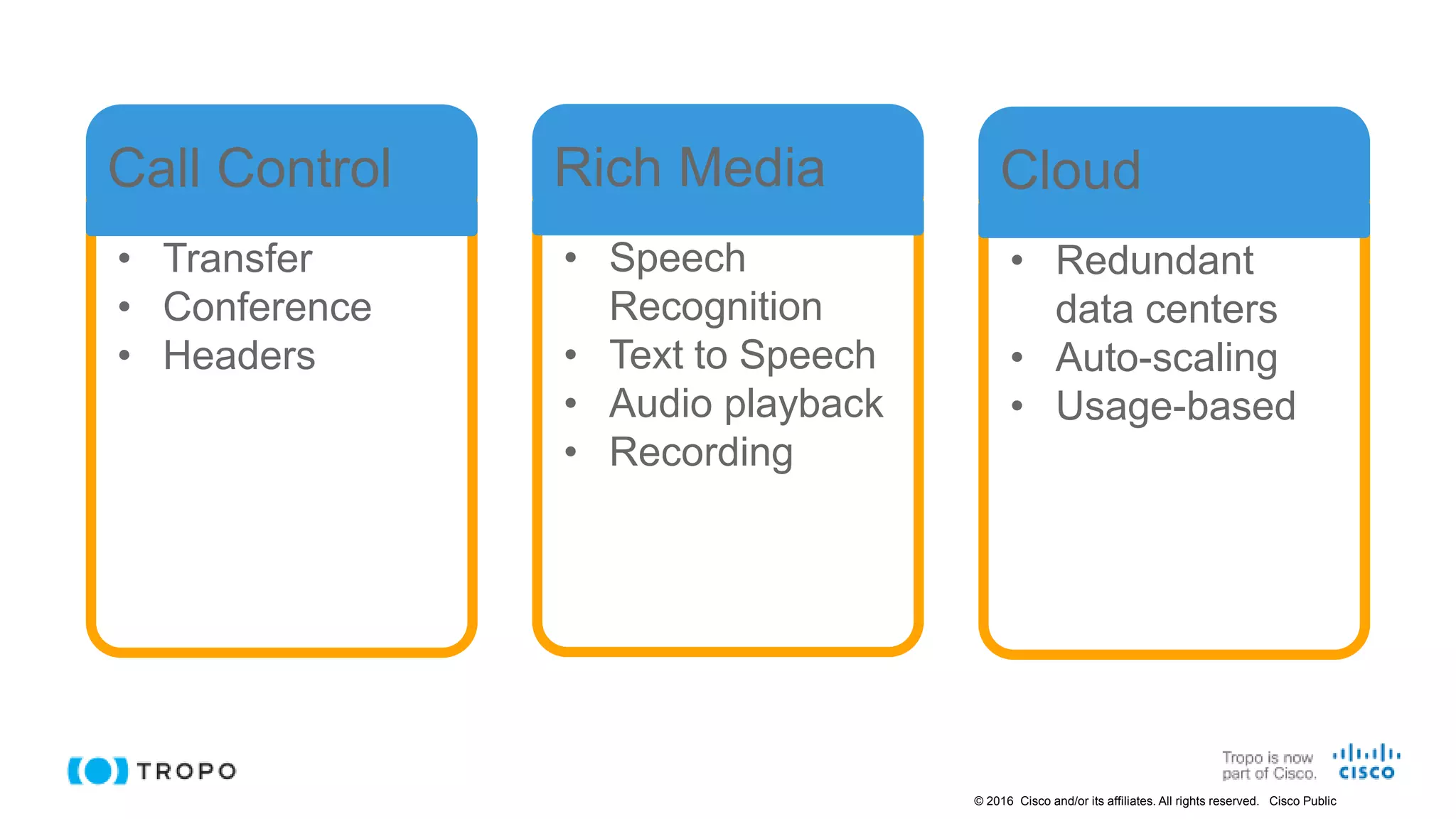
• Transfer
• Conference
• Headers
Call Control
• Speech
Recognition
• Text to Speech
• Audio playback
• Recording
Rich Media
• Redundant
data centers
• Auto-scaling
• Usage-based
Cloud
© 2016 Cisco and/or its affiliates. All rights reserved. Cisco Public
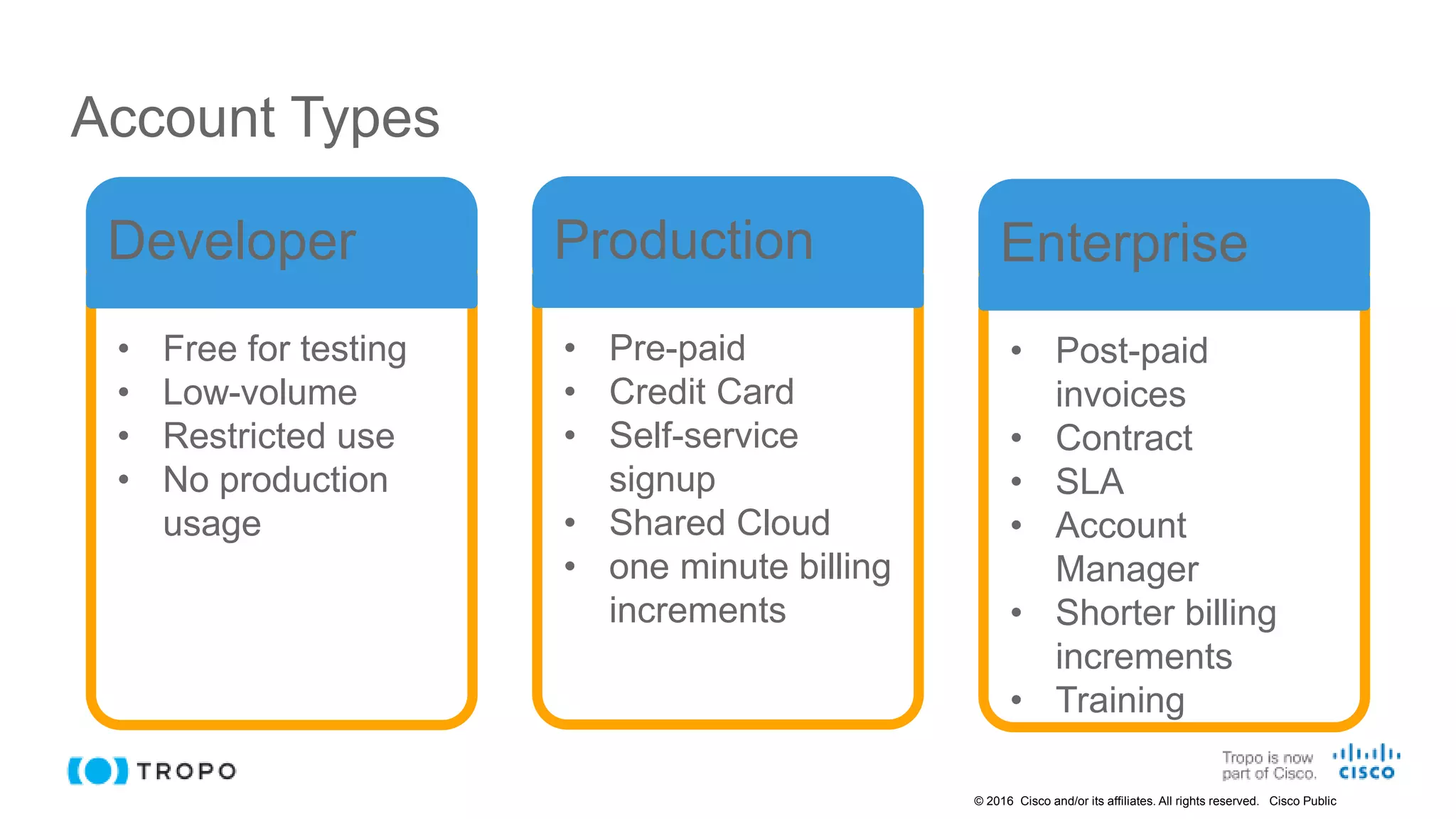
Account Types
• Free for testing
• Low-volume
• Restricted use
• No production
usage
Developer
• Pre-paid
• Credit Card
• Self-service
signup
• Shared Cloud
• one minute billing
increments
Production
• Post-paid
invoices
• Contract
• SLA
• Account
Manager
• Shorter billing
increments
• Training
Enterprise
© 2016 Cisco and/or its affiliates. All rights reserved. Cisco Public
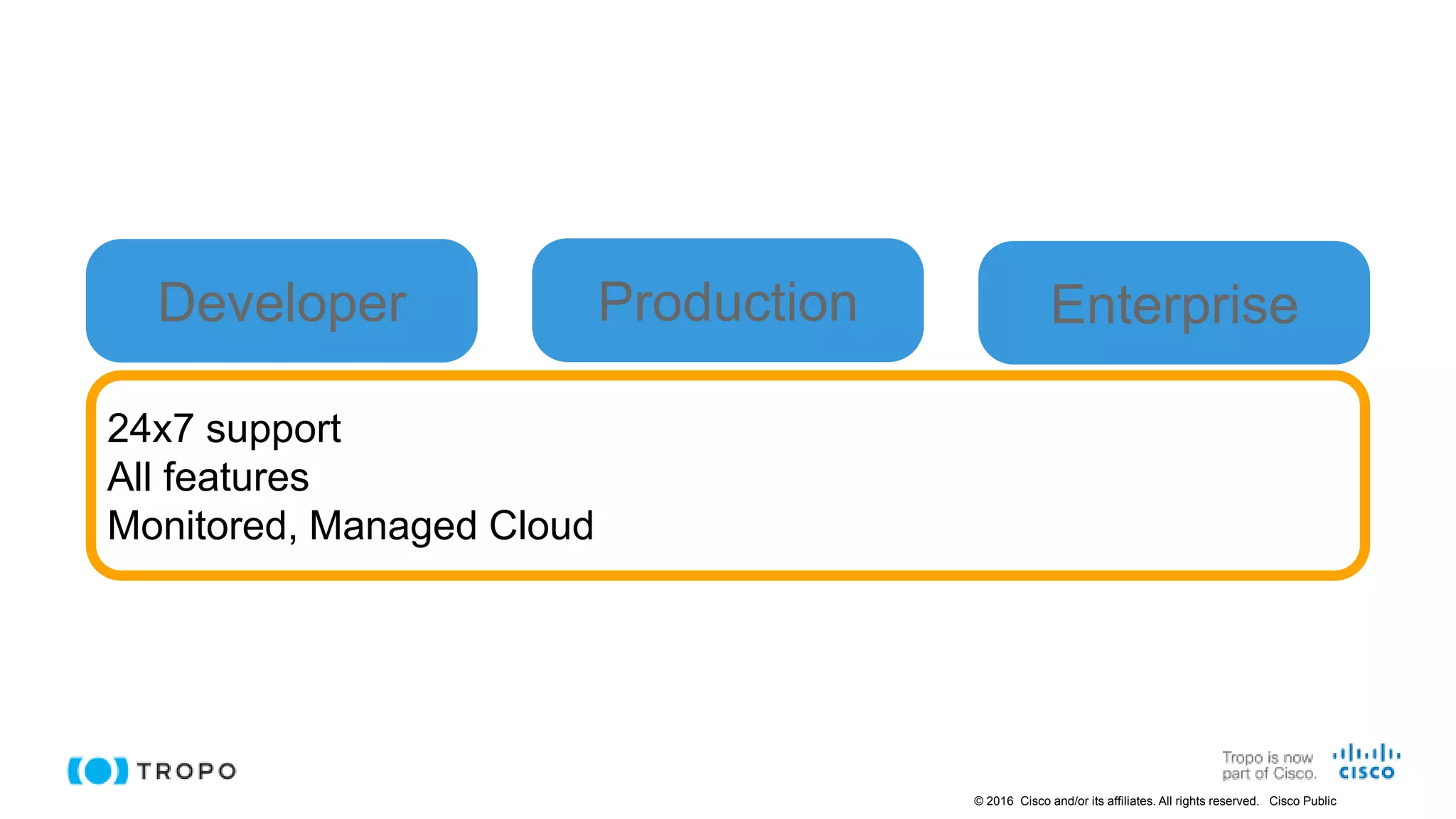
24x7 support
All features
Monitored, Managed Cloud
Developer Production Enterprise
© 2016 Cisco and/or its affiliates. All rights reserved. Cisco Public
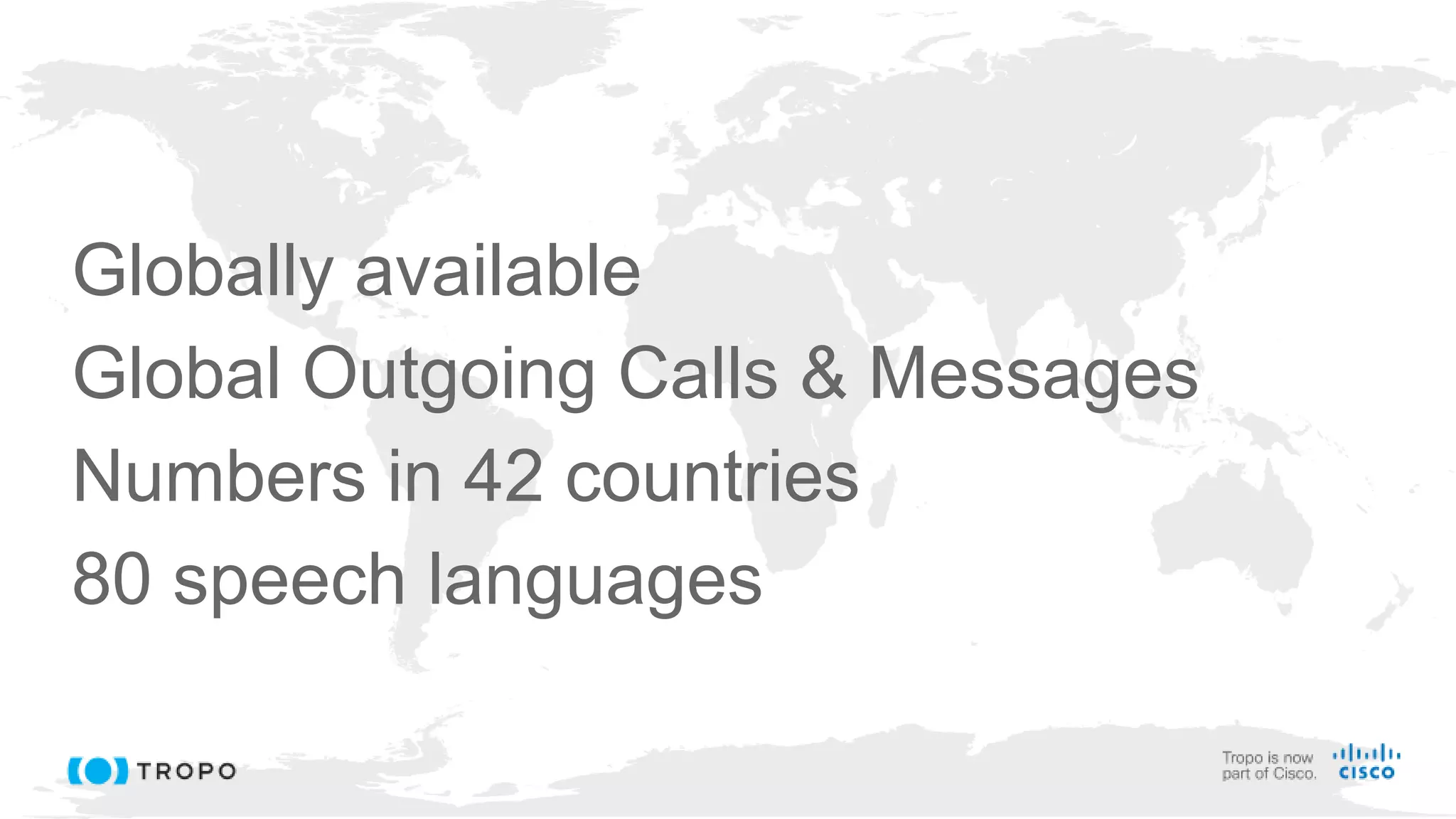
Globally available
Global Outgoing Calls & Messages
Numbers in 42 countries
80 speech languages
© 2016 Cisco and/or its affiliates. All rights reserved. Cisco Public
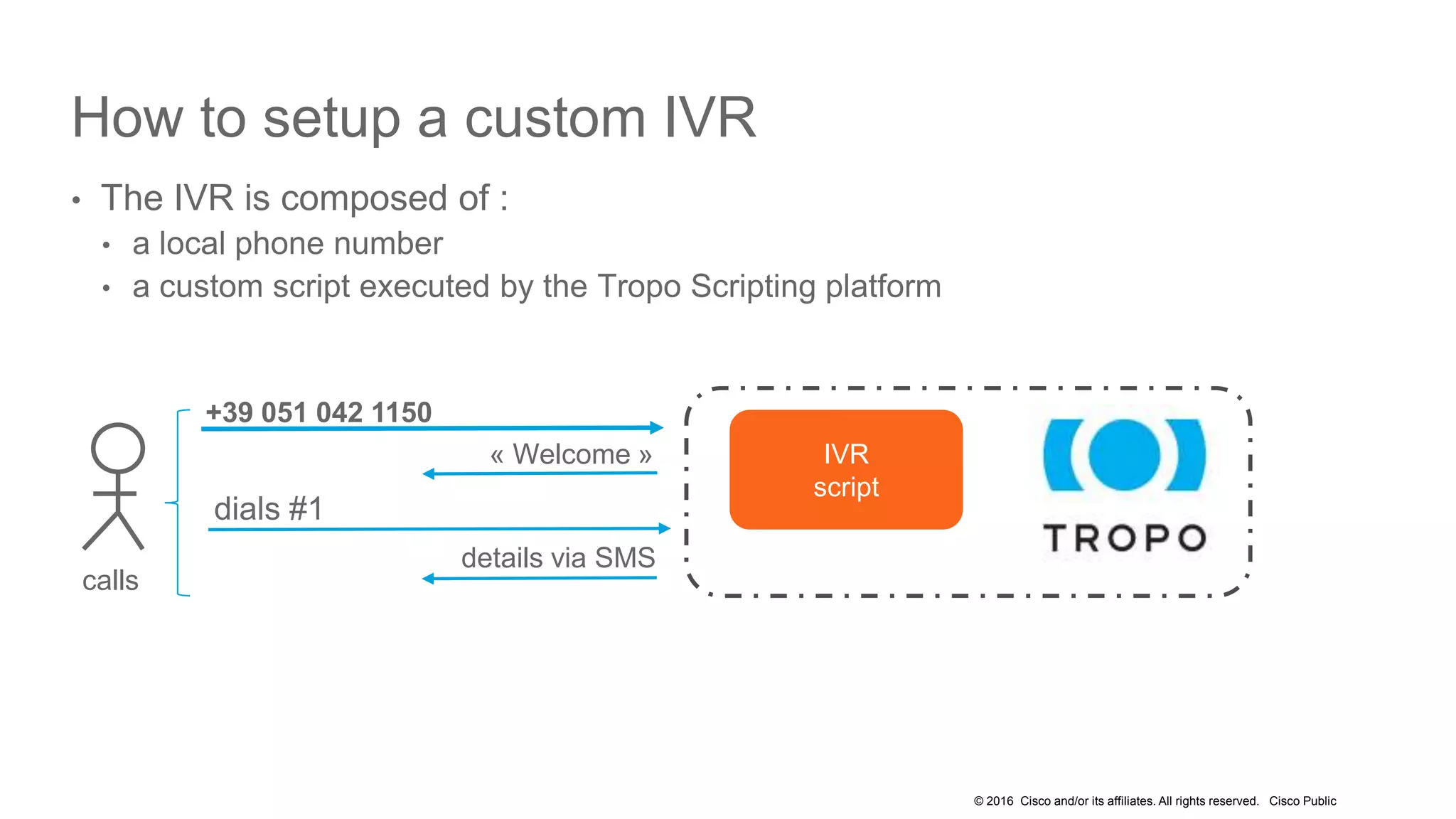
How to setup a custom IVR
• The IVR is composed of :
• a local phone number
• a custom script executed by the Tropo Scripting platform
dials #1
+39 051 042 1150
« Welcome »
details via SMS
calls
IVR
script
© 2016 Cisco and/or its affiliates. All rights reserved. Cisco Public
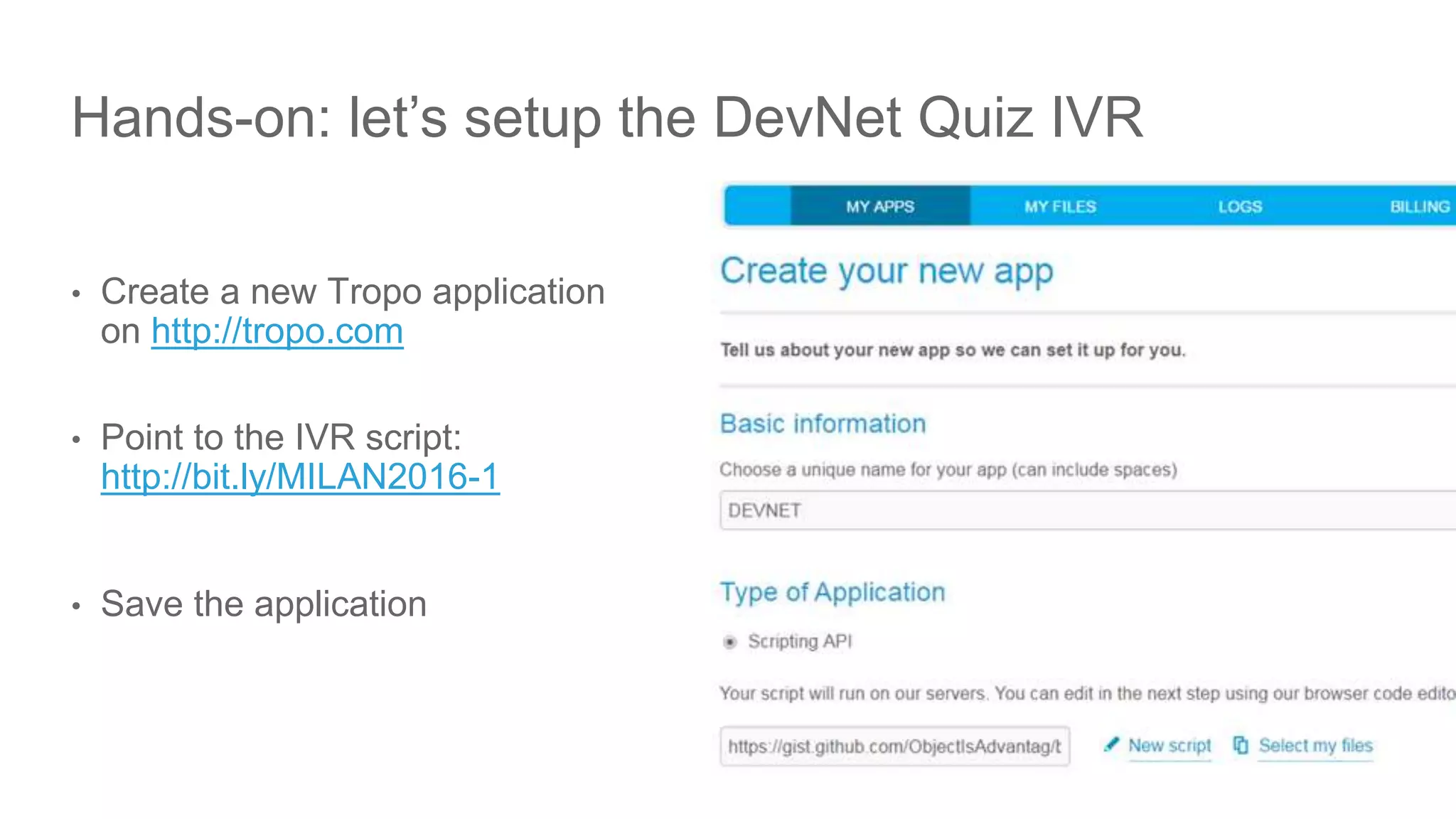
Hands-on: let’s setup the DevNet Quiz IVR
• Create a new Tropo application
on http://tropo.com
• Point to the IVR script:
http://bit.ly/MILAN2016-1
• Save the application
22
© 2016 Cisco and/or its affiliates. All rights reserved. Cisco Public
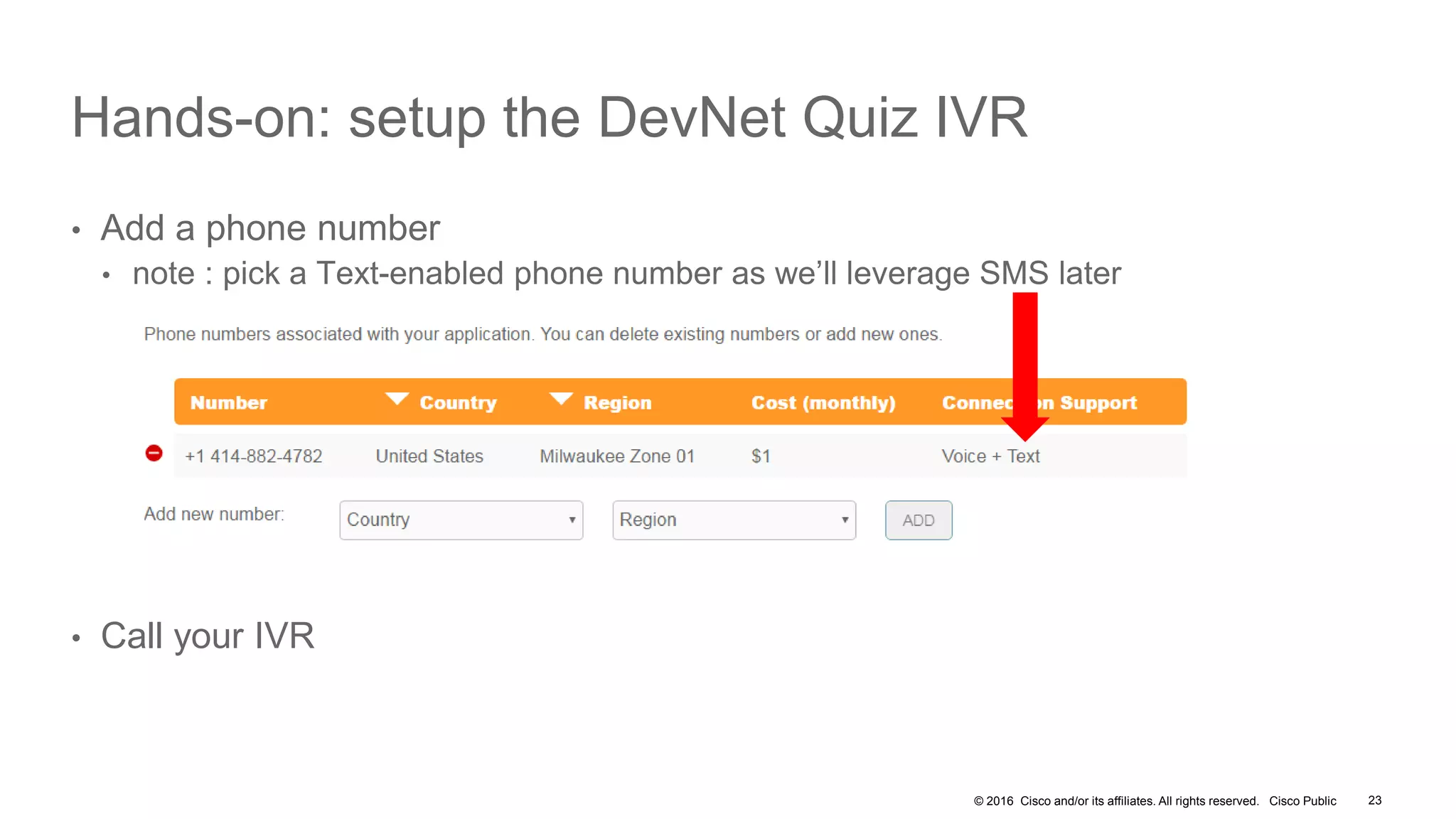
Hands-on: setup the DevNet Quiz IVR
• Add a phone number
• note : pick a Text-enabled phone number as we’ll leverage SMS later
• Call your IVR
23
© 2016 Cisco and/or its affiliates. All rights reserved. Cisco Public
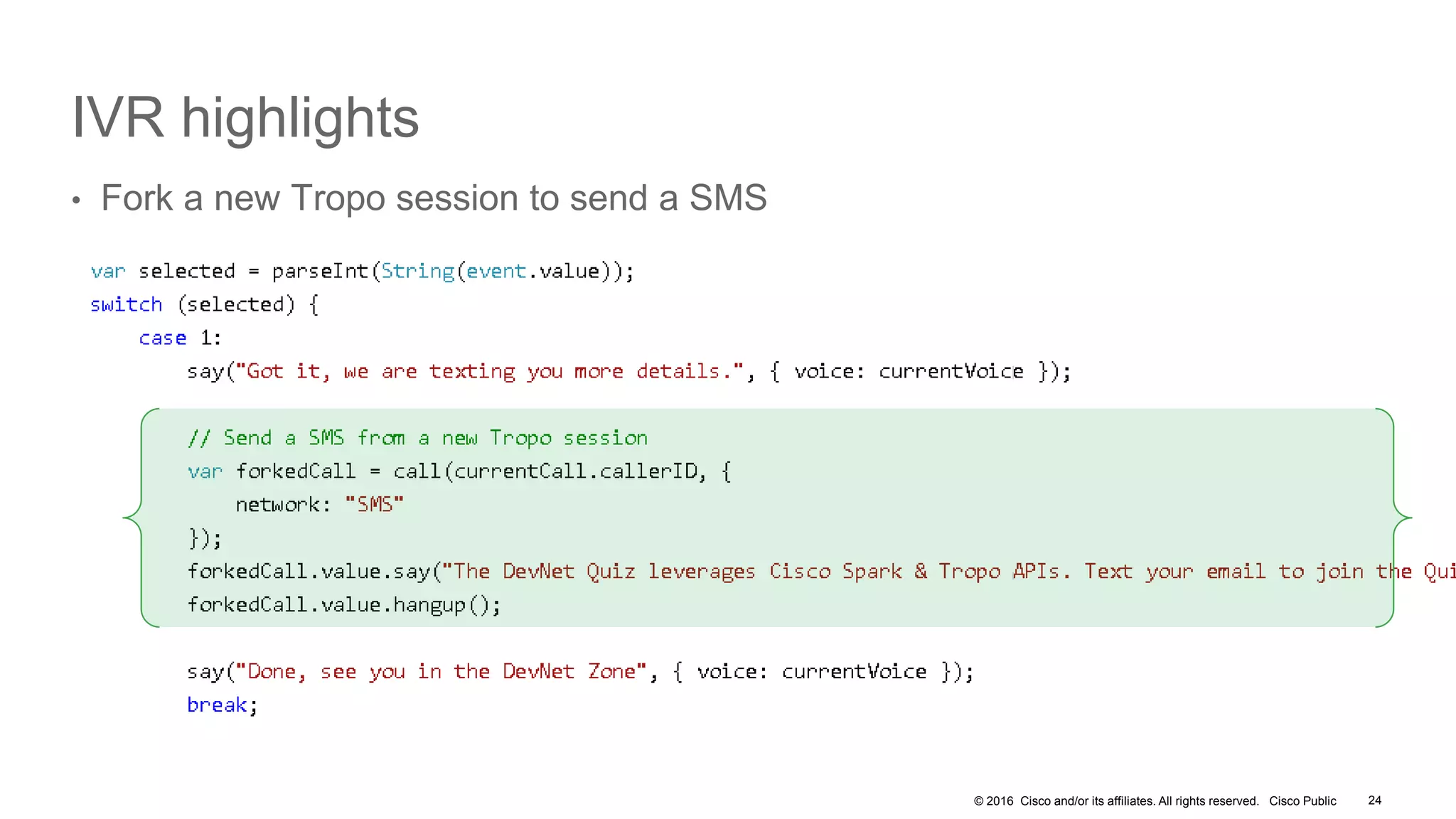
IVR highlights
• Fork a new Tropo session to send a SMS
24
© 2016 Cisco and/or its affiliates. All rights reserved. Cisco Public
To go further…
• Personalize your IVR
• Modify the invites, play audio files
• Pick international voices
• Use SSML to enhance your User Experience
• Understand how the Tropo Scripting platform manages your files
• For development, host your scripts on an external URL for changes to reflect
instanlty
• As Tropo will fetch your script everytime it is invoked
• Host on Github gist, edit your favorite IDE
• https://www.tropo.com/2016/06/gists-can-help-tropo-scripting-development/
• When going live, host your scripts on Tropo Production File Servers
25
© 2016 Cisco and/or its affiliates. All rights reserved. Cisco Public
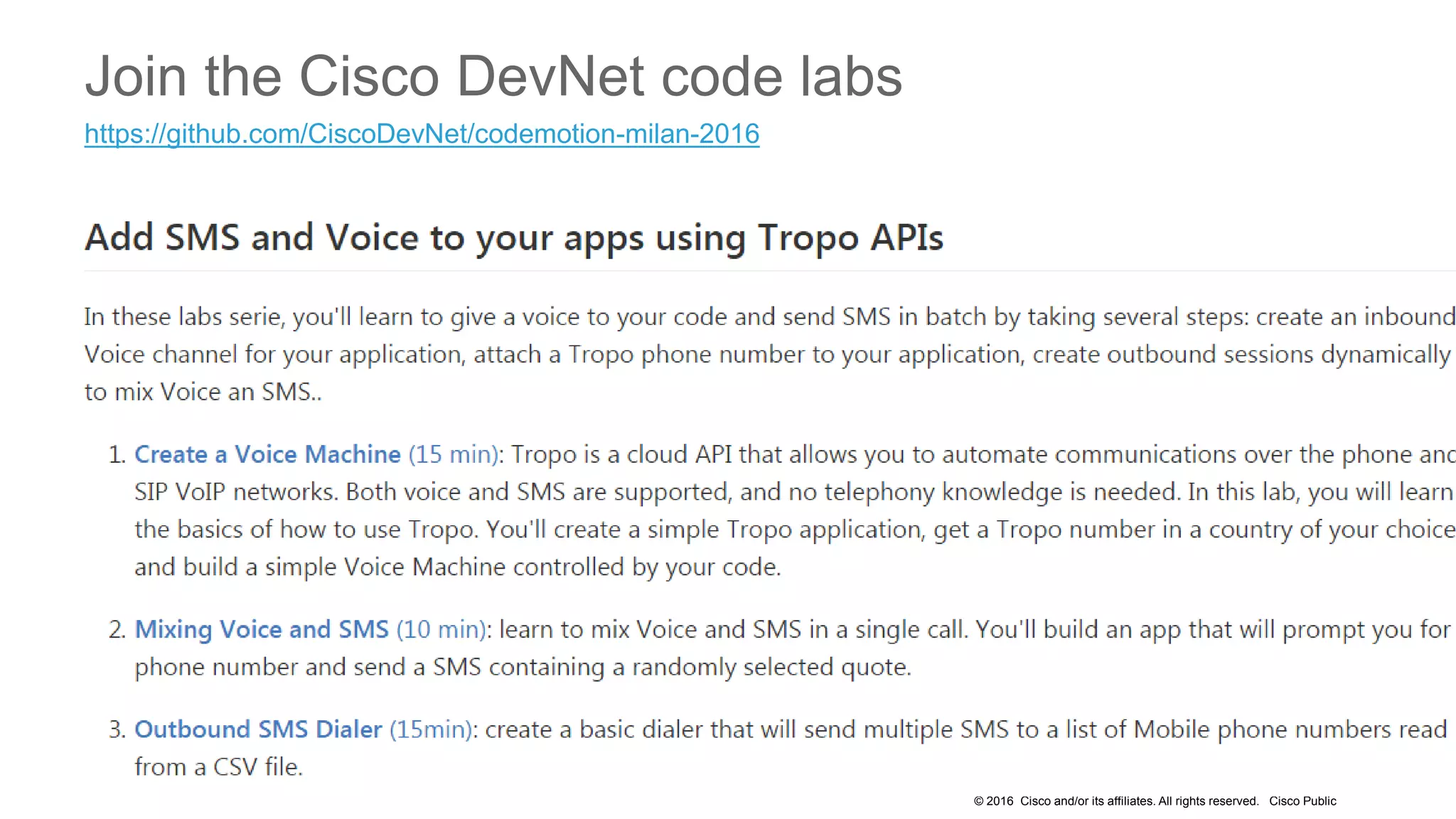
Join the Cisco DevNet code labs
https://github.com/CiscoDevNet/codemotion-milan-2016
Cisco Spark ChatOps
© 2016 Cisco and/or its affiliates. All rights reserved. Cisco Public
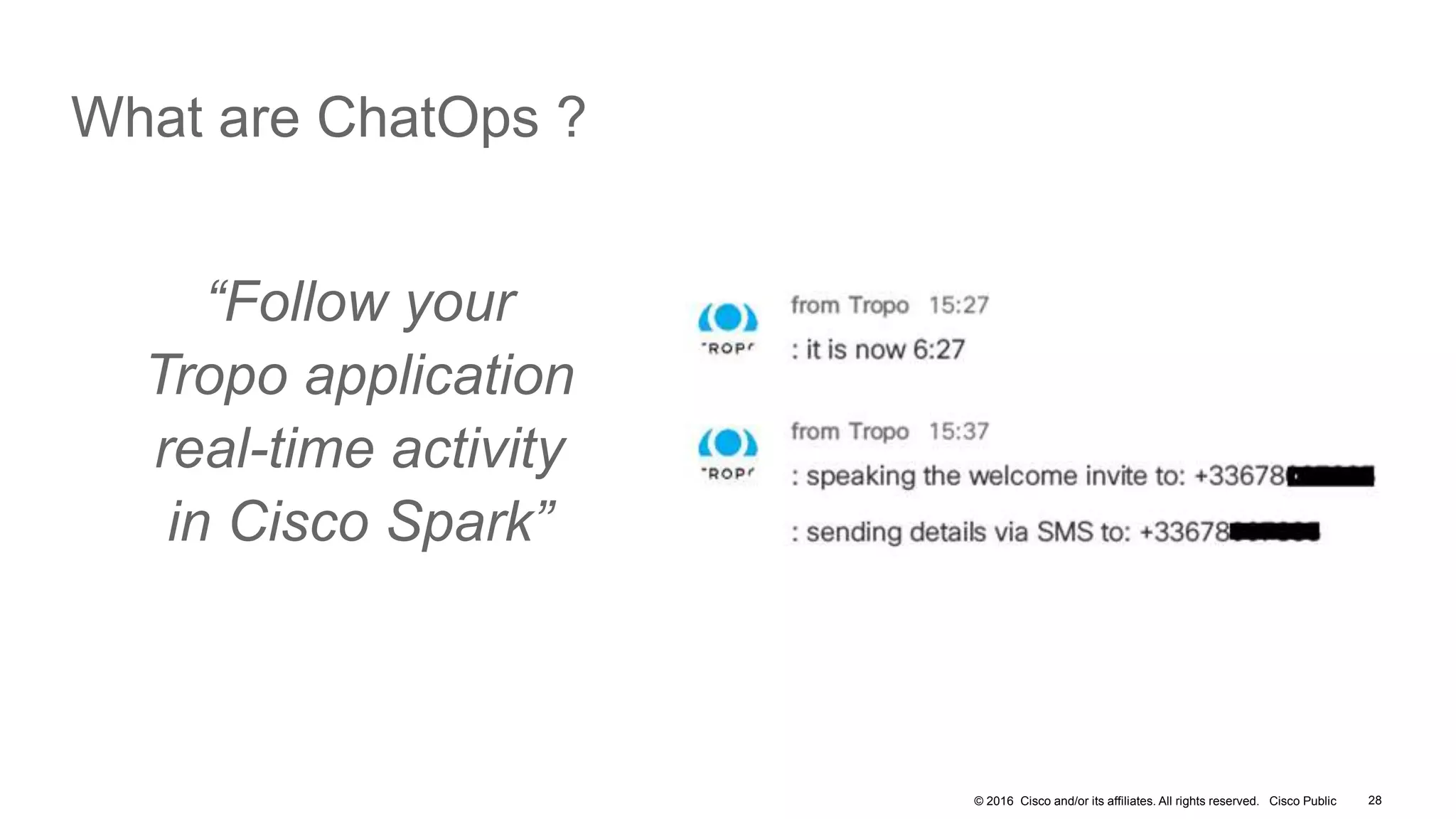
What are ChatOps ?
28
“Follow your
Tropo application
real-time activity
in Cisco Spark”
© 2016 Cisco and/or its affiliates. All rights reserved. Cisco Public
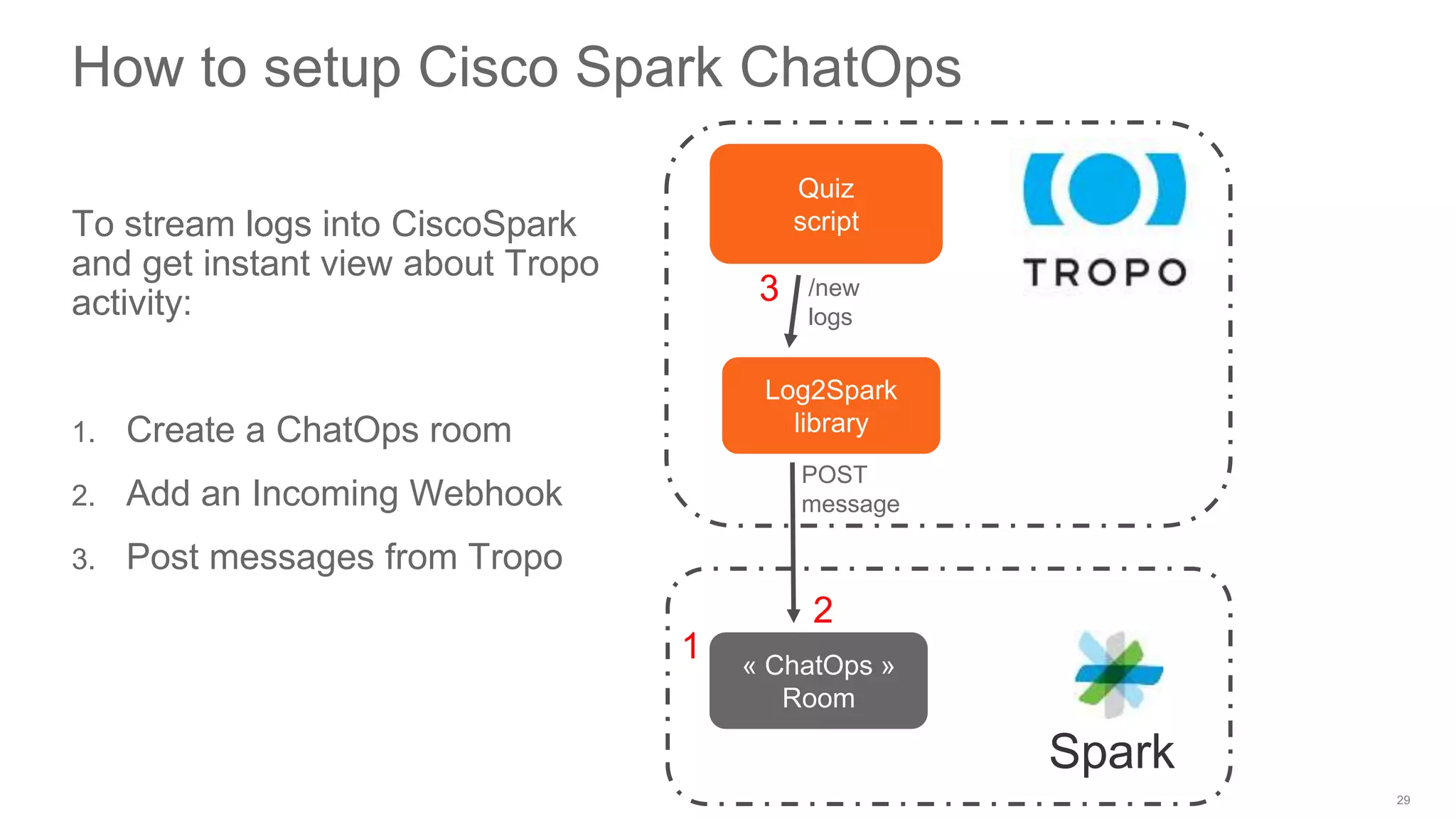
How to setup Cisco Spark ChatOps
To stream logs into CiscoSpark
and get instant view about Tropo
activity:
1. Create a ChatOps room
2. Add an Incoming Webhook
3. Post messages from Tropo
Quiz
script
Spark
Log2Spark
library
/new
logs
POST
message
« ChatOps »
Room
1
2
3
© 2016 Cisco and/or its affiliates. All rights reserved. Cisco Public
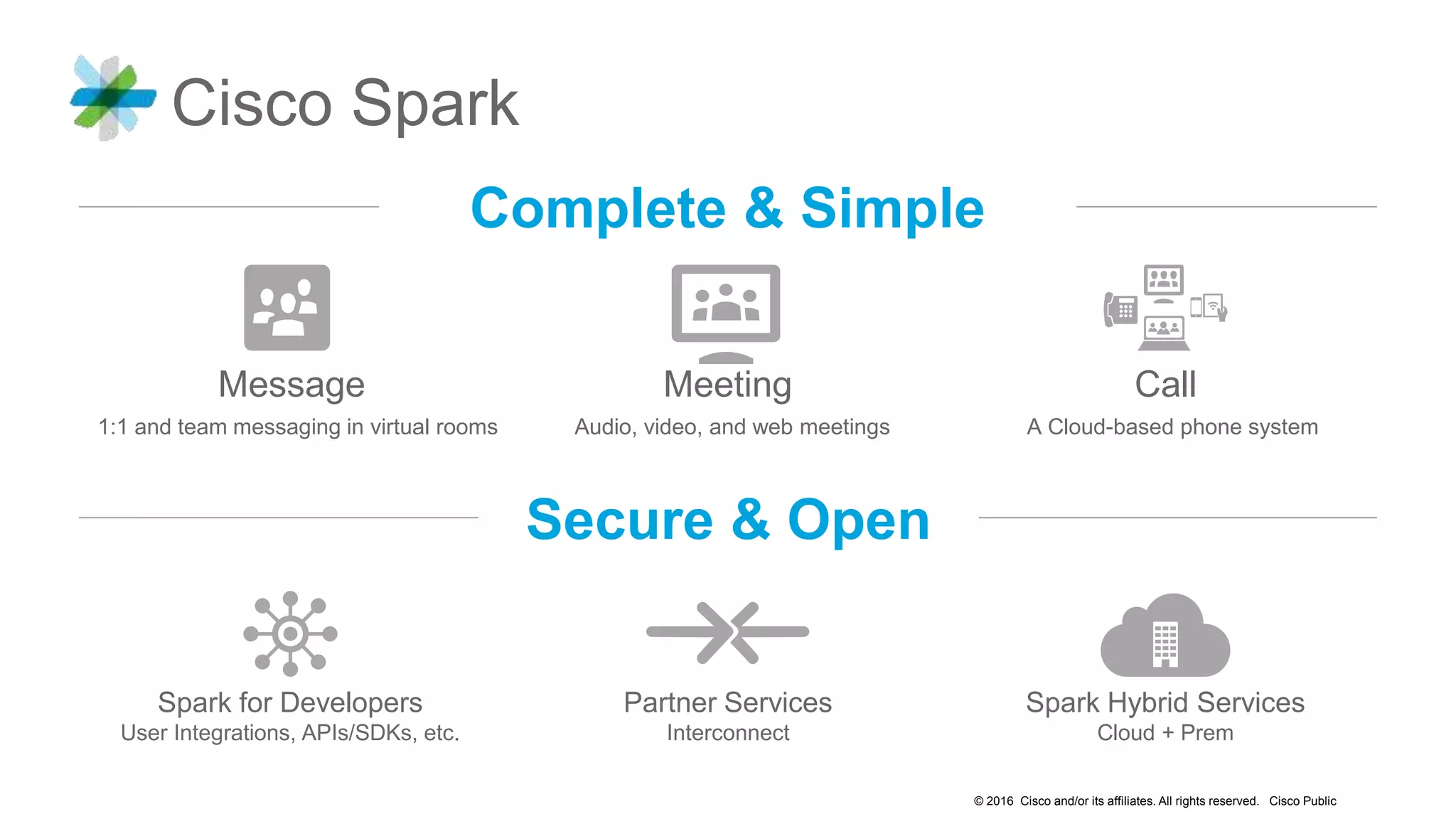
Cisco Spark
Secure & Open
Complete & Simple
Spark for Developers
User Integrations, APIs/SDKs, etc.
Spark Hybrid Services
Cloud + Prem
Partner Services
Interconnect
Message Meeting Call
1:1 and team messaging in virtual rooms A Cloud-based phone systemAudio, video, and web meetings
© 2016 Cisco and/or its affiliates. All rights reserved. Cisco Public
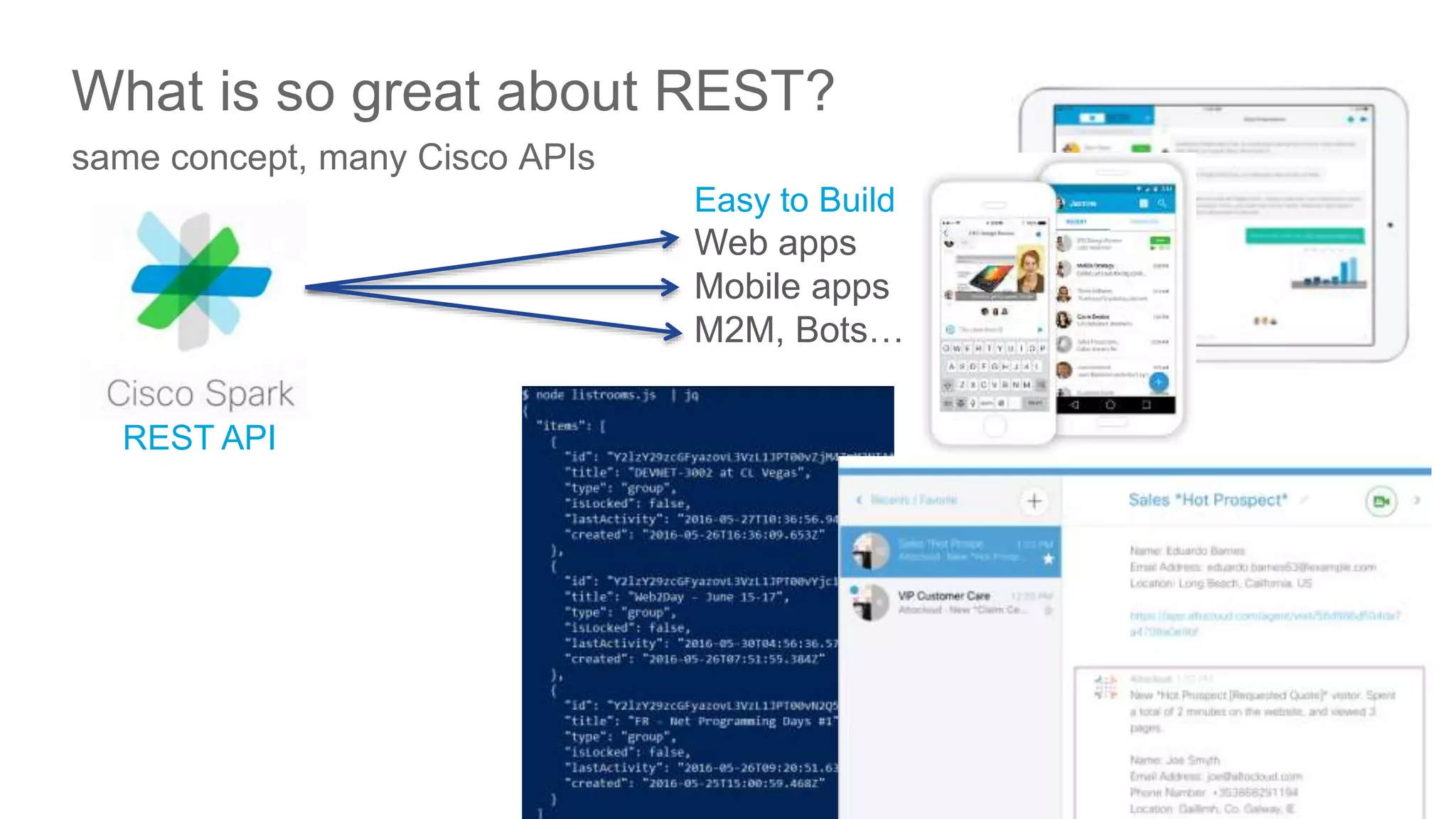
What is so great about REST?
same concept, many Cisco APIs
Easy to Build
Web apps
Mobile apps
M2M, Bots…
REST API
31
© 2016 Cisco and/or its affiliates. All rights reserved. Cisco Public
‘Your App’
now with
Cisco Collab!
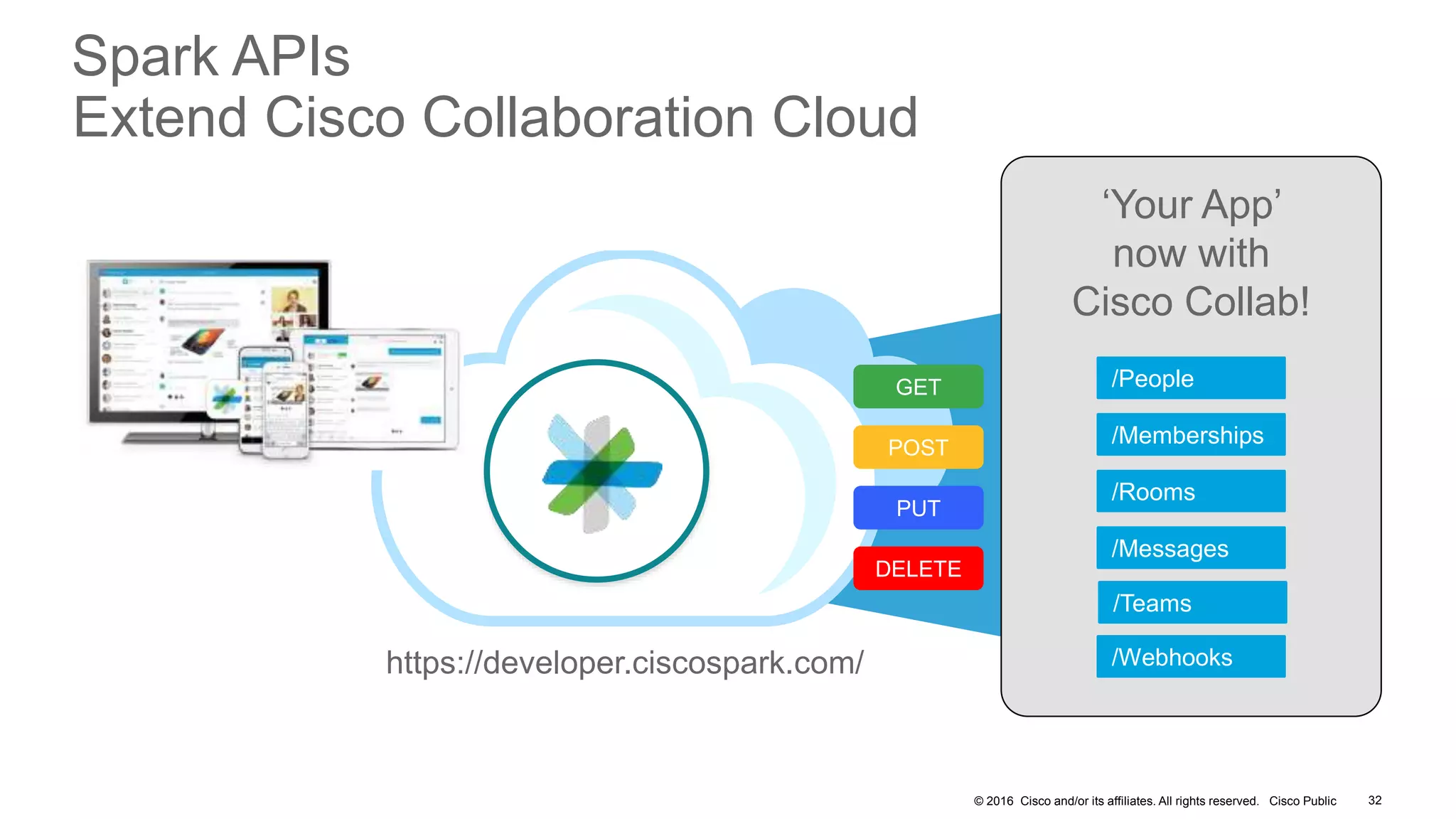
Spark APIs
Extend Cisco Collaboration Cloud
GET
POST
DELETE
PUT
/Rooms
/Memberships
/Messages
/Webhooks
/People
32
/Teams
https://developer.ciscospark.com/
© 2016 Cisco and/or its affiliates. All rights reserved. Cisco Public
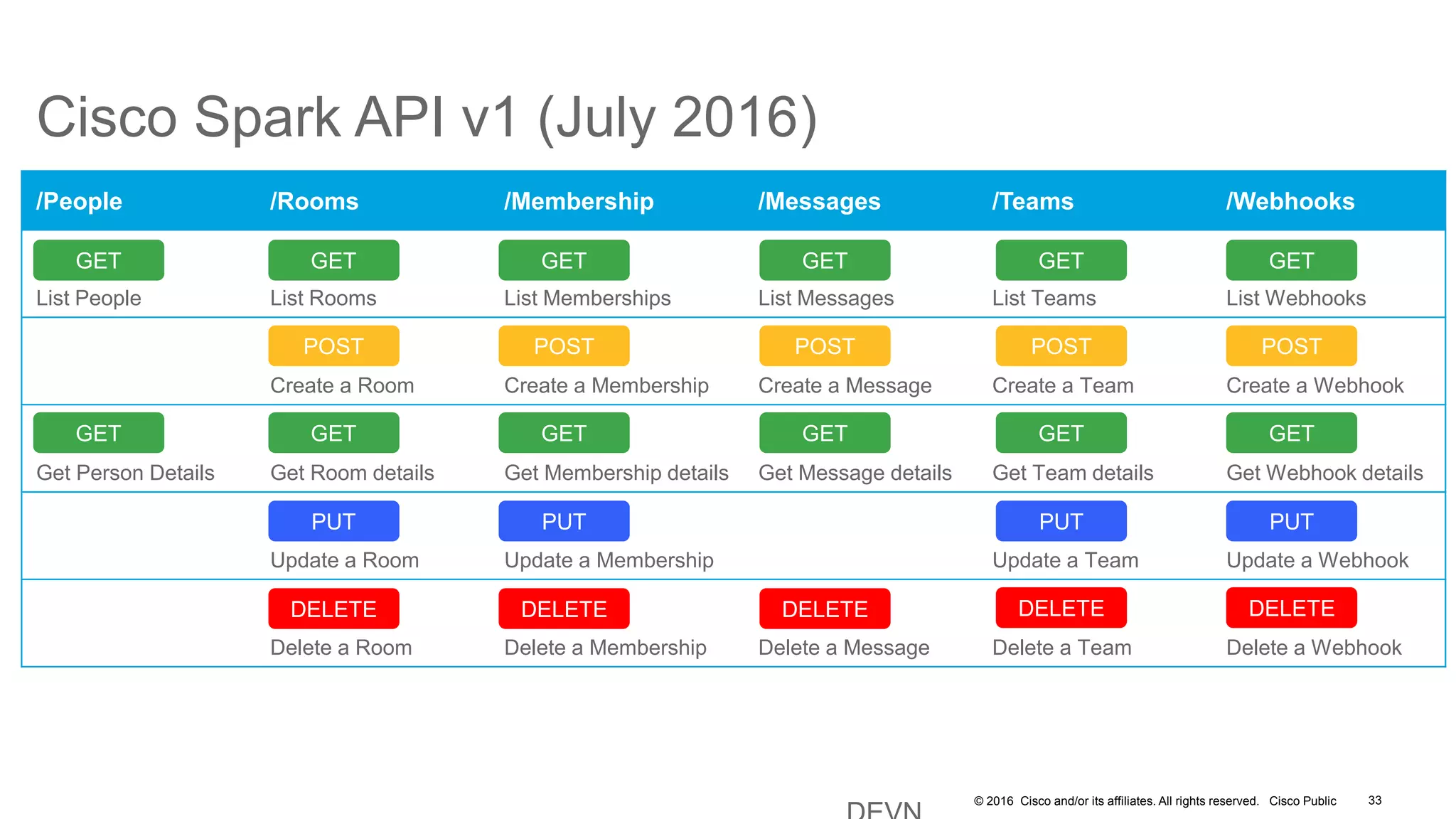
Cisco Spark API v1 (July 2016)
/People /Rooms /Membership /Messages /Teams /Webhooks
List People List Rooms List Memberships List Messages List Teams List Webhooks
Create a Room Create a Membership Create a Message Create a Team Create a Webhook
Get Person Details Get Room details Get Membership details Get Message details Get Team details Get Webhook details
Update a Room Update a Membership Update a Team Update a Webhook
Delete a Room Delete a Membership Delete a Message Delete a Team Delete a Webhook
GET
POST
DELETE
PUT
DELETE DELETE DELETE
PUT PUT
POST POST POST
GET GET GET
GET GET
GET
GET GETGET
33
DELETE
PUT
POST
GET
GET
© 2016 Cisco and/or its affiliates. All rights reserved. Cisco Public
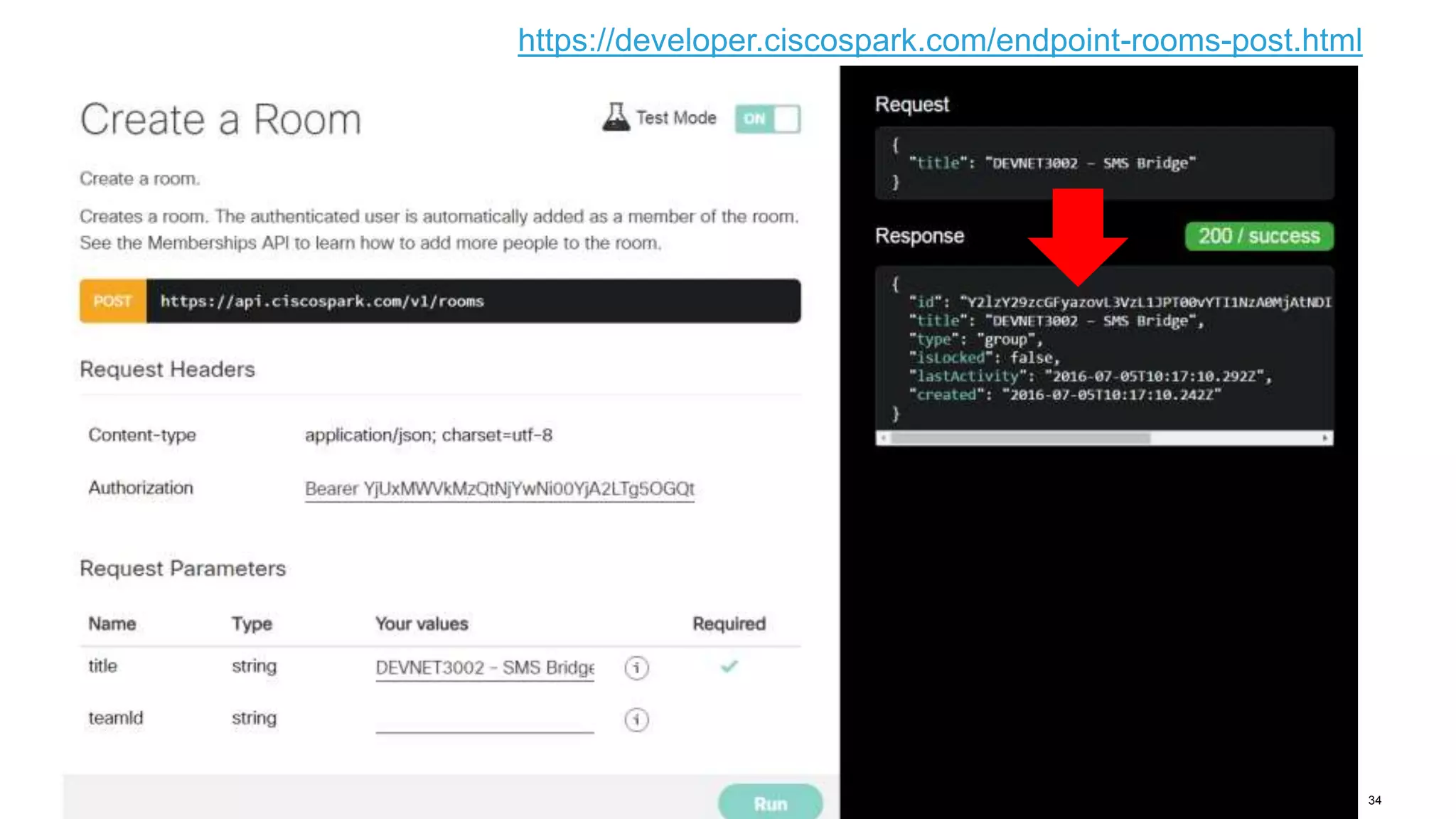
• Create a new Cisco Spark room from the CiscoSpark Developer Portal
34
https://developer.ciscospark.com/endpoint-rooms-post.html
DevNet Events Bot
Check upcoming events
© 2016 Cisco and/or its affiliates. All rights reserved. Cisco Public
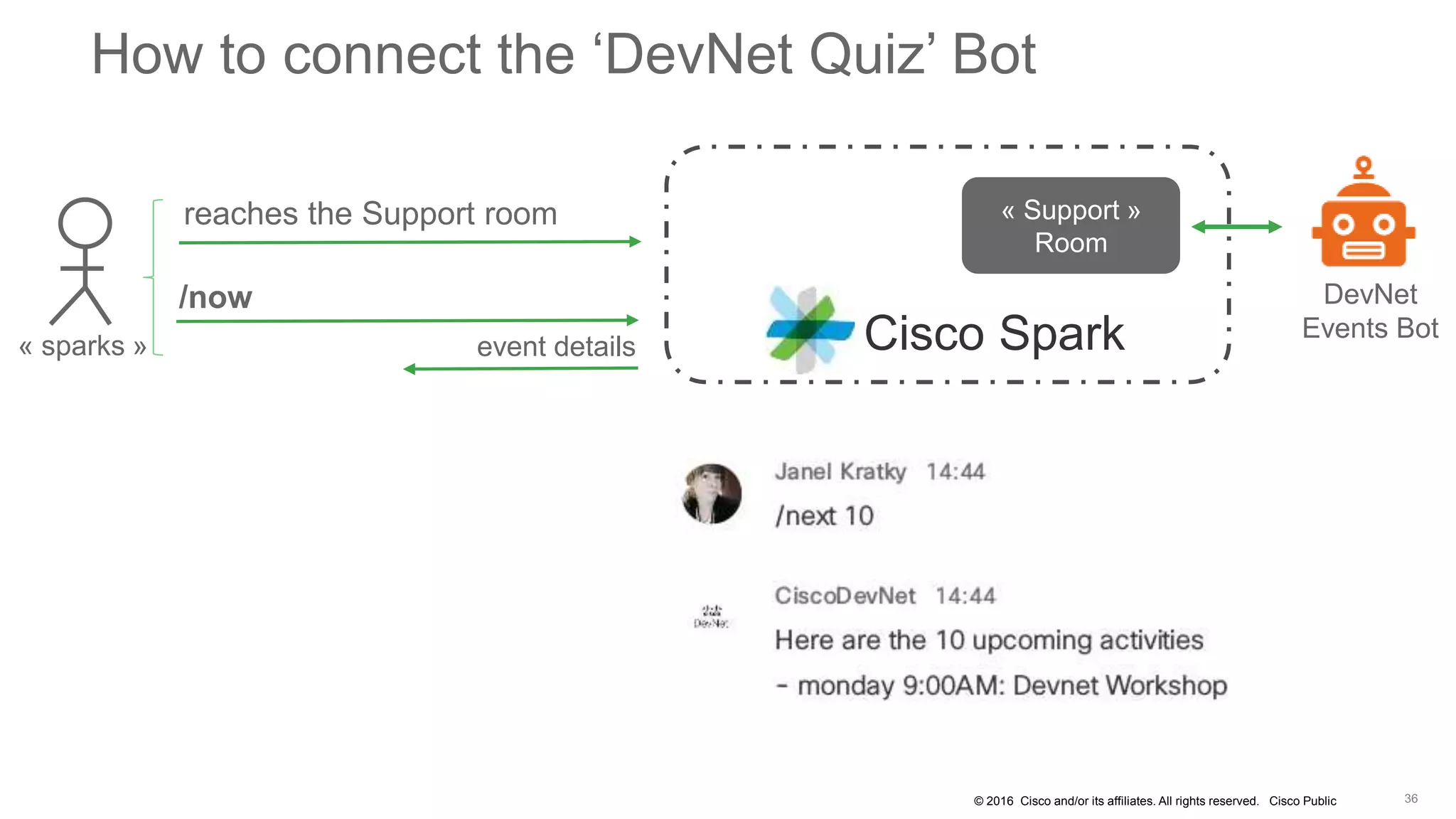
How to connect the ‘DevNet Quiz’ Bot
/now
event details« sparks »
DevNet
Events BotCisco Spark
reaches the Support room « Support »
Room
© 2016 Cisco and/or its affiliates. All rights reserved. Cisco Public
Join the Cisco DevNet code labs
https://github.com/CiscoDevNet/codemotion-milan-2016
Further considerations
© 2016 Cisco and/or its affiliates. All rights reserved. Cisco Public
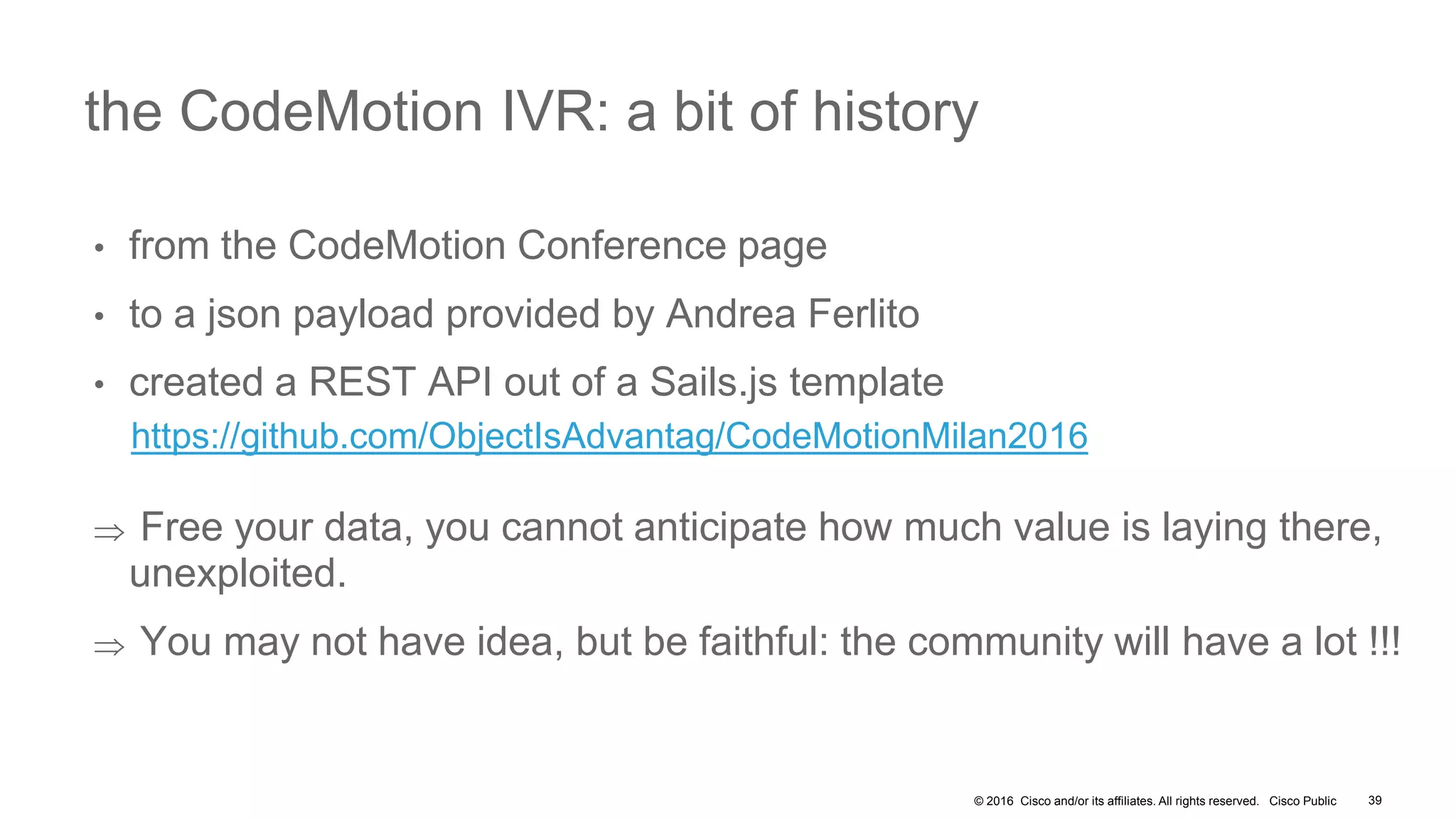
• from the CodeMotion Conference page
• to a json payload provided by Andrea Ferlito
• created a REST API out of a Sails.js template
https://github.com/ObjectIsAdvantag/CodeMotionMilan2016
 Free your data, you cannot anticipate how much value is laying there,
unexploited.
 You may not have idea, but be faithful: the community will have a lot !!!
the CodeMotion IVR: a bit of history
39
© 2016 Cisco and/or its affiliates. All rights reserved. Cisco Public 40
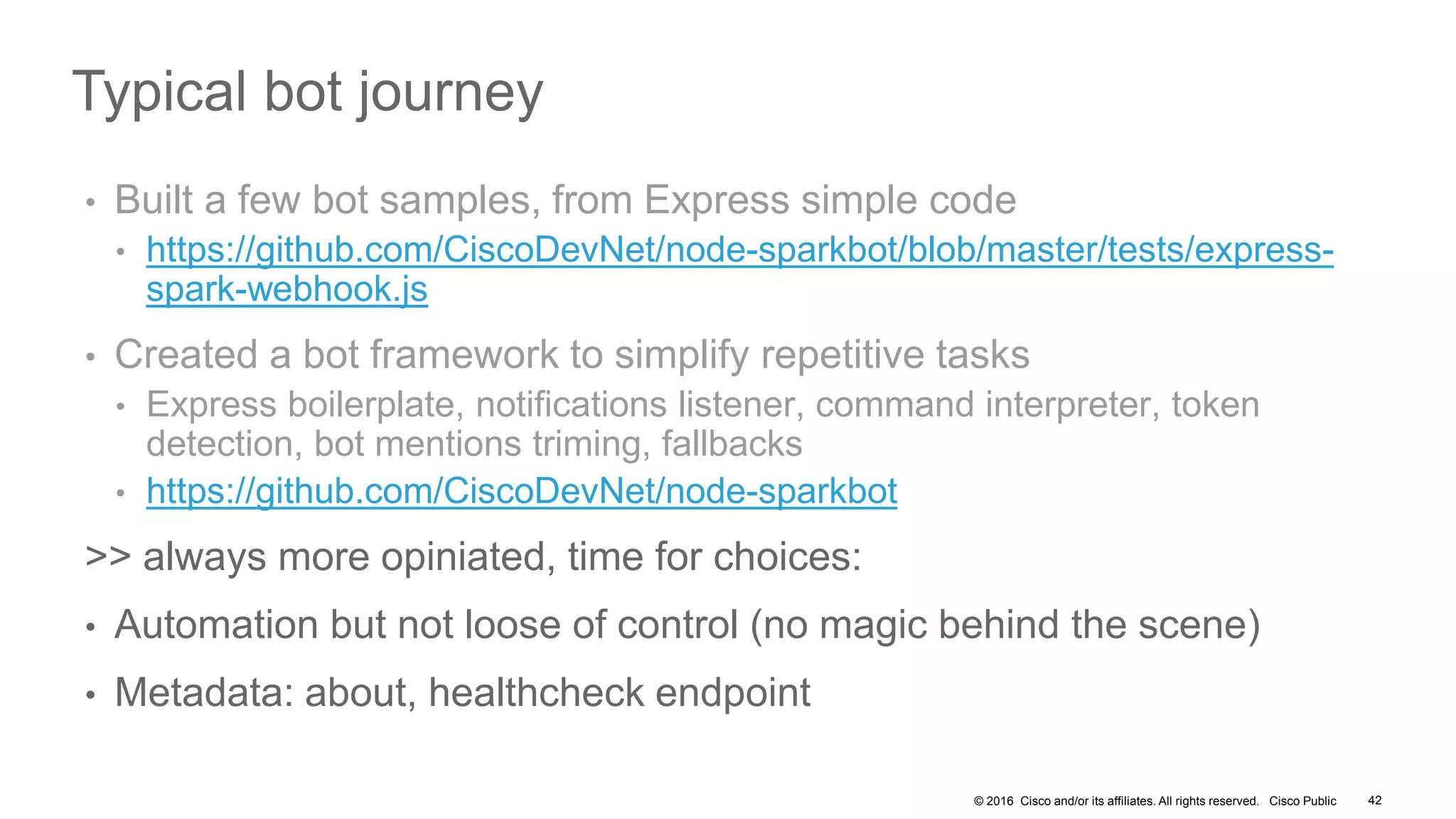
Typical bot journey
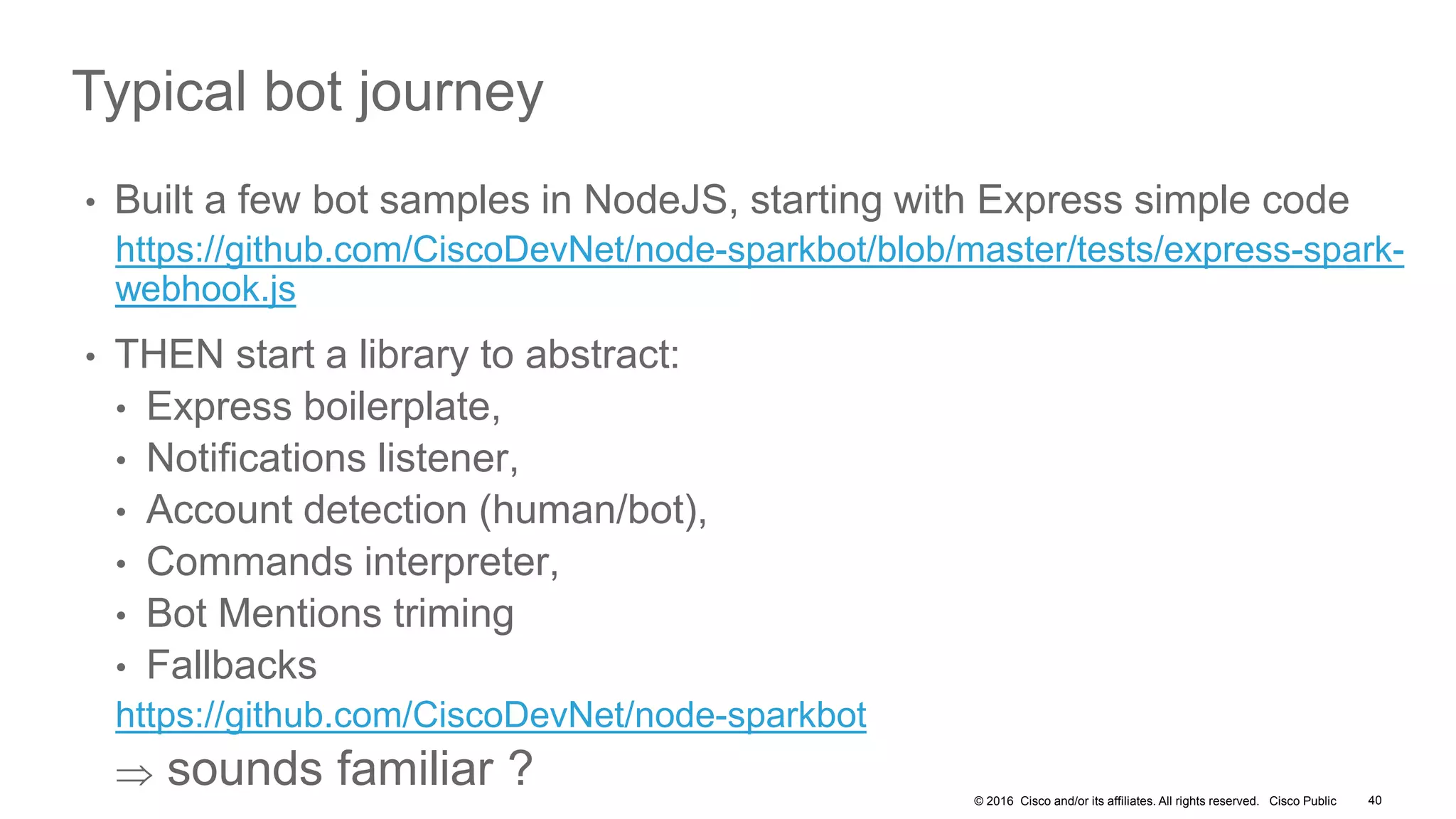
• Built a few bot samples in NodeJS, starting with Express simple code
https://github.com/CiscoDevNet/node-sparkbot/blob/master/tests/express-spark-
webhook.js
• THEN start a library to abstract:
• Express boilerplate,
• Notifications listener,
• Account detection (human/bot),
• Commands interpreter,
• Bot Mentions triming
• Fallbacks
https://github.com/CiscoDevNet/node-sparkbot
 sounds familiar ?
© 2016 Cisco and/or its affiliates. All rights reserved. Cisco Public 41
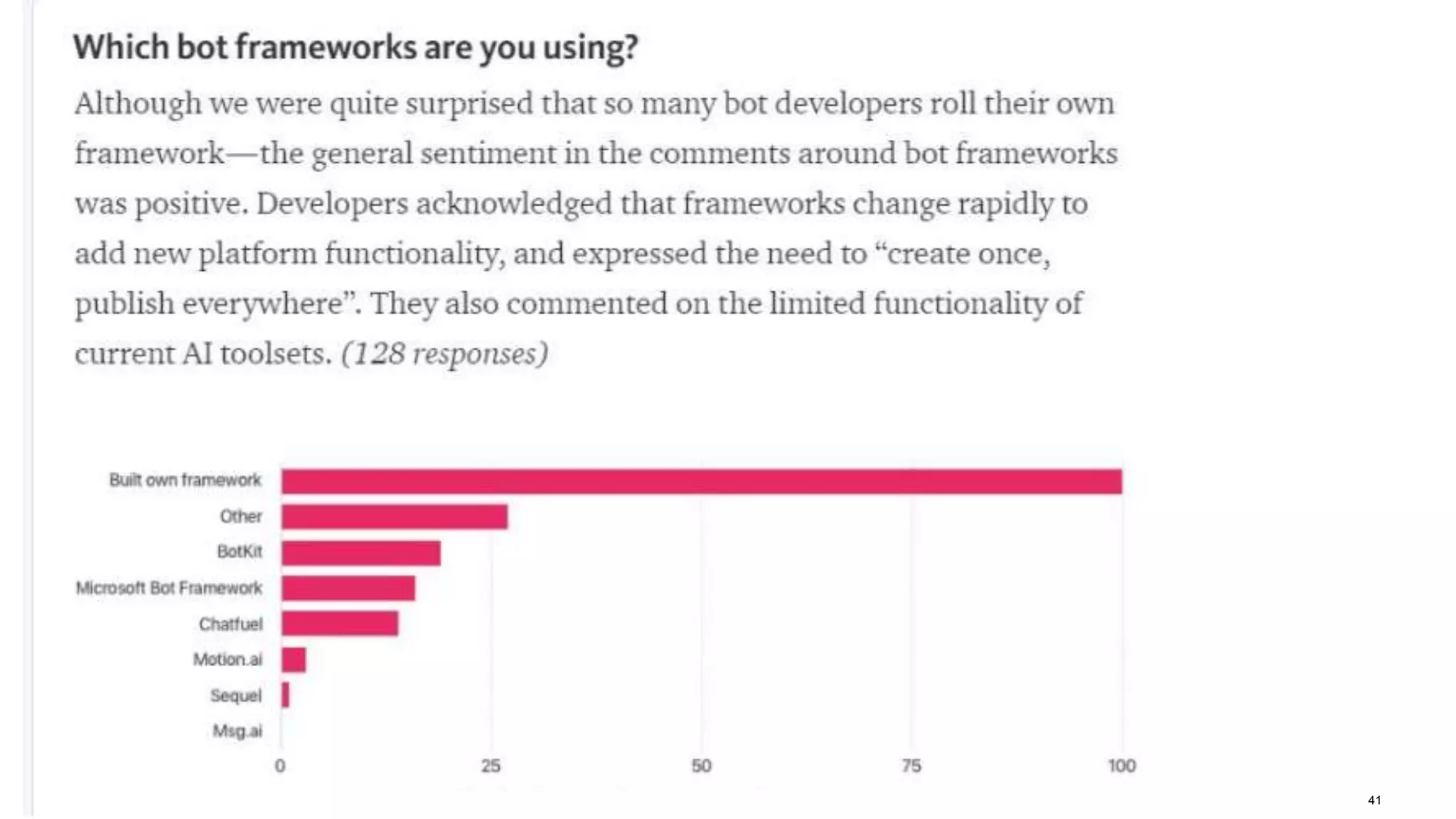
Bot Frameworks survey
© 2016 Cisco and/or its affiliates. All rights reserved. Cisco Public 42
Typical bot journey
• Built a few bot samples, from Express simple code
• https://github.com/CiscoDevNet/node-sparkbot/blob/master/tests/express-
spark-webhook.js
• Created a bot framework to simplify repetitive tasks
• Express boilerplate, notifications listener, command interpreter, token
detection, bot mentions triming, fallbacks
• https://github.com/CiscoDevNet/node-sparkbot
>> always more opiniated, time for choices:
• Automation but not loose of control (no magic behind the scene)
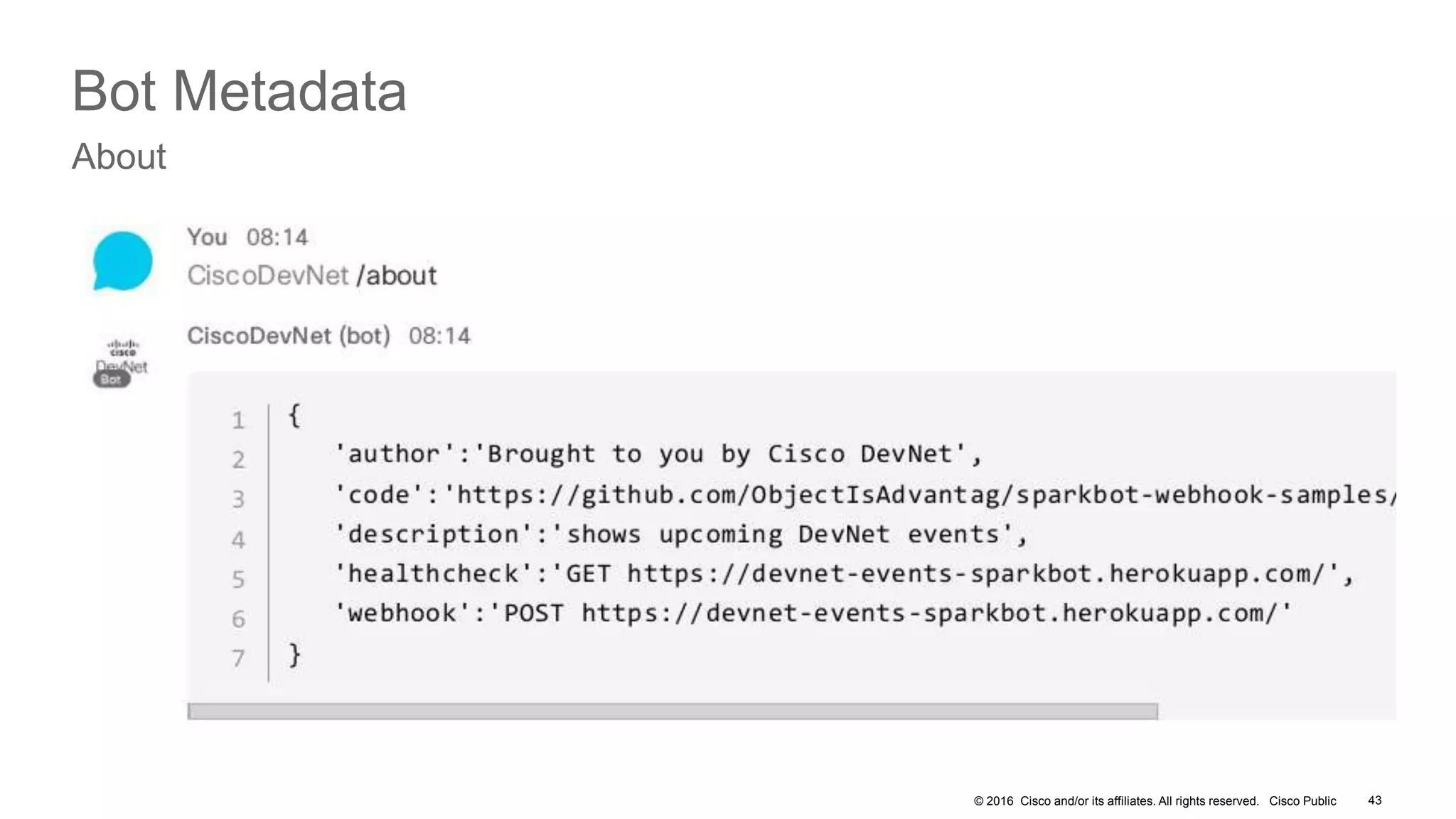
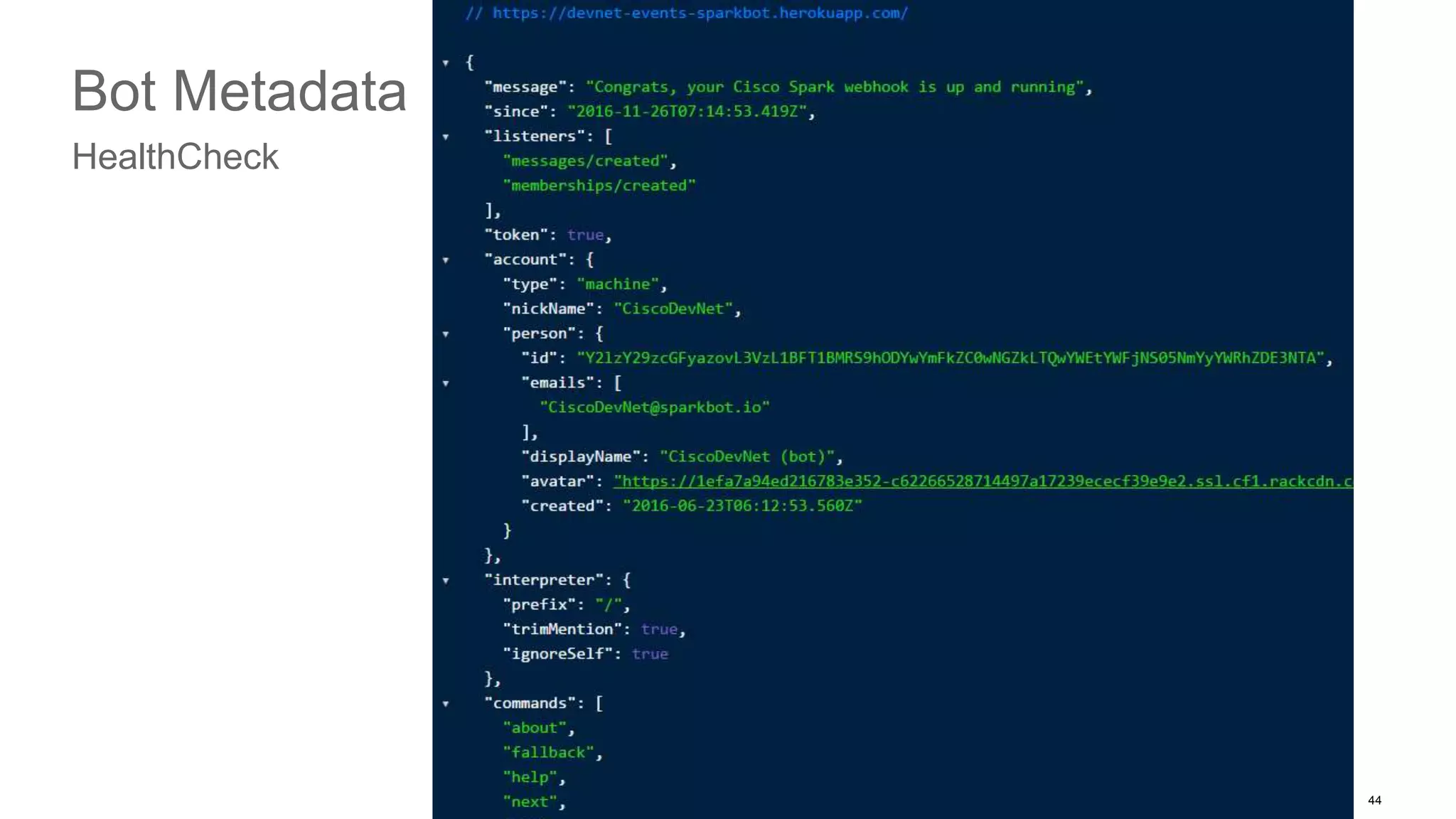
• Metadata: about, healthcheck endpoint
© 2016 Cisco and/or its affiliates. All rights reserved. Cisco Public 43
Bot Metadata
About
© 2016 Cisco and/or its affiliates. All rights reserved. Cisco Public 44
Bot Metadata
HealthCheck
© 2016 Cisco and/or its affiliates. All rights reserved. Cisco Public 45
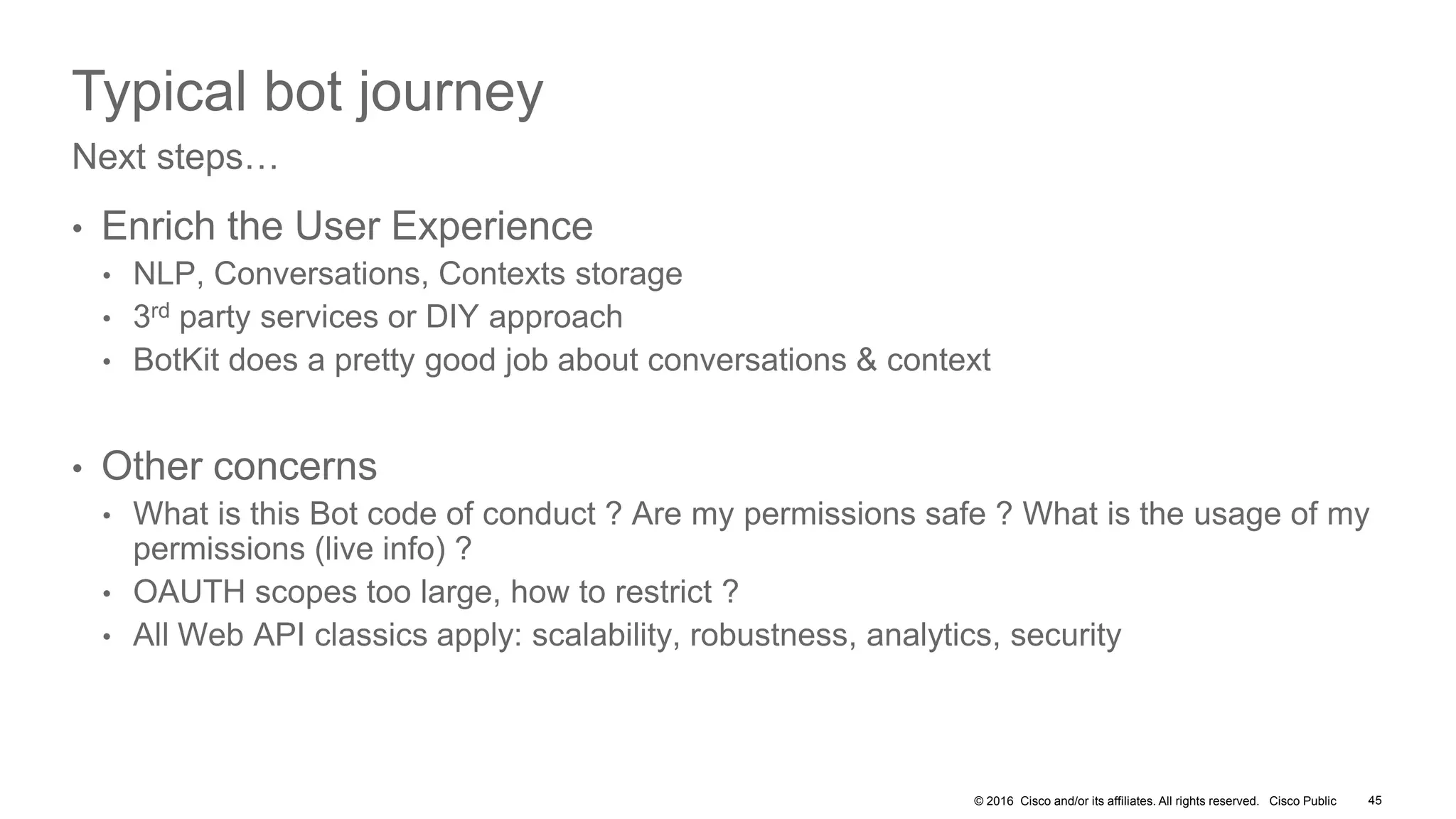
Typical bot journey
• Enrich the User Experience
• NLP, Conversations, Contexts storage
• 3rd party services or DIY approach
• BotKit does a pretty good job about conversations & context
• Other concerns
• What is this Bot code of conduct ? Are my permissions safe ? What is the usage of my
permissions (live info) ?
• OAUTH scopes too large, how to restrict ?
• All Web API classics apply: scalability, robustness, analytics, security
Next steps…
Let’s wrap it up
© 2016 Cisco and/or its affiliates. All rights reserved. Cisco Public
dials #1
{CodeMotion} Milan 2016 - Tropo IVR -
+39 051 042 1150
« Welcome »
details via SMS
ack
texts email address
/now
current events
calls
texts
« sparks »
IVR
JS script
Events
BotCisco Spark
POST
membership
reachs Support room
SMSBridge
JS library
/email
texted
Log2Spark
JS library
/new
logs
POST
message
« ChatOps »
Room
« Support »
Room
© 2016 Cisco and/or its affiliates. All rights reserved. Cisco Public 48
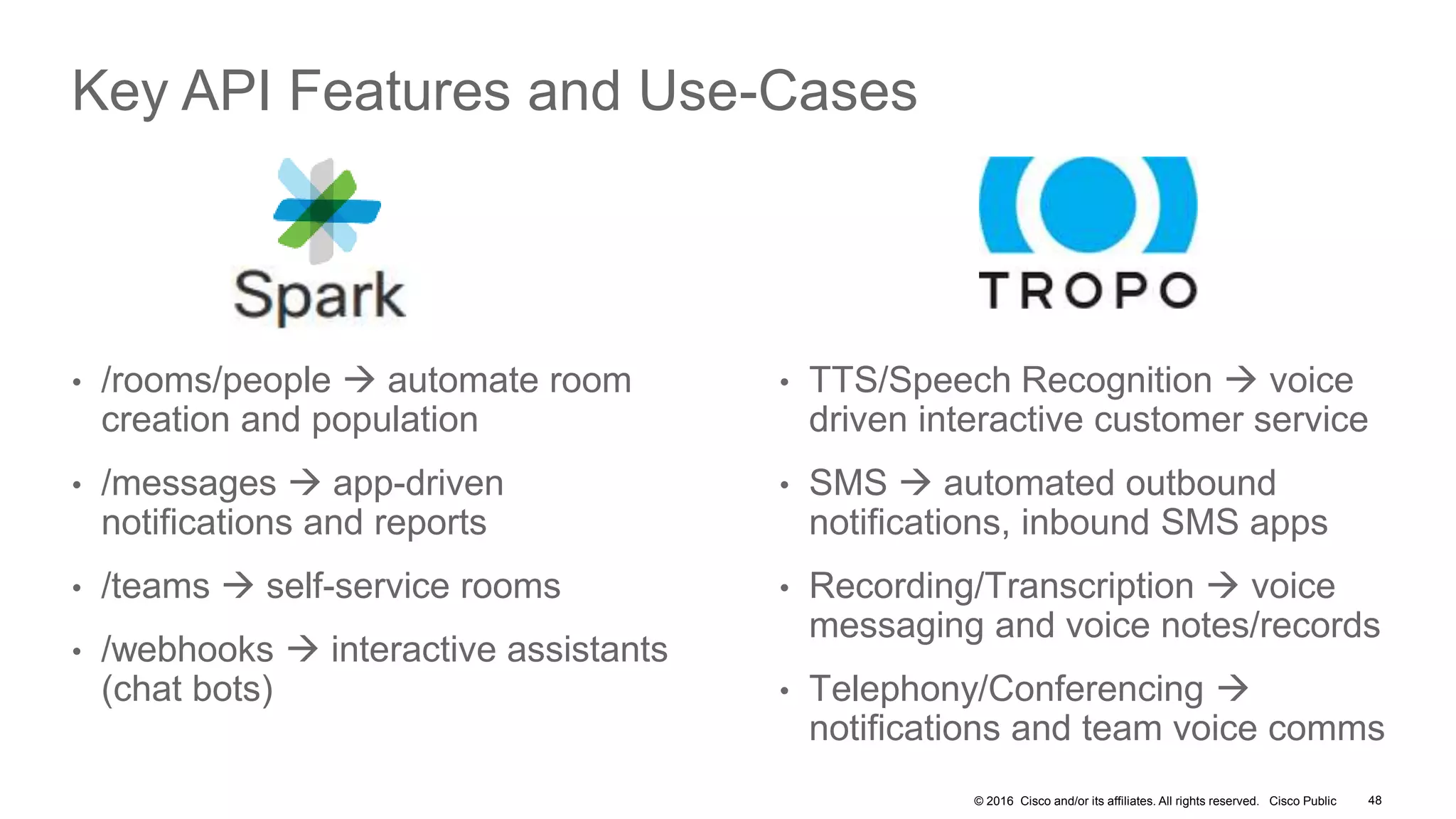
Key API Features and Use-Cases
• /rooms/people  automate room
creation and population
• /messages  app-driven
notifications and reports
• /teams  self-service rooms
• /webhooks  interactive assistants
(chat bots)
• TTS/Speech Recognition  voice
driven interactive customer service
• SMS  automated outbound
notifications, inbound SMS apps
• Recording/Transcription  voice
messaging and voice notes/records
• Telephony/Conferencing 
notifications and team voice comms
© 2016 Cisco and/or its affiliates. All rights reserved. Cisco Public 49
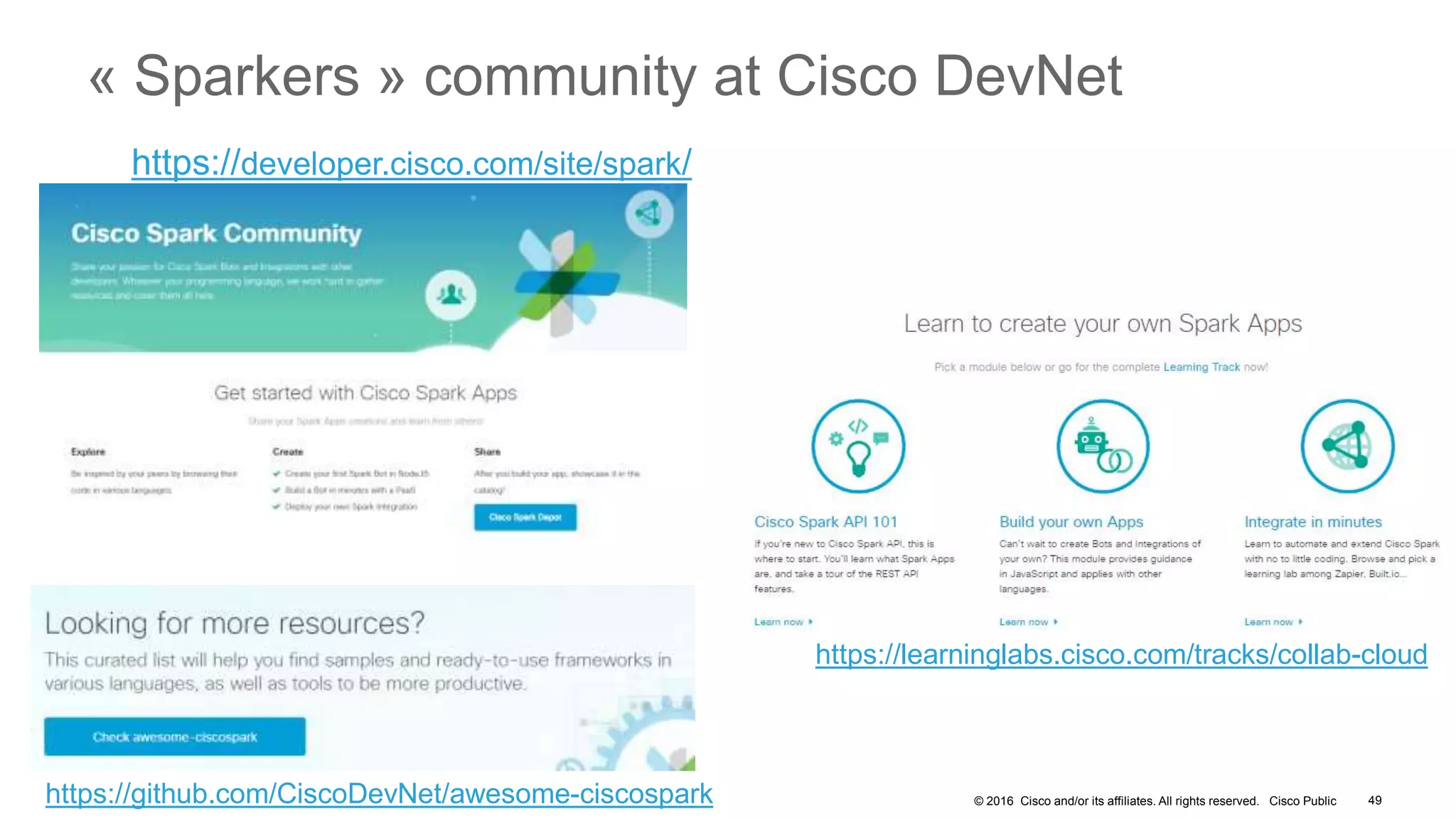
« Sparkers » community at Cisco DevNet
https://developer.cisco.com/site/spark/
https://learninglabs.cisco.com/tracks/collab-cloud
https://github.com/CiscoDevNet/awesome-ciscospark
Developer Portal
• Dev Centers
• Support Centers
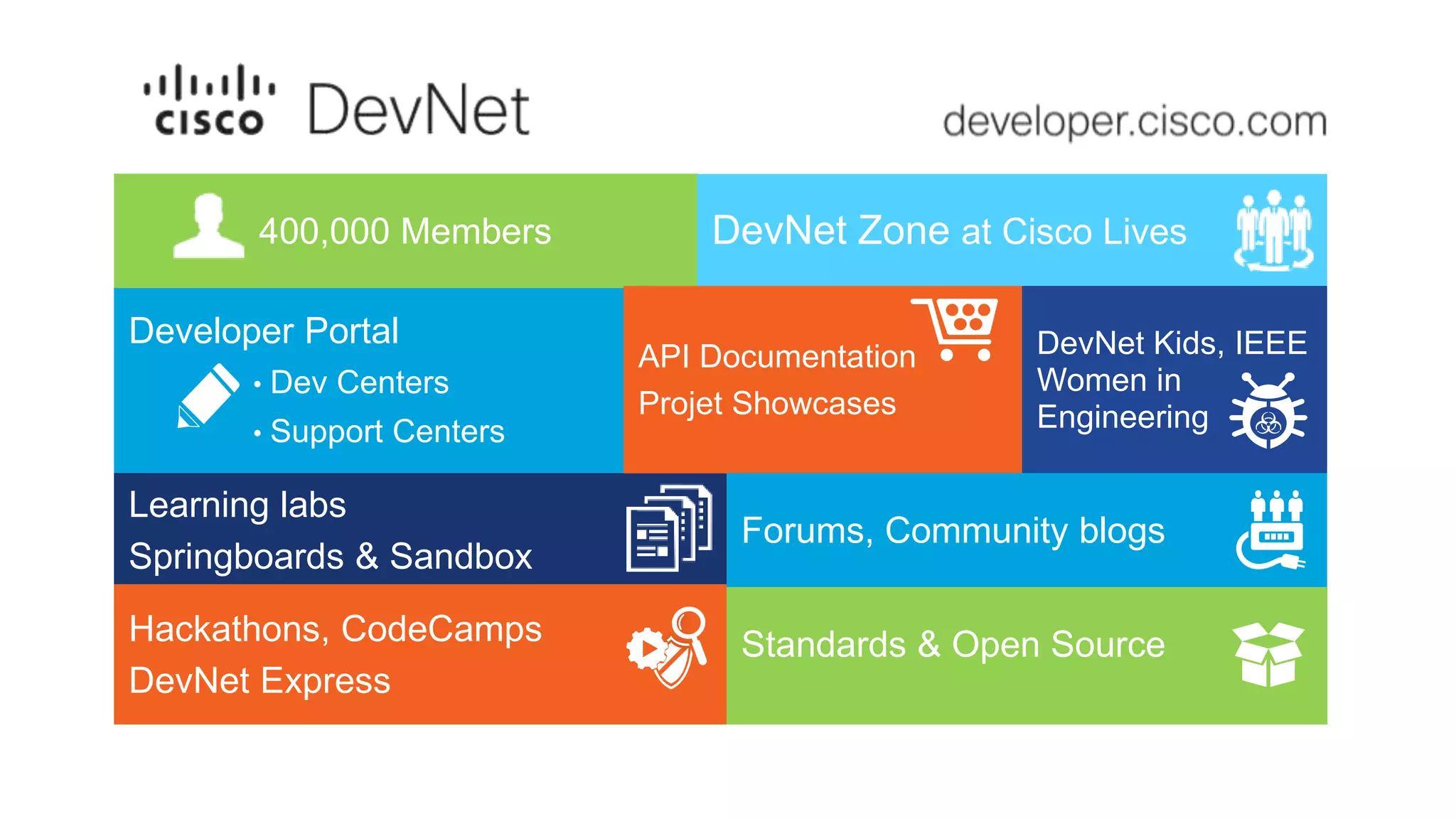
400,000 Members
Learning labs
Springboards & Sandbox
Hackathons, CodeCamps
DevNet Express
Standards & Open Source
DevNet Zone at Cisco Lives
DevNet Kids, IEEE
Women in
Engineering
API Documentation
Projet Showcases
Forums, Community blogs
© 2016 Cisco and/or its affiliates. All rights reserved. Cisco Public
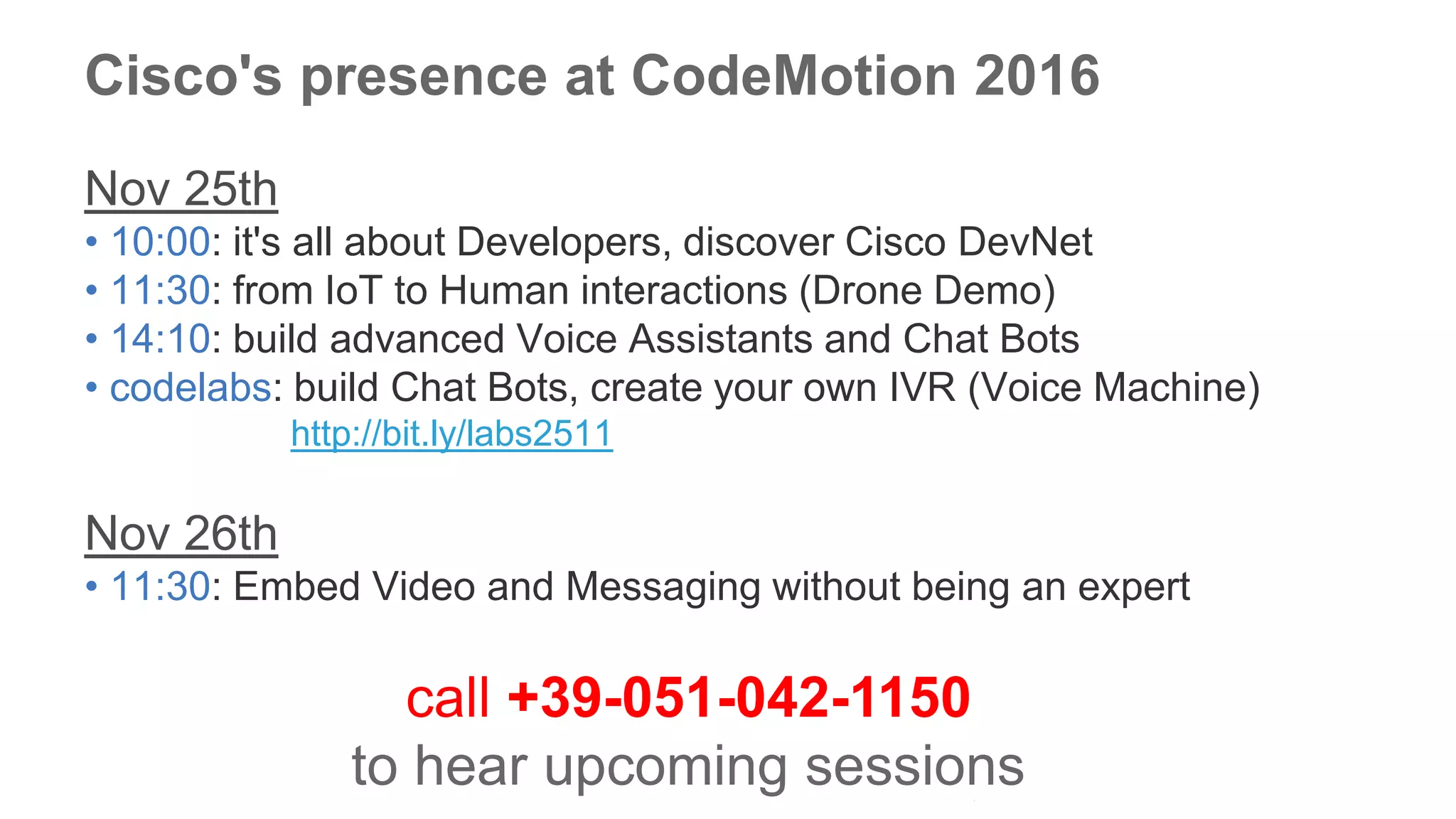
Cisco's presence at CodeMotion 2016
Nov 25th
• 10:00: it's all about Developers, discover Cisco DevNet
• 11:30: from IoT to Human interactions (Drone Demo)
• 14:10: build advanced Voice Assistants and Chat Bots
• codelabs: build Chat Bots, create your own IVR (Voice Machine)
http://bit.ly/labs2511
Nov 26th
• 11:30: Embed Video and Messaging without being an expert
call +39-051-042-1150
to hear upcoming sessions
Thank you
@CiscoSparkDev
@CiscoDevNet
@SteveSfartz

How to Build Advanced Voice Assistants and Chatbots

  • 1.
    Build advanced Voice Assistantsand ChatBots Stève SFARTZ API Evangelist -Cisco DevNet stsfartz@cisco.com, @SteveSfartz, github://ObjectIsadvantag
  • 2.
    2 • Experience theCodeMotion Voice Machine & Cisco DevNet ChatBot • Architecture • Introduction to Tropo & Cisco Spark API • Typical Bot Journey • from Express to a bot framework • what to consider • T • Ressources to go further Agenda
  • 3.
    +39 051 0421150 !create an account on http://tropo.com to go hands-on live!
  • 4.
    © 2016 Ciscoand/or its affiliates. All rights reserved. Cisco Public CodeMotion Milan 2016 IVR Interactive Voice Responder • Call +39 051 042 1150 and listen… • Dial 1 to receive more details by SMS, 2 for next, 3 for previous • Check you session details on your mobile phone • Text your email to the caller (+1 414 999 0205) /! you’re texting US !!! • Launch CiscoSpark, and meet the bot…
  • 5.
    © 2016 Ciscoand/or its affiliates. All rights reserved. Cisco Public dials #1 {CodeMotion} Milan 2016 - Tropo IVR - +39 051 042 1150 « Welcome » details via SMS ack texts email address /now current events calls texts « sparks » IVR JS script Events BotCisco Spark POST membership reachs Support room SMSBridge JS library /email texted Log2Spark JS library /new logs POST message « ChatOps » Room « Support » Room
  • 6.
  • 7.
    © 2016 Ciscoand/or its affiliates. All rights reserved. Cisco Public What is Tropo ? Cloud APIs enabling developers to quickly and easily embed communication capabilities into their applications and business processes.
  • 8.
    © 2016 Ciscoand/or its affiliates. All rights reserved. Cisco Public + • Ask • Call • Conference • Hangup • Record • Reject • Say • Transfer Tropo in a nutshell
  • 9.
    © 2016 Ciscoand/or its affiliates. All rights reserved. Cisco Public say("hello world");
  • 10.
    Play an AudioFile say(“http://www.phono.com/audio/tropor ocks.mp3");
  • 11.
    © 2016 Ciscoand/or its affiliates. All rights reserved. Cisco Public Outbound Voice Call call("+14155550100"); say("Tag, you’re it!");
  • 12.
    © 2016 Ciscoand/or its affiliates. All rights reserved. Cisco Public Asking a Send a Text Message call("+14155550100", {network:"SMS"} ); say("Tag, you’re it!");
  • 13.
    Asking a Question varresult = ask("What's your favorite color? Choose from red, blue or green.", { choices:"red, blue, green" }); say("You said " + result.value); log("They said " + result.value);
  • 14.
    Voicemail Application record("Leave yourmessage. Press pound when finished.", { beep:true, timeout:10, silenceTimeout:7, maxTime:60, terminator:'#', recordFormat:"audio/mp3", recordURI:"ftp://example.com/1.mp3", recordUser:"tropocloud", recordPassword:"password" } );
  • 15.
    Record an EntireCall startCallRecording("http://example.com/recording.js"); ask("What's your favorite color? Red, blue or green.", { choices:"red, blue, green" }); stopCallRecording();
  • 16.
    © 2016 Ciscoand/or its affiliates. All rights reserved. Cisco Public • Local Numbers • Toll Free • 42+ countries • SIP Addresses Numbers • Inbound • Outbound • Trunking included Voice • Inbound • Outbound • Two-way Texting
  • 17.
    © 2016 Ciscoand/or its affiliates. All rights reserved. Cisco Public • Transfer • Conference • Headers Call Control • Speech Recognition • Text to Speech • Audio playback • Recording Rich Media • Redundant data centers • Auto-scaling • Usage-based Cloud
  • 18.
    © 2016 Ciscoand/or its affiliates. All rights reserved. Cisco Public Account Types • Free for testing • Low-volume • Restricted use • No production usage Developer • Pre-paid • Credit Card • Self-service signup • Shared Cloud • one minute billing increments Production • Post-paid invoices • Contract • SLA • Account Manager • Shorter billing increments • Training Enterprise
  • 19.
    © 2016 Ciscoand/or its affiliates. All rights reserved. Cisco Public 24x7 support All features Monitored, Managed Cloud Developer Production Enterprise
  • 20.
    © 2016 Ciscoand/or its affiliates. All rights reserved. Cisco Public Globally available Global Outgoing Calls & Messages Numbers in 42 countries 80 speech languages
  • 21.
    © 2016 Ciscoand/or its affiliates. All rights reserved. Cisco Public How to setup a custom IVR • The IVR is composed of : • a local phone number • a custom script executed by the Tropo Scripting platform dials #1 +39 051 042 1150 « Welcome » details via SMS calls IVR script
  • 22.
    © 2016 Ciscoand/or its affiliates. All rights reserved. Cisco Public Hands-on: let’s setup the DevNet Quiz IVR • Create a new Tropo application on http://tropo.com • Point to the IVR script: http://bit.ly/MILAN2016-1 • Save the application 22
  • 23.
    © 2016 Ciscoand/or its affiliates. All rights reserved. Cisco Public Hands-on: setup the DevNet Quiz IVR • Add a phone number • note : pick a Text-enabled phone number as we’ll leverage SMS later • Call your IVR 23
  • 24.
    © 2016 Ciscoand/or its affiliates. All rights reserved. Cisco Public IVR highlights • Fork a new Tropo session to send a SMS 24
  • 25.
    © 2016 Ciscoand/or its affiliates. All rights reserved. Cisco Public To go further… • Personalize your IVR • Modify the invites, play audio files • Pick international voices • Use SSML to enhance your User Experience • Understand how the Tropo Scripting platform manages your files • For development, host your scripts on an external URL for changes to reflect instanlty • As Tropo will fetch your script everytime it is invoked • Host on Github gist, edit your favorite IDE • https://www.tropo.com/2016/06/gists-can-help-tropo-scripting-development/ • When going live, host your scripts on Tropo Production File Servers 25
  • 26.
    © 2016 Ciscoand/or its affiliates. All rights reserved. Cisco Public Join the Cisco DevNet code labs https://github.com/CiscoDevNet/codemotion-milan-2016
  • 27.
  • 28.
    © 2016 Ciscoand/or its affiliates. All rights reserved. Cisco Public What are ChatOps ? 28 “Follow your Tropo application real-time activity in Cisco Spark”
  • 29.
    © 2016 Ciscoand/or its affiliates. All rights reserved. Cisco Public How to setup Cisco Spark ChatOps To stream logs into CiscoSpark and get instant view about Tropo activity: 1. Create a ChatOps room 2. Add an Incoming Webhook 3. Post messages from Tropo Quiz script Spark Log2Spark library /new logs POST message « ChatOps » Room 1 2 3
  • 30.
    © 2016 Ciscoand/or its affiliates. All rights reserved. Cisco Public Cisco Spark Secure & Open Complete & Simple Spark for Developers User Integrations, APIs/SDKs, etc. Spark Hybrid Services Cloud + Prem Partner Services Interconnect Message Meeting Call 1:1 and team messaging in virtual rooms A Cloud-based phone systemAudio, video, and web meetings
  • 31.
    © 2016 Ciscoand/or its affiliates. All rights reserved. Cisco Public What is so great about REST? same concept, many Cisco APIs Easy to Build Web apps Mobile apps M2M, Bots… REST API 31
  • 32.
    © 2016 Ciscoand/or its affiliates. All rights reserved. Cisco Public ‘Your App’ now with Cisco Collab! Spark APIs Extend Cisco Collaboration Cloud GET POST DELETE PUT /Rooms /Memberships /Messages /Webhooks /People 32 /Teams https://developer.ciscospark.com/
  • 33.
    © 2016 Ciscoand/or its affiliates. All rights reserved. Cisco Public Cisco Spark API v1 (July 2016) /People /Rooms /Membership /Messages /Teams /Webhooks List People List Rooms List Memberships List Messages List Teams List Webhooks Create a Room Create a Membership Create a Message Create a Team Create a Webhook Get Person Details Get Room details Get Membership details Get Message details Get Team details Get Webhook details Update a Room Update a Membership Update a Team Update a Webhook Delete a Room Delete a Membership Delete a Message Delete a Team Delete a Webhook GET POST DELETE PUT DELETE DELETE DELETE PUT PUT POST POST POST GET GET GET GET GET GET GET GETGET 33 DELETE PUT POST GET GET
  • 34.
    © 2016 Ciscoand/or its affiliates. All rights reserved. Cisco Public • Create a new Cisco Spark room from the CiscoSpark Developer Portal 34 https://developer.ciscospark.com/endpoint-rooms-post.html
  • 35.
    DevNet Events Bot Checkupcoming events
  • 36.
    © 2016 Ciscoand/or its affiliates. All rights reserved. Cisco Public How to connect the ‘DevNet Quiz’ Bot /now event details« sparks » DevNet Events BotCisco Spark reaches the Support room « Support » Room
  • 37.
    © 2016 Ciscoand/or its affiliates. All rights reserved. Cisco Public Join the Cisco DevNet code labs https://github.com/CiscoDevNet/codemotion-milan-2016
  • 38.
  • 39.
    © 2016 Ciscoand/or its affiliates. All rights reserved. Cisco Public • from the CodeMotion Conference page • to a json payload provided by Andrea Ferlito • created a REST API out of a Sails.js template https://github.com/ObjectIsAdvantag/CodeMotionMilan2016  Free your data, you cannot anticipate how much value is laying there, unexploited.  You may not have idea, but be faithful: the community will have a lot !!! the CodeMotion IVR: a bit of history 39
  • 40.
    © 2016 Ciscoand/or its affiliates. All rights reserved. Cisco Public 40 Typical bot journey • Built a few bot samples in NodeJS, starting with Express simple code https://github.com/CiscoDevNet/node-sparkbot/blob/master/tests/express-spark- webhook.js • THEN start a library to abstract: • Express boilerplate, • Notifications listener, • Account detection (human/bot), • Commands interpreter, • Bot Mentions triming • Fallbacks https://github.com/CiscoDevNet/node-sparkbot  sounds familiar ?
  • 41.
    © 2016 Ciscoand/or its affiliates. All rights reserved. Cisco Public 41 Bot Frameworks survey
  • 42.
    © 2016 Ciscoand/or its affiliates. All rights reserved. Cisco Public 42 Typical bot journey • Built a few bot samples, from Express simple code • https://github.com/CiscoDevNet/node-sparkbot/blob/master/tests/express- spark-webhook.js • Created a bot framework to simplify repetitive tasks • Express boilerplate, notifications listener, command interpreter, token detection, bot mentions triming, fallbacks • https://github.com/CiscoDevNet/node-sparkbot >> always more opiniated, time for choices: • Automation but not loose of control (no magic behind the scene) • Metadata: about, healthcheck endpoint
  • 43.
    © 2016 Ciscoand/or its affiliates. All rights reserved. Cisco Public 43 Bot Metadata About
  • 44.
    © 2016 Ciscoand/or its affiliates. All rights reserved. Cisco Public 44 Bot Metadata HealthCheck
  • 45.
    © 2016 Ciscoand/or its affiliates. All rights reserved. Cisco Public 45 Typical bot journey • Enrich the User Experience • NLP, Conversations, Contexts storage • 3rd party services or DIY approach • BotKit does a pretty good job about conversations & context • Other concerns • What is this Bot code of conduct ? Are my permissions safe ? What is the usage of my permissions (live info) ? • OAUTH scopes too large, how to restrict ? • All Web API classics apply: scalability, robustness, analytics, security Next steps…
  • 46.
  • 47.
    © 2016 Ciscoand/or its affiliates. All rights reserved. Cisco Public dials #1 {CodeMotion} Milan 2016 - Tropo IVR - +39 051 042 1150 « Welcome » details via SMS ack texts email address /now current events calls texts « sparks » IVR JS script Events BotCisco Spark POST membership reachs Support room SMSBridge JS library /email texted Log2Spark JS library /new logs POST message « ChatOps » Room « Support » Room
  • 48.
    © 2016 Ciscoand/or its affiliates. All rights reserved. Cisco Public 48 Key API Features and Use-Cases • /rooms/people  automate room creation and population • /messages  app-driven notifications and reports • /teams  self-service rooms • /webhooks  interactive assistants (chat bots) • TTS/Speech Recognition  voice driven interactive customer service • SMS  automated outbound notifications, inbound SMS apps • Recording/Transcription  voice messaging and voice notes/records • Telephony/Conferencing  notifications and team voice comms
  • 49.
    © 2016 Ciscoand/or its affiliates. All rights reserved. Cisco Public 49 « Sparkers » community at Cisco DevNet https://developer.cisco.com/site/spark/ https://learninglabs.cisco.com/tracks/collab-cloud https://github.com/CiscoDevNet/awesome-ciscospark
  • 50.
    Developer Portal • DevCenters • Support Centers 400,000 Members Learning labs Springboards & Sandbox Hackathons, CodeCamps DevNet Express Standards & Open Source DevNet Zone at Cisco Lives DevNet Kids, IEEE Women in Engineering API Documentation Projet Showcases Forums, Community blogs
  • 51.
    © 2016 Ciscoand/or its affiliates. All rights reserved. Cisco Public Cisco's presence at CodeMotion 2016 Nov 25th • 10:00: it's all about Developers, discover Cisco DevNet • 11:30: from IoT to Human interactions (Drone Demo) • 14:10: build advanced Voice Assistants and Chat Bots • codelabs: build Chat Bots, create your own IVR (Voice Machine) http://bit.ly/labs2511 Nov 26th • 11:30: Embed Video and Messaging without being an expert call +39-051-042-1150 to hear upcoming sessions
  • 52.

Editor's Notes

  • #2 http://www.ciscolive.com/us/learn/sessions/session-catalog/?search=DEVNET-3002 Learn Spark and Tropo API advanced concepts by exploring the DevNet Quiz application. We'll cover : Spark webhooks, Tropo scripting platform, Tropo external API calls, Text-to-Speech, Tropo-to-Spark SIP calls This instructor-led talk addresses small-group workshop session (6 seats), and provides interactive developer exercises. Bring your own laptop, or grab one of the provided PC's. Taking place in the DevNet Zone. Pre-requisite : Developers with programming background, and signup before the session to https://developer.ciscospark.com/ and https://www.tropo.com.
  • #5 Go quickly thru the Quiz app : what is does Participants will run it during the hands on, in 2 slides.
  • #6 All orange box represent custom code /challenge…
  • #30 All orange box represent custom code /challenge…
  • #31 Let’s break it down into the 3 elements. SPARK MESSAGING – is an easy to use, always connected, service built on the idea of VIRTUAL ROOMS with a excellent MOBILE EXPERIENCE. Messaging, content sharing and BASIC conferencing capabilities are now all in one place. These “rooms” reduce the need for other tools like email and SHAREPOINT that were not truly built to support these types of workers and workstyles. SPARK MEETINGS – People shouldn’t have to worry about what KIND OF MEETING they’re having. Video Rooms, home office, branch office, Driver’s seat, Airport…Face to Face Video, Voice, and Content Sharing from any DEVICE, any ROOM, and any WORK ENVIRONMENT. Leveraging the #1 Web collaboration tool WebEx. SPARK CALL – This is your phone system or PBX in the cloud. One-touch directory dialing, Single Number Reach, Single Voicemail from any device, anywhere. All delivered in a single experience and managed through a single Cloud Collaboration Management Portal. Cloud Collaboration Management provides a single tool for administration, entitlement, management and reporting for Cisco Spark and Cisco WebEx Building on these 3 ELEMENTS . Cisco Spark is an Open Platform with… Open APIs for application integrations and a playground for developers Partner Services provides inbound dialing, and PSTN connectivity And Hybrid Services for integrating Cloud Spark applications with existing on prem investments
  • #33 We’ll leverage Spark APIs to implement this use case Spark APIs are accessible at https://developer.ciscospark.com/ This is where you get your API token and run thru the interactive documentation
  • #37 All orange box represent custom code /challenge…
  • #41 Sounds familiar
  • #48 All orange box represent custom code /challenge…
  • #51  With 370.000 Members in April 2016, DevNet is an ever growing communiy which offers a large set of on-line ressources and live events. It also gathers all together various communities. Let’s go through all DevNet as to offer.