Deploying WO on Windows
Markus Stoll
junidas GmbH, Stuttgart
• customer requirement
• Windows integration
• WebObjects 4.x migration / mixed deployment
• Why not?
Windows deployment, why?
WebObjects on Windows
• Setup explained, Demos
• Common pitfalls
• Tools and techniques for Debugging
• URLs for stuff you need
• Q&A
Windows prerequisites
• Windows Server 2003, 2008 (and 2012), 64/32 Bit
• (Windows 7)
• Install all updates / service packs
• Install Java RE (current 64 Bit)
• Turn off Firewall
• Install Notepad++
WO prerequisites
• Install WebObjects 5.4.3 on a Mac
• pack /System/Library/Frameworks/Java* (except JavaVM.fw)
• Compile current WONDER
• pack WONDER fw, apps, examples
Windows basic setup
• InstallVC 2010 Redistributable Packages (64 Bit / 32 Bit)
(Apache & WOStart depend on it)
64 Bit / 32 Bit
• Choose proper hostname
WO basic setup
• Choose WO base dir (c:Apple)
• ENV-Variable NEXT_ROOT
• Create Subfolders
• .LibraryFrameworks
• .LocalLibraryFrameworks
• .LocalLibraryWebObjectsConfiguration
• .LocalLibraryWebObjectsJavaApplications
Demo 1, Setup
• Windows setup
• WO setup
WOStart
• modified WebObjects-aware Java.exe
• <AppName>.exe replaces <AppName>.cmd / WOBootstrap.jar
• parse ContentsWindowsCLSSPATH.TXT
• application class
• classpath
• JVM parameters
• find and load jvm.dll
WOStart, advantages
• no sub process
• process name == App name
• classpath loaded as system classpath
• able to run as NT Service
with same cmd line parameters
WO app as NT Service
• sc.exe create <ServiceName>
displayName= "<DisplayName>"
binPath = "<PathToWOStart> <WOParameters>"
start= auto
• sc.exe failure <ServiceName>
reset= 30
actions= restart/3000
• sc.exe start <ServiceName>
WOStart 64 Bit vs. 32 Bit
• 2 Binaries: 64 Bit and 32 Bit
• WOStart.exe must match the chosen JavaVM architecture!
• VC 10 redist!
Demo 2,WOStart
• WOStart
• Install wotaskd and JavaMonitor as NT Service
JavaMonitor / WOTaskD
WOTaskD
WO App 1WO App 2
WO App 2
WO Apps
start/stop
Disk
config
lifebeat
JavaMonitor
JavaMonitor / WOTaskD, multiple hosts
WOTaskD
WO App 1WO App 2
WO App 2
WOTaskD
WO App 1WO App 2
WO App 2
JavaMonitor
WOTaskD
WO App 1WO App 2
WO App 2
Demo 3, Setup JavaMonitor
• Declare host
• Create App & Instance
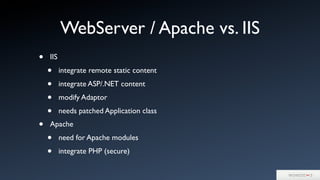
WebServer / Apache vs. IIS
• IIS
• integrate remote static content
• integrate ASP/.NET content
• modify Adaptor
• needs patched Application class
• Apache
• need for Apache modules
• integrate PHP (secure)
IIS
• Refurbished WOAdaptor
• IIS 7 / 64 Bit and 32 Bit
• Bugfixes (stable like Apache-Adaptor)
• Streaming (even with unset Content-Length)
• Compile using MingW
• WebObjects 4.x compatibility
IIS, cont.
• WOAdaptor is ISAPI-Extension, NOT ISAPI-Filter
• Add Server Role „Web Server (IIS)“
• Option „ISAPI-Extensions“
• Register WOAdaptor at „CGI and ISAPI Restrictions“
• Enable ISAPI-dll at „Handler Mappings“
• Create folders / declare in WebSite
• Configure in Registry
IIS / Application patch
// patch ERXApplication or your Application by adding:
String[] myAdaptorExtensions = new String[]{}
@Override
public String[] adaptorExtensions() {
return myAdaptorExtensions;
}
Demo 4, IIS setup
• IIS installation
• Adaptor config
• WebSite config
• 32 Bit mode
Apache 2.4 under Windows
• Binaries for httpd and WOAdaptor available
• avoid compiling
• runs as NT Service
• short Demo
Debugging WOStart / WOApps
•WOStart debugging
set _JAVA_LAUNCHER_DEBUG=1
WOStart.exe ...
• WOTaskD/JavaMonitor debugging
ContentsResourcesProperties:
NSDebugLevel=NSLog.DebugLevelDetailed
NSDebugGroup= NSLog.DebugGroupDeployment
• All Apps: Java Remote Debugging
ContentsWindowsCLSSPATH.TXT:
# JVMOptions == -Xdebug -Xrunjdwp:server=y,transport=dt_socket,address=4000,suspend=n
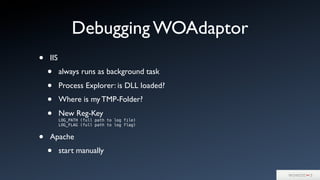
Debugging WOAdaptor
• IIS
• always runs as background task
• Process Explorer: is DLL loaded?
• Where is my TMP-Folder?
• New Reg-Key
LOG_PATH (full path to log file)
LOG_FLAG (full path to log flag)
• Apache
• start manually
Pitfalls
• text files & line endings
• 32 Bit vs. 64 Bit (Wow64)
• ONE user for all WO apps
• LocalService or dedicated user
• no sudo (RunAs does not help)
• Permissions Logs & config files
• process / user limits
Pitfalls, cont.
• est.TCP connections do block sockets
http://support.microsoft.com/kb/929851
• storage access / UNC paths
• automatic Windows updates
• IIS app pools / worker recycling
Aftermath
• Set WOAdaptor credentials
• Set JavaMonitor credentials
• Firewall
Windows deployment, URLs
• VC 10 Redist., 64 Bit
http://www.microsoft.com/en-us/download/details.aspx?id=13523
• VC 10 Redist., 32 Bit
http://www.microsoft.com/en-us/download/details.aspx?id=8328
• WOStart binaries
http://wocommunity.org/documents/tools/WOStart.zip
• WOStart source
${WONDER}/Utilities/WOStart
URLs, cont.
• WOAdaptor, IIS (DLL & EXE, 32 Bit, 64 Bit)
http://wocommunity.org/documents/tools/mod_WebObjects/IIS/
• Apache for Windows
http://www.apachelounge.com/download/
• WOAdaptor, Apache/Windows (32 Bit, 64 Bit)
http://wocommunity.org/documents/tools/mod_WebObjects/Apache2.4/
windows/
• WOAdaptor Source
${WONDER}/Utilities/Adaptors
Tools
• Process Explorer (Microsoft Sysinternals)
• Process Monitor (Microsoft Sysinternals)
• Notepad++
• wireshark / Packetyzer / Fiddler2
• powershell
• MingW / MingW64
Q&A

Deploying WO on Windows

  • 1.
    Deploying WO onWindows Markus Stoll junidas GmbH, Stuttgart
  • 2.
    • customer requirement •Windows integration • WebObjects 4.x migration / mixed deployment • Why not? Windows deployment, why?
  • 3.
    WebObjects on Windows •Setup explained, Demos • Common pitfalls • Tools and techniques for Debugging • URLs for stuff you need • Q&A
  • 4.
    Windows prerequisites • WindowsServer 2003, 2008 (and 2012), 64/32 Bit • (Windows 7) • Install all updates / service packs • Install Java RE (current 64 Bit) • Turn off Firewall • Install Notepad++
  • 5.
    WO prerequisites • InstallWebObjects 5.4.3 on a Mac • pack /System/Library/Frameworks/Java* (except JavaVM.fw) • Compile current WONDER • pack WONDER fw, apps, examples
  • 6.
    Windows basic setup •InstallVC 2010 Redistributable Packages (64 Bit / 32 Bit) (Apache & WOStart depend on it) 64 Bit / 32 Bit • Choose proper hostname
  • 7.
    WO basic setup •Choose WO base dir (c:Apple) • ENV-Variable NEXT_ROOT • Create Subfolders • .LibraryFrameworks • .LocalLibraryFrameworks • .LocalLibraryWebObjectsConfiguration • .LocalLibraryWebObjectsJavaApplications
  • 8.
    Demo 1, Setup •Windows setup • WO setup
  • 9.
    WOStart • modified WebObjects-awareJava.exe • <AppName>.exe replaces <AppName>.cmd / WOBootstrap.jar • parse ContentsWindowsCLSSPATH.TXT • application class • classpath • JVM parameters • find and load jvm.dll
  • 10.
    WOStart, advantages • nosub process • process name == App name • classpath loaded as system classpath • able to run as NT Service with same cmd line parameters
  • 11.
    WO app asNT Service • sc.exe create <ServiceName> displayName= "<DisplayName>" binPath = "<PathToWOStart> <WOParameters>" start= auto • sc.exe failure <ServiceName> reset= 30 actions= restart/3000 • sc.exe start <ServiceName>
  • 12.
    WOStart 64 Bitvs. 32 Bit • 2 Binaries: 64 Bit and 32 Bit • WOStart.exe must match the chosen JavaVM architecture! • VC 10 redist!
  • 13.
    Demo 2,WOStart • WOStart •Install wotaskd and JavaMonitor as NT Service
  • 14.
    JavaMonitor / WOTaskD WOTaskD WOApp 1WO App 2 WO App 2 WO Apps start/stop Disk config lifebeat JavaMonitor
  • 15.
    JavaMonitor / WOTaskD,multiple hosts WOTaskD WO App 1WO App 2 WO App 2 WOTaskD WO App 1WO App 2 WO App 2 JavaMonitor WOTaskD WO App 1WO App 2 WO App 2
  • 16.
    Demo 3, SetupJavaMonitor • Declare host • Create App & Instance
  • 17.
    WebServer / Apachevs. IIS • IIS • integrate remote static content • integrate ASP/.NET content • modify Adaptor • needs patched Application class • Apache • need for Apache modules • integrate PHP (secure)
  • 18.
    IIS • Refurbished WOAdaptor •IIS 7 / 64 Bit and 32 Bit • Bugfixes (stable like Apache-Adaptor) • Streaming (even with unset Content-Length) • Compile using MingW • WebObjects 4.x compatibility
  • 19.
    IIS, cont. • WOAdaptoris ISAPI-Extension, NOT ISAPI-Filter • Add Server Role „Web Server (IIS)“ • Option „ISAPI-Extensions“ • Register WOAdaptor at „CGI and ISAPI Restrictions“ • Enable ISAPI-dll at „Handler Mappings“ • Create folders / declare in WebSite • Configure in Registry
  • 20.
    IIS / Applicationpatch // patch ERXApplication or your Application by adding: String[] myAdaptorExtensions = new String[]{} @Override public String[] adaptorExtensions() { return myAdaptorExtensions; }
  • 21.
    Demo 4, IISsetup • IIS installation • Adaptor config • WebSite config • 32 Bit mode
  • 22.
    Apache 2.4 underWindows • Binaries for httpd and WOAdaptor available • avoid compiling • runs as NT Service • short Demo
  • 23.
    Debugging WOStart /WOApps •WOStart debugging set _JAVA_LAUNCHER_DEBUG=1 WOStart.exe ... • WOTaskD/JavaMonitor debugging ContentsResourcesProperties: NSDebugLevel=NSLog.DebugLevelDetailed NSDebugGroup= NSLog.DebugGroupDeployment • All Apps: Java Remote Debugging ContentsWindowsCLSSPATH.TXT: # JVMOptions == -Xdebug -Xrunjdwp:server=y,transport=dt_socket,address=4000,suspend=n
  • 24.
    Debugging WOAdaptor • IIS •always runs as background task • Process Explorer: is DLL loaded? • Where is my TMP-Folder? • New Reg-Key LOG_PATH (full path to log file) LOG_FLAG (full path to log flag) • Apache • start manually
  • 25.
    Pitfalls • text files& line endings • 32 Bit vs. 64 Bit (Wow64) • ONE user for all WO apps • LocalService or dedicated user • no sudo (RunAs does not help) • Permissions Logs & config files • process / user limits
  • 26.
    Pitfalls, cont. • est.TCPconnections do block sockets http://support.microsoft.com/kb/929851 • storage access / UNC paths • automatic Windows updates • IIS app pools / worker recycling
  • 27.
    Aftermath • Set WOAdaptorcredentials • Set JavaMonitor credentials • Firewall
  • 28.
    Windows deployment, URLs •VC 10 Redist., 64 Bit http://www.microsoft.com/en-us/download/details.aspx?id=13523 • VC 10 Redist., 32 Bit http://www.microsoft.com/en-us/download/details.aspx?id=8328 • WOStart binaries http://wocommunity.org/documents/tools/WOStart.zip • WOStart source ${WONDER}/Utilities/WOStart
  • 29.
    URLs, cont. • WOAdaptor,IIS (DLL & EXE, 32 Bit, 64 Bit) http://wocommunity.org/documents/tools/mod_WebObjects/IIS/ • Apache for Windows http://www.apachelounge.com/download/ • WOAdaptor, Apache/Windows (32 Bit, 64 Bit) http://wocommunity.org/documents/tools/mod_WebObjects/Apache2.4/ windows/ • WOAdaptor Source ${WONDER}/Utilities/Adaptors
  • 30.
    Tools • Process Explorer(Microsoft Sysinternals) • Process Monitor (Microsoft Sysinternals) • Notepad++ • wireshark / Packetyzer / Fiddler2 • powershell • MingW / MingW64
  • 31.