Zhara Tech Talks – Session 03                                           19th May 2011


                    Java Web Start
                    How Zhara POS Works


                                      Yohan Liyanage
                                BSc (Hons) MBCS MIET MIEEE SCJP SCWCD
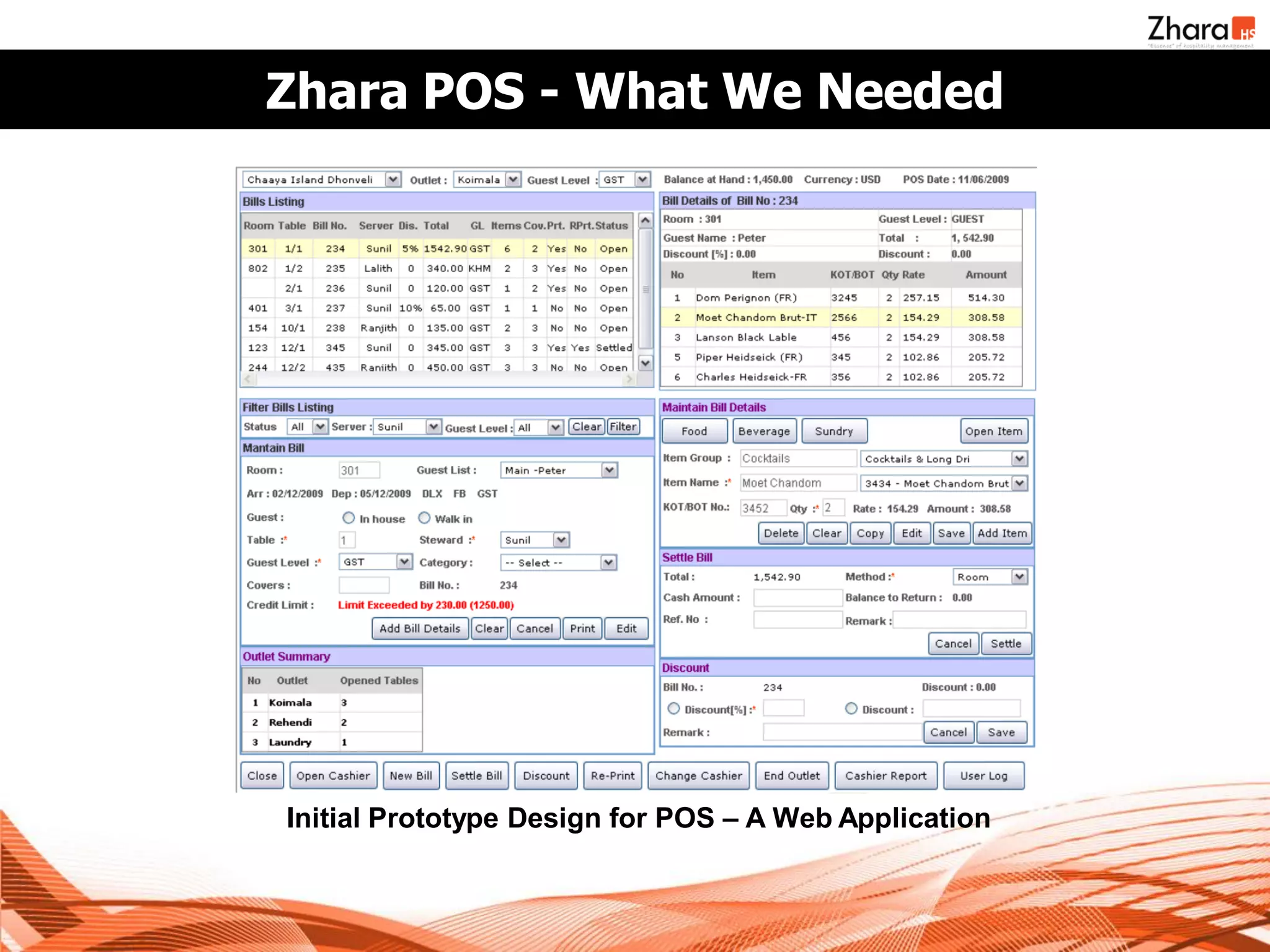
Zhara POS - What We Needed


Initial Prototype Design for POS – A Web Application
And We Needed More !

• A desktop-like application, with high responsiveness
• Direct integration with local resources (ex. Printers)
• 100% keyboard driven interface
• High availability
• Support for independent operations in offline mode
  when connection to PMS is not available
• Centralized Management
    –   Automated Upgrades
    –   User Accounts
    –   Settings
    –   All financial data captured to be transferred to PMS
What we thought of…

• A pure web application will not be able to address the
  requirement.
• The initial design in the prototype is complex. We
  decided to re-design it, breaking down to smaller, task
  specific UIs.
• We looked at…
   –   HTML 5 / Google Gears
   –   Flex / Flash Applications
   –   Java Applets
   –   Java Web Start
We thought of… HTML 5 & Gears

• HTML 5 supports local databases in browser to reduce
  network overhead and to support fail-over, etc.
• It’s a web application, it runs on browser, as if it’s a local
  application.
• But it is not yet materialized properly, and browser
  compliance is minimal.
• It is still web based and the responsiveness issue and
  printer integration is in question.
• Google Gears is a similar technology, but it is no longer
  under active development due to HTML 5’s arrival.
We thought of… Flex & Flash

• Flash & Flex based applications could provide highly
  responsive GUIs.
• Flash supports writing to local files, which we could use
  to facilitate failover.
• Can integrate with a Java back-end through Spring Flex /
  BlazeDS Integration.
• Requires Flash to be installed on client machine.
• Our teams are Java based. Lack of development
  expertise, and on-going maintenance (development) will
  be a problem.
We thought of… Java Applets

• Java Applets are capable of being integrated into the
  web browser (thus it supports web based deployment),
  and also to deliver near desktop application GUIs.
• Signed Applets can obtain access to local disk and
  printers.
• Developers who are proficient in Java can easily learn
  and use applets
• But applets are executed in a restricted environment
   – sandbox – signed applets can get more privileges, but still it is
     not like a desktop application.
• It requires that the browsers have Java plug-in installed.
Meet Java Web Start

• Develop a full-blown desktop application with Swing, and
  deploy it over the Web !
• Supports automated installation
   – Start Menu, Desktop shortcuts.
• Supports automatic updates
• No restrictions in execution environment (for a signed
  application), it run’s as a standalone application.
• Only difference is in the way we deploy / install our
  application.
• But it requires Java Runtime Environment on client
  machines.
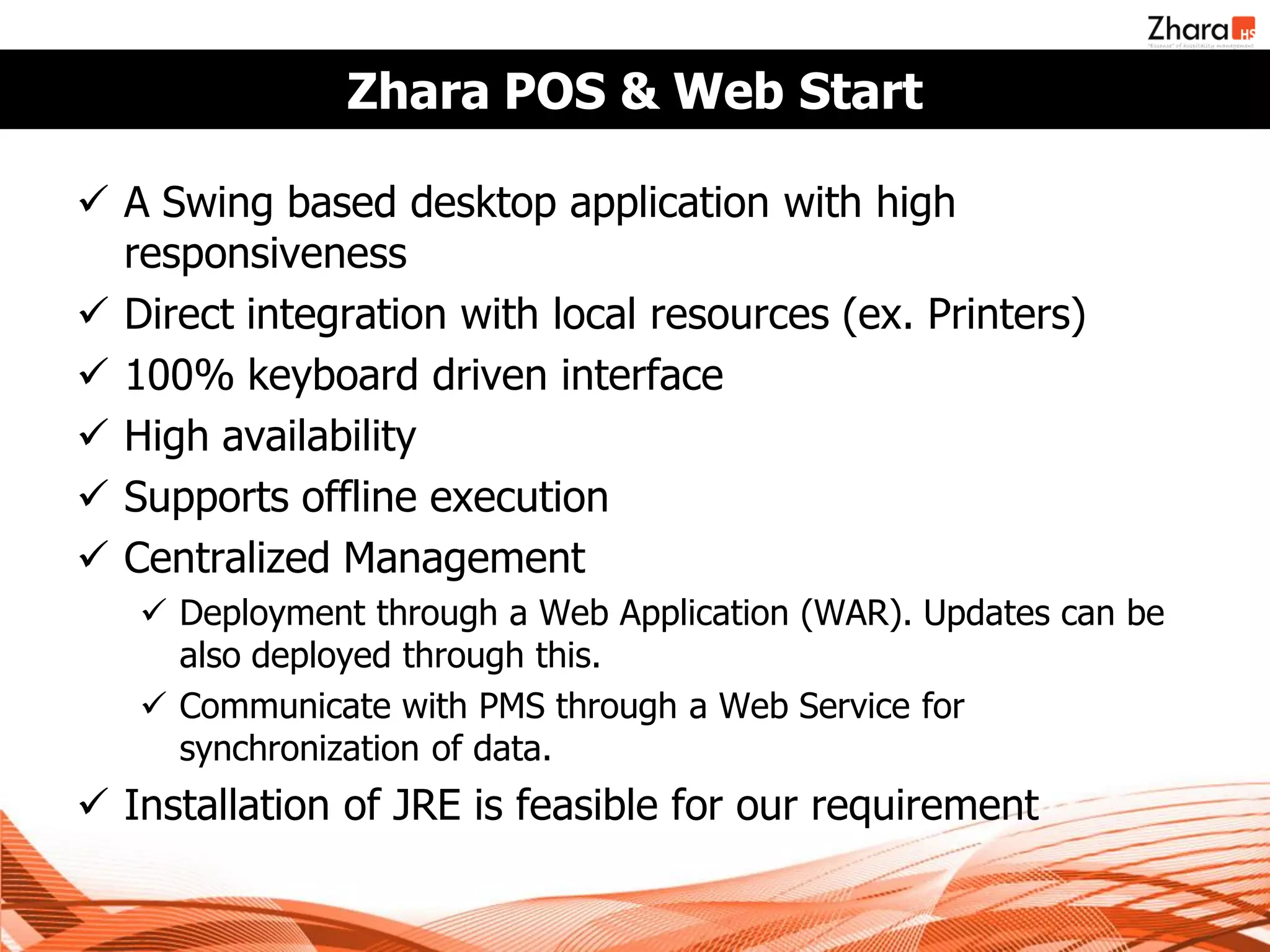
Zhara POS & Web Start

 A Swing based desktop application with high
  responsiveness
 Direct integration with local resources (ex. Printers)
 100% keyboard driven interface
 High availability
 Supports offline execution
 Centralized Management
    Deployment through a Web Application (WAR). Updates can be
     also deployed through this.
    Communicate with PMS through a Web Service for
     synchronization of data.
 Installation of JRE is feasible for our requirement
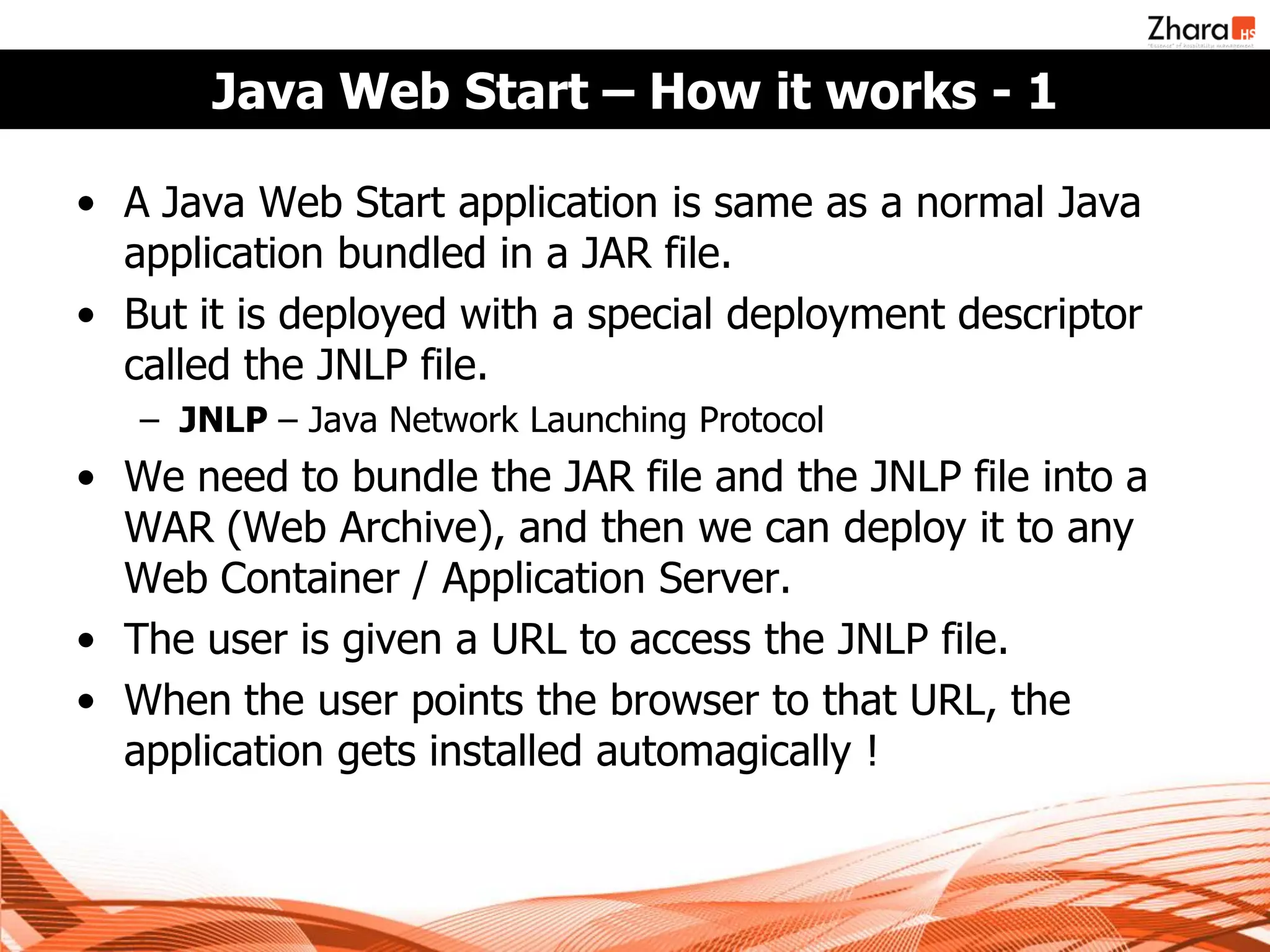
Java Web Start – How it works - 1

• A Java Web Start application is same as a normal Java
  application bundled in a JAR file.
• But it is deployed with a special deployment descriptor
  called the JNLP file.
   – JNLP – Java Network Launching Protocol
• We need to bundle the JAR file and the JNLP file into a
  WAR (Web Archive), and then we can deploy it to any
  Web Container / Application Server.
• The user is given a URL to access the JNLP file.
• When the user points the browser to that URL, the
  application gets installed automagically !
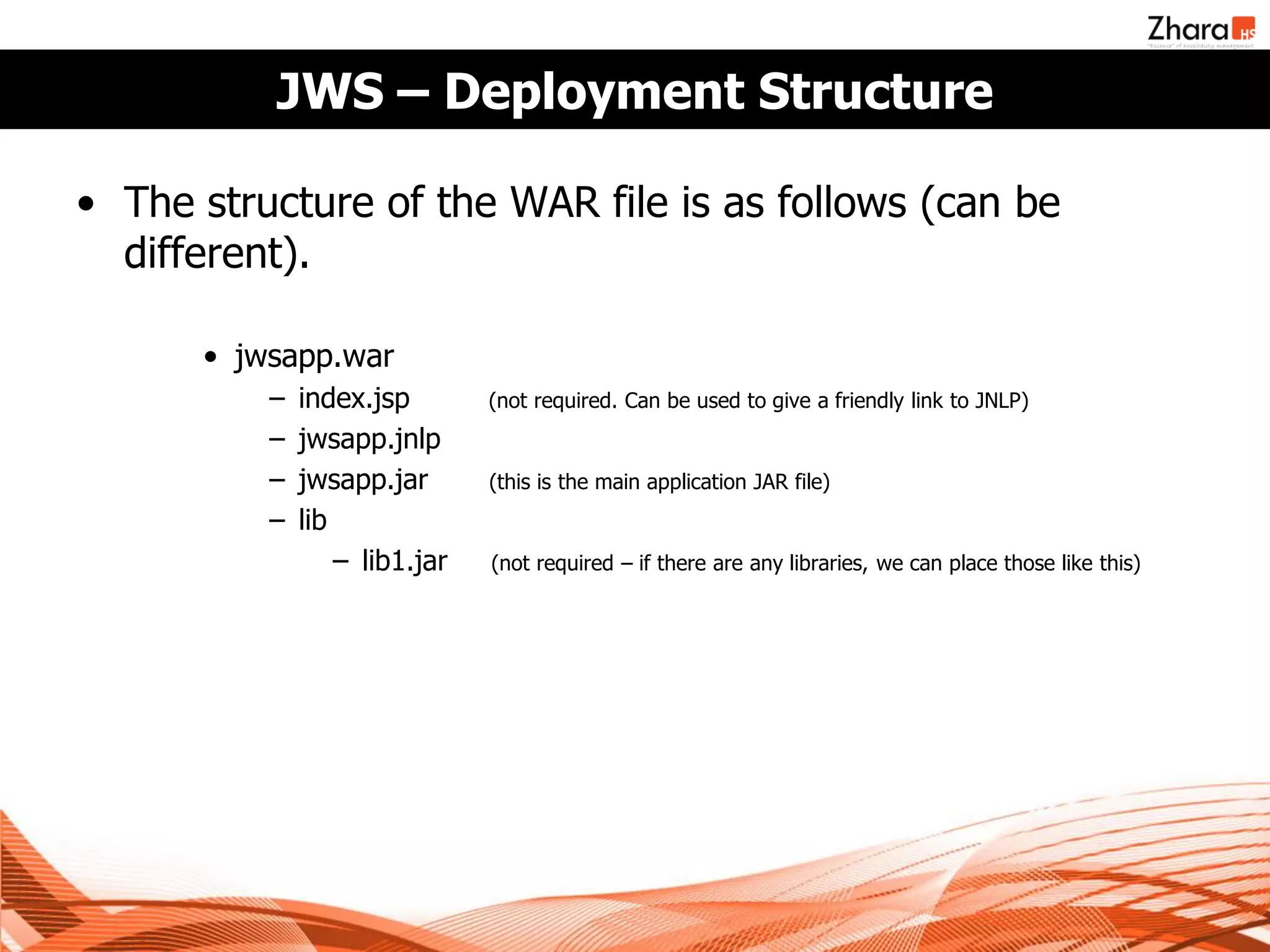
JWS – Deployment Structure

• The structure of the WAR file is as follows (can be
  different).

      • jwsapp.war
          −   index.jsp        (not required. Can be used to give a friendly link to JNLP)
          −   jwsapp.jnlp
          −   jwsapp.jar       (this is the main application JAR file)
          −   lib
                  − lib1.jar   (not required – if there are any libraries, we can place those like this)
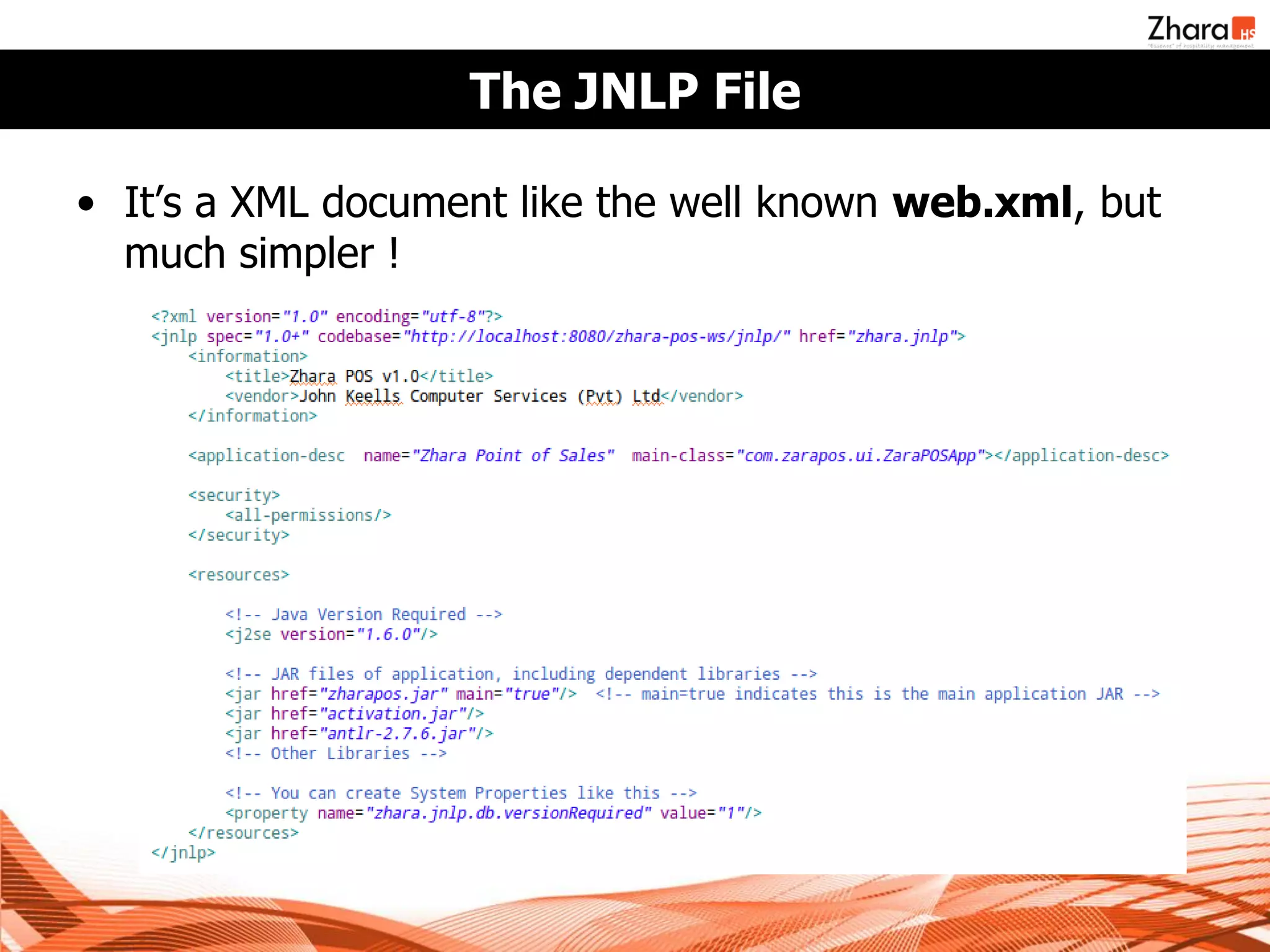
The JNLP File

• It’s a XML document like the well known web.xml, but
  much simpler !
Steps to make & run a Java WS Application

• Write your application like you would normally, and
  make a JAR file.
• Optionally, if you want un-restricted environment, you
  need to sign all your JAR files, including the libraries you
  use.
   – You can use the jarsigner tool in JDK for this. Simply, execute
     signjar as follows for all your JAR files.
       • jarsigner –keystore mystore –storepass password jar-file.jar alias
       • Read more at
         http://java.sun.com/developer/Books/javaprogramming/JAR/sign/signing.html

• Write your JNLP file.
• Deploy it as a WAR file in web container.
• Point your browser to the JNLP URL.
Running a Java WS Application

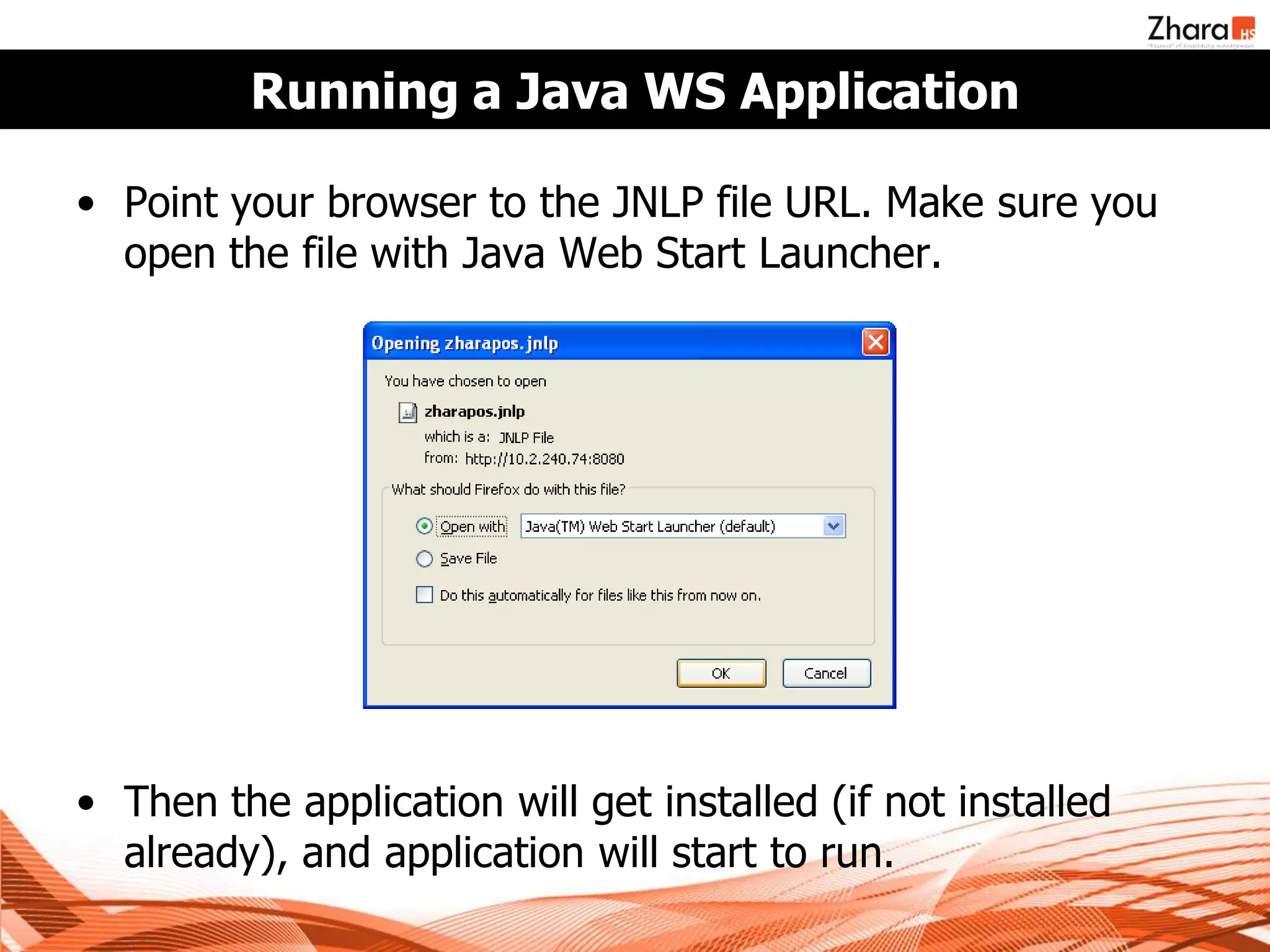
• Point your browser to the JNLP file URL. Make sure you
  open the file with Java Web Start Launcher.


• Then the application will get installed (if not installed
  already), and application will start to run.
Under-the-Hood

• How does Java Web Start do it’s magic ?
• A special application bundled with JRE called javaws.exe
  (or just javaws in *nix) gets invoked with the URL of the
  JNLP File.
• The javaws application reads the JNLP file, and starts
  downloading each JAR file mentioned in the JNLP
  document.
• Once all dependencies are satisfied, javaws executes the
  jar file marked with main=true flag in JNLP, with the
  system properties given (if any).
• There’s much more to this (including security / sandbox,
  etc), but this is what happens in a nutshell.
There’s More – The JnlpDownloadServlet

• There’s a special servlet called JnlpDownloadServlet in a
  jar file distributed with JDK called jnlp-servlet.jar.
• If you add this servlet to your web application (through
  web.xml), you can use special place-holder values in the
  JNLP file.
   – $$codebase – URL of the web application
   – $$name – Name of the JNLP file
• Automatic JAR Diff Generation
   – When a JAR file is updated, and a client requests for the
     updated JAR file, only the difference between the version client
     has and the new version (the diff) will be transferred to save
     network bandwidth.
There’s More – The JnlpDownloadServlet (2)

• Pack200 Compression
  – The servlet supports compressed JAR files using Pack200
    compression algorithm, which is geared towards compressing
    Java Byte Code.
  – Pack200 compression can reduce the JAR file size up to 50%
    less. The program is included with JDK since 5.0 (pack200.exe).
  – You need to manually compress and include the file into the
    WAR file, along with the uncompressed version.
Zhara POS & Web Start

• We developed Zhara POS as a normal desktop
  application, and we execute an embedded H2 database
  to keep the local data.
• POS interfaces with the PMS through two web services in
  PMS, one for uploading data from POS, and one for
  synchronizing PMS changes.
• Once the application was ready, we signed all JAR files
  with a custom certificate, and deployed it to JBoss after
  bundling it to a WAR file.
• Now the POS application can be installed via Web Start.
  Any updates can be deployed to JBoss with updated
  WAR file, and all clients will be updated on next access.
But…. We faced challenges on the way !

• How to send and update the database ?
   – We need a mechanism to transfer the blank database when a
     POS client is initially installed.
   – Also, any database changes related to a update also need to be
     pushed when the application update happens. Web Start auto-
     update is only for the Java code in JAR files.
• Log4J Log Files
   – We need to store the log files in a specific location. Current
     directory is not reliable under Java WS execution.
• POS relies on special set of parameters, which are
  managed in PMS, and synchronized to clients.
   – All settings of the POS is stored in this way, and we need to
     send these parameters upon initial startup of a POS client.
   – Also, we need to ensure that people from outside cannot install
     and run POS clients (our application is exposed to Internet).
Challenges - Database

• We stored a blank database with in the WAR file, and
  wrote a servlet to transfer this database to POS client.
   – When the POS client starts up for the first time, it checks for the
     existence of database in a predefined location (C:ZharaPOS in
     Windows, /opt/zharapos in Linux).
   – If it is not available, the client talks to this servlet, and
     automatically downloads the DB to that location. If the location
     does not exist at all, it will be created on the fly.
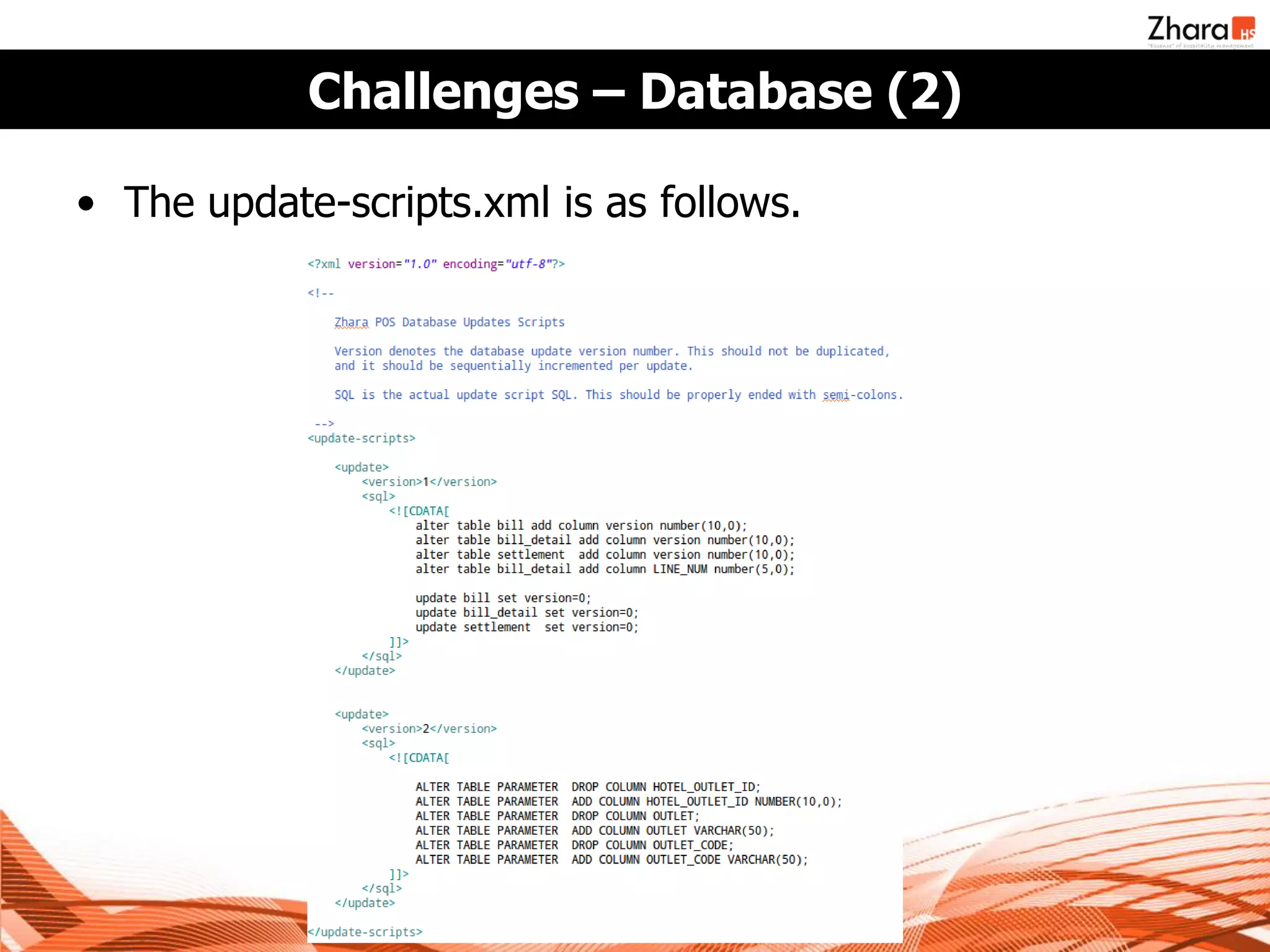
• We needed to transfer database changes to client.
   – We maintain a file called update-scripts.xml in the WAR file. This
     XML file contains SQL scripts related to each database update,
     along with the version number of the update.
Challenges – Database (2)

• The update-scripts.xml is as follows.
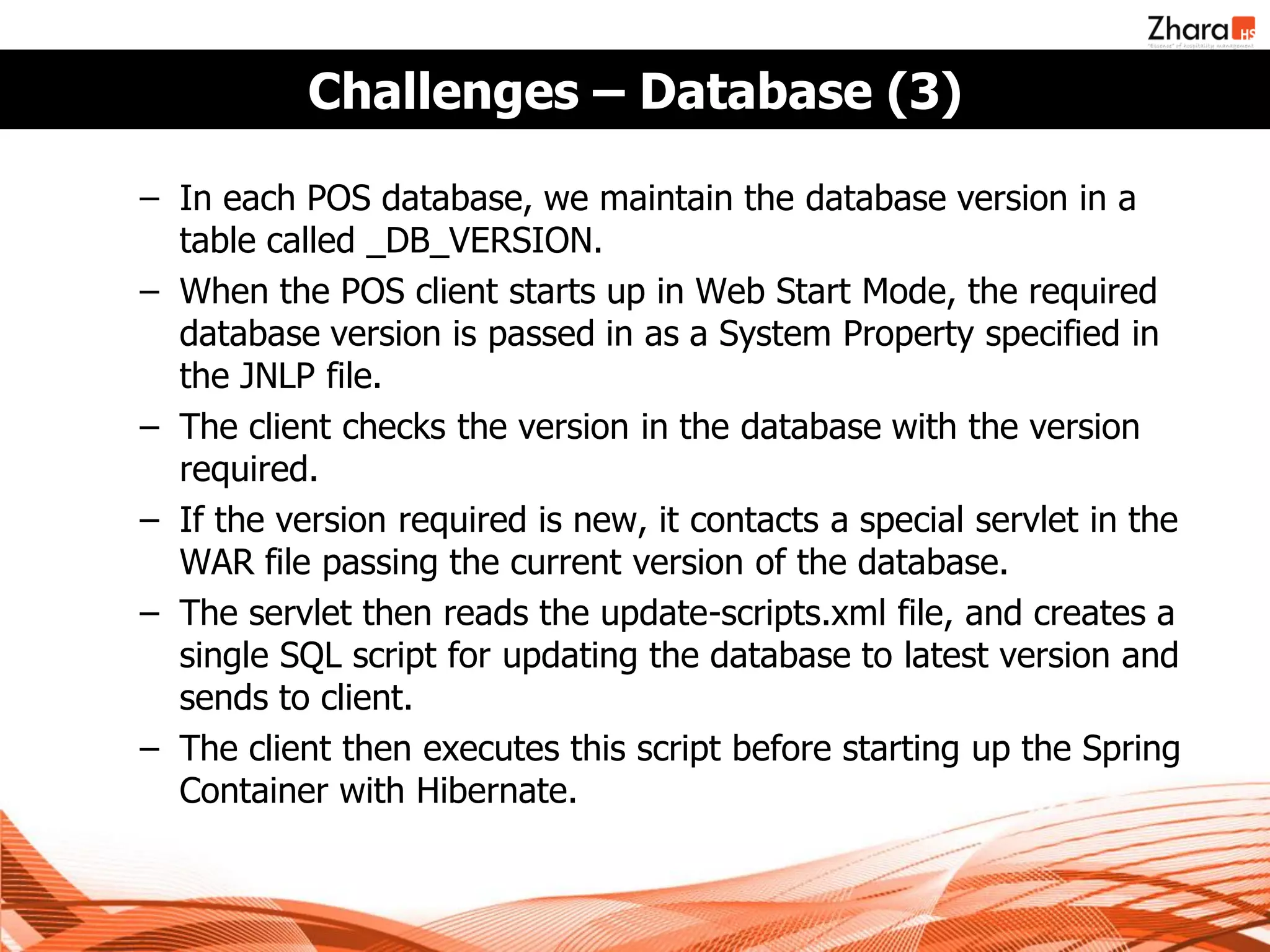
Challenges – Database (3)

– In each POS database, we maintain the database version in a
  table called _DB_VERSION.
– When the POS client starts up in Web Start Mode, the required
  database version is passed in as a System Property specified in
  the JNLP file.
– The client checks the version in the database with the version
  required.
– If the version required is new, it contacts a special servlet in the
  WAR file passing the current version of the database.
– The servlet then reads the update-scripts.xml file, and creates a
  single SQL script for updating the database to latest version and
  sends to client.
– The client then executes this script before starting up the Spring
  Container with Hibernate.
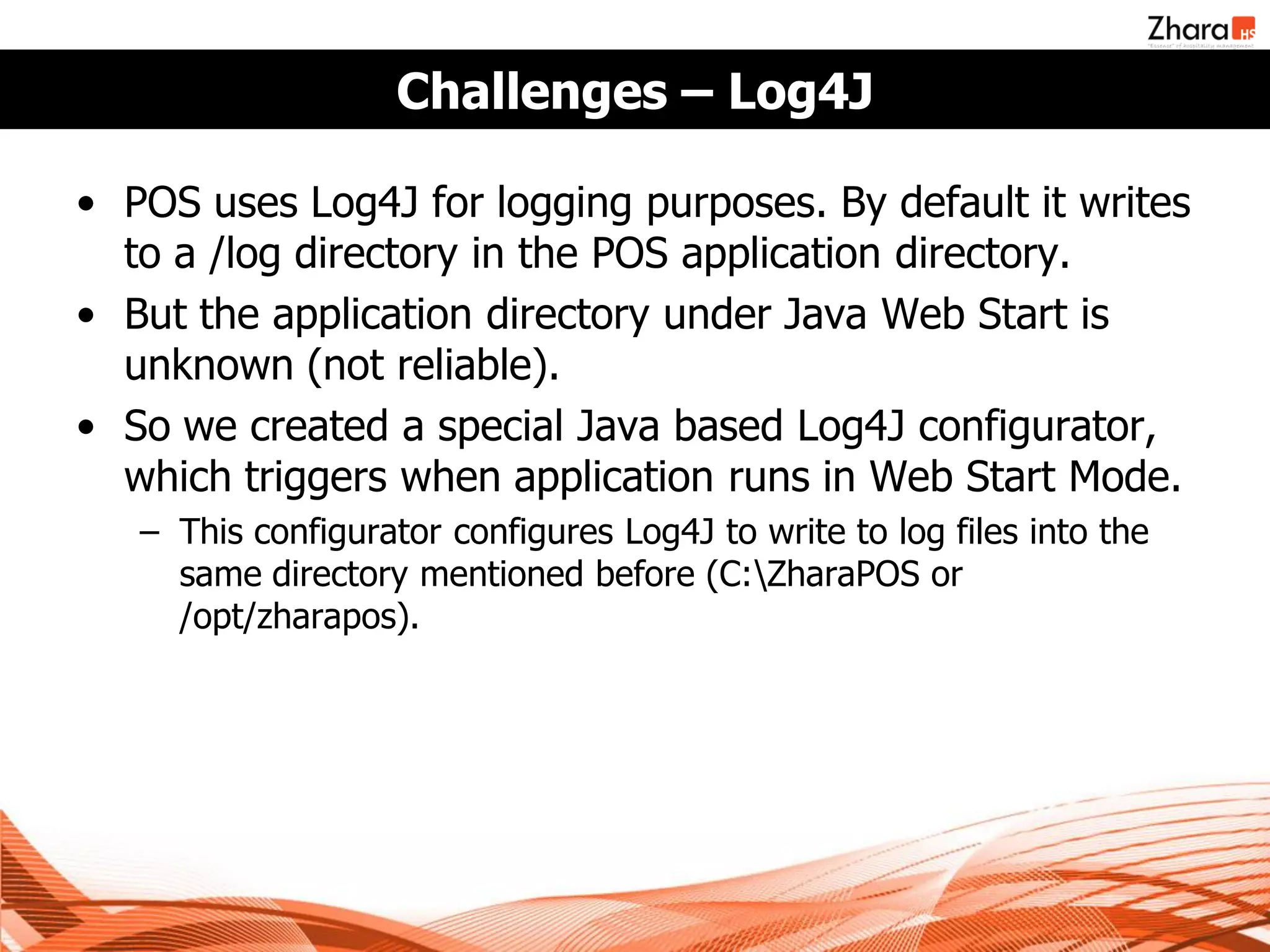
Challenges – Log4J

• POS uses Log4J for logging purposes. By default it writes
  to a /log directory in the POS application directory.
• But the application directory under Java Web Start is
  unknown (not reliable).
• So we created a special Java based Log4J configurator,
  which triggers when application runs in Web Start Mode.
   – This configurator configures Log4J to write to log files into the
     same directory mentioned before (C:ZharaPOS or
     /opt/zharapos).
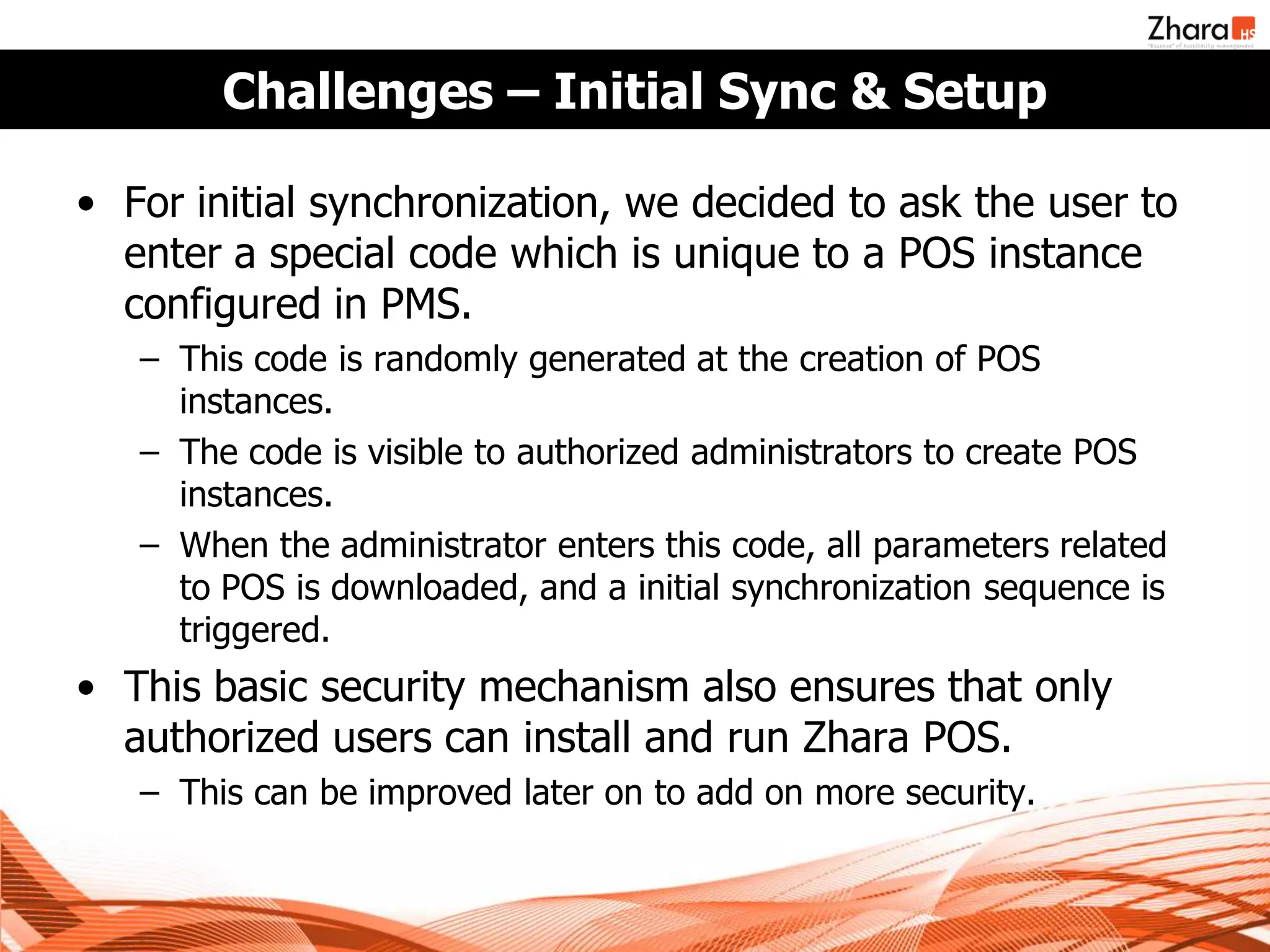
Challenges – Initial Sync & Setup

• For initial synchronization, we decided to ask the user to
  enter a special code which is unique to a POS instance
  configured in PMS.
   – This code is randomly generated at the creation of POS
     instances.
   – The code is visible to authorized administrators to create POS
     instances.
   – When the administrator enters this code, all parameters related
     to POS is downloaded, and a initial synchronization sequence is
     triggered.
• This basic security mechanism also ensures that only
  authorized users can install and run Zhara POS.
   – This can be improved later on to add on more security.
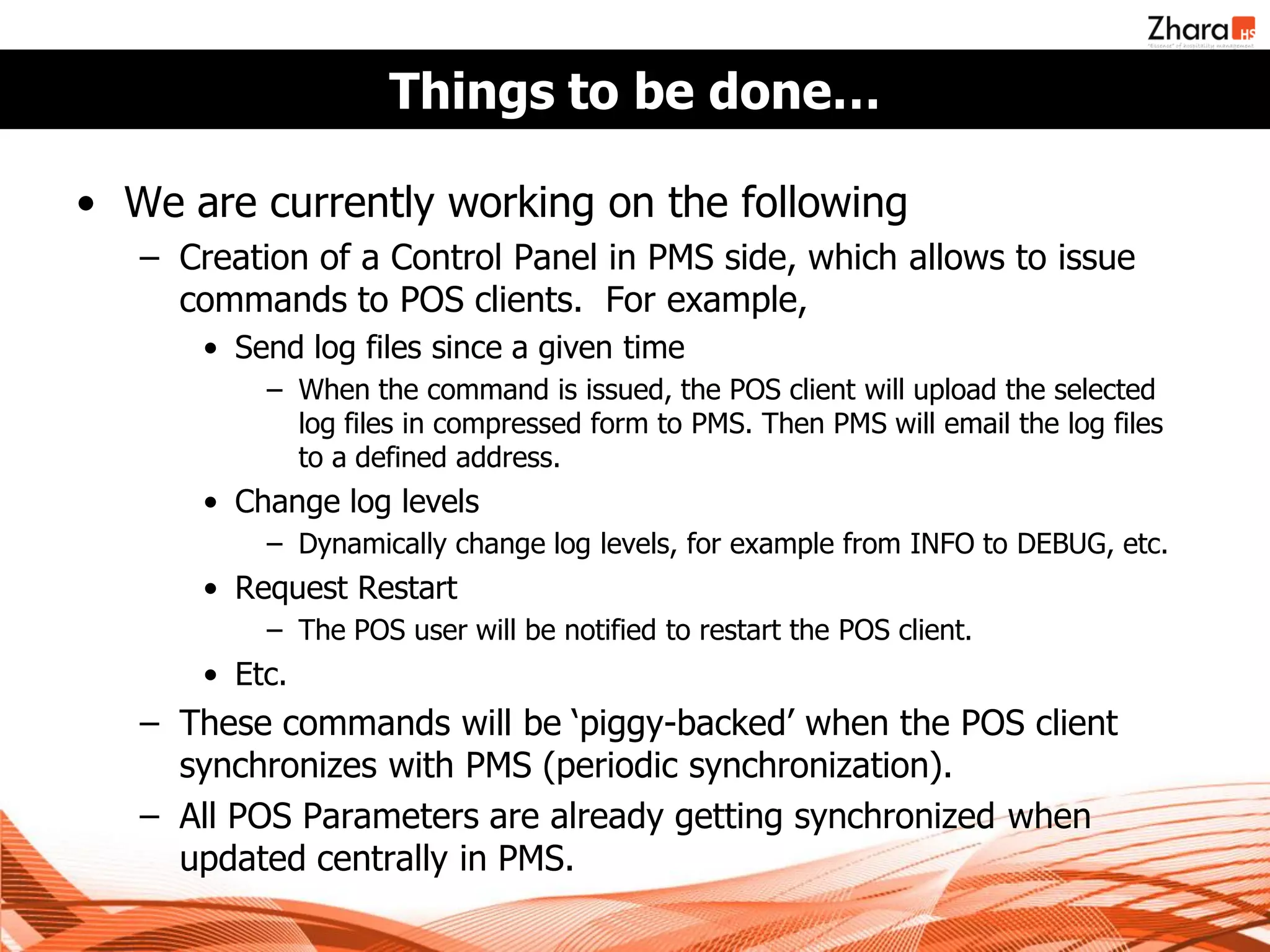
Things to be done…

• We are currently working on the following
   – Creation of a Control Panel in PMS side, which allows to issue
     commands to POS clients. For example,
       • Send log files since a given time
           – When the command is issued, the POS client will upload the selected
             log files in compressed form to PMS. Then PMS will email the log files
             to a defined address.
       • Change log levels
           – Dynamically change log levels, for example from INFO to DEBUG, etc.
       • Request Restart
           – The POS user will be notified to restart the POS client.
       • Etc.
   – These commands will be ‘piggy-backed’ when the POS client
     synchronizes with PMS (periodic synchronization).
   – All POS Parameters are already getting synchronized when
     updated centrally in PMS.
Questions ?
Thank You


References

 http://download.oracle.com/javase/6/docs/technotes/guides/javaws/developersguide/downloadservletguide.html
 http://en.wikipedia.org/wiki/Java_Web_Start
 http://download.oracle.com/javase/tutorial/deployment/webstart/

Java Web Start - How Zhara POS Works

  • 1.
    Zhara Tech Talks– Session 03 19th May 2011 Java Web Start How Zhara POS Works Yohan Liyanage BSc (Hons) MBCS MIET MIEEE SCJP SCWCD
  • 2.
    Zhara POS -What We Needed Initial Prototype Design for POS – A Web Application
  • 3.
    And We NeededMore ! • A desktop-like application, with high responsiveness • Direct integration with local resources (ex. Printers) • 100% keyboard driven interface • High availability • Support for independent operations in offline mode when connection to PMS is not available • Centralized Management – Automated Upgrades – User Accounts – Settings – All financial data captured to be transferred to PMS
  • 4.
    What we thoughtof… • A pure web application will not be able to address the requirement. • The initial design in the prototype is complex. We decided to re-design it, breaking down to smaller, task specific UIs. • We looked at… – HTML 5 / Google Gears – Flex / Flash Applications – Java Applets – Java Web Start
  • 5.
    We thought of…HTML 5 & Gears • HTML 5 supports local databases in browser to reduce network overhead and to support fail-over, etc. • It’s a web application, it runs on browser, as if it’s a local application. • But it is not yet materialized properly, and browser compliance is minimal. • It is still web based and the responsiveness issue and printer integration is in question. • Google Gears is a similar technology, but it is no longer under active development due to HTML 5’s arrival.
  • 6.
    We thought of…Flex & Flash • Flash & Flex based applications could provide highly responsive GUIs. • Flash supports writing to local files, which we could use to facilitate failover. • Can integrate with a Java back-end through Spring Flex / BlazeDS Integration. • Requires Flash to be installed on client machine. • Our teams are Java based. Lack of development expertise, and on-going maintenance (development) will be a problem.
  • 7.
    We thought of…Java Applets • Java Applets are capable of being integrated into the web browser (thus it supports web based deployment), and also to deliver near desktop application GUIs. • Signed Applets can obtain access to local disk and printers. • Developers who are proficient in Java can easily learn and use applets • But applets are executed in a restricted environment – sandbox – signed applets can get more privileges, but still it is not like a desktop application. • It requires that the browsers have Java plug-in installed.
  • 8.
    Meet Java WebStart • Develop a full-blown desktop application with Swing, and deploy it over the Web ! • Supports automated installation – Start Menu, Desktop shortcuts. • Supports automatic updates • No restrictions in execution environment (for a signed application), it run’s as a standalone application. • Only difference is in the way we deploy / install our application. • But it requires Java Runtime Environment on client machines.
  • 9.
    Zhara POS &Web Start  A Swing based desktop application with high responsiveness  Direct integration with local resources (ex. Printers)  100% keyboard driven interface  High availability  Supports offline execution  Centralized Management  Deployment through a Web Application (WAR). Updates can be also deployed through this.  Communicate with PMS through a Web Service for synchronization of data.  Installation of JRE is feasible for our requirement
  • 10.
    Java Web Start– How it works - 1 • A Java Web Start application is same as a normal Java application bundled in a JAR file. • But it is deployed with a special deployment descriptor called the JNLP file. – JNLP – Java Network Launching Protocol • We need to bundle the JAR file and the JNLP file into a WAR (Web Archive), and then we can deploy it to any Web Container / Application Server. • The user is given a URL to access the JNLP file. • When the user points the browser to that URL, the application gets installed automagically !
  • 11.
    JWS – DeploymentStructure • The structure of the WAR file is as follows (can be different). • jwsapp.war − index.jsp (not required. Can be used to give a friendly link to JNLP) − jwsapp.jnlp − jwsapp.jar (this is the main application JAR file) − lib − lib1.jar (not required – if there are any libraries, we can place those like this)
  • 12.
    The JNLP File •It’s a XML document like the well known web.xml, but much simpler !
  • 13.
    Steps to make& run a Java WS Application • Write your application like you would normally, and make a JAR file. • Optionally, if you want un-restricted environment, you need to sign all your JAR files, including the libraries you use. – You can use the jarsigner tool in JDK for this. Simply, execute signjar as follows for all your JAR files. • jarsigner –keystore mystore –storepass password jar-file.jar alias • Read more at http://java.sun.com/developer/Books/javaprogramming/JAR/sign/signing.html • Write your JNLP file. • Deploy it as a WAR file in web container. • Point your browser to the JNLP URL.
  • 14.
    Running a JavaWS Application • Point your browser to the JNLP file URL. Make sure you open the file with Java Web Start Launcher. • Then the application will get installed (if not installed already), and application will start to run.
  • 15.
    Under-the-Hood • How doesJava Web Start do it’s magic ? • A special application bundled with JRE called javaws.exe (or just javaws in *nix) gets invoked with the URL of the JNLP File. • The javaws application reads the JNLP file, and starts downloading each JAR file mentioned in the JNLP document. • Once all dependencies are satisfied, javaws executes the jar file marked with main=true flag in JNLP, with the system properties given (if any). • There’s much more to this (including security / sandbox, etc), but this is what happens in a nutshell.
  • 16.
    There’s More –The JnlpDownloadServlet • There’s a special servlet called JnlpDownloadServlet in a jar file distributed with JDK called jnlp-servlet.jar. • If you add this servlet to your web application (through web.xml), you can use special place-holder values in the JNLP file. – $$codebase – URL of the web application – $$name – Name of the JNLP file • Automatic JAR Diff Generation – When a JAR file is updated, and a client requests for the updated JAR file, only the difference between the version client has and the new version (the diff) will be transferred to save network bandwidth.
  • 17.
    There’s More –The JnlpDownloadServlet (2) • Pack200 Compression – The servlet supports compressed JAR files using Pack200 compression algorithm, which is geared towards compressing Java Byte Code. – Pack200 compression can reduce the JAR file size up to 50% less. The program is included with JDK since 5.0 (pack200.exe). – You need to manually compress and include the file into the WAR file, along with the uncompressed version.
  • 18.
    Zhara POS &Web Start • We developed Zhara POS as a normal desktop application, and we execute an embedded H2 database to keep the local data. • POS interfaces with the PMS through two web services in PMS, one for uploading data from POS, and one for synchronizing PMS changes. • Once the application was ready, we signed all JAR files with a custom certificate, and deployed it to JBoss after bundling it to a WAR file. • Now the POS application can be installed via Web Start. Any updates can be deployed to JBoss with updated WAR file, and all clients will be updated on next access.
  • 19.
    But…. We facedchallenges on the way ! • How to send and update the database ? – We need a mechanism to transfer the blank database when a POS client is initially installed. – Also, any database changes related to a update also need to be pushed when the application update happens. Web Start auto- update is only for the Java code in JAR files. • Log4J Log Files – We need to store the log files in a specific location. Current directory is not reliable under Java WS execution. • POS relies on special set of parameters, which are managed in PMS, and synchronized to clients. – All settings of the POS is stored in this way, and we need to send these parameters upon initial startup of a POS client. – Also, we need to ensure that people from outside cannot install and run POS clients (our application is exposed to Internet).
  • 20.
    Challenges - Database •We stored a blank database with in the WAR file, and wrote a servlet to transfer this database to POS client. – When the POS client starts up for the first time, it checks for the existence of database in a predefined location (C:ZharaPOS in Windows, /opt/zharapos in Linux). – If it is not available, the client talks to this servlet, and automatically downloads the DB to that location. If the location does not exist at all, it will be created on the fly. • We needed to transfer database changes to client. – We maintain a file called update-scripts.xml in the WAR file. This XML file contains SQL scripts related to each database update, along with the version number of the update.
  • 21.
    Challenges – Database(2) • The update-scripts.xml is as follows.
  • 22.
    Challenges – Database(3) – In each POS database, we maintain the database version in a table called _DB_VERSION. – When the POS client starts up in Web Start Mode, the required database version is passed in as a System Property specified in the JNLP file. – The client checks the version in the database with the version required. – If the version required is new, it contacts a special servlet in the WAR file passing the current version of the database. – The servlet then reads the update-scripts.xml file, and creates a single SQL script for updating the database to latest version and sends to client. – The client then executes this script before starting up the Spring Container with Hibernate.
  • 23.
    Challenges – Log4J •POS uses Log4J for logging purposes. By default it writes to a /log directory in the POS application directory. • But the application directory under Java Web Start is unknown (not reliable). • So we created a special Java based Log4J configurator, which triggers when application runs in Web Start Mode. – This configurator configures Log4J to write to log files into the same directory mentioned before (C:ZharaPOS or /opt/zharapos).
  • 24.
    Challenges – InitialSync & Setup • For initial synchronization, we decided to ask the user to enter a special code which is unique to a POS instance configured in PMS. – This code is randomly generated at the creation of POS instances. – The code is visible to authorized administrators to create POS instances. – When the administrator enters this code, all parameters related to POS is downloaded, and a initial synchronization sequence is triggered. • This basic security mechanism also ensures that only authorized users can install and run Zhara POS. – This can be improved later on to add on more security.
  • 25.
    Things to bedone… • We are currently working on the following – Creation of a Control Panel in PMS side, which allows to issue commands to POS clients. For example, • Send log files since a given time – When the command is issued, the POS client will upload the selected log files in compressed form to PMS. Then PMS will email the log files to a defined address. • Change log levels – Dynamically change log levels, for example from INFO to DEBUG, etc. • Request Restart – The POS user will be notified to restart the POS client. • Etc. – These commands will be ‘piggy-backed’ when the POS client synchronizes with PMS (periodic synchronization). – All POS Parameters are already getting synchronized when updated centrally in PMS.
  • 26.
  • 27.
    Thank You References  http://download.oracle.com/javase/6/docs/technotes/guides/javaws/developersguide/downloadservletguide.html http://en.wikipedia.org/wiki/Java_Web_Start  http://download.oracle.com/javase/tutorial/deployment/webstart/