



Demystifying Mobile:
Designing with
Accessibility in Mind
Kathy Wahlbin
VP Enterprise Compliance & General Manager
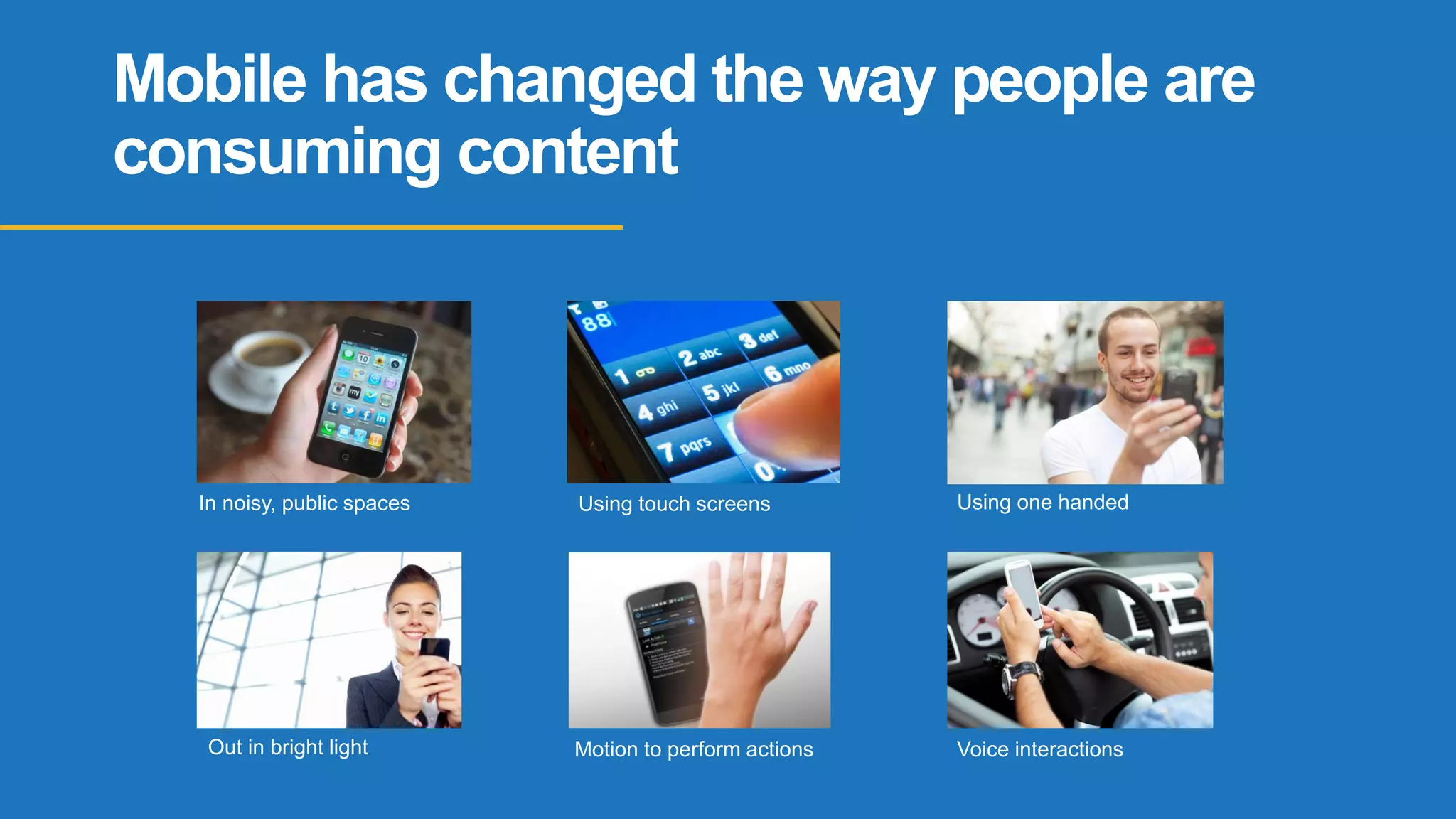
Mobile has changed the way people are
consuming content
In noisy, public spaces Using touch screens Using one handed
Out in bright light Motion to perform actions Voice interactions
Behind every great site or app lies
thought, empathy and inclusion.
This doesn’t happen by accident, it
happens by design.
- Henny Swan
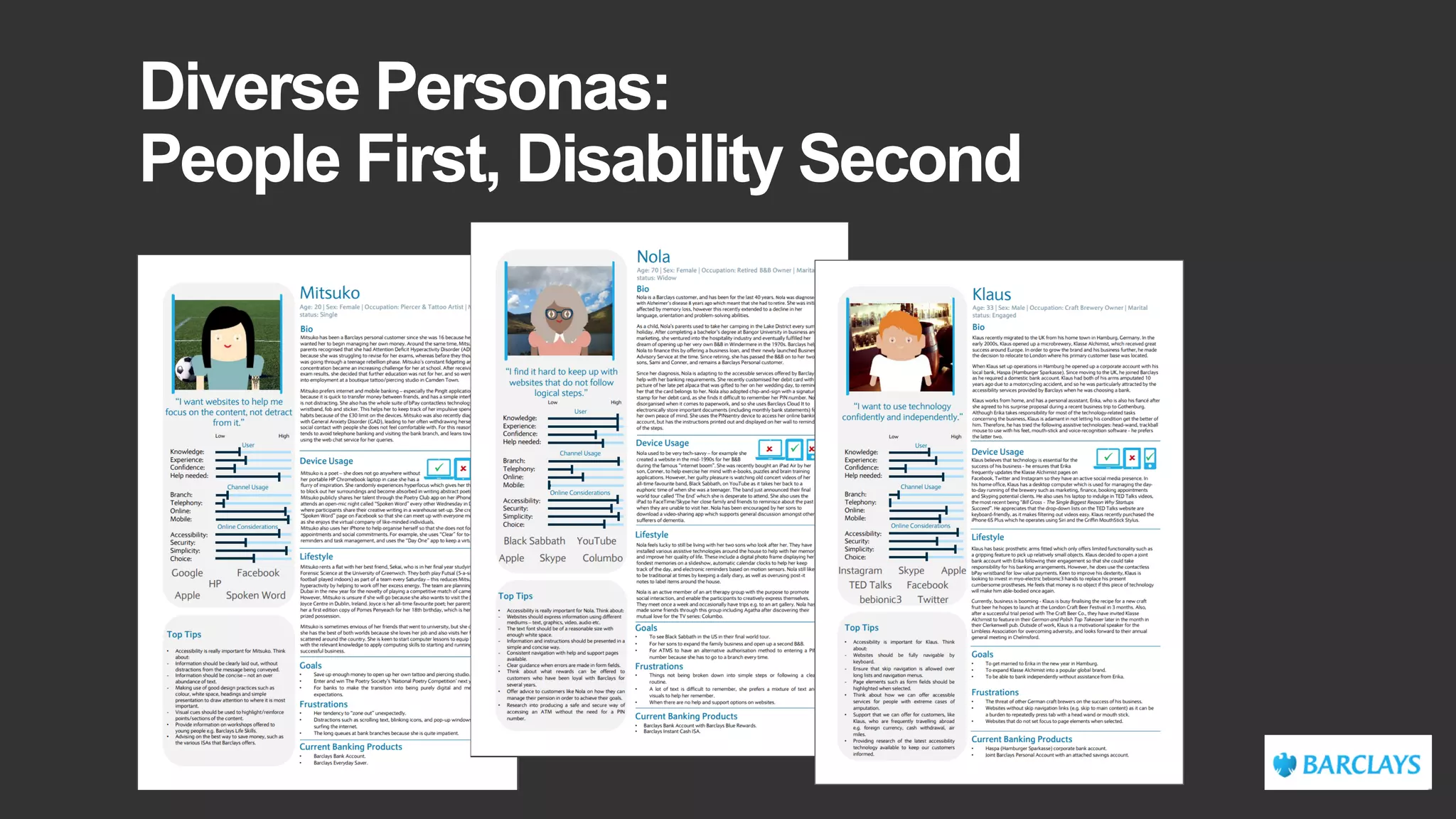
Diverse Personas:
People First, Disability Second
Prioritize
Content
Help users focus on core tasks, features, and information by
prioritizing them within the content and layout.
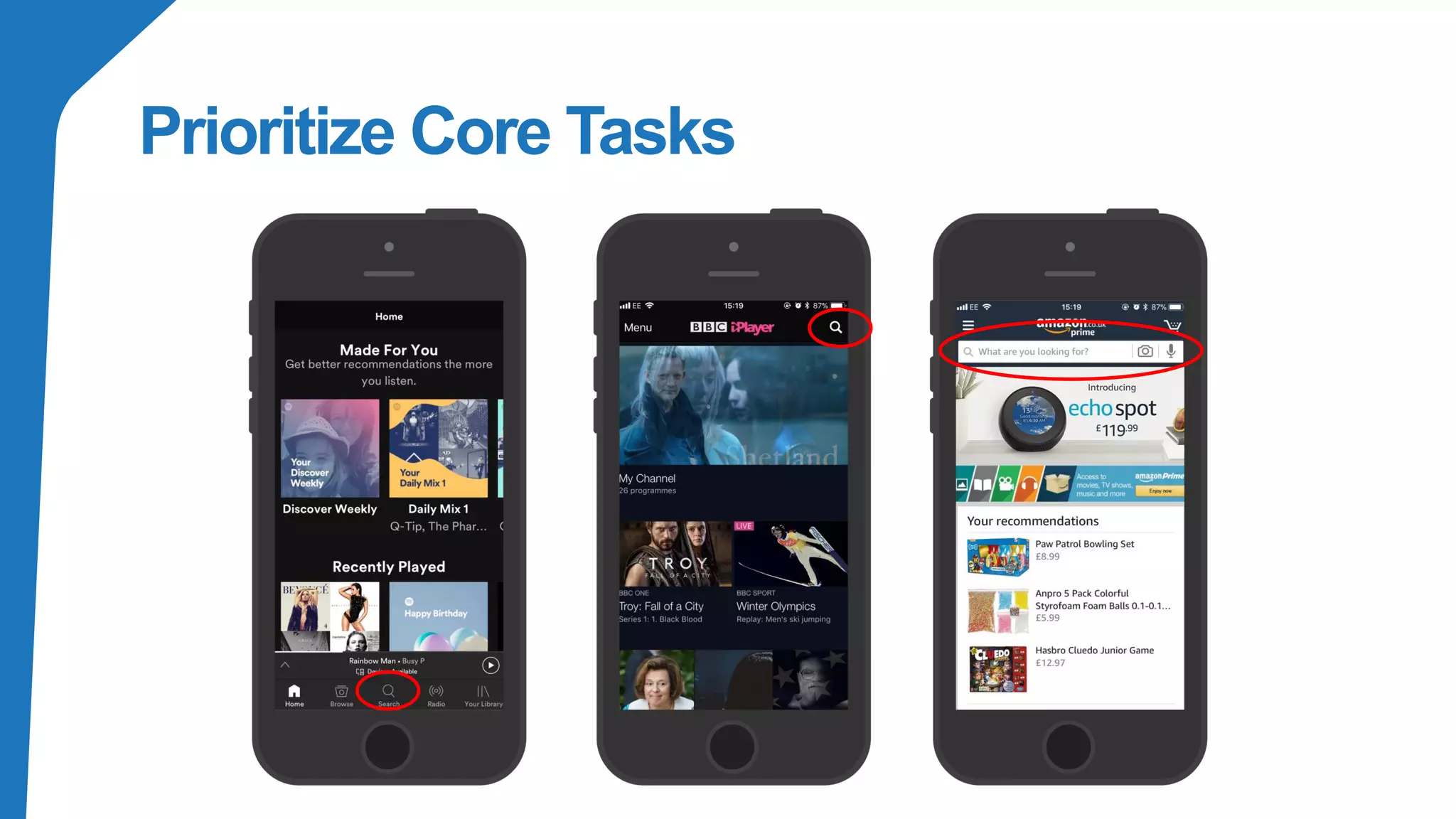
Prioritize Core Tasks
Intuitive
Navigation
Help users navigate with clear pathways and without requiring
explanations.
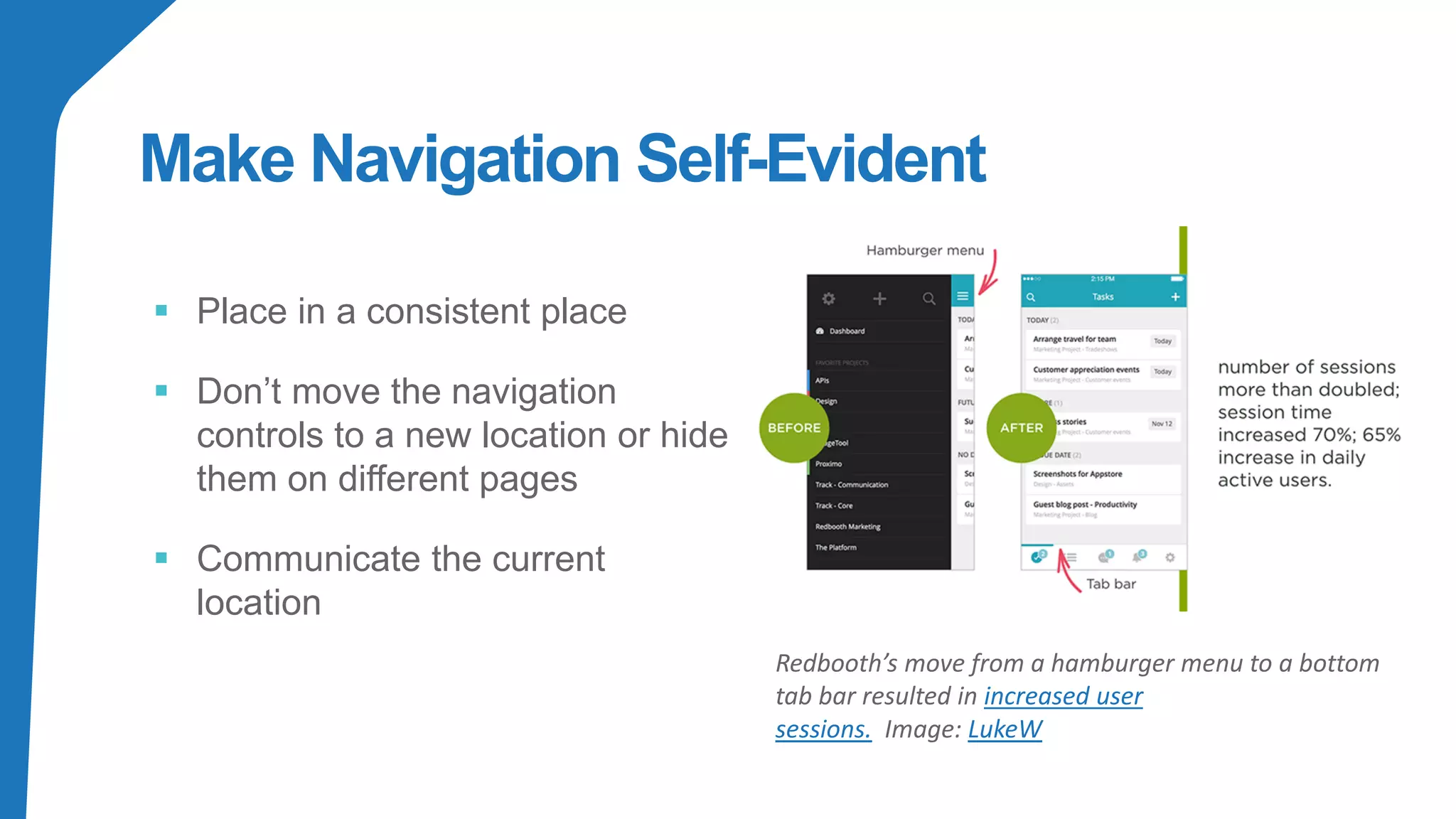
Make Navigation Self-Evident
▪ Place in a consistent place
▪ Don’t move the navigation
controls to a new location or hide
them on different pages
▪ Communicate the current
location
Redbooth’s move from a hamburger menu to a bottom
tab bar resulted in increased user
sessions. Image: LukeW
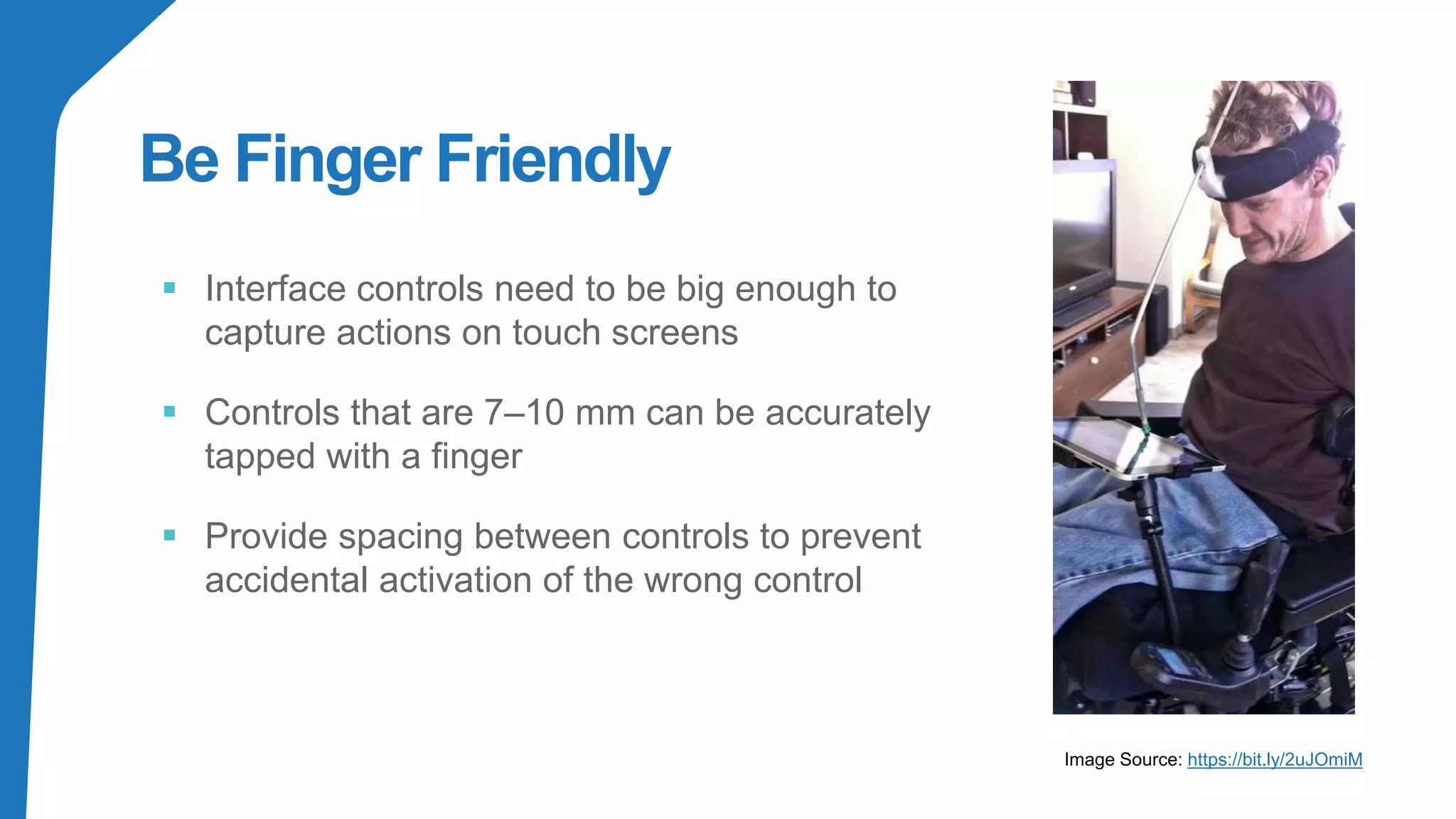
Be Finger Friendly
▪ Interface controls need to be big enough to
capture actions on touch screens
▪ Controls that are 7–10 mm can be accurately
tapped with a finger
▪ Provide spacing between controls to prevent
accidental activation of the wrong control
Image Source: https://bit.ly/2uJOmiM
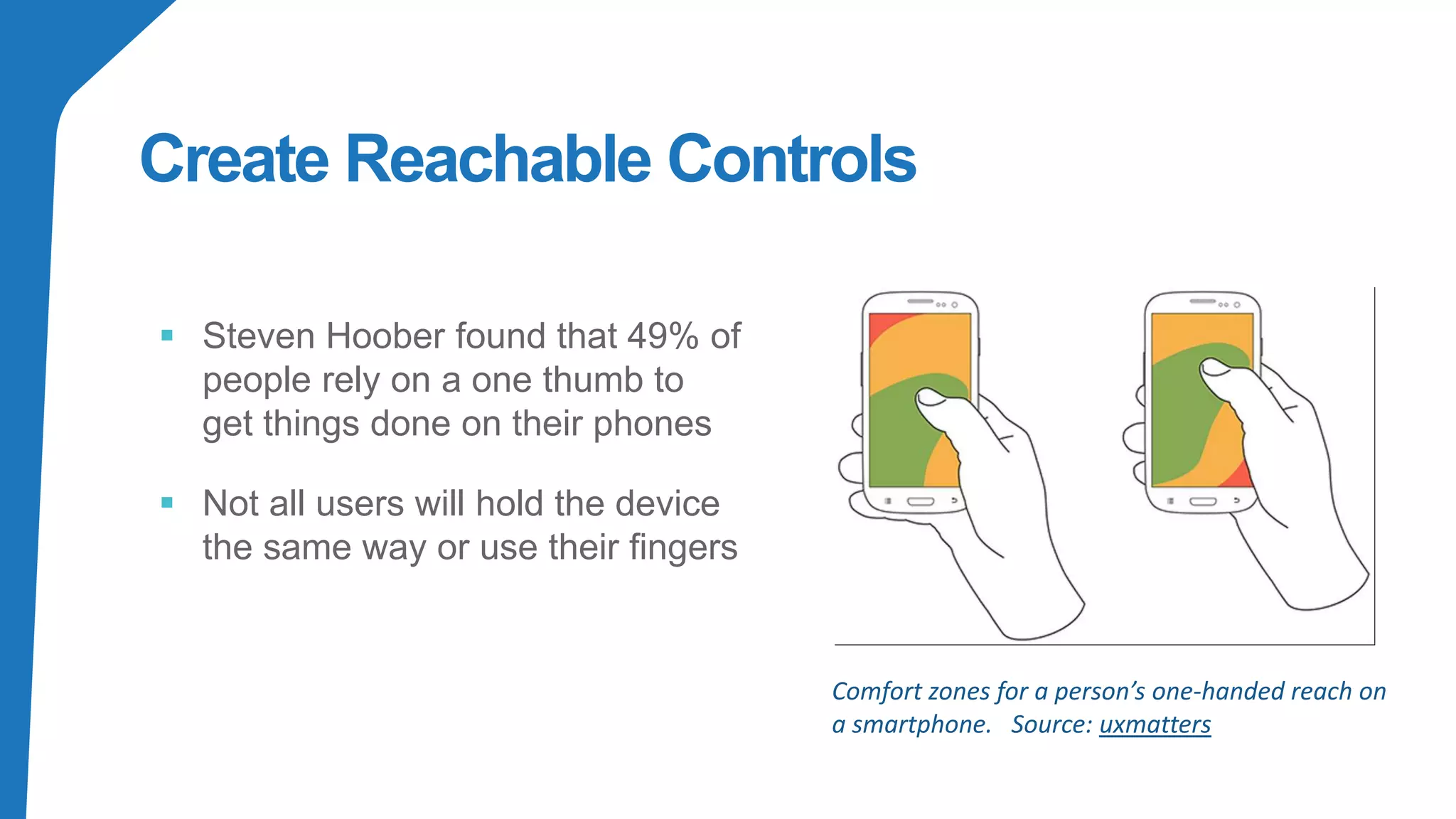
Create Reachable Controls
▪ Steven Hoober found that 49% of
people rely on a one thumb to
get things done on their phones
▪ Not all users will hold the device
the same way or use their fingers
Comfort zones for a person’s one-handed reach on
a smartphone. Source: uxmatters
Consider
Situation
People use your interface in different situations. Make sure your interface
delivers a valuable experience to people regardless of their circumstances
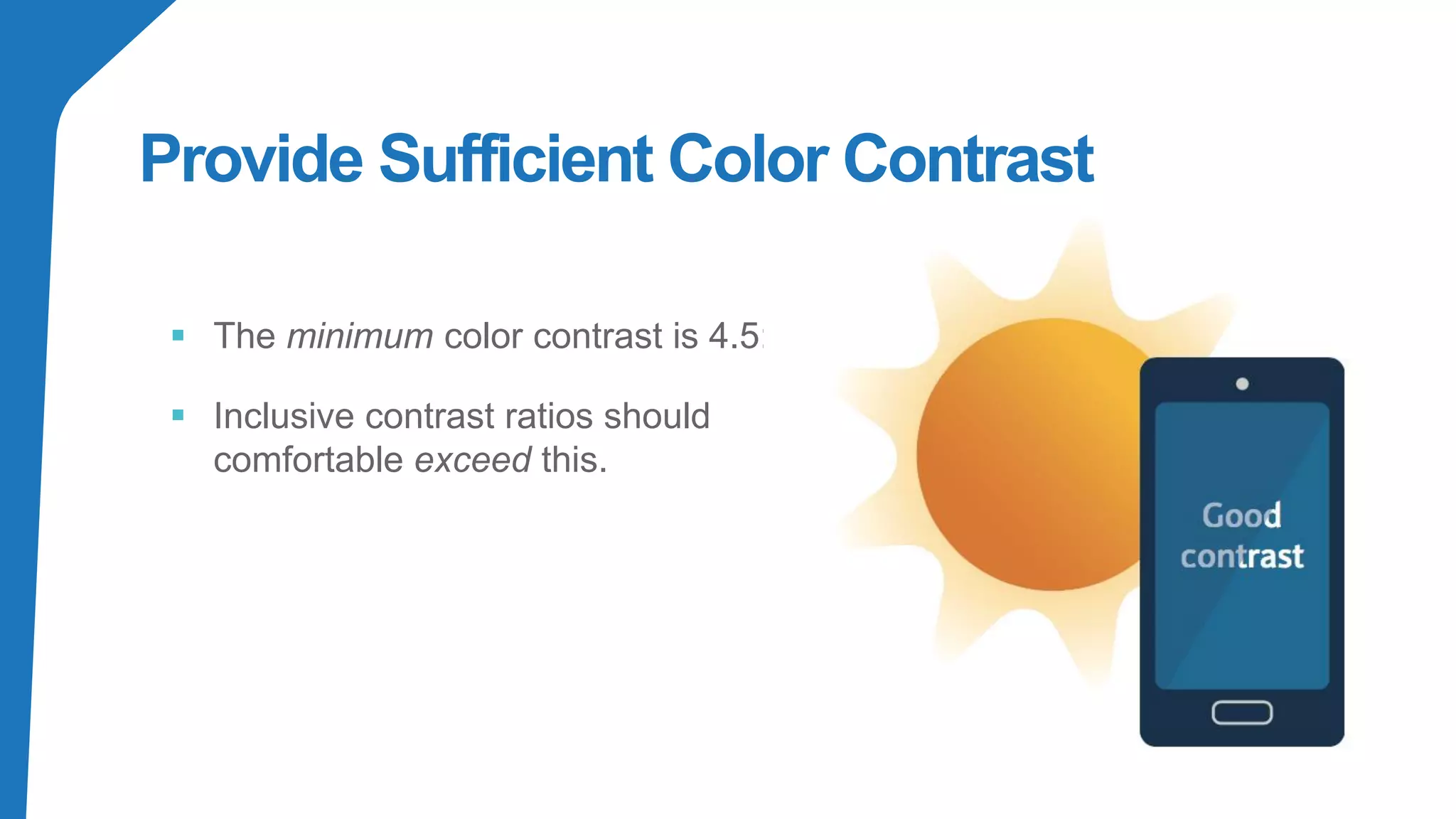
Provide Sufficient Color Contrast
▪ The minimum color contrast is 4.5:1
▪ Inclusive contrast ratios should
comfortable exceed this.
Make Text Legible
▪ Ensure users can read
your content
▪ Text should be legible at a
typical viewing distance
without zooming
Source: https://bit.ly/2Us905p
Be
Consistent
Be consistent with conventions and with their application througho
your interface.
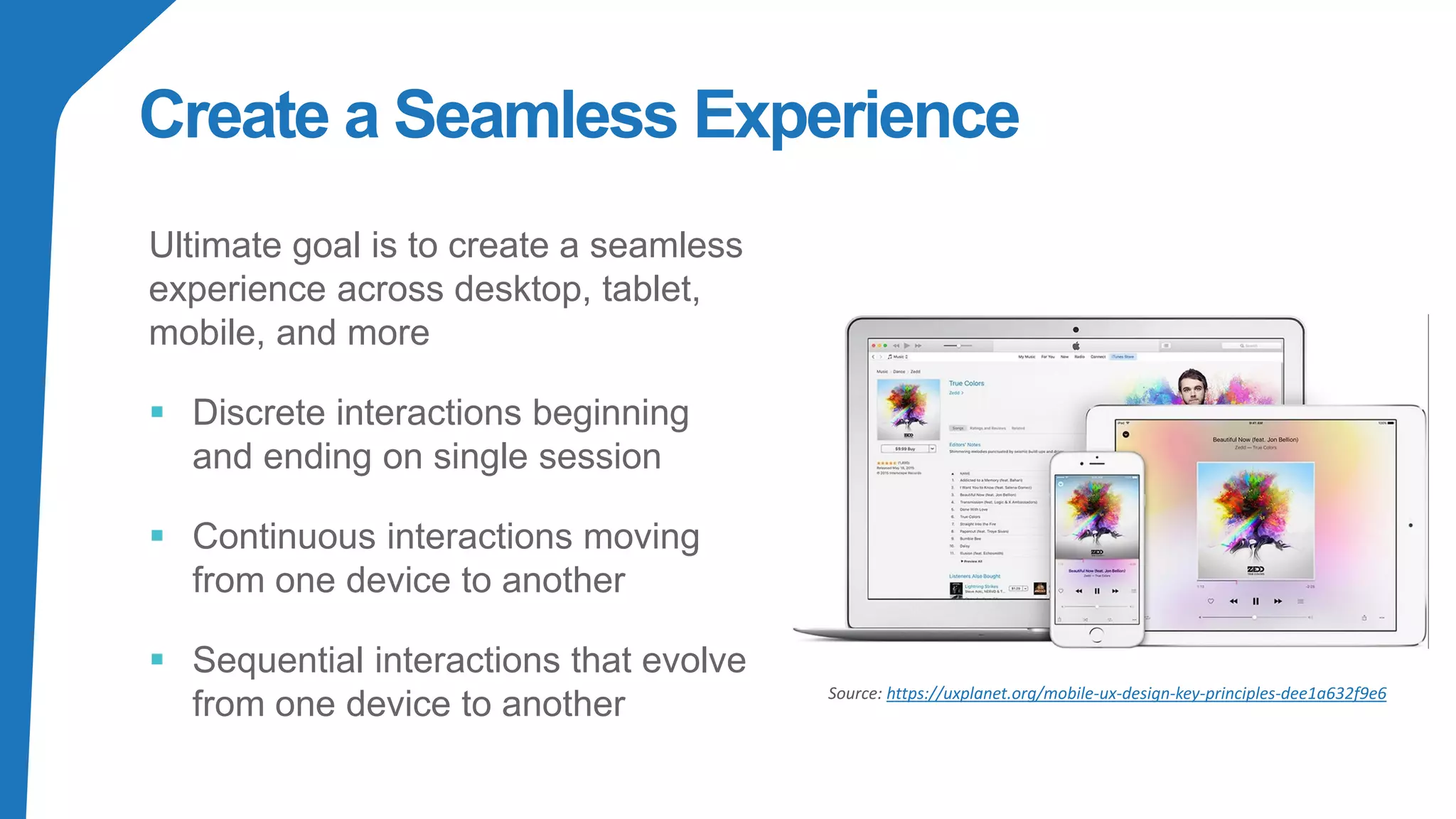
Create a Seamless Experience
Ultimate goal is to create a seamless
experience across desktop, tablet,
mobile, and more
▪ Discrete interactions beginning
and ending on single session
▪ Continuous interactions moving
from one device to another
▪ Sequential interactions that evolve
from one device to another Source: https://uxplanet.org/mobile-ux-design-key-principles-dee1a632f9e6
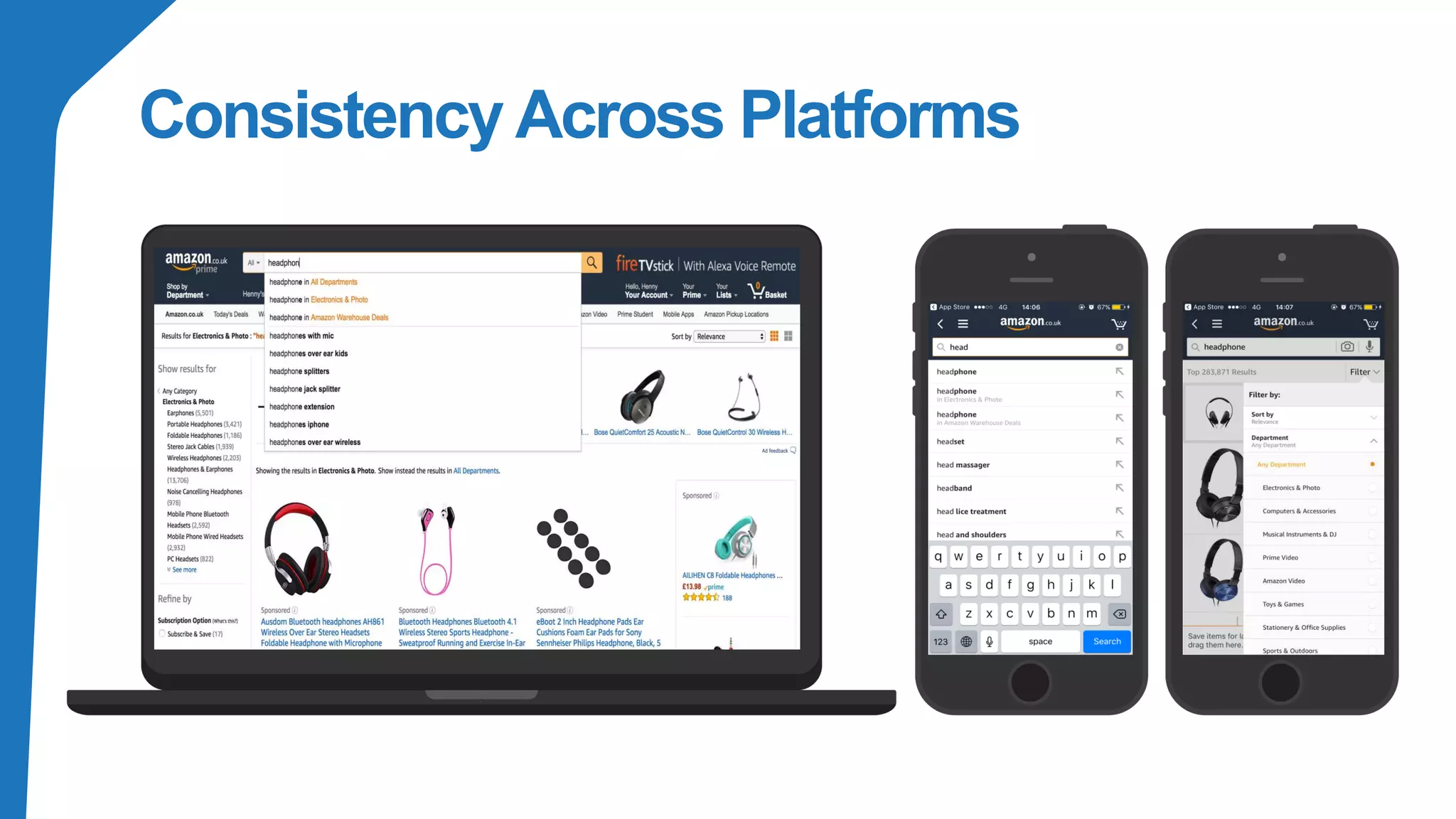
Consistency Across Platforms
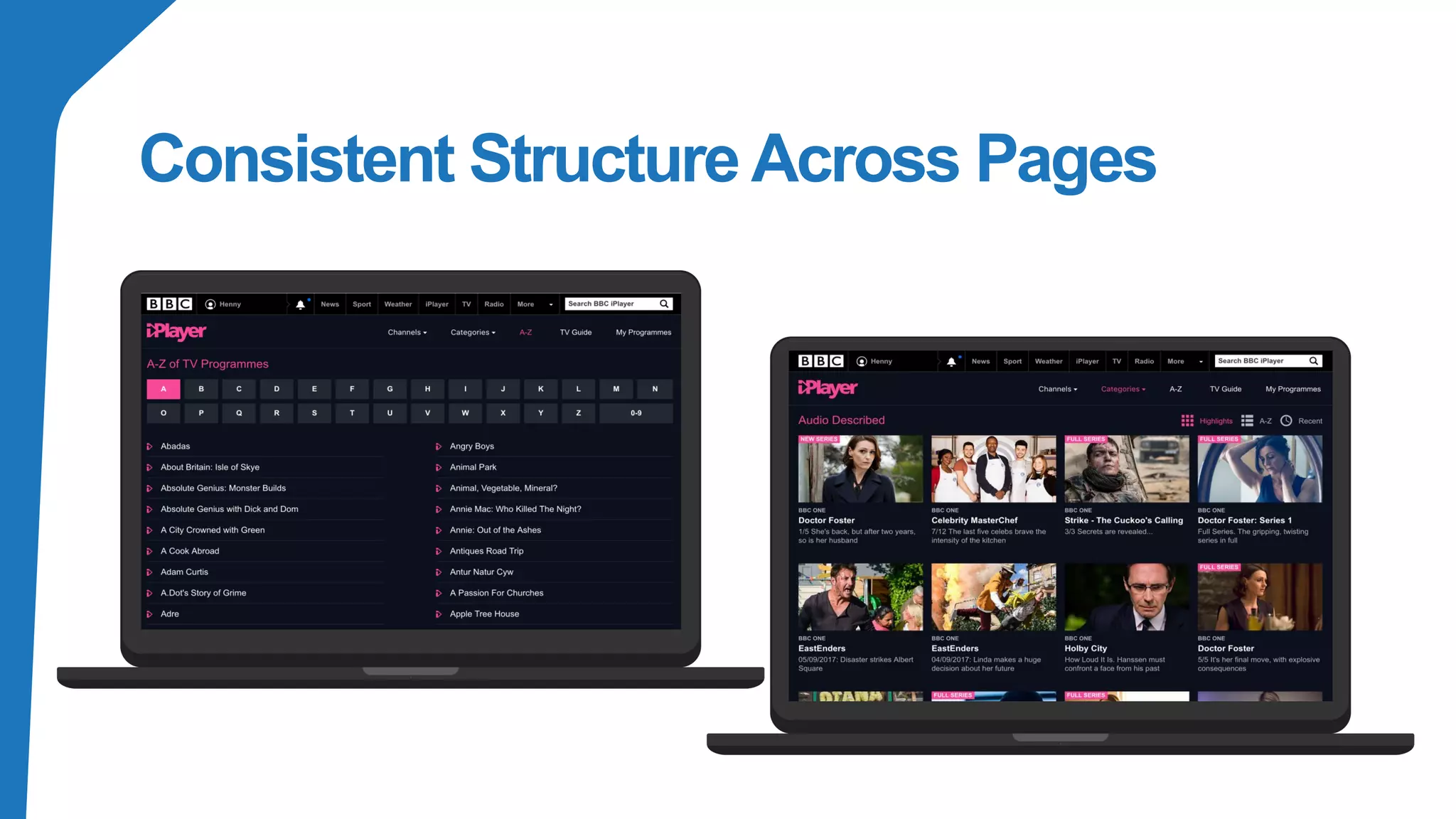
Consistent Structure Across Pages
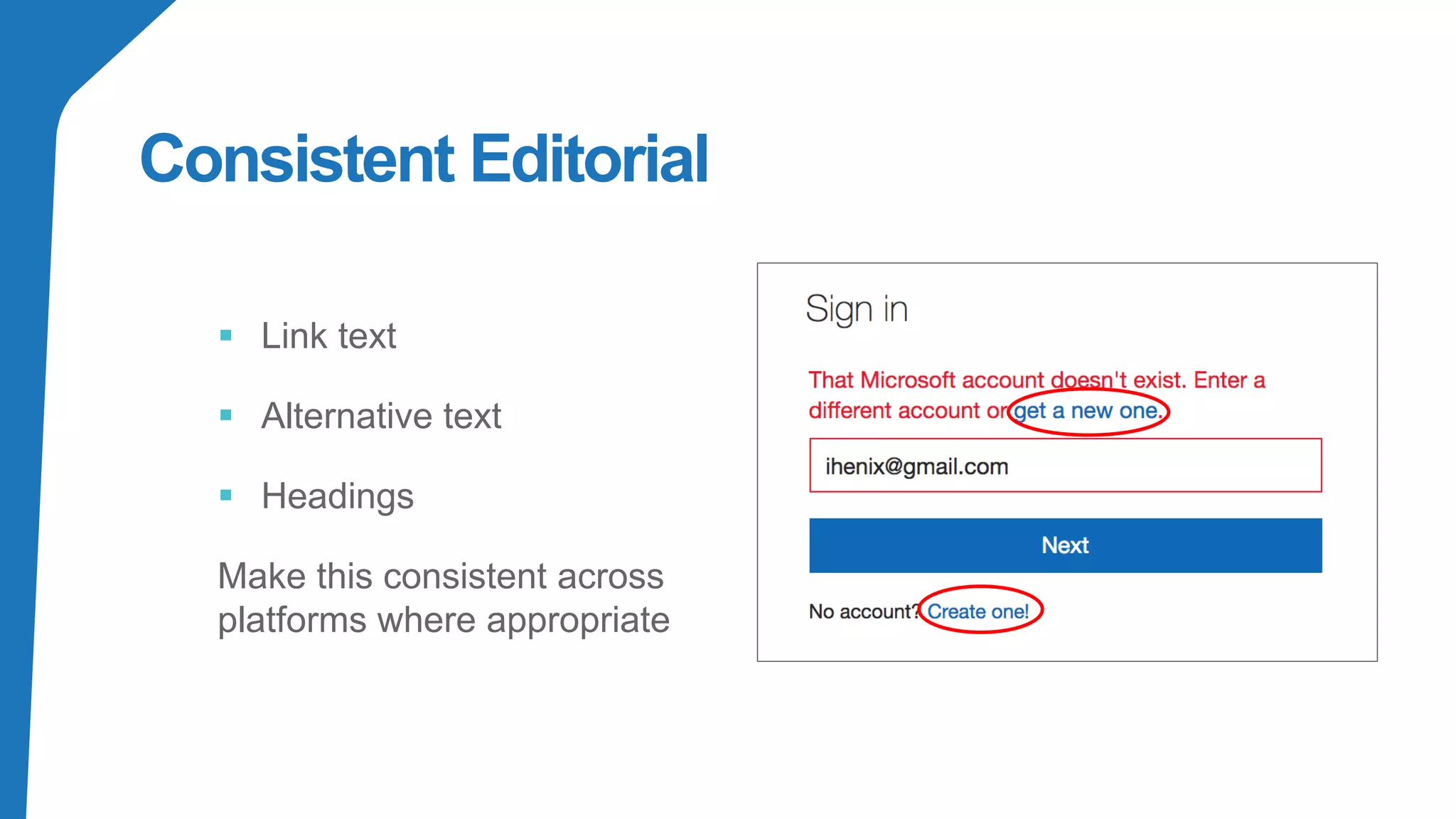
Consistent Editorial
▪ Link text
▪ Alternative text
▪ Headings
Make this consistent across
platforms where appropriate
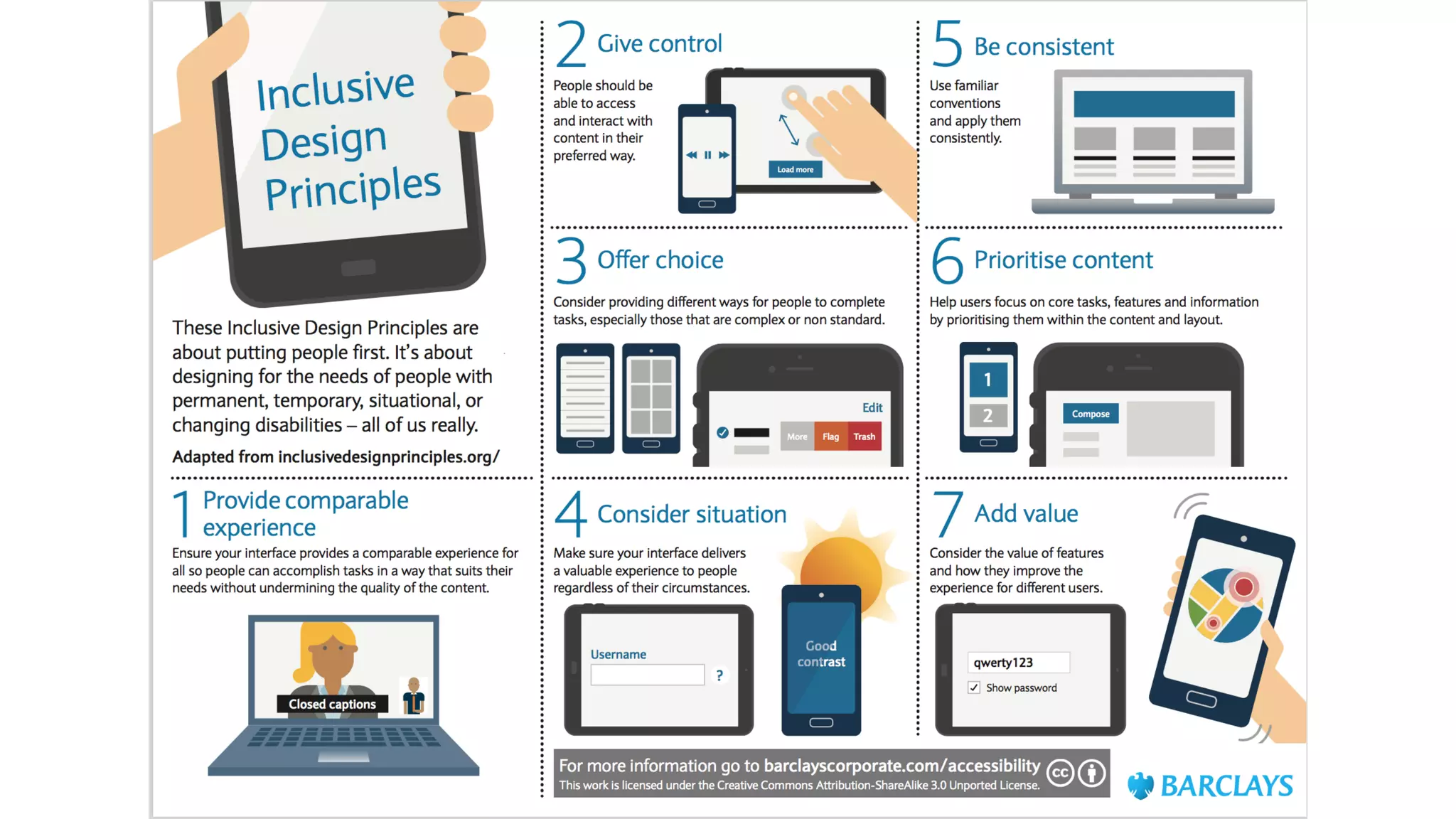
Give control
Ensure people always have control over content and presentation. People
should be able to access and interact with content in their preferred way.
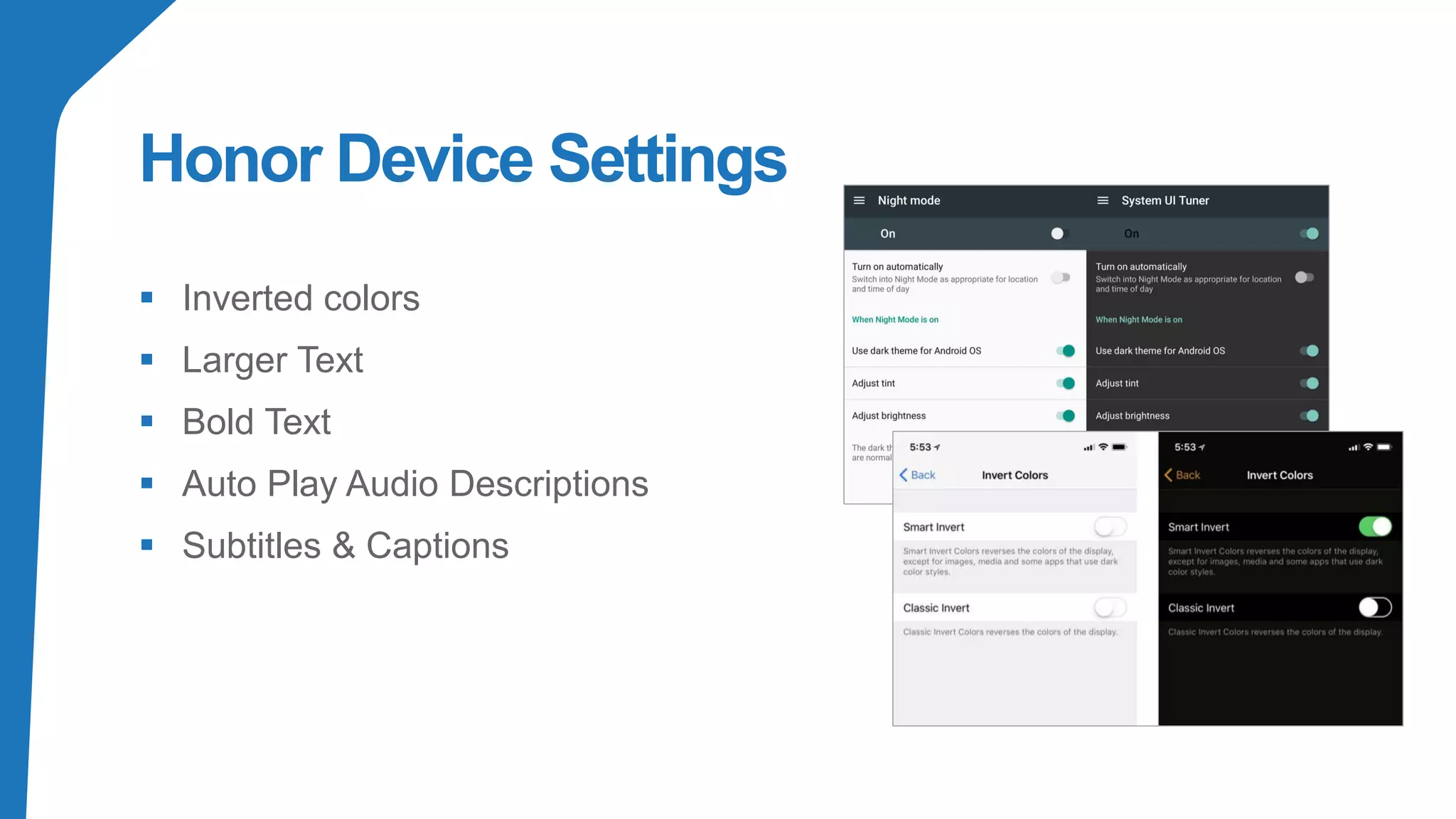
Honor Device Settings
▪ Inverted colors
▪ Larger Text
▪ Bold Text
▪ Auto Play Audio Descriptions
▪ Subtitles & Captions
Offer choice
Consider providing different ways for people to complete tasks,
especially those that are complex or non standard.
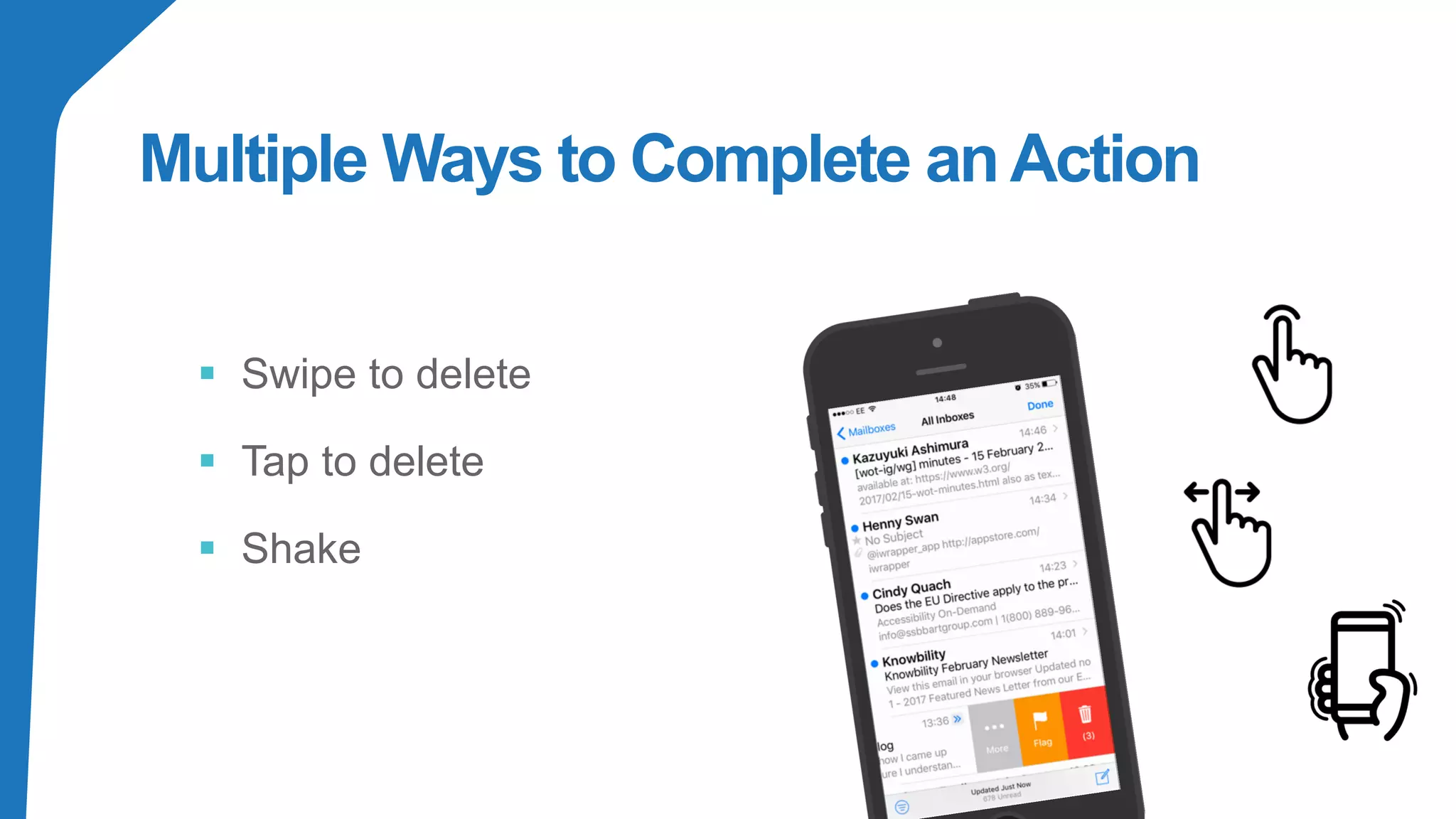
Multiple Ways to Complete anAction
▪ Swipe to delete
▪ Tap to delete
▪ Shake
Comparable
Experience
Ensure your interface provides a comparable
experience for all users, so people can accomplish
tasks in a way that suits their needs without
undermining the quality of the content.
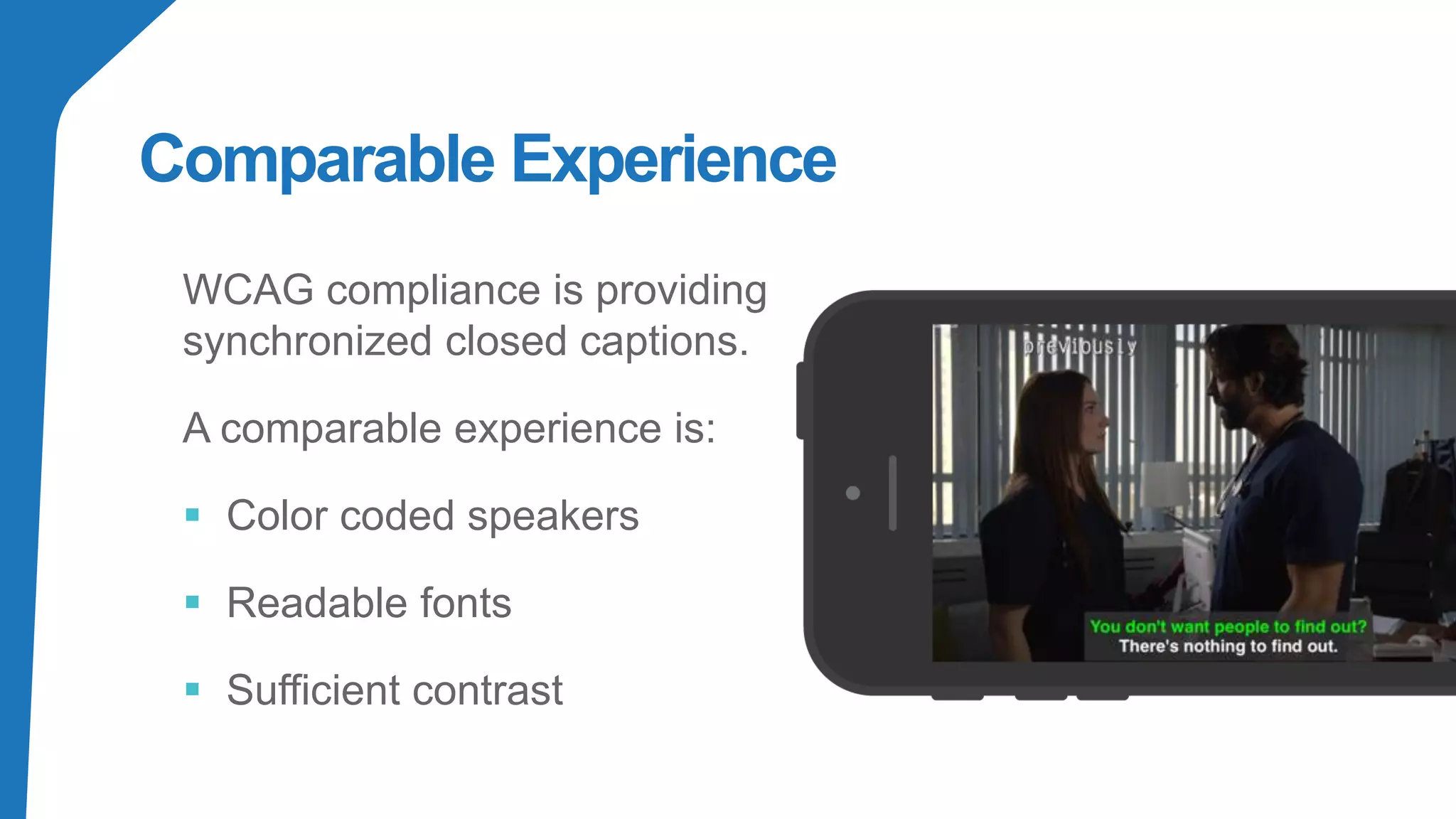
Comparable Experience
WCAG compliance is providing
synchronized closed captions.
A comparable experience is:
▪ Color coded speakers
▪ Readable fonts
▪ Sufficient contrast
Add Value
Consider the value of features and how they improve the experien
for different users.
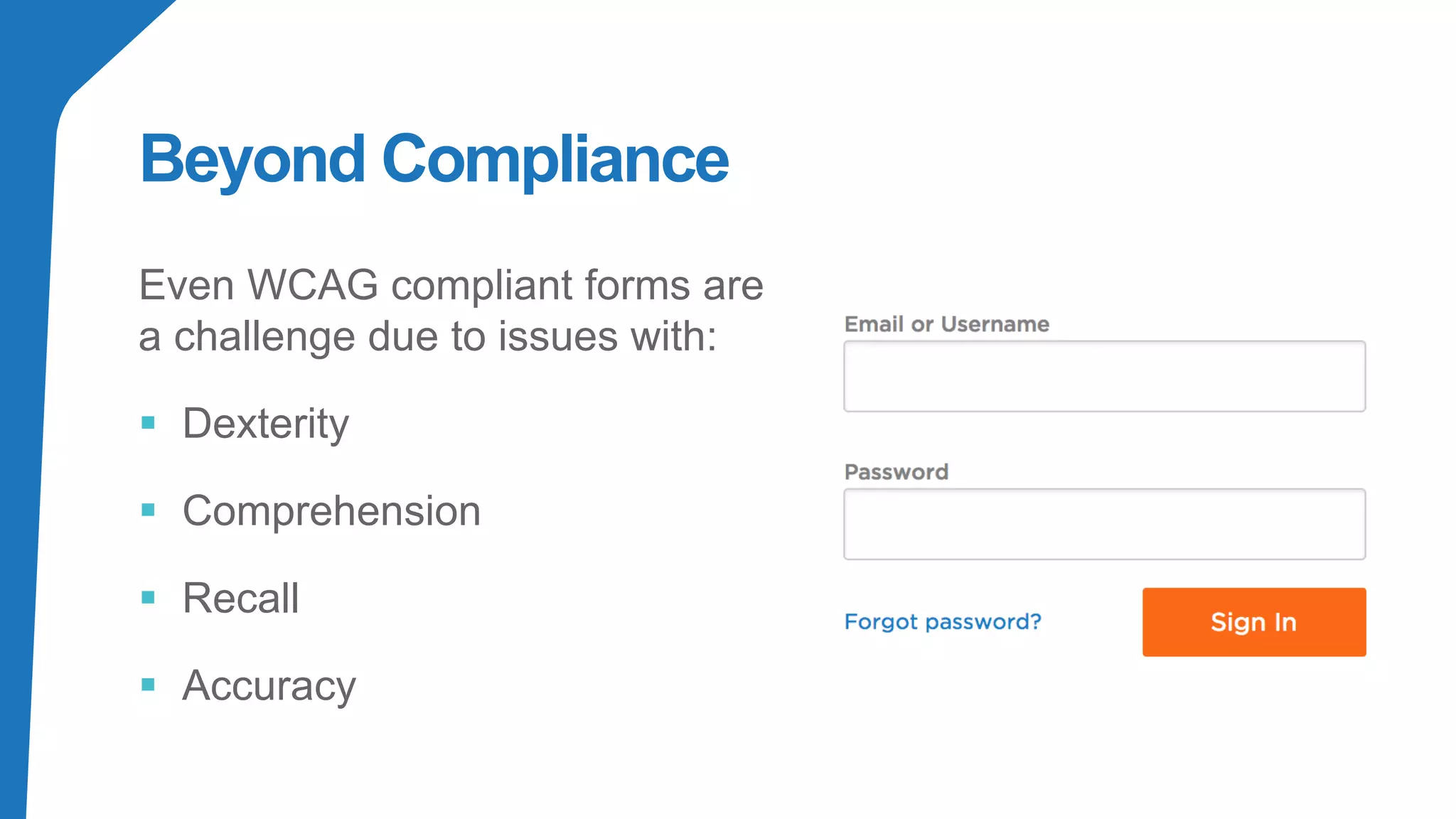
Beyond Compliance
Even WCAG compliant forms are
a challenge due to issues with:
▪ Dexterity
▪ Comprehension
▪ Recall
▪ Accuracy
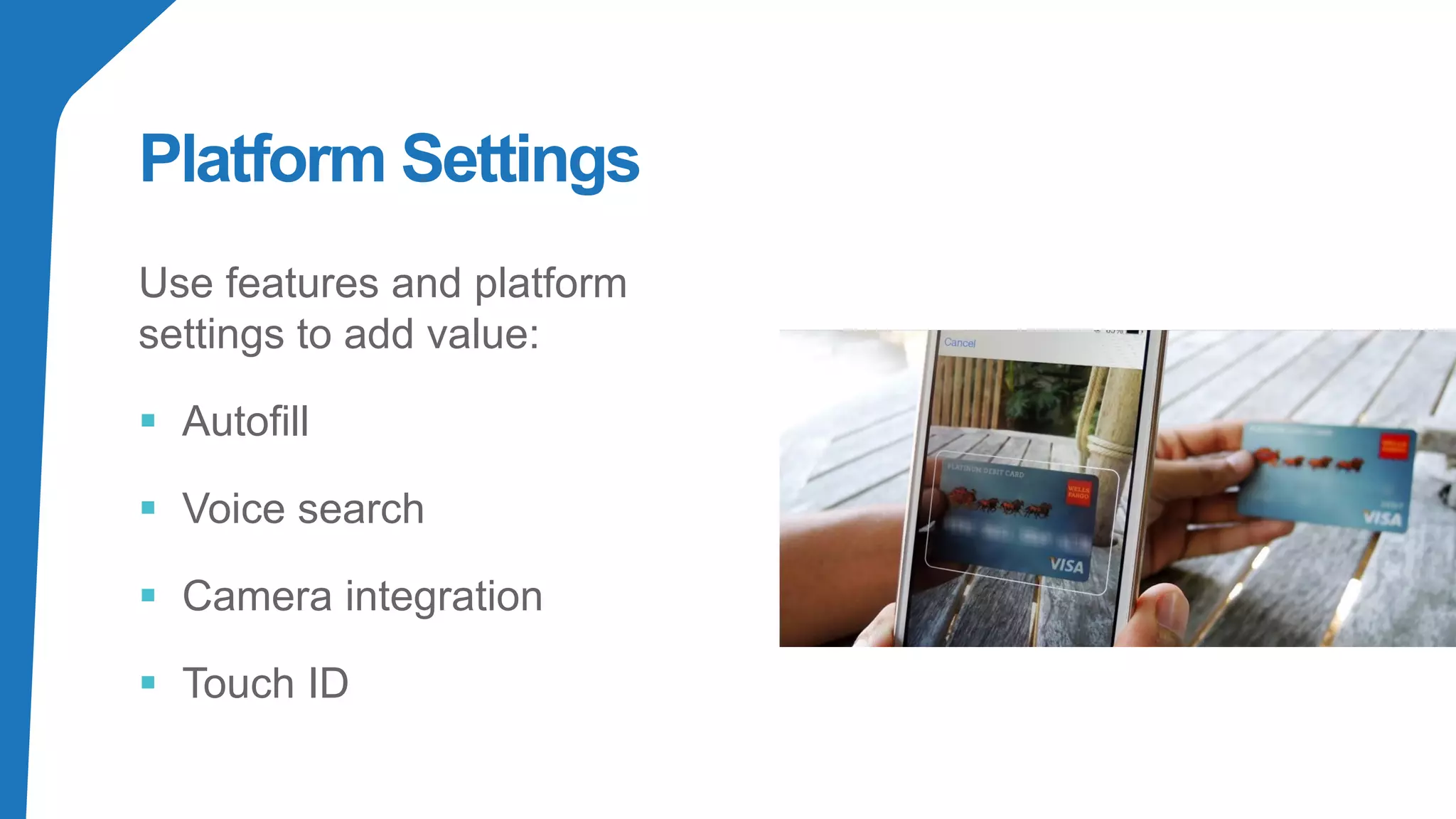
Platform Settings
Use features and platform
settings to add value:
▪ Autofill
▪ Voice search
▪ Camera integration
▪ Touch ID
Accessible Design
Behind every great site or app lies
thought, empathy and inclusion. This
doesn’t happen by accident, it
happens by design.
▪ Visual design
▪ Interaction design
▪ Non visual design
Thank You & Questions
Kathy Wahlbin
VP Enterprise Compliance &
General Manager
Kathyw@ia11y.com

Demystifying Mobile: Designing with Accessibility in Mind

  • 1.
    Demystifying Mobile: Designing with Accessibilityin Mind Kathy Wahlbin VP Enterprise Compliance & General Manager
  • 2.
    Mobile has changedthe way people are consuming content In noisy, public spaces Using touch screens Using one handed Out in bright light Motion to perform actions Voice interactions
  • 3.
    Behind every greatsite or app lies thought, empathy and inclusion. This doesn’t happen by accident, it happens by design. - Henny Swan
  • 5.
  • 7.
    Prioritize Content Help users focuson core tasks, features, and information by prioritizing them within the content and layout.
  • 8.
  • 9.
    Intuitive Navigation Help users navigatewith clear pathways and without requiring explanations.
  • 10.
    Make Navigation Self-Evident ▪Place in a consistent place ▪ Don’t move the navigation controls to a new location or hide them on different pages ▪ Communicate the current location Redbooth’s move from a hamburger menu to a bottom tab bar resulted in increased user sessions. Image: LukeW
  • 11.
    Be Finger Friendly ▪Interface controls need to be big enough to capture actions on touch screens ▪ Controls that are 7–10 mm can be accurately tapped with a finger ▪ Provide spacing between controls to prevent accidental activation of the wrong control Image Source: https://bit.ly/2uJOmiM
  • 12.
    Create Reachable Controls ▪Steven Hoober found that 49% of people rely on a one thumb to get things done on their phones ▪ Not all users will hold the device the same way or use their fingers Comfort zones for a person’s one-handed reach on a smartphone. Source: uxmatters
  • 13.
    Consider Situation People use yourinterface in different situations. Make sure your interface delivers a valuable experience to people regardless of their circumstances
  • 14.
    Provide Sufficient ColorContrast ▪ The minimum color contrast is 4.5:1 ▪ Inclusive contrast ratios should comfortable exceed this.
  • 15.
    Make Text Legible ▪Ensure users can read your content ▪ Text should be legible at a typical viewing distance without zooming Source: https://bit.ly/2Us905p
  • 16.
    Be Consistent Be consistent withconventions and with their application througho your interface.
  • 17.
    Create a SeamlessExperience Ultimate goal is to create a seamless experience across desktop, tablet, mobile, and more ▪ Discrete interactions beginning and ending on single session ▪ Continuous interactions moving from one device to another ▪ Sequential interactions that evolve from one device to another Source: https://uxplanet.org/mobile-ux-design-key-principles-dee1a632f9e6
  • 18.
  • 19.
  • 20.
    Consistent Editorial ▪ Linktext ▪ Alternative text ▪ Headings Make this consistent across platforms where appropriate
  • 21.
    Give control Ensure peoplealways have control over content and presentation. People should be able to access and interact with content in their preferred way.
  • 22.
    Honor Device Settings ▪Inverted colors ▪ Larger Text ▪ Bold Text ▪ Auto Play Audio Descriptions ▪ Subtitles & Captions
  • 23.
    Offer choice Consider providingdifferent ways for people to complete tasks, especially those that are complex or non standard.
  • 24.
    Multiple Ways toComplete anAction ▪ Swipe to delete ▪ Tap to delete ▪ Shake
  • 25.
    Comparable Experience Ensure your interfaceprovides a comparable experience for all users, so people can accomplish tasks in a way that suits their needs without undermining the quality of the content.
  • 26.
    Comparable Experience WCAG complianceis providing synchronized closed captions. A comparable experience is: ▪ Color coded speakers ▪ Readable fonts ▪ Sufficient contrast
  • 27.
    Add Value Consider thevalue of features and how they improve the experien for different users.
  • 28.
    Beyond Compliance Even WCAGcompliant forms are a challenge due to issues with: ▪ Dexterity ▪ Comprehension ▪ Recall ▪ Accuracy
  • 29.
    Platform Settings Use featuresand platform settings to add value: ▪ Autofill ▪ Voice search ▪ Camera integration ▪ Touch ID
  • 30.
    Accessible Design Behind everygreat site or app lies thought, empathy and inclusion. This doesn’t happen by accident, it happens by design. ▪ Visual design ▪ Interaction design ▪ Non visual design
  • 31.
    Thank You &Questions Kathy Wahlbin VP Enterprise Compliance & General Manager Kathyw@ia11y.com