Universal Design
for Touch
Creating inclusive touch
experiences
Katja Forbes | @inclusiveUX
29th August 2013
4 things in 20 minutes
 What do we mean by „universal design‟?
 People using touch devices are as diverse as
the devices themselves

 There are easy things you can do to make a
touch experience universal & inclusive
 Look at some new things coming up in the
future!
@inclusiveux
“

Universal design is the concept of
designing all products and the built
environment to be aesthetic and
usable to the greatest extent possible
by everyone, regardless of their
age, ability, or status in life

”

- Wikipedia

@inclusiveux
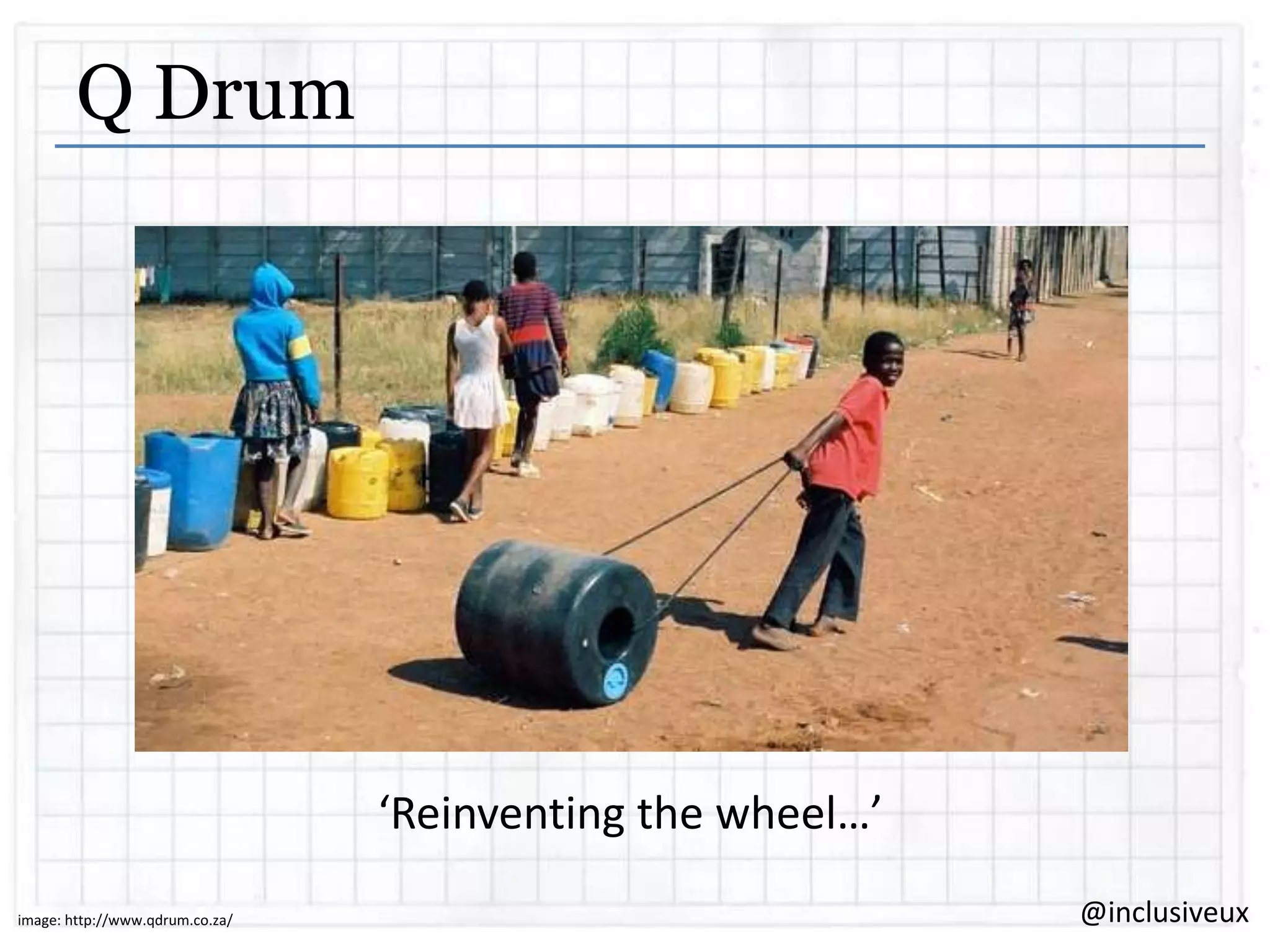
Q Drum

‘Reinventing the wheel…’
image: http://www.qdrum.co.za/

@inclusiveux
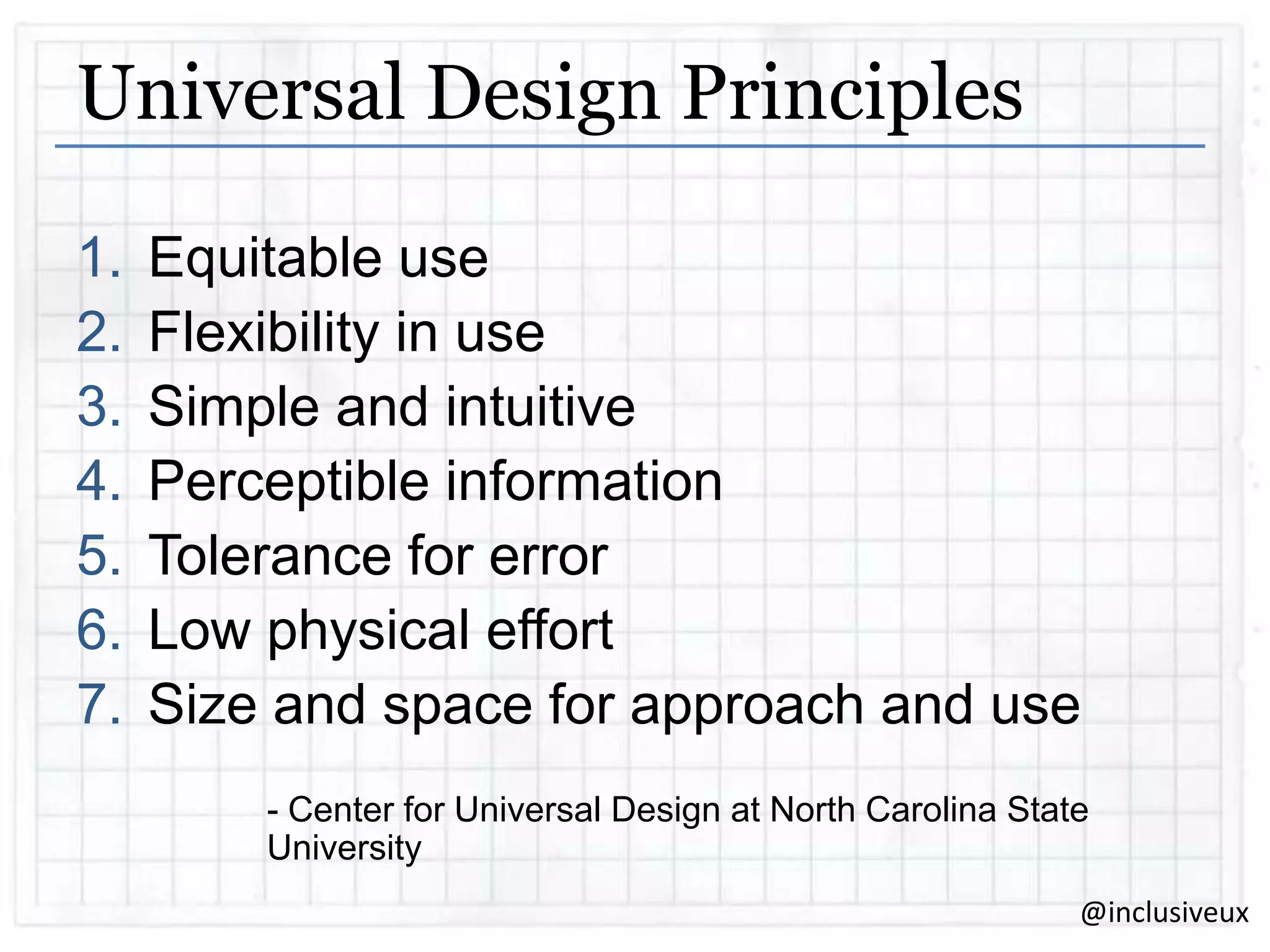
Universal Design Principles
1.
2.
3.
4.
5.
6.
7.

Equitable use
Flexibility in use
Simple and intuitive
Perceptible information
Tolerance for error
Low physical effort
Size and space for approach and use
- Center for Universal Design at North Carolina State
University
@inclusiveux
“

There is nothing that
you can do on the
iPhone or iPad that I
can‟t do

”

@inclusiveux
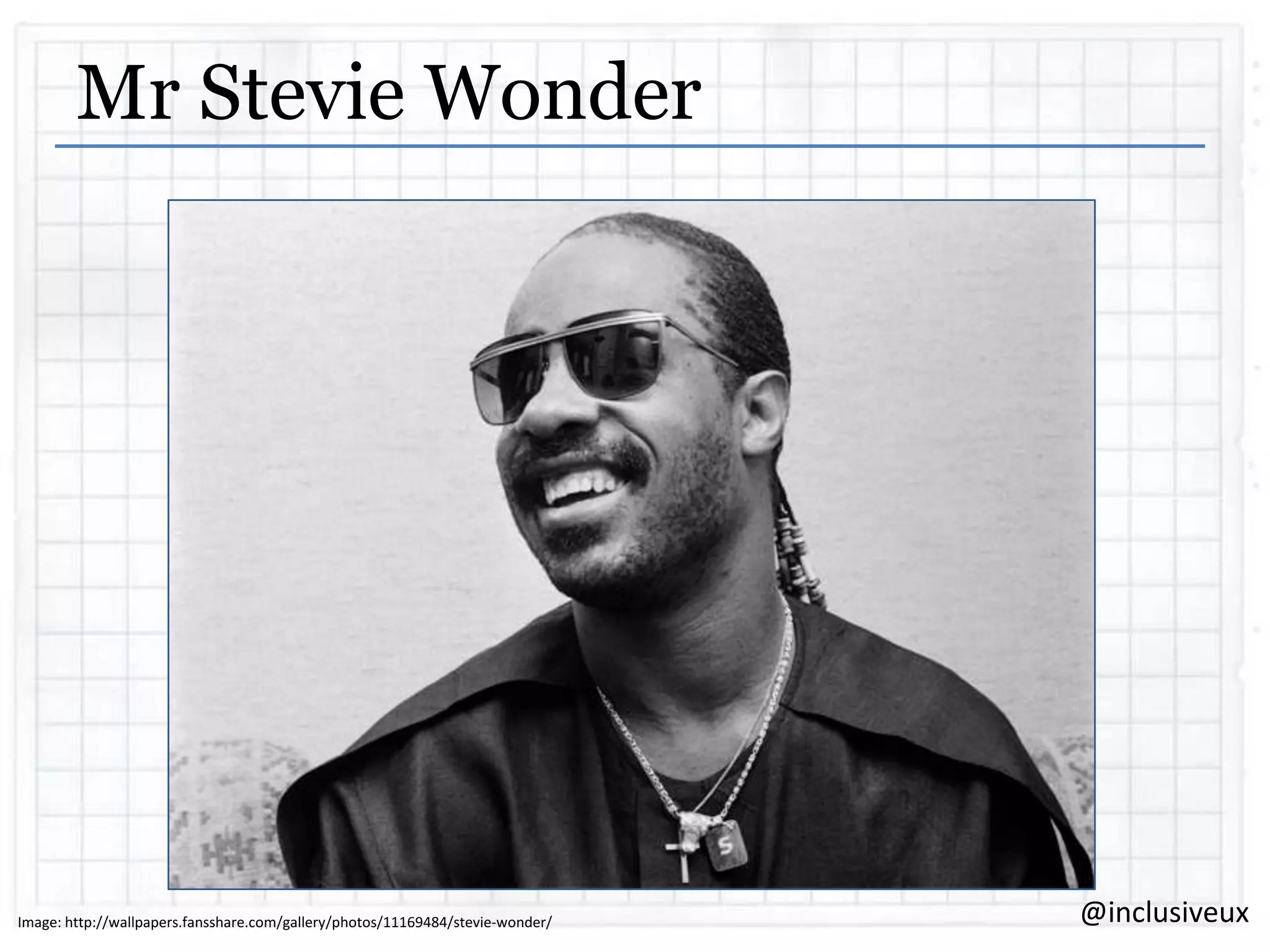
Mr Stevie Wonder

Image: http://wallpapers.fansshare.com/gallery/photos/11169484/stevie-wonder/

@inclusiveux
Respect our elders
 Our Australian population is aging.
 Our respected elders (people aged 65 to 84 years)
are expected to more than double between now
and 2050
 Our really venerated elders (people 85 and over)
is expected to more than quadruple
 Older people are most likely going to have to
manage with a bit of all the disabilities
@inclusiveux
“

Mobile, by definition, is
disabling. Poor light,
small keyboards, glare,
touch, etc.

”

– Henny Swan, Senior Accessibility Specialist, BBC

@inclusiveux
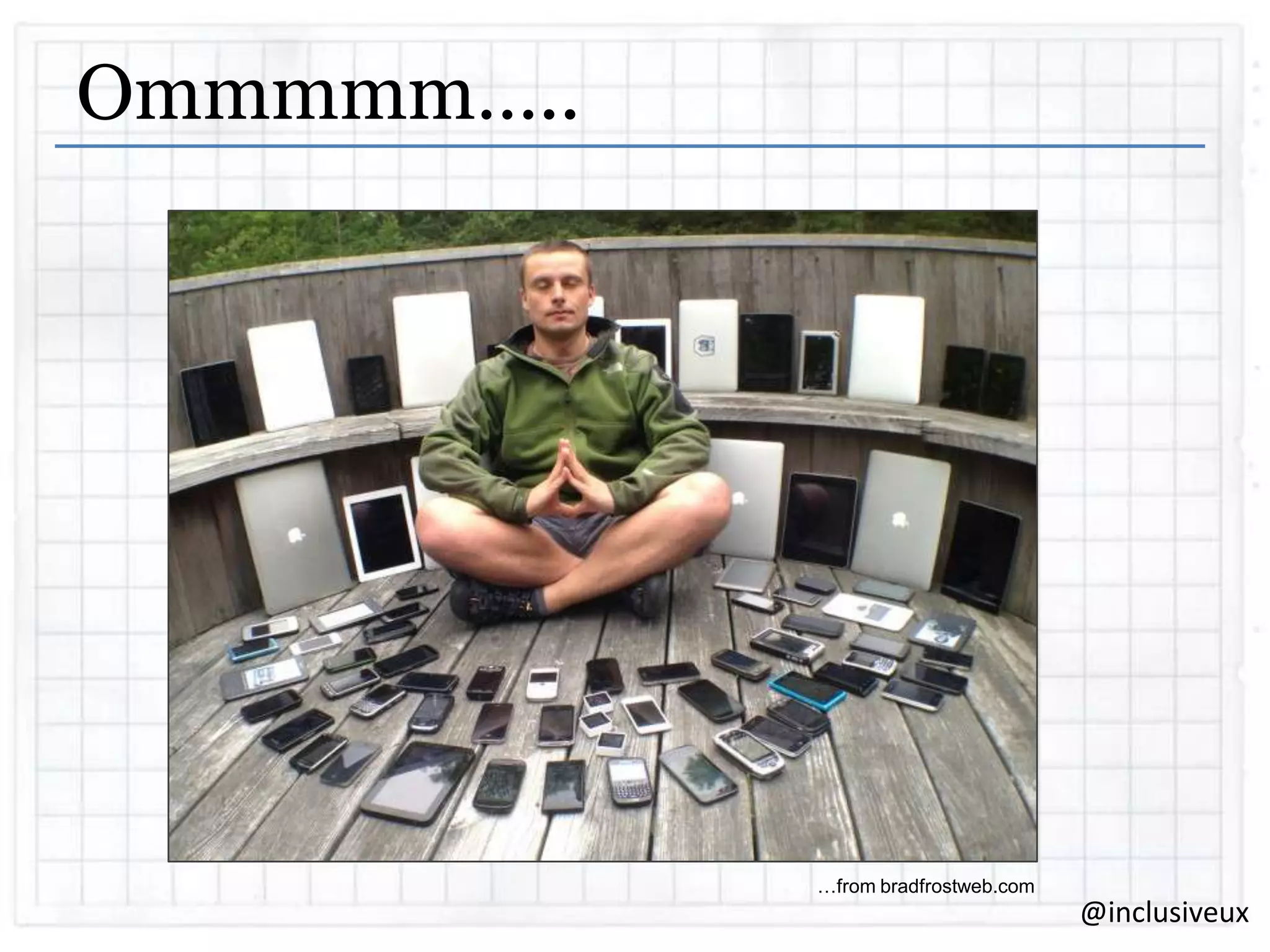
Ommmmm…..

…from bradfrostweb.com

@inclusiveux
Focus on inclusion and people
If we try to design for all these different
operating systems then we just end up
designing for mobile diversity, not for
inclusion.
Design for the human capabilities, not the
device

@inclusiveux
“

There is no Mobile Web.
There is only The Web, which we view in
different ways.
There is also no Desktop Web.
Or Tablet Web.
Thank you.

”

– Stephen Hay
@inclusiveux
Responsive design is #1
 A well-executed responsive design should
solve a lot of our challenges.
 If a website is already inclusive via the
desktop then it‟s most likely to be touch
friendly as well.
 Responsive design is the very definition of
„flexible in use‟
Flexible
@inclusiveux
Think about text to speech
 An app or site is not a book
 People listen to enough to orientate
themselves and then move on.
 There are different modes
 Not just for visually impaired. People with
dyslexia also use text to speech to read
digital written content.
@inclusiveux
Design with text to speech in mind
The language used in labeling is really
important.
Don‟t be bossy.
Don‟t double up.
Equitable

Perceptible

Low
Physical
Effort
@inclusiveux
There’s more than one way to do things
Inform events in multiple ways.
Don‟t just have one way of achieving a
task

Equitable

Perceptible

Low
Physical
Effort

Simple &
Intuitive

Tolerance
for error
@inclusiveux
Mobile video? Make sure its captioned
There is a lot of video available on mobile
and its one of the most consumed types of
content.

People who are deaf or have hearing loss
want to access all this content accessibly,
which is tough on mobile devices.
Equitable

Perceptible
@inclusiveux
Supporting dexterity challenges
 Make sure the touch targets are big enough
for people with dexterity challenges.
 Allow tolerance for error.
 Use alternate methods to input information &
exploit device capabilities
Equitable

Flexible

Size

Low
Physical
Effort

Simple &
Intuitive

Tolerance
for error
@inclusiveux
Choose smart defaults
The less choices, the less movements
required to make them.
Remember choices the person has made
before.

Equitable

Low
Physical
Effort

Simple &
Intuitive
@inclusiveux
Test, test, test
If you have a smart phone, you have a
screen reader. Test your designs. There is
no excuse.

Test with real people who have real
impairments

@inclusiveux
Open MI Tours from ACE
Open MI tours replaces the museum or
gallery audio guide with a smartphone
app.

Leverages existing technology
It delivers audio, audio and captions,
Audio Description, Auslan and foreign
languages.
@inclusiveux
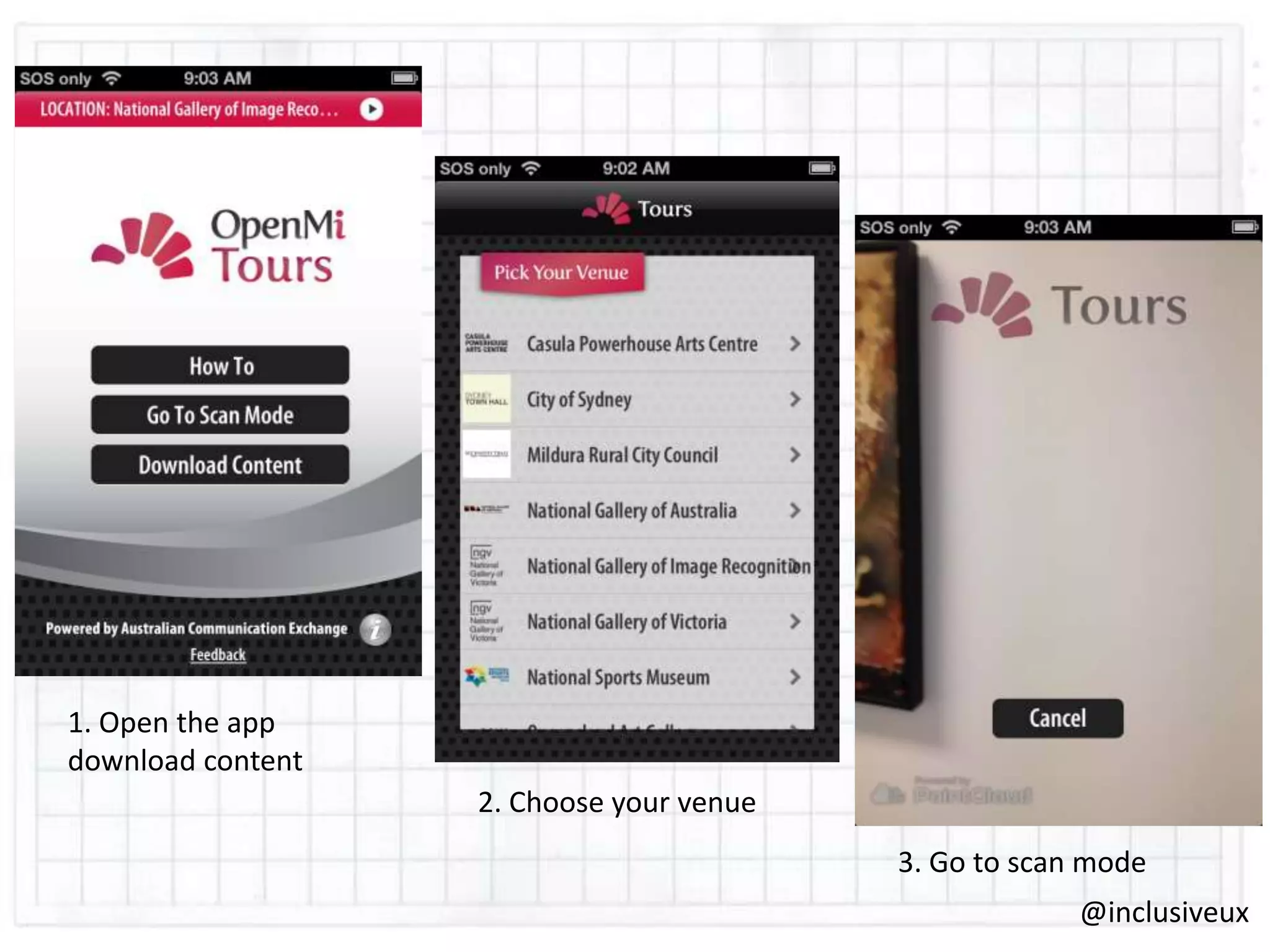
1. Open the app
download content
2. Choose your venue
3. Go to scan mode
@inclusiveux
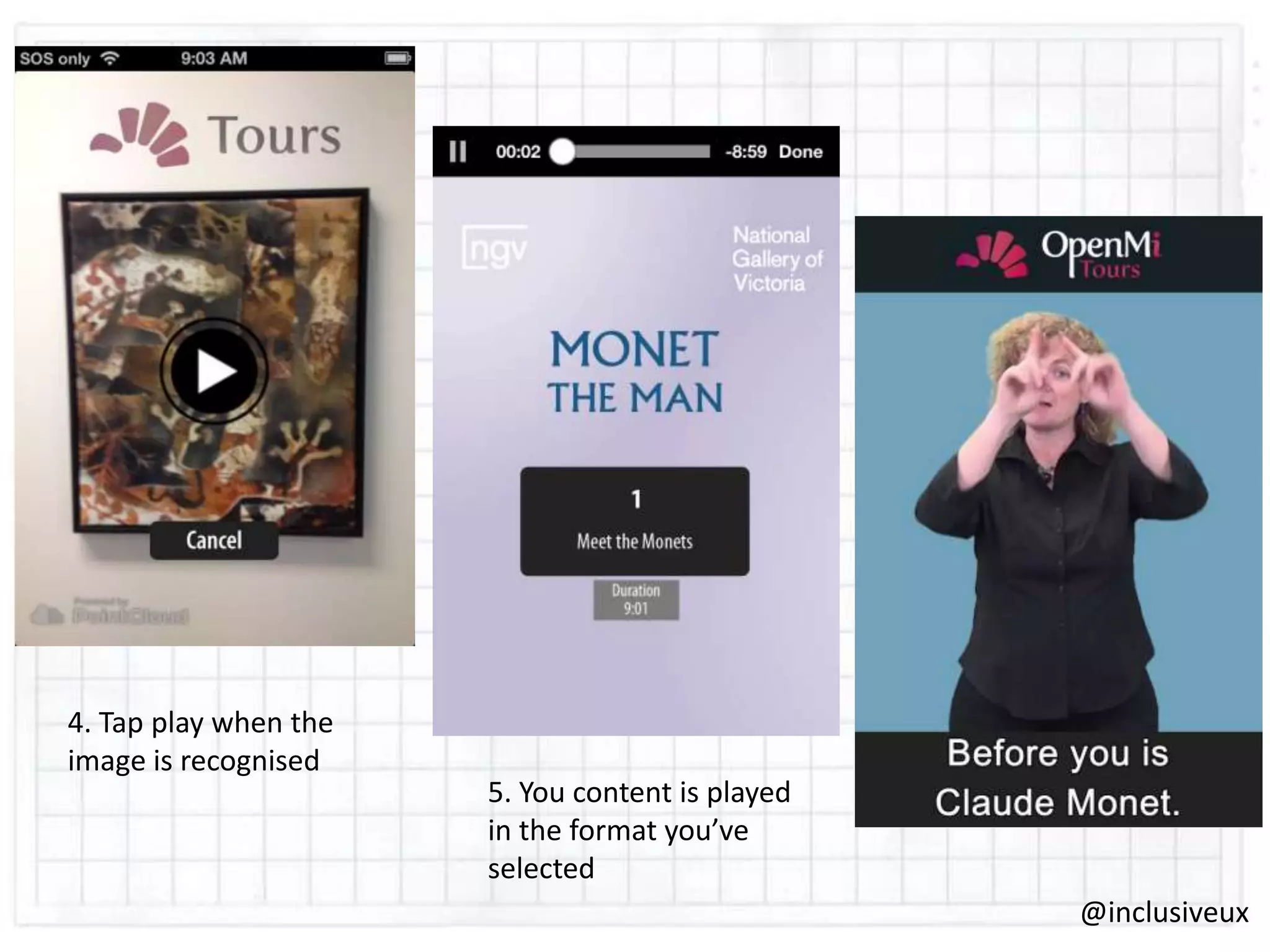
4. Tap play when the
image is recognised

5. You content is played
in the format you’ve
selected
@inclusiveux
This design benefits…
The 1 in 6 Australians who have some
level of hearing loss
The 1.2 million Australians who are blind
or have a vision impairment
International tourists and people for whom
English is their second language
Children
Actually…..all visitors!
@inclusiveux
The Future…for touch
Haptics
Apple‟s „multiple motor patent‟
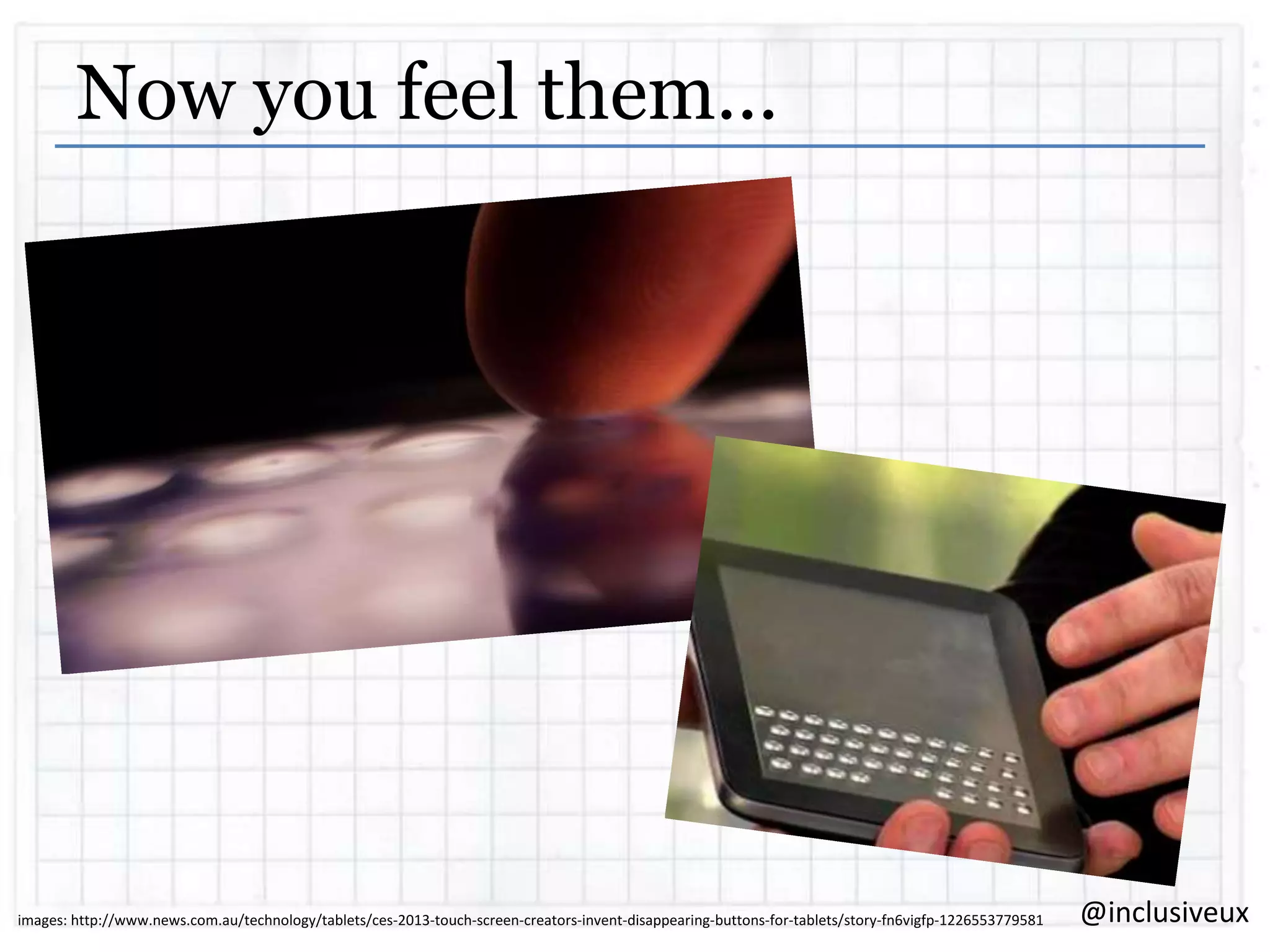
Tactus technology „disappearing buttons‟

@inclusiveux
Now you feel them…

images: http://www.news.com.au/technology/tablets/ces-2013-touch-screen-creators-invent-disappearing-buttons-for-tablets/story-fn6vigfp-1226553779581

@inclusiveux
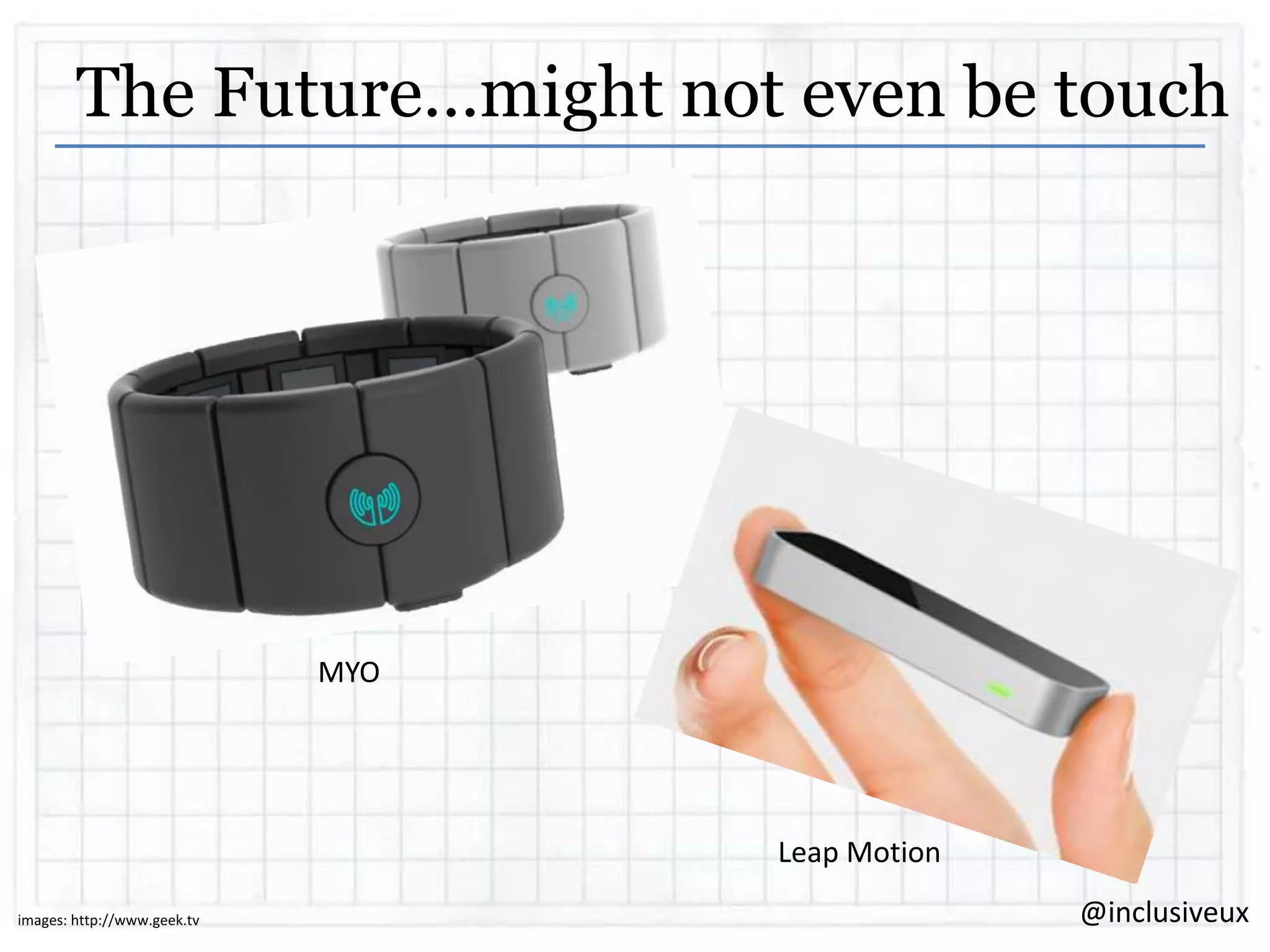
The Future…might not even be touch

MYO

Leap Motion
images: http://www.geek.tv

@inclusiveux
Screen-less?
Google glass
“OK….”
Just the natural progression of interfaces?

@inclusiveux
So, to sum up…
 Universal design benefits…EVERYBODY!
 The mobile landscape is extremely diverse
and complex to navigate
 We have to stay focused on inclusion, not
mobile diversity
 The future of our touch devices is awesomely
uncertain. GET EXCITED!
@inclusiveux
Thank you
katja@inclusiveux.com.au
@inclusiveux

@inclusiveux

Universal Design for Touch

  • 1.
    Universal Design for Touch Creatinginclusive touch experiences Katja Forbes | @inclusiveUX 29th August 2013
  • 2.
    4 things in20 minutes  What do we mean by „universal design‟?  People using touch devices are as diverse as the devices themselves  There are easy things you can do to make a touch experience universal & inclusive  Look at some new things coming up in the future! @inclusiveux
  • 3.
    “ Universal design isthe concept of designing all products and the built environment to be aesthetic and usable to the greatest extent possible by everyone, regardless of their age, ability, or status in life ” - Wikipedia @inclusiveux
  • 4.
    Q Drum ‘Reinventing thewheel…’ image: http://www.qdrum.co.za/ @inclusiveux
  • 5.
    Universal Design Principles 1. 2. 3. 4. 5. 6. 7. Equitableuse Flexibility in use Simple and intuitive Perceptible information Tolerance for error Low physical effort Size and space for approach and use - Center for Universal Design at North Carolina State University @inclusiveux
  • 6.
    “ There is nothingthat you can do on the iPhone or iPad that I can‟t do ” @inclusiveux
  • 7.
    Mr Stevie Wonder Image:http://wallpapers.fansshare.com/gallery/photos/11169484/stevie-wonder/ @inclusiveux
  • 8.
    Respect our elders Our Australian population is aging.  Our respected elders (people aged 65 to 84 years) are expected to more than double between now and 2050  Our really venerated elders (people 85 and over) is expected to more than quadruple  Older people are most likely going to have to manage with a bit of all the disabilities @inclusiveux
  • 9.
    “ Mobile, by definition,is disabling. Poor light, small keyboards, glare, touch, etc. ” – Henny Swan, Senior Accessibility Specialist, BBC @inclusiveux
  • 10.
  • 11.
    Focus on inclusionand people If we try to design for all these different operating systems then we just end up designing for mobile diversity, not for inclusion. Design for the human capabilities, not the device @inclusiveux
  • 12.
    “ There is noMobile Web. There is only The Web, which we view in different ways. There is also no Desktop Web. Or Tablet Web. Thank you. ” – Stephen Hay @inclusiveux
  • 13.
    Responsive design is#1  A well-executed responsive design should solve a lot of our challenges.  If a website is already inclusive via the desktop then it‟s most likely to be touch friendly as well.  Responsive design is the very definition of „flexible in use‟ Flexible @inclusiveux
  • 14.
    Think about textto speech  An app or site is not a book  People listen to enough to orientate themselves and then move on.  There are different modes  Not just for visually impaired. People with dyslexia also use text to speech to read digital written content. @inclusiveux
  • 15.
    Design with textto speech in mind The language used in labeling is really important. Don‟t be bossy. Don‟t double up. Equitable Perceptible Low Physical Effort @inclusiveux
  • 16.
    There’s more thanone way to do things Inform events in multiple ways. Don‟t just have one way of achieving a task Equitable Perceptible Low Physical Effort Simple & Intuitive Tolerance for error @inclusiveux
  • 17.
    Mobile video? Makesure its captioned There is a lot of video available on mobile and its one of the most consumed types of content. People who are deaf or have hearing loss want to access all this content accessibly, which is tough on mobile devices. Equitable Perceptible @inclusiveux
  • 18.
    Supporting dexterity challenges Make sure the touch targets are big enough for people with dexterity challenges.  Allow tolerance for error.  Use alternate methods to input information & exploit device capabilities Equitable Flexible Size Low Physical Effort Simple & Intuitive Tolerance for error @inclusiveux
  • 19.
    Choose smart defaults Theless choices, the less movements required to make them. Remember choices the person has made before. Equitable Low Physical Effort Simple & Intuitive @inclusiveux
  • 20.
    Test, test, test Ifyou have a smart phone, you have a screen reader. Test your designs. There is no excuse. Test with real people who have real impairments @inclusiveux
  • 21.
    Open MI Toursfrom ACE Open MI tours replaces the museum or gallery audio guide with a smartphone app. Leverages existing technology It delivers audio, audio and captions, Audio Description, Auslan and foreign languages. @inclusiveux
  • 22.
    1. Open theapp download content 2. Choose your venue 3. Go to scan mode @inclusiveux
  • 23.
    4. Tap playwhen the image is recognised 5. You content is played in the format you’ve selected @inclusiveux
  • 24.
    This design benefits… The1 in 6 Australians who have some level of hearing loss The 1.2 million Australians who are blind or have a vision impairment International tourists and people for whom English is their second language Children Actually…..all visitors! @inclusiveux
  • 25.
    The Future…for touch Haptics Apple‟s„multiple motor patent‟ Tactus technology „disappearing buttons‟ @inclusiveux
  • 26.
    Now you feelthem… images: http://www.news.com.au/technology/tablets/ces-2013-touch-screen-creators-invent-disappearing-buttons-for-tablets/story-fn6vigfp-1226553779581 @inclusiveux
  • 27.
    The Future…might noteven be touch MYO Leap Motion images: http://www.geek.tv @inclusiveux
  • 28.
    Screen-less? Google glass “OK….” Just thenatural progression of interfaces? @inclusiveux
  • 29.
    So, to sumup…  Universal design benefits…EVERYBODY!  The mobile landscape is extremely diverse and complex to navigate  We have to stay focused on inclusion, not mobile diversity  The future of our touch devices is awesomely uncertain. GET EXCITED! @inclusiveux
  • 30.