
Deep Dive into Salesforce
Connected App - Part 2
@msrivastav13 | mohith.shrivastava@salesforce.com
Mohith Shrivastava, Lead Developer Evangelist
Forward-Looking Statement
Statement under the Private Securities Litigation Reform Act of 1995:
This presentation contains forward-looking statements about the company’s financial and operating results, which may include expected GAAP and non-GAAP financial and other operating
and non-operating results, including revenue, net income, diluted earnings per share, operating cash flow growth, operating margin improvement, expected revenue growth, expected
current remaining performance obligation growth, expected tax rates, the one-time accounting non-cash charge that was incurred in connection with the Salesforce.org combination; stock-
based compensation expenses, amortization of purchased intangibles, shares outstanding, market growth and sustainability goals. The achievement or success of the matters covered by
such forward-looking statements involves risks, uncertainties and assumptions. If any such risks or uncertainties materialize or if any of the assumptions prove incorrect, the company’s
results could differ materially from the results expressed or implied by the forward-looking statements we make.
The risks and uncertainties referred to above include -- but are not limited to -- risks associated with the effect of general economic and market conditions; the impact of geopolitical events;
the impact of foreign currency exchange rate and interest rate fluctuations on our results; our business strategy and our plan to build our business, including our strategy to be the leading
provider of enterprise cloud computing applications and platforms; the pace of change and innovation in enterprise cloud computing services; the seasonal nature of our sales cycles; the
competitive nature of the market in which we participate; our international expansion strategy; the demands on our personnel and infrastructure resulting from significant growth in our
customer base and operations, including as a result of acquisitions; our service performance and security, including the resources and costs required to avoid unanticipated downtime and
prevent, detect and remediate potential security breaches; the expenses associated with new data centers and third-party infrastructure providers; additional data center capacity; real estate
and office facilities space; our operating results and cash flows; new services and product features, including any efforts to expand our services beyond the CRM market; our strategy of
acquiring or making investments in complementary businesses, joint ventures, services, technologies and intellectual property rights; the performance and fair value of our investments in
complementary businesses through our strategic investment portfolio; our ability to realize the benefits from strategic partnerships, joint ventures and investments; the impact of future gains
or losses from our strategic investment portfolio, including gains or losses from overall market conditions that may affect the publicly traded companies within the company's strategic
investment portfolio; our ability to execute our business plans; our ability to successfully integrate acquired businesses and technologies, including delays related to the integration of
Tableau due to regulatory review by the United Kingdom Competition and Markets Authority; our ability to continue to grow unearned revenue and remaining performance obligation; our
ability to protect our intellectual property rights; our ability to develop our brands; our reliance on third-party hardware, software and platform providers; our dependency on the development
and maintenance of the infrastructure of the Internet; the
effect of evolving domestic and foreign government regulations, including those related to the provision of services on the Internet, those related to accessing the Internet, and those
addressing data privacy, cross-border data transfers and import and export controls; the valuation of our deferred tax assets and the release of related valuation allowances; the potential
availability of additional tax assets in the future; the impact of new accounting pronouncements and tax laws; uncertainties affecting our ability to estimate our tax
rate; the impact of expensing stock options and other equity awards; the sufficiency of our capital resources; factors related to our outstanding debt, revolving credit facility, term loan and
loan associated with 50 Fremont; compliance with our debt covenants and lease obligations; current and potential litigation involving us; and the impact of climate change.
Further information on these and other factors that could affect the company’s financial results is included in the reports on Forms 10-K, 10-Q and 8-K and in other filings it makes with the
Securities and Exchange Commission from time to time. These documents are available on the SEC Filings section of the Investor Information section of the company’s website at
www.salesforce.com/investor.
Salesforce.com, inc. assumes no obligation and does not intend to update these forward-looking statements, except as required by law.
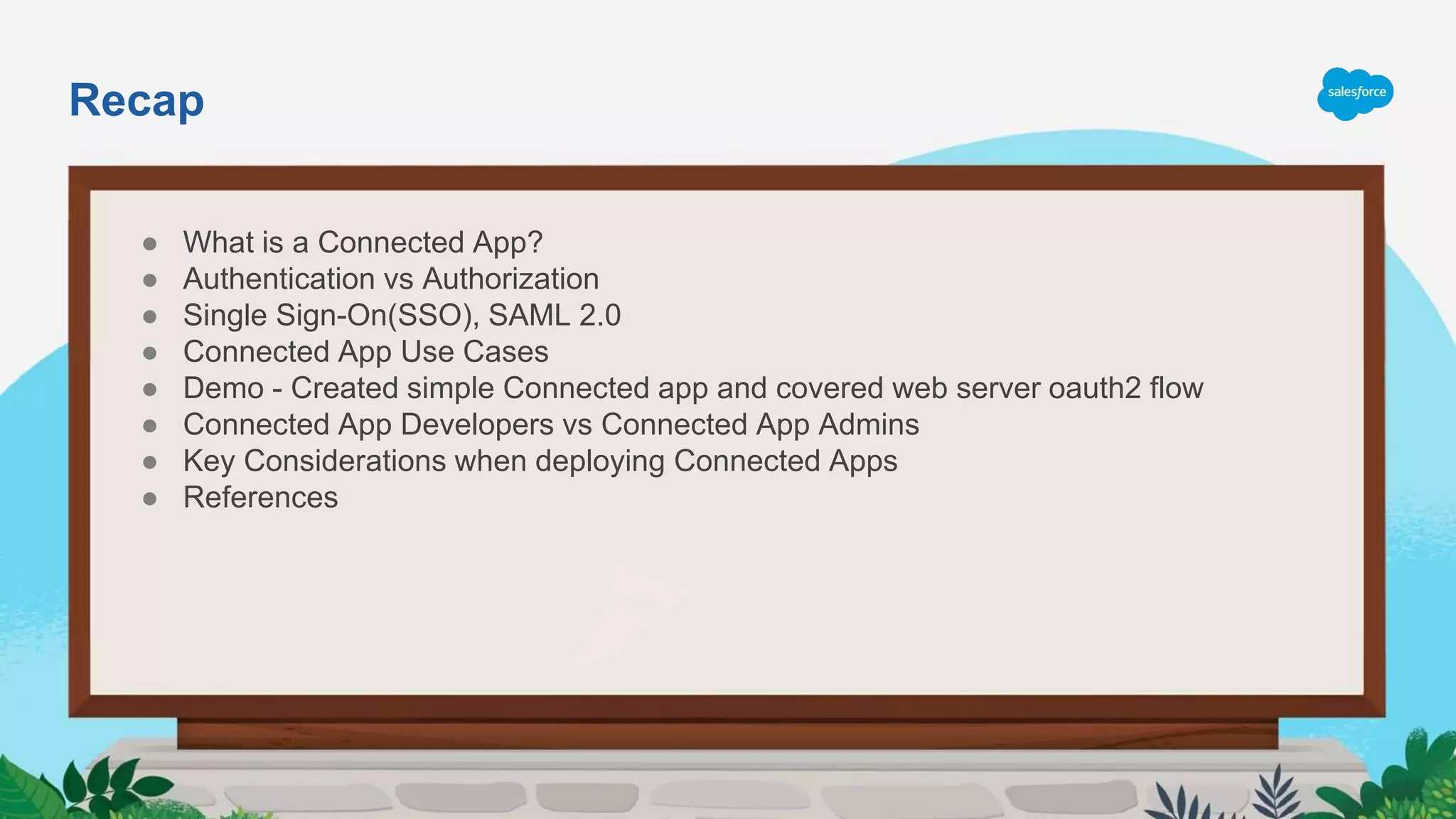
Recap
● What is a Connected App?
● Authentication vs Authorization
● Single Sign-On(SSO), SAML 2.0
● Connected App Use Cases
● Demo - Created simple Connected app and covered web server oauth2 flow
● Connected App Developers vs Connected App Admins
● Key Considerations when deploying Connected Apps
● References
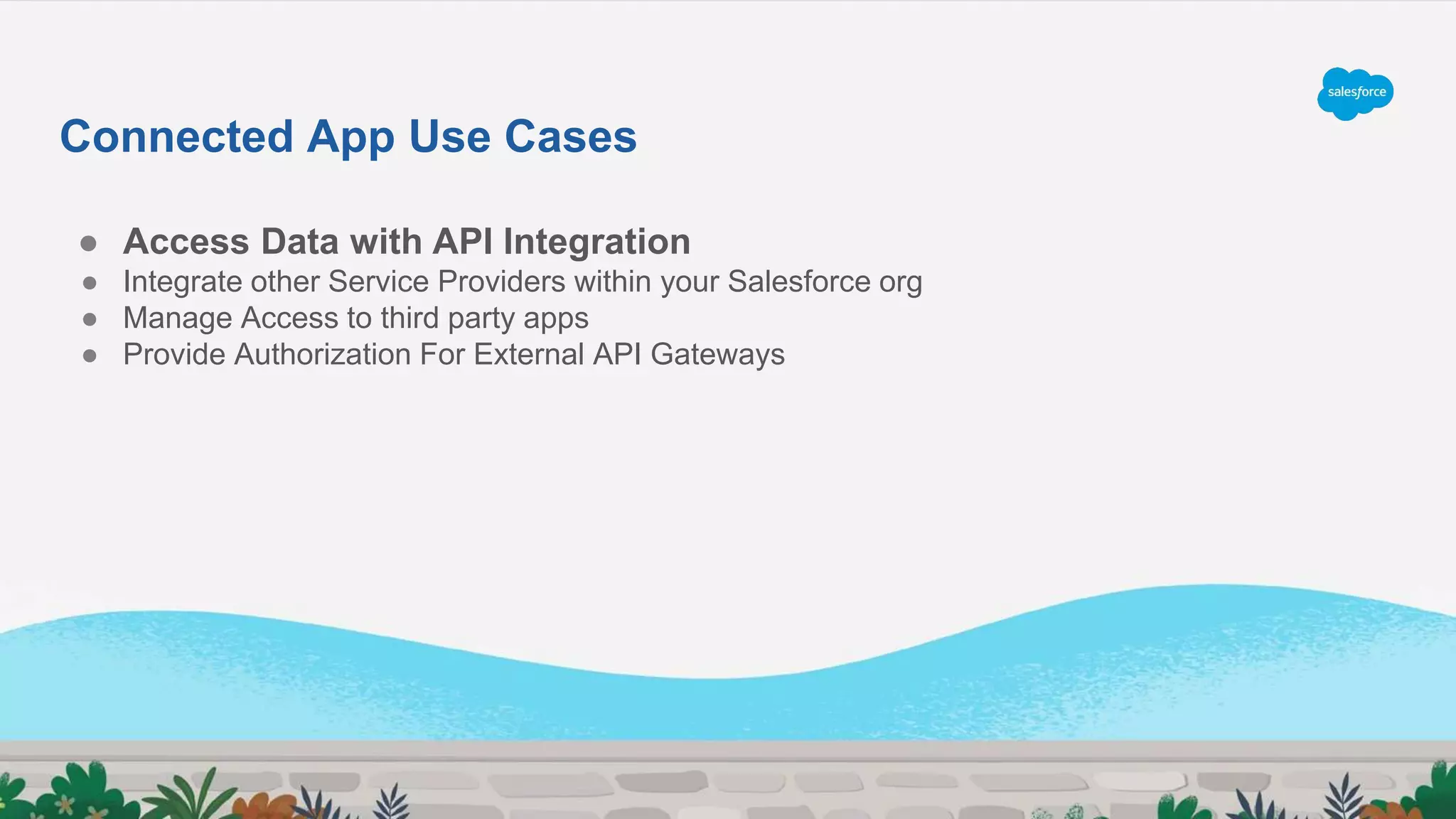
● Access Data with API Integration
● Integrate other Service Providers within your Salesforce org
● Manage Access to third party apps
● Provide Authorization For External API Gateways
Connected App Use Cases
https://sforce.co/33TTzY6
Agenda
● What is JWT tokens?
● JWT Structure
● How JWT tokens work?
● OAuth 2.0 JWT Bearer Flow for Server-to-Server Integration
● Demo
● References
JWT stands for JSON Web Tokens.
JSON Web Token (JWT) is an open standard (RFC 7519) that defines a compact and self-
contained way for securely transmitting information between parties as a JSON object.
Information can be verified and trusted because it is digitally signed.
JWTs can be signed using a secret (with the HMAC algorithm) or a public/private key pair using
RSA or ECDSA.
I
What is JWT?
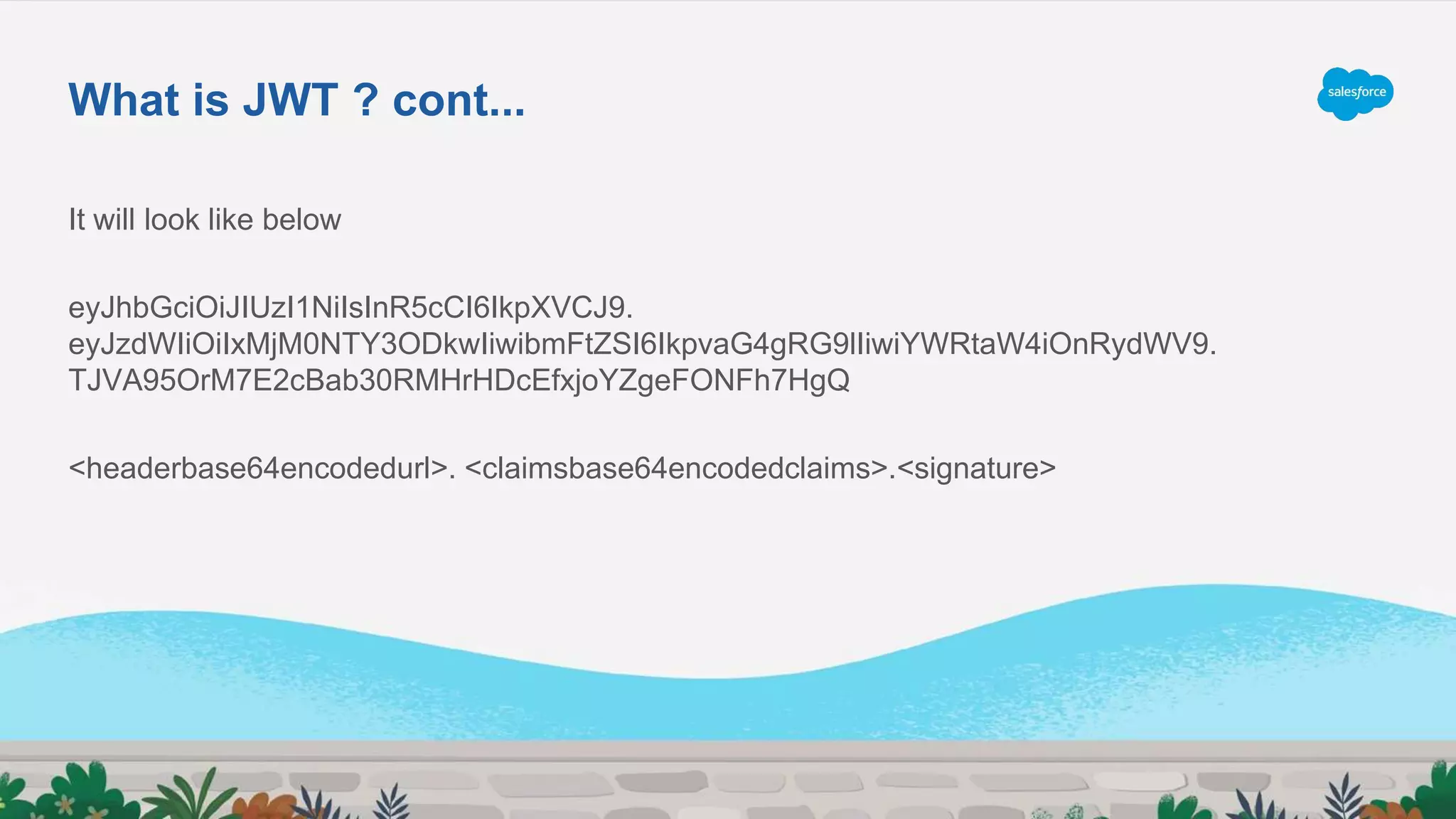
It will look like below
eyJhbGciOiJIUzI1NiIsInR5cCI6IkpXVCJ9.
eyJzdWIiOiIxMjM0NTY3ODkwIiwibmFtZSI6IkpvaG4gRG9lIiwiYWRtaW4iOnRydWV9.
TJVA95OrM7E2cBab30RMHrHDcEfxjoYZgeFONFh7HgQ
<headerbase64encodedurl>. <claimsbase64encodedclaims>.<signature>
What is JWT ? cont...
● Header
● Payload
● Signature
JWT Structure
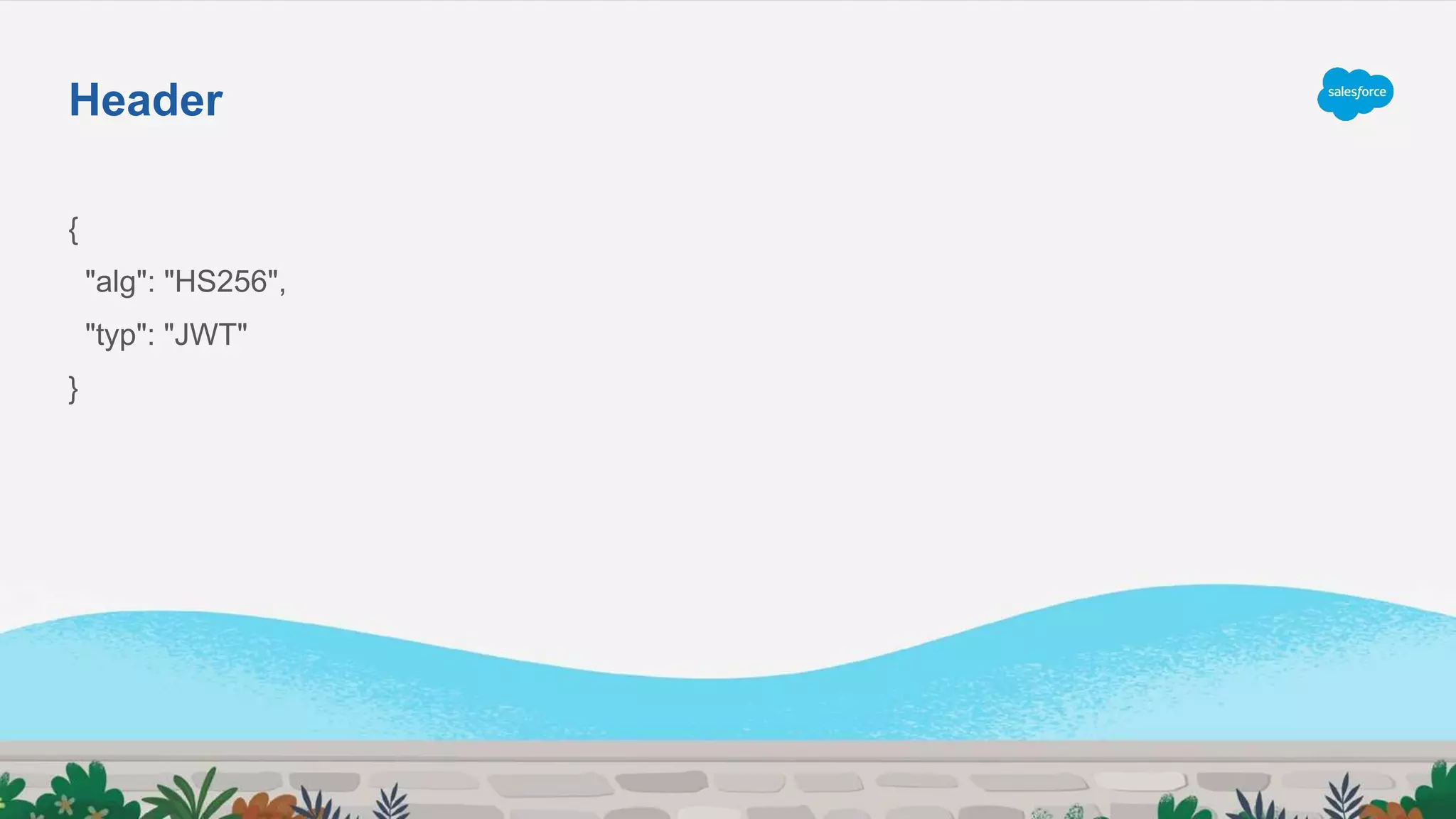
{
"alg": "HS256",
"typ": "JWT"
}
Header
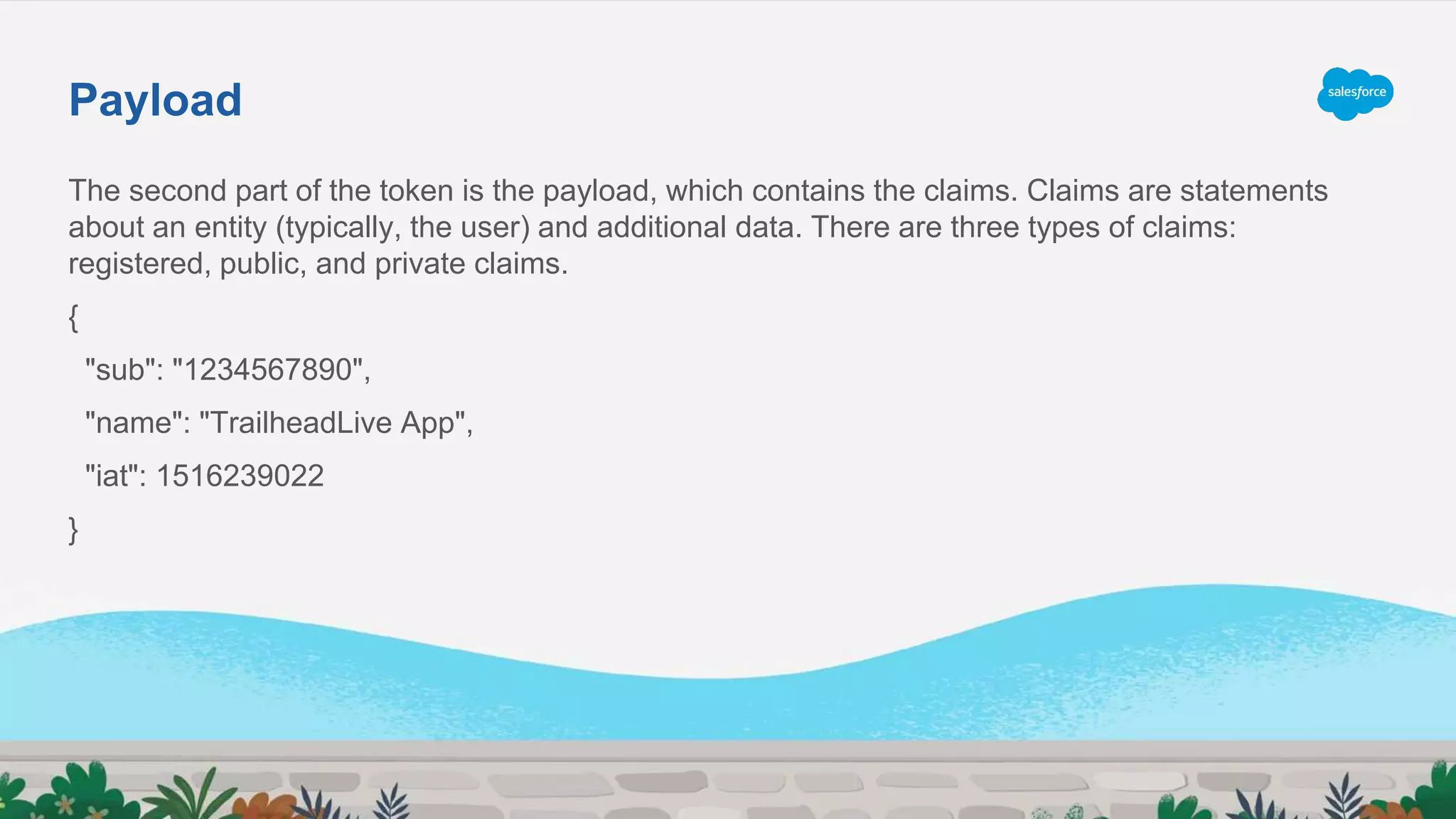
The second part of the token is the payload, which contains the claims. Claims are statements
about an entity (typically, the user) and additional data. There are three types of claims:
registered, public, and private claims.
{
"sub": "1234567890",
"name": "TrailheadLive App",
"iat": 1516239022
}
Payload
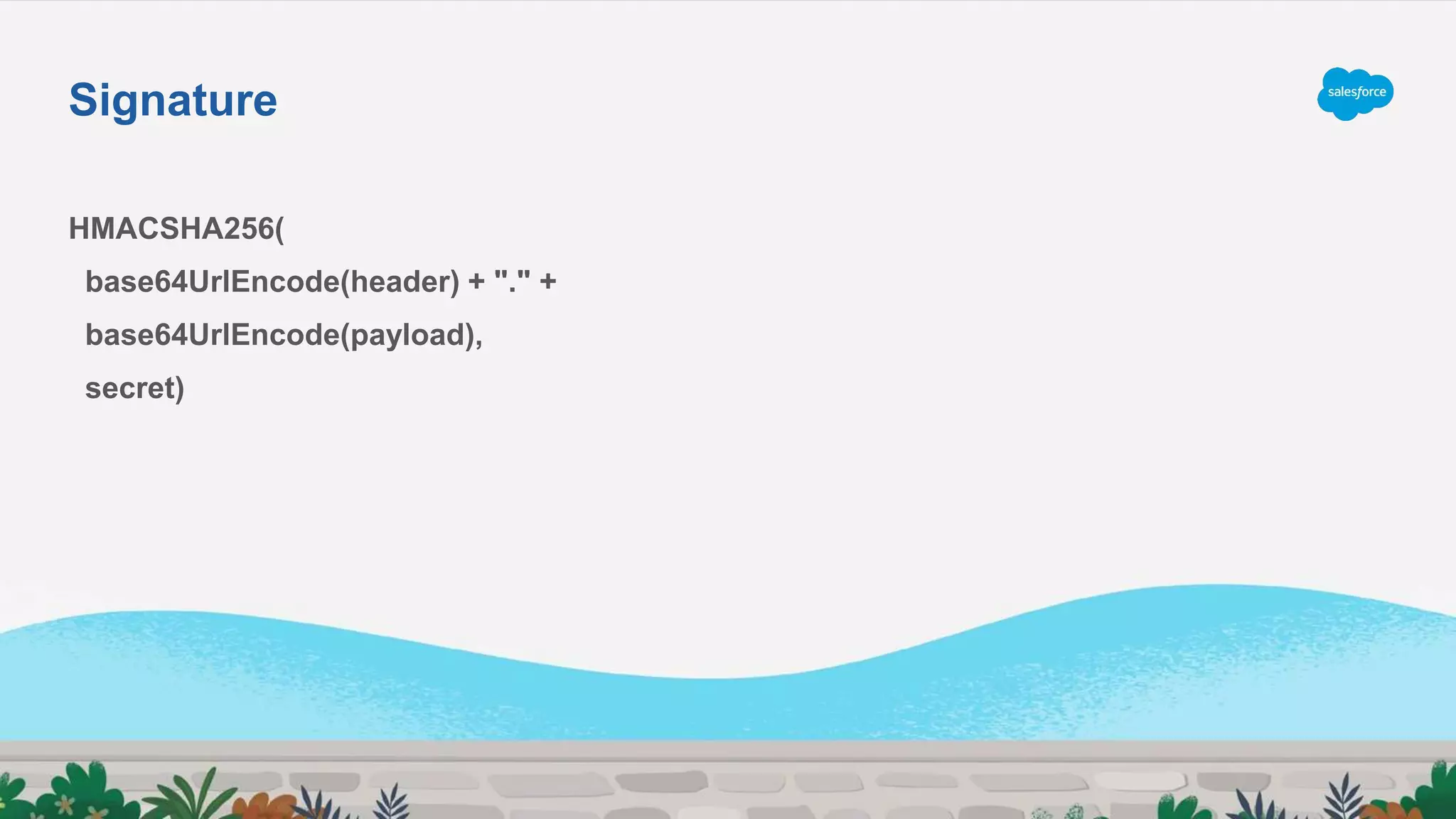
HMACSHA256(
base64UrlEncode(header) + "." +
base64UrlEncode(payload),
secret)
Signature
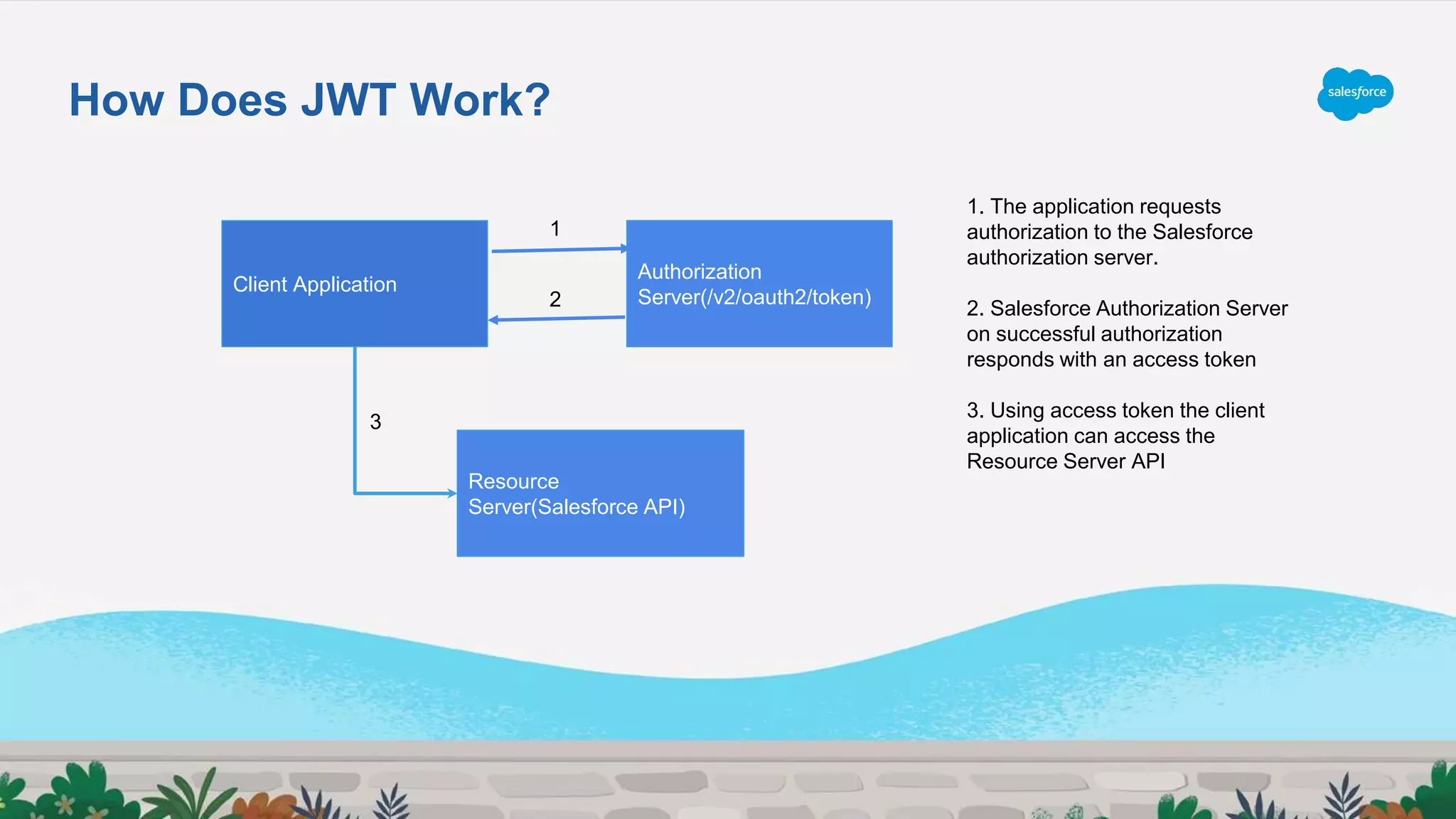
How Does JWT Work?
Client Application
Authorization
Server(/v2/oauth2/token)
Resource
Server(Salesforce API)
2
1
3
1. The application requests
authorization to the Salesforce
authorization server.
2. Salesforce Authorization Server
on successful authorization
responds with an access token
3. Using access token the client
application can access the
Resource Server API
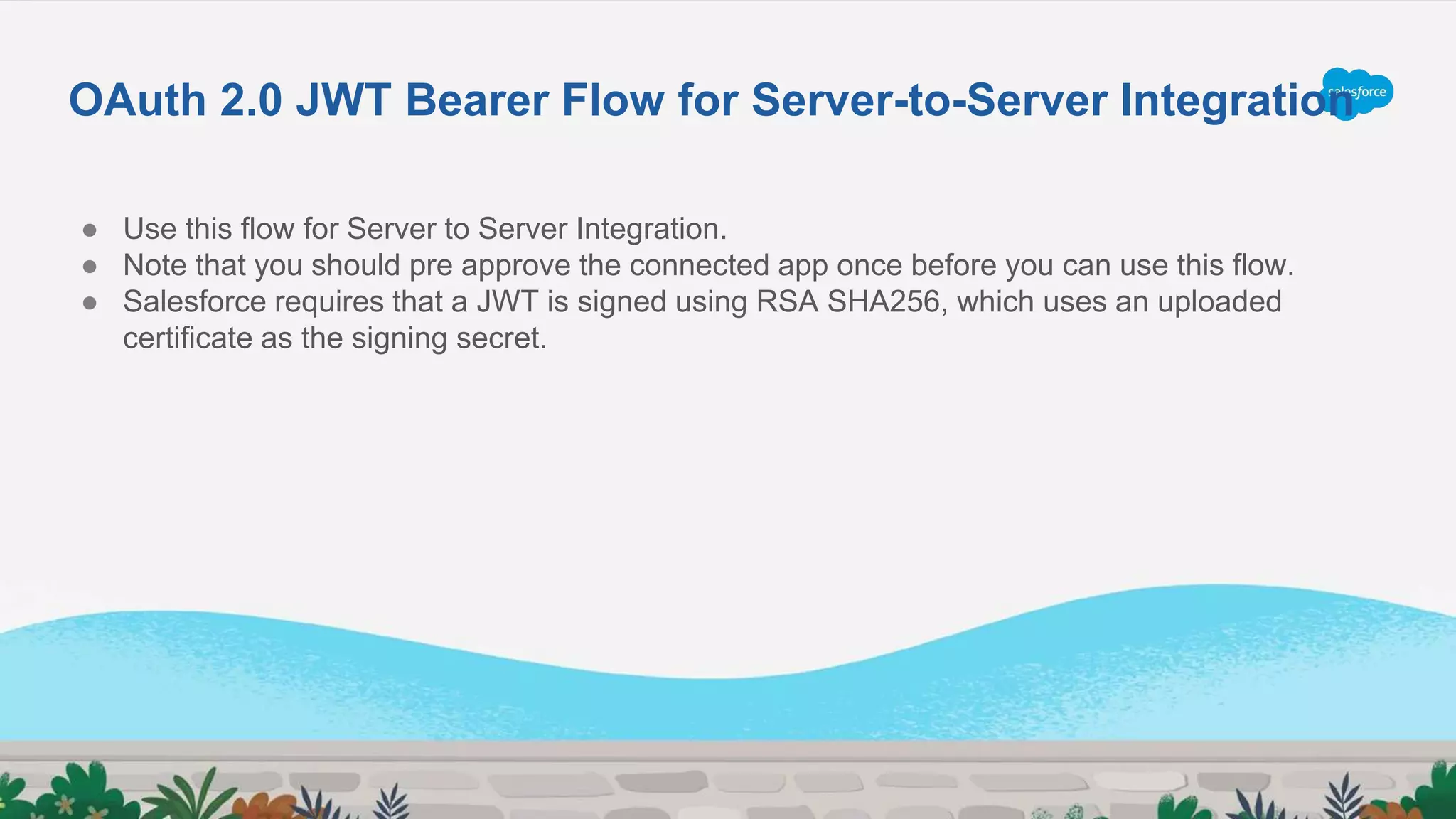
● Use this flow for Server to Server Integration.
● Note that you should pre approve the connected app once before you can use this flow.
● Salesforce requires that a JWT is signed using RSA SHA256, which uses an uploaded
certificate as the signing secret.
OAuth 2.0 JWT Bearer Flow for Server-to-Server Integration
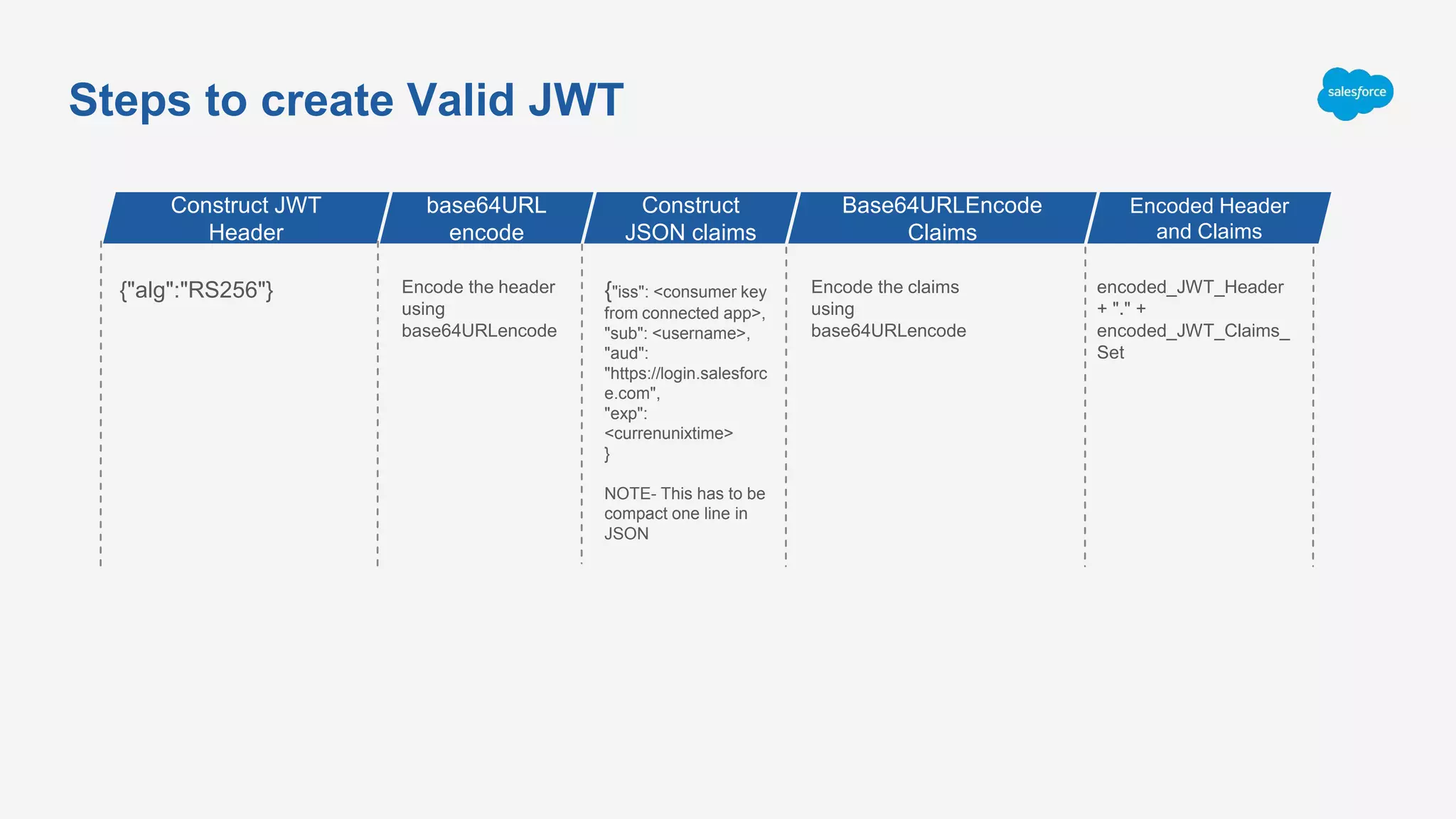
Steps to create Valid JWT
{"alg":"RS256"} Encode the header
using
base64URLencode
{"iss": <consumer key
from connected app>,
"sub": <username>,
"aud":
"https://login.salesforc
e.com",
"exp":
<currenunixtime>
}
NOTE- This has to be
compact one line in
JSON
Encode the claims
using
base64URLencode
encoded_JWT_Header
+ "." +
encoded_JWT_Claims_
Set
Construct JWT
Header
base64URL
encode
Construct
JSON claims
Base64URLEncode
Claims
Encoded Header
and Claims
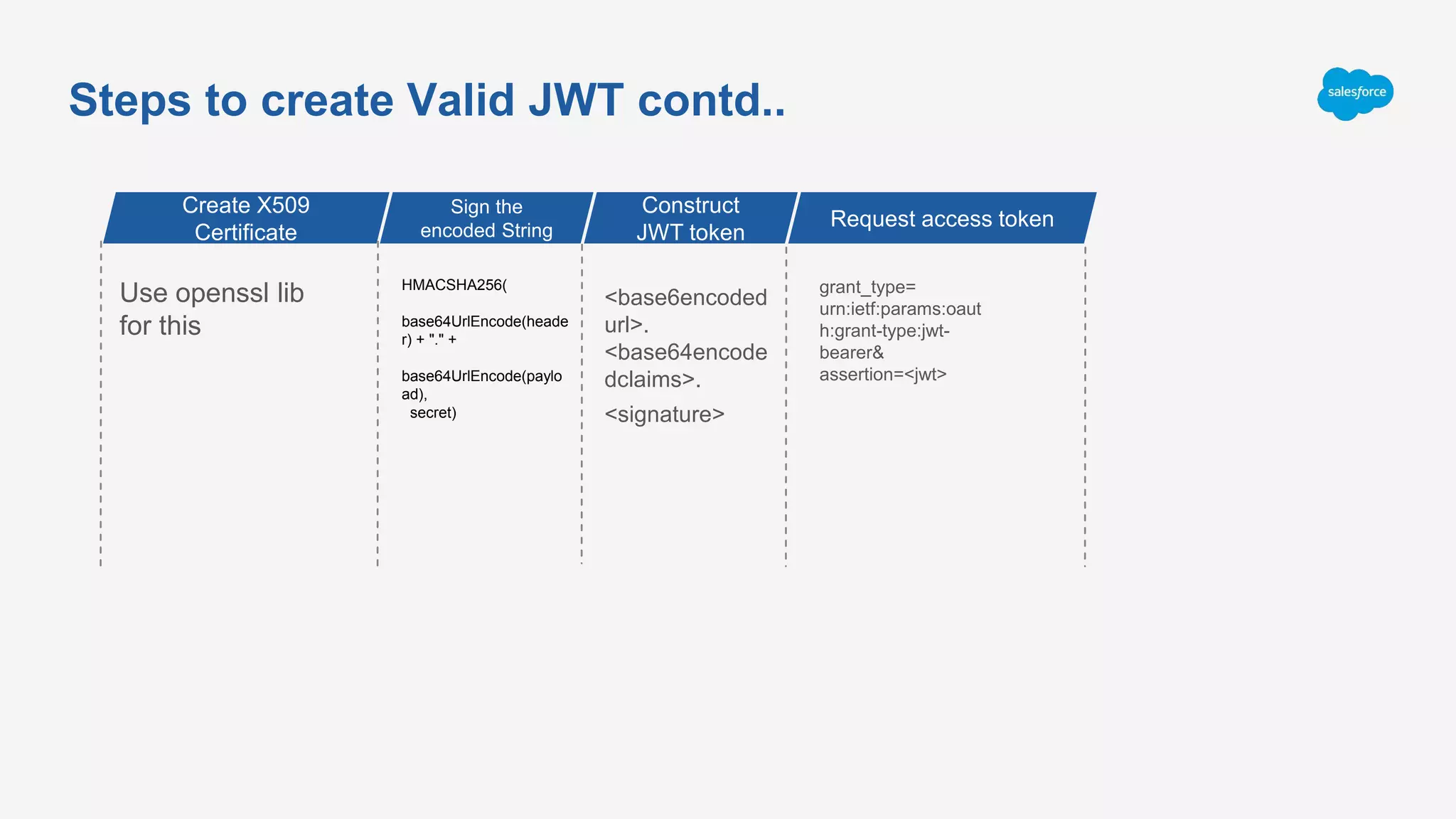
Steps to create Valid JWT contd..
Use openssl lib
for this
HMACSHA256(
base64UrlEncode(heade
r) + "." +
base64UrlEncode(paylo
ad),
secret)
<base6encoded
url>.
<base64encode
dclaims>.
<signature>
grant_type=
urn:ietf:params:oaut
h:grant-type:jwt-
bearer&
assertion=<jwt>
Create X509
Certificate
Sign the
encoded String
Construct
JWT token
Request access token
Debug using https://jwt.io
● Each X.509 certificate includes a public key, digital signature, and information about both the identity
associated with the certificate and its issuing certificate authority (CA)
● The public key is part of a key pair that also includes a private key. The private key is kept secure, and the
public key is included in the certificate.
Public/Private key Usage:
○ Allows the owner of the private key to digitally sign documents; these signatures can be verified by anyone with the
corresponding public key.
○ Allows third parties to send messages encrypted with the public key that only the owner of the private key can decrypt.
X.509 Certificate
Creating Connected Application
Demo
JWT via Apex
● Requires the certificate imported in JKS format.
● JWT, JWS and JWTBearerTokenExchange class under Auth Namespace simplifies
performing JWT Bearer Token flow
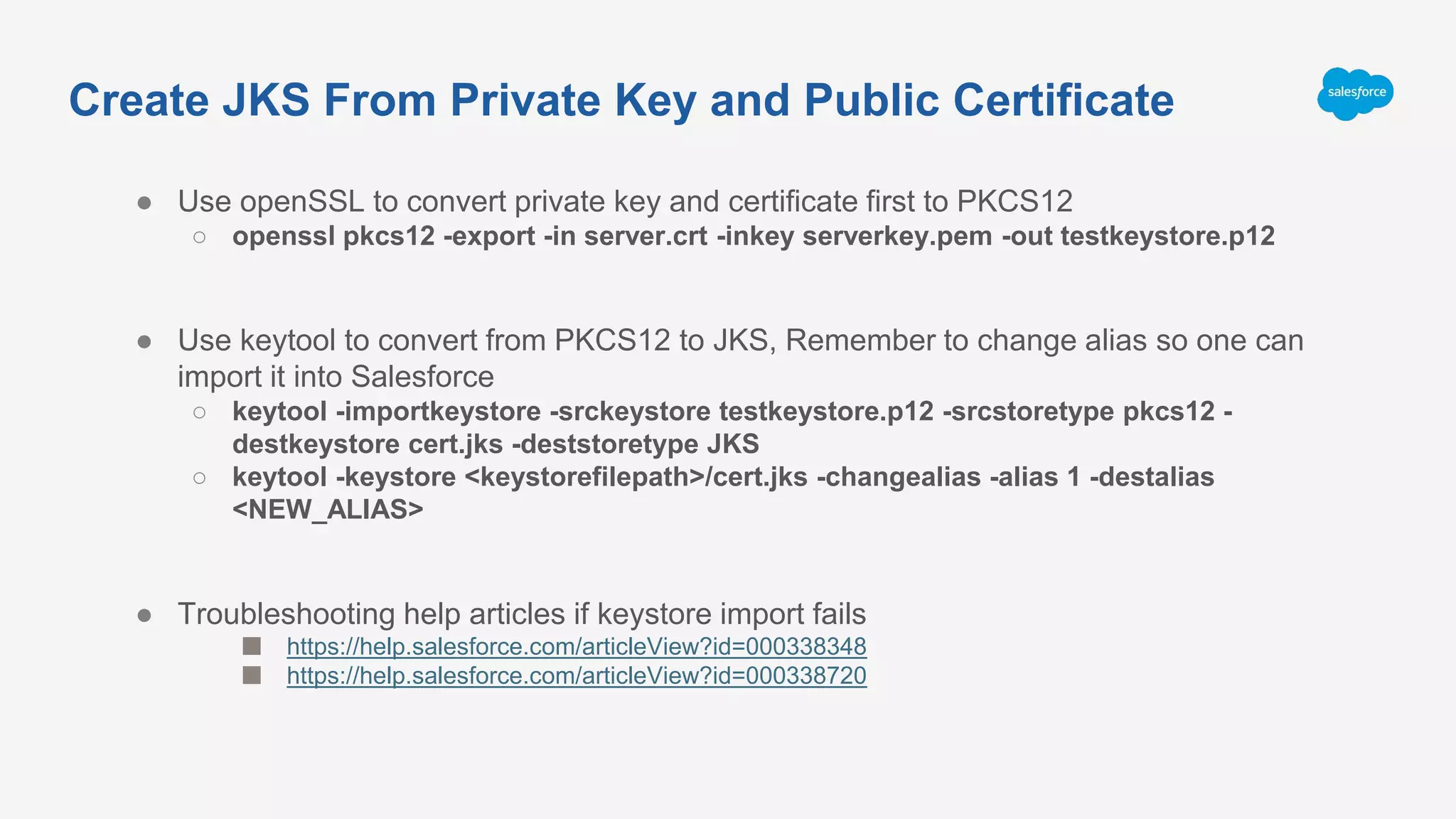
● Use openSSL to convert private key and certificate first to PKCS12
○ openssl pkcs12 -export -in server.crt -inkey serverkey.pem -out testkeystore.p12
● Use keytool to convert from PKCS12 to JKS, Remember to change alias so one can
import it into Salesforce
○ keytool -importkeystore -srckeystore testkeystore.p12 -srcstoretype pkcs12 -
destkeystore cert.jks -deststoretype JKS
○ keytool -keystore <keystorefilepath>/cert.jks -changealias -alias 1 -destalias
<NEW_ALIAS>
● Troubleshooting help articles if keystore import fails
■ https://help.salesforce.com/articleView?id=000338348
■ https://help.salesforce.com/articleView?id=000338720
Create JKS From Private Key and Public Certificate
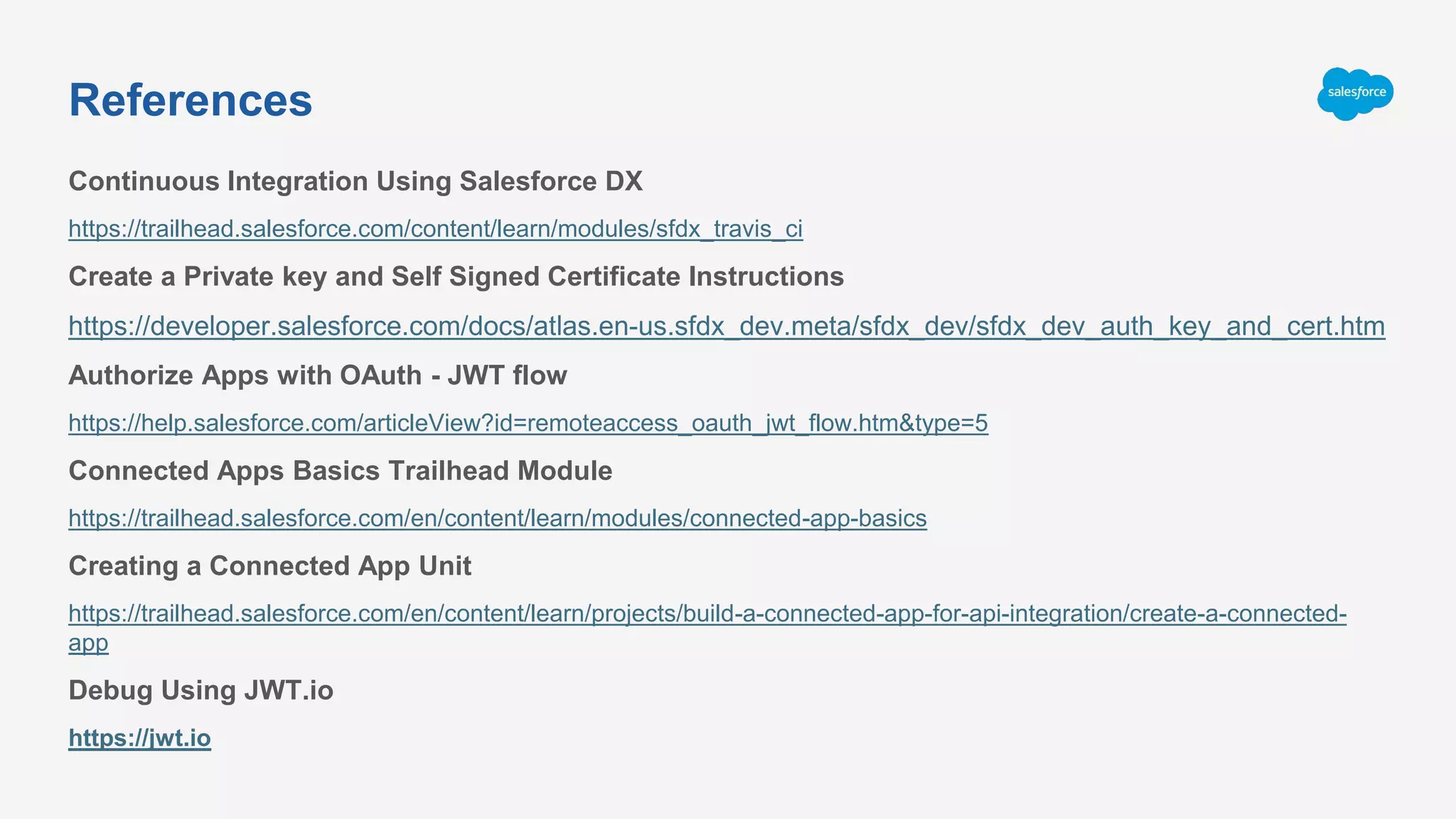
Continuous Integration Using Salesforce DX
https://trailhead.salesforce.com/content/learn/modules/sfdx_travis_ci
Create a Private key and Self Signed Certificate Instructions
https://developer.salesforce.com/docs/atlas.en-us.sfdx_dev.meta/sfdx_dev/sfdx_dev_auth_key_and_cert.htm
Authorize Apps with OAuth - JWT flow
https://help.salesforce.com/articleView?id=remoteaccess_oauth_jwt_flow.htm&type=5
Connected Apps Basics Trailhead Module
https://trailhead.salesforce.com/en/content/learn/modules/connected-app-basics
Creating a Connected App Unit
https://trailhead.salesforce.com/en/content/learn/projects/build-a-connected-app-for-api-integration/create-a-connected-
app
Debug Using JWT.io
https://jwt.io
References
Deep dive into salesforce connected app - part 2

Deep dive into salesforce connected app - part 2

  • 1.
    Deep Dive intoSalesforce Connected App - Part 2 @msrivastav13 | mohith.shrivastava@salesforce.com Mohith Shrivastava, Lead Developer Evangelist
  • 2.
    Forward-Looking Statement Statement underthe Private Securities Litigation Reform Act of 1995: This presentation contains forward-looking statements about the company’s financial and operating results, which may include expected GAAP and non-GAAP financial and other operating and non-operating results, including revenue, net income, diluted earnings per share, operating cash flow growth, operating margin improvement, expected revenue growth, expected current remaining performance obligation growth, expected tax rates, the one-time accounting non-cash charge that was incurred in connection with the Salesforce.org combination; stock- based compensation expenses, amortization of purchased intangibles, shares outstanding, market growth and sustainability goals. The achievement or success of the matters covered by such forward-looking statements involves risks, uncertainties and assumptions. If any such risks or uncertainties materialize or if any of the assumptions prove incorrect, the company’s results could differ materially from the results expressed or implied by the forward-looking statements we make. The risks and uncertainties referred to above include -- but are not limited to -- risks associated with the effect of general economic and market conditions; the impact of geopolitical events; the impact of foreign currency exchange rate and interest rate fluctuations on our results; our business strategy and our plan to build our business, including our strategy to be the leading provider of enterprise cloud computing applications and platforms; the pace of change and innovation in enterprise cloud computing services; the seasonal nature of our sales cycles; the competitive nature of the market in which we participate; our international expansion strategy; the demands on our personnel and infrastructure resulting from significant growth in our customer base and operations, including as a result of acquisitions; our service performance and security, including the resources and costs required to avoid unanticipated downtime and prevent, detect and remediate potential security breaches; the expenses associated with new data centers and third-party infrastructure providers; additional data center capacity; real estate and office facilities space; our operating results and cash flows; new services and product features, including any efforts to expand our services beyond the CRM market; our strategy of acquiring or making investments in complementary businesses, joint ventures, services, technologies and intellectual property rights; the performance and fair value of our investments in complementary businesses through our strategic investment portfolio; our ability to realize the benefits from strategic partnerships, joint ventures and investments; the impact of future gains or losses from our strategic investment portfolio, including gains or losses from overall market conditions that may affect the publicly traded companies within the company's strategic investment portfolio; our ability to execute our business plans; our ability to successfully integrate acquired businesses and technologies, including delays related to the integration of Tableau due to regulatory review by the United Kingdom Competition and Markets Authority; our ability to continue to grow unearned revenue and remaining performance obligation; our ability to protect our intellectual property rights; our ability to develop our brands; our reliance on third-party hardware, software and platform providers; our dependency on the development and maintenance of the infrastructure of the Internet; the effect of evolving domestic and foreign government regulations, including those related to the provision of services on the Internet, those related to accessing the Internet, and those addressing data privacy, cross-border data transfers and import and export controls; the valuation of our deferred tax assets and the release of related valuation allowances; the potential availability of additional tax assets in the future; the impact of new accounting pronouncements and tax laws; uncertainties affecting our ability to estimate our tax rate; the impact of expensing stock options and other equity awards; the sufficiency of our capital resources; factors related to our outstanding debt, revolving credit facility, term loan and loan associated with 50 Fremont; compliance with our debt covenants and lease obligations; current and potential litigation involving us; and the impact of climate change. Further information on these and other factors that could affect the company’s financial results is included in the reports on Forms 10-K, 10-Q and 8-K and in other filings it makes with the Securities and Exchange Commission from time to time. These documents are available on the SEC Filings section of the Investor Information section of the company’s website at www.salesforce.com/investor. Salesforce.com, inc. assumes no obligation and does not intend to update these forward-looking statements, except as required by law.
  • 3.
    Recap ● What isa Connected App? ● Authentication vs Authorization ● Single Sign-On(SSO), SAML 2.0 ● Connected App Use Cases ● Demo - Created simple Connected app and covered web server oauth2 flow ● Connected App Developers vs Connected App Admins ● Key Considerations when deploying Connected Apps ● References
  • 4.
    ● Access Datawith API Integration ● Integrate other Service Providers within your Salesforce org ● Manage Access to third party apps ● Provide Authorization For External API Gateways Connected App Use Cases
  • 5.
  • 6.
    Agenda ● What isJWT tokens? ● JWT Structure ● How JWT tokens work? ● OAuth 2.0 JWT Bearer Flow for Server-to-Server Integration ● Demo ● References
  • 7.
    JWT stands forJSON Web Tokens. JSON Web Token (JWT) is an open standard (RFC 7519) that defines a compact and self- contained way for securely transmitting information between parties as a JSON object. Information can be verified and trusted because it is digitally signed. JWTs can be signed using a secret (with the HMAC algorithm) or a public/private key pair using RSA or ECDSA. I What is JWT?
  • 8.
    It will looklike below eyJhbGciOiJIUzI1NiIsInR5cCI6IkpXVCJ9. eyJzdWIiOiIxMjM0NTY3ODkwIiwibmFtZSI6IkpvaG4gRG9lIiwiYWRtaW4iOnRydWV9. TJVA95OrM7E2cBab30RMHrHDcEfxjoYZgeFONFh7HgQ <headerbase64encodedurl>. <claimsbase64encodedclaims>.<signature> What is JWT ? cont...
  • 9.
    ● Header ● Payload ●Signature JWT Structure
  • 10.
  • 11.
    The second partof the token is the payload, which contains the claims. Claims are statements about an entity (typically, the user) and additional data. There are three types of claims: registered, public, and private claims. { "sub": "1234567890", "name": "TrailheadLive App", "iat": 1516239022 } Payload
  • 12.
    HMACSHA256( base64UrlEncode(header) + "."+ base64UrlEncode(payload), secret) Signature
  • 13.
    How Does JWTWork? Client Application Authorization Server(/v2/oauth2/token) Resource Server(Salesforce API) 2 1 3 1. The application requests authorization to the Salesforce authorization server. 2. Salesforce Authorization Server on successful authorization responds with an access token 3. Using access token the client application can access the Resource Server API
  • 14.
    ● Use thisflow for Server to Server Integration. ● Note that you should pre approve the connected app once before you can use this flow. ● Salesforce requires that a JWT is signed using RSA SHA256, which uses an uploaded certificate as the signing secret. OAuth 2.0 JWT Bearer Flow for Server-to-Server Integration
  • 15.
    Steps to createValid JWT {"alg":"RS256"} Encode the header using base64URLencode {"iss": <consumer key from connected app>, "sub": <username>, "aud": "https://login.salesforc e.com", "exp": <currenunixtime> } NOTE- This has to be compact one line in JSON Encode the claims using base64URLencode encoded_JWT_Header + "." + encoded_JWT_Claims_ Set Construct JWT Header base64URL encode Construct JSON claims Base64URLEncode Claims Encoded Header and Claims
  • 16.
    Steps to createValid JWT contd.. Use openssl lib for this HMACSHA256( base64UrlEncode(heade r) + "." + base64UrlEncode(paylo ad), secret) <base6encoded url>. <base64encode dclaims>. <signature> grant_type= urn:ietf:params:oaut h:grant-type:jwt- bearer& assertion=<jwt> Create X509 Certificate Sign the encoded String Construct JWT token Request access token
  • 17.
  • 18.
    ● Each X.509certificate includes a public key, digital signature, and information about both the identity associated with the certificate and its issuing certificate authority (CA) ● The public key is part of a key pair that also includes a private key. The private key is kept secure, and the public key is included in the certificate. Public/Private key Usage: ○ Allows the owner of the private key to digitally sign documents; these signatures can be verified by anyone with the corresponding public key. ○ Allows third parties to send messages encrypted with the public key that only the owner of the private key can decrypt. X.509 Certificate
  • 19.
  • 20.
    JWT via Apex ●Requires the certificate imported in JKS format. ● JWT, JWS and JWTBearerTokenExchange class under Auth Namespace simplifies performing JWT Bearer Token flow
  • 21.
    ● Use openSSLto convert private key and certificate first to PKCS12 ○ openssl pkcs12 -export -in server.crt -inkey serverkey.pem -out testkeystore.p12 ● Use keytool to convert from PKCS12 to JKS, Remember to change alias so one can import it into Salesforce ○ keytool -importkeystore -srckeystore testkeystore.p12 -srcstoretype pkcs12 - destkeystore cert.jks -deststoretype JKS ○ keytool -keystore <keystorefilepath>/cert.jks -changealias -alias 1 -destalias <NEW_ALIAS> ● Troubleshooting help articles if keystore import fails ■ https://help.salesforce.com/articleView?id=000338348 ■ https://help.salesforce.com/articleView?id=000338720 Create JKS From Private Key and Public Certificate
  • 22.
    Continuous Integration UsingSalesforce DX https://trailhead.salesforce.com/content/learn/modules/sfdx_travis_ci Create a Private key and Self Signed Certificate Instructions https://developer.salesforce.com/docs/atlas.en-us.sfdx_dev.meta/sfdx_dev/sfdx_dev_auth_key_and_cert.htm Authorize Apps with OAuth - JWT flow https://help.salesforce.com/articleView?id=remoteaccess_oauth_jwt_flow.htm&type=5 Connected Apps Basics Trailhead Module https://trailhead.salesforce.com/en/content/learn/modules/connected-app-basics Creating a Connected App Unit https://trailhead.salesforce.com/en/content/learn/projects/build-a-connected-app-for-api-integration/create-a-connected- app Debug Using JWT.io https://jwt.io References