Demystifying Code for Admins:
The Last Step to Apex
Salesforce Engineer,
Adam Olshansky
600 14X
Adam Olshansky
Salesforce Engineer, Google
​ @adam17amo
​ adam@adamtoarchitect.com
​ bit.ly/lightningmigration
Speaker Logo
Forward Looking Statement
Statement under the Private Securities Litigation Reform Act of 1995:
This presentation contains forward-looking statements about the company’s financial and operating results, which may include expected GAAP and non-GAAP financial and other operating and non-
operating results, including revenue, net income, diluted earnings per share, operating cash flow growth, operating margin improvement, expected revenue growth, expected current remaining
performance obligation growth, expected tax rates, the one-time accounting non-cash charge that was incurred in connection with the Salesforce.org combination; stock-based compensation expenses,
amortization of purchased intangibles, shares outstanding, market growth and sustainability goals. The achievement or success of the matters covered by such forward-looking statements involves
risks, uncertainties and assumptions. If any such risks or uncertainties materialize or if any of the assumptions prove incorrect, the company’s results could differ materially from the results expressed or
implied by the forward-looking statements we make.
The risks and uncertainties referred to above include -- but are not limited to -- risks associated with the effect of general economic and market conditions; the impact of geopolitical events; the impact
of foreign currency exchange rate and interest rate fluctuations on our results; our business strategy and our plan to build our business, including our strategy to be the leading provider of enterprise
cloud computing applications and platforms; the pace of change and innovation in enterprise cloud computing services; the seasonal nature of our sales cycles; the competitive nature of the market in
which we participate; our international expansion strategy; the demands on our personnel and infrastructure resulting from significant growth in our customer base and operations, including as a result
of acquisitions; our service performance and security, including the resources and costs required to avoid unanticipated downtime and prevent, detect and remediate potential security breaches; the
expenses associated with new data centers and third-party infrastructure providers; additional data center capacity; real estate and office facilities space; our operating results and cash flows; new
services and product features, including any efforts to expand our services beyond the CRM market; our strategy of acquiring or making investments in complementary businesses, joint ventures,
services, technologies and intellectual property rights; the performance and fair value of our investments in complementary businesses through our strategic investment portfolio; our ability to realize
the benefits from strategic partnerships, joint ventures and investments; the impact of future gains or losses from our strategic investment portfolio, including gains or losses from overall market
conditions that may affect the publicly traded companies within the company's strategic investment portfolio; our ability to execute our business plans; our ability to successfully integrate acquired
businesses and technologies, including delays related to the integration of Tableau due to regulatory review by the United Kingdom Competition and Markets Authority; our ability to continue to grow
unearned revenue and remaining performance obligation; our ability to protect our intellectual property rights; our ability to develop our brands; our reliance on third-party hardware, software and
platform providers; our dependency on the development and maintenance of the infrastructure of the Internet; the effect of evolving domestic and foreign government regulations, including those related
to the provision of services on the Internet, those related to accessing the Internet, and those addressing data privacy, cross-border data transfers and import and export controls; the valuation of our
deferred tax assets and the release of related valuation allowances; the potential availability of additional tax assets in the future; the impact of new accounting pronouncements and tax laws;
uncertainties affecting our ability to estimate our tax rate; the impact of expensing stock options and other equity awards; the sufficiency of our capital resources; factors related to our outstanding debt,
revolving credit facility, term loan and loan associated with 50 Fremont; compliance with our debt covenants and lease obligations; current and potential litigation involving us; and the impact of climate
change.
Further information on these and other factors that could affect the company’s financial results is included in the reports on Forms 10-K, 10-Q and 8-K and in other filings it makes with the Securities
and Exchange Commission from time to time. These documents are available on the SEC Filings section of the Investor Information section of the company’s website at www.salesforce.com/investor.
Salesforce.com, inc. assumes no obligation and does not intend to update these forward-looking statements, except as required by law.
Expectations
DO think about concepts in Declarative development
DO try to understand what small blocks of code are doing
DON’T worry about code syntax ( < { ; ! & |
DON’T think you can learn how to code in 40 mins
DO think that you can begin understanding code in 40 mins
Things to Consider
Why are we here?
Understanding Code + Google = Writing Code!
Understanding code can improve your value to your company
Understanding code can increase job and career opportunities
A little code never hurt!
Agenda
1.  What is Code/Apex?
2.  Review of Admin Tools and Concepts
3.  Apex Building Blocks
4.  Apex Examples
5.  Summary and Next Steps
YOU’RE ALL DEVELOPERS
(YOU JUST MAY NOT KNOW IT YET)
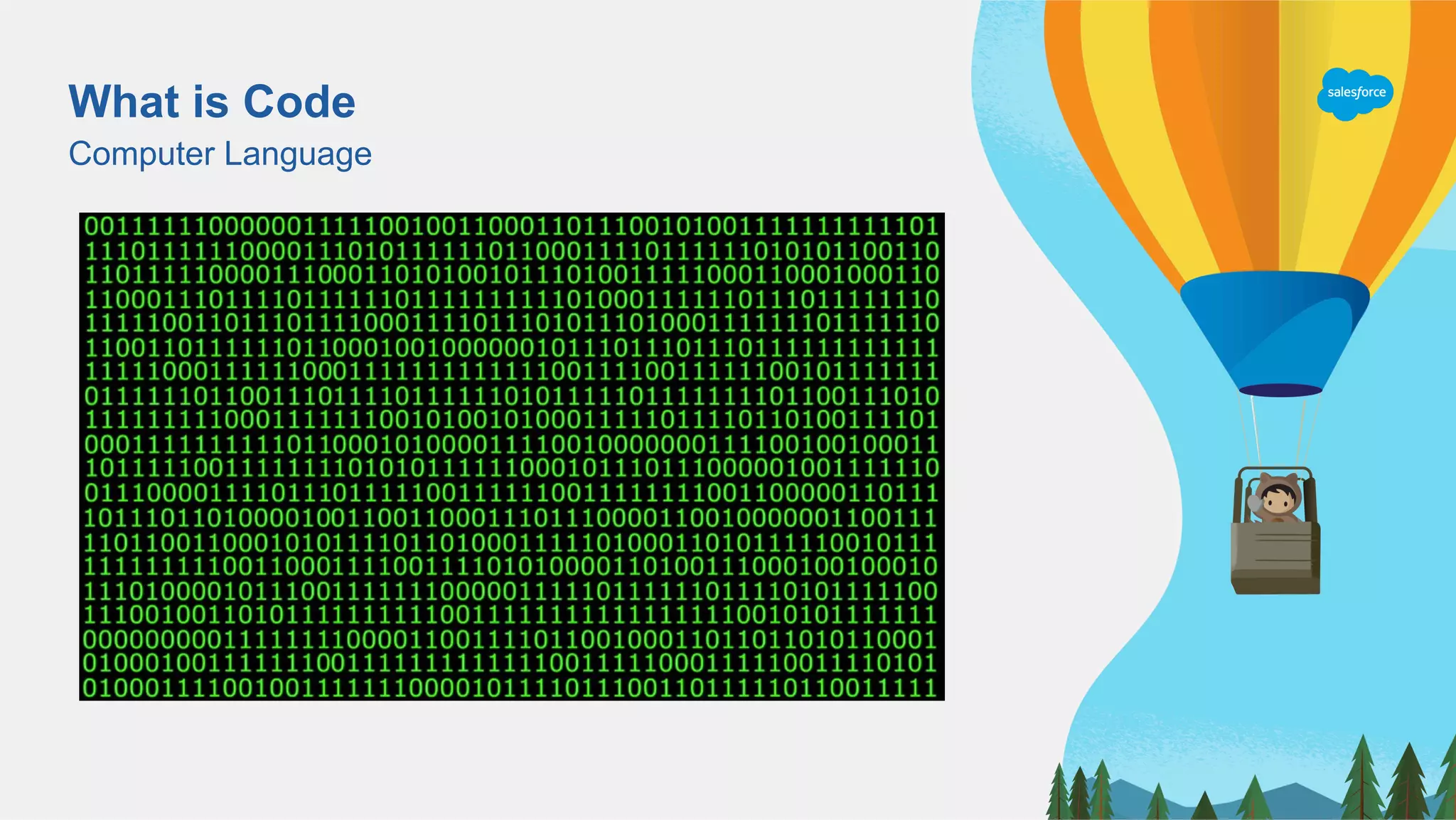
What is Code?
Not as scary as you think
What is Code
Computer Language
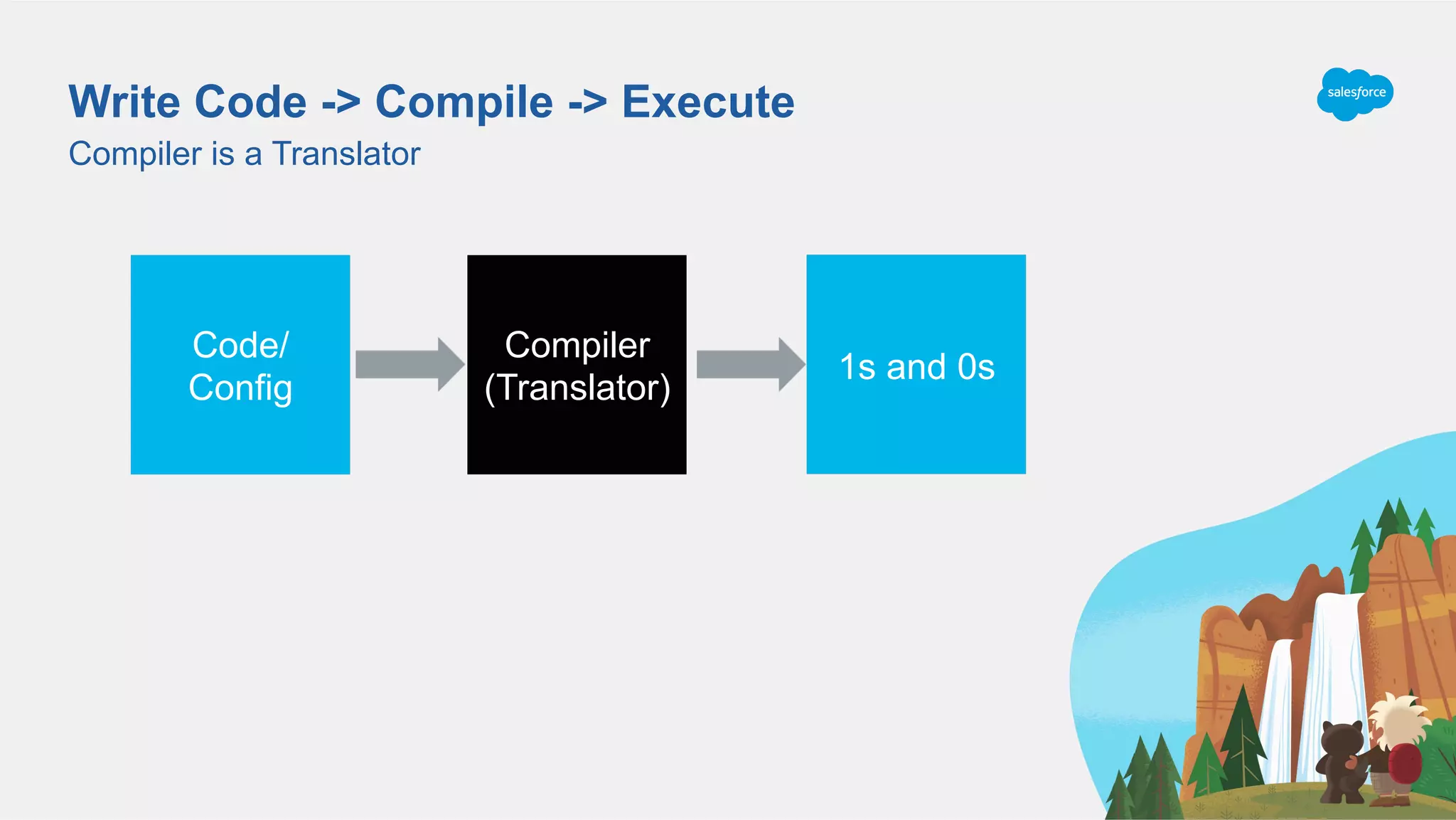
Write Code -> Compile -> Execute
Compiler is a Translator
1s and 0s
Compiler
(Translator)
Code/
Config
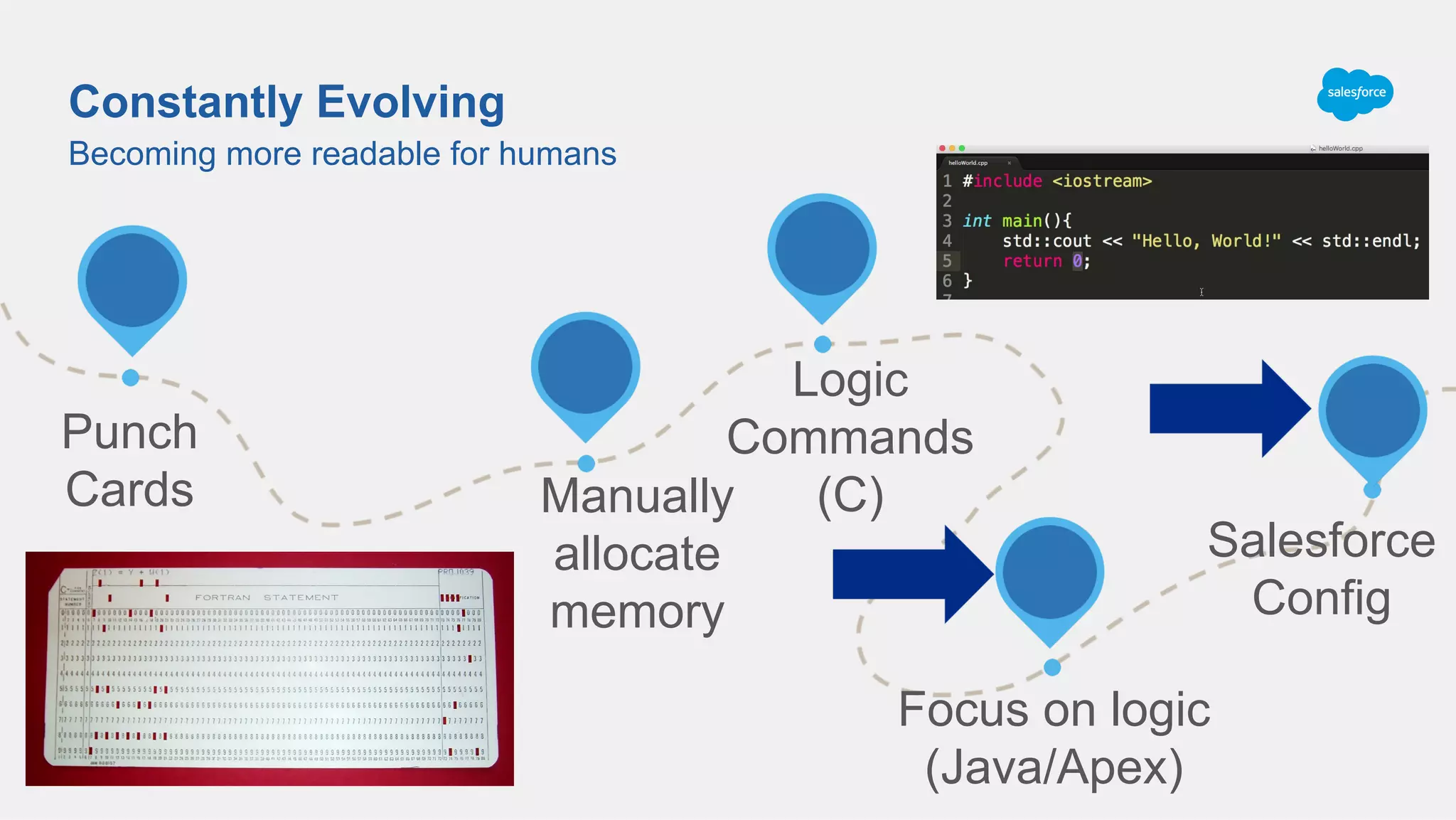
Becoming more readable for humans
Constantly Evolving
Punch
Cards Manually
allocate
memory
Logic
Commands
(C)
Focus on logic
(Java/Apex)
Salesforce
Config
Review of Admin Tools
Different ways to automate in Salesforce
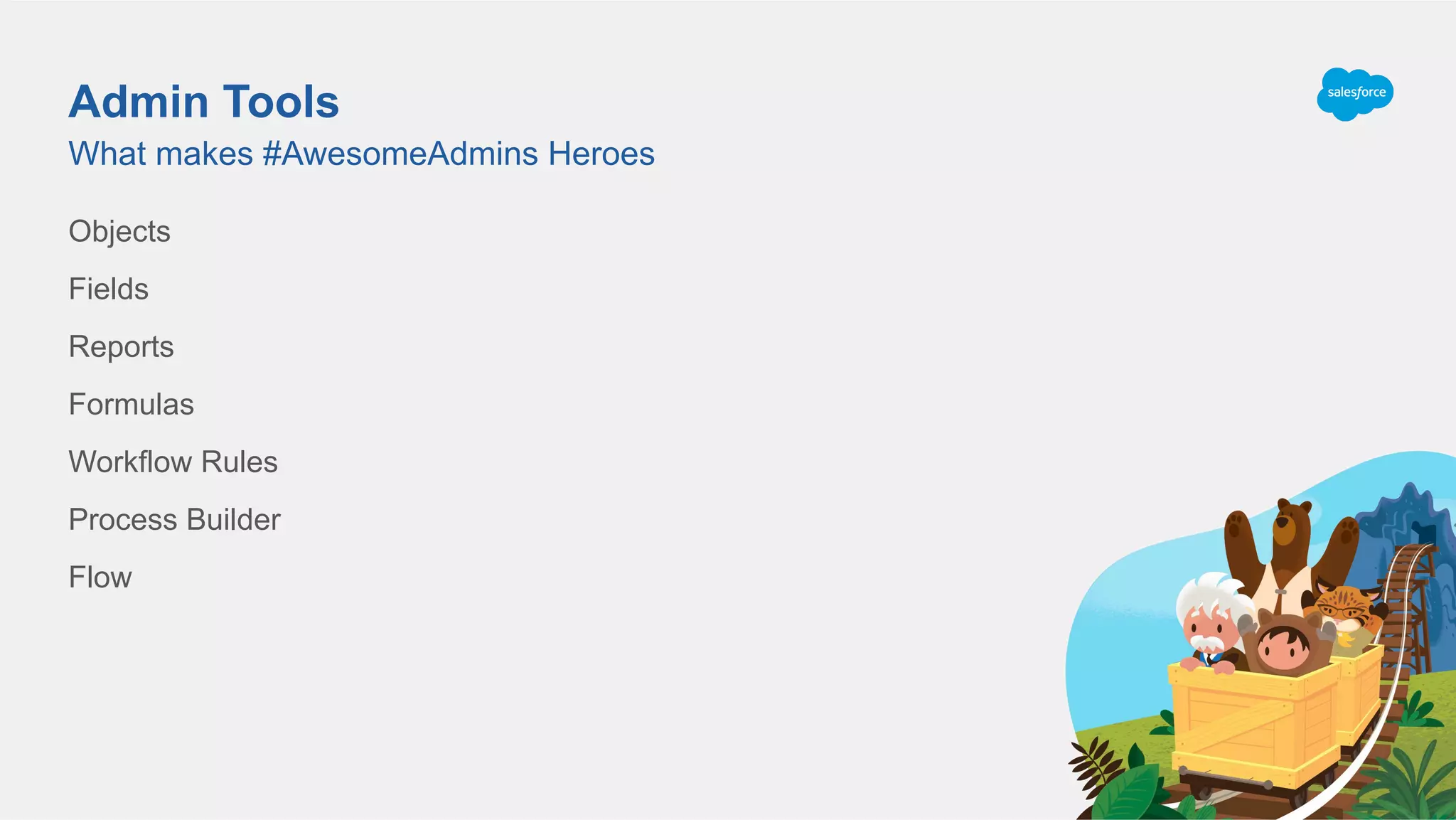
Admin Tools
Objects
Fields
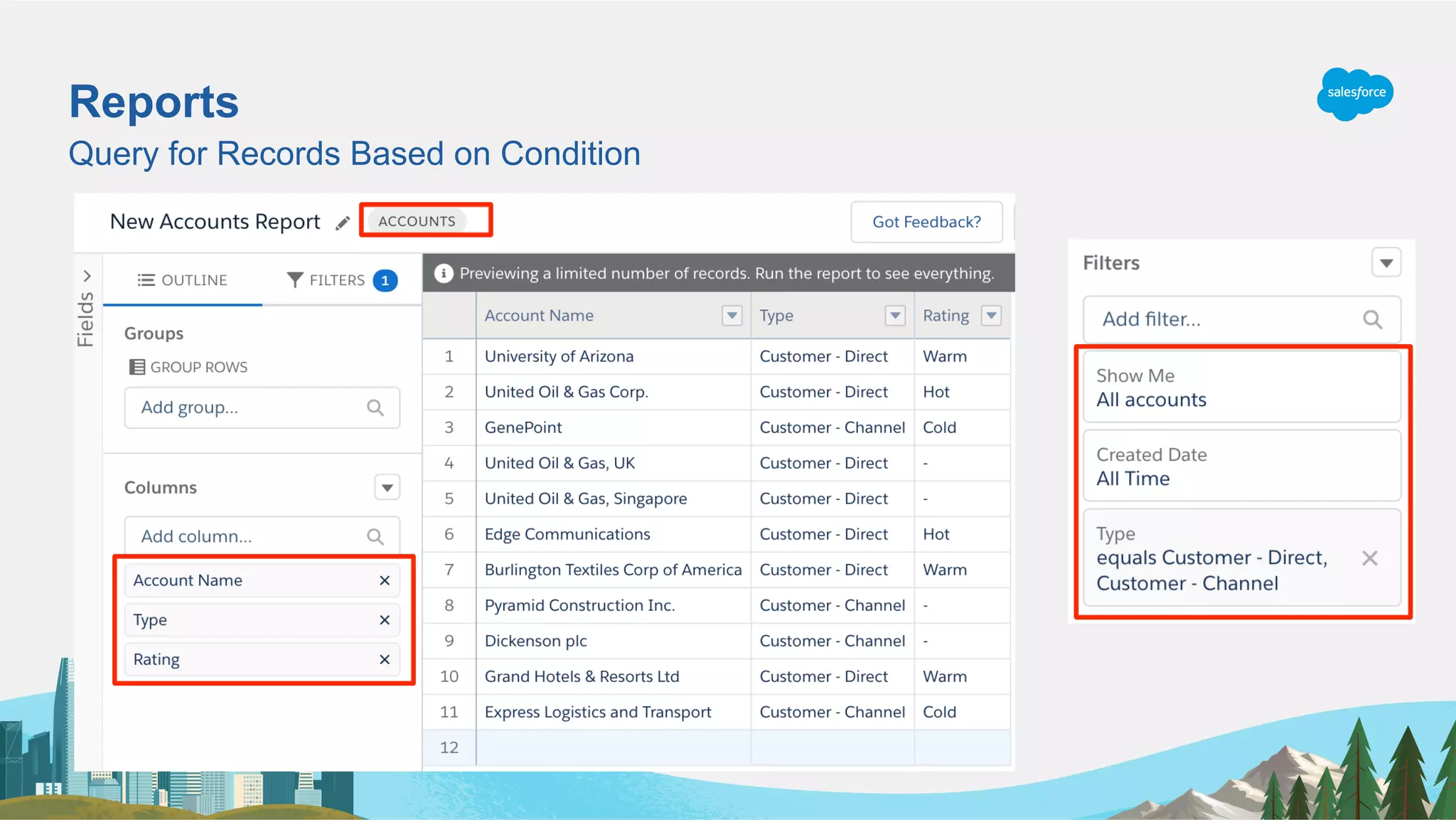
Reports
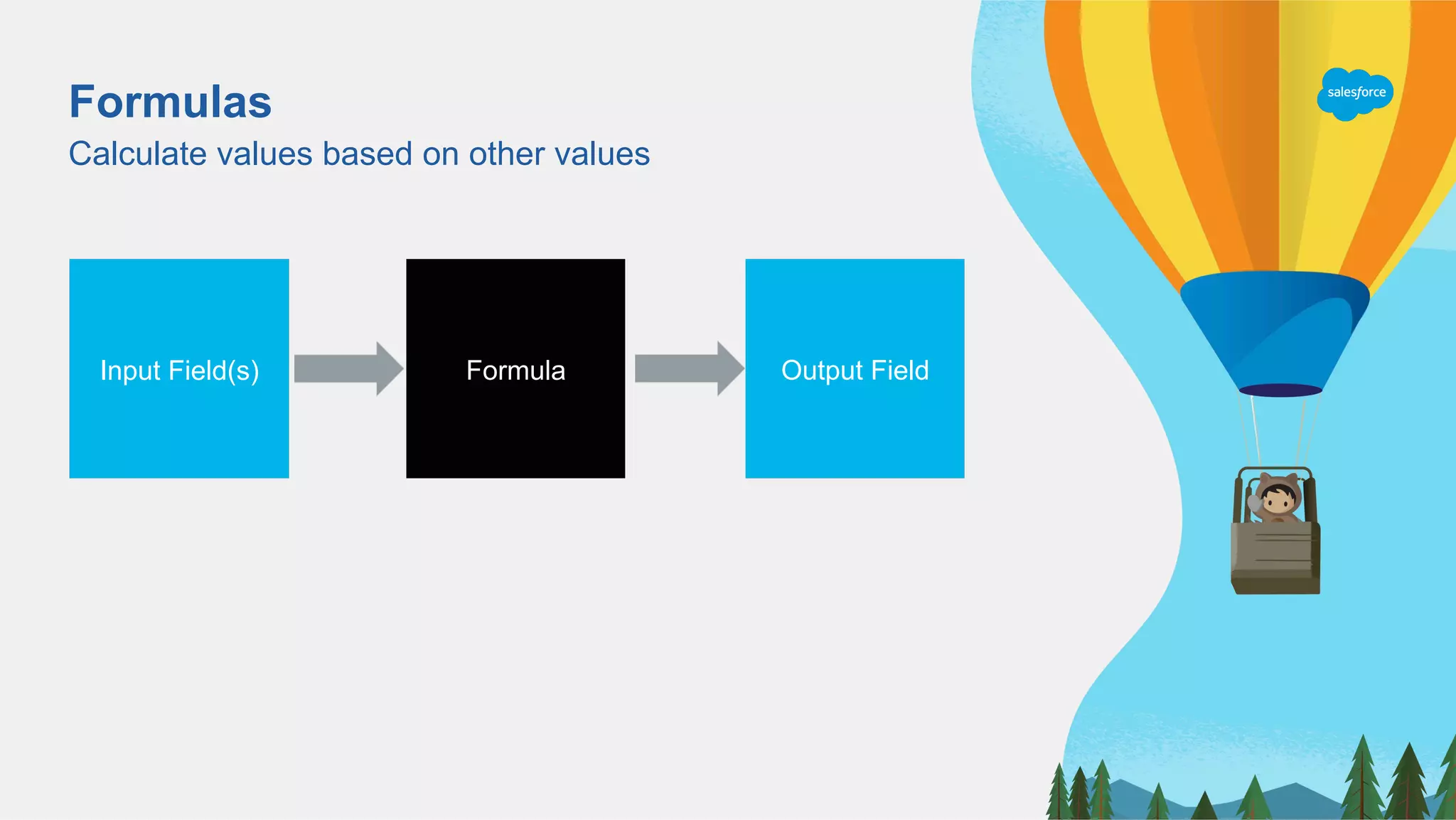
Formulas
Workflow Rules
Process Builder
Flow
What makes #AwesomeAdmins Heroes
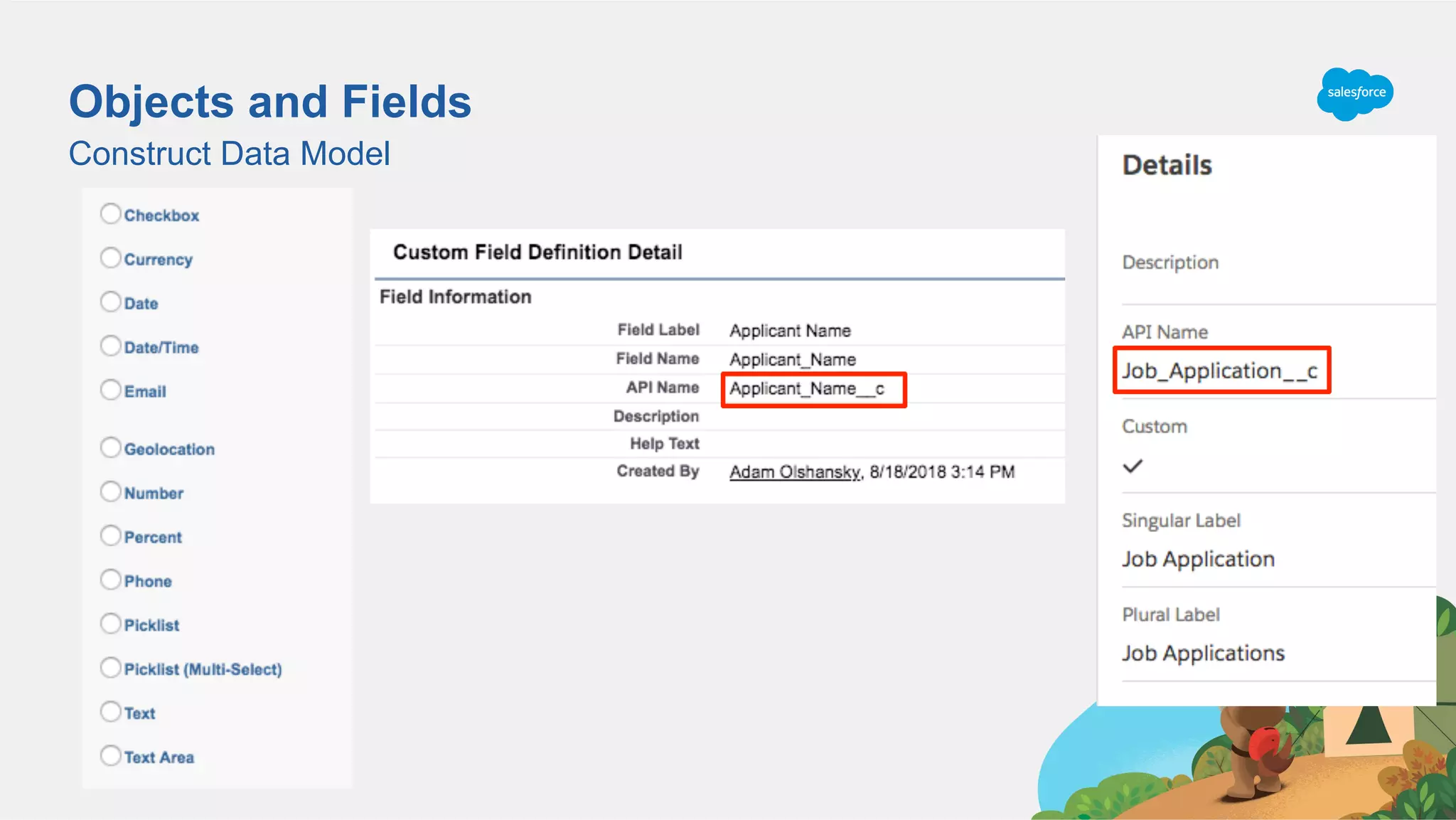
Objects and Fields
Construct Data Model
Reports
Query for Records Based on Condition
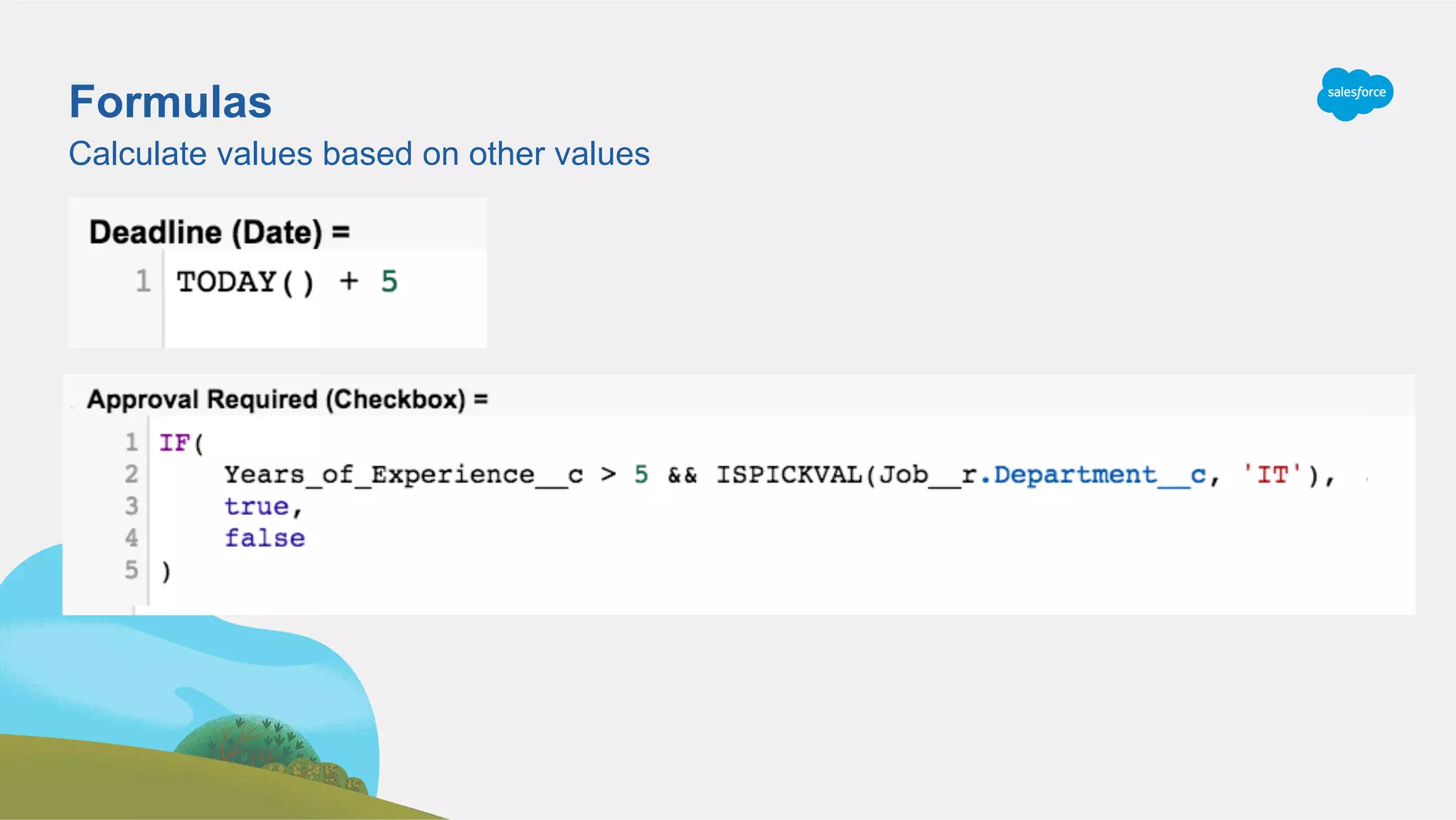
Formulas
Calculate values based on other values
Output FieldFormulaInput Field(s)
Calculate values based on other values
Formulas
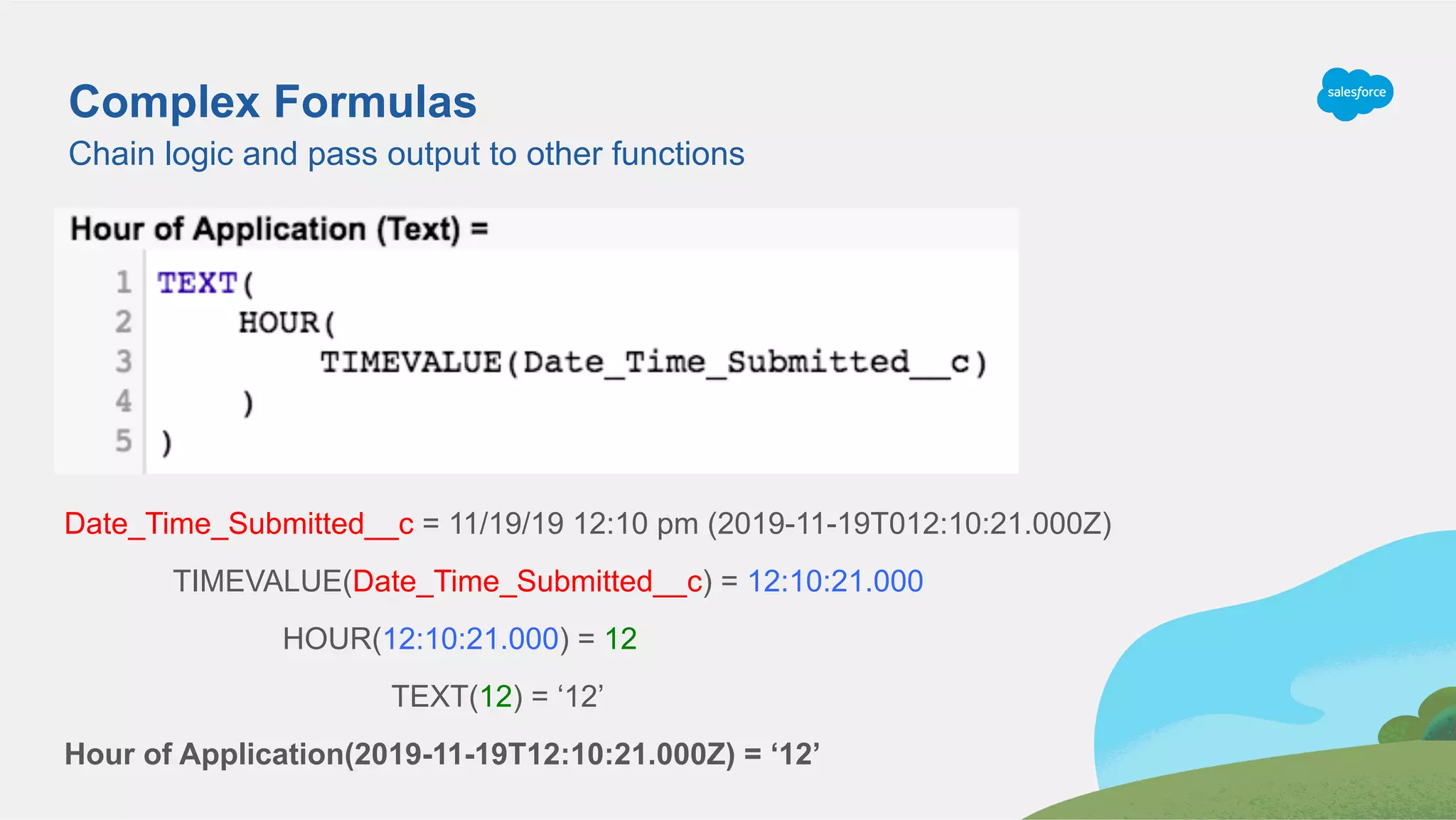
Chain logic and pass output to other functions
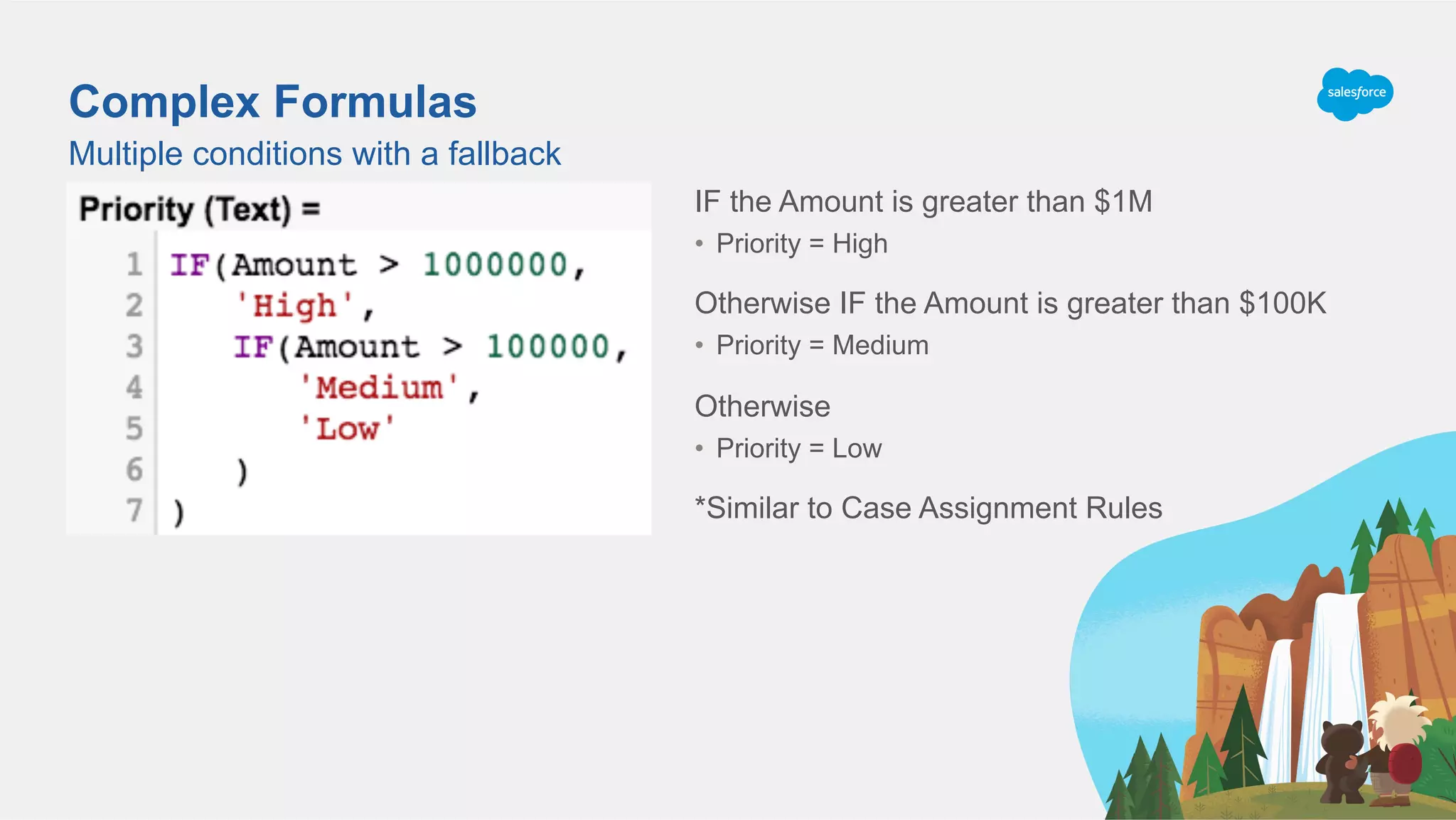
Complex Formulas
Date_Time_Submitted__c = 11/19/19 12:10 pm (2019-11-19T012:10:21.000Z)
TIMEVALUE(Date_Time_Submitted__c) = 12:10:21.000
HOUR(12:10:21.000) = 12
TEXT(12) = ‘12’
Hour of Application(2019-11-19T12:10:21.000Z) = ‘12’
Complex Formulas
Multiple conditions with a fallback
IF the Amount is greater than $1M
•  Priority = High
Otherwise IF the Amount is greater than $100K
•  Priority = Medium
Otherwise
•  Priority = Low
*Similar to Case Assignment Rules
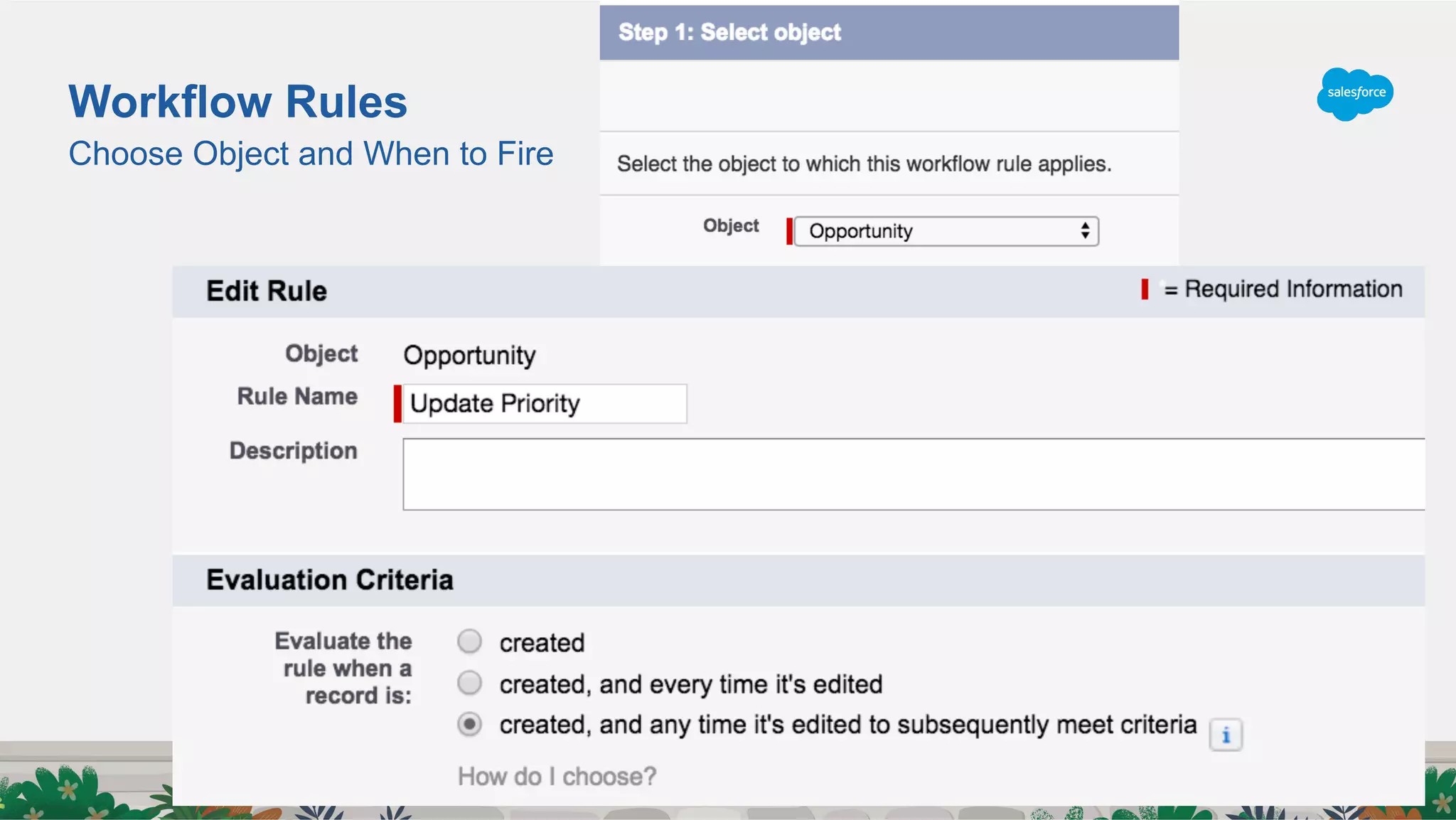
Choose Object and When to Fire
Workflow Rules
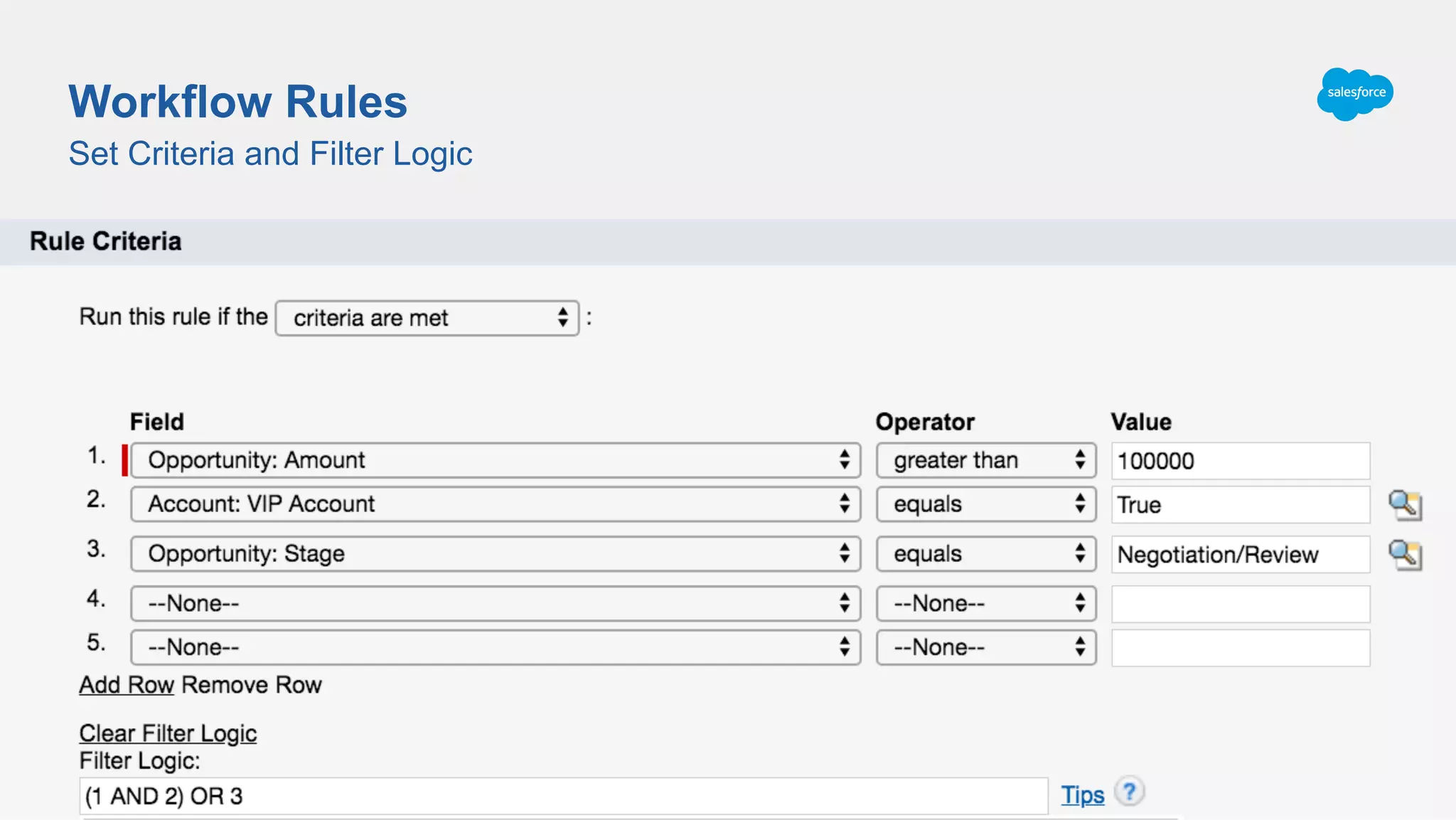
Set Criteria and Filter Logic
Workflow Rules
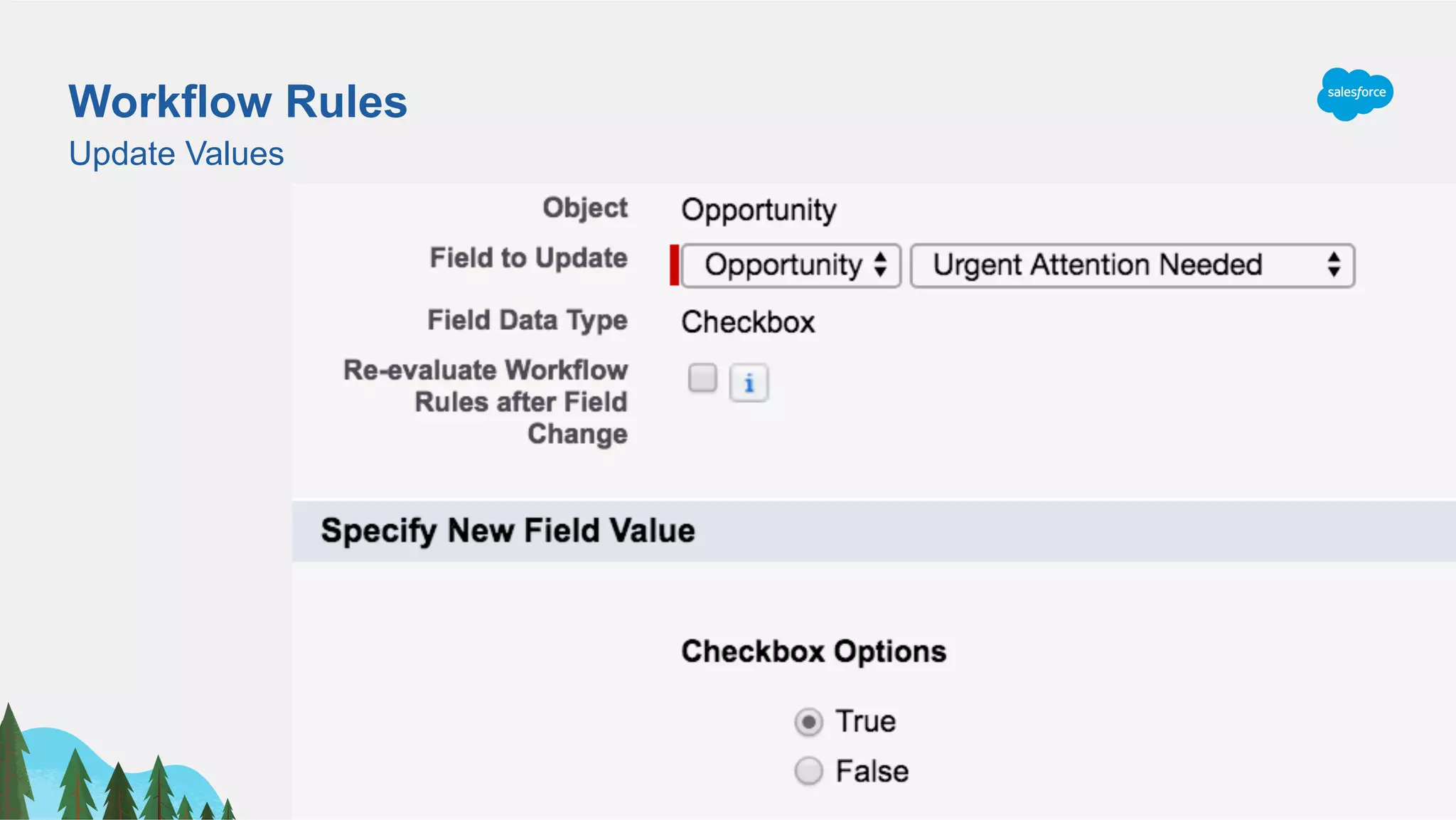
Workflow Rules
Update Values
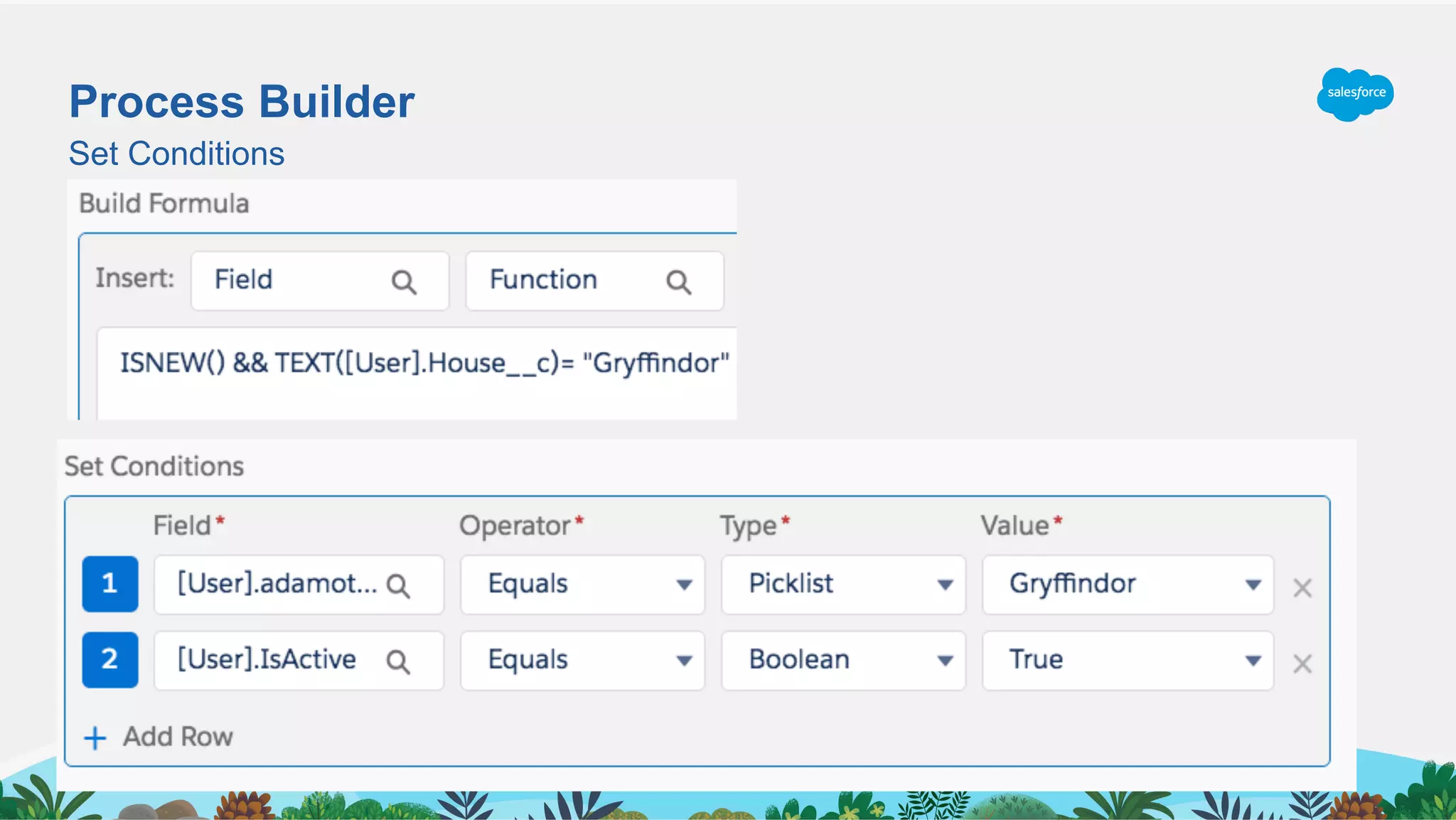
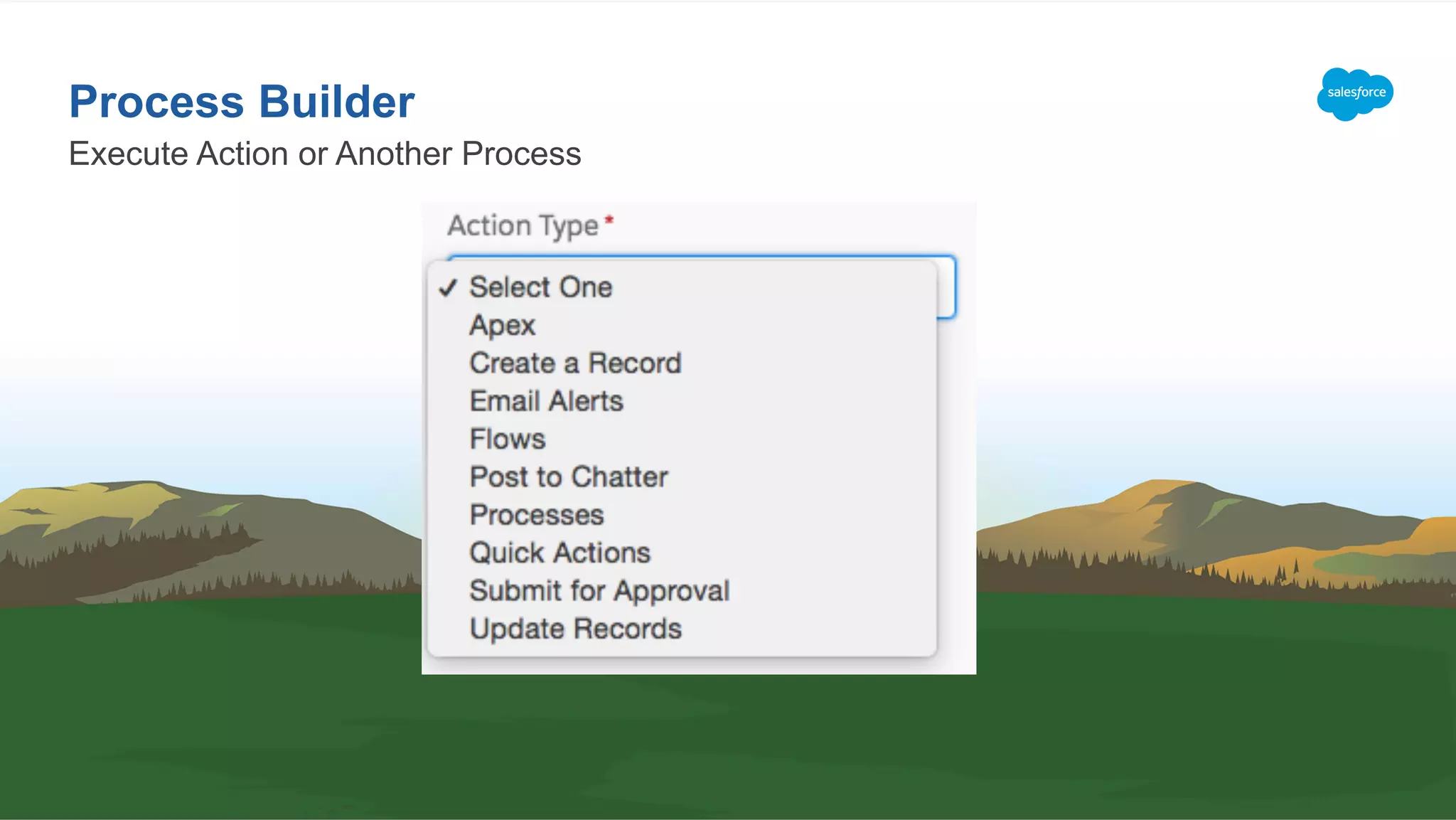
Process Builder
Set Conditions
Execute Action or Another Process
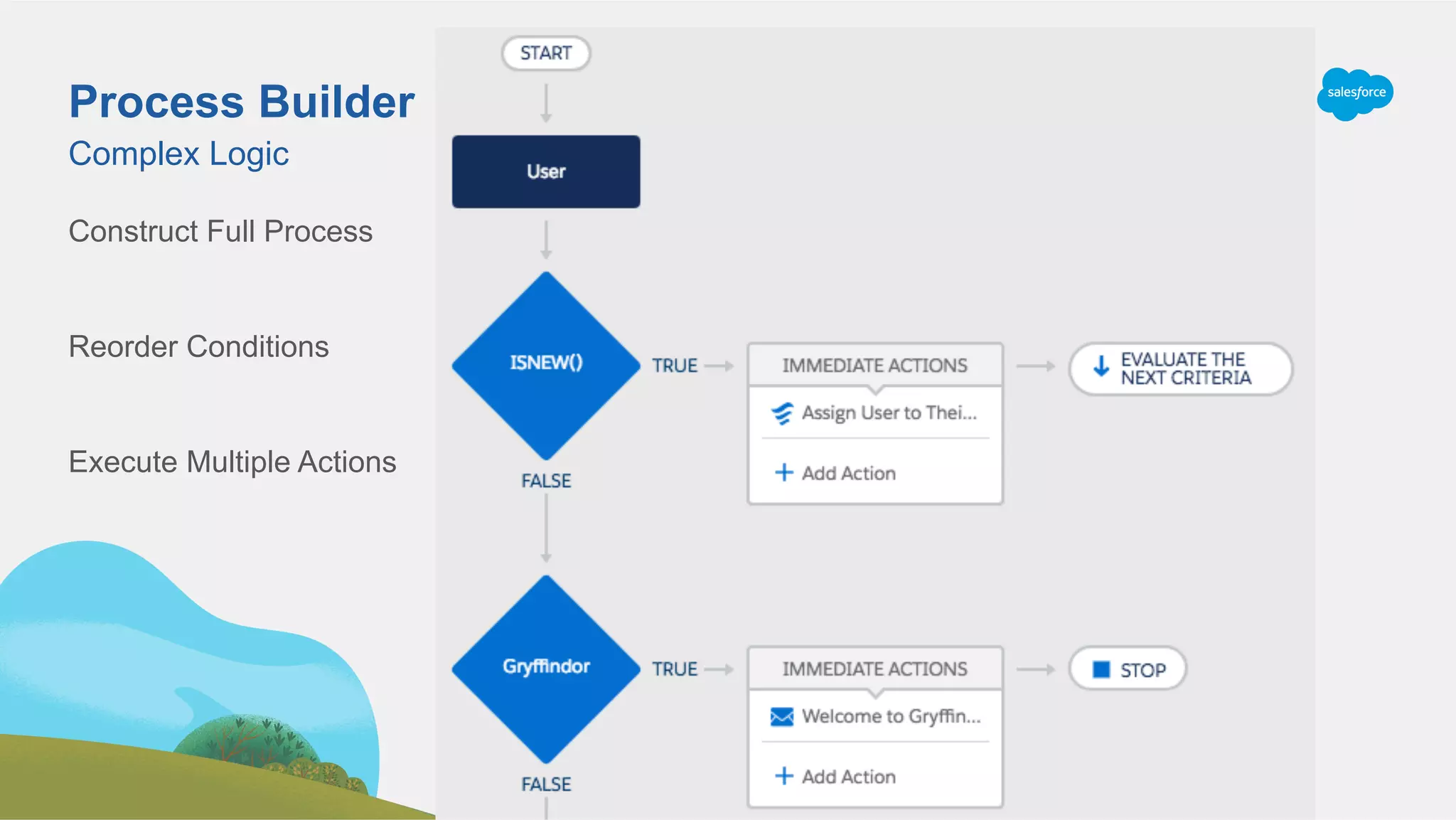
Process Builder
Construct Full Process
Reorder Conditions
Execute Multiple Actions
Complex Logic
Process Builder
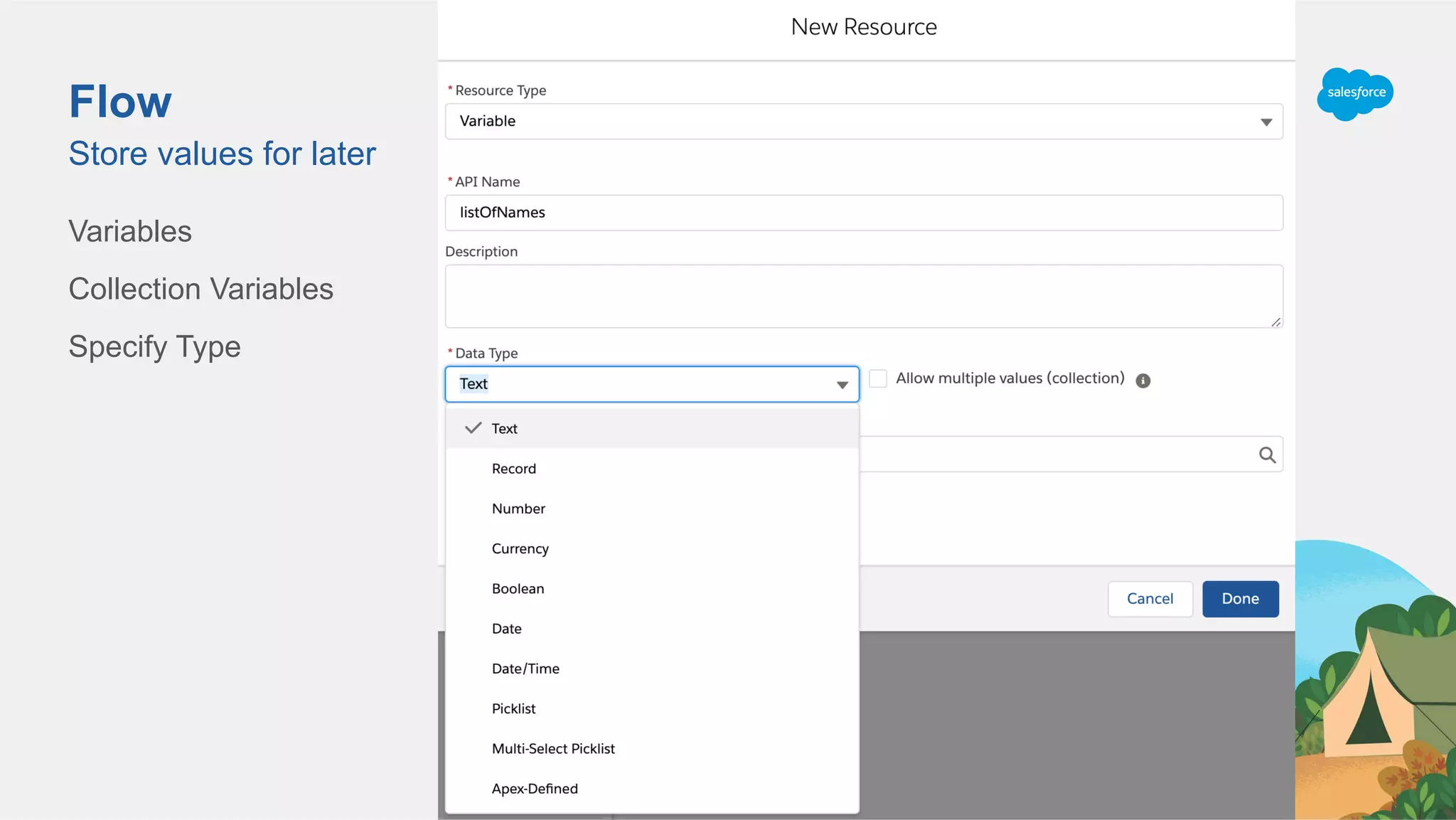
Flow
Variables
Collection Variables
Specify Type
Store values for later
Flow
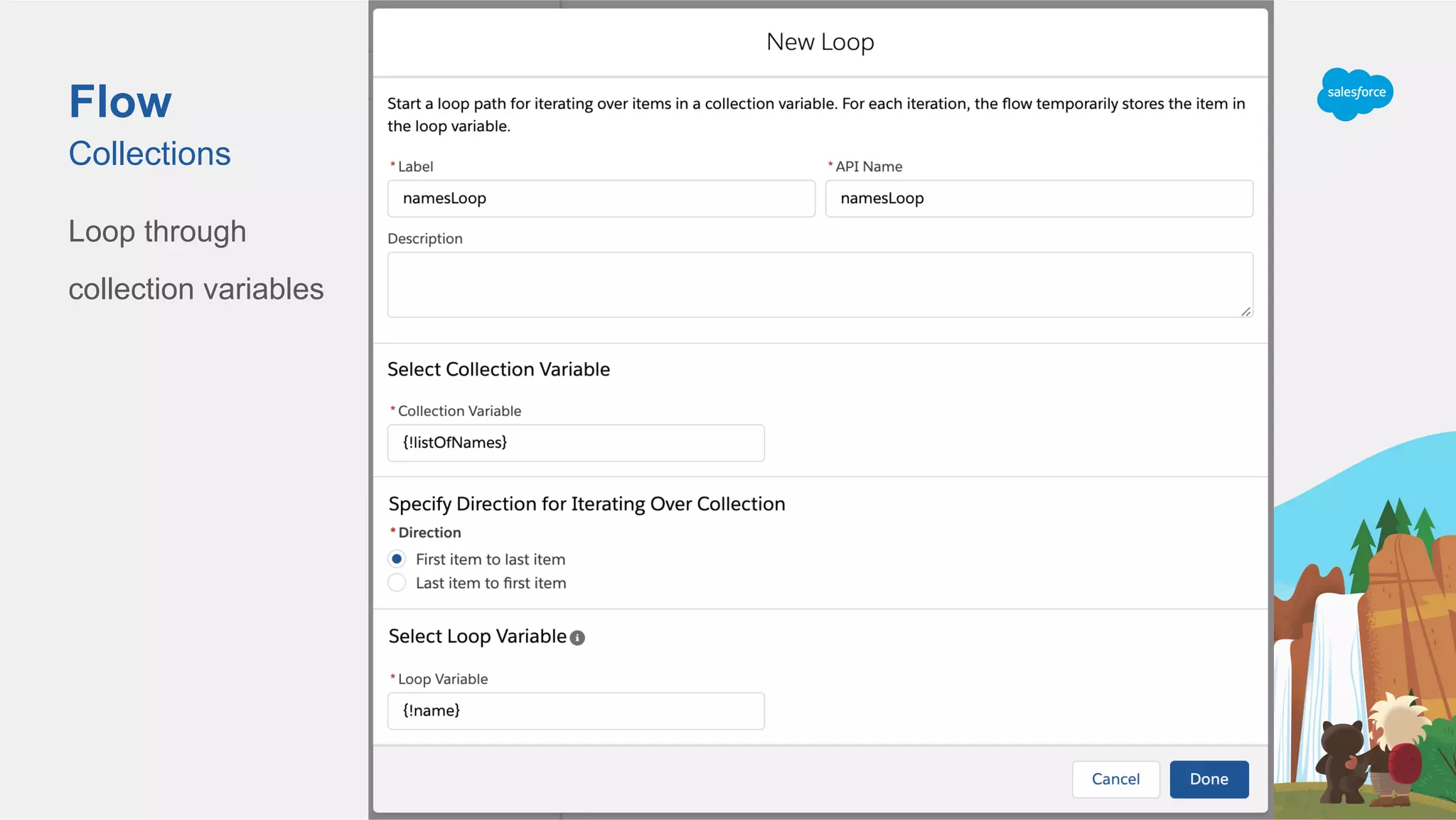
Loop through
collection variables
Collections
Flow
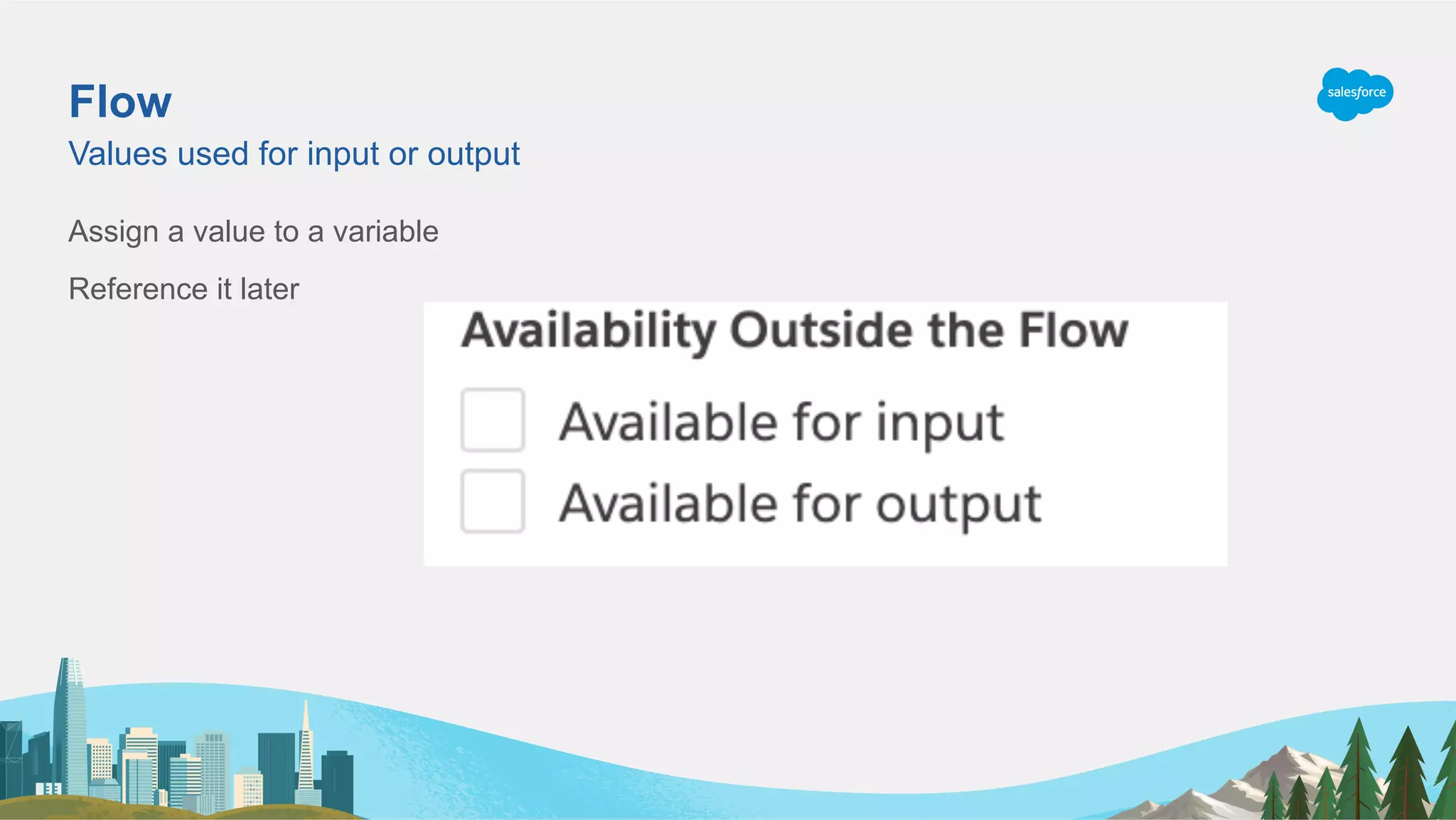
Assign a value to a variable
Reference it later
Values used for input or output
Flow
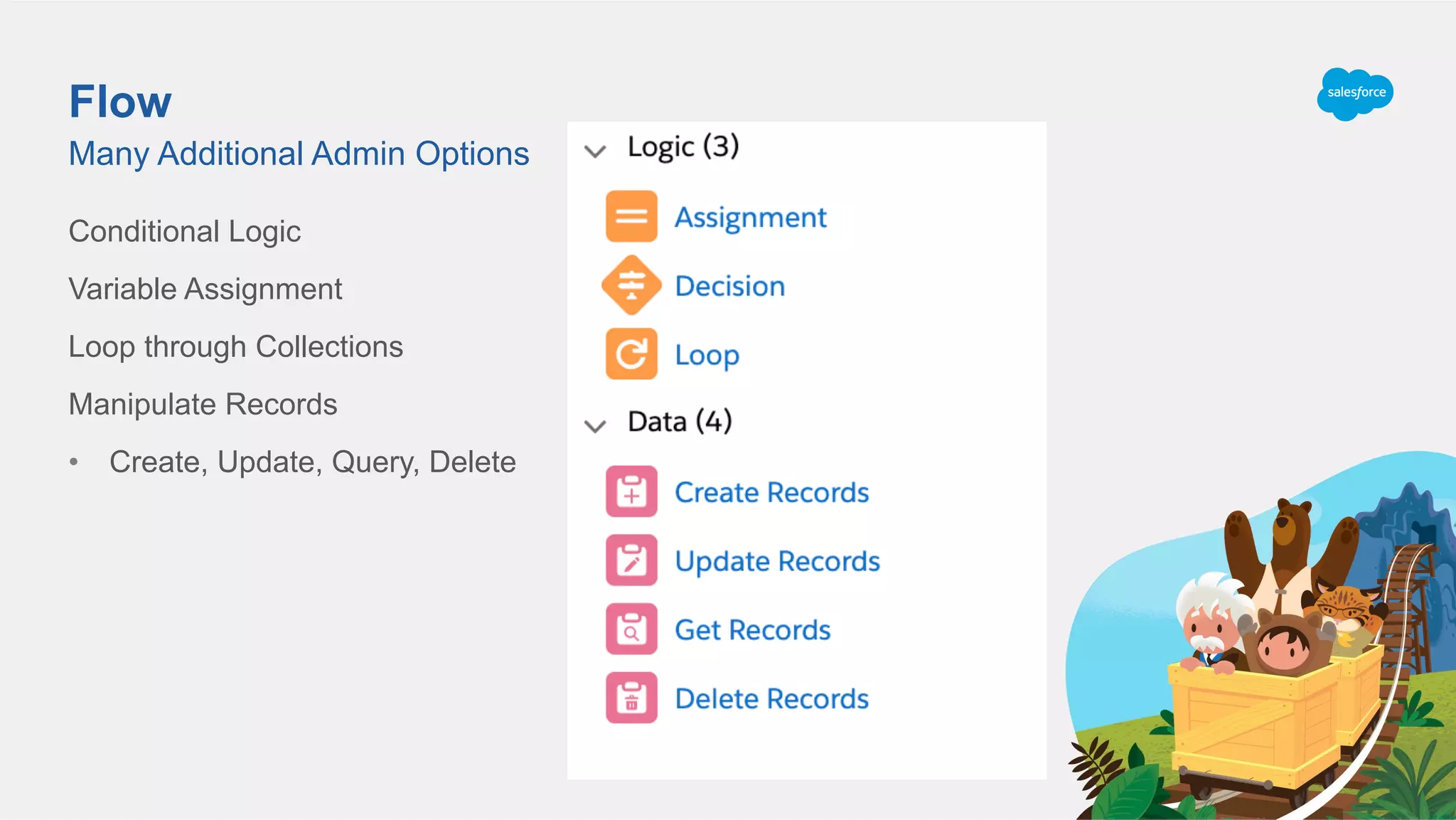
Conditional Logic
Variable Assignment
Loop through Collections
Manipulate Records
•  Create, Update, Query, Delete
Many Additional Admin Options
Apex Building Blocks
One Step Away from Point and Click
Key Concepts
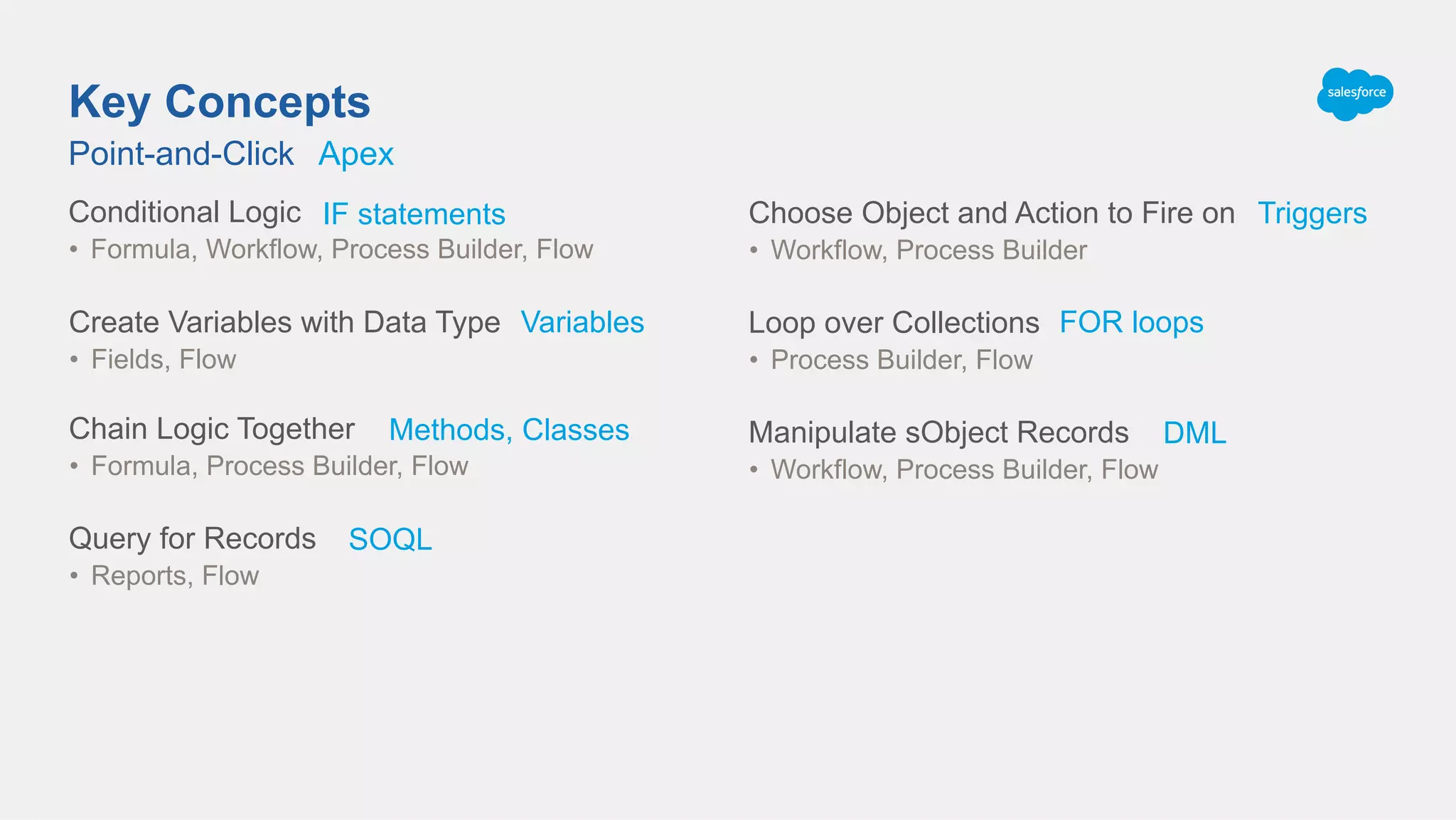
Point-and-Click
Conditional Logic
•  Formula, Workflow, Process Builder, Flow
Chain Logic Together
•  Formula, Process Builder, Flow
Query for Records
•  Reports, Flow
Choose Object and Action to Fire on
•  Workflow, Process Builder
Create Variables with Data Type
•  Fields, Flow
Loop over Collections
•  Process Builder, Flow
Manipulate sObject Records
•  Workflow, Process Builder, Flow
Apex
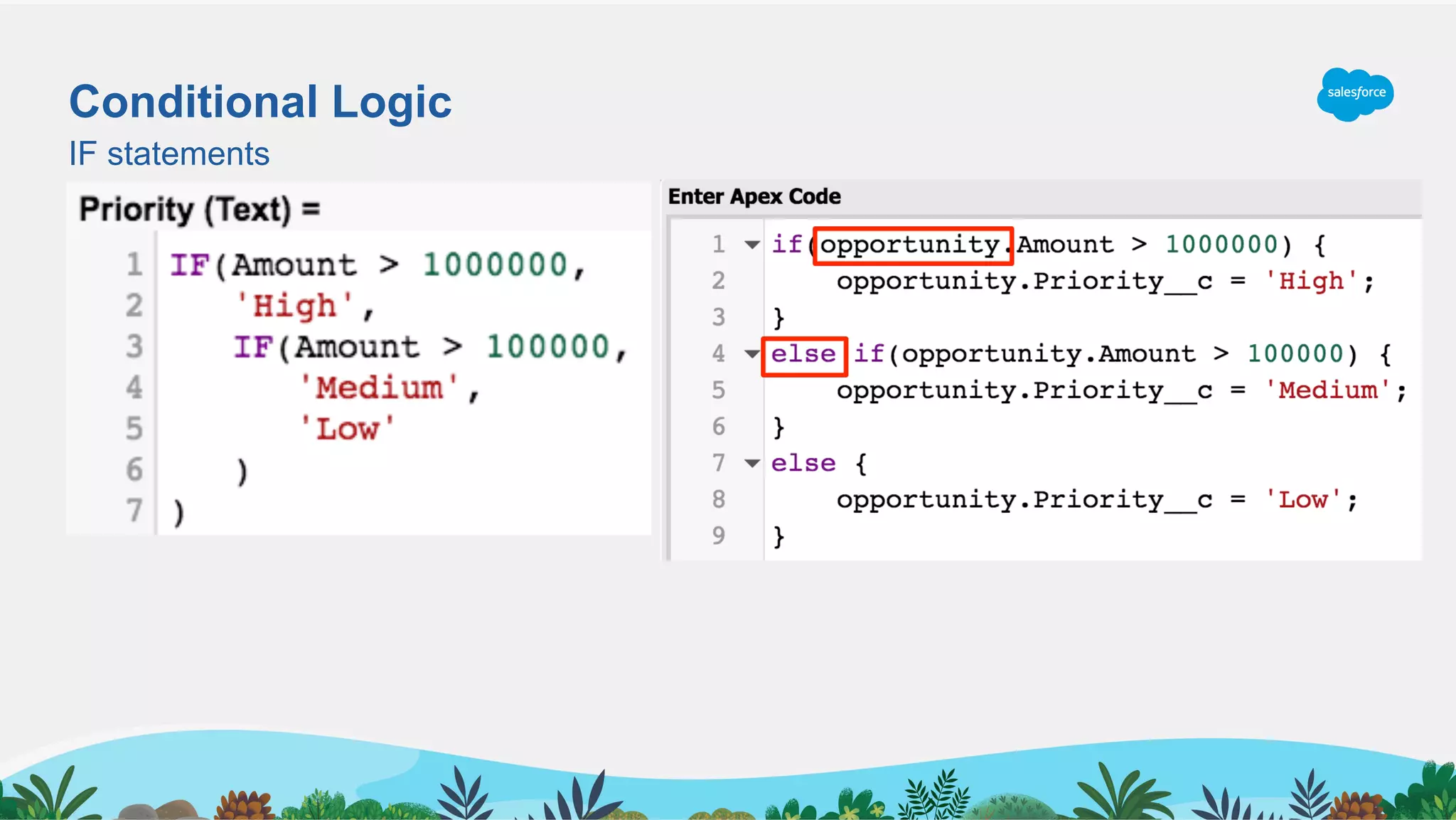
IF statements
Methods, Classes
SOQL
Triggers
Variables FOR loops
DML
Conditional Logic
IF statements
IF the Amount is greater than $1M
•  Priority = High
Otherwise IF the Amount is greater than $100K
•  Priority = Medium
Otherwise
•  Priority = Low
*Similar to Case Assignment Rules
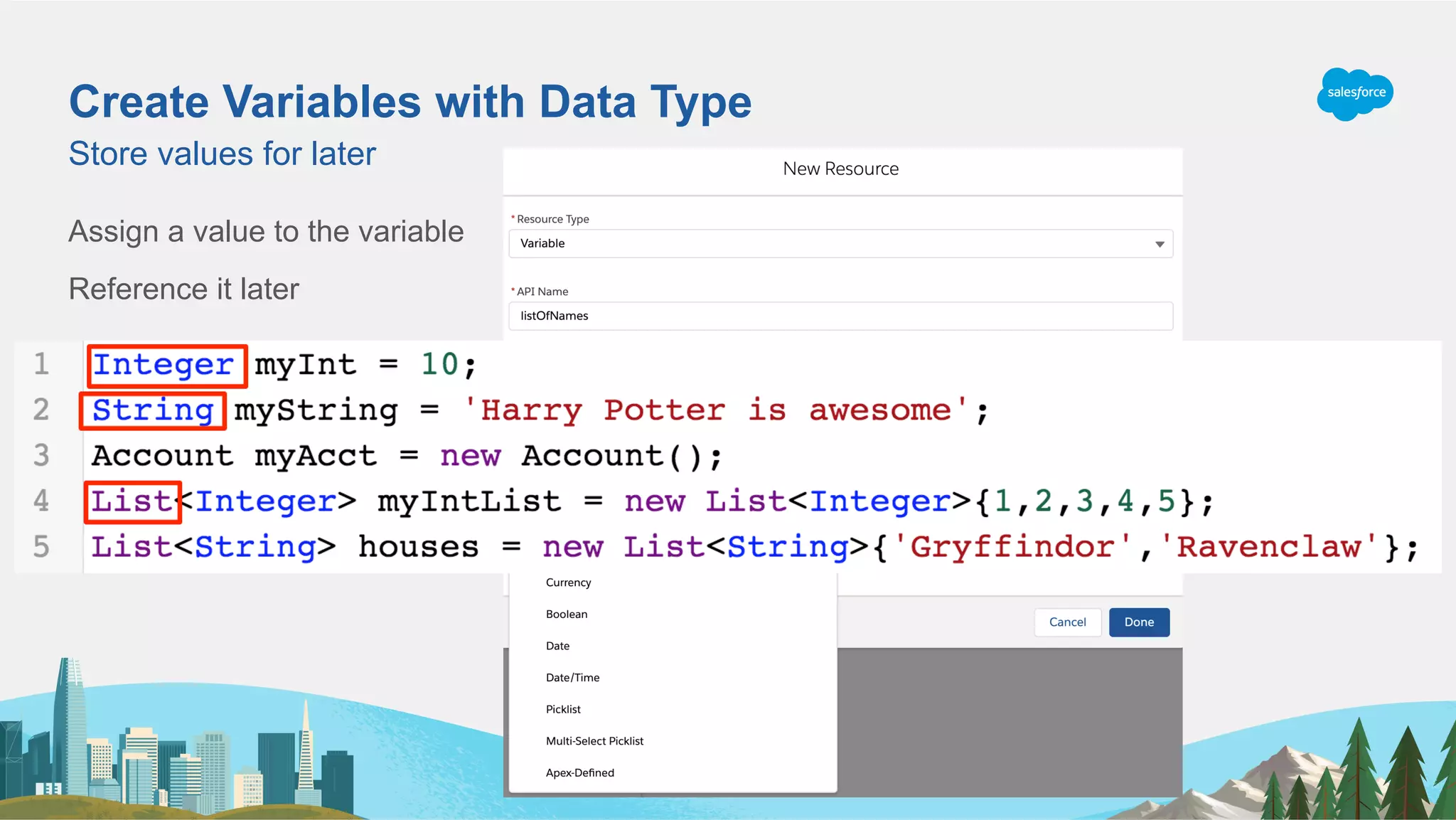
Create Variables with Data Type
Assign a value to the variable
Reference it later
Store values for later
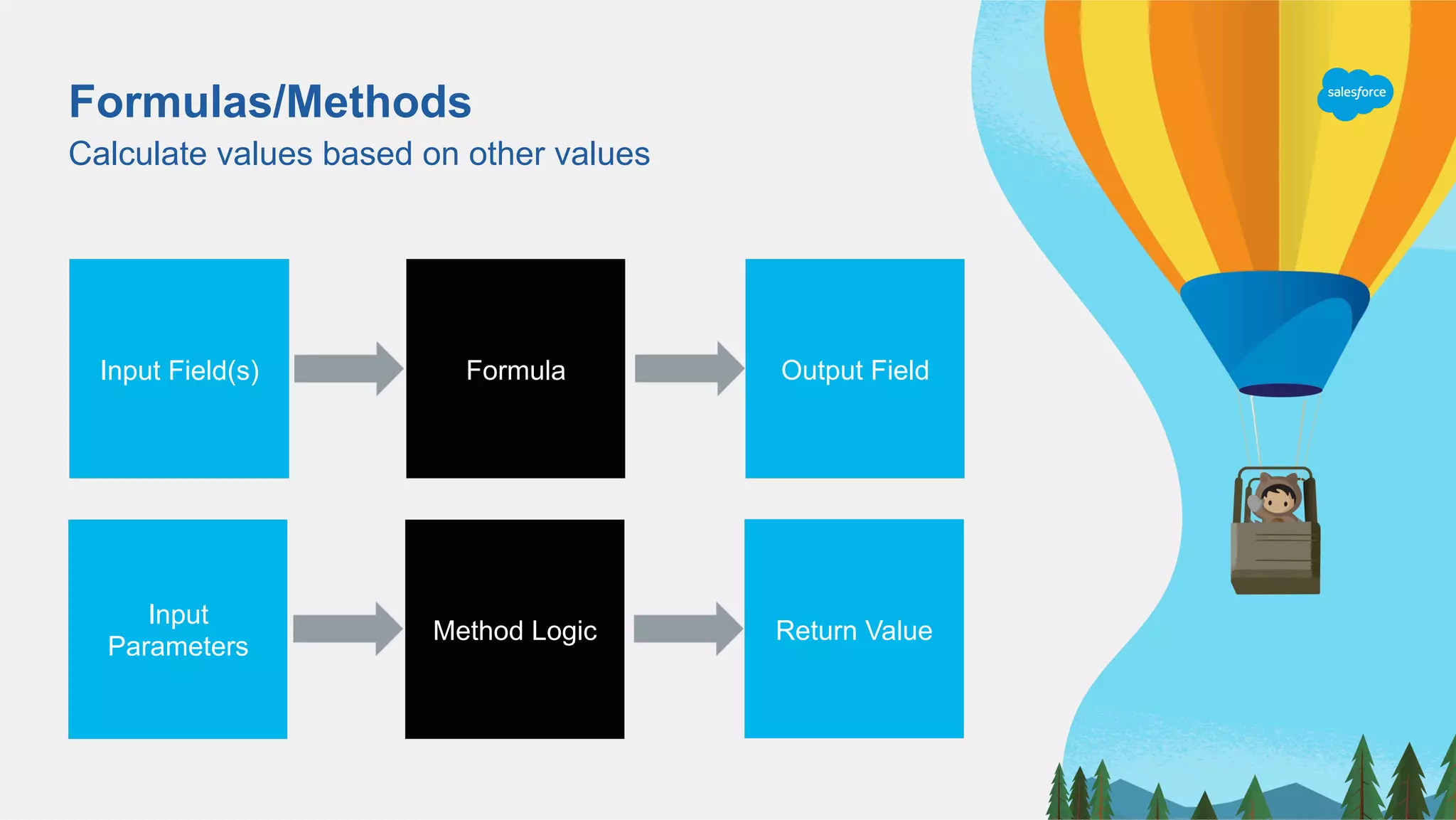
Formulas/Methods
Calculate values based on other values
Output FieldFormulaInput Field(s)
Return ValueMethod Logic
Input
Parameters
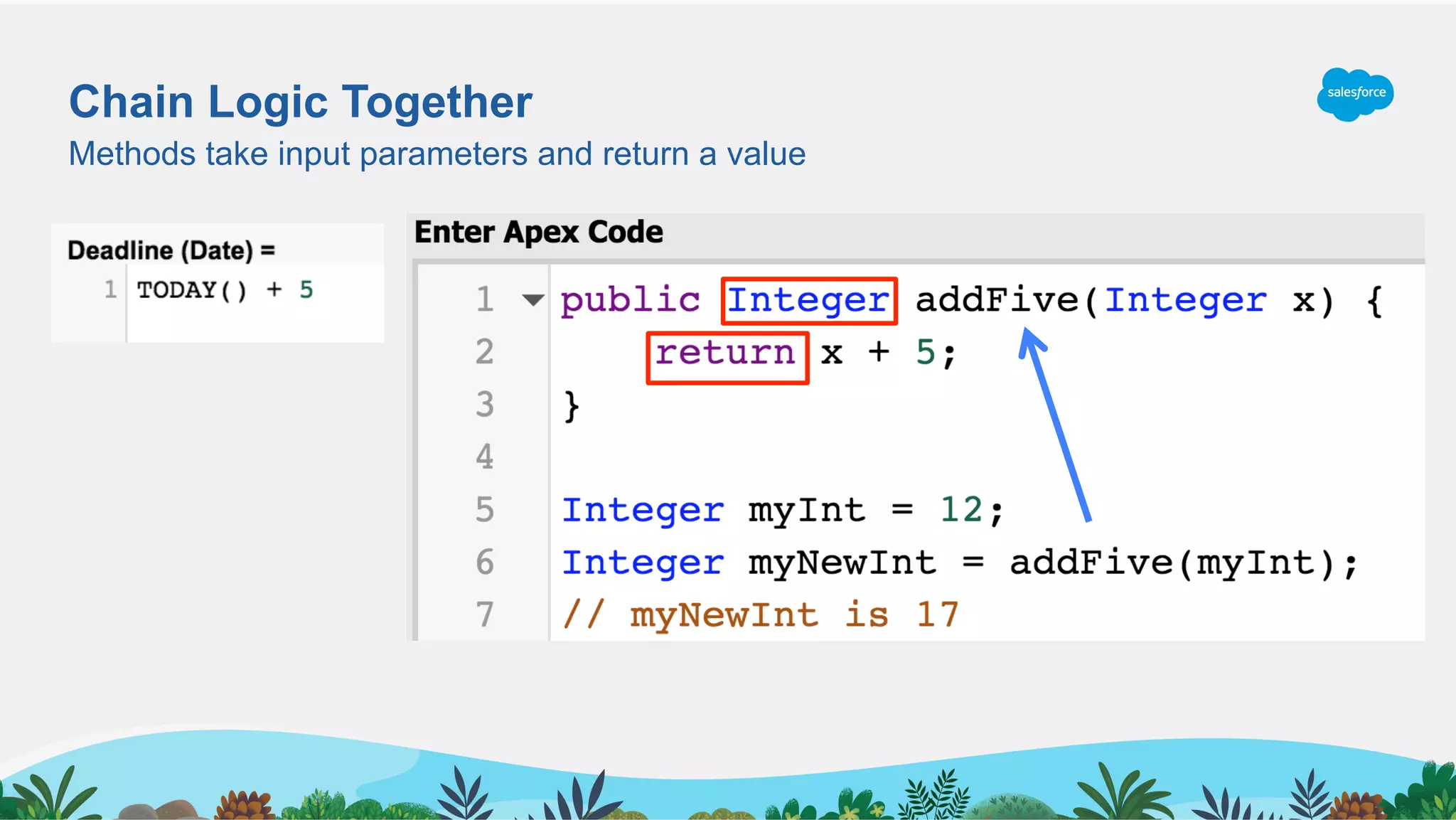
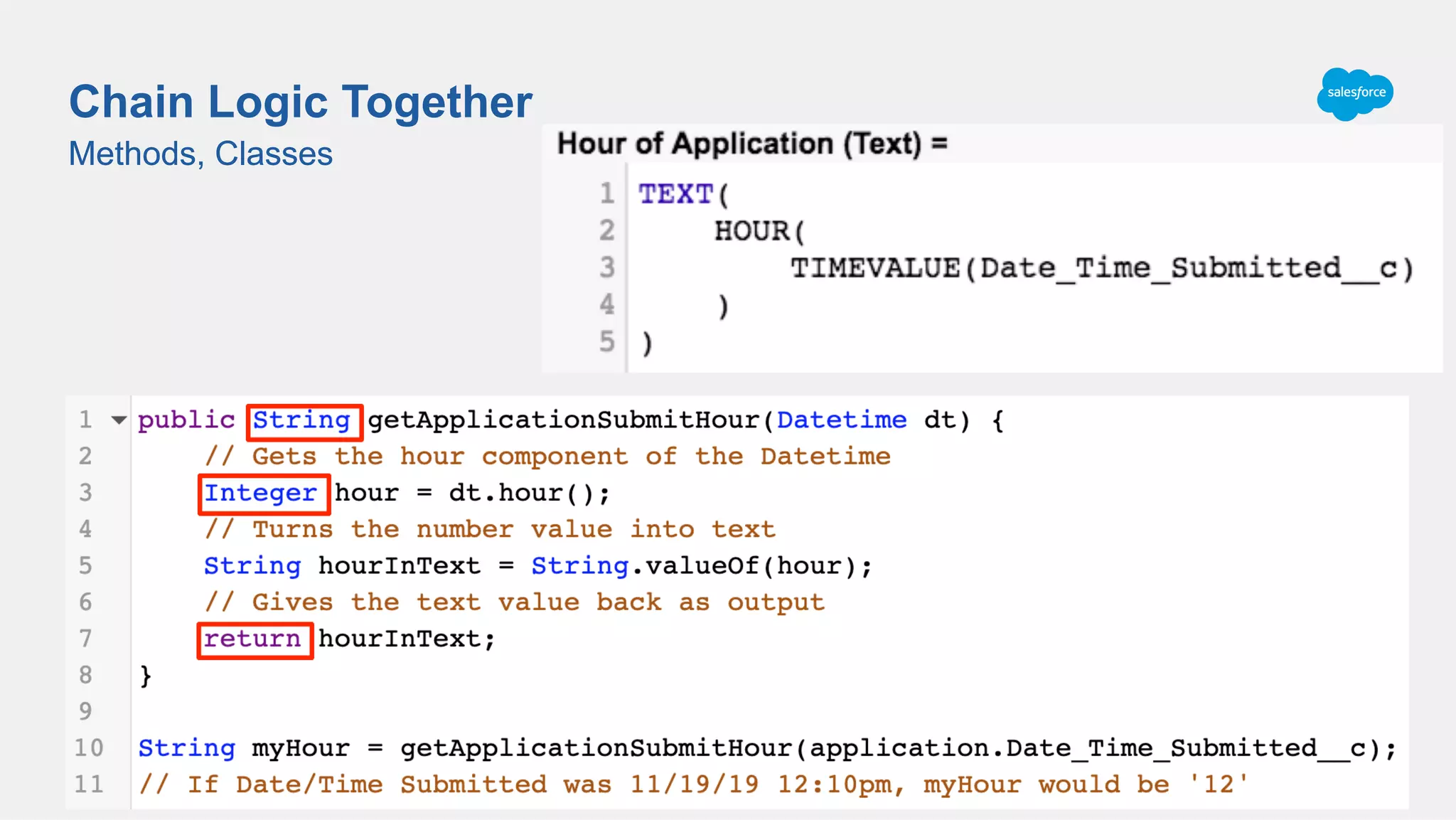
Chain Logic Together
Methods take input parameters and return a value
Methods, Classes
Chain Logic Together
Methods, Classes
Date_Time_Submitted__c = 11/19/19 12:10 pm (2019-11-19T12:10:21.000Z)
TIMEVALUE(Date_Time_Submitted__c) = 12:10:21.000
HOUR(12:10:21.000) = 12
TEXT(12) = ‘12’
Hour of Application(2019-11-19T12:10:21.000Z) = ‘12’
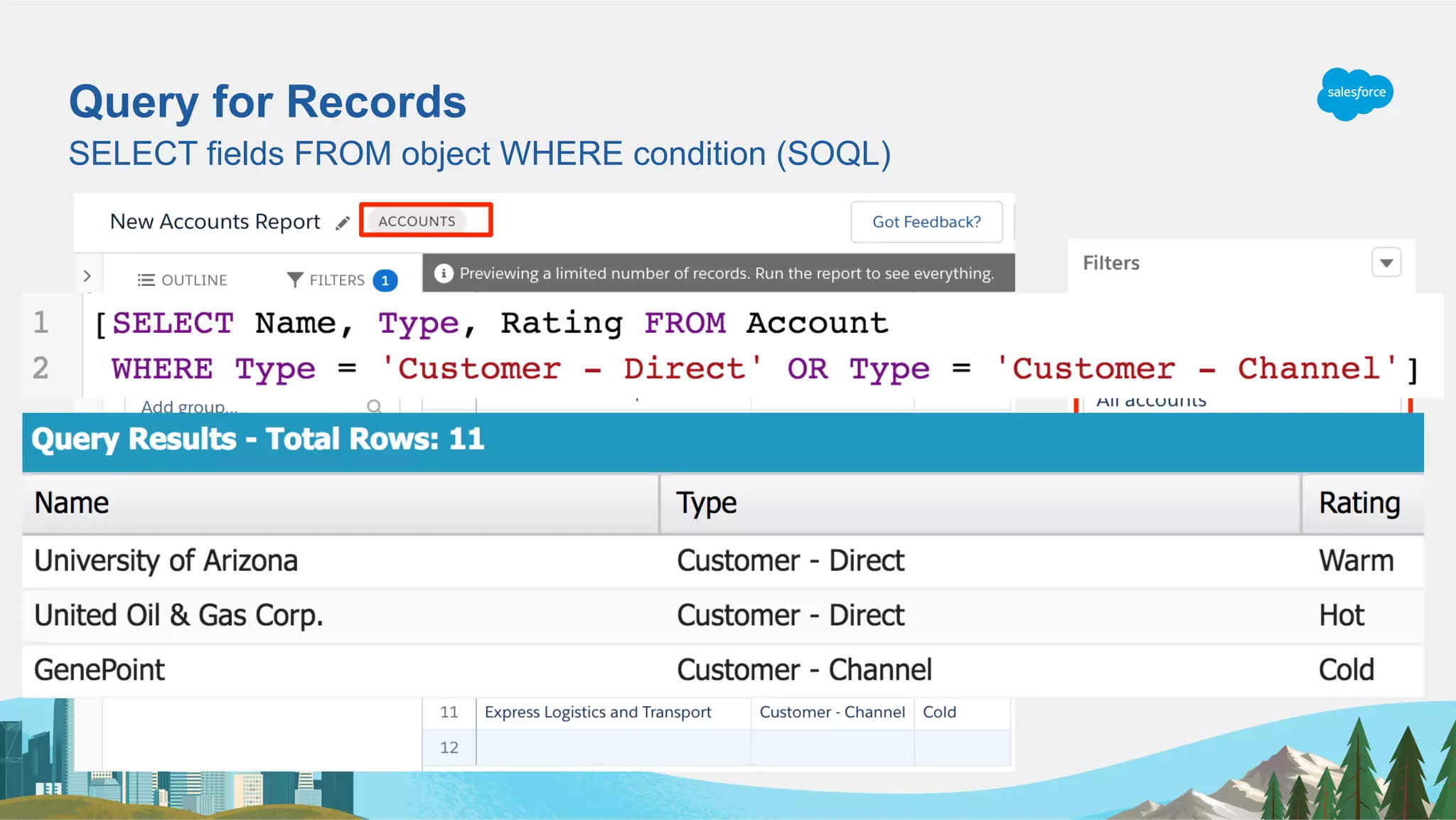
Query for Records
SELECT fields FROM object WHERE condition (SOQL)
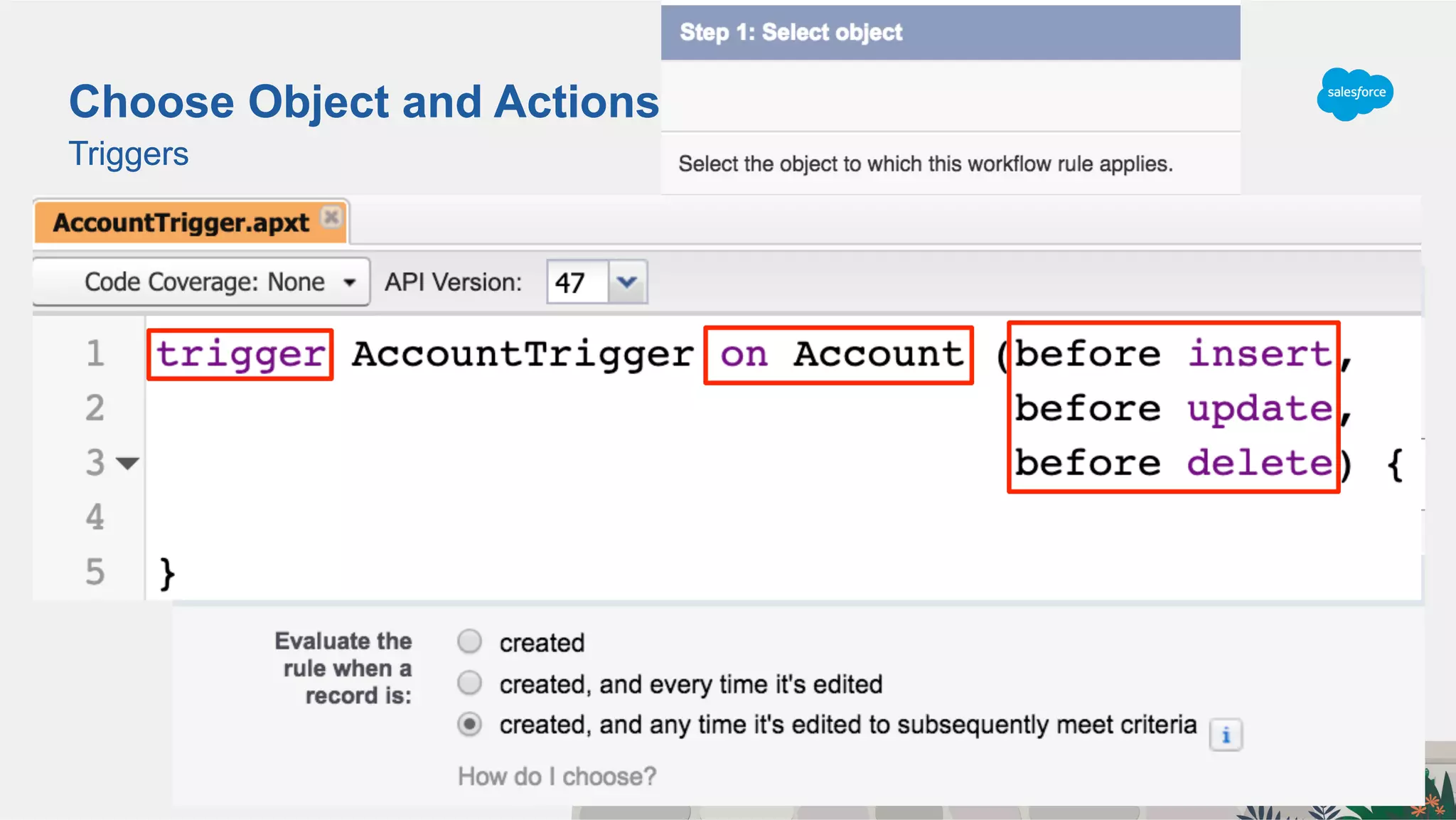
Triggers
Choose Object and ActionsChoose Object and Actions
Triggers
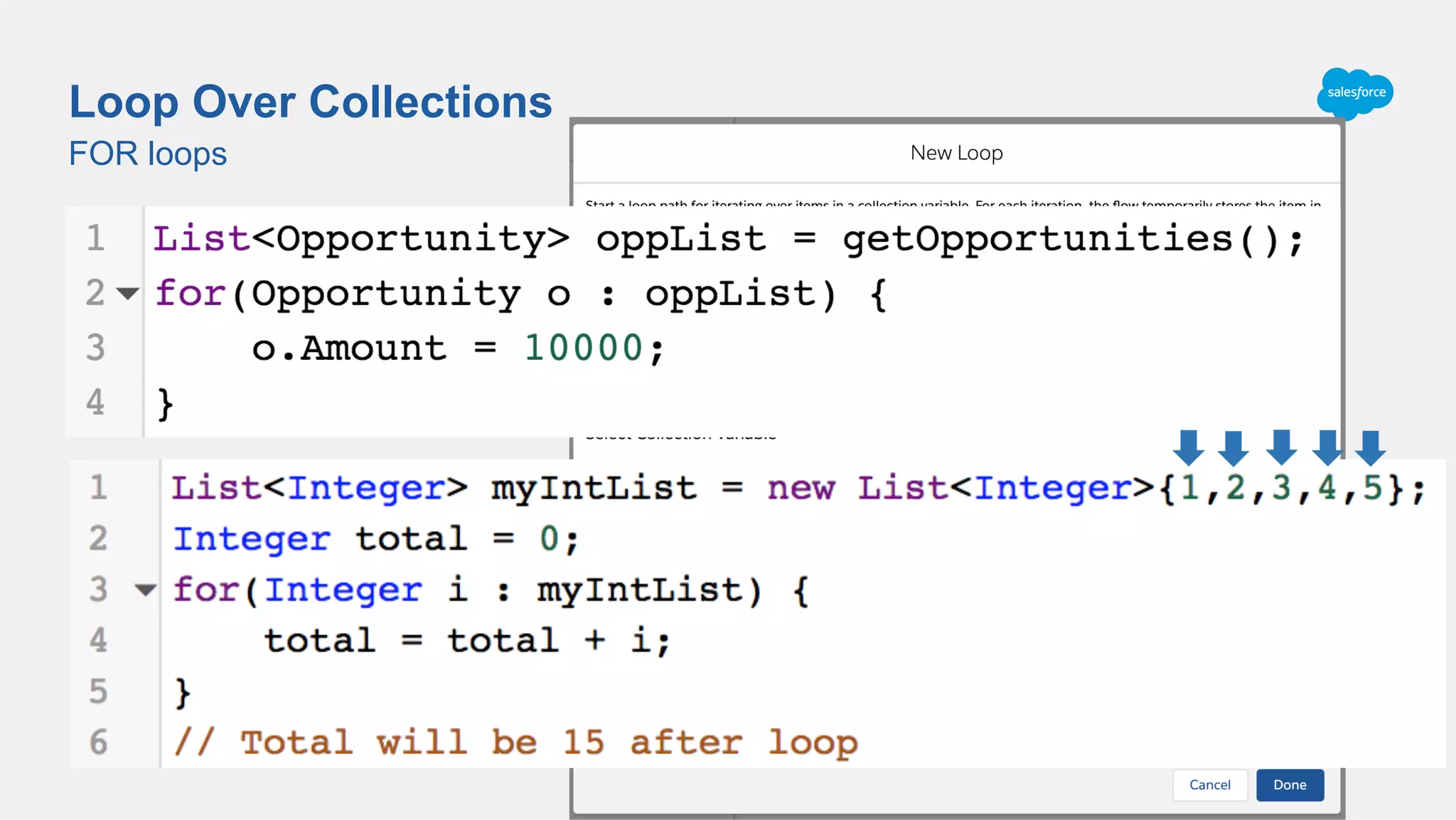
FOR loops
Loop Over Collections
Loop through collection variables
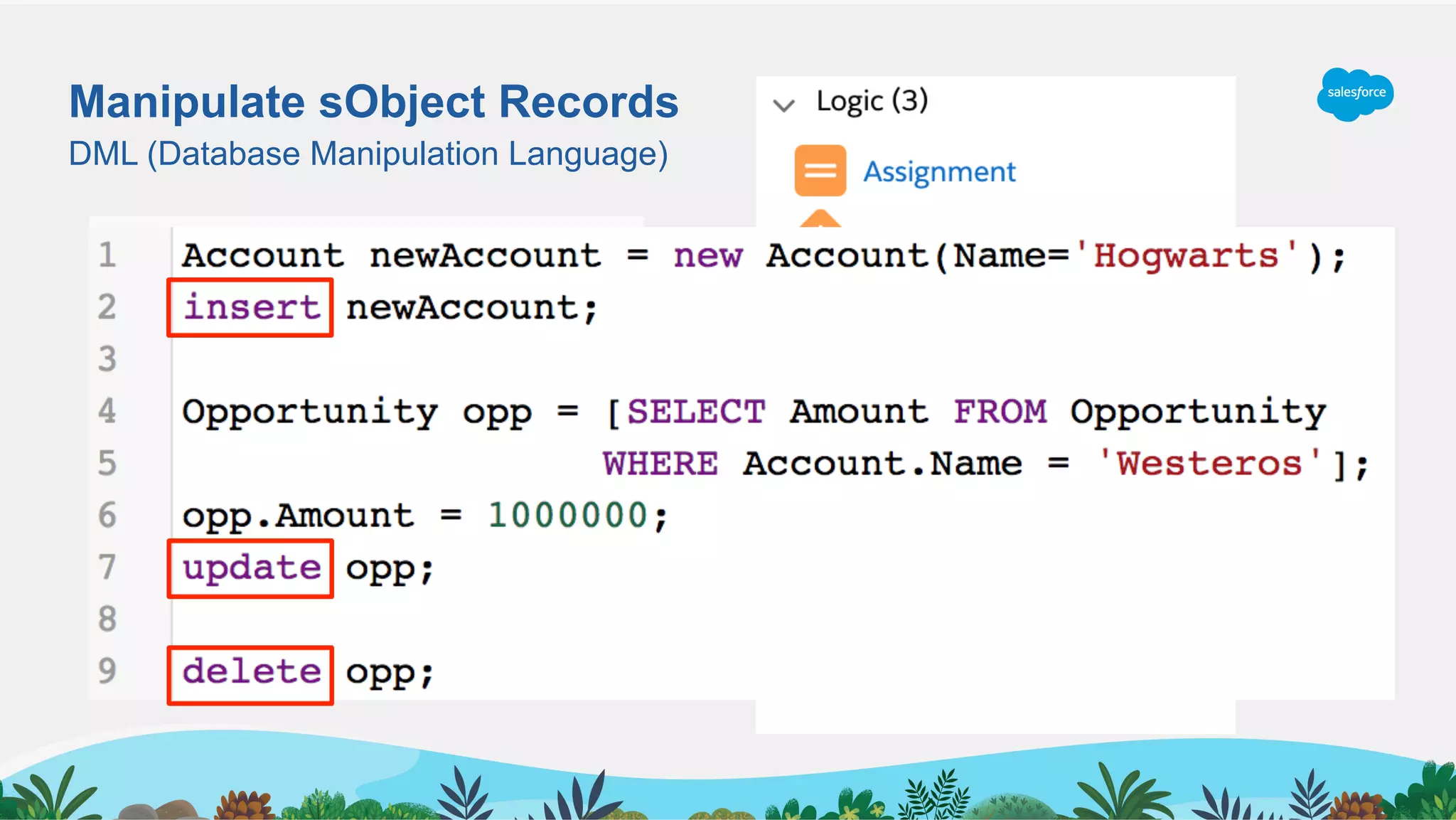
Manipulate sObject Records
DML (Database Manipulation Language)
Apex Examples
Putting Building Blocks Together
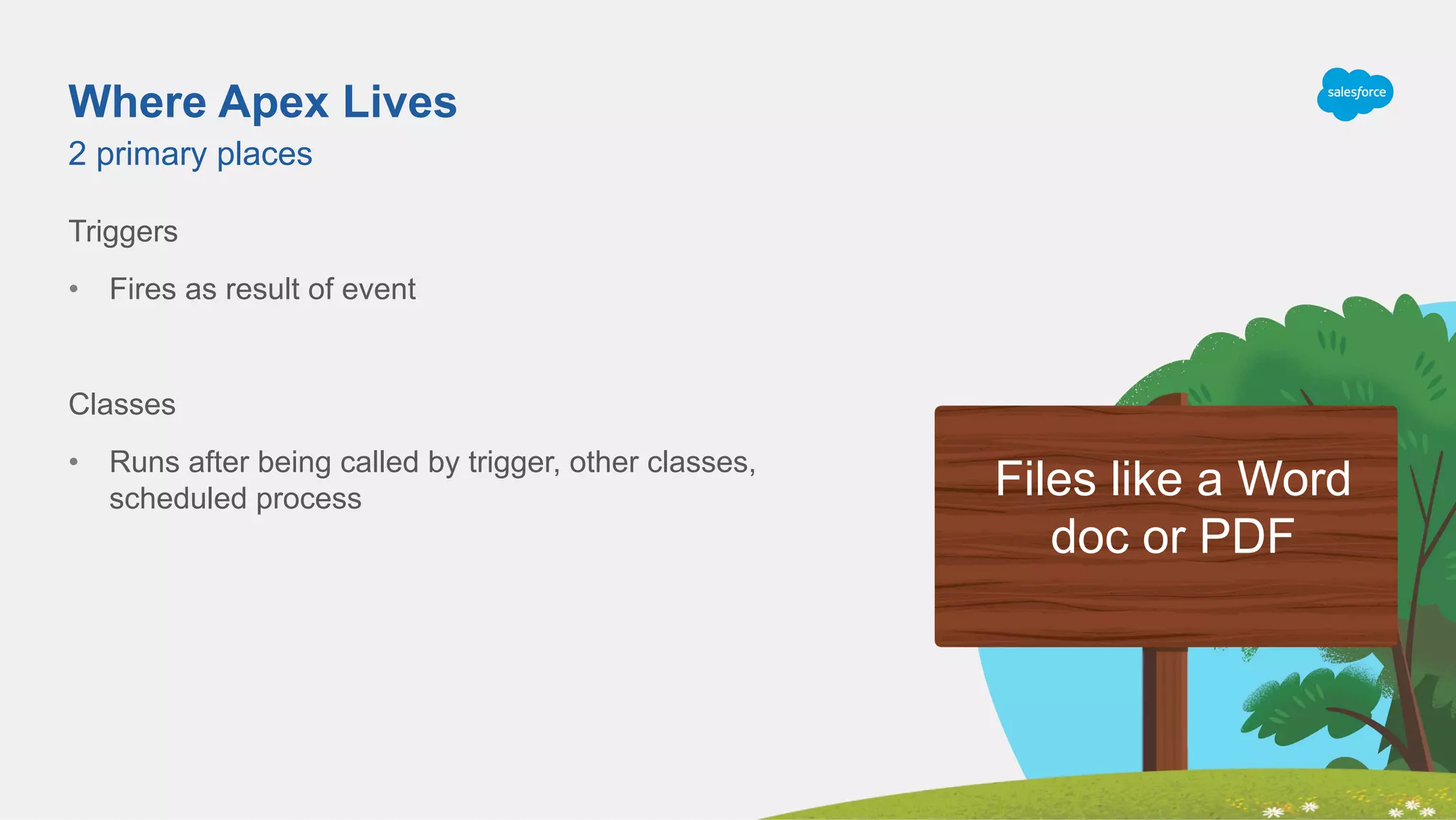
Where Apex Lives
Triggers
•  Fires as result of event
Classes
•  Runs after being called by trigger, other classes,
scheduled process
2 primary places
Files like a Word
doc or PDF
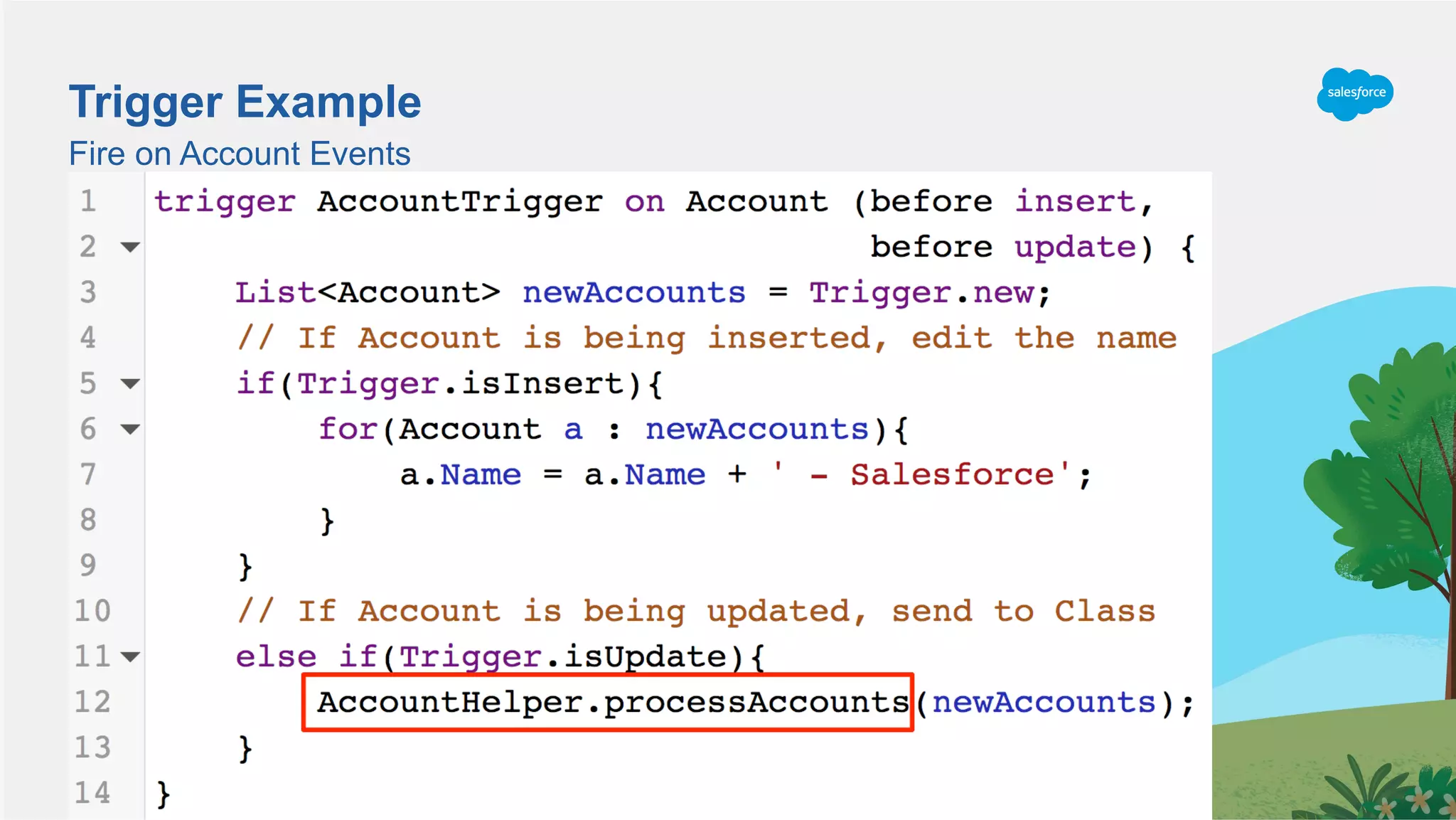
Fire on Account Events
Trigger Example
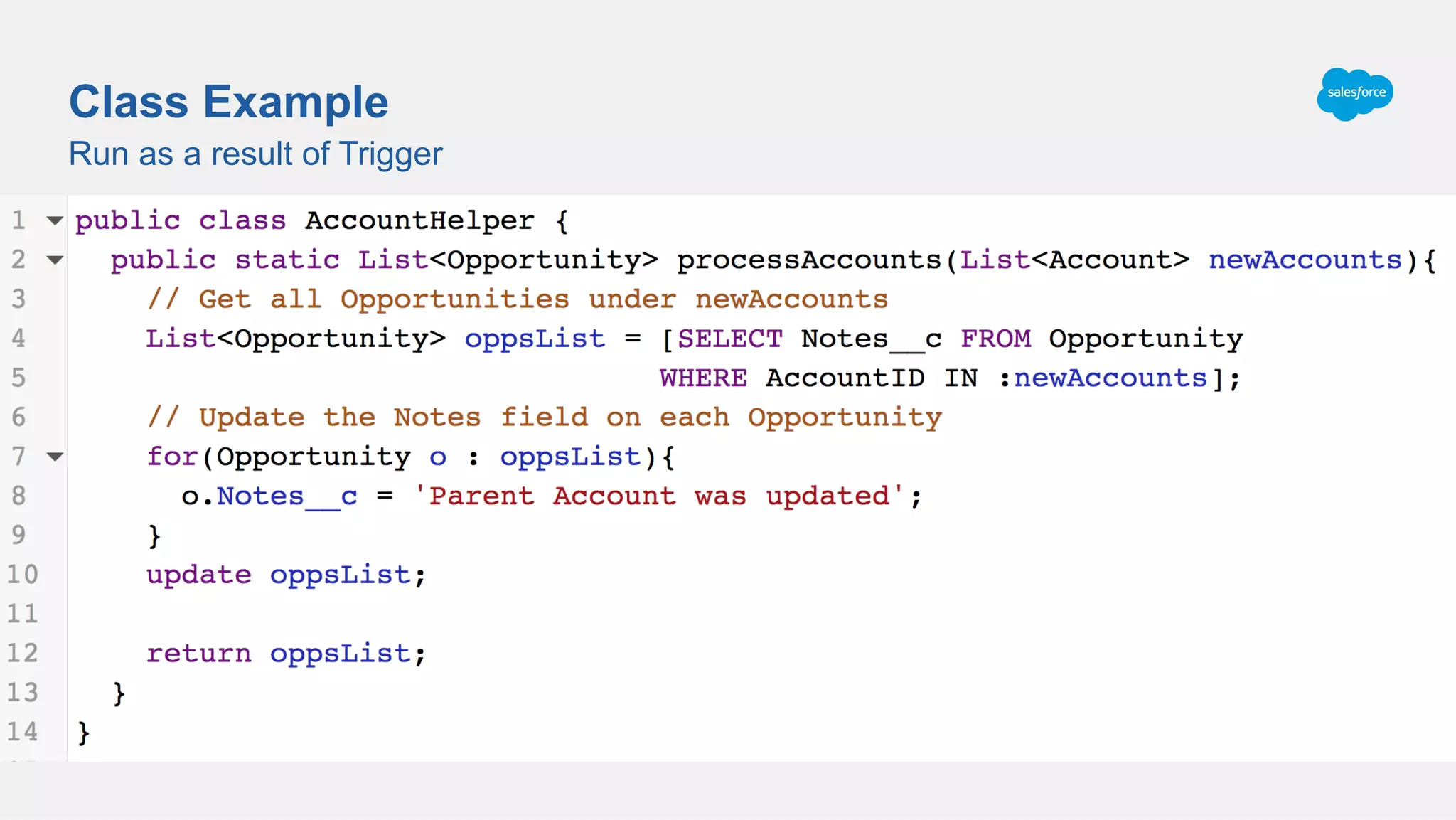
Run as a result of Trigger
Class Example
Summary and Next Steps
Where to Practice and Show Off Skills
Summary
Code is just 1s and 0s
Salesforce makes it easy to write “code” using point and click tools that humans can understand
Declarative tools based on various key concepts
Apex concepts are the same as Declarative concepts
Can combine Apex building blocks together into Triggers and Classes
Declarative and Programmatic Code aren’t so Different
Understanding Code + Google = Writing Code
Understanding Admin Tools + Syntax = Understanding Code
If you still don’t feel like a Developer, don’t worry, I promise you’re almost there!
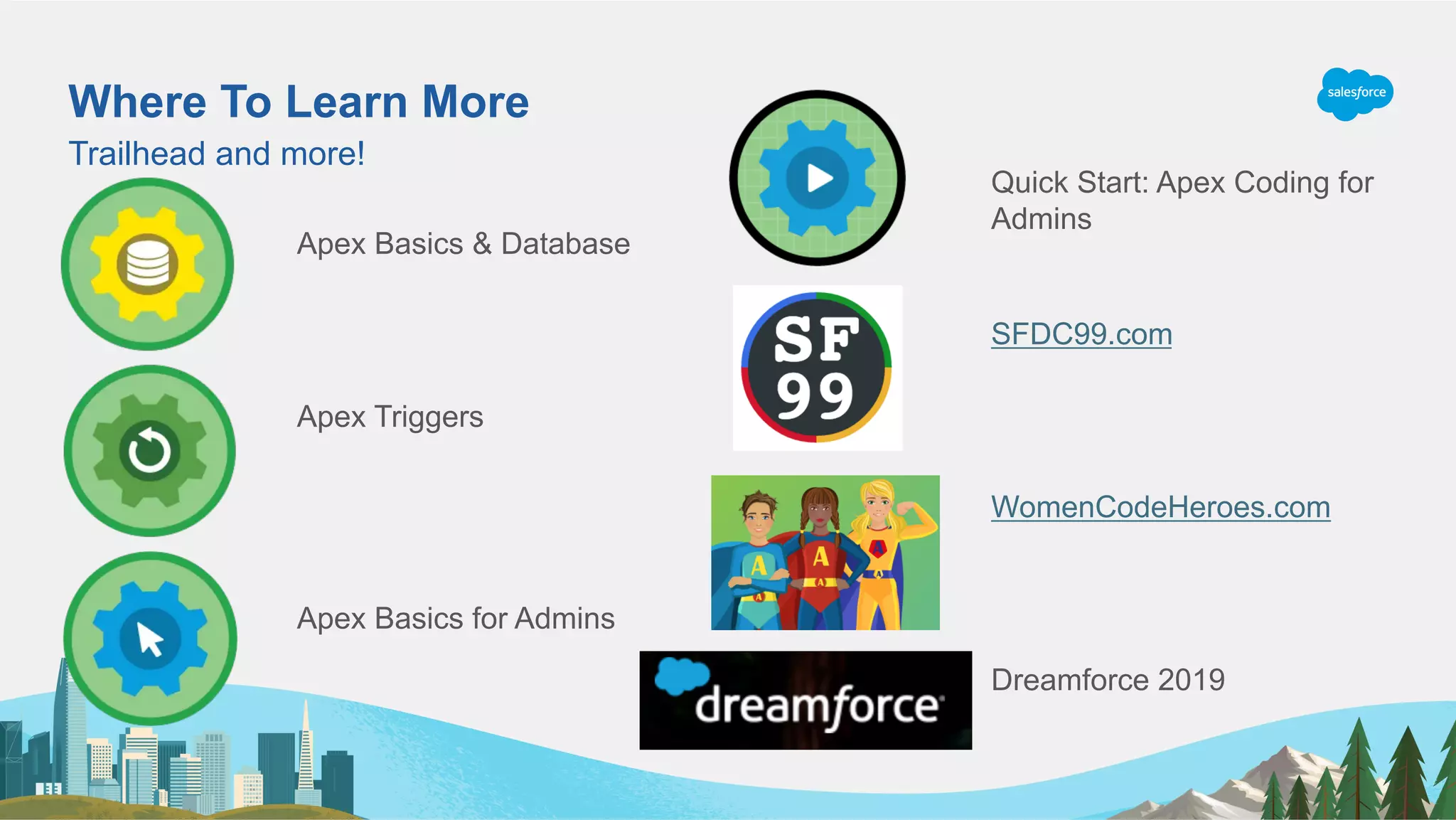
Where To Learn More
Trailhead and more!
Apex Basics & Database
Apex Triggers
Apex Basics for Admins
Quick Start: Apex Coding for
Admins
SFDC99.com
WomenCodeHeroes.com
Dreamforce 2019
Get Your Dreamforce Admin Workbook
Ensure you make the most of DF19!
sforce.co/df19adminworkbook
•  Plan your 4 perfect days
•  Find relevant resources
•  Take notes to bring back
to the office
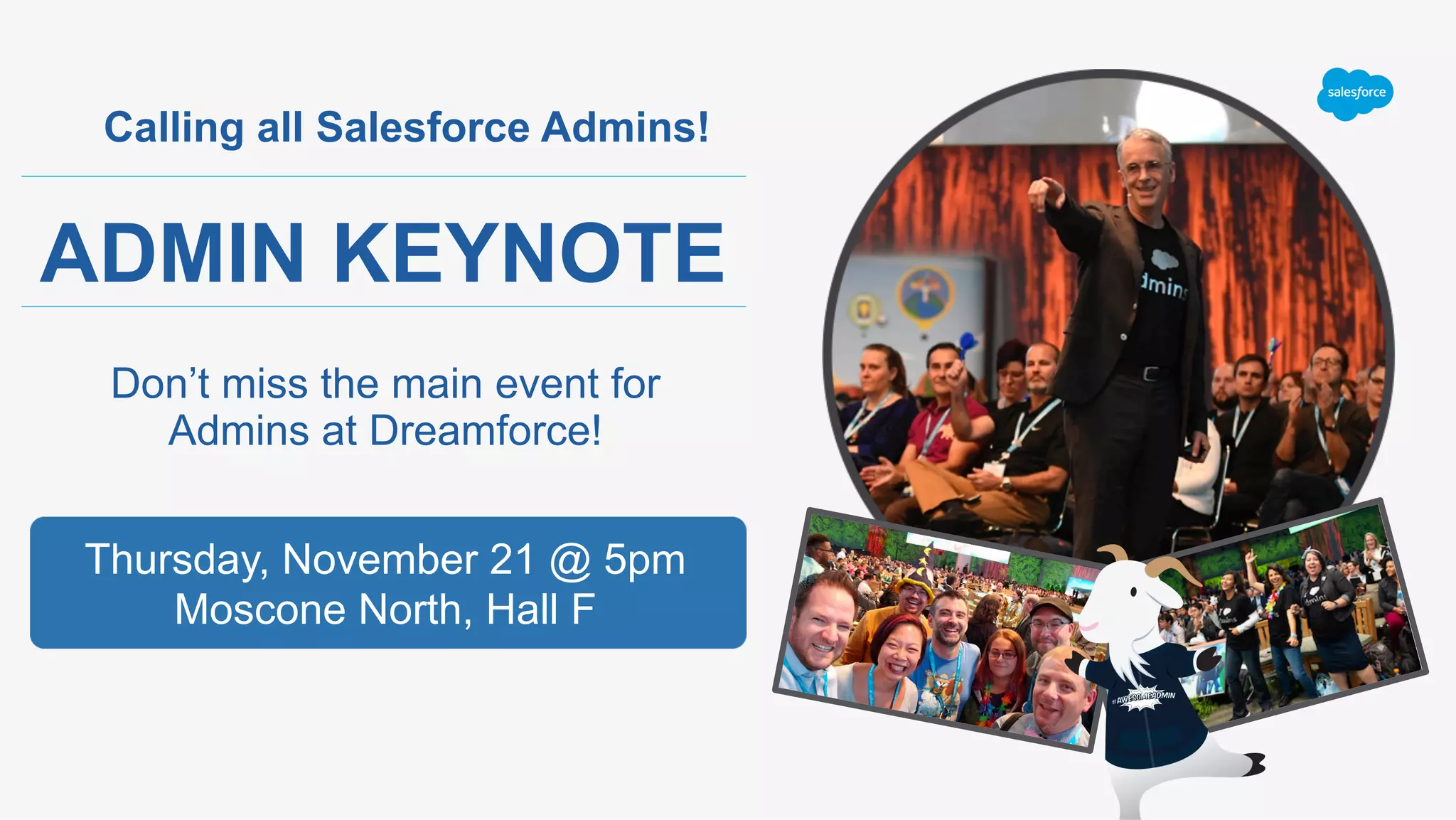
Calling all Salesforce Admins!
ADMIN KEYNOTE
Don’t miss the main event for
Admins at Dreamforce!
Thursday, November 21 @ 5pm
Moscone North, Hall F
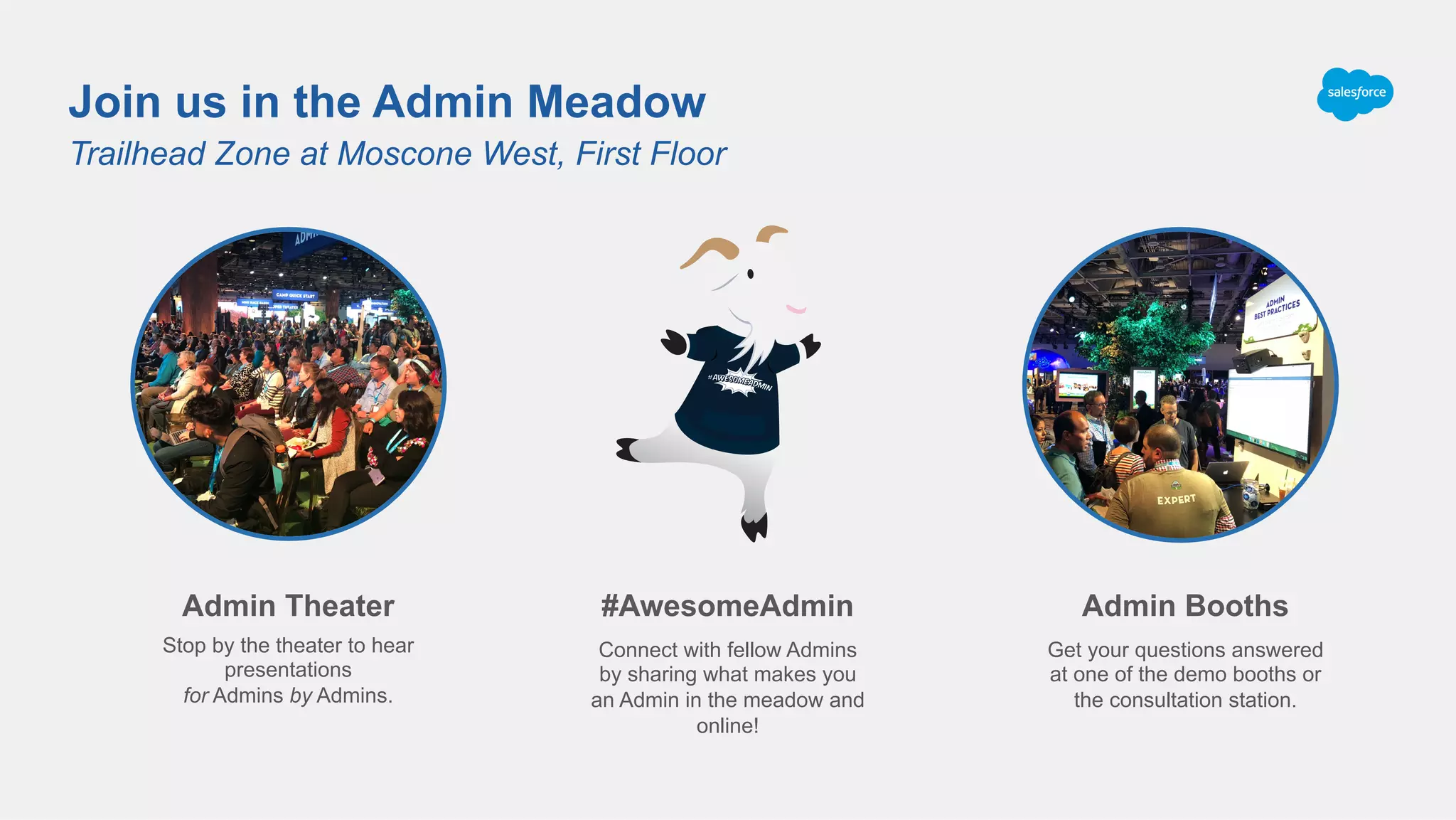
Trailhead Zone at Moscone West, First Floor
Join us in the Admin Meadow
#AwesomeAdmin
Connect with fellow Admins
by sharing what makes you
an Admin in the meadow and
online!
Admin Theater
Stop by the theater to hear
presentations
for Admins by Admins.
Admin Booths
Get your questions answered
at one of the demo booths or
the consultation station.
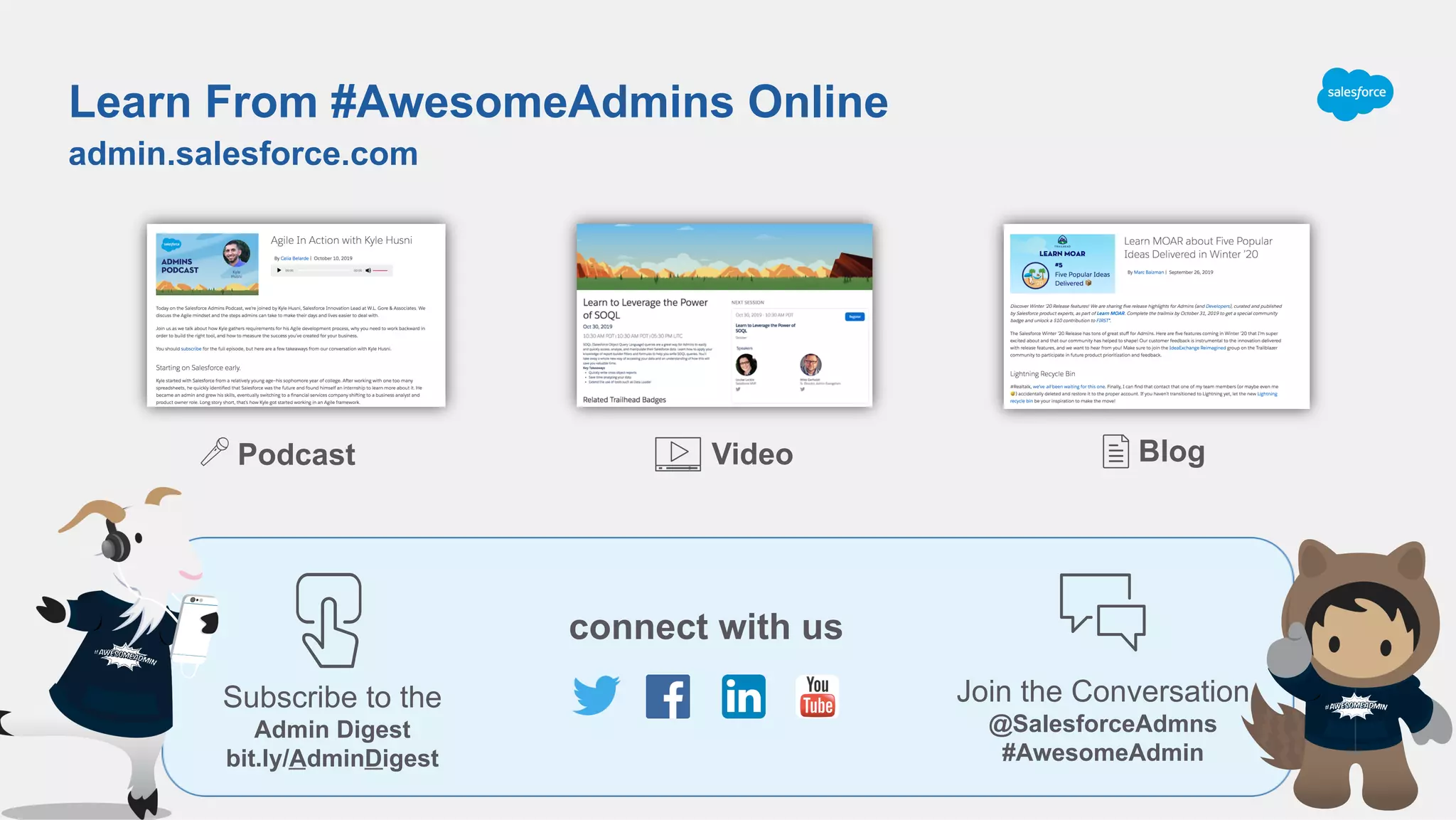
Podcast
admin.salesforce.com
Learn From #AwesomeAdmins Online
Video Blog
connect with us
Join the Conversation
@SalesforceAdmns
#AwesomeAdmin
Subscribe to the
Admin Digest
bit.ly/AdminDigest
@adam17amo
adam@adamtoarchitect.com
bit.ly/lightningmigration

Demystifying Code for Admins: The Last Step to Apex

  • 1.
    Demystifying Code forAdmins: The Last Step to Apex Salesforce Engineer, Adam Olshansky
  • 2.
    600 14X Adam Olshansky SalesforceEngineer, Google ​ @adam17amo ​ adam@adamtoarchitect.com ​ bit.ly/lightningmigration Speaker Logo
  • 4.
    Forward Looking Statement Statementunder the Private Securities Litigation Reform Act of 1995: This presentation contains forward-looking statements about the company’s financial and operating results, which may include expected GAAP and non-GAAP financial and other operating and non- operating results, including revenue, net income, diluted earnings per share, operating cash flow growth, operating margin improvement, expected revenue growth, expected current remaining performance obligation growth, expected tax rates, the one-time accounting non-cash charge that was incurred in connection with the Salesforce.org combination; stock-based compensation expenses, amortization of purchased intangibles, shares outstanding, market growth and sustainability goals. The achievement or success of the matters covered by such forward-looking statements involves risks, uncertainties and assumptions. If any such risks or uncertainties materialize or if any of the assumptions prove incorrect, the company’s results could differ materially from the results expressed or implied by the forward-looking statements we make. The risks and uncertainties referred to above include -- but are not limited to -- risks associated with the effect of general economic and market conditions; the impact of geopolitical events; the impact of foreign currency exchange rate and interest rate fluctuations on our results; our business strategy and our plan to build our business, including our strategy to be the leading provider of enterprise cloud computing applications and platforms; the pace of change and innovation in enterprise cloud computing services; the seasonal nature of our sales cycles; the competitive nature of the market in which we participate; our international expansion strategy; the demands on our personnel and infrastructure resulting from significant growth in our customer base and operations, including as a result of acquisitions; our service performance and security, including the resources and costs required to avoid unanticipated downtime and prevent, detect and remediate potential security breaches; the expenses associated with new data centers and third-party infrastructure providers; additional data center capacity; real estate and office facilities space; our operating results and cash flows; new services and product features, including any efforts to expand our services beyond the CRM market; our strategy of acquiring or making investments in complementary businesses, joint ventures, services, technologies and intellectual property rights; the performance and fair value of our investments in complementary businesses through our strategic investment portfolio; our ability to realize the benefits from strategic partnerships, joint ventures and investments; the impact of future gains or losses from our strategic investment portfolio, including gains or losses from overall market conditions that may affect the publicly traded companies within the company's strategic investment portfolio; our ability to execute our business plans; our ability to successfully integrate acquired businesses and technologies, including delays related to the integration of Tableau due to regulatory review by the United Kingdom Competition and Markets Authority; our ability to continue to grow unearned revenue and remaining performance obligation; our ability to protect our intellectual property rights; our ability to develop our brands; our reliance on third-party hardware, software and platform providers; our dependency on the development and maintenance of the infrastructure of the Internet; the effect of evolving domestic and foreign government regulations, including those related to the provision of services on the Internet, those related to accessing the Internet, and those addressing data privacy, cross-border data transfers and import and export controls; the valuation of our deferred tax assets and the release of related valuation allowances; the potential availability of additional tax assets in the future; the impact of new accounting pronouncements and tax laws; uncertainties affecting our ability to estimate our tax rate; the impact of expensing stock options and other equity awards; the sufficiency of our capital resources; factors related to our outstanding debt, revolving credit facility, term loan and loan associated with 50 Fremont; compliance with our debt covenants and lease obligations; current and potential litigation involving us; and the impact of climate change. Further information on these and other factors that could affect the company’s financial results is included in the reports on Forms 10-K, 10-Q and 8-K and in other filings it makes with the Securities and Exchange Commission from time to time. These documents are available on the SEC Filings section of the Investor Information section of the company’s website at www.salesforce.com/investor. Salesforce.com, inc. assumes no obligation and does not intend to update these forward-looking statements, except as required by law.
  • 5.
    Expectations DO think aboutconcepts in Declarative development DO try to understand what small blocks of code are doing DON’T worry about code syntax ( < { ; ! & | DON’T think you can learn how to code in 40 mins DO think that you can begin understanding code in 40 mins Things to Consider
  • 6.
    Why are wehere? Understanding Code + Google = Writing Code! Understanding code can improve your value to your company Understanding code can increase job and career opportunities A little code never hurt!
  • 7.
    Agenda 1.  What isCode/Apex? 2.  Review of Admin Tools and Concepts 3.  Apex Building Blocks 4.  Apex Examples 5.  Summary and Next Steps
  • 8.
    YOU’RE ALL DEVELOPERS (YOUJUST MAY NOT KNOW IT YET)
  • 9.
    What is Code? Notas scary as you think
  • 10.
  • 11.
    Write Code ->Compile -> Execute Compiler is a Translator 1s and 0s Compiler (Translator) Code/ Config
  • 12.
    Becoming more readablefor humans Constantly Evolving Punch Cards Manually allocate memory Logic Commands (C) Focus on logic (Java/Apex) Salesforce Config
  • 13.
    Review of AdminTools Different ways to automate in Salesforce
  • 14.
    Admin Tools Objects Fields Reports Formulas Workflow Rules ProcessBuilder Flow What makes #AwesomeAdmins Heroes
  • 15.
  • 16.
    Reports Query for RecordsBased on Condition
  • 17.
    Formulas Calculate values basedon other values Output FieldFormulaInput Field(s)
  • 18.
    Calculate values basedon other values Formulas
  • 19.
    Chain logic andpass output to other functions Complex Formulas Date_Time_Submitted__c = 11/19/19 12:10 pm (2019-11-19T012:10:21.000Z) TIMEVALUE(Date_Time_Submitted__c) = 12:10:21.000 HOUR(12:10:21.000) = 12 TEXT(12) = ‘12’ Hour of Application(2019-11-19T12:10:21.000Z) = ‘12’
  • 20.
    Complex Formulas Multiple conditionswith a fallback IF the Amount is greater than $1M •  Priority = High Otherwise IF the Amount is greater than $100K •  Priority = Medium Otherwise •  Priority = Low *Similar to Case Assignment Rules
  • 21.
    Choose Object andWhen to Fire Workflow Rules
  • 22.
    Set Criteria andFilter Logic Workflow Rules
  • 23.
  • 24.
  • 25.
    Execute Action orAnother Process Process Builder
  • 26.
    Construct Full Process ReorderConditions Execute Multiple Actions Complex Logic Process Builder
  • 27.
  • 28.
  • 29.
    Flow Assign a valueto a variable Reference it later Values used for input or output
  • 30.
    Flow Conditional Logic Variable Assignment Loopthrough Collections Manipulate Records •  Create, Update, Query, Delete Many Additional Admin Options
  • 31.
    Apex Building Blocks OneStep Away from Point and Click
  • 32.
    Key Concepts Point-and-Click Conditional Logic • Formula, Workflow, Process Builder, Flow Chain Logic Together •  Formula, Process Builder, Flow Query for Records •  Reports, Flow Choose Object and Action to Fire on •  Workflow, Process Builder Create Variables with Data Type •  Fields, Flow Loop over Collections •  Process Builder, Flow Manipulate sObject Records •  Workflow, Process Builder, Flow Apex IF statements Methods, Classes SOQL Triggers Variables FOR loops DML
  • 33.
    Conditional Logic IF statements IFthe Amount is greater than $1M •  Priority = High Otherwise IF the Amount is greater than $100K •  Priority = Medium Otherwise •  Priority = Low *Similar to Case Assignment Rules
  • 34.
    Create Variables withData Type Assign a value to the variable Reference it later Store values for later
  • 35.
    Formulas/Methods Calculate values basedon other values Output FieldFormulaInput Field(s) Return ValueMethod Logic Input Parameters
  • 36.
    Chain Logic Together Methodstake input parameters and return a value
  • 37.
    Methods, Classes Chain LogicTogether Methods, Classes Date_Time_Submitted__c = 11/19/19 12:10 pm (2019-11-19T12:10:21.000Z) TIMEVALUE(Date_Time_Submitted__c) = 12:10:21.000 HOUR(12:10:21.000) = 12 TEXT(12) = ‘12’ Hour of Application(2019-11-19T12:10:21.000Z) = ‘12’
  • 38.
    Query for Records SELECTfields FROM object WHERE condition (SOQL)
  • 39.
    Triggers Choose Object andActionsChoose Object and Actions Triggers
  • 40.
    FOR loops Loop OverCollections Loop through collection variables
  • 41.
    Manipulate sObject Records DML(Database Manipulation Language)
  • 42.
  • 43.
    Where Apex Lives Triggers • Fires as result of event Classes •  Runs after being called by trigger, other classes, scheduled process 2 primary places Files like a Word doc or PDF
  • 44.
    Fire on AccountEvents Trigger Example
  • 45.
    Run as aresult of Trigger Class Example
  • 46.
    Summary and NextSteps Where to Practice and Show Off Skills
  • 47.
    Summary Code is just1s and 0s Salesforce makes it easy to write “code” using point and click tools that humans can understand Declarative tools based on various key concepts Apex concepts are the same as Declarative concepts Can combine Apex building blocks together into Triggers and Classes Declarative and Programmatic Code aren’t so Different Understanding Code + Google = Writing Code Understanding Admin Tools + Syntax = Understanding Code If you still don’t feel like a Developer, don’t worry, I promise you’re almost there!
  • 48.
    Where To LearnMore Trailhead and more! Apex Basics & Database Apex Triggers Apex Basics for Admins Quick Start: Apex Coding for Admins SFDC99.com WomenCodeHeroes.com Dreamforce 2019
  • 49.
    Get Your DreamforceAdmin Workbook Ensure you make the most of DF19! sforce.co/df19adminworkbook •  Plan your 4 perfect days •  Find relevant resources •  Take notes to bring back to the office
  • 50.
    Calling all SalesforceAdmins! ADMIN KEYNOTE Don’t miss the main event for Admins at Dreamforce! Thursday, November 21 @ 5pm Moscone North, Hall F
  • 51.
    Trailhead Zone atMoscone West, First Floor Join us in the Admin Meadow #AwesomeAdmin Connect with fellow Admins by sharing what makes you an Admin in the meadow and online! Admin Theater Stop by the theater to hear presentations for Admins by Admins. Admin Booths Get your questions answered at one of the demo booths or the consultation station.
  • 52.
    Podcast admin.salesforce.com Learn From #AwesomeAdminsOnline Video Blog connect with us Join the Conversation @SalesforceAdmns #AwesomeAdmin Subscribe to the Admin Digest bit.ly/AdminDigest
  • 53.