Validation
With any data entry, it is important to reduce the likelihood of erroneous
(incorrect) data
Erroneous data can come from a range of sources, for example:
User mistyping input (e.g. meaning to type 5 but typing 4 by mistake)
User misunderstanding input requirements (e.g. Asked to confirm (Y/N) but
entering “OK”)
Misinformation (e.g. A person has hand written a number as 1 but it looks like
a 7).
Validation
With any data entry, it is important to reduce the likelihood of erroneous
(incorrect) data
Validation is the process of ensuring that data entered into a database meets a
certain rule or rules in order to reduce the input of erroneous data.
Validation cannot prevent erroneous data from being input, but it can help.
Presence Check
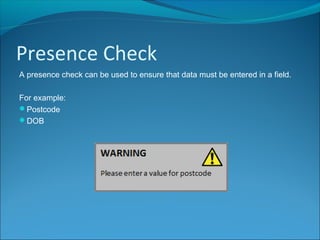
A presence check can be used to ensure that data must be entered in a field.
For example:
Postcode
DOB
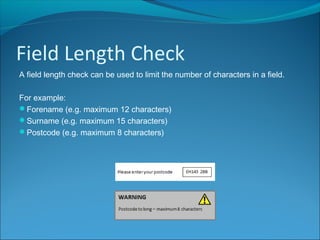
Field Length Check
A field length check can be used to limit the number of characters in a field.
For example:
Forename (e.g. maximum 12 characters)
Surname (e.g. maximum 15 characters)
Postcode (e.g. maximum 8 characters)
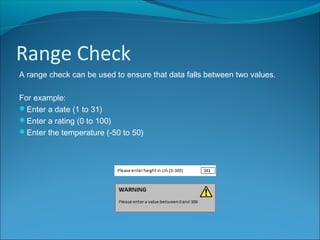
Range Check
A range check can be used to ensure that data falls between two values.
For example:
Enter a date (1 to 31)
Enter a rating (0 to 100)
Enter the temperature (-50 to 50)
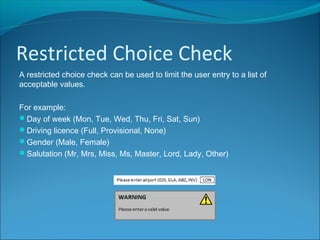
Restricted Choice Check
A restricted choice check can be used to limit the user entry to a list of
acceptable values.
For example:
Day of week (Mon, Tue, Wed, Thu, Fri, Sat, Sun)
Driving licence (Full, Provisional, None)
Gender (Male, Female)
Salutation (Mr, Mrs, Miss, Ms, Master, Lord, Lady, Other)
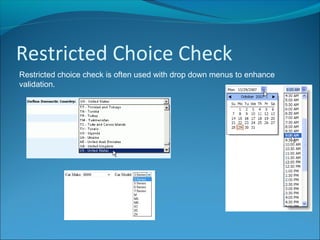
Restricted Choice Check
Restricted choice check is often used with drop down menus to enhance
validation.

Database Validation

  • 2.
    Validation With any dataentry, it is important to reduce the likelihood of erroneous (incorrect) data Erroneous data can come from a range of sources, for example: User mistyping input (e.g. meaning to type 5 but typing 4 by mistake) User misunderstanding input requirements (e.g. Asked to confirm (Y/N) but entering “OK”) Misinformation (e.g. A person has hand written a number as 1 but it looks like a 7).
  • 3.
    Validation With any dataentry, it is important to reduce the likelihood of erroneous (incorrect) data Validation is the process of ensuring that data entered into a database meets a certain rule or rules in order to reduce the input of erroneous data. Validation cannot prevent erroneous data from being input, but it can help.
  • 4.
    Presence Check A presencecheck can be used to ensure that data must be entered in a field. For example: Postcode DOB
  • 5.
    Field Length Check Afield length check can be used to limit the number of characters in a field. For example: Forename (e.g. maximum 12 characters) Surname (e.g. maximum 15 characters) Postcode (e.g. maximum 8 characters)
  • 6.
    Range Check A rangecheck can be used to ensure that data falls between two values. For example: Enter a date (1 to 31) Enter a rating (0 to 100) Enter the temperature (-50 to 50)
  • 7.
    Restricted Choice Check Arestricted choice check can be used to limit the user entry to a list of acceptable values. For example: Day of week (Mon, Tue, Wed, Thu, Fri, Sat, Sun) Driving licence (Full, Provisional, None) Gender (Male, Female) Salutation (Mr, Mrs, Miss, Ms, Master, Lord, Lady, Other)
  • 8.
    Restricted Choice Check Restrictedchoice check is often used with drop down menus to enhance validation.