Database Security
Threats - MariaDB
Security Best
Practices
Jonathan Day, MariaDB Senior
Solution Architect
Security threats
Best practices
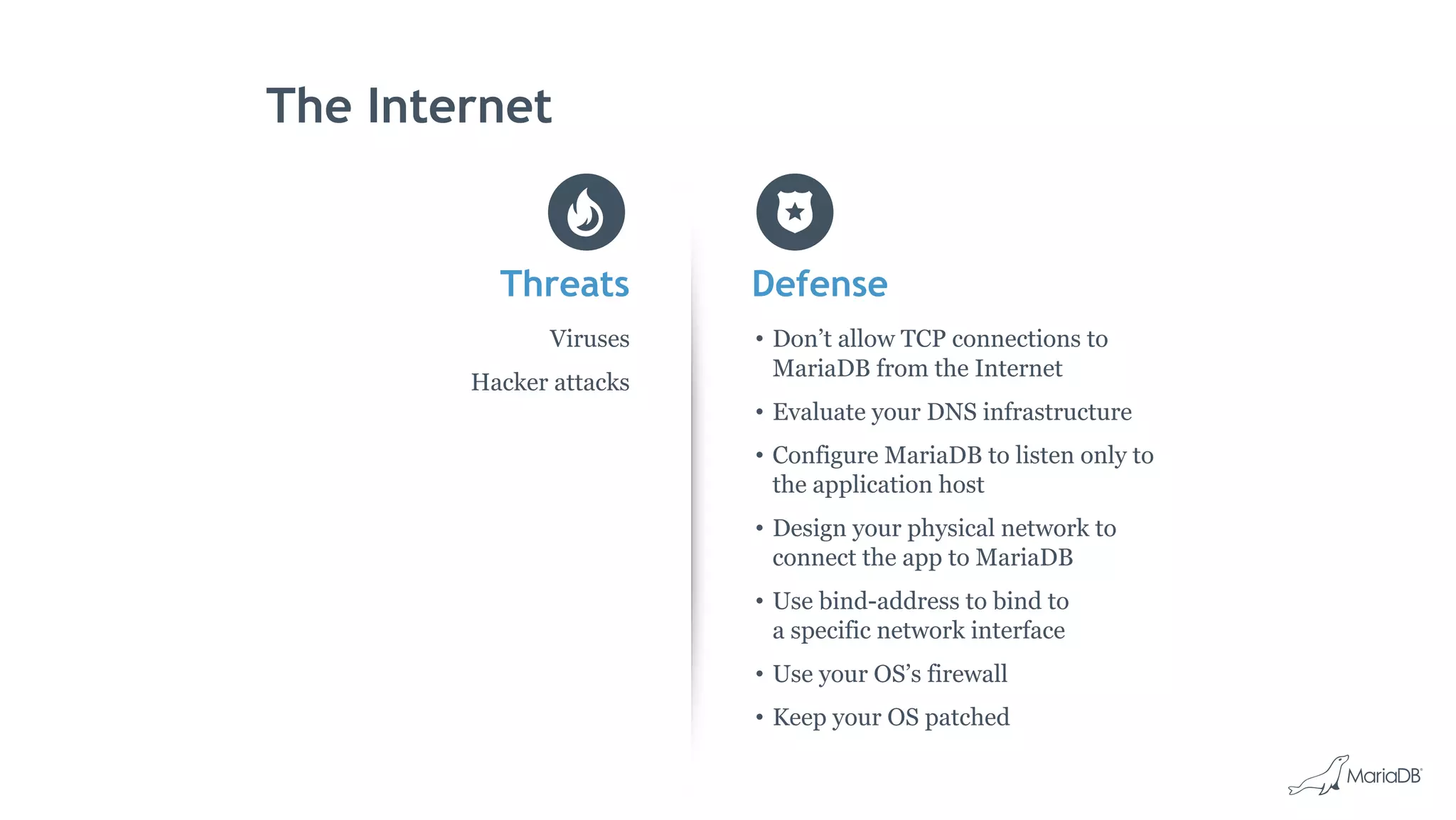
The Internet
Threats
Viruses
Hacker attacks
Defense
• Don’t allow TCP connections to
MariaDB from the Internet
• Evaluate your DNS infrastructure
• Configure MariaDB to listen only to
the application host
• Design your physical network to
connect the app to MariaDB
• Use bind-address to bind to
a specific network interface
• Use your OS’s firewall
• Keep your OS patched
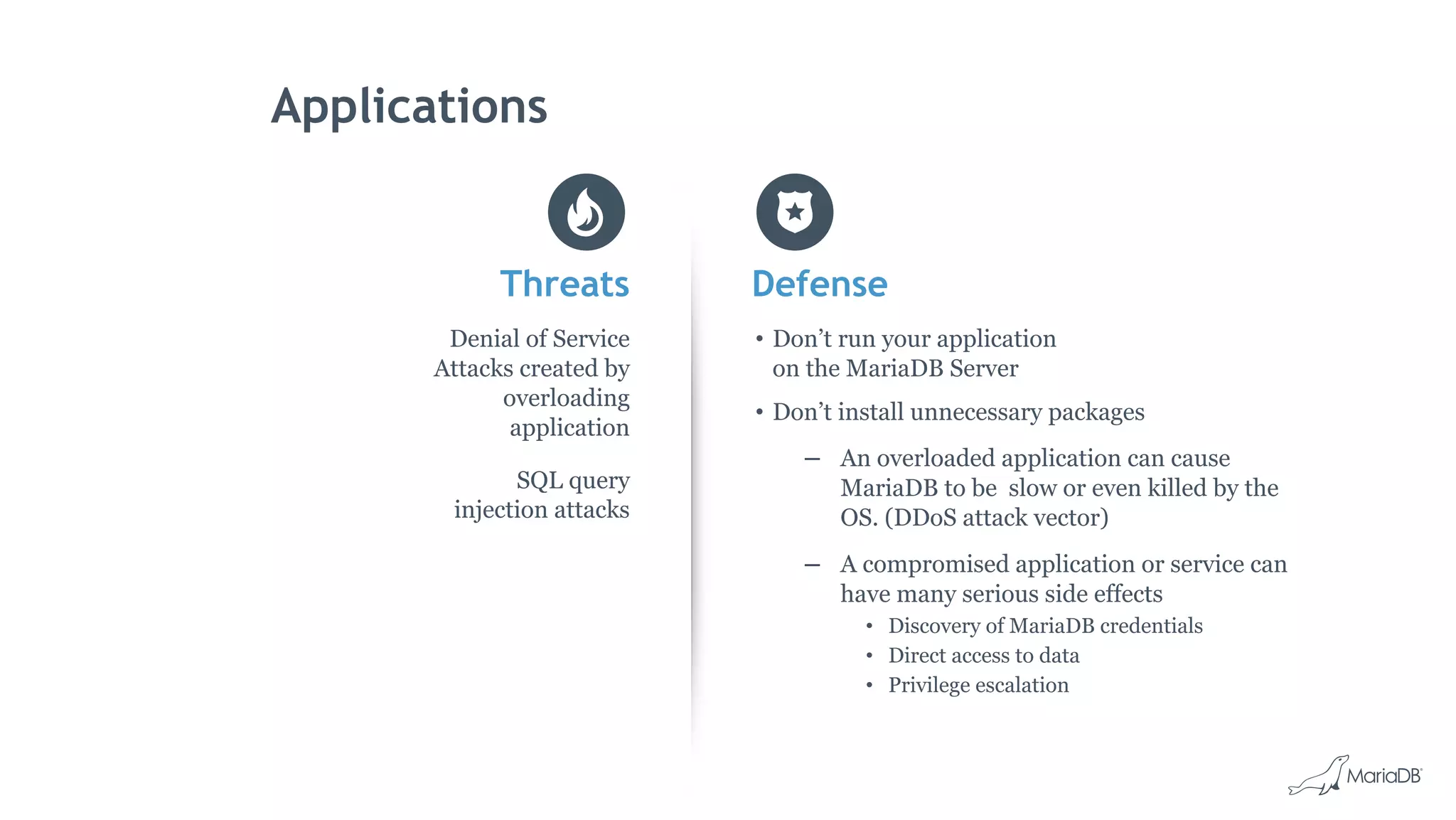
Applications
Threats
Denial of Service
Attacks created by
overloading
application
SQL query
injection attacks
Defense
• Don’t run your application
on the MariaDB Server
• Don’t install unnecessary packages
– An overloaded application can cause
MariaDB to be slow or even killed by the
OS. (DDoS attack vector)
– A compromised application or service can
have many serious side effects
• Discovery of MariaDB credentials
• Direct access to data
• Privilege escalation
Excessive Trust
Threats
Disgruntled employees
Mistakes and human error
Defense
• Limit users who have:
– SSH access to your MariaDB server.
– Sudo privileges on your MariaDB server.
• Set the secure_file_priv option to ensure that
users with the FILE privilege cannot write or
read MariaDB data or important system files.
• Do not run mysqld as root
• Avoid ‘%”, use specific host names
Excessive Trust
Threats
Disgruntled employees
Mistakes and human error
Defense
• Don’t use the MariaDB “root” user for application
access
• Minimize the privileges granted to the MariaDB
accounts used by your applications
– Don’t grant CREATE or DROP privileges.
– Don’t grant the FILE privilege.
– Don’t grant the SUPER privilege.
– Don’t grant access to the
mysql database
• Grant only the privileges required
Best Practices: Encryption
• Encrypt sensitive data in the application
– Credit Card numbers, PII
• Encrypt data at rest
– InnoDB tablespace encryption
– InnoDB redo log encryption
– Binary log encryption
• Encrypt data in transit with SSL
– From clients to MariaDB
– From clients to MariaDB MaxScale
– Between MariaDB replicated servers
Best Practices: Use a database proxy
• Use MariaDB MaxScale as a database
firewall
• Restrict the operations that clients are
allowed to perform
• Identify and flag potentially dangerous
queries
• Customize rules about what’s allowed
and what’s not
• Implement connection pooling
capabilities
Best Practices: User Management
• Protect MariaDB data and backups via
OS permissions
• Use strong passwords
• Allow root access to MariaDB only from
local clients—no administrative access
over the network
• Use a separate MariaDB user account for
each of your applications
• Allow access from a minimal set of IP
addresses
• Regularly audit your users and grants
Best Practices: Auditing
• Use MariaDB Audit Plugin to log events
to syslog or files
• Ensure regulatory compliance with
robust logging
• Record connections, query executions,
and tables accessed
• Be selective in what your are monitoring
• Plan auditing resources
– Budget
– Processes
• Consider using “Honeypots”
• Have a process to review the logs and
follow it… Very Important
• Audit your auditing
MariaDB Server
Security Features
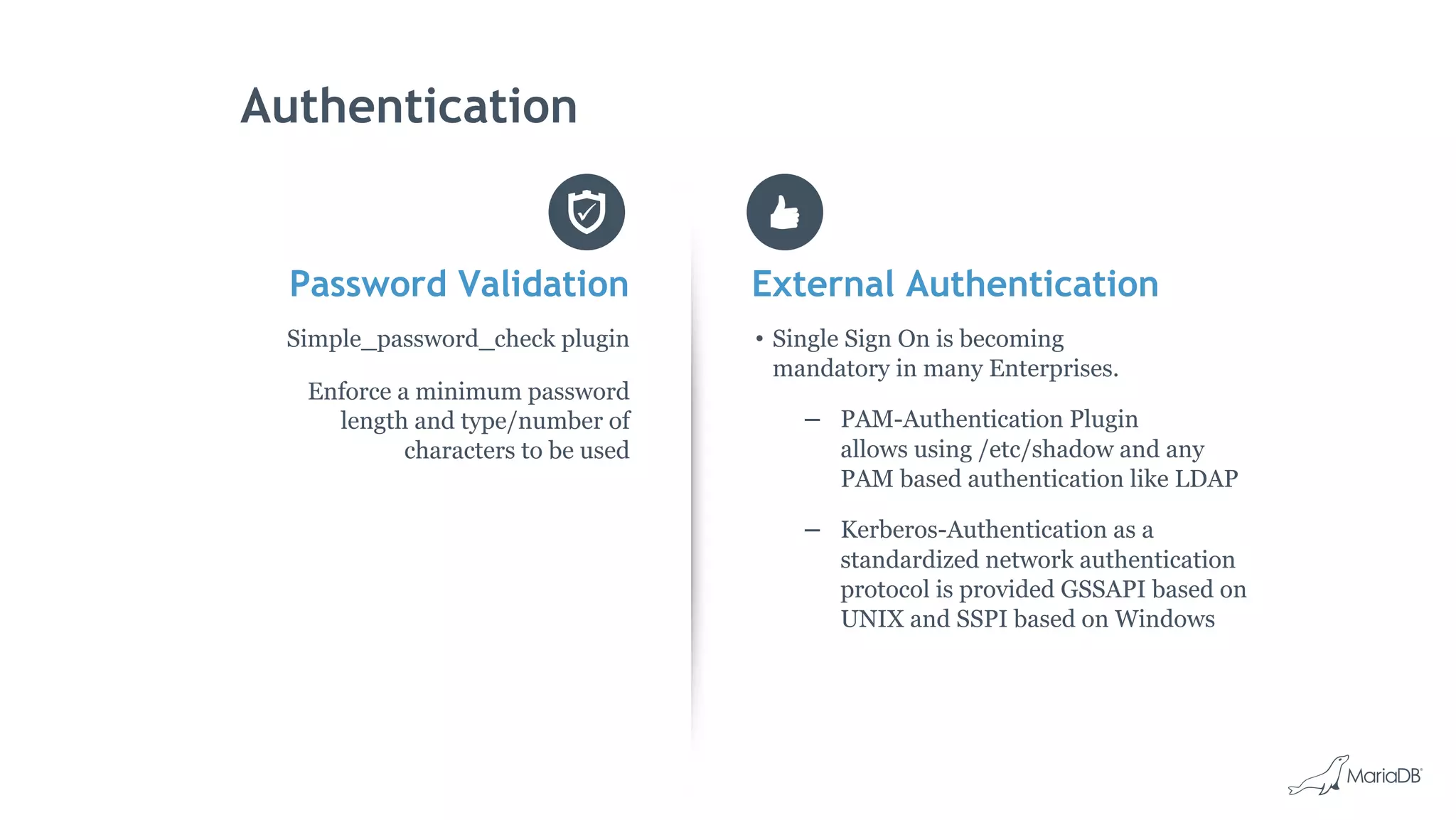
Authentication
Password Validation
Simple_password_check plugin
Enforce a minimum password
length and type/number of
characters to be used
External Authentication
• Single Sign On is becoming
mandatory in many Enterprises.
– PAM-Authentication Plugin
allows using /etc/shadow and any
PAM based authentication like LDAP
– Kerberos-Authentication as a
standardized network authentication
protocol is provided GSSAPI based on
UNIX and SSPI based on Windows
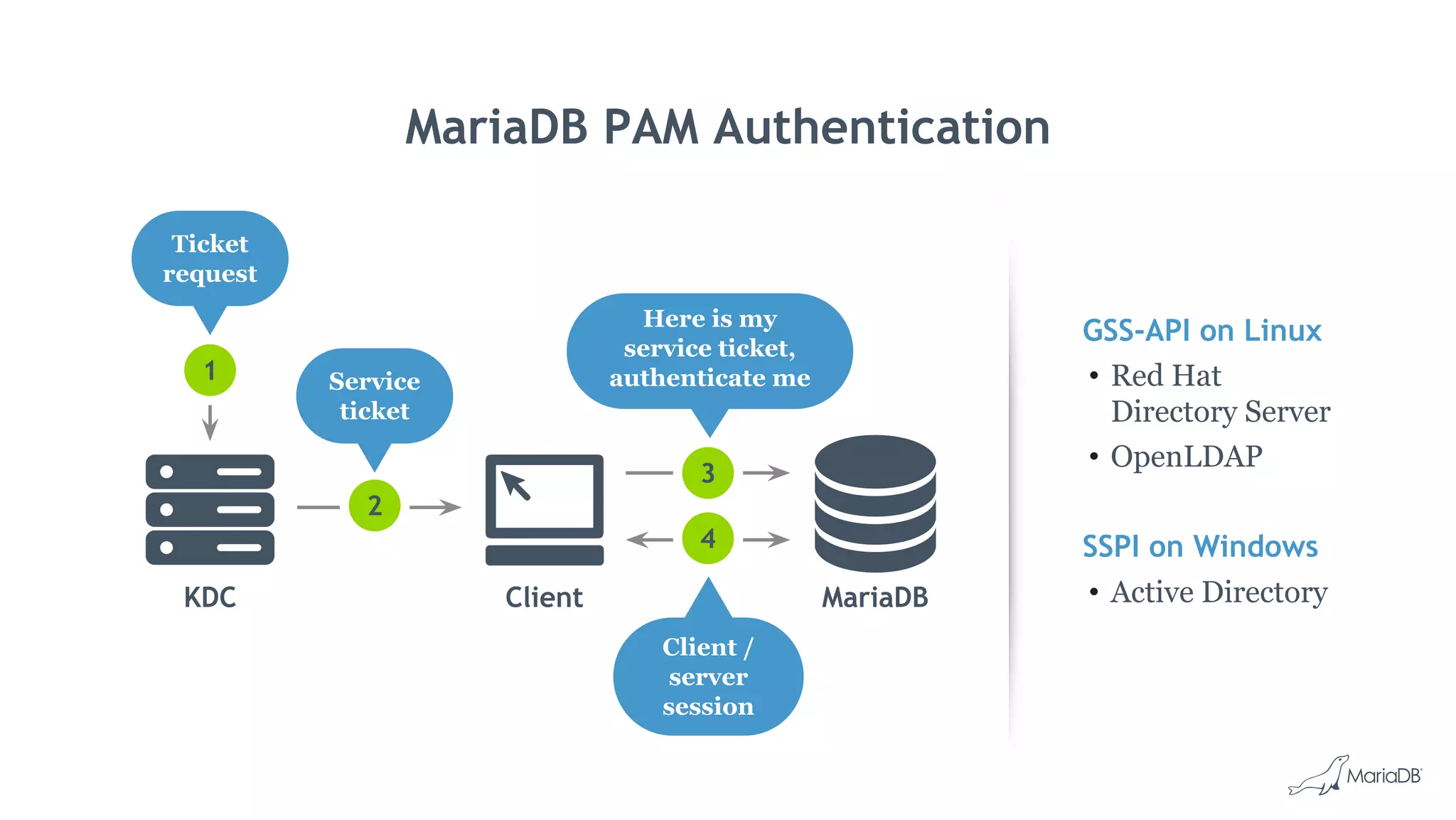
MariaDB PAM Authentication
GSS-API on Linux
• Red Hat
Directory Server
• OpenLDAP
SSPI on Windows
• Active DirectoryKDC Client MariaDB
2
3
4
1
Ticket
request
Service
ticket
Here is my
service ticket,
authenticate me
Client /
server
session
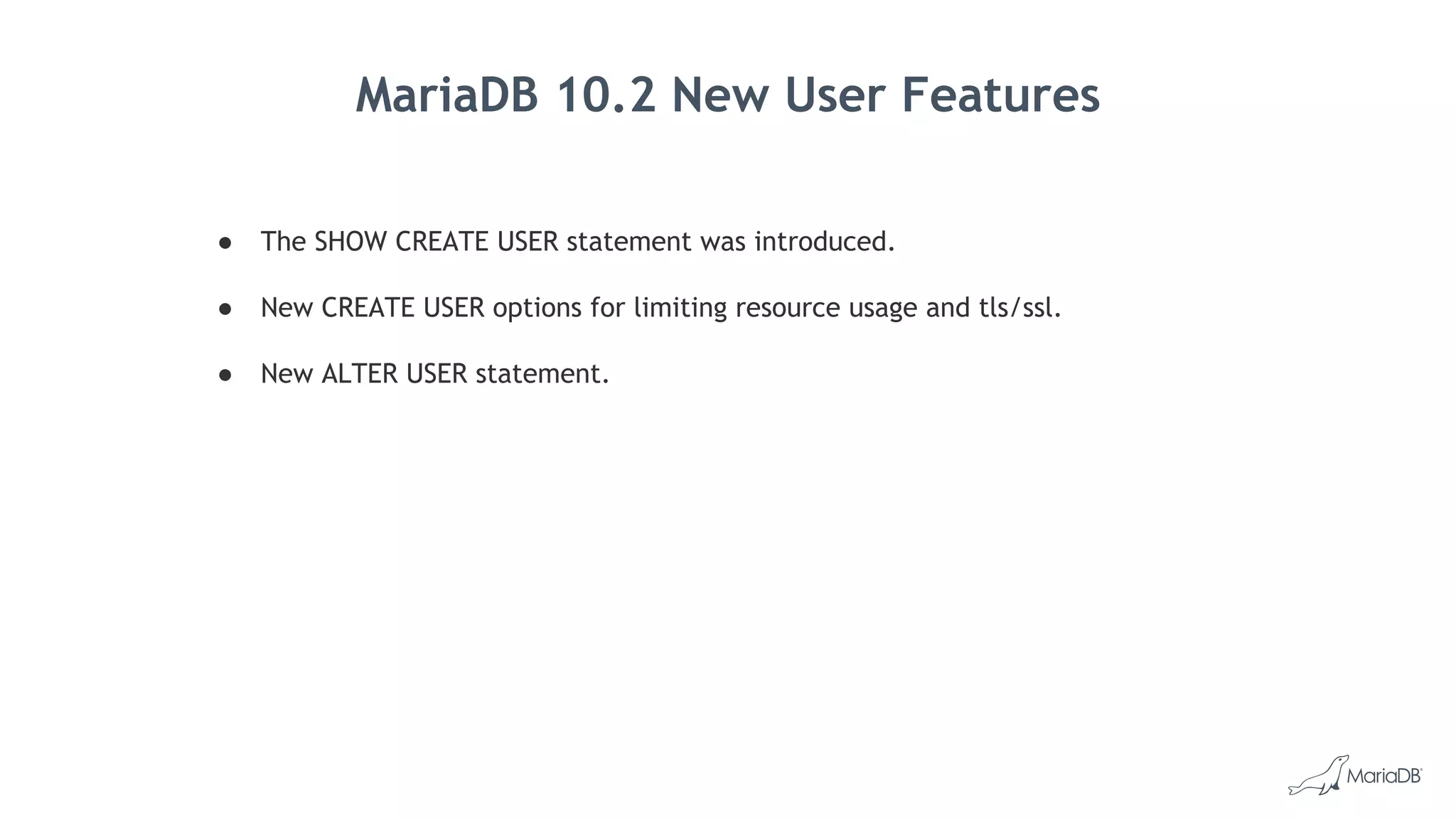
MariaDB 10.2 New User Features
● The SHOW CREATE USER statement was introduced.
● New CREATE USER options for limiting resource usage and tls/ssl.
● New ALTER USER statement.
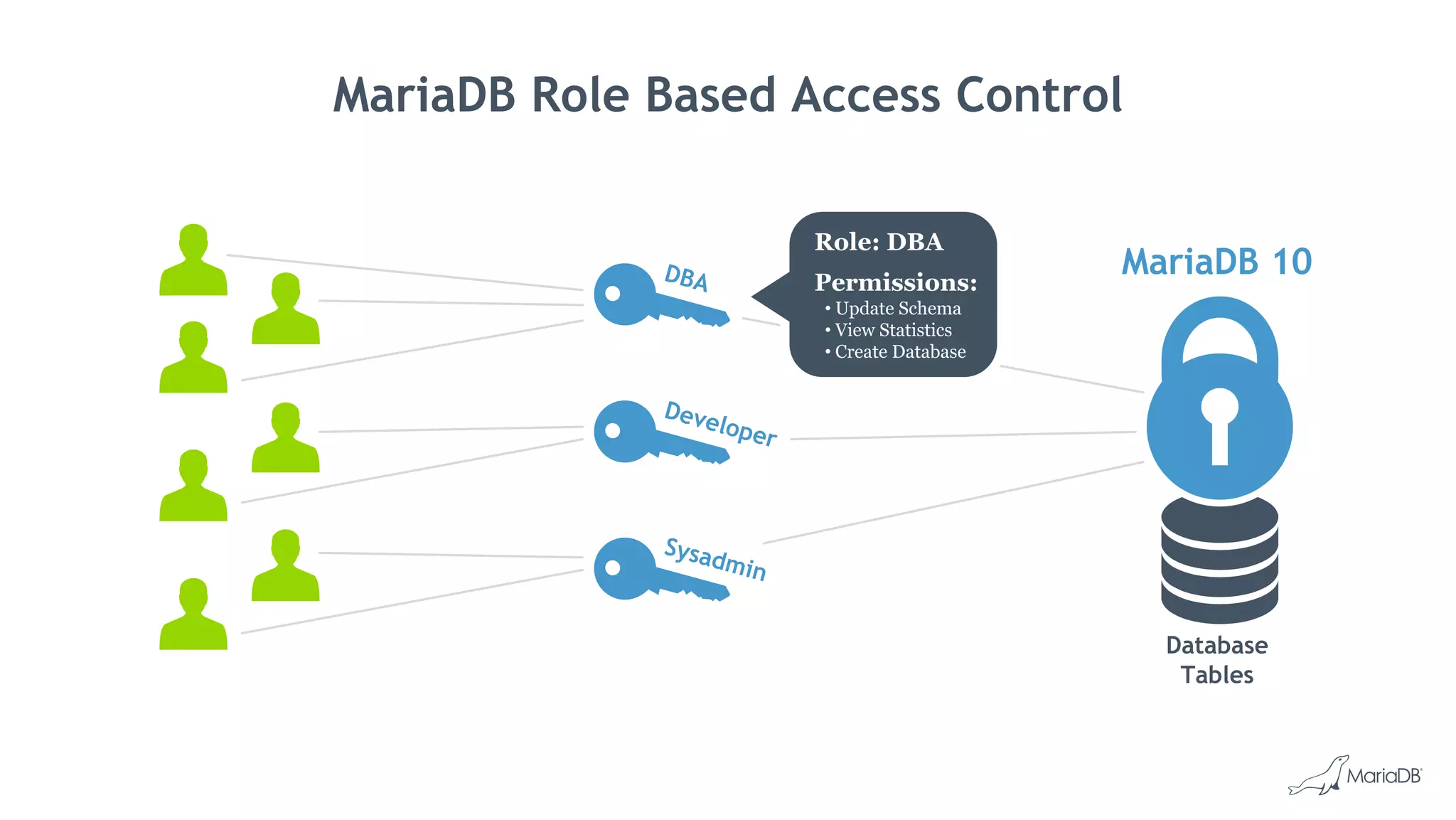
MariaDB Role Based Access Control
DBA
Developer
Sysadmin
Database
Tables
MariaDB 10
Role: DBA
Permissions:
• Update Schema
• View Statistics
• Create Database
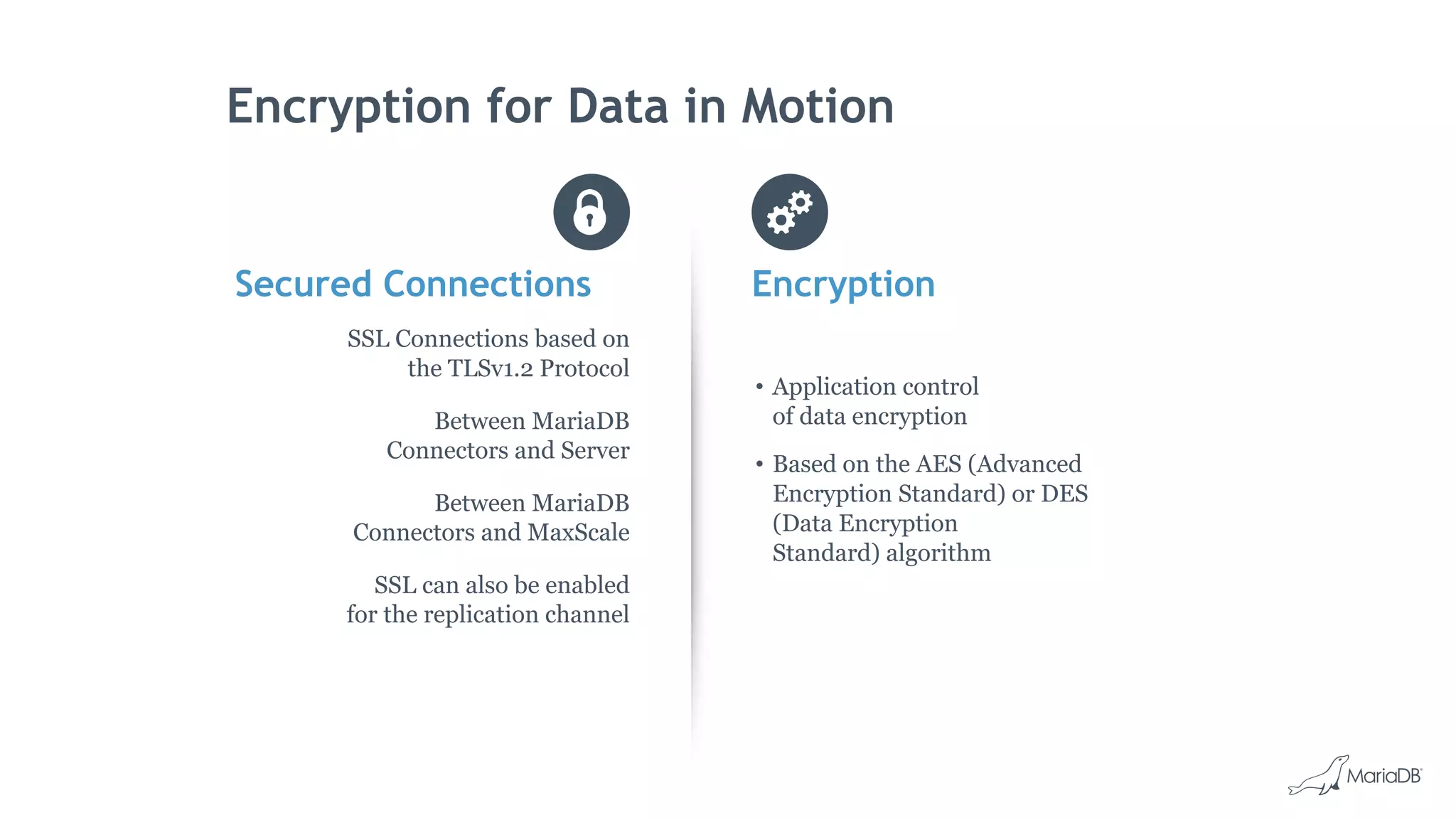
Encryption for Data in Motion
Secured Connections
SSL Connections based on
the TLSv1.2 Protocol
Between MariaDB
Connectors and Server
Between MariaDB
Connectors and MaxScale
SSL can also be enabled
for the replication channel
Encryption
• Application control
of data encryption
• Based on the AES (Advanced
Encryption Standard) or DES
(Data Encryption
Standard) algorithm
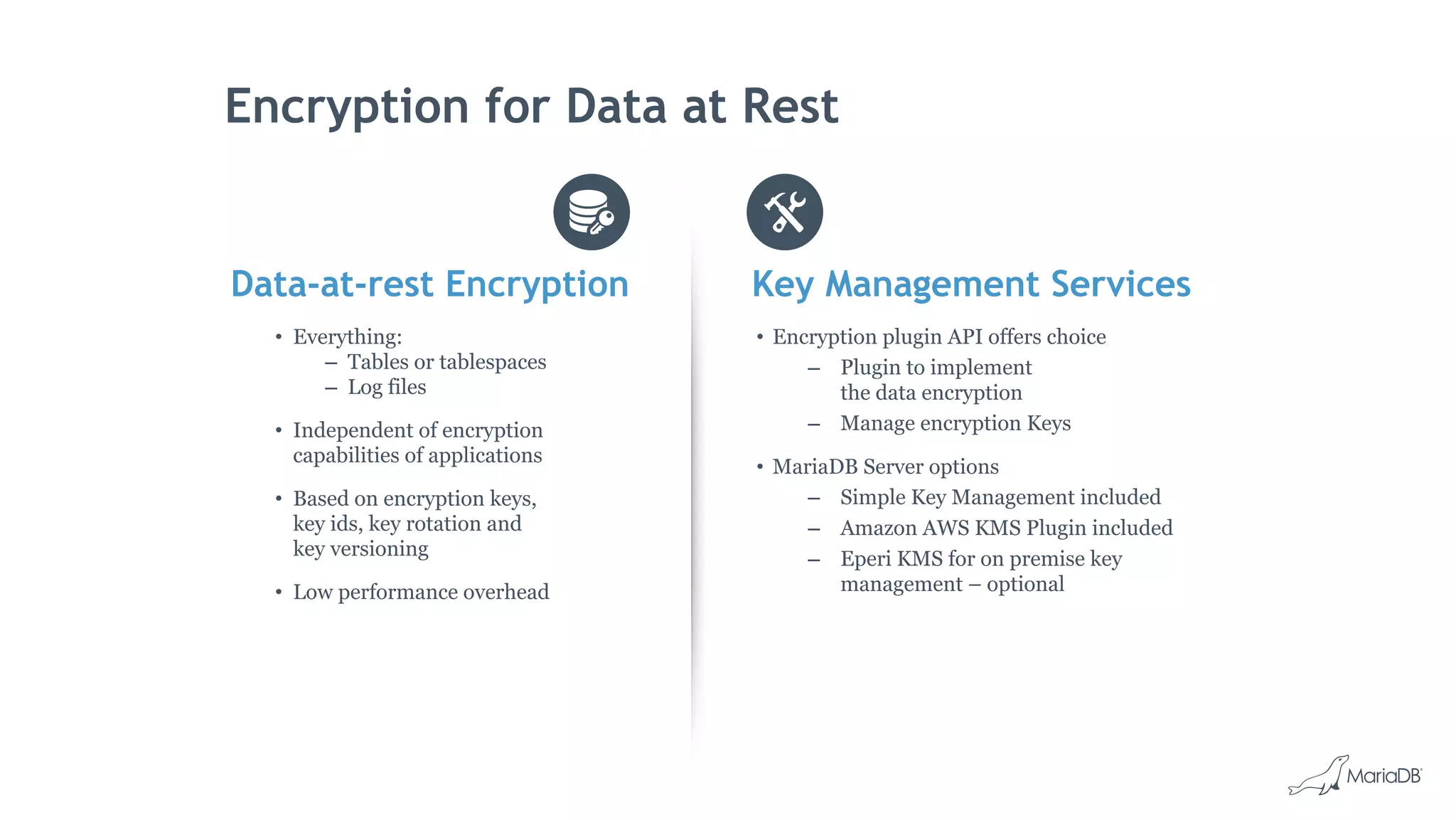
Encryption for Data at Rest
Data-at-rest Encryption
• Everything:
– Tables or tablespaces
– Log files
• Independent of encryption
capabilities of applications
• Based on encryption keys,
key ids, key rotation and
key versioning
• Low performance overhead
Key Management Services
• Encryption plugin API offers choice
– Plugin to implement
the data encryption
– Manage encryption Keys
• MariaDB Server options
– Simple Key Management included
– Amazon AWS KMS Plugin included
– Eperi KMS for on premise key
management – optional
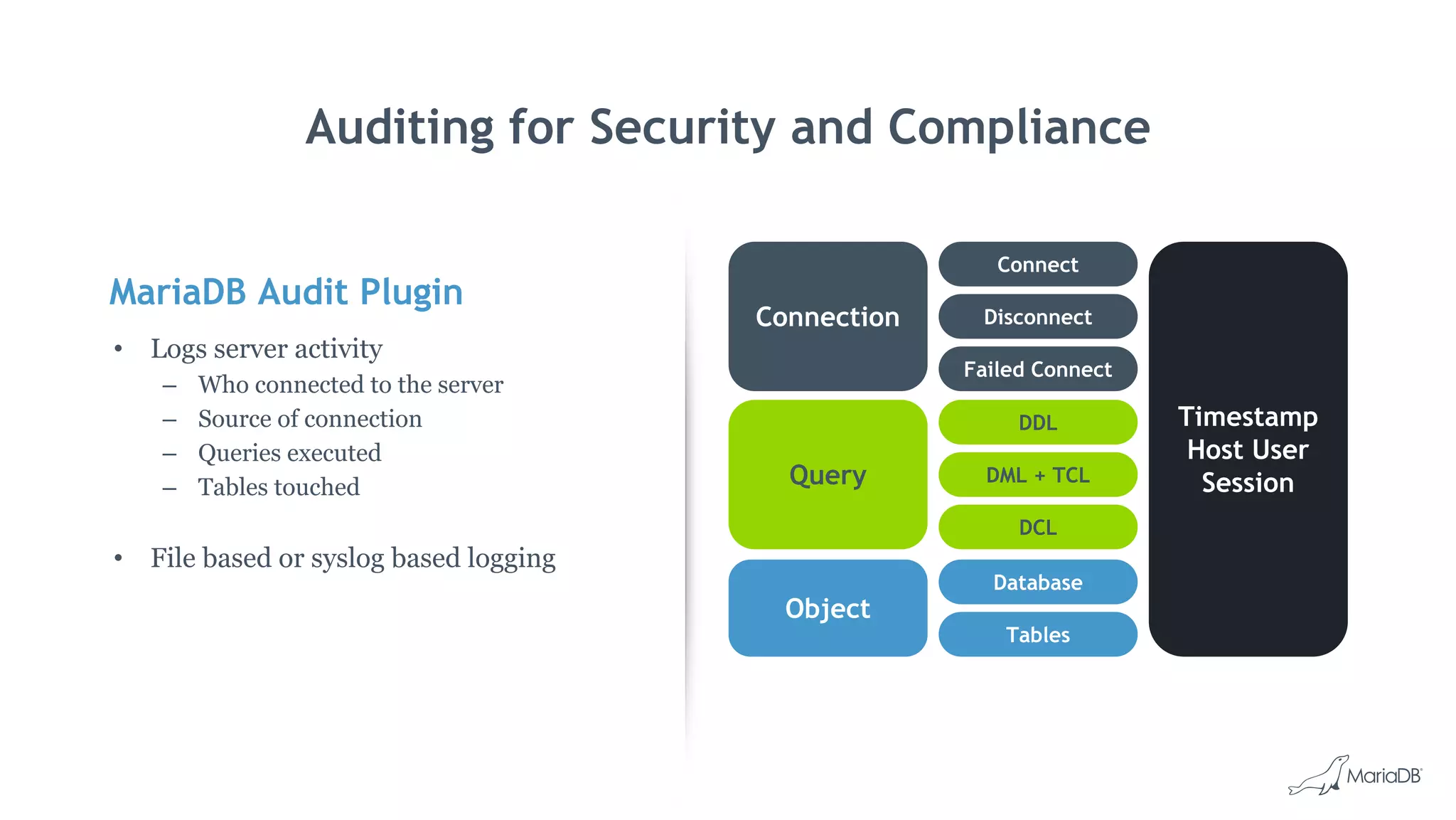
MariaDB Audit Plugin
• Logs server activity
– Who connected to the server
– Source of connection
– Queries executed
– Tables touched
• File based or syslog based logging
Auditing for Security and Compliance
Connection Disconnect
Connect
Failed Connect
Timestamp
Host User
SessionQuery DML + TCL
DDL
DCL
Object
Tables
Database
MariaDB MaxScale
Security Features
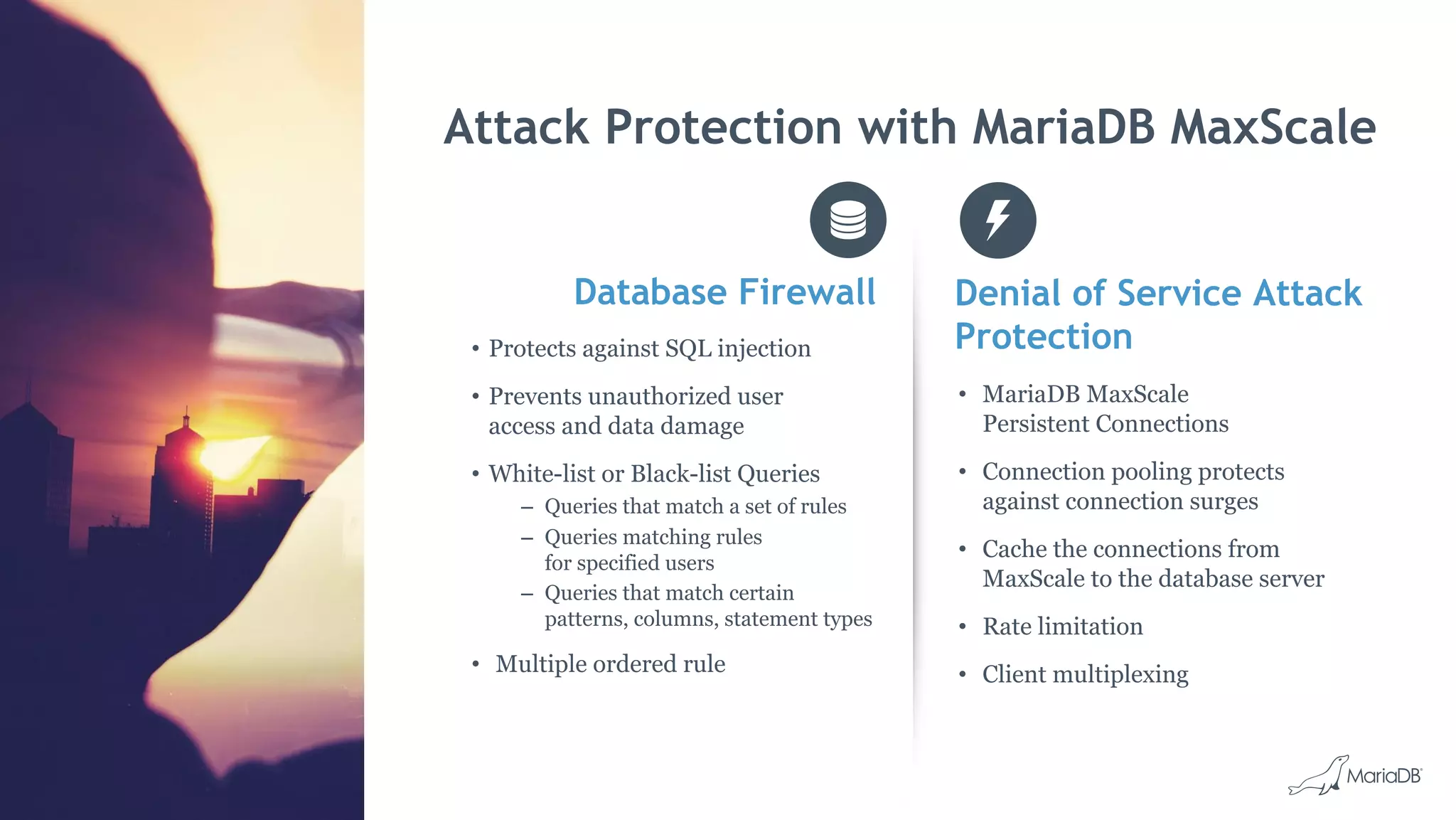
Attack Protection with MariaDB MaxScale
Database Firewall Denial of Service Attack
Protection
• MariaDB MaxScale
Persistent Connections
• Connection pooling protects
against connection surges
• Cache the connections from
MaxScale to the database server
• Rate limitation
• Client multiplexing
• Protects against SQL injection
• Prevents unauthorized user
access and data damage
• White-list or Black-list Queries
– Queries that match a set of rules
– Queries matching rules
for specified users
– Queries that match certain
patterns, columns, statement types
• Multiple ordered rule
MariaDB MaxScale
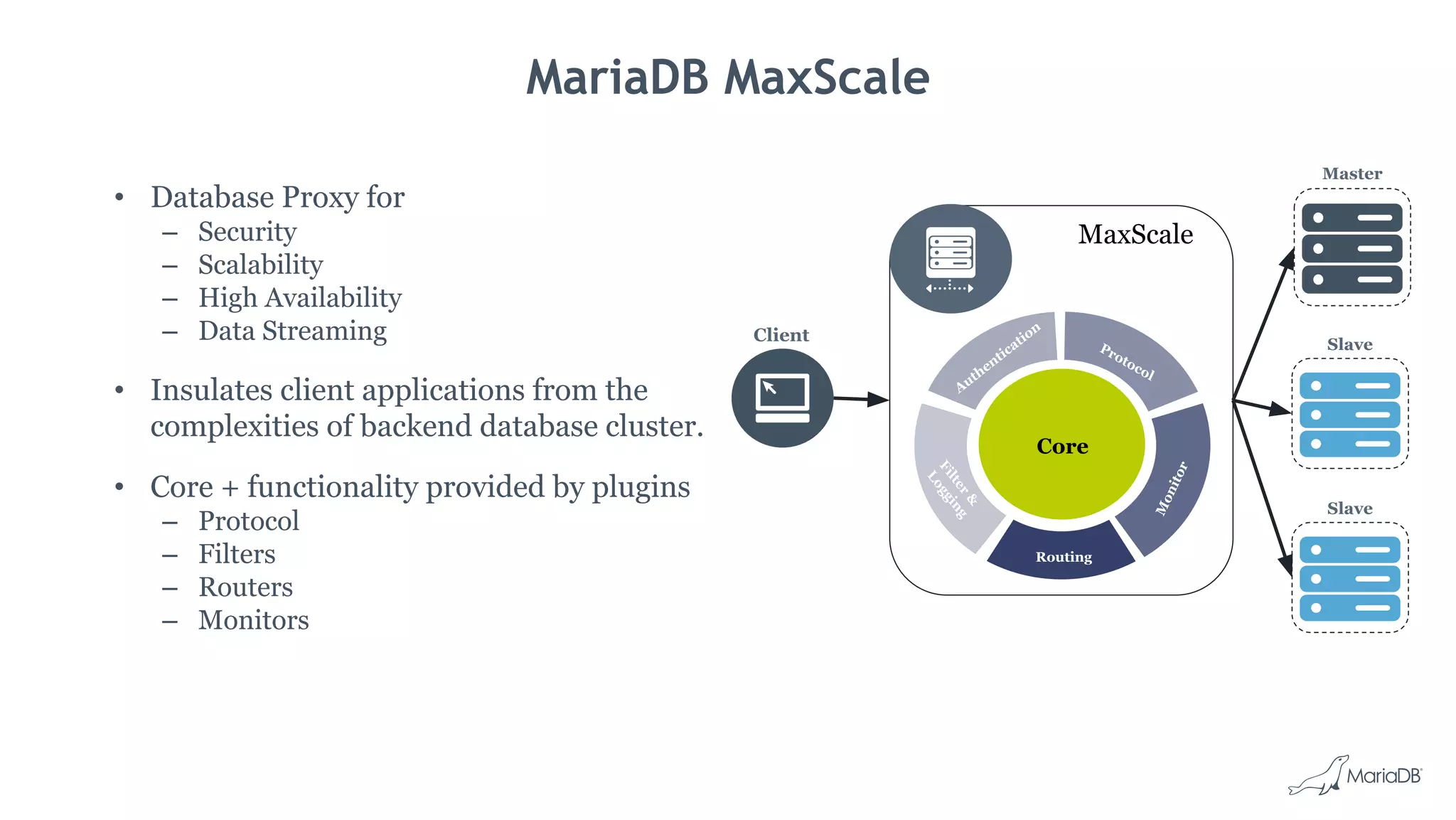
• Database Proxy for
– Security
– Scalability
– High Availability
– Data Streaming
• Insulates client applications from the
complexities of backend database cluster.
• Core + functionality provided by plugins
– Protocol
– Filters
– Routers
– Monitors
Core
Protocol
Authentication
Filter&
Logging
Monitor
Routing
MaxScale
Client
Master
Slave
Slave
Database Firewall
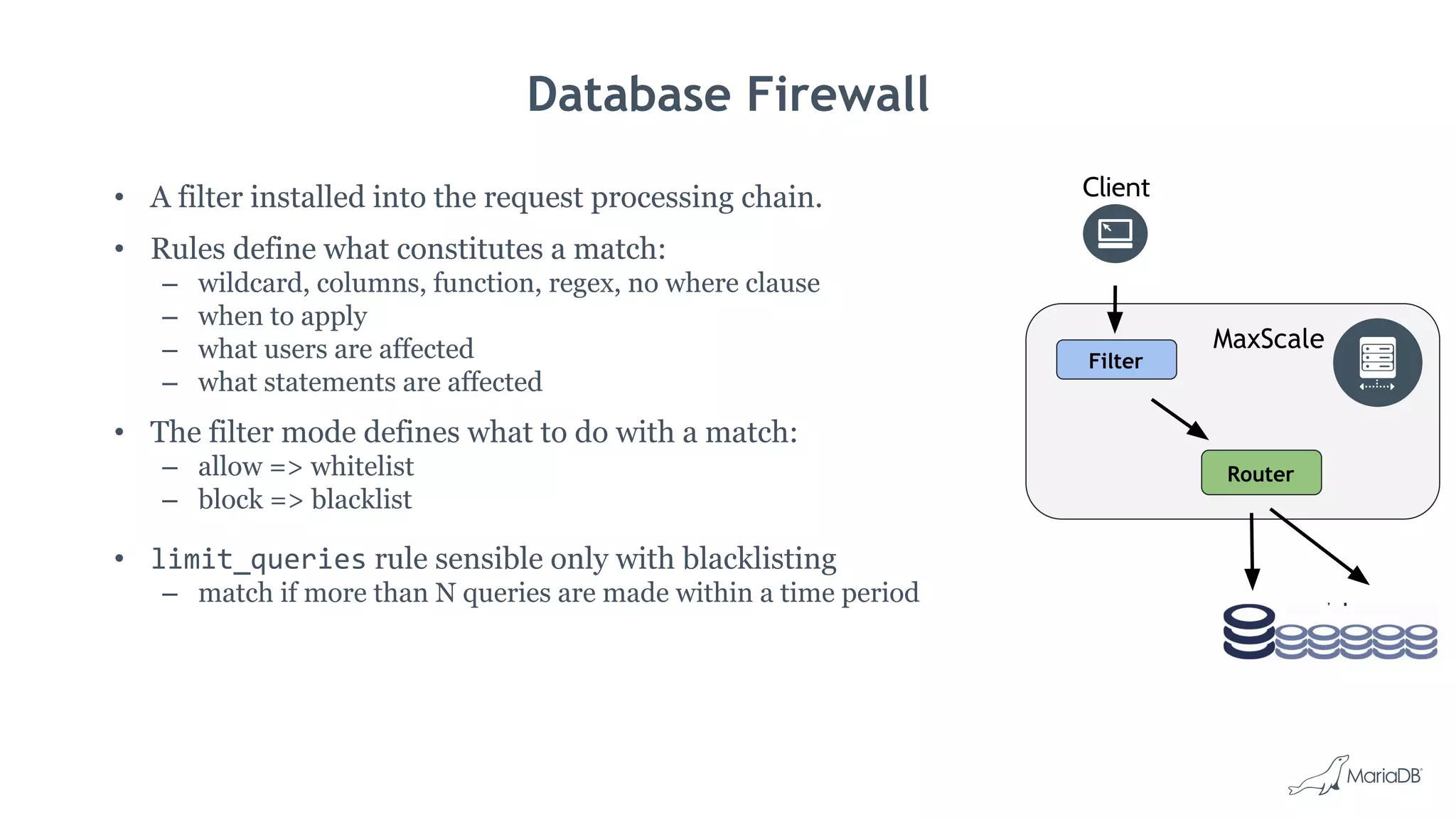
• A filter installed into the request processing chain.
• Rules define what constitutes a match:
– wildcard, columns, function, regex, no where clause
– when to apply
– what users are affected
– what statements are affected
• The filter mode defines what to do with a match:
– allow => whitelist
– block => blacklist
• limit_queries rule sensible only with blacklisting
– match if more than N queries are made within a time period
Client
MaxScale
Filter
Router
Database Firewall Example
[TheFirewall]
type=filter
module=dbfwfilter
action=block
rules=firewall-rules.txt
[TheService]
type=service
...
filters=TheFirewall
MaxScale configuration file.
rule require_where_clause deny no_where_clause on_queries select
users %@% match all rules require_where_clause
Only defines what constitutes a match.
● wildcard
● columns col1-name col2-name …
● regex regular expression
● no_where_clause
● ...
on_queries [select|update|...]
MySQL [testdb]> select * from table;
ERROR 1141 (HY000): Access denied for user 'johan'@'127.0.0.1': Required WHERE/HAVING
clause is missing.
MySQL [testdb]>
DDoS: Server Overload Protection
• Persistent connections to backend.
– When server connections are logically closed, keep them
in pool for reuse.
• Client connection limitation.
– Specify the maximum number of connections for a
particular service.
• Limit rate of queries using the firewall.
[SomeService]
...
max_connections=100
maxscale.cnf[SomeServer]
...
maxpersistpoolmax=30
maxscale.cnf
rule prevent_overload deny limit_queries 15 5 10
firewall.txt
Client Client Client Client
If more than 15 queries are received in 5 seconds, block all queries for 10 seconds.
DDoS: Network Overload Protection
• Cap the amount that can be returned.
– By rows or by size.
– Data will be returned to MaxScale, but MaxScale will not
necessarily forward to client.
• Limit rate of queries using the firewall.
[LimitSize]
type=filter
module=maxrows
max_resultset_rows=500
firewall.txt
Client Client Client Client
rule prevent_overload deny limit_queries 15 5 10
MaxRows Filter
• Set cap on the amount of data that can be returned.
– Specified by number of resultset rows and/or resultset size. If both are specified, then both
apply.
• Configuration options:
– max_resultset_rows: The maximum number of rows that may be returned.
– max_resultset_size: The maximum amount of data that may be returned.
– max_resultset_return: What should be returned in case the limit is reached.
empty: An empty resultset.
ok: An OK packet.
error: An error packet containing the offending statement.
MaxRows Configuration Example
[TheLimitations]
type=filter
module=maxrows
max_resultset_rows=1000
max_resultset_size=262144
max_resultset_return=error
[TheService]
type=service
...
filters=TheLimitations
At most 1000 rows may be returned.
At most 256 kilobytes may be returned.
That could also be expressed as 256Ki.
If either the rows or size limit is reached,
return an error packet containing the
offending statement.
MariaDB [(test)]> select * from table;
ERROR 1415 (0A000): Row limit/size exceeded for query: select * from table
Selective Data Masking
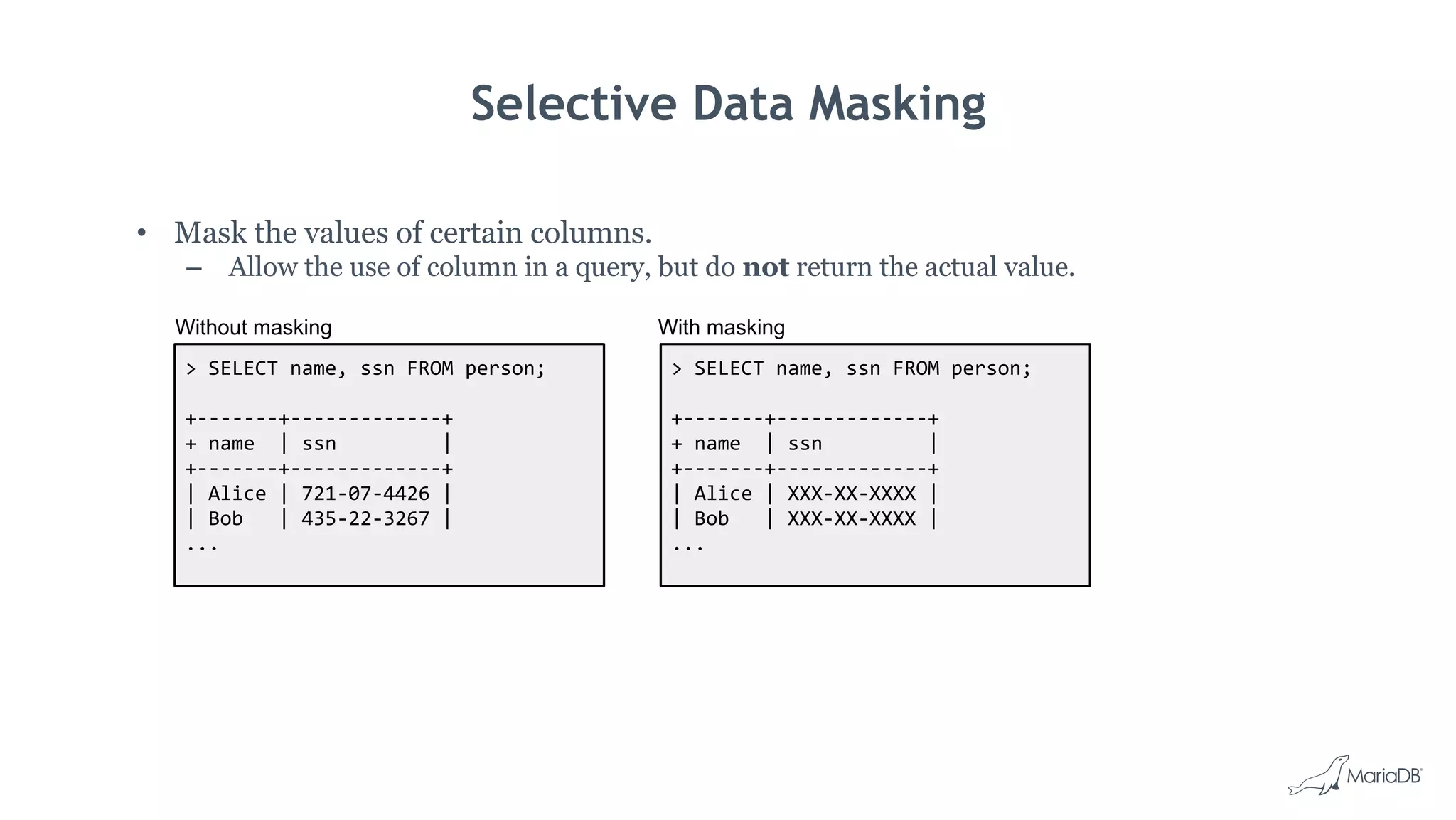
• Mask the values of certain columns.
– Allow the use of column in a query, but do not return the actual value.
> SELECT name, ssn FROM person;
+-------+-------------+
+ name | ssn |
+-------+-------------+
| Alice | 721-07-4426 |
| Bob | 435-22-3267 |
...
> SELECT name, ssn FROM person;
+-------+-------------+
+ name | ssn |
+-------+-------------+
| Alice | XXX-XX-XXXX |
| Bob | XXX-XX-XXXX |
...
Without masking With masking
Selective Data Masking Configuration Example
{
"rules": [
{
"replace": {
"column": "ssn"
},
"with": {
"value": "XXX-XX-XXXX",
"fill": "Y"
},
"exempted": [ "'admin'" ]
}
]
}
[TheMasking]
type=filter
module=masking
warn_type_mismatch=always
large_payload=abort
rules=masking_rules.json
[TheService]
type=service
...
filters=TheMasking
Replace the value of all columns whose
name is “SSN” irrespective of which
table or database is in question.
Replace the value with
“XXX-XX-XXXX”. However, that will be
done only if the length of the database
value is exactly the same as the length
of the replacement string.
Should the length of the database value not
exactly match the length of the
replacement string, replace the value with
as many “Y” as needed.
The masking is applied to every user (no
applies_to key), except the user
“admin”.
Current Masking Limitations
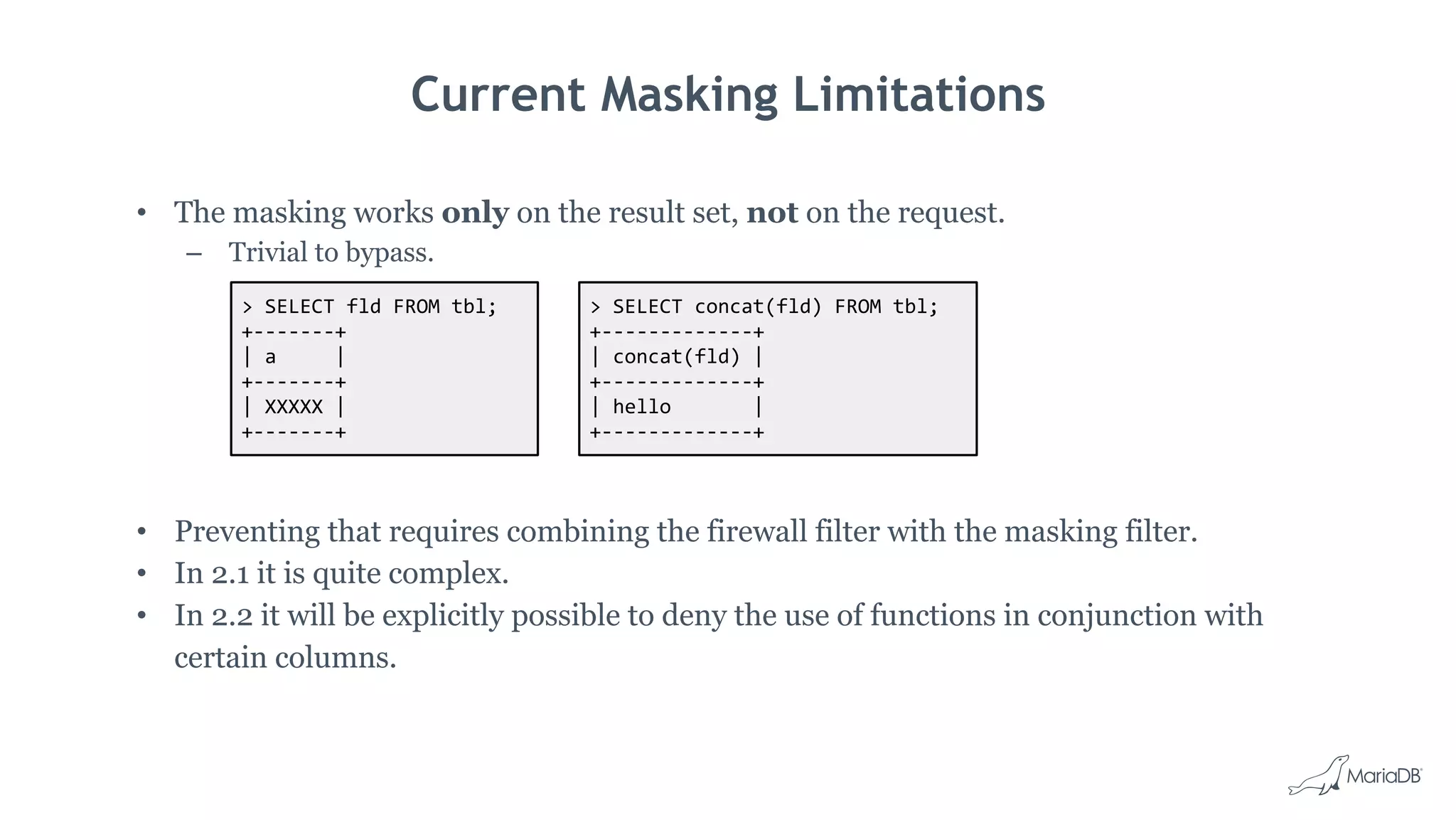
• The masking works only on the result set, not on the request.
– Trivial to bypass.
> SELECT fld FROM tbl;
+-------+
| a |
+-------+
| XXXXX |
+-------+
> SELECT concat(fld) FROM tbl;
+-------------+
| concat(fld) |
+-------------+
| hello |
+-------------+
• Preventing that requires combining the firewall filter with the masking filter.
• In 2.1 it is quite complex.
• In 2.2 it will be explicitly possible to deny the use of functions in conjunction with
certain columns.
Thank you

Database Security Threats - MariaDB Security Best Practices

  • 1.
    Database Security Threats -MariaDB Security Best Practices Jonathan Day, MariaDB Senior Solution Architect
  • 2.
  • 3.
    The Internet Threats Viruses Hacker attacks Defense •Don’t allow TCP connections to MariaDB from the Internet • Evaluate your DNS infrastructure • Configure MariaDB to listen only to the application host • Design your physical network to connect the app to MariaDB • Use bind-address to bind to a specific network interface • Use your OS’s firewall • Keep your OS patched
  • 4.
    Applications Threats Denial of Service Attackscreated by overloading application SQL query injection attacks Defense • Don’t run your application on the MariaDB Server • Don’t install unnecessary packages – An overloaded application can cause MariaDB to be slow or even killed by the OS. (DDoS attack vector) – A compromised application or service can have many serious side effects • Discovery of MariaDB credentials • Direct access to data • Privilege escalation
  • 5.
    Excessive Trust Threats Disgruntled employees Mistakesand human error Defense • Limit users who have: – SSH access to your MariaDB server. – Sudo privileges on your MariaDB server. • Set the secure_file_priv option to ensure that users with the FILE privilege cannot write or read MariaDB data or important system files. • Do not run mysqld as root • Avoid ‘%”, use specific host names
  • 6.
    Excessive Trust Threats Disgruntled employees Mistakesand human error Defense • Don’t use the MariaDB “root” user for application access • Minimize the privileges granted to the MariaDB accounts used by your applications – Don’t grant CREATE or DROP privileges. – Don’t grant the FILE privilege. – Don’t grant the SUPER privilege. – Don’t grant access to the mysql database • Grant only the privileges required
  • 7.
    Best Practices: Encryption •Encrypt sensitive data in the application – Credit Card numbers, PII • Encrypt data at rest – InnoDB tablespace encryption – InnoDB redo log encryption – Binary log encryption • Encrypt data in transit with SSL – From clients to MariaDB – From clients to MariaDB MaxScale – Between MariaDB replicated servers
  • 8.
    Best Practices: Usea database proxy • Use MariaDB MaxScale as a database firewall • Restrict the operations that clients are allowed to perform • Identify and flag potentially dangerous queries • Customize rules about what’s allowed and what’s not • Implement connection pooling capabilities
  • 9.
    Best Practices: UserManagement • Protect MariaDB data and backups via OS permissions • Use strong passwords • Allow root access to MariaDB only from local clients—no administrative access over the network • Use a separate MariaDB user account for each of your applications • Allow access from a minimal set of IP addresses • Regularly audit your users and grants
  • 10.
    Best Practices: Auditing •Use MariaDB Audit Plugin to log events to syslog or files • Ensure regulatory compliance with robust logging • Record connections, query executions, and tables accessed • Be selective in what your are monitoring • Plan auditing resources – Budget – Processes • Consider using “Honeypots” • Have a process to review the logs and follow it… Very Important • Audit your auditing
  • 11.
  • 12.
    Authentication Password Validation Simple_password_check plugin Enforcea minimum password length and type/number of characters to be used External Authentication • Single Sign On is becoming mandatory in many Enterprises. – PAM-Authentication Plugin allows using /etc/shadow and any PAM based authentication like LDAP – Kerberos-Authentication as a standardized network authentication protocol is provided GSSAPI based on UNIX and SSPI based on Windows
  • 13.
    MariaDB PAM Authentication GSS-APIon Linux • Red Hat Directory Server • OpenLDAP SSPI on Windows • Active DirectoryKDC Client MariaDB 2 3 4 1 Ticket request Service ticket Here is my service ticket, authenticate me Client / server session
  • 14.
    MariaDB 10.2 NewUser Features ● The SHOW CREATE USER statement was introduced. ● New CREATE USER options for limiting resource usage and tls/ssl. ● New ALTER USER statement.
  • 15.
    MariaDB Role BasedAccess Control DBA Developer Sysadmin Database Tables MariaDB 10 Role: DBA Permissions: • Update Schema • View Statistics • Create Database
  • 16.
    Encryption for Datain Motion Secured Connections SSL Connections based on the TLSv1.2 Protocol Between MariaDB Connectors and Server Between MariaDB Connectors and MaxScale SSL can also be enabled for the replication channel Encryption • Application control of data encryption • Based on the AES (Advanced Encryption Standard) or DES (Data Encryption Standard) algorithm
  • 17.
    Encryption for Dataat Rest Data-at-rest Encryption • Everything: – Tables or tablespaces – Log files • Independent of encryption capabilities of applications • Based on encryption keys, key ids, key rotation and key versioning • Low performance overhead Key Management Services • Encryption plugin API offers choice – Plugin to implement the data encryption – Manage encryption Keys • MariaDB Server options – Simple Key Management included – Amazon AWS KMS Plugin included – Eperi KMS for on premise key management – optional
  • 18.
    MariaDB Audit Plugin •Logs server activity – Who connected to the server – Source of connection – Queries executed – Tables touched • File based or syslog based logging Auditing for Security and Compliance Connection Disconnect Connect Failed Connect Timestamp Host User SessionQuery DML + TCL DDL DCL Object Tables Database
  • 19.
  • 20.
    Attack Protection withMariaDB MaxScale Database Firewall Denial of Service Attack Protection • MariaDB MaxScale Persistent Connections • Connection pooling protects against connection surges • Cache the connections from MaxScale to the database server • Rate limitation • Client multiplexing • Protects against SQL injection • Prevents unauthorized user access and data damage • White-list or Black-list Queries – Queries that match a set of rules – Queries matching rules for specified users – Queries that match certain patterns, columns, statement types • Multiple ordered rule
  • 21.
    MariaDB MaxScale • DatabaseProxy for – Security – Scalability – High Availability – Data Streaming • Insulates client applications from the complexities of backend database cluster. • Core + functionality provided by plugins – Protocol – Filters – Routers – Monitors Core Protocol Authentication Filter& Logging Monitor Routing MaxScale Client Master Slave Slave
  • 22.
    Database Firewall • Afilter installed into the request processing chain. • Rules define what constitutes a match: – wildcard, columns, function, regex, no where clause – when to apply – what users are affected – what statements are affected • The filter mode defines what to do with a match: – allow => whitelist – block => blacklist • limit_queries rule sensible only with blacklisting – match if more than N queries are made within a time period Client MaxScale Filter Router
  • 23.
    Database Firewall Example [TheFirewall] type=filter module=dbfwfilter action=block rules=firewall-rules.txt [TheService] type=service ... filters=TheFirewall MaxScaleconfiguration file. rule require_where_clause deny no_where_clause on_queries select users %@% match all rules require_where_clause Only defines what constitutes a match. ● wildcard ● columns col1-name col2-name … ● regex regular expression ● no_where_clause ● ... on_queries [select|update|...] MySQL [testdb]> select * from table; ERROR 1141 (HY000): Access denied for user 'johan'@'127.0.0.1': Required WHERE/HAVING clause is missing. MySQL [testdb]>
  • 24.
    DDoS: Server OverloadProtection • Persistent connections to backend. – When server connections are logically closed, keep them in pool for reuse. • Client connection limitation. – Specify the maximum number of connections for a particular service. • Limit rate of queries using the firewall. [SomeService] ... max_connections=100 maxscale.cnf[SomeServer] ... maxpersistpoolmax=30 maxscale.cnf rule prevent_overload deny limit_queries 15 5 10 firewall.txt Client Client Client Client If more than 15 queries are received in 5 seconds, block all queries for 10 seconds.
  • 25.
    DDoS: Network OverloadProtection • Cap the amount that can be returned. – By rows or by size. – Data will be returned to MaxScale, but MaxScale will not necessarily forward to client. • Limit rate of queries using the firewall. [LimitSize] type=filter module=maxrows max_resultset_rows=500 firewall.txt Client Client Client Client rule prevent_overload deny limit_queries 15 5 10
  • 26.
    MaxRows Filter • Setcap on the amount of data that can be returned. – Specified by number of resultset rows and/or resultset size. If both are specified, then both apply. • Configuration options: – max_resultset_rows: The maximum number of rows that may be returned. – max_resultset_size: The maximum amount of data that may be returned. – max_resultset_return: What should be returned in case the limit is reached. empty: An empty resultset. ok: An OK packet. error: An error packet containing the offending statement.
  • 27.
    MaxRows Configuration Example [TheLimitations] type=filter module=maxrows max_resultset_rows=1000 max_resultset_size=262144 max_resultset_return=error [TheService] type=service ... filters=TheLimitations Atmost 1000 rows may be returned. At most 256 kilobytes may be returned. That could also be expressed as 256Ki. If either the rows or size limit is reached, return an error packet containing the offending statement. MariaDB [(test)]> select * from table; ERROR 1415 (0A000): Row limit/size exceeded for query: select * from table
  • 28.
    Selective Data Masking •Mask the values of certain columns. – Allow the use of column in a query, but do not return the actual value. > SELECT name, ssn FROM person; +-------+-------------+ + name | ssn | +-------+-------------+ | Alice | 721-07-4426 | | Bob | 435-22-3267 | ... > SELECT name, ssn FROM person; +-------+-------------+ + name | ssn | +-------+-------------+ | Alice | XXX-XX-XXXX | | Bob | XXX-XX-XXXX | ... Without masking With masking
  • 29.
    Selective Data MaskingConfiguration Example { "rules": [ { "replace": { "column": "ssn" }, "with": { "value": "XXX-XX-XXXX", "fill": "Y" }, "exempted": [ "'admin'" ] } ] } [TheMasking] type=filter module=masking warn_type_mismatch=always large_payload=abort rules=masking_rules.json [TheService] type=service ... filters=TheMasking Replace the value of all columns whose name is “SSN” irrespective of which table or database is in question. Replace the value with “XXX-XX-XXXX”. However, that will be done only if the length of the database value is exactly the same as the length of the replacement string. Should the length of the database value not exactly match the length of the replacement string, replace the value with as many “Y” as needed. The masking is applied to every user (no applies_to key), except the user “admin”.
  • 30.
    Current Masking Limitations •The masking works only on the result set, not on the request. – Trivial to bypass. > SELECT fld FROM tbl; +-------+ | a | +-------+ | XXXXX | +-------+ > SELECT concat(fld) FROM tbl; +-------------+ | concat(fld) | +-------------+ | hello | +-------------+ • Preventing that requires combining the firewall filter with the masking filter. • In 2.1 it is quite complex. • In 2.2 it will be explicitly possible to deny the use of functions in conjunction with certain columns.
  • 31.