Data Visualization using R 
How to get, manage, and present data to tell a compelling science story 
William Gunn 
@mrgunn 
Head of Academic Outreach, Mendeley 
Access point: NRC Visitor
1.A short history of graphical presentation of data 
2.Introduction to R 
3.Finding, cleaning, and presenting data 
4.Reproducibility and data sharing
Data viz has a long history 
John Snow’s cholera map helped communicate the idea that cholera was a water-borne disease.
Florence Nightingale used dataviz
Modernization of dataviz
Chart junk: good, bad, and ugly 
Which presentation is better?
It can be elegant…
Tufte
Tufte
How our eyes and brain perceive 
It takes 200 ms to initiate an eye movement, but the red dot can be found in 100 ms or less. This is due to pre-attentive processing.
Shape is a little slower than color!
Pre-attentive processing fails!
There are many “primitive” properties which we perceive 
•Length 
•Width 
•Size 
•Density 
•Hue 
•Color intensity 
•Depth 
•3-D orientation
Length
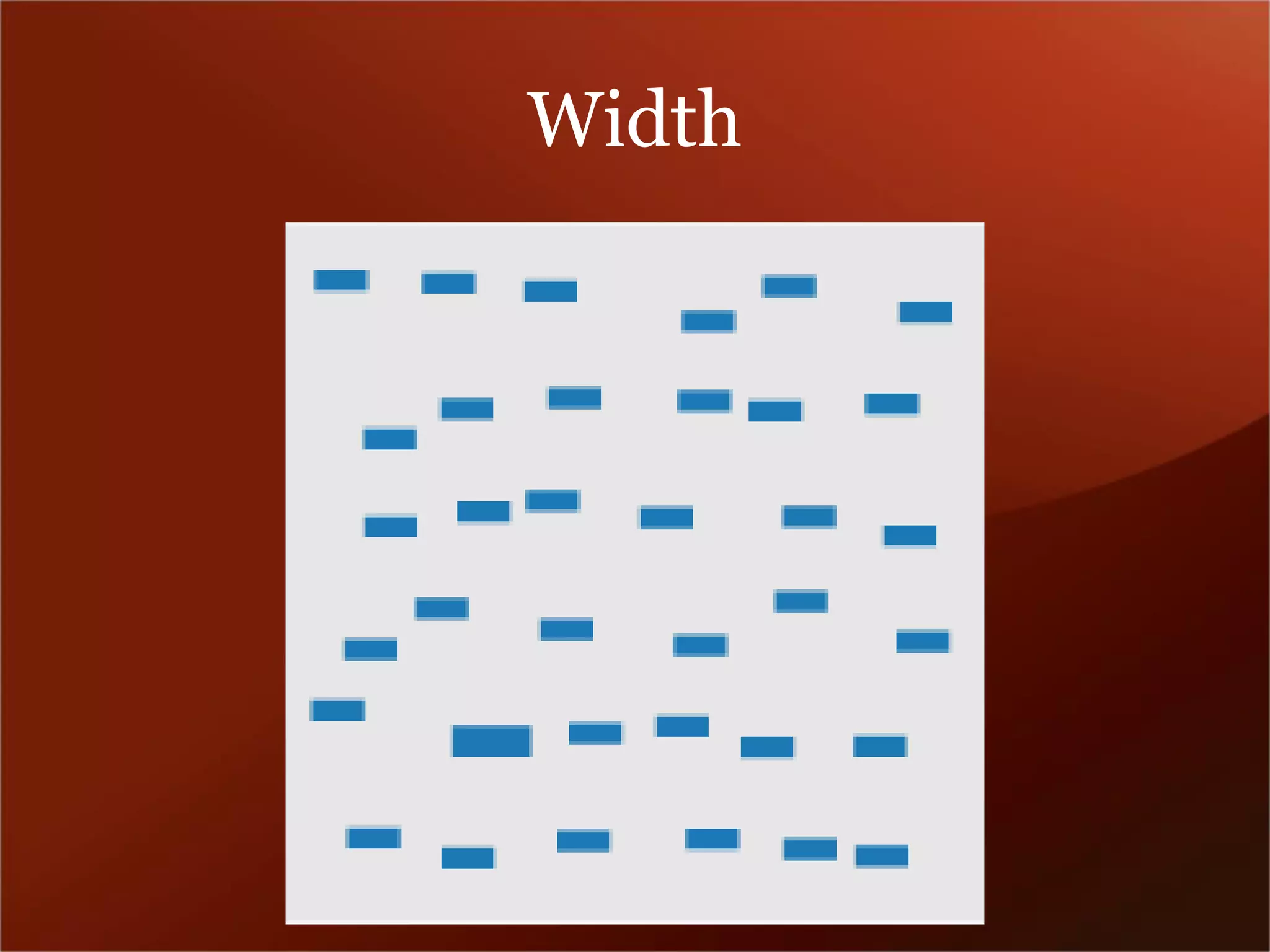
Width
Density
Hue
Color Intensity
Depth
3D orientation
Types of color schemes 
•Sequential – suited for ordered data that progress from low to high. Use light colors for low values and dark colors for higher. 
•Diverging – uses hue to show the breakpoint and intensity to show divergent extremes. 
•Qualitative – uses different colors to represent different categories. Beware of using hue/saturation to highlight unimportant categories.
Sequential 
http://colorbrewer2.org/
Diverging
Qualitative
Tips for maps 
•Keep it to 5-7 data classes 
•~8% of men are red-green colorblind 
•Diverging schemes don’t do well when printed or photocopied 
•Colors will often render differently on different screens, especially low-end LCD screens 
•http://colorbrewer2.org
Part 2 
Introduction to R
Why R? 
•Open source tool 
•Huge variety of packages for any kind of analysis 
•Saves time repeating data processing steps 
•Allows working with more diverse types of data and much larger datasets than Excel 
•Processing is much faster than Excel 
•Scripts are easily shareable, promoting reproducible work
.csv and .xls / xlsx 
•Excel files are designed to hold the appearance of the spreadsheet in addition to the data. 
•R just wants the data, so always save as .csv if you have tabular data
data structures 
•x<-c(1,2,3,4,5,6,7,8,9,10) 
•x 
•length(x) 
•x[1] 
•x[2] 
•x<-c(1:10) 
•x
types of data 
•y<-c(“abc”, “def”, “g”, “h”, “i”) 
•y 
•class(y) 
•y[2] 
•length(y) 
•data can be integer (1,2,3,…), numeric (1.0, 2.3, …), character (a, b, c,…), logical (TRUE, FALSE) or other things
Vectors 
•R can hold data organized a few different ways 
•vectors (1,2,3,4) but not (1,2,3,x,y,z) 
•lists – can hold heterogeneous data 
–1 
–2 
–a 
•x 
•arrays – multi-dimensional 
•dataframes – lists of vectors - like spreadsheets
Vector operations 
•x + 1 
•x 
•sum(x) 
•mean(x) 
•mean(x+1) 
•x[2]<-x[2]+1 
•x 
•x+c(2:3) 
•x[2:10] + c(2:3)
working with lists 
•y<-list(name = “Bob”, age = 24) 
•y 
•y$name 
•y[1] 
•y[[1]] 
•class(y[1]) 
•class(y[[1]]) 
•y<-list(y$name, “Sue”) 
•y$name 
•y$age[2]<-list(33)
Loading data 
•data<-read.csv("C:/Users/William Gunn/Desktop/Dropbox/Scripting/Data/traffic_accidents/accidents2010_all.csv", header = TRUE, stringsAsFactors = FALSE)
Selecting subsets of data 
•“[“ 
•“$” 
•which 
•grep and grepl 
•subset
PLOTS 
•ggplot2 – an implementation of the “grammar of graphics” in R 
•a set of graph types and a way of mapping variables to graph features 
•graph types are called “geoms” 
•mappings are “aesthetics” 
•graphs are built up by layering geoms
Types of geoms 
•point – dotplot – takes x,y coords of points 
•abline – line layer – takes slope, intercept 
•line – connect points with a line 
•smooth – fit a curve 
•bar – aka histogram – takes vector of data 
•boxplot – box and whiskers 
•density – to show relative distributions 
•errorbar – what it says on the tin

Science Online 2013: Data Visualization Using R

  • 1.
    Data Visualization usingR How to get, manage, and present data to tell a compelling science story William Gunn @mrgunn Head of Academic Outreach, Mendeley Access point: NRC Visitor
  • 2.
    1.A short historyof graphical presentation of data 2.Introduction to R 3.Finding, cleaning, and presenting data 4.Reproducibility and data sharing
  • 3.
    Data viz hasa long history John Snow’s cholera map helped communicate the idea that cholera was a water-borne disease.
  • 4.
  • 5.
  • 6.
    Chart junk: good,bad, and ugly Which presentation is better?
  • 8.
    It can beelegant…
  • 10.
  • 11.
  • 12.
    How our eyesand brain perceive It takes 200 ms to initiate an eye movement, but the red dot can be found in 100 ms or less. This is due to pre-attentive processing.
  • 13.
    Shape is alittle slower than color!
  • 14.
  • 15.
    There are many“primitive” properties which we perceive •Length •Width •Size •Density •Hue •Color intensity •Depth •3-D orientation
  • 16.
  • 17.
  • 18.
  • 19.
  • 20.
  • 21.
  • 22.
  • 24.
    Types of colorschemes •Sequential – suited for ordered data that progress from low to high. Use light colors for low values and dark colors for higher. •Diverging – uses hue to show the breakpoint and intensity to show divergent extremes. •Qualitative – uses different colors to represent different categories. Beware of using hue/saturation to highlight unimportant categories.
  • 25.
  • 26.
  • 27.
  • 28.
    Tips for maps •Keep it to 5-7 data classes •~8% of men are red-green colorblind •Diverging schemes don’t do well when printed or photocopied •Colors will often render differently on different screens, especially low-end LCD screens •http://colorbrewer2.org
  • 29.
  • 30.
    Why R? •Opensource tool •Huge variety of packages for any kind of analysis •Saves time repeating data processing steps •Allows working with more diverse types of data and much larger datasets than Excel •Processing is much faster than Excel •Scripts are easily shareable, promoting reproducible work
  • 31.
    .csv and .xls/ xlsx •Excel files are designed to hold the appearance of the spreadsheet in addition to the data. •R just wants the data, so always save as .csv if you have tabular data
  • 32.
    data structures •x<-c(1,2,3,4,5,6,7,8,9,10) •x •length(x) •x[1] •x[2] •x<-c(1:10) •x
  • 33.
    types of data •y<-c(“abc”, “def”, “g”, “h”, “i”) •y •class(y) •y[2] •length(y) •data can be integer (1,2,3,…), numeric (1.0, 2.3, …), character (a, b, c,…), logical (TRUE, FALSE) or other things
  • 34.
    Vectors •R canhold data organized a few different ways •vectors (1,2,3,4) but not (1,2,3,x,y,z) •lists – can hold heterogeneous data –1 –2 –a •x •arrays – multi-dimensional •dataframes – lists of vectors - like spreadsheets
  • 35.
    Vector operations •x+ 1 •x •sum(x) •mean(x) •mean(x+1) •x[2]<-x[2]+1 •x •x+c(2:3) •x[2:10] + c(2:3)
  • 36.
    working with lists •y<-list(name = “Bob”, age = 24) •y •y$name •y[1] •y[[1]] •class(y[1]) •class(y[[1]]) •y<-list(y$name, “Sue”) •y$name •y$age[2]<-list(33)
  • 37.
    Loading data •data<-read.csv("C:/Users/WilliamGunn/Desktop/Dropbox/Scripting/Data/traffic_accidents/accidents2010_all.csv", header = TRUE, stringsAsFactors = FALSE)
  • 38.
    Selecting subsets ofdata •“[“ •“$” •which •grep and grepl •subset
  • 39.
    PLOTS •ggplot2 –an implementation of the “grammar of graphics” in R •a set of graph types and a way of mapping variables to graph features •graph types are called “geoms” •mappings are “aesthetics” •graphs are built up by layering geoms
  • 40.
    Types of geoms •point – dotplot – takes x,y coords of points •abline – line layer – takes slope, intercept •line – connect points with a line •smooth – fit a curve •bar – aka histogram – takes vector of data •boxplot – box and whiskers •density – to show relative distributions •errorbar – what it says on the tin