R INTRODUCTION COURSE
Basics of Data Analysis and
Visualisation in R
Ali Arsalan Kazmi
STRUCTURE FOR THE SESSION
For Discussion For Practical work
1. Introduction
2. Fundamentals
3. Data Import and Export in R
4. Data Analysis and Manipulation
5. Data Visualisation
ROADMAP
Each section contains:
1. Subsections
2. Some Theory
3. Practical work
INTRODUCTION
• Initial Thoughts on R
• GNU Free
• Data Analysis and Superior Visualisation
• Burgeoning community of useRs
• #6 in IEEE 2015 Top Programming Languages
• Integration of R in SQL Server 2016
A BIT ABOUT R
• Your first impression about R?
• What do you already know about R?
• Initial Thoughts on R
• GNU Free
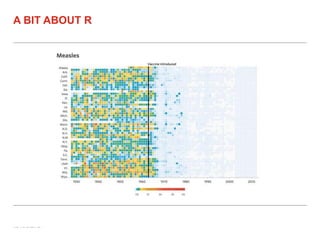
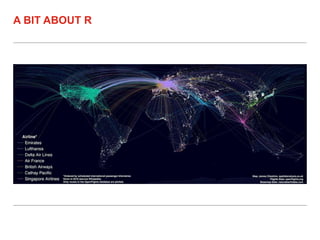
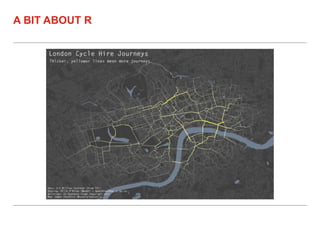
• Data Analysis and Superior Visualisation
• Burgeoning community of useRs
• #6 in IEEE 2015 Top Programming Languages
• Integration of R in SQL Server 2016
A BIT ABOUT R
• Four (essential) freedoms granted
• Share the spirit
• Initial Thoughts on R
• GNU Free
• Data Analysis and Superior Visualisation
• Burgeoning community of useRs
• #6 in IEEE 2015 Top Programming Languages
• Integration of R in SQL Server 2016
A BIT ABOUT R
• Clustering – Sophisticated and others
• Supervised Learning
• Deep Learning
• Integration with Hadoop, Spark, Storm
• Many more
A BIT ABOUT R
A BIT ABOUT R
A BIT ABOUT R
A BIT ABOUT R
• Initial Thoughts on R
• GNU Free
• Data Analysis and Superior Visualisation
• Burgeoning community of useRs
• #6 in IEEE 2015 Top Programming Languages
• Integration of R in SQL Server 2016
A BIT ABOUT R
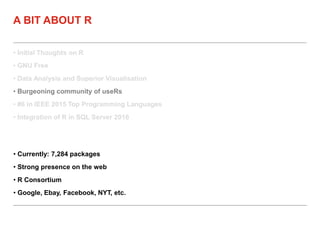
• Currently: 7,284 packages
• Strong presence on the web
• R Consortium
• Google, Ebay, Facebook, NYT, etc.
• Initial Thoughts on R
• GNU Free
• Data Analysis and Superior Visualisation
• Burgeoning community of useRs
• #6 in IEEE 2015 Top Programming Languages
• Integration of R in SQL Server 2016
A BIT ABOUT R
• Link: http://spectrum.ieee.org/computing/software/the-2015-top-ten-programming-
languages
• Ranked along with the general purpose languages
• Initial Thoughts on R
• GNU Free
• Data Analysis and Superior Visualisation
• Burgeoning community of useRs
• #6 in IEEE 2015 Top Programming Languages
• Integration of R in SQL Server 2016
A BIT ABOUT R
• Link: http://blog.revolutionanalytics.com/2015/05/r-in-sql-server.html
FUNDAMENTALS
• Data Types
• Data Structures
• Control Structures
• Functions
FUNDAMENTALS
• Think the commonly used data types for Stats
• In R: Numeric/Double; Integer; Logical; Character; Factor
• Many more
• Data Types
• Data Structures
• Control Structures
• Functions
FUNDAMENTALS
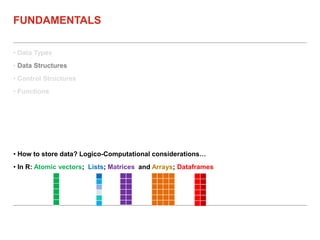
• How to store data? Logico-Computational considerations…
• In R: Atomic vectors; Lists; Matrices and Arrays; Dataframes
• Data Types
• Data Structures
• Control Structures
• Functions
FUNDAMENTALS
• Control the flow of a programme’s/function’s logic
• If; IfElse; For; While; Repeat
• Data Types
• Data Structures
• Control Structures
• Functions
FUNDAMENTALS
• “Every process in R is the result of a Function call” – John Chambers
• “Everything in R is an R object” – John Chambers
• Modularise; Customise; Optimise; Automate
• Transition from a useR to a programmeR (and on to a developeR)
PRACTICAL SESSION
DATA I/O
• Sources for Data
• Types of Data
• Base R for I/O
• Packages for Data Import
DATA I/O
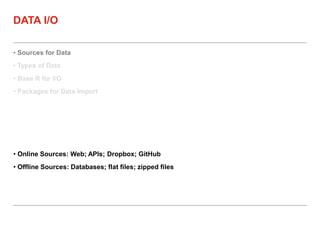
• Online Sources: Web; APIs; Dropbox; GitHub
• Offline Sources: Databases; flat files; zipped files
• Sources for Data
• Types of Data
• Base R for I/O
• Packages for Data Import
DATA I/O
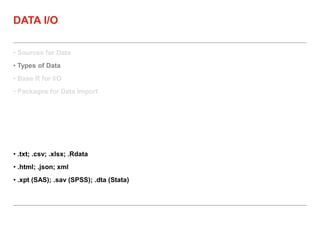
• .txt; .csv; .xlsx; .Rdata
• .html; .json; xml
• .xpt (SAS); .sav (SPSS); .dta (Stata)
• Sources for Data
• Types of Data
• Base R for I/O
• Packages for Data Import
DATA I/O
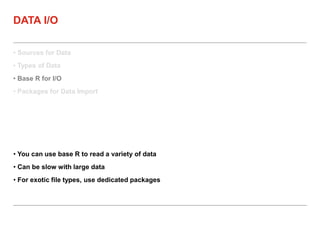
• You can use base R to read a variety of data
• Can be slow with large data
• For exotic file types, use dedicated packages
• Sources for Data
• Types of Data
• Base R for I/O
• Packages for Data Import
DATA I/O
• readr – fast import for .txt, .csv
• readxl – fast import for .xlsx
• R-commander for GUI-based import
PRACTICAL SESSION
DATA MANIPULATION &
ANALYSIS
• Subsetting Data
• Split-Apply-Combine
• Merging Data
• sqldf
• dplyr
• R-commander
DATA MANIPULATION & ANALYSIS
• Subsetting ≡ SELECT & WHERE in SQL
• Subset operators: [, [[, $
• Numeric or logical indexes are used to subset data
• Subsetting Data
• Split-Apply-Combine
• Merging Data
• sqldf
• dplyr
• R-commander
DATA MANIPULATION & ANALYSIS
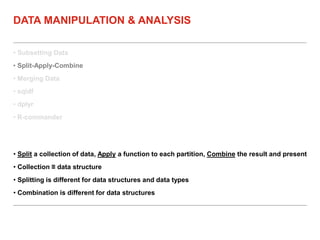
• Split a collection of data, Apply a function to each partition, Combine the result and present
• Collection ≡ data structure
• Splitting is different for data structures and data types
• Combination is different for data structures
• Subsetting Data
• Split-Apply-Combine
• Merging Data
• sqldf
• dplyr
• R-commander
DATA MANIPULATION & ANALYSIS
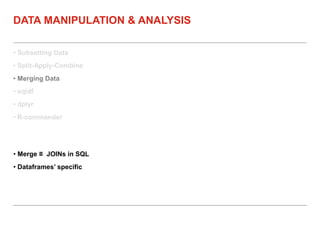
• Merge ≡ JOINs in SQL
• Dataframes’ specific
• Subsetting Data
• Split-Apply-Combine
• Merging Data
• sqldf
• dplyr
• R-commander
DATA MANIPULATION & ANALYSIS
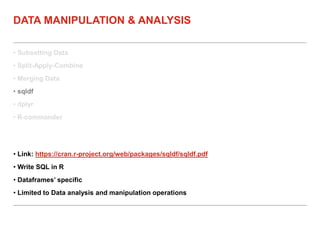
• Link: https://cran.r-project.org/web/packages/sqldf/sqldf.pdf
• Write SQL in R
• Dataframes’ specific
• Limited to Data analysis and manipulation operations
• Subsetting Data
• Split-Apply-Combine
• Merging Data
• sqldf
• dplyr
• R-commander
DATA MANIPULATION & ANALYSIS
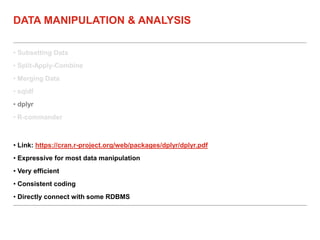
• Link: https://cran.r-project.org/web/packages/dplyr/dplyr.pdf
• Expressive for most data manipulation
• Very efficient
• Consistent coding
• Directly connect with some RDBMS
• Subsetting Data
• Split-Apply-Combine
• Merging Data
• sqldf
• dplyr
• R-commander
DATA MANIPULATION & ANALYSIS
• GUI
• Can assist in learning R
PRACTICAL SESSION
VISUALISATION
• Grammar of Graphics
• ggplot2
• Bonus: Interactive Visualisation
VISUALISATION
• Graph is formed of well-defined constituents
• Grammar enables succinct definition of constituents
• Layer(s)
• Scale(s)
• Coordinate System
• Facetting/Trellis Graphics
• Grammar of Graphics
• ggplot2
• Bonus: Interactive Visualisation
VISUALISATION
• Layer(s)
• Data
• Aesthetics (positions on x/y axes; colours, size, etc.)
• Statistical Transformation (none; Log; Squared; etc.)
• Geometric Object(s)
• Position Adjustment
• Scale(s) – control how data are mapped to each aesthetic
• Coordinate System
• Facetting/Trellis Graphics
• Grammar of Graphics
• ggplot2
• Bonus: Interactive Visualisation
VISUALISATION
• Graph is formed of well-defined constituents
• Grammar enables succinct definition of constituents
• Insights into graphs’ structure
• Encourages Creativity
• Grammar of Graphics
• ggplot2
• Bonus: Interactive Visualisation
VISUALISATION
• Link: http://docs.ggplot2.org/current/
• An implementation of (layered) Grammar of Graphics
• Elegant graphics
• Typical Stat graphs + more exotic graphs
• Works with dataframes
• Static graphics
• Grammar of Graphics
• ggplot2
• Bonus: Interactive Visualisation
VISUALISATION
• Intended for the Web – HTML files
• Mostly based on D3 – Data Driven Documents
• Based on contributed packages
• Some under active development
• Not limited to dataframe datasets
PRACTICAL SESSION

R training at Aimia

  • 1.
    R INTRODUCTION COURSE Basicsof Data Analysis and Visualisation in R Ali Arsalan Kazmi
  • 2.
    STRUCTURE FOR THESESSION For Discussion For Practical work
  • 3.
    1. Introduction 2. Fundamentals 3.Data Import and Export in R 4. Data Analysis and Manipulation 5. Data Visualisation ROADMAP Each section contains: 1. Subsections 2. Some Theory 3. Practical work
  • 4.
  • 5.
    • Initial Thoughtson R • GNU Free • Data Analysis and Superior Visualisation • Burgeoning community of useRs • #6 in IEEE 2015 Top Programming Languages • Integration of R in SQL Server 2016 A BIT ABOUT R • Your first impression about R? • What do you already know about R?
  • 6.
    • Initial Thoughtson R • GNU Free • Data Analysis and Superior Visualisation • Burgeoning community of useRs • #6 in IEEE 2015 Top Programming Languages • Integration of R in SQL Server 2016 A BIT ABOUT R • Four (essential) freedoms granted • Share the spirit
  • 7.
    • Initial Thoughtson R • GNU Free • Data Analysis and Superior Visualisation • Burgeoning community of useRs • #6 in IEEE 2015 Top Programming Languages • Integration of R in SQL Server 2016 A BIT ABOUT R • Clustering – Sophisticated and others • Supervised Learning • Deep Learning • Integration with Hadoop, Spark, Storm • Many more
  • 8.
  • 9.
  • 10.
  • 11.
  • 12.
    • Initial Thoughtson R • GNU Free • Data Analysis and Superior Visualisation • Burgeoning community of useRs • #6 in IEEE 2015 Top Programming Languages • Integration of R in SQL Server 2016 A BIT ABOUT R • Currently: 7,284 packages • Strong presence on the web • R Consortium • Google, Ebay, Facebook, NYT, etc.
  • 13.
    • Initial Thoughtson R • GNU Free • Data Analysis and Superior Visualisation • Burgeoning community of useRs • #6 in IEEE 2015 Top Programming Languages • Integration of R in SQL Server 2016 A BIT ABOUT R • Link: http://spectrum.ieee.org/computing/software/the-2015-top-ten-programming- languages • Ranked along with the general purpose languages
  • 14.
    • Initial Thoughtson R • GNU Free • Data Analysis and Superior Visualisation • Burgeoning community of useRs • #6 in IEEE 2015 Top Programming Languages • Integration of R in SQL Server 2016 A BIT ABOUT R • Link: http://blog.revolutionanalytics.com/2015/05/r-in-sql-server.html
  • 15.
  • 16.
    • Data Types •Data Structures • Control Structures • Functions FUNDAMENTALS • Think the commonly used data types for Stats • In R: Numeric/Double; Integer; Logical; Character; Factor • Many more
  • 17.
    • Data Types •Data Structures • Control Structures • Functions FUNDAMENTALS • How to store data? Logico-Computational considerations… • In R: Atomic vectors; Lists; Matrices and Arrays; Dataframes
  • 18.
    • Data Types •Data Structures • Control Structures • Functions FUNDAMENTALS • Control the flow of a programme’s/function’s logic • If; IfElse; For; While; Repeat
  • 19.
    • Data Types •Data Structures • Control Structures • Functions FUNDAMENTALS • “Every process in R is the result of a Function call” – John Chambers • “Everything in R is an R object” – John Chambers • Modularise; Customise; Optimise; Automate • Transition from a useR to a programmeR (and on to a developeR)
  • 20.
  • 21.
  • 22.
    • Sources forData • Types of Data • Base R for I/O • Packages for Data Import DATA I/O • Online Sources: Web; APIs; Dropbox; GitHub • Offline Sources: Databases; flat files; zipped files
  • 23.
    • Sources forData • Types of Data • Base R for I/O • Packages for Data Import DATA I/O • .txt; .csv; .xlsx; .Rdata • .html; .json; xml • .xpt (SAS); .sav (SPSS); .dta (Stata)
  • 24.
    • Sources forData • Types of Data • Base R for I/O • Packages for Data Import DATA I/O • You can use base R to read a variety of data • Can be slow with large data • For exotic file types, use dedicated packages
  • 25.
    • Sources forData • Types of Data • Base R for I/O • Packages for Data Import DATA I/O • readr – fast import for .txt, .csv • readxl – fast import for .xlsx • R-commander for GUI-based import
  • 26.
  • 27.
  • 28.
    • Subsetting Data •Split-Apply-Combine • Merging Data • sqldf • dplyr • R-commander DATA MANIPULATION & ANALYSIS • Subsetting ≡ SELECT & WHERE in SQL • Subset operators: [, [[, $ • Numeric or logical indexes are used to subset data
  • 29.
    • Subsetting Data •Split-Apply-Combine • Merging Data • sqldf • dplyr • R-commander DATA MANIPULATION & ANALYSIS • Split a collection of data, Apply a function to each partition, Combine the result and present • Collection ≡ data structure • Splitting is different for data structures and data types • Combination is different for data structures
  • 30.
    • Subsetting Data •Split-Apply-Combine • Merging Data • sqldf • dplyr • R-commander DATA MANIPULATION & ANALYSIS • Merge ≡ JOINs in SQL • Dataframes’ specific
  • 31.
    • Subsetting Data •Split-Apply-Combine • Merging Data • sqldf • dplyr • R-commander DATA MANIPULATION & ANALYSIS • Link: https://cran.r-project.org/web/packages/sqldf/sqldf.pdf • Write SQL in R • Dataframes’ specific • Limited to Data analysis and manipulation operations
  • 32.
    • Subsetting Data •Split-Apply-Combine • Merging Data • sqldf • dplyr • R-commander DATA MANIPULATION & ANALYSIS • Link: https://cran.r-project.org/web/packages/dplyr/dplyr.pdf • Expressive for most data manipulation • Very efficient • Consistent coding • Directly connect with some RDBMS
  • 33.
    • Subsetting Data •Split-Apply-Combine • Merging Data • sqldf • dplyr • R-commander DATA MANIPULATION & ANALYSIS • GUI • Can assist in learning R
  • 34.
  • 35.
  • 36.
    • Grammar ofGraphics • ggplot2 • Bonus: Interactive Visualisation VISUALISATION • Graph is formed of well-defined constituents • Grammar enables succinct definition of constituents • Layer(s) • Scale(s) • Coordinate System • Facetting/Trellis Graphics
  • 37.
    • Grammar ofGraphics • ggplot2 • Bonus: Interactive Visualisation VISUALISATION • Layer(s) • Data • Aesthetics (positions on x/y axes; colours, size, etc.) • Statistical Transformation (none; Log; Squared; etc.) • Geometric Object(s) • Position Adjustment • Scale(s) – control how data are mapped to each aesthetic • Coordinate System • Facetting/Trellis Graphics
  • 38.
    • Grammar ofGraphics • ggplot2 • Bonus: Interactive Visualisation VISUALISATION • Graph is formed of well-defined constituents • Grammar enables succinct definition of constituents • Insights into graphs’ structure • Encourages Creativity
  • 39.
    • Grammar ofGraphics • ggplot2 • Bonus: Interactive Visualisation VISUALISATION • Link: http://docs.ggplot2.org/current/ • An implementation of (layered) Grammar of Graphics • Elegant graphics • Typical Stat graphs + more exotic graphs • Works with dataframes • Static graphics
  • 40.
    • Grammar ofGraphics • ggplot2 • Bonus: Interactive Visualisation VISUALISATION • Intended for the Web – HTML files • Mostly based on D3 – Data Driven Documents • Based on contributed packages • Some under active development • Not limited to dataframe datasets
  • 41.