







Data Integration + Location
Intelligence = Better Decisions
February 26, 2014

Create harmony between data and applications
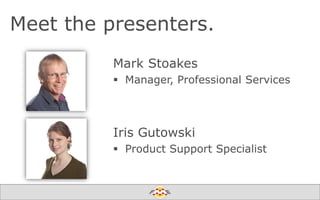
Meet the presenters.
Mark Stoakes
 Manager, Professional Services

Iris Gutowski
 Product Support Specialist

Create harmony between data and applications
Agenda.
Introduction
Highlights & Demos
 Data Integration
 Spatial Relationships
 Better Decisions

Q&A
Create harmony between data and applications
Poll: Are you using FME?

Create harmony between data and applications
Ask us.

Please submit using the
GoToWebinar panel.

We will follow-up
with unanswered
questions.

Create harmony between data and applications
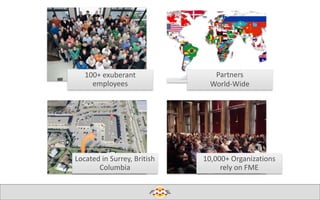
100+ exuberant
employees

Located in Surrey, British
Columbia

Partners
World-Wide

10,000+ Organizations
rely on FME

Create harmony between data and applications
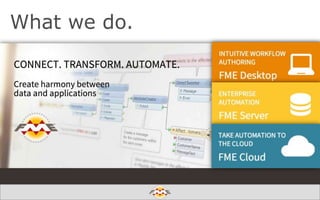
What we do.

Create harmony between data and applications
New to FME?


Get your bearings from our Getting
Started Page:
www.safe.com/fme/getting-started



Learn from our crew in one of the
weekly FME Overview webinars:
safe.com/WeeklyIntro

Create harmony between data and applications
What do you mean by location intelligence?
Depends who you are and your perspective…
…is location intelligence just the newest buzz word for what used to be
called spatial analytics, geographic information systems (GIS)?

… is it the ability to visualize spatial data and understand relationships
between specific locations, helping you make better strategic business
decisions?
… is it the combining of location-related data with other business data
that allows you to see you business data with a different perspective?

Create harmony between data and applications
What do we mean by data intelligence?

Data integration.

Spatial relationships.
Better Decisions..
Create harmony between data and applications
Poll: What kind of location
intelligence are you looking for?

Create harmony between data and applications
Data integration.
Spatial relationships.

Better Decisions.
Create harmony between data and applications
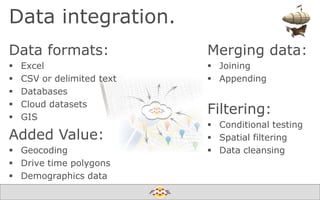
Data integration.
Data formats:






Excel
CSV or delimited text
Databases
Cloud datasets
GIS

Added Value:
 Geocoding
 Drive time polygons
 Demographics data

Merging data:
 Joining
 Appending

Filtering:
 Conditional testing
 Spatial filtering
 Data cleansing

Create harmony between data and applications
Demo 1:
Data integration.

Create harmony between data and applications
Data integration.
Spatial relationships.

Better Decisions.
Create harmony between data and applications
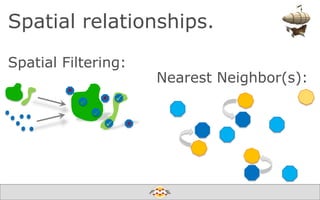
Spatial relationships.
Spatial Filtering:

Nearest Neighbor(s):

Create harmony between data and applications
Demo 2:
Spatial relationships.

Create harmony between data and applications
Data integration.
Spatial relationships.

Better Decisions.
Create harmony between data and applications
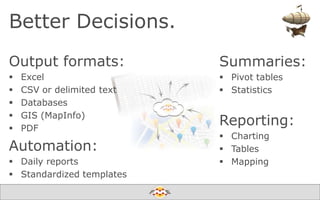
Better Decisions.
Output formats:






Excel
CSV or delimited text
Databases
GIS (MapInfo)
PDF

Automation:
 Daily reports
 Standardized templates

Summaries:
 Pivot tables
 Statistics

Reporting:
 Charting
 Tables
 Mapping

Create harmony between data and applications
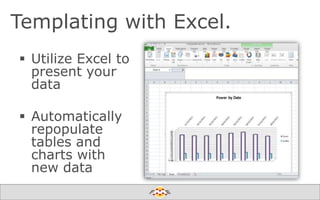
Templating with Excel.
 Utilize Excel to
present your
data

 Automatically
repopulate
tables and
charts with
new data
Create harmony between data and applications
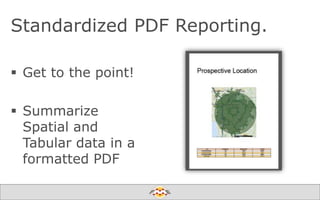
Standardized PDF Reporting.
 Get to the point!
 Summarize
Spatial and
Tabular data in a
formatted PDF
Create harmony between data and applications
Demo 3:
Better Decisions.

Create harmony between data and applications
Save the date.
Webinar: How to Leverage ArcGIS Online with FME
(March 5th)
Webinar: INSPIRE Success Stories with FME
(March 11th)
FME World Tour 2014 (April – June 2014)
FME International User Conference 2014
(20th Anniversary Celebration)
• June 10 – 13, 2014 in Vancouver, Canada

Create harmony between data and applications
Free and fun to learn.
Online Courses - Live & Hands-On


March 18-19: FME Desktop

Tutorials & Recorded Courses

Create harmony between data and applications
Stay informed.
fmepedia.com/community

fmepedia.com/knowledge
@SafeSoftware
youtube.com/FMEChannel

blog.safe.com
Create harmony between data and applications
Q&A
Create harmony between data and applications
Thank you!
 Sales
 info@safe.com
 Support
 www.safe.com/support
 (604) 501-9985 ext. 278
 Mark Stoakes
 Mark.Stoakes@safe.com
 Iris Gutowski
 Iris.Gutowski@safe.com
Create harmony between data and applications

Data Integration + Location Intelligence = Better Decisions

Editor's Notes

  • #5 Yes, for simple translationsYes, for data integrationYes, for producing reportsYes, for automationNo, I don’t use FME
  • #13 Site planningInsurance/Risk ManagementDemographicsSpreadsheet ProcessesOther
  • #17 How is one set of data related to another – or to itself
  • #19 For reference only
  • #20 For reference only
  • #21 For reference only
  • #22 For reference only