Data Integration Solutions
for Airports
1
Dave Campanas and Don Murray
www.safe.com
Years of solving data challenges
25
Safe So ware
COMPANY PROFILE
10,000
Organizations trusting us worldwide
www.safe.com
Partners supporting our network
150
128
Countries with FME customers
OUR MISSION
To help organizations
maximize the value of data.
“The world’s most valuable resource
is no longer oil, but data.”
THE ECONOMIST - MAY 2017
TECHNOLOGY
PARTNERS
Some industry
customers that
rely on FME.
Introduction to Safe Software’s
FME®
THE FME PLATFORM®
FME is the only Enterprise Data Integration Platform
built spatial “from the ground up”.
Connect
to Data Sources
Transform
the Data
Automate
the Workflows
CONNECT
CAD
GIS
FME release by year
NumberofsupportedformatsinFME
1995
10500100300
20192015201020052000
TABULAR
DATABASE
RASTER
POINT
CLOUD
BIM
3D
WEB
XML
CLOUD
BIG
DATA
IOT
BI
AR / VR
AI / ML
INDOOR
MAPPING
GAMING
Validate
Validate to ensure
high quality data
Adjust
Adjust workflows to meet
changing requirements
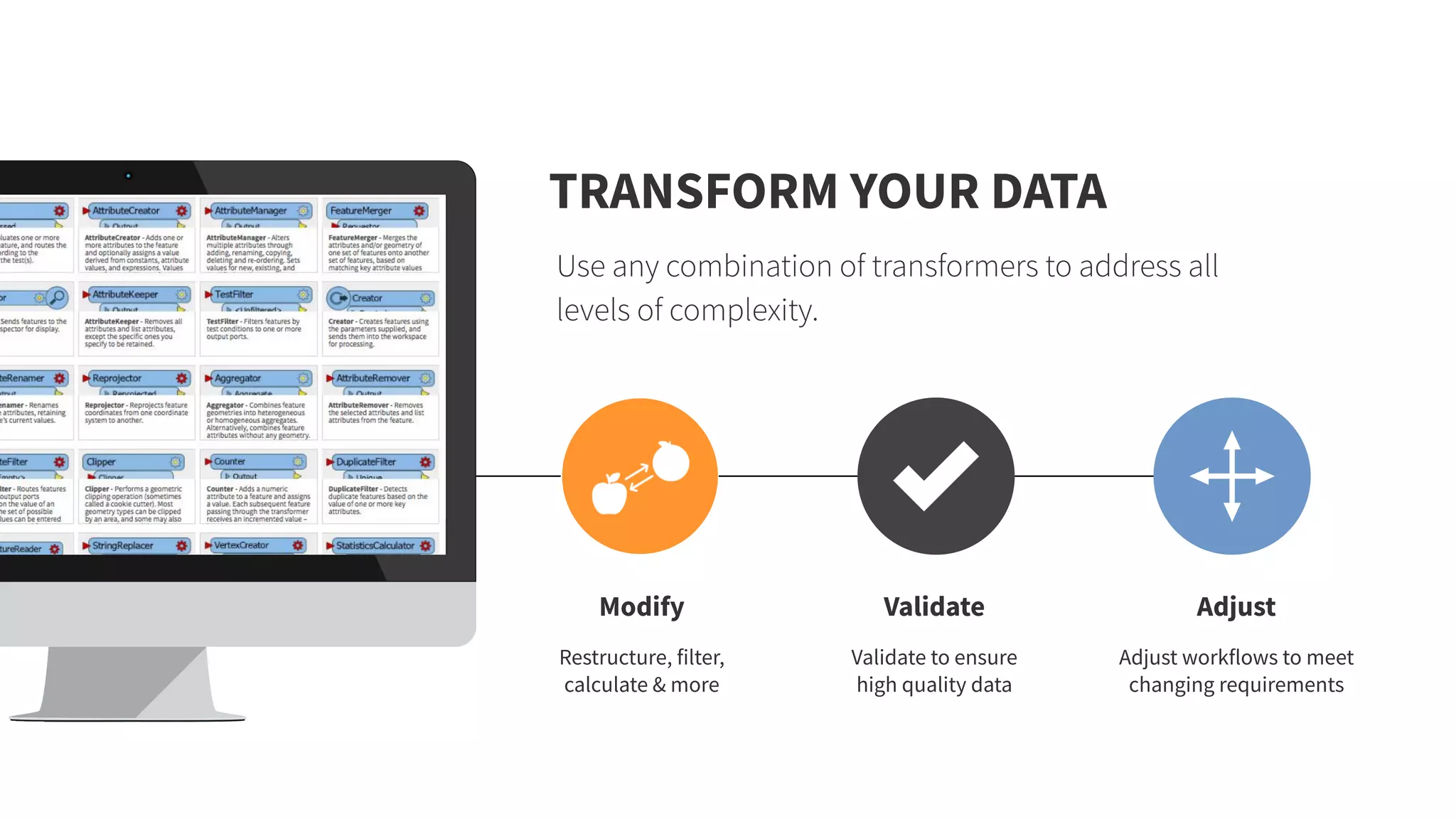
TRANSFORM YOUR DATA
Use any combination of transformers to address all
levels of complexity.
Modify
Restructure, filter,
calculate & more
Eliminate
Eliminate the manual
effort of complex and
repetitive tasks
AUTOMATE YOUR WORKFLOWS
Automatically execute workflows based on real-time events
or scheduled basis.
Trigger
Automate data
integration using
event-based workflows
Assemble
Easily build
automations using a
visual interface
COMMON AIRPORT CHALLENGES
ADDRESSED TODAY
Improve your
operational efficiency
Track assets and enable
wayfinding
Manage your facilities
and infrastructure
Facilities Management Indoor Mapping Spatial Analysis
Convert to/from AIXM
and analyze airspaces
AIXM and Airspaces
Indoor Mapping
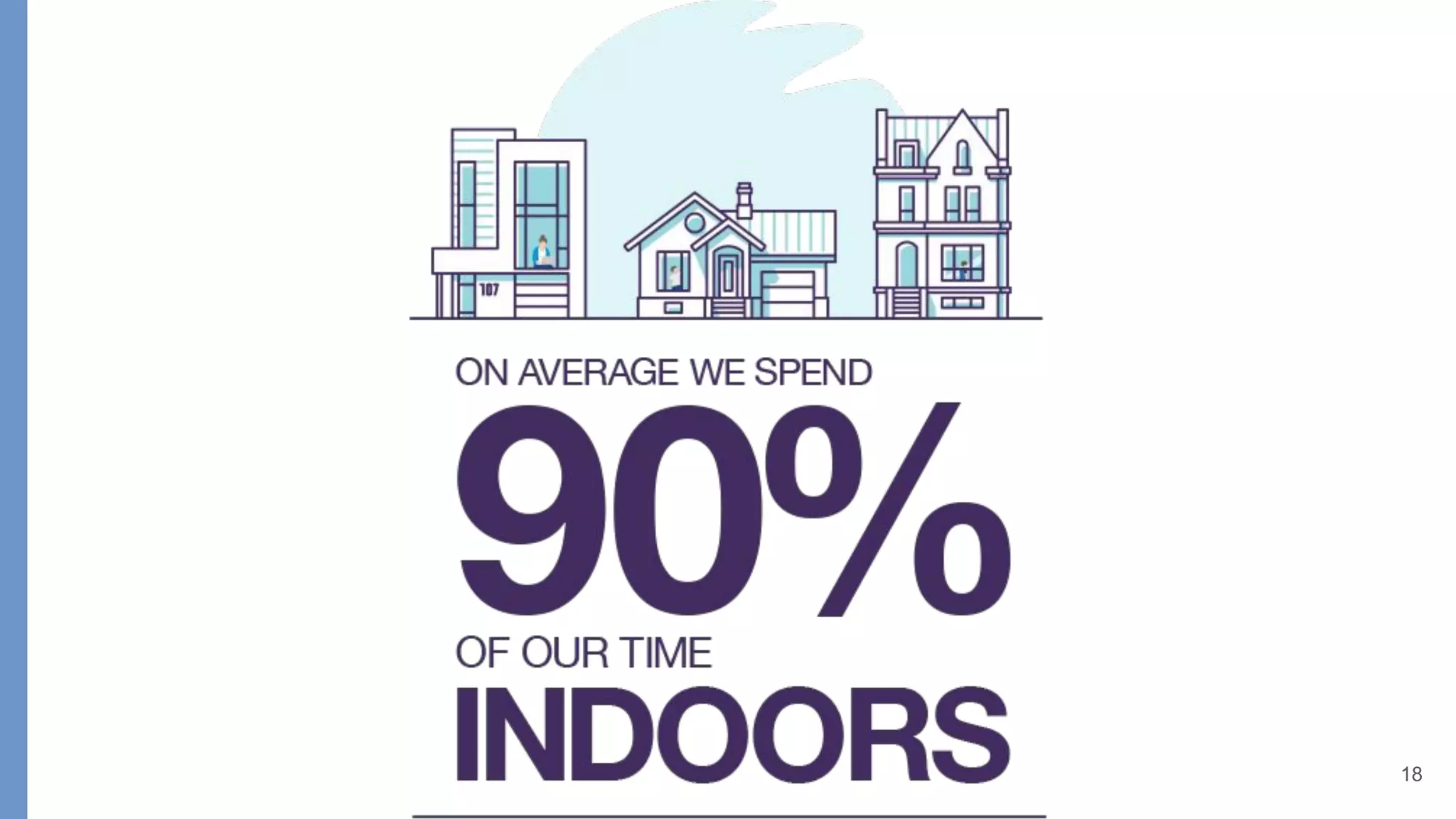
WHY INDOOR MAPPING?
Indoor space management / planning
Indoor navigation
18
IMDF
HERE Venue
Format
OGC
IndoorGML
SAP HANA
ArcGIS
Indoors
WRLD3D
IBM
TRIRIGA
Autodesk
Revit (IFC)
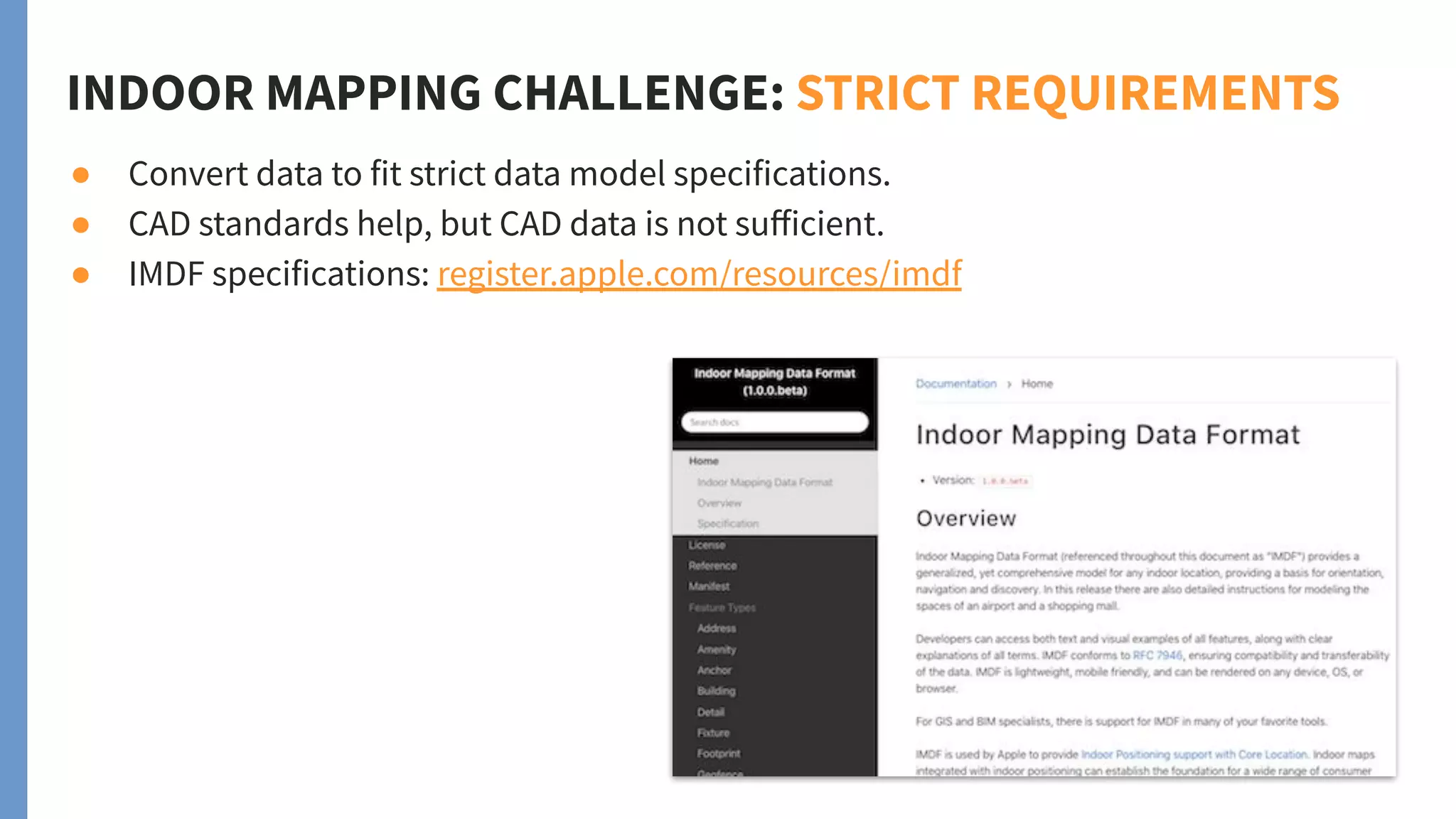
INDOOR MAPPING CHALLENGE: STRICT REQUIREMENTS
● Convert data to fit strict data model specifications.
● CAD standards help, but CAD data is not sufficient.
● IMDF specifications: register.apple.com/resources/imdf
Indoor Map
Physical
Floorplan
Data
Facilities
Management
Floorplan
Usage info
INDOOR MAPPING CHALLENGE: MULTIPLE DATA SOURCES
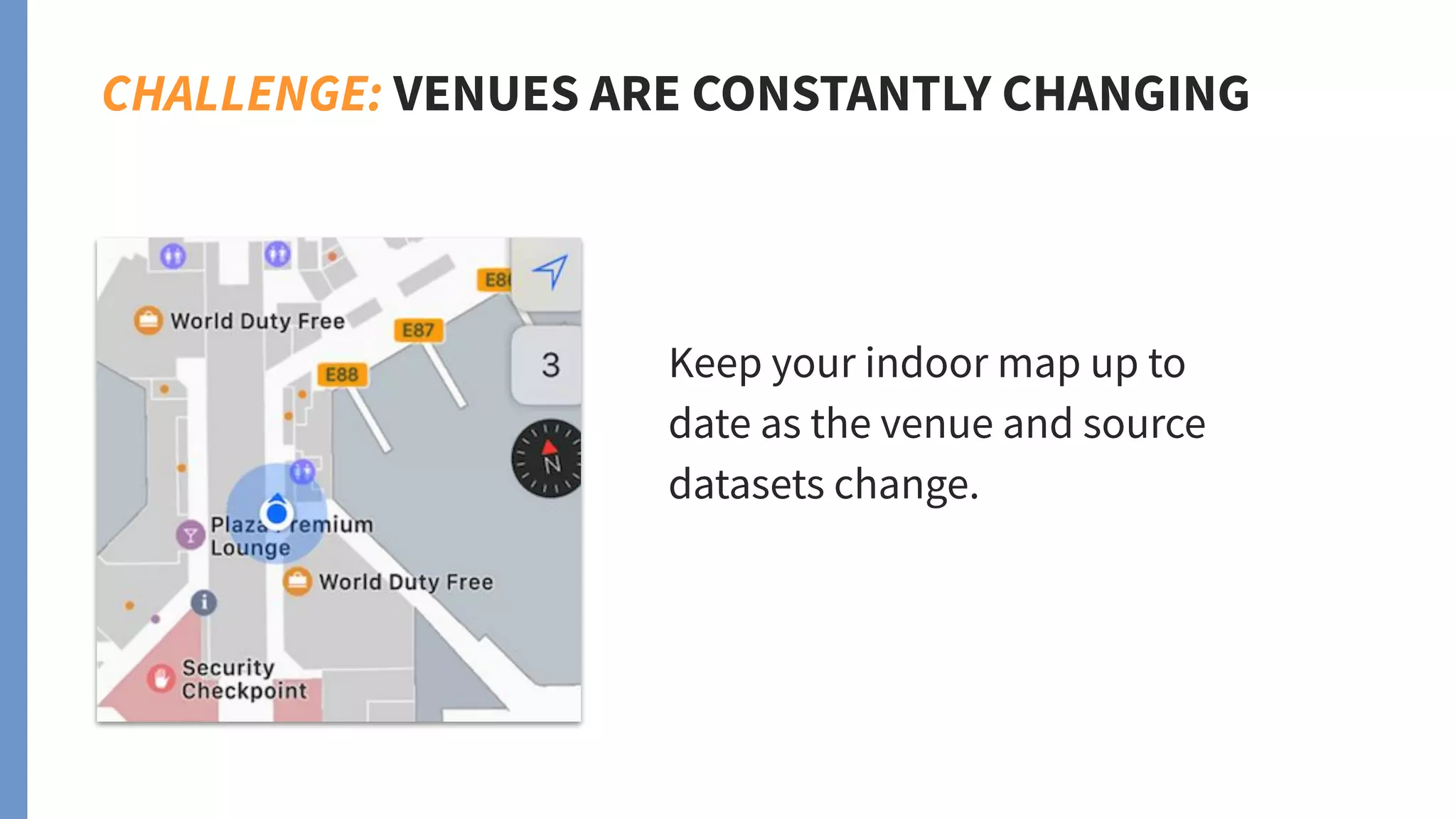
CHALLENGE: VENUES ARE CONSTANTLY CHANGING
Keep your indoor map up to
date as the venue and source
datasets change.
FME hides the details so you
can focus on building your
indoor mapping data quickly
and effectively.
BUILD INDOOR MAPPING DATASETS USING FME
● Convert floor plans and ancillary data
into indoor mapping formats.
● Validate against specifications to ensure
data meets standards.
● No coding involved. FME workflows are
created using a visual interface.
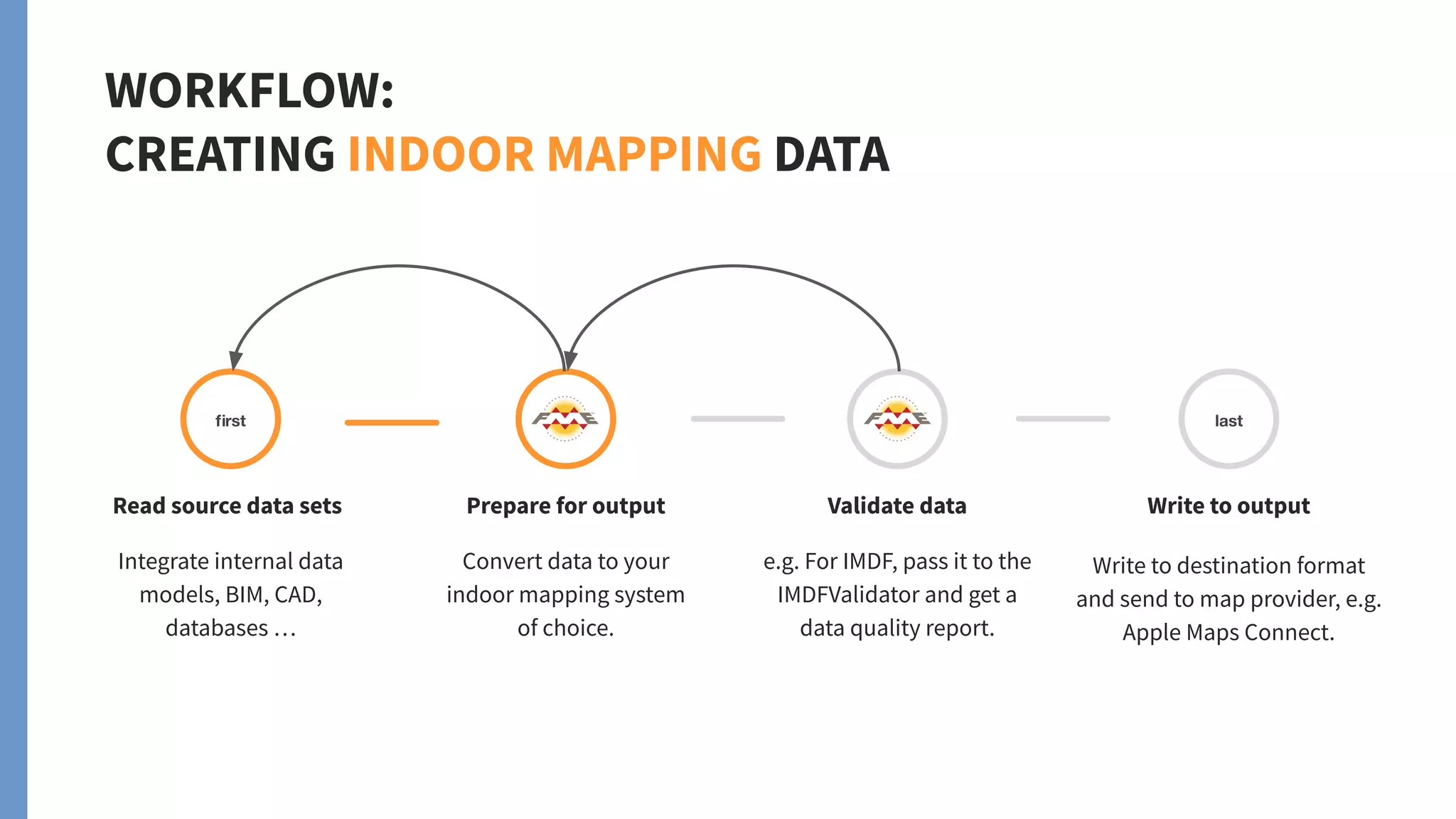
WORKFLOW:
CREATING INDOOR MAPPING DATA
Read source data sets
Integrate internal data
models, BIM, CAD,
databases …
Prepare for output
Convert data to your
indoor mapping system
of choice.
Validate data
e.g. For IMDF, pass it to the
IMDFValidator and get a
data quality report.
Write to output
Write to destination format
and send to map provider, e.g.
Apple Maps Connect.
WORKFLOW:
CREATING INDOOR MAPPING DATA
Prepare for output
Convert to indoor mapping
format requirements.
❏ Georeferencing (lat-long)
❏ Semantic enrichment
❏ Classification
❏ Schema mapping
❏ Cleaning
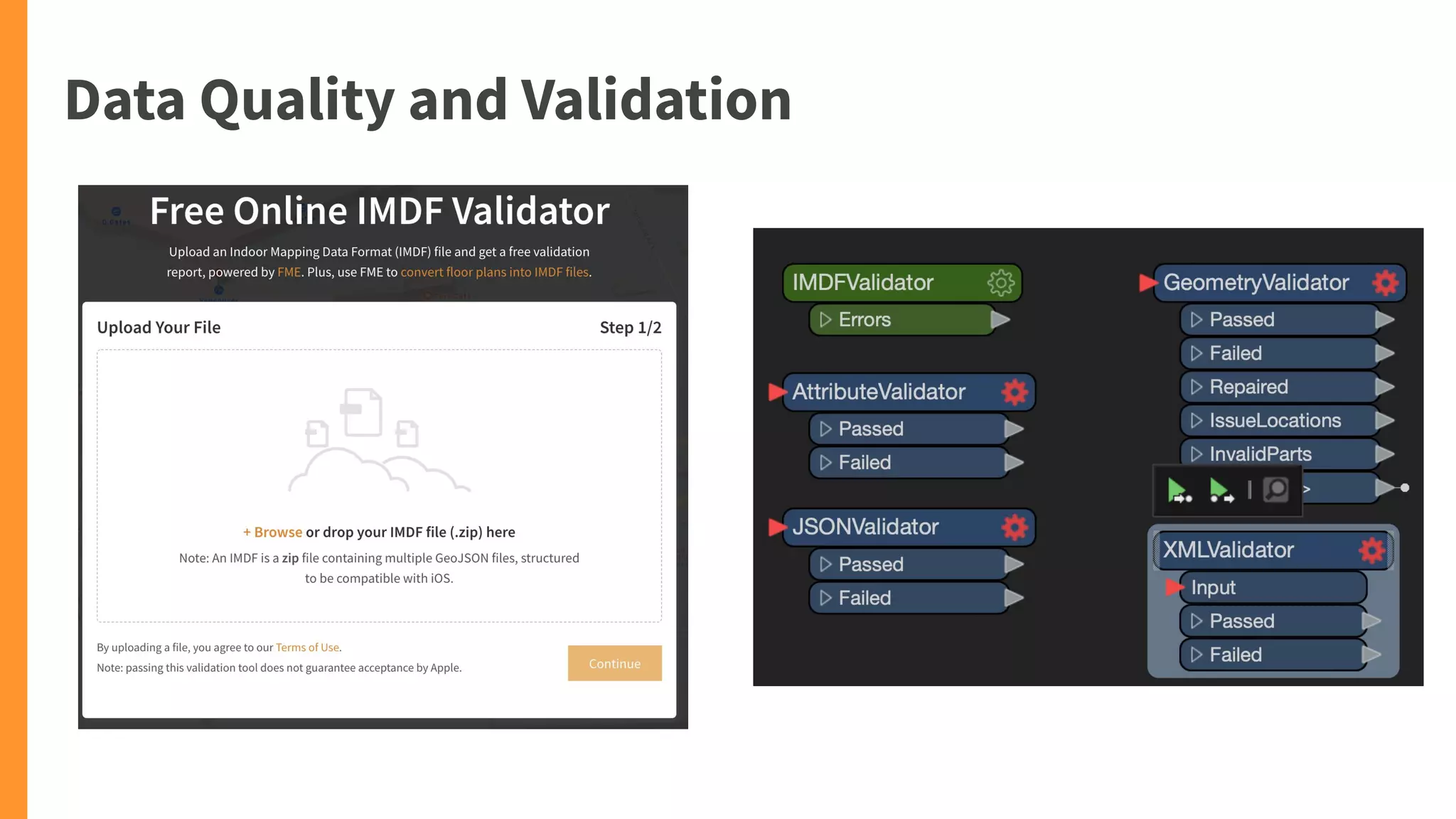
IMDFValidator transformer on FME Hub.
Web service — upload your IMDF data and
get a link to your validation report.
safe.com/imdf
Validating IMDF data
Underneath: IMDF business rules
BUILD & MAINTAIN INDOOR MAPPING DATASETS
Build indoor
mapping data
Convert data from various
sources into indoor
mapping formats.
Validate against
complex specifications.
Automatically
update
Build event-based
workflows to trigger data
conversions and send
real-time notifications.
Convert for use
by other apps
Bring your floor plans into
other systems for analysis
and visualization, like Esri,
PDF, or Google Earth.
AIRPORTS
Example:
Schiphol Airport (Amsterdam)
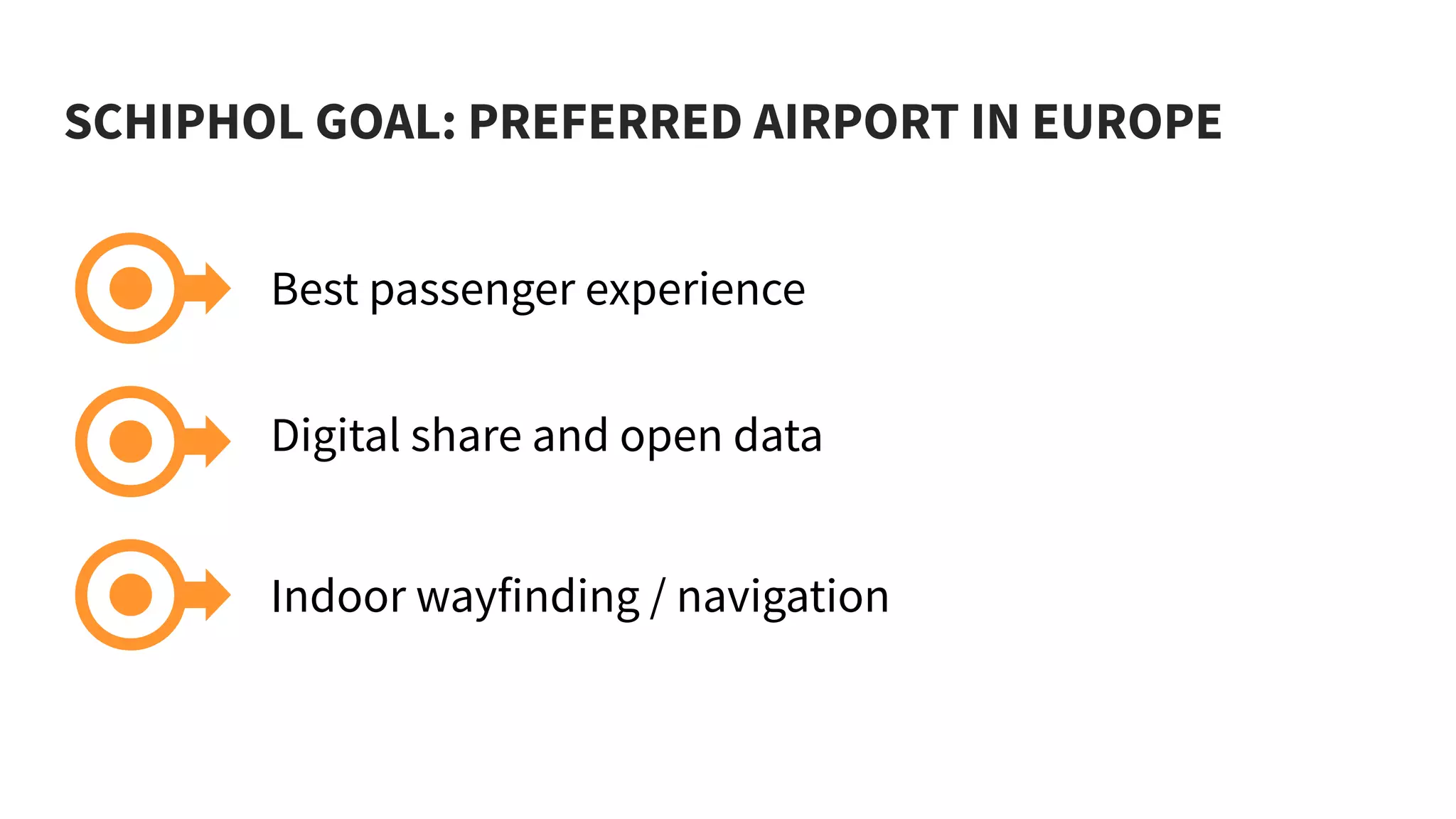
SCHIPHOL GOAL: PREFERRED AIRPORT IN EUROPE
Best passenger experience
Digital share and open data
Indoor wayfinding / navigation
CHALLENGES
● Data quality
● IT architecture
SCHIPHOL WORKFLOW
Source data
Asset and building
information.
Preparation
Enhance data and
validate it.
Build wayfinding data
Routing and navigation, floor
plans, points of interest,
shopping information.
Distribute
To Schiphol API, Apple Maps, Google
Maps, and more.
SCHIPHOL AIRPORT: RESULTS
LOOKING AHEAD...
● Create a “digital twin” using
a feedback loop with:
● Real-time sensors
● Crowdsourced
observations
● Spatial and tabular data
“FME is the ‘ETL glue’ between geo platforms
to keep data up to date and in sync.”
Webinar: watch Schiphol present at fme.ly/ams
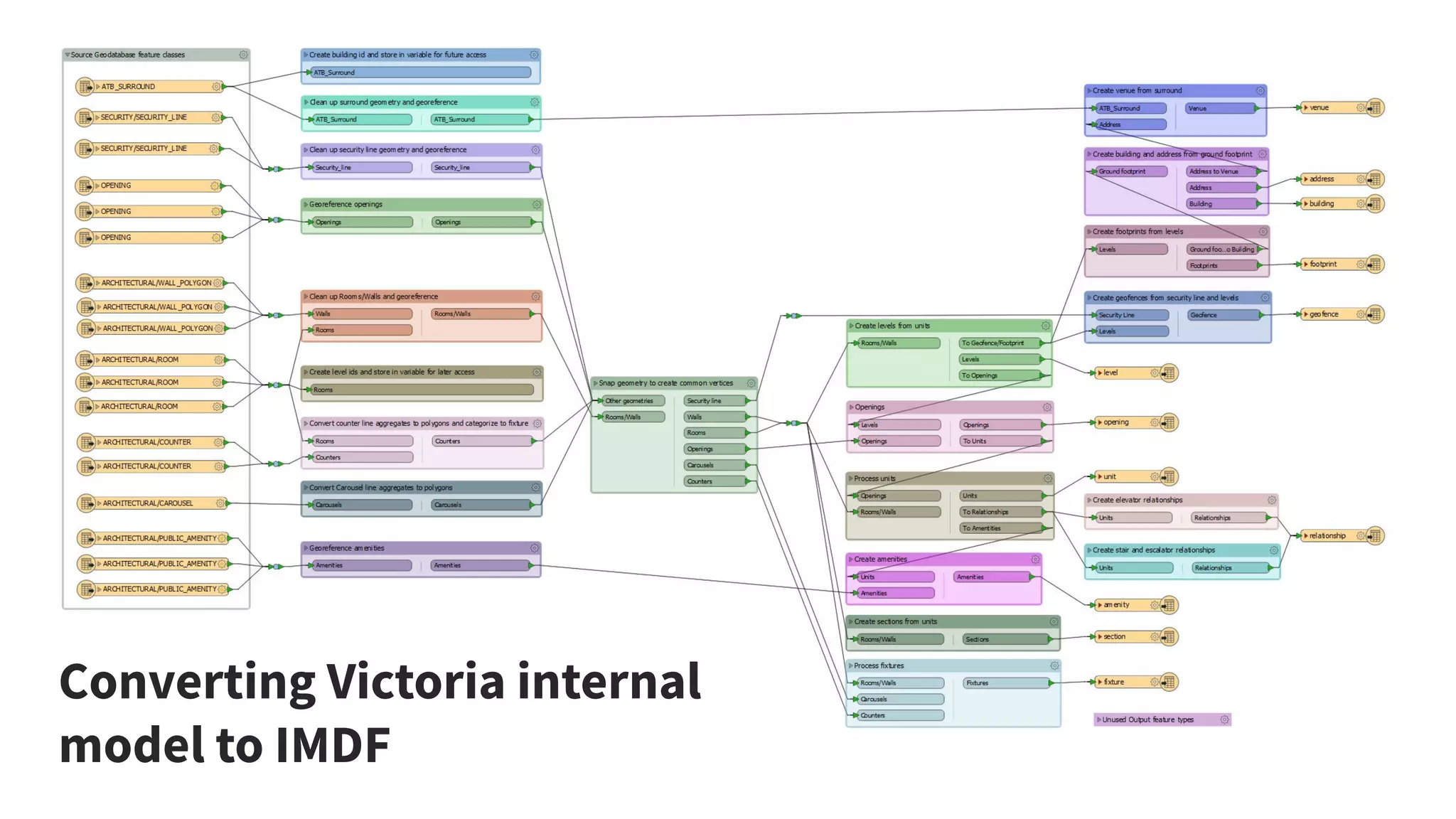
EXAMPLE: VICTORIA BC CANADA AIRPORT
● Convert ArcGIS Geodatabase to IMDF for use in Apple Maps.
● Source Data stored in 3 Geodatabases, one for each floor.
● Steps: clean up and snap geometries, prepare output, write to IMDF
specifications, validate IMDF.
VICTORIA
WORKFLOW
❏ Read source ArcGIS Geodatabase
❏ Georeference to UTM Zone 10
❏ Clean geometry
❏ Map schema attributes and values
❏ Combine rooms for levels/footprints
❏ Write IMDF & generate validation report
Converting Victoria internal
model to IMDF
EXAMPLE:
Vancouver
Int’l Airport
YVR converted their
internal GeoJSON data
model to various
formats and built a
mobile app.
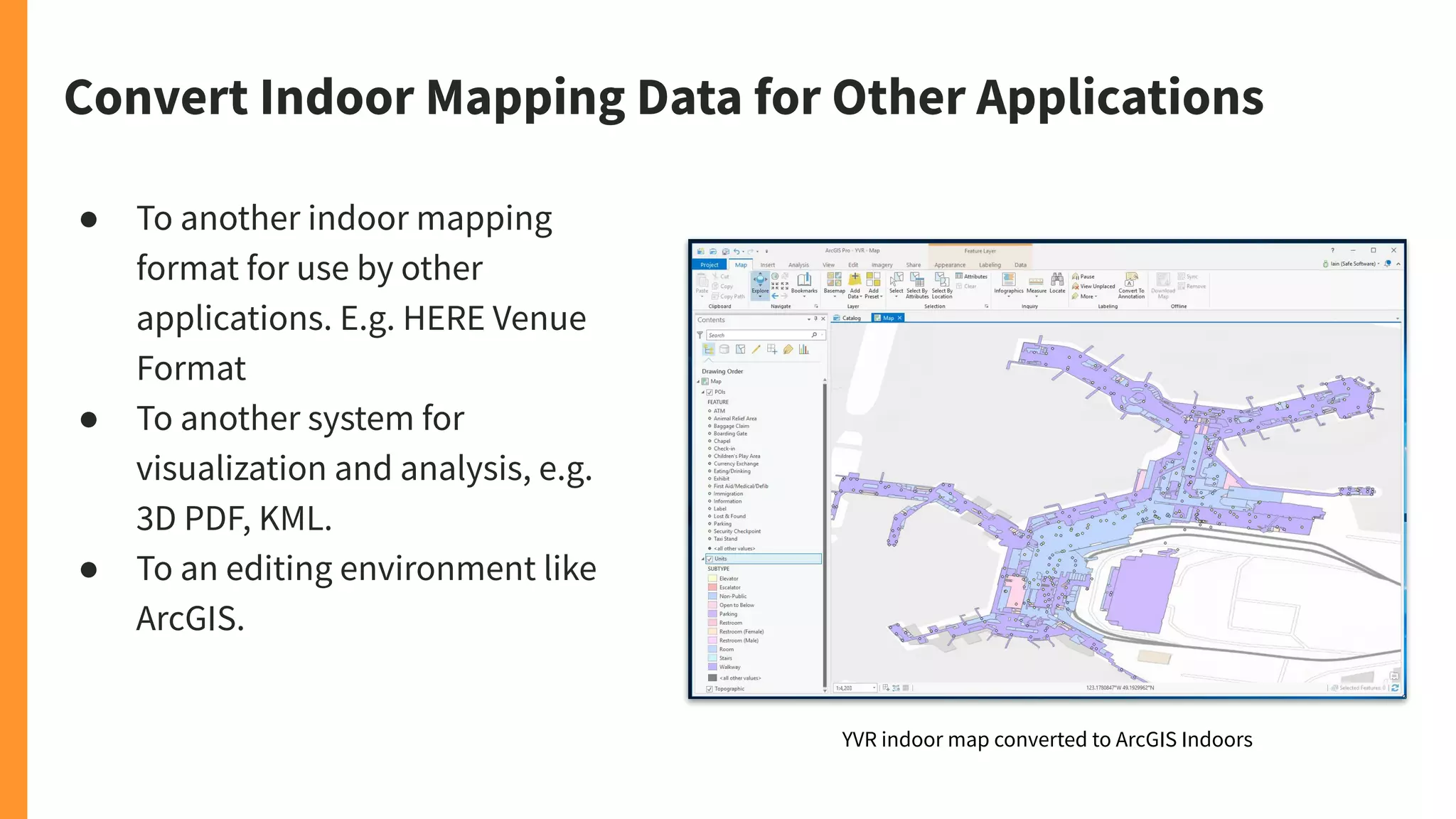
Convert Indoor Mapping Data for Other Applications
● To another indoor mapping
format for use by other
applications. E.g. HERE Venue
Format
● To another system for
visualization and analysis, e.g.
3D PDF, KML.
● To an editing environment like
ArcGIS.
YVR indoor map converted to ArcGIS Indoors
Example: Visualizing YVR in 3D (PDF, KML)
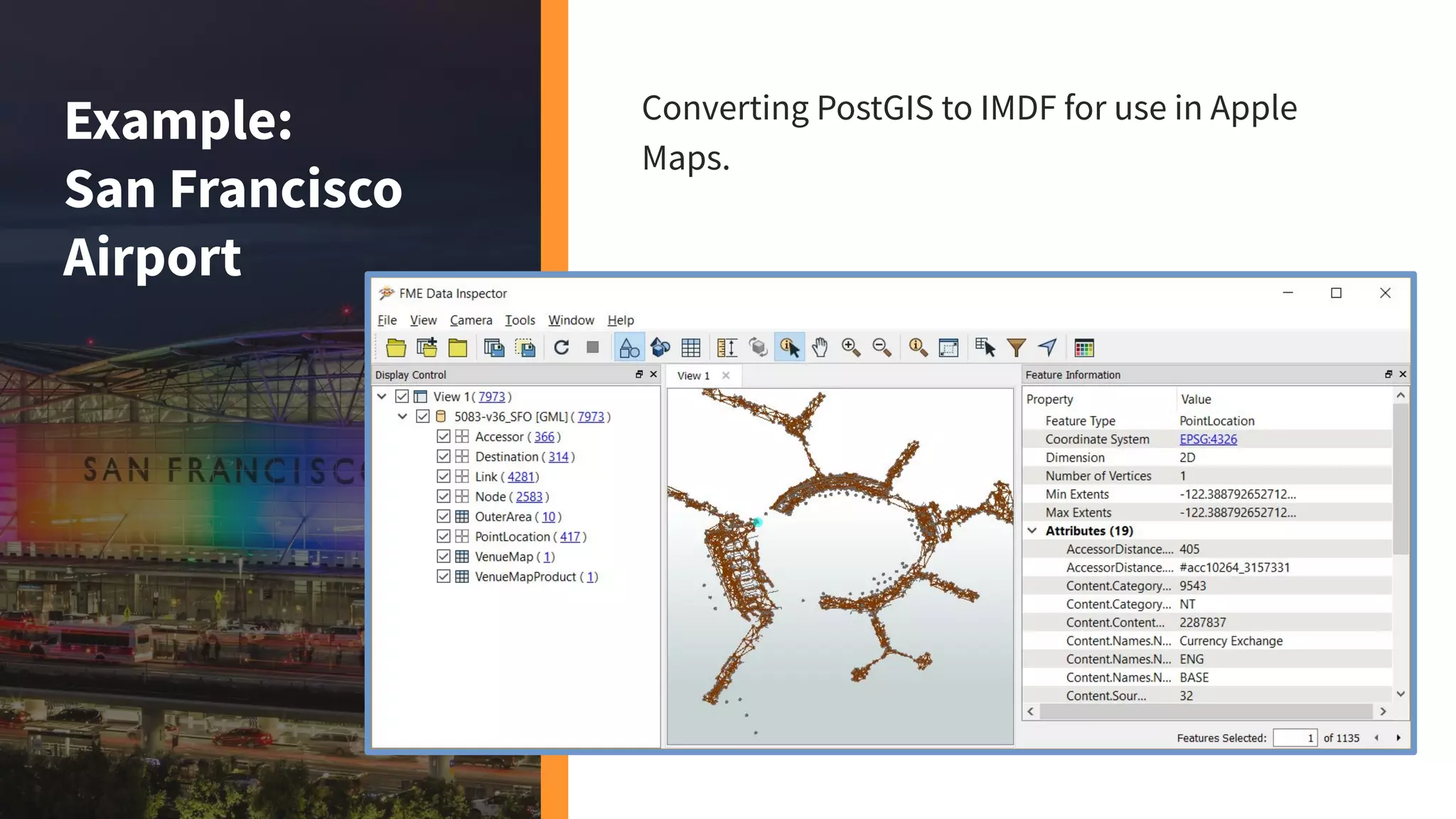
Example:
San Francisco
Airport
Converting PostGIS to IMDF for use in Apple
Maps.
IMDF tutorial at fme.ly/vic
Other Data
sources
Staging
Database
IMDF
KML
Indoor
GML
Airport GIS
Data
Airport Map
Model
Read &
Transform
Read &
Write
Validate
INDOOR MAP DATA FLOW - STAGING DATABASE
IMDF Validator at safe.com/free-tools/imdf-validator
. . .
HERE
Other Data
sources
ACI AGIS
Schema
IMDF
KML
Indoor
GML
Airport GIS
Data
Airport Map
Model
Read &
Transform
Read &
Write
Validate
. . .
HERE
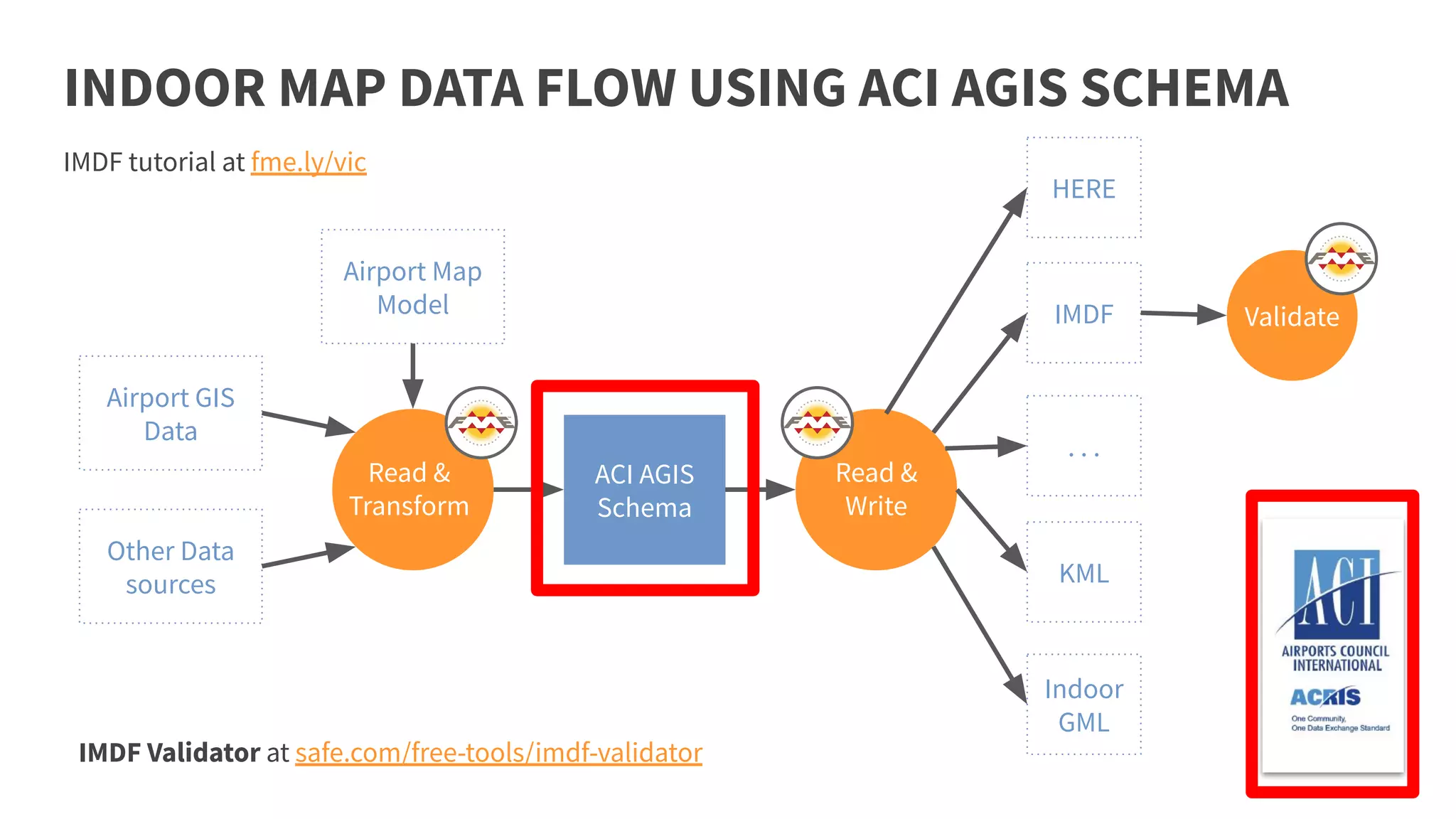
INDOOR MAP DATA FLOW USING ACI AGIS SCHEMA
IMDF Validator at safe.com/free-tools/imdf-validator
IMDF tutorial at fme.ly/vic
Make floor plans and real-time updates accessible to
passengers.
Indoor mapping for wayfinding
Improve operational efficiency by geo-locating and
tracking your assets.
Indoor mapping for asset tracking
Synchronize all facilities/infrastructure datasets by
bringing all data into a single source of information.
Application integration
Synchronize databases daily, send notifications as
passenger volume or construction changes, and more.
Automation
Transform data into the required structure and format
and ensure it meets standards.
Data transformation
AIRPORTS
AND INDOOR
MAPPING
Supporting Situational
Awareness
Location Aware Data Integration
SUPPORTING SITUATIONAL AWARENESS
Introduction
○ Los Angeles World Airports Collaboration with NICE
○ Supporting Airport Response Coordination Center (ARCC)
○ Submit and respond to incidents from field via iPad
○ Base maps from disparate datasets support application
are collected with FME Server
Full Slide Deck found here.
In the beginning…
○ Engineering data (CAD base maps, Oracle)
○ Environmental/Noise Data
○ Lease Database (PropWorks)
○ Maximo (Work Order System)
○ Coordination and Logistics Management (CALM)
○ Nice Situator (Incident Management)
○ . . .
All distinct systems with some sharing
EXAMPLE CHALLENGE: DATA INTEGRATION
The Opportunity
○ Bring databases together
○ Share information automatically
○ Build redundant database for mission critical functions
○ Format data and streamline for stakeholders
DATA INTEGRATION
SITUATIONAL
AWARENESS
Smart Airports
SMARD
FME as Data Integration Platform at Schiphol
GIS
Core-database
with Assets
and Infrastructure
information
Edit Platform
Schiphol Internal
Schiphol
Optimized
Viewing
data
Viewing Platform
Schiphol Internal
Viewing Platform
Schiphol Internal&External
Optimized
Geo Data
Realtime External
Sources
API Platform
Public
Geo
API
Wayfinding
POI’s
Maps
Routing
FME is the “Glue” between systems to keep data up to date and in Sync.
Smart
Airport
Projects
Obstacle Avoidance and
Airspace Planning
Location Aware Data Integration
High place recognition using LAS
● National Land Survey provides LAS datasets from whole
Finland through an API
● FME reads selected LAS mapsheets from the API
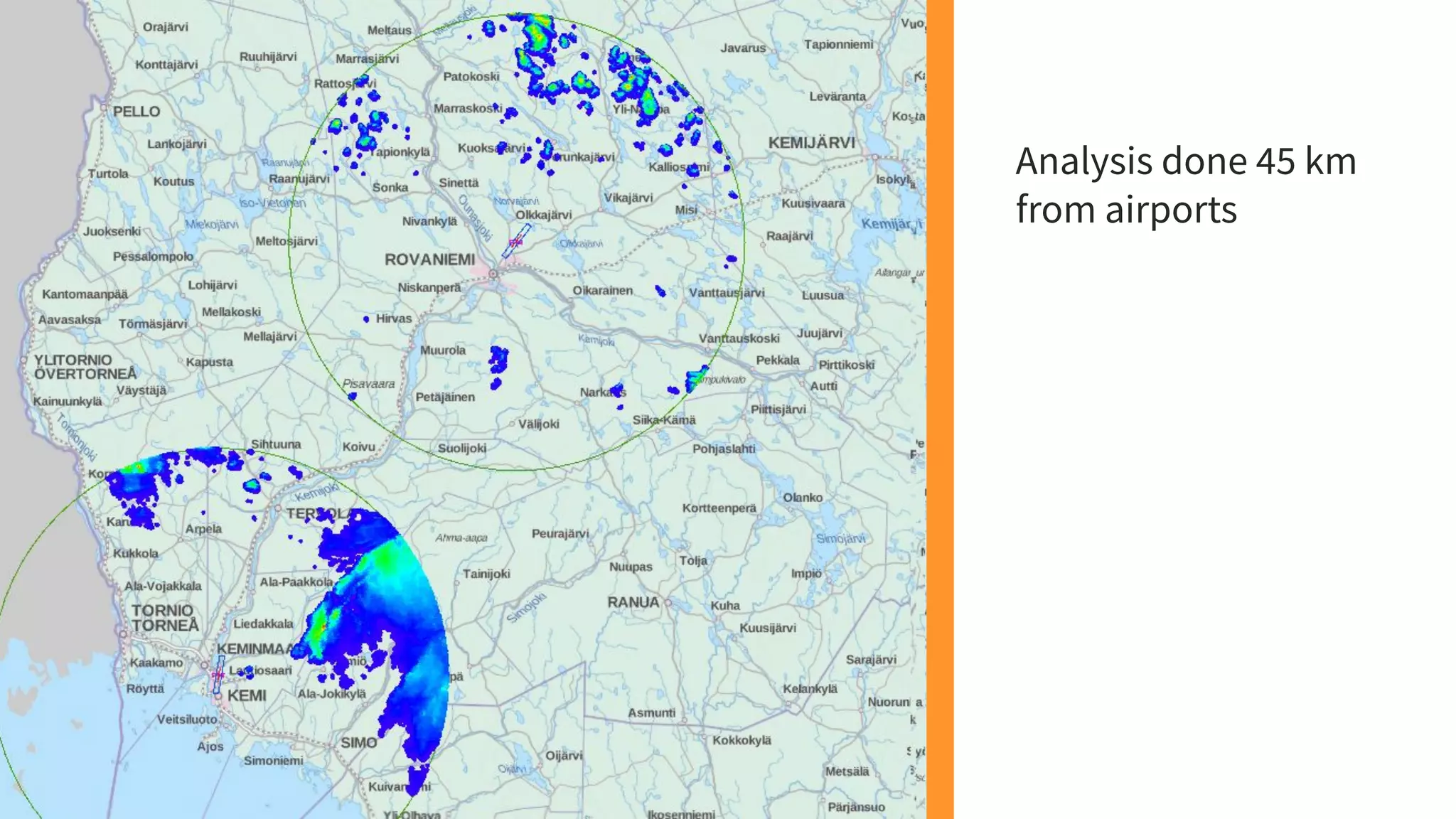
● FME analyzes, which LAS points are over a certain threshold
(different for every airport)
● FME produces maps and lists of the areas, and
map sheets, which have these high places
High place recognition using LAS
Analysis done 45 km
from airports
Obstacle Limitation Surface
Showcase:
3D Civil Aviation Tool
Obstacle Limitation Surface / Airport
Zoning Regulation
With minimum parameters, FME handles all
the magic of complex calculations for
constructing 3D models and generate
contours, eliminating the need to acquire
expensive third-party software (e.g. Obstacle
Surface Planner from Simtra) for generating
Obstacle Limitation Surfaces, enabling
inspectors to regulate structure’s height within
AZR.
Vancouver International Airport OLS/AZR
OBSTACLE LIMITATION
SURFACE
FLIGHT OBSTACLES
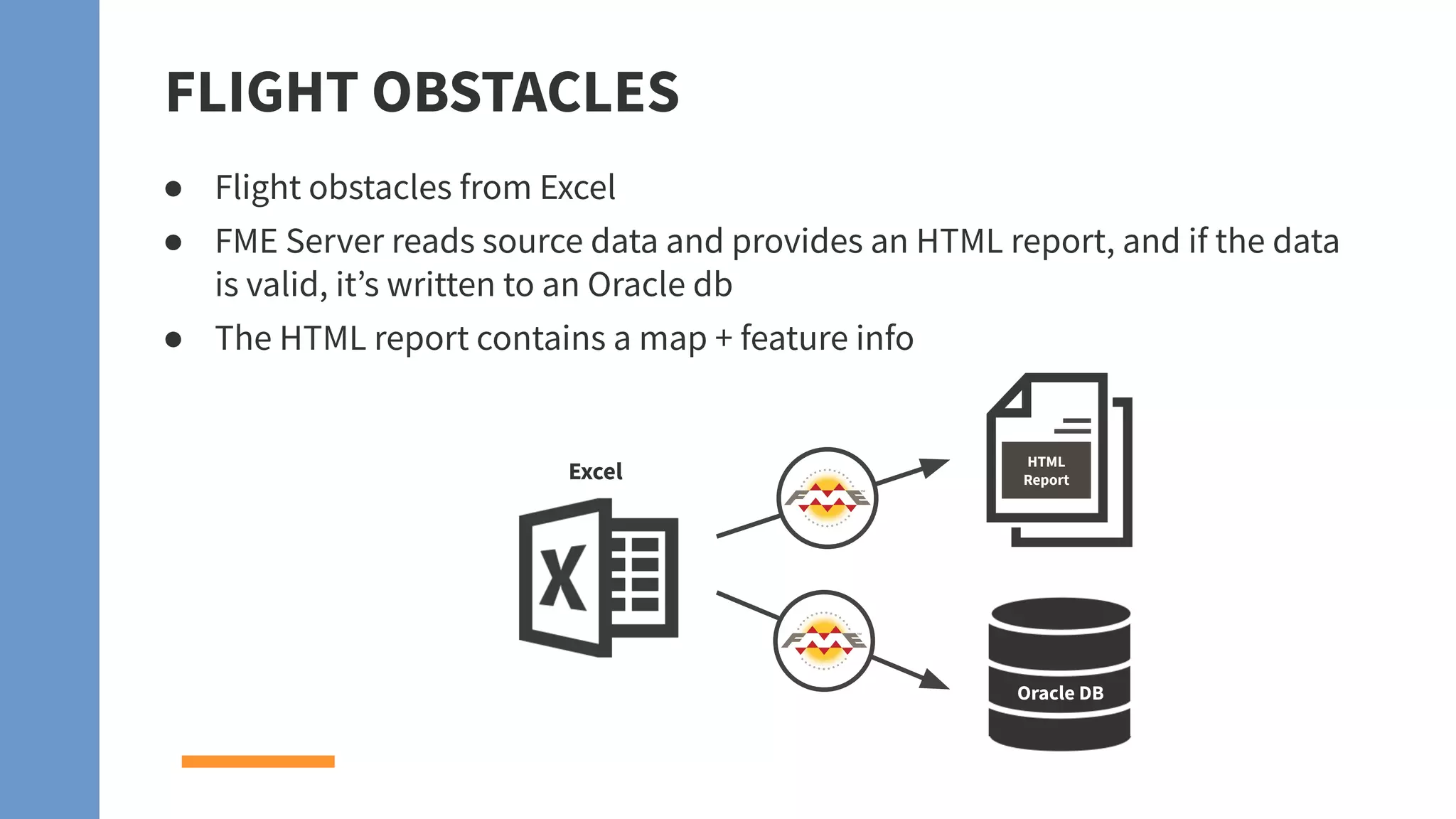
● Flight obstacles from Excel
● FME Server reads source data and provides an HTML report, and if the data
is valid, it’s written to an Oracle db
● The HTML report contains a map + feature info
HTML
Report
Oracle DB
Excel
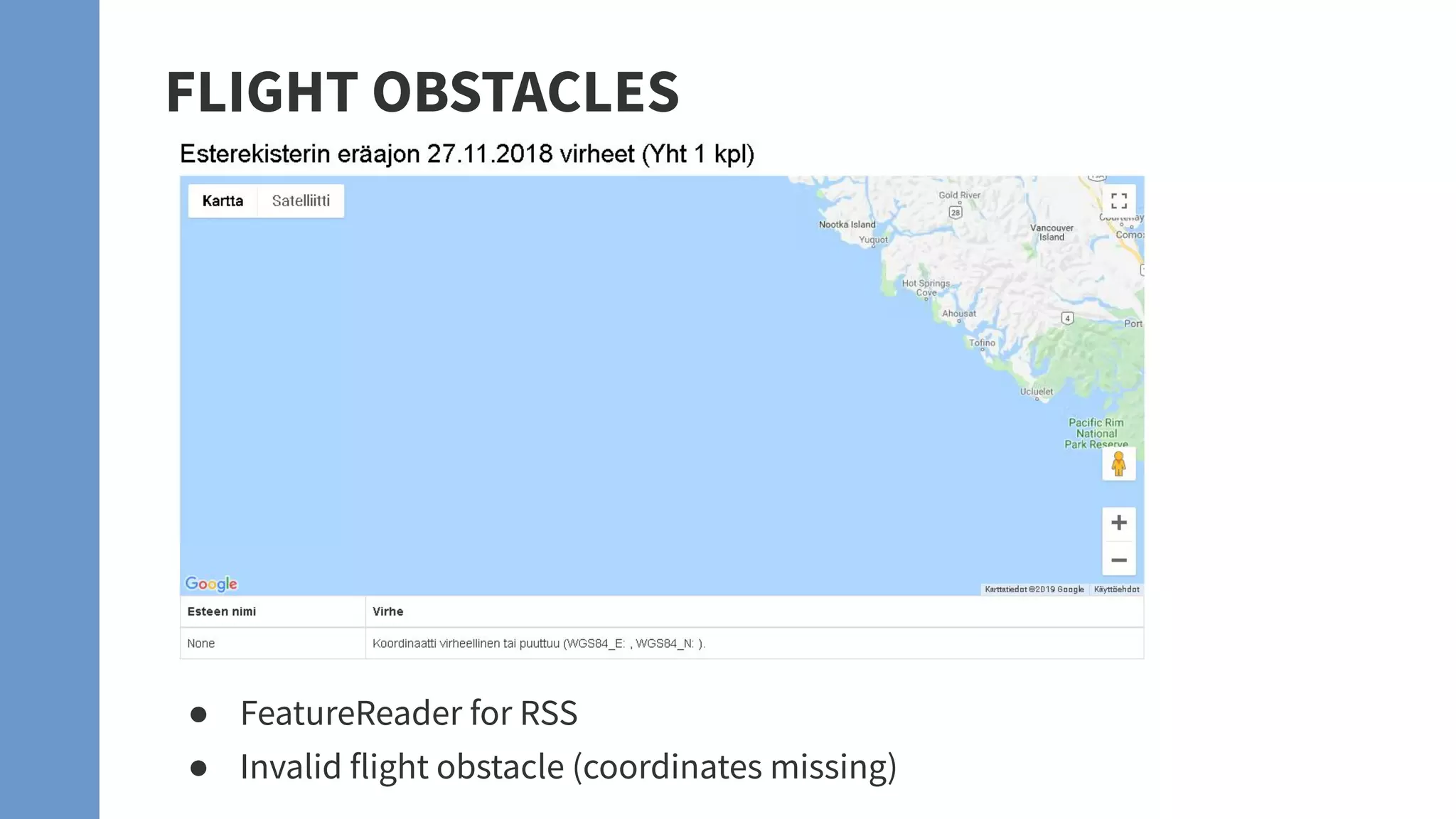
● FeatureReader for RSS
● Invalid flight obstacle (coordinates missing)
FLIGHT OBSTACLES
Airspace Visualization
FME and 3D Visualization...
● From simple to complex
workflows
● From small to huge dataset
● The Magic of FME handles it all
● From 2D to 3D display
● From kilobytes to gigabytes dataset
● Google earth performs seamlessly.
Google Earth Logo is a registered trademark of Google Inc.
... a Perfect Combination!!
FME and 3D Visualization
ESRI/OGC i3S
When it comes to 3D data ...
Why inspect it when you can experience it!
Obstacle
Avoidance
and Planning
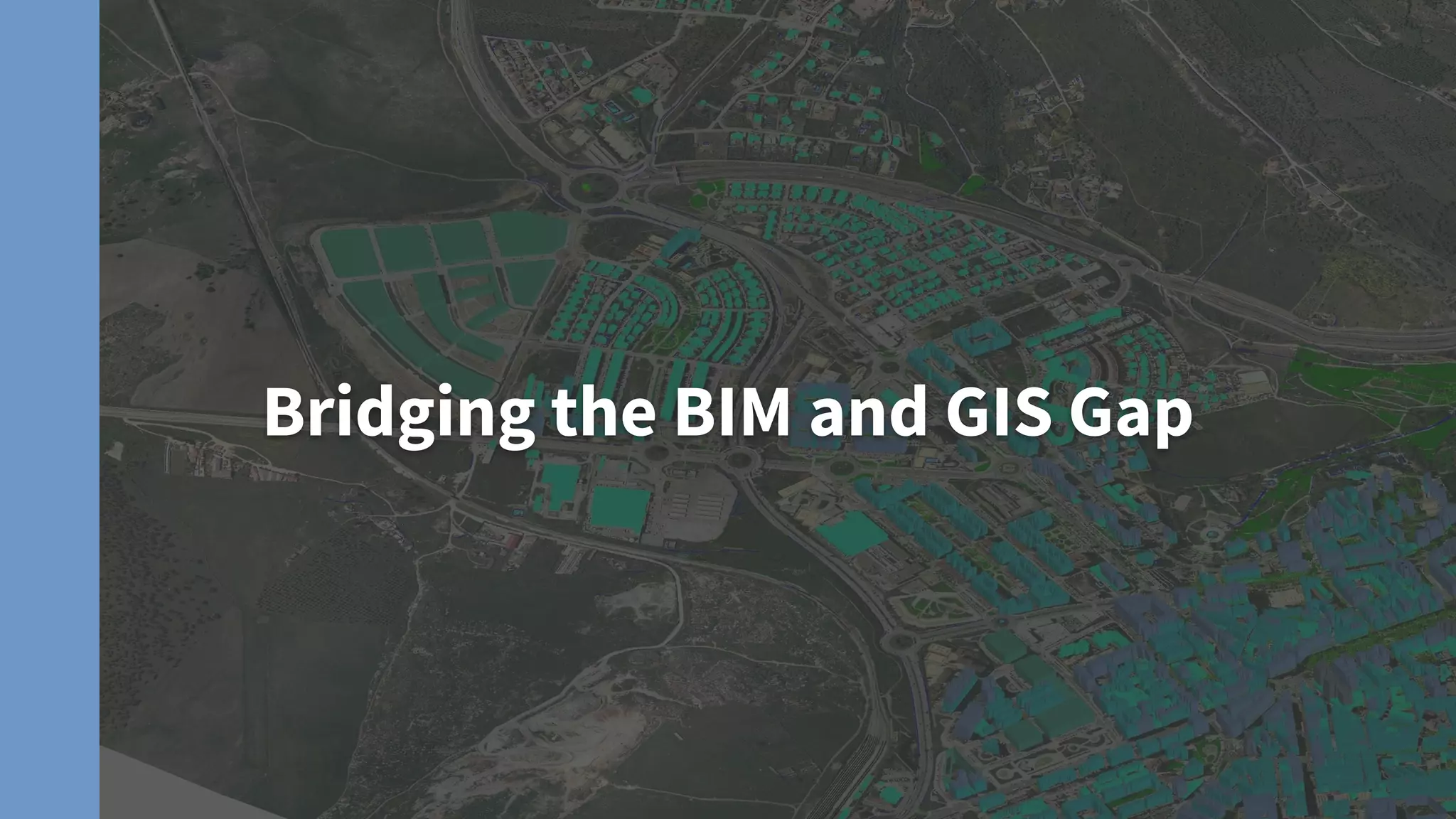
Bridging the BIM and GIS Gap
The Problem
➔ DEN GIS uses outdated exported CAD As-Builts
➔ CAD exports are lines only and do not contain data
➔ Data, such as room names, numbers, location ID, etc., are entered manually in GIS. That’s A
LOT of data for 18 million S.F. of facilities and assets. Updating all that data is a nightmare!
The Solution: BIM GIS
➔ BIM is the new standard at DEN
➔ Revit models of all DEN facilities are updated daily and contain data critical to the
operations and maintenance of the airport
➔ IFC exported from Revit models contain geometry and SPATIAL data!
But how will they do this?!
BIM and GIS
Projects
Data Quality & Validation
Data Quality and Validation
CAD data validation and writing to PostGIS
▪ PostGIS is a data warehouse for Finavia
▪ FME will read many, many DGN files and Excel’s and move
the data to PostGIS
▪ The data has to be validated before writing to PostGIS
PostGIS
db
DGN/
Excel’s
Data
Validation
I can’t think of a single solution with FME where data quality and validation were not
part of the “Data Preparation” or day to day activity.
Data Health is something every organization battles.
Data Quality and Validation
If it is data related then
talk to us!
Chances are we have seen
it before and can help.
What challenge
do you have?
If you have a data
challenge then we can
help you.
The common
theme is “data
is key” to every
challenge!
FME® Data Integration Platform
FME Desktop FME Server FME Cloud
Connect. Transform. Automate.
FME is the data integration solution with the best support for spatial data worldwide.
Build & Run Workflows Automate Workflows (on-premises) Automate Workflows (cloud)
FREE RESOURCES
WE’RE ALL ABOUT
safe.com
Getting Started
Online Courses
On Demand
Live chat >
Tutorials and webinars >
Instructor led >
Live and hands-on >
Video courses & demos >
Knowledge Base >
"FME sets the
standard for
support and is the
leader by far".
- Brad
Very helpful and
went above and
beyond to help
find a solution to
my request! A+"
- Justin
"Thank you!
Answered all my
questions - AGAIN.
You folks always
seem to have a
way of doing that."
- Ray
DEPLOYMENT OPTIONS
FME Enterprise
Subscription
● Subscription Program
● Ideal for larger
deployments
Individual License
Purchase
● Perpetual Licenses +
Annual Maintenance
● Great for smaller,
single-department
deployments
Cloud Deployments
● Pay as you go is
excellent for proof of
concept
● Annual rates provide
extra savings
THANK YOU!
Try FME for free at safe.com/trial
www.safe.com
Any questions we can answer?

Data Integration Solutions for Airports

  • 1.
    Data Integration Solutions forAirports 1 Dave Campanas and Don Murray www.safe.com
  • 2.
    Years of solvingdata challenges 25 Safe So ware COMPANY PROFILE 10,000 Organizations trusting us worldwide www.safe.com Partners supporting our network 150 128 Countries with FME customers
  • 3.
    OUR MISSION To helporganizations maximize the value of data.
  • 4.
    “The world’s mostvaluable resource is no longer oil, but data.” THE ECONOMIST - MAY 2017
  • 5.
  • 6.
  • 7.
    Introduction to SafeSoftware’s FME® THE FME PLATFORM®
  • 8.
    FME is theonly Enterprise Data Integration Platform built spatial “from the ground up”.
  • 9.
    Connect to Data Sources Transform theData Automate the Workflows
  • 10.
    CONNECT CAD GIS FME release byyear NumberofsupportedformatsinFME 1995 10500100300 20192015201020052000 TABULAR DATABASE RASTER POINT CLOUD BIM 3D WEB XML CLOUD BIG DATA IOT BI AR / VR AI / ML INDOOR MAPPING GAMING
  • 11.
    Validate Validate to ensure highquality data Adjust Adjust workflows to meet changing requirements TRANSFORM YOUR DATA Use any combination of transformers to address all levels of complexity. Modify Restructure, filter, calculate & more
  • 12.
    Eliminate Eliminate the manual effortof complex and repetitive tasks AUTOMATE YOUR WORKFLOWS Automatically execute workflows based on real-time events or scheduled basis. Trigger Automate data integration using event-based workflows Assemble Easily build automations using a visual interface
  • 13.
    COMMON AIRPORT CHALLENGES ADDRESSEDTODAY Improve your operational efficiency Track assets and enable wayfinding Manage your facilities and infrastructure Facilities Management Indoor Mapping Spatial Analysis Convert to/from AIXM and analyze airspaces AIXM and Airspaces
  • 14.
  • 15.
    WHY INDOOR MAPPING? Indoorspace management / planning Indoor navigation
  • 16.
  • 17.
  • 18.
    INDOOR MAPPING CHALLENGE:STRICT REQUIREMENTS ● Convert data to fit strict data model specifications. ● CAD standards help, but CAD data is not sufficient. ● IMDF specifications: register.apple.com/resources/imdf
  • 19.
  • 20.
    CHALLENGE: VENUES ARECONSTANTLY CHANGING Keep your indoor map up to date as the venue and source datasets change.
  • 21.
    FME hides thedetails so you can focus on building your indoor mapping data quickly and effectively.
  • 22.
    BUILD INDOOR MAPPINGDATASETS USING FME ● Convert floor plans and ancillary data into indoor mapping formats. ● Validate against specifications to ensure data meets standards. ● No coding involved. FME workflows are created using a visual interface.
  • 23.
    WORKFLOW: CREATING INDOOR MAPPINGDATA Read source data sets Integrate internal data models, BIM, CAD, databases … Prepare for output Convert data to your indoor mapping system of choice. Validate data e.g. For IMDF, pass it to the IMDFValidator and get a data quality report. Write to output Write to destination format and send to map provider, e.g. Apple Maps Connect.
  • 24.
    WORKFLOW: CREATING INDOOR MAPPINGDATA Prepare for output Convert to indoor mapping format requirements. ❏ Georeferencing (lat-long) ❏ Semantic enrichment ❏ Classification ❏ Schema mapping ❏ Cleaning
  • 25.
    IMDFValidator transformer onFME Hub. Web service — upload your IMDF data and get a link to your validation report. safe.com/imdf Validating IMDF data
  • 26.
  • 27.
    BUILD & MAINTAININDOOR MAPPING DATASETS Build indoor mapping data Convert data from various sources into indoor mapping formats. Validate against complex specifications. Automatically update Build event-based workflows to trigger data conversions and send real-time notifications. Convert for use by other apps Bring your floor plans into other systems for analysis and visualization, like Esri, PDF, or Google Earth.
  • 28.
  • 29.
  • 30.
    SCHIPHOL GOAL: PREFERREDAIRPORT IN EUROPE Best passenger experience Digital share and open data Indoor wayfinding / navigation
  • 31.
  • 32.
    SCHIPHOL WORKFLOW Source data Assetand building information. Preparation Enhance data and validate it. Build wayfinding data Routing and navigation, floor plans, points of interest, shopping information. Distribute To Schiphol API, Apple Maps, Google Maps, and more.
  • 33.
  • 34.
    LOOKING AHEAD... ● Createa “digital twin” using a feedback loop with: ● Real-time sensors ● Crowdsourced observations ● Spatial and tabular data
  • 35.
    “FME is the‘ETL glue’ between geo platforms to keep data up to date and in sync.” Webinar: watch Schiphol present at fme.ly/ams
  • 36.
    EXAMPLE: VICTORIA BCCANADA AIRPORT ● Convert ArcGIS Geodatabase to IMDF for use in Apple Maps. ● Source Data stored in 3 Geodatabases, one for each floor. ● Steps: clean up and snap geometries, prepare output, write to IMDF specifications, validate IMDF.
  • 37.
    VICTORIA WORKFLOW ❏ Read sourceArcGIS Geodatabase ❏ Georeference to UTM Zone 10 ❏ Clean geometry ❏ Map schema attributes and values ❏ Combine rooms for levels/footprints ❏ Write IMDF & generate validation report
  • 38.
  • 39.
    EXAMPLE: Vancouver Int’l Airport YVR convertedtheir internal GeoJSON data model to various formats and built a mobile app.
  • 40.
    Convert Indoor MappingData for Other Applications ● To another indoor mapping format for use by other applications. E.g. HERE Venue Format ● To another system for visualization and analysis, e.g. 3D PDF, KML. ● To an editing environment like ArcGIS. YVR indoor map converted to ArcGIS Indoors
  • 41.
    Example: Visualizing YVRin 3D (PDF, KML)
  • 42.
  • 43.
    IMDF tutorial atfme.ly/vic Other Data sources Staging Database IMDF KML Indoor GML Airport GIS Data Airport Map Model Read & Transform Read & Write Validate INDOOR MAP DATA FLOW - STAGING DATABASE IMDF Validator at safe.com/free-tools/imdf-validator . . . HERE
  • 44.
    Other Data sources ACI AGIS Schema IMDF KML Indoor GML AirportGIS Data Airport Map Model Read & Transform Read & Write Validate . . . HERE INDOOR MAP DATA FLOW USING ACI AGIS SCHEMA IMDF Validator at safe.com/free-tools/imdf-validator IMDF tutorial at fme.ly/vic
  • 45.
    Make floor plansand real-time updates accessible to passengers. Indoor mapping for wayfinding Improve operational efficiency by geo-locating and tracking your assets. Indoor mapping for asset tracking Synchronize all facilities/infrastructure datasets by bringing all data into a single source of information. Application integration Synchronize databases daily, send notifications as passenger volume or construction changes, and more. Automation Transform data into the required structure and format and ensure it meets standards. Data transformation
  • 46.
  • 47.
  • 48.
    SUPPORTING SITUATIONAL AWARENESS Introduction ○Los Angeles World Airports Collaboration with NICE ○ Supporting Airport Response Coordination Center (ARCC) ○ Submit and respond to incidents from field via iPad ○ Base maps from disparate datasets support application are collected with FME Server Full Slide Deck found here.
  • 49.
    In the beginning… ○Engineering data (CAD base maps, Oracle) ○ Environmental/Noise Data ○ Lease Database (PropWorks) ○ Maximo (Work Order System) ○ Coordination and Logistics Management (CALM) ○ Nice Situator (Incident Management) ○ . . . All distinct systems with some sharing EXAMPLE CHALLENGE: DATA INTEGRATION
  • 50.
    The Opportunity ○ Bringdatabases together ○ Share information automatically ○ Build redundant database for mission critical functions ○ Format data and streamline for stakeholders DATA INTEGRATION
  • 51.
  • 52.
  • 53.
  • 54.
    FME as DataIntegration Platform at Schiphol GIS Core-database with Assets and Infrastructure information Edit Platform Schiphol Internal Schiphol Optimized Viewing data Viewing Platform Schiphol Internal Viewing Platform Schiphol Internal&External Optimized Geo Data Realtime External Sources API Platform Public Geo API Wayfinding POI’s Maps Routing FME is the “Glue” between systems to keep data up to date and in Sync.
  • 55.
  • 56.
    Obstacle Avoidance and AirspacePlanning Location Aware Data Integration
  • 57.
  • 58.
    High place recognitionusing LAS ● National Land Survey provides LAS datasets from whole Finland through an API ● FME reads selected LAS mapsheets from the API ● FME analyzes, which LAS points are over a certain threshold (different for every airport) ● FME produces maps and lists of the areas, and map sheets, which have these high places
  • 59.
  • 60.
    Analysis done 45km from airports
  • 61.
    Obstacle Limitation Surface Showcase: 3DCivil Aviation Tool Obstacle Limitation Surface / Airport Zoning Regulation With minimum parameters, FME handles all the magic of complex calculations for constructing 3D models and generate contours, eliminating the need to acquire expensive third-party software (e.g. Obstacle Surface Planner from Simtra) for generating Obstacle Limitation Surfaces, enabling inspectors to regulate structure’s height within AZR. Vancouver International Airport OLS/AZR OBSTACLE LIMITATION SURFACE
  • 62.
    FLIGHT OBSTACLES ● Flightobstacles from Excel ● FME Server reads source data and provides an HTML report, and if the data is valid, it’s written to an Oracle db ● The HTML report contains a map + feature info HTML Report Oracle DB Excel
  • 63.
    ● FeatureReader forRSS ● Invalid flight obstacle (coordinates missing) FLIGHT OBSTACLES
  • 64.
  • 65.
    FME and 3DVisualization... ● From simple to complex workflows ● From small to huge dataset ● The Magic of FME handles it all ● From 2D to 3D display ● From kilobytes to gigabytes dataset ● Google earth performs seamlessly. Google Earth Logo is a registered trademark of Google Inc. ... a Perfect Combination!!
  • 66.
    FME and 3DVisualization ESRI/OGC i3S
  • 67.
    When it comesto 3D data ... Why inspect it when you can experience it!
  • 68.
  • 69.
    Bridging the BIMand GIS Gap
  • 70.
    The Problem ➔ DENGIS uses outdated exported CAD As-Builts ➔ CAD exports are lines only and do not contain data ➔ Data, such as room names, numbers, location ID, etc., are entered manually in GIS. That’s A LOT of data for 18 million S.F. of facilities and assets. Updating all that data is a nightmare!
  • 71.
    The Solution: BIMGIS ➔ BIM is the new standard at DEN ➔ Revit models of all DEN facilities are updated daily and contain data critical to the operations and maintenance of the airport ➔ IFC exported from Revit models contain geometry and SPATIAL data! But how will they do this?!
  • 73.
  • 74.
    Data Quality &Validation
  • 75.
    Data Quality andValidation
  • 76.
    CAD data validationand writing to PostGIS ▪ PostGIS is a data warehouse for Finavia ▪ FME will read many, many DGN files and Excel’s and move the data to PostGIS ▪ The data has to be validated before writing to PostGIS PostGIS db DGN/ Excel’s Data Validation
  • 77.
    I can’t thinkof a single solution with FME where data quality and validation were not part of the “Data Preparation” or day to day activity. Data Health is something every organization battles. Data Quality and Validation
  • 78.
    If it isdata related then talk to us! Chances are we have seen it before and can help. What challenge do you have?
  • 79.
    If you havea data challenge then we can help you. The common theme is “data is key” to every challenge!
  • 80.
    FME® Data IntegrationPlatform FME Desktop FME Server FME Cloud Connect. Transform. Automate. FME is the data integration solution with the best support for spatial data worldwide. Build & Run Workflows Automate Workflows (on-premises) Automate Workflows (cloud)
  • 81.
    FREE RESOURCES WE’RE ALLABOUT safe.com Getting Started Online Courses On Demand Live chat > Tutorials and webinars > Instructor led > Live and hands-on > Video courses & demos > Knowledge Base > "FME sets the standard for support and is the leader by far". - Brad Very helpful and went above and beyond to help find a solution to my request! A+" - Justin "Thank you! Answered all my questions - AGAIN. You folks always seem to have a way of doing that." - Ray
  • 82.
    DEPLOYMENT OPTIONS FME Enterprise Subscription ●Subscription Program ● Ideal for larger deployments Individual License Purchase ● Perpetual Licenses + Annual Maintenance ● Great for smaller, single-department deployments Cloud Deployments ● Pay as you go is excellent for proof of concept ● Annual rates provide extra savings
  • 83.
    THANK YOU! Try FMEfor free at safe.com/trial www.safe.com Any questions we can answer?