Operators in Java


Pre-assessment Questions
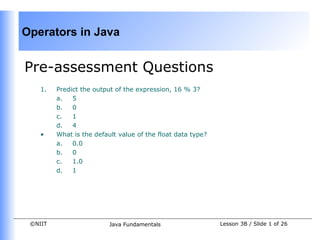
    1.   Predict the output of the expression, 16 % 3?
         a.   5
         b.   0
         c.   1
         d.   4
    •    What is the default value of the float data type?
         a.   0.0
         b.   0
         c.   1.0
         d.   1


 ©NIIT                    Java Fundamentals                  Lesson 3B / Slide 1 of 26
Operators in Java


Pre-assessment Questions (Contd.)
    3.   Consider the statements:
         Statement A: The name of a variable can begin with a digit.
         Statement B: The name of a variable can contain white spaces.
         Identify the correct option.
         a.   Statement A is true and statement B is false
         b.   Statement A is false and statement B is true
         c.   Both, statements, A and B, are true
         d.   Both, statements, A and B, are false


 ©NIIT                   Java Fundamentals                 Lesson 3B / Slide 2 of 26
Operators in Java


Pre-assessment Questions (Contd.)
    1.   _______variables are the local variables that are accessed by the function in
         which the variables are declared.
         a.   Static
         b.   Automatic
         c.   Instance
         d.   Class

    2.   _______literals are enclosed in single quotes
         a.  String
         b.  Character
         c.  Boolean
         d.  Integer


 ©NIIT                   Java Fundamentals                   Lesson 3B / Slide 3 of 26
Operators in Java


Solutions to Pre-assessment
Questions
    1.   c.
    2.   a.
    3.   d.
    4.   a.
    5.   b.


 ©NIIT         Java Fundamentals   Lesson 3B / Slide 4 of 26
Operators in Java


Objectives
    In this lesson, you will learn to:


         •   Use operators
               • Arithmetic assignment operators
               • bit-wise operators
               • shift operators
               • instance-of operator
         •   Identify the operators precedence


 ©NIIT                     Java Fundamentals       Lesson 3B / Slide 5 of 26
Operators in Java


Using Unary Operators
    •    Using the Increment and Decrement Operators
          • The increment and decrement operators are unary operators.
          • The increment operator (++) increases the value of an operand by 1.
          • The decrement operator (--) decreases the value of an operand by 1.
          • Prefix Form
                • The operator precedes the operand.
                • Operator operates on the operand before the value of operand is
                  used in the expression.
          • Postfix Form
                • In the postfix form, operator follows the operand.
                • Operator operates on the operand after the value of operand is used
                  in the expression.


 ©NIIT                     Java Fundamentals                 Lesson 3B / Slide 6 of 26
Operators in Java


Using the Arithmetic Assignment
Operators
    •    Arithmetic Assignment Operators
           • Addition(+), subtraction(-), multiplication(*), division(/), and modulo(%)
              are the arithmetic operators supported by Java.
           • Various arithmetic operators, such as +, -, /, *, and % are combined with
              the assignment operator (=) and are called arithmetic assignment
              operators.


 ©NIIT                     Java Fundamentals                  Lesson 3B / Slide 7 of 26
Operators in Java


Using the Arithmetic Assignment
Operators (Contd.)
         Operator       Use                       Description


         +=         op1 += op2        Adds operand, op1 and operand, op2
                                      and assigns the result to op1. This
                                      expression is equivalent to op1 =
                                      op1+op2.

         -=         op1 -= op2        Subtracts operand, op2 from
                                      operand, op1 and assigns the result
                                      to op1. This expression is equivalent
                                      to op1 = op1 – op2.


 ©NIIT                 Java Fundamentals                  Lesson 3B / Slide 8 of 26
Operators in Java


Using the Arithmetic Assignment
Operators (Contd.)
         Operator       Use                    Description


     *=             op1 *= op2      Multiplies operand, op1 and
                                    operand, op2 and assigns value of
                                    the result to op1. This expression
                                    is equivalent to op1 = op1*op2.

     /=             op1 /= op2      Divides operand, op1 by operand,
                                    op2, and assign the value of the
                                    result to op1. This expression is
                                    equivalent to op1 = op1/op2.


 ©NIIT                  Java Fundamentals                 Lesson 3B / Slide 9 of 26
Operators in Java


Using the Arithmetic Assignment
Operators (Contd.)


          Operator            Use           Description


         %=            op1 %= op2    Assigns the remainder of
                                     division of operand, op1
                                     and operand, op2 to op1.
                                     This expression is
                                     equivalent to op1 = op1%
                                     op2.


 ©NIIT           Java Fundamentals         Lesson 3B / Slide 10 of 26
Operators in Java


Using Bit-wise Operators
    •    Bit-wise operators
         • Operate on the individual bits of their operand.
         • Operands can be various data types like int, short, long, char, and byte.
         • Operands are converted into their binary equivalents before operation.
         • The result in the binary form after the operation is converted back into
              its decimal equivalent.


 ©NIIT                   Java Fundamentals                Lesson 3B / Slide 11 of 26
Operators in Java


Using Bit-wise Operators(Contd.)
    •    The following table lists the various bit-wise operators in Java:


                Operator           Use                 Operation

                &(AND)           x&y            Performs bit-wise AND
                                                operation. It evaluates to 1 if
                                                both bits, x and y are 1. If
                                                either or both bits are 0, the
                                                result is 0.


                |(OR)            x|y            Performs bit-wise OR
                                                operation. It evaluates to 0 if
                                                both bits, x and y are 0. If
                                                either or both bits are 1, the
                                                result is 1.


 ©NIIT                     Java Fundamentals                    Lesson 3B / Slide 12 of 26
Operators in Java


Using Bit-wise Operators(Contd.)

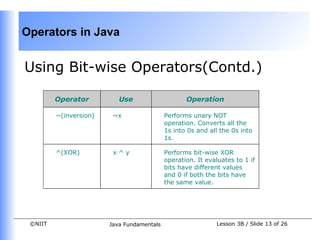
         Operator          Use                     Operation

         ~(inversion)    ~x                 Performs unary NOT
                                            operation. Converts all the
                                            1s into 0s and all the 0s into
                                            1s.

         ^(XOR)          x^y                Performs bit-wise XOR
                                            operation. It evaluates to 1 if
                                            bits have different values
                                            and 0 if both the bits have
                                            the same value.


 ©NIIT                  Java Fundamentals                    Lesson 3B / Slide 13 of 26
Operators in Java


Using Bit-wise Operators (Contd.)
•      Using the Bit-wise AND Operator
       • The Bit-wise AND operator (&) performs AND operation on two operands.
       • Displays 1 if both bits are 1 else 0 in all other cases.

                         Operation                       Result

                             0&0                             0

                             0&1                             0

                             1&1                             1

                             1&0                             0


    ©NIIT                 Java Fundamentals              Lesson 3B / Slide 14 of 26
Operators in Java


Using Bit-wise Operators (Contd.)
•      Using the Bit-wise OR Operator
       • The Bit-wise OR operator (|) performs OR operation on two operands.
       • Displays 0 if both bits are 0 else 1 in all other cases.

                         Operation                       Result

                              0|0                             0

                              0|1                             1

                              1|1                             1

                              1|0                             1


    ©NIIT                  Java Fundamentals              Lesson 3B / Slide 15 of 26
Operators in Java


Using Bit-wise Operators (Contd.)
•      Using the Bit-wise NOT Operator
       • Bit-wise NOT operator (~) is a unary operator and performs NOT operation
            on each bit of binary number.
       • The NOT operator inverts or complements each of the bits of a binary
            number.


                   Operation                           Result

            ~0                                 1

            ~1                                 0


    ©NIIT                  Java Fundamentals              Lesson 3B / Slide 16 of 26
Operators in Java


Using Bit-wise Operators (Contd.)
•      Using the Bit-wise XOR Operator
       • The Bit-wise XOR (^) operator performs XOR operation on two operands.
       • The XOR operator applied on two bits results in 1 if exactly one bit is 1 else 0
            in all other cases .


                        Operation                           Result

                             0^0                                 0

                             0 ^1                                1

                             1^1                                 0

                             1^0                                 1


    ©NIIT                   Java Fundamentals                 Lesson 3B / Slide 17 of 26
Operators in Java


Using Shift Operators
    •     Works on the bits of data.
    •     Shifts the bits of it’s operand either to left or right.


          Operator                 Use                         Operation

         >>                   val1 >> val2           Shifts the bits of the val1 operand
                                                     to the right by the number of
         (Right Shift)
                                                     positions specified by val2.

         <<                   val1<< val2            Shifts the bits of the val1 operand
                                                     to the left by the number of
         (Left Shift)
                                                     positions specified by val2.


 ©NIIT                      Java Fundamentals                        Lesson 3B / Slide 18 of 26
Operators in Java


Using Shift Operators (Contd.)

     Operator             Use                        Operation

    >>>               val1 >>> val2        Shifts the bits of the val1 operand
                                           to the right by the number of
    (Unsigned Shift
                                           positions specified by val2. A zero
    Operator)
                                           value is input in the high-order bit
                                           irrespective of the value of the
                                           high-order bit of val1. The high-
                                           order bit is the leftmost bit of the
                                           binary number.


 ©NIIT                 Java Fundamentals                   Lesson 3B / Slide 19 of 26
Operators in Java


Using Shift Operators (Contd.)
•      Using the Right Shift and Left Shift Operators
       • The right shift and the left shift operators are binary operators.
            • The right shift operator shifts all the bits of a binary number in the right
                  direction.
                  operand >> num
            • The left shift operator, <<, shifts all the bits of a binary number in the
                  left direction.
                  operand << num
•      Using the Unsigned Shift Operator
       • Unsigned shift operator (>>>) is used to shift the bits of a binary number to
            the right.
       • The operator fills the leftmost bits of a binary value with 0 irrespective of
            whether the number has 0 or 1 at the leftmost bit.


    ©NIIT                    Java Fundamentals                 Lesson 3B / Slide 20 of 26
Operators in Java


Using instance of Operator
    •    Used to test whether an object is an instance of a specific class.
    •    Used at the run time.
    •    The syntax of the instanceof operator is:
         op1 instanceof op2
    •    op1 is the name of an object and op2 is the name of a class.
    •    Returns a true value if the op1 object is an instance of the op2 class.


 ©NIIT                    Java Fundamentals                  Lesson 3B / Slide 21 of 26
Operators in Java


Operators Precedence
    •    Each operator in an expression is evaluated in a predetermined order called
         operator precedence.
    •    Operators on the same line have equal precedence.


                   Operators                              Category

         [], (), . , expr++, expr--             Array index, method call, member
                                                access, and postfix operators

         ++expr, --expr, +, -, !, ~             Unary postfix operators

         *, /, %                                Multiplicative Arithmetic operators

         +, -                                   Additive Arithmetic operators


 ©NIIT                      Java Fundamentals                   Lesson 3B / Slide 22 of 26
Operators in Java


Operators Precedence(Contd.)
                  Operators                            Category

         <<, >>, >>>                         Shift operators

         >, <, <=, >=, instanceof            Relational operators

         ==, !=                              Equality operator

         &                                   Bit-wise AND operator

         ^                                   Bit-wise XOR operator

         |                                   Bit-wise OR operator

         &&                                  Conditional AND operator

         ||                                  Conditional OR operator

         =, +=, -=, *=, /=, %=               Assignment operators

 ©NIIT                   Java Fundamentals                     Lesson 3B / Slide 23 of 26
Operators in Java


Demonstration-Precedence of
Operators in Java
    •    Problem Statement
          • Create a Java application to understand the order of
               precedence of various operators in Java.
    •    Solution
          • The Java application is created using the various operators in
               Java.
          • To solve the above problem, perform the following tasks:
          3. Code an application with an expression having multiple
               operators of different precedence
          4. Compile and execute the code.


 ©NIIT                 Java Fundamentals            Lesson 3B / Slide 24 of 26
Operators in Java


Summary
    •    In this lesson, you learned:
           • Operators are used to calculate, compare and compute values. The
              operators are classified as:
                 • Unary operators
                 • Binary operators
           • Unary operators operate on one operand, such as increment and
              decrement operators.
           • Binary operators operate on two operands, such as arithmetic operators
              +,-,/,*.
           • Arithmetic operators, such as, +, _, combined with assignment
              operator(=) are arithmetic assignment operators.
           • Bit-wise operators operate on one bit at a time.
           • The bit-wise operators operate on data types such as, int, short, long,
              char and byte.
           • The various bit-wise operators are bit-wise AND (&), bit-wise OR (|), bit-
              wise NOT (~), and bit-wise XOR (^).
 ©NIIT                     Java Fundamentals                  Lesson 3B / Slide 25 of 26
Operators in Java


Summary (Contd.)
    •    Shift operators are used to shift the bits of the number to the left or right.
         The various shift operators are right shift (>>), left shift (<<), and unsigned
         shift operator (>>>).
    •    The instanceof operator is used to test that whether an object is an instance
         of a particular class.
    •    An expression can have several operators and each operator is evaluated in
         order of their precedence.


 ©NIIT                    Java Fundamentals                  Lesson 3B / Slide 26 of 26

Dacj 1-3 b

  • 1.
    Operators in Java Pre-assessmentQuestions 1. Predict the output of the expression, 16 % 3? a. 5 b. 0 c. 1 d. 4 • What is the default value of the float data type? a. 0.0 b. 0 c. 1.0 d. 1 ©NIIT Java Fundamentals Lesson 3B / Slide 1 of 26
  • 2.
    Operators in Java Pre-assessmentQuestions (Contd.) 3. Consider the statements: Statement A: The name of a variable can begin with a digit. Statement B: The name of a variable can contain white spaces. Identify the correct option. a. Statement A is true and statement B is false b. Statement A is false and statement B is true c. Both, statements, A and B, are true d. Both, statements, A and B, are false ©NIIT Java Fundamentals Lesson 3B / Slide 2 of 26
  • 3.
    Operators in Java Pre-assessmentQuestions (Contd.) 1. _______variables are the local variables that are accessed by the function in which the variables are declared. a. Static b. Automatic c. Instance d. Class 2. _______literals are enclosed in single quotes a. String b. Character c. Boolean d. Integer ©NIIT Java Fundamentals Lesson 3B / Slide 3 of 26
  • 4.
    Operators in Java Solutionsto Pre-assessment Questions 1. c. 2. a. 3. d. 4. a. 5. b. ©NIIT Java Fundamentals Lesson 3B / Slide 4 of 26
  • 5.
    Operators in Java Objectives In this lesson, you will learn to: • Use operators • Arithmetic assignment operators • bit-wise operators • shift operators • instance-of operator • Identify the operators precedence ©NIIT Java Fundamentals Lesson 3B / Slide 5 of 26
  • 6.
    Operators in Java UsingUnary Operators • Using the Increment and Decrement Operators • The increment and decrement operators are unary operators. • The increment operator (++) increases the value of an operand by 1. • The decrement operator (--) decreases the value of an operand by 1. • Prefix Form • The operator precedes the operand. • Operator operates on the operand before the value of operand is used in the expression. • Postfix Form • In the postfix form, operator follows the operand. • Operator operates on the operand after the value of operand is used in the expression. ©NIIT Java Fundamentals Lesson 3B / Slide 6 of 26
  • 7.
    Operators in Java Usingthe Arithmetic Assignment Operators • Arithmetic Assignment Operators • Addition(+), subtraction(-), multiplication(*), division(/), and modulo(%) are the arithmetic operators supported by Java. • Various arithmetic operators, such as +, -, /, *, and % are combined with the assignment operator (=) and are called arithmetic assignment operators. ©NIIT Java Fundamentals Lesson 3B / Slide 7 of 26
  • 8.
    Operators in Java Usingthe Arithmetic Assignment Operators (Contd.) Operator Use Description += op1 += op2 Adds operand, op1 and operand, op2 and assigns the result to op1. This expression is equivalent to op1 = op1+op2. -= op1 -= op2 Subtracts operand, op2 from operand, op1 and assigns the result to op1. This expression is equivalent to op1 = op1 – op2. ©NIIT Java Fundamentals Lesson 3B / Slide 8 of 26
  • 9.
    Operators in Java Usingthe Arithmetic Assignment Operators (Contd.) Operator Use Description *= op1 *= op2 Multiplies operand, op1 and operand, op2 and assigns value of the result to op1. This expression is equivalent to op1 = op1*op2. /= op1 /= op2 Divides operand, op1 by operand, op2, and assign the value of the result to op1. This expression is equivalent to op1 = op1/op2. ©NIIT Java Fundamentals Lesson 3B / Slide 9 of 26
  • 10.
    Operators in Java Usingthe Arithmetic Assignment Operators (Contd.) Operator Use Description %= op1 %= op2 Assigns the remainder of division of operand, op1 and operand, op2 to op1. This expression is equivalent to op1 = op1% op2. ©NIIT Java Fundamentals Lesson 3B / Slide 10 of 26
  • 11.
    Operators in Java UsingBit-wise Operators • Bit-wise operators • Operate on the individual bits of their operand. • Operands can be various data types like int, short, long, char, and byte. • Operands are converted into their binary equivalents before operation. • The result in the binary form after the operation is converted back into its decimal equivalent. ©NIIT Java Fundamentals Lesson 3B / Slide 11 of 26
  • 12.
    Operators in Java UsingBit-wise Operators(Contd.) • The following table lists the various bit-wise operators in Java: Operator Use Operation &(AND) x&y Performs bit-wise AND operation. It evaluates to 1 if both bits, x and y are 1. If either or both bits are 0, the result is 0. |(OR) x|y Performs bit-wise OR operation. It evaluates to 0 if both bits, x and y are 0. If either or both bits are 1, the result is 1. ©NIIT Java Fundamentals Lesson 3B / Slide 12 of 26
  • 13.
    Operators in Java UsingBit-wise Operators(Contd.) Operator Use Operation ~(inversion) ~x Performs unary NOT operation. Converts all the 1s into 0s and all the 0s into 1s. ^(XOR) x^y Performs bit-wise XOR operation. It evaluates to 1 if bits have different values and 0 if both the bits have the same value. ©NIIT Java Fundamentals Lesson 3B / Slide 13 of 26
  • 14.
    Operators in Java UsingBit-wise Operators (Contd.) • Using the Bit-wise AND Operator • The Bit-wise AND operator (&) performs AND operation on two operands. • Displays 1 if both bits are 1 else 0 in all other cases. Operation Result 0&0 0 0&1 0 1&1 1 1&0 0 ©NIIT Java Fundamentals Lesson 3B / Slide 14 of 26
  • 15.
    Operators in Java UsingBit-wise Operators (Contd.) • Using the Bit-wise OR Operator • The Bit-wise OR operator (|) performs OR operation on two operands. • Displays 0 if both bits are 0 else 1 in all other cases. Operation Result 0|0 0 0|1 1 1|1 1 1|0 1 ©NIIT Java Fundamentals Lesson 3B / Slide 15 of 26
  • 16.
    Operators in Java UsingBit-wise Operators (Contd.) • Using the Bit-wise NOT Operator • Bit-wise NOT operator (~) is a unary operator and performs NOT operation on each bit of binary number. • The NOT operator inverts or complements each of the bits of a binary number. Operation Result ~0 1 ~1 0 ©NIIT Java Fundamentals Lesson 3B / Slide 16 of 26
  • 17.
    Operators in Java UsingBit-wise Operators (Contd.) • Using the Bit-wise XOR Operator • The Bit-wise XOR (^) operator performs XOR operation on two operands. • The XOR operator applied on two bits results in 1 if exactly one bit is 1 else 0 in all other cases . Operation Result 0^0 0 0 ^1 1 1^1 0 1^0 1 ©NIIT Java Fundamentals Lesson 3B / Slide 17 of 26
  • 18.
    Operators in Java UsingShift Operators • Works on the bits of data. • Shifts the bits of it’s operand either to left or right. Operator Use Operation >> val1 >> val2 Shifts the bits of the val1 operand to the right by the number of (Right Shift) positions specified by val2. << val1<< val2 Shifts the bits of the val1 operand to the left by the number of (Left Shift) positions specified by val2. ©NIIT Java Fundamentals Lesson 3B / Slide 18 of 26
  • 19.
    Operators in Java UsingShift Operators (Contd.) Operator Use Operation >>> val1 >>> val2 Shifts the bits of the val1 operand to the right by the number of (Unsigned Shift positions specified by val2. A zero Operator) value is input in the high-order bit irrespective of the value of the high-order bit of val1. The high- order bit is the leftmost bit of the binary number. ©NIIT Java Fundamentals Lesson 3B / Slide 19 of 26
  • 20.
    Operators in Java UsingShift Operators (Contd.) • Using the Right Shift and Left Shift Operators • The right shift and the left shift operators are binary operators. • The right shift operator shifts all the bits of a binary number in the right direction. operand >> num • The left shift operator, <<, shifts all the bits of a binary number in the left direction. operand << num • Using the Unsigned Shift Operator • Unsigned shift operator (>>>) is used to shift the bits of a binary number to the right. • The operator fills the leftmost bits of a binary value with 0 irrespective of whether the number has 0 or 1 at the leftmost bit. ©NIIT Java Fundamentals Lesson 3B / Slide 20 of 26
  • 21.
    Operators in Java Usinginstance of Operator • Used to test whether an object is an instance of a specific class. • Used at the run time. • The syntax of the instanceof operator is: op1 instanceof op2 • op1 is the name of an object and op2 is the name of a class. • Returns a true value if the op1 object is an instance of the op2 class. ©NIIT Java Fundamentals Lesson 3B / Slide 21 of 26
  • 22.
    Operators in Java OperatorsPrecedence • Each operator in an expression is evaluated in a predetermined order called operator precedence. • Operators on the same line have equal precedence. Operators Category [], (), . , expr++, expr-- Array index, method call, member access, and postfix operators ++expr, --expr, +, -, !, ~ Unary postfix operators *, /, % Multiplicative Arithmetic operators +, - Additive Arithmetic operators ©NIIT Java Fundamentals Lesson 3B / Slide 22 of 26
  • 23.
    Operators in Java OperatorsPrecedence(Contd.) Operators Category <<, >>, >>> Shift operators >, <, <=, >=, instanceof Relational operators ==, != Equality operator & Bit-wise AND operator ^ Bit-wise XOR operator | Bit-wise OR operator && Conditional AND operator || Conditional OR operator =, +=, -=, *=, /=, %= Assignment operators ©NIIT Java Fundamentals Lesson 3B / Slide 23 of 26
  • 24.
    Operators in Java Demonstration-Precedenceof Operators in Java • Problem Statement • Create a Java application to understand the order of precedence of various operators in Java. • Solution • The Java application is created using the various operators in Java. • To solve the above problem, perform the following tasks: 3. Code an application with an expression having multiple operators of different precedence 4. Compile and execute the code. ©NIIT Java Fundamentals Lesson 3B / Slide 24 of 26
  • 25.
    Operators in Java Summary • In this lesson, you learned: • Operators are used to calculate, compare and compute values. The operators are classified as: • Unary operators • Binary operators • Unary operators operate on one operand, such as increment and decrement operators. • Binary operators operate on two operands, such as arithmetic operators +,-,/,*. • Arithmetic operators, such as, +, _, combined with assignment operator(=) are arithmetic assignment operators. • Bit-wise operators operate on one bit at a time. • The bit-wise operators operate on data types such as, int, short, long, char and byte. • The various bit-wise operators are bit-wise AND (&), bit-wise OR (|), bit- wise NOT (~), and bit-wise XOR (^). ©NIIT Java Fundamentals Lesson 3B / Slide 25 of 26
  • 26.
    Operators in Java Summary(Contd.) • Shift operators are used to shift the bits of the number to the left or right. The various shift operators are right shift (>>), left shift (<<), and unsigned shift operator (>>>). • The instanceof operator is used to test that whether an object is an instance of a particular class. • An expression can have several operators and each operator is evaluated in order of their precedence. ©NIIT Java Fundamentals Lesson 3B / Slide 26 of 26