D-Bus Specification


D-Bus Specification
Havoc Pennington

Red Hat, Inc.


  <hp@pobox.com>


Anders Carlsson

CodeFactory AB


         <andersca@codefactory.se>


Alexander Larsson

Red Hat, Inc.


         <alexl@redhat.com>


Version 0.12


Table of Contents

Introduction
       Protocol and Specification Stability
Message Protocol
       Type Signatures
       Marshaling (Wire Format)
       Message Format
       Valid Names
       Message Types
       Invalid Protocol and Spec Extensions
Authentication Protocol
       Protocol Overview
       Special credentials-passing nul byte
       AUTH command


 http://dbus.freedesktop.org/doc/dbus-specification.html (1 of 43)2010-8-10 12:07:32
D-Bus Specification


       CANCEL Command
       DATA Command
       BEGIN Command
       REJECTED Command
       OK Command
       ERROR Command
       Authentication examples
       Authentication state diagrams
       Authentication mechanisms
Server Addresses
Transports
       Unix Domain Sockets
Naming Conventions
UUIDs
Standard Interfaces
       org.freedesktop.DBus.Peer
       org.freedesktop.DBus.Introspectable
       org.freedesktop.DBus.Properties
Introspection Data Format
Message Bus Specification
       Message Bus Overview
       Message Bus Names
       Message Bus Message Routing
       Message Bus Starting Services
       Well-known Message Bus Instances
       Message Bus Messages
Glossary


Introduction
D-Bus is a system for low-latency, low-overhead, easy to use interprocess communication (IPC). In more detail:

     q   D-Bus is low-latency because it is designed to avoid round trips and allow asynchronous operation, much like the X
         protocol.

     q   D-Bus is low-overhead because it uses a binary protocol, and does not have to convert to and from a text format
         such as XML. Because D-Bus is intended for potentially high-resolution same-machine IPC, not primarily for
         Internet IPC, this is an interesting optimization.

     q   D-Bus is easy to use because it works in terms of messages rather than byte streams, and automatically handles a lot
         of the hard IPC issues. Also, the D-Bus library is designed to be wrapped in a way that lets developers use their
         framework's existing object/type system, rather than learning a new one specifically for IPC.

The base D-Bus protocol is a one-to-one (peer-to-peer or client-server) protocol, specified in the section called “Message
Protocol”. That is, it is a system for one application to talk to a single other application. However, the primary intended

  http://dbus.freedesktop.org/doc/dbus-specification.html (2 of 43)2010-8-10 12:07:32
D-Bus Specification


application of the protocol is the D-Bus message bus, specified in the section called “Message Bus Specification”. The
message bus is a special application that accepts connections from multiple other applications, and forwards messages
among them.

Uses of D-Bus include notification of system changes (notification of when a camera is plugged in to a computer, or a new
version of some software has been installed), or desktop interoperability, for example a file monitoring service or a
configuration service.

D-Bus is designed for two specific use cases:

     q   A "system bus" for notifications from the system to user sessions, and to allow the system to request input from
         user sessions.

     q   A "session bus" used to implement desktop environments such as GNOME and KDE.

D-Bus is not intended to be a generic IPC system for any possible application, and intentionally omits many features found
in other IPC systems for this reason.

At the same time, the bus daemons offer a number of features not found in other IPC systems, such as single-owner "bus
names" (similar to X selections), on-demand startup of services, and security policies. In many ways, these features are the
primary motivation for developing D-Bus; other systems would have sufficed if IPC were the only goal.

D-Bus may turn out to be useful in unanticipated applications, but future versions of this spec and the reference
implementation probably will not incorporate features that interfere with the core use cases.

The key words "MUST", "MUST NOT", "REQUIRED", "SHALL", "SHALL NOT", "SHOULD", "SHOULD NOT",
"RECOMMENDED", "MAY", and "OPTIONAL" in this document are to be interpreted as described in RFC 2119.
However, the document could use a serious audit to be sure it makes sense to do so. Also, they are not capitalized.

Protocol and Specification Stability

The D-Bus protocol is frozen (only compatible extensions are allowed) as of November 8, 2006. However, this
specification could still use a fair bit of work to make interoperable reimplementation possible without reference to the D-
Bus reference implementation. Thus, this specification is not marked 1.0. To mark it 1.0, we'd like to see someone invest
significant effort in clarifying the specification language, and growing the specification to cover more aspects of the
reference implementation's behavior.

Until this work is complete, any attempt to reimplement D-Bus will probably require looking at the reference
implementation and/or asking questions on the D-Bus mailing list about intended behavior. Questions on the list are very
welcome.

Nonetheless, this document should be a useful starting point and is to our knowledge accurate, though incomplete.


Message Protocol
A message consists of a header and a body. If you think of a message as a package, the header is the address, and the body
contains the package contents. The message delivery system uses the header information to figure out where to send the

  http://dbus.freedesktop.org/doc/dbus-specification.html (3 of 43)2010-8-10 12:07:32
D-Bus Specification


message and how to interpret it; the recipient interprets the body of the message.

The body of the message is made up of zero or more arguments, which are typed values, such as an integer or a byte array.

Both header and body use the same type system and format for serializing data. Each type of value has a wire format.
Converting a value from some other representation into the wire format is called marshaling and converting it back from
the wire format is unmarshaling.

Type Signatures

The D-Bus protocol does not include type tags in the marshaled data; a block of marshaled values must have a known type
signature. The type signature is made up of type codes. A type code is an ASCII character representing the type of a value.
Because ASCII characters are used, the type signature will always form a valid ASCII string. A simple string compare
determines whether two type signatures are equivalent.

As a simple example, the type code for 32-bit integer (INT32) is the ASCII character 'i'. So the signature for a block of
values containing a single INT32 would be:

                     "i"


A block of values containing two INT32 would have this signature:

                     "ii"


All basic types work like INT32 in this example. To marshal and unmarshal basic types, you simply read one value from
the data block corresponding to each type code in the signature. In addition to basic types, there are four container types:
STRUCT, ARRAY, VARIANT, and DICT_ENTRY.

STRUCT has a type code, ASCII character 'r', but this type code does not appear in signatures. Instead, ASCII characters '('
and ')' are used to mark the beginning and end of the struct. So for example, a struct containing two integers would have
this signature:

                     "(ii)"


Structs can be nested, so for example a struct containing an integer and another struct:

                     "(i(ii))"


The value block storing that struct would contain three integers; the type signature allows you to distinguish "(i(ii))" from
"((ii)i)" or "(iii)" or "iii".

The STRUCT type code 'r' is not currently used in the D-Bus protocol, but is useful in code that implements the protocol.
This type code is specified to allow such code to interoperate in non-protocol contexts.

ARRAY has ASCII character 'a' as type code. The array type code must be followed by a single complete type. The single

  http://dbus.freedesktop.org/doc/dbus-specification.html (4 of 43)2010-8-10 12:07:32
D-Bus Specification


complete type following the array is the type of each array element. So the simple example is:

                     "ai"


which is an array of 32-bit integers. But an array can be of any type, such as this array-of-struct-with-two-int32-fields:

                     "a(ii)"


Or this array of array of integer:

                     "aai"


The phrase single complete type deserves some definition. A single complete type is a basic type code, a variant type code,
an array with its element type, or a struct with its fields. So the following signatures are not single complete types:

                     "aa"


                     "(ii"


                     "ii)"


And the following signatures contain multiple complete types:

                     "ii"


                     "aiai"


                     "(ii)(ii)"


Note however that a single complete type may contain multiple other single complete types.

VARIANT has ASCII character 'v' as its type code. A marshaled value of type VARIANT will have the signature of a single
complete type as part of the value. This signature will be followed by a marshaled value of that type.

A DICT_ENTRY works exactly like a struct, but rather than parentheses it uses curly braces, and it has more restrictions.
The restrictions are: it occurs only as an array element type; it has exactly two single complete types inside the curly
braces; the first single complete type (the "key") must be a basic type rather than a container type. Implementations must
not accept dict entries outside of arrays, must not accept dict entries with zero, one, or more than two fields, and must not
accept dict entries with non-basic-typed keys. A dict entry is always a key-value pair.

The first field in the DICT_ENTRY is always the key. A message is considered corrupt if the same key occurs twice in the

  http://dbus.freedesktop.org/doc/dbus-specification.html (5 of 43)2010-8-10 12:07:32
D-Bus Specification


same array of DICT_ENTRY. However, for performance reasons implementations are not required to reject dicts with
duplicate keys.

In most languages, an array of dict entry would be represented as a map, hash table, or dict object.

The following table summarizes the D-Bus types.

Conventional Name                                           Code                                                  Description
INVALID                           0 (ASCII NUL)                                         Not a valid type code, used to terminate signatures
BYTE                              121 (ASCII 'y')                                       8-bit unsigned integer
                                                                                        Boolean value, 0 is FALSE and 1 is TRUE. Everything
BOOLEAN                           98 (ASCII 'b')
                                                                                        else is invalid.
INT16                             110 (ASCII 'n')                                       16-bit signed integer
UINT16                            113 (ASCII 'q')                                       16-bit unsigned integer
INT32                             105 (ASCII 'i')                                       32-bit signed integer
UINT32                            117 (ASCII 'u')                                       32-bit unsigned integer
INT64                             120 (ASCII 'x')                                       64-bit signed integer
UINT64                            116 (ASCII 't')                                       64-bit unsigned integer
DOUBLE                            100 (ASCII 'd')                                       IEEE 754 double
                                                                                        UTF-8 string (must be valid UTF-8). Must be nul
STRING                            115 (ASCII 's')
                                                                                        terminated and contain no other nul bytes.
OBJECT_PATH                       111 (ASCII 'o')                                       Name of an object instance
SIGNATURE                         103 (ASCII 'g')                                       A type signature
ARRAY                             97 (ASCII 'a')                                        Array
                                  114 (ASCII 'r'), 40 (ASCII '('), 41
STRUCT                                                                                  Struct
                                  (ASCII ')')
                                                                                        Variant type (the type of the value is part of the value
VARIANT                           118 (ASCII 'v')
                                                                                        itself)
                                  101 (ASCII 'e'), 123 (ASCII '{'), 125
DICT_ENTRY                                                                              Entry in a dict or map (array of key-value pairs)
                                  (ASCII '}')


Marshaling (Wire Format)

Given a type signature, a block of bytes can be converted into typed values. This section describes the format of the block
of bytes. Byte order and alignment issues are handled uniformly for all D-Bus types.

A block of bytes has an associated byte order. The byte order has to be discovered in some way; for D-Bus messages, the
byte order is part of the message header as described in the section called “Message Format”. For now, assume that the
byte order is known to be either little endian or big endian.

Each value in a block of bytes is aligned "naturally," for example 4-byte values are aligned to a 4-byte boundary, and 8-
byte values to an 8-byte boundary. To properly align a value, alignment padding may be necessary. The alignment padding
must always be the minimum required padding to properly align the following value; and it must always be made up of nul

  http://dbus.freedesktop.org/doc/dbus-specification.html (6 of 43)2010-8-10 12:07:32
D-Bus Specification


bytes. The alignment padding must not be left uninitialized (it can't contain garbage), and more padding than required must
not be used.

Given all this, the types are marshaled on the wire as follows:

Conventional Name                                                              Encoding                           Alignment
INVALID                           Not applicable; cannot be marshaled.                                   N/A
BYTE                              A single 8-bit byte.                                                   1
BOOLEAN                           As for UINT32, but only 0 and 1 are valid values.                      4
INT16                             16-bit signed integer in the message's byte order.                     2
UINT16                            16-bit unsigned integer in the message's byte order.                   2
INT32                             32-bit signed integer in the message's byte order.                     4
UINT32                            32-bit unsigned integer in the message's byte order.                   4
INT64                             64-bit signed integer in the message's byte order.                     8
UINT64                            64-bit unsigned integer in the message's byte order.                   8
DOUBLE                            64-bit IEEE 754 double in the message's byte order.                    8
                                  A UINT32 indicating the string's length in bytes excluding its
STRING                            terminating nul, followed by non-nul string data of the given length, 4 (for the length)
                                  followed by a terminating nul byte.
                                  Exactly the same as STRING except the content must be a valid
OBJECT_PATH                                                                                              4 (for the length)
                                  object path (see below).
                                  The same as STRING except the length is a single byte (thus
SIGNATURE                         signatures have a maximum length of 255) and the content must be       1
                                  a valid signature (see below).
                                  A UINT32 giving the length of the array data in bytes, followed by
                                  alignment padding to the alignment boundary of the array element
                                  type, followed by each array element. The array length is from the
                                  end of the alignment padding to the end of the last element, i.e. it
ARRAY                                                                                                    4 (for the length)
                                  does not include the padding after the length, or any padding after
                                  the last element. Arrays have a maximum length defined to be 2 to
                                  the 26th power or 67108864. Implementations must not send or
                                  accept arrays exceeding this length.
                                  A struct must start on an 8-byte boundary regardless of the type of
STRUCT                            the struct fields. The struct value consists of each field marshaled in 8
                                  sequence starting from that 8-byte alignment boundary.
                                  A variant type has a marshaled SIGNATURE followed by a
                                  marshaled value with the type given in the signature. Unlike a         1 (alignment of the
VARIANT
                                  message signature, the variant signature can contain only a single     signature)
                                  complete type. So "i" is OK, "ii" is not.
DICT_ENTRY                        Identical to STRUCT.                                                   8

Valid Object Paths


  http://dbus.freedesktop.org/doc/dbus-specification.html (7 of 43)2010-8-10 12:07:32
D-Bus Specification


An object path is a name used to refer to an object instance. Conceptually, each participant in a D-Bus message exchange
may have any number of object instances (think of C++ or Java objects) and each such instance will have a path. Like a
filesystem, the object instances in an application form a hierarchical tree.

The following rules define a valid object path. Implementations must not send or accept messages with invalid object
paths.

    q   The path may be of any length.

    q   The path must begin with an ASCII '/' (integer 47) character, and must consist of elements separated by slash
        characters.

    q   Each element must only contain the ASCII characters "[A-Z][a-z][0-9]_"

    q   No element may be the empty string.

    q   Multiple '/' characters cannot occur in sequence.

    q   A trailing '/' character is not allowed unless the path is the root path (a single '/' character).

Valid Signatures

An implementation must not send or accept invalid signatures. Valid signatures will conform to the following rules:

    q   The signature ends with a nul byte.

    q   The signature is a list of single complete types. Arrays must have element types, and structs must have both open
        and close parentheses.

    q   Only type codes and open and close parentheses are allowed in the signature. The STRUCT type code is not allowed
        in signatures, because parentheses are used instead.

    q   The maximum depth of container type nesting is 32 array type codes and 32 open parentheses. This implies that the
        maximum total depth of recursion is 64, for an "array of array of array of ... struct of struct of struct of ..." where
        there are 32 array and 32 struct.

    q   The maximum length of a signature is 255.

    q   Signatures must be nul-terminated.

Message Format

A message consists of a header and a body. The header is a block of values with a fixed signature and meaning. The body
is a separate block of values, with a signature specified in the header.

The length of the header must be a multiple of 8, allowing the body to begin on an 8-byte boundary when storing the entire
message in a single buffer. If the header does not naturally end on an 8-byte boundary up to 7 bytes of nul-initialized
alignment padding must be added.


 http://dbus.freedesktop.org/doc/dbus-specification.html (8 of 43)2010-8-10 12:07:32
D-Bus Specification


The message body need not end on an 8-byte boundary.

The maximum length of a message, including header, header alignment padding, and body is 2 to the 27th power or
134217728. Implementations must not send or accept messages exceeding this size.

The signature of the header is:

                     "yyyyuua(yv)"


Written out more readably, this is:

                     BYTE, BYTE, BYTE, BYTE, UINT32, UINT32, ARRAY of STRUCT of (BYTE,
VARIANT)


These values have the following meanings:

                           Value                                                                   Description
                                                                 Endianness flag; ASCII 'l' for little-endian or ASCII 'B' for big-endian. Both
1st BYTE
                                                                 header and body are in this endianness.
                                                                 Message type. Unknown types must be ignored. Currently-defined types are
2nd BYTE
                                                                 described below.
                                                                 Bitwise OR of flags. Unknown flags must be ignored. Currently-defined flags
3rd BYTE
                                                                 are described below.
                                                                 Major protocol version of the sending application. If the major protocol
                                                                 version of the receiving application does not match, the applications will not
4th BYTE
                                                                 be able to communicate and the D-Bus connection must be disconnected. The
                                                                 major protocol version for this version of the specification is 1.
                                                                 Length in bytes of the message body, starting from the end of the header. The
1st UINT32
                                                                 header ends after its alignment padding to an 8-boundary.
                                                                 The serial of this message, used as a cookie by the sender to identify the reply
2nd UINT32
                                                                 corresponding to this request.
                                  An array of zero or more header fields where the byte is the field code, and
ARRAY of STRUCT of (BYTE,VARIANT) the variant is the field value. The message type determines which fields are
                                  required.

Message types that can appear in the second byte of the header are:

Conventional name Decimal value                                                             Description
INVALID                          0                        This is an invalid type.
METHOD_CALL                      1                        Method call.
METHOD_RETURN 2                                           Method reply with returned data.
ERROR                            3                        Error reply. If the first argument exists and is a string, it is an error message.


  http://dbus.freedesktop.org/doc/dbus-specification.html (9 of 43)2010-8-10 12:07:32
D-Bus Specification


SIGNAL                           4                        Signal emission.

Flags that can appear in the third byte of the header:

   Conventional name                    Hex value                                                    Description
                                                          This message does not expect method return replies or error replies; the reply can
                                                          be omitted as an optimization. However, it is compliant with this specification to
NO_REPLY_EXPECTED 0x1
                                                          return the reply despite this flag and the only harm from doing so is extra network
                                                          traffic.
                                                          The bus must not launch an owner for the destination name in response to this
NO_AUTO_START                           0x2
                                                          message.

Header Fields

The array at the end of the header contains header fields, where each field is a 1-byte field code followed by a field value.
A header must contain the required header fields for its message type, and zero or more of any optional header fields.
Future versions of this protocol specification may add new fields. Implementations must ignore fields they do not
understand. Implementations must not invent their own header fields; only changes to this specification may introduce new
header fields.

Again, if an implementation sees a header field code that it does not expect, it must ignore that field, as it will be part of a
new (but compatible) version of this specification. This also applies to known header fields appearing in unexpected
messages, for example: if a signal has a reply serial it must be ignored even though it has no meaning as of this version of
the spec.

However, implementations must not send or accept known header fields with the wrong type stored in the field value. So
for example a message with an INTERFACE field of type UINT32 would be considered corrupt.

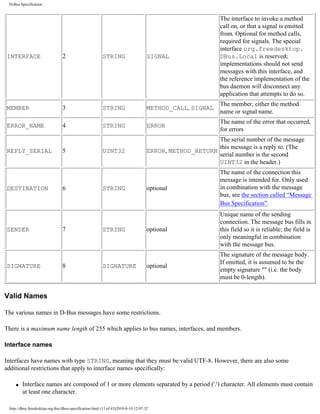
Here are the currently-defined header fields:

Conventional Name Decimal Code                                    Type                      Required In                    Description
                                                                                                              Not a valid field name (error if it
INVALID                           0                       N/A                        not allowed
                                                                                                              appears in a message)
                                                                                                              The object to send a call to, or the
                                                                                                              object a signal is emitted from. The
                                                                                                              special path /org/
                                                                                                              freedesktop/DBus/Local is
PATH                              1                       OBJECT_PATH METHOD_CALL, SIGNAL                     reserved; implementations should
                                                                                                              not send messages with this path,
                                                                                                              and the reference implementation of
                                                                                                              the bus daemon will disconnect any
                                                                                                              application that attempts to do so.


  http://dbus.freedesktop.org/doc/dbus-specification.html (10 of 43)2010-8-10 12:07:32
D-Bus Specification


                                                                                                            The interface to invoke a method
                                                                                                            call on, or that a signal is emitted
                                                                                                            from. Optional for method calls,
                                                                                                            required for signals. The special
                                                                                                            interface org.freedesktop.
INTERFACE                        2                       STRING                     SIGNAL                  DBus.Local is reserved;
                                                                                                            implementations should not send
                                                                                                            messages with this interface, and
                                                                                                            the reference implementation of the
                                                                                                            bus daemon will disconnect any
                                                                                                            application that attempts to do so.
                                                                                                            The member, either the method
MEMBER                           3                       STRING                     METHOD_CALL, SIGNAL
                                                                                                            name or signal name.
                                                                                                            The name of the error that occurred,
ERROR_NAME                       4                       STRING                     ERROR
                                                                                                            for errors
                                                                                                         The serial number of the message
                                                                                                         this message is a reply to. (The
REPLY_SERIAL                     5                       UINT32                     ERROR, METHOD_RETURN
                                                                                                         serial number is the second
                                                                                                         UINT32 in the header.)
                                                                                                            The name of the connection this
                                                                                                            message is intended for. Only used
DESTINATION                      6                       STRING                     optional                in combination with the message
                                                                                                            bus, see the section called “Message
                                                                                                            Bus Specification”.
                                                                                                            Unique name of the sending
                                                                                                            connection. The message bus fills in
SENDER                           7                       STRING                     optional                this field so it is reliable; the field is
                                                                                                            only meaningful in combination
                                                                                                            with the message bus.
                                                                                                            The signature of the message body.
                                                                                                            If omitted, it is assumed to be the
SIGNATURE                        8                       SIGNATURE                  optional
                                                                                                            empty signature "" (i.e. the body
                                                                                                            must be 0-length).


Valid Names

The various names in D-Bus messages have some restrictions.

There is a maximum name length of 255 which applies to bus names, interfaces, and members.

Interface names

Interfaces have names with type STRING, meaning that they must be valid UTF-8. However, there are also some
additional restrictions that apply to interface names specifically:

    q   Interface names are composed of 1 or more elements separated by a period ('.') character. All elements must contain
        at least one character.

 http://dbus.freedesktop.org/doc/dbus-specification.html (11 of 43)2010-8-10 12:07:32
D-Bus Specification


     q   Each element must only contain the ASCII characters "[A-Z][a-z][0-9]_" and must not begin with a digit.

     q   Interface names must contain at least one '.' (period) character (and thus at least two elements).

     q   Interface names must not begin with a '.' (period) character.

     q   Interface names must not exceed the maximum name length.

Bus names

Connections have one or more bus names associated with them. A connection has exactly one bus name that is a unique
connection name. The unique connection name remains with the connection for its entire lifetime. A bus name is of type
STRING, meaning that it must be valid UTF-8. However, there are also some additional restrictions that apply to bus
names specifically:

     q   Bus names that start with a colon (':') character are unique connection names.

     q   Bus names are composed of 1 or more elements separated by a period ('.') character. All elements must contain at
         least one character.

     q   Each element must only contain the ASCII characters "[A-Z][a-z][0-9]_-". Only elements that are part of a unique
         connection name may begin with a digit, elements in other bus names must not begin with a digit.

     q   Bus names must contain at least one '.' (period) character (and thus at least two elements).

     q   Bus names must not begin with a '.' (period) character.

     q   Bus names must not exceed the maximum name length.

Note that the hyphen ('-') character is allowed in bus names but not in interface names.

Member names

Member (i.e. method or signal) names:

     q   Must only contain the ASCII characters "[A-Z][a-z][0-9]_" and may not begin with a digit.

     q   Must not contain the '.' (period) character.

     q   Must not exceed the maximum name length.

     q   Must be at least 1 byte in length.

Error names

Error names have the same restrictions as interface names.


  http://dbus.freedesktop.org/doc/dbus-specification.html (12 of 43)2010-8-10 12:07:32
D-Bus Specification


Message Types

Each of the message types (METHOD_CALL, METHOD_RETURN, ERROR, and SIGNAL) has its own expected usage
conventions and header fields. This section describes these conventions.

Method Calls

Some messages invoke an operation on a remote object. These are called method call messages and have the type tag
METHOD_CALL. Such messages map naturally to methods on objects in a typical program.

A method call message is required to have a MEMBER header field indicating the name of the method. Optionally, the
message has an INTERFACE field giving the interface the method is a part of. In the absence of an INTERFACE field, if
two interfaces on the same object have a method with the same name, it is undefined which of the two methods will be
invoked. Implementations may also choose to return an error in this ambiguous case. However, if a method name is unique
implementations must not require an interface field.

Method call messages also include a PATH field indicating the object to invoke the method on. If the call is passing
through a message bus, the message will also have a DESTINATION field giving the name of the connection to receive the
message.

When an application handles a method call message, it is required to return a reply. The reply is identified by a
REPLY_SERIAL header field indicating the serial number of the METHOD_CALL being replied to. The reply can have
one of two types; either METHOD_RETURN or ERROR.

If the reply has type METHOD_RETURN, the arguments to the reply message are the return value(s) or "out parameters" of
the method call. If the reply has type ERROR, then an "exception" has been thrown, and the call fails; no return value will
be provided. It makes no sense to send multiple replies to the same method call.

Even if a method call has no return values, a METHOD_RETURN reply is required, so the caller will know the method was
successfully processed.

The METHOD_RETURN or ERROR reply message must have the REPLY_SERIAL header field.

If a METHOD_CALL message has the flag NO_REPLY_EXPECTED, then as an optimization the application receiving the
method call may choose to omit the reply message (regardless of whether the reply would have been METHOD_RETURN or
ERROR). However, it is also acceptable to ignore the NO_REPLY_EXPECTED flag and reply anyway.

Unless a message has the flag NO_AUTO_START, if the destination name does not exist then a program to own the
destination name will be started before the message is delivered. The message will be held until the new program is
successfully started or has failed to start; in case of failure, an error will be returned. This flag is only relevant in the
context of a message bus, it is ignored during one-to-one communication with no intermediate bus.

Mapping method calls to native APIs

APIs for D-Bus may map method calls to a method call in a specific programming language, such as C++, or may map a
method call written in an IDL to a D-Bus message.

In APIs of this nature, arguments to a method are often termed "in" (which implies sent in the METHOD_CALL), or
"out" (which implies returned in the METHOD_RETURN). Some APIs such as CORBA also have "inout" arguments, which

  http://dbus.freedesktop.org/doc/dbus-specification.html (13 of 43)2010-8-10 12:07:32
D-Bus Specification


are both sent and received, i.e. the caller passes in a value which is modified. Mapped to D-Bus, an "inout" argument is
equivalent to an "in" argument, followed by an "out" argument. You can't pass things "by reference" over the wire, so
"inout" is purely an illusion of the in-process API.

Given a method with zero or one return values, followed by zero or more arguments, where each argument may be "in",
"out", or "inout", the caller constructs a message by appending each "in" or "inout" argument, in order. "out" arguments are
not represented in the caller's message.

The recipient constructs a reply by appending first the return value if any, then each "out" or "inout" argument, in order.
"in" arguments are not represented in the reply message.

Error replies are normally mapped to exceptions in languages that have exceptions.

In converting from native APIs to D-Bus, it is perhaps nice to map D-Bus naming conventions ("FooBar") to native
conventions such as "fooBar" or "foo_bar" automatically. This is OK as long as you can say that the native API is one that
was specifically written for D-Bus. It makes the most sense when writing object implementations that will be exported
over the bus. Object proxies used to invoke remote D-Bus objects probably need the ability to call any D-Bus method, and
thus a magic name mapping like this could be a problem.

This specification doesn't require anything of native API bindings; the preceding is only a suggested convention for
consistency among bindings.

Signal Emission

Unlike method calls, signal emissions have no replies. A signal emission is simply a single message of type SIGNAL. It
must have three header fields: PATH giving the object the signal was emitted from, plus INTERFACE and MEMBER giving
the fully-qualified name of the signal. The INTERFACE header is required for signals, though it is optional for method
calls.

Errors

Messages of type ERROR are most commonly replies to a METHOD_CALL, but may be returned in reply to any kind of
message. The message bus for example will return an ERROR in reply to a signal emission if the bus does not have enough
memory to send the signal.

An ERROR may have any arguments, but if the first argument is a STRING, it must be an error message. The error
message may be logged or shown to the user in some way.

Notation in this document

This document uses a simple pseudo-IDL to describe particular method calls and signals. Here is an example of a method
call:

                          org.freedesktop.DBus.StartServiceByName (in STRING name, in UINT32
flags,
                                                                                         out UINT32 resultcode)


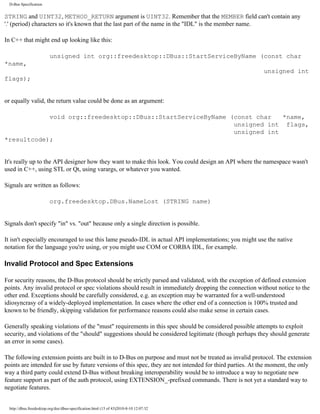
This means INTERFACE = org.freedesktop.DBus, MEMBER = StartServiceByName, METHOD_CALL arguments are

  http://dbus.freedesktop.org/doc/dbus-specification.html (14 of 43)2010-8-10 12:07:32
D-Bus Specification


STRING and UINT32, METHOD_RETURN argument is UINT32. Remember that the MEMBER field can't contain any
'.' (period) characters so it's known that the last part of the name in the "IDL" is the member name.

In C++ that might end up looking like this:

                          unsigned int org::freedesktop::DBus::StartServiceByName (const char
*name,
                                                                                                         unsigned int
flags);


or equally valid, the return value could be done as an argument:

            void org::freedesktop::DBus::StartServiceByName (const char   *name,
                                                             unsigned int flags,
                                                             unsigned int
*resultcode);


It's really up to the API designer how they want to make this look. You could design an API where the namespace wasn't
used in C++, using STL or Qt, using varargs, or whatever you wanted.

Signals are written as follows:

                          org.freedesktop.DBus.NameLost (STRING name)


Signals don't specify "in" vs. "out" because only a single direction is possible.

It isn't especially encouraged to use this lame pseudo-IDL in actual API implementations; you might use the native
notation for the language you're using, or you might use COM or CORBA IDL, for example.

Invalid Protocol and Spec Extensions

For security reasons, the D-Bus protocol should be strictly parsed and validated, with the exception of defined extension
points. Any invalid protocol or spec violations should result in immediately dropping the connection without notice to the
other end. Exceptions should be carefully considered, e.g. an exception may be warranted for a well-understood
idiosyncrasy of a widely-deployed implementation. In cases where the other end of a connection is 100% trusted and
known to be friendly, skipping validation for performance reasons could also make sense in certain cases.

Generally speaking violations of the "must" requirements in this spec should be considered possible attempts to exploit
security, and violations of the "should" suggestions should be considered legitimate (though perhaps they should generate
an error in some cases).

The following extension points are built in to D-Bus on purpose and must not be treated as invalid protocol. The extension
points are intended for use by future versions of this spec, they are not intended for third parties. At the moment, the only
way a third party could extend D-Bus without breaking interoperability would be to introduce a way to negotiate new
feature support as part of the auth protocol, using EXTENSION_-prefixed commands. There is not yet a standard way to
negotiate features.


  http://dbus.freedesktop.org/doc/dbus-specification.html (15 of 43)2010-8-10 12:07:32
D-Bus Specification


     q   In the authentication protocol (see the section called “Authentication Protocol”) unknown commands result in an
         ERROR rather than a disconnect. This enables future extensions to the protocol. Commands starting with
         EXTENSION_ are reserved for third parties.

     q   The authentication protocol supports pluggable auth mechanisms.

     q   The address format (see the section called “Server Addresses”) supports new kinds of transport.

     q   Messages with an unknown type (something other than METHOD_CALL, METHOD_RETURN, ERROR, SIGNAL)
         are ignored. Unknown-type messages must still be well-formed in the same way as the known messages, however.
         They still have the normal header and body.

     q   Header fields with an unknown or unexpected field code must be ignored, though again they must still be well-
         formed.

     q   New standard interfaces (with new methods and signals) can of course be added.


Authentication Protocol
Before the flow of messages begins, two applications must authenticate. A simple plain-text protocol is used for
authentication; this protocol is a SASL profile, and maps fairly directly from the SASL specification. The message
encoding is NOT used here, only plain text messages.

In examples, "C:" and "S:" indicate lines sent by the client and server respectively.

Protocol Overview

The protocol is a line-based protocol, where each line ends with rn. Each line begins with an all-caps ASCII command
name containing only the character range [A-Z_], a space, then any arguments for the command, then the rn ending the
line. The protocol is case-sensitive. All bytes must be in the ASCII character set. Commands from the client to the server
are as follows:

     q   AUTH [mechanism] [initial-response]

     q   CANCEL

     q   BEGIN

     q   DATA <data in hex encoding>

     q   ERROR [human-readable error explanation]

From server to client are as follows:

     q   REJECTED <space-separated list of mechanism names>


  http://dbus.freedesktop.org/doc/dbus-specification.html (16 of 43)2010-8-10 12:07:32
D-Bus Specification


     q   OK <GUID in hex>

     q   DATA <data in hex encoding>

     q   ERROR

Unofficial extensions to the command set must begin with the letters "EXTENSION_", to avoid conflicts with future
official commands. For example, "EXTENSION_COM_MYDOMAIN_DO_STUFF".

Special credentials-passing nul byte

Immediately after connecting to the server, the client must send a single nul byte. This byte may be accompanied by
credentials information on some operating systems that use sendmsg() with SCM_CREDS or SCM_CREDENTIALS to
pass credentials over UNIX domain sockets. However, the nul byte must be sent even on other kinds of socket, and even
on operating systems that do not require a byte to be sent in order to transmit credentials. The text protocol described in
this document begins after the single nul byte. If the first byte received from the client is not a nul byte, the server may
disconnect that client.

A nul byte in any context other than the initial byte is an error; the protocol is ASCII-only.

The credentials sent along with the nul byte may be used with the SASL mechanism EXTERNAL.

AUTH command

If an AUTH command has no arguments, it is a request to list available mechanisms. The server must respond with a
REJECTED command listing the mechanisms it understands, or with an error.

If an AUTH command specifies a mechanism, and the server supports said mechanism, the server should begin
exchanging SASL challenge-response data with the client using DATA commands.

If the server does not support the mechanism given in the AUTH command, it must send either a REJECTED command
listing the mechanisms it does support, or an error.

If the [initial-response] argument is provided, it is intended for use with mechanisms that have no initial challenge (or an
empty initial challenge), as if it were the argument to an initial DATA command. If the selected mechanism has an initial
challenge and [initial-response] was provided, the server should reject authentication by sending REJECTED.

If authentication succeeds after exchanging DATA commands, an OK command must be sent to the client.

The first octet received by the client after the rn of the OK command must be the first octet of the authenticated/encrypted
stream of D-Bus messages.

The first octet received by the server after the rn of the BEGIN command from the client must be the first octet of the
authenticated/encrypted stream of D-Bus messages.

CANCEL Command

At any time up to sending the BEGIN command, the client may send a CANCEL command. On receiving the CANCEL

  http://dbus.freedesktop.org/doc/dbus-specification.html (17 of 43)2010-8-10 12:07:32
D-Bus Specification


command, the server must send a REJECTED command and abort the current authentication exchange.

DATA Command

The DATA command may come from either client or server, and simply contains a hex-encoded block of data to be
interpreted according to the SASL mechanism in use.

Some SASL mechanisms support sending an "empty string"; FIXME we need some way to do this.

BEGIN Command

The BEGIN command acknowledges that the client has received an OK command from the server, and that the stream of
messages is about to begin.

The first octet received by the server after the rn of the BEGIN command from the client must be the first octet of the
authenticated/encrypted stream of D-Bus messages.

REJECTED Command

The REJECTED command indicates that the current authentication exchange has failed, and further exchange of DATA is
inappropriate. The client would normally try another mechanism, or try providing different responses to challenges.

Optionally, the REJECTED command has a space-separated list of available auth mechanisms as arguments. If a server
ever provides a list of supported mechanisms, it must provide the same list each time it sends a REJECTED message.
Clients are free to ignore all lists received after the first.

OK Command

The OK command indicates that the client has been authenticated, and that further communication will be a stream of D-
Bus messages (optionally encrypted, as negotiated) rather than this protocol.

The first octet received by the client after the rn of the OK command must be the first octet of the authenticated/encrypted
stream of D-Bus messages.

The client must respond to the OK command by sending a BEGIN command, followed by its stream of messages, or by
disconnecting. The server must not accept additional commands using this protocol after the OK command has been sent.

The OK command has one argument, which is the GUID of the server. See the section called “Server Addresses” for more
on server GUIDs.

ERROR Command

The ERROR command indicates that either server or client did not know a command, does not accept the given command
in the current context, or did not understand the arguments to the command. This allows the protocol to be extended; a
client or server can send a command present or permitted only in new protocol versions, and if an ERROR is received
instead of an appropriate response, fall back to using some other technique.

If an ERROR is sent, the server or client that sent the error must continue as if the command causing the ERROR had

  http://dbus.freedesktop.org/doc/dbus-specification.html (18 of 43)2010-8-10 12:07:32
D-Bus Specification


never been received. However, the the server or client receiving the error should try something other than whatever caused
the error; if only canceling/rejecting the authentication.

If the D-Bus protocol changes incompatibly at some future time, applications implementing the new protocol would
probably be able to check for support of the new protocol by sending a new command and receiving an ERROR from
applications that don't understand it. Thus the ERROR feature of the auth protocol is an escape hatch that lets us negotiate
extensions or changes to the D-Bus protocol in the future.

Authentication examples

Figure 1. Example of successful magic cookie authentication

                          (MAGIC_COOKIE is a made up mechanism)

                          C: AUTH MAGIC_COOKIE 3138363935333137393635383634
                          S: OK 1234deadbeef
                          C: BEGIN


Figure 2. Example of finding out mechanisms then picking one

                          C:     AUTH
                          S:     REJECTED KERBEROS_V4 SKEY
                          C:     AUTH SKEY 7ab83f32ee
                          S:     DATA 8799cabb2ea93e
                          C:     DATA 8ac876e8f68ee9809bfa876e6f9876g8fa8e76e98f
                          S:     OK 1234deadbeef
                          C:     BEGIN


Figure 3. Example of client sends unknown command then falls back to regular auth

                          C:     FOOBAR
                          S:     ERROR
                          C:     AUTH MAGIC_COOKIE 3736343435313230333039
                          S:     OK 1234deadbeef
                          C:     BEGIN


Figure 4. Example of server doesn't support initial auth mechanism

                          C:     AUTH MAGIC_COOKIE 3736343435313230333039
                          S:     REJECTED KERBEROS_V4 SKEY
                          C:     AUTH SKEY 7ab83f32ee
                          S:     DATA 8799cabb2ea93e
                          C:     DATA 8ac876e8f68ee9809bfa876e6f9876g8fa8e76e98f
                          S:     OK 1234deadbeef


  http://dbus.freedesktop.org/doc/dbus-specification.html (19 of 43)2010-8-10 12:07:32
D-Bus Specification


                         C: BEGIN


Figure 5. Example of wrong password or the like followed by successful retry

                         C:     AUTH MAGIC_COOKIE 3736343435313230333039
                         S:     REJECTED KERBEROS_V4 SKEY
                         C:     AUTH SKEY 7ab83f32ee
                         S:     DATA 8799cabb2ea93e
                         C:     DATA 8ac876e8f68ee9809bfa876e6f9876g8fa8e76e98f
                         S:     REJECTED
                         C:     AUTH SKEY 7ab83f32ee
                         S:     DATA 8799cabb2ea93e
                         C:     DATA 8ac876e8f68ee9809bfa876e6f9876g8fa8e76e98f
                         S:     OK 1234deadbeef
                         C:     BEGIN


Figure 6. Example of skey cancelled and restarted

                         C:     AUTH MAGIC_COOKIE 3736343435313230333039
                         S:     REJECTED KERBEROS_V4 SKEY
                         C:     AUTH SKEY 7ab83f32ee
                         S:     DATA 8799cabb2ea93e
                         C:     CANCEL
                         S:     REJECTED
                         C:     AUTH SKEY 7ab83f32ee
                         S:     DATA 8799cabb2ea93e
                         C:     DATA 8ac876e8f68ee9809bfa876e6f9876g8fa8e76e98f
                         S:     OK 1234deadbeef
                         C:     BEGIN


Authentication state diagrams

This section documents the auth protocol in terms of a state machine for the client and the server. This is probably the most
robust way to implement the protocol.

Client states

To more precisely describe the interaction between the protocol state machine and the authentication mechanisms the
following notation is used: MECH(CHALL) means that the server challenge CHALL was fed to the mechanism MECH,
which returns one of

    q   CONTINUE(RESP) means continue the auth conversation and send RESP as the response to the server;

    q   OK(RESP) means that after sending RESP to the server the client side of the auth conversation is finished and the


 http://dbus.freedesktop.org/doc/dbus-specification.html (20 of 43)2010-8-10 12:07:32
D-Bus Specification


        server should return "OK";

    q   ERROR means that CHALL was invalid and could not be processed.

Both RESP and CHALL may be empty.

The Client starts by getting an initial response from the default mechanism and sends AUTH MECH RESP, or AUTH
MECH if the mechanism did not provide an initial response. If the mechanism returns CONTINUE, the client starts in
state WaitingForData, if the mechanism returns OK the client starts in state WaitingForOK.

The client should keep track of available mechanisms and which it mechanisms it has already attempted. This list is used
to decide which AUTH command to send. When the list is exhausted, the client should give up and close the connection.

WaitingForData.

    q   Receive DATA CHALL

         MECH(CHALL) returns CONTINUE(RESP) ¡ send DATA RESP, goto
         WaitingForData
         MECH(CHALL) returns OK(RESP) ¡ send DATA RESP, goto WaitingForOK
         MECH(CHALL) returns ERROR ¡ send ERROR [msg], goto WaitingForData

    q   Receive REJECTED [mechs] ¡ send AUTH [next mech], goto WaitingForData or WaitingForOK

    q   Receive ERROR ¡ send CANCEL, goto WaitingForReject

    q   Receive OK ¡ send BEGIN, terminate auth conversation, authenticated

    q   Receive anything else ¡ send ERROR, goto WaitingForData

WaitingForOK.

    q   Receive OK ¡ send BEGIN, terminate auth conversation, authenticated

    q   Receive REJECT [mechs] ¡ send AUTH [next mech], goto WaitingForData or WaitingForOK

    q   Receive DATA ¡ send CANCEL, goto WaitingForReject

    q   Receive ERROR ¡ send CANCEL, goto WaitingForReject

    q   Receive anything else ¡ send ERROR, goto WaitingForOK

WaitingForReject.

    q   Receive REJECT [mechs] ¡ send AUTH [next mech], goto WaitingForData or WaitingForOK


 http://dbus.freedesktop.org/doc/dbus-specification.html (21 of 43)2010-8-10 12:07:32
D-Bus Specification


     q   Receive anything else ¡ terminate auth conversation, disconnect

Server states

For the server MECH(RESP) means that the client response RESP was fed to the the mechanism MECH, which returns
one of

     q   CONTINUE(CHALL) means continue the auth conversation and send CHALL as the challenge to the client;

     q   OK means that the client has been successfully authenticated;

     q   REJECT means that the client failed to authenticate or there was an error in RESP.

The server starts out in state WaitingForAuth. If the client is rejected too many times the server must disconnect the client.

WaitingForAuth.

     q   Receive AUTH ¡ send REJECTED [mechs], goto WaitingForAuth

     q   Receive AUTH MECH RESP

          MECH not valid mechanism ¡ send REJECTED [mechs], goto WaitingForAuth
          MECH(RESP) returns CONTINUE(CHALL) ¡ send DATA CHALL, goto
          WaitingForData
          MECH(RESP) returns OK ¡ send OK, goto WaitingForBegin
          MECH(RESP) returns REJECT ¡ send REJECTED [mechs], goto WaitingForAuth

     q   Receive BEGIN ¡ terminate auth conversation, disconnect

     q   Receive ERROR ¡ send REJECTED [mechs], goto WaitingForAuth

     q   Receive anything else ¡ send ERROR, goto WaitingForAuth

WaitingForData.

     q   Receive DATA RESP

          MECH(RESP) returns CONTINUE(CHALL) ¡ send DATA CHALL, goto
          WaitingForData
          MECH(RESP) returns OK ¡ send OK, goto WaitingForBegin
          MECH(RESP) returns REJECT ¡ send REJECTED [mechs], goto WaitingForAuth

     q   Receive BEGIN ¡ terminate auth conversation, disconnect

     q   Receive CANCEL ¡ send REJECTED [mechs], goto WaitingForAuth


  http://dbus.freedesktop.org/doc/dbus-specification.html (22 of 43)2010-8-10 12:07:32
D-Bus Specification


     q   Receive ERROR ¡ send REJECTED [mechs], goto WaitingForAuth

     q   Receive anything else ¡ send ERROR, goto WaitingForData

WaitingForBegin.

     q   Receive BEGIN ¡ terminate auth conversation, client authenticated

     q   Receive CANCEL ¡ send REJECTED [mechs], goto WaitingForAuth

     q   Receive ERROR ¡ send REJECTED [mechs], goto WaitingForAuth

     q   Receive anything else ¡ send ERROR, goto WaitingForBegin

Authentication mechanisms

This section describes some new authentication mechanisms. D-Bus also allows any standard SASL mechanism of course.

DBUS_COOKIE_SHA1

The DBUS_COOKIE_SHA1 mechanism is designed to establish that a client has the ability to read a private file owned by
the user being authenticated. If the client can prove that it has access to a secret cookie stored in this file, then the client is
authenticated. Thus the security of DBUS_COOKIE_SHA1 depends on a secure home directory.

Authentication proceeds as follows:

     q   The client sends the username it would like to authenticate as.

     q   The server sends the name of its "cookie context" (see below); a space character; the integer ID of the secret cookie
         the client must demonstrate knowledge of; a space character; then a hex-encoded randomly-generated challenge
         string.

     q   The client locates the cookie, and generates its own hex-encoded randomly-generated challenge string. The client
         then concatenates the server's hex-encoded challenge, a ":" character, its own hex-encoded challenge, another ":"
         character, and the hex-encoded cookie. It computes the SHA-1 hash of this composite string. It sends back to the
         server the client's hex-encoded challenge string, a space character, and the SHA-1 hash.

     q   The server generates the same concatenated string used by the client and computes its SHA-1 hash. It compares the
         hash with the hash received from the client; if the two hashes match, the client is authenticated.

Each server has a "cookie context," which is a name that identifies a set of cookies that apply to that server. A sample
context might be "org_freedesktop_session_bus". Context names must be valid ASCII, nonzero length, and may not
contain the characters slash ("/"), backslash (""), space (" "), newline ("n"), carriage return ("r"), tab ("t"), or period (".").
There is a default context, "org_freedesktop_general" that's used by servers that do not specify otherwise.

Cookies are stored in a user's home directory, in the directory ~/.dbus-keyrings/. This directory must not be
readable or writable by other users. If it is, clients and servers must ignore it. The directory contains cookie files named


  http://dbus.freedesktop.org/doc/dbus-specification.html (23 of 43)2010-8-10 12:07:32
D-Bus Specification


after the cookie context.

A cookie file contains one cookie per line. Each line has three space-separated fields:

     q   The cookie ID number, which must be a non-negative integer and may not be used twice in the same file.

     q   The cookie's creation time, in UNIX seconds-since-the-epoch format.

     q   The cookie itself, a hex-encoded random block of bytes. The cookie may be of any length, though obviously
         security increases as the length increases.

Only server processes modify the cookie file. They must do so with this procedure:

     q   Create a lockfile name by appending ".lock" to the name of the cookie file. The server should attempt to create this
         file using O_CREAT | O_EXCL. If file creation fails, the lock fails. Servers should retry for a reasonable period of
                                                                                                                           1
         time, then they may choose to delete an existing lock to keep users from having to manually delete a stale lock. [ ]

     q   Once the lockfile has been created, the server loads the cookie file. It should then delete any cookies that are old
         (the timeout can be fairly short), or more than a reasonable time in the future (so that cookies never accidentally
         become permanent, if the clock was set far into the future at some point). If no recent keys remain, the server may
         generate a new key.

     q   The pruned and possibly added-to cookie file must be resaved atomically (using a temporary file which is rename
         ()'d).

     q   The lock must be dropped by deleting the lockfile.

Clients need not lock the file in order to load it, because servers are required to save the file atomically.


Server Addresses
Server addresses consist of a transport name followed by a colon, and then an optional, comma-separated list of keys and
values in the form key=value. Each value is escaped.

For example:

unix:path=/tmp/dbus-test

Which is the address to a unix socket with the path /tmp/dbus-test.

Value escaping is similar to URI escaping but simpler.

     q   The set of optionally-escaped bytes is: [0-9A-Za-z_-/.]. To escape, each byte (note, not character) which is
         not in the set of optionally-escaped bytes must be replaced with an ASCII percent (%) and the value of the byte in
         hex. The hex value must always be two digits, even if the first digit is zero. The optionally-escaped bytes may be
         escaped if desired.


  http://dbus.freedesktop.org/doc/dbus-specification.html (24 of 43)2010-8-10 12:07:32
D-Bus Specification


     q   To unescape, append each byte in the value; if a byte is an ASCII percent (%) character then append the following
         hex value instead. It is an error if a % byte does not have two hex digits following. It is an error if a non-optionally-
         escaped byte is seen unescaped.

The set of optionally-escaped bytes is intended to preserve address readability and convenience.

A server may specify a key-value pair with the key guid and the value a hex-encoded 16-byte sequence. the section called
“UUIDs” describes the format of the guid field. If present, this UUID may be used to distinguish one server address from
another. A server should use a different UUID for each address it listens on. For example, if a message bus daemon offers
both UNIX domain socket and TCP connections, but treats clients the same regardless of how they connect, those two
connections are equivalent post-connection but should have distinct UUIDs to distinguish the kinds of connection.

The intent of the address UUID feature is to allow a client to avoid opening multiple identical connections to the same
server, by allowing the client to check whether an address corresponds to an already-existing connection. Comparing two
addresses is insufficient, because addresses can be recycled by distinct servers, and equivalent addresses may look
different if simply compared as strings (for example, the host in a TCP address can be given as an IP address or as a
hostname).

Note that the address key is guid even though the rest of the API and documentation says "UUID," for historical reasons.

[FIXME clarify if attempting to connect to each is a requirement or just a suggestion] When connecting to a server,
multiple server addresses can be separated by a semi-colon. The library will then try to connect to the first address and if
that fails, it'll try to connect to the next one specified, and so forth. For example

unix:path=/tmp/dbus-test;unix:path=/tmp/dbus-test2


Transports
[FIXME we need to specify in detail each transport and its possible arguments] Current transports include: unix domain
sockets (including abstract namespace on linux), TCP/IP, and a debug/testing transport using in-process pipes. Future
possible transports include one that tunnels over X11 protocol.

Unix Domain Sockets

Unix domain sockets can be either paths in the file system or on Linux kernels, they can be abstract which are similar to
paths but do not show up in the file system.

When a socket is opened by the D-Bus library it truncates the path name right before the first trailing Nul byte. This is true
for both normal paths and abstract paths. Note that this is a departure from previous versions of D-Bus that would create
sockets with a fixed length path name. Names which were shorter than the fixed length would be padded by Nul bytes.


Naming Conventions
D-Bus namespaces are all lowercase and correspond to reversed domain names, as with Java. e.g. "org.freedesktop"


  http://dbus.freedesktop.org/doc/dbus-specification.html (25 of 43)2010-8-10 12:07:32
D-Bus Specification


Interface, signal, method, and property names are "WindowsStyleCaps", note that the first letter is capitalized, unlike Java.

Object paths are normally all lowercase with underscores used rather than hyphens.


UUIDs
A working D-Bus implementation uses universally-unique IDs in two places. First, each server address has a UUID
identifying the address, as described in the section called “Server Addresses”. Second, each operating system kernel
instance running a D-Bus client or server has a UUID identifying that kernel, retrieved by invoking the method org.
freedesktop.DBus.Peer.GetMachineId() (see the section called “org.freedesktop.DBus.Peer”).

The term "UUID" in this document is intended literally, i.e. an identifier that is universally unique. It is not intended to
refer to RFC4122, and in fact the D-Bus UUID is not compatible with that RFC.

The UUID must contain 128 bits of data and be hex-encoded. The hex-encoded string may not contain hyphens or other
non-hex-digit characters, and it must be exactly 32 characters long. To generate a UUID, the current reference
implementation concatenates 96 bits of random data followed by the 32-bit time in seconds since the UNIX epoch (in big
endian byte order).

It would also be acceptable and probably better to simply generate 128 bits of random data, as long as the random number
generator is of high quality. The timestamp could conceivably help if the random bits are not very random. With a quality
random number generator, collisions are extremely unlikely even with only 96 bits, so it's somewhat academic.

Implementations should, however, stick to random data for the first 96 bits of the UUID.


Standard Interfaces
See the section called “Notation in this document” for details on the notation used in this section. There are some standard
interfaces that may be useful across various D-Bus applications.

org.freedesktop.DBus.Peer

The org.freedesktop.DBus.Peer interface has two methods:

                     org.freedesktop.DBus.Peer.Ping ()
                     org.freedesktop.DBus.Peer.GetMachineId (out STRING machine_uuid)


On receipt of the METHOD_CALL message org.freedesktop.DBus.Peer.Ping, an application should do nothing
other than reply with a METHOD_RETURN as usual. It does not matter which object path a ping is sent to. The reference
implementation handles this method automatically.

On receipt of the METHOD_CALL message org.freedesktop.DBus.Peer.GetMachineId, an application should
reply with a METHOD_RETURN containing a hex-encoded UUID representing the identity of the machine the process is
running on. This UUID must be the same for all processes on a single system at least until that system next reboots. It


  http://dbus.freedesktop.org/doc/dbus-specification.html (26 of 43)2010-8-10 12:07:32
D-Bus Specification


should be the same across reboots if possible, but this is not always possible to implement and is not guaranteed. It does
not matter which object path a GetMachineId is sent to. The reference implementation handles this method automatically.

The UUID is intended to be per-instance-of-the-operating-system, so may represent a virtual machine running on a
hypervisor, rather than a physical machine. Basically if two processes see the same UUID, they should also see the same
shared memory, UNIX domain sockets, process IDs, and other features that require a running OS kernel in common
between the processes.

The UUID is often used where other programs might use a hostname. Hostnames can change without rebooting, however,
or just be "localhost" - so the UUID is more robust.

the section called “UUIDs” explains the format of the UUID.

org.freedesktop.DBus.Introspectable

This interface has one method:

                     org.freedesktop.DBus.Introspectable.Introspect (out STRING xml_data)


Objects instances may implement Introspect which returns an XML description of the object, including its interfaces
(with signals and methods), objects below it in the object path tree, and its properties.

the section called “Introspection Data Format” describes the format of this XML string.

org.freedesktop.DBus.Properties

Many native APIs will have a concept of object properties or attributes. These can be exposed via the org.
freedesktop.DBus.Properties interface.

                              org.freedesktop.DBus.Properties.Get (in STRING interface_name,
                                                                   in STRING property_name,
                                                                   out VARIANT value);
                              org.freedesktop.DBus.Properties.Set (in STRING interface_name,
                                                                   in STRING property_name,
                                                                   in VARIANT value);
                              org.freedesktop.DBus.Properties.GetAll (in STRING interface_name,
                                                                      out DICT<STRING,VARIANT>
props);


The available properties and whether they are writable can be determined by calling org.freedesktop.DBus.
Introspectable.Introspect, see the section called “org.freedesktop.DBus.Introspectable”.

An empty string may be provided for the interface name; in this case, if there are multiple properties on an object with the
same name, the results are undefined (picking one by according to an arbitrary deterministic rule, or returning an error, are
the reasonable possibilities).


  http://dbus.freedesktop.org/doc/dbus-specification.html (27 of 43)2010-8-10 12:07:32
D-Bus Specification


Introspection Data Format
As described in the section called “org.freedesktop.DBus.Introspectable”, objects may be introspected at
runtime, returning an XML string that describes the object. The same XML format may be used in other contexts as well,
for example as an "IDL" for generating static language bindings.

Here is an example of introspection data:

                <!DOCTYPE node PUBLIC "-//freedesktop//DTD D-BUS Object Introspection
1.0//EN"
               "http://www.freedesktop.org/standards/dbus/1.0/introspect.dtd">
              <node name="/org/freedesktop/sample_object">
                <interface name="org.freedesktop.SampleInterface">
                  <method name="Frobate">
                     <arg name="foo" type="i" direction="in"/>
                     <arg name="bar" type="s" direction="out"/>
                     <arg name="baz" type="a{us}" direction="out"/>
                     <annotation name="org.freedesktop.DBus.Deprecated" value="true"/>
                  </method>
                  <method name="Bazify">
                     <arg name="bar" type="(iiu)" direction="in"/>
                     <arg name="bar" type="v" direction="out"/>
                  </method>
                  <method name="Mogrify">
                     <arg name="bar" type="(iiav)" direction="in"/>
                  </method>
                  <signal name="Changed">
                     <arg name="new_value" type="b"/>
                  </signal>
                  <property name="Bar" type="y" access="readwrite"/>
                </interface>
                <node name="child_of_sample_object"/>
                <node name="another_child_of_sample_object"/>
             </node>


A more formal DTD and spec needs writing, but here are some quick notes.

    q   Only the root <node> element can omit the node name, as it's known to be the object that was introspected. If the
        root <node> does have a name attribute, it must be an absolute object path. If child <node> have object paths, they
        must be relative.

    q   If a child <node> has any sub-elements, then they must represent a complete introspection of the child. If a child
        <node> is empty, then it may or may not have sub-elements; the child must be introspected in order to find out. The
        intent is that if an object knows that its children are "fast" to introspect it can go ahead and return their information,
        but otherwise it can omit it.

    q   The direction element on <arg> may be omitted, in which case it defaults to "in" for method calls and "out" for
        signals. Signals only allow "out" so while direction may be specified, it's pointless.


 http://dbus.freedesktop.org/doc/dbus-specification.html (28 of 43)2010-8-10 12:07:32
D-Bus Specification


    q   The possible directions are "in" and "out", unlike CORBA there is no "inout"

    q   The possible property access flags are "readwrite", "read", and "write"

    q   Multiple interfaces can of course be listed for one <node>.

    q   The "name" attribute on arguments is optional.

Method, interface, property, and signal elements may have "annotations", which are generic key/value pairs of metadata.
They are similar conceptually to Java's annotations and C# attributes. Well-known annotations:

                        Name                                 Values (separated by ,)                           Description
                                                                                        Whether or not the entity is deprecated; defaults to
org.freedesktop.DBus.Deprecated                              true,false
                                                                                        false
org.freedesktop.DBus.GLib.CSymbol                            (string)                   The C symbol; may be used for methods and interfaces
                                                                                        If set, don't expect a reply to the method call; defaults
org.freedesktop.DBus.Method.NoReply true,false
                                                                                        to false.


Message Bus Specification

Message Bus Overview

The message bus accepts connections from one or more applications. Once connected, applications can exchange messages
with other applications that are also connected to the bus.

In order to route messages among connections, the message bus keeps a mapping from names to connections. Each
connection has one unique-for-the-lifetime-of-the-bus name automatically assigned. Applications may request additional
names for a connection. Additional names are usually "well-known names" such as "org.freedesktop.TextEditor". When a
name is bound to a connection, that connection is said to own the name.

The bus itself owns a special name, org.freedesktop.DBus. This name routes messages to the bus, allowing
applications to make administrative requests. For example, applications can ask the bus to assign a name to a connection.

Each name may have queued owners. When an application requests a name for a connection and the name is already in
use, the bus will optionally add the connection to a queue waiting for the name. If the current owner of the name
disconnects or releases the name, the next connection in the queue will become the new owner.

This feature causes the right thing to happen if you start two text editors for example; the first one may request "org.
freedesktop.TextEditor", and the second will be queued as a possible owner of that name. When the first exits, the second
will take over.

Messages may have a DESTINATION field (see the section called “Header Fields”). If the DESTINATION field is
present, it specifies a message recipient by name. Method calls and replies normally specify this field.

Signals normally do not specify a destination; they are sent to all applications with message matching rules that match the
message.

 http://dbus.freedesktop.org/doc/dbus-specification.html (29 of 43)2010-8-10 12:07:32
D-Bus Specification


When the message bus receives a method call, if the DESTINATION field is absent, the call is taken to be a standard one-
to-one message and interpreted by the message bus itself. For example, sending an org.freedesktop.DBus.Peer.
Ping message with no DESTINATION will cause the message bus itself to reply to the ping immediately; the message
bus will not make this message visible to other applications.

Continuing the org.freedesktop.DBus.Peer.Ping example, if the ping message were sent with a
DESTINATION name of com.yoyodyne.Screensaver, then the ping would be forwarded, and the Yoyodyne
Corporation screensaver application would be expected to reply to the ping.

Message Bus Names

Each connection has at least one name, assigned at connection time and returned in response to the org.freedesktop.
DBus.Hello method call. This automatically-assigned name is called the connection's unique name. Unique names are
never reused for two different connections to the same bus.

Ownership of a unique name is a prerequisite for interaction with the message bus. It logically follows that the unique
name is always the first name that an application comes to own, and the last one that it loses ownership of.

Unique connection names must begin with the character ':' (ASCII colon character); bus names that are not unique names
must not begin with this character. (The bus must reject any attempt by an application to manually request a name
beginning with ':'.) This restriction categorically prevents "spoofing"; messages sent to a unique name will always go to the
expected connection.

When a connection is closed, all the names that it owns are deleted (or transferred to the next connection in the queue if
any).

A connection can request additional names to be associated with it using the org.freedesktop.DBus.
RequestName message. the section called “Bus names” describes the format of a valid name. These names can be
released again using the org.freedesktop.DBus.ReleaseName message.

org.freedesktop.DBus.RequestName

As a method:

                          UINT32 RequestName (in STRING name, in UINT32 flags)


Message arguments:

Argument             Type            Description
0                 STRING Name to request
1                 UINT32 Flags

Reply arguments:

Argument            Type         Description


  http://dbus.freedesktop.org/doc/dbus-specification.html (30 of 43)2010-8-10 12:07:32
D-Bus Specification


0                UINT32 Return value

This method call should be sent to org.freedesktop.DBus and asks the message bus to assign the given name to the
method caller. Each name maintains a queue of possible owners, where the head of the queue is the primary or current
owner of the name. Each potential owner in the queue maintains the DBUS_NAME_FLAG_ALLOW_REPLACEMENT
and DBUS_NAME_FLAG_DO_NOT_QUEUE settings from its latest RequestName call. When RequestName is invoked
the following occurs:

    q   If the method caller is currently the primary owner of the name, the
        DBUS_NAME_FLAG_ALLOW_REPLACEMENT and DBUS_NAME_FLAG_DO_NOT_QUEUE values are
        updated with the values from the new RequestName call, and nothing further happens.

    q   If the current primary owner (head of the queue) has DBUS_NAME_FLAG_ALLOW_REPLACEMENT set, and
        the RequestName invocation has the DBUS_NAME_FLAG_REPLACE_EXISTING flag, then the caller of
        RequestName replaces the current primary owner at the head of the queue and the current primary owner moves to
        the second position in the queue. If the caller of RequestName was in the queue previously its flags are updated
        with the values from the new RequestName in addition to moving it to the head of the queue.

    q   If replacement is not possible, and the method caller is currently in the queue but not the primary owner, its flags
        are updated with the values from the new RequestName call.

    q   If replacement is not possible, and the method caller is currently not in the queue, the method caller is appended to
        the queue.

    q   If any connection in the queue has DBUS_NAME_FLAG_DO_NOT_QUEUE set and is not the primary owner, it
        is removed from the queue. This can apply to the previous primary owner (if it was replaced) or the method caller
        (if it updated the DBUS_NAME_FLAG_DO_NOT_QUEUE flag while still stuck in the queue, or if it was just
        added to the queue with that flag set).

Note that DBUS_NAME_FLAG_REPLACE_EXISTING results in "jumping the queue," even if another application
already in the queue had specified DBUS_NAME_FLAG_REPLACE_EXISTING. This comes up if a primary owner that
does not allow replacement goes away, and the next primary owner does allow replacement. In this case, queued items that
specified DBUS_NAME_FLAG_REPLACE_EXISTING do not automatically replace the new primary owner. In other
words, DBUS_NAME_FLAG_REPLACE_EXISTING is not saved, it is only used at the time RequestName is called.
This is deliberate to avoid an infinite loop anytime two applications are both
DBUS_NAME_FLAG_ALLOW_REPLACEMENT and DBUS_NAME_FLAG_REPLACE_EXISTING.

The flags argument contains any of the following values logically ORed together:

                       Conventional Name                                         Value   Description


 http://dbus.freedesktop.org/doc/dbus-specification.html (31 of 43)2010-8-10 12:07:32
D-Bus Specification


                                                                                        If an application A specifies this flag and succeeds in
                                                                                        becoming the owner of the name, and another application B
                                                                                        later calls RequestName with the
                                                                                        DBUS_NAME_FLAG_REPLACE_EXISTING flag, then
                                                                                        application A will lose ownership and receive a org.
                                                                                        freedesktop.DBus.NameLost signal, and
DBUS_NAME_FLAG_ALLOW_REPLACEMENT 0x1
                                                                                        application B will become the new owner. If
                                                                                        DBUS_NAME_FLAG_ALLOW_REPLACEMENT is not
                                                                                        specified by application A, or
                                                                                        DBUS_NAME_FLAG_REPLACE_EXISTING is not
                                                                                        specified by application B, then application B will not
                                                                                        replace application A as the owner.
                                                                                        Try to replace the current owner if there is one. If this flag is
                                                                                        not set the application will only become the owner of the
                                                                                        name if there is no current owner. If this flag is set, the
DBUS_NAME_FLAG_REPLACE_EXISTING                                                  0x2
                                                                                        application will replace the current owner if the current
                                                                                        owner specified
                                                                                        DBUS_NAME_FLAG_ALLOW_REPLACEMENT.
                                                                                        Without this flag, if an application requests a name that is
                                                                                        already owned, the application will be placed in a queue to
                                                                                        own the name when the current owner gives it up. If this
                                                                                        flag is given, the application will not be placed in the queue,
DBUS_NAME_FLAG_DO_NOT_QUEUE                                                      0x4    the request for the name will simply fail. This flag also
                                                                                        affects behavior when an application is replaced as name
                                                                                        owner; by default the application moves back into the
                                                                                        waiting queue, unless this flag was provided when the
                                                                                        application became the name owner.

The return code can be one of the following values:

                             Conventional Name                                          Value                         Description
                                                                                                The caller is now the primary owner of the name,
                                                                                                replacing any previous owner. Either the name had
                                                                                                no owner before, or the caller specified
DBUS_REQUEST_NAME_REPLY_PRIMARY_OWNER 1
                                                                                                DBUS_NAME_FLAG_REPLACE_EXISTING and
                                                                                                the current owner specified
                                                                                                DBUS_NAME_FLAG_ALLOW_REPLACEMENT.
                                                                                                The name already had an owner,
                                                                                                DBUS_NAME_FLAG_DO_NOT_QUEUE was not
                                                                                                specified, and either the current owner did not
DBUS_REQUEST_NAME_REPLY_IN_QUEUE                                                        2       specify
                                                                                                DBUS_NAME_FLAG_ALLOW_REPLACEMENT
                                                                                                or the requesting application did not specify
                                                                                                DBUS_NAME_FLAG_REPLACE_EXISTING.


 http://dbus.freedesktop.org/doc/dbus-specification.html (32 of 43)2010-8-10 12:07:32
D-Bus Specification


                                                                                                    The name already has an owner,
                                                                                                    DBUS_NAME_FLAG_DO_NOT_QUEUE was
                                                                                                    specified, and either
DBUS_REQUEST_NAME_REPLY_EXISTS                                                               3      DBUS_NAME_FLAG_ALLOW_REPLACEMENT
                                                                                                    was not specified by the current owner, or
                                                                                                    DBUS_NAME_FLAG_REPLACE_EXISTING was
                                                                                                    not specified by the requesting application.
                                                                                                    The application trying to request ownership of a
DBUS_REQUEST_NAME_REPLY_ALREADY_OWNER 4
                                                                                                    name is already the owner of it.

org.freedesktop.DBus.ReleaseName

As a method:

                          UINT32 ReleaseName (in STRING name)


Message arguments:

Argument             Type           Description
0                 STRING Name to release

Reply arguments:

Argument            Type         Description
0                 UINT32 Return value

This method call should be sent to org.freedesktop.DBus and asks the message bus to release the method caller's
claim to the given name. If the caller is the primary owner, a new primary owner will be selected from the queue if any
other owners are waiting. If the caller is waiting in the queue for the name, the caller will removed from the queue and will
not be made an owner of the name if it later becomes available. If there are no other owners in the queue for the name, it
will be removed from the bus entirely. The return code can be one of the following values:

                           Conventional Name                                             Value                         Description
                                                                                                 The caller has released his claim on the given name.
                                                                                                 Either the caller was the primary owner of the name,
                                                                                                 and the name is now unused or taken by somebody
DBUS_RELEASE_NAME_REPLY_RELEASED                                                         1
                                                                                                 waiting in the queue for the name, or the caller was
                                                                                                 waiting in the queue for the name and has now been
                                                                                                 removed from the queue.
DBUS_RELEASE_NAME_REPLY_NON_EXISTENT 2                                                           The given name does not exist on this bus.
                                                                                                 The caller was not the primary owner of this name, and
DBUS_RELEASE_NAME_REPLY_NOT_OWNER                                                        3
                                                                                                 was also not waiting in the queue to own this name.


Message Bus Message Routing

  http://dbus.freedesktop.org/doc/dbus-specification.html (33 of 43)2010-8-10 12:07:32
D-Bus Specification


FIXME

Match Rules

An important part of the message bus routing protocol is match rules. Match rules describe what messages can be sent to a
client based on the contents of the message. When a message is routed through the bus it is compared to clients' match
rules. If any of the rules match, the message is dispatched to the client. If none of the rules match the message never leaves
the bus. This is an effective way to control traffic over the bus and to make sure only relevant message need to be
processed by the client.

Match rules are added using the AddMatch bus method (see xref linkend="bus-messages-add-match"/>). Rules are
specified as a string of comma separated key/value pairs. Excluding a key from the rule indicates a wildcard match. For
instance excluding the the member from a match rule but adding a sender would let all messages from that sender through.
An example of a complete rule would be "type='signal',sender='org.freedesktop.DBus',interface='org.freedesktop.DBus',
member='Foo',path='/bar/foo',destination=':452345.34',arg2='bar'"

The following table describes the keys that can be used to create a match rule: The following table summarizes the D-Bus
types.

                   Key                                    Possible Values                                        Description
                                               'signal', 'method_call',                  Match on the message type. An example of a type match
type
                                               'method_return', 'error'                  is type='signal'
                                               A bus or unique name (see
                                               Bus Name and Unique                       Match messages sent by a particular sender. An example
sender
                                               Connection Name                           of a sender match is sender='org.freedesktop.Hal'
                                               respectively)
                                                                                         Match messages sent over or to a particular interface. An
                                               An interface name (see the                example of an interface match is interface='org.
interface                                      section called “Interface                 freedesktop.Hal.Manager'. If a message omits the
                                               names”)                                   interface header, it must not match any rule that specifies
                                                                                         this key.
                                                                                         Matches messages which have the give method or signal
                                               Any valid method or signal
member                                                                                   name. An example of a member match is
                                               name
                                                                                         member='NameOwnerChanged'
                                               An object path (see the                   Matches messages which are sent from or to the given
path                                           section called “Valid Object              object. An example of a path match is path='/org/
                                               Paths”)                                   freedesktop/Hal/Manager'

                                               A unique name (see Unique                 Matches messages which are being sent to the given
destination                                                                              unique name. An example of a destination match is
                                               Connection Name)
                                                                                         destination=':1.0'


  http://dbus.freedesktop.org/doc/dbus-specification.html (34 of 43)2010-8-10 12:07:32
D-Bus Specification


                                                                                         Arg matches are special and are used for further
                                                                                         restricting the match based on the arguments in the body
                                                                                         of a message. As of this time only string arguments can
arg[0, 1, 2, 3, ...] Any string
                                                                                         be matched. An example of an argument match would be
                                                                                         arg3='Foo'. Only argument indexes from 0 to 63 should
                                                                                         be accepted.


Message Bus Starting Services

The message bus can start applications on behalf of other applications. In CORBA terms, this would be called activation.
An application that can be started in this way is called a service.

With D-Bus, starting a service is normally done by name. That is, applications ask the message bus to start some program
that will own a well-known name, such as org.freedesktop.TextEditor. This implies a contract documented
along with the name org.freedesktop.TextEditor for which objects the owner of that name will provide, and
what interfaces those objects will have.

To find an executable corresponding to a particular name, the bus daemon looks for service description files. Service
description files define a mapping from names to executables. Different kinds of message bus will look for these files in
different places, see the section called “Well-known Message Bus Instances”.

[FIXME the file format should be much better specified than "similar to .desktop entries" esp. since desktop entries are
already badly-specified. ;-)] Service description files have the ".service" file extension. The message bus will only load
service description files ending with .service; all other files will be ignored. The file format is similar to that of desktop
entries. All service description files must be in UTF-8 encoding. To ensure that there will be no name collisions, service
files must be namespaced using the same mechanism as messages and service names.

Figure 7. Example service description file

                          # Sample service description file
                          [D-BUS Service]
                          Names=org.freedesktop.ConfigurationDatabase;org.gnome.GConf;
                          Exec=/usr/libexec/gconfd-2


When an application asks to start a service by name, the bus daemon tries to find a service that will own that name. It then
tries to spawn the executable associated with it. If this fails, it will report an error. [FIXME what happens if two .service
files offer the same service; what kind of error is reported, should we have a way for the client to choose one?]

The executable launched will have the environment variable DBUS_STARTER_ADDRESS set to the address of the
message bus so it can connect and request the appropriate names.

The executable being launched may want to know whether the message bus starting it is one of the well-known message
buses (see the section called “Well-known Message Bus Instances”). To facilitate this, the bus must also set the
DBUS_STARTER_BUS_TYPE environment variable if it is one of the well-known buses. The currently-defined values for
this variable are system for the systemwide message bus, and session for the per-login-session message bus. The new
executable must still connect to the address given in DBUS_STARTER_ADDRESS, but may assume that the resulting
connection is to the well-known bus.

  http://dbus.freedesktop.org/doc/dbus-specification.html (35 of 43)2010-8-10 12:07:32
D-Bus Specification


[FIXME there should be a timeout somewhere, either specified in the .service file, by the client, or just a global value and
if the client being activated fails to connect within that timeout, an error should be sent back.]

Message Bus Service Scope

The "scope" of a service is its "per-", such as per-session, per-machine, per-home-directory, or per-display. The reference
implementation doesn't yet support starting services in a different scope from the message bus itself. So e.g. if you start a
service on the session bus its scope is per-session.

We could add an optional scope to a bus name. For example, for per-(display,session pair), we could have a unique ID for
each display generated automatically at login and set on screen 0 by executing a special "set display ID" binary. The ID
would be stored in a _DBUS_DISPLAY_ID property and would be a string of random bytes. This ID would then be used
to scope names. Starting/locating a service could be done by ID-name pair rather than only by name.

Contrast this with a per-display scope. To achieve that, we would want a single bus spanning all sessions using a given
display. So we might set a _DBUS_DISPLAY_BUS_ADDRESS property on screen 0 of the display, pointing to this bus.

Well-known Message Bus Instances

Two standard message bus instances are defined here, along with how to locate them and where their service files live.

Login session message bus

Each time a user logs in, a login session message bus may be started. All applications in the user's login session may
interact with one another using this message bus.

The address of the login session message bus is given in the DBUS_SESSION_BUS_ADDRESS environment variable. If
that variable is not set, applications may also try to read the address from the X Window System root window property
_DBUS_SESSION_BUS_ADDRESS. The root window property must have type STRING. The environment variable
should have precedence over the root window property.

[FIXME specify location of .service files, probably using DESKTOP_DIRS etc. from basedir specification, though login
session bus is not really desktop-specific]

System message bus

A computer may have a system message bus, accessible to all applications on the system. This message bus may be used to
broadcast system events, such as adding new hardware devices, changes in the printer queue, and so forth.

The address of the system message bus is given in the DBUS_SYSTEM_BUS_ADDRESS environment variable. If that
variable is not set, applications should try to connect to the well-known address unix:path=/var/run/dbus/
                    2
system_bus_socket. [ ]

[FIXME specify location of system bus .service files]

Message Bus Messages


  http://dbus.freedesktop.org/doc/dbus-specification.html (36 of 43)2010-8-10 12:07:32
D-Bus Specification


The special message bus name org.freedesktop.DBus responds to a number of additional messages.

org.freedesktop.DBus.Hello

As a method:

                         STRING Hello ()


Reply arguments:

Argument            Type                              Description
0                STRING Unique name assigned to the connection

Before an application is able to send messages to other applications it must send the org.freedesktop.DBus.Hello
message to the message bus to obtain a unique name. If an application without a unique name tries to send a message to
another application, or a message to the message bus itself that isn't the org.freedesktop.DBus.Hello message, it
will be disconnected from the bus.

There is no corresponding "disconnect" request; if a client wishes to disconnect from the bus, it simply closes the socket
(or other communication channel).

org.freedesktop.DBus.ListNames

As a method:

                         ARRAY of STRING ListNames ()


Reply arguments:

Argument                     Type                                             Description
0                ARRAY of STRING Array of strings where each string is a bus name

Returns a list of all currently-owned names on the bus.

org.freedesktop.DBus.ListActivatableNames

As a method:

                         ARRAY of STRING ListActivatableNames ()


Reply arguments:

Argument                     Type                                             Description


 http://dbus.freedesktop.org/doc/dbus-specification.html (37 of 43)2010-8-10 12:07:32
D-Bus Specification


0                 ARRAY of STRING Array of strings where each string is a bus name

Returns a list of all names that can be activated on the bus.

org.freedesktop.DBus.NameHasOwner

As a method:

                          BOOLEAN NameHasOwner (in STRING name)


Message arguments:

Argument             Type          Description
0                 STRING Name to check

Reply arguments:

Argument                Type                            Description
0                 BOOLEAN Return value, true if the name exists

Checks if the specified name exists (currently has an owner).

org.freedesktop.DBus.NameOwnerChanged

This is a signal:

                          NameOwnerChanged (STRING name, STRING old_owner, STRING new_owner)


Message arguments:

Argument             Type                          Description
0                 STRING Name with a new owner
1                 STRING Old owner or empty string if none
2                 STRING New owner or empty string if none

This signal indicates that the owner of a name has changed. It's also the signal to use to detect the appearance of new
names on the bus.

org.freedesktop.DBus.NameLost

This is a signal:

                          NameLost (STRING name)

  http://dbus.freedesktop.org/doc/dbus-specification.html (38 of 43)2010-8-10 12:07:32
D-Bus Specification


Message arguments:

Argument             Type               Description
0                 STRING Name which was lost

This signal is sent to a specific application when it loses ownership of a name.

org.freedesktop.DBus.NameAcquired

This is a signal:

                          NameAcquired (STRING name)


Message arguments:

Argument             Type                   Description
0                 STRING Name which was acquired

This signal is sent to a specific application when it gains ownership of a name.

org.freedesktop.DBus.StartServiceByName

As a method:

                          UINT32 StartServiceByName (in STRING name, in UINT32 flags)


Message arguments:

Argument             Type                    Description
0                 STRING Name of the service to start
1                 UINT32 Flags (currently not used)

Reply arguments:

Argument            Type         Description
0                 UINT32 Return value

Tries to launch the executable associated with a name. For more information, see the section called “Message Bus Starting
Services”.


  http://dbus.freedesktop.org/doc/dbus-specification.html (39 of 43)2010-8-10 12:07:32
D-Bus Specification


The return value can be one of the following values:

                              Identifier                                      Value                    Description
DBUS_START_REPLY_SUCCESS                                                      1         The service was successfully started.
DBUS_START_REPLY_ALREADY_RUNNING 2                                                      A connection already owns the given name.

org.freedesktop.DBus.GetNameOwner

As a method:

                         STRING GetNameOwner (in STRING name)


Message arguments:

Argument            Type                  Description
0                STRING Name to get the owner of

Reply arguments:

Argument            Type                              Description
0                STRING Return value, a unique connection name

Returns the unique connection name of the primary owner of the name given. If the requested name doesn't have an owner,
returns a org.freedesktop.DBus.Error.NameHasNoOwner error.

org.freedesktop.DBus.GetConnectionUnixUser

As a method:

                         UINT32 GetConnectionUnixUser (in STRING connection_name)


Message arguments:

Argument            Type                        Description
0                STRING Name of the connection to query

Reply arguments:

Argument           Type         Description
0                UINT32 unix user id

Returns the unix uid of the process connected to the server. If unable to determine it, a org.freedesktop.DBus.

 http://dbus.freedesktop.org/doc/dbus-specification.html (40 of 43)2010-8-10 12:07:32
D-Bus Specification


Error.Failed error is returned.

org.freedesktop.DBus.AddMatch

As a method:

                         AddMatch (in STRING rule)


Message arguments:

Argument            Type                          Description
0                STRING Match rule to add to the connection

Adds a match rule to match messages going through the message bus (see the section called “Match Rules”). If the bus
does not have enough resources the org.freedesktop.DBus.Error.OOM error is returned.

org.freedesktop.DBus.RemoveMatch

As a method:

                         RemoveMatch (in STRING rule)


Message arguments:

Argument            Type                               Description
0                STRING Match rule to remove from the connection

Removes the first rule that matches (see the section called “Match Rules”). If the rule is not found the org.
freedesktop.DBus.Error.MatchRuleNotFound error is returned.

org.freedesktop.DBus.GetId

As a method:

                         GetId (out STRING id)


Reply arguments:

Argument            Type                            Description
0                STRING Unique ID identifying the bus daemon

Gets the unique ID of the bus. The unique ID here is shared among all addresses the bus daemon is listening on (TCP,
UNIX domain socket, etc.) and its format is described in the section called “UUIDs”. Each address the bus is listening on

 http://dbus.freedesktop.org/doc/dbus-specification.html (41 of 43)2010-8-10 12:07:32
D-Bus Specification


also has its own unique ID, as described in the section called “Server Addresses”. The per-bus and per-address IDs are not
related. There is also a per-machine ID, described in the section called “org.freedesktop.DBus.Peer” and
returned by org.freedesktop.DBus.Peer.GetMachineId(). For a desktop session bus, the bus ID can be used as a way to
uniquely identify a user's session.

Glossary
This glossary defines some of the terms used in this specification.

Bus Name

         The message bus maintains an association between names and connections. (Normally, there's one connection per
         application.) A bus name is simply an identifier used to locate connections. For example, the hypothetical com.
         yoyodyne.Screensaver name might be used to send a message to a screensaver from Yoyodyne Corporation.
         An application is said to own a name if the message bus has associated the application's connection with the name.
         Names may also have queued owners (see Queued Name Owner). The bus assigns a unique name to each
         connection, see Unique Connection Name. Other names can be thought of as "well-known names" and are used to
         find applications that offer specific functionality.

Message

         A message is the atomic unit of communication via the D-Bus protocol. It consists of a header and a body; the body
         is made up of arguments.

Message Bus

         The message bus is a special application that forwards or routes messages between a group of applications
         connected to the message bus. It also manages names used for routing messages.

Name

         See Bus Name. "Name" may also be used to refer to some of the other names in D-Bus, such as interface names.

Namespace

         Used to prevent collisions when defining new interfaces or bus names. The convention used is the same one Java
         uses for defining classes: a reversed domain name.

Object

         Each application contains objects, which have interfaces and methods. Objects are referred to by a name, called a
         path.

One-to-One

         An application talking directly to another application, without going through a message bus. One-to-one
         connections may be "peer to peer" or "client to server." The D-Bus protocol has no concept of client vs. server after
         a connection has authenticated; the flow of messages is symmetrical (full duplex).

  http://dbus.freedesktop.org/doc/dbus-specification.html (42 of 43)2010-8-10 12:07:32
D-Bus Specification


Path

          Object references (object names) in D-Bus are organized into a filesystem-style hierarchy, so each object is named
          by a path. As in LDAP, there's no difference between "files" and "directories"; a path can refer to an object, while
          still having child objects below it.

Queued Name Owner

          Each bus name has a primary owner; messages sent to the name go to the primary owner. However, certain names
          also maintain a queue of secondary owners "waiting in the wings." If the primary owner releases the name, then the
          first secondary owner in the queue automatically becomes the new owner of the name.

Service

          A service is an executable that can be launched by the bus daemon. Services normally guarantee some particular
          features, for example they may guarantee that they will request a specific name such as "org.freedesktop.
          Screensaver", have a singleton object "/org/freedesktop/Application", and that object will implement the interface
          "org.freedesktop.ScreensaverControl".

Service Description Files

          ".service files" tell the bus about service applications that can be launched (see Service). Most importantly they
          provide a mapping from bus names to services that will request those names when they start up.

Unique Connection Name

          The special name automatically assigned to each connection by the message bus. This name will never change
          owner, and will be unique (never reused during the lifetime of the message bus). It will begin with a ':' character.


[1] Lockfiles     are used instead of real file locking fcntl() because real locking implementations are still flaky on network
filesystems.

[2] The D-Bus reference implementation actually honors the $(localstatedir) configure option for this address, on
both client and server side.


  http://dbus.freedesktop.org/doc/dbus-specification.html (43 of 43)2010-8-10 12:07:32

D bus specification

  • 1.
    D-Bus Specification D-Bus Specification HavocPennington Red Hat, Inc. <hp@pobox.com> Anders Carlsson CodeFactory AB <andersca@codefactory.se> Alexander Larsson Red Hat, Inc. <alexl@redhat.com> Version 0.12 Table of Contents Introduction Protocol and Specification Stability Message Protocol Type Signatures Marshaling (Wire Format) Message Format Valid Names Message Types Invalid Protocol and Spec Extensions Authentication Protocol Protocol Overview Special credentials-passing nul byte AUTH command http://dbus.freedesktop.org/doc/dbus-specification.html (1 of 43)2010-8-10 12:07:32
  • 2.
    D-Bus Specification CANCEL Command DATA Command BEGIN Command REJECTED Command OK Command ERROR Command Authentication examples Authentication state diagrams Authentication mechanisms Server Addresses Transports Unix Domain Sockets Naming Conventions UUIDs Standard Interfaces org.freedesktop.DBus.Peer org.freedesktop.DBus.Introspectable org.freedesktop.DBus.Properties Introspection Data Format Message Bus Specification Message Bus Overview Message Bus Names Message Bus Message Routing Message Bus Starting Services Well-known Message Bus Instances Message Bus Messages Glossary Introduction D-Bus is a system for low-latency, low-overhead, easy to use interprocess communication (IPC). In more detail: q D-Bus is low-latency because it is designed to avoid round trips and allow asynchronous operation, much like the X protocol. q D-Bus is low-overhead because it uses a binary protocol, and does not have to convert to and from a text format such as XML. Because D-Bus is intended for potentially high-resolution same-machine IPC, not primarily for Internet IPC, this is an interesting optimization. q D-Bus is easy to use because it works in terms of messages rather than byte streams, and automatically handles a lot of the hard IPC issues. Also, the D-Bus library is designed to be wrapped in a way that lets developers use their framework's existing object/type system, rather than learning a new one specifically for IPC. The base D-Bus protocol is a one-to-one (peer-to-peer or client-server) protocol, specified in the section called “Message Protocol”. That is, it is a system for one application to talk to a single other application. However, the primary intended http://dbus.freedesktop.org/doc/dbus-specification.html (2 of 43)2010-8-10 12:07:32
  • 3.
    D-Bus Specification application ofthe protocol is the D-Bus message bus, specified in the section called “Message Bus Specification”. The message bus is a special application that accepts connections from multiple other applications, and forwards messages among them. Uses of D-Bus include notification of system changes (notification of when a camera is plugged in to a computer, or a new version of some software has been installed), or desktop interoperability, for example a file monitoring service or a configuration service. D-Bus is designed for two specific use cases: q A "system bus" for notifications from the system to user sessions, and to allow the system to request input from user sessions. q A "session bus" used to implement desktop environments such as GNOME and KDE. D-Bus is not intended to be a generic IPC system for any possible application, and intentionally omits many features found in other IPC systems for this reason. At the same time, the bus daemons offer a number of features not found in other IPC systems, such as single-owner "bus names" (similar to X selections), on-demand startup of services, and security policies. In many ways, these features are the primary motivation for developing D-Bus; other systems would have sufficed if IPC were the only goal. D-Bus may turn out to be useful in unanticipated applications, but future versions of this spec and the reference implementation probably will not incorporate features that interfere with the core use cases. The key words "MUST", "MUST NOT", "REQUIRED", "SHALL", "SHALL NOT", "SHOULD", "SHOULD NOT", "RECOMMENDED", "MAY", and "OPTIONAL" in this document are to be interpreted as described in RFC 2119. However, the document could use a serious audit to be sure it makes sense to do so. Also, they are not capitalized. Protocol and Specification Stability The D-Bus protocol is frozen (only compatible extensions are allowed) as of November 8, 2006. However, this specification could still use a fair bit of work to make interoperable reimplementation possible without reference to the D- Bus reference implementation. Thus, this specification is not marked 1.0. To mark it 1.0, we'd like to see someone invest significant effort in clarifying the specification language, and growing the specification to cover more aspects of the reference implementation's behavior. Until this work is complete, any attempt to reimplement D-Bus will probably require looking at the reference implementation and/or asking questions on the D-Bus mailing list about intended behavior. Questions on the list are very welcome. Nonetheless, this document should be a useful starting point and is to our knowledge accurate, though incomplete. Message Protocol A message consists of a header and a body. If you think of a message as a package, the header is the address, and the body contains the package contents. The message delivery system uses the header information to figure out where to send the http://dbus.freedesktop.org/doc/dbus-specification.html (3 of 43)2010-8-10 12:07:32
  • 4.
    D-Bus Specification message andhow to interpret it; the recipient interprets the body of the message. The body of the message is made up of zero or more arguments, which are typed values, such as an integer or a byte array. Both header and body use the same type system and format for serializing data. Each type of value has a wire format. Converting a value from some other representation into the wire format is called marshaling and converting it back from the wire format is unmarshaling. Type Signatures The D-Bus protocol does not include type tags in the marshaled data; a block of marshaled values must have a known type signature. The type signature is made up of type codes. A type code is an ASCII character representing the type of a value. Because ASCII characters are used, the type signature will always form a valid ASCII string. A simple string compare determines whether two type signatures are equivalent. As a simple example, the type code for 32-bit integer (INT32) is the ASCII character 'i'. So the signature for a block of values containing a single INT32 would be: "i" A block of values containing two INT32 would have this signature: "ii" All basic types work like INT32 in this example. To marshal and unmarshal basic types, you simply read one value from the data block corresponding to each type code in the signature. In addition to basic types, there are four container types: STRUCT, ARRAY, VARIANT, and DICT_ENTRY. STRUCT has a type code, ASCII character 'r', but this type code does not appear in signatures. Instead, ASCII characters '(' and ')' are used to mark the beginning and end of the struct. So for example, a struct containing two integers would have this signature: "(ii)" Structs can be nested, so for example a struct containing an integer and another struct: "(i(ii))" The value block storing that struct would contain three integers; the type signature allows you to distinguish "(i(ii))" from "((ii)i)" or "(iii)" or "iii". The STRUCT type code 'r' is not currently used in the D-Bus protocol, but is useful in code that implements the protocol. This type code is specified to allow such code to interoperate in non-protocol contexts. ARRAY has ASCII character 'a' as type code. The array type code must be followed by a single complete type. The single http://dbus.freedesktop.org/doc/dbus-specification.html (4 of 43)2010-8-10 12:07:32
  • 5.
    D-Bus Specification complete typefollowing the array is the type of each array element. So the simple example is: "ai" which is an array of 32-bit integers. But an array can be of any type, such as this array-of-struct-with-two-int32-fields: "a(ii)" Or this array of array of integer: "aai" The phrase single complete type deserves some definition. A single complete type is a basic type code, a variant type code, an array with its element type, or a struct with its fields. So the following signatures are not single complete types: "aa" "(ii" "ii)" And the following signatures contain multiple complete types: "ii" "aiai" "(ii)(ii)" Note however that a single complete type may contain multiple other single complete types. VARIANT has ASCII character 'v' as its type code. A marshaled value of type VARIANT will have the signature of a single complete type as part of the value. This signature will be followed by a marshaled value of that type. A DICT_ENTRY works exactly like a struct, but rather than parentheses it uses curly braces, and it has more restrictions. The restrictions are: it occurs only as an array element type; it has exactly two single complete types inside the curly braces; the first single complete type (the "key") must be a basic type rather than a container type. Implementations must not accept dict entries outside of arrays, must not accept dict entries with zero, one, or more than two fields, and must not accept dict entries with non-basic-typed keys. A dict entry is always a key-value pair. The first field in the DICT_ENTRY is always the key. A message is considered corrupt if the same key occurs twice in the http://dbus.freedesktop.org/doc/dbus-specification.html (5 of 43)2010-8-10 12:07:32
  • 6.
    D-Bus Specification same arrayof DICT_ENTRY. However, for performance reasons implementations are not required to reject dicts with duplicate keys. In most languages, an array of dict entry would be represented as a map, hash table, or dict object. The following table summarizes the D-Bus types. Conventional Name Code Description INVALID 0 (ASCII NUL) Not a valid type code, used to terminate signatures BYTE 121 (ASCII 'y') 8-bit unsigned integer Boolean value, 0 is FALSE and 1 is TRUE. Everything BOOLEAN 98 (ASCII 'b') else is invalid. INT16 110 (ASCII 'n') 16-bit signed integer UINT16 113 (ASCII 'q') 16-bit unsigned integer INT32 105 (ASCII 'i') 32-bit signed integer UINT32 117 (ASCII 'u') 32-bit unsigned integer INT64 120 (ASCII 'x') 64-bit signed integer UINT64 116 (ASCII 't') 64-bit unsigned integer DOUBLE 100 (ASCII 'd') IEEE 754 double UTF-8 string (must be valid UTF-8). Must be nul STRING 115 (ASCII 's') terminated and contain no other nul bytes. OBJECT_PATH 111 (ASCII 'o') Name of an object instance SIGNATURE 103 (ASCII 'g') A type signature ARRAY 97 (ASCII 'a') Array 114 (ASCII 'r'), 40 (ASCII '('), 41 STRUCT Struct (ASCII ')') Variant type (the type of the value is part of the value VARIANT 118 (ASCII 'v') itself) 101 (ASCII 'e'), 123 (ASCII '{'), 125 DICT_ENTRY Entry in a dict or map (array of key-value pairs) (ASCII '}') Marshaling (Wire Format) Given a type signature, a block of bytes can be converted into typed values. This section describes the format of the block of bytes. Byte order and alignment issues are handled uniformly for all D-Bus types. A block of bytes has an associated byte order. The byte order has to be discovered in some way; for D-Bus messages, the byte order is part of the message header as described in the section called “Message Format”. For now, assume that the byte order is known to be either little endian or big endian. Each value in a block of bytes is aligned "naturally," for example 4-byte values are aligned to a 4-byte boundary, and 8- byte values to an 8-byte boundary. To properly align a value, alignment padding may be necessary. The alignment padding must always be the minimum required padding to properly align the following value; and it must always be made up of nul http://dbus.freedesktop.org/doc/dbus-specification.html (6 of 43)2010-8-10 12:07:32
  • 7.
    D-Bus Specification bytes. Thealignment padding must not be left uninitialized (it can't contain garbage), and more padding than required must not be used. Given all this, the types are marshaled on the wire as follows: Conventional Name Encoding Alignment INVALID Not applicable; cannot be marshaled. N/A BYTE A single 8-bit byte. 1 BOOLEAN As for UINT32, but only 0 and 1 are valid values. 4 INT16 16-bit signed integer in the message's byte order. 2 UINT16 16-bit unsigned integer in the message's byte order. 2 INT32 32-bit signed integer in the message's byte order. 4 UINT32 32-bit unsigned integer in the message's byte order. 4 INT64 64-bit signed integer in the message's byte order. 8 UINT64 64-bit unsigned integer in the message's byte order. 8 DOUBLE 64-bit IEEE 754 double in the message's byte order. 8 A UINT32 indicating the string's length in bytes excluding its STRING terminating nul, followed by non-nul string data of the given length, 4 (for the length) followed by a terminating nul byte. Exactly the same as STRING except the content must be a valid OBJECT_PATH 4 (for the length) object path (see below). The same as STRING except the length is a single byte (thus SIGNATURE signatures have a maximum length of 255) and the content must be 1 a valid signature (see below). A UINT32 giving the length of the array data in bytes, followed by alignment padding to the alignment boundary of the array element type, followed by each array element. The array length is from the end of the alignment padding to the end of the last element, i.e. it ARRAY 4 (for the length) does not include the padding after the length, or any padding after the last element. Arrays have a maximum length defined to be 2 to the 26th power or 67108864. Implementations must not send or accept arrays exceeding this length. A struct must start on an 8-byte boundary regardless of the type of STRUCT the struct fields. The struct value consists of each field marshaled in 8 sequence starting from that 8-byte alignment boundary. A variant type has a marshaled SIGNATURE followed by a marshaled value with the type given in the signature. Unlike a 1 (alignment of the VARIANT message signature, the variant signature can contain only a single signature) complete type. So "i" is OK, "ii" is not. DICT_ENTRY Identical to STRUCT. 8 Valid Object Paths http://dbus.freedesktop.org/doc/dbus-specification.html (7 of 43)2010-8-10 12:07:32
  • 8.
    D-Bus Specification An objectpath is a name used to refer to an object instance. Conceptually, each participant in a D-Bus message exchange may have any number of object instances (think of C++ or Java objects) and each such instance will have a path. Like a filesystem, the object instances in an application form a hierarchical tree. The following rules define a valid object path. Implementations must not send or accept messages with invalid object paths. q The path may be of any length. q The path must begin with an ASCII '/' (integer 47) character, and must consist of elements separated by slash characters. q Each element must only contain the ASCII characters "[A-Z][a-z][0-9]_" q No element may be the empty string. q Multiple '/' characters cannot occur in sequence. q A trailing '/' character is not allowed unless the path is the root path (a single '/' character). Valid Signatures An implementation must not send or accept invalid signatures. Valid signatures will conform to the following rules: q The signature ends with a nul byte. q The signature is a list of single complete types. Arrays must have element types, and structs must have both open and close parentheses. q Only type codes and open and close parentheses are allowed in the signature. The STRUCT type code is not allowed in signatures, because parentheses are used instead. q The maximum depth of container type nesting is 32 array type codes and 32 open parentheses. This implies that the maximum total depth of recursion is 64, for an "array of array of array of ... struct of struct of struct of ..." where there are 32 array and 32 struct. q The maximum length of a signature is 255. q Signatures must be nul-terminated. Message Format A message consists of a header and a body. The header is a block of values with a fixed signature and meaning. The body is a separate block of values, with a signature specified in the header. The length of the header must be a multiple of 8, allowing the body to begin on an 8-byte boundary when storing the entire message in a single buffer. If the header does not naturally end on an 8-byte boundary up to 7 bytes of nul-initialized alignment padding must be added. http://dbus.freedesktop.org/doc/dbus-specification.html (8 of 43)2010-8-10 12:07:32
  • 9.
    D-Bus Specification The messagebody need not end on an 8-byte boundary. The maximum length of a message, including header, header alignment padding, and body is 2 to the 27th power or 134217728. Implementations must not send or accept messages exceeding this size. The signature of the header is: "yyyyuua(yv)" Written out more readably, this is: BYTE, BYTE, BYTE, BYTE, UINT32, UINT32, ARRAY of STRUCT of (BYTE, VARIANT) These values have the following meanings: Value Description Endianness flag; ASCII 'l' for little-endian or ASCII 'B' for big-endian. Both 1st BYTE header and body are in this endianness. Message type. Unknown types must be ignored. Currently-defined types are 2nd BYTE described below. Bitwise OR of flags. Unknown flags must be ignored. Currently-defined flags 3rd BYTE are described below. Major protocol version of the sending application. If the major protocol version of the receiving application does not match, the applications will not 4th BYTE be able to communicate and the D-Bus connection must be disconnected. The major protocol version for this version of the specification is 1. Length in bytes of the message body, starting from the end of the header. The 1st UINT32 header ends after its alignment padding to an 8-boundary. The serial of this message, used as a cookie by the sender to identify the reply 2nd UINT32 corresponding to this request. An array of zero or more header fields where the byte is the field code, and ARRAY of STRUCT of (BYTE,VARIANT) the variant is the field value. The message type determines which fields are required. Message types that can appear in the second byte of the header are: Conventional name Decimal value Description INVALID 0 This is an invalid type. METHOD_CALL 1 Method call. METHOD_RETURN 2 Method reply with returned data. ERROR 3 Error reply. If the first argument exists and is a string, it is an error message. http://dbus.freedesktop.org/doc/dbus-specification.html (9 of 43)2010-8-10 12:07:32
  • 10.
    D-Bus Specification SIGNAL 4 Signal emission. Flags that can appear in the third byte of the header: Conventional name Hex value Description This message does not expect method return replies or error replies; the reply can be omitted as an optimization. However, it is compliant with this specification to NO_REPLY_EXPECTED 0x1 return the reply despite this flag and the only harm from doing so is extra network traffic. The bus must not launch an owner for the destination name in response to this NO_AUTO_START 0x2 message. Header Fields The array at the end of the header contains header fields, where each field is a 1-byte field code followed by a field value. A header must contain the required header fields for its message type, and zero or more of any optional header fields. Future versions of this protocol specification may add new fields. Implementations must ignore fields they do not understand. Implementations must not invent their own header fields; only changes to this specification may introduce new header fields. Again, if an implementation sees a header field code that it does not expect, it must ignore that field, as it will be part of a new (but compatible) version of this specification. This also applies to known header fields appearing in unexpected messages, for example: if a signal has a reply serial it must be ignored even though it has no meaning as of this version of the spec. However, implementations must not send or accept known header fields with the wrong type stored in the field value. So for example a message with an INTERFACE field of type UINT32 would be considered corrupt. Here are the currently-defined header fields: Conventional Name Decimal Code Type Required In Description Not a valid field name (error if it INVALID 0 N/A not allowed appears in a message) The object to send a call to, or the object a signal is emitted from. The special path /org/ freedesktop/DBus/Local is PATH 1 OBJECT_PATH METHOD_CALL, SIGNAL reserved; implementations should not send messages with this path, and the reference implementation of the bus daemon will disconnect any application that attempts to do so. http://dbus.freedesktop.org/doc/dbus-specification.html (10 of 43)2010-8-10 12:07:32
  • 11.
    D-Bus Specification The interface to invoke a method call on, or that a signal is emitted from. Optional for method calls, required for signals. The special interface org.freedesktop. INTERFACE 2 STRING SIGNAL DBus.Local is reserved; implementations should not send messages with this interface, and the reference implementation of the bus daemon will disconnect any application that attempts to do so. The member, either the method MEMBER 3 STRING METHOD_CALL, SIGNAL name or signal name. The name of the error that occurred, ERROR_NAME 4 STRING ERROR for errors The serial number of the message this message is a reply to. (The REPLY_SERIAL 5 UINT32 ERROR, METHOD_RETURN serial number is the second UINT32 in the header.) The name of the connection this message is intended for. Only used DESTINATION 6 STRING optional in combination with the message bus, see the section called “Message Bus Specification”. Unique name of the sending connection. The message bus fills in SENDER 7 STRING optional this field so it is reliable; the field is only meaningful in combination with the message bus. The signature of the message body. If omitted, it is assumed to be the SIGNATURE 8 SIGNATURE optional empty signature "" (i.e. the body must be 0-length). Valid Names The various names in D-Bus messages have some restrictions. There is a maximum name length of 255 which applies to bus names, interfaces, and members. Interface names Interfaces have names with type STRING, meaning that they must be valid UTF-8. However, there are also some additional restrictions that apply to interface names specifically: q Interface names are composed of 1 or more elements separated by a period ('.') character. All elements must contain at least one character. http://dbus.freedesktop.org/doc/dbus-specification.html (11 of 43)2010-8-10 12:07:32
  • 12.
    D-Bus Specification q Each element must only contain the ASCII characters "[A-Z][a-z][0-9]_" and must not begin with a digit. q Interface names must contain at least one '.' (period) character (and thus at least two elements). q Interface names must not begin with a '.' (period) character. q Interface names must not exceed the maximum name length. Bus names Connections have one or more bus names associated with them. A connection has exactly one bus name that is a unique connection name. The unique connection name remains with the connection for its entire lifetime. A bus name is of type STRING, meaning that it must be valid UTF-8. However, there are also some additional restrictions that apply to bus names specifically: q Bus names that start with a colon (':') character are unique connection names. q Bus names are composed of 1 or more elements separated by a period ('.') character. All elements must contain at least one character. q Each element must only contain the ASCII characters "[A-Z][a-z][0-9]_-". Only elements that are part of a unique connection name may begin with a digit, elements in other bus names must not begin with a digit. q Bus names must contain at least one '.' (period) character (and thus at least two elements). q Bus names must not begin with a '.' (period) character. q Bus names must not exceed the maximum name length. Note that the hyphen ('-') character is allowed in bus names but not in interface names. Member names Member (i.e. method or signal) names: q Must only contain the ASCII characters "[A-Z][a-z][0-9]_" and may not begin with a digit. q Must not contain the '.' (period) character. q Must not exceed the maximum name length. q Must be at least 1 byte in length. Error names Error names have the same restrictions as interface names. http://dbus.freedesktop.org/doc/dbus-specification.html (12 of 43)2010-8-10 12:07:32
  • 13.
    D-Bus Specification Message Types Eachof the message types (METHOD_CALL, METHOD_RETURN, ERROR, and SIGNAL) has its own expected usage conventions and header fields. This section describes these conventions. Method Calls Some messages invoke an operation on a remote object. These are called method call messages and have the type tag METHOD_CALL. Such messages map naturally to methods on objects in a typical program. A method call message is required to have a MEMBER header field indicating the name of the method. Optionally, the message has an INTERFACE field giving the interface the method is a part of. In the absence of an INTERFACE field, if two interfaces on the same object have a method with the same name, it is undefined which of the two methods will be invoked. Implementations may also choose to return an error in this ambiguous case. However, if a method name is unique implementations must not require an interface field. Method call messages also include a PATH field indicating the object to invoke the method on. If the call is passing through a message bus, the message will also have a DESTINATION field giving the name of the connection to receive the message. When an application handles a method call message, it is required to return a reply. The reply is identified by a REPLY_SERIAL header field indicating the serial number of the METHOD_CALL being replied to. The reply can have one of two types; either METHOD_RETURN or ERROR. If the reply has type METHOD_RETURN, the arguments to the reply message are the return value(s) or "out parameters" of the method call. If the reply has type ERROR, then an "exception" has been thrown, and the call fails; no return value will be provided. It makes no sense to send multiple replies to the same method call. Even if a method call has no return values, a METHOD_RETURN reply is required, so the caller will know the method was successfully processed. The METHOD_RETURN or ERROR reply message must have the REPLY_SERIAL header field. If a METHOD_CALL message has the flag NO_REPLY_EXPECTED, then as an optimization the application receiving the method call may choose to omit the reply message (regardless of whether the reply would have been METHOD_RETURN or ERROR). However, it is also acceptable to ignore the NO_REPLY_EXPECTED flag and reply anyway. Unless a message has the flag NO_AUTO_START, if the destination name does not exist then a program to own the destination name will be started before the message is delivered. The message will be held until the new program is successfully started or has failed to start; in case of failure, an error will be returned. This flag is only relevant in the context of a message bus, it is ignored during one-to-one communication with no intermediate bus. Mapping method calls to native APIs APIs for D-Bus may map method calls to a method call in a specific programming language, such as C++, or may map a method call written in an IDL to a D-Bus message. In APIs of this nature, arguments to a method are often termed "in" (which implies sent in the METHOD_CALL), or "out" (which implies returned in the METHOD_RETURN). Some APIs such as CORBA also have "inout" arguments, which http://dbus.freedesktop.org/doc/dbus-specification.html (13 of 43)2010-8-10 12:07:32
  • 14.
    D-Bus Specification are bothsent and received, i.e. the caller passes in a value which is modified. Mapped to D-Bus, an "inout" argument is equivalent to an "in" argument, followed by an "out" argument. You can't pass things "by reference" over the wire, so "inout" is purely an illusion of the in-process API. Given a method with zero or one return values, followed by zero or more arguments, where each argument may be "in", "out", or "inout", the caller constructs a message by appending each "in" or "inout" argument, in order. "out" arguments are not represented in the caller's message. The recipient constructs a reply by appending first the return value if any, then each "out" or "inout" argument, in order. "in" arguments are not represented in the reply message. Error replies are normally mapped to exceptions in languages that have exceptions. In converting from native APIs to D-Bus, it is perhaps nice to map D-Bus naming conventions ("FooBar") to native conventions such as "fooBar" or "foo_bar" automatically. This is OK as long as you can say that the native API is one that was specifically written for D-Bus. It makes the most sense when writing object implementations that will be exported over the bus. Object proxies used to invoke remote D-Bus objects probably need the ability to call any D-Bus method, and thus a magic name mapping like this could be a problem. This specification doesn't require anything of native API bindings; the preceding is only a suggested convention for consistency among bindings. Signal Emission Unlike method calls, signal emissions have no replies. A signal emission is simply a single message of type SIGNAL. It must have three header fields: PATH giving the object the signal was emitted from, plus INTERFACE and MEMBER giving the fully-qualified name of the signal. The INTERFACE header is required for signals, though it is optional for method calls. Errors Messages of type ERROR are most commonly replies to a METHOD_CALL, but may be returned in reply to any kind of message. The message bus for example will return an ERROR in reply to a signal emission if the bus does not have enough memory to send the signal. An ERROR may have any arguments, but if the first argument is a STRING, it must be an error message. The error message may be logged or shown to the user in some way. Notation in this document This document uses a simple pseudo-IDL to describe particular method calls and signals. Here is an example of a method call: org.freedesktop.DBus.StartServiceByName (in STRING name, in UINT32 flags, out UINT32 resultcode) This means INTERFACE = org.freedesktop.DBus, MEMBER = StartServiceByName, METHOD_CALL arguments are http://dbus.freedesktop.org/doc/dbus-specification.html (14 of 43)2010-8-10 12:07:32
  • 15.
    D-Bus Specification STRING andUINT32, METHOD_RETURN argument is UINT32. Remember that the MEMBER field can't contain any '.' (period) characters so it's known that the last part of the name in the "IDL" is the member name. In C++ that might end up looking like this: unsigned int org::freedesktop::DBus::StartServiceByName (const char *name, unsigned int flags); or equally valid, the return value could be done as an argument: void org::freedesktop::DBus::StartServiceByName (const char *name, unsigned int flags, unsigned int *resultcode); It's really up to the API designer how they want to make this look. You could design an API where the namespace wasn't used in C++, using STL or Qt, using varargs, or whatever you wanted. Signals are written as follows: org.freedesktop.DBus.NameLost (STRING name) Signals don't specify "in" vs. "out" because only a single direction is possible. It isn't especially encouraged to use this lame pseudo-IDL in actual API implementations; you might use the native notation for the language you're using, or you might use COM or CORBA IDL, for example. Invalid Protocol and Spec Extensions For security reasons, the D-Bus protocol should be strictly parsed and validated, with the exception of defined extension points. Any invalid protocol or spec violations should result in immediately dropping the connection without notice to the other end. Exceptions should be carefully considered, e.g. an exception may be warranted for a well-understood idiosyncrasy of a widely-deployed implementation. In cases where the other end of a connection is 100% trusted and known to be friendly, skipping validation for performance reasons could also make sense in certain cases. Generally speaking violations of the "must" requirements in this spec should be considered possible attempts to exploit security, and violations of the "should" suggestions should be considered legitimate (though perhaps they should generate an error in some cases). The following extension points are built in to D-Bus on purpose and must not be treated as invalid protocol. The extension points are intended for use by future versions of this spec, they are not intended for third parties. At the moment, the only way a third party could extend D-Bus without breaking interoperability would be to introduce a way to negotiate new feature support as part of the auth protocol, using EXTENSION_-prefixed commands. There is not yet a standard way to negotiate features. http://dbus.freedesktop.org/doc/dbus-specification.html (15 of 43)2010-8-10 12:07:32
  • 16.
    D-Bus Specification q In the authentication protocol (see the section called “Authentication Protocol”) unknown commands result in an ERROR rather than a disconnect. This enables future extensions to the protocol. Commands starting with EXTENSION_ are reserved for third parties. q The authentication protocol supports pluggable auth mechanisms. q The address format (see the section called “Server Addresses”) supports new kinds of transport. q Messages with an unknown type (something other than METHOD_CALL, METHOD_RETURN, ERROR, SIGNAL) are ignored. Unknown-type messages must still be well-formed in the same way as the known messages, however. They still have the normal header and body. q Header fields with an unknown or unexpected field code must be ignored, though again they must still be well- formed. q New standard interfaces (with new methods and signals) can of course be added. Authentication Protocol Before the flow of messages begins, two applications must authenticate. A simple plain-text protocol is used for authentication; this protocol is a SASL profile, and maps fairly directly from the SASL specification. The message encoding is NOT used here, only plain text messages. In examples, "C:" and "S:" indicate lines sent by the client and server respectively. Protocol Overview The protocol is a line-based protocol, where each line ends with rn. Each line begins with an all-caps ASCII command name containing only the character range [A-Z_], a space, then any arguments for the command, then the rn ending the line. The protocol is case-sensitive. All bytes must be in the ASCII character set. Commands from the client to the server are as follows: q AUTH [mechanism] [initial-response] q CANCEL q BEGIN q DATA <data in hex encoding> q ERROR [human-readable error explanation] From server to client are as follows: q REJECTED <space-separated list of mechanism names> http://dbus.freedesktop.org/doc/dbus-specification.html (16 of 43)2010-8-10 12:07:32
  • 17.
    D-Bus Specification q OK <GUID in hex> q DATA <data in hex encoding> q ERROR Unofficial extensions to the command set must begin with the letters "EXTENSION_", to avoid conflicts with future official commands. For example, "EXTENSION_COM_MYDOMAIN_DO_STUFF". Special credentials-passing nul byte Immediately after connecting to the server, the client must send a single nul byte. This byte may be accompanied by credentials information on some operating systems that use sendmsg() with SCM_CREDS or SCM_CREDENTIALS to pass credentials over UNIX domain sockets. However, the nul byte must be sent even on other kinds of socket, and even on operating systems that do not require a byte to be sent in order to transmit credentials. The text protocol described in this document begins after the single nul byte. If the first byte received from the client is not a nul byte, the server may disconnect that client. A nul byte in any context other than the initial byte is an error; the protocol is ASCII-only. The credentials sent along with the nul byte may be used with the SASL mechanism EXTERNAL. AUTH command If an AUTH command has no arguments, it is a request to list available mechanisms. The server must respond with a REJECTED command listing the mechanisms it understands, or with an error. If an AUTH command specifies a mechanism, and the server supports said mechanism, the server should begin exchanging SASL challenge-response data with the client using DATA commands. If the server does not support the mechanism given in the AUTH command, it must send either a REJECTED command listing the mechanisms it does support, or an error. If the [initial-response] argument is provided, it is intended for use with mechanisms that have no initial challenge (or an empty initial challenge), as if it were the argument to an initial DATA command. If the selected mechanism has an initial challenge and [initial-response] was provided, the server should reject authentication by sending REJECTED. If authentication succeeds after exchanging DATA commands, an OK command must be sent to the client. The first octet received by the client after the rn of the OK command must be the first octet of the authenticated/encrypted stream of D-Bus messages. The first octet received by the server after the rn of the BEGIN command from the client must be the first octet of the authenticated/encrypted stream of D-Bus messages. CANCEL Command At any time up to sending the BEGIN command, the client may send a CANCEL command. On receiving the CANCEL http://dbus.freedesktop.org/doc/dbus-specification.html (17 of 43)2010-8-10 12:07:32
  • 18.
    D-Bus Specification command, theserver must send a REJECTED command and abort the current authentication exchange. DATA Command The DATA command may come from either client or server, and simply contains a hex-encoded block of data to be interpreted according to the SASL mechanism in use. Some SASL mechanisms support sending an "empty string"; FIXME we need some way to do this. BEGIN Command The BEGIN command acknowledges that the client has received an OK command from the server, and that the stream of messages is about to begin. The first octet received by the server after the rn of the BEGIN command from the client must be the first octet of the authenticated/encrypted stream of D-Bus messages. REJECTED Command The REJECTED command indicates that the current authentication exchange has failed, and further exchange of DATA is inappropriate. The client would normally try another mechanism, or try providing different responses to challenges. Optionally, the REJECTED command has a space-separated list of available auth mechanisms as arguments. If a server ever provides a list of supported mechanisms, it must provide the same list each time it sends a REJECTED message. Clients are free to ignore all lists received after the first. OK Command The OK command indicates that the client has been authenticated, and that further communication will be a stream of D- Bus messages (optionally encrypted, as negotiated) rather than this protocol. The first octet received by the client after the rn of the OK command must be the first octet of the authenticated/encrypted stream of D-Bus messages. The client must respond to the OK command by sending a BEGIN command, followed by its stream of messages, or by disconnecting. The server must not accept additional commands using this protocol after the OK command has been sent. The OK command has one argument, which is the GUID of the server. See the section called “Server Addresses” for more on server GUIDs. ERROR Command The ERROR command indicates that either server or client did not know a command, does not accept the given command in the current context, or did not understand the arguments to the command. This allows the protocol to be extended; a client or server can send a command present or permitted only in new protocol versions, and if an ERROR is received instead of an appropriate response, fall back to using some other technique. If an ERROR is sent, the server or client that sent the error must continue as if the command causing the ERROR had http://dbus.freedesktop.org/doc/dbus-specification.html (18 of 43)2010-8-10 12:07:32
  • 19.
    D-Bus Specification never beenreceived. However, the the server or client receiving the error should try something other than whatever caused the error; if only canceling/rejecting the authentication. If the D-Bus protocol changes incompatibly at some future time, applications implementing the new protocol would probably be able to check for support of the new protocol by sending a new command and receiving an ERROR from applications that don't understand it. Thus the ERROR feature of the auth protocol is an escape hatch that lets us negotiate extensions or changes to the D-Bus protocol in the future. Authentication examples Figure 1. Example of successful magic cookie authentication (MAGIC_COOKIE is a made up mechanism) C: AUTH MAGIC_COOKIE 3138363935333137393635383634 S: OK 1234deadbeef C: BEGIN Figure 2. Example of finding out mechanisms then picking one C: AUTH S: REJECTED KERBEROS_V4 SKEY C: AUTH SKEY 7ab83f32ee S: DATA 8799cabb2ea93e C: DATA 8ac876e8f68ee9809bfa876e6f9876g8fa8e76e98f S: OK 1234deadbeef C: BEGIN Figure 3. Example of client sends unknown command then falls back to regular auth C: FOOBAR S: ERROR C: AUTH MAGIC_COOKIE 3736343435313230333039 S: OK 1234deadbeef C: BEGIN Figure 4. Example of server doesn't support initial auth mechanism C: AUTH MAGIC_COOKIE 3736343435313230333039 S: REJECTED KERBEROS_V4 SKEY C: AUTH SKEY 7ab83f32ee S: DATA 8799cabb2ea93e C: DATA 8ac876e8f68ee9809bfa876e6f9876g8fa8e76e98f S: OK 1234deadbeef http://dbus.freedesktop.org/doc/dbus-specification.html (19 of 43)2010-8-10 12:07:32
  • 20.
    D-Bus Specification C: BEGIN Figure 5. Example of wrong password or the like followed by successful retry C: AUTH MAGIC_COOKIE 3736343435313230333039 S: REJECTED KERBEROS_V4 SKEY C: AUTH SKEY 7ab83f32ee S: DATA 8799cabb2ea93e C: DATA 8ac876e8f68ee9809bfa876e6f9876g8fa8e76e98f S: REJECTED C: AUTH SKEY 7ab83f32ee S: DATA 8799cabb2ea93e C: DATA 8ac876e8f68ee9809bfa876e6f9876g8fa8e76e98f S: OK 1234deadbeef C: BEGIN Figure 6. Example of skey cancelled and restarted C: AUTH MAGIC_COOKIE 3736343435313230333039 S: REJECTED KERBEROS_V4 SKEY C: AUTH SKEY 7ab83f32ee S: DATA 8799cabb2ea93e C: CANCEL S: REJECTED C: AUTH SKEY 7ab83f32ee S: DATA 8799cabb2ea93e C: DATA 8ac876e8f68ee9809bfa876e6f9876g8fa8e76e98f S: OK 1234deadbeef C: BEGIN Authentication state diagrams This section documents the auth protocol in terms of a state machine for the client and the server. This is probably the most robust way to implement the protocol. Client states To more precisely describe the interaction between the protocol state machine and the authentication mechanisms the following notation is used: MECH(CHALL) means that the server challenge CHALL was fed to the mechanism MECH, which returns one of q CONTINUE(RESP) means continue the auth conversation and send RESP as the response to the server; q OK(RESP) means that after sending RESP to the server the client side of the auth conversation is finished and the http://dbus.freedesktop.org/doc/dbus-specification.html (20 of 43)2010-8-10 12:07:32
  • 21.
    D-Bus Specification server should return "OK"; q ERROR means that CHALL was invalid and could not be processed. Both RESP and CHALL may be empty. The Client starts by getting an initial response from the default mechanism and sends AUTH MECH RESP, or AUTH MECH if the mechanism did not provide an initial response. If the mechanism returns CONTINUE, the client starts in state WaitingForData, if the mechanism returns OK the client starts in state WaitingForOK. The client should keep track of available mechanisms and which it mechanisms it has already attempted. This list is used to decide which AUTH command to send. When the list is exhausted, the client should give up and close the connection. WaitingForData. q Receive DATA CHALL MECH(CHALL) returns CONTINUE(RESP) ¡ send DATA RESP, goto WaitingForData MECH(CHALL) returns OK(RESP) ¡ send DATA RESP, goto WaitingForOK MECH(CHALL) returns ERROR ¡ send ERROR [msg], goto WaitingForData q Receive REJECTED [mechs] ¡ send AUTH [next mech], goto WaitingForData or WaitingForOK q Receive ERROR ¡ send CANCEL, goto WaitingForReject q Receive OK ¡ send BEGIN, terminate auth conversation, authenticated q Receive anything else ¡ send ERROR, goto WaitingForData WaitingForOK. q Receive OK ¡ send BEGIN, terminate auth conversation, authenticated q Receive REJECT [mechs] ¡ send AUTH [next mech], goto WaitingForData or WaitingForOK q Receive DATA ¡ send CANCEL, goto WaitingForReject q Receive ERROR ¡ send CANCEL, goto WaitingForReject q Receive anything else ¡ send ERROR, goto WaitingForOK WaitingForReject. q Receive REJECT [mechs] ¡ send AUTH [next mech], goto WaitingForData or WaitingForOK http://dbus.freedesktop.org/doc/dbus-specification.html (21 of 43)2010-8-10 12:07:32
  • 22.
    D-Bus Specification q Receive anything else ¡ terminate auth conversation, disconnect Server states For the server MECH(RESP) means that the client response RESP was fed to the the mechanism MECH, which returns one of q CONTINUE(CHALL) means continue the auth conversation and send CHALL as the challenge to the client; q OK means that the client has been successfully authenticated; q REJECT means that the client failed to authenticate or there was an error in RESP. The server starts out in state WaitingForAuth. If the client is rejected too many times the server must disconnect the client. WaitingForAuth. q Receive AUTH ¡ send REJECTED [mechs], goto WaitingForAuth q Receive AUTH MECH RESP MECH not valid mechanism ¡ send REJECTED [mechs], goto WaitingForAuth MECH(RESP) returns CONTINUE(CHALL) ¡ send DATA CHALL, goto WaitingForData MECH(RESP) returns OK ¡ send OK, goto WaitingForBegin MECH(RESP) returns REJECT ¡ send REJECTED [mechs], goto WaitingForAuth q Receive BEGIN ¡ terminate auth conversation, disconnect q Receive ERROR ¡ send REJECTED [mechs], goto WaitingForAuth q Receive anything else ¡ send ERROR, goto WaitingForAuth WaitingForData. q Receive DATA RESP MECH(RESP) returns CONTINUE(CHALL) ¡ send DATA CHALL, goto WaitingForData MECH(RESP) returns OK ¡ send OK, goto WaitingForBegin MECH(RESP) returns REJECT ¡ send REJECTED [mechs], goto WaitingForAuth q Receive BEGIN ¡ terminate auth conversation, disconnect q Receive CANCEL ¡ send REJECTED [mechs], goto WaitingForAuth http://dbus.freedesktop.org/doc/dbus-specification.html (22 of 43)2010-8-10 12:07:32
  • 23.
    D-Bus Specification q Receive ERROR ¡ send REJECTED [mechs], goto WaitingForAuth q Receive anything else ¡ send ERROR, goto WaitingForData WaitingForBegin. q Receive BEGIN ¡ terminate auth conversation, client authenticated q Receive CANCEL ¡ send REJECTED [mechs], goto WaitingForAuth q Receive ERROR ¡ send REJECTED [mechs], goto WaitingForAuth q Receive anything else ¡ send ERROR, goto WaitingForBegin Authentication mechanisms This section describes some new authentication mechanisms. D-Bus also allows any standard SASL mechanism of course. DBUS_COOKIE_SHA1 The DBUS_COOKIE_SHA1 mechanism is designed to establish that a client has the ability to read a private file owned by the user being authenticated. If the client can prove that it has access to a secret cookie stored in this file, then the client is authenticated. Thus the security of DBUS_COOKIE_SHA1 depends on a secure home directory. Authentication proceeds as follows: q The client sends the username it would like to authenticate as. q The server sends the name of its "cookie context" (see below); a space character; the integer ID of the secret cookie the client must demonstrate knowledge of; a space character; then a hex-encoded randomly-generated challenge string. q The client locates the cookie, and generates its own hex-encoded randomly-generated challenge string. The client then concatenates the server's hex-encoded challenge, a ":" character, its own hex-encoded challenge, another ":" character, and the hex-encoded cookie. It computes the SHA-1 hash of this composite string. It sends back to the server the client's hex-encoded challenge string, a space character, and the SHA-1 hash. q The server generates the same concatenated string used by the client and computes its SHA-1 hash. It compares the hash with the hash received from the client; if the two hashes match, the client is authenticated. Each server has a "cookie context," which is a name that identifies a set of cookies that apply to that server. A sample context might be "org_freedesktop_session_bus". Context names must be valid ASCII, nonzero length, and may not contain the characters slash ("/"), backslash (""), space (" "), newline ("n"), carriage return ("r"), tab ("t"), or period ("."). There is a default context, "org_freedesktop_general" that's used by servers that do not specify otherwise. Cookies are stored in a user's home directory, in the directory ~/.dbus-keyrings/. This directory must not be readable or writable by other users. If it is, clients and servers must ignore it. The directory contains cookie files named http://dbus.freedesktop.org/doc/dbus-specification.html (23 of 43)2010-8-10 12:07:32
  • 24.
    D-Bus Specification after thecookie context. A cookie file contains one cookie per line. Each line has three space-separated fields: q The cookie ID number, which must be a non-negative integer and may not be used twice in the same file. q The cookie's creation time, in UNIX seconds-since-the-epoch format. q The cookie itself, a hex-encoded random block of bytes. The cookie may be of any length, though obviously security increases as the length increases. Only server processes modify the cookie file. They must do so with this procedure: q Create a lockfile name by appending ".lock" to the name of the cookie file. The server should attempt to create this file using O_CREAT | O_EXCL. If file creation fails, the lock fails. Servers should retry for a reasonable period of 1 time, then they may choose to delete an existing lock to keep users from having to manually delete a stale lock. [ ] q Once the lockfile has been created, the server loads the cookie file. It should then delete any cookies that are old (the timeout can be fairly short), or more than a reasonable time in the future (so that cookies never accidentally become permanent, if the clock was set far into the future at some point). If no recent keys remain, the server may generate a new key. q The pruned and possibly added-to cookie file must be resaved atomically (using a temporary file which is rename ()'d). q The lock must be dropped by deleting the lockfile. Clients need not lock the file in order to load it, because servers are required to save the file atomically. Server Addresses Server addresses consist of a transport name followed by a colon, and then an optional, comma-separated list of keys and values in the form key=value. Each value is escaped. For example: unix:path=/tmp/dbus-test Which is the address to a unix socket with the path /tmp/dbus-test. Value escaping is similar to URI escaping but simpler. q The set of optionally-escaped bytes is: [0-9A-Za-z_-/.]. To escape, each byte (note, not character) which is not in the set of optionally-escaped bytes must be replaced with an ASCII percent (%) and the value of the byte in hex. The hex value must always be two digits, even if the first digit is zero. The optionally-escaped bytes may be escaped if desired. http://dbus.freedesktop.org/doc/dbus-specification.html (24 of 43)2010-8-10 12:07:32
  • 25.
    D-Bus Specification q To unescape, append each byte in the value; if a byte is an ASCII percent (%) character then append the following hex value instead. It is an error if a % byte does not have two hex digits following. It is an error if a non-optionally- escaped byte is seen unescaped. The set of optionally-escaped bytes is intended to preserve address readability and convenience. A server may specify a key-value pair with the key guid and the value a hex-encoded 16-byte sequence. the section called “UUIDs” describes the format of the guid field. If present, this UUID may be used to distinguish one server address from another. A server should use a different UUID for each address it listens on. For example, if a message bus daemon offers both UNIX domain socket and TCP connections, but treats clients the same regardless of how they connect, those two connections are equivalent post-connection but should have distinct UUIDs to distinguish the kinds of connection. The intent of the address UUID feature is to allow a client to avoid opening multiple identical connections to the same server, by allowing the client to check whether an address corresponds to an already-existing connection. Comparing two addresses is insufficient, because addresses can be recycled by distinct servers, and equivalent addresses may look different if simply compared as strings (for example, the host in a TCP address can be given as an IP address or as a hostname). Note that the address key is guid even though the rest of the API and documentation says "UUID," for historical reasons. [FIXME clarify if attempting to connect to each is a requirement or just a suggestion] When connecting to a server, multiple server addresses can be separated by a semi-colon. The library will then try to connect to the first address and if that fails, it'll try to connect to the next one specified, and so forth. For example unix:path=/tmp/dbus-test;unix:path=/tmp/dbus-test2 Transports [FIXME we need to specify in detail each transport and its possible arguments] Current transports include: unix domain sockets (including abstract namespace on linux), TCP/IP, and a debug/testing transport using in-process pipes. Future possible transports include one that tunnels over X11 protocol. Unix Domain Sockets Unix domain sockets can be either paths in the file system or on Linux kernels, they can be abstract which are similar to paths but do not show up in the file system. When a socket is opened by the D-Bus library it truncates the path name right before the first trailing Nul byte. This is true for both normal paths and abstract paths. Note that this is a departure from previous versions of D-Bus that would create sockets with a fixed length path name. Names which were shorter than the fixed length would be padded by Nul bytes. Naming Conventions D-Bus namespaces are all lowercase and correspond to reversed domain names, as with Java. e.g. "org.freedesktop" http://dbus.freedesktop.org/doc/dbus-specification.html (25 of 43)2010-8-10 12:07:32
  • 26.
    D-Bus Specification Interface, signal,method, and property names are "WindowsStyleCaps", note that the first letter is capitalized, unlike Java. Object paths are normally all lowercase with underscores used rather than hyphens. UUIDs A working D-Bus implementation uses universally-unique IDs in two places. First, each server address has a UUID identifying the address, as described in the section called “Server Addresses”. Second, each operating system kernel instance running a D-Bus client or server has a UUID identifying that kernel, retrieved by invoking the method org. freedesktop.DBus.Peer.GetMachineId() (see the section called “org.freedesktop.DBus.Peer”). The term "UUID" in this document is intended literally, i.e. an identifier that is universally unique. It is not intended to refer to RFC4122, and in fact the D-Bus UUID is not compatible with that RFC. The UUID must contain 128 bits of data and be hex-encoded. The hex-encoded string may not contain hyphens or other non-hex-digit characters, and it must be exactly 32 characters long. To generate a UUID, the current reference implementation concatenates 96 bits of random data followed by the 32-bit time in seconds since the UNIX epoch (in big endian byte order). It would also be acceptable and probably better to simply generate 128 bits of random data, as long as the random number generator is of high quality. The timestamp could conceivably help if the random bits are not very random. With a quality random number generator, collisions are extremely unlikely even with only 96 bits, so it's somewhat academic. Implementations should, however, stick to random data for the first 96 bits of the UUID. Standard Interfaces See the section called “Notation in this document” for details on the notation used in this section. There are some standard interfaces that may be useful across various D-Bus applications. org.freedesktop.DBus.Peer The org.freedesktop.DBus.Peer interface has two methods: org.freedesktop.DBus.Peer.Ping () org.freedesktop.DBus.Peer.GetMachineId (out STRING machine_uuid) On receipt of the METHOD_CALL message org.freedesktop.DBus.Peer.Ping, an application should do nothing other than reply with a METHOD_RETURN as usual. It does not matter which object path a ping is sent to. The reference implementation handles this method automatically. On receipt of the METHOD_CALL message org.freedesktop.DBus.Peer.GetMachineId, an application should reply with a METHOD_RETURN containing a hex-encoded UUID representing the identity of the machine the process is running on. This UUID must be the same for all processes on a single system at least until that system next reboots. It http://dbus.freedesktop.org/doc/dbus-specification.html (26 of 43)2010-8-10 12:07:32
  • 27.
    D-Bus Specification should bethe same across reboots if possible, but this is not always possible to implement and is not guaranteed. It does not matter which object path a GetMachineId is sent to. The reference implementation handles this method automatically. The UUID is intended to be per-instance-of-the-operating-system, so may represent a virtual machine running on a hypervisor, rather than a physical machine. Basically if two processes see the same UUID, they should also see the same shared memory, UNIX domain sockets, process IDs, and other features that require a running OS kernel in common between the processes. The UUID is often used where other programs might use a hostname. Hostnames can change without rebooting, however, or just be "localhost" - so the UUID is more robust. the section called “UUIDs” explains the format of the UUID. org.freedesktop.DBus.Introspectable This interface has one method: org.freedesktop.DBus.Introspectable.Introspect (out STRING xml_data) Objects instances may implement Introspect which returns an XML description of the object, including its interfaces (with signals and methods), objects below it in the object path tree, and its properties. the section called “Introspection Data Format” describes the format of this XML string. org.freedesktop.DBus.Properties Many native APIs will have a concept of object properties or attributes. These can be exposed via the org. freedesktop.DBus.Properties interface. org.freedesktop.DBus.Properties.Get (in STRING interface_name, in STRING property_name, out VARIANT value); org.freedesktop.DBus.Properties.Set (in STRING interface_name, in STRING property_name, in VARIANT value); org.freedesktop.DBus.Properties.GetAll (in STRING interface_name, out DICT<STRING,VARIANT> props); The available properties and whether they are writable can be determined by calling org.freedesktop.DBus. Introspectable.Introspect, see the section called “org.freedesktop.DBus.Introspectable”. An empty string may be provided for the interface name; in this case, if there are multiple properties on an object with the same name, the results are undefined (picking one by according to an arbitrary deterministic rule, or returning an error, are the reasonable possibilities). http://dbus.freedesktop.org/doc/dbus-specification.html (27 of 43)2010-8-10 12:07:32
  • 28.
    D-Bus Specification Introspection DataFormat As described in the section called “org.freedesktop.DBus.Introspectable”, objects may be introspected at runtime, returning an XML string that describes the object. The same XML format may be used in other contexts as well, for example as an "IDL" for generating static language bindings. Here is an example of introspection data: <!DOCTYPE node PUBLIC "-//freedesktop//DTD D-BUS Object Introspection 1.0//EN" "http://www.freedesktop.org/standards/dbus/1.0/introspect.dtd"> <node name="/org/freedesktop/sample_object"> <interface name="org.freedesktop.SampleInterface"> <method name="Frobate"> <arg name="foo" type="i" direction="in"/> <arg name="bar" type="s" direction="out"/> <arg name="baz" type="a{us}" direction="out"/> <annotation name="org.freedesktop.DBus.Deprecated" value="true"/> </method> <method name="Bazify"> <arg name="bar" type="(iiu)" direction="in"/> <arg name="bar" type="v" direction="out"/> </method> <method name="Mogrify"> <arg name="bar" type="(iiav)" direction="in"/> </method> <signal name="Changed"> <arg name="new_value" type="b"/> </signal> <property name="Bar" type="y" access="readwrite"/> </interface> <node name="child_of_sample_object"/> <node name="another_child_of_sample_object"/> </node> A more formal DTD and spec needs writing, but here are some quick notes. q Only the root <node> element can omit the node name, as it's known to be the object that was introspected. If the root <node> does have a name attribute, it must be an absolute object path. If child <node> have object paths, they must be relative. q If a child <node> has any sub-elements, then they must represent a complete introspection of the child. If a child <node> is empty, then it may or may not have sub-elements; the child must be introspected in order to find out. The intent is that if an object knows that its children are "fast" to introspect it can go ahead and return their information, but otherwise it can omit it. q The direction element on <arg> may be omitted, in which case it defaults to "in" for method calls and "out" for signals. Signals only allow "out" so while direction may be specified, it's pointless. http://dbus.freedesktop.org/doc/dbus-specification.html (28 of 43)2010-8-10 12:07:32
  • 29.
    D-Bus Specification q The possible directions are "in" and "out", unlike CORBA there is no "inout" q The possible property access flags are "readwrite", "read", and "write" q Multiple interfaces can of course be listed for one <node>. q The "name" attribute on arguments is optional. Method, interface, property, and signal elements may have "annotations", which are generic key/value pairs of metadata. They are similar conceptually to Java's annotations and C# attributes. Well-known annotations: Name Values (separated by ,) Description Whether or not the entity is deprecated; defaults to org.freedesktop.DBus.Deprecated true,false false org.freedesktop.DBus.GLib.CSymbol (string) The C symbol; may be used for methods and interfaces If set, don't expect a reply to the method call; defaults org.freedesktop.DBus.Method.NoReply true,false to false. Message Bus Specification Message Bus Overview The message bus accepts connections from one or more applications. Once connected, applications can exchange messages with other applications that are also connected to the bus. In order to route messages among connections, the message bus keeps a mapping from names to connections. Each connection has one unique-for-the-lifetime-of-the-bus name automatically assigned. Applications may request additional names for a connection. Additional names are usually "well-known names" such as "org.freedesktop.TextEditor". When a name is bound to a connection, that connection is said to own the name. The bus itself owns a special name, org.freedesktop.DBus. This name routes messages to the bus, allowing applications to make administrative requests. For example, applications can ask the bus to assign a name to a connection. Each name may have queued owners. When an application requests a name for a connection and the name is already in use, the bus will optionally add the connection to a queue waiting for the name. If the current owner of the name disconnects or releases the name, the next connection in the queue will become the new owner. This feature causes the right thing to happen if you start two text editors for example; the first one may request "org. freedesktop.TextEditor", and the second will be queued as a possible owner of that name. When the first exits, the second will take over. Messages may have a DESTINATION field (see the section called “Header Fields”). If the DESTINATION field is present, it specifies a message recipient by name. Method calls and replies normally specify this field. Signals normally do not specify a destination; they are sent to all applications with message matching rules that match the message. http://dbus.freedesktop.org/doc/dbus-specification.html (29 of 43)2010-8-10 12:07:32
  • 30.
    D-Bus Specification When themessage bus receives a method call, if the DESTINATION field is absent, the call is taken to be a standard one- to-one message and interpreted by the message bus itself. For example, sending an org.freedesktop.DBus.Peer. Ping message with no DESTINATION will cause the message bus itself to reply to the ping immediately; the message bus will not make this message visible to other applications. Continuing the org.freedesktop.DBus.Peer.Ping example, if the ping message were sent with a DESTINATION name of com.yoyodyne.Screensaver, then the ping would be forwarded, and the Yoyodyne Corporation screensaver application would be expected to reply to the ping. Message Bus Names Each connection has at least one name, assigned at connection time and returned in response to the org.freedesktop. DBus.Hello method call. This automatically-assigned name is called the connection's unique name. Unique names are never reused for two different connections to the same bus. Ownership of a unique name is a prerequisite for interaction with the message bus. It logically follows that the unique name is always the first name that an application comes to own, and the last one that it loses ownership of. Unique connection names must begin with the character ':' (ASCII colon character); bus names that are not unique names must not begin with this character. (The bus must reject any attempt by an application to manually request a name beginning with ':'.) This restriction categorically prevents "spoofing"; messages sent to a unique name will always go to the expected connection. When a connection is closed, all the names that it owns are deleted (or transferred to the next connection in the queue if any). A connection can request additional names to be associated with it using the org.freedesktop.DBus. RequestName message. the section called “Bus names” describes the format of a valid name. These names can be released again using the org.freedesktop.DBus.ReleaseName message. org.freedesktop.DBus.RequestName As a method: UINT32 RequestName (in STRING name, in UINT32 flags) Message arguments: Argument Type Description 0 STRING Name to request 1 UINT32 Flags Reply arguments: Argument Type Description http://dbus.freedesktop.org/doc/dbus-specification.html (30 of 43)2010-8-10 12:07:32
  • 31.
    D-Bus Specification 0 UINT32 Return value This method call should be sent to org.freedesktop.DBus and asks the message bus to assign the given name to the method caller. Each name maintains a queue of possible owners, where the head of the queue is the primary or current owner of the name. Each potential owner in the queue maintains the DBUS_NAME_FLAG_ALLOW_REPLACEMENT and DBUS_NAME_FLAG_DO_NOT_QUEUE settings from its latest RequestName call. When RequestName is invoked the following occurs: q If the method caller is currently the primary owner of the name, the DBUS_NAME_FLAG_ALLOW_REPLACEMENT and DBUS_NAME_FLAG_DO_NOT_QUEUE values are updated with the values from the new RequestName call, and nothing further happens. q If the current primary owner (head of the queue) has DBUS_NAME_FLAG_ALLOW_REPLACEMENT set, and the RequestName invocation has the DBUS_NAME_FLAG_REPLACE_EXISTING flag, then the caller of RequestName replaces the current primary owner at the head of the queue and the current primary owner moves to the second position in the queue. If the caller of RequestName was in the queue previously its flags are updated with the values from the new RequestName in addition to moving it to the head of the queue. q If replacement is not possible, and the method caller is currently in the queue but not the primary owner, its flags are updated with the values from the new RequestName call. q If replacement is not possible, and the method caller is currently not in the queue, the method caller is appended to the queue. q If any connection in the queue has DBUS_NAME_FLAG_DO_NOT_QUEUE set and is not the primary owner, it is removed from the queue. This can apply to the previous primary owner (if it was replaced) or the method caller (if it updated the DBUS_NAME_FLAG_DO_NOT_QUEUE flag while still stuck in the queue, or if it was just added to the queue with that flag set). Note that DBUS_NAME_FLAG_REPLACE_EXISTING results in "jumping the queue," even if another application already in the queue had specified DBUS_NAME_FLAG_REPLACE_EXISTING. This comes up if a primary owner that does not allow replacement goes away, and the next primary owner does allow replacement. In this case, queued items that specified DBUS_NAME_FLAG_REPLACE_EXISTING do not automatically replace the new primary owner. In other words, DBUS_NAME_FLAG_REPLACE_EXISTING is not saved, it is only used at the time RequestName is called. This is deliberate to avoid an infinite loop anytime two applications are both DBUS_NAME_FLAG_ALLOW_REPLACEMENT and DBUS_NAME_FLAG_REPLACE_EXISTING. The flags argument contains any of the following values logically ORed together: Conventional Name Value Description http://dbus.freedesktop.org/doc/dbus-specification.html (31 of 43)2010-8-10 12:07:32
  • 32.
    D-Bus Specification If an application A specifies this flag and succeeds in becoming the owner of the name, and another application B later calls RequestName with the DBUS_NAME_FLAG_REPLACE_EXISTING flag, then application A will lose ownership and receive a org. freedesktop.DBus.NameLost signal, and DBUS_NAME_FLAG_ALLOW_REPLACEMENT 0x1 application B will become the new owner. If DBUS_NAME_FLAG_ALLOW_REPLACEMENT is not specified by application A, or DBUS_NAME_FLAG_REPLACE_EXISTING is not specified by application B, then application B will not replace application A as the owner. Try to replace the current owner if there is one. If this flag is not set the application will only become the owner of the name if there is no current owner. If this flag is set, the DBUS_NAME_FLAG_REPLACE_EXISTING 0x2 application will replace the current owner if the current owner specified DBUS_NAME_FLAG_ALLOW_REPLACEMENT. Without this flag, if an application requests a name that is already owned, the application will be placed in a queue to own the name when the current owner gives it up. If this flag is given, the application will not be placed in the queue, DBUS_NAME_FLAG_DO_NOT_QUEUE 0x4 the request for the name will simply fail. This flag also affects behavior when an application is replaced as name owner; by default the application moves back into the waiting queue, unless this flag was provided when the application became the name owner. The return code can be one of the following values: Conventional Name Value Description The caller is now the primary owner of the name, replacing any previous owner. Either the name had no owner before, or the caller specified DBUS_REQUEST_NAME_REPLY_PRIMARY_OWNER 1 DBUS_NAME_FLAG_REPLACE_EXISTING and the current owner specified DBUS_NAME_FLAG_ALLOW_REPLACEMENT. The name already had an owner, DBUS_NAME_FLAG_DO_NOT_QUEUE was not specified, and either the current owner did not DBUS_REQUEST_NAME_REPLY_IN_QUEUE 2 specify DBUS_NAME_FLAG_ALLOW_REPLACEMENT or the requesting application did not specify DBUS_NAME_FLAG_REPLACE_EXISTING. http://dbus.freedesktop.org/doc/dbus-specification.html (32 of 43)2010-8-10 12:07:32
  • 33.
    D-Bus Specification The name already has an owner, DBUS_NAME_FLAG_DO_NOT_QUEUE was specified, and either DBUS_REQUEST_NAME_REPLY_EXISTS 3 DBUS_NAME_FLAG_ALLOW_REPLACEMENT was not specified by the current owner, or DBUS_NAME_FLAG_REPLACE_EXISTING was not specified by the requesting application. The application trying to request ownership of a DBUS_REQUEST_NAME_REPLY_ALREADY_OWNER 4 name is already the owner of it. org.freedesktop.DBus.ReleaseName As a method: UINT32 ReleaseName (in STRING name) Message arguments: Argument Type Description 0 STRING Name to release Reply arguments: Argument Type Description 0 UINT32 Return value This method call should be sent to org.freedesktop.DBus and asks the message bus to release the method caller's claim to the given name. If the caller is the primary owner, a new primary owner will be selected from the queue if any other owners are waiting. If the caller is waiting in the queue for the name, the caller will removed from the queue and will not be made an owner of the name if it later becomes available. If there are no other owners in the queue for the name, it will be removed from the bus entirely. The return code can be one of the following values: Conventional Name Value Description The caller has released his claim on the given name. Either the caller was the primary owner of the name, and the name is now unused or taken by somebody DBUS_RELEASE_NAME_REPLY_RELEASED 1 waiting in the queue for the name, or the caller was waiting in the queue for the name and has now been removed from the queue. DBUS_RELEASE_NAME_REPLY_NON_EXISTENT 2 The given name does not exist on this bus. The caller was not the primary owner of this name, and DBUS_RELEASE_NAME_REPLY_NOT_OWNER 3 was also not waiting in the queue to own this name. Message Bus Message Routing http://dbus.freedesktop.org/doc/dbus-specification.html (33 of 43)2010-8-10 12:07:32
  • 34.
    D-Bus Specification FIXME Match Rules Animportant part of the message bus routing protocol is match rules. Match rules describe what messages can be sent to a client based on the contents of the message. When a message is routed through the bus it is compared to clients' match rules. If any of the rules match, the message is dispatched to the client. If none of the rules match the message never leaves the bus. This is an effective way to control traffic over the bus and to make sure only relevant message need to be processed by the client. Match rules are added using the AddMatch bus method (see xref linkend="bus-messages-add-match"/>). Rules are specified as a string of comma separated key/value pairs. Excluding a key from the rule indicates a wildcard match. For instance excluding the the member from a match rule but adding a sender would let all messages from that sender through. An example of a complete rule would be "type='signal',sender='org.freedesktop.DBus',interface='org.freedesktop.DBus', member='Foo',path='/bar/foo',destination=':452345.34',arg2='bar'" The following table describes the keys that can be used to create a match rule: The following table summarizes the D-Bus types. Key Possible Values Description 'signal', 'method_call', Match on the message type. An example of a type match type 'method_return', 'error' is type='signal' A bus or unique name (see Bus Name and Unique Match messages sent by a particular sender. An example sender Connection Name of a sender match is sender='org.freedesktop.Hal' respectively) Match messages sent over or to a particular interface. An An interface name (see the example of an interface match is interface='org. interface section called “Interface freedesktop.Hal.Manager'. If a message omits the names”) interface header, it must not match any rule that specifies this key. Matches messages which have the give method or signal Any valid method or signal member name. An example of a member match is name member='NameOwnerChanged' An object path (see the Matches messages which are sent from or to the given path section called “Valid Object object. An example of a path match is path='/org/ Paths”) freedesktop/Hal/Manager' A unique name (see Unique Matches messages which are being sent to the given destination unique name. An example of a destination match is Connection Name) destination=':1.0' http://dbus.freedesktop.org/doc/dbus-specification.html (34 of 43)2010-8-10 12:07:32
  • 35.
    D-Bus Specification Arg matches are special and are used for further restricting the match based on the arguments in the body of a message. As of this time only string arguments can arg[0, 1, 2, 3, ...] Any string be matched. An example of an argument match would be arg3='Foo'. Only argument indexes from 0 to 63 should be accepted. Message Bus Starting Services The message bus can start applications on behalf of other applications. In CORBA terms, this would be called activation. An application that can be started in this way is called a service. With D-Bus, starting a service is normally done by name. That is, applications ask the message bus to start some program that will own a well-known name, such as org.freedesktop.TextEditor. This implies a contract documented along with the name org.freedesktop.TextEditor for which objects the owner of that name will provide, and what interfaces those objects will have. To find an executable corresponding to a particular name, the bus daemon looks for service description files. Service description files define a mapping from names to executables. Different kinds of message bus will look for these files in different places, see the section called “Well-known Message Bus Instances”. [FIXME the file format should be much better specified than "similar to .desktop entries" esp. since desktop entries are already badly-specified. ;-)] Service description files have the ".service" file extension. The message bus will only load service description files ending with .service; all other files will be ignored. The file format is similar to that of desktop entries. All service description files must be in UTF-8 encoding. To ensure that there will be no name collisions, service files must be namespaced using the same mechanism as messages and service names. Figure 7. Example service description file # Sample service description file [D-BUS Service] Names=org.freedesktop.ConfigurationDatabase;org.gnome.GConf; Exec=/usr/libexec/gconfd-2 When an application asks to start a service by name, the bus daemon tries to find a service that will own that name. It then tries to spawn the executable associated with it. If this fails, it will report an error. [FIXME what happens if two .service files offer the same service; what kind of error is reported, should we have a way for the client to choose one?] The executable launched will have the environment variable DBUS_STARTER_ADDRESS set to the address of the message bus so it can connect and request the appropriate names. The executable being launched may want to know whether the message bus starting it is one of the well-known message buses (see the section called “Well-known Message Bus Instances”). To facilitate this, the bus must also set the DBUS_STARTER_BUS_TYPE environment variable if it is one of the well-known buses. The currently-defined values for this variable are system for the systemwide message bus, and session for the per-login-session message bus. The new executable must still connect to the address given in DBUS_STARTER_ADDRESS, but may assume that the resulting connection is to the well-known bus. http://dbus.freedesktop.org/doc/dbus-specification.html (35 of 43)2010-8-10 12:07:32
  • 36.
    D-Bus Specification [FIXME thereshould be a timeout somewhere, either specified in the .service file, by the client, or just a global value and if the client being activated fails to connect within that timeout, an error should be sent back.] Message Bus Service Scope The "scope" of a service is its "per-", such as per-session, per-machine, per-home-directory, or per-display. The reference implementation doesn't yet support starting services in a different scope from the message bus itself. So e.g. if you start a service on the session bus its scope is per-session. We could add an optional scope to a bus name. For example, for per-(display,session pair), we could have a unique ID for each display generated automatically at login and set on screen 0 by executing a special "set display ID" binary. The ID would be stored in a _DBUS_DISPLAY_ID property and would be a string of random bytes. This ID would then be used to scope names. Starting/locating a service could be done by ID-name pair rather than only by name. Contrast this with a per-display scope. To achieve that, we would want a single bus spanning all sessions using a given display. So we might set a _DBUS_DISPLAY_BUS_ADDRESS property on screen 0 of the display, pointing to this bus. Well-known Message Bus Instances Two standard message bus instances are defined here, along with how to locate them and where their service files live. Login session message bus Each time a user logs in, a login session message bus may be started. All applications in the user's login session may interact with one another using this message bus. The address of the login session message bus is given in the DBUS_SESSION_BUS_ADDRESS environment variable. If that variable is not set, applications may also try to read the address from the X Window System root window property _DBUS_SESSION_BUS_ADDRESS. The root window property must have type STRING. The environment variable should have precedence over the root window property. [FIXME specify location of .service files, probably using DESKTOP_DIRS etc. from basedir specification, though login session bus is not really desktop-specific] System message bus A computer may have a system message bus, accessible to all applications on the system. This message bus may be used to broadcast system events, such as adding new hardware devices, changes in the printer queue, and so forth. The address of the system message bus is given in the DBUS_SYSTEM_BUS_ADDRESS environment variable. If that variable is not set, applications should try to connect to the well-known address unix:path=/var/run/dbus/ 2 system_bus_socket. [ ] [FIXME specify location of system bus .service files] Message Bus Messages http://dbus.freedesktop.org/doc/dbus-specification.html (36 of 43)2010-8-10 12:07:32
  • 37.
    D-Bus Specification The specialmessage bus name org.freedesktop.DBus responds to a number of additional messages. org.freedesktop.DBus.Hello As a method: STRING Hello () Reply arguments: Argument Type Description 0 STRING Unique name assigned to the connection Before an application is able to send messages to other applications it must send the org.freedesktop.DBus.Hello message to the message bus to obtain a unique name. If an application without a unique name tries to send a message to another application, or a message to the message bus itself that isn't the org.freedesktop.DBus.Hello message, it will be disconnected from the bus. There is no corresponding "disconnect" request; if a client wishes to disconnect from the bus, it simply closes the socket (or other communication channel). org.freedesktop.DBus.ListNames As a method: ARRAY of STRING ListNames () Reply arguments: Argument Type Description 0 ARRAY of STRING Array of strings where each string is a bus name Returns a list of all currently-owned names on the bus. org.freedesktop.DBus.ListActivatableNames As a method: ARRAY of STRING ListActivatableNames () Reply arguments: Argument Type Description http://dbus.freedesktop.org/doc/dbus-specification.html (37 of 43)2010-8-10 12:07:32
  • 38.
    D-Bus Specification 0 ARRAY of STRING Array of strings where each string is a bus name Returns a list of all names that can be activated on the bus. org.freedesktop.DBus.NameHasOwner As a method: BOOLEAN NameHasOwner (in STRING name) Message arguments: Argument Type Description 0 STRING Name to check Reply arguments: Argument Type Description 0 BOOLEAN Return value, true if the name exists Checks if the specified name exists (currently has an owner). org.freedesktop.DBus.NameOwnerChanged This is a signal: NameOwnerChanged (STRING name, STRING old_owner, STRING new_owner) Message arguments: Argument Type Description 0 STRING Name with a new owner 1 STRING Old owner or empty string if none 2 STRING New owner or empty string if none This signal indicates that the owner of a name has changed. It's also the signal to use to detect the appearance of new names on the bus. org.freedesktop.DBus.NameLost This is a signal: NameLost (STRING name) http://dbus.freedesktop.org/doc/dbus-specification.html (38 of 43)2010-8-10 12:07:32
  • 39.
    D-Bus Specification Message arguments: Argument Type Description 0 STRING Name which was lost This signal is sent to a specific application when it loses ownership of a name. org.freedesktop.DBus.NameAcquired This is a signal: NameAcquired (STRING name) Message arguments: Argument Type Description 0 STRING Name which was acquired This signal is sent to a specific application when it gains ownership of a name. org.freedesktop.DBus.StartServiceByName As a method: UINT32 StartServiceByName (in STRING name, in UINT32 flags) Message arguments: Argument Type Description 0 STRING Name of the service to start 1 UINT32 Flags (currently not used) Reply arguments: Argument Type Description 0 UINT32 Return value Tries to launch the executable associated with a name. For more information, see the section called “Message Bus Starting Services”. http://dbus.freedesktop.org/doc/dbus-specification.html (39 of 43)2010-8-10 12:07:32
  • 40.
    D-Bus Specification The returnvalue can be one of the following values: Identifier Value Description DBUS_START_REPLY_SUCCESS 1 The service was successfully started. DBUS_START_REPLY_ALREADY_RUNNING 2 A connection already owns the given name. org.freedesktop.DBus.GetNameOwner As a method: STRING GetNameOwner (in STRING name) Message arguments: Argument Type Description 0 STRING Name to get the owner of Reply arguments: Argument Type Description 0 STRING Return value, a unique connection name Returns the unique connection name of the primary owner of the name given. If the requested name doesn't have an owner, returns a org.freedesktop.DBus.Error.NameHasNoOwner error. org.freedesktop.DBus.GetConnectionUnixUser As a method: UINT32 GetConnectionUnixUser (in STRING connection_name) Message arguments: Argument Type Description 0 STRING Name of the connection to query Reply arguments: Argument Type Description 0 UINT32 unix user id Returns the unix uid of the process connected to the server. If unable to determine it, a org.freedesktop.DBus. http://dbus.freedesktop.org/doc/dbus-specification.html (40 of 43)2010-8-10 12:07:32
  • 41.
    D-Bus Specification Error.Failed erroris returned. org.freedesktop.DBus.AddMatch As a method: AddMatch (in STRING rule) Message arguments: Argument Type Description 0 STRING Match rule to add to the connection Adds a match rule to match messages going through the message bus (see the section called “Match Rules”). If the bus does not have enough resources the org.freedesktop.DBus.Error.OOM error is returned. org.freedesktop.DBus.RemoveMatch As a method: RemoveMatch (in STRING rule) Message arguments: Argument Type Description 0 STRING Match rule to remove from the connection Removes the first rule that matches (see the section called “Match Rules”). If the rule is not found the org. freedesktop.DBus.Error.MatchRuleNotFound error is returned. org.freedesktop.DBus.GetId As a method: GetId (out STRING id) Reply arguments: Argument Type Description 0 STRING Unique ID identifying the bus daemon Gets the unique ID of the bus. The unique ID here is shared among all addresses the bus daemon is listening on (TCP, UNIX domain socket, etc.) and its format is described in the section called “UUIDs”. Each address the bus is listening on http://dbus.freedesktop.org/doc/dbus-specification.html (41 of 43)2010-8-10 12:07:32
  • 42.
    D-Bus Specification also hasits own unique ID, as described in the section called “Server Addresses”. The per-bus and per-address IDs are not related. There is also a per-machine ID, described in the section called “org.freedesktop.DBus.Peer” and returned by org.freedesktop.DBus.Peer.GetMachineId(). For a desktop session bus, the bus ID can be used as a way to uniquely identify a user's session. Glossary This glossary defines some of the terms used in this specification. Bus Name The message bus maintains an association between names and connections. (Normally, there's one connection per application.) A bus name is simply an identifier used to locate connections. For example, the hypothetical com. yoyodyne.Screensaver name might be used to send a message to a screensaver from Yoyodyne Corporation. An application is said to own a name if the message bus has associated the application's connection with the name. Names may also have queued owners (see Queued Name Owner). The bus assigns a unique name to each connection, see Unique Connection Name. Other names can be thought of as "well-known names" and are used to find applications that offer specific functionality. Message A message is the atomic unit of communication via the D-Bus protocol. It consists of a header and a body; the body is made up of arguments. Message Bus The message bus is a special application that forwards or routes messages between a group of applications connected to the message bus. It also manages names used for routing messages. Name See Bus Name. "Name" may also be used to refer to some of the other names in D-Bus, such as interface names. Namespace Used to prevent collisions when defining new interfaces or bus names. The convention used is the same one Java uses for defining classes: a reversed domain name. Object Each application contains objects, which have interfaces and methods. Objects are referred to by a name, called a path. One-to-One An application talking directly to another application, without going through a message bus. One-to-one connections may be "peer to peer" or "client to server." The D-Bus protocol has no concept of client vs. server after a connection has authenticated; the flow of messages is symmetrical (full duplex). http://dbus.freedesktop.org/doc/dbus-specification.html (42 of 43)2010-8-10 12:07:32
  • 43.
    D-Bus Specification Path Object references (object names) in D-Bus are organized into a filesystem-style hierarchy, so each object is named by a path. As in LDAP, there's no difference between "files" and "directories"; a path can refer to an object, while still having child objects below it. Queued Name Owner Each bus name has a primary owner; messages sent to the name go to the primary owner. However, certain names also maintain a queue of secondary owners "waiting in the wings." If the primary owner releases the name, then the first secondary owner in the queue automatically becomes the new owner of the name. Service A service is an executable that can be launched by the bus daemon. Services normally guarantee some particular features, for example they may guarantee that they will request a specific name such as "org.freedesktop. Screensaver", have a singleton object "/org/freedesktop/Application", and that object will implement the interface "org.freedesktop.ScreensaverControl". Service Description Files ".service files" tell the bus about service applications that can be launched (see Service). Most importantly they provide a mapping from bus names to services that will request those names when they start up. Unique Connection Name The special name automatically assigned to each connection by the message bus. This name will never change owner, and will be unique (never reused during the lifetime of the message bus). It will begin with a ':' character. [1] Lockfiles are used instead of real file locking fcntl() because real locking implementations are still flaky on network filesystems. [2] The D-Bus reference implementation actually honors the $(localstatedir) configure option for this address, on both client and server side. http://dbus.freedesktop.org/doc/dbus-specification.html (43 of 43)2010-8-10 12:07:32