Information Technology
L.P.Bansod
 We’ll try to outlining how we can work more securely on the Internet and help
protect our company’s information (including customer data) and financial
assets against online fraud and other cyber crimes.
 You’ve heard the tales of how companies and organizations were damaged and
in some cases even destroyed by cyber criminals. Here are a few true stories:
• A thief stole a company laptop, and the company lost a decade of irreplaceable research
and intellectual property worth millions.
• A newly-hired executive received email from what looked like his company’s travel agency,
where he was asked to click a link to confirm the accuracy of his personal details. This took
him to an official-looking site where he found his personal data. There, he was asked to
download software that would link his Outlook email account to the travel agency’s booking
system. In so doing, he downloaded malicious software that spread through his new
company.
• Hackers broke into the computers of a retail chain through an unsecured wireless network
and stole the financial information of all its customers, which cost the company millions in
lost business and was ruinous to its reputation.
 Most often, damage to big corporations dominates the news, but cyber crooks
target small and midsized businesses, too
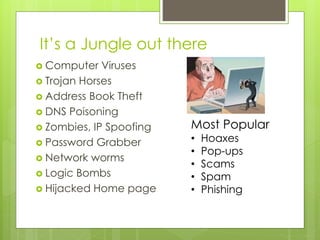
It’s a Jungle out there
 Computer Viruses
 Trojan Horses
 Address Book Theft
 DNS Poisoning
 Zombies, IP Spoofing
 Password Grabber
 Network worms
 Logic Bombs
 Hijacked Home page
Most Popular
• Hoaxes
• Pop-ups
• Scams
• Spam
• Phishing
Did you know?
News: In 2004 a computer virus infected 1 million computers within and hour.
Computer Virus, network worms, Trojan Horse… these are
computer programs which tells computer what to do and how to
do it.
Silent Features :
Computer Virus - Needs a Host File, Copies Itself, Executable
Network Worm- No host (self contained), Copies Itself,
Executable
Trojan horse - No host (self contained), Does not copy itself,
Importer Program
Typical Symptoms: File deletion, File Corruption, Visual Effect, Pop-ups,
Erratic / unwanted behaviour, Computer crashes.
The most common source of
threat are
 Human error and mistakes
 Malicious human activity
 Natural Event and disaster
Note to Read
Top 5 Information Security
Concerns for the Corporation
or Business
 Awareness
 Information Security Management
 Weaknesses during Implementation
 ‘it cannot happen to me’ syndrome
 Underestimation of Technology
What can be done to Prevent
 Make Security awareness a corporate priority and
educate your staff.
 Enable real time protection, Implement Firewall
 Designate security support staff
 Update all vendor Security patches
 Subscribe to several security bulletins
 Periodic reboot and reload all computers
 Control, limit or block all download and installs
 Install Antivirus software on computer, keep it current
 Backup you data regularly.
 Create Strong Password and keep them private
Hoax, Trojan Horse
Hoax
 If the message tells you to do something,
tells you to take immediate action.
 Cites a recognizable source to give itself
credibility e.g “Microsoft has warned…”
 If in doubt, check it out on authoritative
hoax site
 securityresponse.symantec.com/avcenter/hoax.html
 svil.mcafeesecurity.com/vil/hoaxes.asp
Trojan horse
Downloading a File, Installing a program,
opening an attachment, opening bogus
website, copy file from someone else.
It exploits computers ports letting its friends
enter.
Security patches often close computer ports
and vulnerabilities.
Scams
 the steps we’ve covered so far are about protecting our company
information—customer data, intellectual property, and the like—
as well as vital financial assets.
 But scams abound. For example, an employee, asked to confirm
her password in an email message sent by someone posing as
her system administrator, gave criminals access to the company
network, bringing business to a halt.
 Or a payroll processing firm was hit by a phishing attack that sent
email to its businesses customers, asking them to reveal
passwords to continue to use their company’s payroll services
 Avoid putting confidential information in email unless it’s encrypted.
(Encryption enhances data security by scrambling the contents so that it
can be read only by someone who has the right key to unscramble it.)
Also, avoid putting sensitive information in instant or text messages, as
these are not typically secure. This includes account numbers,
passwords, intellectual property, customer data, and so on.
 Beware of scams—the most dangerous are the ones that appear to be
legitimate.
 Small and midsized businesses are as much a target of scams as
individuals. Scams directed to them can include links that advertise false
products, hoaxes that claim you’ve received a refund from the IRS or a
package from the post office that your company never ordered, charges
for unauthorized advertising or office supplies, or urgent requests to
update account information.
 All scams are designed to collect information the scammer can use to
steal company data or money—or both
 It’s a good idea to treat all public wireless connections as a
security risk because they’re often unsecured. This means that
Wi-Fi hot spots at coffee shops, hotels and motels, airports,
libraries, and other public places may be open to anyone who
wants to look at the traffic passing through them, using
inexpensive and readily available devices.
 Sometimes, businesses don’t have a firewall between their point
of sale computers—the cash registers that take your credit card
for payment—and the free wireless access they offer customers.
This can enable criminals to steal your credit card number when
you buy something.
 Or watch out for mock Wi-Fi hotspots, which often top the list of
available connections, enticing you with names like “Free Wi-Fi.”
Clicking one may expose your device to a hacker who could take
control of it.
 So look at some ways to connect to the web more safely when
you’re on the go
References
Authoritative Security Alert Information
 securityresponse.symantec.com/ (Symantec)
 www.microsoft.com/security
 www.apple.com/support/security/
Authoritative Free Public Anti-Virus Removal Tool
Information
 http://www.symantec.com/security_response/re
movaltools.jsp
 http://www.mcafee.com/us/threat-
center/technology/global-threat-intelligence-
technology.aspx
IT Act 2008 – Govt of India
 The IT Act 2008 extensively amends the Information Technology Act 2000:
 The increasing popularity of smartphones is addressed, and the term
‘communication devices’ is defined to mean ‘cell phones, personal digital
assistance or combination of both or any other device used to communicate,
send or transmit any text, video or image’.
 The validation of electronic signatures and contracts is addressed, and
‘electronic signature’ is substituted for ‘digital signature’ throughout the Act,
promoting technological neutrality. The term ‘electronic signature’ is defined
to mean ‘authentication of any electronic record by a subscriber by means of
[a specified] electronic technique… and includes digital signature’.
 Section 43A mandates that corporations are responsible for implementing
and maintaining ‘reasonable security practices and procedures’ to protect
‘sensitive personal data or information’. They are now liable for breaches and
must pay compensation to affected parties.
 Owners of a given IP address are now responsible for content accessed or
distributed through it.
 New forms of crime not covered by the original Act are addressed and new
penal provisions are included. Details of these offences are listed below.
 The majority of offences under the IT Act 2008 are punishable by up to three
years’ imprisonment and a fine of up to one lakh rupees
International Standards
ISO/IEC 27001:2013
 is the international standard that sets out the
specifications of an information security management
system (ISMS), a systematic approach to information
security that encompasses people, process, and
technology. An ISMS compliant with ISO 27001 can help
organisations meet all their information security
regulatory compliance objectives, as well as helping
them to prepare and position themselves for new and
emerging regulations.
Thank You.

Information security

  • 1.
  • 2.
     We’ll tryto outlining how we can work more securely on the Internet and help protect our company’s information (including customer data) and financial assets against online fraud and other cyber crimes.  You’ve heard the tales of how companies and organizations were damaged and in some cases even destroyed by cyber criminals. Here are a few true stories: • A thief stole a company laptop, and the company lost a decade of irreplaceable research and intellectual property worth millions. • A newly-hired executive received email from what looked like his company’s travel agency, where he was asked to click a link to confirm the accuracy of his personal details. This took him to an official-looking site where he found his personal data. There, he was asked to download software that would link his Outlook email account to the travel agency’s booking system. In so doing, he downloaded malicious software that spread through his new company. • Hackers broke into the computers of a retail chain through an unsecured wireless network and stole the financial information of all its customers, which cost the company millions in lost business and was ruinous to its reputation.  Most often, damage to big corporations dominates the news, but cyber crooks target small and midsized businesses, too
  • 3.
    It’s a Jungleout there  Computer Viruses  Trojan Horses  Address Book Theft  DNS Poisoning  Zombies, IP Spoofing  Password Grabber  Network worms  Logic Bombs  Hijacked Home page Most Popular • Hoaxes • Pop-ups • Scams • Spam • Phishing
  • 4.
    Did you know? News:In 2004 a computer virus infected 1 million computers within and hour. Computer Virus, network worms, Trojan Horse… these are computer programs which tells computer what to do and how to do it. Silent Features : Computer Virus - Needs a Host File, Copies Itself, Executable Network Worm- No host (self contained), Copies Itself, Executable Trojan horse - No host (self contained), Does not copy itself, Importer Program Typical Symptoms: File deletion, File Corruption, Visual Effect, Pop-ups, Erratic / unwanted behaviour, Computer crashes.
  • 5.
    The most commonsource of threat are  Human error and mistakes  Malicious human activity  Natural Event and disaster Note to Read
  • 6.
    Top 5 InformationSecurity Concerns for the Corporation or Business  Awareness  Information Security Management  Weaknesses during Implementation  ‘it cannot happen to me’ syndrome  Underestimation of Technology
  • 7.
    What can bedone to Prevent  Make Security awareness a corporate priority and educate your staff.  Enable real time protection, Implement Firewall  Designate security support staff  Update all vendor Security patches  Subscribe to several security bulletins  Periodic reboot and reload all computers  Control, limit or block all download and installs  Install Antivirus software on computer, keep it current  Backup you data regularly.  Create Strong Password and keep them private
  • 8.
    Hoax, Trojan Horse Hoax If the message tells you to do something, tells you to take immediate action.  Cites a recognizable source to give itself credibility e.g “Microsoft has warned…”  If in doubt, check it out on authoritative hoax site  securityresponse.symantec.com/avcenter/hoax.html  svil.mcafeesecurity.com/vil/hoaxes.asp
  • 9.
    Trojan horse Downloading aFile, Installing a program, opening an attachment, opening bogus website, copy file from someone else. It exploits computers ports letting its friends enter. Security patches often close computer ports and vulnerabilities.
  • 10.
    Scams  the stepswe’ve covered so far are about protecting our company information—customer data, intellectual property, and the like— as well as vital financial assets.  But scams abound. For example, an employee, asked to confirm her password in an email message sent by someone posing as her system administrator, gave criminals access to the company network, bringing business to a halt.  Or a payroll processing firm was hit by a phishing attack that sent email to its businesses customers, asking them to reveal passwords to continue to use their company’s payroll services
  • 11.
     Avoid puttingconfidential information in email unless it’s encrypted. (Encryption enhances data security by scrambling the contents so that it can be read only by someone who has the right key to unscramble it.) Also, avoid putting sensitive information in instant or text messages, as these are not typically secure. This includes account numbers, passwords, intellectual property, customer data, and so on.  Beware of scams—the most dangerous are the ones that appear to be legitimate.  Small and midsized businesses are as much a target of scams as individuals. Scams directed to them can include links that advertise false products, hoaxes that claim you’ve received a refund from the IRS or a package from the post office that your company never ordered, charges for unauthorized advertising or office supplies, or urgent requests to update account information.  All scams are designed to collect information the scammer can use to steal company data or money—or both
  • 12.
     It’s agood idea to treat all public wireless connections as a security risk because they’re often unsecured. This means that Wi-Fi hot spots at coffee shops, hotels and motels, airports, libraries, and other public places may be open to anyone who wants to look at the traffic passing through them, using inexpensive and readily available devices.  Sometimes, businesses don’t have a firewall between their point of sale computers—the cash registers that take your credit card for payment—and the free wireless access they offer customers. This can enable criminals to steal your credit card number when you buy something.  Or watch out for mock Wi-Fi hotspots, which often top the list of available connections, enticing you with names like “Free Wi-Fi.” Clicking one may expose your device to a hacker who could take control of it.  So look at some ways to connect to the web more safely when you’re on the go
  • 13.
    References Authoritative Security AlertInformation  securityresponse.symantec.com/ (Symantec)  www.microsoft.com/security  www.apple.com/support/security/ Authoritative Free Public Anti-Virus Removal Tool Information  http://www.symantec.com/security_response/re movaltools.jsp  http://www.mcafee.com/us/threat- center/technology/global-threat-intelligence- technology.aspx
  • 14.
    IT Act 2008– Govt of India  The IT Act 2008 extensively amends the Information Technology Act 2000:  The increasing popularity of smartphones is addressed, and the term ‘communication devices’ is defined to mean ‘cell phones, personal digital assistance or combination of both or any other device used to communicate, send or transmit any text, video or image’.  The validation of electronic signatures and contracts is addressed, and ‘electronic signature’ is substituted for ‘digital signature’ throughout the Act, promoting technological neutrality. The term ‘electronic signature’ is defined to mean ‘authentication of any electronic record by a subscriber by means of [a specified] electronic technique… and includes digital signature’.  Section 43A mandates that corporations are responsible for implementing and maintaining ‘reasonable security practices and procedures’ to protect ‘sensitive personal data or information’. They are now liable for breaches and must pay compensation to affected parties.  Owners of a given IP address are now responsible for content accessed or distributed through it.  New forms of crime not covered by the original Act are addressed and new penal provisions are included. Details of these offences are listed below.  The majority of offences under the IT Act 2008 are punishable by up to three years’ imprisonment and a fine of up to one lakh rupees
  • 15.
    International Standards ISO/IEC 27001:2013 is the international standard that sets out the specifications of an information security management system (ISMS), a systematic approach to information security that encompasses people, process, and technology. An ISMS compliant with ISO 27001 can help organisations meet all their information security regulatory compliance objectives, as well as helping them to prepare and position themselves for new and emerging regulations.
  • 16.