








litmus ®
CSS Inlining in Email:
What It Is + How To Do It
litmus ®
#ResponsiveEmail
Hello, I’m @KevinMandeville.
litmus ®
#ResponsiveEmail
I design + build emails at
litmus ®
#LitmusLive
Tweet
@litmusapp #LitmusLive
with any questions
litmus ®
What is CSS?
litmus ®
#LitmusLive
CSS
Cascading Style Sheets (CSS) is a style sheet language used
for describing the presentation of a document written in a
markup language.
litmus ®
#LitmusLive
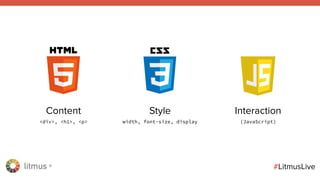
Content
<div>, <h1>, <p>
Style
width, font-size, display
Interaction
(JavaScript)
litmus ®
#LitmusLive
It’s like a house.
HTML is the actual foundation of what is contained in the
house (floors, rooms, doors, television. etc.)
CSS is the styling of the actual items in the house (dimensions
of the room, color of the walls, placement of the furniture, etc.)
JavaScript is the interaction you have with the house (ringing
the door bell, turning on/off lights, etc.)
litmus ®
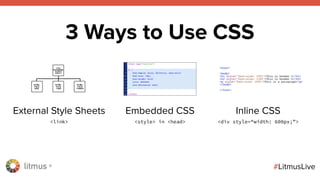
3 Ways to Use CSS
litmus ®
#LitmusLive
External Style Sheets
<link>
Embedded CSS
<style> in <head>
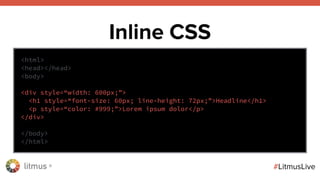
Inline CSS
<div style=“width: 600px;”>
3 Ways to Use CSS
litmus ®
#LitmusLive
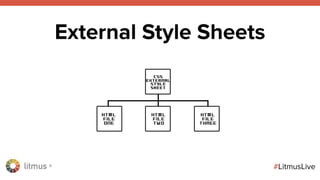
External Style Sheets
litmus ®
#LitmusLive
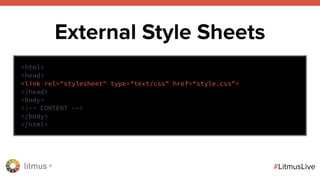
External Style Sheets
<html>
<head>
<link rel="stylesheet" type="text/css" href=“style.css">
</head>
<body>
<!-- CONTENT -->
</body>
</html>
litmus ®
#LitmusLive
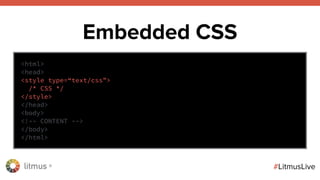
Embedded CSS
<html>
<head>
<style type=“text/css”>
/* CSS */
</style>
</head>
<body>
<!-- CONTENT -->
</body>
</html>
litmus ®
#LitmusLive
Inline CSS
<html>
<head></head>
<body>
<div style=“width: 600px;”>
<h1 style=“font-size: 60px; line-height: 72px;”>Headline</h1>
<p style=“color: #999;”>Lorem ipsum dolor</p>
</div>
</body>
</html>
litmus ®
Why Inline CSS is
Important for HTML Email
litmus ®
#LitmusLive
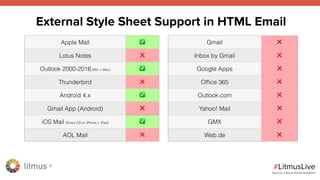
Apple Mail ✅
Lotus Notes ❌
Outlook 2000-2016 (Win + Mac) ✅
Thunderbird ❌
Android 4.x ✅
Gmail App (Android) ❌
iOS Mail (Every OS on iPhone + iPad) ✅
AOL Mail ❌
Gmail ❌
Inbox by Gmail ❌
Google Apps ❌
Office 365 ❌
Outlook.com ❌
Yahoo! Mail ❌
GMX ❌
Web.de ❌
External Style Sheet Support in HTML Email
Source: Litmus Email Analytics
litmus ®
#LitmusLive
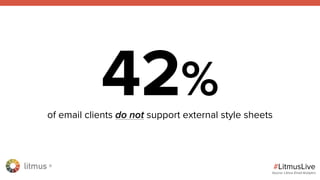
42%of email clients do not support external style sheets
Source: Litmus Email Analytics
#LitmusLive
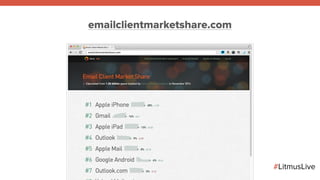
emailclientmarketshare.com
litmus ®
#LitmusLive
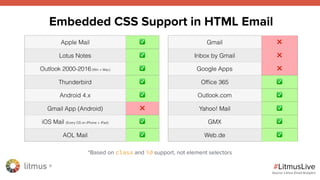
Apple Mail ✅
Lotus Notes ✅
Outlook 2000-2016 (Win + Mac) ✅
Thunderbird ✅
Android 4.x ✅
Gmail App (Android) ❌
iOS Mail (Every OS on iPhone + iPad) ✅
AOL Mail ✅
Gmail ❌
Inbox by Gmail ❌
Google Apps ❌
Office 365 ✅
Outlook.com ✅
Yahoo! Mail ✅
GMX ✅
Web.de ✅
Embedded CSS Support in HTML Email
Source: Litmus Email Analytics
*Based on class and id support, not element selectors
litmus ®
#LitmusLive
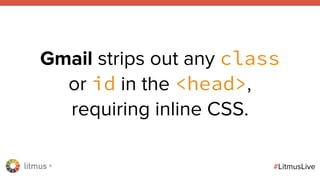
Gmail strips out any class
or id in the <head>,
requiring inline CSS.
litmus ®
#LitmusLive
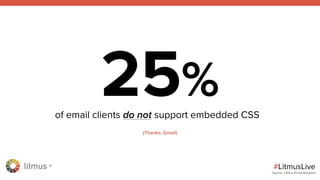
25%of email clients do not support embedded CSS
Source: Litmus Email Analytics
(Thanks, Gmail)
litmus ®
#LitmusLive
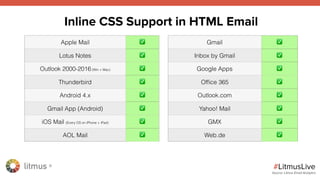
Apple Mail ✅
Lotus Notes ✅
Outlook 2000-2016 (Win + Mac) ✅
Thunderbird ✅
Android 4.x ✅
Gmail App (Android) ✅
iOS Mail (Every OS on iPhone + iPad) ✅
AOL Mail ✅
Gmail ✅
Inbox by Gmail ✅
Google Apps ✅
Office 365 ✅
Outlook.com ✅
Yahoo! Mail ✅
GMX ✅
Web.de ✅
Inline CSS Support in HTML Email
Source: Litmus Email Analytics
litmus ®
#LitmusLive
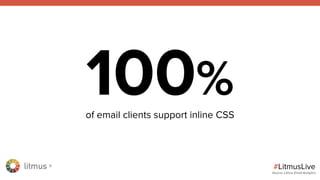
100%of email clients support inline CSS
Source: Litmus Email Analytics
litmus ®
#LitmusLive
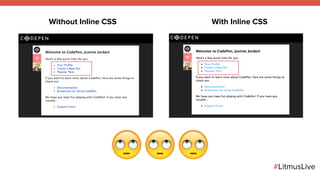
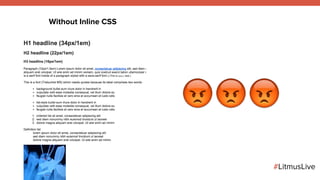
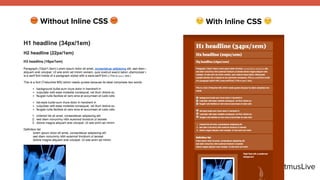
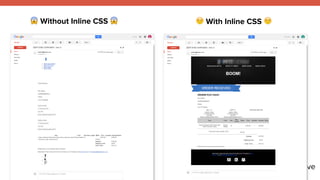
Not inlining CSS can have
really small effects…
#LitmusLive
Without Inline CSS With Inline CSS
###
litmus ®
#LitmusLive
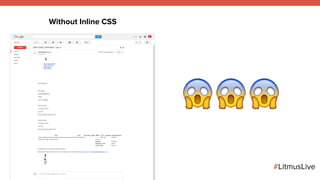
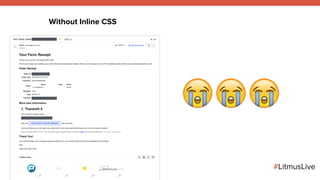
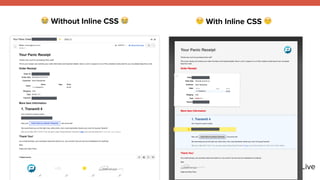
…or really BIG ones
#LitmusLive
Without Inline CSS
$$$
#LitmusLive
% With Inline CSS %$ Without Inline CSS $
#LitmusLive
Without Inline CSS
&&&
#LitmusLive
% With Inline CSS %& Without Inline CSS &
#LitmusLive
Without Inline CSS
'''
#LitmusLive
% With Inline CSS %' Without Inline CSS '
litmus ®
#LitmusLive
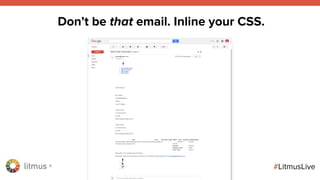
Don’t be that email. Inline your CSS.
litmus ®
#LitmusLive
Wait, do I have to do
all of this by hand?!?!
litmus ®
#LitmusLive
litmus ®
What is CSS inlining?
litmus ®
#LitmusLive
CSS Inlining
CSS inlining is the automated process of moving external style
sheets or embedded styles in the <head> right inline onto its
corresponding HTML elements.
litmus ®
#LitmusLive
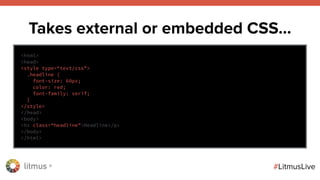
Takes external or embedded CSS…
<html>
<head>
<style type=“text/css”>
.headline {
font-size: 60px;
color: red;
font-family: serif;
}
</style>
</head>
<body>
<h1 class=“headline”>Headline</p>
</body>
</html>
litmus ®
#LitmusLive
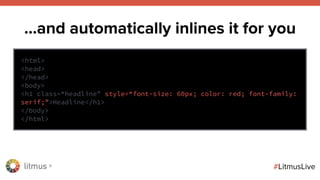
…and automatically inlines it for you
<html>
<head>
</head>
<body>
<h1 class=“headline” style=“font-size: 60px; color: red; font-family:
serif;”>Headline</h1>
</body>
</html>
litmus ®
#LitmusLive
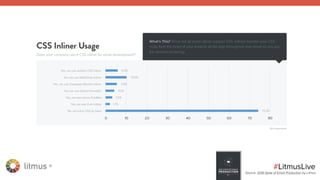
Source: 2016 State of Email Production by Litmus
litmus ®
#LitmusLive
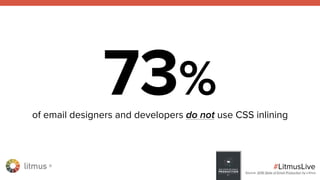
73%of email designers and developers do not use CSS inlining
Source: 2016 State of Email Production by Litmus
litmus ®
#LitmusLive
litmus ®
#LitmusLive
litmus ®
Tools for CSS inlining
litmus ®
Third party inliner sites
litmus ®
#LitmusLive
Copy & paste your HTML into a
third party site and convert your
code to inlined CSS.
litmus ®
#LitmusLive
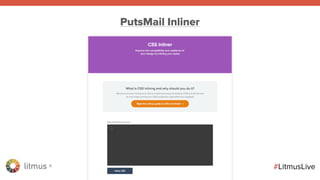
PutsMail Inliner
litmus ®
#LitmusLive
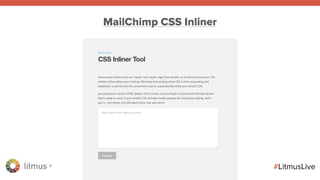
MailChimp CSS Inliner
litmus ®
#LitmusLive
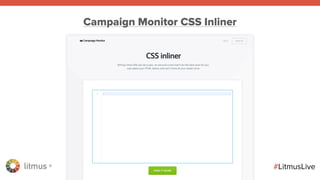
Campaign Monitor CSS Inliner
litmus ®
#LitmusLive
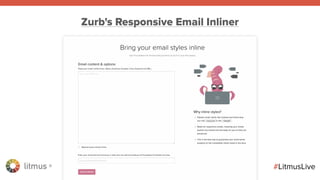
Zurb's Responsive Email Inliner
litmus ®
#LitmusLive
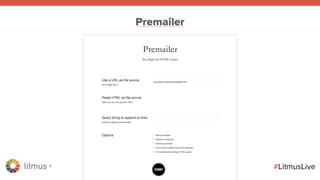
Premailer
litmus ®
#LitmusLive
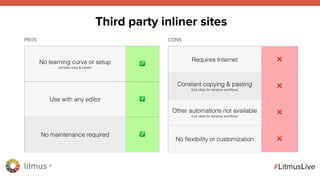
No learning curve or setup
(simple copy & paste)
✅
Use with any editor ✅
No maintenance required ✅
Requires Internet ❌
Constant copying & pasting
(not ideal for iterative workflow)
❌
Other automations not available
(not ideal for iterative workflow)
❌
No flexibility or customization ❌
Third party inliner sites
PROS CONS
litmus ®
Task runners with open
source CSS inliners
litmus ®
#LitmusLive
litmus ®
#LitmusLive
Grunt Gulp
Task runners
litmus ®
#LitmusLive
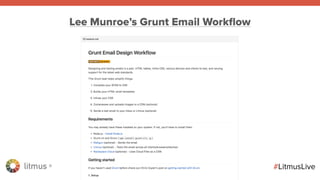
Lee Munroe’s Grunt Email Workflow
litmus ®
#LitmusLive
Setup
litmus ®
#LitmusLive
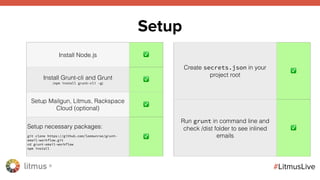
Setup
Install Node.js ✅
Install Grunt-cli and Grunt
(npm install grunt-cli -g)
✅
Setup Mailgun, Litmus, Rackspace
Cloud (optional)
✅
Setup necessary packages:
git clone https://github.com/leemunroe/grunt-
email-workflow.git
cd grunt-email-workflow
npm install
✅
Create secrets.json in your
project root
✅
Run grunt in command line and
check /dist folder to see inlined
emails
✅
litmus ®
#LitmusLive
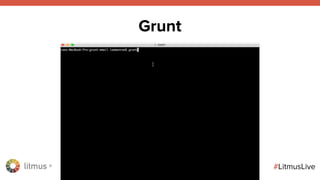
Grunt
litmus ®
#LitmusLive
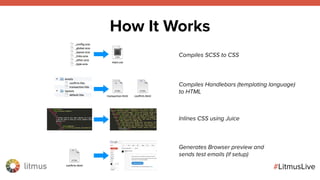
How It Works
Compiles SCSS to CSS
Compiles Handlebars (templating language)
to HTML
Inlines CSS using Juice
Generates Browser preview and
sends test emails (if setup)
litmus ®
#LitmusLive
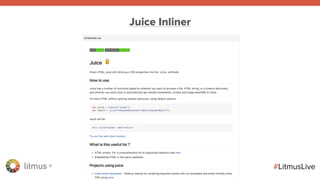
Juice Inliner
litmus ®
#LitmusLive
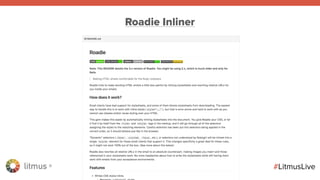
Roadie Inliner
litmus ®
#LitmusLive
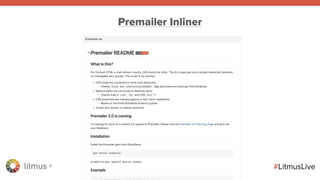
Premailer Inliner
litmus ®
#LitmusLive
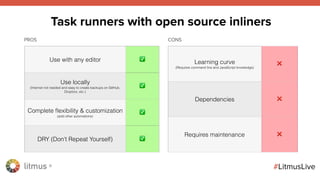
Use with any editor ✅
Use locally
(Internet not needed and easy to create backups on GitHub,
Dropbox, etc.)
✅
Complete flexibility & customization
(add other automations)
✅
DRY (Don’t Repeat Yourself) ✅
Learning curve
(Requires command line and JavaScript knowledge)
❌
Dependencies ❌
Requires maintenance ❌
Task runners with open source inliners
PROS CONS
litmus ®
CSS inlining
in Litmus Builder
litmus ®
#LitmusLive
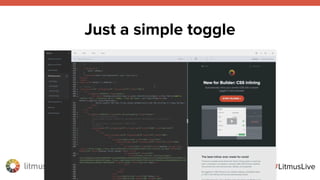
Just a simple toggle
litmus ®
#LitmusLive
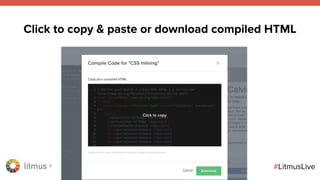
Click to copy & paste or download compiled HTML
litmus ®
#LitmusLive
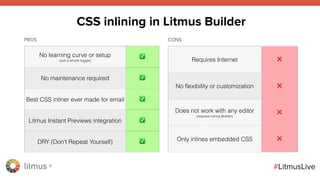
No learning curve or setup
(just a simple toggle)
✅
No maintenance required ✅
Best CSS inliner ever made for email ✅
Litmus Instant Previews integration ✅
DRY (Don’t Repeat Yourself) ✅
Requires Internet ❌
No flexibility or customization ❌
Does not work with any editor
(requires Litmus Builder)
❌
Only inlines embedded CSS ❌
CSS inlining in Litmus Builder
PROS CONS
litmus ®
Which CSS inliner is best?
litmus ®
#LitmusLive
Most CSS inliners were not built
specifically for HTML email
litmus ®
#LitmusLive
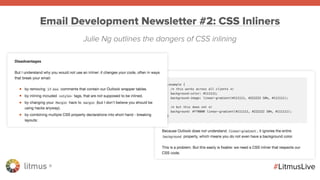
Email Development Newsletter #2: CSS Inliners
Julie Ng outlines the dangers of CSS inlining
litmus ®
#LitmusLive
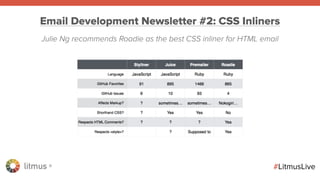
Email Development Newsletter #2: CSS Inliners
Julie Ng recommends Roadie as the best CSS inliner for HTML email
litmus ®
#LitmusLive
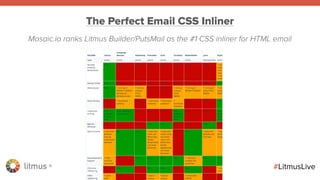
The Perfect Email CSS Inliner
Mosaic.io ranks Litmus Builder/PutsMail as the #1 CSS inliner for HTML email
litmus ®
#LitmusLive
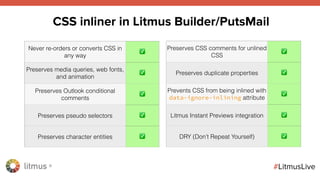
Never re-orders or converts CSS in
any way
✅
Preserves media queries, web fonts,
and animation
✅
Preserves Outlook conditional
comments
✅
Preserves pseudo selectors ✅
Preserves character entities ✅
CSS inliner in Litmus Builder/PutsMail
Preserves CSS comments for unlined
CSS
✅
Preserves duplicate properties ✅
Prevents CSS from being inlined with
data-ignore-inlining attribute
✅
Litmus Instant Previews integration ✅
DRY (Don’t Repeat Yourself) ✅
litmus ®
#LitmusLive
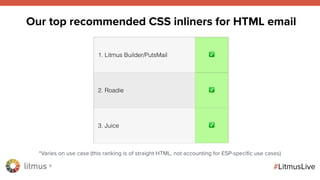
1. Litmus Builder/PutsMail ✅
2. Roadie ✅
3. Juice ✅
Our top recommended CSS inliners for HTML email
*Varies on use case (this ranking is of straight HTML, not accounting for ESP-specific use cases)
litmus ®
* DEMO *
litmus ®
Tools + Resources
litmus ®
#LitmusLive
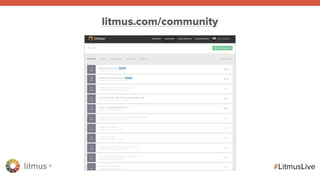
litmus.com/community
litmus ®
#LitmusLive
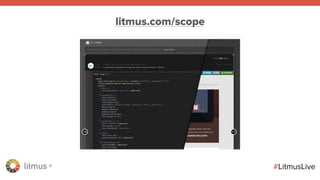
litmus.com/scope
litmus ®
#LitmusLive
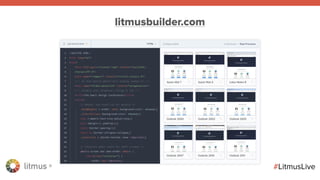
litmusbuilder.com
litmus ®
#LitmusLive
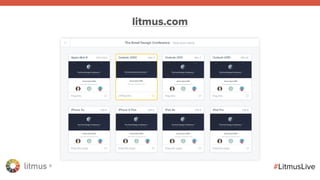
litmus.com
litmus ®
Next webinar:
How to Automate Your Email Development
Workflow with Litmus Builder
Wednesday, September 7th @ 1PM EDT
litmus ®
Q&A
7-day free trial of Litmus use coupon code:
CSSINLINING
litmus.com/giftcard

CSS Inlining in Email: What It IS + How To Do It