TRIGGER EMAILS:
IT IS SIMPLE, RIGHT?
@MathSusan
https://github.com/mathsusan
Susan McKenzie
Cisco Systems, INC
Work email: sumckenz@cisco.com
Personal email: sbmck@yahoo.com
A little about me…
I have a husband, two kids and four (yes 4) cats
BS in Math from Oklahoma State University
MS in Computer Science from UT Dallas
My first career was High School Math Teacher
At Cisco for 10+ years
Now, work with “The Design Team” at Cisco Systems designing ( and some UI
on the side)
A little about, The Design Team
We work on Cisco Collaboration Products
Cisco WebEx, Cisco Spark, Cisco Room Systems
Anything that helps teams collaborate more productively
The team is all over the world, China, Oslo, California, Texas,
RTP, the UK, etc
Let’s get going with
Trigger Emails!
What is a Trigger Email?
Trigger Emails are emails that are ‘triggered’ by an
event in an application
For Example,
You signed up or someone invited you
You changed your password
You paid your bill
You ordered something
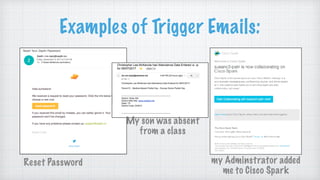
Examples of Trigger Emails:
Reset Password
My son was absent
from a class
my Adminstrator added
me to Cisco Spark
Trigger Emails
Trigger emails are part of the application sent when the
correct trigger happens
Trigger emails are not redesigned every time one goes out.
How is this different from
Marketing Emails?
Marketing Campaign emails are designed individually
They are just sent out periodically, you didn’t trigger it.
At Cisco, the marketing team keeps their own recipient list
and sends out the emails to their customers on that list.
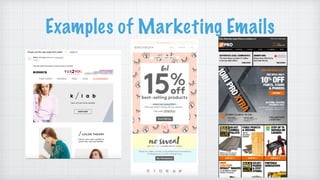
Examples of Marketing Emails
So far all this sounds pretty simple,
right?
How hard could it be?
Simple email
Simple Text
Simple Call to Action
What’s so complicated?
“HTML emails are just like a web page right?”
WRONG!
Let’s talk first about creating
an HTML email template
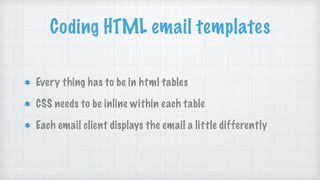
Coding HTML email templates
Every thing has to be in html tables
CSS needs to be inline within each table
Each email client displays the email a little differently
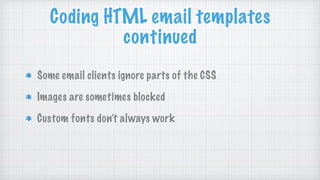
Some email clients ignore parts of the CSS
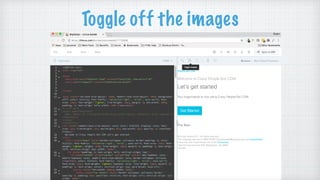
Images are sometimes blocked
Custom fonts don’t always work
Coding HTML email templates
continued
What else do I need
to think about?
What about that SPAM folder?
The last thing you want is for your email to go in that SPAM
folder
How do you keep the email out of the SPAM folder?
SPAM tips we learned
Make sure the email doesn’t come from
noreply@somewhere.com
Have a message like “This message was sent to
sbmck@yahoo.com from support@ciscospark.com” in the
text.
SPAM tips we learned
Have an unsubscribe link in the email
Always send a text version of the email
(this is something many people forget)
About the project I am
working on
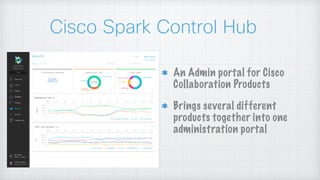
Cisco Spark Control Hub
An Admin portal for Cisco
Collaboration Products
Brings several different
products together into one
administration portal
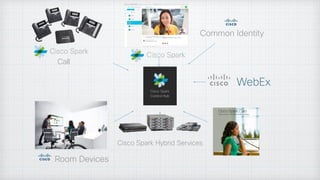
Room Devices
Common Identity
Call
Cisco Spark Hybrid Services
All of these products were sending
their own emails
Some had different visual designs
At first, there were multiple emails at one time
Many different Product Managers were stakeholders
How did I get started doing all of this?
We needed to align our email visually
Some of the words needed updated in our emails
I was the User Experience Designer assigned to the task
Our Development Team didn’t have a resource to code the
HTML emails
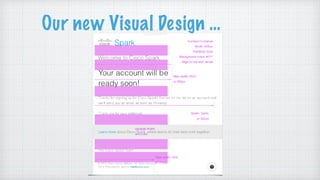
Our new Visual Design …
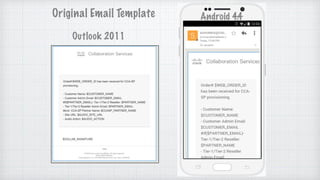
Outlook 2011
Original Email Template Android 4.4
Next Steps,
Code the email
Get Visual design approval
Should I just fix this email?
Where do I start?
How do I create a template?
How do you code HTML emails?
How can I duplicate email templates easily?
Things I needed
Reusable email templates
Ability to change the text in the emails easily
A responsive design
Tools I found
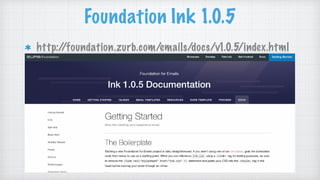
Foundation Ink 1.0.5
gulp-inline-css
gulp-replace
Foundation Ink 1.0.5
http://foundation.zurb.com/emails/docs/v1.0.5/index.html
Foundation Ink 1.0.5
CSS to start the project with
Had sample templates to start coding with
Foundation Ink 1.0.5
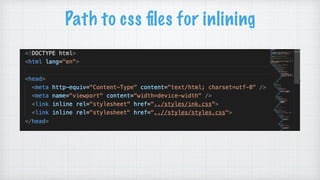
Provide an inline tool to inline all the css
(downside: it was a copy paste tool on the web)
simplified the HTML
gulp-inline-css
Takes css from a file and puts it inline in the HTML just like you
need it for emails
https://www.npmjs.com/package/gulp-inline-css
gulp-replace
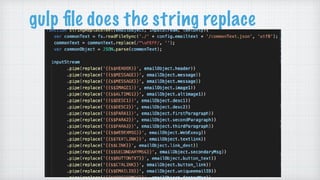
A simple string replace tool for the gulp process
https://www.npmjs.com/package/gulp-replace
Project Plan
Start with Foundation Ink for the layout
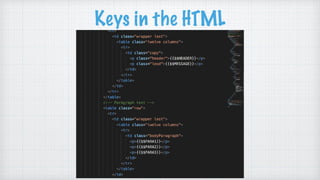
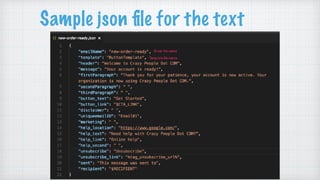
Put the words in a file so that they can easily be translated
and use gulp-replace to put the words in the html.
Use gulp-inline-css to automate the inline css to keep it
consistent.
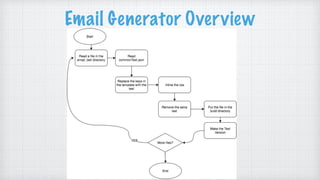
Do all of this in a build process to create all the emails at once
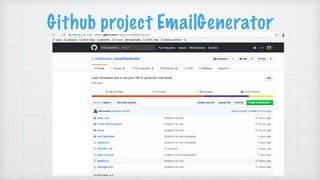
Github project EmailGenerator
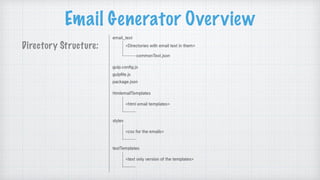
Email Generator Overview
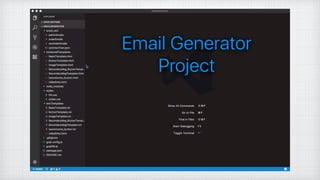
Directory Structure:
Path to css files for inlining
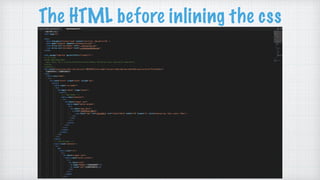
The HTML before inlining the css
Keys in the HTML
Sample json file for the text
gulp file does the string replace
Email Generator Overview
Demo of Email Generator
https://github.com/mathsusan/emailGenerator
This is the tool I used to generate the emails
Now I have an email
generated what’s next?
Test the email
I need to preview the emails in many different clients
There are several apps that do this EmailOnAcid, Litmus, etc
I chose Litmus
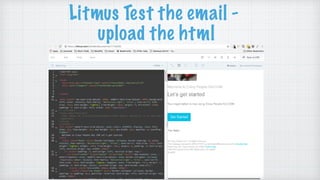
What do I use litmus for?
Litmus Test the email -
upload the html
Toggle off the images
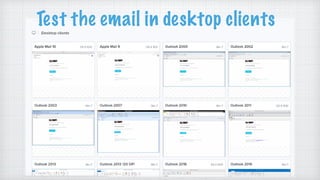
Test the email in desktop clients
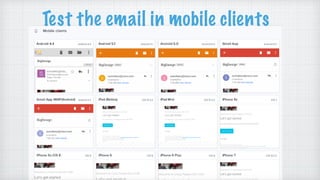
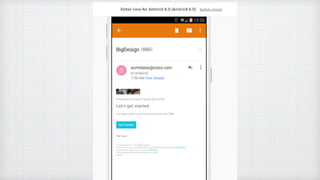
Test the email in mobile clients
Other Litmus Features
You can publish all the client tests to share with stake holders
You can send the email to stake holders, so they can see it in
their inbox
You can send the email for a spam test
There’s a community site with many questions/problems
answered
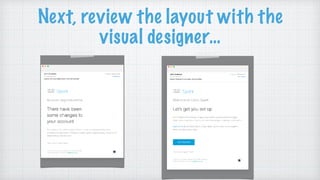
Next, review the layout with the
visual designer…
The visual designer approached the
review like any other UI review
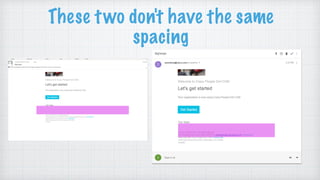
These two don't have the same
spacing
How do I convince the visual designer
that I can’t make every email look
exactly the same in all email clients?
But I thought this was simple?
Coding was the hard part right?
Explaining why the email wasn’t pixel perfect in every
client was even harder
Now that I have templates, we need
to update the wording…
The marketing team chose 16 emails that were high priority
I had to understand when we sent these emails and update the
words
Again, SIMPLE
All I have to do is understand when the emails go out and
write some new copy
What I learned…
I am not a copy writer!
It is very hard to write copy for an email considering all the
different kinds of people who will receive the email
Getting multiple stakeholders to agree on the wording is next
to impossible
Somehow, we got those 16
emails updated and they
were better.
I’m finished, right? NOPE .. this
was only the beginning
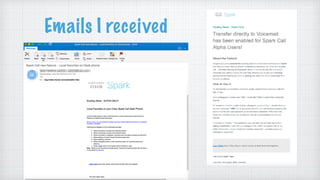
Emails I received
Next thing I know
“Susan, where did those emails come from? Why don’t they
follow our templates?”
Where had those emails come
from ?
The Marketing team was using Mail Chimp and writing
them as needed.
They had ‘reproduced’ our template
A tool for marketing would
Let them choose the template they wanted
Allow them to fill in the wording for their email
Let them download the HTML and text versions of the email
How do I make this tool?
As luck would have it, there was a hack-a-thon
A small team of developers chose to work with me on my
email project
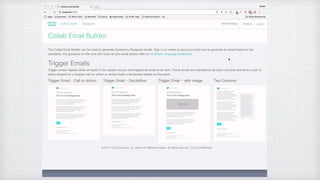
We called the project the
Collab-Email Builder
Uses our templates
Allows the user to enter the text they want to use
Yay! Problem solved!
This is so simple, right?
NOW WHAT?
Susan, Can you send me an
inventory of all the emails we
send out?
Where could I get a list of all
those emails?
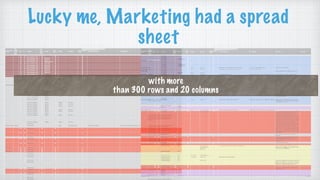
with more
than 300 rows and 20 columns
Lucky me, Marketing had a spread
sheet
I just couldn’t get my head around it!
How can I tell other people what emails we have?
How do I know when they get sent to our users?
Did I even understand what was going on?
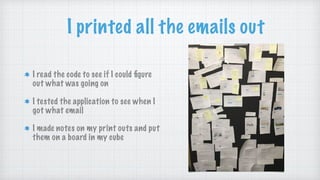
I printed all the emails out
I read the code to see if I could figure
out what was going on
I tested the application to see when I
got what email
I made notes on my print outs and put
them on a board in my cube
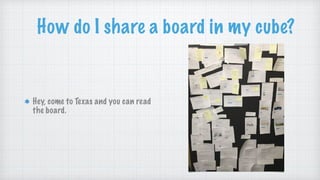
How do I share a board in my cube?
Hey, come to Texas and you can read
the board.
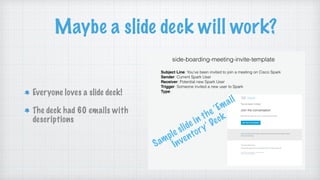
Maybe a slide deck will work?
Everyone loves a slide deck!
The deck had 60 emails with
descriptions
Sample slide in the ‘Email
Inventory’ Deck
I got this! It’s simple!
What happened next?
The list of emails continued to grow
I get 1 or 2 requests a week for a list of all our email
Marketing changed the logo and the catch phrase
The slide deck quickly became out of date
The slide deck was static and
impossible to keep up with
What do we need?
An inventory of the emails that stays up to date.
A way for marketing to change little things without
needing to update 80+ emails.
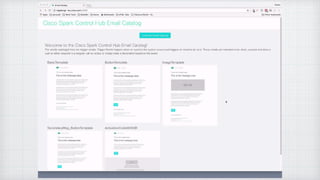
Next came the Email Catalog
How did I develop this email catalog?
Used a headless CMS to store all the email words.
Created a tool to display all the emails and generate the
html/text versions of them.
What is a CMS?
CMS - Content Management System
A CMS has a front end to display the data and a back end to
store the data
WordPress is an example of this.
What is a headless CMS?
A headless CMS does not have the front-end
It still stores the data
Use REST API’s to access the data for your application.
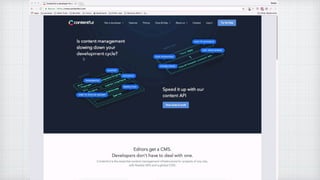
We chose Contentful for our
headless CMS
https://www.contentful.com
Contentful / Email
Catalog Demo
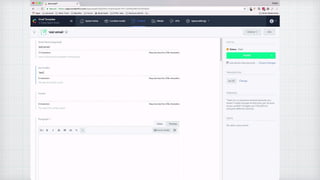
Now, what happens when we
add an email?
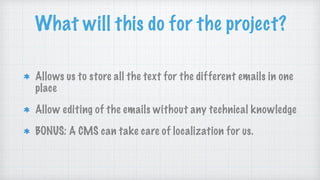
What will this do for the project?
Allows us to store all the text for the different emails in one
place
Allow editing of the emails without any technical knowledge
BONUS: A CMS can take care of localization for us.
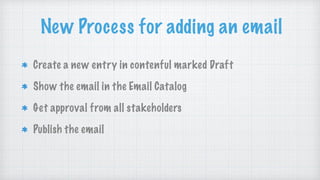
New Process for adding an email
Create a new entry in contenful marked Draft
Show the email in the Email Catalog
Get approval from all stakeholders
Publish the email
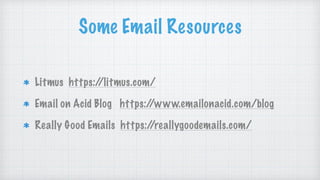
Some Email Resources
Litmus https://litmus.com/
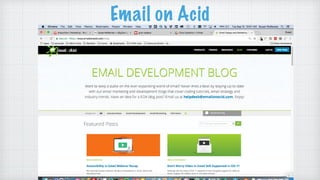
Email on Acid Blog https://www.emailonacid.com/blog
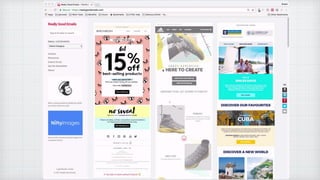
Really Good Emails https://reallygoodemails.com/
Email on Acid
This is all still a work in progress.
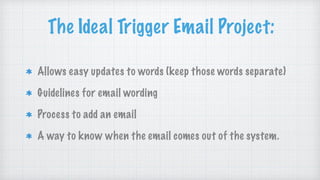
The Ideal Trigger Email Project:
Allows easy updates to words (keep those words separate)
Guidelines for email wording
Process to add an email
A way to know when the email comes out of the system.
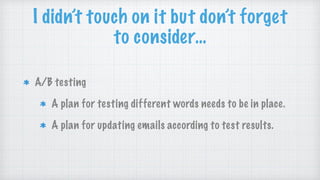
I didn’t touch on it but don’t forget
to consider…
A/B testing
A plan for testing different words needs to be in place.
A plan for updating emails according to test results.
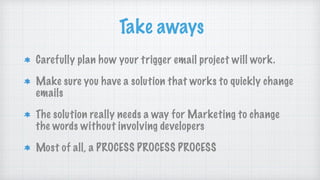
Take aways
Carefully plan how your trigger email project will work.
Make sure you have a solution that works to quickly change
emails
The solution really needs a way for Marketing to change
the words without involving developers
Most of all, a PROCESS PROCESS PROCESS
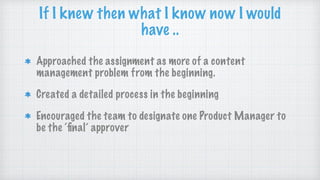
Approached the assignment as more of a content
management problem from the beginning.
Created a detailed process in the beginning
Encouraged the team to designate one Product Manager to
be the ‘final’ approver
If I knew then what I know now I would
have ..
Thank you!
@MathSusan
https://github.com/mathsusan
Susan McKenzie
Cisco Systems, INC
Work email: sumckenz@cisco.com
Personal email: sbmck@yahoo.com

Trigger Emails BigD17

  • 1.
    TRIGGER EMAILS: IT ISSIMPLE, RIGHT? @MathSusan https://github.com/mathsusan Susan McKenzie Cisco Systems, INC Work email: sumckenz@cisco.com Personal email: sbmck@yahoo.com
  • 2.
    A little aboutme… I have a husband, two kids and four (yes 4) cats BS in Math from Oklahoma State University MS in Computer Science from UT Dallas My first career was High School Math Teacher At Cisco for 10+ years Now, work with “The Design Team” at Cisco Systems designing ( and some UI on the side)
  • 3.
    A little about,The Design Team We work on Cisco Collaboration Products Cisco WebEx, Cisco Spark, Cisco Room Systems Anything that helps teams collaborate more productively The team is all over the world, China, Oslo, California, Texas, RTP, the UK, etc
  • 4.
    Let’s get goingwith Trigger Emails!
  • 5.
    What is aTrigger Email? Trigger Emails are emails that are ‘triggered’ by an event in an application For Example, You signed up or someone invited you You changed your password You paid your bill You ordered something
  • 6.
    Examples of TriggerEmails: Reset Password My son was absent from a class my Adminstrator added me to Cisco Spark
  • 7.
    Trigger Emails Trigger emailsare part of the application sent when the correct trigger happens Trigger emails are not redesigned every time one goes out.
  • 8.
    How is thisdifferent from Marketing Emails? Marketing Campaign emails are designed individually They are just sent out periodically, you didn’t trigger it. At Cisco, the marketing team keeps their own recipient list and sends out the emails to their customers on that list.
  • 9.
  • 10.
    So far allthis sounds pretty simple, right? How hard could it be? Simple email Simple Text Simple Call to Action
  • 11.
    What’s so complicated? “HTMLemails are just like a web page right?” WRONG!
  • 12.
    Let’s talk firstabout creating an HTML email template
  • 13.
    Coding HTML emailtemplates Every thing has to be in html tables CSS needs to be inline within each table Each email client displays the email a little differently
  • 14.
    Some email clientsignore parts of the CSS Images are sometimes blocked Custom fonts don’t always work Coding HTML email templates continued
  • 16.
    What else doI need to think about?
  • 17.
    What about thatSPAM folder? The last thing you want is for your email to go in that SPAM folder How do you keep the email out of the SPAM folder?
  • 18.
    SPAM tips welearned Make sure the email doesn’t come from noreply@somewhere.com Have a message like “This message was sent to sbmck@yahoo.com from support@ciscospark.com” in the text.
  • 19.
    SPAM tips welearned Have an unsubscribe link in the email Always send a text version of the email (this is something many people forget)
  • 20.
    About the projectI am working on
  • 21.
    Cisco Spark ControlHub An Admin portal for Cisco Collaboration Products Brings several different products together into one administration portal
  • 22.
  • 23.
    All of theseproducts were sending their own emails Some had different visual designs At first, there were multiple emails at one time Many different Product Managers were stakeholders
  • 24.
    How did Iget started doing all of this? We needed to align our email visually Some of the words needed updated in our emails I was the User Experience Designer assigned to the task Our Development Team didn’t have a resource to code the HTML emails
  • 25.
    Our new VisualDesign …
  • 26.
    Outlook 2011 Original EmailTemplate Android 4.4
  • 27.
    Next Steps, Code theemail Get Visual design approval
  • 28.
    Should I justfix this email?
  • 29.
    Where do Istart? How do I create a template? How do you code HTML emails? How can I duplicate email templates easily?
  • 30.
    Things I needed Reusableemail templates Ability to change the text in the emails easily A responsive design
  • 31.
    Tools I found FoundationInk 1.0.5 gulp-inline-css gulp-replace
  • 32.
  • 33.
    Foundation Ink 1.0.5 CSSto start the project with Had sample templates to start coding with
  • 34.
    Foundation Ink 1.0.5 Providean inline tool to inline all the css (downside: it was a copy paste tool on the web) simplified the HTML
  • 35.
    gulp-inline-css Takes css froma file and puts it inline in the HTML just like you need it for emails https://www.npmjs.com/package/gulp-inline-css
  • 36.
    gulp-replace A simple stringreplace tool for the gulp process https://www.npmjs.com/package/gulp-replace
  • 37.
    Project Plan Start withFoundation Ink for the layout Put the words in a file so that they can easily be translated and use gulp-replace to put the words in the html. Use gulp-inline-css to automate the inline css to keep it consistent. Do all of this in a build process to create all the emails at once
  • 38.
  • 39.
  • 40.
    Path to cssfiles for inlining
  • 41.
    The HTML beforeinlining the css
  • 42.
  • 43.
    Sample json filefor the text
  • 44.
    gulp file doesthe string replace
  • 45.
  • 46.
    Demo of EmailGenerator https://github.com/mathsusan/emailGenerator This is the tool I used to generate the emails
  • 48.
    Now I havean email generated what’s next?
  • 49.
    Test the email Ineed to preview the emails in many different clients There are several apps that do this EmailOnAcid, Litmus, etc I chose Litmus
  • 50.
    What do Iuse litmus for?
  • 51.
    Litmus Test theemail - upload the html
  • 52.
  • 53.
    Test the emailin desktop clients
  • 54.
    Test the emailin mobile clients
  • 56.
    Other Litmus Features Youcan publish all the client tests to share with stake holders You can send the email to stake holders, so they can see it in their inbox You can send the email for a spam test There’s a community site with many questions/problems answered
  • 57.
    Next, review thelayout with the visual designer…
  • 58.
    The visual designerapproached the review like any other UI review
  • 59.
    These two don'thave the same spacing
  • 60.
    How do Iconvince the visual designer that I can’t make every email look exactly the same in all email clients?
  • 61.
    But I thoughtthis was simple? Coding was the hard part right? Explaining why the email wasn’t pixel perfect in every client was even harder
  • 62.
    Now that Ihave templates, we need to update the wording… The marketing team chose 16 emails that were high priority I had to understand when we sent these emails and update the words
  • 63.
    Again, SIMPLE All Ihave to do is understand when the emails go out and write some new copy
  • 64.
    What I learned… Iam not a copy writer! It is very hard to write copy for an email considering all the different kinds of people who will receive the email Getting multiple stakeholders to agree on the wording is next to impossible
  • 65.
    Somehow, we gotthose 16 emails updated and they were better.
  • 66.
    I’m finished, right?NOPE .. this was only the beginning
  • 67.
  • 68.
    Next thing Iknow “Susan, where did those emails come from? Why don’t they follow our templates?”
  • 69.
    Where had thoseemails come from ? The Marketing team was using Mail Chimp and writing them as needed. They had ‘reproduced’ our template
  • 70.
    A tool formarketing would Let them choose the template they wanted Allow them to fill in the wording for their email Let them download the HTML and text versions of the email
  • 71.
    How do Imake this tool? As luck would have it, there was a hack-a-thon A small team of developers chose to work with me on my email project
  • 72.
    We called theproject the Collab-Email Builder Uses our templates Allows the user to enter the text they want to use
  • 74.
    Yay! Problem solved! Thisis so simple, right?
  • 75.
  • 76.
    Susan, Can yousend me an inventory of all the emails we send out?
  • 77.
    Where could Iget a list of all those emails?
  • 78.
    with more than 300rows and 20 columns Lucky me, Marketing had a spread sheet
  • 79.
    I just couldn’tget my head around it! How can I tell other people what emails we have? How do I know when they get sent to our users? Did I even understand what was going on?
  • 80.
    I printed allthe emails out I read the code to see if I could figure out what was going on I tested the application to see when I got what email I made notes on my print outs and put them on a board in my cube
  • 81.
    How do Ishare a board in my cube? Hey, come to Texas and you can read the board.
  • 82.
    Maybe a slidedeck will work? Everyone loves a slide deck! The deck had 60 emails with descriptions Sample slide in the ‘Email Inventory’ Deck
  • 83.
    I got this!It’s simple!
  • 84.
    What happened next? Thelist of emails continued to grow I get 1 or 2 requests a week for a list of all our email Marketing changed the logo and the catch phrase The slide deck quickly became out of date
  • 85.
    The slide deckwas static and impossible to keep up with
  • 86.
    What do weneed? An inventory of the emails that stays up to date. A way for marketing to change little things without needing to update 80+ emails.
  • 87.
    Next came theEmail Catalog
  • 89.
    How did Idevelop this email catalog? Used a headless CMS to store all the email words. Created a tool to display all the emails and generate the html/text versions of them.
  • 90.
    What is aCMS? CMS - Content Management System A CMS has a front end to display the data and a back end to store the data WordPress is an example of this.
  • 91.
    What is aheadless CMS? A headless CMS does not have the front-end It still stores the data Use REST API’s to access the data for your application.
  • 92.
    We chose Contentfulfor our headless CMS https://www.contentful.com
  • 93.
  • 95.
    Now, what happenswhen we add an email?
  • 97.
    What will thisdo for the project? Allows us to store all the text for the different emails in one place Allow editing of the emails without any technical knowledge BONUS: A CMS can take care of localization for us.
  • 98.
    New Process foradding an email Create a new entry in contenful marked Draft Show the email in the Email Catalog Get approval from all stakeholders Publish the email
  • 99.
    Some Email Resources Litmushttps://litmus.com/ Email on Acid Blog https://www.emailonacid.com/blog Really Good Emails https://reallygoodemails.com/
  • 100.
  • 102.
    This is allstill a work in progress.
  • 103.
    The Ideal TriggerEmail Project: Allows easy updates to words (keep those words separate) Guidelines for email wording Process to add an email A way to know when the email comes out of the system.
  • 104.
    I didn’t touchon it but don’t forget to consider… A/B testing A plan for testing different words needs to be in place. A plan for updating emails according to test results.
  • 105.
    Take aways Carefully planhow your trigger email project will work. Make sure you have a solution that works to quickly change emails The solution really needs a way for Marketing to change the words without involving developers Most of all, a PROCESS PROCESS PROCESS
  • 106.
    Approached the assignmentas more of a content management problem from the beginning. Created a detailed process in the beginning Encouraged the team to designate one Product Manager to be the ‘final’ approver If I knew then what I know now I would have ..
  • 107.
    Thank you! @MathSusan https://github.com/mathsusan Susan McKenzie CiscoSystems, INC Work email: sumckenz@cisco.com Personal email: sbmck@yahoo.com