WebSG July 2011   Sean Thambiah / @seantsg
 Sean Thambiah, Connoisseur of Fine HTML Emails

   currently Project Executive at Qais Consulting

   interested in Content Strategy, Information Architecture, User

     Experience, Typography, HTML & CSS, whatever makes the web
     beautiful
   curates http://htmlemailnuthouse.tumblr.com/ *SHAMELESS PLUG*
 Doctype


            Webshite #1 - April
Webshite #2 - June
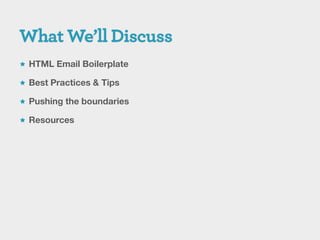
 HTML Email Boilerplate

 Best Practices & Tips

 Pushing the boundaries

 Resources
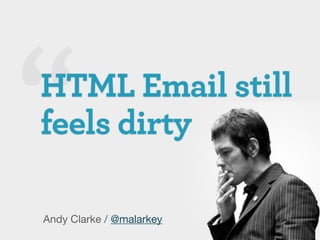
Andy Clarke / @malarkey
Jeremy Keith / @adactio
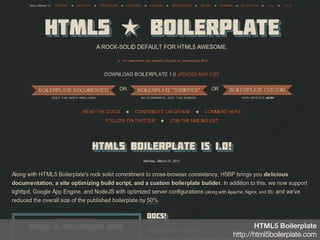
HTML5 Boilerplate
http://html5boilerplate.com
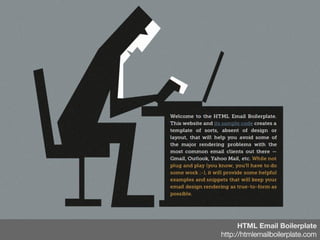
HTML Email Boilerplate
http://htmlemailboilerplate.com
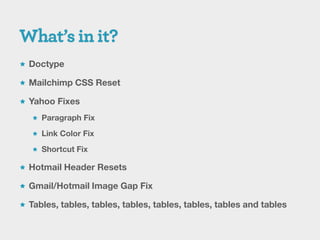
 Doctype

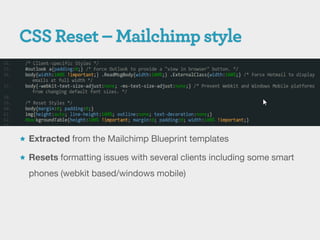
 Mailchimp CSS Reset

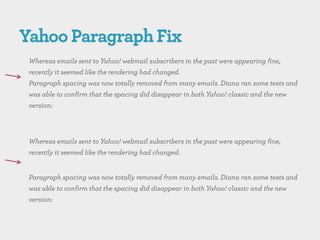
 Yahoo Fixes

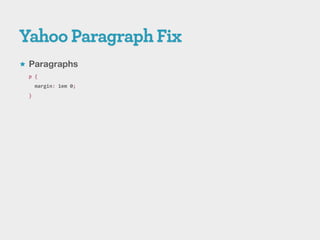
    Paragraph Fix

    Link Color Fix

    Shortcut Fix

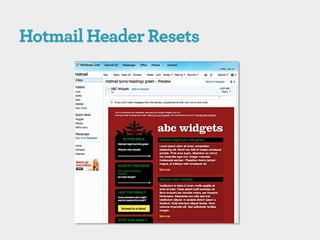
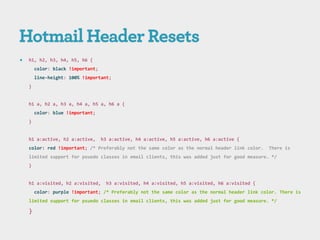
 Hotmail Header Resets

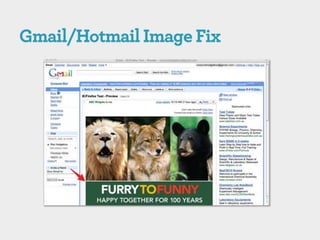
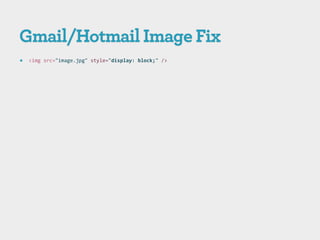
 Gmail/Hotmail Image Gap Fix

 Tables, tables, tables, tables, tables, tables, tables and tables
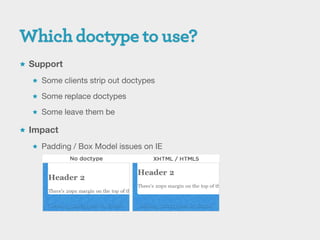
 Support

   Some clients strip out doctypes

   Some replace doctypes

   Some leave them be

 Impact

   Padding / Box Model issues on IE
 Extracted from the Mailchimp Blueprint templates

 Resets formatting issues with several clients including some smart

  phones (webkit based/windows mobile)
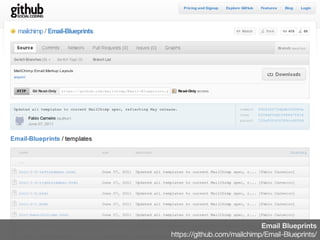
Email Blueprints
https://github.com/mailchimp/Email-Blueprints/
 Paragraphs
 p {
     margin: 1em 0;
 }
   h1, h2, h3, h4, h5, h6 {
        color: black !important;
        line-height: 100% !important;
    }


    h1 a, h2 a, h3 a, h4 a, h5 a, h6 a {
        color: blue !important;
    }


    h1 a:active, h2 a:active,      h3 a:active, h4 a:active, h5 a:active, h6 a:active {
    color: red !important; /* Preferably not the same color as the normal header link color.   There is
    limited support for psuedo classes in email clients, this was added just for good measure. */
    }


    h1 a:visited, h2 a:visited,     h3 a:visited, h4 a:visited, h5 a:visited, h6 a:visited {
        color: purple !important; /* Preferably not the same color as the normal header link color. There is
    limited support for psuedo classes in email clients, this was added just for good measure. */

    }
   <img src="image.jpg" style="display: block;" />
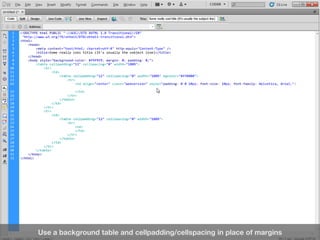
Use a background table and cellpadding/cellspacing in place of margins
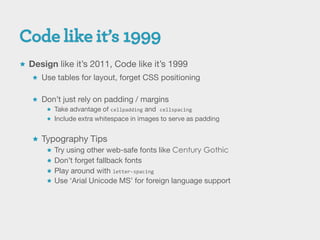
 Design like it’s 2011, Code like it’s 1999
    Use tables for layout, forget CSS positioning


    Don’t just rely on padding / margins
       Take advantage of cellpadding and cellspacing
       Include extra whitespace in images to serve as padding


    Typography Tips
       Try using other web-safe fonts like Century Gothic
       Don’t forget fallback fonts
       Play around with letter-spacing
       Use ‘Arial Unicode MS’ for foreign language support
 Follow the best practices

 Push the boundaries

    Design for mobile

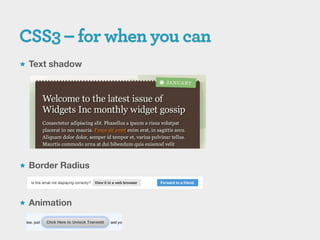
    CSS3

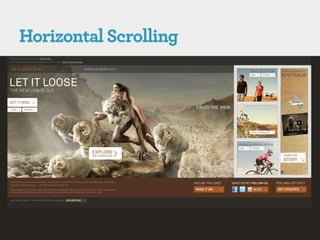
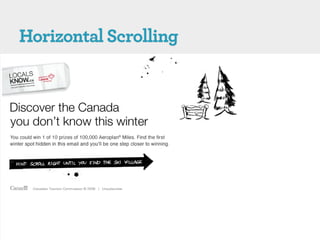
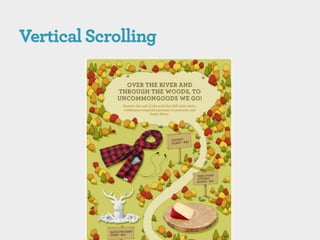
    Horizontal/Vertical Scrolling Emails

    Deal with Image Blocking

    Dust off the animated gifs

    Bring sharing to email
 Design for mobile screens and preview panes
    If you’re selling something, squeeze important content in the top left
        Logo
        Products, Services
        Offer, Promotion


    Go BIG with font-size


    Go micro with copy


    Tip: W3C advises to keep mobile emails under 20K (HTML + Images)
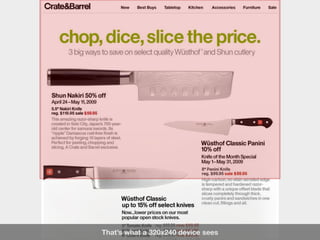
That’s what a 320x240 device sees
 Text shadow


 Border Radius


 Animation
 Blame it on porn spam
    all your pretty images and graphics are blocked by default by most
     email clients.

 Best solution? Get on the trusted sender list
    Email sent by you will show images automatically
    Get users to add you to their address books in your welcome email
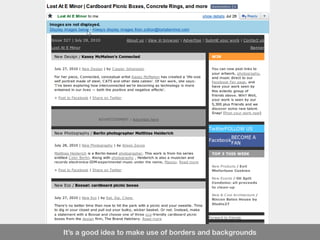
It’s a good idea to make use of borders and backgrounds
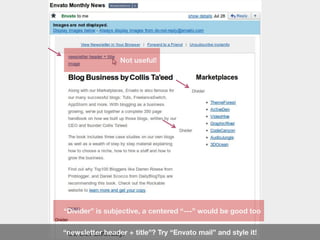
 Make ALT text useful. Descriptive is not enough
    Instead of   alt=“life size portrait made of steel”
     go with alt=“[image] life size portrait made of steel”
    ‚[image/photo] …‛ lets readers know there are images so they’ll want to
     see them
 Go a step further – style alt text and define buttons
Not useful!


“Divider” is subjective, a centered “---” would be good too


“newsletter header + title”? Try “Envato mail” and style it!
alt=“image”


A better alt=“[image] The Complete Handbook by Envato CEO”
 Convert important images to HTML
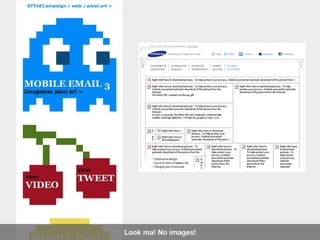
   Use STYLECampaign’s converter
      Get it free when you sign up for their newsletter (you won’t regret it!)


   Great for pixel art or solid color graphics with little or no details


   HTML output is too heavy for graphics with gradients
Look ma! No images!
 They’re back! – and not just for eye-piercing-blinking!

 Higher engagement

 Increased sales

 Use them for Call to Actions to nudge users on
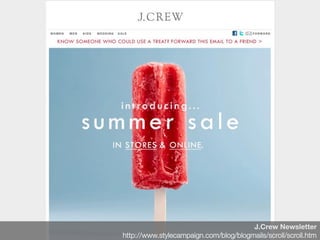
J.Crew Newsletter
http://www.stylecampaign.com/blog/blogmails/scroll/scroll.htm
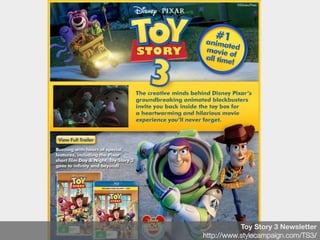
Toy Story 3 Newsletter
http://www.stylecampaign.com/TS3/
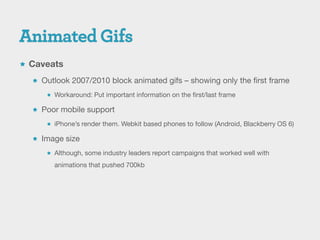
 Caveats

   Outlook 2007/2010 block animated gifs – showing only the first frame

      Workaround: Put important information on the first/last frame

   Poor mobile support

      iPhone’s render them. Webkit based phones to follow (Android, Blackberry OS 6)

   Image size

      Although, some industry leaders report campaigns that worked well with

        animations that pushed 700kb
 facebook Like, Send and Comments

 Tweet, Retweet

 Share on Linked In

 Share anywhere


 All without JS in email *SEEMINGLY*
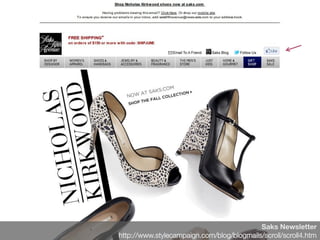
Saks Newsletter
http://www.stylecampaign.com/blog/blogmails/scroll/scroll4.htm
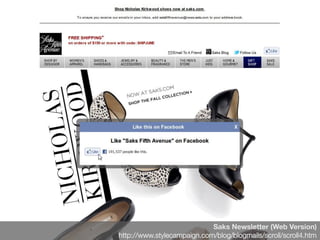
Saks Newsletter (Web Version)
http://www.stylecampaign.com/blog/blogmails/scroll/scroll4.htm
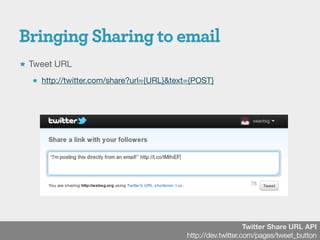
 Tweet URL

   http://twitter.com/share?url={URL}&text={POST}


                                                              Twitter Share URL API
                                          http://dev.twitter.com/pages/tweet_button
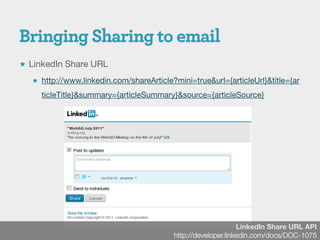
 LinkedIn Share URL

   http://www.linkedin.com/shareArticle?mini=true&url={articleUrl}&title={ar

     ticleTitle}&summary={articleSummary}&source={articleSource}


                                                              LinkedIn Share URL API
                                         http://developer.linkedin.com/docs/DOC-1075
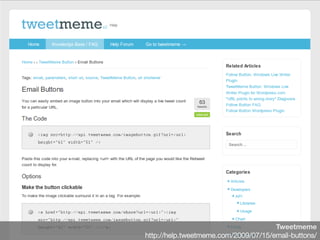
Tweetmeme
http://help.tweetmeme.com/2009/07/15/email-buttons/
 Get background images working in your HTML Emails
    Even in individual table cells!


 Target Outlook 2007 (I can see the IE6 fixing shudders)
    If you’ve tested with <ul> or <ol> you know how frustrating this can be
     <!--[if gte mso 9]>
     // This CSS will only be seen in Outlook 2007
     <![endif]-->


 Get CSS inline when you’re ready to send with Pre-Mailer
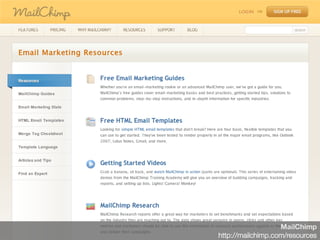
 Check out Mailchimp’s ebooks
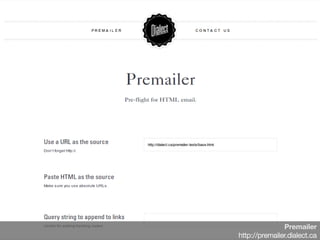
Premailer
http://premailer.dialect.ca
MailChimp
http://mailchimp.com/resources
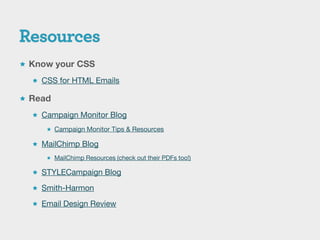
 Know your CSS

   CSS for HTML Emails

 Read

   Campaign Monitor Blog

      Campaign Monitor Tips & Resources

   MailChimp Blog
      MailChimp Resources (check out their PDFs too!)

   STYLECampaign Blog

   Smith-Harmon

   Email Design Review
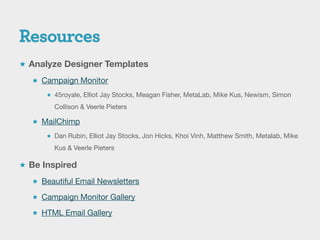
 Analyze Designer Templates

   Campaign Monitor

       45royale, Elliot Jay Stocks, Meagan Fisher, MetaLab, Mike Kus, Newism, Simon

        Collison & Veerle Pieters

   MailChimp

       Dan Rubin, Elliot Jay Stocks, Jon Hicks, Khoi Vinh, Matthew Smith, Metalab, Mike

        Kus & Veerle Pieters

 Be Inspired

   Beautiful Email Newsletters

   Campaign Monitor Gallery

   HTML Email Gallery
WebSG July 2011   Sean Thambiah / @seantsg

WebSG - HTML Email Newsletters

  • 1.
    WebSG July 2011 Sean Thambiah / @seantsg
  • 2.
    WebSG July 2011 Sean Thambiah / @seantsg
  • 3.
     Sean Thambiah,Connoisseur of Fine HTML Emails  currently Project Executive at Qais Consulting  interested in Content Strategy, Information Architecture, User Experience, Typography, HTML & CSS, whatever makes the web beautiful  curates http://htmlemailnuthouse.tumblr.com/ *SHAMELESS PLUG*
  • 4.
     Doctype Webshite #1 - April
  • 5.
  • 6.
     HTML EmailBoilerplate  Best Practices & Tips  Pushing the boundaries  Resources
  • 7.
    Andy Clarke /@malarkey
  • 8.
  • 9.
  • 10.
  • 11.
  • 12.
     Doctype  MailchimpCSS Reset  Yahoo Fixes  Paragraph Fix  Link Color Fix  Shortcut Fix  Hotmail Header Resets  Gmail/Hotmail Image Gap Fix  Tables, tables, tables, tables, tables, tables, tables and tables
  • 13.
     Support  Some clients strip out doctypes  Some replace doctypes  Some leave them be  Impact  Padding / Box Model issues on IE
  • 14.
     Extracted fromthe Mailchimp Blueprint templates  Resets formatting issues with several clients including some smart phones (webkit based/windows mobile)
  • 15.
  • 17.
     Paragraphs p{ margin: 1em 0; }
  • 19.
    h1, h2, h3, h4, h5, h6 { color: black !important; line-height: 100% !important; } h1 a, h2 a, h3 a, h4 a, h5 a, h6 a { color: blue !important; } h1 a:active, h2 a:active, h3 a:active, h4 a:active, h5 a:active, h6 a:active { color: red !important; /* Preferably not the same color as the normal header link color. There is limited support for psuedo classes in email clients, this was added just for good measure. */ } h1 a:visited, h2 a:visited, h3 a:visited, h4 a:visited, h5 a:visited, h6 a:visited { color: purple !important; /* Preferably not the same color as the normal header link color. There is limited support for psuedo classes in email clients, this was added just for good measure. */ }
  • 21.
    <img src="image.jpg" style="display: block;" />
  • 24.
    Use a backgroundtable and cellpadding/cellspacing in place of margins
  • 25.
     Design likeit’s 2011, Code like it’s 1999  Use tables for layout, forget CSS positioning  Don’t just rely on padding / margins  Take advantage of cellpadding and cellspacing  Include extra whitespace in images to serve as padding  Typography Tips  Try using other web-safe fonts like Century Gothic  Don’t forget fallback fonts  Play around with letter-spacing  Use ‘Arial Unicode MS’ for foreign language support
  • 26.
     Follow thebest practices  Push the boundaries  Design for mobile  CSS3  Horizontal/Vertical Scrolling Emails  Deal with Image Blocking  Dust off the animated gifs  Bring sharing to email
  • 27.
     Design formobile screens and preview panes  If you’re selling something, squeeze important content in the top left  Logo  Products, Services  Offer, Promotion  Go BIG with font-size  Go micro with copy  Tip: W3C advises to keep mobile emails under 20K (HTML + Images)
  • 28.
    That’s what a320x240 device sees
  • 29.
     Text shadow Border Radius  Animation
  • 33.
     Blame iton porn spam  all your pretty images and graphics are blocked by default by most email clients.  Best solution? Get on the trusted sender list  Email sent by you will show images automatically  Get users to add you to their address books in your welcome email
  • 34.
    It’s a goodidea to make use of borders and backgrounds
  • 35.
     Make ALTtext useful. Descriptive is not enough  Instead of alt=“life size portrait made of steel” go with alt=“[image] life size portrait made of steel”  ‚[image/photo] …‛ lets readers know there are images so they’ll want to see them  Go a step further – style alt text and define buttons
  • 36.
    Not useful! “Divider” issubjective, a centered “---” would be good too “newsletter header + title”? Try “Envato mail” and style it!
  • 37.
    alt=“image” A better alt=“[image]The Complete Handbook by Envato CEO”
  • 38.
     Convert importantimages to HTML  Use STYLECampaign’s converter  Get it free when you sign up for their newsletter (you won’t regret it!)  Great for pixel art or solid color graphics with little or no details  HTML output is too heavy for graphics with gradients
  • 39.
    Look ma! Noimages!
  • 40.
     They’re back!– and not just for eye-piercing-blinking!  Higher engagement  Increased sales  Use them for Call to Actions to nudge users on
  • 41.
  • 42.
    Toy Story 3Newsletter http://www.stylecampaign.com/TS3/
  • 43.
     Caveats  Outlook 2007/2010 block animated gifs – showing only the first frame  Workaround: Put important information on the first/last frame  Poor mobile support  iPhone’s render them. Webkit based phones to follow (Android, Blackberry OS 6)  Image size  Although, some industry leaders report campaigns that worked well with animations that pushed 700kb
  • 44.
     facebook Like,Send and Comments  Tweet, Retweet  Share on Linked In  Share anywhere  All without JS in email *SEEMINGLY*
  • 45.
  • 46.
    Saks Newsletter (WebVersion) http://www.stylecampaign.com/blog/blogmails/scroll/scroll4.htm
  • 47.
     Tweet URL  http://twitter.com/share?url={URL}&text={POST} Twitter Share URL API http://dev.twitter.com/pages/tweet_button
  • 48.
     LinkedIn ShareURL  http://www.linkedin.com/shareArticle?mini=true&url={articleUrl}&title={ar ticleTitle}&summary={articleSummary}&source={articleSource} LinkedIn Share URL API http://developer.linkedin.com/docs/DOC-1075
  • 49.
  • 51.
     Get backgroundimages working in your HTML Emails  Even in individual table cells!  Target Outlook 2007 (I can see the IE6 fixing shudders)  If you’ve tested with <ul> or <ol> you know how frustrating this can be <!--[if gte mso 9]> // This CSS will only be seen in Outlook 2007 <![endif]-->  Get CSS inline when you’re ready to send with Pre-Mailer  Check out Mailchimp’s ebooks
  • 52.
  • 53.
  • 54.
     Know yourCSS  CSS for HTML Emails  Read  Campaign Monitor Blog  Campaign Monitor Tips & Resources  MailChimp Blog  MailChimp Resources (check out their PDFs too!)  STYLECampaign Blog  Smith-Harmon  Email Design Review
  • 55.
     Analyze DesignerTemplates  Campaign Monitor  45royale, Elliot Jay Stocks, Meagan Fisher, MetaLab, Mike Kus, Newism, Simon Collison & Veerle Pieters  MailChimp  Dan Rubin, Elliot Jay Stocks, Jon Hicks, Khoi Vinh, Matthew Smith, Metalab, Mike Kus & Veerle Pieters  Be Inspired  Beautiful Email Newsletters  Campaign Monitor Gallery  HTML Email Gallery
  • 56.
    WebSG July 2011 Sean Thambiah / @seantsg

Editor's Notes

  • #2 Todo: Best time to send emailSpam FilterSlide 27, Tips and Best Practices
  • #3 Todo: Best time to send emailSpam FilterSlide 27, Tips and Best Practices
  • #14 STRIP or IGNORE your DOCTYPE entirelyAOLAndroid Gmail ApplicationLotus Notes 6.5, 7, 8 and 8.5Outlook 2007 and 2010Thunderbird 2 and 3Yahoo NewACCEPT your DOCTYPEAndroid Mail ClientEntourage 04 and 08iPad and iPad GmailiPhone and iPhone GmailLive MailOutlook 2003Outlook ExpressWindows MailEach will remove your DOCTYPE, and replace it with:&lt;!DOCTYPE html PUBLIC &quot;-//W3C//DTD XHTML 1.0 Strict//EN&quot; &quot;http://www.w3.org/TR/xhtml1/DTD/xhtml1-strict.dtd&quot;&gt;Gmail &amp; HotmailRemoves your DOCTYPE, and replaces it with:&lt;!DOCTYPE HTML PUBLIC &quot;-//W3C//DTD HTML 4.01 Transitional//EN&quot; &quot;http://www.w3.org/TR/html4/loose.dtd&quot;&gt;Yahoo Classic
  • #19 Hotmail replaces your header color styles with a green color on H2, H3, H4, H5, and H6 tags. In this example, the color is reset to black. Replace black with your choice of color. The !important is really what is overriding Hotmail&apos;s styling.NOTE: Hotmail also sets the H1 and H2 tags to the same size.
  • #20 Hotmail replaces your header color styles with a green color on H2, H3, H4, H5, and H6 tags. In this example, the color is reset to black. Replace black with your choice of color. The !important is really what is overriding Hotmail&apos;s styling.NOTE: Hotmail also sets the H1 and H2 tags to the same size.
  • #30 Text-shadow, animation for WebkitBorder Radius works on mobile clients too
  • #31 A/B Testing, involving a vertical emailer and a horizontal one.The horizontal one won.