CSS BOXES &
DIMENSIONS
Advanced CSS techniques
the box model
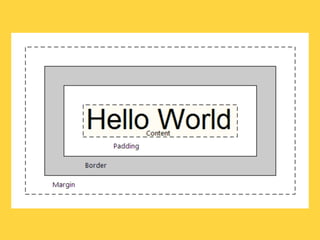
• All HTML elements are rendered as
  boxes
• Stylesheets can control how to display
  these boxes (color, placement, etc)
• There arepaddingproperties of boxes:
  border,
            3 basic
                    and margin
BORDERS
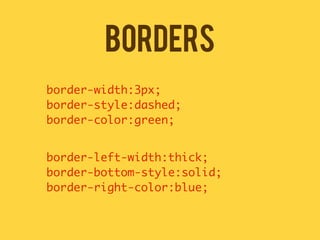
border-width:3px;
border-style:dashed;
border-color:green;


border-left-width:thick;
border-bottom-style:solid;
border-right-color:blue;
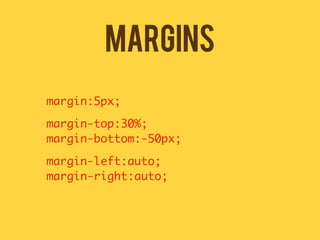
MARGINS
margin:5px;

margin-top:30%;
margin-bottom:-50px;

margin-left:auto;
margin-right:auto;
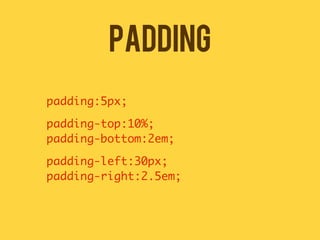
PADDING
padding:5px;

padding-top:10%;
padding-bottom:2em;

padding-left:30px;
padding-right:2.5em;
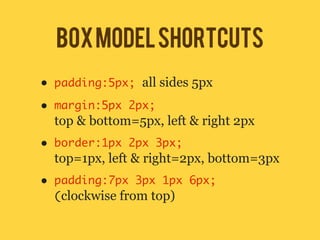
box model shortcuts
•   padding:5px; all sides 5px

•   margin:5px 2px;
    top & bottom=5px, left & right 2px
•   border:1px 2px 3px;
    top=1px, left & right=2px, bottom=3px
•   padding:7px 3px 1px 6px;
    (clockwise from top)
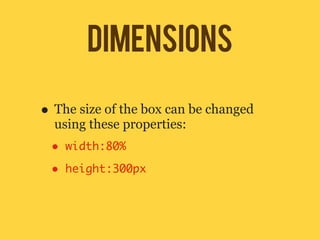
DIMENSIONS

• The size of the box can be changed
  using these properties:
 •   width:80%

 •   height:300px
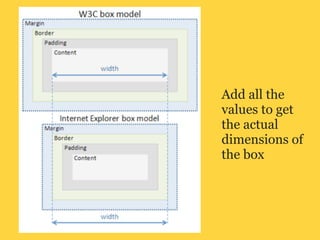
Add all the
values to get
the actual
dimensions of
the box
SPEED TEST 01
	   <div id="cool">
	   <p>this box is cool</p>
	   </div>
	   <div id="hot">
	   <p>this box is hot</p>
	   </div>
speed test 01
speed test 01
	   	   #cool {
	   	   background-color:blue;
	   	   width:500px;
	   	   height:200px;
	   	   }
	   	   #hot {
	   	   background-color:red;
	   	   width:200px;
	   	   height:200px;
	   	   }
speed test 02
speed test 02
	   	   #cool {
	   	   background-color:blue;
	   	   width:500px;
	   	   height:200px;
	   	   padding:10px;
	   	   }
	   	   #cool p {
	   	   border:5px solid white;
	   	   padding:10px;
	   	   }
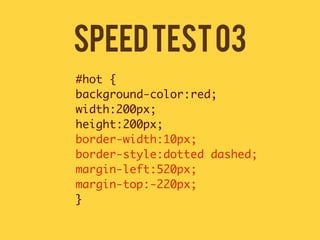
SPEED TEST 03
speed test 03
	   	   #hot {
	   	   background-color:red;
	   	   width:200px;
	   	   height:200px;
	   	   border-width:10px;
	   	   border-style:dotted dashed;
	   	   margin-left:520px;
	   	   margin-top:-220px;
	   	   }
speed test 04
speed test 04
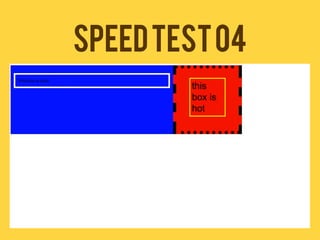
	   	   #hot p {
	   	   width:100px;
	   	   border:3px solid yellow;
	   	   margin-left:auto;
	   	   margin-right:auto;
	   	   font-size:30px;
	   	   padding:5px;
	   	   }
types of boxes
• HTML boxes can be categorized into
    two types:
    1. Block
    2. Inline
•   They can be controlled by the CSS
    property display
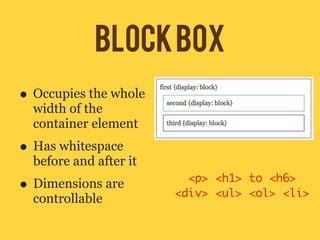
BLOCK BOX
• Occupies the whole
  width of the
  container element
• Has whitespace
  before and after it
• Dimensions are          <p> <h1> to <h6>
                        <div> <ul> <ol> <li>
  controllable
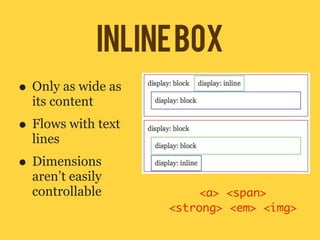
inline box
• Only as wide as
  its content
• Flows with text
  lines
• Dimensions
  aren’t easily
  controllable            <a> <span>
                     <strong> <em> <img>
inline vs block
speed test 05
<ul>
<li><a href="#">Sisig</a></li>	
<li><a href="#">Sinigang</a></li>	
<li><a href="#">Tapsilog</a></li>	
<li><a href="#">Kaldereta</a></li>	
<li><a href="#">Adobo</a></li>	
<li><a href="#">Bistek</a></li>	
<li><a href="#">Mechado</a></li>	
<li><a href="#">Laing</a></li>
</ul>
<a href="#">Back to Home</a>
Speed Test 05
speed test 05
	   	
    ul#navi {
	   	
    font-family:Rockwell;
	   	
    list-style:none;
	   	
    margin:0;
	   	
    padding:0;
	   	
    }
    ul#navi li a{
	 	 text-decoration:none;
	 	 }
Speed Test 06
speed test 06
        ul#navi li a{
	   	   text-decoration:none;
	   	   border-left:5px solid red;
	   	   border-right:5px solid red;
	   	   padding:5px;
        }
        ul#navi li a:link,
        ul#navi li a:visited {
	 	     color:black;
        }
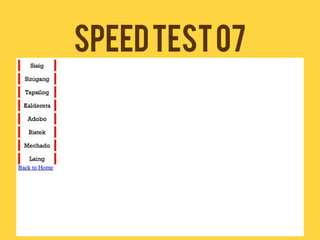
Speed Test 07
speed test 07
	   	   ul#navi {
	   	   width:100px;
	   	   }
	   	   ul#navi li a{
	   	   display:block;
	   	   margin-top:5px;
	   	   text-align:center;
	   	   }
Speed Test 08

•   Change the background color and the
    borders when you hover
•   Change the background color and the
    borders when you click

CSS Box Model and Dimensions