

LEARNING INTERACTIONS ON MOBILE
  WHAT WORKS? WHAT DOESN’T?


  Jamaica Bracken Janhavi Padture   Robert Gadd
If you cannot hear the audio:
• Click the arrow icon at the upper right, in the webinar panel
• Expand the Audio section
• Click the Audio setup
• If necessary, choose the Use Telephone option to see a phone
  number you can use
Like it or not, mLearning is here to stay!


               Mobile Learning Interactions
Poll #1
Have you implemented mLearning?

•   One or more projects deployed
•   Pilot project is in the works
•   Definite plan to roll out in 6-12 months
•   Evaluating – timeframe undefined
•   Definitely NO plans for mLearning


                    Mobile Learning Interactions
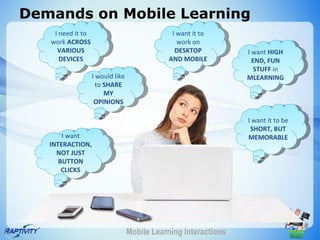
Demands on Mobile Learning
    I need it to                              I want it to
   work ACROSS                                  work on
     VARIOUS                                   DESKTOP           I want HIGH
      DEVICES                                AND MOBILE            END, FUN
                                                                    STUFF in
                   I would like                                  MLEARNING
                     to SHARE
                        MY
                    OPINIONS

                                                                 I want it to be
                                                                  SHORT, BUT
       I want                                                    MEMORABLE
   INTERACTION,
     NOT JUST
      BUTTON
       CLICKS


                                  Mobile Learning Interactions
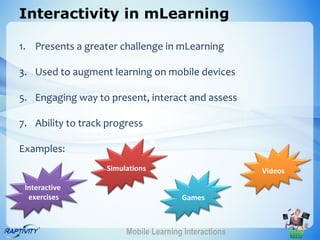
Interactivity in mLearning

1. Presents a greater challenge in mLearning

3. Used to augment learning on mobile devices

5. Engaging way to present, interact and assess

7. Ability to track progress

Examples:
                   Simulations                         Videos

 Interactive
  exercises                            Games


                        Mobile Learning Interactions
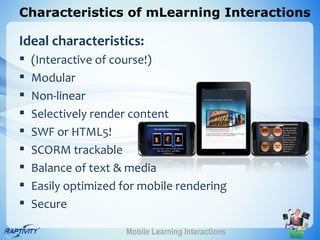
Characteristics of mLearning Interactions

Ideal characteristics:
   (Interactive of course!)
   Modular
   Non-linear
   Selectively render content
   SWF or HTML5!
   SCORM trackable
   Balance of text & media
   Easily optimized for mobile rendering
   Secure

                      Mobile Learning Interactions
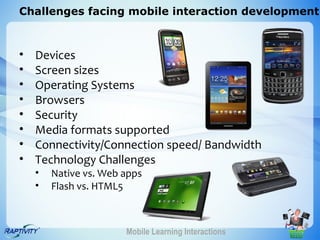
Challenges facing mobile interaction development


•   Devices
•   Screen sizes
•   Operating Systems
•   Browsers
•   Security
•   Media formats supported
•   Connectivity/Connection speed/ Bandwidth
•   Technology Challenges
    •   Native vs. Web apps
    •   Flash vs. HTML5


                       Mobile Learning Interactions
Poll #2

What mobile devices do you (or your
 organization) use for mLearning?

•   Apple iOS
•   Blackberry OS
•   Windows Phone
•   Google Android


                 Mobile Learning Interactions
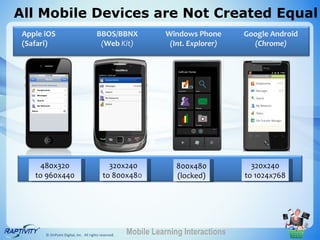
All Mobile Devices are Not Created Equal
 Apple iOS                             BBOS/BBNX                 Windows Phone       Google Android
 (Safari)                               (Web Kit)                 (Int. Explorer)      (Chrome)


     480x320                                 320x240                800x480            320x240
    to 960x440                             to 800x480               (locked)         to 1024x768


       © OnPoint Digital, Inc. All rights reserved.   Mobile Learning Interactions
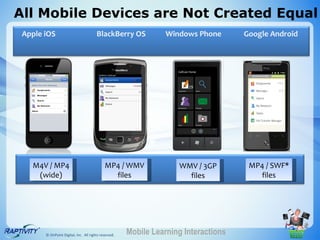
All Mobile Devices are Not Created Equal
 Apple iOS                             BlackBerry OS             Windows Phone       Google Android


   M4V / MP4                                MP4 / WMV               WMV / 3GP         MP4 / SWF*
    (wide)                                    files                   files             files


       © OnPoint Digital, Inc. All rights reserved.   Mobile Learning Interactions
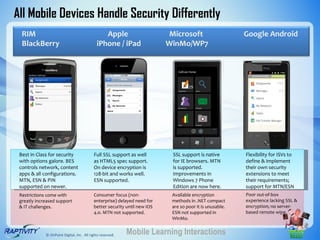
All Mobile Devices Handle Security Differently
  RIM                                           Apple                      Microsoft                      Google Android
  BlackBerry                                 iPhone / iPad                 WinMo/WP7


 Best in Class for security                Full SSL support as well         SSL support is native         Flexibility for ISVs to
 with options galore. BES                  as HTML5 spec support.           for IE browsers. MTN          define & implement
 controls network, content                 On device encryption is          is supported.                 their own security
 apps & all configurations.                128-bit and works well.          Improvements in               extensions to meet
 MTN, ESN & PIN                            ESN supported.                   Windows 7 Phone               their requirements;
 supported on newer.                                                        Edition are now here.         support for MTN/ESN
 Restrictions come with                    Consumer focus (non-             Available encryption          Poor out-of-box
 greatly increased support                 enterprise) delayed need for     methods in .NET compact       experience lacking SSL &
 & IT challenges.                          better security until new iOS    are so poor it is unusable.   encryption; no server-
                                           4.0. MTN not supported.          ESN not supported in          based remote wipe.
                                                                            WinMo.


             © OnPoint Digital, Inc. All rights reserved.   Mobile Learning Interactions
What’s your Business Case?

• Do you want cross platform delivery?
• Do you need to create once, deploy anywhere?
• Will you know the mobile devices your learners
  carry?
• Is Bandwidth/connectivity predictable?
• Is there lot of media to be delivered?
• Will it be resource intensive?
• Do you need sophisticated visual effects?
• Is it important to create content without relying
  on proprietary software or native apps?
                    Mobile Learning Interactions
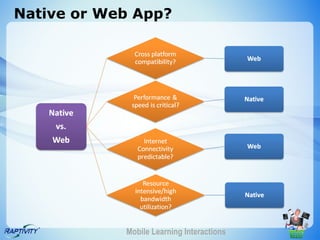
Native or Web App?


            Mobile Learning Interactions
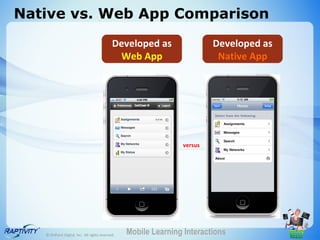
Native vs. Web App Comparison
                                             Developed as                 Developed as
                                              Web App                      Native App


                                                                 versus


   © OnPoint Digital, Inc. All rights reserved.   Mobile Learning Interactions
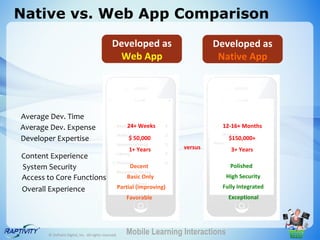
Native vs. Web App Comparison
                                               Developed as                      Developed as
                                                Web App                           Native App


Average Dev. Time
Average Dev. Expense                                  24+ Weeks                    12-16+ Months

Developer Expertise                                   $ 50,000                        $150,000+
                                                      1+ Years          versus        3+ Years
Content Experience
System Security                                        Decent                         Polished
Access to Core Functions                              Basic Only                     High Security

Overall Experience                                Partial (improving)             Fully Integrated
                                                      Favorable                      Exceptional


       © OnPoint Digital, Inc. All rights reserved.   Mobile Learning Interactions
Poll #3

 What technologies has your organization
  implemented (or is exploring) for
  mLearning development?

 •   Native apps for various devices
 •   Web Apps – using HTML or HTML5
 •   Web Apps – using Flash
 •   Web Apps – Other

                  Mobile Learning Interactions
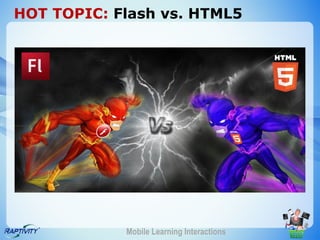
HOT TOPIC: Flash vs. HTML5


            Mobile Learning Interactions
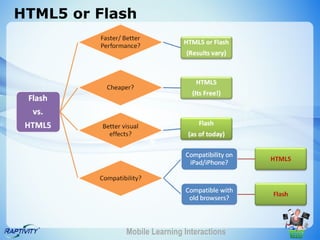
HTML5 or Flash


            Mobile Learning Interactions
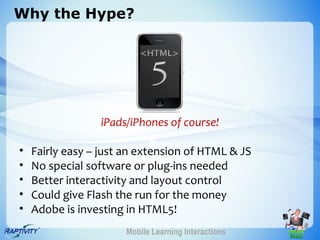
Why the Hype?


                 iPads/iPhones of course!

•   Fairly easy – just an extension of HTML & JS
•   No special software or plug-ins needed
•   Better interactivity and layout control
•   Could give Flash the run for the money
•   Adobe is investing in HTML5!
                       Mobile Learning Interactions
More than just a hype


             Mobile Learning Interactions
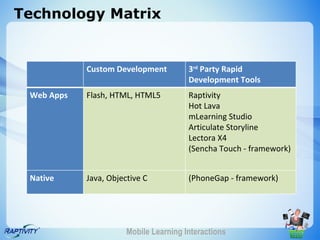
Technology Matrix


            Custom Development          3rd Party Rapid
                                        Development Tools
 Web Apps   Flash, HTML, HTML5          Raptivity
                                        Hot Lava
                                        mLearning Studio
                                        Articulate Storyline
                                        Lectora X4
                                        (Sencha Touch - framework)


 Native     Java, Objective C           (PhoneGap - framework)


                       Mobile Learning Interactions
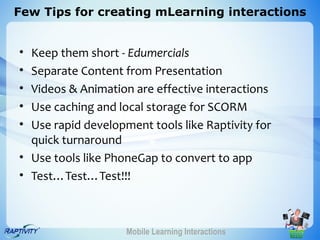
Few Tips for creating mLearning interactions


• Keep them short - Edumercials
• Separate Content from Presentation
• Videos & Animation are effective interactions
• Use caching and local storage for SCORM
• Use rapid development tools like Raptivity for
  quick turnaround
• Use tools like PhoneGap to convert to app
• Test…Test…Test!!!


                    Mobile Learning Interactions
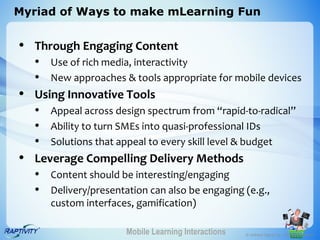
Myriad of Ways to make mLearning Fun


• Through Engaging Content
   • Use of rich media, interactivity
   • New approaches & tools appropriate for mobile devices
• Using Innovative Tools
   • Appeal across design spectrum from “rapid-to-radical”
   • Ability to turn SMEs into quasi-professional IDs
   • Solutions that appeal to every skill level & budget
• Leverage Compelling Delivery Methods
   • Content should be interesting/engaging
   • Delivery/presentation can also be engaging (e.g.,
      custom interfaces, gamification)

                      Mobile Learning Interactions   © OnPoint Digital, Inc. All rights reserved.
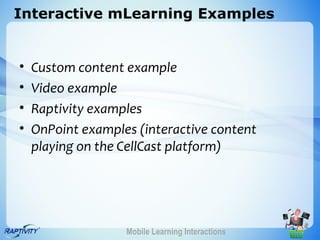
Interactive mLearning Examples


•   Custom content example
•   Video example
•   Raptivity examples
•   OnPoint examples (interactive content
    playing on the CellCast platform)


                   Mobile Learning Interactions
Thank You!


       Janhavi Padture                       Robert Gadd
janhavi@harbingergroup.com            rgadd @ onpointlearning.com

  For more info about Raptivity:         For more info about CellCast:
    Visit: www.raptivity.com               Visit: www.mlearning.com
  Write to: info@raptivity.com          Write to: info@melearning.com
     Blog: blog.raptivity.com         Blog: mlearningtrends.blogspot.com
                                              Twitter: @robgadd4


                           Mobile Learning Interactions

Learning interactions on mobile slideshare

  • 1.
    LEARNING INTERACTIONS ONMOBILE WHAT WORKS? WHAT DOESN’T? Jamaica Bracken Janhavi Padture Robert Gadd
  • 2.
    If you cannothear the audio: • Click the arrow icon at the upper right, in the webinar panel • Expand the Audio section • Click the Audio setup • If necessary, choose the Use Telephone option to see a phone number you can use
  • 3.
    Like it ornot, mLearning is here to stay! Mobile Learning Interactions
  • 4.
    Poll #1 Have youimplemented mLearning? • One or more projects deployed • Pilot project is in the works • Definite plan to roll out in 6-12 months • Evaluating – timeframe undefined • Definitely NO plans for mLearning Mobile Learning Interactions
  • 5.
    Demands on MobileLearning I need it to I want it to work ACROSS work on VARIOUS DESKTOP I want HIGH DEVICES AND MOBILE END, FUN STUFF in I would like MLEARNING to SHARE MY OPINIONS I want it to be SHORT, BUT I want MEMORABLE INTERACTION, NOT JUST BUTTON CLICKS Mobile Learning Interactions
  • 6.
    Interactivity in mLearning 1.Presents a greater challenge in mLearning 3. Used to augment learning on mobile devices 5. Engaging way to present, interact and assess 7. Ability to track progress Examples: Simulations Videos Interactive exercises Games Mobile Learning Interactions
  • 7.
    Characteristics of mLearningInteractions Ideal characteristics:  (Interactive of course!)  Modular  Non-linear  Selectively render content  SWF or HTML5!  SCORM trackable  Balance of text & media  Easily optimized for mobile rendering  Secure Mobile Learning Interactions
  • 8.
    Challenges facing mobileinteraction development • Devices • Screen sizes • Operating Systems • Browsers • Security • Media formats supported • Connectivity/Connection speed/ Bandwidth • Technology Challenges • Native vs. Web apps • Flash vs. HTML5 Mobile Learning Interactions
  • 9.
    Poll #2 What mobiledevices do you (or your organization) use for mLearning? • Apple iOS • Blackberry OS • Windows Phone • Google Android Mobile Learning Interactions
  • 10.
    All Mobile Devicesare Not Created Equal Apple iOS BBOS/BBNX Windows Phone Google Android (Safari) (Web Kit) (Int. Explorer) (Chrome) 480x320 320x240 800x480 320x240 to 960x440 to 800x480 (locked) to 1024x768 © OnPoint Digital, Inc. All rights reserved. Mobile Learning Interactions
  • 11.
    All Mobile Devicesare Not Created Equal Apple iOS BlackBerry OS Windows Phone Google Android M4V / MP4 MP4 / WMV WMV / 3GP MP4 / SWF* (wide) files files files © OnPoint Digital, Inc. All rights reserved. Mobile Learning Interactions
  • 12.
    All Mobile DevicesHandle Security Differently RIM Apple Microsoft Google Android BlackBerry iPhone / iPad WinMo/WP7 Best in Class for security Full SSL support as well SSL support is native Flexibility for ISVs to with options galore. BES as HTML5 spec support. for IE browsers. MTN define & implement controls network, content On device encryption is is supported. their own security apps & all configurations. 128-bit and works well. Improvements in extensions to meet MTN, ESN & PIN ESN supported. Windows 7 Phone their requirements; supported on newer. Edition are now here. support for MTN/ESN Restrictions come with Consumer focus (non- Available encryption Poor out-of-box greatly increased support enterprise) delayed need for methods in .NET compact experience lacking SSL & & IT challenges. better security until new iOS are so poor it is unusable. encryption; no server- 4.0. MTN not supported. ESN not supported in based remote wipe. WinMo. © OnPoint Digital, Inc. All rights reserved. Mobile Learning Interactions
  • 13.
    What’s your BusinessCase? • Do you want cross platform delivery? • Do you need to create once, deploy anywhere? • Will you know the mobile devices your learners carry? • Is Bandwidth/connectivity predictable? • Is there lot of media to be delivered? • Will it be resource intensive? • Do you need sophisticated visual effects? • Is it important to create content without relying on proprietary software or native apps? Mobile Learning Interactions
  • 14.
    Native or WebApp? Mobile Learning Interactions
  • 15.
    Native vs. WebApp Comparison Developed as Developed as Web App Native App versus © OnPoint Digital, Inc. All rights reserved. Mobile Learning Interactions
  • 16.
    Native vs. WebApp Comparison Developed as Developed as Web App Native App Average Dev. Time Average Dev. Expense 24+ Weeks 12-16+ Months Developer Expertise $ 50,000 $150,000+ 1+ Years versus 3+ Years Content Experience System Security Decent Polished Access to Core Functions Basic Only High Security Overall Experience Partial (improving) Fully Integrated Favorable Exceptional © OnPoint Digital, Inc. All rights reserved. Mobile Learning Interactions
  • 17.
    Poll #3 Whattechnologies has your organization implemented (or is exploring) for mLearning development? • Native apps for various devices • Web Apps – using HTML or HTML5 • Web Apps – using Flash • Web Apps – Other Mobile Learning Interactions
  • 18.
    HOT TOPIC: Flashvs. HTML5 Mobile Learning Interactions
  • 19.
    HTML5 or Flash Mobile Learning Interactions
  • 20.
    Why the Hype? iPads/iPhones of course! • Fairly easy – just an extension of HTML & JS • No special software or plug-ins needed • Better interactivity and layout control • Could give Flash the run for the money • Adobe is investing in HTML5! Mobile Learning Interactions
  • 21.
    More than justa hype Mobile Learning Interactions
  • 22.
    Technology Matrix Custom Development 3rd Party Rapid Development Tools Web Apps Flash, HTML, HTML5 Raptivity Hot Lava mLearning Studio Articulate Storyline Lectora X4 (Sencha Touch - framework) Native Java, Objective C (PhoneGap - framework) Mobile Learning Interactions
  • 23.
    Few Tips forcreating mLearning interactions • Keep them short - Edumercials • Separate Content from Presentation • Videos & Animation are effective interactions • Use caching and local storage for SCORM • Use rapid development tools like Raptivity for quick turnaround • Use tools like PhoneGap to convert to app • Test…Test…Test!!! Mobile Learning Interactions
  • 24.
    Myriad of Waysto make mLearning Fun • Through Engaging Content • Use of rich media, interactivity • New approaches & tools appropriate for mobile devices • Using Innovative Tools • Appeal across design spectrum from “rapid-to-radical” • Ability to turn SMEs into quasi-professional IDs • Solutions that appeal to every skill level & budget • Leverage Compelling Delivery Methods • Content should be interesting/engaging • Delivery/presentation can also be engaging (e.g., custom interfaces, gamification) Mobile Learning Interactions © OnPoint Digital, Inc. All rights reserved.
  • 25.
    Interactive mLearning Examples • Custom content example • Video example • Raptivity examples • OnPoint examples (interactive content playing on the CellCast platform) Mobile Learning Interactions
  • 26.
    Thank You! Janhavi Padture Robert Gadd janhavi@harbingergroup.com rgadd @ onpointlearning.com For more info about Raptivity: For more info about CellCast: Visit: www.raptivity.com Visit: www.mlearning.com Write to: info@raptivity.com Write to: info@melearning.com Blog: blog.raptivity.com Blog: mlearningtrends.blogspot.com Twitter: @robgadd4 Mobile Learning Interactions

Editor's Notes

  • #15 Oversimplified representation   Development environment, Internet Connectivity , Deployment, Speed, Rich media compatibility, Content searchable on web , Animation development, Cross platform compatibility Native: Platform dependent, Not required, has to be installed/ downloaded, Fast, Fewer Issues, No, More sophisticated - by accessing core animation framework using native code, Must be developed for each platform separately Web: Platform independent, Required, n/a (updates propogate immediately), Slower, Limited by Audio/video support inconsistencies within browsers, Yes, Good - but less flexibility, can be achieved relatively easily using
  • #16 Myth #6 – Mobile web is better/easier than mobile apps (native apps). Not in our opinion…but we support both!