Housekeeping
Webinar
recording
Webinar
presentation
Polls Survey Q&A
UK
US
Australia
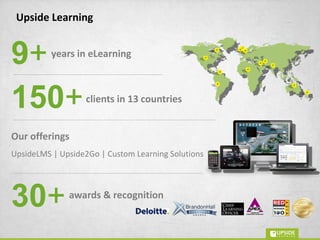
13countries165 +clients in
Middle East
Established in 2004
India
New Zealand
S.Africa
Nigeria
Kenya
Singapore
Venezuela
Few of our prestigious
clients
Custom/
Bespoke
eLearning
Custom/
Bespoke
mLearning
Innovative learning solutions for
enhanced performance
Winner of a Silver award in CLO
magazine's 'Learning In Practice
Awards 2011' for UpsideLMS
UpsideLMS listed as one of
the 'Five Emerging LMSs to Watch'
in CLO Magazine ('10)
Winner of 7 Apex
Awards of Excellence
('11, '09, '08 & '07)
Winner of 11 Brandon Hall
Excellence Awards
(‘12, '11, '10 & '09)
UpsideLMS featured in the '2010
Top 20 Learning Portal Companies List' and
'2011 & 2012 Watch List‘
by TrainingIndustry.com
Winner of Red Herring 100 Asia
Award in 2008 & finalist
in Red Herring Global 100 ('09)
Winner in Deloitte’s Technology
Fast 500 Asia Pacific 2008 & 2009 program,
and Fast 50 India 2008 program
awards &
recognitions
30+
Amit Garg
Alan Samuel
Director & Co-founder,
Upside Learning
Director Client Solutions (Europe),
Upside Learning
Presenters
Poll # 1
Does your company plan to use tablets?
• Already in use
• In 3 months
• In 6 months
• Yes, but not sure when
• No plans, unlikely
Poll # 2
In organizational learning context, what
will you use tablets for?
• Sales support
• Performance support
• Compliance & mandatory training
• Not sure
Whatis a
Tablet
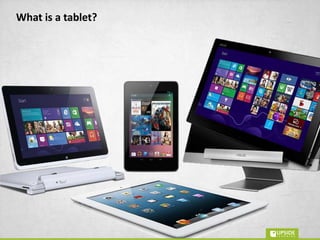
What is a tablet?
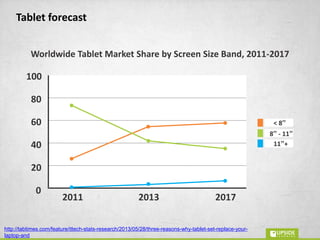
Tablet forecast
Worldwide Tablet Market Share by Screen Size Band, 2011-2017
2011 2013 2017
20
40
60
80
100
0
11”+
8” - 11”
< 8”
http://tabtimes.com/feature/ittech-stats-research/2013/05/28/three-reasons-why-tablet-set-replace-your-laptop-and
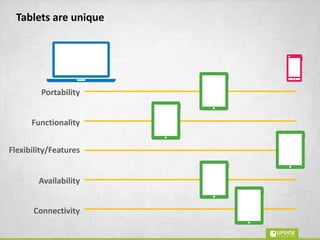
Tablets are unique
Portability
Flexibility/Features
Availability
Connectivity
Functionality
Poll # 3
What do you use your tablet for?
• Email
• Entertainment
• Work related usage
• Shopping
• Social media
Poll # 4
Given a choice would you use a tablet
or a smartphone?
• Tablet
• Smartphone
• Not sure
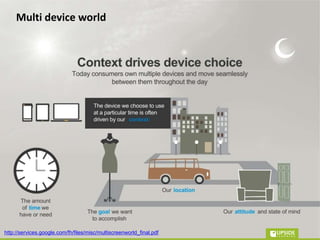
Multi device world
http://services.google.com/fh/files/misc/multiscreenworld_final.pdf
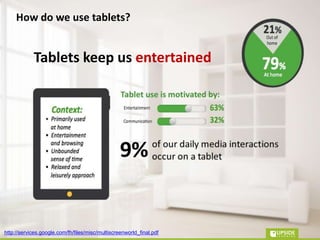
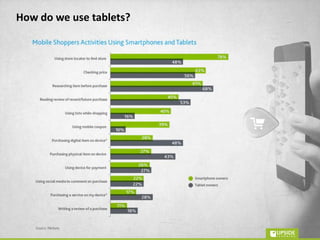
How do we use tablets?
Tablets keep us entertained
http://services.google.com/fh/files/misc/multiscreenworld_final.pdf
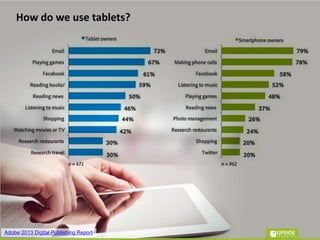
How do we use tablets?
Adobe:2013 Digital Publishing Report
How do we use tablets?
is
WhateLearningon
Tablets
provided or accessed via
tablets
performance support
Any
or
learning
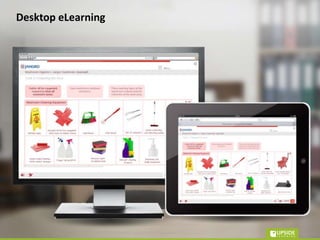
Desktop eLearning
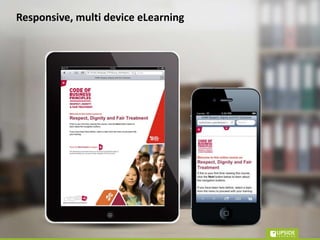
Responsive, multi device eLearning
Source - http://www.unitedpixelworkers.com/
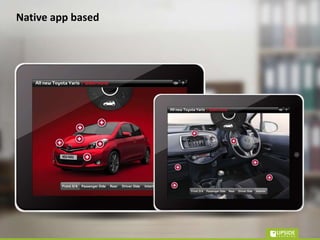
Native app based
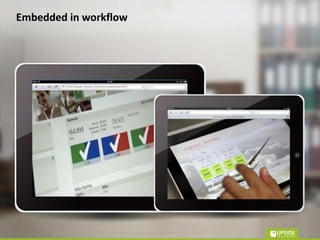
Embedded in workflow
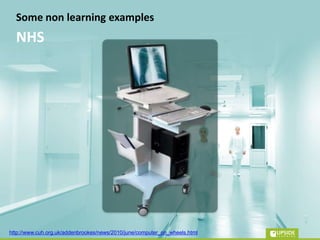
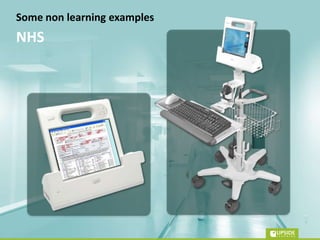
Some non learning examples
NHS
http://www.cuh.org.uk/addenbrookes/news/2010/june/computer_on_wheels.html
Some non learning examples
NHS
What’s a Tablet?
• < 8” to > 10”
• Evolving form factor – convertibles/
detachables
• Unique – merge PC tech with mobile tech
• Used with a more relaxed sense of time
What’s eLearning on Tablets?
• eLearning / performance support + push /
pull
• Existing eLearning
• Responsive eLearning
• Uniquely tablet focused
• Embedded in workflow
WhyeLearningon
Tablets
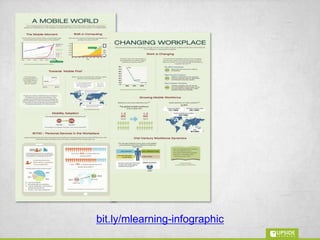
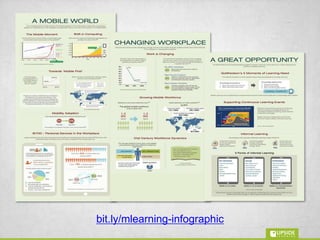
mLearningis the future of
workplace learning
bit.ly/mlearning-infographic
bit.ly/no-escaping-
mlearning-webinar
Why
so
Tablets
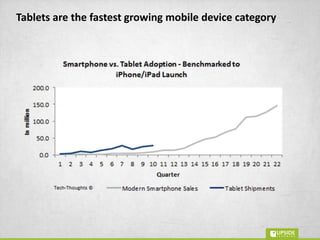
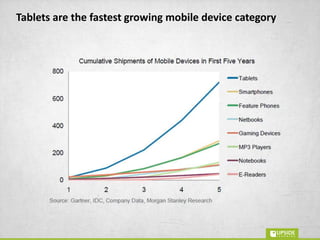
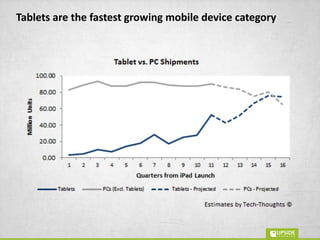
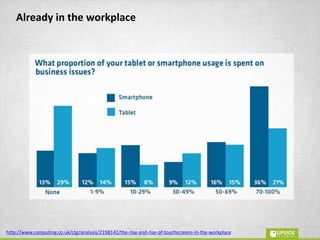
Tablets are the fastest growing mobile device category
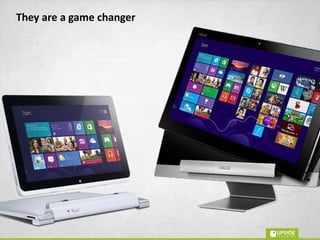
They are a game changer
http://www.computing.co.uk/ctg/analysis/2198142/the-rise-and-rise-of-touchscreens-in-the-workplace
Already in the workplace
Why tablets?
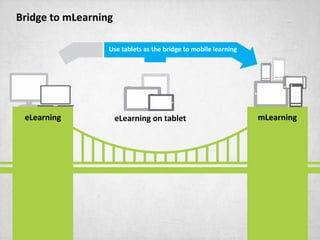
eLearning mLearningeLearning on tablet
Use tablets as the bridge to mobile learning
Why eLearning on tablets?
• Mobile is the future of workplace learning
• Fastest growing mobile device category
• A game changer
• Already in the workplace
• The bridge to real mLearning
Howto do
eLearningon
Tablets
Objectives
• Making eLearning accessible to mobile
workforce
• Providing information and material for just in
time look up for field staff
• Letting employees learn during down time
How to do eLearning on tablets?
Suggested path
• mEnable existing elearning for tablets
• Multi Device & Responsive
• Uniquely tablet focused
• Embedded in work
How to do eLearning on tablets?
design
Some
thoughts
Relevance
Consistency
Offline usage
Tablet affordances (AR)
Tracking
Some design thoughts
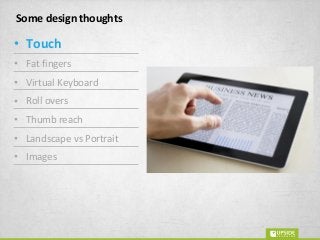
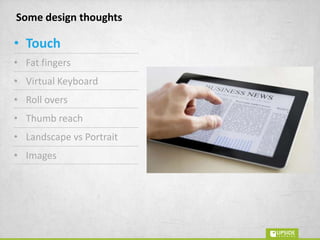
• Touch
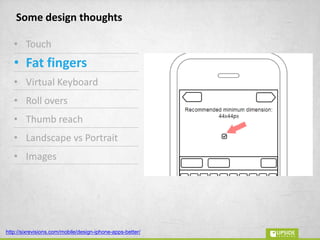
• Fat fingers
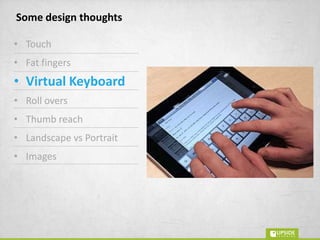
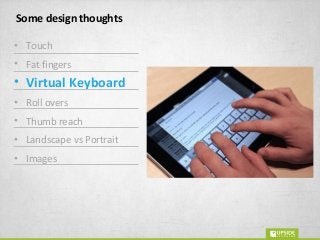
• Virtual Keyboard
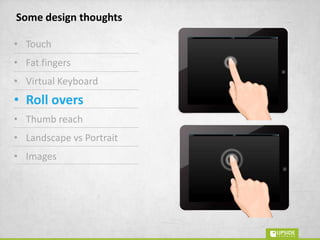
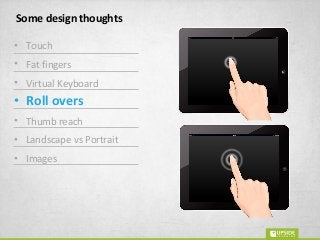
• Roll overs
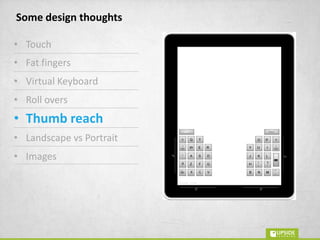
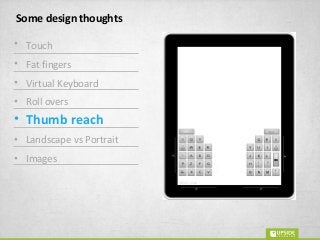
• Thumb reach
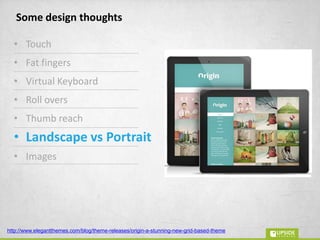
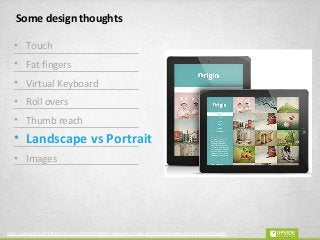
• Landscape vs Portrait
• Images
Some design thoughts
• Touch
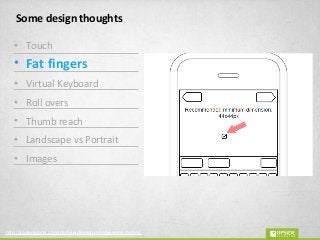
• Fat fingers
• Virtual Keyboard
• Roll overs
• Thumb reach
• Landscape vs Portrait
• Images
http://sixrevisions.com/mobile/design-iphone-apps-better/
Some design thoughts
• Touch
• Fat fingers
• Virtual Keyboard
• Roll overs
• Thumb reach
• Landscape vs Portrait
• Images
Some design thoughts
• Touch
• Fat fingers
• Virtual Keyboard
• Roll overs
• Thumb reach
• Landscape vs Portrait
• Images
Some design thoughts
• Touch
• Fat fingers
• Virtual Keyboard
• Roll overs
• Thumb reach
• Landscape vs Portrait
• Images
Some design thoughts
• Touch
• Fat fingers
• Virtual Keyboard
• Roll overs
• Thumb reach
• Landscape vs Portrait
• Images
http://www.elegantthemes.com/blog/theme-releases/origin-a-stunning-new-grid-based-theme
Some design thoughts
• Touch
• Fat fingers
• Virtual Keyboard
• Roll overs
• Thumb reach
• Landscape vs Portrait
• Images
How to do eLearning on tablets?
• Get your objectives right
• Start with mEnablement
• Move to tablet specific eLearning
• Target embedding learning in workflow
Thank You!
Questions
Amit Garg
@gargamit100
amitgarg@upsidelearning.com
Alan Samuel
@alan2907
alan.samuel@upsidelearning.com

eLearning On Tablets - What, Why & How?

Editor's Notes

  • #8 Background, past experience, specific role at Upside Last three years –consulting, development and implementation of mobile learning
  • #47 Separator slide - Some Design thoughts
  • #48 Only listing – no images Relevance Consistency – Responsive / Multi Device -&gt; Video Offline usage Tablet affordances (AR etc) Tracking
  • #49 Touch Fat Fingers Virtual Keyboard Roll Overs Thumb Reach Landscape vs Portrait Images