Creating Accessible Online Learning
David Sloan @sloandr
Sarah Horton @gradualclearing
Copyright © 2014 The Paciello Group
What we plan to do
• Take a user experience (UX) perspective to
accessibility and online learning
• Current challenges
• Key aspects of a strategy for delivering
accessible online learning experiences
What we ask you to do
• Contribute your own experiences
• Ask us questions
• Share the session
Some assumptions
Image courtesy of Wikipedia
Online learning has substantial potential to make
education more accessible, including to people with
disabilities.
Optimizing the learning experience for people with
disabilities can lead to enhancements for other
learners.
There may be pedagogic justification to require certain
levels of sensory, motor and cognitive capability in
learners.
But educational organizations have an obligation not to
discriminate against learners or instructors with
disabilities.
Defining an accessible online
learning experience
Photo credit: Flickr user @mikecogh https://www.flickr.com/photos/mikecogh/7691519996/
The journey a learner with a disability takes
through a learning program, accessing and
interacting with learning
resources, communicating with the instructor
and their peers, and demonstrating the skills
and knowledge acquired.
Constraints
• Authoring tools and platforms
• Preserving educational validity
• Diversity in learner
background, location, engagement and learning
styles
• Instructor perspective on accessibility
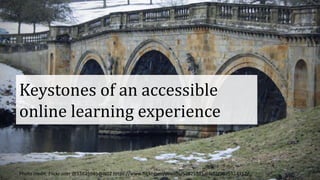
Keystones of an accessible
online learning experience
Photo credit: Flickr user @53825985@N02 https://www.flickr.com/photos/53825985@N02/9075524312/
Navigation
• Learners can navigate through an online learning
system efficiently and effectively
– Regardless of input device used or assistive technology
• Key destinations are prominently identified
– Course material
– Grade books
– Discussion areas
Media accessibility
• Graphic and video content is accessible to
people who can’t see it
• Audio content is accessible to people who
can’t hear it or understand it
• Media can be controlled and manipulated by
people regardless of input device used
Forms
• Learners with disabilities can understand the
layout and functionality of forms such that
they can enter or select appropriate data for
each control
• Learners with disabilities can successfully
access feedback when submitting an answer
Communication
• Learners with disabilities can receive
notifications of essential messages
• Learners with disabilities can participate fully
in online discussions with their peers and
instructors
Personalization
• Learners with disabilities can independently
configure the display and behavior of a system
according to their needs
– Visual display
– Ordering of content
– Timing settings
• Configuration options are easy to find, easy to
change, and reliable
Assessment
• Learners with accessibility needs can make the
appropriate adaptations before taking a
summative test
• Tests focus on intended learning outcomes in
a fair way to learners with disabilities
Educational content creation
tools
Photo credit: Flickr user @tomswift:
Current learning platform support
• Accessibility support is inconsistent!
• Hadi Rangin and colleagues reviewed four
popular learning management systems and
found flaws in each
– In accessibility to learners and instructors
• MOOC platforms also have limitations
Content variability
• HTML
• PDF
• Video, audio, animation
• eBooks
• Embedded apps
• Social media
Tools need to support accessible authoring
• Tools that help instructors create:
– Static content
– Video and audio
– Interactive features – quizzes, tests
• Tools that help students navigate to and
interact with learning resources
Responsibility for online
learning accessibility
Photo Credit: Wellspring Community School https://flic.kr/p/7FMn8b
Vendors
• Eliminate or mitigate accessibility barriers present in
learning platforms and in educational material
• Focus on supporting accessible authoring
– Course authoring and management tools should be
accessible
– Learning resource authoring systems should optimize
accessibility
Learning technologists
• Research and document the nature of current problems
• Configure LMS and courseware tools to minimize output
of inaccessible content
• Train instructors to use tools with accessibility in mind;
and to focus on the learning experience holistically
• Include accessibility in procurement/selection criteria for
new systems, tools and resources
Instructors
• Use authoring tools with accessibility in mind
• Be creative in using multiple approaches to
help your learners achieve the same learning
objectives
• Monitor your learners’ performance for
potential accessibility problems
Learners
• Learn how to configure the learning platform
to make it work best for you
• Ask for learning resources in accessible format
• Report accessibility problems
• Communicate with your peers in an inclusive
way
Everyone
• Co-ordinate efforts to pressurize platform and
resource providers to raise their accessibility
game
• Be specific in what is needed and what
success looks like
The future
Image courtesy of Wikipedia
The future: a standards approach?
• IMS Access For All
• Standardizing:
– Accessibility in learner profiles
– Accessibility in learning and assessment resource descriptions
– How this information can work together to support customized
experiences
• Success relies on gathering and maintaining accurate
information
Delivering accessible online learning
experiences is a multi-
faceted, complex challenge requiring a
holistic approach – but one worth
taking.

Creating accessible online learning experiences

  • 1.
    Creating Accessible OnlineLearning David Sloan @sloandr Sarah Horton @gradualclearing Copyright © 2014 The Paciello Group
  • 2.
    What we planto do • Take a user experience (UX) perspective to accessibility and online learning • Current challenges • Key aspects of a strategy for delivering accessible online learning experiences
  • 3.
    What we askyou to do • Contribute your own experiences • Ask us questions • Share the session
  • 4.
  • 5.
    Online learning hassubstantial potential to make education more accessible, including to people with disabilities.
  • 6.
    Optimizing the learningexperience for people with disabilities can lead to enhancements for other learners.
  • 7.
    There may bepedagogic justification to require certain levels of sensory, motor and cognitive capability in learners. But educational organizations have an obligation not to discriminate against learners or instructors with disabilities.
  • 8.
    Defining an accessibleonline learning experience Photo credit: Flickr user @mikecogh https://www.flickr.com/photos/mikecogh/7691519996/
  • 9.
    The journey alearner with a disability takes through a learning program, accessing and interacting with learning resources, communicating with the instructor and their peers, and demonstrating the skills and knowledge acquired.
  • 10.
    Constraints • Authoring toolsand platforms • Preserving educational validity • Diversity in learner background, location, engagement and learning styles • Instructor perspective on accessibility
  • 11.
    Keystones of anaccessible online learning experience Photo credit: Flickr user @53825985@N02 https://www.flickr.com/photos/53825985@N02/9075524312/
  • 12.
    Navigation • Learners cannavigate through an online learning system efficiently and effectively – Regardless of input device used or assistive technology • Key destinations are prominently identified – Course material – Grade books – Discussion areas
  • 13.
    Media accessibility • Graphicand video content is accessible to people who can’t see it • Audio content is accessible to people who can’t hear it or understand it • Media can be controlled and manipulated by people regardless of input device used
  • 14.
    Forms • Learners withdisabilities can understand the layout and functionality of forms such that they can enter or select appropriate data for each control • Learners with disabilities can successfully access feedback when submitting an answer
  • 15.
    Communication • Learners withdisabilities can receive notifications of essential messages • Learners with disabilities can participate fully in online discussions with their peers and instructors
  • 16.
    Personalization • Learners withdisabilities can independently configure the display and behavior of a system according to their needs – Visual display – Ordering of content – Timing settings • Configuration options are easy to find, easy to change, and reliable
  • 17.
    Assessment • Learners withaccessibility needs can make the appropriate adaptations before taking a summative test • Tests focus on intended learning outcomes in a fair way to learners with disabilities
  • 18.
    Educational content creation tools Photocredit: Flickr user @tomswift:
  • 19.
    Current learning platformsupport • Accessibility support is inconsistent! • Hadi Rangin and colleagues reviewed four popular learning management systems and found flaws in each – In accessibility to learners and instructors • MOOC platforms also have limitations
  • 20.
    Content variability • HTML •PDF • Video, audio, animation • eBooks • Embedded apps • Social media
  • 21.
    Tools need tosupport accessible authoring • Tools that help instructors create: – Static content – Video and audio – Interactive features – quizzes, tests • Tools that help students navigate to and interact with learning resources
  • 22.
    Responsibility for online learningaccessibility Photo Credit: Wellspring Community School https://flic.kr/p/7FMn8b
  • 23.
    Vendors • Eliminate ormitigate accessibility barriers present in learning platforms and in educational material • Focus on supporting accessible authoring – Course authoring and management tools should be accessible – Learning resource authoring systems should optimize accessibility
  • 24.
    Learning technologists • Researchand document the nature of current problems • Configure LMS and courseware tools to minimize output of inaccessible content • Train instructors to use tools with accessibility in mind; and to focus on the learning experience holistically • Include accessibility in procurement/selection criteria for new systems, tools and resources
  • 25.
    Instructors • Use authoringtools with accessibility in mind • Be creative in using multiple approaches to help your learners achieve the same learning objectives • Monitor your learners’ performance for potential accessibility problems
  • 26.
    Learners • Learn howto configure the learning platform to make it work best for you • Ask for learning resources in accessible format • Report accessibility problems • Communicate with your peers in an inclusive way
  • 27.
    Everyone • Co-ordinate effortsto pressurize platform and resource providers to raise their accessibility game • Be specific in what is needed and what success looks like
  • 28.
  • 29.
    The future: astandards approach? • IMS Access For All • Standardizing: – Accessibility in learner profiles – Accessibility in learning and assessment resource descriptions – How this information can work together to support customized experiences • Success relies on gathering and maintaining accurate information
  • 30.
    Delivering accessible onlinelearning experiences is a multi- faceted, complex challenge requiring a holistic approach – but one worth taking.